Lenovo Product Expert
Lenovo Product Expert's Stats
Reviews
- Review Count0
- Helpfulness Votes0
- First ReviewNone
- Last ReviewNone
- Featured Reviews0
- Average Rating0
Reviews Comments
- Review Comment Count0
- Helpfulness Votes0
- First Review CommentNone
- Last Review CommentNone
- Featured Review Comments0
Questions
- Question Count0
- Helpfulness Votes0
- First QuestionNone
- Last QuestionNone
- Featured Questions0
- Answer Count37965
- Helpfulness Votes24,861
- First AnswerApril 21, 2014
- Last AnswerOctober 27, 2026
- Featured Answers0
- Best Answers2831
Lenovo Product Expert's Reviews
Lenovo Product Expert has not submitted any reviews.
Lenovo Product Expert's Questions
Lenovo Product Expert has not submitted any questions.
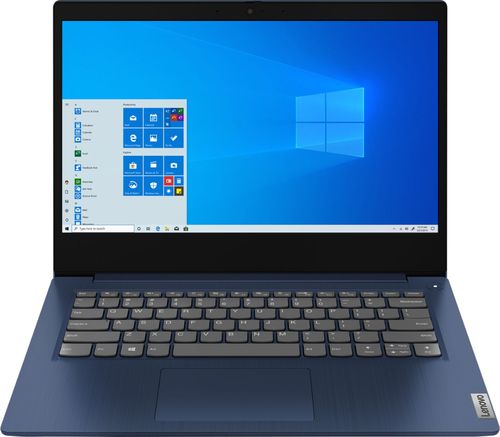
Lenovo - IdeaPad 3 14" Laptop - AMD Ryzen 3 3250U - 8GB Memory - 1TB HDD
Engineered for long-lasting performance, the Lenovo~ IdeaPad~ 3 delivers powerful performance with the latest AMD Mobile Processors with Radeon~ Graphics, in a laptop that's perfect for your everyday tasks, with features that you can depend on.
Can I add a M.2 mvme ssd?

The Lenovo IdeaPad 3 14 Laptop, model number 81W0009DUS, is not user upgradable. A certified technician must do all of the work, so as to not void the warranty. We recommend you consult your certified technician about your storage upgrade options.
6 years, 2 months ago
by
Posted by:
Lenovo Product Expert
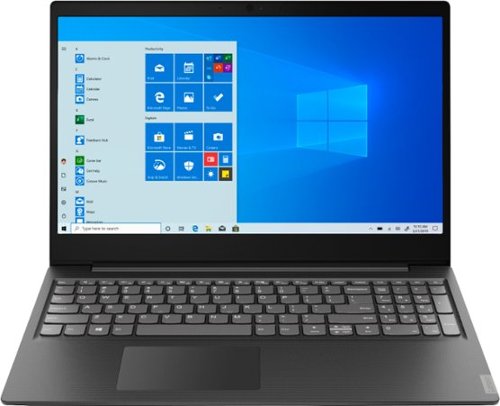
Lenovo - S145-15AST 15.6" Laptop - AMD A6-Series - 4GB Memory - 1TB Hard Drive - Black
Lenovo S145-15AST Laptop: Stay connected and engaged with this 15.6-inch Lenovo IdeaPad notebook. The 1TB hard drive stores the largest files and applications, and the AMD A6 processor makes demanding programs run smoothly. This Lenovo IdeaPad notebook has 4GB of RAM that let you manage multiple tabs at once and a 15.6-inch display that makes streaming content look crisp and detailed.
Does this laptop come with an Ethernet port?
The Lenovo IdeaPad S145-15 Laptop, model number 81N3009BUS, does not have a built in ethernet port, but you can connect this computer to an ethernet cable via a USB to ethernet adapter.
6 years, 2 months ago
by
Posted by:
Lenovo Product Expert
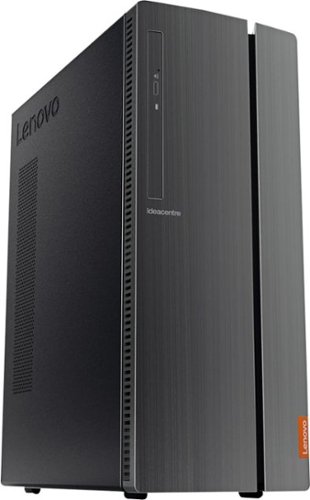
Lenovo - IdeaCentre 510A Desktop - Intel Core i7 - 12GB Memory - 1TB Hard Drive - Black
Lenovo 510A-15ICB Desktop: Give yourself the gift of speed with this Lenovo desktop computer. This build features an Intel i7 processor and 12GB of DDR4 RAM for fast processing power, and the 1TB hard drive and DVD RW drive provide massive storage capacity. This Lenovo desktop computer comes with Windows 10 installed and includes a wired keyboard and mouse.
I have a second monitor that works well with this desktop. Can I also add a third monitor?
No. The Lenovo IdeaCentre 510A Desktop, model number 90HV0005US, has one VGA and one HDMI port for video out connections.
6 years, 2 months ago
by
Posted by:
Lenovo Product Expert
Lenovo - IdeaPad 3 14" Laptop - AMD Ryzen 3 3250U - 8GB Memory - 1TB HDD
Engineered for long-lasting performance, the Lenovo~ IdeaPad~ 3 delivers powerful performance with the latest AMD Mobile Processors with Radeon~ Graphics, in a laptop that's perfect for your everyday tasks, with features that you can depend on.
the computer is new 2020 or refurbished
This is a new model.
6 years, 2 months ago
by
Posted by:
Lenovo Product Expert
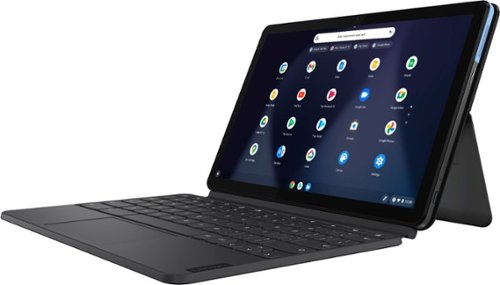
Lenovo - IdeaPad Duet Chromebook - 10.1 (1920x1200) Touch 2-in-1 Tablet - MediaTek P60T - 4G RAM - 128G eMCP4x - with Keyboard - Ice Blue + Iron Gray
Work on pending assignments while on the move with this Lenovo Chromebook Duet. The 10.1-inch touch screen provides an interactive user experience, while the 128GB of internal storage offer ample space for apps and media files. This Lenovo Chromebook Duet features a MediaTek Helio P60T processor and 4GB of RAM for effortless multitasking.
what is the size of the screen
The Lenovo Duet Chromebook has a 10.1-inch screen, measured diagonally.
6 years, 2 months ago
by
Posted by:
Lenovo Product Expert
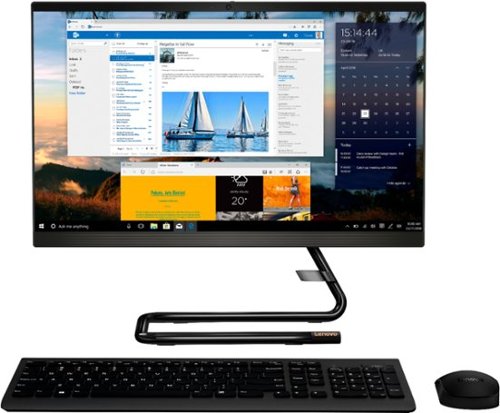
Lenovo - IdeaCentre A340-22IGM 21.5" Touch-Screen All-In-One - Intel Pentium Silver - 8GB Memory - 1TB HDD - Business Black
Finish office work flawlessly with this all-in-one Lenovo IdeaCentre desktop computer. The 1TB HDD provides ample storage space for projects and media, while the 8GB of RAM and Intel Pentium Silver processor let you run multiple programs effortlessly. This 21.5-inch Lenovo IdeaCentre desktop computer includes a Full HD touchscreen, and integrated Intel UHD graphics produce quality visuals.
Is the hdmi port on the back hdmi in or out
The Lenovo IdeaCentre A340-22 All-in-One system, model number F0EA003RUS, ships with an HDMI-Out port for video out to an external monitor.
6 years, 2 months ago
by
Posted by:
Lenovo Product Expert
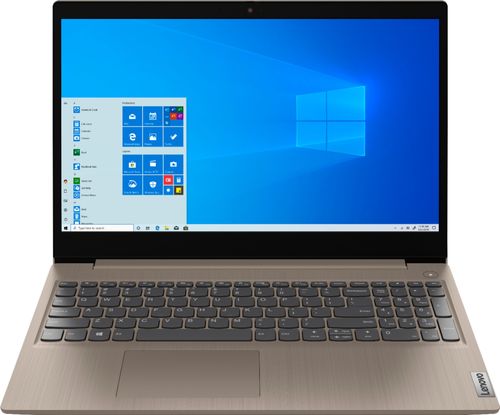
Lenovo - IdeaPad 3 15" Touch Screen Laptop - Intel Core i3-1005G1 - 8GB Memory - 256GB SSD
Engineered for long-lasting performance, the Lenovo~ IdeaPad~ 3 delivers powerful performance in a laptop that's perfect for your everyday tasks, with features that you can depend on.
Is this lap top compatible with zoom? reviews on another site said they could not access zoom from this lap top.
That will depend on the requirements and compatibility of the specific APP you want to use. The Lenovo IdeaPad 3 15 Laptop, model number 81WE00KVUS ships with Windows 10 S-Mode Operating System. Windows 10 S-Mode provides added security by only allowing APPs available ( and therefore certified by Microsoft) at the Microsoft Store. If you don't need the added security or you need to install APPs not available at the Microsoft Store, you can switch to standard Windows 10 Home 64-bit Operating System, at no additional cost. We recommend you check with the APPs software publisher's web site for their compatibility with Windows 10 S-Mode 64-bit operating system and the minimum/recommended hardware requirements (Is a Graphics card required, the processor speed and the minimum required system RAM and the minimum available hard drive space) to run their program, then compare those requirements to this system's configuration. If you need to switch out of Windows S-Mode, here is a link to instructions for switching from Windows 10 S-Mode to Windows 10 Home: https://support.microsoft.com/en-us/help/4456067/windows-10-switch-out-of-s-mode
6 years, 2 months ago
by
Posted by:
Lenovo Product Expert
Lenovo - IdeaPad 3 15" Touch Screen Laptop - Intel Core i3-1005G1 - 8GB Memory - 256GB SSD
Engineered for long-lasting performance, the Lenovo~ IdeaPad~ 3 delivers powerful performance in a laptop that's perfect for your everyday tasks, with features that you can depend on.
does the keyboard have lights?
No. The Lenovo IdeaPad 3 15 Laptop, model number 81WE00KVUS, does not have a backlit keyboard.
6 years, 2 months ago
by
Posted by:
Lenovo Product Expert
Lenovo - IdeaPad 3 14" Laptop - AMD Ryzen 3 3250U - 8GB Memory - 1TB HDD
Engineered for long-lasting performance, the Lenovo~ IdeaPad~ 3 delivers powerful performance with the latest AMD Mobile Processors with Radeon~ Graphics, in a laptop that's perfect for your everyday tasks, with features that you can depend on.
Does this have a numeric keypad or not? The image of the computer sure does have one but the Specs specify it does not.
No. The Lenovo IdeaPad 3 14 Laptop, model number 81W0009DUS, does not have a 10 key numeric pad.
6 years, 2 months ago
by
Posted by:
Lenovo Product Expert
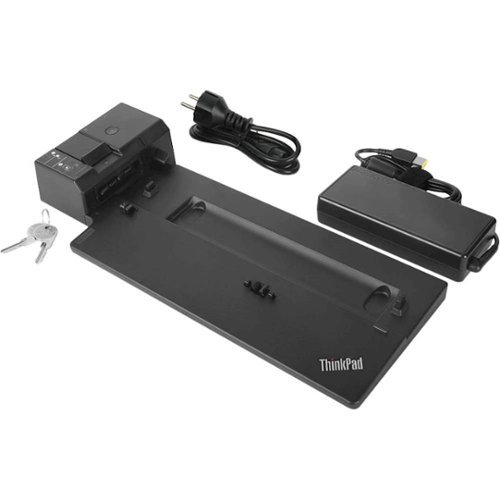
Lenovo - ThinkPad Pro Docking Connector Docking Station - Black
Link multiple peripherals to a compatible business laptop with this enterprise-level Lenovo ThinkPad Pro docking station. It has a powered USB Type-C and five USB Type-A ports to support external drives, mobile devices and other components, and the Kensington security lock slot helps prevent theft. Connect external monitors to this Lenovo ThinkPad Pro docking station via the two DisplayPort outputs.
Is this compatible with lenovo thinkpad x1 extreme 2nd
No. The Lenovo Thinkpad X1 Extreme 2nd Gen is not on the compatibility of this dock. You can use this Thunderbolt 3.0 dock with the Lenovo Thinkpad X1 Extreme 2nd Gen: https://www.bestbuy.com/site/lenovo-thinkpad-thunderbolt-3-docking-station/6355854.p?skuId=6355854
6 years, 2 months ago
by
Posted by:
Lenovo Product Expert