Lenovo Product Expert
Lenovo Product Expert's Stats
Reviews
- Review Count0
- Helpfulness Votes0
- First ReviewNone
- Last ReviewNone
- Featured Reviews0
- Average Rating0
Reviews Comments
- Review Comment Count0
- Helpfulness Votes0
- First Review CommentNone
- Last Review CommentNone
- Featured Review Comments0
Questions
- Question Count0
- Helpfulness Votes0
- First QuestionNone
- Last QuestionNone
- Featured Questions0
- Answer Count37959
- Helpfulness Votes24,861
- First AnswerApril 21, 2014
- Last AnswerOctober 26, 2026
- Featured Answers0
- Best Answers2831
Lenovo Product Expert's Reviews
Lenovo Product Expert has not submitted any reviews.
Lenovo Product Expert's Questions
Lenovo Product Expert has not submitted any questions.
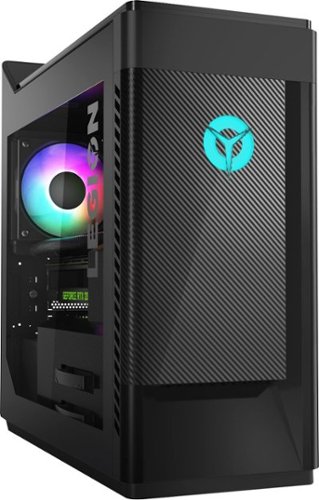
Lenovo - Legion Gaming Desktop - Intel Core i7 - 9700F - 16GB Memory - NVIDIA GeForce GTX 1660 Ti - 1TB HDD + 256GB SSD
Lenovo Legion T5 28IMB05 Desktop: Conquer new territories with this Lenovo Legion gaming PC. The 1TB hard drive and 256GB SSD combine massive storage with rapid boots, while the NVIDIA GeForce GTX 1660Ti graphics card delivers fluid visuals whether you're exploring massive worlds or leading a highway chase. This Lenovo Legion gaming PC features an Intel Core i7 processor and 16GB of RAM for high-speed responses.
How do I keep my RGB LED's on my PC and keyboard from resetting? About every time I shutdown and turn back on my computer, my keyboard and computer LED lights reset. They don't stay the way I want them to.

You can control the lighting effects through your Lenovo Vantage Dashboard. You can get more information by talking with a Legion Gaming Expert at Legion Ultimate Support at: 888-278-9707.
6 years, 3 months ago
by
Posted by:
Lenovo Product Expert
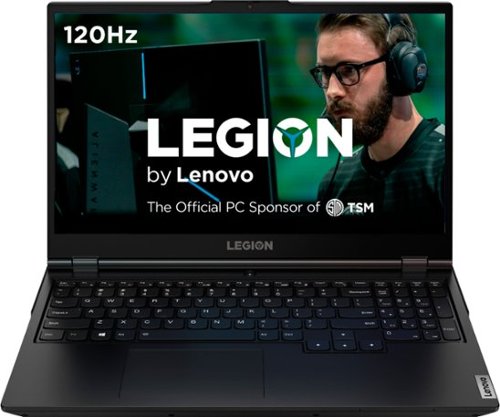
Lenovo - Legion 5 15" Gaming Laptop - Intel Core i7 - 8GB Memory - NVIDIA GeForce GTX 1660 Ti - 512GB SSD - Phantom Black
Lenovo Legion 5 15IMH05H Laptop: Game seamlessly with this 15.6-inch Lenovo Legion 5 gaming notebook. The Intel Core i7 processor and 8GB of RAM let you run modern titles smoothly, while the NVIDIA GeForce GTX 1660Ti graphics card produces crisp, clear visuals on the Full HD, anti-glare screen. This Lenovo Legion 5 gaming notebook has 512GB SSD for rapid boot times.
This model has a rgb keyboard or not?
Yes. The Lenovo 5 15 Gaming Laptop,l model number 81Y6000DUS, has a 4-Zone RGB backlight keyboard.
6 years, 3 months ago
by
Posted by:
Lenovo Product Expert
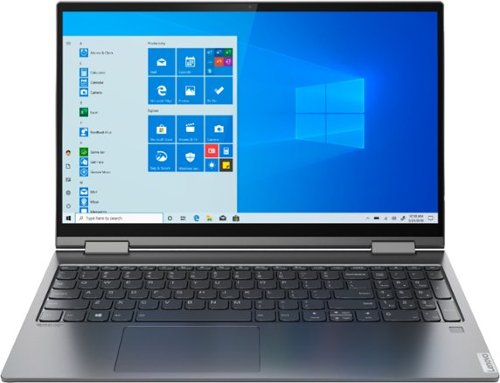
Lenovo - Yoga C740 2-in-1 15.6" Touch-Screen Laptop - Intel Core i5 - 12GB Memory - 256GB Solid State Drive
Lenovo Yoga C740 Convertible 2-in-1 Laptop: Complete daily computing tasks with this Lenovo Yoga laptop. The Intel Core i5-10210U processor works together with the 12GB of RAM, letting you run multiple applications simultaneously for smooth multitasking, while the 256GB SSD offers fast data access times, so you can jump into work sessions quickly. This Lenovo Yoga laptop has a rechargeable lithium-polymer battery that offers up to 15 hours of use on a single charge.
Is the Microsoft system already installed on this laptop without having to purchase? It seems expensive to come without it.
Windows 10 Home 64-bit Operating System is included on this computer. There is a 30-day trial of Microsoft Office 365 included as part of the Windows 10 operating system. In order to keep the program active after the trial period, you will need to purchase a product key. You will not need to download any additional software.
6 years, 3 months ago
by
Posted by:
Lenovo Product Expert
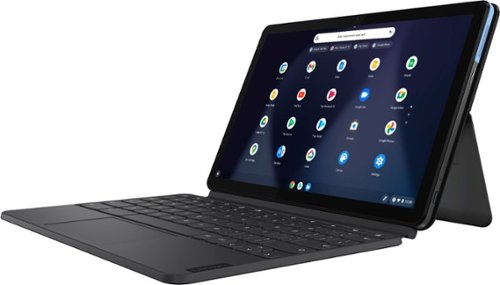
Lenovo - IdeaPad Duet Chromebook - 10.1 (1920x1200) Touch 2-in-1 Tablet - MediaTek P60T - 4G RAM - 128G eMCP4x - with Keyboard - Ice Blue + Iron Gray
Work on pending assignments while on the move with this Lenovo Chromebook Duet. The 10.1-inch touch screen provides an interactive user experience, while the 128GB of internal storage offer ample space for apps and media files. This Lenovo Chromebook Duet features a MediaTek Helio P60T processor and 4GB of RAM for effortless multitasking.
Will I be able to produce and edit videos on the Duet?
The Lenovo Duet Chromebook is compatible with Google Play Store APPs.
6 years, 3 months ago
by
Posted by:
Lenovo Product Expert
Lenovo - Legion 5 15" Gaming Laptop - Intel Core i7 - 8GB Memory - NVIDIA GeForce GTX 1660 Ti - 512GB SSD - Phantom Black
Lenovo Legion 5 15IMH05H Laptop: Game seamlessly with this 15.6-inch Lenovo Legion 5 gaming notebook. The Intel Core i7 processor and 8GB of RAM let you run modern titles smoothly, while the NVIDIA GeForce GTX 1660Ti graphics card produces crisp, clear visuals on the Full HD, anti-glare screen. This Lenovo Legion 5 gaming notebook has 512GB SSD for rapid boot times.
Is this the 5 or 5i because the title of the product is Legion 5, but the cpu is intel. If is the legion 5, it should have a amd cpu instead of intel cpu. Is it a title mistake?
The Lenovo Legion 5 15 Gaming Laptop, model number 81Y6000DUS, ships with the 10th. Generation Intel Core i7-10750H processor.
6 years, 3 months ago
by
Posted by:
Lenovo Product Expert
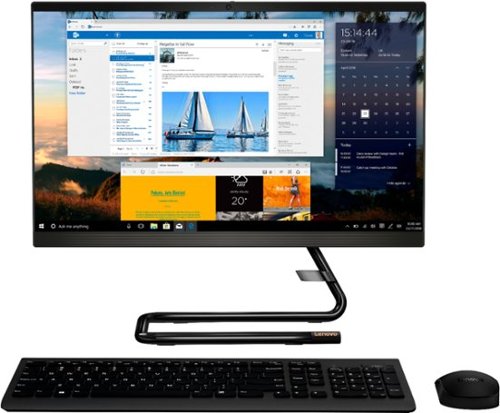
Lenovo - IdeaCentre A340-22IGM 21.5" Touch-Screen All-In-One - Intel Pentium Silver - 8GB Memory - 1TB HDD - Business Black
Finish office work flawlessly with this all-in-one Lenovo IdeaCentre desktop computer. The 1TB HDD provides ample storage space for projects and media, while the 8GB of RAM and Intel Pentium Silver processor let you run multiple programs effortlessly. This 21.5-inch Lenovo IdeaCentre desktop computer includes a Full HD touchscreen, and integrated Intel UHD graphics produce quality visuals.
Does the computer play Blueray dvd?
No. The CD/DVD drive within the IdeaCentre A340-22 All-In-One system is not compatible with the Blu-Ray format.
6 years, 3 months ago
by
Posted by:
Lenovo Product Expert
Lenovo - IdeaPad Duet Chromebook - 10.1 (1920x1200) Touch 2-in-1 Tablet - MediaTek P60T - 4G RAM - 128G eMCP4x - with Keyboard - Ice Blue + Iron Gray
Work on pending assignments while on the move with this Lenovo Chromebook Duet. The 10.1-inch touch screen provides an interactive user experience, while the 128GB of internal storage offer ample space for apps and media files. This Lenovo Chromebook Duet features a MediaTek Helio P60T processor and 4GB of RAM for effortless multitasking.
Has anyone else had trouble using the MS Office apps offline? Office 365 works fine thru the browser online, however, it keeps telling me I need to sign in and won't allow me to use the app version even though I already have an Office 365 subscription.
Here is a link to a YouTube video that describes how to use Microsoft Office 365 offline with your Chromebook: https://www.youtube.com/watch?v=CACLIQ7Cnig
6 years, 3 months ago
by
Posted by:
Lenovo Product Expert
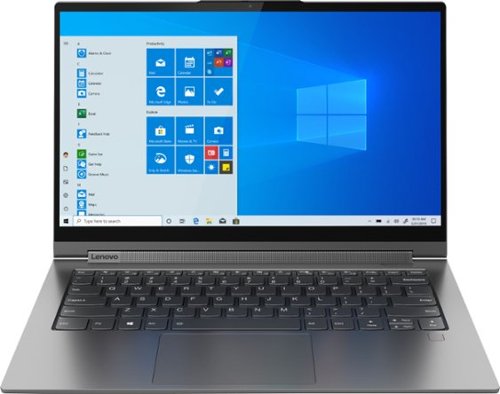
Lenovo - Yoga C940 2-in-1 14" Touch-Screen Laptop - Intel Core i7 - 12GB Memory - 512GB Solid State Drive
Lenovo Yoga C940 Convertible 2-in-1 Laptop: Increase productivity while working with this Lenovo Yoga laptop. The Intel Core i7-1065G7 processor and 12GB of RAM offer solid performance for working with multiple windows seamlessly, while the 512GB SSD offers fast data access times, letting you access saved documents easily. This Lenovo Yoga laptop has 14-inch Full HD capacitative display with 10-point multi-touch operation for detailed visuals and effortless typing.
Does this model also have Intel Iris Plus Graphics or is it integrated?
The Lenovo Yoga C940-14 ships with integrated graphics processing within the Intel Core i7-1065G7 processor. It is the integrated Intel Iris Plus Graphics version.
6 years, 3 months ago
by
Posted by:
Lenovo Product Expert
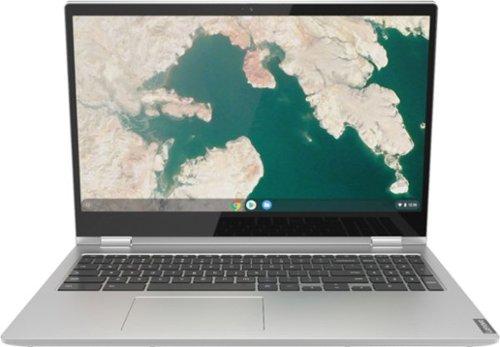
Lenovo - C340-15 2-in-1 15.6" Touch-Screen Chromebook - Intel Pentium Gold - 4GB Memory - 64GB eMMC Flash Memory - Mineral Gray
Lenovo C340-15 Convertible 2-in-1 Chromebook: Complete urgent work on the go with this Lenovo Chromebook. The 64GB eMMC offers ample storage space for documents and applications, while the Intel UHD 610 integrated graphics deliver quality visuals on the 15.6-inch touchscreen. Powered by an Intel Pentium Gold 4417U processor and 4GB of RAM, this Lenovo Chromebook runs multiple programs simultaneously for effortless multitasking.
Is this computer dual voltage? 110/220 for use overseas? Most computers today are but I wanted to check first..thanks
The Lenovo C34-=15 Chromebook is a 110V device. It ships with a dual voltage AC adapter/charger with a USA compatible wall side plug. To use this Chromebook outside the USA, you will need a wall side plug adapter compatible with the country you want to use the Chromebook in.
6 years, 3 months ago
by
Posted by:
Lenovo Product Expert

Lenovo - 27" IPS LED FHD FreeSync Monitor - Raven Black
View clear, detailed pictures on this Lenovo 27-inch Full HD LED-backlit monitor. The IPS display delivers crisp, bright visuals from almost any direction, while the USB Type-C, HDMI and VGA ports let you connect various devices. This Lenovo 27-inch Full HD LED-backlit monitor has fast response times for reduced blurring and streaking, and the stand allows tilting for a customized setup.
can you connect a ps4 to it and how many hertz is this?
The Lenovo Lenovo L27m-28 Monitor has HDMI and VGA connections. You can connect a game console to this monitor that is HDMI compatible. This monitor has a 60Hz refresh rate.
6 years, 3 months ago
by
Posted by:
Lenovo Product Expert