Lenovo Product Expert
Lenovo Product Expert's Stats
Reviews
- Review Count0
- Helpfulness Votes0
- First ReviewNone
- Last ReviewNone
- Featured Reviews0
- Average Rating0
Reviews Comments
- Review Comment Count0
- Helpfulness Votes0
- First Review CommentNone
- Last Review CommentNone
- Featured Review Comments0
Questions
- Question Count0
- Helpfulness Votes0
- First QuestionNone
- Last QuestionNone
- Featured Questions0
- Answer Count37805
- Helpfulness Votes24,825
- First AnswerApril 21, 2014
- Last AnswerOctober 9, 2026
- Featured Answers0
- Best Answers2826
Lenovo Product Expert's Reviews
Lenovo Product Expert has not submitted any reviews.
Lenovo Product Expert's Questions
Lenovo Product Expert has not submitted any questions.
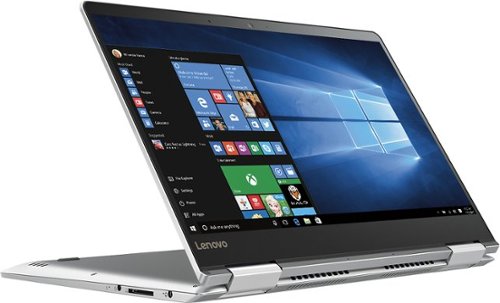
Lenovo - Yoga 710 14 2-in-1 14" Touch-Screen Laptop - Intel Core i5 - 8GB Memory - 256GB Solid State Drive - Platinum silver
Complete projects quickly with this Lenovo Yoga laptop. It provides up to eight hours of battery life on a single charge, and it has a 360-degree hinge so you can use it as a notebook or a tablet. This Lenovo Yoga laptop has an antennae built into the laptop's hinge to provide you with enhanced Wi-Fi signal strength.
If the battery goes bad, will I be able to get it replaced? Or is it protected like Fort Knox?

A certified technician can replace the battery in this system.
10 years, 1 month ago
by
Posted by:
Lenovo Product Expert
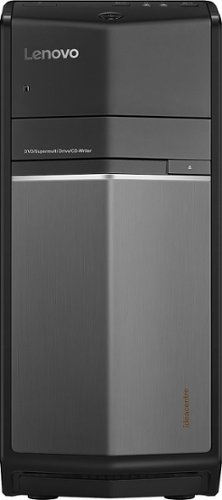
Lenovo - Desktop - Intel Core i5 - 8GB Memory - 1TB Hard Drive - Black
Explore new digital landscapes with this Lenovo Ideacentre desktop. NVIDIA GeForce GT 730 graphics with 2GB of dedicated memory drive video playback and complex game play, and a whopping six USB ports, an HDMI output, and mic and headphone jacks let you connect all you favorite peripherals. Built-in wireless and Bluetooth functions enhance your connections with this Lenovo Ideacentre desktop.
What is the warranty
There is a one year limited manufacturer's warranty that covers original build issues. You can also purchase wider coverage from Best Buy. Check with Best Buy for details.
10 years, 1 month ago
by
Posted by:
Lenovo Product Expert
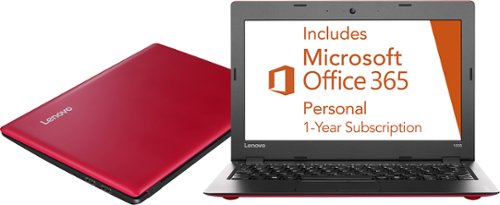
Lenovo - Ideapad 100s 11.6" Laptop - Intel Atom - 2GB Memory - 32GB eMMC Flash Storage - Red
Only at Best BuyLenovo Ideapad 100s Laptop: This laptop features a compact design and built-in Wi-Fi, so you can connect to the Internet, stream videos, type up notes or view photos wherever you go. USB ports let you connect a variety of accessories.
I work from home I want to know would this laptop be ok to use as a daily job surfing the web emails opening multiple tabs connecting to all sorts of social media and Skype YouTube and other things that a person would use as a daily need for his/her
This is an entry-level, light use system. What you describe is heavy use, multiple windows open, and multiple programs open. This system would not be able to handle that. You may want to take advantage of Best Buy's great return policy. Try this system out for up to 15-days in your "real world" situation. See if it works for you. If it doesn't, you can return the undamaged device, with your receipt for a full refund. Give it a try!
10 years, 1 month ago
by
Posted by:
Lenovo Product Expert
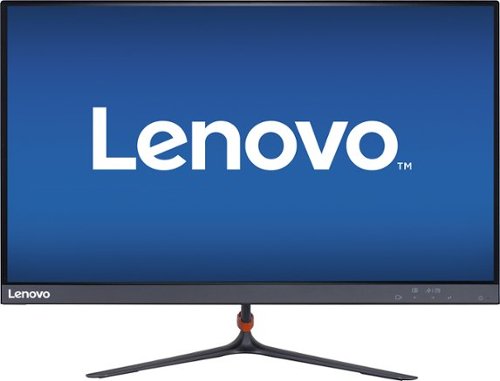
Lenovo - LI2364d 23" IPS LED FHD Monitor - Black
Enjoy quality viewing from different vantage points with this 23-inch Lenovo LED monitor. Its 178-degree horizontal and vertical viewing angles let you sit in various positions without sacrificing visibility. The 7-ms response time and high refresh rate ensure minimal ghosting, blurring and eye fatigue. This 23-inch Lenovo LED monitor has HDMI and VGA inputs.
Would this be a good quality gaming monitor ?
This is a great general purpose IPS/HD monitor, with a resolution of 1920 x 1080. It has a refresh rate of 7ms. Check with the specific game publisher for their requirements for a monitor then compare those requirements to this monitor's configuration.
10 years, 1 month ago
by
Posted by:
Lenovo Product Expert
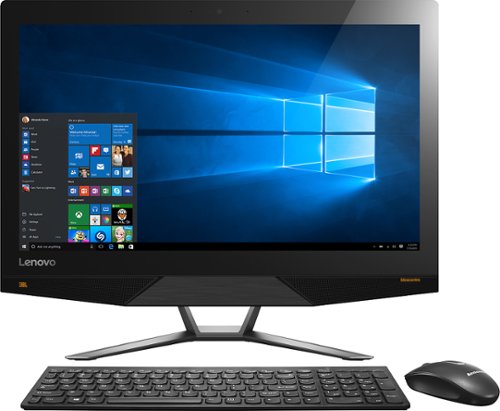
Lenovo - 700-22ISH 21.5" Touch-Screen All-In-One - Intel Pentium - 8GB Memory - 1TB Hard Drive - Black
Connect, work and play with this high-performance all-in-one Lenovo Ideacentre computer. It has built-in premium JBL speakers and a 21.5-inch full HD screen with adjustable angle for a complete personal entertainment system. The huge 1TB of storage of this Lenovo Ideacentre computer can accommodate all your large files and Windows 10 applications.
Can this run games at a decent FPS and Settings?
We recommend you check with the specific game publisher for their minimum/recommended requirements to run the game, then compare those requirements with this system's configuration
10 years, 1 month ago
by
Posted by:
Lenovo Product Expert
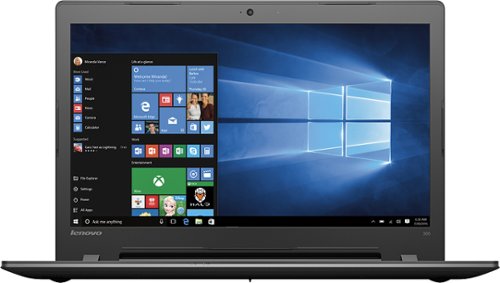
Lenovo - 300-17ISK 17.3" Laptop - Intel Core i5 - 8GB Memory - 1TB Hard Drive - Black
Roam the Internet with this Lenovo IdeaPad laptop. Its Intel Core processor provides smoother multitasking and faster loading times, and the 15.6-inch HD display lets you enjoy a better viewing experience. Built-in Wi-Fi capability on this Lenovo IdeaPad laptop makes browsing, streaming and sharing files easy wherever you can connect to a network.
Does this have a backlit keyboard ?
No, this system does not have a backlit keyboard.
10 years, 1 month ago
by
Posted by:
Lenovo Product Expert
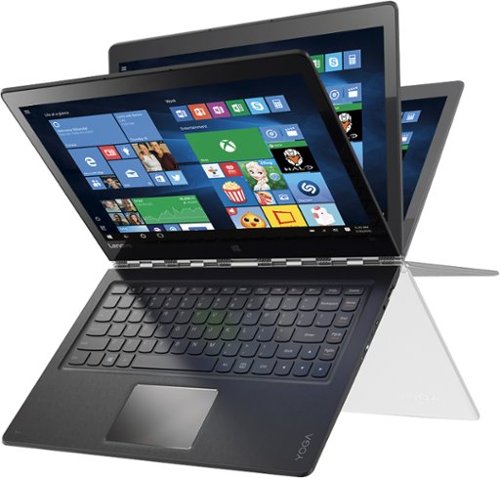
Lenovo - Yoga 900 13.3" 2-in-1 Touch-Screen Laptop - Intel Core i7 - 8GB Memory - 256GB Solid State Drive - Silver
Only at Best BuyLenovo Yoga 900 Convertible 2-in-1 Laptop: With its 360~ hinge, this laptop allows use in multiple modes to provide the versatility you need to get your work done and stay entertained. Swipe through features using all 10 fingers with the 13.3" capacitive multitouch screen, use the backlit keyboard to enjoy comfortable typing or control functions using your voice.
Is the graphics card in this model a Intel Iris Graphics 540 card or HD Graphics card?
This is the 2015 model with integrated Intel HD graphics.
10 years, 1 month ago
by
Posted by:
Lenovo Product Expert
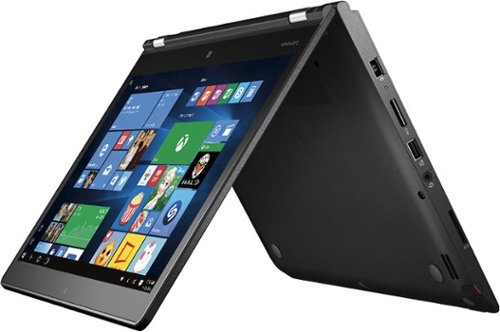
Lenovo - Thinkpad 2-in-1 14" Touch-Screen Laptop - Intel Core i5 - 8GB Memory - NVIDIA GeForce 940M - 256GB Solid State Drive - Graphite black
Lenovo ThinkPad Yoga 14 Convertible 2-in-1 Laptop: 4th generation Intel Core processor deliver the performance to increase productivity for your business. Devices turn on in an instant and are always up-to-date. You can multitask quickly and move effortlessly between applications, collaborate wirelessly in a high quality videoconference - all with the convenience of longer battery life.Easily change between four modes - laptop, stand, tablet, and tent - while your system automatically switches system settings and locks the keyboard in place. The secret: ThinkPad Yoga 14's unique design, improved hinge, and touchscreen display allow the screen to flip around 360 degrees - and even lay it flat - which means you can select the mode you use based on what you choose to do.Starting at a mere 4.2 lbs and 0.8" thin, ThinkPad Yoga 14 is ultraportable - it's perfect for productivity on the go. And with hours of battery life, you can go all day without recharging.
I will purchase this yoga 14 any day. The stock 256 SSD is too small and I'd like to upgrade it to a 500 gb SSD. Is the NVMe SSD compatible with this machine and if so can you recommend a suitable no worries SSD upgrade path? Thank you.
This system is not upgradable by the user. Any work on this device must be performed by a certified technician or the warranty may become void. There is a full-size SD Card Slot on this device that will allow you to easily add up to 512GB of additional solid state storage to the device. This would not be suitable for storing software programs though as most commercial software programs must be loaded on the internal "C" drive.
10 years, 1 month ago
by
Posted by:
Lenovo Product Expert
Lenovo - Thinkpad 2-in-1 14" Touch-Screen Laptop - Intel Core i5 - 8GB Memory - NVIDIA GeForce 940M - 256GB Solid State Drive - Graphite black
Lenovo ThinkPad Yoga 14 Convertible 2-in-1 Laptop: 4th generation Intel Core processor deliver the performance to increase productivity for your business. Devices turn on in an instant and are always up-to-date. You can multitask quickly and move effortlessly between applications, collaborate wirelessly in a high quality videoconference - all with the convenience of longer battery life.Easily change between four modes - laptop, stand, tablet, and tent - while your system automatically switches system settings and locks the keyboard in place. The secret: ThinkPad Yoga 14's unique design, improved hinge, and touchscreen display allow the screen to flip around 360 degrees - and even lay it flat - which means you can select the mode you use based on what you choose to do.Starting at a mere 4.2 lbs and 0.8" thin, ThinkPad Yoga 14 is ultraportable - it's perfect for productivity on the go. And with hours of battery life, you can go all day without recharging.
I am replacing my Lenovo that my hubby dropped ;( we liked the yoga except the soft touch keypad...most in my house found it frustrating to type and work on compared to our Mac laptops. Wondering if anyone knows if this keypad is better than the yoga?
The Lenovo ThinkPad Series has a award-winning keyboard. It is made to be durable, business-friendly and comfortable for typing. We recommend you try it out in person at your nearest Best Buy Store, but if that is not possible, remember that Best Buy gives you 15 days to try out the ThinkPad Yoga in your "real world" environment. If not pleased, you can return any undamaged merchandise, with your receipt, for a refund.
10 years, 1 month ago
by
Posted by:
Lenovo Product Expert
Lenovo - Desktop - Intel Core i5 - 8GB Memory - 1TB Hard Drive - Black
Explore new digital landscapes with this Lenovo Ideacentre desktop. NVIDIA GeForce GT 730 graphics with 2GB of dedicated memory drive video playback and complex game play, and a whopping six USB ports, an HDMI output, and mic and headphone jacks let you connect all you favorite peripherals. Built-in wireless and Bluetooth functions enhance your connections with this Lenovo Ideacentre desktop.
Does this PC support dual monitors? If so, what additional equipment, if any, is needed to install dual monitors?
Yes, this system has one HDMI-out and one VGA port for monitors. All you need are the cables and drivers that come with the monitors.
10 years, 1 month ago
by
Posted by:
Lenovo Product Expert