Lenovo Product Expert
Lenovo Product Expert's Stats
Reviews
- Review Count0
- Helpfulness Votes0
- First ReviewNone
- Last ReviewNone
- Featured Reviews0
- Average Rating0
Reviews Comments
- Review Comment Count0
- Helpfulness Votes0
- First Review CommentNone
- Last Review CommentNone
- Featured Review Comments0
Questions
- Question Count0
- Helpfulness Votes0
- First QuestionNone
- Last QuestionNone
- Featured Questions0
- Answer Count37744
- Helpfulness Votes24,786
- First AnswerApril 21, 2014
- Last AnswerSeptember 29, 2026
- Featured Answers0
- Best Answers2823
Lenovo Product Expert's Reviews
Lenovo Product Expert has not submitted any reviews.
Lenovo Product Expert's Questions
Lenovo Product Expert has not submitted any questions.

Lenovo - IdeaPad 1 15.6" Full HD Touchscreen Laptop - AMD Ryzen 5 7520U 2022 - 8GB Memory - 256GB SSD - Abyss Blue
The IdeaPad 1 gives value a whole new meaning with the all-new ultra-efficient AMD Ryzen 5 Processor that makes multitasking a breeze in its thin and compact 17.9mm chassis. Get the most out of your 15.6" device with 87% Active Area Ratio for more screen and Dolby Audio speakers, along with up to 12 hours of battery life and rapid charge. Great for video calls, the 1MP camera comes with a privacy shutter to keep out spying eyes, as well as Smart Noise Cancelling to eliminate background noise.
can I play farmville on it

Hi helen,
Yes, you should be able to play Farmville on this IdeaPad 1.
Please feel free to reach out to us with any other questions!
Yes, you should be able to play Farmville on this IdeaPad 1.
Please feel free to reach out to us with any other questions!
1 year, 3 months ago
by
Posted by:
Lenovo Product Expert
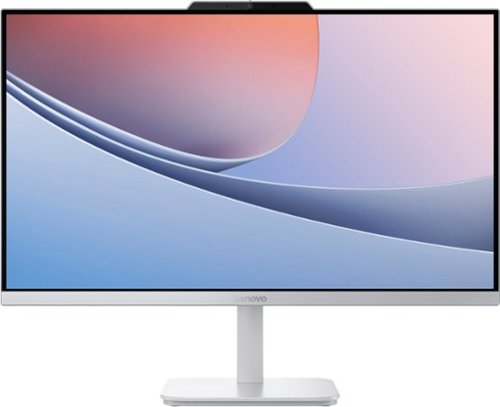
Lenovo - A100 23.8" Full HD All-In-One - Intel Processor N100 - 8GB Memory - 256GB SSD - Cloud Grey
Blend style with functionality for your home with this sleek all-in-one desktop. This space-saving unibody design features a stunning 23.8" FHD display with ultra-thin 3-side bezels. Powered by an Intel N100 processor, the Lenovo A100 is perfect for everyday tasks at a great value.
Can I expand the storage of my Lenovo A100? If so, how?
Hi Sang,
You can expand storage by swapping out the existing 256GB M.2 PCIe NVMe SSD for a drive of higher capacity. To learn about hardware maintenance, you can view the maintenance manual for the A100 here: https://download.lenovo.com/consumer/desktop_pub/lenovo_a100_v100_hmm_en.pdf
Please feel free to reach out to us with any other questions!
You can expand storage by swapping out the existing 256GB M.2 PCIe NVMe SSD for a drive of higher capacity. To learn about hardware maintenance, you can view the maintenance manual for the A100 here: https://download.lenovo.com/consumer/desktop_pub/lenovo_a100_v100_hmm_en.pdf
Please feel free to reach out to us with any other questions!
1 year, 3 months ago
by
Posted by:
Lenovo Product Expert

Lenovo - IdeaCentre 3 Desktop - Intel Core i7-14700 - 16GB Memory - 1TB SSD - Cloud Grey
A perfect blend of form and function, the Lenovo IdeaCentre 3, powered by the latest Intel processors, has an ultra-compact design that fits seamlessly into any home. With blazing SSD storage and lightning-fast connectivity, you can connect, make, and share effortlessly with all your friends and family.
Does this PC have a Drive or Processor light to show when busy..like during Windows Updates?
Hi DRiver,
This IdeaCentre 3 features an LED status light built into the desktop's power button. Although, there is not a unique LED color to indicate the system is completing updates, but this should be displayed on the display connected to the PC.
Please feel free to reach out to us with any other questions!
This IdeaCentre 3 features an LED status light built into the desktop's power button. Although, there is not a unique LED color to indicate the system is completing updates, but this should be displayed on the display connected to the PC.
Please feel free to reach out to us with any other questions!
1 year, 3 months ago
by
Posted by:
Lenovo Product Expert

Lenovo - ThinkBook 16 G7 16" Laptop - Snapdragon X Plus with 16GB Memory - 512GB SSD - Luna Grey
Redene possibilities with the new gen ThinkBook powered by Qualcomm Snapdragon X Plus CPU and a groundbreaking NPU that delivers 45 TOPs of performance for astonishing on-device AI processing. Whether you~re creating rich media presentations on the go or diving into immersive 4K video streaming this device optimizes workloads for uninterrupted productivity. With an integrated Qualcomm Adreno GPU it swiftly renders complex geometries for next-level visuals in applications offering ultra-fast responsiveness and superior mobile connectivity for truly immersive experiences. Experience the synergy of form and function with the premium 16~ screen featuring an impressive 91.3% screen-to-body ratio and a 2.5K display option. The expansive display offers higher pixel density, beneficial for tasks involving intricate visual elements while the minimal bezel design with premium aesthetics maximizes the viewing area with minimal distractions.
Han the RAM and hard drive capacity be increased on this laptop?
Hi there,
The memory cannot be upgraded, as it is soldered to the systemboard; although, the storage can be expanded by swapping out the existing 512GB M.2 2242 PCIe 4.0x4 NVMe drive for one of higher capacity.
Please feel free to reach out to us with any other questions!
The memory cannot be upgraded, as it is soldered to the systemboard; although, the storage can be expanded by swapping out the existing 512GB M.2 2242 PCIe 4.0x4 NVMe drive for one of higher capacity.
Please feel free to reach out to us with any other questions!
1 year, 3 months ago
by
Posted by:
Lenovo Product Expert

Lenovo - Yoga 7 2-in-1 - Copilot+ PC - 14" 2K OLED Touchscreen Laptop - AMD Ryzen AI 5 340 2025 - 16GB Memory - 512GB SSD - Seashell
Create anywhere, your way, with the Yoga 7 2-in-1. Its 360~ convertible design and responsive touchscreen let you switch between tablet, tent, or laptop mode effortlessly. Add the optional Yoga Pen for smooth, precise control wherever inspiration strikes. Powered by a AMD Ryzen AI 5 340 processor and a 50 TOPS NPU, this Copilot+ PC is optimized by Lenovo~s AI Core to immaculately balance power and performance. The 14" PureSight OLED display, featuring a 60Hz refresh rate and Dolby Vision, delivers bold, vibrant colors that make your ideas pop.
How sturdy is this laptop. I've dropped my laptops in the past and have dented corners, cracked screens, etc.
Hi there,
While this Yoga 7 has earned an MIL-STD-810 rating and features an aluminum chassis, it is not designed to withstand high velocity drops. For peace of mind and protecting your investment, we recommend considering an accidental protection plan option. This includes but is not limited to Best Buy's Total membership and Geek Squad Accidental Damage & Handling plan coverage.
Please feel free to reach out to us with any other questions!
While this Yoga 7 has earned an MIL-STD-810 rating and features an aluminum chassis, it is not designed to withstand high velocity drops. For peace of mind and protecting your investment, we recommend considering an accidental protection plan option. This includes but is not limited to Best Buy's Total membership and Geek Squad Accidental Damage & Handling plan coverage.
Please feel free to reach out to us with any other questions!
1 year, 3 months ago
by
Posted by:
Lenovo Product Expert
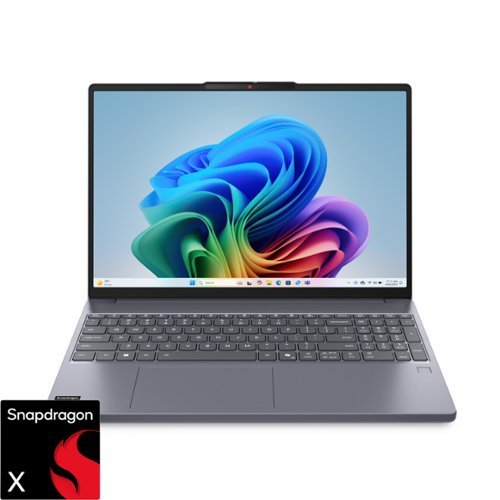
Smarter computing meets bold design and durability. As a Copilot+ PC, the IdeaPad Slim 3x features up to 45 TOPS NPU for AI, multitasking and smooth video calls. Its 15.3" 16:10 display delivers elevated visuals, while the rugged chassis ensures reliability. With all-day battery life and Rapid Charge, to get two hours of power in 15 minutes.
Where can we get the instruction manual or set-up guide? I just pursed one but didnt receive a guide.
Hi there,
To view the various guides and manuals for the IdeaPad Slim 3x, please visit this Lenovo Support webpage for your model Slim 3x: https://pcsupport.lenovo.com/us/en/products/laptops-and-netbooks/ideapad-s-series-netbooks/ideapad-slim-3-15q8x10/document-userguide
Please feel free to reach out to us with any other questions!
To view the various guides and manuals for the IdeaPad Slim 3x, please visit this Lenovo Support webpage for your model Slim 3x: https://pcsupport.lenovo.com/us/en/products/laptops-and-netbooks/ideapad-s-series-netbooks/ideapad-slim-3-15q8x10/document-userguide
Please feel free to reach out to us with any other questions!
1 year, 3 months ago
by
Posted by:
Lenovo Product Expert
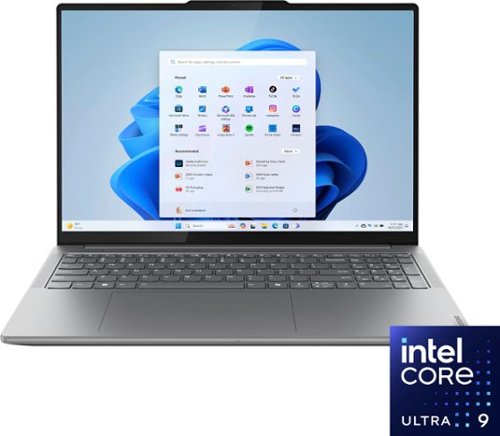
Lenovo - Yoga Pro 9i 16" 3.2K Mini LED Touchscreen Laptop - Intel Core Ultra 9 - 32GB Memory - NVIDIA GeForce RTX 4060 - 1TB SSD - Luna Grey
Outstanding visuals, outsmarting algorithms, outrageous performance ~ the Lenovo Yoga Pro 9i powered by the latest Intel Core Ultra processors is everything you could ever wish for in a creator laptop. With Lenovo X Power by its side, it drives a huge boost in performance for the heaviest of creator tasks. Paired with machine learning and the dedicated AI engine of Intel Core Ultra, to boost your productivity, the Yoga Pro 9i is the most hardworking laptop for creators.
What is the GPU wattage for the 4060
Hi Cdn,
The RTX 4060 in this Yoga Pro 9i has a TGP of 100W.
Please feel free to reach out to us with any other questions!
The RTX 4060 in this Yoga Pro 9i has a TGP of 100W.
Please feel free to reach out to us with any other questions!
1 year, 3 months ago
by
Posted by:
Lenovo Product Expert

Lenovo - Ideapad 1i 15.6" Full HD Touchscreen Laptop - Intel Core i5-1334U 2023 - 16GB Memory - 512GB SSD - Abyss Blue
The IdeaPad 1i raises the bar on every affordable laptop with a super-efficient Intel Core i5 processor in a thin and compact 17.9 mm chassis that makes multitasking a breeze while boosting energy efficiency with up-to-11 hours of battery life and rapid charge. Get more value with four-sided narrow bezels for maximum screen, Dolby Audio speakers and Flip to Start for instant bootup. Optimize your video call experience with a 1MP camera that comes with a privacy shutter to keep out prying eyes and Smart Noise Cancelling to cut out background noise.
Will it play DVD
Hi there,
This IdeaPad 1i does not feature an optical drive to read/write CD/DVD discs; however, you can use an external optical drive or disc drive should you desire to acquire this function.
Please feel free to reach out to us with any other questions!
This IdeaPad 1i does not feature an optical drive to read/write CD/DVD discs; however, you can use an external optical drive or disc drive should you desire to acquire this function.
Please feel free to reach out to us with any other questions!
1 year, 3 months ago
by
Posted by:
Lenovo Product Expert
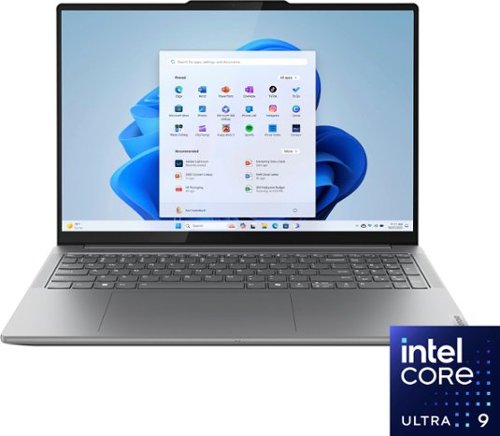
Lenovo - Yoga Pro 9i 16" 3.2K Touchscreen Laptop - Intel Core Ultra 9 185H 2023 - 32GB RAM - NVIDIA GeForce RTX 4050 - 1TB SSD - Luna Grey
Outstanding visuals, outsmarting algorithms, outrageous performance ~ the Lenovo Yoga Pro 9i powered by the latest Intel Core Ultra processors is everything you could ever wish for in a creator laptop. With Lenovo X Power by its side, it drives a huge boost in performance for the heaviest of creator tasks. Paired with machine learning and the dedicated AI engine of Intel Core Ultra, to boost your productivity, the Yoga Pro 9i is the most hardworking laptop for creators.
Would You recommend this for a computer engineering major? If not, why?
Hi there,
It can depend on the demands of the software you may need to use or workloads that may be applied to the Yoga Pro 9i system, but many computing engineering majors have shared their satisfaction in reviews about using this Yoga Pro for their studies and personal use. So long as the specifications of this laptop satisfy the system requirements of the software you may need to use, it should be able to keep up with the demands of your learning path. To note, some users that have this Yoga Pro 9i mention its size and lower battery life (due to its high wattage performance) as points to consider when frequently moving about with their Yoga Pro.
Please feel free to reach out to us with any other questions!
It can depend on the demands of the software you may need to use or workloads that may be applied to the Yoga Pro 9i system, but many computing engineering majors have shared their satisfaction in reviews about using this Yoga Pro for their studies and personal use. So long as the specifications of this laptop satisfy the system requirements of the software you may need to use, it should be able to keep up with the demands of your learning path. To note, some users that have this Yoga Pro 9i mention its size and lower battery life (due to its high wattage performance) as points to consider when frequently moving about with their Yoga Pro.
Please feel free to reach out to us with any other questions!
1 year, 3 months ago
by
Posted by:
Lenovo Product Expert
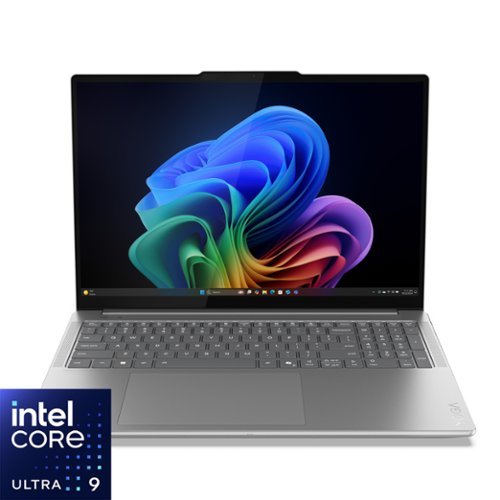
Lenovo - Yoga Pro 9i Aura Edition 16" 3.2K OLED Laptop - Intel Core Ultra 9 285H 2025 - NVIDIA GeForce RTX 5060 - 32GB RAM - 1TB - Luna Grey
Turn your vision into reality with smarter tools and connections. The Yoga Pro 9i Aura Edition, powered by Intel Core Ultra processors and NVIDIA discrete graphics, boosts AI-driven performance for seamless rendering, multitasking, and edits. Lenovo X Power keeps it cool, while the PureSight Pro Tandem OLED display brings your work to life with vivid colors.
Does this laptop feature an mux switch?
Hi Bella,
This Yoga Pro 9i does not feature a MUX switch natively from Lenovo; however, you can switch the graphics processor in use in the system BIOS or by using the NVIDIA Control Panel app that is preinstalled on the Yoga Pro.
Please feel free to reach out to us with any other questions!
This Yoga Pro 9i does not feature a MUX switch natively from Lenovo; however, you can switch the graphics processor in use in the system BIOS or by using the NVIDIA Control Panel app that is preinstalled on the Yoga Pro.
Please feel free to reach out to us with any other questions!
1 year, 3 months ago
by
Posted by:
Lenovo Product Expert