Lenovo Product Expert
Lenovo Product Expert's Stats
Reviews
- Review Count0
- Helpfulness Votes0
- First ReviewNone
- Last ReviewNone
- Featured Reviews0
- Average Rating0
Reviews Comments
- Review Comment Count0
- Helpfulness Votes0
- First Review CommentNone
- Last Review CommentNone
- Featured Review Comments0
Questions
- Question Count0
- Helpfulness Votes0
- First QuestionNone
- Last QuestionNone
- Featured Questions0
- Answer Count37786
- Helpfulness Votes24,803
- First AnswerApril 21, 2014
- Last AnswerOctober 6, 2026
- Featured Answers0
- Best Answers2825
Lenovo Product Expert's Reviews
Lenovo Product Expert has not submitted any reviews.
Lenovo Product Expert's Questions
Lenovo Product Expert has not submitted any questions.
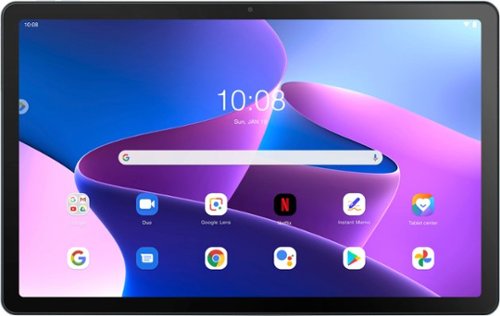
Lenovo - Tab M10 Plus (3rd Gen) - 10.61" - Tablet - 32GB - Frost Blue
Lenovo Tab M10 Plus is one impressive media tablet from the 3rd generation tab family. Its standout metal design gives you a premium look and feel with modern simplicity. Inside lies a 10.6" FHD IPS screen and four Dolby Atmos speakers for truly immersive entertainment. This is one tablet you will want to use and pass around the house.
Is this tablet compatible with the smart dock I have from an earlier model Lenovo M10?

That will depend on the model smart dock you have. We recommend reaching out to Lenovo Tech Support at this phone number to share details on your current equipment and use the information on this model Tab M10 Plus to work with a representative to determine compatibility: 877-453-6686.
3 years, 6 months ago
by
Posted by:
Lenovo Product Expert
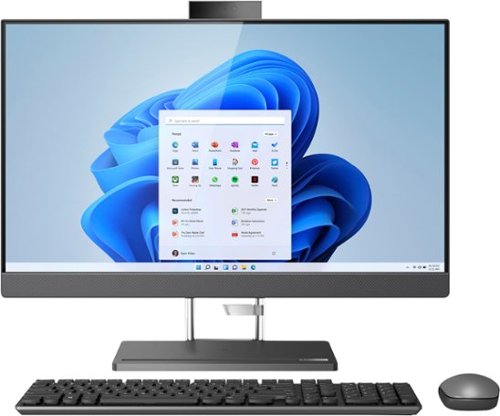
Lenovo - IdeaCentre AIO 5i 27" Touch-Screen All-In-One - Intel Core i5 - 8GB Memory - 512GB Solid State Drive - Storm Gray
The IdeaCentre AIO 5i is driven by the latest Intel Core i5 processors, with advanced memory and storage technology. So, it takes everything in stride, from heavy workloads to live streaming and graphics-intensive apps. It's equipped with all the ports you could need and has Qi wireless charging, enabling you to recharge your phone just by placing on the stand's base.
Would this be a good system for running cad software such as fusion360 or similar software?
Hello, Jandjmachine, thank you for your question! That will depend on the requirements and compatibility of the specific software you plan to use. This IdeaCentre AIO 5i 27 ships with the Windows 11 Operating System preinstalled and the specifications are listed on the product’s webpage. We recommend you check the software publisher’s website for their compatibility with the minimum/recommended hardware requirements to run their programs, then compare those requirements to this system's configuration to determine compatibility.
3 years, 6 months ago
by
Posted by:
Lenovo Product Expert
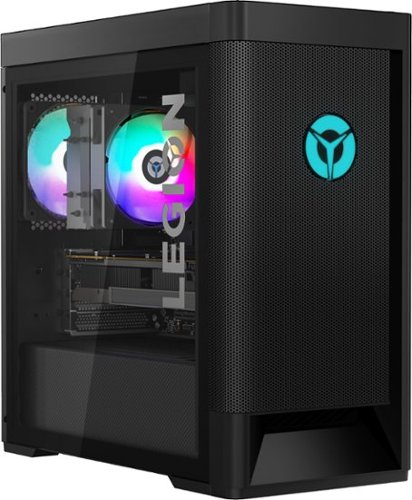
Lenovo - Legion Tower 5 AMD Gaming Desktop - AMD Ryzen 7-5800 - 16GB Memory - NVIDIA GeForce RTX 3060 - 256GB SSD + 1TB HDD - Raven Black
Engineered out of a passion for savage power and unmatched speed, the Lenovo Legion Tower 5 AMD delivers mind-blowing performance that combines AMD Ryzen processors and top-of-the-line NVIDIA GeForce graphics cards for blazing-fast frame rates at up to 4K resolution. Pushing far beyond the upper bounds of smaller rig configurations while keeping things cool and whisper quiet, the Legion Tower 5 is a marvel of build and design, accentuated by its illuminated blue LED logo and lighting, as well a transparent side panel that can properly showcase your internals.
I'd like to have two traditional 2TB HDD on the computer. I can replace the 1TB HDD that comes with the computer, but is there one more SATA port and hard drive bay in the computer where I can conformably add another HDD? Thanks a lot.
Hello, freewheeler, and thank you for your question! Yes, this Legion Tower 5 can support up to 5 drives: 2x 3.5" HDD, 1x 2.5'' HDD, and 2x M.2 SSD. Should you like to discuss your upgrade options, we recommend reaching out to Legion Ultimate Support at this phone number for details: 888-278-9707.
3 years, 6 months ago
by
Posted by:
Lenovo Product Expert
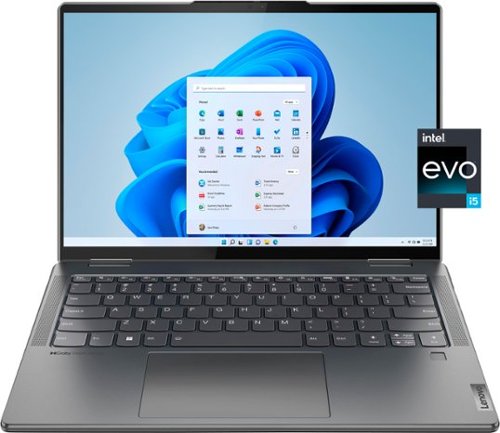
Lenovo - Yoga 7i 14" 2.2K Touch 2-in-1 Laptop - Intel Evo Platform - Core i5-1235U - 8GB Memory - 512GB SSD - Storm Grey
The Lenovo Yoga 7i combines versatile portability and enhanced productivity, thanks to the boundary-breaking performance and responsiveness of 12th generation Intel Core processors and vibrant 2.2K clarity with Intel Iris Xe graphics. Go anywhere with a sleek 2-in-1 metal chassis featuring thoughtful details including a webcam privacy shutter.
Is the battery easy to replace?
Hello, Wood, and thank you for your question! This Yoga 7i 14 features a sealed battery that we recommend only to be replaced by a Lenovo certified technician. This Yoga 7i also features a 1-year sealed battery warranty, that should the user experience a drop in battery health, may be eligible for a battery replacement. To discuss if eligible for a battery replacement, we recommend reaching out to Lenovo Tech Support at this phone number to work with a representative from our support team: 877-453-6686
3 years, 6 months ago
by
Posted by:
Lenovo Product Expert
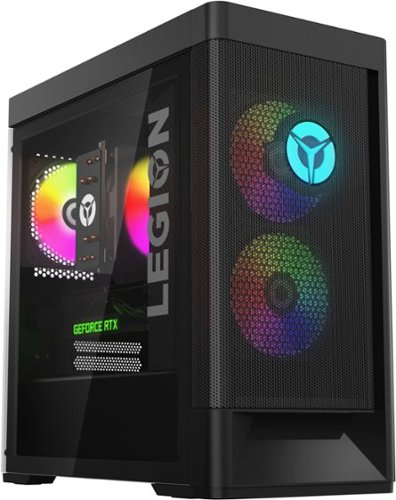
Lenovo - Legion Tower 5i Gaming Desktop - Intel Core i5-12400 - 16GB Memory - NVIDIA GeForce RTX 3050 - 256GB SSD + 1TB HDD - Black
Dominate your competition with the savage power and blistering speeds of your essential battlestation: the Lenovo Legion Tower 5i. 12th Generation Intel Core processors and the latest NVIDIA GeForce graphics cards deliver a stunning show of force with speed-barrier-breaking refresh rates at 4K, along with cool and quiet performance in a compact casing marked by a clean design and build.
what frames does it run
Hello, Josh, and thank you for your question! Due to the variables of hardware configurations, it is not possible to predict the details of what performance you would experience. That will depend on the requirements and compatibility of the specific games you plan to use. We recommend you check the software publisher’s websites for their compatibility with the minimum/recommended hardware requirements to run their program, then compare those requirements to this system's configuration to determine compatibility or check with the CPU and GPU manufacturer sites for benchmark data.
3 years, 6 months ago
by
Posted by:
Lenovo Product Expert
Lenovo - Yoga 7i 14" 2.2K Touch 2-in-1 Laptop - Intel Evo Platform - Core i5-1235U - 8GB Memory - 512GB SSD - Storm Grey
The Lenovo Yoga 7i combines versatile portability and enhanced productivity, thanks to the boundary-breaking performance and responsiveness of 12th generation Intel Core processors and vibrant 2.2K clarity with Intel Iris Xe graphics. Go anywhere with a sleek 2-in-1 metal chassis featuring thoughtful details including a webcam privacy shutter.
What year is this laptop
Hello, and thank you for your question! This model Yoga 7i 14 was released in June 2022.
3 years, 6 months ago
by
Posted by:
Lenovo Product Expert
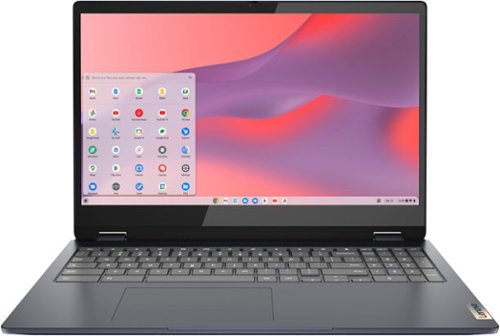
Lenovo - Flex 3i Chromebook 15.6" FHD Touch-Screen Laptop - Celeron N4500 - 4GB Memory - 64GB eMMC - Abyss Blue
One of the most versatile Chromebooks on the market, the IdeaPad Flex 3i Chromebook 15" merges accessibility with power, with an Intel Celeron N4500 processor to handle even the most arduous tasks without a hint of strain. Its slim and light 360~ convertible design and 10 hours of battery life makes it suitable for any setting. And as a Chromebook, you can quickly access all your files, photos, music, and more. You can also talk to Google to help you multitask, control your smart home devices or manage your day. Get Minecraft and 3 months of Realms Plus at no cost* with purchase of a new Chromebook. Terms Apply. *Offer valid for qualifying Chromebooks purchased on or after July 1st, 2023 through September 30th, 2023 while supplies last.
What is the screen's aspect ratio?
Hello, and thank you for your question! This Flex 3i 15 Chromebook features a 16:9 aspect ratio.
3 years, 6 months ago
by
Posted by:
Lenovo Product Expert
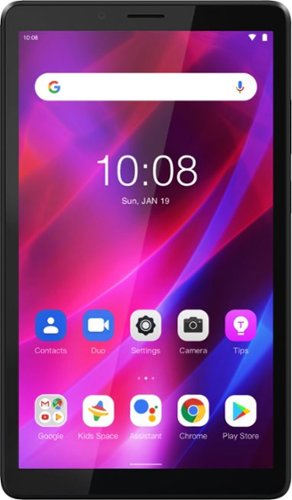
Lenovo - Tab M7 (3rd Gen) - 7" - Tablet - 32GB - Iron Grey
Fitted in a clean, compact and classic all-metal casing, the third generation Lenovo~ Tab M7 is now significantly faster and longer lasting than its predecessors, having inherited major performance boosts with the new quad-core processor and faster LPDDR4 RAM. Stream and play all day with a battery that enables up to 12 hours of video on a single charge and up to 30% faster charging speeds.
Is there an optional keyboard available?
Hello, Mikey, and thank you for your question! There is not a keyboard designed specifically for this Tab M7 currently available.
3 years, 6 months ago
by
Posted by:
Lenovo Product Expert
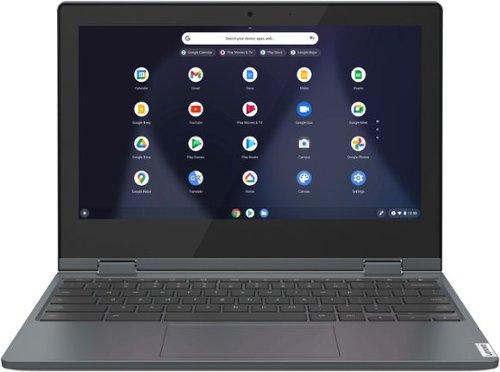
Lenovo - Flex 3 Chromebook 11.6" HD Touch-screen Laptop - Celeron N4020 - 4GB - 64GB eMMC - Abyss Blue
Fast, flexible, and fun, the Lenovo~ IdeaPad~ Flex 3 Chromebook 11" brings everyone~s favorite Chromebook features, housed in a slim 2-in-1 chassis, running on the lightning-fast Chrome OS that boots up in seconds, updates automatically, and is protected by built-in virus protection. Smaller than a piece of A4 paper, the IdeaPad Flex 3 Chromebook 11" features an Intel processor with up to 10 hours battery life. IdeaPad Flex 3 Chromebook 11" is your best companion from day to night.
What accessories go with this computer & do I need a mouse?
Hello, and thank you for your question! There are lots of accessories that can be utilized with your Flex 3 11 Chromebook. While there is not a need for a mouse with this Flex 3 having a touchpad for mouse function, if you would prefer, a separate mouse can be used.
3 years, 6 months ago
by
Posted by:
Lenovo Product Expert
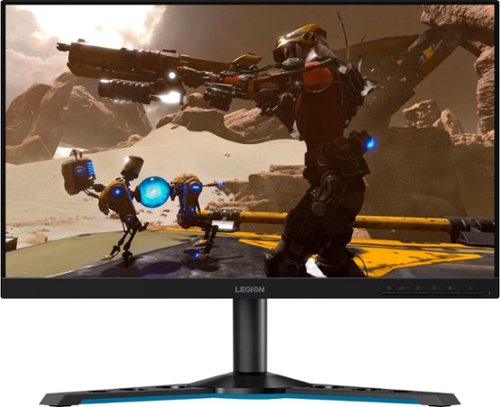
Lenovo - Legion Y25-25 24.5" IPS LED FHD FreeSync and G-SYNC Compatible Gaming Monitor (DisplayPort, HDMI, USB) - Raven Black
Professional Esport gaming is an extremely competitive space~where the difference between winning and losing comes down to the minutest of details. To stand out from the competition, you need equipment that matches the speed of your thought and actions. The Legion Y25-25 delivers wins in the toughest, most critical situations. NVIDIA~ G-SYNC~ Compatible technology takes motion blur out of the equation, improving visual clarity and making prolonged gaming sessions enjoyable. This monitor~s 24.5-inch In-Plane Switching (IPS) panel with a 240 Hz refresh rate and 1ms response time makes it possible to spot an opponent before they see you. When it comes down to a quickfire duel, that is the difference between firing first and getting shot.
What is the width of just the stand?
Hello, LMM2193, and thank you for your question! At its widest point, the stand is 18.5in.
3 years, 6 months ago
by
Posted by:
Lenovo Product Expert