Lenovo Product Expert
Lenovo Product Expert's Stats
Reviews
- Review Count0
- Helpfulness Votes0
- First ReviewNone
- Last ReviewNone
- Featured Reviews0
- Average Rating0
Reviews Comments
- Review Comment Count0
- Helpfulness Votes0
- First Review CommentNone
- Last Review CommentNone
- Featured Review Comments0
Questions
- Question Count0
- Helpfulness Votes0
- First QuestionNone
- Last QuestionNone
- Featured Questions0
- Answer Count37785
- Helpfulness Votes24,804
- First AnswerApril 21, 2014
- Last AnswerOctober 6, 2026
- Featured Answers0
- Best Answers2824
Lenovo Product Expert's Reviews
Lenovo Product Expert has not submitted any reviews.
Lenovo Product Expert's Questions
Lenovo Product Expert has not submitted any questions.
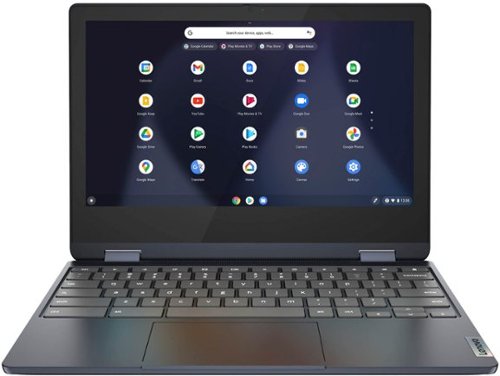
Lenovo - Flex 3 Chromebook 11.6" HD Touch-screen Laptop - Mediatek MT8183 - 4GB - 64GB eMMC - Abyss Blue
Packs what makes Chromebook so amazing into one svelte 360-degree convertible. Versatile and portable, the IdeaPad Flex 3 Chromebook measures just 19.6 mm thick and weighs 1.2 kg with a full keyboard and spacious trackpad, and can be viewed in tent, tablet, laptop or stand modes. Watch crisp visuals in high definition with its 10-point touchscreen on the 11.6" IPS display while being more productive with help from Google. Just say ~Hey Google,~ to manage tasks, enjoy your entertainment, get answers, or control smart home devices.
What is the type and size of the graphics card?

The Lenovo Flex 3 Chromebook 11.6, model number 82KM0003US, features an ARM Mali-G72 MP3 GPU that is integrated in the MediaTek MT8183 processor inside this model Flex 3 Chromebook.
3 years, 8 months ago
by
Posted by:
Lenovo Product Expert
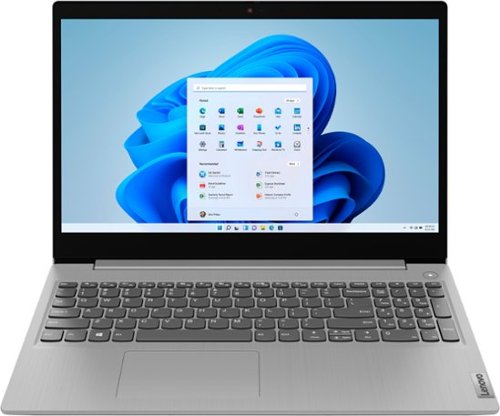
Lenovo - Ideapad 3i 15.6" HD Touch Laptop - Core i3-1115G4 - 8GB Memory - 256GB SSD - Platinum Grey
Engineered for long-lasting performance, the Lenovo IdeaPad 3i with an 11th Gen Intel Core Processor is the perfect laptop for your everyday tasks with dependable features. Dolby Audio delivers crystal-clear sound whether you~re watching a video, streaming music, or video-chatting, you~re sure to love what you hear on the IdeaPad 3i.
Does this laptop have full HD and lights to see keys?
The Lenovo IdeaPad 3i 15.6, model number 81X800MCUS, ships with a 15.6in HD (1366x768) TN 220nits anti-glare, touch display and a non-backlit keyboard.
3 years, 8 months ago
by
Posted by:
Lenovo Product Expert
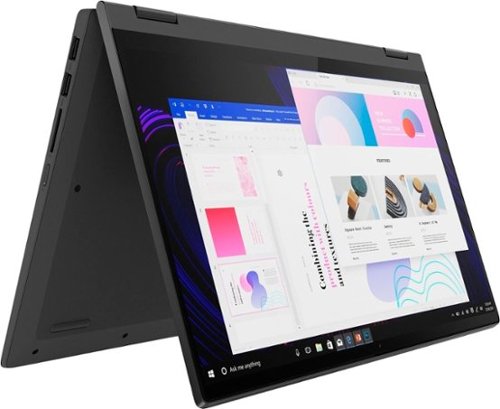
Lenovo - IdeaPad Flex 5 15ITL05 2-in-1 15.6" Laptop - Intel Core i5 - with 8GB Memory - 256 GB SSD - Graphite Gray
The IdeaPad Flex 5 2-in-1 Laptop. Featuring fast processors, an IPS touchscreen, and a 360-degree hinge to get things done efficiently for work, home, or school. Boasting a long battery life and security assets that include a webcam privacy shutter and fingerprint reader, the IdeaPad Flex 5 2-in-1 Laptop allows you to be creative and stay on point with your tasks.
Would this laptop be good for using some design programs like Adobe Photoshop and Illustrator?
That will depend on the requirements and compatibility of the specific software you plan to use. This Lenovo Flex 5i 15.6, model number 82HT00CQUS, ships with Windows 11 Home 64-bit Operating System installed. We recommend you check the software publisher’s website for their compatibility with the minimum/recommended hardware requirements to run their programs, then compare those requirements to this system's configuration.
3 years, 8 months ago
by
Posted by:
Lenovo Product Expert
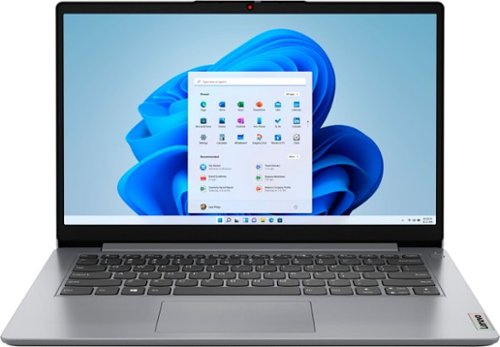
Lenovo - Ideapad 1i 14.0" HD Laptop - Celeron N4020 - 4GB Memory - 64GB eMMC - Cloud Grey
The IdeaPad 1i raises the bar on every affordable laptop with a super-efficient Intel Celeron N4020 processor in a thin and compact 17.9 mm chassis with up-to-10 hours of battery life and rapid charge. Get more value with four-sided narrow bezels for maximum screen, Dolby Audio speakers and Flip to Start for instant bootup.
Is this computer Bluetooth compatible
The Lenovo IdeaPad 1i 14.0, model number 82V6S00000, ships with Bluetooth 5.0 connectivity.
3 years, 8 months ago
by
Posted by:
Lenovo Product Expert
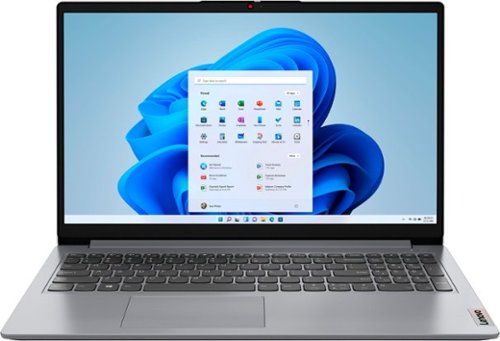
Lenovo - Ideapad 1 15.6" HD Laptop - Athlon Silver 3050U - 4GB Memory - 128GB eMMC - Cloud Grey
The Lenovo IdeaPad 1 is powered by an ultra-fast AMD Athlon Silver processor and it packs responsive performance in a thin and compact 17.9 mm chassis, making multitasking on-the-go a breeze. Get the most out of your device with a frameless display for more screen and Dolby Audio speakers, along with 10 hours of battery life and rapid charge.
I am looking for a laptop with a few things. 1) Has the capability to operate Adobe Photoshop and Premiere from the Cloud 2) Has a full-size SD card Reader is that this laptop?
That will depend on the requirements and compatibility of the specific software you plan to use. This Lenovo IdeaPad 1 15.6, model number 82R1006VUS, ships with Windows 11 S-Mode, 64-bit Operating System installed. Windows 11 S-Mode provides added security by only allowing APPs available (and therefore certified by Microsoft) at the Microsoft Store. If you don't need the added security or need to install APPs not available at the Microsoft Store, you can switch to standard Windows 11 Home 64-bit Operating System, at no additional cost. We recommend you check with the software creator’s web site for their compatibility with Windows 11 S-Mode 64-bit operating system and the minimum/recommended hardware requirements to run their program, then compare those requirements to this system's configuration. As for the SD card reader, yes, this model ships with a 4-in-1 card reader Slot that is compatible with SD, SDHC, SDXC, MMC Smart Card formats.
3 years, 8 months ago
by
Posted by:
Lenovo Product Expert
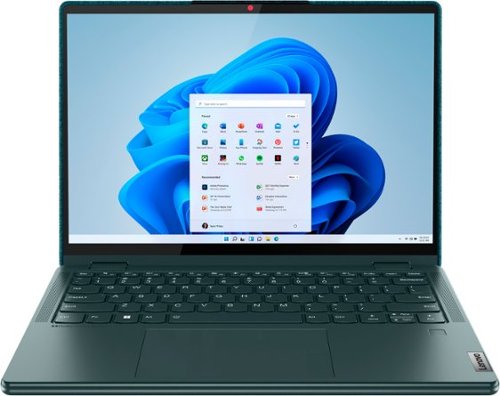
Lenovo - Yoga 6 13.3" WUXGA (1920 x 1200) Touch 2-in-1 Laptop -Ryzen 5 5500U - 8GB Memory - 256GB SSD - Dark Teal
Thin, light and framed by the comfort edge of the Lenovo Yoga 6 is both portable and comfortable to use. Add into that our commitment to sustainability, and we have the perfect on-the-go product for throwing in your bag and taking anywhere. Bring big-screen cinema to life with Dolby Vision on the breathtaking 16:10 FHD display with 100% sRGB for color accuracy paired with immersive Dolby Atmos optimized on front firing speakers.
How is the battery life on this device? Is it upgradable in terms of RAM and Storage or are they soldered onto the motherboard?
The Lenovo Yoga 6 13.3, model number 82UD0002US, features an integrated 59Wh, Lithium-Polymer Battery, which within this model configuration, has a battery life of up to 13 Hours, depending on the work the device is performing. This model Yoga 6 also features 8GB soldered LPDDR4X-4266 memory and a 256GB SSD M.2 2242 PCIe 3.0x4 NVMe that can be swapped for another drive, one drive, up to 1TB M.2 2242 SSD. Lenovo recommends that you consult with a Lenovo certified tech support advisor to discuss your options with upgrading your device. Here is a phone number to call for assistance: 877-453-6686.
3 years, 8 months ago
by
Posted by:
Lenovo Product Expert
Lenovo - Ideapad 1 15.6" HD Laptop - Athlon Silver 3050U - 4GB Memory - 128GB eMMC - Cloud Grey
The Lenovo IdeaPad 1 is powered by an ultra-fast AMD Athlon Silver processor and it packs responsive performance in a thin and compact 17.9 mm chassis, making multitasking on-the-go a breeze. Get the most out of your device with a frameless display for more screen and Dolby Audio speakers, along with 10 hours of battery life and rapid charge.
Does the Lenovo 1 deapad 15.6 inch laptop have windows installed?
Yes. The Lenovo IdeaPad 1 15.6, model number 82R1006VUS, ships with Windows 11 in S Mode. Windows 11 S-Mode provides added security by only allowing APPs available (and therefore certified by Microsoft) at the Microsoft Store. If you don't need the added security or need to install APPs not available at the Microsoft Store, you can switch to standard Windows 11 Home 64-bit Operating System, at no additional cost. If you choose to switch out of S-Mode for Windows 11 Home: Here is a link to instructions for switching from Windows 11 S-Mode to Windows 11 Home: https://support.microsoft.com/en-us/windows/switching-out-of-s-mode-in-windows-4f56d9be-99ec-6983-119f-031bfb28a307#WindowsVersion=Windows_11
3 years, 8 months ago
by
Posted by:
Lenovo Product Expert
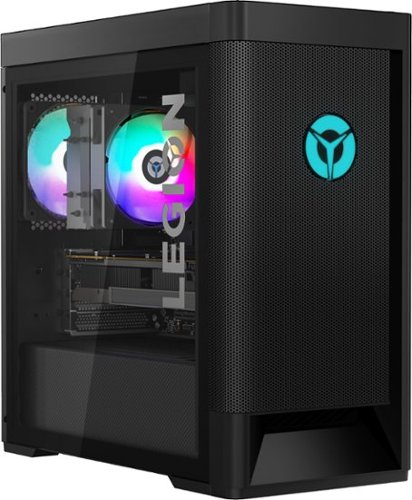
Lenovo - Legion Tower 5 AMD Gaming Desktop - AMD Ryzen 7-5800 - 16GB Memory - NVIDIA GeForce RTX 3060 - 256GB SSD + 1TB HDD - Raven Black
Engineered out of a passion for savage power and unmatched speed, the Lenovo Legion Tower 5 AMD delivers mind-blowing performance that combines AMD Ryzen processors and top-of-the-line NVIDIA GeForce graphics cards for blazing-fast frame rates at up to 4K resolution. Pushing far beyond the upper bounds of smaller rig configurations while keeping things cool and whisper quiet, the Legion Tower 5 is a marvel of build and design, accentuated by its illuminated blue LED logo and lighting, as well a transparent side panel that can properly showcase your internals.
Is the graphics card manufactured by Radeon, or HP?
The Lenovo Legion Tower 5, model number 90RB002AUS, features integrated Radeon Graphics and a NVIDIA GeForce RTX 3060 12GB GDDR6 dedicated graphics card.
3 years, 8 months ago
by
Posted by:
Lenovo Product Expert
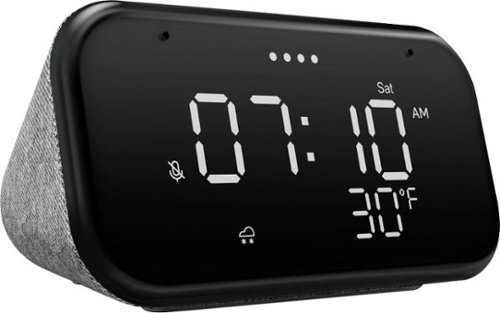
Lenovo - Smart Clock Essential 4" Smart Display with Google Assistant - Soft Touch Gray
The Lenovo Smart Clock Essential is the ultimate smart clock for any room. With a big & bold display you can check out the time from across the room, whether in the kitchen, in the living room or on a shelf. Talk to Google for hands-free help. From checking the time and weather, setting timers for cooking, adding items to your shopping list or making hands-free calls, the Lenovo Smart Clock Essential is here to help you be more productive and take back time. It~s also a great night-time companion with its built-in nightlight that provides a small source of light without waking up the whole family. No more stumbling around in the dark when searching for things. Listen to music, news, podcasts, and more with the clock~s quality speakers. Control over 40,000 compatible smart devices from over 5,000 brands. Ask Google to set the temperature, dim the lights, and more. Just say ~Hey Google.~
Can I download music directly to my Lenovo smart clock essential?
No. The Lenovo Smart Clock Essential, model number ZA740005US, does however support streaming music from various platforms. Here is a link to a YouTube video that briefs viewers on how to play music on your Lenovo Smart Clock Essential.
3 years, 8 months ago
by
Posted by:
Lenovo Product Expert
Lenovo - Ideapad 1 15.6" HD Laptop - Athlon Silver 3050U - 4GB Memory - 128GB eMMC - Cloud Grey
The Lenovo IdeaPad 1 is powered by an ultra-fast AMD Athlon Silver processor and it packs responsive performance in a thin and compact 17.9 mm chassis, making multitasking on-the-go a breeze. Get the most out of your device with a frameless display for more screen and Dolby Audio speakers, along with 10 hours of battery life and rapid charge.
Does this computer have a hard drive?
The Lenovo IdeaPad 1 15.6, model number 82R1006VUS, ships with a 128GB eMMC 5.1 drive on systemboard.
3 years, 8 months ago
by
Posted by:
Lenovo Product Expert