MrSamsung
MrSamsung's Stats
Reviews
- Review Count0
- Helpfulness Votes0
- First ReviewNone
- Last ReviewNone
- Featured Reviews0
- Average Rating0
Reviews Comments
- Review Comment Count0
- Helpfulness Votes0
- First Review CommentNone
- Last Review CommentNone
- Featured Review Comments0
Questions
- Question Count0
- Helpfulness Votes0
- First QuestionNone
- Last QuestionNone
- Featured Questions0
- Answer Count869
- Helpfulness Votes508
- First AnswerJune 2, 2009
- Last AnswerApril 22, 2013
- Featured Answers0
- Best Answers67
MrSamsung's Reviews
MrSamsung has not submitted any reviews.
MrSamsung's Questions
MrSamsung has not submitted any questions.

Samsung - Refurbished Wi-Fi Built-In Blu-ray Player
Watch your favorite movies in stunning detail with this Blu-ray player that features a built-in Wi-Fi connection for wireless access to streaming content and firmware updates.Smart Blu-ray PlayerGet a world of instant entertainment on this smart Blu-ray player. Connect to the Internet and stream movies, listen to music and access a wide variety of other content on your HDTV.Learn more about smart products. Netflix Pandora Facebook YouTube TwitterThis product has been refurbished. Learn more.
Will this player replace my samsung surround sound receiver.
I am looking for a product that is wifi smart and is blue ray capable but replaces my surround sound receiver. I have great working speakers and wireless in the back and do not want to buy any packages.

Samsung - Refurbished DVD Player with 1080p Upconversion
Enjoy 1080p upconversion of your favorite DVDs for visual brilliance. With DVD, DVD~R, DVD~RW, CD, CD-R/RW, MP3, WMA, JPEG and MPEG-4 playback, you'll be able to enjoy a wide range of multimedia. This product has been refurbished. Learn more.
Netflix capability
does this have Netflix capability? Meaning, can I upload movies from it or do I have to physical order the Netflix movies?
Samsung - Refurbished Wi-Fi Built-In Blu-ray Player
Watch your favorite movies in stunning detail with this Blu-ray player that features a built-in Wi-Fi connection for wireless access to streaming content and firmware updates.Smart Blu-ray PlayerGet a world of instant entertainment on this smart Blu-ray player. Connect to the Internet and stream movies, listen to music and access a wide variety of other content on your HDTV.Learn more about smart products. Netflix Pandora Facebook YouTube TwitterThis product has been refurbished. Learn more.
WIFI Connection
I was able to connect for a short time to my wireless router but now my player won't connect. I have checked my settings and when I run the network test I get a error during the Gateway Ping test. I know the internet is working and so is my router since my wired computer and laptop are both working. Any suggestions?
I’m sorry you are having an issue with your device. Although with the information you have provided I do not have a solution for you; contacting Samsung Service (refer to your device's manual for more information or visit Samsung's website) would be your best next course of action.
-MrSamsung
-MrSamsung
15 years, 3 months ago
by
Posted by:
MrSamsung
from
SamsungHQ

Samsung - Refurbished 3D Wi-Fi Built-In Blu-ray Player
Enjoy your favorite movies in stunning detail with this Blu-ray player that features 3D support for another dimension of entertainment. AllShare technology connects your home, allowing you to stream your PC audio and video files to your HDTV. Smart Blu-ray Player Get a world of instant entertainment with this smart Blu-ray player. Connect to the Internet and stream movies, listen to music and access a wide variety of other content on your HDTV. Learn more about smart products. YouTube Flickr Blockbuster This product has been refurbished. Learn more.
Does this player convert 2D to 3D?

Samsung - Refurbished Wi-Fi Ready Blu-ray Player
See movies come to life in brilliant high-definition with this Blu-ray player's 1080p video output. AllShare lets you enjoy music, video and photo files stored on your PC via the player. Smart Blu-ray Player Get a world of instant entertainment with this smart Blu-ray player. Connect to the Internet and stream movies, listen to music and access a wide variety of other content on your HDTV. Learn more about smart products. Netflix Pandora YouTube Flickr Blockbuster This product has been refurbished. Learn more.
Samsung - Refurbished Wi-Fi Ready Blu-ray Player
See movies come to life in brilliant high-definition with this Blu-ray player's 1080p video output. AllShare lets you enjoy music, video and photo files stored on your PC via the player. Smart Blu-ray Player Get a world of instant entertainment with this smart Blu-ray player. Connect to the Internet and stream movies, listen to music and access a wide variety of other content on your HDTV. Learn more about smart products. Netflix Pandora YouTube Flickr Blockbuster This product has been refurbished. Learn more.
Will this work without a transformer?
I'm currently overseas, and wanted to know the capability of the internal transformer to use 210 power, instead of the american 120.
If you purchase the unit within the US, it will only have support for All Region and Region 1 DVDs ("All Region" DVDs refers to DVDs that are marked as region 0 or "Region All". This does not mean the player can play every regions’ DVDs), Region "A" Blu-Rays and US voltages.
-MrSamsung
-MrSamsung
15 years, 3 months ago
by
Posted by:
MrSamsung
from
SamsungHQ
Samsung - Refurbished Wi-Fi Ready Blu-ray Player
See movies come to life in brilliant high-definition with this Blu-ray player's 1080p video output. AllShare lets you enjoy music, video and photo files stored on your PC via the player. Smart Blu-ray Player Get a world of instant entertainment with this smart Blu-ray player. Connect to the Internet and stream movies, listen to music and access a wide variety of other content on your HDTV. Learn more about smart products. Netflix Pandora YouTube Flickr Blockbuster This product has been refurbished. Learn more.
Do all Blu-ray players have the same video quality?
I know they play in 1080p but are some visibly better than others?
Samsung - Refurbished Wi-Fi Built-In Blu-ray Player
Watch your favorite movies in stunning detail with this Blu-ray player that features a built-in Wi-Fi connection for wireless access to streaming content and firmware updates.Smart Blu-ray PlayerGet a world of instant entertainment on this smart Blu-ray player. Connect to the Internet and stream movies, listen to music and access a wide variety of other content on your HDTV.Learn more about smart products. Netflix Pandora Facebook YouTube TwitterThis product has been refurbished. Learn more.
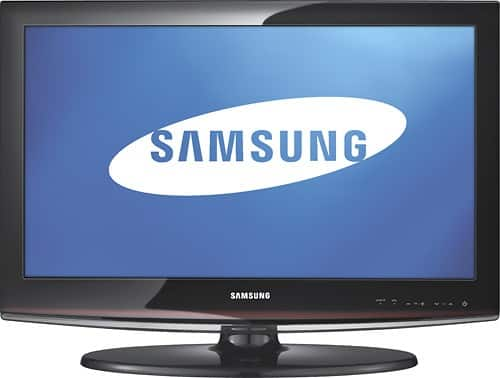
Samsung - Refurbished 26" Class / 720p / 60Hz / LCD HDTV
Compare all Samsung TVs ~This LCD HDTV features 720p resolution and 40,000:1 contrast ratio for stunning images. The ConnectShare movie input allows you to connect a thumb drive or digital camera to your TV quickly and easily to access videos, photos and more.This product has been refurbished. Learn more.
does this tv works for PAL N systems?
All UN, PN and LN units (North American Units) will only have support for NTSC/ATSC/QAM broadcasting systems and NA power systems. Since the NA TVs will not accept a PAL signal or Non-NA voltages, you will not only need a converter for the broadcast, but also for the power if you would like to use the TV in a PAL country.
-MrSamsung
-MrSamsung
15 years, 4 months ago
by
Posted by:
MrSamsung
from
SamsungHQ
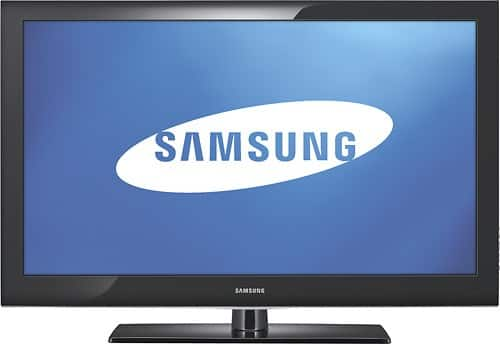
Samsung - Refurbished 40" Class / 1080p / 60Hz / LCD HDTV
Bring images alive in your home with this high-definition LCD TV that features stunning 1080p resolution and a 40,000:1 dynamic contrast ratio. Two HDMI inputs allow you to connect multiple A/V components.This product has been refurbished. Learn more.
can this product work in afica were the volt is 210
is this product multi system can it work in africa
All UN, PN and LN units (North American Units) will only have support for NTSC/ATSC/QAM broadcasting systems and NA power systems. Since the NA TVs will not accept a PAL signal or Non-NA voltages, you will not only need a converter for the broadcast, but also for the power if you would like to use the TV in a PAL country.
-MrSamsung
-MrSamsung
15 years, 4 months ago
by
Posted by:
MrSamsung
from
SamsungHQ