


TechMatcher's stats
- Review count224
- Helpfulness votes638
- First reviewNovember 3, 2015
- Last reviewOctober 19, 2026
- Featured reviews0
- Average rating4.4
Reviews comments
- Review comment count0
- Helpfulness votes0
- First review commentNone
- Last review commentNone
- Featured review comments0
Questions
- Question count0
- Helpfulness votes0
- First questionNone
- Last questionNone
- Featured questions0
- Answer count75
- Helpfulness votes93
- First answerNovember 3, 2015
- Last answerDecember 3, 2021
- Featured answers0
- Best answers11
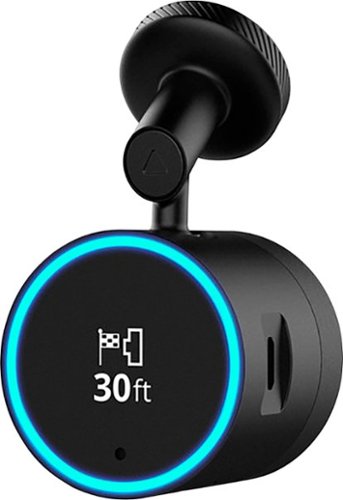
Garmin Speak~ Plus with Amazon Alexa is what you love about Amazon Alexa, now in your vehicle. Use voice control for hands-free access to music, news, navigation and more. Plus, a built-in dash cam gives you forward collision and lane departure warnings.
Customer Rating

5
Love Alexa and Dash cam, don't need the GPS.
on February 25, 2018
Posted by: TechMatcher
from Minneapolis
OK - I have several Alexa device in my home, so it's only logical that now I have one for my car! The Garmin Speak Plus does just that - a step up from the original Garmin Speak as this new version adds the Dash Cam, GPS and more from Alexa.
First off - the BAD. I wish this had a portal suction cup mount so I can move it from vehicle to vehicle or use in a rental. As of now is has a magnetic base that adheres to the windshield - and you only get one in the package. At a min, they should include 3. Overall - they should make a suction cup mount. Second, the GPS is touch to use when by now we are all used to the built in GPS or cell phone GPS. I'm a huge Waze user on my iphone, and there's no way I'm going to switch so the GPS function in the Garmin Speak just won't be used.
What I will use, is the Dash Cam and Alexa. Even from my first trip with it, I can see it is beneficial. The Driver Assist features are pretty cool too for older vehicles that don't have these features built in: Lane Drift Warnings, Forward Collision Warnings and Go Alerts for when you are stuck in traffic jams.
The Dash Cam seems to have a limited view angle - so only head-on or far front collisions may be detected. Still - better than having nothing. You have to ask Alexa to save a picture or save mobile video - would be better if that was more straightforward. You can use the Garmin Speak app on your phone as well, but voice commands are infinitely easier. It also auto-detects collisions and will save the footage upon that trigger as well. Mobile footage management isn't the best because it's all done with Garmin's VIRB app, which is stark, to say the least.
The Dash Cam seems to have a limited view angle - so only head-on or far front collisions may be detected. Still - better than having nothing. You have to ask Alexa to save a picture or save mobile video - would be better if that was more straightforward. You can use the Garmin Speak app on your phone as well, but voice commands are infinitely easier. It also auto-detects collisions and will save the footage upon that trigger as well. Mobile footage management isn't the best because it's all done with Garmin's VIRB app, which is stark, to say the least.
All that said - I love having Alexa as my driving companion in the car. If you have a older vehicle lacking many of these features - this is a no brainer!
My Best Buy number: 2178905958
Mobile Submission: False
I would recommend this to a friend!


Share this review:


0points
1of 2voted this as helpful.
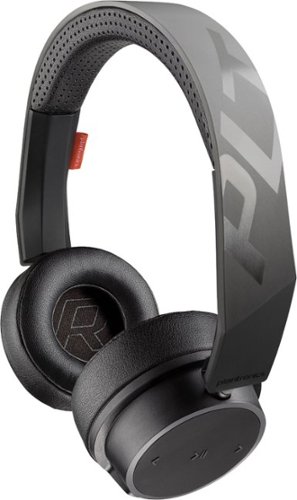
Enhance your listening experience with these Plantronics headphones. They wirelessly connect to any Bluetooth-enabled device to eliminate the hassle of traditional corded models, and they work with Siri, Cortana and other virtual assistants for convenient control. A single charge lasts up to 18 hours, so you can listen to your Plantronics headphones worry-free all day long.
Customer Rating
5
Most comfortable sub-$100 headphones I own!
on January 24, 2018
Posted by: TechMatcher
from Minneapolis
I have alot of headphones, like over 15 pairs! Wired, wireless, in-ear, over-ear, over-the-head, behind-the neck and more. I was excited to try these because Plantronics is known for the headsets in the business place - you probably have one at work - so I assumed the headphones with be good as well. I was right.
Moderately light for an over-the-ear headset, there is ample padding to make wearing for over 3 hours not an issue. Stylish looks and good sound are also positive features! There is a plug in for an 1/8" audio cord if you want to use on the airplane and watch a movie - a bonus not found on many other headphones.
Pairing was a breeze - couldn't be easier. They came charged and ready to use immediately. Battery life is exceptional at 15+ hours.
Can you use as a substitute for a headset? Yes, it does have a microphone, but for me (I'm very picky on call quality), it doesn't cut it and I will only use as a headphone for listening to music, etc. Buttons are in an easy to access location so operation while on your head is simple.
If you need some new headphones, these may have the versatility, quality and affordability you need!
My Best Buy number: 2178905958
Mobile Submission: False
I would recommend this to a friend!


Share this review:


+1point
1of 1voted this as helpful.
Polished and professional. That~s the impression you~ll make when you use Adobe Acrobat Pro DC. With a one-year subscription, you get the latest Acrobat software that always stays up to date plus Adobe Document Cloud services to prepare and share your company~s business documents. Get the complete solution for working with PDF documents at your desk, and use Document Cloud services to accomplish more when you~re on the go.
Customer Rating
5
A must have for Real Estate Professionals!
on December 22, 2017
Posted by: TechMatcher
from Minneapolis
As most other reviewers point out - Adobe is the PDF Gold standard. I own several rental properties and work with leases, lease addendums and other documentation on a daily basis. Using the Adobe tool set has made this a breeze in recent years! Try out the Adobe Scan app for your mobile device - and now you can convert your photos to PDF with ease - place in a PDF document with Acrobat Pro all within minutes!
Acrobat Pro makes it very easy to edit PDF documents when needed. Maybe you need to adjust a lease date and rent amount for the next year and resend for signatures - no problem with Acrobat DC! The ability to convert your existing office documents to fillable forms is also invaluable! Makes your lease docs a super simple! Better yet, have the tenant fill out and sign the lease right on your tables (I use a Microsoft Surface device).
I combine my use of this software with Dropbox and OneDrive - which makes access to documentation super convenient and efficient!
My only complaint is the subscription model - versus the one-time pay. However, everything is heading in that direction, so there's not much we can do about that!
If you are a real estate professional - this software is on your must have list.
My Best Buy number: 2178905958
Mobile Submission: False
I would recommend this to a friend!

Share this review:


0points
0of 0voted this as helpful.
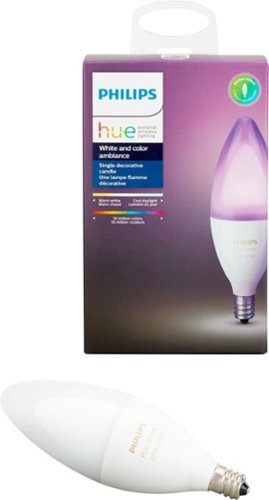
Add color to your decorative lighting with this Philips Hue LED candelabra bulb. Its E12 profile fits chandeliers and accent lamps, and it pairs with a Hue Bridge device for integrated wireless control with your smart home system. Set a desired white light brightness or color ambience on this Philips Hue LED candelabra bulb via the Philips Hue app.
Customer Rating
5
HUE = WONDERFUL
on December 22, 2017
Posted by: TechMatcher
from Minneapolis
I do love my Hue bulbs. They come in all shapes and sizes - and these are candle bulbs made for special lights like dining room chandeliers, wall scones, table lamps, etc. Make sure you know your bulb size!
As always - these bulbs produce great color and dimming, no flicker, no sound (some bulbs buzz a little a low light levels) and look great! I will continue to add to my Hue collection!
My Best Buy number: 2178905958
Mobile Submission: False
I would recommend this to a friend!


Share this review:


0points
0of 0voted this as helpful.
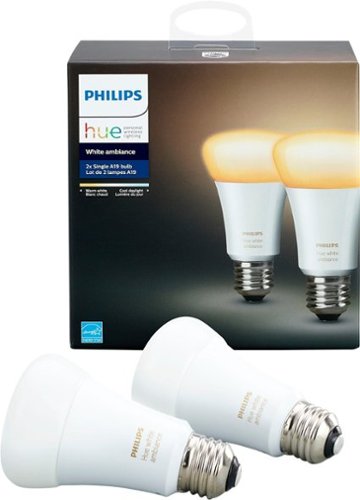
Brighten your home with this two-pack of Philips Hue white ambiance A19 bulbs. They provide a comforting, natural glow for your study or living space, helping you relax and unwind at the end of the day. The accompanying app lets you adjust the intensity of these Philips Hue white ambiance bulbs for a customized shade.
Customer Rating
5
Excellent dimming, super ambiance!
on December 22, 2017
Posted by: TechMatcher
from Minneapolis
I love my Hue bulbs. I have several different types, and this White Ambiance set just adds to the collection. OK - I'm a lighting guy - and I really like to be able to create different light scenes and moods for my home. I'm impressed with the level of dimming capable with these bulbs - even better that the standard dimmable LED bulbs I purchased from home improvement stores. No flicker, quick response - perfect for getting the room warmth just right.
These bulbs are not color, but have a 2200 (a very warm white) to 6500K (an energetic blue hue). Works great where you don't need a color bulb!
My Best Buy number: 2178905958
Mobile Submission: False
I would recommend this to a friend!


Share this review:


+2points
2of 2voted this as helpful.
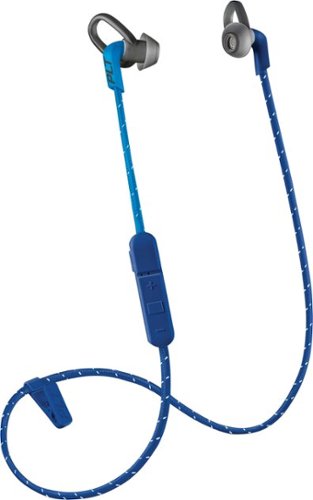
Enjoy clear audio without distraction while wearing these Plantronics BackBeat FIT wireless earbuds. They have a sweat-resistant coating and lightweight design that's comfortable to wear and stays in place as you exercise or lounge. These Plantronics BackBeat FIT wireless earbuds come with interchangeable tips in different sizes, providing a secure, noise-blocking fit.
Customer Rating

3
Comfortable fit, annoying cord sounds
on November 23, 2017
Posted by: TechMatcher
from Minneapolis
I have several pair of bluetooth in-ear headphones, so I think I have a pretty decent comparison base. These headphones were super easy to pair, have great bluetooth range but the front facing wire harness that connects the headphones really bugs me.
First, the fabric wrapped cord transmits and movement noise to the headphones. This happens on many headphones. I've notice the fabric wrap seems to make more noise than headphones with a rubber-type wrapping.
Second, I would rather have the cord hang behind my head on my neck, versus on front (bouncing up and down on my chest when I'm running). Perhaps that's a personal preference. This headset was designed to hang in front to have better access to the control piece, which hangs about 4 inches below your right ear. That too seems like it could have been either placed in the middle of the cord - which could also be annoying on your chest - or just built the control into the earpiece.
Sound quality is good though, fit and fit options are great and I had no problem wearing these for several hours at my desk or on a run/walk.
If you are considering the headphones, I'd recommend that you try these headphones out. A couple of my gripes are personal preferences, so perhaps they won't bother you!
My Best Buy number: 2178905958
Mobile Submission: False
I would recommend this to a friend!
Share this review:


0points
0of 0voted this as helpful.
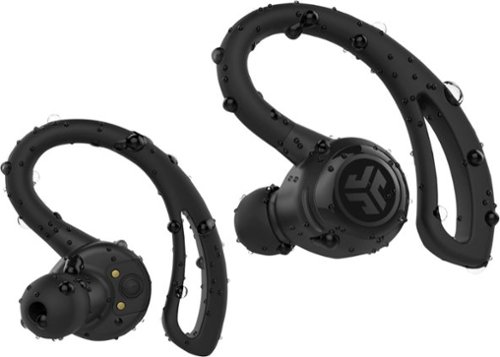
Listen to your favorite playlists with these Epic Air wireless earbuds. The special earhook delivers a precise fit to prevent slipping during intense workouts, and the touch-and-tap controls let you skip forward or back as needed. These Epic Air wireless earbuds come with a convenient charging case for storage and transport.
Customer Rating

4
Turning into my favorite wireless headphones
on November 23, 2017
Posted by: TechMatcher
from Minneapolis
My family and I have owned many different sets of wireless headphones, but this is the first True Wireless headphones we've had. No wires - at all! I'm used to the headset wires hanging around the back of my neck as they connect the two together and every time I turn my head the wire drags on my neck and pulls at the earpiece. Not the case with these headphones!
OK - I had a little trouble pairing the headphones - actually had to read the directions. You pair one of the earpieces, and the other automatically pairs with it. We've paired them with several iPhones, and sometimes had a bit of difficulty getting them to successfully pair - again, follow the instructions and you should be fine.
On my first few run/walks, I did notice a few hiccups in the connectivity - but as the directions and other reviewers indicate, these headphones "learn" and the connection continually becomes more solid. It is worth noting that I've had hiccups with nearly every pair of bluetooth headphones I've owned - so this is not a new thing.
The sound quality and convenience is awesome for me. The numerous tips included should allow for adjustment for almost any ear size. The clips hold onto the ear well - I didn't have any looseness or mid-run adjustments. What seals the deal for me is the lack of wires. Incredible feeling!
I'll update this review further after a few runs and let you know if I notice anything else. I haven't noticed any issues with water yet, as some other reviewers have pointed out.
So far - aside from the few hiccups - I like 'em!
My Best Buy number: 2178905958
Mobile Submission: False
I would recommend this to a friend!
Share this review:


0points
0of 0voted this as helpful.
Video editing doesn't have to be daunting or take tons of time. Go from hundreds of mystery folders to a visual view of your videos automatically sorted by date. Use automated editing options and step-by-step guidance to create and share everything from animated GIFs and video collages to new dynamic slideshows and full-length movies.
Customer Rating
4
Beginner's Video Editing Software
on November 23, 2017
Posted by: TechMatcher
from Minneapolis
I've had a chance to use several Video Editing softwares as I create dance videos and product videos. Using the Adobe Premier Elements 2018, making home videos is easy and quick. There are multiple templates that allow you to just select your photos or videos,, add your own music and it can coordinate the two to make a pretty easy video!
I've had some trouble using Apple Live photos, the video ended up blurry and unusable. I'll keep working on that and update this review.
In all - if you don't know much about video editing, this software is easy to setup, easy to use with a few features that will make your videos pop!
My Best Buy number: 2178905958
Mobile Submission: False
I would recommend this to a friend!
Share this review:


0points
0of 0voted this as helpful.
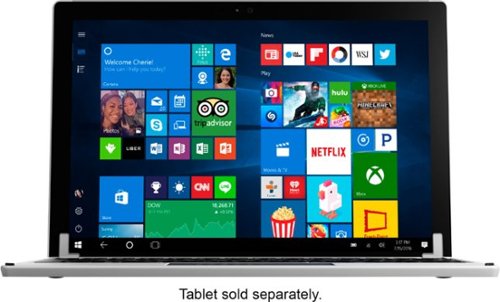
Replace the keyboard of your Microsoft Surface Pro 7, 6, 5 or 4 with this silver Brydge keyboard. It conveniently lets you open the screen at your preferred viewing angle without a kickstand, and its backlit keys increase visibility in low light working environments. This Brydge keyboard is lightweight, so it doesn't add extra bulk to your device.
Customer Rating
4
Almost turns your Surface Pro into a Surface Book!
on November 15, 2017
Posted by: TechMatcher
from Minneapolis
I use a Surface Pro 4 daily as my primary computing device. I use it at work, on the couch, on planes, in bed, etc and found the normal Surface kickstand awkward and difficult to use. You can imagine how excited I was to see this new option for the Surface!
After receiving my Brydge 12.3, I charged it up for several hours first thing. Next, I slid my Surface Pro 4 device into the holders and paired it via Bluetooth in minutes – and I was off! Let’s start off with the good things I’ve accumulated over 60 days of daily use:
1. I like the feel of the keys more than the standard Surface keyboard
2. The 3 level background lighting for the keyboard is a nice touch – see picture
3. All functions (volume control, brightness control, etc) worked immediately.
4. Love the ability to position the screen a nearly any angle from 90 to about 170 degrees!!
5. Battery life is great.
6. The option to add an SSD drive is cool – the USB dongle to connect the two devices isn’t. I don’t have the SSD enhanced keyboard, but I read about it. C’mon Brydge, you can do better than that!
2. The 3 level background lighting for the keyboard is a nice touch – see picture
3. All functions (volume control, brightness control, etc) worked immediately.
4. Love the ability to position the screen a nearly any angle from 90 to about 170 degrees!!
5. Battery life is great.
6. The option to add an SSD drive is cool – the USB dongle to connect the two devices isn’t. I don’t have the SSD enhanced keyboard, but I read about it. C’mon Brydge, you can do better than that!
Now, let’s talk about the not-so-good things:
1. First and foremost, the keyboard lags. It misses keystrokes. I write technical documents for a living as well as review products, and I was surprised to read through some of the other reviews without somebody mentioning it. Unless I have a faulty device, it is quite annoying. I’ll admit I’m still using the keyboard because of the screen positioning functionality, and I’ve contacted Brydge regarding the missing keystrokes and they’ve had me try a few things, but the issue still persists.
1. First and foremost, the keyboard lags. It misses keystrokes. I write technical documents for a living as well as review products, and I was surprised to read through some of the other reviews without somebody mentioning it. Unless I have a faulty device, it is quite annoying. I’ll admit I’m still using the keyboard because of the screen positioning functionality, and I’ve contacted Brydge regarding the missing keystrokes and they’ve had me try a few things, but the issue still persists.
2. Somebody else mentioned the weight/size. Per my picture, it doubles the size of the Surface Pro4. It is just as thick if not thicker than the Surface device itself. And to me – seems to about double the weight. Yes, I know – it has to so it doesn’t flip over when you have the screen at a 45 degree angle – but I’m telling you – it’s noticeable.
3. Most of you know that when you change keyboard, you sometimes get a different keyboard layout. That can be a real pain in the rear – and this is no exception. For example, you have to use the Fn key to use the commands “Home, End, PgUp, PgDn”. That sucks for people that used them and are familiar with their locations. Also, the Ctrl key is out of place – I think the Fn key was inserted in the so if you are use to use Ctrl functions like Copy and Paste, you are going to miss hit keys - alot.
4. The trackpad works OK, but could be refined. I find myself adjusting the zoom in Chrome often (by mistake) when using two hands on the trackpad. It happen more often than I'd like to admit.
Overall – I’m still using the keyboard despite the shortcomings listed above. It worked well on the plane and on my lap – where I couldn’t really use the original Surface with the kickstand. I‘m hopefully that the next product iteration will remedy the flaws – or perhaps I’ll get another one just to see if this one is defective. I would recommend this to a friend but they need to know about the issues before hand.
My Best Buy number: 2178905958
Mobile Submission: False
I would recommend this to a friend!


Share this review:


0points
0of 0voted this as helpful.
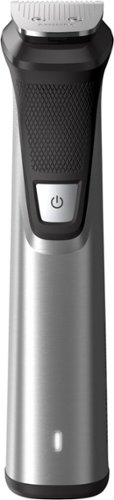
Achieve a clean shave with this streamlined Philips Norelco Multigroom trimmer. The sleek base fits neatly inside your palm for a more secure grip, and the 18 interchangeable attachments let you customize your look. This compact silver Philips Norelco Multigroom trimmer fits into your carry-on or suitcase for easy travel.
Customer Rating
4
Solid Trimmer with tons of Attachments!
on November 2, 2017
Posted by: TechMatcher
from Minneapolis
Over the years, I've burned through at least 4 rechargeable or battery powered trimmers. This one, right from the start, feels more solid, well built and powerful than all the rest I've tried.
This trimmer with its 23 attachments (Wow) should be able to handle all your trimming needs. It's fully washable, has a stainless steel body and a 5 hour lithium-ion battery so you can likely use it a whole week while travelling without a recharge - unless you like to shave your entire body every day. Hmm.
Why did I only give it 4 stars? Compared to some of my previous trimmers, this one just doesn't trim as close to the skin as the others. I tried multiple head types but just could not reproduce the closeness of other models. Other than that - I think this trimmer is built better and will last longer than all the others!
If you know someone that has a beard - this would definitely be a great gift. Again - this is a trimmer - not a shaver - as it states in the manual.
My Best Buy number: 2178905958
Mobile Submission: False
I would recommend this to a friend!
Share this review:


+3points
3of 3voted this as helpful.
TechMatcher's Review Comments
TechMatcher has not submitted comments on any reviews.
TechMatcher's Questions
TechMatcher has not submitted any questions.
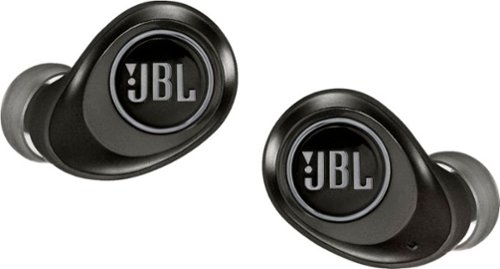
Perceive every detail of your music with this pair of JBL wireless headphones. The 10Hz to 22kHz frequency response lets you enjoy the full range of sound, while the in-line microphone provides an effortless switch to hands-free calls. Featuring 5.6mm dynamic drivers, these JBL wireless headphones supply rich, resonant bass for your enjoyment.
Are these noise cancelling for gyms that play really loud music?
These are PASSIVE noise cancelling - meaning the tighter you make the fit - the better the noise cancelling will be. Active noise cancelling uses battery power to help mask sounds - the JBL Free X version DOES NOT do that. Likely you will be able to hear a little of the loud music...
7 years, 9 months ago
by
TechMatcher
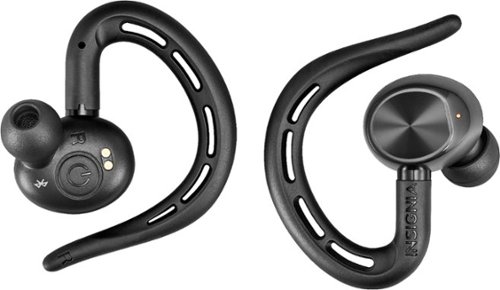
Ditch the headphone cable with these Insignia Bluetooth wireless earbuds. With up to five hours of use per charge and an included charging case for mid-day boosts, these earbuds are ideal for daily use. These Insignia Bluetooth wireless earbuds feature a built-in microphone for hands-free calling and easy voice commands.
Can you use one ear piece by itself without affecting sound quality?
Well....stereo sound REQUIRES a Left and Right channel. This headset can work with just one earpiece - the RIGHT one, as the left earpiece depends on the right earpiece. So YES, you can use one earpiece, but you won't have stereo sound....
7 years, 11 months ago
by
TechMatcher
Ditch the headphone cable with these Insignia Bluetooth wireless earbuds. With up to five hours of use per charge and an included charging case for mid-day boosts, these earbuds are ideal for daily use. These Insignia Bluetooth wireless earbuds feature a built-in microphone for hands-free calling and easy voice commands.
Can you pair one with one phone and another if another phone so that two people can share one set?
Yes - but they will work with only one phone at a time. This is standard for bluetooth technologies. You may find that if both phones are in the room and you power up the headphones, it may connect to the wrong phone. You'll have to forget the device or disconnect from them if that happens.
7 years, 11 months ago
by
TechMatcher
Ditch the headphone cable with these Insignia Bluetooth wireless earbuds. With up to five hours of use per charge and an included charging case for mid-day boosts, these earbuds are ideal for daily use. These Insignia Bluetooth wireless earbuds feature a built-in microphone for hands-free calling and easy voice commands.
Can I leave them in the charger case without them over charging and harming the battery
Yes - the charging case was made for these specific headphones!

7 years, 11 months ago
by
TechMatcher
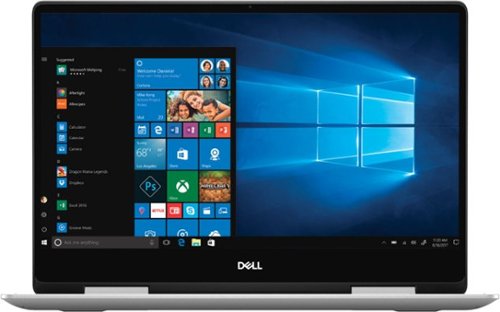
Dell Inspiron Convertible 2-in-1 Laptop: Maximize productivity with this 13.3-inch Dell Inspiron notebook computer. The combination of its Intel Core i5 processor and 8GB of RAM runs multiple programs simultaneously at peak performance, and it's Bluetooth-enabled to connect wireless devices or transmit data. This Dell Inspiron notebook computer has a 256GB solid-state drive to safely store files.
Does it come with Windows PRO or HOME?
Nearly EVERY consumer device some with Windows HOME version - as does this one.
7 years, 11 months ago
by
TechMatcher
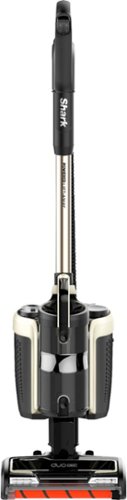
Clean those hard-to-reach places in your home with this Shark cordless vacuum. Its bristle brush deep-cleans any carpet, and the additional soft-roll brush pulls in larger particles from wood floors while polishing them. The rechargeable, high-capacity Li-Ion battery keeps this Ninja cordless vacuum's DuoClean Technology ready for tough cleaning chores.
I need a lightweight vacuum for medical reasons which would you recommend? Also one that is powerful!
This is a 12lb vacuum - so not the lightest but it's also a combination upright, stick and hand vacuum. You can separate the pieces to make it lighter to carry - one in each hand - and can even vacuum like that. I think it's pretty powerful for being electric - and states it can run up to 50 minutes on a charge.
7 years, 11 months ago
by
TechMatcher
For families and small businesses who want classic Office apps and email installed on one Windows 10 PC or Mac for use at home or work. Classic 2019 versions of Office apps including Word, Excel, PowerPoint, and Outlook. Plus, OneNote for Windows 10.
How do I access my applications after I’ve installed Office 2019?
Once Office 2019 is installed, icons for the office products will be in your Windows start menu - and you can pin to the taskbar or desktop if you like. Does this help I'm not sure what you're asking....
8 years ago
by
TechMatcher
For families and small businesses who want classic Office apps and email installed on one Windows 10 PC or Mac for use at home or work. Classic 2019 versions of Office apps including Word, Excel, PowerPoint, and Outlook. Plus, OneNote for Windows 10.
If I purchase Office Home & Business 2019 (1 Device) (Product Key Card) - Mac|Windows can I transfer it to another computer if I chose to upgrade
Yes - you can transfer or move a purchased software from one computer to another - providing them meet the requirements of the application (like OS version, etc).
8 years ago
by
TechMatcher
For families and small businesses who want classic Office apps and email installed on one Windows 10 PC or Mac for use at home or work. Classic 2019 versions of Office apps including Word, Excel, PowerPoint, and Outlook. Plus, OneNote for Windows 10.
How long does it take to download and install Office Home & Business?
All depends on the speed of your internet connection and the speed of your computer. You'll need Windows 10 or one of the latest 3 version of Mac OS though...
8 years ago
by
TechMatcher
For families and small businesses who want classic Office apps and email installed on one Windows 10 PC or Mac for use at home or work. Classic 2019 versions of Office apps including Word, Excel, PowerPoint, and Outlook. Plus, OneNote for Windows 10.
What is the difference between Office 365 (subscription) and Office 2019 (one-time purchase)?
Office 365 is constantly evolving and adding new features. Office 2019 is a point-in-time snapshot of the O365 applications.
8 years ago
by
TechMatcher