


TechMatcher's stats
- Review count220
- Helpfulness votes638
- First reviewNovember 3, 2015
- Last reviewJuly 2, 2026
- Featured reviews0
- Average rating4.4
Reviews comments
- Review comment count0
- Helpfulness votes0
- First review commentNone
- Last review commentNone
- Featured review comments0
Questions
- Question count0
- Helpfulness votes0
- First questionNone
- Last questionNone
- Featured questions0
- Answer count77
- Helpfulness votes101
- First answerNovember 3, 2015
- Last answerDecember 3, 2021
- Featured answers0
- Best answers12
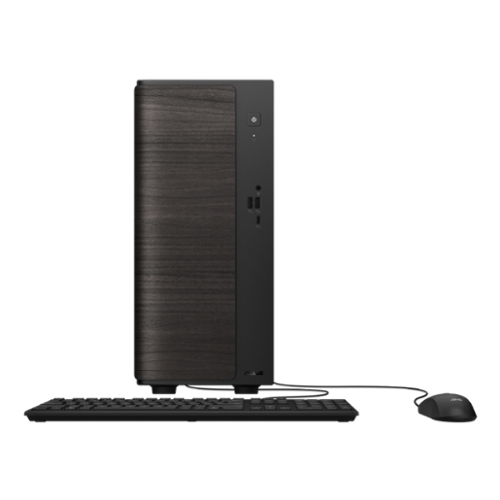
The ASUS VM501MHC delivers dependable everyday performance in a small 15L tower design built for productivity, multitasking, and home entertainment. Powered by an AMD Ryzen 5 processor and high-speed DDR5 memory, it handles daily workflows smoothly while keeping your workspace clean and efficient. Fast PCIe Gen 4 SSD storage helps applications load quickly, while Wi-Fi 6 connectivity ensures stable online performance for work, streaming, and video calls. An advanced thermal design keeps the system cool and quiet under pressure, and versatile connectivity makes it easy to connect displays, peripherals, and accessories. Complete with a wired keyboard and mouse, the VM501MHC is designed to provide reliable performance, expandability, and convenience for modern users.
Customer Rating

5
A Fast, Stylish PC that gets the job done!
on July 2, 2026
Posted by: TechMatcher
Summary
I've spent some time using the ASUS VM501MHC desktop for everyday work, and it has been exactly what I expected. It isn't built for gaming or demanding creative work, but for web browsing, office tasks, streaming, and general productivity, it feels quick, reliable, and surprisingly refined. I work remotely a lot, so it works well with our Azure Virtual Desktop solution.
I've spent some time using the ASUS VM501MHC desktop for everyday work, and it has been exactly what I expected. It isn't built for gaming or demanding creative work, but for web browsing, office tasks, streaming, and general productivity, it feels quick, reliable, and surprisingly refined. I work remotely a lot, so it works well with our Azure Virtual Desktop solution.
Product Overview
This ASUS desktop is designed for people who simply need a dependable desktop that works every day without fuss. It comes with an AMD Ryzen 5 processor, 16GB of DDR5 memory, a 512GB PCIe Gen 4 SSD, integrated Radeon graphics, Windows 11 Home, and built-in Wi-Fi 6. Those aren't headline-grabbing specifications, but they're well balanced for everyday computing and make the system feel responsive right out of the box.
This ASUS desktop is designed for people who simply need a dependable desktop that works every day without fuss. It comes with an AMD Ryzen 5 processor, 16GB of DDR5 memory, a 512GB PCIe Gen 4 SSD, integrated Radeon graphics, Windows 11 Home, and built-in Wi-Fi 6. Those aren't headline-grabbing specifications, but they're well balanced for everyday computing and make the system feel responsive right out of the box.
Design & Build Quality
The first thing that caught my attention wasn't the performance—it was the way the desktop looks. Instead of another plain black tower, ASUS gave the front panel a dark wood-style finish that makes it feel much more elegant. It blends into a home office much better than most budget desktops.
The compact chassis doesn't take up much room, and everything feels solidly put together. It isn't flashy, but it doesn't need to be. It looks like a computer designed to be used every day rather than shown off.
The first thing that caught my attention wasn't the performance—it was the way the desktop looks. Instead of another plain black tower, ASUS gave the front panel a dark wood-style finish that makes it feel much more elegant. It blends into a home office much better than most budget desktops.
The compact chassis doesn't take up much room, and everything feels solidly put together. It isn't flashy, but it doesn't need to be. It looks like a computer designed to be used every day rather than shown off.
Performance
For the kind of work this machine is meant to do, I've been impressed with how responsive it feels. Windows boots quickly, applications launch almost instantly, and juggling multiple browser tabs, Office documents, and streaming music never slowed it down.
For the kind of work this machine is meant to do, I've been impressed with how responsive it feels. Windows boots quickly, applications launch almost instantly, and juggling multiple browser tabs, Office documents, and streaming music never slowed it down.
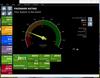
The benchmark results back up that experience. CPU performance is strong for productivity, while the SSD helps keep the entire system feeling snappy. The integrated Radeon graphics are the weakest part of the system, but that's exactly what I expected before buying it. They're perfectly adequate for watching videos, browsing the web, and everyday tasks, just not for modern gaming or demanding video editing.
Setup was incredibly easy. The only part I found frustrating was Microsoft's insistence on pushing passkeys and online account features during the initial setup. Once that was out of the way, everything else went smoothly.
Pros
• Feels fast and responsive during everyday use
• Attractive dark wood-style front panel stands out from typical office PCs
• Quiet operation with a compact footprint
• Fast SSD keeps Windows and applications loading quickly
• Perfect for office work, browsing, streaming, and home use
Cons
• 512GB of storage fills up faster than I'd like
• I would have preferred 32GB of memory for better future-proofing
• Integrated graphics limit gaming and creative workloads
• The price is a little high considering the hardware
• Feels fast and responsive during everyday use
• Attractive dark wood-style front panel stands out from typical office PCs
• Quiet operation with a compact footprint
• Fast SSD keeps Windows and applications loading quickly
• Perfect for office work, browsing, streaming, and home use
Cons
• 512GB of storage fills up faster than I'd like
• I would have preferred 32GB of memory for better future-proofing
• Integrated graphics limit gaming and creative workloads
• The price is a little high considering the hardware
Value
I knew exactly what I was getting, so none of the compromises were surprises. While I would personally choose a model with more memory, additional storage, and dedicated graphics next time, the VM501MHC delivers exactly what it promises. If your workload revolves around everyday productivity, it offers a smooth and dependable experience.
I knew exactly what I was getting, so none of the compromises were surprises. While I would personally choose a model with more memory, additional storage, and dedicated graphics next time, the VM501MHC delivers exactly what it promises. If your workload revolves around everyday productivity, it offers a smooth and dependable experience.
Final Verdict
After using this stylish ASUS desktop, I can confidently recommend it to students, home users, and anyone who spends their day working in Office applications, browsing the web, attending video meetings, or streaming content. It isn't trying to be a gaming powerhouse, and that's perfectly fine. It feels quick, looks better than most desktops in its class, and has been a dependable computer to use every day. Even though I'd personally buy something with higher specifications next time, I honestly couldn't ask this machine to do much more than what it was designed for.
After using this stylish ASUS desktop, I can confidently recommend it to students, home users, and anyone who spends their day working in Office applications, browsing the web, attending video meetings, or streaming content. It isn't trying to be a gaming powerhouse, and that's perfectly fine. It feels quick, looks better than most desktops in its class, and has been a dependable computer to use every day. Even though I'd personally buy something with higher specifications next time, I honestly couldn't ask this machine to do much more than what it was designed for.
I would recommend this to a friend!
Share this review:


0points
0of 0voted this as helpful.
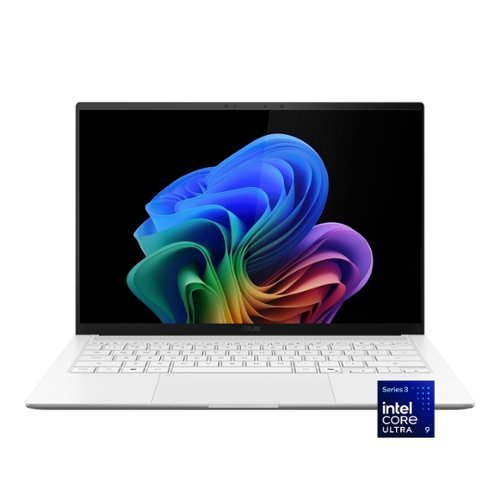
ASUS Zenbook S14 brings luxury to mobility with its ultra~thin, ultra~light Ceraluminum design that feels as refined as it looks. As a Copilot+ PC powered by the latest Intel Core Ultra processors, it delivers intelligent performance wrapped in effortless elegance. Its stunning 14" OLED WQXGA+ 16:10 display elevates every detail with vivid brilliance, while the long~lasting 77~Wh battery keeps you going in style wherever the day leads.
Customer Rating
5
Ultra-Portable Design Meets AI-Era Performance
on June 5, 2026
Posted by: TechMatcher
ASUS has been steadily refining its premium Zenbook lineup, and the Zenbook S 14 may be one of the most compelling Windows ultraportables available today. Combining a stunning 3K OLED display, Intel's latest Core Ultra 9 processor, AI-focused features, excellent battery life, and a premium lightweight chassis, the Zenbook S 14 is designed for professionals who want desktop-class productivity in a highly portable package.
After spending time with the system and reviewing benchmark results, it's clear ASUS has built a laptop that excels at productivity, content creation, and everyday business workloads.
Design & Build Quality
The first thing you'll notice is how remarkably thin and light the Zenbook S 14 feels. ASUS uses its premium Ceraluminum™ material, giving the laptop a unique blend of ceramic-like aesthetics and aluminum durability.
The first thing you'll notice is how remarkably thin and light the Zenbook S 14 feels. ASUS uses its premium Ceraluminum™ material, giving the laptop a unique blend of ceramic-like aesthetics and aluminum durability.
The result is a machine that feels more premium than many competing ultrabooks while remaining easy to carry throughout the day.
Highlights:
• Thin and lightweight design
• Excellent keyboard and large touchpad
• Premium fit and finish
• Modern minimalist styling
• Quiet operation under normal workloads
• Thin and lightweight design
• Excellent keyboard and large touchpad
• Premium fit and finish
• Modern minimalist styling
• Quiet operation under normal workloads
This is the type of laptop that looks equally at home in a boardroom, coffee shop, or airport lounge.
Display: Outstanding 3K OLED Panel
The star of the show is the 14-inch 3K OLED display.
OLED technology continues to be one of the best upgrades available in a laptop, and ASUS delivers here. Colors are vibrant, blacks are truly black, and contrast is exceptional.
The high 3K resolution keeps text razor sharp, making long work sessions comfortable and reducing eye strain compared to lower-resolution displays.
The star of the show is the 14-inch 3K OLED display.
OLED technology continues to be one of the best upgrades available in a laptop, and ASUS delivers here. Colors are vibrant, blacks are truly black, and contrast is exceptional.
The high 3K resolution keeps text razor sharp, making long work sessions comfortable and reducing eye strain compared to lower-resolution displays.
Performance
Under the hood, the Zenbook S 14 is powered by an Intel Core Ultra 9 processor, one of Intel's newest AI-capable mobile CPUs.
Under the hood, the Zenbook S 14 is powered by an Intel Core Ultra 9 processor, one of Intel's newest AI-capable mobile CPUs.
The system feels exceptionally responsive in daily use:
• Microsoft 365 applications launch instantly
• Web browsing with dozens of tabs remains smooth
• Video conferencing is effortless
• AI tools such as ChatGPT, Copilot, and local AI workloads benefit from the built-in NPU
• Light content creation and photo editing are handled with ease
• Microsoft 365 applications launch instantly
• Web browsing with dozens of tabs remains smooth
• Video conferencing is effortless
• AI tools such as ChatGPT, Copilot, and local AI workloads benefit from the built-in NPU
• Light content creation and photo editing are handled with ease
PassMark Results
I benchmark all my new machines using Passmark Performance Testing tools. The benchmark results tell an interesting story:
I benchmark all my new machines using Passmark Performance Testing tools. The benchmark results tell an interesting story:
Test Score Percentile
Overall PassMark 6,930 62nd
CPU Mark 31,379 88th
Memory Mark 3,798 95th
Disk Mark 45,057 95th
2D Graphics 801 64th
3D Graphics 4,964 37th
Overall PassMark 6,930 62nd
CPU Mark 31,379 88th
Memory Mark 3,798 95th
Disk Mark 45,057 95th
2D Graphics 801 64th
3D Graphics 4,964 37th
What the Numbers Mean
CPU Performance: Excellent
The 31,379 CPU Mark score places the system in the 88th percentile, meaning it outperforms nearly 9 out of 10 tested systems.
This confirms what users experience in real-world use:
• Fast multitasking
• Strong productivity performance
• Excellent office and business application responsiveness
• Plenty of power for AI-assisted workflows
The 31,379 CPU Mark score places the system in the 88th percentile, meaning it outperforms nearly 9 out of 10 tested systems.
This confirms what users experience in real-world use:
• Fast multitasking
• Strong productivity performance
• Excellent office and business application responsiveness
• Plenty of power for AI-assisted workflows
Memory & Storage: Outstanding
The 95th percentile scores for both memory and storage are particularly impressive.
Applications load quickly, boot times are nearly instantaneous, and large files move rapidly. This contributes significantly to the laptop's snappy feel.
The 95th percentile scores for both memory and storage are particularly impressive.
Applications load quickly, boot times are nearly instantaneous, and large files move rapidly. This contributes significantly to the laptop's snappy feel.
Graphics: Adequate for Productivity
The one area where the Zenbook S 14 isn't trying to compete is gaming.
The 3D Graphics score in the 37th percentile reflects the integrated graphics solution rather than a dedicated gaming GPU.
The one area where the Zenbook S 14 isn't trying to compete is gaming.
The 3D Graphics score in the 37th percentile reflects the integrated graphics solution rather than a dedicated gaming GPU.
This means:
✅ Great for:
• Office work
• Video playback
• Streaming
• Multiple monitors
• Light photo editing
❌ Not ideal for:
• Serious gaming
• High-end CAD
• Heavy 3D rendering
• Professional video effects work
✅ Great for:
• Office work
• Video playback
• Streaming
• Multiple monitors
• Light photo editing
❌ Not ideal for:
• Serious gaming
• High-end CAD
• Heavy 3D rendering
• Professional video effects work
This is expected for an ultraportable productivity-focused machine.
Battery Life & AI Features
The Intel Core Ultra platform was designed with efficiency in mind, and the Zenbook S 14 benefits significantly.
The Intel Core Ultra platform was designed with efficiency in mind, and the Zenbook S 14 benefits significantly.
You can expect:
• Full-day productivity
• Excellent standby performance
• Efficient video conferencing
• Improved battery life compared to many previous Intel generations
• Full-day productivity
• Excellent standby performance
• Efficient video conferencing
• Improved battery life compared to many previous Intel generations
The built-in NPU (Neural Processing Unit) also positions the laptop well for the growing wave of AI-enhanced applications in Windows 11.
Keyboard
Well – I thought I found a flaw that would make me choose another laptop. The keyboard doesn’t have any visual Home/End/Page Up/Page/Down keys. I use these keys a lot creating and editing documents, so I thought this may be a non-starter.
Well – I thought I found a flaw that would make me choose another laptop. The keyboard doesn’t have any visual Home/End/Page Up/Page/Down keys. I use these keys a lot creating and editing documents, so I thought this may be a non-starter.
Do not fear – Asus has thought of that and built in those functions to the arrow keys. Simply use the FN key in combination with the arrow keys and you have all your Home/End/Page Up and Page Down keys at your fingertips!
Who Should Buy It?
The ASUS Zenbook S 14 is an excellent fit for:
• Business professionals
• Executives
• Students
• Frequent travelers
• IT professionals
• Developers
• Anyone wanting a premium Windows ultrabook
It is less suited for dedicated gamers or users requiring workstation-class graphics.
The ASUS Zenbook S 14 is an excellent fit for:
• Business professionals
• Executives
• Students
• Frequent travelers
• IT professionals
• Developers
• Anyone wanting a premium Windows ultrabook
It is less suited for dedicated gamers or users requiring workstation-class graphics.
Final Verdict
The ASUS Zenbook S 14 successfully combines premium design, a gorgeous 3K OLED display, impressive CPU performance, and excellent battery efficiency into one of the most well-rounded ultraportables currently available.
The ASUS Zenbook S 14 successfully combines premium design, a gorgeous 3K OLED display, impressive CPU performance, and excellent battery efficiency into one of the most well-rounded ultraportables currently available.
Your benchmark results reveal a machine that is particularly strong in the areas that matter most for everyday users—processor speed, memory performance, and storage responsiveness—while making the expected trade-off of modest integrated graphics performance.
Pros
✔ Stunning 3K OLED display
✔ Fast Intel Core Ultra 9 processor
✔ Excellent keyboard and build quality
✔ Extremely fast SSD performance
✔ Lightweight and travel-friendly
✔ AI-ready platform with integrated NPU
✔ Strong battery life
✔ Stunning 3K OLED display
✔ Fast Intel Core Ultra 9 processor
✔ Excellent keyboard and build quality
✔ Extremely fast SSD performance
✔ Lightweight and travel-friendly
✔ AI-ready platform with integrated NPU
✔ Strong battery life
Cons
✘ Not designed for serious gaming
✘ Integrated graphics limit heavy 3D workloads
✘ Premium pricing compared to mainstream laptops
✘ Not designed for serious gaming
✘ Integrated graphics limit heavy 3D workloads
✘ Premium pricing compared to mainstream laptops
Overall
If your priorities are portability, display quality, battery life, and business productivity, the ASUS Zenbook S14 is one of the best Windows laptops currently available. The benchmark results reinforce that conclusion, showing a machine that delivers premium real-world performance where most users will notice it every day. This has become my daily use laptop now.
If your priorities are portability, display quality, battery life, and business productivity, the ASUS Zenbook S14 is one of the best Windows laptops currently available. The benchmark results reinforce that conclusion, showing a machine that delivers premium real-world performance where most users will notice it every day. This has become my daily use laptop now.
I would recommend this to a friend!



Share this review:


0points
0of 0voted this as helpful.
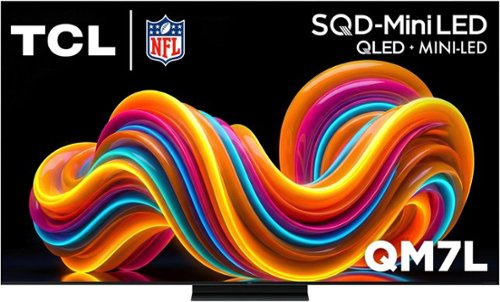
The TCL QM7L Series delivers powerful SQD-Mini LED performance for movies, sports, and gaming. TCL~s Deep Color System with Super Quantum Crystals (Super QLED), UltraColor Filter, and Advanced Color Purity Algorithm produces vivid, accurate color and impressive clarity. With LD2100+ Precise Dimming Series and up to 3,000 Peak Nits, QM7L delivers bold contrast and impactful HDR. The TSR AI Processor optimizes every scene, while a 144Hz native refresh rate with Motion Rate 480 ensures smooth, crisp motion. Built on the anti-reflective HVA 2.0 Pro panel, the experience is completed with Audio by Bang & Olufsen and Dolby Atmos FlexConnect, allowing you to expand your setup with optional subwoofer and satellite speakers for a more immersive, room-filling sound experience.
Customer Rating

4
Beautiful Blacks, Lots of features!
on May 29, 2026
Posted by: TechMatcher
After spending some time with the new TCL 65" QM7L QD-Mini LED television, my overall impression is very positive. TCL continues to push premium features into a price range that undercuts many competing brands, and the QM7L feels like a TV that delivers far more than its price tag suggests.
Setup Experience
My initial setup experience was not perfect.
The TV offers a convenient phone-based setup process using a QR code displayed on-screen. Unfortunately, when I scanned the code with my iPhone, it redirected me to an "App Clip Unavailable" message and would not complete the configuration process.
Fortunately, TCL and Google still provide a traditional setup path. I was able to bypass the issue and complete configuration by manually signing into my Google account directly on the television. While this wasn't a deal breaker, it did add several extra minutes to the setup process and may frustrate less technical users.
My initial setup experience was not perfect.
The TV offers a convenient phone-based setup process using a QR code displayed on-screen. Unfortunately, when I scanned the code with my iPhone, it redirected me to an "App Clip Unavailable" message and would not complete the configuration process.
Fortunately, TCL and Google still provide a traditional setup path. I was able to bypass the issue and complete configuration by manually signing into my Google account directly on the television. While this wasn't a deal breaker, it did add several extra minutes to the setup process and may frustrate less technical users.
Picture Quality
Once configured, the QM7L immediately impressed.
The QD-Mini LED backlighting provides excellent brightness, strong contrast, and impressive black levels. Whether watching streaming content, sports, or regular broadcast television, the image is vibrant and punchy without appearing overly artificial. It blows my older TV out of the water on the black levels. I tend to watch spooky and shows with lots of shoot-em-up night action and these black level make it AWESOME!
Colors look rich and accurate right out of the box, and HDR content really shines. The Mini LED technology helps deliver much deeper blacks than traditional LED televisions while maintaining excellent brightness for daytime viewing.
For a mid-to-upper tier television, the QM7L punches well above its weight class.
Once configured, the QM7L immediately impressed.
The QD-Mini LED backlighting provides excellent brightness, strong contrast, and impressive black levels. Whether watching streaming content, sports, or regular broadcast television, the image is vibrant and punchy without appearing overly artificial. It blows my older TV out of the water on the black levels. I tend to watch spooky and shows with lots of shoot-em-up night action and these black level make it AWESOME!
Colors look rich and accurate right out of the box, and HDR content really shines. The Mini LED technology helps deliver much deeper blacks than traditional LED televisions while maintaining excellent brightness for daytime viewing.
For a mid-to-upper tier television, the QM7L punches well above its weight class.
Google TV and Gemini Integration
Google TV remains one of the strongest smart TV platforms available today.
Navigation is smooth, app availability is excellent, and content recommendations are generally useful. Netflix, Prime Video, Disney+, Hulu, YouTube, and many other services are readily available.
One of the standout features on this model is Gemini for TV. TCL has integrated Google's latest AI capabilities directly into the television experience. Users can ask questions, search for content, learn about topics, receive news briefings, and explore information without leaving the couch.
While Gemini is still evolving, it adds a modern AI-powered experience that helps distinguish the QM7L from many competing televisions.
Google TV remains one of the strongest smart TV platforms available today.
Navigation is smooth, app availability is excellent, and content recommendations are generally useful. Netflix, Prime Video, Disney+, Hulu, YouTube, and many other services are readily available.
One of the standout features on this model is Gemini for TV. TCL has integrated Google's latest AI capabilities directly into the television experience. Users can ask questions, search for content, learn about topics, receive news briefings, and explore information without leaving the couch.
While Gemini is still evolving, it adds a modern AI-powered experience that helps distinguish the QM7L from many competing televisions.
TCL Free TV
A pleasant surprise is TCL's inclusion of TCL Free TV.
The service provides access to numerous free streaming channels without requiring additional subscriptions. For cord-cutters or casual viewers, this adds immediate value right out of the box and expands available content options significantly.
A pleasant surprise is TCL's inclusion of TCL Free TV.
The service provides access to numerous free streaming channels without requiring additional subscriptions. For cord-cutters or casual viewers, this adds immediate value right out of the box and expands available content options significantly.
Thoughtful Feature: Standby Indication Bar
One feature that deserves special recognition is TCL's "Standby Indication Bar" setting.
Out of the box, the front LED light remains illuminated when the TV is powered off. In a bedroom or dark living room, this light can be surprisingly bright at night.
Thankfully, TCL includes a simple setting that allows users to disable it completely.
Thank you, TCL, for providing the option rather than forcing users to live with an always-on light. It's a small feature, but one that improves everyday usability.
One feature that deserves special recognition is TCL's "Standby Indication Bar" setting.
Out of the box, the front LED light remains illuminated when the TV is powered off. In a bedroom or dark living room, this light can be surprisingly bright at night.
Thankfully, TCL includes a simple setting that allows users to disable it completely.
Thank you, TCL, for providing the option rather than forcing users to live with an always-on light. It's a small feature, but one that improves everyday usability.
Audio and Design
The television itself looks modern and premium with slim bezels and a clean appearance. Mounted on the wall, it presents a very polished look.
Audio quality is respectable for built-in TV speakers, though users seeking a true theater experience will still benefit from a soundbar or dedicated audio system.
The television itself looks modern and premium with slim bezels and a clean appearance. Mounted on the wall, it presents a very polished look.
Audio quality is respectable for built-in TV speakers, though users seeking a true theater experience will still benefit from a soundbar or dedicated audio system.
Final Verdict
The TCL QM7L successfully blends premium display technology, Google's excellent smart TV platform, AI-powered Gemini features, and free streaming content into a highly compelling package.
While the QR-code/App Clip setup issue was frustrating, the workaround was straightforward and did not impact the TV's overall performance once configured.
Pros
• Excellent QD-Mini LED picture quality
• Bright, vibrant HDR performance
• Deep blacks and strong contrast
• Google TV platform is fast and intuitive
• Gemini AI integration adds useful functionality
• TCL Free TV provides substantial free content
• Ability to disable the front standby LED indicator
• Attractive design and strong value for the money
Cons
• QR-code setup process may fail for some iPhone users
• Manual login may be required during setup
• Built-in audio is good but not exceptional
The TCL QM7L successfully blends premium display technology, Google's excellent smart TV platform, AI-powered Gemini features, and free streaming content into a highly compelling package.
While the QR-code/App Clip setup issue was frustrating, the workaround was straightforward and did not impact the TV's overall performance once configured.
Pros
• Excellent QD-Mini LED picture quality
• Bright, vibrant HDR performance
• Deep blacks and strong contrast
• Google TV platform is fast and intuitive
• Gemini AI integration adds useful functionality
• TCL Free TV provides substantial free content
• Ability to disable the front standby LED indicator
• Attractive design and strong value for the money
Cons
• QR-code setup process may fail for some iPhone users
• Manual login may be required during setup
• Built-in audio is good but not exceptional
Although I can only give a 4 start rating above, I'd lean more towards an overall score of 4.5 / 5. The only issue I had was a minor setup hiccup, otherwise it's beet great! If you're looking for a 65-inch television that delivers premium picture quality, modern AI features, and tremendous value, the TCL QM7L is an easy recommendation and one of the strongest TV values currently available in its class.



Share this review:


0points
0of 0voted this as helpful.
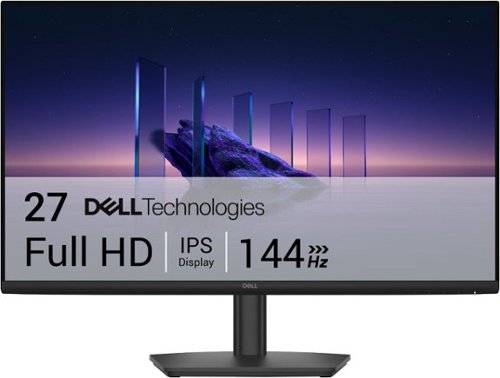
Breeze through everyday tasks on this 27-inch monitor with 144Hz refresh rate, 1ms Moving Picture Response Time (MPRT), and T~V 3-star certification for eye comfort.
Customer Rating
5
Great monitor for an Affordable price!
on May 4, 2026
Posted by: TechMatcher
Overall Experience
This monitor is built for people who want better-than-basic performance without paying gaming monitor prices. The combination of IPS color accuracy, 144Hz refresh rate, and 1ms MPRT gives it a noticeably smoother feel than typical 60–75Hz office displays. Text is crisp, motion is fluid, and colors stay consistent across wide viewing angles.
Display Quality
• 27" IPS panel provides wide 178° viewing angles and more accurate color than VA or TN panels in this price range.
• FHD (1920×1080) on a 27" screen is serviceable for productivity and entertainment, though pixel density is modest. For spreadsheets or design work, you’ll see more visible pixel structure than on a 1440p panel.
• Brightness and contrast are typical for budget IPS—good for office lighting, not ideal for HDR or cinematic color depth.
• Anti glare coating helps reduce reflections, making it comfortable in bright rooms.
• 27" IPS panel provides wide 178° viewing angles and more accurate color than VA or TN panels in this price range.
• FHD (1920×1080) on a 27" screen is serviceable for productivity and entertainment, though pixel density is modest. For spreadsheets or design work, you’ll see more visible pixel structure than on a 1440p panel.
• Brightness and contrast are typical for budget IPS—good for office lighting, not ideal for HDR or cinematic color depth.
• Anti glare coating helps reduce reflections, making it comfortable in bright rooms.
Motion & Gaming Performance
This is where the SE2726HS punches above its weight:
• 144Hz refresh rate makes scrolling, gaming, and general UI movement feel dramatically smoother.
• 1ms MPRT reduces motion blur during fast action.
• AMD FreeSync minimizes screen tearing when paired with compatible GPUs.
• Input lag is low enough for casual to mid level gaming.
If you’re not a competitive esports player, this monitor delivers more than enough speed.
This is where the SE2726HS punches above its weight:
• 144Hz refresh rate makes scrolling, gaming, and general UI movement feel dramatically smoother.
• 1ms MPRT reduces motion blur during fast action.
• AMD FreeSync minimizes screen tearing when paired with compatible GPUs.
• Input lag is low enough for casual to mid level gaming.
If you’re not a competitive esports player, this monitor delivers more than enough speed.
Eye Comfort
Dell includes TÜV Rheinland 3 Star eye comfort certification, meaning:
• Reduced blue light
• Flicker free backlighting
• Better long session comfort
Dell includes TÜV Rheinland 3 Star eye comfort certification, meaning:
• Reduced blue light
• Flicker free backlighting
• Better long session comfort
For long workdays, this is a meaningful advantage over cheaper panels.
Connectivity & Build
• HDMI + DisplayPort (varies by retailer listing)
• Tilt only stand — stable but not height adjustable
• Thin bezels make it suitable for dual monitor setups
• Dell’s build quality is reliably solid in this class
• HDMI + DisplayPort (varies by retailer listing)
• Tilt only stand — stable but not height adjustable
• Thin bezels make it suitable for dual monitor setups
• Dell’s build quality is reliably solid in this class
Ideal For
• Home office users wanting smoother motion and better color than bargain monitors
• Students and general consumers
• Casual gamers who want 144Hz without overspending
• Multi monitor productivity setups
• Home office users wanting smoother motion and better color than bargain monitors
• Students and general consumers
• Casual gamers who want 144Hz without overspending
• Multi monitor productivity setups
Not Ideal For
• Professional color critical work
• Users who prefer 1440p or 4K sharpness
• Those needing height/rotation adjustments without a VESA arm
• Professional color critical work
• Users who prefer 1440p or 4K sharpness
• Those needing height/rotation adjustments without a VESA arm
Final Verdict
The Dell SE2726HS is one of the best-value 27" 144Hz IPS monitors available today. It’s not a high resolution panel, but for everyday productivity, smooth motion, and casual gaming, it delivers a polished, comfortable experience at a very accessible price.
The Dell SE2726HS is one of the best-value 27" 144Hz IPS monitors available today. It’s not a high resolution panel, but for everyday productivity, smooth motion, and casual gaming, it delivers a polished, comfortable experience at a very accessible price.
If you want a monitor that feels significantly smoother than standard office displays without spending gaming monitor money, this is an excellent pick.
I would recommend this to a friend!


Share this review:


0points
0of 0voted this as helpful.
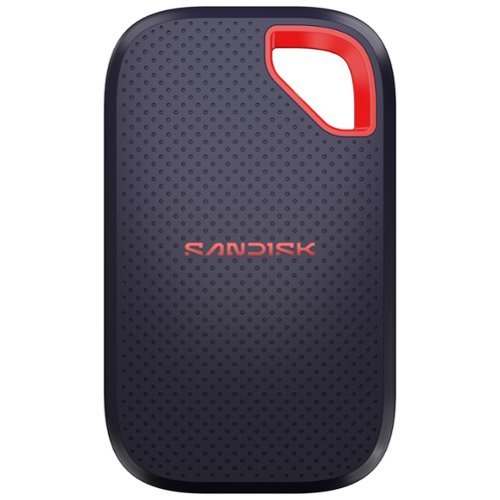
Introducing the new SANDISK Extreme Portable SSD, built for anyone who needs fast, reliable storage for backing up big projects, clearing device space, or keeping content organized across devices. It~s what you need to work seamlessly, wherever you go.
Posted by: TechMatcher
First Impressions Out of the Box
Pull the SanDisk Extreme 1TB out of its packaging and the first thing you notice is how small it is. Its footprint of just 50 x 96.2mm makes it smaller than most modern smartphones, and at under 9mm thick it slides easily into a shirt pocket. The build is rubber-clad with a textured top and bottom surface that gives you a confident grip — though I'll admit, the look could be confused with a cheap Bluetooth speaker if you didn't know better. In the box you get the drive and a short USB-C cable for connectivity.
Pull the SanDisk Extreme 1TB out of its packaging and the first thing you notice is how small it is. Its footprint of just 50 x 96.2mm makes it smaller than most modern smartphones, and at under 9mm thick it slides easily into a shirt pocket. The build is rubber-clad with a textured top and bottom surface that gives you a confident grip — though I'll admit, the look could be confused with a cheap Bluetooth speaker if you didn't know better. In the box you get the drive and a short USB-C cable for connectivity.
One small frustration right out of the gate: the included cable is frustratingly short — around 20-30cm — which is fine for a laptop but awkward for anyone running it off a desktop tower. Budget a few dollars for a longer cable and don't let this be a dealbreaker.
Build Quality and Durability
This is where the SanDisk Extreme earns its name. The current model carries an IP65 rating for resistance to water and dust, a step up from the IP55 of earlier generations. That means you can take this thing into genuinely hostile environments — rain, construction sites, dusty field locations — and not lose sleep over it.
This is where the SanDisk Extreme earns its name. The current model carries an IP65 rating for resistance to water and dust, a step up from the IP55 of earlier generations. That means you can take this thing into genuinely hostile environments — rain, construction sites, dusty field locations — and not lose sleep over it.
The orange plastic loop at the top corner is a nice touch for field users — clip it to a carabiner on a bag, a belt loop, or a camera rig and you're not going to accidentally leave it on a park bench. One honest caveat: the rubber coating does attract dust and lint aggressively and I can imagine that after 18-24 months of heavy use it could start to look worn or feel slightly sticky. Functionally it doesn't matter, but aesthetically it's worth knowing.
Performance: Where It Gets Serious
Let's cut straight to what most people care about. The SanDisk Extreme is a USB 3.2 Gen 2 solution with rated performance of 2000 MB/s read. In real-world testing, that seems to be only under perfect conditions with the right data – expect FAST, but less with your data.
Let's cut straight to what most people care about. The SanDisk Extreme is a USB 3.2 Gen 2 solution with rated performance of 2000 MB/s read. In real-world testing, that seems to be only under perfect conditions with the right data – expect FAST, but less with your data.
One thermal note: in my testing, the drive does get warm during long continuous transfers, but never hot enough to throttle performance in shorter bursts. If you're doing marathon video ingest sessions, give it a moment to breathe between runs.
Connecting to Your Computer
Plug it in via USB-C and it mounts immediately — no drivers, no drama. The drive works immediately on Mac, PC, and iPad Pro without any setup or reformatting. It comes pre-formatted in ExFAT, which is cross-platform compatible out of the box. Mac users who prefer a different format can easily reformat using Apple's Disk Utility.
Plug it in via USB-C and it mounts immediately — no drivers, no drama. The drive works immediately on Mac, PC, and iPad Pro without any setup or reformatting. It comes pre-formatted in ExFAT, which is cross-platform compatible out of the box. Mac users who prefer a different format can easily reformat using Apple's Disk Utility.
SanDisk also bundles a Security app on the drive itself, providing 256-bit AES encryption and password protection for sensitive files. It's a useful addition for anyone storing client data or confidential work materials, and it doesn't require any third-party software install on the host machine.
Connecting to Your Phone: The SanDisk Memory Zone App
Here's where things get more nuanced — and where you need to go in with clear expectations.
The SanDisk Memory Zone app (now rebranded simply as the SANDISK app following a 2025 transition) is available for both Android and iOS. The concept is solid: plug the Extreme into your phone via USB-C, launch the app, and manage your files directly between phone and drive without needing a computer in the loop. For Android with USB OTG support, this works well. The app lets you view all storage sources — internal storage, external drives, and formerly cloud storage — organized by file type, with options to back up, restore, copy, move, and share files.
Here's where things get more nuanced — and where you need to go in with clear expectations.
The SanDisk Memory Zone app (now rebranded simply as the SANDISK app following a 2025 transition) is available for both Android and iOS. The concept is solid: plug the Extreme into your phone via USB-C, launch the app, and manage your files directly between phone and drive without needing a computer in the loop. For Android with USB OTG support, this works well. The app lets you view all storage sources — internal storage, external drives, and formerly cloud storage — organized by file type, with options to back up, restore, copy, move, and share files.
On iOS, I never got my iphone to to recognize the drive using the Memory Zone app. The Apple built-in Files app did see the drive though – and it could be used through there. Files handles file browsing, copying, and moving cleanly. Android users similarly can use their built-in file manager. The Memory
Zone app adds convenience features like automated backup scheduling, but it's no longer the essential bridge it once was and one of the reasons for only giving 4 Stars.
Final Verdict
The hardware itself is close to flawless for the price. The Extreme Portable delivers strong performance, high capacity, an impressively rugged design, and a competitive price that appeals to both professional and casual users. The drive earns every star it gets on build quality and raw speed.
The hardware itself is close to flawless for the price. The Extreme Portable delivers strong performance, high capacity, an impressively rugged design, and a competitive price that appeals to both professional and casual users. The drive earns every star it gets on build quality and raw speed.
The Memory Zone app is the weak link, and SanDisk needs to get serious about fixing it. The forced migration to the new app stripped functionality that users depended on, and the reliability complaints are too consistent to dismiss. Until that story improves, treat the app as a bonus rather than a core feature — and know that your phone's native file manager will handle most of what you actually need.
If you want a fast, tough, genuinely portable SSD that you can abuse on a job site, toss in a camera bag, or use as a daily backup drive, the SanDisk Extreme 1TB delivers where it matters most: consistent transfer speeds, proper durability, and zero friction on a computer. Just don't buy it expecting the companion app to be the star of the show.
I would recommend this to a friend!



Share this review:


0points
0of 0voted this as helpful.
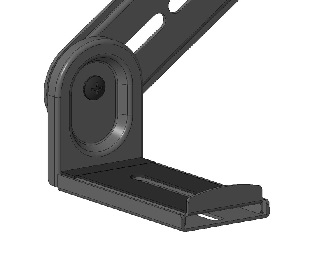
Must own a soundbar and a mounted TV. The soundbar mount is attached to an existing TV mount. **Customer will need to be willing to take their mounted TV off the wall to access the back and attach the soundbar mount to the existing TV mount bracket.**
About This Item
It’s just a wall mount—until it saves you space and elevates your soundbar audio. The Insignia Rear/Bottom Soundbar Wall Mount for Most 15 lb. Soundbars has a steel construction that delivers a sleek appearance. It attaches to an existing TV mount, so you can comfortably set up your soundbar without drilling additional holes into the wall. Holding up to 15 lbs., this wall mount supports both bottom- and rear-mounted soundbars, granting wide compatibility. And it’s backed by Best Buy, so we’ve provided everything you need for an effortless installation, ensuring your soundbar will be securely attached. Let us help give your living space a modern look with support and materials you can trust.
Features
• Attaches to an existing TV mount
Hangs your soundbar without drilling holes in your wall.
• 15 lb. max capacity
Works with most soundbars weighing up to 15 lbs.
• Sturdy steel construction
Delivers years of dependable use.
• Versatile compatibility
Secures rear- or bottom-mounted soundbars to your TV mount.
• Ideal placement
Sits flush between the bottom of your TV and the soundbar.
• Compatible with most TV wall mounts
Supports VESA patterns up to 400 x 400.
• Simple installation
Comes with everything you need, including adjustable brackets (2), a hardware kit and a User Guide.
• Backed by Best Buy
For quality and reliability that you can trust.
Customer Rating
4
Solid mount with caveats for non-standard setups
on March 24, 2026
Posted by: TechMatcher
IN THE BOX:
The Insignia mount ships with a generous hardware kit: two flat mounting rails, a pair of adjustable bracket arms, assorted screws and wall anchors, and a quick-start guide. The included hardware covers a variety of TV mounting configurations — rear-mount (attaching to the TV's VESA holes) and bottom-mount options.
The Insignia mount ships with a generous hardware kit: two flat mounting rails, a pair of adjustable bracket arms, assorted screws and wall anchors, and a quick-start guide. The included hardware covers a variety of TV mounting configurations — rear-mount (attaching to the TV's VESA holes) and bottom-mount options.
INSTALLATION EXPERIENCE:
This is where things get interesting. The mount is marketed as a universal fit, but "universal" does its usual overconfident work here. My TV setup required skipping a portion of the included hardware entirely — the bottom-mount rail configuration was incompatible with my TV's geometry, so I defaulted to the rear/VESA attachment method using only the bracket arms. The unused parts (several screws, anchors, and the top part of the base rails) went back in the bag.
This is where things get interesting. The mount is marketed as a universal fit, but "universal" does its usual overconfident work here. My TV setup required skipping a portion of the included hardware entirely — the bottom-mount rail configuration was incompatible with my TV's geometry, so I defaulted to the rear/VESA attachment method using only the bracket arms. The unused parts (several screws, anchors, and the top part of the base rails) went back in the bag.
The modification process itself wasn't complicated, but it does require you to problem-solve on the fly. The instruction sheet is minimal, so if your setup deviates from the intended configuration at all, you're largely on your own. A bit more guidance in the manual for common TV stand shapes would go a long way.
BUILD QUALITY:
The metal rails and bracket arms feel solid and have a clean matte black finish that pairs well with most soundbars. No flex or rattle once installed. The Insignia soundbar now sits snugly below the wall-mounted TV, just under the bottom bezel — exactly the integrated look the product promises.
The metal rails and bracket arms feel solid and have a clean matte black finish that pairs well with most soundbars. No flex or rattle once installed. The Insignia soundbar now sits snugly below the wall-mounted TV, just under the bottom bezel — exactly the integrated look the product promises.
THE RESULT
The after photo says it all. The soundbar is flush under the TV, the dresser top is cleared for decorative items, and the whole setup reads as intentional rather than improvised. The visual upgrade alone justifies the modest price of this mount.
The after photo says it all. The soundbar is flush under the TV, the dresser top is cleared for decorative items, and the whole setup reads as intentional rather than improvised. The visual upgrade alone justifies the modest price of this mount.
BOTTOM LINE
If your TV and soundbar match Insignia's intended specs closely, this is an easy, clean install. If you need to deviate — as I did — expect to leave some hardware unused and do a bit of trial-and-error fitting. The end result is worth it, but the mount could benefit from clearer documentation for non-standard configurations. I gave it 4 of 5 stars as the universal fit didn't fit my TV as expected.
If your TV and soundbar match Insignia's intended specs closely, this is an easy, clean install. If you need to deviate — as I did — expect to leave some hardware unused and do a bit of trial-and-error fitting. The end result is worth it, but the mount could benefit from clearer documentation for non-standard configurations. I gave it 4 of 5 stars as the universal fit didn't fit my TV as expected.
I would recommend this to a friend!


Share this review:


0points
0of 0voted this as helpful.

Discover the Contixo F33, a powerhouse 4K drone designed for adult flyers and professional content creators, featuring a 3840~2160 ultra-HD camera, 70~ wide-angle lens, and 80~ tilt adjustment to capture cinematic aerial shots with ease. Its 2-axis gimbal paired with Electronic Image Stabilization (EIS) ensures smooth, shake-free footage, while the 5.5" HD touchscreen remote eliminates the need for a smartphone~stream live video, adjust settings, and control intelligent features directly from the controller. A front-facing laser obstacle avoidance system enhances flight safety by detecting objects in real time. With intelligent GPS functions like Follow Me, Orbit, Return to Home, and Fixed Speed Cruise for steady cinematic paths, the F33 also includes optical flow stabilization for indoor use and responsive brushless motors for efficient, high-performance flying. Boasting a 6KM max range and up to 42 minutes of flight time per battery, the F33 is built to capture breathtaking landscapes, dynamic events, and fast-paced action in any environment.
Customer Rating
5
Contixo F33-A surprisingly complete drone package
on February 14, 2026
Posted by: TechMatcher
The Contixo F33 is a feature rich, long range 4K drone that solves one of the biggest pain points of older consumer drones: the need to strap your phone into the controller. With a built in 5.5" touchscreen, a stabilized gimbal camera, and a surprisingly robust set of autonomous flight modes, the F33 feels like a major quality of life upgrade for pilots who want simplicity without sacrificing capability.
1. Flight Performance & Endurance - 42 Minute Max Flight Time
A standout spec for this class, the F33’s 42 minute flight time puts it well above most mid range drones that hover around 25–32 minutes. In my test flights, I got about 35–38 minutes in mixed conditions. This gives me some confidence that I have enough time for multiple takes without battery anxiety. This extended endurance pairs well with the drone’s long-range radio system.
A standout spec for this class, the F33’s 42 minute flight time puts it well above most mid range drones that hover around 25–32 minutes. In my test flights, I got about 35–38 minutes in mixed conditions. This gives me some confidence that I have enough time for multiple takes without battery anxiety. This extended endurance pairs well with the drone’s long-range radio system.
3.5+ Mile Transmission Range
The F33’s 3.5+ mile control range is impressive for a consumer drone. The long-range link provides:
• Stable HD video feed at distance
• Strong penetration in suburban environments
• Confidence for wide area shots, mapping, or long tracking sequences
It’s not just about distance—it’s about maintaining a clean, low-latency feed, which the F33 handles better than expected.
The F33’s 3.5+ mile control range is impressive for a consumer drone. The long-range link provides:
• Stable HD video feed at distance
• Strong penetration in suburban environments
• Confidence for wide area shots, mapping, or long tracking sequences
It’s not just about distance—it’s about maintaining a clean, low-latency feed, which the F33 handles better than expected.
2. Integrated 5.5" Touchscreen Remote
This is arguably the F33’s biggest quality-of-life win. Instead of juggling your phone, cables, and app updates, the F33’s controller includes a built in 5.5" touchscreen with:
• Bright outdoor readable display
• Preloaded flight interface
• Zero setup time
• No battery drain on your phone
• No interruptions from notifications or calls
If you’ve flown older drones that required your phone, this is a massive upgrade. It makes the drone feel more professional and more convenient, especially for spontaneous flights.
This is arguably the F33’s biggest quality-of-life win. Instead of juggling your phone, cables, and app updates, the F33’s controller includes a built in 5.5" touchscreen with:
• Bright outdoor readable display
• Preloaded flight interface
• Zero setup time
• No battery drain on your phone
• No interruptions from notifications or calls
If you’ve flown older drones that required your phone, this is a massive upgrade. It makes the drone feel more professional and more convenient, especially for spontaneous flights.
3. Camera System & Gimbal
The F33 uses a 4K camera mounted on a mechanical gimbal, providing Stabilized footage, Smooth pans and tilts and, Better low vibration performance than electronic stabilization alone. While it’s not a cinema grade sensor, the footage is crisp, and the gimbal does a solid job keeping shots steady even in moderate wind.
The F33 uses a 4K camera mounted on a mechanical gimbal, providing Stabilized footage, Smooth pans and tilts and, Better low vibration performance than electronic stabilization alone. While it’s not a cinema grade sensor, the footage is crisp, and the gimbal does a solid job keeping shots steady even in moderate wind.
4. Advanced Flight Modes for Cinematic Shots
Contixo packed the F33 with a suite of automated flight modes that make it easy to capture dynamic, cinematic footage without manual stick work. These include:
Contixo packed the F33 with a suite of automated flight modes that make it easy to capture dynamic, cinematic footage without manual stick work. These include:
Orbit Mode
The drone circles a subject at a fixed radius and altitude—great for dramatic reveals or establishing shots.
The drone circles a subject at a fixed radius and altitude—great for dramatic reveals or establishing shots.
Follow Me Mode
Ideal for biking, hiking, or boating. The drone tracks your movement while maintaining framing.
Ideal for biking, hiking, or boating. The drone tracks your movement while maintaining framing.
One Key Fly Far
A quick way to send the drone outward in a straight, stable line—perfect for long pull away shots.
A quick way to send the drone outward in a straight, stable line—perfect for long pull away shots.
One Key Skyrocketing
A vertical ascent with smooth stabilization, creating a rising “rocket” shot that’s great for transitions.
A vertical ascent with smooth stabilization, creating a rising “rocket” shot that’s great for transitions.
One Key Spiral
The drone ascends while spiraling around a point of interest, producing a complex shot that would be difficult to fly manually.
The drone ascends while spiraling around a point of interest, producing a complex shot that would be difficult to fly manually.
Additional Modes
Of course some of the standard features to have learned to love over time include:
• Return to home
• Auto takeoff/landing
Of course some of the standard features to have learned to love over time include:
• Return to home
• Auto takeoff/landing
These modes make the F33 accessible to beginners while still giving experienced pilots creative tools.
5. Build Quality & Handling
The F33 has a sturdy, foldable design with:
• Brushless motors for smoother, quieter flight
• GPS + optical flow positioning
• Stable hover performance (depending on conditions of course)
• Good wind resistance for its weight class
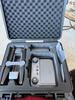
• An awesome case with custom cut foam padding to securely hold the drone in transit (Thanks Contixo!)
The F33 has a sturdy, foldable design with:
• Brushless motors for smoother, quieter flight
• GPS + optical flow positioning
• Stable hover performance (depending on conditions of course)
• Good wind resistance for its weight class
• An awesome case with custom cut foam padding to securely hold the drone in transit (Thanks Contixo!)
It’s not as compact as ultra light drones, but the tradeoff is better stability and longer battery life.
Bottom Line
The Contixo F33 delivers a surprisingly complete package: long endurance, long range, a built in touchscreen controller, a stabilized 4K camera, and a deep set of autonomous flight modes. It’s a meaningful upgrade for pilots who want convenience and creative flexibility without jumping into the ultra premium price tier.
The Contixo F33 delivers a surprisingly complete package: long endurance, long range, a built in touchscreen controller, a stabilized 4K camera, and a deep set of autonomous flight modes. It’s a meaningful upgrade for pilots who want convenience and creative flexibility without jumping into the ultra premium price tier.
I would recommend this to a friend!



Share this review:


0points
0of 0voted this as helpful.
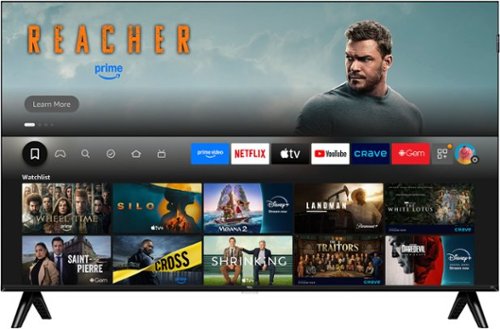
TCL Q35F Class Smart TV delivers stunning 1080p Full HD clarity in a sleek edge-to-edge FullView bezel-less metal design that blends effortlessly into any space. Powered by QLED Quantum Dot technology, every scene bursts with enhanced contrast, vibrant color, and incredible detail, while the Direct LED Backlight ensures consistent brightness across the entire screen. Dive into endless entertainment with over 700,000 movies and shows, all intelligently organized from your favorite apps. Create watchlists, catch live TV, and get personalized recommendations tailored to your taste. With the TCL Q35F, you~re not just getting a Smart TV~you~re making a Smart Choice.
Customer Rating
4
Nice Value TV for everyday use
on February 12, 2026
Posted by: TechMatcher
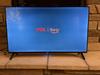
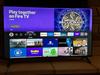
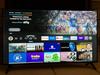
The TCL 40Q35F is one of the more interesting budget tier TVs released in 2025 because it brings QLED quantum dot color, a bezel less metal design, and Fire TV integration to a 40 inch 1080p panel at a very low price point.
Panel & Display Technology
Resolution & Panel Type
• 1080p Full HD resolution—not 4K, but sharp enough for a 40" screen at typical viewing distances.
• QLED Quantum Dot layer enhances color saturation and brightness uniformity compared to standard LED TVs in this price class. This is pretty rare for a budget TV – so nice job TCL! This is the single biggest “premium” upgrade over typical 1080p sets.
• Direct Lit LED backlight (not edge lit) provides more consistent brightness across the panel, though it lacks local dimming zones.
• 1080p Full HD resolution—not 4K, but sharp enough for a 40" screen at typical viewing distances.
• QLED Quantum Dot layer enhances color saturation and brightness uniformity compared to standard LED TVs in this price class. This is pretty rare for a budget TV – so nice job TCL! This is the single biggest “premium” upgrade over typical 1080p sets.
• Direct Lit LED backlight (not edge lit) provides more consistent brightness across the panel, though it lacks local dimming zones.
Color & Brightness Performance
• Quantum Dot implementation delivers richer color volume than typical 1080p sets.
• Customer reviews consistently highlight vibrant colors and deep blacks for the price point.
• Brightness is rated highly by users, making it suitable for moderately bright rooms.
• Quantum Dot implementation delivers richer color volume than typical 1080p sets.
• Customer reviews consistently highlight vibrant colors and deep blacks for the price point.
• Brightness is rated highly by users, making it suitable for moderately bright rooms.
Motion Handling
• TCL advertises Motion Rate 120, which is a motion interpolation/processing metric—not a native 120Hz panel.
• Native refresh rate is 60Hz.
• For sports and general streaming, motion clarity is solid for this class.
• TCL advertises Motion Rate 120, which is a motion interpolation/processing metric—not a native 120Hz panel.
• Native refresh rate is 60Hz.
• For sports and general streaming, motion clarity is solid for this class.
Audio Performance
• Uses Dolby Audio processing for improved clarity and spatial enhancement.
• Built in speakers are rated average, but like nearly all TVs, the sound will benefit significantly from pairing with a soundbar.
• Uses Dolby Audio processing for improved clarity and spatial enhancement.
• Built in speakers are rated average, but like nearly all TVs, the sound will benefit significantly from pairing with a soundbar.
Smart TV Platform & Connectivity
Fire TV OS
• Fully integrated Amazon Fire TV platform with access to 700,000+ movies and shows.
• Supports:
o Netflix, Hulu, Disney+, Max, Prime Video, etc.
o Alexa voice control via included remote.
o Apple AirPlay 2 for casting from iOS devices.
• Fully integrated Amazon Fire TV platform with access to 700,000+ movies and shows.
• Supports:
o Netflix, Hulu, Disney+, Max, Prime Video, etc.
o Alexa voice control via included remote.
o Apple AirPlay 2 for casting from iOS devices.
Wireless & Ports
• Wi Fi 5 for stable streaming performance.
• 2× HDMI ports, including 1× HDMI ARC for soundbars/receivers.
• USB port for media playback.
• Bluetooth for private listening via headphones.
• Wi Fi 5 for stable streaming performance.
• 2× HDMI ports, including 1× HDMI ARC for soundbars/receivers.
• USB port for media playback.
• Bluetooth for private listening via headphones.
Build Quality & Design
• FullView bezel less metal design gives it a premium look uncommon in the budget category.
• Lightweight and easy to mount or place on a dresser—something many reviewers appreciated.
• FullView bezel less metal design gives it a premium look uncommon in the budget category.
• Lightweight and easy to mount or place on a dresser—something many reviewers appreciated.
Performance Evaluation
Strengths
• Outstanding color performance for a 1080p TV thanks to QLED.
• Excellent brightness uniformity due to direct lit backlight.
• Fire TV OS is fast, intuitive, and well supported.
• Bezel less metal chassis looks far more premium than the price suggests.
• Very strong value for the money!
• Outstanding color performance for a 1080p TV thanks to QLED.
• Excellent brightness uniformity due to direct lit backlight.
• Fire TV OS is fast, intuitive, and well supported.
• Bezel less metal chassis looks far more premium than the price suggests.
• Very strong value for the money!
Limitations
• No HDR support—unusual for a QLED panel, but expected at this price.
• Only two HDMI ports, which may be limiting for gamers + streaming boxes + sound systems.
• 60Hz native refresh rate—not ideal for high frame rate gaming.
• Audio is serviceable but not impressive without a soundbar. This is the main reason I have it 4 stars vs 5.
• No HDR support—unusual for a QLED panel, but expected at this price.
• Only two HDMI ports, which may be limiting for gamers + streaming boxes + sound systems.
• 60Hz native refresh rate—not ideal for high frame rate gaming.
• Audio is serviceable but not impressive without a soundbar. This is the main reason I have it 4 stars vs 5.
Final Verdict
The TCL 40Q35F is a value optimized QLED TV that delivers excellent color, strong brightness, and a premium design at a budget price. While it lacks HDR and has limited HDMI connectivity (2), its Fire TV integration, Quantum Dot color, and direct lit uniformity make it one of the best 1080p 40 inch TVs released in 2025 for everyday streaming, bedrooms, offices, and secondary setups.
The TCL 40Q35F is a value optimized QLED TV that delivers excellent color, strong brightness, and a premium design at a budget price. While it lacks HDR and has limited HDMI connectivity (2), its Fire TV integration, Quantum Dot color, and direct lit uniformity make it one of the best 1080p 40 inch TVs released in 2025 for everyday streaming, bedrooms, offices, and secondary setups.
If you want a small, affordable, high color quality TV, this one punches well above its weight.
I would recommend this to a friend!
Share this review:


0points
0of 0voted this as helpful.
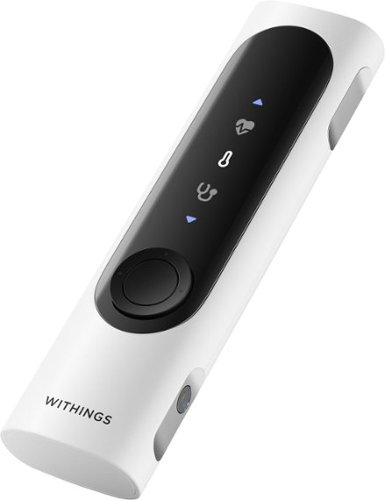
A 360~ health view for real-life impact. Your health moves with you~now your check-ups can too. In one minute, BeamO provides a full view of your heart, lungs, & temperature at home or on the go. Tracking key health indicators, like these, can potentially help address various health needs.
Customer Rating
5
Powerful Health Scanner, Needs Multi User Support
on February 1, 2026
Posted by: TechMatcher
New to my home is the Withings BeamO 3-in-1 Health MultiScan device because I wanted a single device that could handle temperature checks, ECGs, oxygen readings, and even stethoscope recordings – and I already have other Withings devices so it was a natural fit. From a hardware and feature standpoint, it’s got some pretty cool features that hint at the future of home healthcare!
What I Like
• Multiple medical grade tools in one device
BeamO combines a contactless thermometer, single lead ECG, pulse oximeter, and a digital stethoscope. Everything is built into a compact, remote style body that’s easy to hold and use. The sensors feel accurate, and the guided steps in the Withings app make each measurement straightforward.
BeamO combines a contactless thermometer, single lead ECG, pulse oximeter, and a digital stethoscope. Everything is built into a compact, remote style body that’s easy to hold and use. The sensors feel accurate, and the guided steps in the Withings app make each measurement straightforward.
• Great app integration
The Withings app is clean and intuitive (see photo). It walks you through each scan, stores your readings, and lets you review trends over time. I also like that you can share ECGs or stethoscope recordings with a doctor if needed.
The Withings app is clean and intuitive (see photo). It walks you through each scan, stores your readings, and lets you review trends over time. I also like that you can share ECGs or stethoscope recordings with a doctor if needed.
• Telehealth friendly design
This is clearly built for modern healthcare. Being able to take an ECG or record lung sounds at home and send them to a provider is incredibly convenient. I’ve noticed that you need to remain perfectly still, have a dead-quiet surrounding environment to get good readings. Mine was constantly telling me the environment was too noisy.
Where It Falls Short
This is clearly built for modern healthcare. Being able to take an ECG or record lung sounds at home and send them to a provider is incredibly convenient. I’ve noticed that you need to remain perfectly still, have a dead-quiet surrounding environment to get good readings. Mine was constantly telling me the environment was too noisy.
Where It Falls Short
• Limited user profiles on the device
This is my biggest frustration. The BeamO itself seems to only support one main user plus a Guest mode. In a family setting, that’s not ideal.
This is my biggest frustration. The BeamO itself seems to only support one main user plus a Guest mode. In a family setting, that’s not ideal.
I really want each family member to have their own profile directly on the device, so their readings automatically sync to their own history in the Withings app..
The app can store multiple users, but the device doesn’t let you switch between them, which feels like a missed opportunity for a product clearly meant for household use.
Bottom Line
The Withings BeamO is a powerful, forward thinking health scanner with excellent sensors and a great app experience. If you’re buying it for yourself, it’s fantastic. But if you want a true family device with seamless multi user support, the current setup feels a bit limited.
The Withings BeamO is a powerful, forward thinking health scanner with excellent sensors and a great app experience. If you’re buying it for yourself, it’s fantastic. But if you want a true family device with seamless multi user support, the current setup feels a bit limited.
I’m hoping Withings updates the firmware to allow multiple on device profiles. If they do, this would easily be a five star product.
I would recommend this to a friend!




Share this review:


0points
0of 0voted this as helpful.
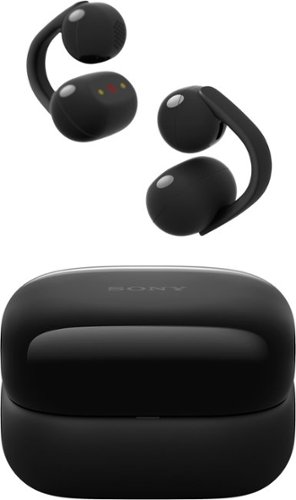
Experience all-day comfort and open ear freedom with LinkBuds Clip earbuds. Enjoy natural sound, clear calls powered by AI, and three listening modes for every scene. With up to 37 hours of battery life, IPX4 water resistance, and effortless pairing, these earbuds keep you in tune with life—wherever it takes you.
Customer Rating
5
Great Open Ear Option no ear pressure!
on February 1, 2026
Posted by: TechMatcher
I recently picked up the Sony LinkBuds Clip looking for something comfortable, lightweight, and safe for outdoor use—and they’ve delivered on all fronts. The Sony’s LinkBuds Clip open ear earbuds are a clever evolution of the open audio category, blending situational awareness with Sony’s signature DSP and app ecosystem. In my opinion, they are designed for people who want to stay connected to their surroundings without sacrificing clarity in calls or casual listening.
Comfort & Fit
The clip on design is surprisingly secure and extremely comfortable. They sit on the outside of your ear, so there’s no pressure or fatigue even after hours of wear (see photo). I thought they were going to be a bit uncomfortable, but surprisingly I don’t even notice them after about 5 min. they also fit under a stocking hat just fine for when I’m out shoveling! They stay put during runs, workouts, and daily movement, and they don’t interfere with glasses.
The clip on design is surprisingly secure and extremely comfortable. They sit on the outside of your ear, so there’s no pressure or fatigue even after hours of wear (see photo). I thought they were going to be a bit uncomfortable, but surprisingly I don’t even notice them after about 5 min. they also fit under a stocking hat just fine for when I’m out shoveling! They stay put during runs, workouts, and daily movement, and they don’t interfere with glasses.
Sound & Awareness
These are open ear earbuds, so you won’t get deep bass, but the clarity is excellent for podcasts, calls, and casual music. The open design keeps you fully aware of your surroundings, which is perfect for outdoor activities or office environments.
These are open ear earbuds, so you won’t get deep bass, but the clarity is excellent for podcasts, calls, and casual music. The open design keeps you fully aware of your surroundings, which is perfect for outdoor activities or office environments.
Sony Headphones Connect App
Sony’s app adds a ton of value:
• Customizable tap controls (volume, playback, voice assistant, etc.)
• 5 band EQ with presets – and scenes that customize their operation (see picture)
• Adaptive Volume Control that adjusts based on your environment
• Quick Access options like Spotify Tap
• Firmware updates and Find My Device support
It’s one of the most complete app experiences you’ll find for open ear earbuds.
Sony’s app adds a ton of value:
• Customizable tap controls (volume, playback, voice assistant, etc.)
• 5 band EQ with presets – and scenes that customize their operation (see picture)
• Adaptive Volume Control that adjusts based on your environment
• Quick Access options like Spotify Tap
• Firmware updates and Find My Device support
It’s one of the most complete app experiences you’ll find for open ear earbuds.
Battery Life
Battery life is solid—around 10–12 hours per charge depending on volume and features. The case brings total life to roughly a full day. Quick charge is handy when you’re in a rush.
Battery life is solid—around 10–12 hours per charge depending on volume and features. The case brings total life to roughly a full day. Quick charge is handy when you’re in a rush.
Other Features
• Multipoint Bluetooth works smoothly between phone and laptop
• Very good call quality thanks to Sony’s noise reduction mics
• IPX4 water resistance for workouts and light rain
• Auto pause when you remove them
• Multipoint Bluetooth works smoothly between phone and laptop
• Very good call quality thanks to Sony’s noise reduction mics
• IPX4 water resistance for workouts and light rain
• Auto pause when you remove them
Bottom Line
If you want earbuds that are comfortable all day, keep you aware of your surroundings, and still offer smart features and great call quality, the Sony LinkBuds Clip are an excellent choice. Perfect for active use, office work, or anyone who dislikes in ear pressure.
If you want earbuds that are comfortable all day, keep you aware of your surroundings, and still offer smart features and great call quality, the Sony LinkBuds Clip are an excellent choice. Perfect for active use, office work, or anyone who dislikes in ear pressure.
I would recommend this to a friend!





Share this review:


0points
0of 0voted this as helpful.
TechMatcher's Review Comments
TechMatcher has not submitted comments on any reviews.
TechMatcher's Questions
TechMatcher has not submitted any questions.
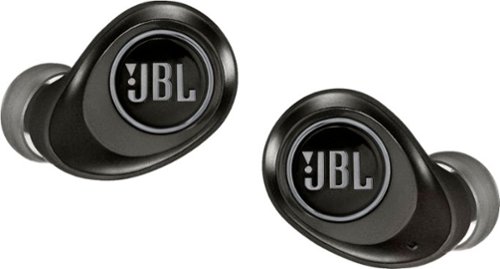
Perceive every detail of your music with this pair of JBL wireless headphones. The 10Hz to 22kHz frequency response lets you enjoy the full range of sound, while the in-line microphone provides an effortless switch to hands-free calls. Featuring 5.6mm dynamic drivers, these JBL wireless headphones supply rich, resonant bass for your enjoyment.
Are these noise cancelling for gyms that play really loud music?
These are PASSIVE noise cancelling - meaning the tighter you make the fit - the better the noise cancelling will be. Active noise cancelling uses battery power to help mask sounds - the JBL Free X version DOES NOT do that. Likely you will be able to hear a little of the loud music...
7 years, 6 months ago
by
TechMatcher
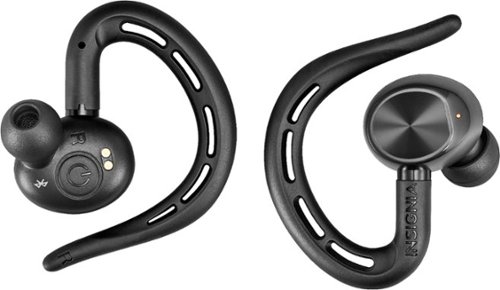
Ditch the headphone cable with these Insignia Bluetooth wireless earbuds. With up to five hours of use per charge and an included charging case for mid-day boosts, these earbuds are ideal for daily use. These Insignia Bluetooth wireless earbuds feature a built-in microphone for hands-free calling and easy voice commands.
Can you use one ear piece by itself without affecting sound quality?
Well....stereo sound REQUIRES a Left and Right channel. This headset can work with just one earpiece - the RIGHT one, as the left earpiece depends on the right earpiece. So YES, you can use one earpiece, but you won't have stereo sound....
7 years, 7 months ago
by
TechMatcher
Ditch the headphone cable with these Insignia Bluetooth wireless earbuds. With up to five hours of use per charge and an included charging case for mid-day boosts, these earbuds are ideal for daily use. These Insignia Bluetooth wireless earbuds feature a built-in microphone for hands-free calling and easy voice commands.
Can you pair one with one phone and another if another phone so that two people can share one set?
Yes - but they will work with only one phone at a time. This is standard for bluetooth technologies. You may find that if both phones are in the room and you power up the headphones, it may connect to the wrong phone. You'll have to forget the device or disconnect from them if that happens.
7 years, 7 months ago
by
TechMatcher
Ditch the headphone cable with these Insignia Bluetooth wireless earbuds. With up to five hours of use per charge and an included charging case for mid-day boosts, these earbuds are ideal for daily use. These Insignia Bluetooth wireless earbuds feature a built-in microphone for hands-free calling and easy voice commands.
Can I leave them in the charger case without them over charging and harming the battery
Yes - the charging case was made for these specific headphones!

7 years, 7 months ago
by
TechMatcher
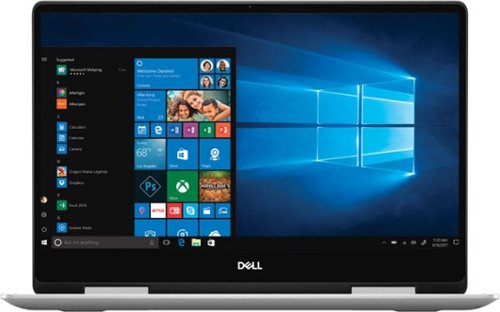
Dell Inspiron Convertible 2-in-1 Laptop: Maximize productivity with this 13.3-inch Dell Inspiron notebook computer. The combination of its Intel Core i5 processor and 8GB of RAM runs multiple programs simultaneously at peak performance, and it's Bluetooth-enabled to connect wireless devices or transmit data. This Dell Inspiron notebook computer has a 256GB solid-state drive to safely store files.
Does it come with Windows PRO or HOME?
Nearly EVERY consumer device some with Windows HOME version - as does this one.
7 years, 8 months ago
by
TechMatcher
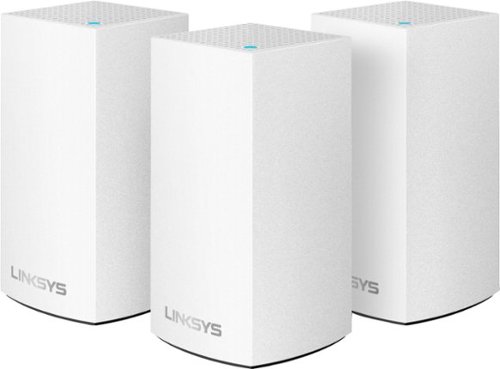
Velop with Intelligent Mesh~ Technology is an award-winning family mesh Wi-Fi system created to work seamlessly together. Mix and match nodes with different speeds to modify performance or interchange colors to coordinate with your home style. Regardless of shape, size, or wherever your Internet comes in, Velop can be customized to your home. Which makes it easy to add more nodes as your home and family expand. Unlike traditional routers with range extenders, each node provides a powerful Wi-Fi signal throughout your entire home. It continuously self-organizes and optimizes to find the fastest path to the Internet for seamless Wi-Fi everywhere. Individual nodes may be connected wirelessly or by Ethernet for fast, reliable connection. This is an ultrasimple and powerful system that uses only one Wi-Fi network name and password to give you seamless and secure Wi-Fi. And leading-edge security lets you block content and easily pause the Internet for dinner or homework. It works with all Internet service provider supplied equipment and speeds, and its simple app-based setup will get you up and running in minutes.
Trying to find a system that works in a house over 4000 sq feet. WiFi extenders didn’t work. Have a Spectrum WiFi router. What router is compatible w/Spectrum that I can use with mesh system. Do nodes just plug in? Will be used for iPads and phones only.
The great things about mesh WiFi systems is you can just keep adding nodes. You can have 2,5,8, whatever you need - then next node just needs to be withing range of the previous one. So even if you have a 10,000 sq ft home, you could have 10 nodes strategically placed all over!
7 years, 8 months ago
by
TechMatcher
Velop with Intelligent Mesh~ Technology is an award-winning family mesh Wi-Fi system created to work seamlessly together. Mix and match nodes with different speeds to modify performance or interchange colors to coordinate with your home style. Regardless of shape, size, or wherever your Internet comes in, Velop can be customized to your home. Which makes it easy to add more nodes as your home and family expand. Unlike traditional routers with range extenders, each node provides a powerful Wi-Fi signal throughout your entire home. It continuously self-organizes and optimizes to find the fastest path to the Internet for seamless Wi-Fi everywhere. Individual nodes may be connected wirelessly or by Ethernet for fast, reliable connection. This is an ultrasimple and powerful system that uses only one Wi-Fi network name and password to give you seamless and secure Wi-Fi. And leading-edge security lets you block content and easily pause the Internet for dinner or homework. It works with all Internet service provider supplied equipment and speeds, and its simple app-based setup will get you up and running in minutes.
If I buy this Mesh system here in the United States, can I use it in the Middle East to enhance the coverage in the home I'll be staying at, that currently has DSL?
As long as you have the right power adapters, they will work with in any location. Networking isn't any different in the Middle East - but power might be. Be sure to check on that thoroughly.
7 years, 8 months ago
by
TechMatcher
Clean those hard-to-reach places in your home with this Shark cordless vacuum. Its bristle brush deep-cleans any carpet, and the additional soft-roll brush pulls in larger particles from wood floors while polishing them. The rechargeable, high-capacity Li-Ion battery keeps this Ninja cordless vacuum's DuoClean Technology ready for tough cleaning chores.
I need a lightweight vacuum for medical reasons which would you recommend? Also one that is powerful!
This is a 12lb vacuum - so not the lightest but it's also a combination upright, stick and hand vacuum. You can separate the pieces to make it lighter to carry - one in each hand - and can even vacuum like that. I think it's pretty powerful for being electric - and states it can run up to 50 minutes on a charge.
7 years, 8 months ago
by
TechMatcher
For families and small businesses who want classic Office apps and email installed on one Windows 10 PC or Mac for use at home or work. Classic 2019 versions of Office apps including Word, Excel, PowerPoint, and Outlook. Plus, OneNote for Windows 10.
How do I access my applications after I’ve installed Office 2019?
Once Office 2019 is installed, icons for the office products will be in your Windows start menu - and you can pin to the taskbar or desktop if you like. Does this help I'm not sure what you're asking....
7 years, 8 months ago
by
TechMatcher
For families and small businesses who want classic Office apps and email installed on one Windows 10 PC or Mac for use at home or work. Classic 2019 versions of Office apps including Word, Excel, PowerPoint, and Outlook. Plus, OneNote for Windows 10.
If I purchase Office Home & Business 2019 (1 Device) (Product Key Card) - Mac|Windows can I transfer it to another computer if I chose to upgrade
Yes - you can transfer or move a purchased software from one computer to another - providing them meet the requirements of the application (like OS version, etc).
7 years, 8 months ago
by
TechMatcher