


TechMatcher's stats
- Review count224
- Helpfulness votes638
- First reviewNovember 3, 2015
- Last reviewOctober 19, 2026
- Featured reviews0
- Average rating4.4
Reviews comments
- Review comment count0
- Helpfulness votes0
- First review commentNone
- Last review commentNone
- Featured review comments0
Questions
- Question count0
- Helpfulness votes0
- First questionNone
- Last questionNone
- Featured questions0
- Answer count75
- Helpfulness votes93
- First answerNovember 3, 2015
- Last answerDecember 3, 2021
- Featured answers0
- Best answers11
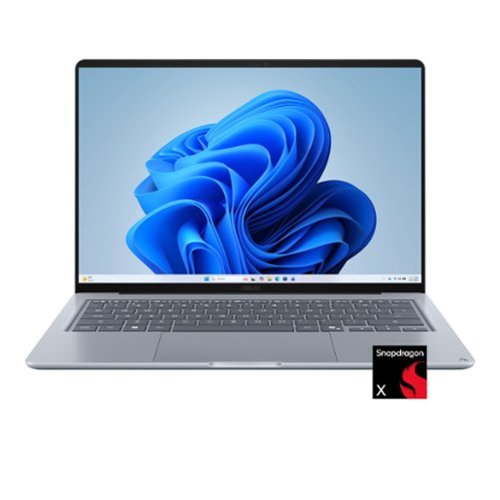
Nature-inspired color, crafted in Ceraluminum ASUS Zenbook 14 combines a premium ceramic lid with an all-metal design in a lightweight 2.87 lb chassis. Powered by the Snapdragon X series processor and a stunning OLED display, it delivers smooth performance and immersive visuals wherever you go.
Customer Rating

4
ASUS Zenbook 14: OLED Ambitions, Everyday Reality
on October 19, 2026
Posted by: TechMatcher
The ASUS Zenbook 14 has several ways to catch your attention: a nature-inspired color, a Ceraluminum lid, an all-metal design, and an OLED display. At 2.87 pounds, it also promises portability without requiring a separate workout routine.
Inside are a Snapdragon X X1-26-100 processor, Qualcomm Adreno X1-45 graphics, 8GB of RAM, and a 256GB SSD. Those specifications suggest an everyday productivity laptop, and the Performance test results give that description some useful boundaries.
- The display is the attraction
The ceramic-like Ceraluminum lid gives this Zenbook a distinctive appearance, while the lightweight metal chassis makes it an appealing travel companion. OLED is another strong selling point. Its deep blacks and strong contrast suit movies, photographs, and dark interfaces. Even your inbox deserves decent production values. This configuration has no touchscreen. For conventional laptop use, that’s an easy arrangement to accept: keyboard, touchpad, and fewer fingerprints interrupting the picture.
- Snapdragon brings a different architecture
The Snapdragon X X1-26-100 features eight Qualcomm Oryon CPU cores, with ASUS listing speeds up to 2.97GHz. The name remains harder to remember than most Wi-Fi passwords. Its Arm architecture matters more than the branding. Applications built for Windows on Arm run natively, while Microsoft’s Prism emulation supports many conventional x86 and x64 applications. Specialized programs and peripherals requiring drivers still merit a compatibility check. Browsing, writing, streaming, and ordinary office work are sensible targets for this configuration. More demanding workloads deserve closer examination.
- What benchmark testing shows
I use Passmark PerformanceTest 11.1 to test all my machines and rate them. This machine's result records an overall PassMark rating of 2,504.9, at the 22nd percentile. The breakdown is in the picture - where the lower percentage is better (you want to be 1st).
The SSD is the strongest relative performer here. CPU performance places higher than memory and graphics, but the overall result is modest. This scorecard supports measured expectations for heavier work; it doesn’t establish how responsive every everyday application will feel.
There’s also a usable 3D graphics result. At only the 23rd percentile, it gives little reason to approach this Zenbook as a demanding gaming machine (which is it NOT). The OLED may make a game look inviting, but it cannot negotiate additional GPU horsepower.
- Eight gigabytes is the main constraint
The 8GB of RAM needs to accommodate Windows, running applications, background services, and the integrated graphics’ memory requirements. For a restrained workload, that can be workable. A video meeting, numerous demanding browser tabs, and several large applications create more pressure. Windows can move some data to the SSD when necessary, but that is much slower than keeping it in RAM. I'd suggest 16GB as a MINIMUM but prefer 32GB in all my machines now.
The 16th-percentile Memory Mark is another weak point in this machine, although the benchmark alone doesn’t establish that limited capacity caused the result.
Practically speaking, this configuration encourages a healthy relationship with the Close Tab button.
- Storage is reasonably quick—and relatively small
The 256GB SSD earns the best percentile ranking in the supplied results. That’s encouraging for storage performance, but capacity remains a separate limitation. Windows, updates, applications, and recovery files consume some of that space before personal files arrive. Documents and a modest software collection are easier to accommodate than a large game library or folders full of video.
Cloud storage or an external drive can help, but anyone working with large local files should budget space carefully.
The Qualcomm FastConnect 6900 supports Wi-Fi 6E, including the 6GHz band where supported by the router and regional rules. Actual performance depends on the network and signal conditions. It’s useful connectivity, although it cannot rescue an internet connection powered by wishful thinking.
- Verdict
The Zenbook 14’s strongest attractions are its OLED display, distinctive materials, and manageable weight. The corrected benchmark puts performance in perspective: a 22nd-percentile overall result, with storage standing out and memory and graphics trailing.
That makes this configuration most convincing for light productivity, browsing, and entertainment. Heavy multitasking and demanding gaming are less comfortable fits, while specialized software needs an Arm compatibility check.
An attractive everyday laptop—provided your workload is as light as your travel bag.
No, I would not recommend this to a friend.

Share this review:


0points
0of 0voted this as helpful.
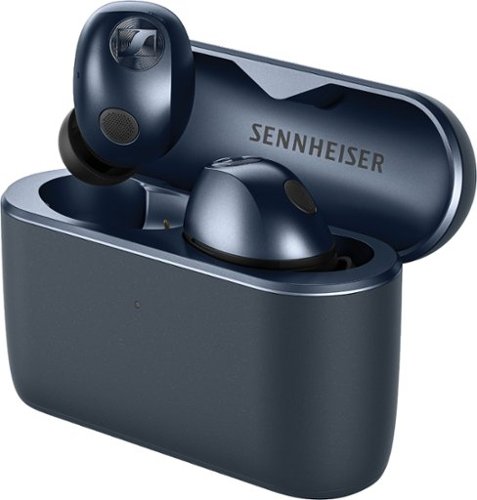
Experience your music~s true potential with breathtaking immersion and high resolution. Audiophile-grade TrueResponse transducers deliver detail, depth, and immersive 3D sound. A lossless codec and Bluetooth 6.0 enable flawless fidelity for up to 12 hours on a single charge and 40 hours with the charging case. The earbuds and case have user-serviceable batteries. A new, longer housing provides a secure and more comfortable fit. Wherever you go, MOMENTUM True Wireless 5 knows what to do. Adaptive ANC and Adaptive Anti-Wind features reduce noise automatically. Need to take that call? Sennheiser~s AI-powered voice isolation lifts your voice above everything else.
Customer Rating

5
Excellent Sound with an App Actually Adding Value
on September 14, 2026
Posted by: TechMatcher
I’ve been using the new Sennheiser MOMENTUM True Wireless 5 earbuds, and the first thing that stands out is exactly what should stand out on premium earbuds: the sound. These are some seriously good-sounding wireless earbuds. Music is clean and detailed without sounding artificially sharp, vocals are clear, and the bass has plenty of punch without overwhelming everything else. Sennheiser uses its TrueResponse drivers, and the TW5 also supports lossless audio and up to 24-bit/96-kHz playback with compatible equipment.
What I like most is the separation between sounds. On a good recording, instruments don't feel like they're all piled together in the middle of your head. You can pick out vocals, drums, guitars and smaller details much more easily. The bass also feels controlled rather than simply "turned up." If sound quality is your main reason for buying premium earbuds, the MOMENTUM TW5 delivers.
The Adaptive Active Noise Cancellation (ANC) works very well. It automatically adjusts based on your surroundings, and there's also a transparency mode when you actually want to hear what's happening around you. Getting the right ear-tip fit is important, though. A good seal improves both bass response and noise cancellation considerably. Independent testing found very respectable noise reduction with ANC enabled as well. I used the app do help determine a good fit as you can see in the screenshots.
One of my favorite parts of the package is the Sennheiser Smart Control Plus app. This isn't an app you install once to configure the earbuds and then forget about. The main screen gives you an easy view of both earbuds and the charging case — in my case, all three were sitting at 100% — along with connection management and quick access to noise control.
Dig deeper and there's quite a bit to play with. You can adjust the EQ, select sound modes and use Sennheiser's Sound Personalization system to tune the earbuds specifically to your listening preferences. Sennheiser developed that personalization technology and I especially like this approach because you don't need to understand audio frequencies or know what moving a particular EQ slider from +1 to +3 is supposed to accomplish. The system can help you arrive at a sound you simply prefer.
The device features are equally impressive. You get Bluetooth 6.0, multi-device connectivity, Dolby Atmos spatial audio, adaptive ANC, automatic wind-noise suppression and AI-assisted voice isolation for calls. Each earbud has four microphones along with technology that detects the vibrations of your own voice, helping separate your speech from surrounding conversations and noise. That's the kind of technology that's mostly invisible when it works correctly — which is exactly how it should be.
Battery life is another strong point. Sennheiser rates the earbuds for up to 12 hours per charge and up to 40 hours total with the charging case, although actual runtime will vary considerably depending on ANC and other settings. Even better, Sennheiser made the batteries user replaceable, including the batteries inside the earbuds. That's HIGHLY unusual for true-wireless earbuds and could make these last much longer than models that essentially become disposable once their tiny batteries wear out.
Usability has also been very good. Pairing with my iPhone was straightforward, the app clearly shows what's connected, and the touch controls mean I don't have to pull out my phone every time I want to change something. There are a lot of features packed into these earbuds, but Sennheiser has done a nice job of keeping the everyday controls understandable.
The MOMENTUM True Wireless 5 aren't inexpensive earbuds, and some of their advanced audio capabilities depend on having a compatible source device and content. But even without chasing specifications like lossless codecs or 24-bit audio, the basic experience is excellent.
For me, that's what makes these successful. They sound fantastic first, and then all of the technology makes that experience better rather than getting in the way. Great sound, strong noise cancellation, an unusually useful app, excellent connectivity and replaceable batteries make the Sennheiser MOMENTUM True Wireless 5 an easy recommendation for someone who cares about audio quality but still wants all the convenience of modern wireless earbuds.
I would recommend this to a friend!



Share this review:


0points
0of 0voted this as helpful.
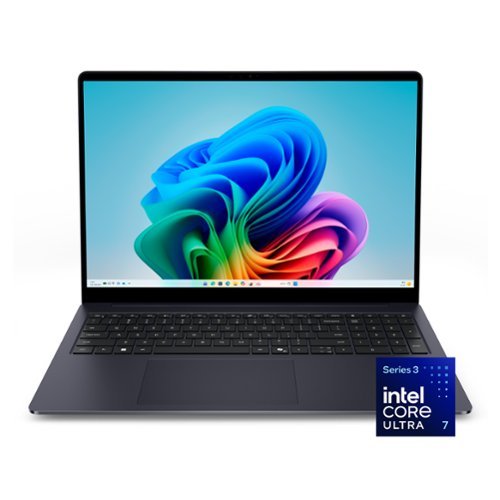
Designed for Visionaries. Built for Performance. A sleek stylishly engineered 16 inch laptop with smooth AI experiences and accelerated creative workflows ideal for those who demand high performance.
Customer Rating
5
Big Screen, Fast Storage for Everyday Performance
on August 9, 2026
Posted by: TechMatcher
I have really enjoyed using this Dell 16-inch touchscreen laptop. The large display is the first thing I noticed. The 16-inch screen gives me plenty of room for web browsing, spreadsheets, documents, streaming video, and working with several windows at once. The higher-resolution 16:10 display also provides more vertical space than a typical widescreen laptop, which means less scrolling when reading websites or working in Microsoft Office. Text looks sharp, colors are clear, and the touchscreen is responsive and convenient when scrolling through long pages or quickly selecting something on the screen.
Inside, this model has an Intel Core Ultra 7 355 processor, 16GB of memory, a 512GB SanDisk NVMe solid-state drive, Intel integrated graphics, and Wi-Fi 7. That is a well-balanced configuration for business work, school, home use, video meetings, and everyday multitasking.
I ran the complete PassMark PerformanceTest 11.1 benchmark to see how the laptop performs beyond normal day-to-day use – see attached photo. It received an overall PassMark Rating of 5,837.6, placing it in the 63rd percentile. In simple terms, it performed better than approximately 63 percent of the computers included in PassMark’s comparison results. That is a solid score for a thin everyday laptop that relies on integrated graphics rather than a large dedicated gaming graphics card.
The CPU Mark score was 18,426.8, which placed the processor in the 64th percentile. That matches my experience with the computer. Windows feels responsive, programs open quickly, and it handles multiple browser tabs and applications without feeling sluggish. This should be more than enough processor power for Microsoft Office, remote work, photo organization, light content creation, and most general home or business tasks.
The strongest benchmark result came from the storage. The Disk Mark score was 39,566.5, placing it in the 93rd percentile. That is excellent and helps explain why the laptop boots quickly and feels responsive when opening programs, loading files, and installing updates. A fast processor is useful, but a fast solid-state drive is often what makes a computer feel fast during normal use, and this Dell performs very well in that area.
The Memory Mark score was 3,151.7, landing in the 71st percentile. The included 16GB of RAM provides enough capacity for regular multitasking, including running Office programs, video calls, cloud applications, and many browser tabs at the same time. Heavy video editing, large engineering projects, or virtual machines may benefit from more memory, but 16GB is a good amount for the type of work most people will perform on this laptop.
The 2D Graphics Mark score was 785.2, placing it in the 62nd percentile. That is good performance for Windows, websites, presentations, video playback, and standard productivity applications. The 3D Graphics Mark score was 4,618.7, which placed it in the 37th percentile. This is the one benchmark area that was below average, but that is not surprising because this model uses Intel integrated graphics. It can handle casual games and lighter graphics work, but this would not be my first choice for serious gaming, advanced 3D design, or heavy video effects.
Overall, this Dell provides a strong combination of screen size, speed, and everyday usability. The large touchscreen makes it especially comfortable for productivity, while the fast SSD and Core Ultra 7 processor keep everything moving smoothly. The benchmark results confirm what I have experienced: strong storage performance, good processor and memory performance, and graphics that are better suited to everyday work than demanding gaming.
For someone who wants a spacious screen, responsive Windows performance, modern wireless technology, and enough power for years of general use, this Dell 16-inch laptop is an excellent choice.
I would recommend this to a friend!


Share this review:


+1point
1of 1voted this as helpful.
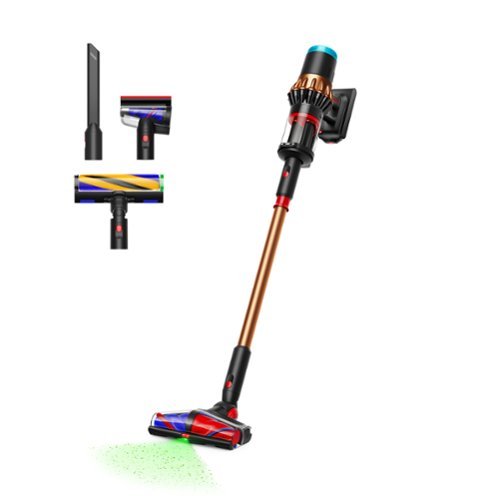
The Dyson Piston Animal V16 is the most powerful anti-tangle cordless vacuum.~ Dyson's latest Hyperdymium motor delivers up to 315 Air Watts of powerful suction and 70 minutes of fade-free run time.~ It intelligently adapts for optimal cleaning performance for your floor type and amount of debris.~ The de-tangling All Floor Cones Sense cleaner head deep cleans all floors and illuminates microscopic dust. The Fully Optic cleaner head illuminates microscopic dust you can't normally see on hard floors. The CleanCompaktor bin compresses dust for 3x more capacity~ and wipes clean for hygienic emptying.~ Dyson cordless convenience and handheld cleaning made even better by two built-in tools, remote-release cleaner head and smart attachments. Connect to the MyDyson app for instant software updates, settings customization and maintenance guidance. Comes with the Dyson 2-year limited warranty and lifetime support.
Customer Rating
4
Powerful, Convenient, and Slightly Stubborn
on July 27, 2026
Posted by: TechMatcher
The Dyson V16 Piston Animal has officially become my default cordless vacuum. I still keep a corded vacuum around for larger cleaning jobs, but when I see pet hair, crumbs, dust, or some mystery debris on the floor, this is the vacuum I grab first.
The biggest reason is simple: it makes dirt easy to find and satisfying to remove.
The illuminated cleaner head shines a bright green light across hard floors. This is not just a fancy decoration. The light makes tiny pieces of dust and pet hair stand out like they are glowing. In my photo, you can clearly see hair and debris that would normally blend into the wood floor. Once the vacuum passes over the area, it is easy to see exactly what has been cleaned and what still needs another pass. This feature may also reveal that your floor was much dirtier than you thought. Consider yourself warned.
The V16 has plenty of suction for a cordless vacuum. Dyson rates it for up to 315 Air Watts of suction and as much as 70 minutes of runtime, depending on the cleaning mode and attachment being used. It can also adjust its cleaning performance based on the floor and the amount of dirt it detects.
In normal use, it handles pet hair, crumbs, tracked-in dirt, and everyday household dust without much trouble. The cleaner head moves well across my hard flooring, and the cordless design makes it much easier to move between rooms than dragging out a full-size vacuum and searching for an outlet.
One of my favorite features is the compressing dust bin. After dirt and hair enter the bin, you can use the red lever to push everything downward. This packs the debris together and creates more room inside the container. Dyson says the compression system can hold significantly more dust than a normal bin while also helping wipe the inside clean during emptying.
In real-world use, the feature works surprisingly well. Pet hair normally forms a fluffy ball that fills a vacuum bin before the bin is truly full. The V16 squishes that hair into a tighter bundle. This means fewer trips to the garbage can and less digging around inside the bin when it is time to empty it.
Emptying the vacuum is also cleaner than on many cordless models. The compressed debris is pushed toward the bottom instead of forcing you to reach into the container and pull out a dusty hair monster with your fingers.
The wall-mounted charging dock is another feature I really appreciate. My vacuum hangs neatly inside a closet, charges while it is stored, and is ready whenever I need it. The dock keeps the vacuum off the floor and prevents it from leaning against a wall, sliding over, and knocking down everything stored beside it.
As shown in my photo, the vacuum fits nicely in a fairly narrow storage area. The charging cord stays in place, so I do not have to plug and unplug the vacuum after every use. I simply place it in the dock and walk away.
The V16 is not perfect, however.
My biggest complaint involves the small red release buttons used to remove the cleaner head and other attachments. The buttons can be stiff and a little awkward to operate. Sometimes the attachment disconnects immediately. Other times I have to press the button, pull on the attachment, adjust my grip, and try again. It is not a major problem, but it does interrupt an otherwise smooth cleaning experience. On a premium vacuum, the attachments should click on and release easily every time. Larger buttons or a smoother release system would make the V16 much easier to use, especially for someone with limited hand strength.
The vacuum can also feel a little top-heavy because the motor, battery, and dust bin are located near your hand. That is common with powerful cordless vacuums, but it is worth knowing if you plan to use it for long cleaning sessions. For quick room cleanups, stairs, and daily pet-hair patrol, I find it very manageable.
Overall, the Dyson V16 Piston Animal is an impressive cordless vacuum. The strong suction, bright floor illumination, compressing dust bin, and convenient wall charger make it easy to use on a regular basis. The light helps me find dirt that I would otherwise miss, and the bin compression system is especially useful in a home with pet hair.
The stubborn attachment-release buttons keep it from earning a perfect score. Even so, the V16 has become the cordless vacuum I reach for first, and that may be the best compliment I can give it.
I would recommend this to a friend!


Share this review:


0points
0of 0voted this as helpful.
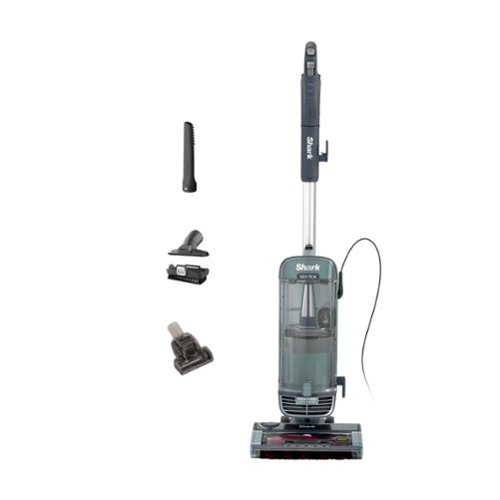
The Shark Vertex Pet Powered Lift-Away upright vacuum combines advanced cleaning technology and the convenience of Powered Lift-Away with powerful suction to clean your whole home. Shark~s DuoClean PowerFins HairPro nozzle grips and captures more dirt, debris, and hair for powerful pickup of all types of debris. Large piles, fine dust, short hair, and long hair are no match for DuoClean PowerFins HairPro. To clean above-floor areas, just lift off the detachable pod to vacuum stairs, furniture, windowsills, and more. With Lift-Away, you can transform your upright vacuum into a stick vac for easy cleaning under furniture and above the floor. Odor Neutralizer Technology guards against bad odors inside your vacuum, while Anti-Allergen Complete Seal with HEPA filtration traps and seals dust, dander, and allergens inside the vacuum, keeping them out of the air you breathe. LED headlights on the nozzle reveal hidden debris and pet hair as you clean, so you won't miss a spot. This powerful Shark upright vacuum is perfect for homes with pets. It comes with specialized cleaning tools, including the Pet Crevice Tool, Pet Multi-Tool, and the Pet Power Brush, designed to eliminate pet messes and handle tough cleaning challenges all around your home.
Customer Rating
4
Strong Suction, Fresh Scent, Missing Parking spots
on July 27, 2026
Posted by: TechMatcher
The Shark Vertex Pet Powered Lift-Away Upright Vacuum has quickly become my main-floor vacuum. I have used several vacuums over the years, but this one has the right mix of strong cleaning power, easy handling, and useful features. It does a great job on both carpet and hard floors, and it feels powerful without being difficult to control.
The first thing I noticed was the suction. This vacuum pulls up an impressive amount of dust, pet hair, and other debris. The clear dust cup makes the results easy to see, although sometimes it also makes you wonder how your floors became that dirty in the first place. Even when the carpet looks clean, the Shark usually finds more hiding below the surface.
The DuoClean PowerFins floor head uses two different rollers to clean the floor. The soft front roller helps collect fine dust and larger pieces from hard floors, while the PowerFins dig into carpet fibers and pull out hair and dirt. The vacuum moves smoothly between surfaces, so I do not have to stop and change attachments or settings every time I move from a rug to hardwood flooring.
Pet hair is another area where this Shark performs well. Hair does not seem to wrap around the brush roll as quickly as it does on many traditional vacuums. No vacuum is completely maintenance-free, but I have spent much less time cutting tangled hair away from the roller. That alone makes the vacuum easier to live with.
The Powered Lift-Away feature is also useful. The main canister can be removed from the floor base while the powered cleaning head continues to operate. This makes it easier to clean under furniture and reach areas where a full upright vacuum may not fit. The hose and wand also work well for stairs, furniture, corners, and baseboards.
One feature I did not expect to appreciate as much as I do is the odor-neutralizing scent system. The vacuum releases a light, fresh scent while it runs. It does not replace normal cleaning, but it leaves the room smelling cleaner after vacuuming. The scent level can also be adjusted, which is helpful for people who prefer either a lighter or stronger fragrance. I enjoy the fresh smell and think it adds to the overall cleaning experience.
The controls are simple and easy to understand. The vacuum has settings for different floor types, and switching between them does not require digging through menus or reading a complicated manual. The steering is responsive, allowing the vacuum to turn around furniture and move through tighter areas without feeling clumsy.
The dust cup is large enough for normal cleaning sessions and is easy to remove and empty. Like most bagless vacuums, emptying it can create some dust if you are not careful, but the process is quick. The filters will need occasional cleaning to keep the suction working properly, but they are easy to access.
My biggest complaint is the tool storage. The vacuum includes several useful attachments, but there is not enough space to store all of them directly on the machine. This means the extra tools must be kept in a box, closet, or cabinet. When you suddenly need a special attachment, you have to remember where you put it and go retrieve it. This was the reason for the missing star.
This may sound like a small issue, but convenience matters. A vacuum with this many features should have a better way to carry its own tools. I have already had times when I wanted to clean furniture or a narrow space but did not have the correct attachment nearby. Better onboard storage would make the Shark feel like a more complete cleaning system.
Even with that frustration, I am very impressed with the Shark Vertex Pet Powered Lift-Away Upright Vacuum. It has strong suction, handles pet hair well, moves easily between floor types, and leaves the room smelling fresh. It has become the vacuum I reach for most often on our main floor, which is probably the best compliment I can give it.
The missing tool storage keeps it from receiving a perfect score, but the actual cleaning performance is excellent. I would recommend it to pet owners, families, and anyone who wants a powerful upright vacuum that can handle several types of flooring.
I would recommend this to a friend!


Share this review:


0points
0of 0voted this as helpful.
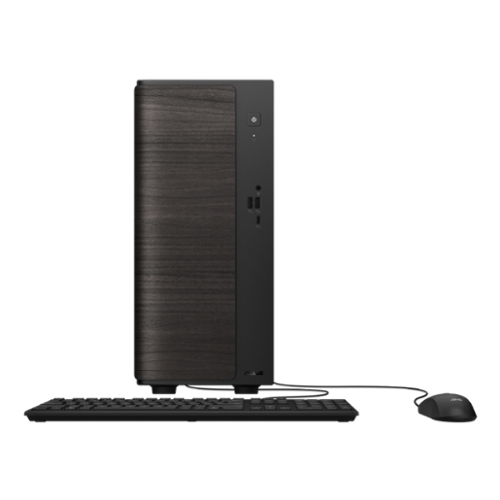
The ASUS VM501MHC delivers dependable everyday performance in a small 15L tower design built for productivity, multitasking, and home entertainment. Powered by an AMD Ryzen 5 processor and high-speed DDR5 memory, it handles daily workflows smoothly while keeping your workspace clean and efficient. Fast PCIe Gen 4 SSD storage helps applications load quickly, while Wi-Fi 6 connectivity ensures stable online performance for work, streaming, and video calls. An advanced thermal design keeps the system cool and quiet under pressure, and versatile connectivity makes it easy to connect displays, peripherals, and accessories. Complete with a wired keyboard and mouse, the VM501MHC is designed to provide reliable performance, expandability, and convenience for modern users.
Customer Rating
5
A Fast, Stylish PC that gets the job done!
on July 2, 2026
Posted by: TechMatcher
Summary
I've spent some time using the ASUS VM501MHC desktop for everyday work, and it has been exactly what I expected. It isn't built for gaming or demanding creative work, but for web browsing, office tasks, streaming, and general productivity, it feels quick, reliable, and surprisingly refined. I work remotely a lot, so it works well with our Azure Virtual Desktop solution.
I've spent some time using the ASUS VM501MHC desktop for everyday work, and it has been exactly what I expected. It isn't built for gaming or demanding creative work, but for web browsing, office tasks, streaming, and general productivity, it feels quick, reliable, and surprisingly refined. I work remotely a lot, so it works well with our Azure Virtual Desktop solution.
Product Overview
This ASUS desktop is designed for people who simply need a dependable desktop that works every day without fuss. It comes with an AMD Ryzen 5 processor, 16GB of DDR5 memory, a 512GB PCIe Gen 4 SSD, integrated Radeon graphics, Windows 11 Home, and built-in Wi-Fi 6. Those aren't headline-grabbing specifications, but they're well balanced for everyday computing and make the system feel responsive right out of the box.
This ASUS desktop is designed for people who simply need a dependable desktop that works every day without fuss. It comes with an AMD Ryzen 5 processor, 16GB of DDR5 memory, a 512GB PCIe Gen 4 SSD, integrated Radeon graphics, Windows 11 Home, and built-in Wi-Fi 6. Those aren't headline-grabbing specifications, but they're well balanced for everyday computing and make the system feel responsive right out of the box.
Design & Build Quality
The first thing that caught my attention wasn't the performance—it was the way the desktop looks. Instead of another plain black tower, ASUS gave the front panel a dark wood-style finish that makes it feel much more elegant. It blends into a home office much better than most budget desktops.
The compact chassis doesn't take up much room, and everything feels solidly put together. It isn't flashy, but it doesn't need to be. It looks like a computer designed to be used every day rather than shown off.
The first thing that caught my attention wasn't the performance—it was the way the desktop looks. Instead of another plain black tower, ASUS gave the front panel a dark wood-style finish that makes it feel much more elegant. It blends into a home office much better than most budget desktops.
The compact chassis doesn't take up much room, and everything feels solidly put together. It isn't flashy, but it doesn't need to be. It looks like a computer designed to be used every day rather than shown off.
Performance
For the kind of work this machine is meant to do, I've been impressed with how responsive it feels. Windows boots quickly, applications launch almost instantly, and juggling multiple browser tabs, Office documents, and streaming music never slowed it down.
For the kind of work this machine is meant to do, I've been impressed with how responsive it feels. Windows boots quickly, applications launch almost instantly, and juggling multiple browser tabs, Office documents, and streaming music never slowed it down.
The benchmark results back up that experience. CPU performance is strong for productivity, while the SSD helps keep the entire system feeling snappy. The integrated Radeon graphics are the weakest part of the system, but that's exactly what I expected before buying it. They're perfectly adequate for watching videos, browsing the web, and everyday tasks, just not for modern gaming or demanding video editing.
Setup was incredibly easy. The only part I found frustrating was Microsoft's insistence on pushing passkeys and online account features during the initial setup. Once that was out of the way, everything else went smoothly.
Pros
• Feels fast and responsive during everyday use
• Attractive dark wood-style front panel stands out from typical office PCs
• Quiet operation with a compact footprint
• Fast SSD keeps Windows and applications loading quickly
• Perfect for office work, browsing, streaming, and home use
Cons
• 512GB of storage fills up faster than I'd like
• I would have preferred 32GB of memory for better future-proofing
• Integrated graphics limit gaming and creative workloads
• The price is a little high considering the hardware
• Feels fast and responsive during everyday use
• Attractive dark wood-style front panel stands out from typical office PCs
• Quiet operation with a compact footprint
• Fast SSD keeps Windows and applications loading quickly
• Perfect for office work, browsing, streaming, and home use
Cons
• 512GB of storage fills up faster than I'd like
• I would have preferred 32GB of memory for better future-proofing
• Integrated graphics limit gaming and creative workloads
• The price is a little high considering the hardware
Value
I knew exactly what I was getting, so none of the compromises were surprises. While I would personally choose a model with more memory, additional storage, and dedicated graphics next time, the VM501MHC delivers exactly what it promises. If your workload revolves around everyday productivity, it offers a smooth and dependable experience.
I knew exactly what I was getting, so none of the compromises were surprises. While I would personally choose a model with more memory, additional storage, and dedicated graphics next time, the VM501MHC delivers exactly what it promises. If your workload revolves around everyday productivity, it offers a smooth and dependable experience.
Final Verdict
After using this stylish ASUS desktop, I can confidently recommend it to students, home users, and anyone who spends their day working in Office applications, browsing the web, attending video meetings, or streaming content. It isn't trying to be a gaming powerhouse, and that's perfectly fine. It feels quick, looks better than most desktops in its class, and has been a dependable computer to use every day. Even though I'd personally buy something with higher specifications next time, I honestly couldn't ask this machine to do much more than what it was designed for.
After using this stylish ASUS desktop, I can confidently recommend it to students, home users, and anyone who spends their day working in Office applications, browsing the web, attending video meetings, or streaming content. It isn't trying to be a gaming powerhouse, and that's perfectly fine. It feels quick, looks better than most desktops in its class, and has been a dependable computer to use every day. Even though I'd personally buy something with higher specifications next time, I honestly couldn't ask this machine to do much more than what it was designed for.
I would recommend this to a friend!
Share this review:


0points
0of 0voted this as helpful.
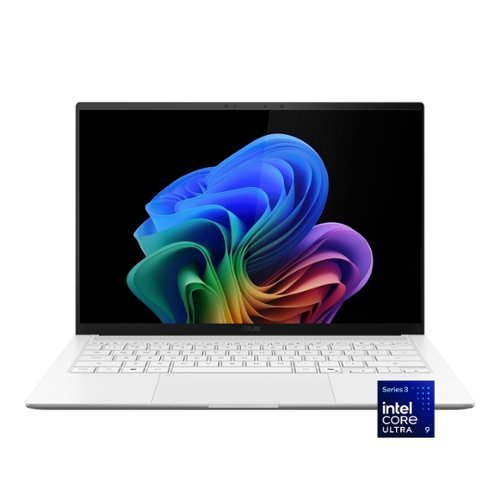
ASUS Zenbook S14 brings luxury to mobility with its ultra~thin, ultra~light Ceraluminum design that feels as refined as it looks. As a Copilot+ PC powered by the latest Intel Core Ultra processors, it delivers intelligent performance wrapped in effortless elegance. Its stunning 14" OLED WQXGA+ 16:10 display elevates every detail with vivid brilliance, while the long~lasting 77~Wh battery keeps you going in style wherever the day leads.
Customer Rating
5
Ultra-Portable Design Meets AI-Era Performance
on June 5, 2026
Posted by: TechMatcher
ASUS has been steadily refining its premium Zenbook lineup, and the Zenbook S 14 may be one of the most compelling Windows ultraportables available today. Combining a stunning 3K OLED display, Intel's latest Core Ultra 9 processor, AI-focused features, excellent battery life, and a premium lightweight chassis, the Zenbook S 14 is designed for professionals who want desktop-class productivity in a highly portable package.
After spending time with the system and reviewing benchmark results, it's clear ASUS has built a laptop that excels at productivity, content creation, and everyday business workloads.
Design & Build Quality
The first thing you'll notice is how remarkably thin and light the Zenbook S 14 feels. ASUS uses its premium Ceraluminum™ material, giving the laptop a unique blend of ceramic-like aesthetics and aluminum durability.
The first thing you'll notice is how remarkably thin and light the Zenbook S 14 feels. ASUS uses its premium Ceraluminum™ material, giving the laptop a unique blend of ceramic-like aesthetics and aluminum durability.
The result is a machine that feels more premium than many competing ultrabooks while remaining easy to carry throughout the day.
Highlights:
• Thin and lightweight design
• Excellent keyboard and large touchpad
• Premium fit and finish
• Modern minimalist styling
• Quiet operation under normal workloads
• Thin and lightweight design
• Excellent keyboard and large touchpad
• Premium fit and finish
• Modern minimalist styling
• Quiet operation under normal workloads
This is the type of laptop that looks equally at home in a boardroom, coffee shop, or airport lounge.
Display: Outstanding 3K OLED Panel
The star of the show is the 14-inch 3K OLED display.
OLED technology continues to be one of the best upgrades available in a laptop, and ASUS delivers here. Colors are vibrant, blacks are truly black, and contrast is exceptional.
The high 3K resolution keeps text razor sharp, making long work sessions comfortable and reducing eye strain compared to lower-resolution displays.
The star of the show is the 14-inch 3K OLED display.
OLED technology continues to be one of the best upgrades available in a laptop, and ASUS delivers here. Colors are vibrant, blacks are truly black, and contrast is exceptional.
The high 3K resolution keeps text razor sharp, making long work sessions comfortable and reducing eye strain compared to lower-resolution displays.
Performance
Under the hood, the Zenbook S 14 is powered by an Intel Core Ultra 9 processor, one of Intel's newest AI-capable mobile CPUs.
Under the hood, the Zenbook S 14 is powered by an Intel Core Ultra 9 processor, one of Intel's newest AI-capable mobile CPUs.
The system feels exceptionally responsive in daily use:
• Microsoft 365 applications launch instantly
• Web browsing with dozens of tabs remains smooth
• Video conferencing is effortless
• AI tools such as ChatGPT, Copilot, and local AI workloads benefit from the built-in NPU
• Light content creation and photo editing are handled with ease
• Microsoft 365 applications launch instantly
• Web browsing with dozens of tabs remains smooth
• Video conferencing is effortless
• AI tools such as ChatGPT, Copilot, and local AI workloads benefit from the built-in NPU
• Light content creation and photo editing are handled with ease
PassMark Results
I benchmark all my new machines using Passmark Performance Testing tools. The benchmark results tell an interesting story:
I benchmark all my new machines using Passmark Performance Testing tools. The benchmark results tell an interesting story:
Test Score Percentile
Overall PassMark 6,930 62nd
CPU Mark 31,379 88th
Memory Mark 3,798 95th
Disk Mark 45,057 95th
2D Graphics 801 64th
3D Graphics 4,964 37th
Overall PassMark 6,930 62nd
CPU Mark 31,379 88th
Memory Mark 3,798 95th
Disk Mark 45,057 95th
2D Graphics 801 64th
3D Graphics 4,964 37th
What the Numbers Mean
CPU Performance: Excellent
The 31,379 CPU Mark score places the system in the 88th percentile, meaning it outperforms nearly 9 out of 10 tested systems.
This confirms what users experience in real-world use:
• Fast multitasking
• Strong productivity performance
• Excellent office and business application responsiveness
• Plenty of power for AI-assisted workflows
The 31,379 CPU Mark score places the system in the 88th percentile, meaning it outperforms nearly 9 out of 10 tested systems.
This confirms what users experience in real-world use:
• Fast multitasking
• Strong productivity performance
• Excellent office and business application responsiveness
• Plenty of power for AI-assisted workflows
Memory & Storage: Outstanding
The 95th percentile scores for both memory and storage are particularly impressive.
Applications load quickly, boot times are nearly instantaneous, and large files move rapidly. This contributes significantly to the laptop's snappy feel.
The 95th percentile scores for both memory and storage are particularly impressive.
Applications load quickly, boot times are nearly instantaneous, and large files move rapidly. This contributes significantly to the laptop's snappy feel.
Graphics: Adequate for Productivity
The one area where the Zenbook S 14 isn't trying to compete is gaming.
The 3D Graphics score in the 37th percentile reflects the integrated graphics solution rather than a dedicated gaming GPU.
The one area where the Zenbook S 14 isn't trying to compete is gaming.
The 3D Graphics score in the 37th percentile reflects the integrated graphics solution rather than a dedicated gaming GPU.
This means:
✅ Great for:
• Office work
• Video playback
• Streaming
• Multiple monitors
• Light photo editing
❌ Not ideal for:
• Serious gaming
• High-end CAD
• Heavy 3D rendering
• Professional video effects work
✅ Great for:
• Office work
• Video playback
• Streaming
• Multiple monitors
• Light photo editing
❌ Not ideal for:
• Serious gaming
• High-end CAD
• Heavy 3D rendering
• Professional video effects work
This is expected for an ultraportable productivity-focused machine.
Battery Life & AI Features
The Intel Core Ultra platform was designed with efficiency in mind, and the Zenbook S 14 benefits significantly.
The Intel Core Ultra platform was designed with efficiency in mind, and the Zenbook S 14 benefits significantly.
You can expect:
• Full-day productivity
• Excellent standby performance
• Efficient video conferencing
• Improved battery life compared to many previous Intel generations
• Full-day productivity
• Excellent standby performance
• Efficient video conferencing
• Improved battery life compared to many previous Intel generations
The built-in NPU (Neural Processing Unit) also positions the laptop well for the growing wave of AI-enhanced applications in Windows 11.
Keyboard
Well – I thought I found a flaw that would make me choose another laptop. The keyboard doesn’t have any visual Home/End/Page Up/Page/Down keys. I use these keys a lot creating and editing documents, so I thought this may be a non-starter.
Well – I thought I found a flaw that would make me choose another laptop. The keyboard doesn’t have any visual Home/End/Page Up/Page/Down keys. I use these keys a lot creating and editing documents, so I thought this may be a non-starter.
Do not fear – Asus has thought of that and built in those functions to the arrow keys. Simply use the FN key in combination with the arrow keys and you have all your Home/End/Page Up and Page Down keys at your fingertips!
Who Should Buy It?
The ASUS Zenbook S 14 is an excellent fit for:
• Business professionals
• Executives
• Students
• Frequent travelers
• IT professionals
• Developers
• Anyone wanting a premium Windows ultrabook
It is less suited for dedicated gamers or users requiring workstation-class graphics.
The ASUS Zenbook S 14 is an excellent fit for:
• Business professionals
• Executives
• Students
• Frequent travelers
• IT professionals
• Developers
• Anyone wanting a premium Windows ultrabook
It is less suited for dedicated gamers or users requiring workstation-class graphics.
Final Verdict
The ASUS Zenbook S 14 successfully combines premium design, a gorgeous 3K OLED display, impressive CPU performance, and excellent battery efficiency into one of the most well-rounded ultraportables currently available.
The ASUS Zenbook S 14 successfully combines premium design, a gorgeous 3K OLED display, impressive CPU performance, and excellent battery efficiency into one of the most well-rounded ultraportables currently available.
Your benchmark results reveal a machine that is particularly strong in the areas that matter most for everyday users—processor speed, memory performance, and storage responsiveness—while making the expected trade-off of modest integrated graphics performance.
Pros
✔ Stunning 3K OLED display
✔ Fast Intel Core Ultra 9 processor
✔ Excellent keyboard and build quality
✔ Extremely fast SSD performance
✔ Lightweight and travel-friendly
✔ AI-ready platform with integrated NPU
✔ Strong battery life
✔ Stunning 3K OLED display
✔ Fast Intel Core Ultra 9 processor
✔ Excellent keyboard and build quality
✔ Extremely fast SSD performance
✔ Lightweight and travel-friendly
✔ AI-ready platform with integrated NPU
✔ Strong battery life
Cons
✘ Not designed for serious gaming
✘ Integrated graphics limit heavy 3D workloads
✘ Premium pricing compared to mainstream laptops
✘ Not designed for serious gaming
✘ Integrated graphics limit heavy 3D workloads
✘ Premium pricing compared to mainstream laptops
Overall
If your priorities are portability, display quality, battery life, and business productivity, the ASUS Zenbook S14 is one of the best Windows laptops currently available. The benchmark results reinforce that conclusion, showing a machine that delivers premium real-world performance where most users will notice it every day. This has become my daily use laptop now.
If your priorities are portability, display quality, battery life, and business productivity, the ASUS Zenbook S14 is one of the best Windows laptops currently available. The benchmark results reinforce that conclusion, showing a machine that delivers premium real-world performance where most users will notice it every day. This has become my daily use laptop now.
I would recommend this to a friend!


Share this review:


0points
0of 0voted this as helpful.

The TCL QM7L Series delivers powerful SQD-Mini LED performance for movies, sports, and gaming. TCL~s Deep Color System with Super Quantum Crystals (Super QLED), UltraColor Filter, and Advanced Color Purity Algorithm produces vivid, accurate color and impressive clarity. With LD2100+ Precise Dimming Series and up to 3,000 Peak Nits, QM7L delivers bold contrast and impactful HDR. The TSR AI Processor optimizes every scene, while a 144Hz native refresh rate with Motion Rate 480 ensures smooth, crisp motion. Built on the anti-reflective HVA 2.0 Pro panel, the experience is completed with Audio by Bang & Olufsen and Dolby Atmos FlexConnect, allowing you to expand your setup with optional subwoofer and satellite speakers for a more immersive, room-filling sound experience.
Customer Rating
4
Beautiful Blacks, Lots of features!
on May 29, 2026
Posted by: TechMatcher
After spending some time with the new TCL 65" QM7L QD-Mini LED television, my overall impression is very positive. TCL continues to push premium features into a price range that undercuts many competing brands, and the QM7L feels like a TV that delivers far more than its price tag suggests.
Setup Experience
My initial setup experience was not perfect.
The TV offers a convenient phone-based setup process using a QR code displayed on-screen. Unfortunately, when I scanned the code with my iPhone, it redirected me to an "App Clip Unavailable" message and would not complete the configuration process.
Fortunately, TCL and Google still provide a traditional setup path. I was able to bypass the issue and complete configuration by manually signing into my Google account directly on the television. While this wasn't a deal breaker, it did add several extra minutes to the setup process and may frustrate less technical users.
My initial setup experience was not perfect.
The TV offers a convenient phone-based setup process using a QR code displayed on-screen. Unfortunately, when I scanned the code with my iPhone, it redirected me to an "App Clip Unavailable" message and would not complete the configuration process.
Fortunately, TCL and Google still provide a traditional setup path. I was able to bypass the issue and complete configuration by manually signing into my Google account directly on the television. While this wasn't a deal breaker, it did add several extra minutes to the setup process and may frustrate less technical users.
Picture Quality
Once configured, the QM7L immediately impressed.
The QD-Mini LED backlighting provides excellent brightness, strong contrast, and impressive black levels. Whether watching streaming content, sports, or regular broadcast television, the image is vibrant and punchy without appearing overly artificial. It blows my older TV out of the water on the black levels. I tend to watch spooky and shows with lots of shoot-em-up night action and these black level make it AWESOME!
Colors look rich and accurate right out of the box, and HDR content really shines. The Mini LED technology helps deliver much deeper blacks than traditional LED televisions while maintaining excellent brightness for daytime viewing.
For a mid-to-upper tier television, the QM7L punches well above its weight class.
Once configured, the QM7L immediately impressed.
The QD-Mini LED backlighting provides excellent brightness, strong contrast, and impressive black levels. Whether watching streaming content, sports, or regular broadcast television, the image is vibrant and punchy without appearing overly artificial. It blows my older TV out of the water on the black levels. I tend to watch spooky and shows with lots of shoot-em-up night action and these black level make it AWESOME!
Colors look rich and accurate right out of the box, and HDR content really shines. The Mini LED technology helps deliver much deeper blacks than traditional LED televisions while maintaining excellent brightness for daytime viewing.
For a mid-to-upper tier television, the QM7L punches well above its weight class.
Google TV and Gemini Integration
Google TV remains one of the strongest smart TV platforms available today.
Navigation is smooth, app availability is excellent, and content recommendations are generally useful. Netflix, Prime Video, Disney+, Hulu, YouTube, and many other services are readily available.
One of the standout features on this model is Gemini for TV. TCL has integrated Google's latest AI capabilities directly into the television experience. Users can ask questions, search for content, learn about topics, receive news briefings, and explore information without leaving the couch.
While Gemini is still evolving, it adds a modern AI-powered experience that helps distinguish the QM7L from many competing televisions.
Google TV remains one of the strongest smart TV platforms available today.
Navigation is smooth, app availability is excellent, and content recommendations are generally useful. Netflix, Prime Video, Disney+, Hulu, YouTube, and many other services are readily available.
One of the standout features on this model is Gemini for TV. TCL has integrated Google's latest AI capabilities directly into the television experience. Users can ask questions, search for content, learn about topics, receive news briefings, and explore information without leaving the couch.
While Gemini is still evolving, it adds a modern AI-powered experience that helps distinguish the QM7L from many competing televisions.
TCL Free TV
A pleasant surprise is TCL's inclusion of TCL Free TV.
The service provides access to numerous free streaming channels without requiring additional subscriptions. For cord-cutters or casual viewers, this adds immediate value right out of the box and expands available content options significantly.
A pleasant surprise is TCL's inclusion of TCL Free TV.
The service provides access to numerous free streaming channels without requiring additional subscriptions. For cord-cutters or casual viewers, this adds immediate value right out of the box and expands available content options significantly.
Thoughtful Feature: Standby Indication Bar
One feature that deserves special recognition is TCL's "Standby Indication Bar" setting.
Out of the box, the front LED light remains illuminated when the TV is powered off. In a bedroom or dark living room, this light can be surprisingly bright at night.
Thankfully, TCL includes a simple setting that allows users to disable it completely.
Thank you, TCL, for providing the option rather than forcing users to live with an always-on light. It's a small feature, but one that improves everyday usability.
One feature that deserves special recognition is TCL's "Standby Indication Bar" setting.
Out of the box, the front LED light remains illuminated when the TV is powered off. In a bedroom or dark living room, this light can be surprisingly bright at night.
Thankfully, TCL includes a simple setting that allows users to disable it completely.
Thank you, TCL, for providing the option rather than forcing users to live with an always-on light. It's a small feature, but one that improves everyday usability.
Audio and Design
The television itself looks modern and premium with slim bezels and a clean appearance. Mounted on the wall, it presents a very polished look.
Audio quality is respectable for built-in TV speakers, though users seeking a true theater experience will still benefit from a soundbar or dedicated audio system.
The television itself looks modern and premium with slim bezels and a clean appearance. Mounted on the wall, it presents a very polished look.
Audio quality is respectable for built-in TV speakers, though users seeking a true theater experience will still benefit from a soundbar or dedicated audio system.
Final Verdict
The TCL QM7L successfully blends premium display technology, Google's excellent smart TV platform, AI-powered Gemini features, and free streaming content into a highly compelling package.
While the QR-code/App Clip setup issue was frustrating, the workaround was straightforward and did not impact the TV's overall performance once configured.
Pros
• Excellent QD-Mini LED picture quality
• Bright, vibrant HDR performance
• Deep blacks and strong contrast
• Google TV platform is fast and intuitive
• Gemini AI integration adds useful functionality
• TCL Free TV provides substantial free content
• Ability to disable the front standby LED indicator
• Attractive design and strong value for the money
Cons
• QR-code setup process may fail for some iPhone users
• Manual login may be required during setup
• Built-in audio is good but not exceptional
The TCL QM7L successfully blends premium display technology, Google's excellent smart TV platform, AI-powered Gemini features, and free streaming content into a highly compelling package.
While the QR-code/App Clip setup issue was frustrating, the workaround was straightforward and did not impact the TV's overall performance once configured.
Pros
• Excellent QD-Mini LED picture quality
• Bright, vibrant HDR performance
• Deep blacks and strong contrast
• Google TV platform is fast and intuitive
• Gemini AI integration adds useful functionality
• TCL Free TV provides substantial free content
• Ability to disable the front standby LED indicator
• Attractive design and strong value for the money
Cons
• QR-code setup process may fail for some iPhone users
• Manual login may be required during setup
• Built-in audio is good but not exceptional
Although I can only give a 4 start rating above, I'd lean more towards an overall score of 4.5 / 5. The only issue I had was a minor setup hiccup, otherwise it's beet great! If you're looking for a 65-inch television that delivers premium picture quality, modern AI features, and tremendous value, the TCL QM7L is an easy recommendation and one of the strongest TV values currently available in its class.




Share this review:


0points
0of 0voted this as helpful.
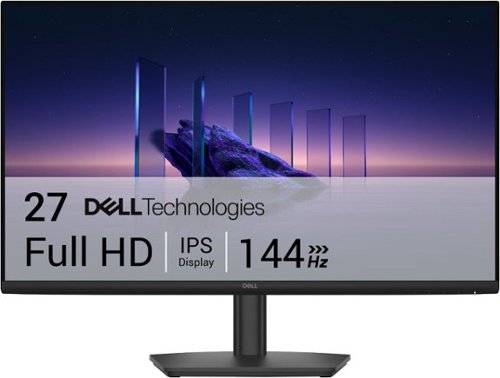
Breeze through everyday tasks on this 27-inch monitor with 144Hz refresh rate, 1ms Moving Picture Response Time (MPRT), and T~V 3-star certification for eye comfort.
Customer Rating
5
Great monitor for an Affordable price!
on May 4, 2026
Posted by: TechMatcher
Overall Experience
This monitor is built for people who want better-than-basic performance without paying gaming monitor prices. The combination of IPS color accuracy, 144Hz refresh rate, and 1ms MPRT gives it a noticeably smoother feel than typical 60–75Hz office displays. Text is crisp, motion is fluid, and colors stay consistent across wide viewing angles.
Display Quality
• 27" IPS panel provides wide 178° viewing angles and more accurate color than VA or TN panels in this price range.
• FHD (1920×1080) on a 27" screen is serviceable for productivity and entertainment, though pixel density is modest. For spreadsheets or design work, you’ll see more visible pixel structure than on a 1440p panel.
• Brightness and contrast are typical for budget IPS—good for office lighting, not ideal for HDR or cinematic color depth.
• Anti glare coating helps reduce reflections, making it comfortable in bright rooms.
• 27" IPS panel provides wide 178° viewing angles and more accurate color than VA or TN panels in this price range.
• FHD (1920×1080) on a 27" screen is serviceable for productivity and entertainment, though pixel density is modest. For spreadsheets or design work, you’ll see more visible pixel structure than on a 1440p panel.
• Brightness and contrast are typical for budget IPS—good for office lighting, not ideal for HDR or cinematic color depth.
• Anti glare coating helps reduce reflections, making it comfortable in bright rooms.
Motion & Gaming Performance
This is where the SE2726HS punches above its weight:
• 144Hz refresh rate makes scrolling, gaming, and general UI movement feel dramatically smoother.
• 1ms MPRT reduces motion blur during fast action.
• AMD FreeSync minimizes screen tearing when paired with compatible GPUs.
• Input lag is low enough for casual to mid level gaming.
If you’re not a competitive esports player, this monitor delivers more than enough speed.
This is where the SE2726HS punches above its weight:
• 144Hz refresh rate makes scrolling, gaming, and general UI movement feel dramatically smoother.
• 1ms MPRT reduces motion blur during fast action.
• AMD FreeSync minimizes screen tearing when paired with compatible GPUs.
• Input lag is low enough for casual to mid level gaming.
If you’re not a competitive esports player, this monitor delivers more than enough speed.
Eye Comfort
Dell includes TÜV Rheinland 3 Star eye comfort certification, meaning:
• Reduced blue light
• Flicker free backlighting
• Better long session comfort
Dell includes TÜV Rheinland 3 Star eye comfort certification, meaning:
• Reduced blue light
• Flicker free backlighting
• Better long session comfort
For long workdays, this is a meaningful advantage over cheaper panels.
Connectivity & Build
• HDMI + DisplayPort (varies by retailer listing)
• Tilt only stand — stable but not height adjustable
• Thin bezels make it suitable for dual monitor setups
• Dell’s build quality is reliably solid in this class
• HDMI + DisplayPort (varies by retailer listing)
• Tilt only stand — stable but not height adjustable
• Thin bezels make it suitable for dual monitor setups
• Dell’s build quality is reliably solid in this class
Ideal For
• Home office users wanting smoother motion and better color than bargain monitors
• Students and general consumers
• Casual gamers who want 144Hz without overspending
• Multi monitor productivity setups
• Home office users wanting smoother motion and better color than bargain monitors
• Students and general consumers
• Casual gamers who want 144Hz without overspending
• Multi monitor productivity setups
Not Ideal For
• Professional color critical work
• Users who prefer 1440p or 4K sharpness
• Those needing height/rotation adjustments without a VESA arm
• Professional color critical work
• Users who prefer 1440p or 4K sharpness
• Those needing height/rotation adjustments without a VESA arm
Final Verdict
The Dell SE2726HS is one of the best-value 27" 144Hz IPS monitors available today. It’s not a high resolution panel, but for everyday productivity, smooth motion, and casual gaming, it delivers a polished, comfortable experience at a very accessible price.
The Dell SE2726HS is one of the best-value 27" 144Hz IPS monitors available today. It’s not a high resolution panel, but for everyday productivity, smooth motion, and casual gaming, it delivers a polished, comfortable experience at a very accessible price.
If you want a monitor that feels significantly smoother than standard office displays without spending gaming monitor money, this is an excellent pick.
I would recommend this to a friend!


Share this review:


0points
0of 0voted this as helpful.
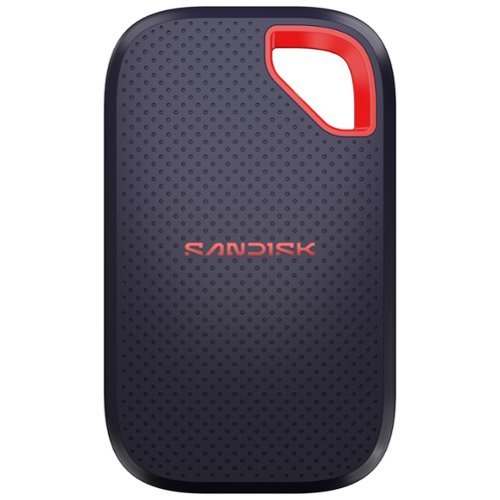
Introducing the new SANDISK Extreme Portable SSD, built for anyone who needs fast, reliable storage for backing up big projects, clearing device space, or keeping content organized across devices. It~s what you need to work seamlessly, wherever you go.
Posted by: TechMatcher
First Impressions Out of the Box
Pull the SanDisk Extreme 1TB out of its packaging and the first thing you notice is how small it is. Its footprint of just 50 x 96.2mm makes it smaller than most modern smartphones, and at under 9mm thick it slides easily into a shirt pocket. The build is rubber-clad with a textured top and bottom surface that gives you a confident grip — though I'll admit, the look could be confused with a cheap Bluetooth speaker if you didn't know better. In the box you get the drive and a short USB-C cable for connectivity.
Pull the SanDisk Extreme 1TB out of its packaging and the first thing you notice is how small it is. Its footprint of just 50 x 96.2mm makes it smaller than most modern smartphones, and at under 9mm thick it slides easily into a shirt pocket. The build is rubber-clad with a textured top and bottom surface that gives you a confident grip — though I'll admit, the look could be confused with a cheap Bluetooth speaker if you didn't know better. In the box you get the drive and a short USB-C cable for connectivity.
One small frustration right out of the gate: the included cable is frustratingly short — around 20-30cm — which is fine for a laptop but awkward for anyone running it off a desktop tower. Budget a few dollars for a longer cable and don't let this be a dealbreaker.
Build Quality and Durability
This is where the SanDisk Extreme earns its name. The current model carries an IP65 rating for resistance to water and dust, a step up from the IP55 of earlier generations. That means you can take this thing into genuinely hostile environments — rain, construction sites, dusty field locations — and not lose sleep over it.
This is where the SanDisk Extreme earns its name. The current model carries an IP65 rating for resistance to water and dust, a step up from the IP55 of earlier generations. That means you can take this thing into genuinely hostile environments — rain, construction sites, dusty field locations — and not lose sleep over it.
The orange plastic loop at the top corner is a nice touch for field users — clip it to a carabiner on a bag, a belt loop, or a camera rig and you're not going to accidentally leave it on a park bench. One honest caveat: the rubber coating does attract dust and lint aggressively and I can imagine that after 18-24 months of heavy use it could start to look worn or feel slightly sticky. Functionally it doesn't matter, but aesthetically it's worth knowing.
Performance: Where It Gets Serious
Let's cut straight to what most people care about. The SanDisk Extreme is a USB 3.2 Gen 2 solution with rated performance of 2000 MB/s read. In real-world testing, that seems to be only under perfect conditions with the right data – expect FAST, but less with your data.
Let's cut straight to what most people care about. The SanDisk Extreme is a USB 3.2 Gen 2 solution with rated performance of 2000 MB/s read. In real-world testing, that seems to be only under perfect conditions with the right data – expect FAST, but less with your data.
One thermal note: in my testing, the drive does get warm during long continuous transfers, but never hot enough to throttle performance in shorter bursts. If you're doing marathon video ingest sessions, give it a moment to breathe between runs.
Connecting to Your Computer
Plug it in via USB-C and it mounts immediately — no drivers, no drama. The drive works immediately on Mac, PC, and iPad Pro without any setup or reformatting. It comes pre-formatted in ExFAT, which is cross-platform compatible out of the box. Mac users who prefer a different format can easily reformat using Apple's Disk Utility.
Plug it in via USB-C and it mounts immediately — no drivers, no drama. The drive works immediately on Mac, PC, and iPad Pro without any setup or reformatting. It comes pre-formatted in ExFAT, which is cross-platform compatible out of the box. Mac users who prefer a different format can easily reformat using Apple's Disk Utility.
SanDisk also bundles a Security app on the drive itself, providing 256-bit AES encryption and password protection for sensitive files. It's a useful addition for anyone storing client data or confidential work materials, and it doesn't require any third-party software install on the host machine.
Connecting to Your Phone: The SanDisk Memory Zone App
Here's where things get more nuanced — and where you need to go in with clear expectations.
The SanDisk Memory Zone app (now rebranded simply as the SANDISK app following a 2025 transition) is available for both Android and iOS. The concept is solid: plug the Extreme into your phone via USB-C, launch the app, and manage your files directly between phone and drive without needing a computer in the loop. For Android with USB OTG support, this works well. The app lets you view all storage sources — internal storage, external drives, and formerly cloud storage — organized by file type, with options to back up, restore, copy, move, and share files.
Here's where things get more nuanced — and where you need to go in with clear expectations.
The SanDisk Memory Zone app (now rebranded simply as the SANDISK app following a 2025 transition) is available for both Android and iOS. The concept is solid: plug the Extreme into your phone via USB-C, launch the app, and manage your files directly between phone and drive without needing a computer in the loop. For Android with USB OTG support, this works well. The app lets you view all storage sources — internal storage, external drives, and formerly cloud storage — organized by file type, with options to back up, restore, copy, move, and share files.
On iOS, I never got my iphone to to recognize the drive using the Memory Zone app. The Apple built-in Files app did see the drive though – and it could be used through there. Files handles file browsing, copying, and moving cleanly. Android users similarly can use their built-in file manager. The Memory
Zone app adds convenience features like automated backup scheduling, but it's no longer the essential bridge it once was and one of the reasons for only giving 4 Stars.
Final Verdict
The hardware itself is close to flawless for the price. The Extreme Portable delivers strong performance, high capacity, an impressively rugged design, and a competitive price that appeals to both professional and casual users. The drive earns every star it gets on build quality and raw speed.
The hardware itself is close to flawless for the price. The Extreme Portable delivers strong performance, high capacity, an impressively rugged design, and a competitive price that appeals to both professional and casual users. The drive earns every star it gets on build quality and raw speed.
The Memory Zone app is the weak link, and SanDisk needs to get serious about fixing it. The forced migration to the new app stripped functionality that users depended on, and the reliability complaints are too consistent to dismiss. Until that story improves, treat the app as a bonus rather than a core feature — and know that your phone's native file manager will handle most of what you actually need.
If you want a fast, tough, genuinely portable SSD that you can abuse on a job site, toss in a camera bag, or use as a daily backup drive, the SanDisk Extreme 1TB delivers where it matters most: consistent transfer speeds, proper durability, and zero friction on a computer. Just don't buy it expecting the companion app to be the star of the show.
I would recommend this to a friend!



Share this review:


0points
0of 0voted this as helpful.
TechMatcher's Review Comments
TechMatcher has not submitted comments on any reviews.
TechMatcher's Questions
TechMatcher has not submitted any questions.
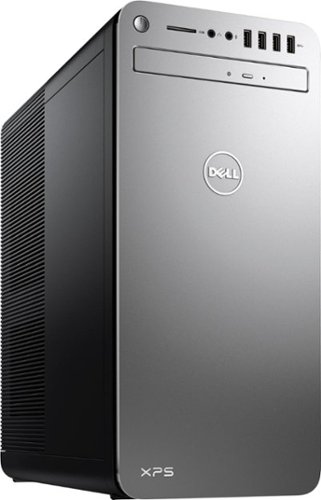
XPS Desktop - Intel Core i7 - 16GB Memory - NVIDIA GeForce GTX 1050 Ti - 2TB Hard Drive + Intel Optane Memory
Which version of Windows 10 does this come with, Home or Pro?
XPS Desktop - Intel Core i7 - 16GB Memory - NVIDIA GeForce GTX 1050 Ti - 2TB Hard Drive + Intel Optane Memory
What version of Windows 10 is it shipped with? Windows 10 Home ? or Pro?
XPS Desktop - Intel Core i7 - 16GB Memory - NVIDIA GeForce GTX 1050 Ti - 2TB Hard Drive + Intel Optane Memory
Since there is no graphics card, I'm curious to the max resolution. My Dell monitor is capable of 2560x1440. Will I need an add on card to get this resolution?
No - you don't need to add a graphics card. I'm running 2560x1440 resolution on my ASUS 2K monitor right now from this machine.
9 years, 2 months ago
by
TechMatcher
XPS Desktop - Intel Core i7 - 16GB Memory - NVIDIA GeForce GTX 1050 Ti - 2TB Hard Drive + Intel Optane Memory
Which version of the I7700 processor is it? (e.g. I770K 4.2 GHz or I7700 4.2 or I770T @ 2.9GHz)?
It is this one:
https://ark.intel.com/products/97128/Intel-Core-i7-7700-Processor-8M-Cache-up-to-4_20-GHz
https://ark.intel.com/products/97128/Intel-Core-i7-7700-Processor-8M-Cache-up-to-4_20-GHz

9 years, 2 months ago
by
TechMatcher
XPS Desktop - Intel Core i7 - 16GB Memory - NVIDIA GeForce GTX 1050 Ti - 2TB Hard Drive + Intel Optane Memory
Can I use TWO monitors with this or will I need an additional graphics card of some type?
Yes you could use two - you can use the HDMI and the Display Port and even the USB C port (which is display port).
9 years, 2 months ago
by
TechMatcher
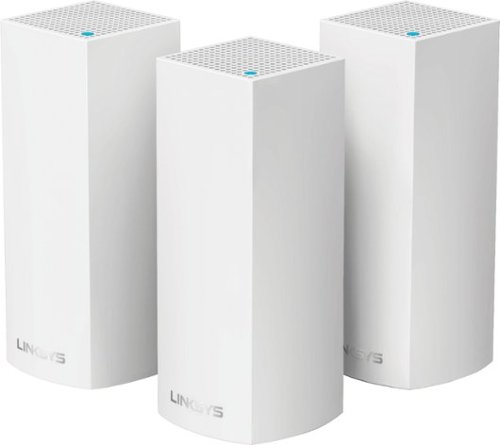
Make your home an internet haven with this versatile Linksys Velop wireless Wi-Fi system. Three identical tri-band dual-stream AC2200 routers, each equipped with a quad-core ARM Cortex-A7 processor, deliver lightning-fast internet. Equipped with Bluetooth 4.0/LE, this Linksys Velop wireless Wi-Fi system is simple to set up and pairs easily with computers, tablets and smart devices.
Will this system work in a metal building with walls, I have AT&T and currently use an M-Cell booster from them but it does not extend my service throughout the entire building.
Unfortunately, you never know for sure until you've tried it - as all structures and materials are a bit different. However, using a three node system like this starts you off with better odds that a single router! Give it a try and see how it works!
9 years, 8 months ago
by
TechMatcher
Make your home an internet haven with this versatile Linksys Velop wireless Wi-Fi system. Three identical tri-band dual-stream AC2200 routers, each equipped with a quad-core ARM Cortex-A7 processor, deliver lightning-fast internet. Equipped with Bluetooth 4.0/LE, this Linksys Velop wireless Wi-Fi system is simple to set up and pairs easily with computers, tablets and smart devices.
I currently have the latest AT&T Pace modem / router. Can the AT&T modem be placed into a bridge mode enabling just the modem function? From research, this is a very complicated procedure. I would prefer to return the rental AT&T unit.
I would agree with your second statement - and would always recommend that people purchase their own dedicated modem (cable or DSL) and then use a separate dedicated router configuration. You have more control that way - can keep your devices firmware updated regularily, and usually have better equipment!
9 years, 8 months ago
by
TechMatcher
Make your home an internet haven with this versatile Linksys Velop wireless Wi-Fi system. Three identical tri-band dual-stream AC2200 routers, each equipped with a quad-core ARM Cortex-A7 processor, deliver lightning-fast internet. Equipped with Bluetooth 4.0/LE, this Linksys Velop wireless Wi-Fi system is simple to set up and pairs easily with computers, tablets and smart devices.
The advertising states that Velop works with Alexa but I can find no information on how to set this up. Help?
Here's the link to enable the Linksys skills for Alexa. They're not in the Alexa app yet.
https://www.alexaskillstore.com/Linksys-Smart-Wi-Fi/41803
https://www.alexaskillstore.com/Linksys-Smart-Wi-Fi/41803
9 years, 8 months ago
by
TechMatcher
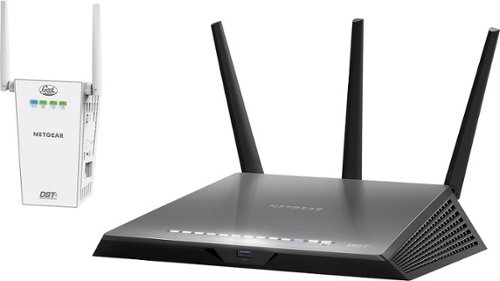
No more WiFi dead spots. The powerful Nighthawk DST AC1900 WiFi Router along with the DST WiFi adapter eliminates WiFi dead zones. Create additional WiFi coverage right where you want it. The DST Router comes with a year of worry-free set up and support from Geek Squad.
Is this also a modem?
No - this is NOT a modem. You need to use a modem to modulate the signal from your Internet provider - after which you can use this router to deliver WiFi or wired Internet through your location.
10 years, 9 months ago
by
TechMatcher
Minneapolis
No more WiFi dead spots. The powerful Nighthawk DST AC1900 WiFi Router along with the DST WiFi adapter eliminates WiFi dead zones. Create additional WiFi coverage right where you want it. The DST Router comes with a year of worry-free set up and support from Geek Squad.
what router i need that works well with fois
Basically, ANY router will work with ANY internet service. Your Internet company will provide an ethernet cable connection to their modem device, which you can plug into any router to create your own wireless network. NETGEAR has several router products that you can use - with different features depending on your needs, number of connected devices, etc.
10 years, 9 months ago
by
TechMatcher
Minneapolis