


TechMatcher's stats
- Review count220
- Helpfulness votes638
- First reviewNovember 3, 2015
- Last reviewJuly 2, 2026
- Featured reviews0
- Average rating4.4
Reviews comments
- Review comment count0
- Helpfulness votes0
- First review commentNone
- Last review commentNone
- Featured review comments0
Questions
- Question count0
- Helpfulness votes0
- First questionNone
- Last questionNone
- Featured questions0
- Answer count77
- Helpfulness votes101
- First answerNovember 3, 2015
- Last answerDecember 3, 2021
- Featured answers0
- Best answers12
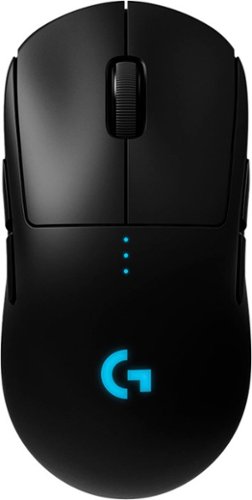
Designed over two years with direct input from many professional esports players, PRO Wireless gaming mouse is built to the exacting standards of some of the world~s top esports professionals. PRO Wireless gaming mouse is built for extreme performance and includes the latest and most advanced technologies available. Featuring LIGHTSPEED technology, PRO Wireless overcomes the limitations of latency, connectivity and power to provides rock-solid and super fast 1 ms report rate connection. PRO Wireless gaming mouse is also equipped with the latest version of the HERO sensor, our next generation optical sensor that is the highest performing and efficient gaming sensor.
Customer Rating

5
Super light, very comfortable and easy to program!
on September 23, 2018
Posted by: TechMatcher
from Minneapolis
How much more can you expect from your mouse? Evidently Logitech expects much more - and that's why with worked with professional gamers and enthusiasts to design a completely new mouse - the G Pro Wireless.
Literally, my first impression after taking it out of the box was "WOW, this is light - I must have to add a battery". Nope - no battery - it's already there and charged and only needs to be charged by the included cable!
I plugged the USB dongle to my computer and downloaded the latest Logitech Gaming Software and proceeded to program the mouse. Truly awesome to be able to easily record custom keystrokes for use in your games or programs.
The G Pro Wireless comes by default setup for right-handed use, but included replacement button curved just slightly for left-handed gamers. Nice thought Logitech!
DPI switch button is on the bottom of the mouse - cleaning up the mouse surface yet still easy to switch between games.
I'm also using this as my everyday mouse for a while to see how I like it - and have customized the buttons for use with my everyday programs.
Overall, this is a light mouse with a great feel and the ultimate in customization options. It's bit expensive, but if you're a serous gamer and want even smoother and faster experiences in games like Overwatch and Starcraft, this mouse is for you!
Pictures are comparing to a Microsoft Surface mouse and then of the button with the DPI button as well as USB Dongle storage compartment with magnetic cover.
Mobile Submission: False
I would recommend this to a friend!


Share this review:


+3points
3of 3voted this as helpful.
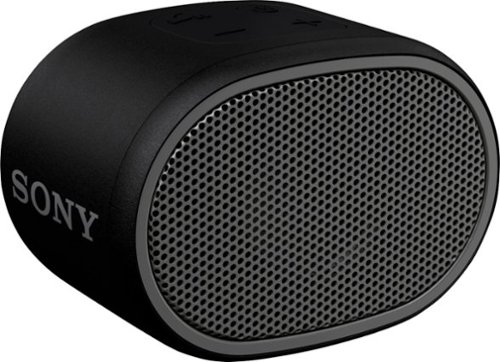
Keep the music going at your next party or backyard barbecue with this Sony portable Bluetooth speaker, which features a six-hour battery life. The compact size fits neatly on a desk or table, while the splash-proof design makes this speaker perfect beach adventures. Use the on-speaker buttons to start your tunes or turn up the volume. This Sony portable Bluetooth speaker comes with EXTRA BASS sound to bring out the best in your playlists.
Customer Rating
5
Completely Surprised! Great sound!
on September 16, 2018
Posted by: TechMatcher
from Minneapolis
My initial thoughts about this $35, Lime-sized speaker were blown away completely once I heard it. I was expecting a tinny, chinsy sound but was super-impressed with the fullness and quality of sound this extremely inexpensive, half-pint sized speaker produced!
With only four rubberized buttons on top and a micro-usb and 1/8" audio jack for non-bluetooth devices, this fun-sized speaker is simply awesome. Really. I tested it with multiple phones and impressed multiple people with it.
Touting a 6 hour battery life, IPX5 water-resistance (DO NOT SUBMERGE), easy BT pairing - you can't go wrong and it is EXTREMELY portable. Set it in the cup holder of your golf cart or strap to your fishing boat for convenient sound!
Truly impressed Sony!
Mobile Submission: False
I would recommend this to a friend!


Share this review:


+1point
6of 11voted this as helpful.
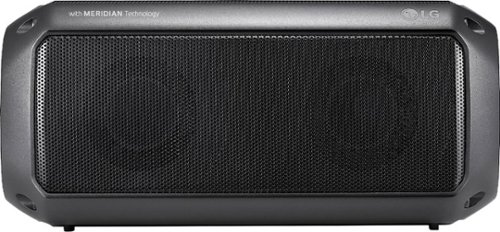
Feel the beat with this LG PK3 portable Bluetooth speaker. It provides dynamic sound and rich bass thanks to its Meridian Audio technology, so you can bring the party with you. The IPX-7 water resistance lets you go anywhere, rain or shine. This LG PK3 portable Bluetooth speaker keeps the music going for up to 12 hours per charge.
Customer Rating

3
Portable and crisp - mediocre speakerphone
on September 8, 2018
Posted by: TechMatcher
from Minneapolis
The portability, waterproof rating and speakerphone features attracted me to the LG PK-3 speaker. Very easy pairing and support for multi-phone pairing and the Meridian Audio features also adorn the unit.
There is definitely a difference when using the Enhanced Bass feature - so I'll be leaving it on all of the time. I've let it run for 10 hours straight at about 60% volume and it was still going strong - so I tend to believe the 12 hour battery life claim.
When testing the speakerphone function, the person I called sounded very good but unfortunately the little mic on this unit offered dismal performance unless I picked the speaker up and talked directly into the mic hole. This is mainly the reason for my 3-star rating.
Mobile Submission: False
No, I would not recommend this to a friend.


Share this review:


-2points
0of 2voted this as helpful.
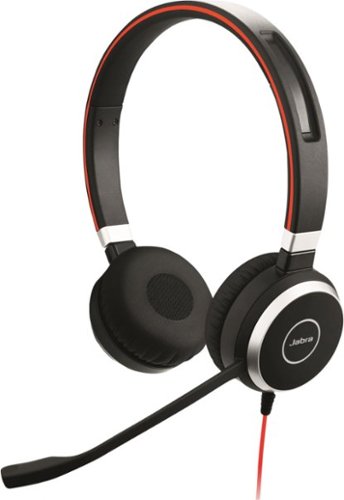
Communicate clearly with this Jabra Evolve professional headset. Its integrated busy light lets others know you're on a call to minimize interruptions, and the 3.5mm jack provides a convenient way to access media from your tablet or smartphone. This Jabra Evolve professional headset has passive noise cancellation to prevent distractions from background sounds.
Customer Rating
3
Solid Feel, decent sound
on August 30, 2018
Posted by: TechMatcher
from Minneapolis
It took only a few seconds upon receiving this unit to unpack, plug into my desktop and Windows 10 automatically downloaded and installed the drivers. I proceeded to connect to my Citrix Virtual Desktop, which also recognized the Jabra Evolve 40 headset. The last step was to get Cisco Jabber - my company's Unified Communication software to recognize the headset too . This worked well and was just a selection in the audio drop down menu.
The headset is supposed to have some passive noise cancelling features - but honestly - I could not determine a difference when wearing them or not. The headset is comfortable - but I won't be wearing it between calls to help eliminate normal office noise.
Voice quality during my calls was good on both ends - so that is a positive. I'll keep the headset connected on just use as needed.
Jabra touts a feature called "Jabra Intelligent Call Transfer" - which is supposed to let you transfer a call on your PC to your mobile device so you can be on the move anytime. For that to work, you need a phone with a 1/8" headset jack - and my iPhone 8 doesn't - so I was unable to test that feature. I expect many phones may have this issue....
Overall, the Jabra Evolve 40 worked well for making and receiving calls via my PC software - which is exactly what I needed it to so. If you're looking for a reasonably priced headset for use with your conferencing software - this would be an easy fit!
I gave 3 stars because I couldn't tell any difference on the passive noise canceling features and unable to test the Intelligent Call Transfer feature as the headset is not Bluetooth.
Mobile Submission: False
I would recommend this to a friend!


Share this review:


0points
2of 4voted this as helpful.

Listen to your favorite songs, get immersed in your favorite video game, and even interact with your classmates/coworkers over video chat with the V-MODA Crossfade 2 Wireless CODEX headphones. The durable metal-core headband provides all-day wearable comfort, and the 50mm dual-diaphragm drivers deliver a wide soundstage with balanced sound signature. Lastly, experience up to 14 hours of wireless freedom in CD quality audio, and unlimited playback in wired mode to fuel your creativity. Gaming System compatibility: Xbox Series X|S (wired), Xbox One (wired), Playstation 4 (wired), Playstation 5 (wired), Nintendo Switch (wired), PC and Mac
Customer Rating
5
Best sound yet!! Great bass, clear highs!
on August 23, 2018
Posted by: TechMatcher
from Minneapolis
I am very excited to write this review on the Crossfade II Wireless Codex edition head phones! I own several pair of expensive headphones, so I pulled them out to make a real-time comparison. Although other brands feature noise-cancelling technologies, these V-moda headphones were clear winners in producing a full, bass rich sounds experience!
There are some great features to these headphones that include:
- A very solid and stable design - they just feel like high-quality
- The Bliss Memory foam feels wonderful on my ears
- Steelflex headband is very comfortable, but might mess up your hair-do
- Personalize your set with Custom, Laser printed Shields for $25
- Way cool, Click to Fold (Cliqfold) hinge design for easy storage
- Included 1/8 in cable and 1/4 in adapter jack for wired connectivity - like on a airplane or to your guitar
- Nice clam-shell case with an Exoskeleton design and integrated cable pockets
- Easy bluetooth pairing - literally took me 5 seconds.
- Claim 14 hour battery life - I have been able to test that yet and I'll update this review if they don't last that long.
- A very solid and stable design - they just feel like high-quality
- The Bliss Memory foam feels wonderful on my ears
- Steelflex headband is very comfortable, but might mess up your hair-do
- Personalize your set with Custom, Laser printed Shields for $25
- Way cool, Click to Fold (Cliqfold) hinge design for easy storage
- Included 1/8 in cable and 1/4 in adapter jack for wired connectivity - like on a airplane or to your guitar
- Nice clam-shell case with an Exoskeleton design and integrated cable pockets
- Easy bluetooth pairing - literally took me 5 seconds.
- Claim 14 hour battery life - I have been able to test that yet and I'll update this review if they don't last that long.
Overall - very impressed. Excellent look, feel and sound. My only wish is that they had noise cancelling features - maybe the next version.
Mobile Submission: False
I would recommend this to a friend!


Share this review:


0points
1of 2voted this as helpful.
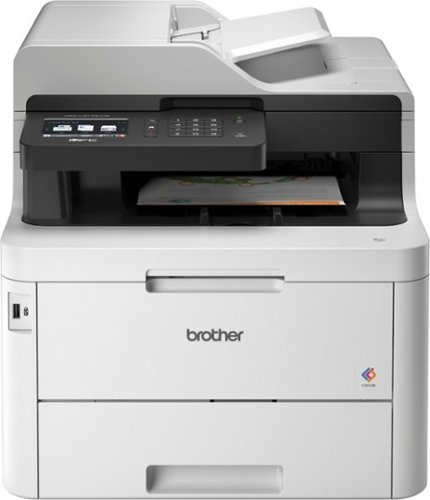
The reliable Brother MFC-L3770CDW delivers full-featured performance, including print, copy, scan and fax for busy home and small offices looking for laser printer performance. The up to 50-sheet automatic document feeder enables multipage single-pass duplex copying and scanning, plus fast print speeds of up to 25 pages per minute~. The 30-sheet capacity multipurpose tray is useful for tackling varied printing needs and can handle a variety of paper types and sizes, including card stock, envelopes and more. The 250-sheet capacity adjustable paper tray helps improve efficiency with fewer refills and handles letter- or legal-size paper. Connect with versatile options, including built-in wireless, Ethernet, or USB interfaces. Save time by creating custom shortcuts on the 3.7" color touch screen, which also enables you to directly print from and scan to popular cloud apps, including Dropbox, Google Drive, Evernote, OneNote and more~. Offers NFC touch-to-connect printing and scanning~ plus wireless printing from compatible mobile devices~. Brother Genuine high-yield replacement toner cartridges help lower printing costs. Comes with a 1-year limited warranty and free online, call or live chat support for the life of your product.Prints up to 25 ISO ppm*, up to 25 ppm* in color.
Customer Rating

4
Awesome features but a bit bulky and slow
on August 19, 2018
Posted by: TechMatcher
from Minneapolis
Last week I received the Brother MFC-L3770CDW Color laser printer for my home office. I have used several other MFC (multi-function color) printers before – both Laser and Ink Jet, and was excited to give this one a try as I’ve been having scanning-to-pc connectivity issues with another popular brand recently.
The first thing you notice is the size and weight of this unit. It weighs in at 54 lbs. and is roughly a 16”x20”x16” cube. You’ll need ample space and a study table or counter top to place this machine.
Setup was a smooth and easy. Unpack, remove all the shipping tape and tabs, install the toner, attach to the wireless network and BOOM – you’re printing. Mine detected a software update within the first 5 minutes and quickly downloaded/installed it. The 3.7” LCD display is intuitive and easy to use – and also informed me of that software update.
Setup was a smooth and easy. Unpack, remove all the shipping tape and tabs, install the toner, attach to the wireless network and BOOM – you’re printing. Mine detected a software update within the first 5 minutes and quickly downloaded/installed it. The 3.7” LCD display is intuitive and easy to use – and also informed me of that software update.
I installed the full Brother Utilities software on my desktop computer from the freshly downloaded nearly 500MB file and let everything be setup as default. The printer has NFC features for the Android phones, but the iPhone I have doesn’t support that. Never fear – the AirPrint capabilities worked flawlessly – and allowed me to print out pictures with no trouble at all!
A couple things I really like about the printer include:
1. A large paper source tray with the ability to handle Legal paper as well
2. The multi-sheet document feeder on top – which has worked well with my test stack of 20 pages – some with folds in them. It is able to handle 50 pages at a time!
3. The Duplex scanning features – and the scan to PC worked great on the first attempt – a big plus as compared to other MFC’s I’ve used in the past.
4. The 30 sheet multi-purpose paper tray – works great for using special paper without having to switch stock out of the normal 250 sheet paper tray.
5. To copy or scan pages from a book or magazine, the document feeder lifts up about an inch or so to accommodate the thickness of the object – a nice feature!
1. A large paper source tray with the ability to handle Legal paper as well
2. The multi-sheet document feeder on top – which has worked well with my test stack of 20 pages – some with folds in them. It is able to handle 50 pages at a time!
3. The Duplex scanning features – and the scan to PC worked great on the first attempt – a big plus as compared to other MFC’s I’ve used in the past.
4. The 30 sheet multi-purpose paper tray – works great for using special paper without having to switch stock out of the normal 250 sheet paper tray.
5. To copy or scan pages from a book or magazine, the document feeder lifts up about an inch or so to accommodate the thickness of the object – a nice feature!
A couple things that surprised me about the printer:
1. It seems a bit slow to start printing – usually between 10-15 seconds. I know that doesn’t seem long - but when I hit the print button I want the printer to start making noises and printing right away.
2. I printed the same color document test page on this Brother MFC Laser device and also to my own MFC Inkjet Printer. Yes I’m aware that it is not a true comparison – but I feel the Ink Jet printer did a better job rendering the colors and took less time overall for what it’s worth.
1. It seems a bit slow to start printing – usually between 10-15 seconds. I know that doesn’t seem long - but when I hit the print button I want the printer to start making noises and printing right away.
2. I printed the same color document test page on this Brother MFC Laser device and also to my own MFC Inkjet Printer. Yes I’m aware that it is not a true comparison – but I feel the Ink Jet printer did a better job rendering the colors and took less time overall for what it’s worth.
Overall – this is an excellent MFC device that will work well in a home office or small office with multiple users. The toner cartridges are rated at over 1000 pages each – and are individually replaced as needed. It’s very quiet and with the duplex features, automatic document feeders and integration with most major cloud document servers – you can’t go wrong. I gave 4 stars vs 5 only due to the relatively slower start-print time and slightly less distinct prints as compared to my MFC ink-jet.
Mobile Submission: False
I would recommend this to a friend!


Share this review:


+17points
19of 21voted this as helpful.
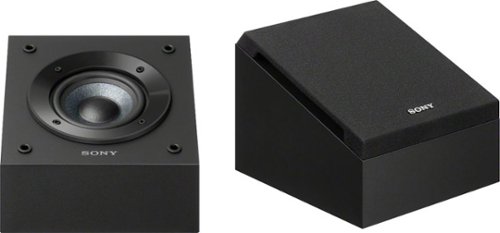
Bring the sounds of the movies to your home with these Sony Dolby Atmos-enabled speakers. The compact size fits neatly on top of your existing tower speakers for an easy way to upgrade your sound system. Mica-reinforced cellular cones reduce distortion, while the MDF cabinets absorb vibrations for better playback. These Sony Dolby Atmos-enabled speakers offer surround sound capabilities for an immersive listening experience.
Customer Rating
5
Truly an Ear-Opening Experience!
on July 18, 2018
Posted by: TechMatcher
from Minneapolis
My teenage kids often complained to me that our movie sound system just didn't sound as good as some of their friends. My existing 5.1 system sounded decent to me, but I could hear an obvious difference when visiting friends and listening to some music or watching TV.
Enter in these Sony - 4" Dolby Atmos Enabled Elevation Speakers. WOW! I didn't think they would make as much of a difference as they did, but movies and music are much more immersive and the depth of the sound is much better.
I have them temporarily hooked up as shown in the pictures, but plan to elevate them a bit and have them sit on top of my bookshelf speakers when I can get the wiring run. The 7.1 setup truly delivers great sound - I'm guessing you won't believe how much of a difference they make to your system. I have a hard flat ceiling and plan to bounce the sound from these "up-firing" speakers right to my ears. Use your receiver's speaker calibration microphone to get the best (and easiest) configuration for your setup - I ran it after I hooked up these Atmos speakers and it was simply awesome. I had 3 teenage boys in the movie room when I was doing that and to say they were quite impressed is an understatement.
What's nice is that you can slowly add components like these to you system (as long as you have the right receiver) to get to an Atmos solution - versus going out and purchasing a whole new setup. Once setup - seek out the Atmos Demo and give them a whirl - maybe start here: https://www.demo-world.eu/2d-demo-trailers-hd/
Overall - what an awesome improvement! You will not be disappointed!
Mobile Submission: False
I would recommend this to a friend!


Share this review:


+1point
2of 3voted this as helpful.
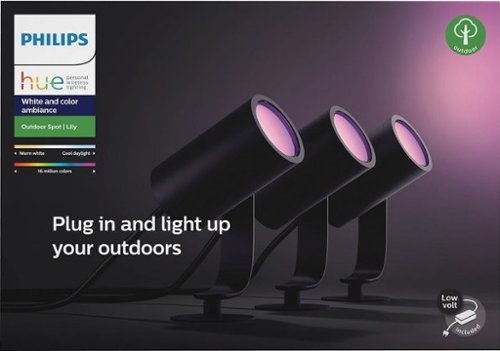
Plug in and light up your outdoors. Simply plug in and connect to your existing Hue bridge to enjoy the 16 million colors available to enhance the beauty of your yard or create any ambiance you like. This base kit provides three light points and all cables/power supply you need to get started. Lily landscape spots are fully weatherproof. Hue bridge is not included.
Customer Rating
5
Add some color to your home exterior!
on July 11, 2018
Posted by: TechMatcher
from Minneapolis
I love my Philips Hue lights! I was excited to get these Lily Spots installed and see how they worked! They were super easy to install and the wires/connectors worked great! I had ample length of cable to reach my outlet, as well as put some distance in between the lights as you can see from the pictures.
I use the "Other Routine" function, and have all of my Hue lights come on at a specific time in the evening, and some shutoff around 1 AM while others - like the driveway lights - stay on all night. Very easy to build rooms and routines like this.
For the Lily product, I decided to keep them shining up onto the rock pillars - again seen in the pics. My only wish is that they would come on to a preset color or maybe an option to come on based on the last color selected. Right now, they all come on in a white mode. I'll dig into that further.
Otherwise - these are rock stars! I've received several compliments from my neighbors on them and probably sold a few sets. That seems to happen often with the technology I use. If you are looking to add outdoor lighting - these are so much better than the cheap solar lights and you can customize the colors at any time!
Mobile Submission: False
I would recommend this to a friend!


Share this review:


+1point
1of 1voted this as helpful.
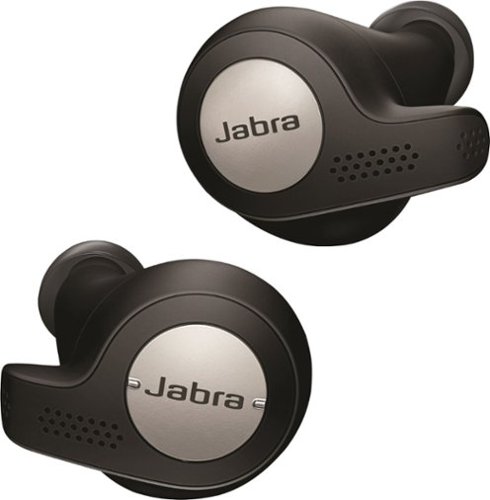
Only @ Best BuyListen to music with this sweat- and dust-resistant wireless Jabra Elite headset. It connects via USB, mini-jack or Bluetooth, and a powerful microphone lets you use voice commands with your mobile device. This Jabra Elite headset reduces background noise and has a built-in motion sensor that lets you track fitness efforts.
Customer Rating
5
These are officially my Go-To Earbuds!
on July 1, 2018
Posted by: TechMatcher
from Minneapolis
I'm excited to write this review of my #1 earbuds - the Jabra Elite 65t! I had the product for roughly 3 weeks now - and waited a bit longer than normal to write my review to ensure I didn't find something wrong that I wasn't expecting - and the fact that I've been travelling a bit more lately!
Let's get to it - hands down, the best workout (running, lifting, cardio-machine) earbuds I've tried. The overall design, a grippy finish and snug fit make them the most secure earbuds I've had in my ears thus far. Other earbuds I find myself readjusting about every 5-10 minutes to ensure a good fit or they start feeling loose - not these!
Did I mention I sweat like crazy - yes - even in my ears. The IP56 rating makes these sweat-proof - and for added testing I've consistently worn them in the Lifetime Fitness steam room with excellent sound and results. No issues thus far with water what-so-ever!
For sound quality - I find these produce a nice balanced sound that you can tweat a bit with the Jabra app. For truly wireless earbuds - I feel these produce the best sound of nearly any on the market - and I've tested many!
The built-in accelerometer allows you to count steps or pause the music when you remove them from your ears (you can also double tap of the right ear button to allows ambient noise through - called HearThrough - so you can can have a conversation if needed while wearing them). The passive noise-cancelling feature is bonus and of course doesn't use precious battery life.
Speaking of batteries, a full charge gives roughly 5 hours of play time and a quick charge feature can add 90 minutes of playtime in only a 15 min charge. I also love the charging case! I provides two functions for me - one helps me so I don't lose them (since they are pretty small) and also provide 2 additional full charges for those times when your travelling or camping and don't have a convenient plug-in nearby.
As part of my job - I am on conference calls nearly all day. While I have a dedicated headset for this purpose, I thought I'd give the 65t's a try. I was pleasantly surprised at the audio quality, and my call recipients were equally impressed with my voice quality! While these will not replace my fulltime headset, they would work great as a substitute if needed!
Overall - I'm very impressed with these earbuds and will promote to them to the coveted #1 spot on my go-to list. Nice job Jabra!
Mobile Submission: False
I would recommend this to a friend!


Share this review:


+39points
47of 55voted this as helpful.
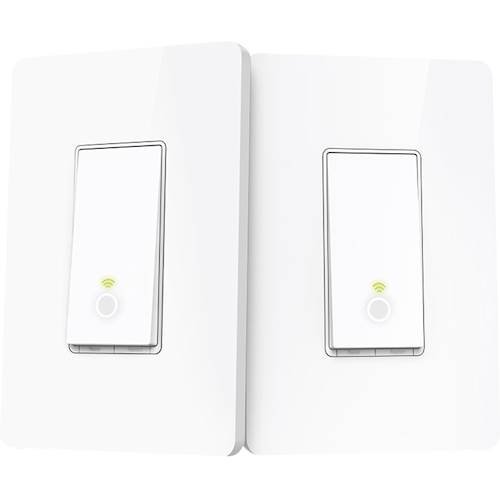
Tell Amazon Alexa or Google Assistant to turn on the lights with this 3-way control TP Link smart light switch kit. It has Wi-Fi connectivity and includes two switches to control a single unit in a stairway or other location. This TP Link smart light switch kit works with the Kasa app for remote control.
Customer Rating
5
Easy install and setup!
on June 3, 2018
Posted by: TechMatcher
from Minneapolis
I'm not normally lazy, but I hate getting out of bed to turn off the hall or stairway light after all the kids climb into bed. Enter the TP-Link HS210 Smart switch! I installed the smart switches on just one end of the 3-way switch to allow me to stay in bed and use the app to control the lights - or from the main level, use Alexa to control the lights!
Depending on your switch config, you may have to purchase a new cover plate - like if you have 3 normal switches and now you installed one of the HS210 switches with is a "wider" switch style. Obviously, it won't fit into your existing narrow switch cover plate. No biggie - they are like $5.
If you haven't installed electrical switches before, be careful and shut off the power. Take before photos so you know how to connect them - and to revert back if you have issues!
Overall - very cool and functional addition to the house!
My Best Buy number: 2178905958
Mobile Submission: False
I would recommend this to a friend!


Share this review:


+2points
2of 2voted this as helpful.
TechMatcher's Review Comments
TechMatcher has not submitted comments on any reviews.
TechMatcher's Questions
TechMatcher has not submitted any questions.
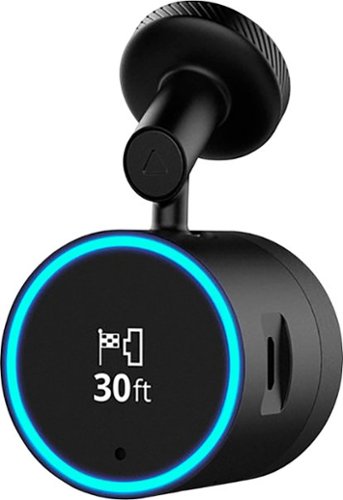
Garmin Speak~ Plus with Amazon Alexa is what you love about Amazon Alexa, now in your vehicle. Use voice control for hands-free access to music, news, navigation and more. Plus, a built-in dash cam gives you forward collision and lane departure warnings.
Can the lane departure tones be turned off? It's really really annoying! Goes off every time you come up on a car at a stop light. It's not realistic to stay 5 car lengths away from the car in front of you at a light...lots birds would be flipped at You!
Aside from muting the device itself, you can turn off selective features: https://www8.garmin.com/manuals/webhelp/speakplus/EN-US/GUID-EFD3414D-5D4A-4BB7-9496-ECAD2C4D994E.html
I don't see anything about just turning off the tone for that specific feature.
I don't see anything about just turning off the tone for that specific feature.
8 years, 4 months ago
by
TechMatcher
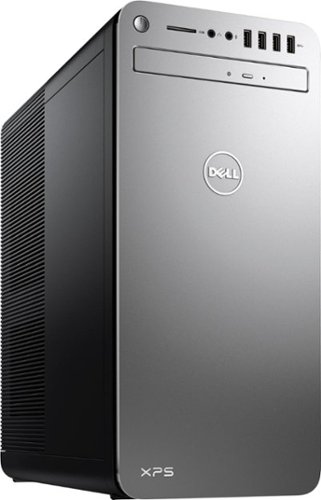
XPS Desktop - Intel Core i7 - 16GB Memory - NVIDIA GeForce GTX 1050 Ti - 2TB Hard Drive + Intel Optane Memory
What is the brand and model of the graphic card used in this machine?
Intel HD Graphics 630 - so it's built in. Not a dedicated card.

8 years, 11 months ago
by
TechMatcher
XPS Desktop - Intel Core i7 - 16GB Memory - NVIDIA GeForce GTX 1050 Ti - 2TB Hard Drive + Intel Optane Memory
Which version of Windows 10 does this come with, Home or Pro?
XPS Desktop - Intel Core i7 - 16GB Memory - NVIDIA GeForce GTX 1050 Ti - 2TB Hard Drive + Intel Optane Memory
What version of Windows 10 is it shipped with? Windows 10 Home ? or Pro?
XPS Desktop - Intel Core i7 - 16GB Memory - NVIDIA GeForce GTX 1050 Ti - 2TB Hard Drive + Intel Optane Memory
Since there is no graphics card, I'm curious to the max resolution. My Dell monitor is capable of 2560x1440. Will I need an add on card to get this resolution?
No - you don't need to add a graphics card. I'm running 2560x1440 resolution on my ASUS 2K monitor right now from this machine.
8 years, 11 months ago
by
TechMatcher
XPS Desktop - Intel Core i7 - 16GB Memory - NVIDIA GeForce GTX 1050 Ti - 2TB Hard Drive + Intel Optane Memory
Which version of the I7700 processor is it? (e.g. I770K 4.2 GHz or I7700 4.2 or I770T @ 2.9GHz)?
It is this one:
https://ark.intel.com/products/97128/Intel-Core-i7-7700-Processor-8M-Cache-up-to-4_20-GHz
https://ark.intel.com/products/97128/Intel-Core-i7-7700-Processor-8M-Cache-up-to-4_20-GHz

8 years, 11 months ago
by
TechMatcher
XPS Desktop - Intel Core i7 - 16GB Memory - NVIDIA GeForce GTX 1050 Ti - 2TB Hard Drive + Intel Optane Memory
Can I use TWO monitors with this or will I need an additional graphics card of some type?
Yes you could use two - you can use the HDMI and the Display Port and even the USB C port (which is display port).
8 years, 11 months ago
by
TechMatcher
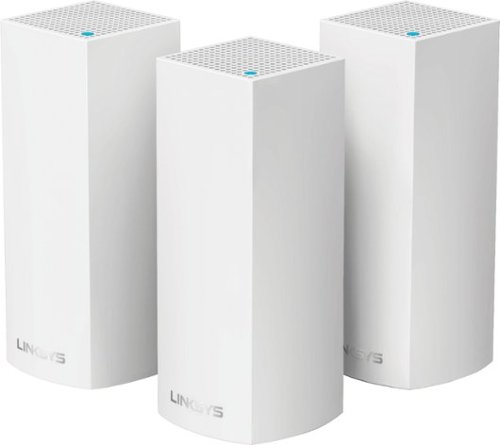
Make your home an internet haven with this versatile Linksys Velop wireless Wi-Fi system. Three identical tri-band dual-stream AC2200 routers, each equipped with a quad-core ARM Cortex-A7 processor, deliver lightning-fast internet. Equipped with Bluetooth 4.0/LE, this Linksys Velop wireless Wi-Fi system is simple to set up and pairs easily with computers, tablets and smart devices.
Will this system work in a metal building with walls, I have AT&T and currently use an M-Cell booster from them but it does not extend my service throughout the entire building.
Unfortunately, you never know for sure until you've tried it - as all structures and materials are a bit different. However, using a three node system like this starts you off with better odds that a single router! Give it a try and see how it works!
9 years, 5 months ago
by
TechMatcher
Make your home an internet haven with this versatile Linksys Velop wireless Wi-Fi system. Three identical tri-band dual-stream AC2200 routers, each equipped with a quad-core ARM Cortex-A7 processor, deliver lightning-fast internet. Equipped with Bluetooth 4.0/LE, this Linksys Velop wireless Wi-Fi system is simple to set up and pairs easily with computers, tablets and smart devices.
I currently have the latest AT&T Pace modem / router. Can the AT&T modem be placed into a bridge mode enabling just the modem function? From research, this is a very complicated procedure. I would prefer to return the rental AT&T unit.
I would agree with your second statement - and would always recommend that people purchase their own dedicated modem (cable or DSL) and then use a separate dedicated router configuration. You have more control that way - can keep your devices firmware updated regularily, and usually have better equipment!
9 years, 5 months ago
by
TechMatcher
Make your home an internet haven with this versatile Linksys Velop wireless Wi-Fi system. Three identical tri-band dual-stream AC2200 routers, each equipped with a quad-core ARM Cortex-A7 processor, deliver lightning-fast internet. Equipped with Bluetooth 4.0/LE, this Linksys Velop wireless Wi-Fi system is simple to set up and pairs easily with computers, tablets and smart devices.
The advertising states that Velop works with Alexa but I can find no information on how to set this up. Help?
Here's the link to enable the Linksys skills for Alexa. They're not in the Alexa app yet.
https://www.alexaskillstore.com/Linksys-Smart-Wi-Fi/41803
https://www.alexaskillstore.com/Linksys-Smart-Wi-Fi/41803
9 years, 5 months ago
by
TechMatcher