


Ebonovic's stats
- Review count283
- Helpfulness votes197
- First reviewJuly 24, 2014
- Last reviewJune 7, 2026
- Featured reviews0
- Average rating4.5
Reviews comments
- Review comment count0
- Helpfulness votes0
- First review commentNone
- Last review commentNone
- Featured review comments0
Questions
- Question count0
- Helpfulness votes0
- First questionNone
- Last questionNone
- Featured questions0
- Answer count29
- Helpfulness votes80
- First answerSeptember 7, 2015
- Last answerNovember 4, 2021
- Featured answers0
- Best answers2
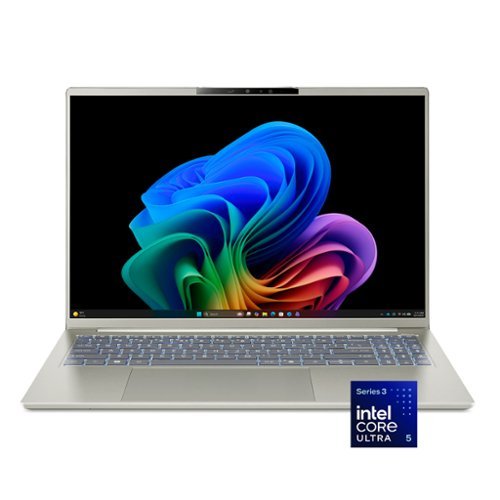
Wherever life takes you, the Acer Swift Go 16 AI is designed to move with you. Its slim, ultra~thin design slips effortlessly into your day, while all~day battery life and the powerful Intel~ Core~ Ultra 5 processor 322 keeps everything running smoothly~whether you~re working or unwinding. A stunning OLED touch display makes every moment more immersive, while built~in AI performance helps ideas take shape so you can stay one step ahead.
Posted by: Ebonovic
Laptops have come a very long way... This is a GREAT laptop.
So I will not review Windows 11, and what it does.. there are 1000's of laptops that compare Windows 11 to alternative options. If you chose Windows as your OS, then consider this laptop.
Super light weight, very easy to carry in the provided bag, or your own. Is not abnormal sized, so can easily fit into a backpack, side bag, tote. Also is a nice size, that if you need to put it in a drawer for security purpose, super easy to do so.
Now the LIGHT weight also has a bit of a downside, as it does slide and move with little force, so on a lap or on a slick table/desk surface, it may move on you a bit.
The Screen is big and bright, nearly edge to edge, and very crisp and clear.
It is touch responsive, so that is nice, if you want to use those features. I typically use the touch pad, or an external mouse, for most of my usage. But the touch is quick to respond, and act.
It is touch responsive, so that is nice, if you want to use those features. I typically use the touch pad, or an external mouse, for most of my usage. But the touch is quick to respond, and act.
The keyboard is your standard keyboard, with a modified number (a little smaller then some), but it is at least there, which a lot of laptops omit.
I LOVE the fact that this is a USB-C power cable. It is not a big brick of a charger, and since it is a USB-C you can get 3rd party alternatives that are even smaller, at a very inexpensive price. So you can leave this one with the bigger cords at home, and get a smaller one (Anker for example), with a quality cable for on the go, or have a set at a common location.
Battery life is solid, I used for several hours on a battery, much longer then I would ever really use it.
WiFi 7 is GREAT!!! if you have the matching compatible routers.. you can get 1g+ speed connections. But even when it connects to an older WiFi 6 or older, you are going to get impressive network performance.
Not affecting my score at all... but you need to be aware, modern laptops like this are not really upgradable. So be sure you are getting enough storage and memory for your needs. This is a good sweet spot for the VAST majority of people.
With the high performing WiFi and cloud storage, so many options for storage.
But this does have 4 USB ports (two USB-C and two USB3 ports), so you can add an external drive.
But this does have 4 USB ports (two USB-C and two USB3 ports), so you can add an external drive.
Very nice laptop, especially for a college student or a commuter/traveler.
I would recommend this to a friend!
Share this review:


0points
0of 0voted this as helpful.
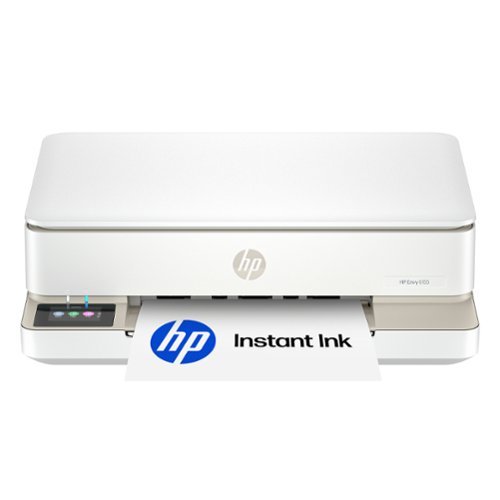
The HP Envy 6155 All-in-One delivers color printing, scanning and copying, plus 100-sheet paper capacity. It's AI-capable to intuitively adapt to your workflow, with wireless and security features that keep your multifunction printer up to date and secure, and prints high-quality documents and photos every time with true-to-screen tech. This inkjet printer also lets you easily navigate print jobs with its intuitive color touchscreen.
Customer Rating

4
Good Printer; But... locked down
on June 7, 2026
Posted by: Ebonovic
In general, this a good printer.. especially at its price point.
However, the initial price is great, because they make it up in the ink costs.
However, the initial price is great, because they make it up in the ink costs.
First the positives:
EASY to setup, however, out of the box: WiFi only, does not come with a USB Cable. If you want it to be hard connected, you need to provide your own cable.
EASY to setup, however, out of the box: WiFi only, does not come with a USB Cable. If you want it to be hard connected, you need to provide your own cable.
I have not setup an HP account in several years, so I can't comment on how the flow is today, but it was very simple to add to my existing HP account, and then get all the settings setup on my WiFi to print. I was able to print my first sample page, directly from my iPhone.
The printer is limited to a standard 8.5x11 or 8.5x14 or smaller paper. You can't use Tabloid or bigger paper.
The print quality is above par, and pretty good for a printer at this price point.
Relatively quick, and quiet to print. Fast responding to the request to print.
Relatively quick, and quiet to print. Fast responding to the request to print.
The scanner on the device is adequate for a single sheet scanner, for small projects.
And it can "fax" (does anyone remember what that is), but you have to use software based faxing software. it can't connect to a legacy phone line, thus if you really really need to fax things on anything of a regular basis, get a dedicated device, or consult how to setup a good eFax system.
And it can "fax" (does anyone remember what that is), but you have to use software based faxing software. it can't connect to a legacy phone line, thus if you really really need to fax things on anything of a regular basis, get a dedicated device, or consult how to setup a good eFax system.
But in general, as a printer... good enough for most usage nowadays, and quality is good for the price point.
My negatives.. it is consistent with HP and their HP+ path.
The ink and the subscription for ink.
The ink and the subscription for ink.
First, forget about using 3rd party ink. HP has this down to a science now to block all non official HP ink. In general, that is a good think, as knock off ink is terrible made in most cases, and will ultimately fail and screw up the printer, and void the warranty.
The down side, the non-subsription ink, is not inexpensive.
A set, that gets you about 100-150 pages of printing (black a the try-color) is going to be about $50.
A set, that gets you about 100-150 pages of printing (black a the try-color) is going to be about $50.
You do get 3 months of the refill subscription, that will auto-ship to you, when it starts to detect you are low. And it does so pretty quickly (1-2 days before it thinks you will run out). The DOWNSIDE through, after the 3 initial months, even the cheapest plan, starts to add up.. and if you are not regularly printing, that can start to cost.
And those cartridges that you got, and may have not loaded yet, are no good after you cancel the subscription, they will NOT work... and you either then have to re-subscribe, or switch to non-subscription ink.
So most certainly review your usage, and do your math and your cost analysis.
The subscription prices are based on your monthly usage estimates as well.
Also it is very challenging to un-subscribe..
The subscription prices are based on your monthly usage estimates as well.
Also it is very challenging to un-subscribe..
So recap:
Good printer, quality, performance and speed, that you expect from HP.
The ink is a big factor, between buying ink, or subscribing to ink... be sure you know.
Good printer, quality, performance and speed, that you expect from HP.
The ink is a big factor, between buying ink, or subscribing to ink... be sure you know.
No, I would not recommend this to a friend.
Share this review:


0points
0of 0voted this as helpful.
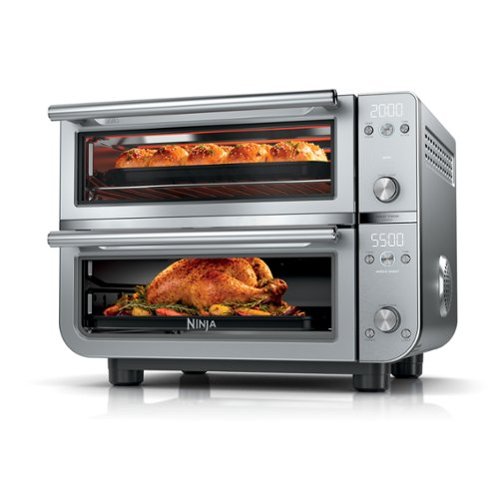
Meet the Ninja Double Oven Pro XL Countertop Oven & Air Fryer. Use the top or bottom oven alone, or sync both with Smart Finish and DualZone Technology so a full meal finishes at the same time. Two independent ovens let you cook 2 meals, 2 ways at different temps and times. The top oven uses QUARTZHEAT for fast, even heating, while the bottom delivers crispy Ninja Air Frying.
Customer Rating

5
Honestly, near perfect....
on May 14, 2026
Posted by: Ebonovic
This might be the last countertop oven/toaster/airfryer we need to ever get...
Let's just talk first about the construction and the look, just awesome.
This looks like an extremely high end appliance... not just a quick inexpensive cheap appliance. The stainless steel, the handles, the glass, everything... this is something you can leave on the counter all the time, and not worry about putting away when people come over.
This looks like an extremely high end appliance... not just a quick inexpensive cheap appliance. The stainless steel, the handles, the glass, everything... this is something you can leave on the counter all the time, and not worry about putting away when people come over.
The two cook zones are easy to use, you can do two things at once... I would recommend having them "close" in temperature, with the warmer temp on top... but it did work.
We have done the basics like larger bread and bagels, toasted great.
I have done my guilty pleasure, the rectangle Totino's pizza... cooked through, quickly, and crispy crust... (this is honestly going to be one that I do often).
I have done my guilty pleasure, the rectangle Totino's pizza... cooked through, quickly, and crispy crust... (this is honestly going to be one that I do often).
Fry's in the air-fryer came out crisp and golden, and not oily.
We have had 3 or maybe even 4 air fryers before, so very familiar with how to use and how long it takes for things, and this unit fits right in.
I am not sure you are going to get a large poultry item in here often, I am sure a small Cornish hen will fit, but we didn't try... maybe in the future.
But my teenage kids even did a small batch of cookies.
Easy to clean too.. the trays in the bottom come out very easy, easy to wipe down.
racks and basket included, made it easy to try different things.
racks and basket included, made it easy to try different things.
So not overly expensive for what you are getting, and you can then maybe get rid of that toaster. But this will work GREAT in small kitchens, or even a residence hall room at college if permitted.
For us, it sits on our full home counter and is a welcome addition to the kitchen, instead of warming up the big oven for small quick needs.
I would recommend this to a friend!
Share this review:


0points
0of 0voted this as helpful.
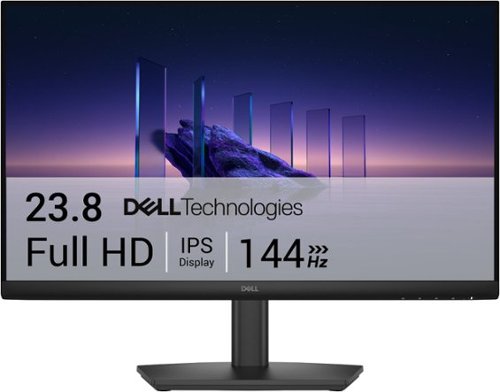
Breeze through everyday tasks on this 23.8-inch monitor with 144Hz refresh rate, 1ms Moving Picture Response Time (MPRT), and T~V 3-star certification for eye comfort.
Posted by: Ebonovic
Very impressive monitor, at the price point, but for power users may be limiting.
So very good value, for a 24" 1080p monitor.
Great color, smooth video, and very responsive. I have older eyes, but I am not seeing any delays or lags, or shifts, or shadows... everything is bright, crisp and very well detailed displayed.
Great color, smooth video, and very responsive. I have older eyes, but I am not seeing any delays or lags, or shifts, or shadows... everything is bright, crisp and very well detailed displayed.
For myself, this has now become a 2nd monitor on my system, and I have rotated it on my mount (which is a standard VESA support), which allows me to have larger vertical space for my chats, emails, code, and even test environments (phone simulators).
I have connected it to my MacBook, using the appropriate HDMI cables, and it just worked perfectly out of the box.
So be sure to check the specs and know what you are getting... this is a 1080p monitor, capped at 1920x1080 resolution, and there is no audio output on this... so you will need a speaker or headphones if this is your solo monitor.
It comes with a very hefty and adjustable base (vertical, and the monitor can tilt)... but for me, for the size, I found the base a little large, but I already had a multi mount for monitors, and I just added it to that, so I could have my layout.
This would make a good option for laptops heading to college, paired up with a keyboard and mouse, this monitor would make a great option for that desk, so work can be done at a little larger size then a small 13-14" laptop monitor would.
I would recommend this to a friend!
Share this review:


+1point
1of 1voted this as helpful.
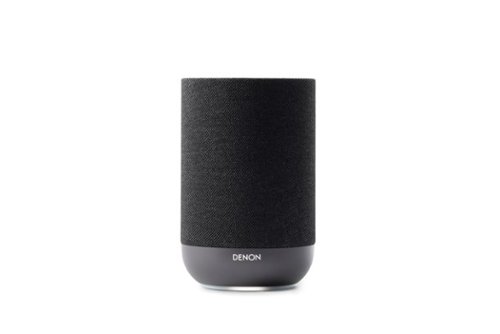
The Denon Home 200 wireless smart speaker delivers stereo sound and Dolby Atmos Music in a single speaker, immersing you in rich, detailed spatial sound that reveals every nuance. With the HEOS app, setup takes just minutes and streaming and control are effortless. Stereo-pair two speakers for even more expansive sound. The result of more than a century of Denon's legendary craftsmanship, the Denon Home 200 blends high-performance audio with an elevated design that complements any space~making it easy to enjoy extraordinary sound anywhere you listen.
Customer Rating
4
Amazing Speaker, Challenging Software
on May 6, 2026
Posted by: Ebonovic
So... this review really is broken into 2 parts...
5 stars for the speaker and the hardware itself
1 star for the software connected to it... But since software can be updated and addressed, giving this 4 stars.
5 stars for the speaker and the hardware itself
1 star for the software connected to it... But since software can be updated and addressed, giving this 4 stars.
I also obtained the HOME 400 Speaker as well, so been using these in together.
I set the 400 up first, so that included downloading the app, setting up the account, and getting that first speaker connected. Took some time, maybe about 10 minutes total. So if this is your first speaker, expect having to go through that. (my warning there, is that it doesn't prompt you for a WiFi network to use, it uses which ever one your phone is already on... so switch to your other network, if you have more then one. You can change it later)
I set the 400 up first, so that included downloading the app, setting up the account, and getting that first speaker connected. Took some time, maybe about 10 minutes total. So if this is your first speaker, expect having to go through that. (my warning there, is that it doesn't prompt you for a WiFi network to use, it uses which ever one your phone is already on... so switch to your other network, if you have more then one. You can change it later)
When I added this 200, it took maybe 3-4 minutes. It found the speaker really quickly and I it was adding it to my app and network, in just a couple clicks. At least for now, there was no firmware update for the speaker, so I was ready to go.
One small peeve, easily fixed on your own. This uses a pretty standard power cord, no bulk adapter (that is a 6 star in my eyes)... but the plug was not 90 degrees, given my installation the plug is behind a couch, I will need to get a new cord, or a 90 degree adapter, so that it is not bent by the couch... minor thing, but easily fixed on your own.
Now for the speaker itself... REALLY REALLY good looking. Optically this looks like a high end speaker. Great coloring, tight fabric, subtle button, and the light is not bright (you can turn it off). So this can easily sit on a cabinet, or in our case edge of a flat back couch.
It is not overly big, so this will also work great in an office or bedroom space wise.
3 quick programable buttons on the top (like a car radio), allows you to get to your quick selections instead of bring up the app.
Sound wise.. FANTASTIC... much more powerful than I expected for the size. Great audio, good to great base, and can get very loud.. Going to be a very nice addition in our room.
It has bluetooth connectivity as well for those devices, so everything doesn't have to be streaming.
I tried this with 2 different streaming services, and bluetooth... everything sounded great.
I tried this with 2 different streaming services, and bluetooth... everything sounded great.
Now my issues are with the HEOS app, and other.. Going to simply list the issues
- No Amazon Alexa support only Siri as a digital assistant
- Errors in the software trying to add iHeartRadio (it isn't using iHeart's authentication screen)
- No support for Apple Music, have to use AirPlay, which then requires the phone and device to stay on the network.
- After you figure it out, easy to setup zones and group play speakers, will be really good when you have 3,4,10+ denon devices.. .for a full immersive experience. But it takes a while to figure it out and use it.
- Volume settings are a little clunky
- Dashboard can be slow, especially if you add multiple services. (Amazon Music, took several tries to get it linked in)
- AirPlay support is up today, and allows you to send the audio perfectly sync to multiple devices, even other's that are not Denon
- Overall I find the Mobile app, to be lacking in features, and in some areas.. just .. why? (like the settings page for the Speaker Buttons... it's just a picture, and doesn't even tell you how to set them up... let alone allowing you to set them up right there... would be the perfect place for elaborate rules/setup)
- No Amazon Alexa support only Siri as a digital assistant
- Errors in the software trying to add iHeartRadio (it isn't using iHeart's authentication screen)
- No support for Apple Music, have to use AirPlay, which then requires the phone and device to stay on the network.
- After you figure it out, easy to setup zones and group play speakers, will be really good when you have 3,4,10+ denon devices.. .for a full immersive experience. But it takes a while to figure it out and use it.
- Volume settings are a little clunky
- Dashboard can be slow, especially if you add multiple services. (Amazon Music, took several tries to get it linked in)
- AirPlay support is up today, and allows you to send the audio perfectly sync to multiple devices, even other's that are not Denon
- Overall I find the Mobile app, to be lacking in features, and in some areas.. just .. why? (like the settings page for the Speaker Buttons... it's just a picture, and doesn't even tell you how to set them up... let alone allowing you to set them up right there... would be the perfect place for elaborate rules/setup)
So overall... love the speaker, and I hope the software improves...
As if it does.. I can see updating my home theater amp with a Denon, and maybe add a couple more of these 200's around the house.
As if it does.. I can see updating my home theater amp with a Denon, and maybe add a couple more of these 200's around the house.
I would recommend this to a friend!
Share this review:


0points
0of 0voted this as helpful.
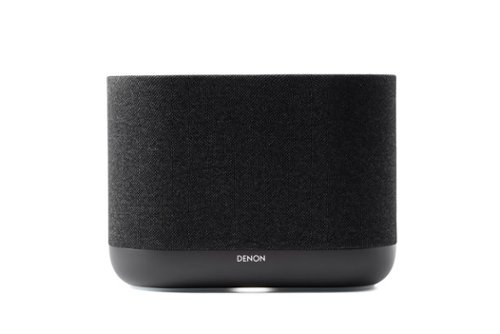
The Denon Home 400 wireless smart speaker delivers Dolby Atmos Music, enveloping you in rich, expansive sound that reveals every nuance. Built-in dual height speakers add a lifelike vertical dimension for an all-in-one immersive experience. With the HEOS app, setup takes just minutes and streaming and control are effortless. Stereo-pair two speakers for even more expansive sound. The result of more than a century of Denon's legendary craftsmanship, the Denon Home 400 blends high-performance audio with an elevated design that complements any space~making it easy to enjoy extraordinary sound anywhere you listen.
Customer Rating
4
Amazing HARDWARE, Challenges with Software
on May 5, 2026
Posted by: Ebonovic
The Audio quality and hardware are amazing, but the software is challenged.
So this really is a 5 star for the hardware, and 1 star for the software.
But since you can use the speaker without the software, and software can be fixed... instead of a 3, this is a 4.
So this really is a 5 star for the hardware, and 1 star for the software.
But since you can use the speaker without the software, and software can be fixed... instead of a 3, this is a 4.
Let's start with the really good.
The physical appearance of these speaker is stunning.
A lot of attention to detail (except one small thing, but you can fix it).
The soft material is tight, and the light in the front is not too much (can be turned off too).
Easy to access buttons, and this piece will be fantastic in most rooms.
A lot of attention to detail (except one small thing, but you can fix it).
The soft material is tight, and the light in the front is not too much (can be turned off too).
Easy to access buttons, and this piece will be fantastic in most rooms.
This is the larger size speaker, so this will be for your main rooms, or basement. May be a bit big for bedrooms or offices..
The small detail, for me.. the actual cord/plug. Should have been a 90 degree plug, so that it can be plugged into tight spaces. Easy fix with an adapter, or replacing the cord since it is a standard connector into the speaker. No bulky adapters (YAH!)
Setup with the HEOS app, was pretty straight forward after you setup your account.
Walks you through the few steps to get it connected to your WiFi network.
So, first nit-pick... it doesnt' allow you to chose your WiFi network with the setup wizard, it takes what ever network your phone is connected to. You can change this later, after you set it up... but know this when you are setting up if you have multiple networks.
Walks you through the few steps to get it connected to your WiFi network.
So, first nit-pick... it doesnt' allow you to chose your WiFi network with the setup wizard, it takes what ever network your phone is connected to. You can change this later, after you set it up... but know this when you are setting up if you have multiple networks.
Also there is a LONG pause after the setup. the Software does tell you it can take 3 minutes (very specific). But there is no progress indicator or anything. It also doesn't directly prompt you to update the firmware of the speaker, that happens the next time you go into the application (which again, the setup process should handle that).
Now for the REALLY good.. the audio is stellar. Really Really good.
If there is any nit-pick, is the base may be too much at default and you have to tweak it down.
If there is any nit-pick, is the base may be too much at default and you have to tweak it down.
I tested 2 different streaming services (setup from the app), I tried two apps from my phone (using Airplay). Also connected bluetooth to a record player. All audio sources were really really good.
Love the audio, love that I don't need a separate sub-woofer... spectacular.
I also added a Home 200 series speaker as well to the network.
This is when things really got interesting (both good and bad).
This is when things really got interesting (both good and bad).
Using Airplay, I was seamlessly able to send my audio from my phone to both Denon speakers, as well as a couple others that I have on the network... and the audio was PERFECTLY insync. And that is great, when you are trying to create that whole home audio experience.
When focusing on just the Denon speakers, I could use the HEOS app, and create a group so that I can send the selected audio to both of them... again, perfectly in sync. This can become a very powerful feature if I had 4,5,6, 10 Denon items, which I may in the future... as you can then create zones and groupings, very easily.
So here are some of the flaws here..
It took a while for me to find the area to do the grouping (and I do mobile apps professionally, hence a lot of my criticism here). The icon wasn't appearing, I had to quit the app, and come back, and then find it in the bottom bar. It wasn't in any of the menus. The grouping I created, disappeared the next time I came back into the app... not sure if that was a glitch or a bug, or design.. but it was gone.
It took a while for me to find the area to do the grouping (and I do mobile apps professionally, hence a lot of my criticism here). The icon wasn't appearing, I had to quit the app, and come back, and then find it in the bottom bar. It wasn't in any of the menus. The grouping I created, disappeared the next time I came back into the app... not sure if that was a glitch or a bug, or design.. but it was gone.
Adding Audio services... I was able to add Sirius and Amazon.. but there were a lot of glitches.. Amazon look like it failed, but it in fact did work and was added. I still can not get iHeartRadio to add, despite me checking everything. The HEOS software is using its own portal to authenticate, not the iHeartRadio. There is no support for Apple Music or Audacy. To use either of those, I have to use Airplay, and use the iOS app.
There is a warning when adding music services, that it could slow down the main page and loading, as it is attempting to pull your favorites and show you a dashboard. There are other ways this could be solved, that would not impact the dashboard. So far, I don't see a lot of slowness, but can see where it will happen... especially if they start to add more support for other services.
Volume... so my two speakers were at different audio volumes (due to my trying things out). When I group them... it was "more than simple" to figure out how to change the volume on them independently. As if I was in group mode, the volume buttons on my phone, changed them both at the same time... took a moment to identify how to change each one solo.
Now for my biggest issue, and for me it is almost border line return till fixed (I am not), as I hope this can be addressed. Previous models of Denon speakers has direct native support for Alexa. So a google search, actually was saying it was supported on the 400. (obviously this is where Google AI is failing).
After trying to setup for over 2 hours (installing skills, thinking I solved it, and finding out no).. .Redit thread finally told me that it was dropped in this model. So the listing that "Virtual Assistants" are supported... right now that just means Siri. Which I can't readily use, as I have too many devices that respond to "Siri".
Not being able to talk to the speaker to start playing music, is actually a challenge for our home.
As everyone now has to have the app installed, and then take out the phone, start the music, etc.. For over 5 years, we just speak to our smart home and we can play music.
As everyone now has to have the app installed, and then take out the phone, start the music, etc.. For over 5 years, we just speak to our smart home and we can play music.
Yes, this is a "first world" issue, but this is a "first world" speaker.
Since I know this can be fixed via software, I hope this can be fixed... really really quickly.
Since I know this can be fixed via software, I hope this can be fixed... really really quickly.
Overall.. This is a fantastic speaker, really good..
But the software... needs a lot of help.
But the software... needs a lot of help.
I would recommend this to a friend!
Share this review:


0points
0of 0voted this as helpful.
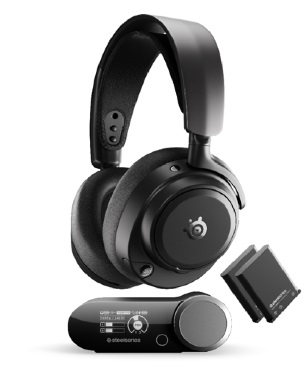
This is a Gaming Headset for PC/XB/PS. Experience the SteelSeries Arctis Nova Pro Omni—the ultimate universal gaming and entertainment headset. Experience true Hi Res 96kHz/24 bit wireless audio over 2.4GHz and Bluetooth LE, with OmniPlay letting you connect up to five devices and mix up to four audio sources at once. Enjoy simultaneous PC and console audio unique to SteelSeries, and broadcast quality voice with the ClearCast Pro high bandwidth omnidirectional microphone with advanced AI noise rejection built-in. Hybrid ANC and Transparency Mode keep you in control, while dual hot swap batteries deliver uninterrupted play. Fine tune everything instantly using the Arctis Mobile App, GG/Sonar PC Software, or the GameHub’s OLED display. One headset for all your systems, all at once.
Customer Rating
5
Top of the Line... really doesn't get much better
on April 29, 2026
Posted by: Ebonovic
If you want to hear your game at it's best... and you don't want other's to hear it... and honestly you don't want to hear others... then this is the set for you.
This is a no joke top of the line gaming headset.
With the software and connections, you cn fine tune the audio to exactly how you want it.
With the software and connections, you cn fine tune the audio to exactly how you want it.
Are your ears a little unbalanced, then it can be as simple as raising the volume on one side over the other, to achieve a perfect balance. Do you want more voice then background, or more base.. all of that is adjustable.
Hooks up quick and simple. Software is a quick download and install, and you are ready to go.
Nearly every game tried, improved in audio quality and performance, and really didn't hav to change much from default settings.
Nearly every game tried, improved in audio quality and performance, and really didn't hav to change much from default settings.
Friends on the other side, could hear my voice clear as day, no audio feedback, no bad sounds, great audio.
Long distance connectivity too. seems to be much further then other headphones, I can go all the way to our kitchen (a good 30ft away), and still have a connection.
What my family doesn't like, that is if I am wearing them outside my gaming area... I can't hear them. The noise canceling and suppression is fantastic.
It is pricey no doubt. But if you treat them right, you are going to get 2-3 years easily out of them, as most games an audio don't seem to be even taping into everything they can do.
I would recommend this to a friend!
Share this review:


0points
0of 0voted this as helpful.
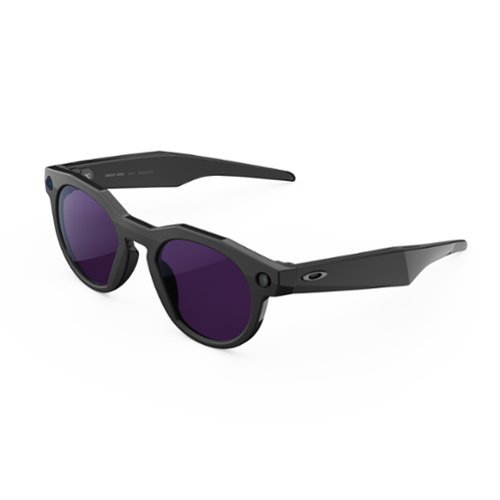
Oakley Meta HSTN is here. Designed for athletes and fans alike, these AI glasses combine Oakley design with Meta technology. Capture life~s most thrilling moments on and off the field with a hands-free camera, built right into the glasses so you can share your unique POV. Enjoy your favorite music, podcasts and more with powerful speakers seamlessly integrated into the frames. Equipped with Meta AI, you can get answers quickly, simply say ~Hey Meta~. Whether you~re training, playing or celebrating a big win, the game will never be the same with Oakley Meta HSTN.
Customer Rating
4
The potential is there, but still limited
on November 18, 2025
Posted by: Ebonovic
An interesting adaptation to bring MetaAI a little closer to usage.
Let's start with the basics... this was realatively easy to setup. maybe took 15 minutes or so to get it all out of the packaging, connected, charged, and ready to use.
The app, was slightly out of date, I am sure they have fixed it by now... some of the steps were not the same as the software, but that is easily fixable with an update.
I LOVED the fact that I could change the voice to Peacemaker (John Cena)...that was really cool.
Taking still shots, and video.. super easy.. and what I will probably use this the most for.
Both with Voice commands, and the physical button.
Both with Voice commands, and the physical button.
Picture and Video quality was pretty adequate, given this isn't a multi-sense device.
The audio, is a little low in volume, as it sits outside your ears.
When I was playing audio, people near me where not able to hear it.. but I could hear it.
But in a louder setting, not very easy to hear (no good noise canceling).
When I was playing audio, people near me where not able to hear it.. but I could hear it.
But in a louder setting, not very easy to hear (no good noise canceling).
The transition glasses, did work. Took a few seconds, as you expect, but adequate as a pair of sunglasses.
I did find though after long usage, my eyes would strain a bit. I tried to use them for several hours, to see how long I could tolerate... after about an hour, I had to take a break.
Now, the AI/Meta features... This obviously is going to take more time.
Just using basic "what am I looking at"... sometimes it gave really amazing breakdowns, other times... I was wondering if I was looking at something that my own eyes couldn't identify.
Just using basic "what am I looking at"... sometimes it gave really amazing breakdowns, other times... I was wondering if I was looking at something that my own eyes couldn't identify.
I am looking forward to try this on my next trip to Mexico, to help me read some signs and other things.
Overal.. while I am giving it a 4, it is still going into the novelty category.
Going to continue to use them as sunglasses, and try to do more things... but with winter coming, won't be outside much exploring, so in the spring.
Going to continue to use them as sunglasses, and try to do more things... but with winter coming, won't be outside much exploring, so in the spring.
Will be interesting to see what they can do on a golf course
I would recommend this to a friend!
Share this review:


0points
0of 0voted this as helpful.
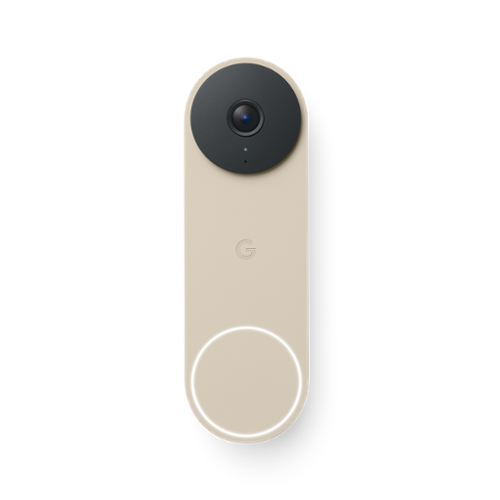
Meet the smarter, sharper wired Nest Doorbell with 2K video and Gemini. Get more peace of mind about the things that matter with the intelligence of Google Home. It provides more details, summarizes what happened, and lets you search video history simply by asking for something.~,~,~
Customer Rating
4
A great doorbell, and a security necessity
on November 1, 2025
Posted by: Ebonovic
I have had video doorbells now for maybe 8+ years, before they were common.
I am upgrading from a Gen 1, Nest doorbell, which is pre-google.
I am upgrading from a Gen 1, Nest doorbell, which is pre-google.
So while installation was pretty "easy", it is the reason for half a star deduction.
I remove my old Nest, and what was nice, is that the mounting holes, lines up perfectly. So no new holes to drill.
I remove my old Nest, and what was nice, is that the mounting holes, lines up perfectly. So no new holes to drill.
The simple wire clip, was so easy to use... just trimmed my old solid wire a bit, and we were up and running. I did NOT have to upgrade my chime sensor, as the old one was in place and still working just fine.
I added the 20degree block, so that it gives a better view of my doorway and part of my driveway.
My half star deduction, has to do with the locking/mounting screw. Even for small hands it is in a tight spot, and you have to get the doorbell PERFECTLY on the bracket, and slide it up.. just a "tick". That wasn't in the video, or text in the app about installation. That little bit of movement to lock the camera on the bracket, is important, for the screw to thread properly. I would recommend testing it out, BEFORE hooking up the wires, and mounting the bracket.
Integration into the Google Home app, was pretty straight forward... We already had the app, due to other products, and an account, so we did not have to set anything up. It did the wifi setup and software pieces, in under 5 minutes. We had to tweak some of the notification settings, and we off and running.
However, this is where my other .5 start deduction is. I understand why Google is sunsetting the legacy Nest app... however, I just don't like Google home interface. It is too busy, and doesn't get me RIGHT to my doorbell when I open it, because it shows me all my other devices. It's a nit-pick, but as a mobile software developer, I would really would have liked to see maybe a dedicated app JUST for the doorbell, and/or cameras.
The picture and audio quality is fantastic on the doorbell.. .so glad that we have updated.
A much clearer view then my Gen 1... and the audio is a LOT better.
A much clearer view then my Gen 1... and the audio is a LOT better.
So honestly, if you don't have a video doorbell... get one. They are sooo important nowadays.
This one is a great one to get. My minor nitpicks, are because I am a legacy user, and have some big hands/fingers, that just provided some minor challenges on the install.
This one is a great one to get. My minor nitpicks, are because I am a legacy user, and have some big hands/fingers, that just provided some minor challenges on the install.
I would recommend this to a friend!
Share this review:


0points
0of 0voted this as helpful.
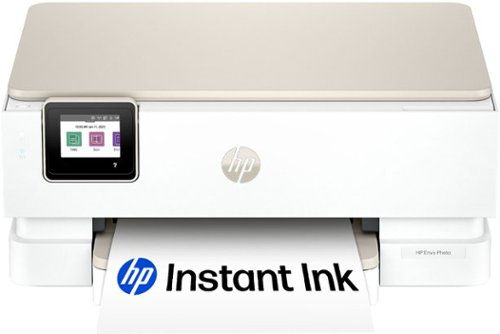
From America's most trusted printer brand, the HP Envy Photo 7275 delivers color printing, scanning and copying, plus 125-sheet paper capacity and separate photo tray. Seamlessly go from printing vibrant, high-quality photos and personalized creations to everyday documents. It's AI-enabled to intuitively adapt to your workflow, with wireless and security features that keep your multifunction printer up to date and secure.
Customer Rating

3
Mixed feelings: Feels bulky, but prints great
on October 25, 2025
Posted by: Ebonovic
So I am really torn on this one. So going middle of the road.
Let's go from GREAT to frustrating.
So honestly, the PRINT quality is fantastic. Even on regular stock white paper, the photo print from my iPhone was stellar, and it wasn't even fine mode. No sample photo paper to try, and don't have any around at the moment, but will be getting some, and I can image the quality will get even better.
Prints VERY quick. Full 8.5x11 print, in what felt like under 1 minute, and the print started almost as soon as I hit print from my iPhone.
Good:
Setup was very painless with the iPhone app. I already had the app and an HP account, so that was quick for me... And then it immediately found the printer, used Apple's newest Accessory setup features, and I just had to pick the correct WiFi network. It was under 10 minutes, from unboxing, to setup, to printing.
Setup was very painless with the iPhone app. I already had the app and an HP account, so that was quick for me... And then it immediately found the printer, used Apple's newest Accessory setup features, and I just had to pick the correct WiFi network. It was under 10 minutes, from unboxing, to setup, to printing.
WiFi signal, picked it up and seems to be strong. With my above average WiFi setup, going to be able to put this printer anywhere in the house
Showed right up on my iPhone to print with, so that is a big plus.
Fair:
Noise level, was hit and miss. On startup, this printer clanged and clunked a LOT and was loud.
When printing the sample pages, it wasn't as quiet as I hoped it would be.. .and I even hit "quiet mode", didn't do anything it seemed like. But when I printed the first real print, it was not overly loud.
Noise level, was hit and miss. On startup, this printer clanged and clunked a LOT and was loud.
When printing the sample pages, it wasn't as quiet as I hoped it would be.. .and I even hit "quiet mode", didn't do anything it seemed like. But when I printed the first real print, it was not overly loud.
Also fair, easy to scan. I rarely use scan features, maybe 10 times a year, but this was easy to use on my desktop Mac, just went right into scanning, and the quality was pretty good.
Sub-Par:
It just feels Bulky, and a little boxy. Taller than my other photo printer, and just felt "big" compared to some other printers. The provided cord is also VERY short, I will have to find a longer one, for most places I plan to put this.
It just feels Bulky, and a little boxy. Taller than my other photo printer, and just felt "big" compared to some other printers. The provided cord is also VERY short, I will have to find a longer one, for most places I plan to put this.
2 cartridges for the ink... I get that this has a 3 month trial for insta ink, we will see how this goes. I don't like that the app tried to immediately to enter my credit card info so they can send me ink after 3+ months, I caught it and was able to go into the credit-card free trial, but they didn't make that default.
Super Frustrating:
I actually HATE the paper tray, seems too over engineered.
1) It can't be removed. I tried over and over to get it to completely come out, like most other printers, does not.
2) When putting int he 8.5x11, the tray will support 8.5x14, and there seems to be no spacer bar in the back to keep paper tight. Just odd.
3) Photo paper, on the top, seems to be limited in the number that can be added at once... will be testing that soon
I actually HATE the paper tray, seems too over engineered.
1) It can't be removed. I tried over and over to get it to completely come out, like most other printers, does not.
2) When putting int he 8.5x11, the tray will support 8.5x14, and there seems to be no spacer bar in the back to keep paper tight. Just odd.
3) Photo paper, on the top, seems to be limited in the number that can be added at once... will be testing that soon
But overall this paper tray situation, just seems so different then other printers, and over engineered, for no apparent benefit.
if you can get past the paper tray situation, and the bulky size, this may be a good printer for most people that need to print quality photos, this is going to be good. But I would NOT be using this for the research paper or other long documents.
Will be a good color supplemental printer for the house
Share this review:


+6points
6of 6voted this as helpful.
Ebonovic's Review Comments
Ebonovic has not submitted comments on any reviews.
Ebonovic's Questions
Ebonovic has not submitted any questions.
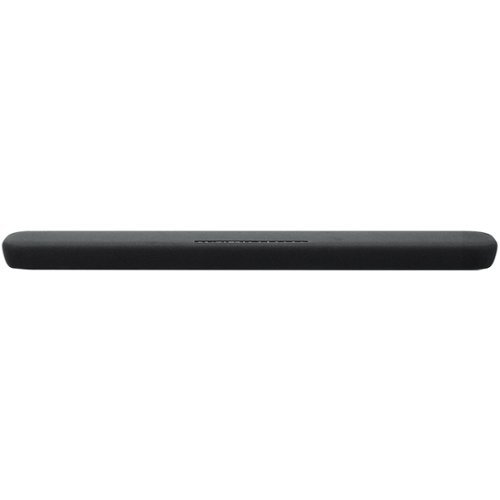
Stream your favorite tunes from media servers, PCs and smart devices with this Yamaha sound bar. The built-in Alexa voice control lets you decide how your favorite content should play, and the preset modes provide different surround sound effects for your listening pleasure. Featuring clear voice technology, this Yamaha sound bar ensures clear dialog so you can keep up with critical scenes or plot twists.
can i use this remote only and not have to go to a different one?
Depends on what is your video source for this. We in fact use the Amazon Fire Cube's remote for all functionality, and the soundbar one just sits in the near by cabinet incase we need it
6 years, 2 months ago
by
Ebonovic
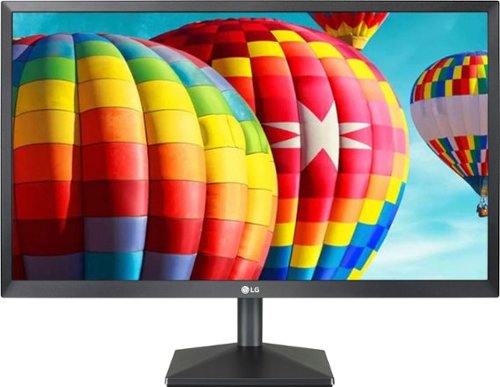
Set up a gaming station with this LG 24-inch Full HD monitor. AMD Radeon FreeSync technology eliminates screen tearing and stuttering, letting you play AAA titles smoothly, while the IPS display with a wide viewing angle delivers bright, vivid visuals from almost any direction. This LG 24-inch Full HD monitor has an antiglare coating for minimizing reflections.
Description says it’s compatible with Windows. Is it Mac compatible ? Can’t see why it wouldn’t be. But since they don’t specify it, I would rather confirm it is before ordering
Yes it will work with a Mac. If you have an older Mac with an hdmi output, you won’t need anything. If your Mac only has usb-c outputs, you would need the matching dongle
6 years, 7 months ago
by
Ebonovic
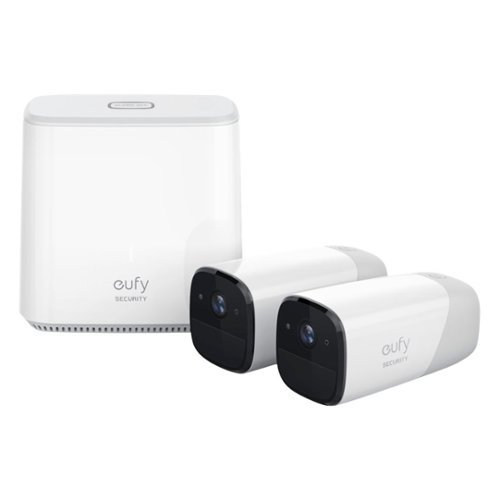
Protect your home inside and out with the eufyCam indoor/outdoor security kit. The high-definition surveillance cameras stream footage of your home direct to your smartphone and alert you to potential dangers. This eufyCam indoor /outdoor security kit provides a military-grade security system that's easy to install and can integrate with various third-party devices.
What is the wifi range for the camera location?
That totally depends on the type, placement, and what is in between the camera and the router. So for some it may be 50ft... clear sight, you can get much further.
It is the 2.4ghz network
It is the 2.4ghz network
6 years, 8 months ago
by
Ebonovic
Protect your home inside and out with the eufyCam indoor/outdoor security kit. The high-definition surveillance cameras stream footage of your home direct to your smartphone and alert you to potential dangers. This eufyCam indoor /outdoor security kit provides a military-grade security system that's easy to install and can integrate with various third-party devices.
Does this work on 5g internet
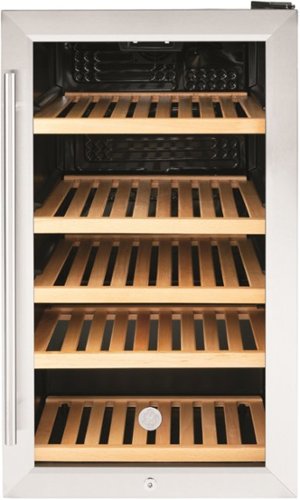
Get quick access to favorite drinks with this GE beverage center. The spacious interior holds up to 109 cans or 31 bottles of wine, while the glass door and LED lighting make browsing contents simple. This GE beverage center features five oak shelves for added durability and a natural aesthetic.
When door is open 90 degrees how far does the door extend beyond the side? Can it be installed flush against a wall on the hinge side?
It can NOT be installed flush on the right side. You need at least 2.5 inches to get the door to 90 degrees.
If you ever need to get a shelf out the door needs to open almost 180 degrees
If you ever need to get a shelf out the door needs to open almost 180 degrees
6 years, 10 months ago
by
Ebonovic

Carry this refurbished gold Apple iPhone 8 with you to stay connected to friends. It's unlocked, so you can use it with your carrier of choice, and the 64GB of memory lets you store plenty of songs or photos. The 4.7-inch screen of this Apple iPhone 8 is ample for watching videos and playing games.
Will it work with at&t
Yes... it will work with any modern cell phone, that has a bluetooth connection
7 years ago
by
Ebonovic
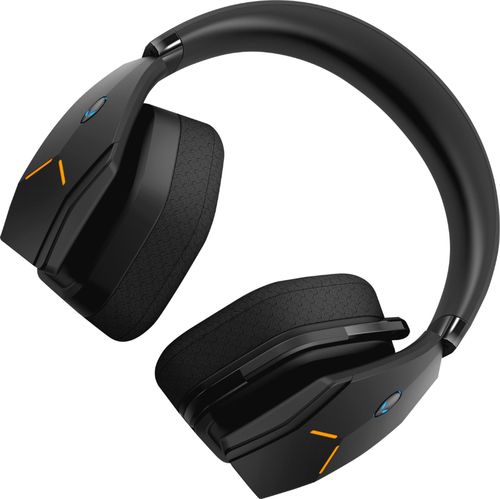
Dive into your favorite games with this Alienware wireless gaming headset. A noise-cancelling microphone keeps your voice clear as you call out commands to teammates, and 7.1 virtual surround sound enhances the audio quality so you never miss a whisper. Featuring two custom lighting zones and 6.8 million colors, this Alienware wireless gaming headset lets you create a custom look that accents your signature gaming style.
Will this work with my alienware 17 R4 computer??
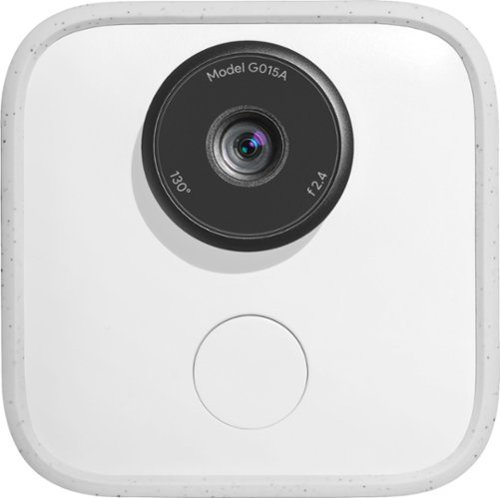
Capture and share special moments with Google Clips. Engineered to recognize faces and expressions, this clever camera automatically takes several-second-long audio-free motion photos, leaving you free to focus on the occasion. Enhanced with Super Res mode, the Google Clips device syncs data with your phone and lets you save any frame as a high-resolution still photo.
can you record movies? quality? audio?
You can record short video clips; good quality... however there is no microphone, so zero audio
8 years ago
by
Ebonovic

Video editing doesn't have to be daunting or take tons of time. Go from hundreds of mystery folders to a visual view of your videos automatically sorted by date. Use automated editing options and step-by-step guidance to create and share everything from animated GIFs and video collages to new dynamic slideshows and full-length movies.
What type of video files will this work with? Do I need some other software to download the video from the video camera?
Dependent on the type of video camera. Check with your manual if it needs a special software to get the videos off of it.
This software will work with just about any modern video format.
This software will work with just about any modern video format.
8 years, 7 months ago
by
Ebonovic

Keep enemies out of your room with this fully animated Spider-Man toy. His LED eyes light up when he detects movement with his motion-detection technology, and speech recognition lets him engage in two-way conversations. Hook this Spider-Man toy up to the Internet via Wi-Fi for new adventures, missions and updates.
what is this good for? Is it just a noise maker to let you know someone is in your room?
It is designed and setup to interact with... you can play predefined missions/games, or ask silly questions like "Tell me a joke"
Also can be used as an alarm clock
Also can be used as an alarm clock
8 years, 8 months ago
by
Ebonovic