


Ebonovic's stats
- Review count283
- Helpfulness votes197
- First reviewJuly 24, 2014
- Last reviewJune 7, 2026
- Featured reviews0
- Average rating4.5
Reviews comments
- Review comment count0
- Helpfulness votes0
- First review commentNone
- Last review commentNone
- Featured review comments0
Questions
- Question count0
- Helpfulness votes0
- First questionNone
- Last questionNone
- Featured questions0
- Answer count29
- Helpfulness votes80
- First answerSeptember 7, 2015
- Last answerNovember 4, 2021
- Featured answers0
- Best answers2

Introduce your skin to sonic vibrations so you can rejuvenate your complexion and enjoy a gentle massage. Tackle those under-eye bags, lock in all the good moisture, and get your glow on.

Posted by: Ebonovic
from Tinley Park, IL
So this review is really focused in on my first week of usage... I admit, that this is probably going to take some time... as well as is dependent on other factors.
First impressions... It just feels like an inexpensive gadget.
The packaging, was basic. while it kept the product safe, was completely crushed in shipping.
The packaging, was basic. while it kept the product safe, was completely crushed in shipping.
the device itself.. no batteries supplied, you need to supply your own AAA batteries. Just in today's device world, for this not to be a USB charged item, or have basic batteries included, just seemed odd
Okay.. .so was all set to use it... and well found out that I needed to purchase Cleansing solution or Moisturizing product... I wasn't expecting that. So did get some... and honestly, I think my results are going to totally depend on the product I use along with the device.
Using the device itself... very easy. On-Off, Level 1 or Level 2, and mode. Really easy.. single button. Easy to know if it is on and off.
Very easy to place on the face, light and easy to hold...
I have used it for several days... and can't really tell if it is making a difference yet, but going to continue to try and use..
We will see. It is a low cost option, that can have benefits... but... it is going to take time to really tell. Not a quick fix, overnight improvement... so will continue to use, and see where it goes.
Mobile Submission: False
No, I would not recommend this to a friend.
Share this review:


0points
0of 0voted this as helpful.
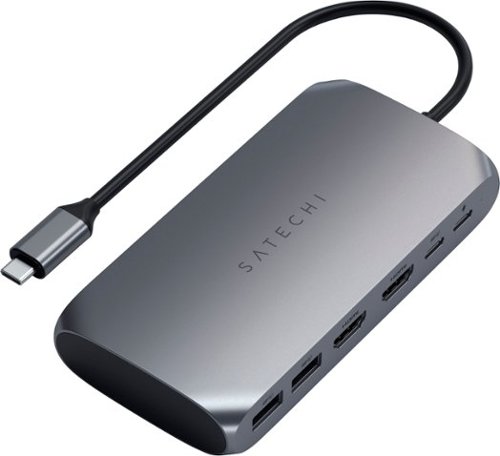
Upgrade your tech to M1 with the Satechi USB-C Multimedia Adapter, featuring dual 4K HDMI display ports (60Hz/30Hz), USB-C charging, USB-C data, and two extra USB-A 3.0 data ports - all using a single USB-C connection to your M1 device. With its hi-res dual 4K display output, multitude of options for fast data transfer, and modern aluminum finish, the USB-C Multimedia Adapter is your all-in-one solution to enhancing your M1 experience.
Posted by: Ebonovic
from Tinley Park, IL
So I have multiple computers at my desk.
So I have a KVM that allows me to connect everything to the same keyboard and mouse.
So I have a KVM that allows me to connect everything to the same keyboard and mouse.
What I really like about this is I can now use one less USB port, due to the pass through of my Mac Book Pro-USB C power source, so I now have all my externals (except one, noted below) going through this dongle...
I see no difference in the HDMI display... looks great.
I haven't tried adding a 2nd HDMI yet, that is something I look to do in the future.
I haven't tried adding a 2nd HDMI yet, that is something I look to do in the future.
No delay in the USB transfers speed seems to be exactly what was expected.
Two downsides: this is a little bulky, not too bad.. but bigger then competitors.
My main downside, and I knew this going in... is NO hardline network port. Would really have liked to have that in this one, so I could have one dongle that can do it all.
If you are a travel warrior, multi computer user, or just want to use your laptop as a desktop... this is a perfect dongle.
Mobile Submission: False
I would recommend this to a friend!
Share this review:


+1point
1of 1voted this as helpful.
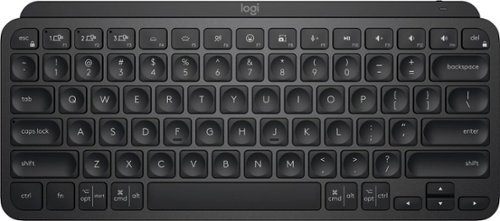
Introducing MX Keys Mini, a smaller, smarter, and mightier minimalist wireless keyboard made for creators. The minimalist form factor provides improved ergonomics by aligning your shoulders and allowing you to place your mouse closer to your keyboard for less arm reaching, more comfort, and better body posture. Perfect Stroke keys are shaped for your fingertips with optimal key stability and tactile responsiveness to keep you oriented and in your flow. The backlit keys light up the moment your hands approach, and automatically adjust to suit changing lighting conditions. Smart Dictation, Mic Mute/Unmute and Emoji keys streamline your workflow even further.
Customer Rating

5
A perfect tiny keyboard
on October 4, 2021
Posted by: Ebonovic
from Tinley Park, IL
So this keyboard is great for those with limited desk space.
For our setup, we have a stand for the laptop, that the monitor sits on. This keyboard allows us to have a wireless tiny footprint on the desk.
For our setup, we have a stand for the laptop, that the monitor sits on. This keyboard allows us to have a wireless tiny footprint on the desk.
Connects very easy, simple and easy to type on. Good feedback from the keys when typing. Yes, there is no number pad, but that is something you need to give up if you want to reduce the footprint.
Quick response to the computer, can't see any delay from when I type and it appears on the screen.
This is going to be a great travel keyboard, when we return to business travel.
Mobile Submission: False
I would recommend this to a friend!
Share this review:


0points
0of 0voted this as helpful.

The JLab GO Air POP True Wireless Earbuds have changed the game for accessible audio products. With a massive 35+ hour total playtime, you can expect 8+ hours in each earbud off a single charge and 3 or more charges from the case. Ready for business calls to workouts and everything in between, the GO Air POP earbuds feature 3 custom EQ sound settings to choose from via JLab App Integration, touch sensors, universal mics in both earbuds, and IPX4 water resistance.
Customer Rating

4
Good Sound, just a little bulky
on October 4, 2021
Posted by: Ebonovic
from Tinley Park, IL
Easy to use, easy to pair... solid basic wireless headphones.
From performance, these do have a good sound to them. I use them mostly with my workouts, so don't really consider them for Audio hard core usage... like a sound studio. But they do get loud enough to over come the equipment I am using.
Easy to pair to the phone, just standard bluetooth.
Simple to recharge, just put them back in the case, and the case gives you sever recharges before recharging the case.
I do find them a little on the bulk side, so smaller people may not like the size. and the recharging case is a little big, but that gives you more recharging in it.
So a good solid set of headphones at a good price
Mobile Submission: False
I would recommend this to a friend!
Share this review:


-1point
0of 1voted this as helpful.

Experience the thrill of the game with the new Dell G15 gaming laptop. Featuring AMD~ Ryzen processors, NVIDIA~ GeForce~ graphics, improved thermal design and Game Shift technology.
Posted by: Ebonovic
from Tinley Park, IL
My opinion, this is a near perfect laptop.
A very large screen, for a mobile platform... very little space left on the sides of the monitor, so it is using the full space made available.
The Keyboard is a full size keyboard with a numeric pad. For those that use that numeric pad, that is a big deal... as a lot of laptops get rid of it, and make the screen smaller or float the keyboard in the middle, with wasted space on the sides.
My first nit pick is that the touch pad, is really big... almost too big. I hit it often when I don't want to, and it is sensitive to the touch.
The battery life, well I haven't been able to drain it empty yet, even with power using... so far so good there. The power brick is that a brick, it is bigger then I hoped it would be, and it is a round plug. and not the USB-C style, so again... if you want an extra adapter, you can't go with the dozens of available power supplies, you need to buy one from Dell or wait for a 3rd party to release one.
The SSD... very quick, very quick... but 512gb is just too small for a gaming laptop. 1 game can take up 1/3rd of this drive... and adding an external, defeats the purpose. So that is my primary reason for a drop of a star.
Boots really really fast. Almost no lag.
There is a healthy amount of pre-installed components, that for me... I uninstall (like Norton).
There is a healthy amount of pre-installed components, that for me... I uninstall (like Norton).
I love having the physical network port... as I can get faster feeds with the hardline connection, then wifi. great to have both.
Minimal USB ports, but there is the mix of USB-3 and USB-C. enough to get buy.
I am playing to retire my Dell desktop with this laptop, and have the flexibility. I would have liked to see a DisplayPort output, with this higher end video chipset, but it just has an HDMI.
Will need to look at options to add a 2nd external display.
I am already getting messages that the laptop is ready for Windows 11, and confirmed... just now waiting to upgrade the OS, and ready to go.
Mobile Submission: False
I would recommend this to a friend!
Share this review:


0points
0of 0voted this as helpful.

Unexpected. Unseen. Unreal. The Delta 15 AMD Advantage Edition uses the latest AMD Ryzen 7 5800H processor and Radeon RX 6700M graphics. Coming in at 4.19lbs light and 0.75in thin, the Delta 15 supports SmartShift, Smart Access Memory and Wi-Fi 6E for powerful performance inside a premium chassis. Break through and set off a new standard in gaming with the Delta 15.
Posted by: Ebonovic
from Tinley Park, IL
So as technology updates, things just get faster and faster, in small packages.
This laptop packs a punch. Out of the box, it is slick and sleek, and ready to go. It is a smaller form-factor laptop, when compared to other similar "spec'd" laptops. My first minor nit pick, is that the adapter is big... really big. and heavy. It also isn't using a USB-C style connector, so once again we have an OEM adapter, and with one this size... going to be a downer to carry it around all over when needed.
Once getting started, Windows 10 takes it sweet time to get up and running, and you are going to have a bunch of updates, including an important firmware update for the hardware, which will take some time.
After that... that is when the fun started.
This machine boots in seconds. From total power off, to full screen login, I would say under 30s if not quicker. It is crazy fast.
The touch pad is a little sensitive, but most gamers are going to use an external mouse. The keyboard does NOT have the numeric keypad, for those that use that for gaming. You are going to want an external keyboard.
Here is some of my additional issues come into, which resulted with the one start deduction (This can easily be a 5 star, if these things are not important).
Limited USB ports... With an external mouse and keyboard, that will use the ones you have. so you will need a hub or dock for additional.
Only an HDMI output. I know HDMI is the more general one out there, but a Display Port (mini), would work really good too.
The power on button, is on the keyboard, under the monitor. Doesn't sound bad at first, but if you use this on a desk, with a monitor, you will need to open up the laptop, turn it on... and close it, etc... would be nice if the power button was out on the outside.
No hardline ethernet jack, only WiFi.
WiFi has some lag, and I like to hardline... so had to use a USB->Ethernet adapter.
WiFi has some lag, and I like to hardline... so had to use a USB->Ethernet adapter.
Back to the good:
Hardware specs, you should need much more now days. 16gb of memory and 1tb of storage is really big. Some games may need more, but you would have to trade weight and size, to get much larger then 1tb.
Hardware specs, you should need much more now days. 16gb of memory and 1tb of storage is really big. Some games may need more, but you would have to trade weight and size, to get much larger then 1tb.
The processor and Video is top notch for a laptop. downside, no chance of upgrading... so buy big so you can get the value out of it for a while.
Now for game play, so far no issues... loaded up Sims4 (my wife's favorite), and then loaded of Call of Duty... solid play with good screen resolution and response, very happy with it. Won't be able to test it out for League of Legends for a few weeks, till my son is back from school
Overall... a very solid machine.
One thing I am anxious to see, is how compatible it is with Windows 11 when it is released.
One thing I am anxious to see, is how compatible it is with Windows 11 when it is released.
Mobile Submission: False
I would recommend this to a friend!
Share this review:


-1point
2of 5voted this as helpful.
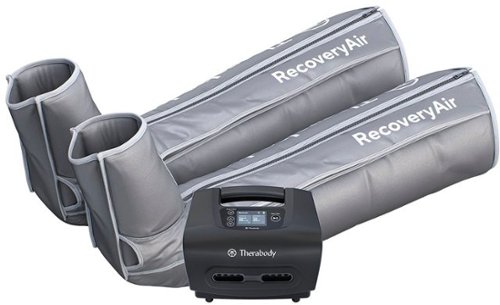
Advanced compression, simplified for everybody. This easy-to-use pneumatic compression system makes it easy for anybody to experience the benefits of our clinically-proven recovery technology. Sit back, relax, and recover faster as each boot sequentially compresses the leg to increase circulation and reduce soreness and fatigue. Discover the fastest, safest, most effective compression in recovery.
Customer Rating
4
Fantastic, Takes Some Time
on September 9, 2021
Posted by: Ebonovic
from Tinley Park, IL
These are going to be game changing items for me and my fitness goals. A lot of upside, but some downsides.
First and foremost... Sizing. Don't go by your "typical" size thoughts. look at the chart, and MEASURE your actual legs. I am just a hair under 6 foot tall, and I had to go with a medium, and even then it was almost too big.
It took me a little while to get it fitted right on my leg, as I have very big thighs and the zipper wouldn't close, but once I got it position right, it is fine. the trick is that your foot doesn't sit flat in the bottom like a shoe, pull the thigh portion as high as it can go, and that is how it will fit.
The next piece, which is a small minor thing, there is no left and right. they are both identical. so on one leg the tubes are going to be on the inside of your leg, on the other on the outside. just an OCD thing for some people (like me at first).
The pump. It IS battery powered after a charge, which is great... as in some locations, it may not be easily plugged in while using. It is light and easy to move around. Small knock, you have to confirm the bluetooth connection to your phone EVERYTIME you use it. minor nit pick, but is a bit frustrating after you get your self all hooked up and ready to go. But the app is so much easier to use then the front display.
So this is the primary reason for 1 star off:
- You want to use these soon after your work out, BUT you will want to shower before you do so. As you will be in these for at least 15 minutes if not longer (30 minutes). If you are still sweaty and um... well you know, then these legs sleeves are going to get very funky.
- So figure 10-15 minutes post workout, before you can even start to use them, and then the time on them 15-30 minutes.
- All said and done, workout, shower, Recovery... it is about 1.5 to 2 hours. which requires some planning.
- You want to use these soon after your work out, BUT you will want to shower before you do so. As you will be in these for at least 15 minutes if not longer (30 minutes). If you are still sweaty and um... well you know, then these legs sleeves are going to get very funky.
- So figure 10-15 minutes post workout, before you can even start to use them, and then the time on them 15-30 minutes.
- All said and done, workout, shower, Recovery... it is about 1.5 to 2 hours. which requires some planning.
I have been using the Recovery set about 3 times a week, and it has helped out so far... but I know it is going take some time to really know if it is making a difference.
I am VERY happy that I got them, as I can cover more of my muscles then the Theragun (pulse) that I have can reach.
Mobile Submission: False
I would recommend this to a friend!

Share this review:


+2points
2of 2voted this as helpful.
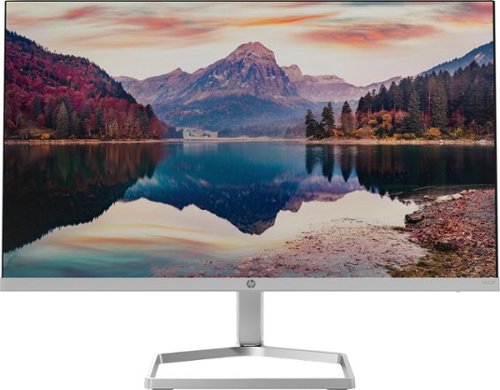
The New Definition of High Definition: This FHD monitor feels as good as it looks, packing IPS technology for 178 degrees ultra-wide viewing angles, 99% sRGB color gamut for color accuracy, and FreeSync to keep your eyes up to speed with your imagination. Looks Good, Feels Good, Does Good: Increase viewing comfort with HP Eye Ease with Eyesafe certified technology that doesn't sacrifice color quality. Monitor designed with sustainability in mind with 85% postconsumer recycled plastics and packaged in recycled materials. Doing good never looked so good. Streamlined & Seamless: Streamline your setup with its slim profile, innovative cable containment, and seamless design for side-by-side screens.
Posted by: Ebonovic
from Tinley Park, IL
The video quality on this monitor is top notch, and that is the most important thing. And extremely thin screen, but with deep colors. and rapid response.
No matter what I through at it, there was no flicker or delay in the picture display. From video, to games, to code, to documents... it all displayed great.
It is a very LIGHT monitor. So one thing, in my usage, I was using it as an extended monitor for my laptop. I would occasionally hit it as I walked away from the table, and being it was so light, it would move... not a big deal if you are on a desk, but if you are going to use it where there is movement about, keep an eye.
Comes with just an HDMI and a VGA connector options. VGA is still important to some users on older computers, or applications... so this may be a good option for them to have a modern monitor, with that older connection. The HDMI is just as easy to connect, right on the back... not on the side.
Simple AND SMALL adapter, which is great. makes storage of that small power brick easy, and I will probably end-up 3M hooking it to the back of the monitor.
Now this is where It looses a star for me.
The integrated stand... So for basic usage, this is going t one fine for most. Real easy to put together, took all of 3 or 4 minutes...
The integrated stand... So for basic usage, this is going t one fine for most. Real easy to put together, took all of 3 or 4 minutes...
What it really needs is the standard VESA mounting screws, so that I can add this to a 3rd Party monitor stand. I would really love to use this monitor in the portrait mode (up and down), so I can have it right next to my 32" monitor on my main computer, as a second monitor. For Code review (for work) and chat (while game playing).
Also for others, that have to raise and lower their monitor to get to a good visual site light (for neck and eye strain), will have to be created to get the moniotor up of their desk a bit.
Overall, the visuals are stunning, usage it is easy.
Just the stand / mount options are a bit lacking, which may not matter for most.
Just the stand / mount options are a bit lacking, which may not matter for most.
A bonus plus, if you are looking for a new monitor for your older computer that uses VGA
Mobile Submission: False
I would recommend this to a friend!
Share this review:


0points
0of 0voted this as helpful.
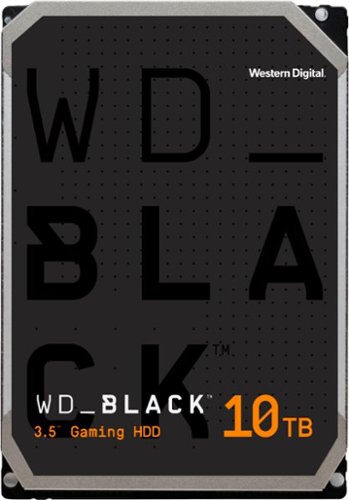
Offer your customers the latest generation of the WD_BLACK Gaming Hard Drives to give them the capacity they need and the performance they want. With up to 256 MiB of DRAM cache and storage capacities of up to 10TB, the WD_BLACK Gaming Hard Drive maximizes drive and system performance, allowing your customers to spend more time playing the games they love most. Combine the WD_BLACK Gaming Hard Drive with a WD_BLACK SSD for a dual-drive configuration, enabling additional caching of the operating system onto the SSD for even greater PC gaming performance. All together, the WD_BLACK Gaming Hard Drive gives your customer performance, capacity, and an industry-leading 5-year limited warranty for an inspiring three-in-one storage solution.
Posted by: Ebonovic
from Tinley Park, IL
So plain and simple... this is a great replacement or addition to the storage solution in your gaming PC.
So this is an INTERNAL 3.5" SATA based hard driving. Meaning, it won't work inside your laptop or a micro-compact PC. This needs to be inside a case (either a full computer case, or an external case).
The basics: It is a SATA drive, the current standard connectivity in any computer built in the last 5 years. And has all the standard mounting screws for a drive of this type. It is also full size, so it will use the full 3.5" slot in that case.
Setup: there are three main ways to set this up.
a) As an extra drive in your system, where you can set it up as a new drive letter or volume, or with some tricks you can assign it to a folder.
b) As a full replacement for an existing drive. This is what I did, using software readily available... it clones my current drive, to this drive... and then expands out my partition to use the rest of the space.
c) As a new drive for a fresh install. You would connect as the drive in the system and install.
a) As an extra drive in your system, where you can set it up as a new drive letter or volume, or with some tricks you can assign it to a folder.
b) As a full replacement for an existing drive. This is what I did, using software readily available... it clones my current drive, to this drive... and then expands out my partition to use the rest of the space.
c) As a new drive for a fresh install. You would connect as the drive in the system and install.
The physical drive itself, correctly reports to the system. The performance of the drive, isn't dictated by which of the 3 methods you use, but you need to know that it is close to plug and play, but you need to configure your system on using this drive.
As for performance: First the space is massive. 10TB in a single drive is big, there are very few single drives bigger. (As a side note, just 25 years ago... I purchased from Best Buy a 200MB (megabyte) hard drive, for a steal of a price. That is 0.002% the size of this new drive. But with current computing and gaming it is needed.
Modern games are using MASSIVE space, and you don't want to have to delete your games and files, just to get the newst stuff.
After install and setup, this increased the performance of my system. My load time for Microsoft Flight Simulator increased. For our Oculus Rift games, we were able to re-download some of our favorites that we had to delete for space reason.
I am still only maybe using 40% of this drive right now, so plenty of space to go. With some big releases coming, space available is great.
So if you are tight on space, snag that drive... upgrade now. As when you need the space, you will be glad you did.
Mobile Submission: False
I would recommend this to a friend!
Share this review:


+1point
1of 1voted this as helpful.
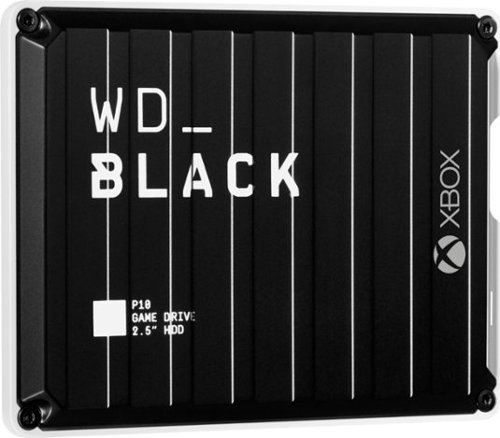
The WD_Black P10 Game Drive for Xbox gives your Xbox the tools it needs to keep your competitive edge. With up to 5TB* of storage capacity, the WD_Black P10 Game Drive for Xbox is a top-tier external HDD built specifically for gamers looking to expand the potential of their Xbox so they can drive their game the way they choose. Included with your purchase is a 1-month membership of Xbox Game Pass Ultimate, with access to 100+ games on consoles and PC, plus online console multiplayer.****
Posted by: Ebonovic
from Tinley Park, IL
So you got the hottest new release pre-ordered... digital download (Which is pretty much the only way to go)... and well you need 150-200gb for the game, and that stock storage... is full.
What do you do? Delete your brothers games? What about Mom's high records? nah... Add an external storage drive. No need to void the warranty of your xbox, or go through some complicated upgrade process... or give it to your friends cousin who knows how to do it.
This WD External USB drive, is pretty much fool proof to get going.
- No Power Supply, just the included usb cable is all is needed.
- Connect one end to the drive, and then one to the xbox and Microsoft leads you the rest of the way.
- Slick compact outer case, looks great right next to the xbox.
- No Power Supply, just the included usb cable is all is needed.
- Connect one end to the drive, and then one to the xbox and Microsoft leads you the rest of the way.
- Slick compact outer case, looks great right next to the xbox.
Just taking it out of the box, you know this drive is solid made. no moving parts, just a great feeling metallic case (important for cooling), in an XBOX styled shell, doesn't make this look bulky but that it is belongs.
The process on the XBOX changes with software upgrades, so refer to the XBOX FAQ or Microsoft's site on how to utilize the drive. But in general the process is as such:
- Approve for the storage to be added to your XBOX
- Move content that is already on the internal drive (or another External device), to the new drive
- Choose if you want the external or the internal to be the destination for new content.
- Approve for the storage to be added to your XBOX
- Move content that is already on the internal drive (or another External device), to the new drive
- Choose if you want the external or the internal to be the destination for new content.
And that is it, after some time to move the files... you are good to go.
I personally feel, that I have seen an improvement in load time on some of my larger games. But I have no way to actually test that objectively, as there is so many factors.
But what I can tell you, is that I don't need to pick and choose now what stays and what goes. It's going to be a while till I fill up this new drive, so good to go.
So if you don't have the space for that next DLC, and Season Pack... don't get a new Xbox... just add this external drive
Mobile Submission: False
I would recommend this to a friend!
Share this review:


0points
0of 0voted this as helpful.
Ebonovic's Review Comments
Ebonovic has not submitted comments on any reviews.
Ebonovic's Questions
Ebonovic has not submitted any questions.
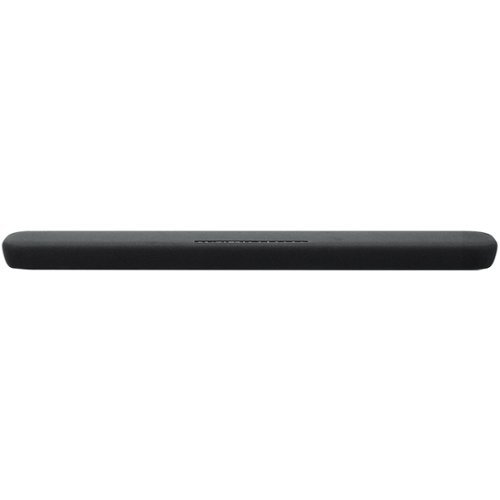
Stream your favorite tunes from media servers, PCs and smart devices with this Yamaha sound bar. The built-in Alexa voice control lets you decide how your favorite content should play, and the preset modes provide different surround sound effects for your listening pleasure. Featuring clear voice technology, this Yamaha sound bar ensures clear dialog so you can keep up with critical scenes or plot twists.
can i use this remote only and not have to go to a different one?
Depends on what is your video source for this. We in fact use the Amazon Fire Cube's remote for all functionality, and the soundbar one just sits in the near by cabinet incase we need it
6 years, 2 months ago
by
Ebonovic
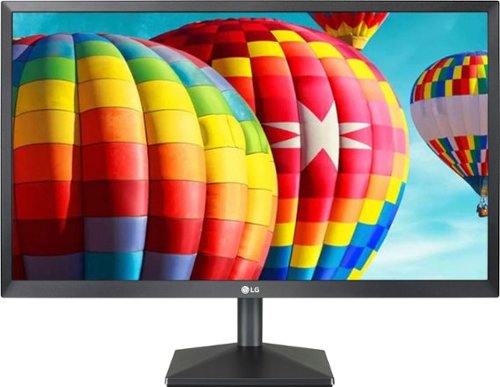
Set up a gaming station with this LG 24-inch Full HD monitor. AMD Radeon FreeSync technology eliminates screen tearing and stuttering, letting you play AAA titles smoothly, while the IPS display with a wide viewing angle delivers bright, vivid visuals from almost any direction. This LG 24-inch Full HD monitor has an antiglare coating for minimizing reflections.
Description says it’s compatible with Windows. Is it Mac compatible ? Can’t see why it wouldn’t be. But since they don’t specify it, I would rather confirm it is before ordering
Yes it will work with a Mac. If you have an older Mac with an hdmi output, you won’t need anything. If your Mac only has usb-c outputs, you would need the matching dongle
6 years, 8 months ago
by
Ebonovic
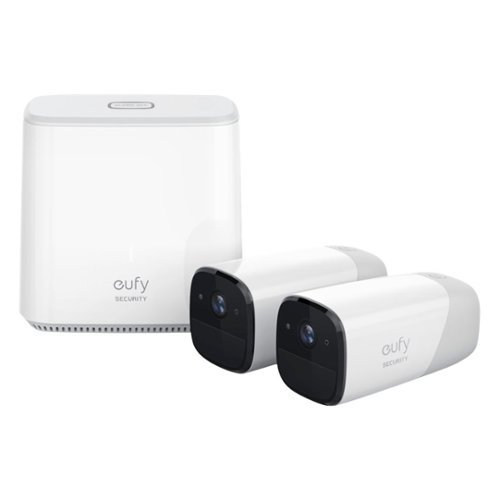
Protect your home inside and out with the eufyCam indoor/outdoor security kit. The high-definition surveillance cameras stream footage of your home direct to your smartphone and alert you to potential dangers. This eufyCam indoor /outdoor security kit provides a military-grade security system that's easy to install and can integrate with various third-party devices.
What is the wifi range for the camera location?
That totally depends on the type, placement, and what is in between the camera and the router. So for some it may be 50ft... clear sight, you can get much further.
It is the 2.4ghz network
It is the 2.4ghz network
6 years, 8 months ago
by
Ebonovic
Protect your home inside and out with the eufyCam indoor/outdoor security kit. The high-definition surveillance cameras stream footage of your home direct to your smartphone and alert you to potential dangers. This eufyCam indoor /outdoor security kit provides a military-grade security system that's easy to install and can integrate with various third-party devices.
Does this work on 5g internet

Get quick access to favorite drinks with this GE beverage center. The spacious interior holds up to 109 cans or 31 bottles of wine, while the glass door and LED lighting make browsing contents simple. This GE beverage center features five oak shelves for added durability and a natural aesthetic.
When door is open 90 degrees how far does the door extend beyond the side? Can it be installed flush against a wall on the hinge side?
It can NOT be installed flush on the right side. You need at least 2.5 inches to get the door to 90 degrees.
If you ever need to get a shelf out the door needs to open almost 180 degrees
If you ever need to get a shelf out the door needs to open almost 180 degrees
6 years, 10 months ago
by
Ebonovic

Carry this refurbished gold Apple iPhone 8 with you to stay connected to friends. It's unlocked, so you can use it with your carrier of choice, and the 64GB of memory lets you store plenty of songs or photos. The 4.7-inch screen of this Apple iPhone 8 is ample for watching videos and playing games.
Will it work with at&t
Yes... it will work with any modern cell phone, that has a bluetooth connection
7 years ago
by
Ebonovic
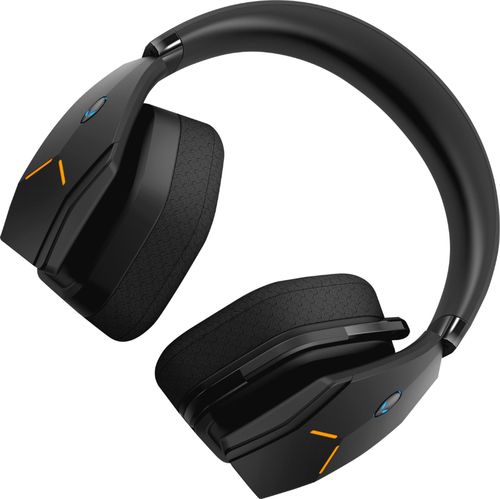
Dive into your favorite games with this Alienware wireless gaming headset. A noise-cancelling microphone keeps your voice clear as you call out commands to teammates, and 7.1 virtual surround sound enhances the audio quality so you never miss a whisper. Featuring two custom lighting zones and 6.8 million colors, this Alienware wireless gaming headset lets you create a custom look that accents your signature gaming style.
Will this work with my alienware 17 R4 computer??
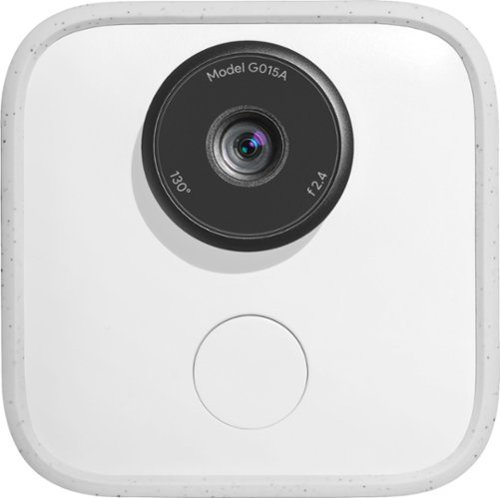
Capture and share special moments with Google Clips. Engineered to recognize faces and expressions, this clever camera automatically takes several-second-long audio-free motion photos, leaving you free to focus on the occasion. Enhanced with Super Res mode, the Google Clips device syncs data with your phone and lets you save any frame as a high-resolution still photo.
can you record movies? quality? audio?
You can record short video clips; good quality... however there is no microphone, so zero audio
8 years ago
by
Ebonovic

Video editing doesn't have to be daunting or take tons of time. Go from hundreds of mystery folders to a visual view of your videos automatically sorted by date. Use automated editing options and step-by-step guidance to create and share everything from animated GIFs and video collages to new dynamic slideshows and full-length movies.
What type of video files will this work with? Do I need some other software to download the video from the video camera?
Dependent on the type of video camera. Check with your manual if it needs a special software to get the videos off of it.
This software will work with just about any modern video format.
This software will work with just about any modern video format.
8 years, 7 months ago
by
Ebonovic

Keep enemies out of your room with this fully animated Spider-Man toy. His LED eyes light up when he detects movement with his motion-detection technology, and speech recognition lets him engage in two-way conversations. Hook this Spider-Man toy up to the Internet via Wi-Fi for new adventures, missions and updates.
what is this good for? Is it just a noise maker to let you know someone is in your room?
It is designed and setup to interact with... you can play predefined missions/games, or ask silly questions like "Tell me a joke"
Also can be used as an alarm clock
Also can be used as an alarm clock
8 years, 8 months ago
by
Ebonovic