


Ebonovic's stats
- Review count283
- Helpfulness votes197
- First reviewJuly 24, 2014
- Last reviewJune 7, 2026
- Featured reviews0
- Average rating4.5
Reviews comments
- Review comment count0
- Helpfulness votes0
- First review commentNone
- Last review commentNone
- Featured review comments0
Questions
- Question count0
- Helpfulness votes0
- First questionNone
- Last questionNone
- Featured questions0
- Answer count29
- Helpfulness votes80
- First answerSeptember 7, 2015
- Last answerNovember 4, 2021
- Featured answers0
- Best answers2
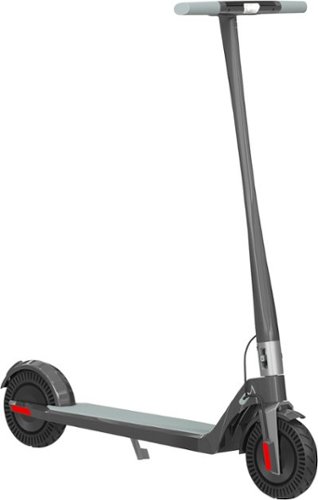
The Model One E350 is the perfect city companion with it's ultra lightweight and foldable design. The 700 watts of peak power will propel you to your destination with ease and style.
Customer Rating

5
Scooter for the Teen and Adult
on December 6, 2021
Posted by: Ebonovic
from Tinley Park, IL
Okay, this is no longer the "cheep" toy, this is a quality mode of transportation.
This relatively light weight scooter, gets ups and moves. I personally am a little big for it (based on it's official guidelines), but didn't stop me from trying before I handed it over to my daughter.
I was able to get up and go, about 12mph... and scoot around the sub-division. and it was stable enough that I wasn't worried, but I could easily get the feel that I was a bit to big (6' 275lb).
My daughter and my niece, just had a blast. Scooting around, easy to start and go. just give it a little nudge, hit the lever... and you are off. After a few moments, they were able to shift through the different levels, and understand the top speeds.
Down/Up side (depends on how you want to look at it). It is silent. You can't hear anything come from it, barely even the rubber hitting the road. So the rider needs to be aware, that others around them may not hear them coming, and have to be pro-active.
Battery... we haven't even been able to get it to drop one 1/4 on the indicator, and that is after what felt like an hour of riding at a time (before taking it back in). Charging real easy, but still disappointed that it is a custom port, and not say a USB-C port.
Easy to carry, and lower the handle, and lock it down. Only nit pick there, is that I wish there was maybe an indicator or just a small indentation at the center of gravity on the handle so I knew were to grab.
Two nit picks as well: Assmbly. it doesn't take much, but does take a bit of planning. The wire in the handle bar, into the stem... you need to work and play with, so it doesn't pinch. it can easily get pinched, and possibly you can break it. just take some time.
You only have to do this ONE time, on initial unboxing, so it isn't something overly bad... just take some time.
The 2nd. The manual covers TWO different models. This one, and the larger one. And refers to a DUAL motor mode, which apparently this E350 doesn't have... at least I haven't been able to activate it.
Great scooter, great for someone in a small urban area or college campus.
Mobile Submission: False
I would recommend this to a friend!
Share this review:


-5points
1of 7voted this as helpful.

Echo Frames are smart audio glasses that give you hands-free access to Alexa. They are designed to help you save time so you can focus on what matters most. Use them to listen to audio entertainment, control your smart home, stay productive and organized, and communicate hands-free.
Customer Rating

2
SOOOO wanted this to be great
on December 6, 2021
Posted by: Ebonovic
from Tinley Park, IL
So going back to the Google Vision Glasses, I have been waiting for the next attempt at something like this... and though this would be a good path... honestly, not so much.
So my first issue... Getting someone to do the custom lenses for a prescription. This is going to have to get figured out before eye-wear glasses is going to have a chance to succeed. I have a mild need for glasses, for reading... and that is when I wear my glasses... I tried my primary eye doctor, they won't do the custom frames. I tried going to another doctor, but since they won't take my prescription from my doctor was going to cost $200 just for the exam, and then what ever it was going to be. I called a third, and pretty much the same way.
Amazon is going to have to be aggressive with finding partners to do custom lenses, even PRE-DELIVERY custom lenses.. Before this can really take off. As those people that don't wear glasses, they are not going to gravitate directly to these... and those that do, need their prescription.
An option maybe to is to make these more of a Safety style glasses, with a safety rating level, so that you can have the hands free tech while you are working on something in the shop or on-site, etc... I think this is going to be the BIG hurdle.
Also the black frame, with the sides... well... let's be honest.. not that remotely fashionable. The black frame in this style, does come across as being like the $15 sun-glasses frame. And this by far is not a cheap product.
My next issue... well. now that I have tried it, and tried wearing it when I can... I just don't know how I am going to use it, as opposed to the other Echo/Alexa devices that I have. To be fair, I currently have 26 Alexa or Alexa enabled devices listening in my house. No joke, I have two original (the first) Echo towers, every room has at least 1 if not more then one Alexa enable listening device.
So I kept finding when I try to use the glasses, another one would hear me. Yes, I can change the keyword, but only with 3 keywords right now, I have devices using all 3.
So the updside, the responses only come back to my personal ear, when the glasses are the one responding. So the tis nice. I did find the little red light to be distracting in the frame time to time.
So bottom line... Okay attempt, but there is a LOT that is going to have to get figured out, before this can ever remotely become a common thing yet.
Mobile Submission: False
No, I would not recommend this to a friend.
Share this review:


+1point
2of 3voted this as helpful.
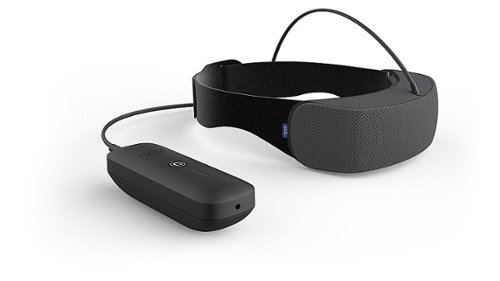
The first, and only, drug-free sleep aid solution to use continuous and precise cooling technology to reduce metabolic activity in the frontal cortex of the brain. Quiet your racing mind and fall into deeper, more restorative sleep. Customers have also reported relief from menopause, hot flashes, stress, insomnia, migraines, and that it~s great for relaxation.
Customer Rating
2
Soooo wanted this to work
on November 29, 2021
Posted by: Ebonovic
from Tinley Park, IL
Okay... I hate writing these types of reviews... but honestly... so disappointed.
My wife has a very difficult time sleeping, and it is really about her mind racing and just not calming down... and easily woken and it repeats. So from the description, this should have been spot on.
Well... here we go:
- It is bulky, play and simple. I wouldn't call it overly heavy, but it isn't light for something of it's size. And it is a bit on the cumbersome to get into place.
- Once in place, there are two metal plates that sit against the forehead, that are off-putting. While not uncomfortable, they are not all that great from a comfort wise.
- The fan can still be heard... So when all the other noise items in the room are off, you can hear that fan hum.
- And yes, it does get cold... but mentally, it just seems to be cold for cold sake.
- It is bulky, play and simple. I wouldn't call it overly heavy, but it isn't light for something of it's size. And it is a bit on the cumbersome to get into place.
- Once in place, there are two metal plates that sit against the forehead, that are off-putting. While not uncomfortable, they are not all that great from a comfort wise.
- The fan can still be heard... So when all the other noise items in the room are off, you can hear that fan hum.
- And yes, it does get cold... but mentally, it just seems to be cold for cold sake.
After nearly a week, of the gradual increased usage... she just doesn't want to do it anymore, and already tuned out.
Maybe will try again, but at the moment... just a disappointment.
Mobile Submission: False
No, I would not recommend this to a friend.
Share this review:


+1point
1of 1voted this as helpful.
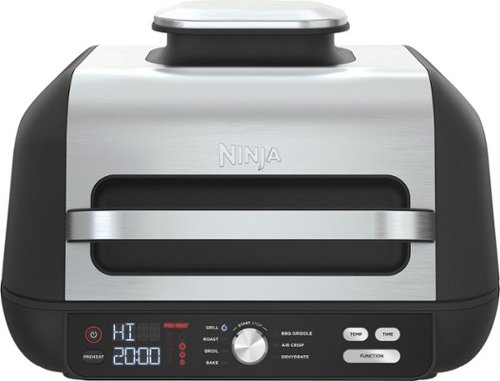
The Ninja Foodi XL Pro Grill & Griddle is the grill & griddle that sears, sizzles, and air fry crisps. With the 500F independently powered grill grate, you get direct, edge-to-edge high heat for steakhouse grilling, griddle searing, and more.
Posted by: Ebonovic
from Tinley Park, IL
So this is a great addition to our cooking tools.
The grill surface can accommodate at least 6 burgers at once, which make cooking a lot easier and quicker during these colder months, when the outside grill isn't as convenient.
Easy to setup and start using, plug in... set the temp... and go... it will warm up and you are ready.
So far we have just use the Gril and Griddle features. and it works great. Cleanup was pretty straight forward. This is going to be a great and easy tool to use for Grilled Cheese sandwiches and other hot sandwiches.
I have another air-fryer, so this particular feature is going to be used less... but I like the size and layout. I do want to try a Totino's pizza in there, as the new rectangle size of the Totino's should be perfect for this size.
The Dehydration is what I am looking forward to, and haven't been able to try that yet... We grow peppers... but already used them all up this season. So really hoping to update this review after I get those two functions going.
The only down sides: It is a bit on the bulky side. You may not be keeping this one on the counter all the time, and it will take up most space of a larger cabinet. I am lucky enough to have a basement with another counter, so we can keep this ready to use all the time.
The other downside, is that all the parts for the unit, don't store with the unit... so we did have to keep one part of it to the side (different cabinet).
Overall, this is a MAJOR upgrade to our previous indoor griddles. Going to be used this upcoming weekend for Sunday morning breakfast.
Mobile Submission: False
I would recommend this to a friend!
Share this review:


0points
0of 0voted this as helpful.

Moisturize the dry air in your home or office in minutes with the MistAire Silver Ultrasonic Cool Mist Humidifier from Pure Enrichment. This powerful and aesthetically pleasing tabletop humidifier is packed with smart features that make it the perfect solution for improving the air quality in any room.
Posted by: Ebonovic
from Tinley Park, IL
So it is small... It is great for a small office.
Very very quiet, barely hear it running if at all...
Very very quiet, barely hear it running if at all...
The capacity of water, does take about 1 day to use up, so that is good as can just make it part of the routine to fill up in the morning and go on.
It's smaller size allows it to just fit in anywhere, and not be overly disruptive.
Mobile Submission: False
I would recommend this to a friend!
Share this review:


0points
0of 0voted this as helpful.
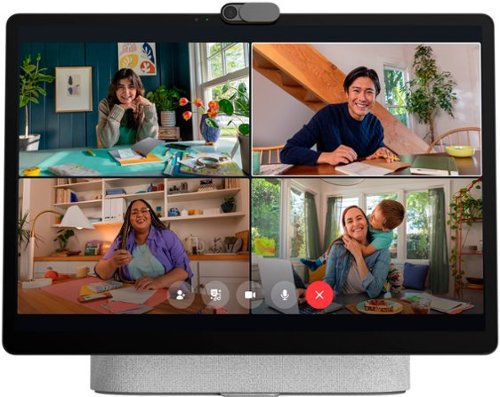
The entire Meta Portal family is video calling designed to bring people closer. Simple to set up and fun to use, Meta Portal is a smart video calling device for a closer connection to friends and family~wherever they are. Once you~ve connected, Smart Camera pans and zooms to keep you in frame so you can move and talk naturally, while Smart Sound minimizes background noise and enhances your voice. Meta Portal~s simple privacy settings mean you can easily disable the camera and microphone, or block the lens with the camera cover. All Meta Portal WhatsApp calls are end-to-end encrypted and you can choose to call individual Messenger contacts using end-to-end encryption. Meta Portal needs a wireless internet connection and AC power. Meta Portal voice command availability varies. Screen images simulated. User experience may vary. Requires wireless internet connection and Facebook or WhatsApp account. WhatsApp is not available on tablets. Features, functionality, and content vary and may not be available on all Meta Portal models or in all areas and languages. Some features may require a Facebook account and downloading the Meta Portal mobile app. Additional account registration, terms and fees may apply. Your employer may restrict your ability to login to third-party video-calling apps on Meta Portal.
Customer Rating

4
Nice, great picture, just needs a bit more
on November 11, 2021
Posted by: Ebonovic
from Tinley Park, IL
So I have seen the commercials with the muppets last year... and starting to see the family commercials this year... so it was about time to try it.
This is a very high quality device, that does a fair amount now... but the only knock is that it really needs to a bit more.
Setup was extremely simple, but I recommend that you do it with a laptop near by or next to your computer. As you will need to go to several websites (including Facebook), to pair and sync up account settings. After that initial setup, you can move it to your prime location.
The Screen is BEAUTIFUL. probably one of the clearest tablets that I have seen in a while, high resolution, and big. I love using it as a digital photo screen, when not using it for some of it's other functions.
The AUDIO.. You are going to be really surprised, deep and clear. and can get pretty loud. I was listening to Amazon Music, and it was very enjoyable. You can also sync in Pandora and IHeartRadio (and others).
So I was a little disappointed that I didn't have direct Facebook access, unless I went through the web browser (same with IG). but you can still get to them through the web-browser built in
Utilizing the video calling feature... that is pretty nice... and is only going to get better as more people get the matching device. Most of my contacts are utilizing their phones to use the Facebook Messenger. So it was easy to use, great sound. The camera is great, and my friends on the other side said I was clear as a bell.
The build in Alexa integration is great... works just like any other Alexa.
So where I hope this goes: I am looking forward to future integrations with other communication and workspace platforms, that will allow me to use this for work calls and other things.
- Support for popular APPS (and not through the website) for Netflix, Paramount, Hulu, and others... so I can enjoy streaming video an streams from those services.
- True full Facebook app support, not just through the web portal. use the full screen, and even maybe a customized experience on the screen.
- Integration with Nest, so that I can an alert when the doorbell rings, and can see the video right away..
- True full Facebook app support, not just through the web portal. use the full screen, and even maybe a customized experience on the screen.
- Integration with Nest, so that I can an alert when the doorbell rings, and can see the video right away..
Great step forward...
Oh tip.. the volume control is PHYSICAL on the back right corner, it took me a while to find it... as I was expecting it to be a digital tap control on the screen.
Mobile Submission: False
I would recommend this to a friend!
Share this review:


0points
0of 0voted this as helpful.

Unlock a world of crypto possibilities with the Ledger Nano S. The world~s most popular hardware wallet to securely start your crypto journey. Buy, secure, exchange, grow and manage your favorite crypto assets.
Customer Rating
5
Needed in this new world
on November 4, 2021
Posted by: Ebonovic
from Tinley Park, IL
Any typed password... it can eventually be found out, cracked, or exposed. And this is NO good when it comes to financial things... especially in the Crypto world.
Crypto isn't like the banks of the last 200 years. There is no customer service person that is going to help you out, or float you a loan if your finances are compromised. In the Crypto, everything can be gone in a blink... and gone for good.
Hence the need for good security and protection, and that is what this key does. It is an offline, Crypto Wallet, that supports pretty much all the current top and popular Cryptocurrencies.
It provides your digital key to access the accounts, and do transactions, without exposing your critical private data, that would be needed by someone else to basically steal your value.
Setup: So it does take some time. 15-30 minutes for most.
It is methodical, almost condescending at time, but for good reason. When it tell you to write something down, you have to do it. It is for your own good. As you will find, that is the only way you will be able to recover if the key is lost or stolen. And without that, poof... you will completely lose access to any value you have on those coins.
It is methodical, almost condescending at time, but for good reason. When it tell you to write something down, you have to do it. It is for your own good. As you will find, that is the only way you will be able to recover if the key is lost or stolen. And without that, poof... you will completely lose access to any value you have on those coins.
Only nit pick, is that I wish the included cable was longer, simply because of the logistics of my computer setup.
The inline LED display is bright and easy to read, even without my glasses. After going through the setup, I was able to use the Ledger app along with it... and was ready to go, and had new accounts setup for Bitcoin, ETH, Doge, and DigiByte. looking forward to more being added soon.
It looks like your normal USB Stick, but it isn't. It is much more, and is anything but a usb stick. But it is small, comes with lanyard or keychain option.
If you are planning to even remotely into the Crypto currency game, you need one of these. doing it using P@ssw00d0neT203 as your super duper secret password, is only going to eventually lead to misery.
Start off right, get the hardware Wallet.
And this one is as good as any, and really straight forward and easy to use.
And this one is as good as any, and really straight forward and easy to use.
Mobile Submission: False
I would recommend this to a friend!
Share this review:


+2points
2of 2voted this as helpful.
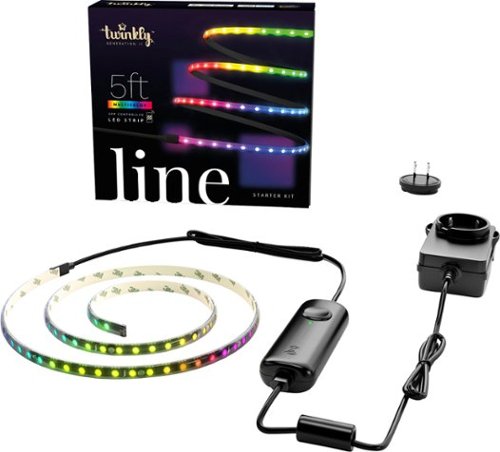
Twinkly Light Strings will add advanced technology and innovation to your home with premium decorative lighting. Getting started with Twinkly lights is easy, a quick and intuitive setup process configures your device in a matter of seconds. The Twinkly ecosystem uses a Bluetooth and Wi-Fi controller with a state-of-the-art smartphone application, bringing new levels of lighting design and creativity to customize your connected home. Like all Twinkly products, every single LED light can be controlled individually, allowing you to create and reproduce unique effects, gradients, and color animations. Twinkly Lights can be grouped together with other Twinkly devices to create larger, synchronized light installations and combined with Twinkly Music (sold separately), to offer a fully customizable light show to fit any occasion. Twinkly Line will add advanced technology to your home d~cor, whether hidden under a cabinet or installed in plain sight, Line will bring new levels of lighting design and creativity to your connected home. Twinkly Line is a smart LED strip light solution with an adhesive and magnetic back, 100 RGB LED lights, and a premium all-black look. Extend the length of the Twinkly Line by adding an additional 5 feet with the extension kit (sold separately).
Customer Rating
4
Easy to use, great addition
on November 4, 2021
Posted by: Ebonovic
from Tinley Park, IL
So this is my second set of Twinkly products, and they continue to surprise. This set was obtained to go right into my teenagers bedroom. and it fits the bill perfectly.
First, it is supper simple to setup. Download app, plug in, pair, and go. just like that. It doesn't require a ton of complicated steps.
Now the fun part, getting to play with the colors. in just a few moments was able to start to use the pre-designed layouts, but that soon got "boring" and then got into specifically seeing things up to colors where they wanted to be.
installation is probably the only thing that lacks a bit. While you can have some distance between the lights and the control box, that control box is still pretty bulky. So depending on your installation you are going to need to be clever. For us, we were able to stash it inside a cabinet after drilling a hole for the wire to run.
The other smaller negative, is 5ft is a LOT shorter then it sounds, when it comes to lights.
Overall... this is a great, higher quality then most of the garbage from Amazon, and will fit most use cases, but the shorter length and higher dollar, needs to be evaluated based on usage and wants.
Mobile Submission: False
I would recommend this to a friend!
Share this review:


0points
0of 0voted this as helpful.
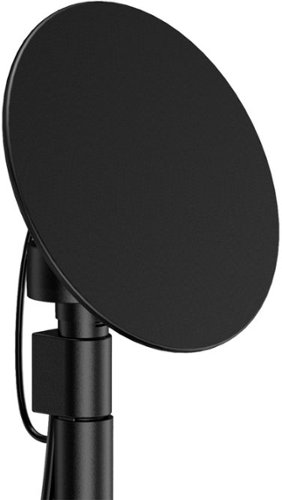
Enjoy live TV broadcasts from your favorite local networks without the cable bill! The Core Innovations ANT100TCR Outdoor/Attic Amplified TV Antenna allows you to access HDTV channels up to 100 miles away, free of charge. The 360-degree motorized rotation delivers better range and reception in imperfect locations, and the wireless remote control gives you the flexibility to make adjustments from the comfort of your living room. Enjoy content in up to 4K full HD where supported, and mount the antenna to the included mounting pole to further boost signal strength.
Customer Rating
5
Great addition, modern and works pretty weel
on October 28, 2021
Posted by: Ebonovic
from Tinley Park, IL
So for over 20 years, I have had some form of antenna on my home.
First it was the only way to get an HD signal. Then it was the only way to get a quality HD signal.
First it was the only way to get an HD signal. Then it was the only way to get a quality HD signal.
Now with cord cutting and trimming services, unless you want to pay a LOT for just a few channels... it is the bets way (and free) to get them.
So I just had a roof re-done and this is a perfect new antenna.
It is very light weight... Easy to put together.
If you are good with a drill and ratchet, only took me maybe 15 minute to put the mounting bracket on and get it all connected.
If you are good with a drill and ratchet, only took me maybe 15 minute to put the mounting bracket on and get it all connected.
I already had a standard coax and as able to plug that right in and boom... GREAT reception. I am about 30 miles away from the broadcast antennas and all the expected channels are coming in perfectly.
The rotation mechanism, I don't really need to use, as I can actually see the broadcast antennas (Chicago area, and they are from the tallest building).. so was able to line them up right away.
Visually, this looks like a small disc and modern, so doesn't really look out of place at all on my roof.
Mobile Submission: False
I would recommend this to a friend!
Share this review:


-1point
0of 1voted this as helpful.
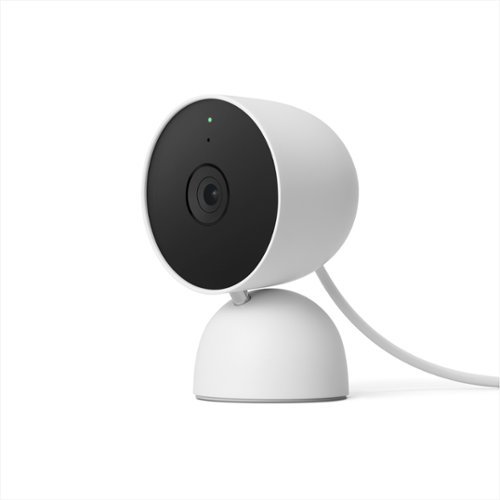
The indoor Nest Cam knows the difference between a person, pet, and vehicle, and alerts you about the things that matter to you, instead of the things that don't. 24/7 live view shows you what~s happening from anywhere.* With 3 hours of free event video history, you can go back and see what you missed. And it comes in different colors to fit your style. The indoor Nest Camera requires the Google Home app and a Google Account ~ it~s not compatible with the Nest app or the home.nest.com site.
Customer Rating
2
Great Camera, good price... But a HUGE MISS
on October 21, 2021
Posted by: Ebonovic
from Tinley Park, IL
I have been a long time support of the Nest Product line. From the first thermostat, to the smoke detectors, to the doorbell, then the first camera, then the IQs, so wanted to add yet another. Before this camera, I have 21 other NEST devices in my home.
This particular camera is a a GREAT price point, and is SUPER simple to setup. However, a HUGH miss for someone like myself.
I will expand on it in a bit, but it is the Google Home App vs the Nest App.
Now for the good:
- Extremely easy to setup. Get the Google Home Assistant app (you may have it already), hit just one or two buttons, and scan the bar code. Since I already head some apps in Home Assistant (minis), it had all my details for wifi. In about three minutes, and I was up and had video.
- Extremely easy to setup. Get the Google Home Assistant app (you may have it already), hit just one or two buttons, and scan the bar code. Since I already head some apps in Home Assistant (minis), it had all my details for wifi. In about three minutes, and I was up and had video.
- Installation, the video played in app was very tiny... I just went out and found the full screen version on YouTube, and it was easy. Two screws, to the base, align it, and the camera is installed.
This is where I took one star off. the mounting base only allows for so much of an angle.. You really do need to set this up at about 6 to 7 feet off the ground to get a good view. That may not be practical for some. I personally would like to mount it a bit higher, so it is out of eye-line sight for the most part.
I have the wired version, and have to make sure that this cord. reaches the outlet. but it is easy enough to add a USB extender.
- The video quality is good, the microphone is great. pics up a lot.
It is what I would expect from this project.
It is what I would expect from this project.
So... here is the bad, and to me, it is almost unexcused. And I took 2 stars off because of this... (The other was the limited fixed mounted)
Burried deep in the "Specification" listing, it states Compatible with Google Assistant. NO WHERE in the description that the "Nest Cam" won't work with the "Nest App". It is extremely illogical.
The VALUE of the Nest echo system, is that I have ONE spot to go to for all my Nest products. That I can see ALL my video camera feeds in one place both web and app. I have 5 other cameras. I spent a health penny to standardize on Nest, I could have gone with many other options, but I wanted the single echo space that would talk to one another.
This isn't about a simple compatibly difference, this is a fundamental way of utilizing the camera. No ability to view it from my desktop. (I use that feature OFTEN while I am work, and view my various cameras from my desk, and not my phone). Not able to watch something going on, from multiple views.
Google does not "owe" an explanation on why they made this fundamental change, but they should do so somewhere. Or at least make it very clear in the DESCRIPTION (and not buried in the specification, which really even if I had seen it, wouldn't have thought twice)... that you will not have this in the NEST App and home.nest.com.
I am going to really debate about taking this camera down, and picking up a used one, that will be in the same functional space as the rest of my cameras.
Mobile Submission: False
No, I would not recommend this to a friend.
Share this review:


+2points
2of 2voted this as helpful.
Ebonovic's Review Comments
Ebonovic has not submitted comments on any reviews.
Ebonovic's Questions
Ebonovic has not submitted any questions.
Unlock a world of crypto possibilities with the Ledger Nano S. The world~s most popular hardware wallet to securely start your crypto journey. Buy, secure, exchange, grow and manage your favorite crypto assets.
Does the Nano S Crypto Hardware Wallet support Dogecoin?

Experience the thrill of the game with the new Dell G15 gaming laptop. Featuring AMD~ Ryzen processors, NVIDIA~ GeForce~ graphics, improved thermal design and Game Shift technology.
Does this laptop has expandable RAM memory?
There are no visible expansion ports of any type. So if it is possible, you would be talking about completely opening the laptop.. which is something I haven't done, or plan to do.
4 years, 8 months ago
by
Ebonovic

Unexpected. Unseen. Unreal. The Delta 15 AMD Advantage Edition uses the latest AMD Ryzen 7 5800H processor and Radeon RX 6700M graphics. Coming in at 4.19lbs light and 0.75in thin, the Delta 15 supports SmartShift, Smart Access Memory and Wi-Fi 6E for powerful performance inside a premium chassis. Break through and set off a new standard in gaming with the Delta 15.
How loud are the fans?
The fans themselves are silent when running at low speeds, but when it was doing the firmware updates, and the fans kicked to max...
It sounds like a mini-turbine engine, and are fairly loud
It sounds like a mini-turbine engine, and are fairly loud
4 years, 9 months ago
by
Ebonovic
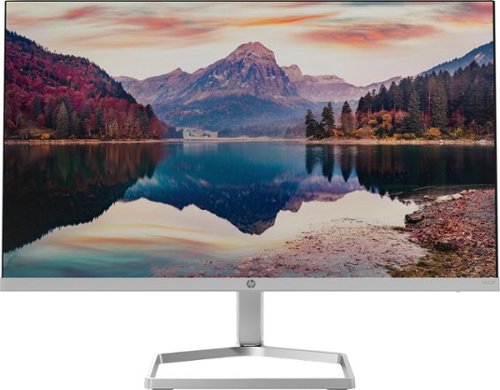
The New Definition of High Definition: This FHD monitor feels as good as it looks, packing IPS technology for 178 degrees ultra-wide viewing angles, 99% sRGB color gamut for color accuracy, and FreeSync to keep your eyes up to speed with your imagination. Looks Good, Feels Good, Does Good: Increase viewing comfort with HP Eye Ease with Eyesafe certified technology that doesn't sacrifice color quality. Monitor designed with sustainability in mind with 85% postconsumer recycled plastics and packaged in recycled materials. Doing good never looked so good. Streamlined & Seamless: Streamline your setup with its slim profile, innovative cable containment, and seamless design for side-by-side screens.
Will this monitor connect to 2019 iMac retina 4K?
You will need a USB-C -> HDMI dongle in order to connect it.
4 years, 10 months ago
by
Ebonovic
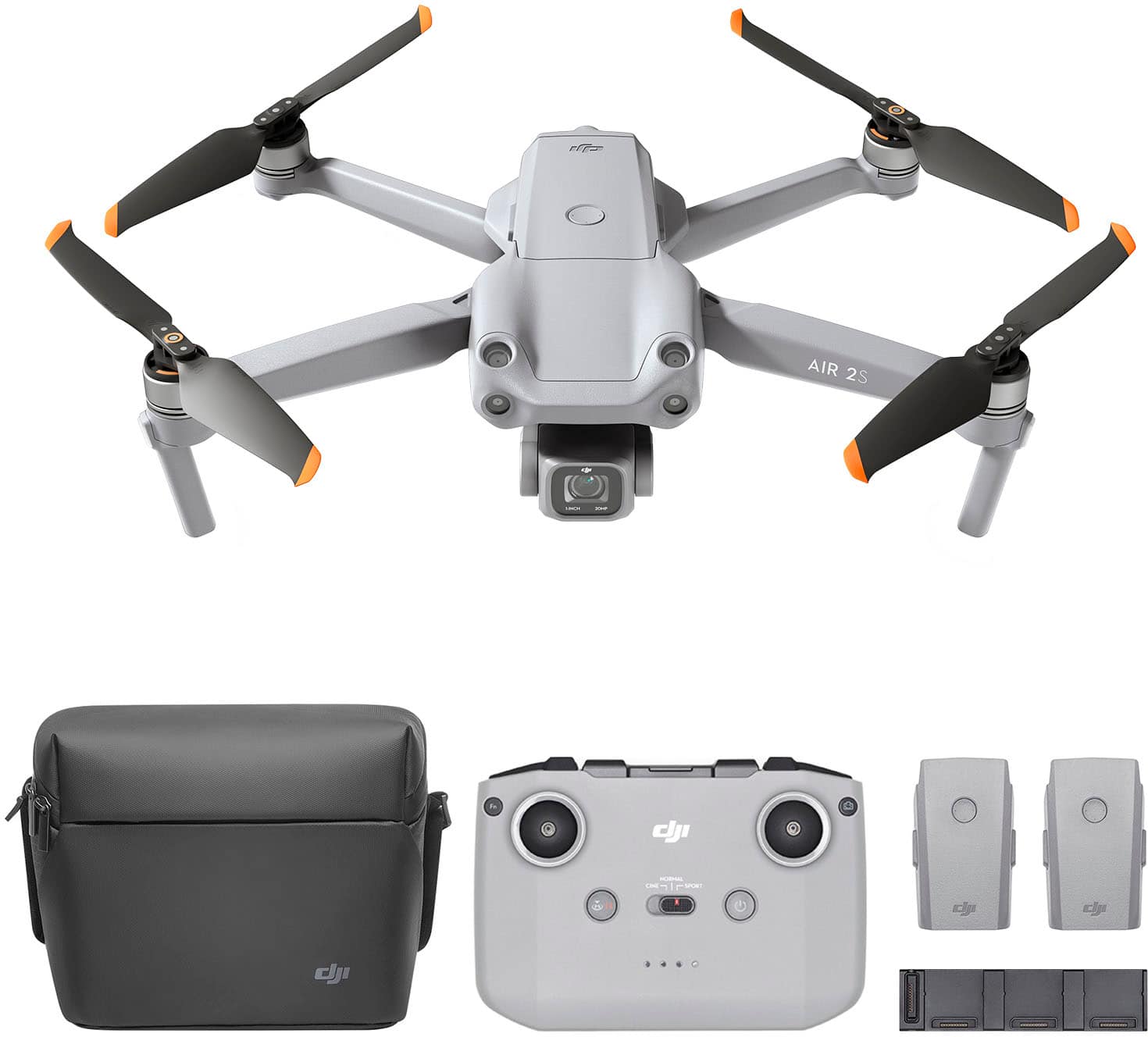
Featuring a 1-inch CMOS sensor, powerful autonomous functions, and a compact body weighing less than 600 g, DJI Air 2S is the ultimate drone for aerial photographers on the move. Take this all-in-one aerial powerhouse along anywhere to experience and record your world in stunning detail.
Do you need a radio license to fly this drone?.
A "RADIO" license is not required. You will want to look into the FAA 107 program, if you are in the US to expand your usage of this unit.
5 years, 1 month ago
by
Ebonovic
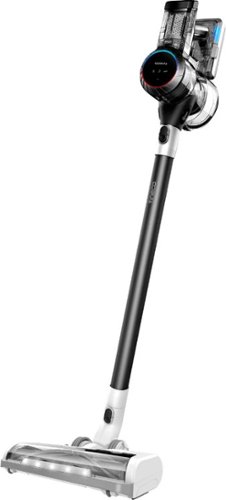
Pure One S11 is a high-performance cordless vacuum. It features iLoop~ Smart Sensor Technology which senses hidden dirt, dust, hair, pollen, and dander, and automatically adjusts suction power in real-time for an effortless cleaning experience. Pure One S11~s full-size multi-tasker power brush ensures you get a deep, thorough clean of carpets, bare floors, fabric, and more. Get up to 130W of suction power in Max mode.
DOES THE POWER BUTTON HAVE TO BE PHYSICALLY CONTINUALLY HELD DOWN BY THE USER TO KEEP THE DEVICE IN THE RUNNING MODE ( AS WITH THE DYSON CORDLESS VACUUMS ) ?
No, there is a toggle switch that will allow you to continuously run the unit
5 years, 7 months ago
by
Ebonovic
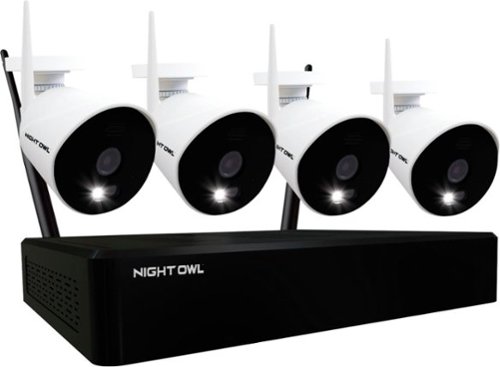
Improve your home security with this Night Owl 10-channel NVR surveillance system. The two-way audio communication lets you converse with guests, while four Full HD IP cameras have color night vision capability to capture clear video evidence. This Night Owl 10-channel NVR surveillance system features Wi-Fi connectivity for remote access via Android and iOS devices.
How long does the batters last on charge for cameras
There are no batteries in this camera, they require an adapter to be plugged in at all times
5 years, 10 months ago
by
Ebonovic
Improve your home security with this Night Owl 10-channel NVR surveillance system. The two-way audio communication lets you converse with guests, while four Full HD IP cameras have color night vision capability to capture clear video evidence. This Night Owl 10-channel NVR surveillance system features Wi-Fi connectivity for remote access via Android and iOS devices.
Will the cameras work with solar cells and battery back-up? Do you offer solar cells? How much power/back-up would be necessary to power these cameras and charge the battery?
The power connect for the camera's are not USB style plugs, they are DC adapter plugs. They don't have a built in battery, and I have not seen one listed by the company as an option...
Solar Cells will need a battery. I am sure you could probably configure something that would work (such as a Goal-Zero with Solar), but the added cost x4 may not be worth the effort.
Solar Cells will need a battery. I am sure you could probably configure something that would work (such as a Goal-Zero with Solar), but the added cost x4 may not be worth the effort.
5 years, 10 months ago
by
Ebonovic
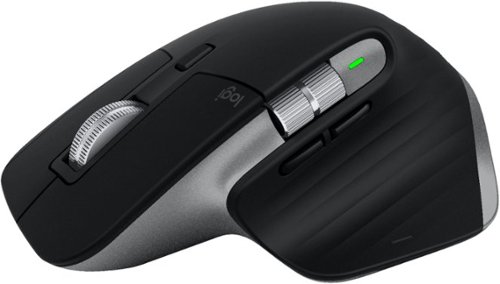
Get more out of your Mac and iPad with MX Master 3 for Mac ~ optimized for macOS, and iPad compatible. Finished in Space Gray, MX Master 3 for Mac is our fastest, most precise, and most comfortable experience yet. MagSpeed scrolling is our quietest, and most addictive scroll wheel ever. Button customizations speed up your macOS and iPadOS workflows, and a 4000 DPI sensor means you can track virtually anywhere ~ even on glass. You~ll get the advanced functionality of MX Master 3 for Mac, while keeping the macOS gestures you love. And Flow allows you to work across multiple Mac computers ~ transferring files, images, and folders in one fluid workflow. Ready for video calls - predefined settings for Microsoft Teams and Zoom let you instantly mute and Start/Stop your video call. Requires Logitech Options software, available for macOS and Windows.
Is this the new one that they released for MacOS?
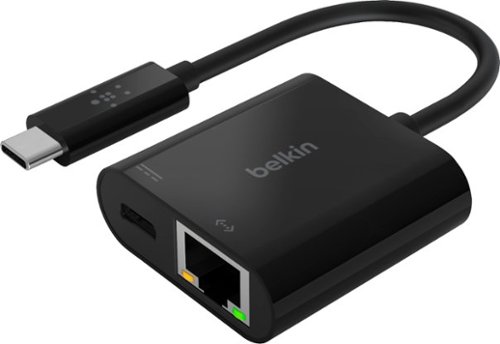
Connect to the internet with confidence while charging your laptop for the office, home, or classroom. This Belkin USB to Ethernet adapter provides convenient access to fast and reliable Internet connection through a gigabit Ethernet port and allows for USB Power Delivery at the same time. It's a plug and play adapter that works universally with Mac and Windows laptops and other USB-C devices. Connect and stay powered while surfing the Internet or transferring data using this ethernet USB-C Hub. Pass through Power Delivery of up to 60W allows you to stay charged while you work using a single USB-C port and the included cable supports network speeds up to 1000 Mbps. Compatible with iPhone 17, iPhone 17 Pro Max and iPhone 17 Pro.
Can you use this adapter in place of cable Ethernet?
Well... not "in place" of the ethernet cable, you would use this adapter WITH a ethernet cable.
This is the adapter you would need, if your laptop (or other device) only has USB-C ports, and no ethernet port.
This is the adapter you would need, if your laptop (or other device) only has USB-C ports, and no ethernet port.
5 years, 11 months ago
by
Ebonovic