


Ebonovic's stats
- Review count283
- Helpfulness votes197
- First reviewJuly 24, 2014
- Last reviewJune 7, 2026
- Featured reviews0
- Average rating4.5
Reviews comments
- Review comment count0
- Helpfulness votes0
- First review commentNone
- Last review commentNone
- Featured review comments0
Questions
- Question count0
- Helpfulness votes0
- First questionNone
- Last questionNone
- Featured questions0
- Answer count29
- Helpfulness votes80
- First answerSeptember 7, 2015
- Last answerNovember 4, 2021
- Featured answers0
- Best answers2
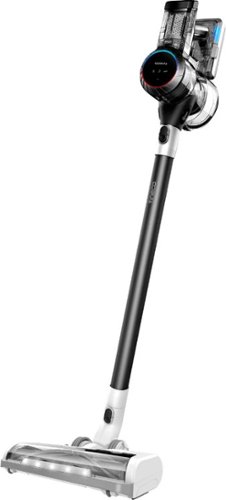
Pure One S11 is a high-performance cordless vacuum. It features iLoop~ Smart Sensor Technology which senses hidden dirt, dust, hair, pollen, and dander, and automatically adjusts suction power in real-time for an effortless cleaning experience. Pure One S11~s full-size multi-tasker power brush ensures you get a deep, thorough clean of carpets, bare floors, fabric, and more. Get up to 130W of suction power in Max mode.
Customer Rating

4
Quality, but just a little head scratching
on November 2, 2020
Posted by: Ebonovic
from Tinley Park, IL
Having used multiple Stick Vacuum's over the last few years, this one was pretty good, but just fell a little short in one or two areas.
First: They put a lot of time in to the way this one LOOKS. It has a high tech, clear and polished look. Using some clear plastics to see the insides (including the battery). Makes it a little cooler when it sits on the wall, BUT!! I think it was necessary. I store this in a laundry room, and out of site... so that time and energy that went into making this look like a cool device, just really is a nice to have and doesn't really bring anything to it.
As a vacuum, it is relatively well balanced, and easy to use. Flows easy. For my 6 foot hight, I think it was just a little bit too short. Still very usable, but I found myself with a slight lean when using it.
The batter lasted respectively long, comparable to just about every other brand out there that I have used.
I didn't care for the MAX/AUTO button on the power. It didn't respond fast enough for my liking, and would have rather had a physical switch, then a push button.
That said, there is a physical toggle bar/switch, for the activation button in the handle... kinda nice to have, so it can stay running even when my finger isn't there. (kinda like a power tool)... I just think over time, that thin plastic is going to break on it. we will see.
By biggest concern (and the loss of one star). is that that it seems there are consumables that have to be replaced and not just washed and reused. with call out stickers telling me that some of the filters should be replaced in as short as 3 months. I was a little disappointed in that, even though we did get 1 year's worth of the main filter (per their recommendations).
The mounting/charging base took a minute to figure out where all the parts go... and still there is one accessory included that doesn't mount to it. Custom power cable/plug is okay, but concerned if something ever brakes on it, that I won't be able to get a quick replacement.
Overall for the price and performance, this is a good option for most.
Mobile Submission: False
I would recommend this to a friend!
Share this review:


+2points
2of 2voted this as helpful.
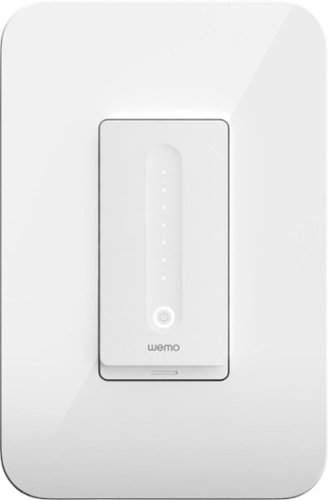
Wemo WiFi Smart Dimmer gives you total control over your lights. Dim and control them from anywhere using the Wemo app or by using your voice with Apple HomeKit, Amazon Alexa, or Hey Google.* You can also set schedules and timers, randomize lights with Away Mode and offer your eyes some late-night comfort with Night Mode.
Posted by: Ebonovic
from Tinley Park, IL
You installed all those nice LED Lights to save energy... Well.. .go one extra step to save even more energy and make it fun, and easy to use your lights.
I have been using WEMO devices in my house for at least 4 years now. And they have come a LONG way. And this Dimmer is just another great example of that.
First installation. If you have basic experience with any type of electrical wiring, or even a bigger that knows how to use tools.. you can install this. Turn power off at the breaker, confirm power is off. And replace your existing switch. (NOTE, this particular one are for SINGLE Pole switch. Meaning if you can use more then one switch to turn lights on and off, this is not the one you want)
Once you turn power back on, you will be able to manually toggle the lights on and off... but that isn't fun, is it. The WEMO app on your phone, will walk you through the rest. Setup the wifi connection, and you now have access to your switch in your home, AND AWAY from your home.
Some really cool power features:
- Setup Alexa to control it, you pair your WEMO account with Alexa and you can just say: "Alexa turn off Kitchen Light".
- Setup rules in the WEMO app. I have rule setup, that during the daytime (sunrise to sunset), the light wills tay on for 15 minutes. I did this because my kids had a habit of turning on the hallway light, but then just leaving it on... even though they are not in the hallway.
- When you get more then one WEMO device, you can do even more... such as setting it up so if you hold ONE switch (anywhere in your house) down for 5 seconds, it will turn off every controlled light in the house.... great for when leaving.
- Setup more timers to simulate you being home when you are on vacation.
- Setup even more Alexa controls. "Alexa Turn off House", and Alexa will then send the commend to make sure all lights are off.
- Setup Alexa to control it, you pair your WEMO account with Alexa and you can just say: "Alexa turn off Kitchen Light".
- Setup rules in the WEMO app. I have rule setup, that during the daytime (sunrise to sunset), the light wills tay on for 15 minutes. I did this because my kids had a habit of turning on the hallway light, but then just leaving it on... even though they are not in the hallway.
- When you get more then one WEMO device, you can do even more... such as setting it up so if you hold ONE switch (anywhere in your house) down for 5 seconds, it will turn off every controlled light in the house.... great for when leaving.
- Setup more timers to simulate you being home when you are on vacation.
- Setup even more Alexa controls. "Alexa Turn off House", and Alexa will then send the commend to make sure all lights are off.
Once you get one of these, you are going to want more.
Mobile Submission: False
I would recommend this to a friend!
Share this review:


0points
0of 0voted this as helpful.
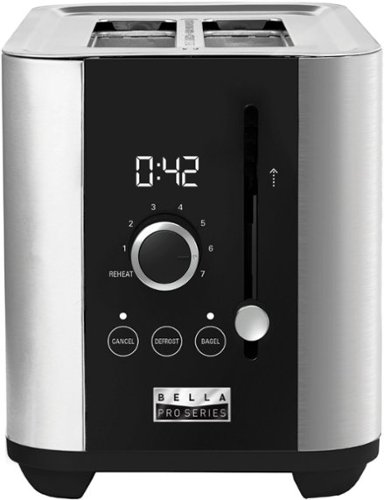
The Bella Pro Series 2-Slice Digital Touchscreen Toaster has a powerful 1000-watt toasting system and 7 setting shade control designed for consistent toasting, every time. The extra wide slots can accommodate standard sliced bread, bagels and Texas style toast. High lift lever to easily access smaller breads with anti jam and auto shut off features for extra safety. Durable Stainless Steel exterior with digital touchscreen interface and LED display countdown timer adds style to any kitchen. Removable crumb tray and convenient cord wrap for easy storage.
Customer Rating

5
Its a Toaster... with a twist
on October 14, 2020
Posted by: Ebonovic
from Tinley Park, IL
So here is the most important thing: It Toasts, and it Toasts well.
I really was impressed with the key function of this product, it does toast/cook the items evenly and well.
I really was impressed with the key function of this product, it does toast/cook the items evenly and well.
Now let's talk about the Digital Touchscreen part. First it is a "tad" misleading. While the buttons to select the mode of toast are "touch" the part that looks digital, is really analog, but it is really cool.
So the time countdown is a GREAT feature that I like, so I really have an idea of how much longer I have till it pops. And over the weeks of using this, I have been able to "dial" in my exact time for certain common items.
The dial, is an analog twist dial that adjust the time of toasting. So yah, it isn't like your Microwave time entry... something that is closer to digital... but this is still a very very cool feature.
The extra wide slots have been great for bagels, and Texas toast.
This was a GREAT replacement for our previous toaster that was on it's last days.
Mobile Submission: False
I would recommend this to a friend!
Share this review:


0points
0of 0voted this as helpful.

Operate your computer seamlessly with the Logitech K845 Full-size Wired Mechanical Linear Keyboard. The curved construction and angled keys enable comfortable data entry, while the illuminated design lets you easily find keys in the dark. This corded Logitech mechanical keyboard has red switches for responsive performance during gaming and typing, and the aluminum top case offers durability.
Customer Rating
5
Love me a good "classic" keyboard
on October 12, 2020
Posted by: Ebonovic
from Tinley Park, IL
So before the days of wireless keyboards, we had BIG clunky, oversized clicking keyboards. This is what a LOT of us used for many years. And well, sometimes that is just what is needed now a days.
this little beauty isn't BIG or Clunky. It hits the mark, with a little polish that is appreciated.
First and foremost, you are NOT getting a wireless job here. no batteries, no dongles. Just an average sized USB cord to plug into an open slot. It is a USB2 style plug, compatible with most computers. But if you are going onto a newer laptop (or MacBook) you will need an adapter for USB-C. (nothing new there).
It doesn't have a lot of extra "plastic" so it takes up a bare minimum of space on your desk or keyboard tray.
Once it fires up, you will see a very wonderful display of lights, kinda of like it "warming up" and ready for use.
When utilizing it, took me about 15 minutes or so to get use to the higher keys, as compared to my Logitech blue-tooth keyboard.. but once I made the adjustments, so nice.
The keys give direct feedback to your fingers while typing, there is no mistaking when you push a button down and it pushes back. Feels great to the touch. with in minutes I was back up to full speed typing, and just flowing.
Functionally this is great, with a full keypad and other function buttons as well...
What I really appreciated about the keyboard, was the look of it. It just looks old school and modern at the same time. I miss that.
If you are just tired of the cheap, thin feeling, wireless keyboards out there... give this one a try..
Now... I already know what my plans are for this one... It may get a little TLC, and painted to look a little more mechanical/steampunk.. but that is a personal preference thing... and this keyboard gives me that opportunity to do a little 'bling' to it.
Mobile Submission: False
I would recommend this to a friend!
Share this review:


0points
0of 0voted this as helpful.
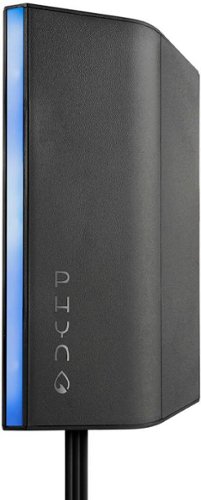
Track water use with this Phyn smart water assistant. The included mounting screws and adhesive strip offer easy installation, and the compatible app lets you monitor water consumption and alerts you to leaks. This Phyn smart water assistant automatically learns your plumbing system and is compatible with popular virtual assistants so you can access reports and alerts using voice commands.
Customer Rating

3
Review will take time... long time
on September 28, 2020
Posted by: Ebonovic
from Tinley Park, IL
So I am giving this 3 stars. Primary reason: It is going to be months before I know how well this system works. I will explain down below.
I have been looking for this type of smart-home addition for sometime. Seeing Flo from another company, and others... that were just INSANE prices, before installation costs... just couldn't pull the trigger. I did last year purchase some devices that would track water flow... but, I have to install one on EACH AND EVERY water line or shower head, and that will add up.
So when seeing this Phony system... this looked like a great in between solution. So let's talk about it a bit.
Something things up front:
- You need a sink area to install this that has the following
* both hot and cold water lines
* space to add 2"x2" sensors to the lines
* AN ELECTRIC outlet under the sync, or somewhere near by (explained later)
* WiFi Network within range of this sink
- You need a sink area to install this that has the following
* both hot and cold water lines
* space to add 2"x2" sensors to the lines
* AN ELECTRIC outlet under the sync, or somewhere near by (explained later)
* WiFi Network within range of this sink
Electric: This unit needs CONSTANT electric power, from an outlet. If you don't have an UNSWITCHED outlet under your sink (and most people won't), you will need to identify how you are going to power this unit. In my installation, I didn't have the outlet, BUT.. it was a basement cabinet/sink, that the back wall is shared with a storage area, which the sub-panel was installed. It was a short 30 minute job to add a new outlet. MOST installations, this is going to be primary concern you will need to figure out and get resolved, before you even start the "water" portion of this installation. It is a USB style connector, and it is just power. So you can get an USB extension cable, to go as far away as necessary, but I would keep it short as possible.
Plumbing: If you are not comfortable with very basic plumbing tasks, you may not want to self install this. From a plumbing point of view, this is as EASY as it gets for the base installation. You disconnect your two feeds to your sink, connect the sensors, and put the feeds back on. Thats it. The sensors are at the common/default size for sink connections, if you are in an older home that has pressure-fit fittings, or soldered, or just not standard connectors... highly recommend a plumber. If your valves won't turn off.. or leak when turned off... I would recommend a plumber to change those valves, while you are doing this project. (or role the dice and do it yourself).
That all being said, it took me less then 5 minutes to get these sensors installed, reconnected and ready to go on my 5yr old sink in my renovated basement.
App Setup... this is where I ran into my first problems. The app seems to have a "little" difficult with iOS14. This probably will be fixed in a new update, but it took me about 3 tries, and some tinkering to get the app to setup, see my Phyn sensor, and pair with my home network. You do need to get a good wifi single where ever you are install the base unit. (Not related to this review, but I would recommend anytime to upgrade to a Mesh wifi type system, rather then just adding wifi extenders, but that is a review for another day).
Once you are pair'd up, the system will run some basic configuration tests... you run your hot water, and it configures the sensors. It will then run a PRV test (more later)... and then you are good to go.
Mount the unit, make the wires look nice and out of the way... and that is it... done with the manual tools and ready for the digital area of water monitoring... well kinda.
Here is where things lost two stars (for now).
This system will take time to learn your house and your water usage. The paperwork tells me to give it 3-4 weeks, the app is suggesting it could take months (or longer). And that makes sense. every house is different, and this is a connect in one place, to monitor all usage... it will take time or the algorithms to learn my house, it's normal usage. And I will need to be involved in that over this time.
This system will take time to learn your house and your water usage. The paperwork tells me to give it 3-4 weeks, the app is suggesting it could take months (or longer). And that makes sense. every house is different, and this is a connect in one place, to monitor all usage... it will take time or the algorithms to learn my house, it's normal usage. And I will need to be involved in that over this time.
So I won't know how well this system will help me save money, detect leaks, etc... for a while. And I will hopefully then remember to come back an update this review after it does. To be fair, short of connecting something at every water outlet and source, this is going to be the same for ALL These types of system. As a technologist, I understand why it is doing that... but as a reviewer, I have to be fair and basically say this review is incomplete at this time.
To add to this, my house which is only 15 years old... is new relatively speaking. New modern coper pipes through out, municipality water supply... The app (and reading more now) recommends that I install what is called a PRV... Pressure Relief Valve. This is a relative small device, that connects to my main water line near the meter. It's job is to keep the water pressure, at a near consistent 60-80psi level. The part itself is only about $100, but to pay a plumber to do it, could be another $300-$400.. and that is something I wasn't looking for. If I wanted to that level of plumbing work, I could have went with one of the competing products, that also had automatic system shut-off. So I was disappointed in that... but right now.. it isn't required, and I can still use Phyn. But the app tells me it may not be till SUMMER before it can really understand my water pressure and detect leaks. SUMMER. It's the last week of September. So we will see what I do.
I like the idea of adding the PRV just as a whole house thing anyway, but that is going to be a little more then a basic pluming installation. Time to dive into more research.
So this is 3 stars at this point, with 1 or 2 stars outstanding, as the weeks/months role on and I get to see data, and how this unit helps my house/bills.
Mobile Submission: False
I would recommend this to a friend!
Share this review:


+2points
2of 2voted this as helpful.

The Filtrete~ Advanced Under Sink Quick Change Water Filtration System 3US-PS01 is easy to install and maintain. It's an under sink water filtration system that connects to the kitchen or bath faucet.
Customer Rating
5
Simple, Easy, and good water
on September 23, 2020
Posted by: Ebonovic
from Tinley Park, IL
So I had been looking at much more expensive options. I wanted to have filtered water on my basement sink, which is near the Exercise equipment. This is going to do PERFECTLY.
First the MAX unit is pretty large, almost 20" in length. So make sure you have room under your sink, to account for that, and have room to remove and replace the filter in the future.
Installation is really easy, but the instructions (in my opinion) need one change. It refers to the INPUT installations, as what I would call the output of the filter. It really isn't a big deal, as the pictures provided in the instructions make it EXTREMELY clear on what goes where.
Two Screws, and two water connections.. No new pipes, if you can use a simple adjustable wrench, and a screwdriver... you can install this yourself (don't pay $100+ for a plumber).
Now after you flush the filter the first time, you are good to go... and I can say I didn't notice any real change in water pressure, and it just works.
I am in The Chicago water system from the lake, so I already had good water... but I could taste the difference once this filter went on. It is going to be sometime till I know how long the filter will last from my usage... but overall. Perfect Price, for what it is and what I am using it for.
Mobile Submission: False
I would recommend this to a friend!
Share this review:


0points
0of 0voted this as helpful.

Enjoy all the fried foods you love, with little to no oil at all! The Chefman 8 Quart Turbo Fry Air Fryer with Square Stainless-Steel design allows you to fry like a pro right in your kitchen. With this air fryer, delicious and healthy eating is finally possible, with no mess from fried oil and less fat in your meals. The XL, family-sized capacity and nonstick basket give you the ability to cook enough for a crowd without taking up too much room on your countertop. Skip the microwave, reheat leftovers to perfection in your Chefman air fryer to bring back that crunchy, fried flavor days later. Make better-for-you fries that are just as crispy and tasty, roast chicken thighs, or heat up leftovers for a quick and easy meal. Use the helpful presets to serve fries, chicken, meat, or fish at the push of a button. The adjustable temperature control with 60-minute timer automatically shuts off once food is done, so you never have to worry about burning or drying out your food. Control both time and temperature with the simple touch screen and create evenly cooked meals with help from the LED shake reminder. The fryer's space saving basket is removable and dishwasher safe for easy clean-up, so can spend more time eating than cooking! 1700 Watts/120 Volts - RJ38-SQSS-8T NEW
Posted by: Ebonovic
from Tinley Park, IL
This is our 4th Air Fryer over the last 3 maybe 4 years.
And By FAR!!!! the best one today.
And By FAR!!!! the best one today.
Setup, if this takes you more then 5 minutes to setup, you are doing something wrong. Out of the box, all you have to do is plug it in, and put the fry basket in place. and that is it. Nothing else.
To use, load with the food you want to cook, and set the temp, and go. My wife used this on the first day to cook about 3 full servings of tater tots, and they came out HOT and CRISPY. our previous fryers, would either only cook about 1 serving, would burn them, or wouldn't even get crispy.
The cook basket is big, and can hold a lot. But do follow the directions, and shake things up a bit during cooking to get an even cook.
The basket is easy to clean when you are done. So far, we haven't had to use any oil.. so cleanup has been easy with just a soft towel and water.
On the counter, this unit fits great under the cabinet. Since the lid doesn't lift, we can get it into a smaller counter space. And it looks high tech, so it is nice to have it out. It takes up less space then our pressure cooker (which also was our last air fryer), so this unit is going to be on the counter regularly, and easily used.
Great choice.
Mobile Submission: False
I would recommend this to a friend!
Share this review:


0points
0of 0voted this as helpful.

The Turtle Beach Stealth 600 Gen 2 wireless gaming headset is refreshed for a new generation of consoles, compatible with Xbox One and Xbox Series X|S and features easy Xbox Wireless connectivity and immersive Windows Sonic surround sound. New for Stealth 600 Gen 2 is a larger flip-to-mute mic for refined chat clarity that integrates into the headset when muted, plus uniquely re-shaped, breathable ear cushions with ProSpecs technology provide glasses friendly comfort over long gaming sessions. Turtle Beach~s renowned Superhuman Hearing gives players the ultimate audio advantage, driven through precision-tuned 50mm speakers for a deeply immersive, undistorted audio experience.
Customer Rating
5
Great Choice for the Value
on September 16, 2020
Posted by: Ebonovic
from Tinley Park, IL
So this was hooked up to my XBOX One, looking forward to testing this with my XBOX Series X when it is released.
So getting the headphones to sync was pretty easy, but the instructions didn't match my older XBOX One. But I knew were the sync button was, so it wasn't a big deal.
When listening to music via YouTube, Lower base levels were average, midrange was good, and the higher tones were also very good. But who typically uses XBOX headphones for music?
Gaming, and this was really good... Comfortable, I can hear all my game audio, and the battery lasts a very long time. Easy to use, didn't even have to think about it... after connecting, turning on... and was solid in my game play. I had a friend put them on, and he though those were a very popular expensive brand name headphone.
Very good option... dump the cords, get a real wireless headset... your team mates (when online) will thank you for it
Mobile Submission: False
I would recommend this to a friend!
Share this review:


0points
0of 0voted this as helpful.

Superior sound. Tailored to you. Your day-to-day may change but your enjoyment of superior sound won~t. Powered by Sennheiser~s leading audio technology, the CX 400BT True Wireless gives you total control over an exceptional sound experience. The CX 400BT offers customizable controls, long-lasting battery life and an all-day comfort design, making it the perfect choice for everyday earbuds.
Posted by: Ebonovic
from Tinley Park, IL
So overall, these are very good headphones. but as with most ear-bud style, and especially wireless ones... the shape/size of your ear is going to be a big factor.
Sound quality is excellent. Very clear, deeper tones that I original suspected. Extremely easy to connect to a phone or other device (just a takes a few seconds, using standard bluetooth connectivity means)
The charging case is nice and provides a very convent way to store and charge the Earbuds.
The problem we had, is that for my ear... worked perfectly fine, I could do a workout on my Peloton with it, and just use them as expected. My wife on the other hand... she changed the inserts to the smaller size for her ears, and could put them on and they worked.
but what she was finding that the size of the unit, it just didn't sit well in her ear, and they would fall out. She used them while cutting the lawn (electric mower), and had to catch one of them a couple times.
Mobile Submission: False
I would recommend this to a friend!
Share this review:


+1point
1of 1voted this as helpful.
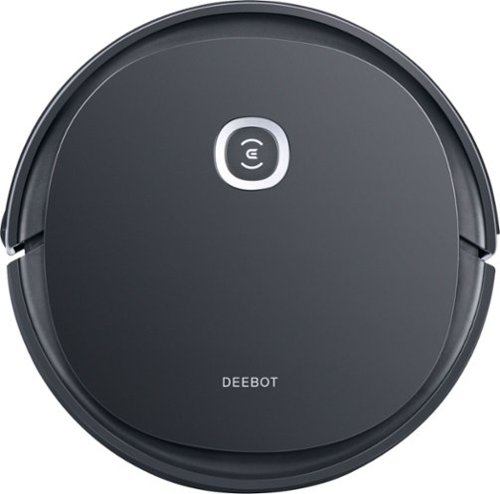
ECOVACS DEEBOT OZMO U2 is a hardworking all-in-one robot that vacuums and mops in one go. Hard Floor Mode navigates in an efficient back-and-forth pattern. Max+ Mode provides more than 2.5X more suction power for stubborn dirt and debris. Cleans up to 110 minutes on a single charge.
Customer Rating
5
Does the job well, a nice addition
on September 4, 2020
Posted by: Ebonovic
from Tinley Park, IL
So I have had other robotic vacuums and mops in the past, from the popular name in the game. Just over time, got tired of the problems I had with it... and it always seemed like the only way to get past them, was to upgrade to another version of it.
With the Deebot, I am pretty happy with I have gotten so far. Relatively easy to setup. (NOTE, when it says turn me on, before charging.. it isn't the button on top, there is a switch on the side... took me a few frustrating minutes to figure that out)
Once it charged the first time overnight, was ready to setup. and if you have your WiFi password.. takes about 2 minutes from start to finish, before you are ready to get it going.
When started, it went on it's way. It is relatively quiet. much quieter then our STICK vacuum. and given it is moving and rolling, still didn't make all that much noise.
It was VERY good at getting under the table, and getting out... it would get under a chair, but it would get itself out pretty quickly, and keep on going.
I found it interesting how it could sense the edges of cabinets and our island in the kitchen, avoid them, but then come back at a slower pace, different angle to get those areas.
My next area of concern was the stairs... we have an open stair case.. and well.. .no tumble down them, it sensed it and kept it self from going down.
We did have a tiny issue with one curtain, it was a little low.... and then a funny instance with a balloon. The unit was so light, and soft.. it didn't pop the balloon, but it went up and on top of it, and kinda got stuck. I say kinda because after 20s or so of trying to get off of it... it killed it motors, and the unit rolled back down, and then started back up... kinda neat.
The mobile app is a GREAT touch. My previous units, had standalone remotes that we always lost. Now with this on our home WiFi we can do a little more monitoring, and everyone can turn it on and off... depending on what is going on.
I am going to get some of the magnetic strips, so I can have it avoid certain areas of the room (aka that before mentioned curtain area).
It ran for a solid 90 minutes, and covered over 1400sqft of cleaning.
What I really liked is that it seamlessly handled going back and forth between my carpet and hardwood.
Mobile Submission: False
I would recommend this to a friend!
Share this review:


0points
0of 0voted this as helpful.
Ebonovic's Review Comments
Ebonovic has not submitted comments on any reviews.
Ebonovic's Questions
Ebonovic has not submitted any questions.

Unlock a world of crypto possibilities with the Ledger Nano S. The world~s most popular hardware wallet to securely start your crypto journey. Buy, secure, exchange, grow and manage your favorite crypto assets.
Does the Nano S Crypto Hardware Wallet support Dogecoin?

Experience the thrill of the game with the new Dell G15 gaming laptop. Featuring AMD~ Ryzen processors, NVIDIA~ GeForce~ graphics, improved thermal design and Game Shift technology.
Does this laptop has expandable RAM memory?
There are no visible expansion ports of any type. So if it is possible, you would be talking about completely opening the laptop.. which is something I haven't done, or plan to do.
4 years, 8 months ago
by
Ebonovic

Unexpected. Unseen. Unreal. The Delta 15 AMD Advantage Edition uses the latest AMD Ryzen 7 5800H processor and Radeon RX 6700M graphics. Coming in at 4.19lbs light and 0.75in thin, the Delta 15 supports SmartShift, Smart Access Memory and Wi-Fi 6E for powerful performance inside a premium chassis. Break through and set off a new standard in gaming with the Delta 15.
How loud are the fans?
The fans themselves are silent when running at low speeds, but when it was doing the firmware updates, and the fans kicked to max...
It sounds like a mini-turbine engine, and are fairly loud
It sounds like a mini-turbine engine, and are fairly loud
4 years, 9 months ago
by
Ebonovic

The New Definition of High Definition: This FHD monitor feels as good as it looks, packing IPS technology for 178 degrees ultra-wide viewing angles, 99% sRGB color gamut for color accuracy, and FreeSync to keep your eyes up to speed with your imagination. Looks Good, Feels Good, Does Good: Increase viewing comfort with HP Eye Ease with Eyesafe certified technology that doesn't sacrifice color quality. Monitor designed with sustainability in mind with 85% postconsumer recycled plastics and packaged in recycled materials. Doing good never looked so good. Streamlined & Seamless: Streamline your setup with its slim profile, innovative cable containment, and seamless design for side-by-side screens.
Will this monitor connect to 2019 iMac retina 4K?
You will need a USB-C -> HDMI dongle in order to connect it.
4 years, 10 months ago
by
Ebonovic
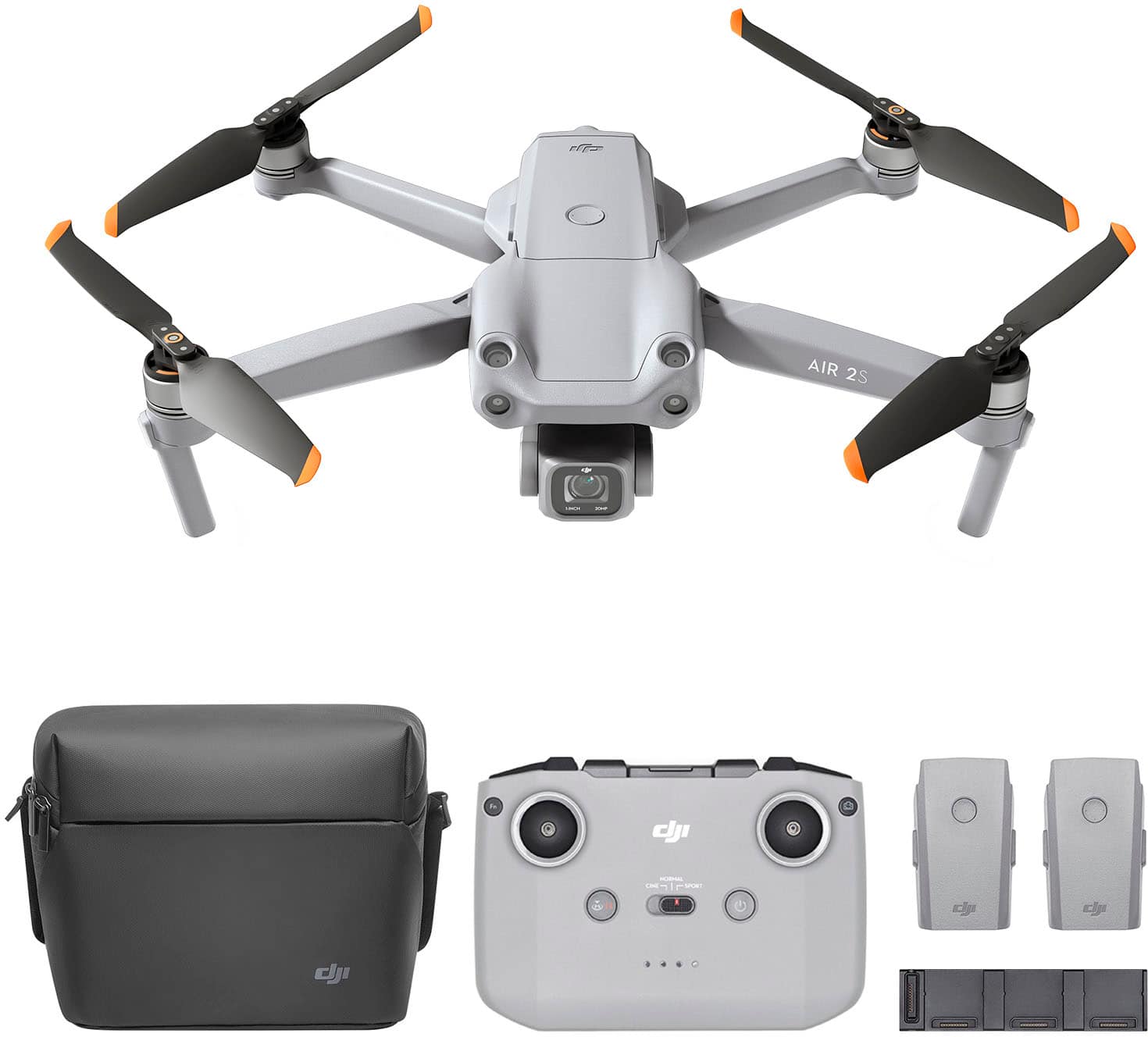
Featuring a 1-inch CMOS sensor, powerful autonomous functions, and a compact body weighing less than 600 g, DJI Air 2S is the ultimate drone for aerial photographers on the move. Take this all-in-one aerial powerhouse along anywhere to experience and record your world in stunning detail.
Do you need a radio license to fly this drone?.
A "RADIO" license is not required. You will want to look into the FAA 107 program, if you are in the US to expand your usage of this unit.
5 years, 1 month ago
by
Ebonovic
Pure One S11 is a high-performance cordless vacuum. It features iLoop~ Smart Sensor Technology which senses hidden dirt, dust, hair, pollen, and dander, and automatically adjusts suction power in real-time for an effortless cleaning experience. Pure One S11~s full-size multi-tasker power brush ensures you get a deep, thorough clean of carpets, bare floors, fabric, and more. Get up to 130W of suction power in Max mode.
DOES THE POWER BUTTON HAVE TO BE PHYSICALLY CONTINUALLY HELD DOWN BY THE USER TO KEEP THE DEVICE IN THE RUNNING MODE ( AS WITH THE DYSON CORDLESS VACUUMS ) ?
No, there is a toggle switch that will allow you to continuously run the unit
5 years, 7 months ago
by
Ebonovic
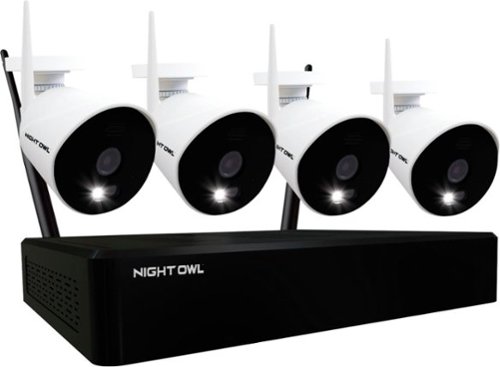
Improve your home security with this Night Owl 10-channel NVR surveillance system. The two-way audio communication lets you converse with guests, while four Full HD IP cameras have color night vision capability to capture clear video evidence. This Night Owl 10-channel NVR surveillance system features Wi-Fi connectivity for remote access via Android and iOS devices.
How long does the batters last on charge for cameras
There are no batteries in this camera, they require an adapter to be plugged in at all times
5 years, 10 months ago
by
Ebonovic
Improve your home security with this Night Owl 10-channel NVR surveillance system. The two-way audio communication lets you converse with guests, while four Full HD IP cameras have color night vision capability to capture clear video evidence. This Night Owl 10-channel NVR surveillance system features Wi-Fi connectivity for remote access via Android and iOS devices.
Will the cameras work with solar cells and battery back-up? Do you offer solar cells? How much power/back-up would be necessary to power these cameras and charge the battery?
The power connect for the camera's are not USB style plugs, they are DC adapter plugs. They don't have a built in battery, and I have not seen one listed by the company as an option...
Solar Cells will need a battery. I am sure you could probably configure something that would work (such as a Goal-Zero with Solar), but the added cost x4 may not be worth the effort.
Solar Cells will need a battery. I am sure you could probably configure something that would work (such as a Goal-Zero with Solar), but the added cost x4 may not be worth the effort.
5 years, 10 months ago
by
Ebonovic
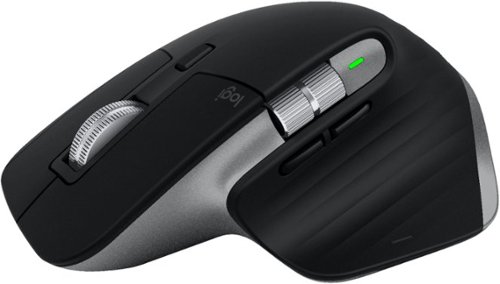
Get more out of your Mac and iPad with MX Master 3 for Mac ~ optimized for macOS, and iPad compatible. Finished in Space Gray, MX Master 3 for Mac is our fastest, most precise, and most comfortable experience yet. MagSpeed scrolling is our quietest, and most addictive scroll wheel ever. Button customizations speed up your macOS and iPadOS workflows, and a 4000 DPI sensor means you can track virtually anywhere ~ even on glass. You~ll get the advanced functionality of MX Master 3 for Mac, while keeping the macOS gestures you love. And Flow allows you to work across multiple Mac computers ~ transferring files, images, and folders in one fluid workflow. Ready for video calls - predefined settings for Microsoft Teams and Zoom let you instantly mute and Start/Stop your video call. Requires Logitech Options software, available for macOS and Windows.
Is this the new one that they released for MacOS?
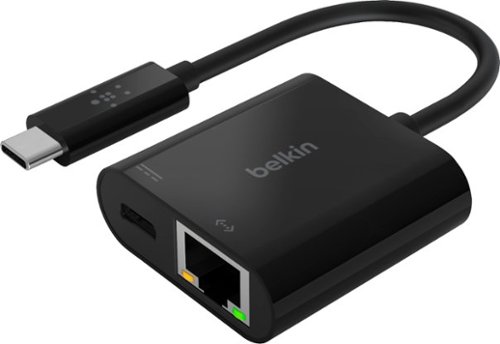
Connect to the internet with confidence while charging your laptop for the office, home, or classroom. This Belkin USB to Ethernet adapter provides convenient access to fast and reliable Internet connection through a gigabit Ethernet port and allows for USB Power Delivery at the same time. It's a plug and play adapter that works universally with Mac and Windows laptops and other USB-C devices. Connect and stay powered while surfing the Internet or transferring data using this ethernet USB-C Hub. Pass through Power Delivery of up to 60W allows you to stay charged while you work using a single USB-C port and the included cable supports network speeds up to 1000 Mbps. Compatible with iPhone 17, iPhone 17 Pro Max and iPhone 17 Pro.
Can you use this adapter in place of cable Ethernet?
Well... not "in place" of the ethernet cable, you would use this adapter WITH a ethernet cable.
This is the adapter you would need, if your laptop (or other device) only has USB-C ports, and no ethernet port.
This is the adapter you would need, if your laptop (or other device) only has USB-C ports, and no ethernet port.
5 years, 11 months ago
by
Ebonovic