


psyclopps's stats
- Review count250
- Helpfulness votes732
- First reviewJuly 30, 2012
- Last reviewJuly 11, 2026
- Featured reviews0
- Average rating4.5
- Review comment count2
- Helpfulness votes2
- First review commentOctober 14, 2011
- Last review commentJune 28, 2012
- Featured review comments0
Questions
- Question count0
- Helpfulness votes0
- First questionNone
- Last questionNone
- Featured questions0
- Answer count21
- Helpfulness votes39
- First answerApril 25, 2013
- Last answerFebruary 17, 2021
- Featured answers0
- Best answers3
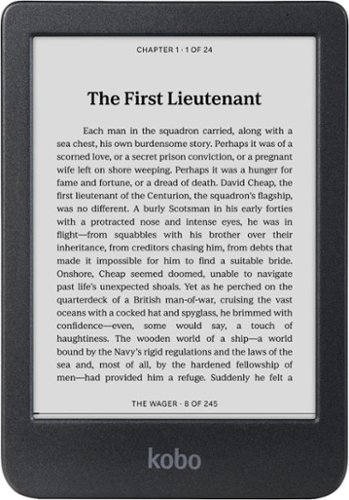
Enjoy the simple joys of reading with Kobo Clara BW, the perfect eReader for those new to eBooks. Its glare-free 6" screen lets you read in bright sunlight without reflections, and you can safely take it to the beach or pool with its full waterproof protection. For nighttime reading, Kobo Clara BW features optional Dark Mode, plus built-in ComfortLight PRO to adjust brightness and reduce blue light. Listen to Kobo Audiobooks whenever you like with Bluetooth wireless technology. Borrow eBooks directly from your local library with Libby. With 16GB of storage, bring your entire Kobo library anywhere.
Customer Rating

4
Great for travel and portability
on July 11, 2026
Posted by: psyclopps
The Kobo Clara is a great eBook reader if you value lightweight portability. Being on the entry level of the Kobo e-readers, it is missing some premium features, but nothing that will impact usability too much.
Pros:
- Quick UI
- Great design
- Small size
- Quality screen
- Ample storage
- Quick UI
- Great design
- Small size
- Quality screen
- Ample storage
Cons:
- Recessed screen
- No ambient light sensor
- Plastic body (maybe a Pro or Con)
- Recessed screen
- No ambient light sensor
- Plastic body (maybe a Pro or Con)
Setup:
The device is extremely easy to set up. Charge it if needed, power it up, and login with your phone to your Kobo account (or type your information in). After this, your library will sync up and be ready to use. I recommend you also pair your library account with the Overdrive login to gain additional functionality. I also recommend this with your Instapaper account if you have one.
The device is extremely easy to set up. Charge it if needed, power it up, and login with your phone to your Kobo account (or type your information in). After this, your library will sync up and be ready to use. I recommend you also pair your library account with the Overdrive login to gain additional functionality. I also recommend this with your Instapaper account if you have one.
Design:
The device is made from recycled plastic. I see this as a pro, but some may see it as a con if they are looking for a more premium build. The build quality is solid, and the rear side has Kobo’s signature unique textures which enhances grip. The power button is nicely located on the top rear as well preventing accidental touch.
The device is made from recycled plastic. I see this as a pro, but some may see it as a con if they are looking for a more premium build. The build quality is solid, and the rear side has Kobo’s signature unique textures which enhances grip. The power button is nicely located on the top rear as well preventing accidental touch.
The main gripe I have with the design is the screen recessed from the bezel. This is not a huge deal, but I greatly prefer the screen to be flush with the bezels as it makes swiping and touching more forgiving. It is not a huge deal though.
Use:
The screen is great quality. I prefer B&W eInk screens as they have optimal contrast and clarity, as color layers can decrease visibility and add a “screen-door” effect in my opinion. Touch functionality is very responsive, and the UI is fast so even typing is possible when taking a note or entering a search.
The screen is great quality. I prefer B&W eInk screens as they have optimal contrast and clarity, as color layers can decrease visibility and add a “screen-door” effect in my opinion. Touch functionality is very responsive, and the UI is fast so even typing is possible when taking a note or entering a search.
The device has 16GB of storage which is plenty for 90% of people. The only people who might need more are anyone who loads their readers with comics and large PDF documents. Sideloading is quick if you are moving anything from 3rd party software such as Calibre or Adobe Digital Editions
Battery life is extremely long, and I am unable to put an exact number on how many hours you will get as I have yet to drain my first charge.
Battery life is extremely long, and I am unable to put an exact number on how many hours you will get as I have yet to drain my first charge.
The Kobo library is vast, and you are likely to find any book or eBook you are looking for there. The only issue I have is their store always tends to have a bias towards romance books in my opinion compared to other stores. If you know what you are looking for it is a non-issue, but if you rely on the algorithm to suggest titles for you, it is a bit lacking.
The reader also has Bluetooth support for audiobooks you purchase or sideload. I do not use this much but it is nice to know the functionality is there.
Backlight:
The backlight works very well and provides extreme brightness or turns off completely. The color changes by time of day from blue to red as the night progresses. There is no ambient light sensor on this device though which is a con as it means if you want to make any changes to brightness, you must tap and adjust manually each time. It is not hard to do but one should be aware as you are likely to go to bed, turn on the device and be briefly blinded by the light until you turn it down.
The backlight works very well and provides extreme brightness or turns off completely. The color changes by time of day from blue to red as the night progresses. There is no ambient light sensor on this device though which is a con as it means if you want to make any changes to brightness, you must tap and adjust manually each time. It is not hard to do but one should be aware as you are likely to go to bed, turn on the device and be briefly blinded by the light until you turn it down.
I would recommend this to a friend!



Share this review:


0points
0of 0voted this as helpful.
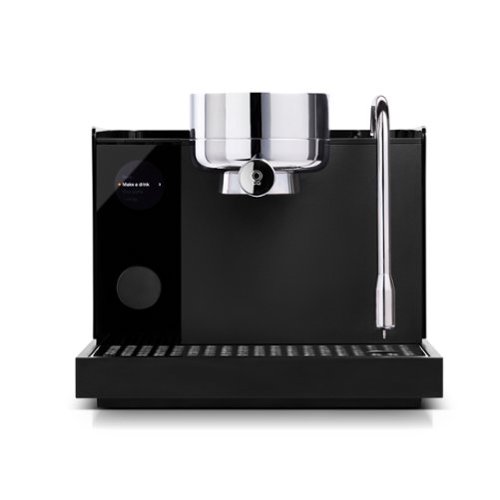
Enjoy true temperature stability and pressure control at your fingertips, through an intuitive design. Whether you~re just starting out with espresso, or you~re a seasoned barista looking to dial in every aspect of your brew, this machine makes exceptional espresso part of your daily ritual. Precise temperature makes all the difference between a good shot and a sour one. That~s why we created (and patented) the Boosted Boiler heating system with three independent heating elements that allow for: To-the-degree temperature stability. Warm-up time of two minutes or less. Heated group head for better extraction. Go from brewing to steaming, without the wait.
Customer Rating

5
Amazing home espresso machine
on July 2, 2026
Posted by: psyclopps
This is easily the best home espresso machine I have ever used. It takes most of the guess work out of the process with smart features which are extremely useful. Some of these are built in temperature sensors, water hardness settings, specific milk settings, and more.
Pros:
- Looks great
- Easy to use
- Quality shots
- Temperature sensor
- Build quality
Cons:
- No grinder
- Limited included filter baskets
- Slow heating
- Looks great
- Easy to use
- Quality shots
- Temperature sensor
- Build quality
Cons:
- No grinder
- Limited included filter baskets
- Slow heating
Setup and initial impressions:
Using the app, simply give the machine a cleaning, hook it up to Wi-Fi, do a water harness test (with the included strip), and you are pretty much good to go.
Using the app, simply give the machine a cleaning, hook it up to Wi-Fi, do a water harness test (with the included strip), and you are pretty much good to go.
Build quality is outstanding with a great clean look and high-quality materials. There are only two included baskets so you might want to see if there are more options available on their site if you want more pull options. I thought there might be a built-in grinder at first but there is not so make sure you are set up with your own or buy grinds which are fine for espresso.
Use:
Keep in mind that since you are grinding your own shots, you will need to make sure you get the right amount for each pull. The manual recommends 18 grams (3.5 tbsp) for a shot of espresso. A scale is useful or just use the tbsp measurement if you grind in bulk.
Keep in mind that since you are grinding your own shots, you will need to make sure you get the right amount for each pull. The manual recommends 18 grams (3.5 tbsp) for a shot of espresso. A scale is useful or just use the tbsp measurement if you grind in bulk.
Making a latte, for example, is extremely easy. You power up the device, select the type of drink you want, load the portafilter, press start. It will take a good minute or so to heat up properly for the first shot after powering on (quicker for more shots). It then directs you to heat your milk, this is fun since the temperature is calibrated for the type of milk you select. It shows the current temperature in real time on the screen as it heats. I like that there is no “charging” for the steam which is common in-home units as it is ready to push out steam almost immediately after pulling the shot. It will automatically purge the wand as soon as you place it back in place.
Drinks come out very nicely. I usually make vanilla lattes or caramel macchiatos. The flavor comes out very close to what you might get at a nice coffee shop in my opinion. The crema on the espresso seems somewhat thin in my opinion making latte art somewhat hard, but this might just be my skill level (likely). Milk comes out with the perfect amount of micro-foam at the perfect temperature each time.
Clean up and maintenance is easy as it is mainly wiping the machine down and cleaning milk off the want after each use. The machine comes with cleaning pellets and two descaling power packets for future use.
I am not that great at latte art yet, but if you know what you are doing, I imagine you can get good results here.
I would recommend this to a friend!






Share this review:


0points
0of 0voted this as helpful.
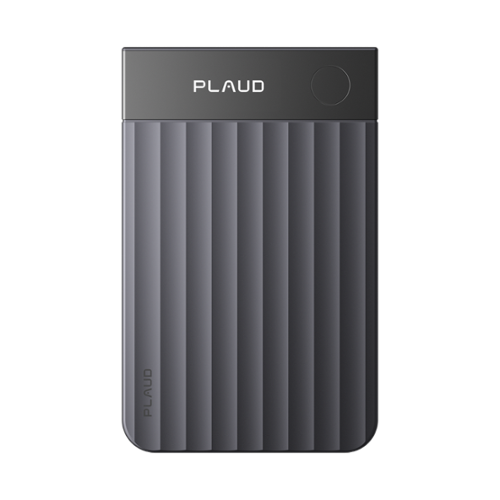
The Plaud Note Pro Smart AI Voice/Audio Recorder is designed to elevate the way you capture, organize, and revisit conversations. Built with advanced AI-powered transcription and noise-reduction technology, it delivers clear, reliable recordings in meetings, lectures, interviews, and on-the-go moments. Its compact, modern design pairs with seamless app integration for effortless cloud syncing, searchable transcripts, and convenient playback. Whether you're a student, journalist, professional, or content creator, the Plaud Note Pro ensures every important detail is captured with clarity and accuracy.
Posted by: psyclopps
This thing is a game changer for meetings! Also, anyone who does interviews, legal work or simply takes voice memos will love it. I came into this skeptical on if it would be useful, and how accurate the “ai” portion would be. It turns out that accuracy is nearly 100% for my use and the AI summaries are extremely powerful with various templates.
Pros:
- Small form factor
- Great design
- Battery life
- MagSafe
- Device support
Cons:
- Small form factor
- Great design
- Battery life
- MagSafe
- Device support
Cons:
- Proprietary charging
- Desktop app is minimal
- Desktop app is minimal
Setup:
You will need to make an account with Plaud. Pairing is extremely easy with the device (and multiple devices). I recommend you also do setup on the website as you will get access to many AI templates which will organize your meetings into formats tailored to your use case (medical, technical, legal, etc.).
You will need to make an account with Plaud. Pairing is extremely easy with the device (and multiple devices). I recommend you also do setup on the website as you will get access to many AI templates which will organize your meetings into formats tailored to your use case (medical, technical, legal, etc.).
Use:
You can use it in one of two ways. One is pressing record on the device or desktop to start the process. You can also attach it to your phone using the MagSafe case and it will also record calls for transcription.
You can use it in one of two ways. One is pressing record on the device or desktop to start the process. You can also attach it to your phone using the MagSafe case and it will also record calls for transcription.
Once the speech is uploaded and transcribed in the system, you can use the AI templates to summarize it to your use case. It will automatically categorize it by assigned speaker names (needs a bit of setup for future recognition), summarize key points, action items, tasks, milestones and so on. I prefer that sort of template and software requirement templates, but there are also data driven templates such as quantitative data, data analyst and so on. Most templates are various types of summaries tailored to different professions.
The device comes with 300 minutes per month free and you will need to upgrade or pay À la carte cart for more if you need more. Pricing isn’t too bad with 1200 minutes costing $18 a month or $30 a month for unlimited. Pricing is MUCH better if you are billed annually though as there is 33% savings if you go on that route. À la carte is extremely well priced if you only need to add 120 minutes, but increments go up to 6000 minutes.
Battery:
Battery life has been outstanding for me so far, a 30-minute meeting only uses a few percent of the battery, and a single charge will last me for weeks. Obviously if your life revolves around meetings you will have to charge more frequently.
Battery life has been outstanding for me so far, a 30-minute meeting only uses a few percent of the battery, and a single charge will last me for weeks. Obviously if your life revolves around meetings you will have to charge more frequently.
Issues:
There are not many I could find but here are my only complaints. First, the PC desktop app is very bare bones. I would like a full featured app like the web interface as the desktop apps is simply a voice recorder widget in the taskbar. It is useful for quick recordings without the device itself, but it takes you to the website if you need any other work such as viewing recordings, not good for offline use.
There are not many I could find but here are my only complaints. First, the PC desktop app is very bare bones. I would like a full featured app like the web interface as the desktop apps is simply a voice recorder widget in the taskbar. It is useful for quick recordings without the device itself, but it takes you to the website if you need any other work such as viewing recordings, not good for offline use.
Next, the MagSafe case is great and even includes a magnet ring to attach to your phone if you do not have MagSafe (iPhone and Pixel being the only ones that have it natively), or a case. But some phones are going to have issues just based on their design such as Samsung S26 Ultra since the cameras will get in the way.
I would recommend this to a friend!


Share this review:


0points
0of 0voted this as helpful.

The Hisense U6 brings Mini-LED picture quality to everyday viewing, with bright color, solid contrast, and a clear, easy-to-watch picture across your favorite content. Hi-QLED MiniLED makes shows, sports, and movies look more vibrant, while smooth motion with a Native 144Hz Refresh Rate keeps fast action easy to follow. The AI Picture automatically adjusts the picture based on what you~re watching and your room~s lighting, so everything looks natural without extra setup. Dolby Vision, Dolby Atmos, and a full range of HDR formats add more detail and immersive sound, making movie nights and streaming feel more engaging. With AI 4K Upscaler, gaming features like AMD FreeSync Premium, and built-in Fire TV with Alexa voice control, the U6 is a simple, all-in-one way to enjoy a reliable, great-looking picture every day.
Customer Rating
4
Great TV in a small package
on June 11, 2026
Posted by: psyclopps
TVs have come a long way over the years, and you can get an extremely capable TV in a 50” size with all the bells and whistles. The TLDR of this review is that the picture quality is amazing with colors that pop, great HDR Dolby Vision support, a lightweight package, and a smooth smart interface in Fire OS. The only downside is the built-in speakers are lacking, but this is somewhat expected with most built-in speakers. Get a soundbar if you want sound to match the picture quality.
Pros:
-Dolby Vision (and other formats)
-Colors pop
-Smooth UI
-Smart features that are useful with Fire TV
-144hz game mode VRR FreeSync
-Low reflection
-Dolby Vision (and other formats)
-Colors pop
-Smooth UI
-Smart features that are useful with Fire TV
-144hz game mode VRR FreeSync
-Low reflection
Cons:
-Speakers are average
-Only supports Wi-Fi 5 / BT 5.4 (I also saw 5.3 on their official website)
-Speakers are average
-Only supports Wi-Fi 5 / BT 5.4 (I also saw 5.3 on their official website)
Setup:
I had a snag initially with the setup. The first step is to pair your remote by tapping the “Home” button on the remote. This did not work for me after many taps, but I saw on Reddit that if you hold it for 10 seconds it should pair, this worked for me. Afterwards, a simple sign on to Wi-Fi and pairing to Amazon (optional), and the setup is mostly complete. Obviously, each app in FireOS will require its own sign-in, but it is mostly seamless. The two leg stands on the device are easy to attach with four phillips head screws. The VESA mount is 400x300 according to the manual.
I had a snag initially with the setup. The first step is to pair your remote by tapping the “Home” button on the remote. This did not work for me after many taps, but I saw on Reddit that if you hold it for 10 seconds it should pair, this worked for me. Afterwards, a simple sign on to Wi-Fi and pairing to Amazon (optional), and the setup is mostly complete. Obviously, each app in FireOS will require its own sign-in, but it is mostly seamless. The two leg stands on the device are easy to attach with four phillips head screws. The VESA mount is 400x300 according to the manual.
I noticed the device has 24GB of internal space which will be more than enough for years of video apps.
FireOS is extremely smooth, responsive, and easy to navigate. If you decide to use it, it will provide suggestions on shows and apps based on your usage. I did see some ads here and there, but it was never anything overly intrusive.
Picture quality:
I first tried things out with Netflix to get some Dolby Vision support. After watching a few shows like One Piece, Stranger Things and a movie or two, I was very pleased with the Dolby Vision support. HDR10+ and a few other formats are also supported. Colors pop; brights are extremely bright (I couldn’t find how many NITS of brightness the display is). There is no mention of how many local dimming zones the TV supports other than “Full”, but it seems effective with the dark areas reaching very dark levels with not much light bleeding from nearby active zones.
I first tried things out with Netflix to get some Dolby Vision support. After watching a few shows like One Piece, Stranger Things and a movie or two, I was very pleased with the Dolby Vision support. HDR10+ and a few other formats are also supported. Colors pop; brights are extremely bright (I couldn’t find how many NITS of brightness the display is). There is no mention of how many local dimming zones the TV supports other than “Full”, but it seems effective with the dark areas reaching very dark levels with not much light bleeding from nearby active zones.
I noticed the screen has great anti-reflective properties. It doesn’t block all reflections like a matte screen might do, but it does an excellent job blocking most of the light from nearby sources which aren’t too bright.
I am usually not a fan of AI settings on TVs or various modes as I prefer it in the “standard” setting most of the time, but on this TV the AI modes are actually pretty good for whatever content you are looking at. I like the movie setting personally. It does a good job adjusting for ambient light in the room as well as keeping things consistent in the picture.
Sound:
The speakers are a total of 20W, which is fine, especially if you mount it on a wall, as the wall will somewhat amplify things. If you are placing it on a TV stand, I highly recommend you get a soundbar or other audio setup though, as the 20W just isn’t enough to fill a room with full audio.
The speakers are a total of 20W, which is fine, especially if you mount it on a wall, as the wall will somewhat amplify things. If you are placing it on a TV stand, I highly recommend you get a soundbar or other audio setup though, as the 20W just isn’t enough to fill a room with full audio.
Dolby Atmos is supported as an output as well as DTS-X for amazing audio when configured properly.
Connectivity:
The options here are more than adequate for most users. The only place it was lacking is networking as the Wi-Fi appears limited to Wi-Fi 5 (802.11.AC) which is fast enough for streaming pretty much anything, just don't expect the latest Wi-Fi 6 or 7 here. Also, Bluetooth is listed on Best Buy’s website as 5.4 but the specifications on the Hisense website show 5.3. It is not a huge deal though. Airplay is supported as are Chromecast features.
The options here are more than adequate for most users. The only place it was lacking is networking as the Wi-Fi appears limited to Wi-Fi 5 (802.11.AC) which is fast enough for streaming pretty much anything, just don't expect the latest Wi-Fi 6 or 7 here. Also, Bluetooth is listed on Best Buy’s website as 5.4 but the specifications on the Hisense website show 5.3. It is not a huge deal though. Airplay is supported as are Chromecast features.
As for physical inputs, HDMI 1 is your eARC connection you should be using for a soundbar. The HDMI ports are labeled nicely with what they support. For example, 1 and 2 (HDMI 2.0) state “4k@60hz” while 3 and 4 (HDMI 2.1) state “4k@144hz” which is what you want to use for your game consoles. Additionally, you will find an antenna connection, two USB-A ports (one 3.0 and one 2.0), optical connection, and an ethernet port.
Gaming:
I hooked up my Xbox to it which supports 120hz VRR in some games. I loaded Call of Duty and set it to 120hz mode for multiplayer with no issues. It ran extremely smoothly for both picture and input. It is hard to test the VRR on this as most console games are meant to run at a steady frame rate, but I noticed no tearing thanks to FreeSync in any games I tried.
I hooked up my Xbox to it which supports 120hz VRR in some games. I loaded Call of Duty and set it to 120hz mode for multiplayer with no issues. It ran extremely smoothly for both picture and input. It is hard to test the VRR on this as most console games are meant to run at a steady frame rate, but I noticed no tearing thanks to FreeSync in any games I tried.
I would recommend this to a friend!






Share this review:


0points
0of 0voted this as helpful.
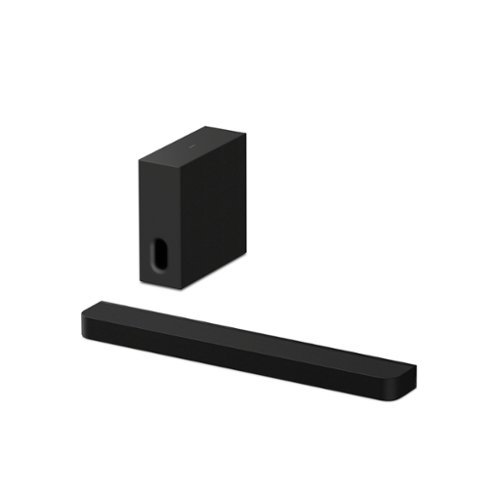
Immersive surround sound. Enhanced bass. The BRAVIA Bar 7 + Sub 7 combines 9 speaker units, 360 Spatial Sound Mapping, and a slim subwoofer to create cinematic surround sound and deeper, more precise bass in a space-saving design.
Customer Rating
4
Great sound quality with a few minor issues
on June 2, 2026
Posted by: psyclopps
This has been a great speaker setup so far. The only issue I had was related to set up, but it has worked flawlessly after. You will need the Bravia connect app to properly set up the soundbar and change settings, but it works well when paired.
Pros:
Sound Quality
Design
Virtual Surround
Sound Quality
Design
Virtual Surround
Cons:
Bravia connect app
Fickle setup
Bravia connect app
Fickle setup
Setup:
After connecting it and installing the Bravia connect app, the soundbar initially had issues detecting my Samsung tv via e-Arc. After a few tries it finally made the handshake and I was able to continue the setup. Next, it tried to pair the subwoofer, I was surprised it wasn’t already tied to the soundbar but you need to press the link button to get them talking when that step is ready. The app tried to force an update on the subwoofer but it got stuck right at 100% and prompted me to restart the setup process multiple times. After unplugging everything and starting over it was successful. After all this every feature works fine and connects flawlessly.
After connecting it and installing the Bravia connect app, the soundbar initially had issues detecting my Samsung tv via e-Arc. After a few tries it finally made the handshake and I was able to continue the setup. Next, it tried to pair the subwoofer, I was surprised it wasn’t already tied to the soundbar but you need to press the link button to get them talking when that step is ready. The app tried to force an update on the subwoofer but it got stuck right at 100% and prompted me to restart the setup process multiple times. After unplugging everything and starting over it was successful. After all this every feature works fine and connects flawlessly.
The quality of the device feels solid but is largely covered in fabric. This is not a big issue but keep it mind if you have pets you are likely to get lots of hair on it.
Sound Quality:
Being a high end Sony product, the output is outstanding. There is a large difference between modes in one setting worth noting: “Advanced auto volume” This is essentially a volume leveler feature, but I found myself toggling it on and off multiple times. When on, you will get more leveled output which makes the full range easier to hear. I found that having it on drastically reduces the bass output though and when I want to watch a movie or listen to music with bass, I turn it off to increase the difference in dynamic range. Most devices do not have such a large difference between level settings so I was just surprised at this. The dynamic range is extremely large between low and high frequencies when turned off.
Being a high end Sony product, the output is outstanding. There is a large difference between modes in one setting worth noting: “Advanced auto volume” This is essentially a volume leveler feature, but I found myself toggling it on and off multiple times. When on, you will get more leveled output which makes the full range easier to hear. I found that having it on drastically reduces the bass output though and when I want to watch a movie or listen to music with bass, I turn it off to increase the difference in dynamic range. Most devices do not have such a large difference between level settings so I was just surprised at this. The dynamic range is extremely large between low and high frequencies when turned off.
Music and movies sound great, especially with anything that supports Dolby Atmos as the speakers do a great job at reproducing directional audio with its built-in trickery. There are three settings to play with here to find what best fits your use case. Default is Sony’s own 360 Spatial Sound Mapping which I believe uses the “mapped” out acoustics of your room to get the best results. There is also a Dolby Speaker Virtualizer which does it’s thing for any output other than DTS, last there is DTS Neural:X which is for anything below 96 kHz in non-Dolby formats.
Connectivity:
Bluetooth 6.0 appears to support LDAC for high quality streaming in 24 bit from your Android device. You can connect Apple devices via AAC/SBC but it will be in normal quality.
As for Wi-Fi it appears to support up to Wi-Fi 6 which is fine and any interfaces I use via network such as Spotify Connect in Lossless.
There is one HDMI port, I was unable to find the specification but it has zero issues with anything I threw at it, and depending on your format, it supports audio up to 192 kHz 24bit.
Though this version I am reviewing has the soundbar and subwoofer, it can be paired with Sony rear speakers if desired.
I would recommend this to a friend!



Share this review:


0points
0of 0voted this as helpful.
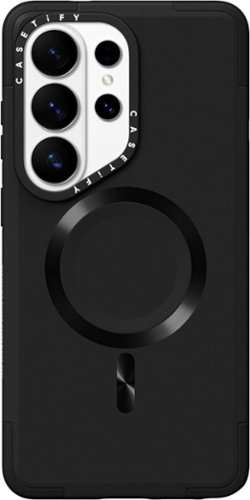
Ultimate protection for your Samsung Galaxy S26 Ultra The Force Case by CASETiFY offers 360~ coverage and shock-absorbing technology.
Posted by: psyclopps
Overall, this has been a good case for me. The only real downside is it adds a lot of bulk.
Appearance: The case looks somewhat generic which you might like or dislike. The only “flair” is the CASETiFY logo on the back and the MagSafe magnets. Otherwise the case has a few accents and a sandpaper like texture. The camera housing is a bit off-putting to me as it is very thick in appearance and has a drop-off near the cameras which doesn’t look appealing with the design of the phone.
Feel: The case feels good in the hand. It does add a lot of bulk in pretty much every dimension which you may or may not be looking for. The texture is outstanding and adds a lot of grip with the rough finish. Edges are smooth all around for comfort. Buttons are easy to press as needed.
Charging: The case has a full MagSafe cutout. Obviously it won’t fit some accessories (more of an issue with the phone camera design than the case though). When using a Samsung Qi 2.2 charger and adapter, the phone appears to enter “fast wireless charging” which indicates 15W charging speeds I believe. I do not see “super fast wireless charging displayed” showing that Qi 2.2 is not working at full 25W speeds in this case.
I would get this case if I need rugged protection, if you care about using recycled materials with good grip and need 15W MagSafe. Do not get if you like a minimal case and need 25W charging.
I would recommend this to a friend!






Share this review:


0points
0of 0voted this as helpful.
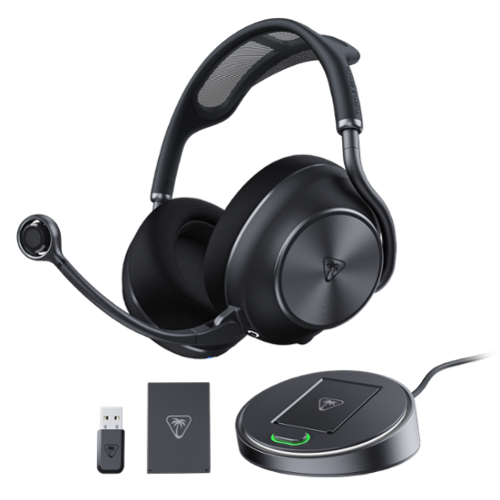
The Turtle Beach Stealth Pro II Wireless Gaming Headset delivers uncompromising audio performance and versatility. Officially certified for Hi-Res Audio, it provides 24-bit/96kHz wireless sound* via an ultra-low latency 2.4GHz USB connection. Featuring 60mm Eclipse dual drivers, Dolby Atmos Spatial Audio on XBOX and PC, and adjustable Active Noise Cancellation delivers an immersive, high-fidelity sound with exceptional clarity and detail. The exclusive CrossPlay 2.0 system supports up to four USB wireless transmitters, allowing seamless switching between XBOX, PlayStation, PC, and more, while Bluetooth 5.3 enables simultaneous mobile pairing for calls or music. Communicate clearly with a unidirectional 9mm floating microphone featuring AI-based noise reduction and upgraded beamforming mics, all customizable through the Swarm II app. Dual 40-hour swappable batteries, quick charging, premium memory-foam comfort, and an included hard storage case complete the ultimate wireless gaming headset. *Available on PC or other systems supporting 24-bit/96kHz output.
Customer Rating
5
Ultra-premium gaming headset
on May 19, 2026
Posted by: psyclopps
I love these for PC and Xbox. The quality is great, sound is amazing, extra features are well thought out.
Unboxing: The device and extras are all packed in a high-quality layout. The headphones are found inside a large hard case. Included items are the headphones, mic boom, USB-C cable, USB-A transmitter (for PC or PlayStation), USB A battery charger & transmitter (for Xbox or another device), and one extra battery. I was very impressed with all the extras included, especially so you don’t have to move dongles or cables from one device to another. I had my chagrin dock/transmitter attached to the Xbox, my USB dongle attached to the PlayStation, and I use USB-C on PC for highest quality.
Setup: I recommend downloading the Swarm II software on your PC first to update all the dongles and headphones initially to the latest firmware. If you just want to update your headphones you can download the app to your phone as well. After update, setup is extremely easy as all you need to do is plug devices in where you want them and, if needed, select the appropriate audio device.
Audio: On PC I can get up to 24bit 96kHz audio via the dongle or USB-C. On Xbox the transmission is from the dongle or charging station, but it works very well. I am impressed by the integration of Dolby Atmos, playing a game with lots of 3D sound like Call of Duty or Overwatch 2, it does a great representation of objects from all angles without sounding too fake or “virtual”. It is a great feature as it can provide some good clues as to where the other players are.
As for music it is also great to wear during work or coding sessions. EDM is bass heavy on the default tuning but not overpowering. Vocals are clear with all details being crips. Highs such as pianos and percussion are easy to pick out. I did all my music testing using Spotify lossless at a minimum of 16bit 44.1kHz FLAC
ANC is amazing as is transparency and can be toggled with the push of a button on the left earcup. I like the voice passthrough (there is a volume function for this too) to see how things sound.
Microphone: It took me a bit to get used to the mic operation as some games have their own PTT but in general, having the boom up or down determines if the mic is on or off. The dongle or charging transmitter will also indicate mic state based on the color displayed. It is crystal clear when in use.
Other features: I love the charging station / transmitter that I hooked up to the Xbox. The battery can easily be removed on the left earcup and swapped out in seconds with the spare battery. There is also a “superhuman hearing” setting in the software which allows things like footsteps or weapons to be enhanced for easier hearing in FPS games for example.
I would recommend this to a friend!






Share this review:


0points
0of 0voted this as helpful.
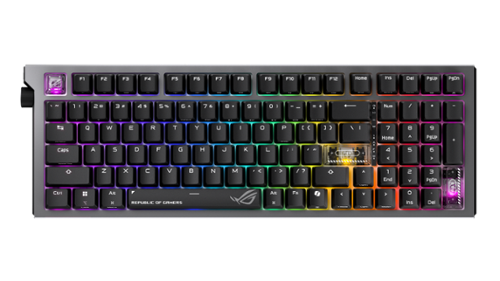
The ROG Strix Morph 96 Wireless gaming keyboard is designed for customization, featuring easy disassembly from top plate to PCB, hot-swappable mechanical switches, South-facing PCB, and GearLink web-based configuration. Enjoy peak gaming performance on tri-mode connection with ROG SpeedNova technology and SpeedTap mode. MacOS supported.
Customer Rating
4
Great for gaming, decent for work
on March 27, 2026
Posted by: psyclopps
I have very much enjoyed using this gaming keyboard for gaming and work. It works great for both use cases but takes some getting used to due to some non-traditional layouts. It feels extremely high quality and is a solidly built mechanical keyboard.
Pros:
- Build quality
- Key travel
- Customizability
- Build quality
- Key travel
- Customizability
Cons:
- Crowded layout
- Software isn't intuitive
- Crowded layout
- Software isn't intuitive
First impressions:
The keyboard feels like it is built like a tank. It has great weight to it with a mix of build materials including metal and high-quality plastic. The lighting is present on all keys as well as on the left and right sides. I like the volume knob location on the left-hand side. I quickly noticed that the arrows keys are very close to the enter key and the NUM pad so mistakes in my typing were apparent as a result at first. Also, the DEL key is in a non-traditional location on the top right of the keyboard.
The keyboard feels like it is built like a tank. It has great weight to it with a mix of build materials including metal and high-quality plastic. The lighting is present on all keys as well as on the left and right sides. I like the volume knob location on the left-hand side. I quickly noticed that the arrows keys are very close to the enter key and the NUM pad so mistakes in my typing were apparent as a result at first. Also, the DEL key is in a non-traditional location on the top right of the keyboard.
Software:
If you are using ArmouryCrate on your Asus machine, you can download plugins for the keyboard to update firmware and customize the keyboard at the basic level. For advanced customization, you will need to follow the link to their “Gearlink” web interface which allows you to mess with everything. It is not very intuitive to get to (and does not support all browsers), but it gets the job done.
If you are using ArmouryCrate on your Asus machine, you can download plugins for the keyboard to update firmware and customize the keyboard at the basic level. For advanced customization, you will need to follow the link to their “Gearlink” web interface which allows you to mess with everything. It is not very intuitive to get to (and does not support all browsers), but it gets the job done.
Connectivity:
I wanted to use this connected to my gaming PC as well as my work laptop which are both connected to the same monitor. The keyboard makes it easy as I use the RF dongle on my home PC and Bluetooth on the work laptop. This is changed with a simple switch, so it is easy to move back and forth as needed. There is also the ability to use a wired connection if wished, there is an included cable in the box.
I wanted to use this connected to my gaming PC as well as my work laptop which are both connected to the same monitor. The keyboard makes it easy as I use the RF dongle on my home PC and Bluetooth on the work laptop. This is changed with a simple switch, so it is easy to move back and forth as needed. There is also the ability to use a wired connection if wished, there is an included cable in the box.
Typing & gaming:
Key travel is outstanding if you enjoy mechanical keyboards. Keys are easily swappable with custom keys; some clear ROG themed ones are included in the box. The clear ones have a smooth finish, so they are easier to find by touch than the default black keys. I was a bit annoyed with the Windows key when gaming initially as it is missing a left-hand FN key which messed up my muscle memory. Definitely use the right FN key to disable the WIN key before gaming or else you will be getting out of your game constantly by accident. Also, as stated earlier, the number arrows are in a spot which makes them a bit crowded. It is not an issue once you get used to it but requires some retraining for most. I see pros to having the keys all close together as well as everything is easier to get to quickly in a faced paced game. Typing accuracy improved for me compared to my older, non-mechanical shallow keyboard. There is the usual click sound but it is somewhat muted due to the design and gaskets inside.
Key travel is outstanding if you enjoy mechanical keyboards. Keys are easily swappable with custom keys; some clear ROG themed ones are included in the box. The clear ones have a smooth finish, so they are easier to find by touch than the default black keys. I was a bit annoyed with the Windows key when gaming initially as it is missing a left-hand FN key which messed up my muscle memory. Definitely use the right FN key to disable the WIN key before gaming or else you will be getting out of your game constantly by accident. Also, as stated earlier, the number arrows are in a spot which makes them a bit crowded. It is not an issue once you get used to it but requires some retraining for most. I see pros to having the keys all close together as well as everything is easier to get to quickly in a faced paced game. Typing accuracy improved for me compared to my older, non-mechanical shallow keyboard. There is the usual click sound but it is somewhat muted due to the design and gaskets inside.
I would recommend this to a friend!






Share this review:


0points
0of 0voted this as helpful.
![Bitdefender - Premium Security Individual 5 device 1 Year - Windows, Apple iOS, Mac OS, Android, Linux [Digital]](https://pisces.bbystatic.com/prescaled/500/500/image2/BestBuy_US/images/products/1b433f6c-f0dc-4f60-b5bf-d923a9ec8b10.jpg)
Bitdefender Premium Security gives you the best protection against cyber threats across operating systems. This premium security & privacy pack comes with the multi-awarded Bitdefender Total Security. It also includes a powerful VPN with UNLIMITED traffic and a feature-rich multiplatform Password Manager.
Customer Rating
5
My favorite antivirus
on December 24, 2025
Posted by: psyclopps
This is my favorite Antivirus software this year. I say this as it is highly effective, has little in the way of ads / spam and does not slow down my computer in any meaningful way.
Pros:
- Fast
- Effective
- Useful features
- Easy UI
- Fast
- Effective
- Useful features
- Easy UI
Cons:
- Ram intensive
- Ram intensive
Installation:
The process is easy with registration of the key in my account and downloading the software. After an initial scan, it is ready to go, and you can enable features as needed.
The process is easy with registration of the key in my account and downloading the software. After an initial scan, it is ready to go, and you can enable features as needed.
Features: Various tabs are utilities, privacy and protection. The dashboard gets you around the quick actions you use the most.
Protection tab will probably be the most used with obvious scanning features. I was interested in scam protection and email protection features. If you register for these, the software will scan incoming SMS, calls, and emails for scams. On my Pixel I did not use scam screening as Pixel already has a great suite, but on my iPhone and S25U I did try it out and enable it as they don’t have features that are great for this in my opinion. Email protection works on the server to screen emails as they get delivered. The email will get a label saying “safe” or “unsafe” for example. Obviously, you must be willing to give the software access to your Outlook or Gmail account, so that is a per user decision on privacy. There is also a crypto mining feature so stop rogue software from mining without your knowledge.
The privacy tab adds a VPN which you can set to turn on all the time, or only on unsecured networks. There is also a secure environment to make online payments or software to manage passwords here. I tried the password software. It is good, but I didn’t end up sticking with it since you have to first log into your Bitdefender account and then use your password manager’s master password to use it each time which became a little annoying to me.
Utilities contain profiles, a file shredder, anti-theft protection (for files), and what I found most useful, a one-click optimizer. This is a free feature whereas other brands might charge extra. It will clean your registry for you as well as temp files, cache, and so on.
Resources:
The only complaint I had is that it uses a bit more RAM than I am used to with anti-virus software. Only my 32GB laptop uses about 1GB on average, which is only 3%, but still more than normal. Luckily, I noticed the processor use almost always at 0% when idle and between 2-7% of CPU utilization while scanning which was not noticeable on my Core Ultra 285H 16 cores. I also tested it on my Core i7 13th Gen processor and a Snapdragon X Elite. All performed great while scanning.
The only complaint I had is that it uses a bit more RAM than I am used to with anti-virus software. Only my 32GB laptop uses about 1GB on average, which is only 3%, but still more than normal. Luckily, I noticed the processor use almost always at 0% when idle and between 2-7% of CPU utilization while scanning which was not noticeable on my Core Ultra 285H 16 cores. I also tested it on my Core i7 13th Gen processor and a Snapdragon X Elite. All performed great while scanning.
I would recommend this to a friend!





Share this review:


0points
0of 0voted this as helpful.
![Norton - 360 Deluxe (5 Device) + LifeLock Select Antivirus Internet Security + Scam Protection + Identity Protection + VPN - Android, Apple iOS, Mac OS, Windows [Digital]](https://pisces.bbystatic.com/prescaled/500/500/image2/BestBuy_US/images/products/f7c6da0f-d19c-4705-8daa-61d25cb7b635.jpg)
Norton 360 with LifeLock Select helps you protect yourself and the ones you love from scams and malware, data exposure, credit card theft, and financial loss. Get access to our industry-leading identity theft protection, advanced AI scam protection, a VPN, and parental controls to better protect your children online. If something does go wrong, rest easy knowing you~re covered by our Million Dollar Protection Package.*
Customer Rating
4
Great functionality, but lots of ads
on December 12, 2025
Posted by: psyclopps
Norton offers great protection while always improving the interface year over year. This year is no different with a great feature set in this five-device version. Resource management appears to be minimal on average with no noticeable speed hits on my laptop.
Pros:
- Great interface
- Low resource usage
- Great feature set
- Great interface
- Low resource usage
- Great feature set
Cons:
- Excessive ads to upgrade features
- Limited cloud storage
- Many settings or features are web-based functions
- Excessive ads to upgrade features
- Limited cloud storage
- Many settings or features are web-based functions
Setup:
The installation process was painless. After claiming my activation code from Norton.com, I downloaded the file, installed and restarted the computer after a quick scan. I was slightly annoyed initially as it stated there were multiple driver and registry issues which required an upgrade to fix. You can skip it, but this ad will pop up each time you do a “Smart Scan”.
The installation process was painless. After claiming my activation code from Norton.com, I downloaded the file, installed and restarted the computer after a quick scan. I was slightly annoyed initially as it stated there were multiple driver and registry issues which required an upgrade to fix. You can skip it, but this ad will pop up each time you do a “Smart Scan”.
Daily use:
The software is great this year overall and loaded with security features. I would avoid a smart scan due to the ongoing ad that I mentioned, but scheduling a quick scan or full scan is a painless routine. In the first few days I got random pop-up ads to upgrade the software. You can mark them to never appear again, but it is very annoying at first. Additionally, I found that if you go to the Norton website, you can disable a few more marketing items.
The software is great this year overall and loaded with security features. I would avoid a smart scan due to the ongoing ad that I mentioned, but scheduling a quick scan or full scan is a painless routine. In the first few days I got random pop-up ads to upgrade the software. You can mark them to never appear again, but it is very annoying at first. Additionally, I found that if you go to the Norton website, you can disable a few more marketing items.
Backups:
Cloud backups are useful if you have a few folders with important items such as documents. I do not recommend it for music or photo backup though as the space shown in my account is 152GB which will fill up quickly with photos, music or videos.
Cloud backups are useful if you have a few folders with important items such as documents. I do not recommend it for music or photo backup though as the space shown in my account is 152GB which will fill up quickly with photos, music or videos.
Performance:
The performance tab contains a software updater, file cleanup, and startup manager. These tasks can be done on your own without the software, but this allows a one stop shop for automation or if you do not know how to get to those Windows features. The software updater does fine a few programs that did not show updates when I opened the programs specifically, so that was nice.
The performance tab contains a software updater, file cleanup, and startup manager. These tasks can be done on your own without the software, but this allows a one stop shop for automation or if you do not know how to get to those Windows features. The software updater does fine a few programs that did not show updates when I opened the programs specifically, so that was nice.
Privacy:
The privacy tab is very useful as it contains the VPN. This can be used manually, but you can also set it up, so it only turns on when you are on a compromised network or an unsecure network. There are some web based or phone app-based functions here that are included, which include scam protection for emails, phone calls, or SMS messages. I love the email feature as you tie it to your email account, Norton will scan it and mark it as save on your email web browser message. Thone functions require the app, and you will need to turn on Norton as the default method of screening those features, but they appear to be effective on my Android device and iPhone. For my Pixel, I prefer to keep the Pixel’s built-in screening as the default, but if that was not present, Norton seems like a good option.
The privacy tab is very useful as it contains the VPN. This can be used manually, but you can also set it up, so it only turns on when you are on a compromised network or an unsecure network. There are some web based or phone app-based functions here that are included, which include scam protection for emails, phone calls, or SMS messages. I love the email feature as you tie it to your email account, Norton will scan it and mark it as save on your email web browser message. Thone functions require the app, and you will need to turn on Norton as the default method of screening those features, but they appear to be effective on my Android device and iPhone. For my Pixel, I prefer to keep the Pixel’s built-in screening as the default, but if that was not present, Norton seems like a good option.
Lifelock:
Lifelock is a pretty much entirely web-based function. You will need to enter private data to keep it effective such as name, number, SSN, ID number, Passport number, bank account numbers, and so on. But it will monitor your accounts and data for data breaches. If you use this function, please turn on an app-based 2FA on the website to ensure you have extra layers of security to your private data.
Other features:
There is an included password manager, but I experienced issues with import from my other manager, so I did not switch to it fully. That was just my experience though; yours may differ. Intrusion detection, quarantine, camera protection, browser extensions, parental controls and many more features are present as well.
Lifelock is a pretty much entirely web-based function. You will need to enter private data to keep it effective such as name, number, SSN, ID number, Passport number, bank account numbers, and so on. But it will monitor your accounts and data for data breaches. If you use this function, please turn on an app-based 2FA on the website to ensure you have extra layers of security to your private data.
Other features:
There is an included password manager, but I experienced issues with import from my other manager, so I did not switch to it fully. That was just my experience though; yours may differ. Intrusion detection, quarantine, camera protection, browser extensions, parental controls and many more features are present as well.
Resource management:
On my laptop I noticed zero performance issues. On my 32GB laptop the program used about 550MB of RAM at any given time. The firewall sometimes jumped up to 5-11% of CPU but it only lasted a second or two. Any other process from the program was below 1%. While running a scan, the main process went to 10%. This is on a 16 core Intel Core Ultra 9 285H while plugged in. Compared to past versions this all seems to be an improvement in my opinion.
On my laptop I noticed zero performance issues. On my 32GB laptop the program used about 550MB of RAM at any given time. The firewall sometimes jumped up to 5-11% of CPU but it only lasted a second or two. Any other process from the program was below 1%. While running a scan, the main process went to 10%. This is on a 16 core Intel Core Ultra 9 285H while plugged in. Compared to past versions this all seems to be an improvement in my opinion.
Phone app:
The phone-based apps are very useful. Just be sure to decide how much control you wish for it to have on your device and if you want many background processes to run which may affect your battery life. On iPhone the app is fairly simple, mainly adding a VPN profile and scam protection features discussed earlier. On Android, the app runs much more in the background scan basically everything including apps downloaded from the app store. This did not bog down my device in any noticeable way, but I can’t rule out it might affect your battery as it is always on.
The phone-based apps are very useful. Just be sure to decide how much control you wish for it to have on your device and if you want many background processes to run which may affect your battery life. On iPhone the app is fairly simple, mainly adding a VPN profile and scam protection features discussed earlier. On Android, the app runs much more in the background scan basically everything including apps downloaded from the app store. This did not bog down my device in any noticeable way, but I can’t rule out it might affect your battery as it is always on.
I would recommend this to a friend!


Share this review:


0points
0of 0voted this as helpful.
psyclopps's Review Comments

SynopsisThe last time the earth was ravaged, animals were saved two by two in a massive ark, peacefully sailing to a new beginning, or so the story goes. This time, we're not so lucky. With a massive asteroid hurtling toward the planet, a select few were chosen to inhabit modern-day arks ~ pods buried deep within the earth's core. You were chosen. You were buried alive. And you rose from the ground to face your worst nightmare. Hordes of mutants killing without a thought, bandit gangs wreaking havoc throughout the already defunct wasteland, a looming Authority seizing maniacal power and holding secrets ~ this is what remains of humanity. The world as you know it is gone, but if any world is to stand in its place, there's only one person left who can raise it up from the ashes ~ you. That is, if you can survive the Rage.Step up to the challenge and climb into the wasteland in the first-person shooter that flings you to the edge of the earth and the brink of extinction. Rage pits you against the odds in a desolate world in which you were selected for survival ~ just to face death at every turn. To redeem humanity, you must master a massive arsenal of exotic wingsticks, sentry bots, bomb cars and other powerful weapons and fearlessly wage war against the evil forces overtaking your planet. Fire through heart-pounding first-player shooting action, rip through the wasteland in high-octane vehicle chases and turn your car into your most deadly weapon ~ you have to play dirty if you want to live. Experience the mass decay with every painfully realistic detail with the id Tech 5 engine and Megatexture technology, firing at 60 frames per second to make you feel as if the world has crumbled around you. And when you take the battle online, the devastating action really does stretch around the world. You've survived the apocalypse. Now comes the real battle.
Overall 1 out of 5
1 out of 5Game was not tested properly
By skullboy88
from Los Angeles, CA
First of all the reason for such a low rating is that the game is not playable. Right out the box. Now, I have been building pc's for over 10 years and have sunk hundreds of dollars into my rig to play the most demanding games. And I do. The problem is that ID software sent out a game to the public that is not finished. Google, rage graphics problems and you will find a magnitude of arcticles about poor graphics bad drivers and other issues. AMD and Nvidia have been working for a driver patch but reports from many say they do not work to fix the tearing and poor rendering . People are paying $60.00 for a pc game. Dont you think it should work right away without having to wait for a patch?

psyclopps
San Diego, CA
Updates
October 14, 2011
To be fair, a patch has since been release which fixes many of these PC problems including better support for video cards and settings.
0points
0of 0voted this comment as helpful.
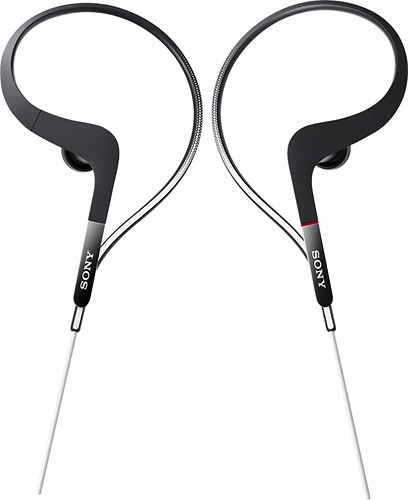
Rock out during your workout with these Sony Balanced Armature Sports XBAS65 earbud headphones that feature water-resistant housing with a waterproof film to stand up to sweat, rain and rinsing. Balanced Armature drivers deliver clear, detailed audio.
Overall 2 out of 5
2 out of 5Horrid Sound
By DELienz
from Delaware
I had pair of Sony Headphones that I bought a few years ago for approx. $50 dollars... Sounded Amazing, but I recently ran then over with my car... Anyway bought these assuming the sound would be similar and also compensate for my only complaint with my other heardphones which was falling constantly out of my ear during workouts. Turns out these are more expensive but that sound terrible. Tried changing the setting on my IPOD and there is no overcoming the lack of bass. I am a auidiophile and I do listen to music a lot of double bass and drums so bass is something I must have in a headphone. If that's what you looking for don't buy these. I'm confident cheaper headphones with the same quality sound can be obtained so I would not recommend these to anyone...
psyclopps
San Diego, CA
Balanced Armature
June 28, 2012
Balanced Armature headphones are designed to sound like the original recording. Most headphones these days are "dynamic armature" which are designed kind of like a hardware equilizer where bass is usually most important. Any of these balanced armature headphones are aimed specifically at audiophiles as they repoduce very true to original sound with detailed mid ranges and highs.
+2points
2of 2voted this comment as helpful.
psyclopps's Questions
psyclopps has not submitted any questions.
Lenovo y500?
Ok so I was really looking forward to buying the lenovo ideapad y500 i5 version for $889.98. It said it was sold out but I wasn't worried, figuring it would be restocked in around a week. However, today I looked and it's been taken off the site. It's a shame because it was an amazing laptop, and I couldn't believe it was taken off. I was also wondering WHY it had been taken off. It seemed to make no sense. I would see if it had bad reviews and problems, but the lenovo had 2 ratings, both 5 star! I was very dissapointed and it looks like I'll have to go to TigerDirect and try to find it. If there's something I might not know, please tell me.
Thanks
Thanks
Though I could not answer any specifics as the reasoning, I might be able to speculate. I have seen the Y series as very well configured for amazing prices in places. After reading reviews, a common trend mentioned of sub par build quality, most notably the touch pad would sink into the chassis. This would be enough to anger me after purchase. For the price, it might still be well worth it though.
13 years, 3 months ago
by
psyclopps
San Diego, CA