


RalphHenry's stats
- Review count353
- Helpfulness votes470
- First reviewMay 28, 2015
- Last reviewMarch 28, 2026
- Featured reviews0
- Average rating4.9
- Review comment count24
- Helpfulness votes28
- First review commentMay 28, 2015
- Last review commentJune 30, 2017
- Featured review comments0
Questions
- Question count0
- Helpfulness votes0
- First questionNone
- Last questionNone
- Featured questions0
- Answer count61
- Helpfulness votes165
- First answerJune 30, 2015
- Last answerNovember 3, 2021
- Featured answers0
- Best answers10

Experience high-quality game audio on your Xbox, PlayStation, PC or Nintendo Switch with the RIG 600 PRO HX. Master your game audio using dual-mode wireless with low-latency 2.4GHz and Bluetooth 5.1. Stay connected across multiple gaming platforms and mobile devices with Bluetooth and a universal wireless adapter for Xbox, PlayStation, Nintendo Switch, PC. Bass-boosted, high-sensitivity 40mm drivers with tuned acoustic chambers deliver balanced sound and enhanced volume levels without distortion. Gain a competitive edge to react faster and more accurately with Dolby Atmos for Headphones. Experience a rich 3D soundscape that provides depth and dimension, allowing you to detect every sound, including overhead and unseen. The lightweight wireless headset offers all-day comfort and up to 24-hour battery life via Bluetooth and up to 18 hours using the 2.4GHz USB-C wireless dongle. Enjoy the comfort of sound-isolating earcups and a cushioned headband that~s both flexible and virtually unbreakable.
Customer Rating

4
Dolby Atmos Sound=Great, Head-Fit Adjustment=Bad
on September 29, 2023
Posted by: RalphHenry
These headphones are excellent in every way except the physical design of the very limited head-size adjustment to fit different size heads. Let me provide the excellent parts first.
The sound was terrific and this included the bass which I found very powerful if you test with a source that is supplying a lot of bass content. I did also test the sound using YouTube videos which mimic some of the sound movement that Dolby Atmos reproduces in a wonderful blast of moving sound that games do also provide. I used a couple sets of headphones without the Dolby Atmos function and the difference was obvious. Dolby Atmos will be the future as it is so much better at providing surround sound with an immersion into the sound space where you ‘see’ the direction the sound is coming from - fantastic.
I did test with gaming devices as well as PC and cell phone testing. Everything went smoothly whether I was using Bluetooth or the 2.4 GHZ dongle. These headphones talk back to you to say power on, power off, pairing etc. which is reassuring that all is well. These headphones also have call functions for cell phones. I can see where Dolby Atmos will give you a gaming edge since the sound seems to come from the correct/different directions and you are in the middle – great. Tip of the cap to the engineers for getting all these functions right.
The mic works fine. It cannot move in three dimensional space but rather on a linear path up and down. Up will mute the mic. I feared that not having the ability to push the mic closer to your mouth might inhibit sensitivity but it did not - so the design works fine. The engineers came up with a unique way to store the mic almost invisible on the headset – nice job.
There is a very helpful cell phone app for these headphones which you should install to control the functions including equalization. The app also allows you to test the sound balance and the mute/unmute feature.
The design engineers got the earcups right as far as size and material to ensure the correct softness and coverage over your ears. However, the design of using only 3 possible slots to change the fit from small to medium to large was a disaster in my view. I found the headset either too tight or too loose. I’m at a loss as to why the engineers did such a fine job on the functionality which is great and didn’t design a continuous adjustment of the size to fit various heads. Within 20 minutes my head was aching.
I will still recommend these headphones due to their outstanding sound and the innovative use of Dolby Atmos. However, I caution that you must try the headphones on in the store, before you purchase them.
I would recommend this to a friend!
Share this review:


0points
0of 0voted this as helpful.
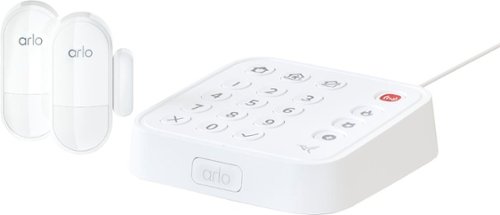
The Arlo Home Security System makes protecting your entire home easier. Get greater protection from All-in-One Sensors integrated with 8 sensing functions, opt in for around-the-clock protection from 24/7 Live Security Experts that monitor your home, so you don~t have to, and experience better whole home protection with SecureLink.~ All-In-One Sensors have 8 sensing functions in 1 compact design to give you flexibility to place anywhere you need coverage inside your home. All functions are easily controlled through the intuitive Arlo Secure App, simply change or enable more detection functions anytime. Protect your doors and windows by combining open/close and motion detection, or protect areas under your sink by combining leak and freeze detection. You can also enable tilt, ambient light, smoke and CO alarm listening for any of your sensors for additional protection.~ Arlo~s All-in-One Sensor protects your everything. The Keypad Sensor Hub controls your security system, has an integrated siren, motion sensor, smoke/CO alarm listener, and pairs devices with SecureLink technology for extended range and a more secure connection.~ Change your security system mode or use One Tap Emergency Response buttons to send fire, police, or medical responders to your home, directly from the Hub or Arlo Secure App.~
Customer Rating

5
Easy Install, Versatile Security System
on September 25, 2023
Posted by: RalphHenry
This security system turned out to be very easy to install, and also the clever design makes it a very powerful and versatile choice for your home. I installed the control box and two 8-way sensors using the Arlo Secure app on my Android cell phone (it would also work on an Apple product). I’d recommend the app so that you can control everything right from your cell phone; you can also control the system by using the buttons on the control box. A sensor can be configured to set up detection for 8 different situations at the same time. Initially I only set up Open/Close for windows. However, I can go back at any time and tell a sensor to Detect Smoke and/or CO2 for example. The other options are Motion, Water Leak, Freeze, and Tilt; amazing design - a tip of the cap to the Arlo designer engineers.
The app directed me through the complete install; you do need to use a 2.4 GHZ access point. It is recommended you connect your cell phone to the same access point (you may have additional access points defined in your home network.
Your first install will be for the control box to get it on your WiFi network. This is easy, just follow the steps in the app. Don’t try to go too fast, the system may have to take a few minutes to connect.
Although there are small screw-in mounting tabs included, you don’t need to use them unless the surface of your door or window is not relatively smooth. If you have cracked paint, for example, then use the tabs and then use the double stick tape to attach your sensors to the tabs. I had to use the tabs on the surface area of one of my older windows. Installation is so easy with the double stick tape that you will be amazed at how fast you have everything installed.
One thing I did, and expected it to work, was to first configure everything on my kitchen table. Then I unplugged the control box and moved it to my central spot. Next I installed (using double stick tape) the sensors on the two windows. I plugged the control box back in; and in a couple of minutes everything reconnected perfectly by itself. This told me that during power outages, once power is restored the system will not need to be reconfigured.
The process to use the system is very intuitive, but the app will walk you through it to ensure you know how to alarm and disarm the system.
One clever idea from Arlo is that when you first test a sensor, the system will mute the siren. This is great news if you have pets who may not like hearing a lot of sirens going off when you are just testing the system. The siren is not actually too loud, but enough to scare intruders.
You do have an option to subscribe to monitoring by Arlo which has a monthly cost. You can also program a button to quickly call Fire, Police or Medical assistance – just use the app to setup the phone numbers.
I highly recommend this versatile and very user friendly security system.
I would recommend this to a friend!
Share this review:


0points
0of 0voted this as helpful.
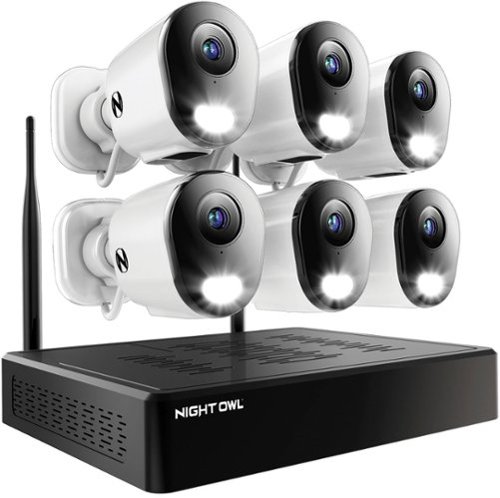
Night Owl is excited to offer our U.S. designed and engineered 4K HD Wi-Fi Bluetooth Network Video Recorder with Wi-Fi IP 2K Spotlight Cameras and Pre-Installed Hard Drive. This system comes with 2K cameras but is 4K ready and can accommodate our 2K and 4K Wi-Fi devices. With Secure App-Based Bluetooth Setup, there is no need to connect a TV or monitor for setup or viewing (optional). Our patent pending recorder has built-in Bluetooth technology, making it easy for you to configure your system right from the app on your smartphone or tablet. While a TV or monitor is not required, with Google Assistant you can use simple voice commands to stream camera footage directly to your TV or monitor, all while remaining hands free. Each camera has 2-Way Audio (talk & listen) as well as a built-in siren and preset voice alerts. From within the app, you can easily activate the built-in siren, startling intruders and sending them packing. Have a guest but can~t get to them? Use a preset voice alert to let them know! Smart Detection Technology including Human Detection and Vehicle Alerts reduce the risk of false alarms, keeping you safe and well protected. Motion-activated spotlights flood your yard with bright lights when human motion is detected, instantly warding off trespassers. Need more coverage? Easily add our compatible wire free, Wi-Fi IP and doorbell cameras to your recorder to boost your viewing area. Proudly designed and engineered in the U.S.A., our security system uses a built-in wireless connection for uninterrupted viewing with no delays. Our app gives you control of your system and easy access to your recordings, regardless of where you are. Night Owl never charges fees for storage or access to your videos. All recordings are stored on a pre-installed hard drive for local storage. You can view and download the recordings as you need them. This system provides technology to give you the ultimate security experience.
Customer Rating
5
Expandable, Reliable, Ease of Install
on August 16, 2023
Posted by: RalphHenry
This Night Owl system is an excellent choice for a very strong security system that can be expanded from the 6 included cameras to as many as 10 cameras and has a very friendly user interface. The included cameras were interesting in that there is no external antenna on the camera. I had some concerns about range but I was able to easily operate the cameras first at 50 feet, then at 100 feet from the NVR base unit. You do need to pair the cameras within 8 feet of the base, but after pairing they can be moved to their final location.
When I used the phone app to turn on a camera spotlight, I could set a variable time for the spotlight to be on. The spotlight is very bright. You can also have the spotlight on solid or pulsing. A spotlight on a security camera for me is a must have feature.
I also added a Night Owl camera that did not come with this system but was compatible and it paired perfectly and worked great. This was a 4K camera so that showed a couple good things about the ability of the NVR to pair with other Night Owl cameras and the 4K versions as well – excellent. Nice job by the Night Owl engineers to have this compatibility.
This system can be installed using the method of a TV/Monitor and the NVR attached to a router, or it can be installed simply via your cell phone and the NVR attached to a router. I chose to use the Night Owl cell phone app process this time although the TV/Monitor method is almost as simple. The cell phone method was terrific and you do not need computer skills to easily configure the NVR and your cameras. Be sure you keep the cameras close to the NVR when you first pair them. Voice prompts will tell you when the cameras are progressing through the pairing and going ‘on-line’. The app makes it easy to use the two way communication to each camera, to use the spotlights and to view live or recorded videos. The 2K was very clear, the 4K compatible camera I tried was even more clear; but slower to come up as is logical. You can configure some ‘canned’ responses that the camera that will announce to intruders; things like “You are on Camera” etc. This is a nice feature and does not use your own voice.
I had another Night Owl security system running on the Night Owl app. It was not a problem to setup another NVR in the app on my phone. Each NVR sees the cameras paired with that NVR. Another tip of the cap to the engineers at Night Owl for a system which can be expanded easily so that more than one system can be controlled via the single Night Owl app – very smart.
These NVR type systems have the added bonus that they do not require cloud storage. The unit does keep your videos safe in its own storage. This avoids paying a monthly charge and for a small business or home owner it is fine; and you have the only access to your videos.
I have used various systems and I do notice via my testing of many systems, that the newer systems using WiFi are getting better and better. This is especially true in terms of longer reliable range such as this system demonstrated.
The WiFi connectivity is very important in terms of ease of installation. Although you do run power to each camera, this is typically not a very big problem. Running communication cables back to the NVR is cumbersome and very tedious and is eliminated when you have a system like this one. So the WiFi connectivity of the cameras is what I find very convenient, and for me another must have.
I prefer running power to each camera because battery or solar powered devices are not as reliable in my estimation since you constantly have to determine if the batteries need to be exchanged. As a tip for running power, it is not difficult to find an outlet on an inside or outside wall that can be utilized. Just run the power to each camera and the rest is done by the NVR network to talk to each camera.
I would highly recommend this well designed, water resistant, expandable, easy to use and very functional security camera system.
I would recommend this to a friend!
Share this review:


0points
0of 0voted this as helpful.
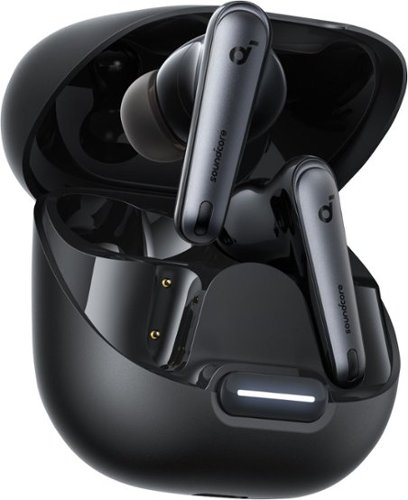
Enjoy noise-free travel with Liberty 4 NC featuring 98.5% noise reduction and adaptive ANC 2.0 that adjusts to your ears and surroundings. 11mm custom-made drivers, Hi-Res wireless, and LDAC technology let you indulge in tracks with 3x more detail than regular Bluetooth. And with 10H/50H playtime and fast charging, say goodbye to battery anxiety - shrink the noise, enjoy the ride.
Customer Rating
5
Great Sound and Great Technology
on August 11, 2023
Posted by: RalphHenry
I easily paired these high quality earbuds to my phone and also to my PC. Be careful to check the instructions on how to pair a second device, some people report problems, but I am thinking they did not read the instructions. The instructions work perfectly. You can have two devices paired simultaneously if you like – very useful. I paired my laptop and cell phone.
Sound is very crisp. The noise cancelling is the best I ever tried and I have tried a few dozen similar wireless earbuds. Noise cancelling is very sophisticated. Inside the phone app I could select ‘Adaptive Noise Cancelling’ which detected your environment and ‘auto-magically’ adjusted the noise cancelling. You can also select if you are on a train, bus, plane or a car and manually select your noise cancelling level that way – amazing and it worked great when I tried for a bus and a car.
The cell phone app also contains something called ‘HearID’. This function customizes a so-called ‘HearID’ profile just for you by running some tests (via the phone app). You save your customized ‘HearID’ and this is used to help you get the best audio specifically for your ears out of the buds – amazing. The Soundcore app also provides 22 different equalization levels or you can just set levels manually. There are various methods to get help via the app. Soundcore certainly provides an exceptional product with excellent support. A giant tip of the cap to the Soundcore engineers.
Here’s a clever feature. You can stop playback of a song by removing one earbud. I tried this with each earbud and it worked nicely. When you re-insert the earbud, you will have to tap it once to start the music again. This feature is useful for example, when someone comes up to you while you are mowing the lawn and listening through these buds. Another tip of the cap to the design engineers.
These buds are water resistant and I used them through 5 workouts with a bit of sweat and no problems. I did get caught in the rain and again no problems (it rains in Florida a lot). Also, the battery-charge handled a week of my workouts, but I only do 40 minutes per session. The build quality is really solid. Soundcore has put out a very high quality and multi-functional set of earbuds. I highly recommend these incredible earbuds.
I would recommend this to a friend!
Share this review:


0points
0of 0voted this as helpful.
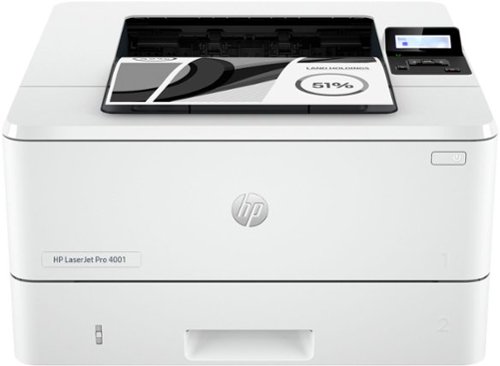
Get ultra-fast speeds and powerful productivity with the LaserJet Pro 4001n. Get laser quality black & white printing for all your business documents. Super fast and super easy with advanced features for small teams.
Customer Rating
5
All Capability Many Will Need at Affordable Price
on July 31, 2023
Posted by: RalphHenry
This is a powerful laser printer at a more affordable price. HP has left out the WiFi capability which indeed saves you a lot of money if you do not need this capability. But in case the lack of WiFi concerns you, it should be noted that this printer can connect to a network and be available to many computers without each computer being connected to the printer. I’ll review that capability further below.
HP retained a very highspeed capability for this laser printer at 42 pages/minute. It is built rock solid. It does not have a multi-page feeder or even a glass to make a single copy; which also kept the price lower. However, for a small office or a connected home, this printer should prove ideal. You have fewer functions mechanically that can fail or need maintenance. It can hold 350 sheets of paper; so for a large office it would not be able to handle the entire printing load. However, for my home offices it is ideal because of its simplified local networking ability. I figured this printer eliminated functions I didn’t need on all my printers and cost me about 50% of a comparable laser printer in terms of speed and build quality – tip of the cap to the engineers at HP.
You can use USB or ethernet setups which are both handled nicely by using the HP Smart app on your phone on computer. The HP 4001n can be setup with a USB connection to a single computer. I did this and it was a very simple and fast setup. Then I reset the printer to factory defaults and set it up again, but this time as an ethernet connected printer. You do need to have your computer and this printer on the same network/router – which is actually some security as well.
The ethernet capability of this printer is very useful and secure for home or office. In case a user is concerned, this setup is done simply by connecting an ethernet cable to the printer and to a router, and configure the printer using the HP Smart app - you will have now established an online configuration. This means the printer can be used by various computers in your home or office. In effect it will appear to a person in the basement, for example, as a ‘wireless printer,’ since the computer will use its wireless connection to the router to locate and utilize this printer quite easily. Same connectivity anywhere in your house or small office. Be aware that most routers have 3 or 4 additional ethernet ports that you will be able to find and can plug this printer into, so that is not a problem.
I have found this little gem to be a solid part of my home network. It is black and white only and handles the load of printing many things like mailing labels, store receipts and Word files. I would highly recommend it.
I would recommend this to a friend!
Share this review:


0points
0of 0voted this as helpful.

The entry-level KA2 series monitor provides a superb user experience that doesn~t compromise on quality. The 23.8~ FHD display with ZeroFrame design delivers crisp, true-to-life colors and it ideal for use in homes and offices. Whether it~s running productivity apps or playing casual games this monitor has it all.
Customer Rating
5
Great Performer at Affordable Price
on July 22, 2023
Posted by: RalphHenry
Excellent monitor at this price point. It will not have the pop of an OLED (organic LED) monitor which will provide better picture quality, but OLED displays are much more expensive. That being said I did find that this unit produced very bright colors and handled mid-range gaming with ease – no color bleed and very sharp images - nice.
Bear in mind this unit has a very basic but usable stand and does not have speakers. I didn’t want a monitor with speakers as it is quite easy to find a Bluetooth speaker with terrific sound at a very affordable price to pair with this monitor and your desktop or laptop. There is no webcam so if that is important, you need to add a webcam to your setup. There is a VGA port and an HDMI port, no Display Port. A Display Port will handle faster refresh rates and higher resolutions. But since the specifications on this unit would not support a Display Port level of performance, then the lack of this port is of no concern if you are looking for a great IPS 1080p unit; this would be an excellent monitor at an attractive price.
I did want to see how this monitor would handle various monitor tests to see if at the lower price the key specifications would still reflect a high-quality experience. Here’s a summary of what I found:
Test Pattern colors were brilliant and actually popped off the screen and the color gradients showed no banding. I did not see any defective pixels with a full screen of black, white, red, green or blue – nice, and that means great quality of production and manufacturing; tip of the cap to the engineers. Brightness was quite equally distributed across an entirely grey screen – perfect. A Sharpness test showed crisp and clean text at the various font-size levels I used – display was absolutely wonderful. Viewing angle was the one area I felt this monitor was weaker. I found that moving left to right at various distances I could see the test images ‘change’ too much. However, in a gaming environment or constructing an animated presentation, this did not interfere since I was very much directly in front of the monitor. If you have a need to do demos for several people surrounding the monitor, then I’d suggest a different monitor for that purpose. That was not my need.
Overall, I found the simplicity of setup, basically plug and play (2 minutes) was great. This unit is lightweight but very solid. The stand supports the monitor quite firmly. I also found the overall performance of this monitor to be excellent as well and I would highly recommend it for the type of functions I outlined above.
I would recommend this to a friend!
Share this review:


0points
0of 0voted this as helpful.

Control up to six electronic devices with this TERK universal rechargeable remote. An ultra-thin profile allows comfortable handling, and the quick access keys let you tune into your favourite streaming apps effortlessly. The USB-C port enables seamless charging. This TERK universal rechargeable remote features a fully backlit keypad for easy operation in the dark.
Customer Rating

2
Recharge Capability Good, Keypad Design Bad
on July 11, 2023
Posted by: RalphHenry
The TERK 6 Device Remote does have several very useful design points. It is lightweight, it is rechargeable and it is programmable for many kinds of units including TV’s, Satellite boxes, Cable boxes, DVD players, Sound Bars and some Streaming sources. It also has some problems so that overall I cannot recommend it.
I did like that it does have an LED which turns from red to green when it is fully charged and that it uses the newer USB-C for its recharge port. It also has a button to light up the keys when needed – very useful.
The designers missed the mark badly for the joystick pad. The center joystick buttons are not raised enough higher than the surrounding buttons that control volume up/down and channel up/down. The problem is if you want to hit a center button for cursor up/down/left/right or 'okay'; you also may hit the outer controls. A design change could be to either raise the middle buttons more or move the channel and volume controls to another area on the remote. In any event this does make the TERK hard to use unless you have very skinny fingers.
There is a broad range of covered devices, so that is great. I used the remote to set up a SONY TV and that worked well except I had to try multiple codes that turned the TV on/off but didn’t enable all of the remote's buttons. Although the original remote provides more keys and a better layout, if you lose the remote or just want a second lightweight remote; then this is an good device to have around. This is true especially if the original remote needs batteries and you don’t have any readily available, then the rechargeable design of the TERK remote is a good option.
You can try codes separately or you can use a process that steps through every code for any brand of TV till it finds the correct one. That’s a nice feature. However, another problem came up with the use of the 4 direct jump-to buttons for Netflix, Disney, Hulu and YouTube. When trying a particular code, it will turn the TV off/on and cause this remote to run many of the TV functions, but then you find that all of the 4 jump-to buttons may not work. So, you have to try to find a code that turns the TV off/on AND also enables these buttons on the remote. Actually, for my SONY TV, the best I could do was find a code that worked for Netflix, Disney and YouTube; the Hulu button never did work. I can’t be sure if this means a lack of testing and documentation from the TERK engineers or in fact the Hulu button on my device was broken.
I also tried to program in my DirecTV (Streaming) set top box remote. But none of the available listed DirecTV codes worked. I called support and although the TERK support people responded within an hour, I eventually assumed they did not understand that their TERK remote only supported the old Satellite type set top boxes for DirecTV. The new streaming DirecTV boxes are ‘not line of site’, but use a different method to read your input from the remote that comes with the DirecTV streaming type box. This fact should be pointed out in their TERK documentation and the their code list. I did try programming the 'STREAM device type button' on the TERK remote to get my DirecTV box to work, but that also failed.
I think the design of this remote is great in some areas but is badly lacking in other areas that I have pointed out. Overall, I cannot recommend this remote.
No, I would not recommend this to a friend.
Share this review:


0points
0of 0voted this as helpful.
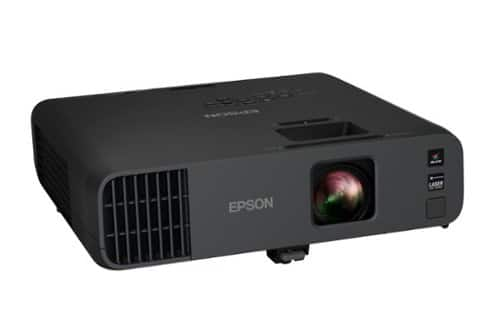
The perfect solution for the evolving workplace, the Pro EX11000 Full HD 1080p laser projector produces a bright and vibrant display designed to maximize visibility and engagement. Cultivate collaboration during Zoom meetings and video conferences with vivid, immersive images up to 300"~all while keeping the lights on. Experience amazing clarity with 4,600 lumens of color and white brightness (1) plus, with the 20,000-hour laser light source (2) there are no lamps to replace, ever. With Best-in-Class Color Brightness (3) and a built-in 16 W speaker, the Pro EX11000 helps ensure that you won~t miss any of the important details. Offering a multitude of connectivity options, including two HDMI ports and a USB port to power popular streaming devices like Fire TV, Apple TV, Roku, and Chromecast (4), the Pro EX11000 redefines versatility. With 3-chip 3LCD technology, experience remarkable color accuracy while maintaining color brightness. Featuring easy-to-use image adjustments, 1 ~ 1.6x optical zoom, auto vertical correction and more, you will be up and running in no time. Work better together with the Pro EX11000.
Customer Rating
5
Powerful Technology and Versatile Functionality
on July 3, 2023
Posted by: RalphHenry
This is a powerful and versatile projector for any business need. The build quality is very solid. The footprint is larger than most portable units, however this projector does provide a complete array of input source possibilities and comes with a very nice case to help make it more portable. Very quickly I discovered two features that I prefer but are frequently not included with even higher priced models. First the projector has an easily extendable foot so you can adjust the height of where your projection will be shown, and second, it has a lens slide-cover to protect this very excellent lens. I don't know why many projectors skip these two features, but we have them on this unit. I also found the 16-watt speakers to be very clear, as loud as needed and with quite smooth non-distorted audio.
This unit has a laser light source, yes you have no bulbs to replace and Epson says over 20,000 hours of use. The images I projected were super crisp and this comes from the 3-chip 3LCD technology so you get all of the RGB color spectrum. This projector is full HD 1080p; very nice at this lower price point.
Connectivity is so broad that you should be able to use virtually any source that is normally available. There are no additional dongles to setup wireless. The software built in will let you define detailed wireless parameters or just setup WiFi using an SSID with password. This process was simple and worked flawlessly for screen mirroring. The list of sources includes 2 HDMI ports, RS232, Component video/audio, USB-B, USB-A, microphone input and more. I actually needed to do a business presentation using inputs from a video camera (pretty old one, but still works fine), a laptop with HDMI to HDMI and a Laptop with USB to the USB B port on the projector. I had all these sources connected at the same time (see photo attached) and could use the included remote to flip between sources. You do need a 3.5mm jack to RCA video connector on the projector (this cable is not included). I was not able to get the USB B source to work at first. However, there is a very complete user guide online which told me I needed to download and install an Epson USB B application to my laptop. Once I had that software on my computer the USB B port came to life for video and audio. I actually thought this connection was a little brighter than the HDMI connection. The laptop HDMI to projector HDMI port worked nicely as well. I did also insert a USB thumb drive into the USB A port on the projector and projected some photos on the screen (this Epson projector had built in software to allow me to do a screen show if I wanted to). In any event a tip of the cap to the Epson Engineers and Publications people for a powerful and versatile projector with superb documentation. A Quick Start and the online more inclusive user guide provide very well written documentation.
I installed Epson’s iProjection app on my Android phone (see photo below). It is also available for iPhone, Mac, Chromebook and Windows). I then installed the iProjection app on a Windows laptop and it ran fine on that platform too. (Note if you are running the USB B connection software on your PC, you can’t run iProjection; this is normal and not a problem, you just have to close the USB B app.)
A couple more features I liked were the 1.6 optical zoom (nice lens for the cost of this unit) and the auto keystone correction that fixed the image without any need to square things up manually as most projectors require you to do - very helpful feature. The padded case is excellent and it includes space for some cables in addition to the unit itself. The case has a very strong shoulder strap which I liked a lot.
This projector worked great for my presentations. It was bright even in a room with all the lights on. I would highly recommend this unit for business presentations and also for your own family party presentations too.
I would recommend this to a friend!



Share this review:


-1point
0of 1voted this as helpful.
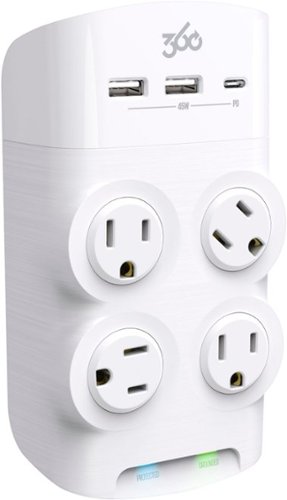
Protect your sensitive electronics and direct-charge everything from smartphones to laptops with the new Revolve45. Turn any standard wall outlet into a seven-point power center with one USB-C, two USB-A and four patented rotating AC outlets. In addition to adding industry-leading power capability, Revolve45~s striking design looks beautiful on the wall. Subtle and fluid surfacing as well as the use of unique textures and finishes, work together to convey thoughtful and considered attention to every detail.
Customer Rating
5
The Outlet/Surge Strip with a Twist
on June 19, 2023
Posted by: RalphHenry
The 360 Revolve 45 Outlets/Surge Protector has four 120 vac outlets that swivel, two USB-A outlets and one USB-C outlet. This is the way all outlet strips should be designed. This item does carry a little higher cost, but it is definitely worth it. The rotating 120 vac outlets allow you to fit larger plugs/ power bricks into a smaller space. It has two status lights, one for protected and one for grounded. The engineers did not cut corners on the quality and functionality of this outlet strip – tip of my cap to them.
I use it behind my main work desk. Now I not only have the 120 vac outlets, but I also have the charge ports for my phone and laptop which both take USB-C now. It does fast charge both of these devices and it definitely worked great for charging other items as well including my digital watch and bicycle light.
There is a somewhat unique feature that reduces the heat of all this charging activity. It is Gallium Nitride, which is used in this ‘smart’ outlet device. Gallium Nitride can withstand higher voltages and conducts current much faster (than silicon) and has better heat resistance and can essentially allow for a faster and cooler charge.
Also this outlet device has another feature in that it talks to any devices being charged to ensure optimal charging. I can say that the outlet did stay cool while I used every port for charging and all the devices charged more quickly than from my array of other charging methods. I am very impressed, so I do plan to get two more of these outlets for my two other laptop desk-stations.
I certainly do highly recommend this outlet device.
I would recommend this to a friend!
Share this review:


0points
0of 0voted this as helpful.
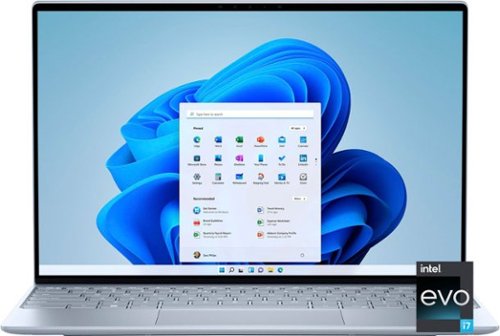
Go anywhere and do anything with our thinnest and lightest XPS laptop. The new XPS 13 is packed with power in a seemingly weightless shell.
Customer Rating
5
Superior Technology in a Small Package
on June 17, 2023
Posted by: RalphHenry
This smaller laptop is packed with power. The 13.4” display has an anti-reflective finish which was very comfortable for me while using it on my back porch or in my home office. The footprint is not too small and not too big. I found this size very useful on a couple weekend trips where I needed portability plus a powerful PC. I like the backlit keyboard so I can use the laptop without turning on overhead lights that might disturb others in the living room or bedroom – sometimes a major consideration.
The price-point is small for these outstanding specifications: Major strength areas are the CPU 12th gen core i7, speedy 32 GB DDR5 memory, and the 1 TB solid state drive. Another upscale feature is two Thunderbolt 4 ports. You use these ports for data or power, and you have one on each side of the laptop which facilitates your connection to power/data on either side. Thunderbolt 4 is similar to USB-C in shape but handles many more features – it is a big more powerful step up from USB-C. Thunderbolt will give you faster charging, higher bandwidth for data and can support up to 5 devices on one port. Wow, another tip of the cap to the Dell engineers for this design point. This unit also has a fast charge battery and your fastest WiFi technology of 802.11ax.
This little 3-pound wonder has become my main go to PC. I did use it for low/mid end gaming and the sound, with a bit more bass than you might expect, was great. Also the Intel Iris Graphics worked flawlessly – no visual artifacts or flickering. These gaming runs helped me ensure this small package with so much power is getting cooled properly which is very important. Tip of the cap to the Dell engineers.
I also found that multi-tasking by using spreadsheets, doing presentations, creating documents and reading email was no problem for this sleek powerful laptop.
I am very impressed with the features built into this unit. Dell has assembled top of line technology in a very attractive package. I can highly recommend this laptop.
I would recommend this to a friend!
Share this review:


+3points
3of 3voted this as helpful.

Stream instant content easily with this LG BP550 Blu-ray player. To build a complete 3D home theater system, we recommend you purchase a 3D TV, 3D glasses designed for the TV, high-speed HDMI cable and an A/V receiver that is compatible with 3D products.
Overall4 out of 5
4 out of 5Great Blu-Ray DVD Player for the money
By JulieAS
After buying this product, I am both pleased yet a little disappointed! I needed another player to replace my 5 year old Sony 3-D player (also bought at BB) because it was no longer compatible with YouTube. Since my TV is an LG, I decided to buy an LG player.
The LG BP550 is smaller than my older Sony (another reason I chose it) and has fewer apps but I really didn't care about that as long as YouTube worked and that it also had Netflix and HuluPlus apps. Hooking it up and installing it was quick and easy and completing the system update was also a breeze! Already on sale, I saw it was also available as an Open-Box item so I thought I could save even more buying it at that option...NOT!
Advertised as 'Open-Box Excellent Condition' I ordered it on May 13th and it arrived on the 15th - without the remote! Maybe I shouldn't have assumed that an item labeled as "Returned, used as display model in store, or opened due to packaging damage but remains in like-new condition" meant or means that all accessories, cables, manuals, remotes, etc. are included.
Fortunately, my TV remote was able to do some of the basic stuff for installing and some playback features but that's it. So I make a call to BB and learn that the 4-yr Protection Plan I paid for would not cover this missing remote and was then advised to call LG for a 'free' replacement.
Customer service at LG then directed me to call their authorized parts dealer for my time zone. Of course, they were closed on Saturday and Sunday!
I called the parts dealer today (18th) and was told to contact the retailer since I'd "recently purchased the item and it should be returnable/replaceable under warranty". I explained that I had been informed that it was not and that I was told to call them by both BB and LG!
Subsequently, I was given the part number and price for a replacement remote!
Well it looks as if buying Open-Box didn't save me much, if anything, after all since the replacement remote has to be paid for out of my pocket!
I may be better off returning this player and buying a NEW one instead!
I may be better off returning this player and buying a NEW one instead!
However, I must say that I do like the player for what features I have been able to access while using my TV remote! I look forward to obtaining the full benefits and features when using the actual remote control for the BP550!

RalphHenry
Raleigh, NC
Remote Replacement
May 28, 2015
It's not ideal but if you are missing a remote and/or lose or break it, you can easily download a smartphone app to run it. You could also program a multi device remote like the Harmony 650 which I did. So nowadays a missing remote is not a show stopper but I agree it should have not been missing.
+1point
1of 1voted this comment as helpful.
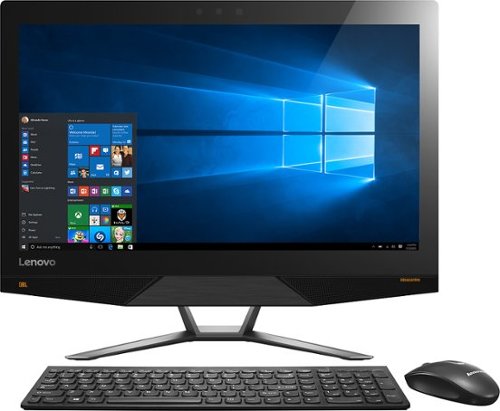
Lenovo IdeaCentre All-In-One Computer: With Wireless-AC networking, this all-in-one computer makes it easy to browse Web sites, access social media and check your e-mail. The 23.8" capacitive multitouch screen lets you navigate features using all 10 fingers and presents your favorite films in 4K UHD resolution. The revolutionary Intel~ RealSense~ 3D camera lets you scan 3D objects, use gestures to control your PC or play games and more.
Overall2 out of 5
2 out of 5Great box - poor fonts
By Jasonrn
I purchased this with great excitement. I mostly do everyday things, with an evergrowing photo collection. I bought Adobe creative cloud and was ready to go. Fired it up and was shocked at how bad the text looks. I have tried many different settings. I don't know if it is a scaling thing? I love everything else about the unit. Photos look great. I dont game.
The text issue is varies. Some apps, it looks fine... others - terrible. Also, some apps don't scale well at all on the 4K screen.
May return the unit and get a laptop I can plug a second monitor in for my photo work.
RalphHenry
Raleigh, NC
Fix for fonts didn't install
November 3, 2015
The expert pointed to a download and it did not install. I'm glad since I think you just need to go to settings and find the 'cleartype text' setting and run through it to make fonts great. Also I see many of the apps will fix drivers and so forth so there is a learning curve now to see how to run these machines.
0points
0of 0voted this comment as helpful.
Lenovo IdeaCentre All-In-One Computer: With Wireless-AC networking, this all-in-one computer makes it easy to browse Web sites, access social media and check your e-mail. The 23.8" capacitive multitouch screen lets you navigate features using all 10 fingers and presents your favorite films in 4K UHD resolution. The revolutionary Intel~ RealSense~ 3D camera lets you scan 3D objects, use gestures to control your PC or play games and more.
Overall5 out of 5
5 out of 5Highest Quality and Top Features
By RalphHenry
from Raleigh, NC
This AIO has superior resolution to others. Some reviews spoke about a text problem, however you can improve the text via going to settings, display, advanced and 'cleartype text' and follow the steps. Also has 3D display capability which is good for future needs for me. Sound is nice with Jensen speakers. Touch screen is great. WIFI is super and has both 2.4 and 5 GHz ranges with Wireless AC. Very quiet fan. Lenovo support has regressed but is do-able I asked a simple question and the tech had no idea, also the website seems broken in the support area; glad I got Geek Squad. But this AIO is one great machine. price is very reasonable for what you get. Love it.
RalphHenry
Raleigh, NC
Tips For Better Text on AIO 700
November 4, 2015
I've played with the font's and you may also want to scale text or make it bold for example if you use Windows Live (you can do that within Display Settings). The other tip is that the text is very clear but small so you may find that enlarging text by hitting Ctrl and + (together) once or twice will make some things easier to read. You hit Ctrl and - together to reduce. I didn't use those commands as often on other machines, but it is beautiful to use at times on this machine. By the way videos are wonderful if you use something like Amazon Prime video etc WOW
+1point
1of 1voted this comment as helpful.
Lenovo IdeaCentre All-In-One Computer: With Wireless-AC networking, this all-in-one computer makes it easy to browse Web sites, access social media and check your e-mail. The 23.8" capacitive multitouch screen lets you navigate features using all 10 fingers and presents your favorite films in 4K UHD resolution. The revolutionary Intel~ RealSense~ 3D camera lets you scan 3D objects, use gestures to control your PC or play games and more.
Overall5 out of 5
5 out of 5Highest Quality and Top Features
By RalphHenry
from Raleigh, NC
This AIO has superior resolution to others. Some reviews spoke about a text problem, however you can improve the text via going to settings, display, advanced and 'cleartype text' and follow the steps. Also has 3D display capability which is good for future needs for me. Sound is nice with Jensen speakers. Touch screen is great. WIFI is super and has both 2.4 and 5 GHz ranges with Wireless AC. Very quiet fan. Lenovo support has regressed but is do-able I asked a simple question and the tech had no idea, also the website seems broken in the support area; glad I got Geek Squad. But this AIO is one great machine. price is very reasonable for what you get. Love it.
RalphHenry
Raleigh, NC
Lenovo Fix for AIO 700 24ISH
November 5, 2015
Jason, I did think ClearType helped a little but the scaling and putting 'bold' on helped more. I did see the fix that Lenovo posted. First I flashed the BIOS which they also posted as of 9/10/15. However when I tried their special fix for the font scaling it is an .rar file and I had to load WinZip (free version for now) but it did unpack it. However I never saw it run successfully as it always returned an error code. I am going to call Lenovo on that but the text looks pretty good so maybe it actually ran. I'll post an update on that. By the way the support at Lenovo is abysmal.
+1point
1of 1voted this comment as helpful.
Lenovo IdeaCentre All-In-One Computer: With Wireless-AC networking, this all-in-one computer makes it easy to browse Web sites, access social media and check your e-mail. The 23.8" capacitive multitouch screen lets you navigate features using all 10 fingers and presents your favorite films in 4K UHD resolution. The revolutionary Intel~ RealSense~ 3D camera lets you scan 3D objects, use gestures to control your PC or play games and more.
Overall2 out of 5
2 out of 5Disappointed
By Brandon
It worked for a few hours right out of the box. Then I noticed the screen flashing and the graphics cards crashing. After a reset it freezes after 5 minutes of use. Not sure if it's the pc itself or driver issues with Windows 10, either way it's not worth the trouble. If they can fix these issues then it is absolutely worth the price.
RalphHenry
Raleigh, NC
Try Driver Updates & Flash BIOS
November 5, 2015
If you still have it and if it will stay up long enough, I'd say go to Lenovo's web site and download the newest BIOS, it's easy to update BIOS now. Then go into Device Manager and update both Display drivers. If you bought an open box, I'd also try to reload the whole machine to the factory settings (or BestBuy should do that for you). But if you go to the apps, the app called Lenovo Rescue System will do it for you pretty easily. Then do the stuff I mentioned above.
+2points
2of 2voted this comment as helpful.
Lenovo IdeaCentre All-In-One Computer: With Wireless-AC networking, this all-in-one computer makes it easy to browse Web sites, access social media and check your e-mail. The 23.8" capacitive multitouch screen lets you navigate features using all 10 fingers and presents your favorite films in 4K UHD resolution. The revolutionary Intel~ RealSense~ 3D camera lets you scan 3D objects, use gestures to control your PC or play games and more.
Overall5 out of 5
5 out of 5Highest Quality and Top Features
By RalphHenry
from Raleigh, NC
This AIO has superior resolution to others. Some reviews spoke about a text problem, however you can improve the text via going to settings, display, advanced and 'cleartype text' and follow the steps. Also has 3D display capability which is good for future needs for me. Sound is nice with Jensen speakers. Touch screen is great. WIFI is super and has both 2.4 and 5 GHz ranges with Wireless AC. Very quiet fan. Lenovo support has regressed but is do-able I asked a simple question and the tech had no idea, also the website seems broken in the support area; glad I got Geek Squad. But this AIO is one great machine. price is very reasonable for what you get. Love it.
RalphHenry
Raleigh, NC
Checked on Font Scaling Fix
November 5, 2015
I couldn't get the download from Lenovo's website to install. I downloaded and unpacked the fix, but it returned an error code when I ran it. I spent 40 minutes with Lenovo 1st and 2nd level support. They pretty much had no info on this fix. They didn't open a problem ticket 8005969635. Also their website said you should post a request online to have them call you back, but their process was broken in that area also. Full disclosure: even without this fix, the screen looks awesome to me.
+1point
1of 1voted this comment as helpful.
Lenovo IdeaCentre All-In-One Computer: With Wireless-AC networking, this all-in-one computer makes it easy to browse Web sites, access social media and check your e-mail. The 23.8" capacitive multitouch screen lets you navigate features using all 10 fingers and presents your favorite films in 4K UHD resolution. The revolutionary Intel~ RealSense~ 3D camera lets you scan 3D objects, use gestures to control your PC or play games and more.
Overall5 out of 5
5 out of 5Highest Quality and Top Features
By RalphHenry
from Raleigh, NC
This AIO has superior resolution to others. Some reviews spoke about a text problem, however you can improve the text via going to settings, display, advanced and 'cleartype text' and follow the steps. Also has 3D display capability which is good for future needs for me. Sound is nice with Jensen speakers. Touch screen is great. WIFI is super and has both 2.4 and 5 GHz ranges with Wireless AC. Very quiet fan. Lenovo support has regressed but is do-able I asked a simple question and the tech had no idea, also the website seems broken in the support area; glad I got Geek Squad. But this AIO is one great machine. price is very reasonable for what you get. Love it.
RalphHenry
Raleigh, NC
Successful Adjustments for FONTS
November 5, 2015
Lots of people had problems with the fonts on this 4K hi-def screen. Lenovo support was useless but Geek Squad fixed me right up via remote connection. It might be something others know, but judging by the reviews most people including me just didn't really understand. There are lots of modifications to DISPLAY parameters but what most people should do if they are using this screen for apps like Windows Live is to change the screen resolution to 1920x1080 and change the scaling to 125%. Now everything is beautiful. If you do want to watch a movie in high def, then put it back to 3840x2160 and set scaling to 200%. What is confusing is that there is a choice for 2560x1600 but this is not the same ratio as the screen size so you get bars on each side which you probably don't want - I should have seen this but the Geek Squad enlightened me. Now as to the patch from Lenovo for font scaling, you probably don't need it nor would it do much I am sure. So kudos to the Geek Squad and thanks. It is an awesome machine and in fact even the lower resolution is more than any other PC I have ever had.
+1point
1of 1voted this comment as helpful.
Lenovo IdeaCentre All-In-One Computer: With Wireless-AC networking, this all-in-one computer makes it easy to browse Web sites, access social media and check your e-mail. The 23.8" capacitive multitouch screen lets you navigate features using all 10 fingers and presents your favorite films in 4K UHD resolution. The revolutionary Intel~ RealSense~ 3D camera lets you scan 3D objects, use gestures to control your PC or play games and more.
Overall5 out of 5
5 out of 5Highest Quality and Top Features
By RalphHenry
from Raleigh, NC
This AIO has superior resolution to others. Some reviews spoke about a text problem, however you can improve the text via going to settings, display, advanced and 'cleartype text' and follow the steps. Also has 3D display capability which is good for future needs for me. Sound is nice with Jensen speakers. Touch screen is great. WIFI is super and has both 2.4 and 5 GHz ranges with Wireless AC. Very quiet fan. Lenovo support has regressed but is do-able I asked a simple question and the tech had no idea, also the website seems broken in the support area; glad I got Geek Squad. But this AIO is one great machine. price is very reasonable for what you get. Love it.
RalphHenry
Raleigh, NC
Thanks for Posting Info on Font Patch from Lenovo
November 6, 2015
JasoninNJ, thanks for posting your comment that installing the Lenovo patch to help font scaling toasted the machine. I won't try again to install it. As I mentioned I don't think it is needed. There will be more ultra HD computer screens and I'm guessing they will add automated switching to show videos in HD but do the rest of your PC work with the lower resolution which is excellent when viewing text.
+1point
1of 1voted this comment as helpful.
Lenovo IdeaCentre All-In-One Computer: With Wireless-AC networking, this all-in-one computer makes it easy to browse Web sites, access social media and check your e-mail. The 23.8" capacitive multitouch screen lets you navigate features using all 10 fingers and presents your favorite films in 4K UHD resolution. The revolutionary Intel~ RealSense~ 3D camera lets you scan 3D objects, use gestures to control your PC or play games and more.
Overall5 out of 5
5 out of 5Highest Quality and Top Features
By RalphHenry
from Raleigh, NC
This AIO has superior resolution to others. Some reviews spoke about a text problem, however you can improve the text via going to settings, display, advanced and 'cleartype text' and follow the steps. Also has 3D display capability which is good for future needs for me. Sound is nice with Jensen speakers. Touch screen is great. WIFI is super and has both 2.4 and 5 GHz ranges with Wireless AC. Very quiet fan. Lenovo support has regressed but is do-able I asked a simple question and the tech had no idea, also the website seems broken in the support area; glad I got Geek Squad. But this AIO is one great machine. price is very reasonable for what you get. Love it.
RalphHenry
Raleigh, NC
Text Display Improvement
November 16, 2015
After playing with various settings I have some hopefully helpful feedback. First of all don't use the 3840x2160 unless you are streaming video, it makes text bad. Also don't use 2560x1600 since it is not a multiple of the 3840x2160 i.e. you'll get bars on both sides of the screen. Do use the 1920x1080 which is also hi-def and fits this screen dimensions properly. Now if you want text a little bigger then go to 'set custom scaling level' and use 110% or 115%; this makes nice readable text. Now here's a quirk I see lots of people having and not just on this PC or brand for Windows 10. You may see occasional video card errors and once in a while the machine may not IPL (just power off and try again it will come up). I think the problem is the video card doesn't get back fast enough to the CPU, and the video card crashes but does recover. Not a problem unless you are playing PC high powered games. So I don't recommend this machine for games, but video streaming and apps like Corel Photoshop are great. Now what you can do to minimize or eliminate the video card crashes (remember it happens on lots of machines with Windows 10, so there will be a fix soon I think). Anyway go to Control Panel and search for 'visual effects', then click on adjust the appearance and performance of Windows. Then select 'Custom' and click the box next to 'smooth edges of screen fonts'. If you optimize for 'best appearance' entirely or for let 'windows choose'... that's when the video card may not keep up I think. If you optimize for 'best'performance' the text looks horrible. Anyway the 'custom' settings work for me to give me nice text and no crashes. This is a stretch but I think the engineers knew there could be a problem, that's why they tried to put in the super high powered video cards, but not good enough for now, I do think this will get fixed by Windows 10 OS soon. This machine for it's price is tremendous and I think worth this minor glitch.
+2points
2of 2voted this comment as helpful.
Lenovo IdeaCentre All-In-One Computer: With Wireless-AC networking, this all-in-one computer makes it easy to browse Web sites, access social media and check your e-mail. The 23.8" capacitive multitouch screen lets you navigate features using all 10 fingers and presents your favorite films in 4K UHD resolution. The revolutionary Intel~ RealSense~ 3D camera lets you scan 3D objects, use gestures to control your PC or play games and more.
Overall5 out of 5
5 out of 5Highest Quality and Top Features
By RalphHenry
from Raleigh, NC
This AIO has superior resolution to others. Some reviews spoke about a text problem, however you can improve the text via going to settings, display, advanced and 'cleartype text' and follow the steps. Also has 3D display capability which is good for future needs for me. Sound is nice with Jensen speakers. Touch screen is great. WIFI is super and has both 2.4 and 5 GHz ranges with Wireless AC. Very quiet fan. Lenovo support has regressed but is do-able I asked a simple question and the tech had no idea, also the website seems broken in the support area; glad I got Geek Squad. But this AIO is one great machine. price is very reasonable for what you get. Love it.
RalphHenry
Raleigh, NC
Good News to Add
December 8, 2015
I wanted to update my review to indicate that a frequent display driver error that said "...Intel Video adapter stopped working but recovered...", has stopped occurring after about 1 week ago when a pretty big Windows 10 update came out. It was never a killer for me since I don't play games but when I googled it, I did see that it was fairly common on many PC's - that's good since it appears Microsoft fixed it. Note there are two video adapters in this machine but the Nvidia one was not failing.
0points
0of 0voted this comment as helpful.
RalphHenry's Questions
RalphHenry has not submitted any questions.
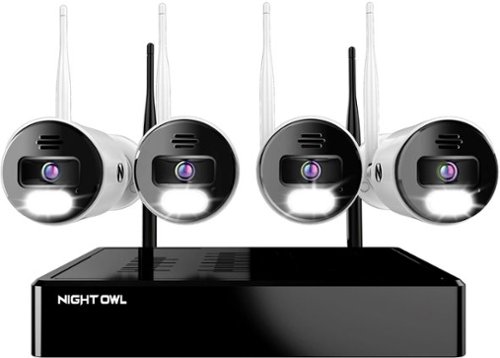
Night Owl is excited to offer our U.S. designed and engineered 4K Wi-Fi Bluetooth Network Video Recorder with Wi-Fi IP 4K Spotlight Cameras and Pre-Installed Hard Drive. With secure app-based Bluetooth setup, there is no need to connect a TV or monitor for setup or viewing (optional). You can easily configure your system right from the app on your smartphone or tablet with the Bluetooth connection. While a TV or monitor is not required, with Google Assistant you can use simple voice commands to stream camera footage directly to your TV or monitor, all while remaining hands free. Each camera has 2-Way audio (talk and listen) as well as a built-in siren and preset voice alerts. From within the app, you can easily activate the built-in siren, startling intruders and sending them packing. Have a guest but can~t get to them? Use a preset voice alert to let them know! Smart detection technology including human detection, facial capture, and vehicle alerts reduce the risk of false alarms, keeping you safe and well protected. Facial capture lets you see who is on your property by snapping a photo and sending the image to your Smart Device. Motion-activated dual spotlights flood your yard with bright lights when human motion is detected, instantly warding off trespassers. Proudly designed and engineered in the USA, our security system uses a built-in wireless connection for uninterrupted viewing with no delays. Our app gives you control of your system and easy access to your recordings, regardless of where you are. Night Owl never charges fees for storage or access to your videos. All recordings are securely stored on a pre-installed hard drive for convenience. You can view and download the recordings as you need them. This system provides the latest technology to give you the ultimate security experience. NOTE: Your Wi-Fi recorder is compatible with our BWNIP2 (Wire Free), WNIP2 (Wi-Fi IP) and WNIP8 (Wi-Fi IP) Series devices and is not backward compatible with other Night Owl products.
Can I add more cameras
Yes you can connect more cameras. In fact the default was to display 8 cameras and I had to set it back to 4.
4 years, 4 months ago
by
RalphHenry

The minute you put on Bose QuietComfort 45 Wireless Noise Cancelling Headphones, you feel it ~ the iconic quiet that allows you to concentrate on your music or work on your passion projects. Plus, with these wireless headphones, you can experience the comfort and crystal-clear sound that can only come from Bose headphones. The soft, plush cushions of these Bose over ear wireless headphones seal you in. Then you flip the switch and whoosh ~ the world fades. The music starts. It~s love at first listen. The original Bluetooth headphones are back, now with signature active noise cancelling technology and premium comfort. Plus proprietary technology for deep, clear sound, and adjustable EQ so you can tune your music to your liking. Bose QuietComfort 45 over-ear headphones. An icon reborn.
Does this set(QC45) need an adapter to connect with the TV screen on airplanes? Is it included? I saw an adapter when I looked at the QC35II, will it work with this model?
I think you mean the normal 3.5mm jack/cable which you use when Bluetooth wireless is not available. Yes this cable is included with the QC45 as well as the QC35II.
4 years, 6 months ago
by
RalphHenry
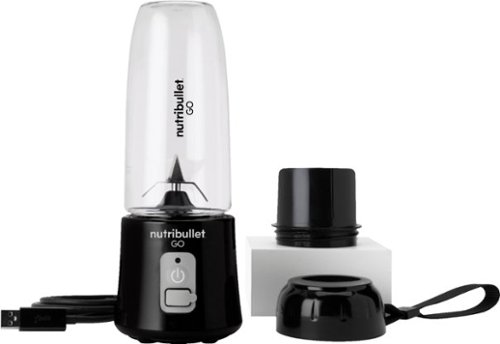
The Nutribullet GO Cordless Blender has a compact and ergonomic design, ideal for those on the go! The 2000mAH battery offers up to 20 blending cycles before needing to be recharged. The 13oz cups are the perfect size for personal smoothies or protein shakes and with 18000 RPMs you can be confident your smoothies will come out tasting delicious! Our base even comes with a blade protector so you can feel confident putting this in a backpack or bag.
What’s the voltage on this product?
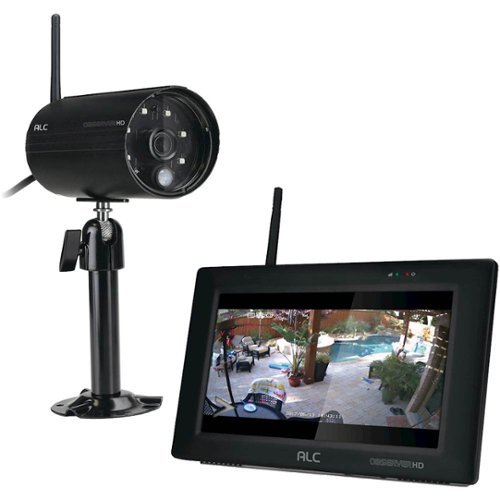
Protect your home with this ALC Observer touchscreen wireless surveillance system. An easy-to-install weatherproof outdoor camera captures footage of potential intruders in Full HD resolution and sends automated alerts when triggered. This ALC Observer touchscreen wireless surveillance system has a 7-inch monitor that lets you watch recorded footage and monitor live feeds.
Can I hook my alc observe hd up to a computer monitor
I have done it. The base unit will look like a PC to your TV or to a monitor. The included mouse will be your input device.
4 years, 10 months ago
by
RalphHenry
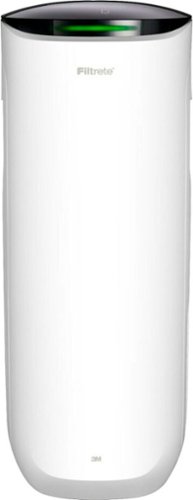
Say Hello to Cleaner, Fresher Indoor Air~24/7.Monitor and clean your air 24/7 with the Filtrete~ 310 Sq. Ft. Smart Air Purifier for Large Rooms from the most trusted HVAC filter brand in America*. These easy-to-use connected devices automatically improve the quality of the air you breathe, taking action when air quality issues arise at home. The devices also integrate seamlessly with the Filtrete~ Smart App, Amazon Alexa, Google Assistant and other smart home products.With so much bad stuff in our indoor air, why not choose an air purifier and filter to help keep your home~s air cleaner and fresher?Included with each Filtrete~ Smart Air Purifier is a True HEPA filter, which captures 99.97% of airborne particles**, such as allergens, dust, lint, mold spores, bacteria, viruses and pet dander. Plus, every filter is electrostatically engineered to pull in and trap microscopic airborne particles. Many of those particles are 1000x smaller than you can see.Give yourself some peace of mind with a sleek Filtrete~ Smart Air Purifier that automatically monitors, reacts and purifies air in large rooms.
How much do replacement filters cost?
Only $10-$15 for the F1 and you can buy them at Home Depot or Walmart or online.
4 years, 10 months ago
by
RalphHenry
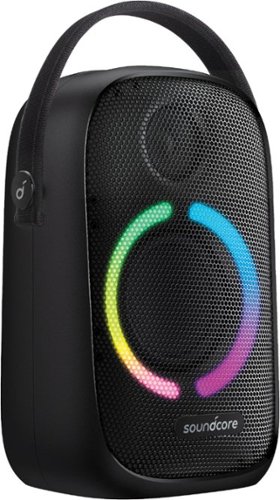
Anker Soundcore Rave Neo Portable Bluetooth Speaker with Lights, BassUp Technology, Sync 100+ Speakers, 18H Playtime
What are the measurements for this Bluetooth?
11 inches high, 7 inches wide and 4 3/4 inches deep. This does not count the nylon handle which can be tucked down behind the unit when not in use.
5 years, 3 months ago
by
RalphHenry

Now that quality you've come to love from GE is available right on your countertop, thanks to GE Appliances blenders, available in both Standard and Immersion designs. Our immersion blenders are ideal for one-handed operation, and available whisk and chopping attachments make whipping up family meals a cinch. You can even take it with you to help make kitchen magic on the go. GE Appliances standard blenders are the perfect addition to any kitchen and have the power to blend through tough ingredients to make delicious shakes, sauces and pur~es. The available personal blending cups are perfect for your morning smoothie and help make clean-up a snap. Make your blending experience a snap with help from GE Appliances, a brand you trust.
Is the jar glass or plastic?
Plastic. The two included smoothie cups are also plastic.
5 years, 4 months ago
by
RalphHenry
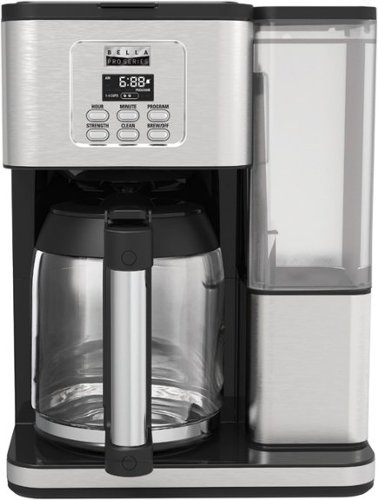
Always ready to entertain with the Bella Pro Series 18-Cup Programmable Coffee Maker. The 1200-watt brewing system quickly brews 18 5-oz. cups of coffee in minutes, making it ideal for large family gatherings or parties. 1 - 4 cup feature for large carafe taste in a smaller batch and brew strength selector for a high quality, customized brew. Prepare ahead of time by programming up to 24 hours in advance. Adjustable 30 minute to 4-hour automatic shut off for added safety. No time to wait for the whole pot? Grab a quick mug while brewing with the pause and serve feature. The special cleaning cycle extends product life while ensure coffee is always at its optimum flavor. Sustainable and reusable permanent filter basket and measuring spoon included.
What are the exact measurements of this appliance. Hard to purchase without knowing if it will fit on your countertop/
Good question, here's the answer: 15 inches high x11.5 inches wide x 9 inches deep
5 years, 4 months ago
by
RalphHenry
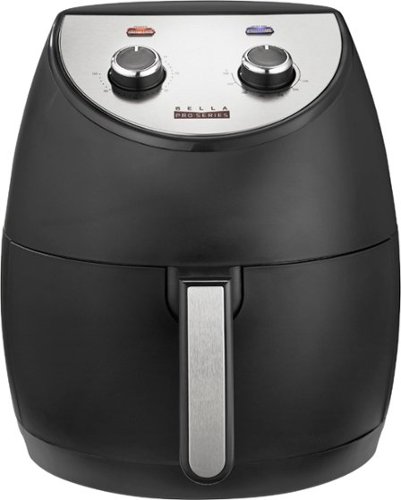
Revolutionize cooking with the Bella Pro Series 4.2-qt. Analog Air Fryer. The High Performance Circular Heat Technology and the powerful 1500-watt heating system delivers fast, crispy, and evenly cooked food every time. Time saving appliance with up to 50% faster preheat than a conventional oven. Large 3.6-lb. food capacity for your favorite foods, including; fried chicken, roasted salmon, French fries, kale chips, and homemade guilt free donuts. Adjustable temperature from 175~F to 400~F and integrated 60-minute auto shutoff timer with audible tone and indicator lights. The matte black finish adds style to any kitchen. Easy clean up with a dishwasher-safe, PFOA-free non-stick pan and crisping tray.
Did this product come with instruction booklet ? Just the product was in the box
Yes, it came with instructions and also there are some recipes regarding timing for various foods. Here's a link to a similar Bella unit. https://bellahousewares.com/wp-content/uploads/2020/09/90124-BElla-Pro-4.3QT-Air-Fryer-Stainless-Steel-IM-r1-LR.pdf
5 years, 5 months ago
by
RalphHenry
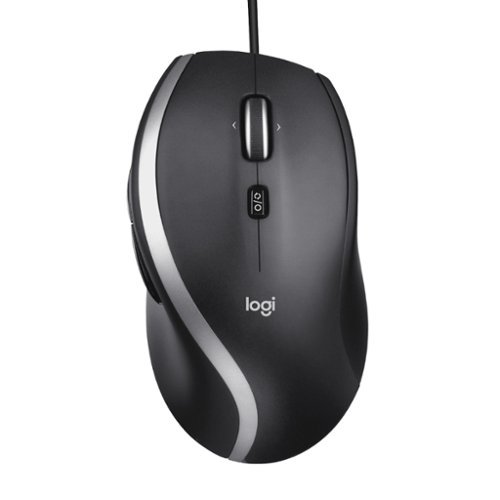
The Logitech Advanced Corded Mouse M500s with hyper-fast scrolling for increased productivity. The scroll wheel lets you fly through long documents and Web pages with a single flick. Or switch to click-to-click mode for precise, line-by-line navigation of lists, slides, images, and menus. Now with 400-4000 adjustable DPI for fast and ultra-precise cursor control.
Which software does the M500s use to customize the buttons? Conflicting information shows Logitech SetPoint if you look under their website, but guidance only goes up to windows 8. Package says Logitech Options but this isn’t On the Options device list
The M500s uses the Logitech Options Software. It is on the site, you may have just missed it for some reason. When you go to Logitech.com/options, click on Support, then Downloads. Now click on downloads in the top menu (I know this seems screwy) but when you hit downloads on this page you will then click on Logitech Options again, then click to download it. It is easy to make miss this. This link will take you directly to the page to download the Logitech Options for Windows 10: https://support.logi.com/hc/en-us/articles/360025297893
5 years, 6 months ago
by
RalphHenry