


DavidJr's stats
- Review count371
- Helpfulness votes2,404
- First reviewDecember 8, 2015
- Last reviewNovember 2, 2026
- Featured reviews0
- Average rating4.2
- Review comment count3
- Helpfulness votes2
- First review commentJune 3, 2016
- Last review commentJune 3, 2016
- Featured review comments0
Questions
- Question count0
- Helpfulness votes0
- First questionNone
- Last questionNone
- Featured questions0
- Answer count103
- Helpfulness votes221
- First answerDecember 9, 2015
- Last answerDecember 23, 2021
- Featured answers0
- Best answers34
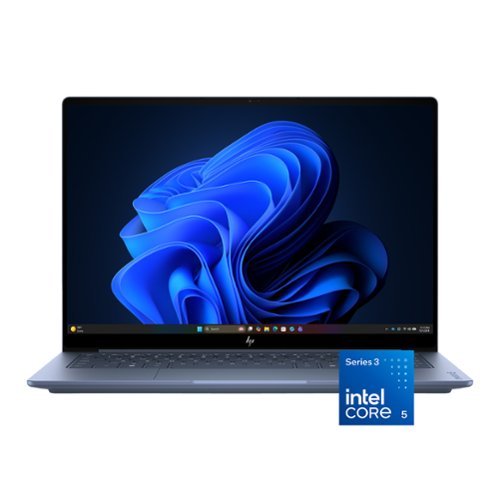
The HP OmniBook 5 is the everyday AI PC for students~a versatile laptop featuring a 14" 2K OLED anti-glare touchscreen and an Intel Core 5 Series 3 processor with up to 15 NPU TOPS.
Posted by: DavidJr
This thin PC isn’t going to run everything and anything. This is meant for general office style usage and media watching. Thin, light and battery for days. Depending on usage, this battery is surprising how long it lasts. On top of that you have a very crisp OLED touch screen. I have always loved the quality of OLED screens and the colors and contrast truly pop on them. The only bad side to this one is just how reflective that screen is. Try not to have anything bright shining back at it.
Specs are pretty mild on this laptop, but it is enough to accomplish typical school and office work. Whether you are filling in a spreadsheet, typing up a document or watching some tutorial. It has a built in webcam for when you need to take those video calls and the sound isn’t all that bad, especially when on a solid surface to reflect the audio up toward you.
It has a fully backlit keyboard, two USB-C ports, an HDMI port and a 3.5mm headphone/mic port. The screen can lay flat, but does not cross that point, so can’t be used like a tablet.
They feature HPTV+ on here, but truthfully, I have seen better free TV sources. Compared to even just running YouTube, their service constantly lagged and it’s not like it was the internet connection. Speaking of which, this can connect to 2.4, 5 and 6Ghz networks, making use of my 1.25Gbps connection pretty easily.
Overall, this thing is light and the display looks amazing. Battery life is amazing, getting you through days of light use or over a day's worth of watching straight video. Spec wise it isn’t going to be running a whole lot, but it will keep up with general tasks.
I would recommend this to a friend!


Share this review:


+1point
1of 1voted this as helpful.
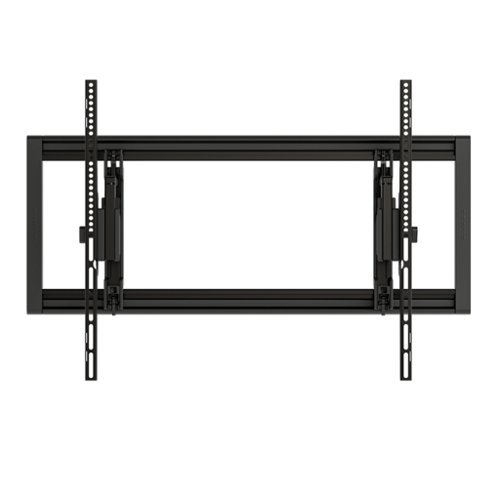
The SANUS Elite 4D Advanced Tilt + Swivel TV Wall Mount is designed to accommodate screens 48 to 100 inches and up to 150 lbs., featuring universal compatibility with your favorite brands like Vizio, Samsung, LG, Sony, and more. This mount television solution provides 12 degrees of downward tilt to help fight screen glare from lights and windows, while an extra 6.8 inches of extension allows even the largest TVs to reach the perfect viewing angle. This swivel TV wall mount also rotates 12 degrees left and right for easy cable management and fine-tuned screen placement. Worried about installation? The included wall mount TV bracket kit features a universal hardware kit, drilling template, and easy-to-follow instructions to help get your screen on the wall in as little as 30 minutes. For added help, reach out to our Minnesota-based product experts, available 7 days a week to assist with installation, TV mount compatibility, and general product questions.
Customer Rating

5
Easy install with the right tools
on November 2, 2026
Posted by: DavidJr
What I mean by easy is that there are only 4 lag bolts and 4 nuts on the back of the TV and you are there. However, you need a stud finder, a drill and 7/32” or there abouts drill bit, ½” socket and a level for the wall part and then smaller socket pending the nut that fits your TV as there is a variety available. Don’t force them as there is likely one that fits perfectly. Once you find the studs you can hang the handy template on the wall with a thumbtack or something, level it out, mark the spots, drill the holes, then hold the actual bracket up on the wall and drill in the lag bolts. Did it all alone in about half an hour.
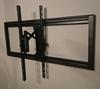
The directions start with putting the bracket on the TV, but I wanted to take a shot at what it looks like without the TV blocking everything. Even if you don’t get it perfectly level, there are hex screws on top that you can use the included hex key and make minor adjustments. There are tension screws to control the tilt and the brackets allow for a bit of rotation, but you are still fairly limited on how much rotation and tilt compared to some other style of mounts. You can even shift right or left several inches if the studs weren't the perfect center for you.
Once everything is in place, just hook the TV on the top bar, it rests and locks in on the bottom and you are watching TV before you know it. It rests fairly close to the wall, but enough space to still allow cables if you don’t go the fancy route and hide them in the wall. To take it off there is a clip at the bottom of each side and it comes off just as easy, but there is also a whole for putting a pad lock if you don’t want someone taking it off that easy.
Overall, simple design that allows for 7-12 degrees of tilt, a little rotation and up to an inch of lift while keeping the TV a bit over 2 inches from the wall. Quick easy install even for 1 person.
I would recommend this to a friend!

Share this review:


0points
0of 0voted this as helpful.
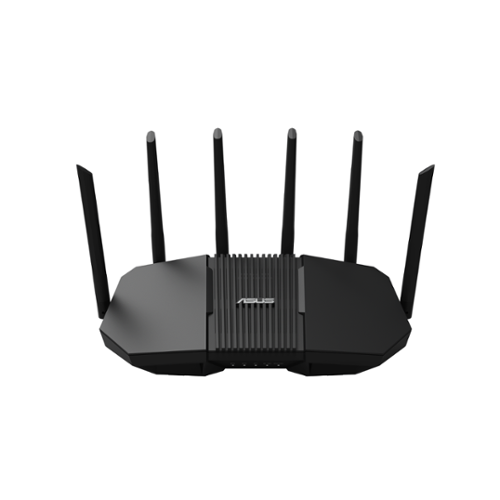
ASUS RT-BE90U BE9400 Tri-band Wi-Fi Router, Wi-Fi 7, 802.11be, up to 2500 sq ft & 100 devices, Commercial-Grade Network Security, AiMesh Extendable Router, 320MHz, Quad 2.5G ports, Smart Home Master.
Customer Rating
5
Short a port, but got everything else
on October 28, 2026
Posted by: DavidJr
One thing I love about ASUS routers is how many advanced features they give you. Sure, you can stick with the basic setup, name a network, give it a password and you are up and running. But, I like to fine tune things myself. One thing I like to have is individual WiFi channels and even in the basic setup it asks if you would like to do that now. No need for advanced settings just for that anymore.
This router seems to have everything a normal user would need, but find it odd that they cut it short of the typical 4 lan ports and 1 wan port. It is nice that they are all 2.5Ghz as several of my wired devices support that. But, also odd that there is no 10Gb option as so many modern routers are at least coming with one so you can take advantage of even higher internet speeds or better local connection to a server. And that is pretty much my only gripe.
Tri-band is where it is at for me, especially with wireless VR streaming. You can set up the other networks for other items. Even make a channel just for IoT like light bulbs that might not take advantage of the WiFi7 features. You can have guest networks that you can enable with Alexa or use Alexa to change your router into gamer mode. This way whatever device you set up gets priority.
There is built-in VPN support, Ai protection with Trend Micro and Parental Controls which can allow you to block sites, apps, control time and with an AdGuard account you can block the troublesome ads from all of your network. It even has a traffic analyzer you can enable if you want to see which devices are using the most on your network and for what. Though, some of it might be generalized because of the port it is using.
Overall, an amazingly fast router that should keep you connected with all the new tech for a good while. With tons of protection features and lots of personal control you can rest easy with everything being connected. You might need a switch though if you have more than 3 wired items.
I would recommend this to a friend!



Share this review:


0points
0of 0voted this as helpful.
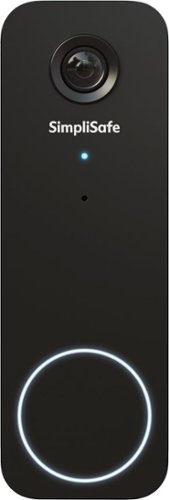
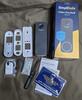
See more and protect more at your front door with the new SimpliSafe Video Doorbell Series 2. Sharp, 2K clarity lets you see every detail from head-to-toe~day or night. Now, you~ll know with certainty who~s there and why, as advanced AI detects people and packages the moment they arrive. If you~re worried about getting too many unwanted notifications, just create customizable settings that help reduce those, while ensuring you still get alerts on activity that matters. You can even elevate your security by adding 24/7 professional monitoring for protection when you~re busy or away from home. Live agents can step in~seeing, speaking to, and deterring potential intruders~to help prevent package theft and stop crime before it starts.
Customer Rating

4
Needs to take tips from other brands
on October 28, 2026
Posted by: DavidJr
The SimpliSafe security system is pretty decent on its own. Self install, can be self monitored and practically expanded forever it seems. It’s also good to incorporate more things into one system so you don’t have to have a different app, different account or different subscription for every single thing. However, there are some major differences that certain brands really shine in that have made me realize even more why I still have 5 different brands for locks, cameras and security.
For starters, the setup on this doorbell is pretty straight forward. There is a QR code that guides you to a video, but using the app literally takes you step for step on what to do. You of course have to have a wired doorbell already with a 16-24VAC transformer.
One thing that is an issue with most camera doorbells is that you have to install a jumper or something to basically supply power continuously to the camera. So, your current doorbell sound won’t actually work if it is a digital bell. A different brand gets around this by providing their own ringer which is wired in place of the main unit and works great. They even offer the ability to change ringers. However, SimpliSafe does not offer this. Once you enable the setting, it will ring at the base station, outside on the doorbell and if you enable notifications, on your phone. There is also only one tone, a simple ding-dong and that is it. Really easy to miss if you are asleep at the time. The lack of even changing to a different tone on the base station is kind of disappointing.
You can enable the camera to record people, packages or motion and adjust the sensitivity. But, you are only getting recordings if you have an active subscription. For the most part, it has done pretty decently on capturing and notifying me. Sometimes if someone is carrying anything, it just automatically flags as a package. It does not matter if it was left there or not. I also had at least one time so far that a package was delivered and it only noticed the person walking up.
Another thing that the other brand does better is the two-way communications on ringing of the doorbell. With this one, you get the single ding-dong notification. If you don’t click it directly, you don’t get put into the communication. Unlike the other brand acting like an incoming call. Once you are on the video you can push to talk, mute, record or look at the history of recordings. There are no auto voice replies or any voice prompts other than you pressing the microphone and talking to them.
Recording quality is decent at 2K, not HDR like some do. I wouldn’t say that is a must, but you can tell the difference when compared side by side. I do like how the app, when looking at the timeline, has a stop motion looking clip of the video so you get a quick glance. However, it does not offer a filter so you can sort by person, package or motion. So, you are left scrolling through all the random motion clips, if you have that enabled, to find the ones you really want to know about.
Overall, it’s not a bad doorbell camera if you have a wired doorbell and already have a generation 3 or newer SimpliSafe system. I would recommend it to a friend if they wanted to keep it all with one app and one subscription. However, with the lacking features I mention, I would also recommend something else if you wanted a more complete doorbell package.
I would recommend this to a friend!

Share this review:


0points
0of 0voted this as helpful.
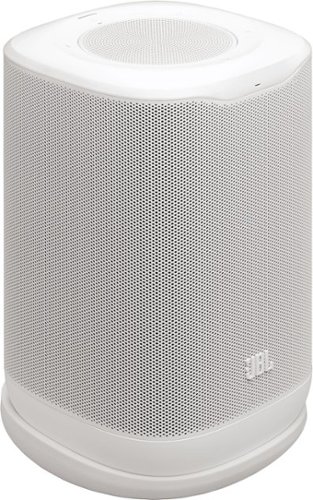
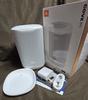
Great sound should be easy~and never stuck in one room. On its own or part of an intuitive whole-home sound system, the JBL Cove P1 portable Wi~Fi speaker makes immersive listening feel effortless. Powered by Dolby Atmos Music, Cove P1 surrounds you with bold, ultra~wide sound that pulls you in from every angle. Want to hear the same playlist in another room? Just long-press the Moment button on any speaker and the music follows you like magic. With legendary JBL sound, every spot becomes the best seat in the house~especially when you bring your sound to every room. Just pair Cove P1 with other Cove and JBL Bar MK2 devices for your dream whole-home audio setup. You can also add a second Cove P1 for rich stereo sound or pair with JBL Bar MK2 devices for the ultimate home theater setup. With the JBL One app, it all comes together in just three easy steps. And it's built to grow with you~add more products anytime. Want a breath of fresh air out on the patio? Grab it by the handle and keep the music playing for up to 14 hours~through rain, dust, and spills.
Customer Rating
4
Loud, crisp, clear; missing the bass?
on October 24, 2026
Posted by: DavidJr
This speaker certainly knows how to fill a room, combine it with a second one and you can do it in stereo. This speaker packs a punch and is really crisp and clear when doing it. However, its attempt at bass flops with most audio. Granted, it is a 4 inch speaker and when holding the speaker it feels like it is hitting pretty hard. But, when you are at a general listening distance, it just does not hit the same.
Now, this isn’t to say the speaker is bad, just feel I have had some others that you could really feel the bass even at this size or smaller. However, where this one excels is filling the room with sound using Dolby Atmos. At times, it literally seems like the sound is coming from a place that the speaker is not. Then, if you want it somewhere else, just pick it up and take it with you.
This speaker can use Wi-Fi or Bluetooth. So, while you are within your normal wireless range, you don’t need a phone nearby once you have it set up. Just touch the play button to start where you left off or the heart button depending on what you have set for your favorite. Have multiple speakers, you can run them in stereo or have your music follow you with a touch of the heart icon as well. Again, depending on what you have them set for in the JBL One app. But, if you are out of range, your phone with the app can automatically connect Bluetooth or tap the button on top and match a new device.
They do boast using them as a home sound system with their sound bar. I attempted to watch over Bluetooth as I don’t have their soundbar and it was not the best experience with about a half second audio delay. Just listening to audio is fine, but try to match that with visuals was a different thing.
In the JBL One app you can adjust the equalizer, manage your audio source and set up Alexa. It also has a moment section where you can play ambient sounds like forest, rain, ocean or city if you just need some soothing sounds running in the background, even over the music playing. It even allows the adjustment of specific effects, like the level of rain, frogs and thunder in the rain option.
I only slightly mentioned it above, but a cool thing with these is the simple grab and go. You can use them as home speakers, but say the party is outside. Now you just pick it up with a handle built in the back, and take it outside with you. It is rated IP 56, so being splashed or sprayed with water is no problem. Just not meant to be submerged, so maybe keep it from falling into the pool.
Overall, audio is very crisp and clear with this speaker and really fills a room with just one. Even more so with two in stereo. Great for music or ambient sounds anywhere you want to take it. It is a bit weak on the bass though.
I would recommend this to a friend!
Share this review:


0points
0of 0voted this as helpful.
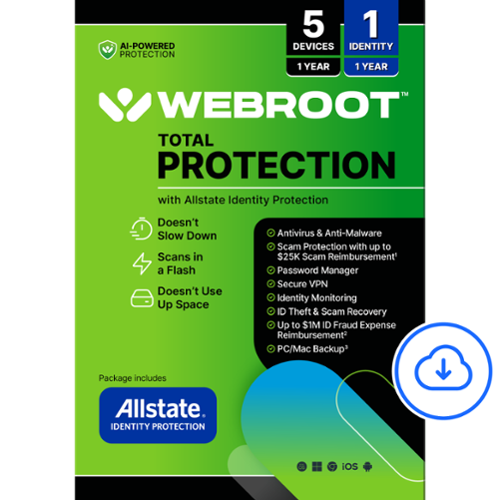
Webroot Total Protection is our most complete protection plan, combining advanced device security, scam protection, online privacy, data backup, parental controls, and comprehensive identity protection in one easy-to-use solution. Feel confident every time you go online with AI-powered protection that helps stop viruses, malware, ransomware, and scams before they can impact you. Total Protection includes award-winning antivirus, a secure VPN, password manager, parental controls, and unlimited cloud backup for one PC or Mac to help protect what matters most. Plus, with Allstate Identity Protection, you get credit, dark web, identity, and financial monitoring, along with alerts about potential threats. If you fall victim to a scam, you can call our scam experts and claim up $25,000 in scam coverage*. If you experience identity fraud you'll have access to 24/7 U.S.-based identity recovery and up to $1 million in identity theft expense reimbursement**.
Customer Rating
4
Light weight, but too basic
on October 23, 2026
Posted by: DavidJr
It’s always good to have extra protection while connected to the internet. Especially in our current age of AI finding extra exploits in things we have been using every day. At the same time, we all typically have multiple devices that do connect like a Windows/Mac PC or Android/iOS phone or tablet. So, it is nice you have one app that is able to work on most of those devices.
Webroot is pretty simple and the simplicity is kind of what makes me feel it is too basic. It is basically scan and select check boxes on the surface. However, there are more settings, logs and monitoring options. You just have to click the cog on each one of the functions and then sort through it there.But, like the system analyzer just gives what it identifies and nothing else. Like it doesn’t even redirect you to possible solutions or offer to fix it. The system optimizer just finishes and shows you MB recovered, which just seems like storage optimization rather than system.
Overall, it seems to protect as it removed a couple known files that trigger false positives. It has recovered a couple gigabytes of storage and nothing negative has seemed to come from it other than needing to refresh open browser tabs. A lot of the places you think it would give more details just end up linking you to their generic FAQ page where you have to dig through to find your specific question. But, it also lets you contact live support.
I would recommend this to a friend!
Share this review:


0points
0of 0voted this as helpful.
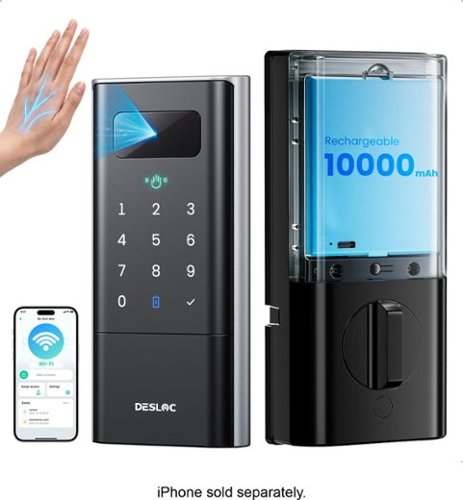
DESLOC K140 Plus is a premium keyless smart deadbolt designed for secure and convenient front door access. Palm vein recognition allows fast, touch-free unlocking using a biometric pattern that is difficult to copy, while local biometric storage helps keep personal access data under user control. Built-in Wi-Fi lets users manage the lock remotely without a separate hub, including app control, voice control, remote access requests, user management and activity visibility. The K140 Plus supports multiple ways to unlock, including palm vein recognition, PIN code, mobile app and mechanical key backup. The included door sensor enables real-time door status and auto-lock when the door is closed, helping reduce the chance of leaving the door unsecured. A 10,000mAh rechargeable lithium battery provides up to 9 months of use, with low-battery alerts and a Type-C emergency power port for backup power when needed. The Black finish offers a clean, modern look for residential entry doors.
Customer Rating
4
Hold up, wait a second!
on October 15, 2026
Posted by: DavidJr
I’ve had a fair bit of digital locks. Mostly ones that require you entering a pin, one with a fingerprint option. But, this is the first with a palm vein reader. It is interesting and takes a moment to get used to. However, overall, I feel it is slow to react. Most of the time it was quicker to punch in a 6 digit pin than making sure you had your hand at the right distance and angle. So long as you are empty handed and familiar with the sweet spot, it took about the same time.
Installation is the same for any other lock of this style. Most of the time you are replacing a basic deadbolt or a different digital lock, so the holes are already present. However, it does include a measurement sheet if you need to make the holes. The main deadbolt can also be twisted to extend for ones that may be further from the frame. But, a couple screws out, a few in and you are up and running, for the most part.
One thing I enjoyed about my older locks is that they used batteries, like AA or CR123A. Something that could be quickly replaced when the batteries were low. However, this one comes with a battery pack and has no other option. You charge it with a USB-C charger of your own and wait. Either doing it while no one needs to use the door or using the physical key that is included for the meantime. With a week of light use it is down 8%, so maybe 2 months of light use on a single charge at that rate.
By default it also comes with a short timer to lock the door. However, that will lock whether the door is open or not. So, you can set up the induction lock option, which essentially is just putting a magnet on the door jam and extending the sensor out as far as you can. However, this has been hit or miss. Sometimes I open and close the door and it locks, other times it does nothing. Many times, for my own sanity, it was just better to hit the lock button on the outside just so I know it locks and not rely on it. I feel the problem is that they made the magnet too flat and like others, should have been made to face a 90 degree angle so it can be sensed better. Using the magnet that came with my old lock actually provided more reliability.
A slight downside to the induction locking is that it will instantly lock the door the moment it senses it. So, use the app to unlock your door and 2 seconds later, if you have not opened the door, it will lock itself back. A bit annoying when you try to unlock it for someone else and they didn’t hear the door unlock only to see it locked itself back. Or you think you unlocked it from your car so you can rush inside, only to be blocked from getting in.
Overall, it’s not a bad lock and I haven’t tried other palm vein reading locks to compare their speeds and reliability. I do find this one a bit slow to react and the door lock sensor by default a bit unreliable. If the magnet on the door jam can be set so that it faces to lock better, then it seems to be a lot more consistent. Also, having a unique battery pack means that you have to remove it to charge and at some point you might have to order a new one from them.
I would recommend this to a friend!

Share this review:


0points
0of 0voted this as helpful.
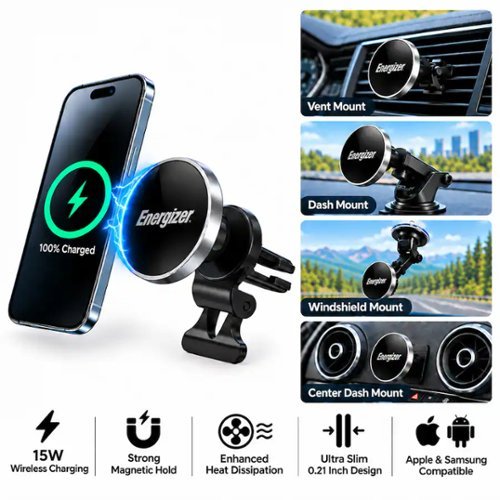
The Energizer MagSafe wireless car charging dash mount provides wireless fast charging at up to 15W for your device. A Dash, Vent, and Windshield mount are included in the box to cover all placement needs. Works with all MagSafe and magnetic iPhones and Androids with compatible magnetic cases. The magnet provides a secure attachment and prevents any risk of slipping or accidental detachment, ensuring an uninterrupted and efficient wireless charging experience. Place your phone horizontally or vertically on the mount based on your preference. Charging will also work with both horizontal and vertical placement. An integrated LED light indicator provides a quick and convenient glance at the charging status. With Energizer's PowerSafe Management, your devices are protected against short circuits, overcurrent, overcharging, and overdischarging, ensuring a safe and reliable charging solution. USB-C charging cable included. CAR CHARGER NOT INCLUDED.
Customer Rating

3
A charger with no charger?
on September 30, 2026
Posted by: DavidJr
This is essentially a charging mount kit. See the print on that back that it does NOT come with a charger. The magnetic puck does allow for a charger to be plugged into it to distribute from the charger that you do use to give wireless charging. But, this device provides no power on its own, as is. It comes with a USB-C to C cable but if you already have an actual charger with USB-C, you can connect to this and provide wireless charging.
It comes with 3 different mounts all with a ball joint for connecting the puck. You can stick the short one to somewhere flat, stick the sticky suction cup to a window or somewhat smooth surface of your dash, or clip the other mount into an air vent. You can put all three of them up at the same time if you want, but you only get one puck which can be switched between them.
The magnet does clamp on pretty well, but I feel my little Pop Socket has a stronger grip. For regular driving it holds decent enough, but if you hit any potholes, it can drop your phone, especially if you have a larger phone like my S25 Ultra. I wouldn’t trust it if you regularly drive on rough roads.
Overall it does provide 3 different mounting options and will charge your device provided you have the power source available. For normal decent road use, it is a quick pop on and just pull off. No worrying about connecting a cable to your phone. But, if your roads are not all that smooth in your area, I wouldn’t suggest this one.
I would recommend this to a friend!



Share this review:


0points
0of 0voted this as helpful.
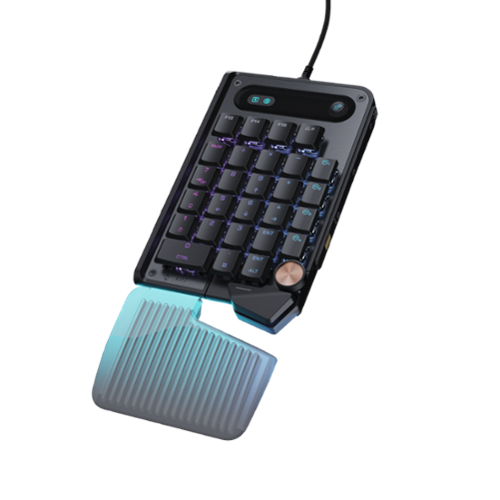
The Turtle Beach Command Series KP7 Modular Keypad is engineered for speed, precision, and adaptability across gaming, creation, and productivity workflows. Use it as a dedicated keypad, macro pad, or numpad, with seamless docking to the Turtle Beach Command Series KB7 Wired TKL Keyboard via dual modular rails, or as a standalone device. Titan low-profile Hall-Effect switches rated for 100 million clicks deliver fast, precise input with adjustable actuation and Rapid Trigger. True 8K wired performance ensures 0.125ms latency. A low~profile chassis with kickstands, detachable wrist rest, programmable scroll wheel, extendable thumb bar when mounted to the right side of the Command Series KB7 or as a standalone, and per~key RGB lighting completes a premium experience. The KP7 delivers a powerful, modular control solution for users who demand adaptability, performance, and workflow efficiency.
Posted by: DavidJr
Sure, this looks like a typical number pad at first glance and by default, that is what it will function as. However, this is just a keypad and you can make every key do whatever you want it to do. Once you install the Turtle Beach Swarm II software, the world is yours to command.
There is no need to put it on the right side where a numberpad usually is. Put it on the left and replace your typical WASD configuration. Maybe you just want a bunch of individual macros. Maybe you just need a few commands but want to make them color coded so you can easily recognize them. You can make each key be different commands based on the FN/Shift/Game mode. You don’t need the matching keyboard either, as this is a completely standalone device.
With all the button customization, you can even make the individual keys react differently. With the Hall Effect settings you can customize the trigger point and release point, making the slightest little touch into rapid fire precision. You can even make a single key have 3 functions based on how hard you press it with the Multi-input actuation settings.
This keypad is pretty unique with all its options. Like the ability to move the period and half the enter bar with an added space bar, a bit further down. In the right hand that seems oddly placed, but when in the left hand, it gives you 3 buttons and the knob under your thumb, making it a bit more comfortable for the WASD style gaming pad.
This may take some getting used to, but once you program it for everything you want and give it some profiles for whichever game you are playing, you won’t want to go to anything less. The only thing I’m disappointed in is the four textured replacement keys don’t let any light through. Being able to set the color per key only looks like a void in the keypad with those buttons in place.
Overall, don’t let the numberpad layout fool you. This is a completely customizable keypad that can be used on either side you choose with any number of combinations and customizations to work for you.
I would recommend this to a friend!

Share this review:


0points
0of 0voted this as helpful.
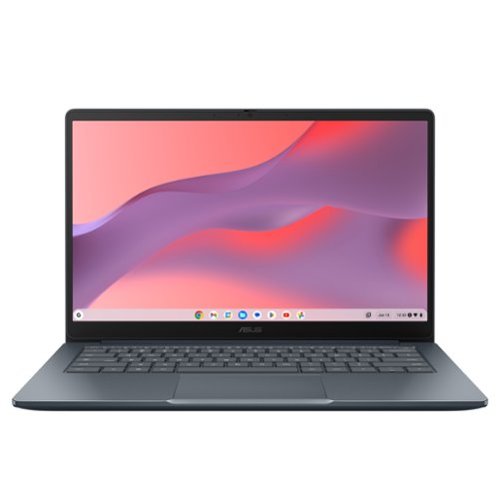
The ASUS Chromebook CX14 makes everyday computing effortless, combining fast ChromeOS performance with the seamless power of built-in Google apps for work and play. Driven by an Intel Processor N50 with 4GB memory, it starts quickly and stays responsive. Its lightweight design, built to meet the US MIL-STD 810H military-grade standard, plus a 14-inch Full HD display, Wi~Fi 6, and a versatile 180 degrees hinge make it ideal for casual productivity and entertainment on the go.
Posted by: DavidJr
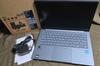
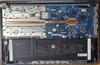
In general, just know that this is not a laptop like one might expect. This is a Chromebook which is essentially an Android phone with a 14” screen and keyboard. It is for doing the bare essentials of what one might need from a laptop. Like the ability to browse the internet, watch online videos and typical office processing, like documents and spreadsheets. You are not going to do much else on something this trimmed down.
With that expectation understood, then compared to other Chromebooks, this one feels like it is built well, has more of a laptop feel to it, but still fits on the low end of Chromebooks. A lot of them, because of the mobile style operating system, typically have a tablet mode and touch screen, this does not. Even trying to install apps from the pre-installed “Apps & Games” was pretty much useless and I just had to revert to the Google app store. In which you will be reminded multiple times that some apps are made for mobile and not a Chromebook.
If you are already an Android user, setting up this Chromebook can be pretty quick and simple with the picture of the QR code and some questions, you will be up and running in no time. However, everything else on this system just feels slow. From browsing sites, watching video and regular operations. Even a speed test of the Wi-Fi is slower than what is provided to it. Getting around 300Mbps on a Wi-Fi 7 router with 1.25Gbps internet on 5Ghz channel. You will really notice it if you try to do more than one thing at a time.
If you are just looking for something thin, fairly light that lets you do common word processing style things and browsing the web, this is all this is really good for. You barely have 40GB of storage space, it is slow to do practically anything and most features need internet connection. Granted the screen is decently bright, anti-reflective and the battery can last a decently long time. So, really weigh your options on what you are expecting out of something like this.
No, I would not recommend this to a friend.

Share this review:


0points
0of 0voted this as helpful.
DavidJr's Review Comments
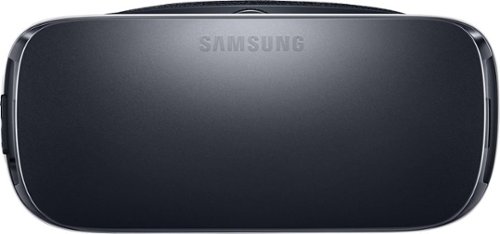
Samsung Gear VR for Select Samsung Cell Phones: Mobile virtual reality is finally here. Watch movies in your own private cinema, be at the center of your favorite games, and socialize with friends in a virtual world all your own. The lightweight design and intuitive touchpad drop you right in the action and allow for hours of immersive entertainment.
Overall 1 out of 5
Very unhappy about not getting the GearVR programs
By Sunshower
I tried many different ways to find out how to download the Gear VR programs by going to Samsung and Oculus online. All unsuccessful!!

DavidJr
Roanoke, VA
June 3, 2016
Once you connect the Gear VR to the phone it starts a download for the software. There appears to be no other way to initiate the install. Once the Oculus software is installed, games and applications can be purchased through the application or from inside the store while wearing the device.
0points
0of 0voted this comment as helpful.
Samsung Gear VR for Select Samsung Cell Phones: Mobile virtual reality is finally here. Watch movies in your own private cinema, be at the center of your favorite games, and socialize with friends in a virtual world all your own. The lightweight design and intuitive touchpad drop you right in the action and allow for hours of immersive entertainment.
Overall1 out of 5
1 out of 5Need certain phones to use this.
By Donna
Wasn't told at time of purchase that certain phones were required to use this device. After purchase was when this was discovered. During this time we purchased a new home and was moving. After the move, tried to return the item because I didn't want to purchase a new phone. The only way the store would accept this return was to give me a gift card. I didn't want a gift card that I would most likely not use. Not happy with this policy at all. Also have made posts to FB in regards to your policy. I will not EVER enter your store again or make another purchase from you online. This is NOT how you treat a customer and expect more business from them.
DavidJr
Roanoke, VA
It is labeled on the box and the site details
June 3, 2016
It says on the front and back of the box, "Compatible with Note5/S6 edge+/S6/S6 edge" and anywhere you look online it says it as well.
+2points
2of 2voted this comment as helpful.
Samsung Gear VR for Select Samsung Cell Phones: Mobile virtual reality is finally here. Watch movies in your own private cinema, be at the center of your favorite games, and socialize with friends in a virtual world all your own. The lightweight design and intuitive touchpad drop you right in the action and allow for hours of immersive entertainment.
Overall 2 out of 5
I have problems getting my phone to sync with this
By Drestyle
When I put my phone in the unit it doesn't seem it. I keep having to pull it out and try again.
DavidJr
Roanoke, VA
June 3, 2016
What phone are you using and is it up to date? The Samsung Gear VR is only compatible with Galaxy S7, Galaxy S7 edge, Galaxy Note5, Galaxy S6 edge+, Galaxy S6, Galaxy S6 edge and a software update from your carrier is required for S6 edge+ and Note 5.
0points
0of 0voted this comment as helpful.
DavidJr's Questions
DavidJr has not submitted any questions.
Samsung Gear VR for Select Samsung Cell Phones: Mobile virtual reality is finally here. Watch movies in your own private cinema, be at the center of your favorite games, and socialize with friends in a virtual world all your own. The lightweight design and intuitive touchpad drop you right in the action and allow for hours of immersive entertainment.
Where can I demo this in stores, I live in Newport News VA.
It is typically next to the Samsung phone and tablet display.
10 years, 5 months ago
by
DavidJr
Samsung Gear VR for Select Samsung Cell Phones: Mobile virtual reality is finally here. Watch movies in your own private cinema, be at the center of your favorite games, and socialize with friends in a virtual world all your own. The lightweight design and intuitive touchpad drop you right in the action and allow for hours of immersive entertainment.
Will this work on a galaxy s6 ?
Yes, compatible with Galaxy S7 | S7 edge, Note5, S6, and S6 edge.
10 years, 5 months ago
by
DavidJr
Samsung Gear VR for Select Samsung Cell Phones: Mobile virtual reality is finally here. Watch movies in your own private cinema, be at the center of your favorite games, and socialize with friends in a virtual world all your own. The lightweight design and intuitive touchpad drop you right in the action and allow for hours of immersive entertainment.
Can i use this with my ipad?
No, this is only compatible with Galaxy S7 | S7 edge, Note5, S6, and S6 edge.
10 years, 5 months ago
by
DavidJr
Samsung Gear VR for Select Samsung Cell Phones: Mobile virtual reality is finally here. Watch movies in your own private cinema, be at the center of your favorite games, and socialize with friends in a virtual world all your own. The lightweight design and intuitive touchpad drop you right in the action and allow for hours of immersive entertainment.
This can be used without phone but with laptop through USB cable?
No, this only works with Galaxy S7 | S7 edge, Note5, S6, and S6 edge. The phone is the screen for the Gear VR. The USB port on the device is to power the attached phone.
10 years, 5 months ago
by
DavidJr
Samsung Gear VR for Select Samsung Cell Phones: Mobile virtual reality is finally here. Watch movies in your own private cinema, be at the center of your favorite games, and socialize with friends in a virtual world all your own. The lightweight design and intuitive touchpad drop you right in the action and allow for hours of immersive entertainment.
Can you view your photos with the VR viewer?
Yes, you can view pictures using VR Gallery app in the Samsung store.
10 years, 5 months ago
by
DavidJr
Samsung Gear VR for Select Samsung Cell Phones: Mobile virtual reality is finally here. Watch movies in your own private cinema, be at the center of your favorite games, and socialize with friends in a virtual world all your own. The lightweight design and intuitive touchpad drop you right in the action and allow for hours of immersive entertainment.
Which phones can be used
Compatible with Galaxy S7 | S7 edge, Note5, S6, and S6 edge.
10 years, 5 months ago
by
DavidJr
Samsung Gear VR for Select Samsung Cell Phones: Mobile virtual reality is finally here. Watch movies in your own private cinema, be at the center of your favorite games, and socialize with friends in a virtual world all your own. The lightweight design and intuitive touchpad drop you right in the action and allow for hours of immersive entertainment.
Are there any plans in the future to allow a second viewer to connect to the primary to see what the first viewer is seeing? It would be nice for husband and wife to be able to experience it at the same time.
You can essentially see what the VR user is viewing using screen mirror through Chromecast on a TV, screen share, or a separate app called MirrorOP onto a PC.
10 years, 5 months ago
by
DavidJr
Samsung Gear VR for Select Samsung Cell Phones: Mobile virtual reality is finally here. Watch movies in your own private cinema, be at the center of your favorite games, and socialize with friends in a virtual world all your own. The lightweight design and intuitive touchpad drop you right in the action and allow for hours of immersive entertainment.
Is there any headset out there on the market or in stores for VR. Compatible with Samsung Grand Prime SmartPhone???Please advise.Thanks & best Regards
Samsung Gear VR for Select Samsung Cell Phones: Mobile virtual reality is finally here. Watch movies in your own private cinema, be at the center of your favorite games, and socialize with friends in a virtual world all your own. The lightweight design and intuitive touchpad drop you right in the action and allow for hours of immersive entertainment.
Is Samsung - gear vr I can use with note 5 ?
Yes, Samsung Gear VR works great with Samsung Note 5.
10 years, 5 months ago
by
DavidJr
Samsung Gear VR for Select Samsung Cell Phones: Mobile virtual reality is finally here. Watch movies in your own private cinema, be at the center of your favorite games, and socialize with friends in a virtual world all your own. The lightweight design and intuitive touchpad drop you right in the action and allow for hours of immersive entertainment.
Can I use my LG phone instead of the Samsung on the virtual reality ?
No, the device is specifically built to work with Samsung Galaxy S6, S7, and Note 5. Although, you could technically use it as fancy Google cardboard headset if you can keep your phone attached to it with velcro or tape.
10 years, 5 months ago
by
DavidJr