


DavidJr's stats
- Review count364
- Helpfulness votes2,401
- First reviewDecember 8, 2015
- Last reviewSeptember 3, 2026
- Featured reviews0
- Average rating4.2
- Review comment count3
- Helpfulness votes2
- First review commentJune 3, 2016
- Last review commentJune 3, 2016
- Featured review comments0
Questions
- Question count0
- Helpfulness votes0
- First questionNone
- Last questionNone
- Featured questions0
- Answer count104
- Helpfulness votes221
- First answerDecember 9, 2015
- Last answerDecember 23, 2021
- Featured answers0
- Best answers34
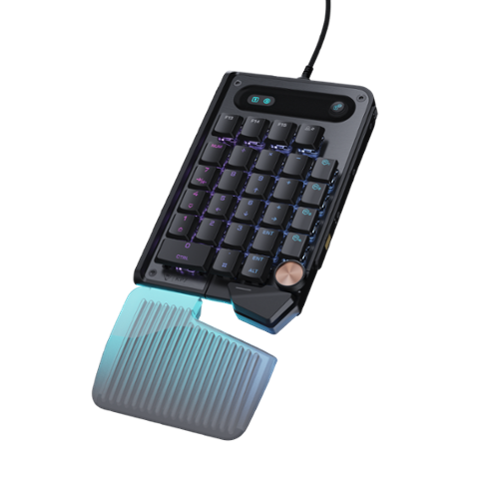
The Turtle Beach Command Series KP7 Modular Keypad is engineered for speed, precision, and adaptability across gaming, creation, and productivity workflows. Use it as a dedicated keypad, macro pad, or numpad, with seamless docking to the Turtle Beach Command Series KB7 Wired TKL Keyboard via dual modular rails, or as a standalone device. Titan low-profile Hall-Effect switches rated for 100 million clicks deliver fast, precise input with adjustable actuation and Rapid Trigger. True 8K wired performance ensures 0.125ms latency. A low~profile chassis with kickstands, detachable wrist rest, programmable scroll wheel, extendable thumb bar when mounted to the right side of the Command Series KB7 or as a standalone, and per~key RGB lighting completes a premium experience. The KP7 delivers a powerful, modular control solution for users who demand adaptability, performance, and workflow efficiency.
Posted by: DavidJr
Sure, this looks like a typical number pad at first glance and by default, that is what it will function as. However, this is just a keypad and you can make every key do whatever you want it to do. Once you install the Turtle Beach Swarm II software, the world is yours to command.
There is no need to put it on the right side where a numberpad usually is. Put it on the left and replace your typical WASD configuration. Maybe you just want a bunch of individual macros. Maybe you just need a few commands but want to make them color coded so you can easily recognize them. You can make each key be different commands based on the FN/Shift/Game mode. You don’t need the matching keyboard either, as this is a completely standalone device.
With all the button customization, you can even make the individual keys react differently. With the Hall Effect settings you can customize the trigger point and release point, making the slightest little touch into rapid fire precision. You can even make a single key have 3 functions based on how hard you press it with the Multi-input actuation settings.
This keypad is pretty unique with all its options. Like the ability to move the period and half the enter bar with an added space bar, a bit further down. In the right hand that seems oddly placed, but when in the left hand, it gives you 3 buttons and the knob under your thumb, making it a bit more comfortable for the WASD style gaming pad.
This may take some getting used to, but once you program it for everything you want and give it some profiles for whichever game you are playing, you won’t want to go to anything less. The only thing I’m disappointed in is the four textured replacement keys don’t let any light through. Being able to set the color per key only looks like a void in the keypad with those buttons in place.
Overall, don’t let the numberpad layout fool you. This is a completely customizable keypad that can be used on either side you choose with any number of combinations and customizations to work for you.
I would recommend this to a friend!


Share this review:


0points
0of 0voted this as helpful.
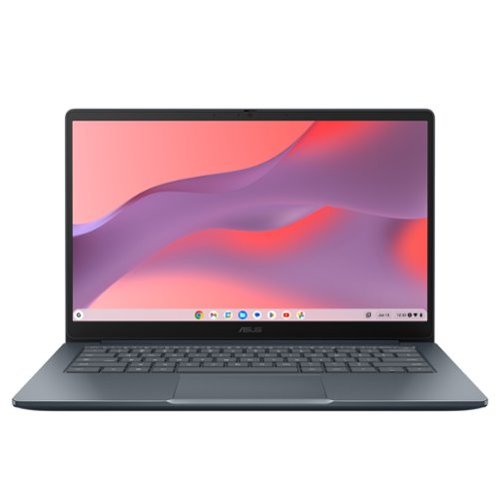
The ASUS Chromebook CX14 makes everyday computing effortless, combining fast ChromeOS performance with the seamless power of built-in Google apps for work and play. Driven by an Intel Processor N50 with 4GB memory, it starts quickly and stays responsive. Its lightweight design, built to meet the US MIL-STD 810H military-grade standard, plus a 14-inch Full HD display, Wi~Fi 6, and a versatile 180 degrees hinge make it ideal for casual productivity and entertainment on the go.

Posted by: DavidJr
In general, just know that this is not a laptop like one might expect. This is a Chromebook which is essentially an Android phone with a 14” screen and keyboard. It is for doing the bare essentials of what one might need from a laptop. Like the ability to browse the internet, watch online videos and typical office processing, like documents and spreadsheets. You are not going to do much else on something this trimmed down.
With that expectation understood, then compared to other Chromebooks, this one feels like it is built well, has more of a laptop feel to it, but still fits on the low end of Chromebooks. A lot of them, because of the mobile style operating system, typically have a tablet mode and touch screen, this does not. Even trying to install apps from the pre-installed “Apps & Games” was pretty much useless and I just had to revert to the Google app store. In which you will be reminded multiple times that some apps are made for mobile and not a Chromebook.
If you are already an Android user, setting up this Chromebook can be pretty quick and simple with the picture of the QR code and some questions, you will be up and running in no time. However, everything else on this system just feels slow. From browsing sites, watching video and regular operations. Even a speed test of the Wi-Fi is slower than what is provided to it. Getting around 300Mbps on a Wi-Fi 7 router with 1.25Gbps internet on 5Ghz channel. You will really notice it if you try to do more than one thing at a time.
If you are just looking for something thin, fairly light that lets you do common word processing style things and browsing the web, this is all this is really good for. You barely have 40GB of storage space, it is slow to do practically anything and most features need internet connection. Granted the screen is decently bright, anti-reflective and the battery can last a decently long time. So, really weigh your options on what you are expecting out of something like this.
No, I would not recommend this to a friend.



Share this review:


0points
0of 0voted this as helpful.
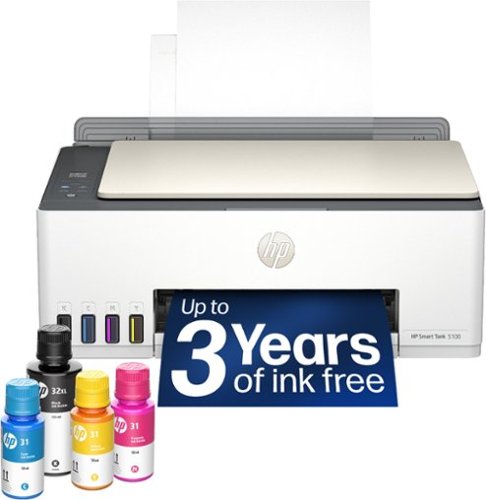
From America's most trusted printer brand~, the HP Smart Tank 5100 Printer is a smart, connected and refillable tank printer that makes printing seamless for your home with its high capacity and wireless connectivity. Create everyday color documents at a low cost with 3 years of Original HP Ink included in the box~. This Smart Tank printer is an inkjet perfect for high-volume printing. It's also AI-enabled~ to intuitively adapt to your workflow, with wireless and security features that keep your multifunction printer up to date and secure.
Posted by: DavidJr
Personally, I prefer these smart tank/eco tank style printers over the other ink jet printers, especially the way HP pushes their ink subscription with the other printers. With this style, HP isn’t going to deactivate your printer for not making a monthly payment or canceling the subscription. Plus, the ink is so much cheaper than the cartridges.
However, there is a slight difference in how the printers print. I find their cartridge ones do tend to print darker/richer colors while the smart tank looks slightly faded and seems to bleed through regular paper in color heavy regions. See the example photo below of a test page I printed.
The speed on this printer in color isn’t anything to get excited about either. However, it claims 5 PPM, but it all depends on how much color there is. Printing a 4x6 photo in “best” quality on gloss paper takes a bit over 2 minutes. Plus, the pictures come out a bit washed out compared to what is displayed. You can adjust them a bit to try and make them look more like the image you see on your device and the quality is good, but like a black shirt gives kind of a dark grey look.
Despite the slight fading look on the colors, it still does well and you should get about 6,000 normal pages from the ink they supply. They claim that is “3 years of ink”, but it all depends on your usage. I still find it better than paying monthly for so many pages per month.
Scanning and copying does leave some degradation. Again with the test page, I took the one on the left, printed, then did a straight color copy on the right. You can see some additional fading and the fine lines start to break apart. But, still make out most details with the really fine letter/numbers having some noticeable loss.
Overall, it’s a decent printer if you are looking to print a whole lot and don’t want to pay monthly subscription fees or steep cartridge prices. It still has the typical drawbacks of an ink jet but for regular use it gets the job done.
I would recommend this to a friend!



Share this review:


0points
0of 0voted this as helpful.
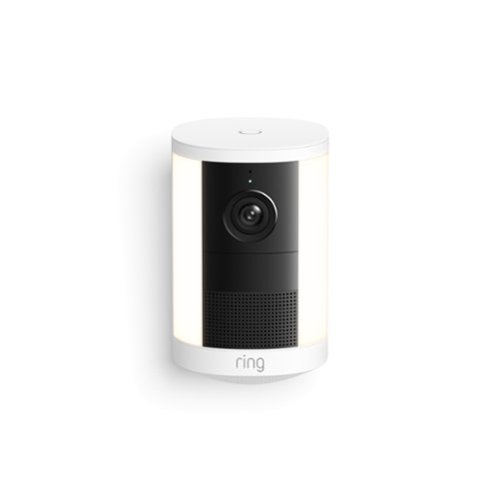
Bring bright, motion-activated lights and crisp Retinal 2K1 video to key spaces all around your property. Easy to power and mount, Spotlight Cam 2K automatically lights up out-of-sight areas and delivers instant alerts when it detects motion ~ helping you see what~s up and deter intruders at all hours.
Customer Rating

4
Bit bulky, but extra battery space
on July 14, 2026
Posted by: DavidJr
I’ve said this with multiple things just as a starter, but battery life is all dependent on settings and usage situations. With everything this camera has to offer, that could mean recharging every few days or every few weeks. On the plus side, this one uses the same battery as their wireless doorbell and this one has 2 spots, so you can run two at the same time or hot swap and have no downtime. On the bad side, this battery is a bit of a pain to remove and uses micro-USB, which does come with a cable. With that said, I highly recommend buying extra batteries, the ultra ones at that, and possibly a charger station.
The camera is rather big in size compared to most wireless cameras, however as mentioned, it can take 2 of the batteries, so that takes up the most space. Like their other camera systems, it all depends on settings depending on what you capture. At the default, it missed occasional people in the view as I knew I walked by there. However, up the settings as it suggested and now it is telling me the color of the cars driving by.
The detailed descriptions only come with the pro service, which is a fair bit more than their solo or multi plans. However, the descriptions are usually spot on and they are a lot better to read than having to look at the video and see what it was. From something as simple as “A person is walking on the pathway” to details like “A person is walking on the pathway and placing a white envelope on the steps”. Again, depending on the settings, it can even identify the familiar face, tell you the color and type of animal in your yard or vehicle driving by. But, all that motion drains it down pretty fast.
The “spotlight” is more of a flood light, but it does pretty decent at lighting up the nearby area and really makes itself obvious. If a passerby didn’t know there was a camera there at that time, they will certainly know now. You can also enable the feature to where it announces itself that “You are currently being recorded”.
Overall, it is a good camera, just bulky and will eat through batteries if you want it at its best settings. Extra batteries is pretty much a must have and the standard ones are a bit of a pain to remove as there is extra space for the ultra battery packs. If you already use other ring cameras, getting the pro service is nice but twice as much as the multi. At least you get a 30 day free trial.
I would recommend this to a friend!


Share this review:


0points
0of 0voted this as helpful.
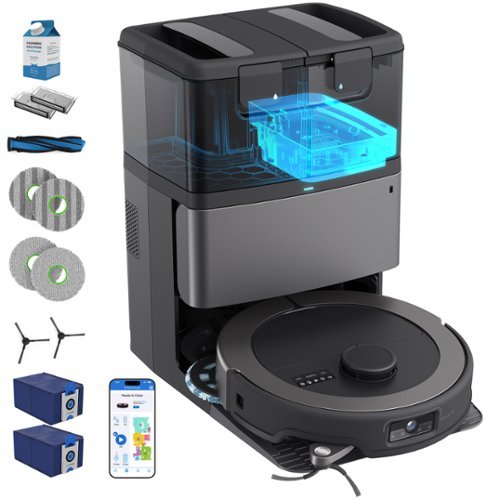
Congratulate yourself on a new level of lazy. Maxim is the champion of clean tech, built to give you a truly hands-off floor-care lifestyle: the Autonomous Clean Experience (ACE). Press GO, walk away, and let Maxim handle the rest. Maxim doesn~t just ~clean~ ~ he dominates mess. With a ferocious 22,000 Pa of suction power and tangle-resistant brushes, he inhales dust, crumbs, and pet hair without stealing a single minute of your day. His EdgeReach side brush sweeps debris out of baseboards and corners, while the extendable mop arm presses in along edges and around furniture legs to wipe where most bots leave a dirty outline. Translation: fewer missed crumbs, fewer wall-hugging dust lines, and noticeably cleaner edges in every room. And here~s the best part: Maxim is the rare smart device you can actually trust. Maxim keeps your home~s visuals where they belong ~ on the robot. No cloud. No servers. No ~upload to improve your experience.~ With 100% on-board, off-cloud vision processing and real-time navigation engineered in the U.S. and Canada, Maxim cleans with intelligence you can trust. He never sends images anywhere, period. His brain is just as serious as his muscle. Maxim~s navigation and software are engineered entirely in the U.S. and Canada, combining LiDAR with our QSLAM~ technology and real-time, 100% on-board processing. No ~training sessions.~ No wandering around. Maxim identifies rooms quickly, builds an immediate, detailed, color-coded map in the app, and lets you call the shots. Draw NoSweep zones, custom clean areas, schedules, and room-by-room routines ~ and Maxim follows like a pro. And when vacuuming isn~t enough, Maxim brings the shine. Dual-scrub mopping pads rotate in counter-motion to scrub hard floors, while intelligently avoiding carpets using FloorSense technology. Paw prints, kitchen streaks, and ~mystery marks~ don~t get a chance ~ Maxim deletes them. Big home? Maxim can freshen up as many times as needed, recharge, and resume to finish the mission. And when Maxim needs to freshen up, the extra-large charging station takes over and delivers on the promise of all-in-one: debris self-empties into an odor-blocking, activated-carbon-lined bag; mop pads get washed and hot-air dried; and the station keeps itself fresh ~ so you~re not dealing with dirty pads or swampy smells.
Posted by: DavidJr
Out of all the various robot vacuums and mop bots I have tried so far, this has got to be the most thorough of them all. With that though, it is very persistent and you have got to “baby proof” your floor. Any cables that lay on the floor, even close to the wall should be picked up. Light loose rugs, shoe laces, clothing, all should be tucked out of the reach of this bObsweep before letting it go. Once it is let loose, it is going to try and clean every nook and cranny that it can get into and extend its arms out to the edge the whole way.
Everything to get started is in the box, plus some. Many bots like this do usually include a spare brush like this one, but you also get 2 containers of cleaner, two different types of mop pads, a spare filter and an extra charcoal infused vacuum bag. It also has a little multitool for cleaning and cutting any hair strings that might get wrapped up and the most premium looking color owners manual I have seen in a product in a long while.
Setup is pretty simple. Put the base in the preferred location near a plug, snap the ramp on the front, snap on the brush, the mop pads to the bot, which you get a choice of pad simply by pulling them off and putting on the other style. Fill the cleaning solution reservoir with one of the included bottles. Fill the water reservoir and start following directions on the app for setup.
When you start the mapping process it uses their VisiOn Camera & QSLAM® Technology, which is interesting to watch. As it enters the room in the center, turns around and if it doesn't see any extra openings, leaves for the next room. It had my whole house mapped in no time flat. One thing I had never seen before, it even had open areas mapped, despite it not being able to reach them. Like the space under my recliner, because it was visible at the time it scanned.
On other mop bots I have tried, the mop is essentially a damp rag just dragged on the back side of the vacuum. This one has two rotating pads. Like I said, this is the most thorough bot because the sweeper arm on the front and one of the rotating mop pads both extend. So, it reaches into corners, along baseboards and in some places like under a door or my stove, it gets under it ever so slightly. But, that is already further than most.
The app gets you started, but it has a lot of icons with no real explanation on what they are for. There are also a lot of settings for things like cleaning preferences such as increasing the vacuum power over default and if you want it to refresh itself more often. Especially if you know you have high traffic cleanup. One setting I had to change was the edge detection because apparently it can see some dark items as an edge and will avoid them. I have a dark brown wire cover across one of my carpets and it acted like that was an edge, it would get to it and turn away every time. Once I disabled the edge detection, it went right over it like it was nothing. However, now there is the concern of my stairs. You can edit the map and tell it that the space is a no mop and no sweep zone. So far, it has ignored that visually scanned area as planned.
There is also a setting on intensity for self empty. It says “stronger (and louder)” and it means it. With that, every time I have checked the filter on the bot, there wasn’t much to brush off. Other bots I have had to clean the filter at least every few cycles as there would be a layer of dust built up. With the self cleaning, it also has options for heated pad cleaning. It seems to work pretty well in refreshing the mop pads. Though, eventually you will still need to give them a deeper cleaning by simply peeling them off and throwing them in the wash.
Overall, this is the most thorough bot I have ever seen. My floors are spotless and there is even less for me to clean up after because it reached into those corners for me. Though, I have had to go on a few rescue missions for not realizing my shoe laces were out or there was some loose wire for it to choke on.
I would recommend this to a friend!




Share this review:


+1point
1of 1voted this as helpful.
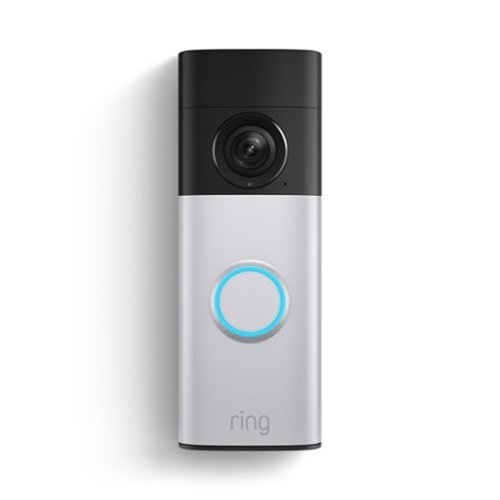
Battery Doorbell 2K Plus takes your front door protection further with Retinal 2K clarity and up to 6x Enhanced Zoom. Reveal true-color details in the dark with Night Vision. Know the moment something moves with instant mobile alerts. And easily stay charged with a Quick Release Battery Pack. All loaded in a sleek, redesigned package.
Customer Rating

5
Only a week of battery life?
on June 10, 2026
Posted by: DavidJr
As with all things battery, it depends on settings. If you just go with the Ring doorbell only recording and allowing 2 way communication when the button is pushed, it will last a good while on battery. However, you miss out on motion detection. If you up the settings to detect motion at a higher rate, you might get just over a week worth of use before you need to charge it again. However, if you get the solar charger or already have a wired doorbell to replace, you can keep that charge up forever.
This doorbell shines best with the added power connection, pro subscription and increased settings. Giving oddly detailed descriptions of the motion detected, like “A deer is walking in the yard” or “A person is moving their hands at the entrance”. You can even enable the option to identify the person so you know who is there. You can enable automatic replies and when the bell is pushed, it can be treated like a phone call. Literally notifying your phone like you are getting a video call. However, all these added options means more battery usage, which means you have to remove the battery to charge more often, leaving more down time.
Overall, this is better than the wired doorbell because it can still provide all the same functions without power. However, if you want to take full advantage of it, you need a power source or you end up charging it every week. Basic function as a wireless doorbell are still capable without subscription and extra power source over a much longer time.
I would recommend this to a friend!

Share this review:


0points
0of 0voted this as helpful.

The Hisense U6 brings Mini-LED picture quality to everyday viewing, with bright color, solid contrast, and a clear, easy-to-watch picture across your favorite content. Hi-QLED MiniLED makes shows, sports, and movies look more vibrant, while smooth motion with a Native 144Hz Refresh Rate keeps fast action easy to follow. The AI Picture automatically adjusts the picture based on what you~re watching and your room~s lighting, so everything looks natural without extra setup. Dolby Vision, Dolby Atmos, and a full range of HDR formats add more detail and immersive sound, making movie nights and streaming feel more engaging. With AI 4K Upscaler, gaming features like AMD FreeSync Premium, and built-in Fire TV with Alexa voice control, the U6 is a simple, all-in-one way to enjoy a reliable, great-looking picture every day.
Customer Rating
5
Sharp, clear, decent contrast
on June 10, 2026
Posted by: DavidJr
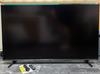
One thing that has become common in pretty much every smart TV these days is that the home screen is now a new advertisement space and they want your data. So, it’s not like this TV is out of the ordinary on that, but everything seemed like it was “Sponsored” as you try to find what you are looking for and there are several data collection and privacy settings that are on by default. Once you get it set up, I recommend going into preferences and disabling a lot of those, unless you like the data collection for customization.
Out of the box, this TV is slightly thicker than other TVs I have had in this size range, but who is looking at it from the side. Picture quality on this TV is really nice. The anti-reflect screen and the ULED tech really give it bright colors and decent contrast. I’m actually kind of shocked at how little blooming there is when testing it out in high contrast situations. However, the local dimming options really start to mess with the image and create some very odd half lit areas. Making some situations look way darker than they should. I found leaving the local dimming off gave a more consistent image, especially in high contrast situations.
The viewing angle on this TV is also surprising. Many get drastically washed out the moment you are at any angle from the center. However, there is some noticeable difference, it is not so drastic that it becomes unwatchable. I tested from about 60 degrees off set and could still make out everything.
Being that this is a Fire TV, you have all the digital providers that you can think of. You can connect with 5 Ghz, 2.4 Ghz Wi-Fi, or Ethernet cable. With an Amazon account you can connect to Luna games and use your phone as a controller or connect a Bluetooth controller., There is Prime video and photos to make it a picture frame too. All while using Alexa features straight from the remote.
You still have basic coaxial, and 4 HDMI ports. Two of them are 4K@60hz and the other two are 4K@144hz, which are great for PC or gaming consoles. Just make sure you are using the right port if you are looking for that higher refresh rate. Also, change the picture mode to “Game” so that it removes all the added processing. The different picture modes really change things up so you might mess around in there to find the perfect setting for you. Having “Light Sense” enabled looks drastic the first time I enabled it, but realized that it does pretty good for the environment. Like turn on the lights and the TV gets brighter, turn them off and it softens so as not to strain your eyes so much.
Overall, I really do like all the options this TV has to offer. The quality is sharp, colors vibrant, contrast doing better than most LED, but not as good as OLED, still much easier on the pocket comparatively.
I would recommend this to a friend!

Share this review:


0points
1of 2voted this as helpful.
Professional digital signage: The Amazon Signage Stick auto-launches your CMS in kiosk mode for seamless, unattended operation.
Posted by: DavidJr
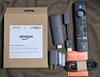
There is no doubt that this is essentially a Fire TV stick stripped down for business. It literally comes with the same remote with all the streaming service buttons on it. However, none of that is on the device and this is meant to boot straight to whatever content management service (CMS) you are using. Since it is for business, unlike a Fire TV item, once you set up and connect your CMS, there is no home screen. When you turn the device on, it goes straight into the content you have set for it.
Install is easy, simply plug into an HDMI port on the TV, connect the USB cable to the TV or power outlet with the included power brick and follow the directions on screen. I tested this along with an actual Fire TV as a second signage device using a free CMS. When setting up the Signage Stick, the first thing it asks after initial connection is which CMS you are using. It downloads and you connect your account and that is pretty much it for interface interactions on the device as everything else is handled through the CMS. For a Fire TV, you have to wade through the rest of the default stuff to install the CMS app and the TV will still show the home screen first. Not to mention all the other things that you can’t even remove from the TV software. So, that is mainly the major difference between the 2 devices. No accidental Netflix or consumer screensavers jumping into view if the power cycles.
The Amazon site or app allows you to manage the device as a whole, like rebooting or resetting to default if you want to change CMS providers. Of course, this will require the initial setup process again, like reconnecting to WiFi and assigning the CMS and account.
A lot of the actual options you can do with the Signage Stick vary on the CMS platform you are using. However, most still function similarly, giving you options to upload images, videos, HTML or connecting websites. You can arrange groups to show the same thing or even split them and sync so that they show one larger image or video. All of this done from the CMS site or app and pushed out from wherever you manage your signs from. All while being able to show the content in 4K.
Overall, if you are looking to turn a bunch of generic TVs into signage, this is a quick and effective way to do it. Once they are connected by WiFi and set with your preferred CMS, everything else is done online and worry free.
I would recommend this to a friend!
Share this review:


0points
0of 0voted this as helpful.

Enjoy better sound quality, long lasting playtime, and a tough design that stays intact no matter where it's packed. With Milton A.N.C. on-ear wireless headphones, your playtime outlasts your weekly commute. Stay locked in to your music with next-generation adaptive active noise cancellation, adjusting automatically in real time to your surroundings.
Posted by: DavidJr
It’s the name, branding and signature style that makes these special. Directly compared to some other headphones, I personally didn't notice any major sound difference until I made some changes. Don’t get me wrong, these are still nice headphones, just don’t feel like they are something I would go out of my way for unless I just wanted the Marshall logo to show off.
The adaptive active noise canceling is decent. Sometimes it works so well it almost feels like my head is stuffed up. It also has transparency mode that helps with being able to hear louder sounds if you are out and about, so you don’t stand in the path of that bicycle. The audio quality is on par with others I have tried of the same size. You can use the Marshall Bluetooth app to modify lows/mids/highs to your liking and get some deeper bass if that is what you prefer.
I do like the metal directional button that lets you skip, adjust volume and play/pause. You also have the “M button” on the other side that you can change settings with the app. You can have it cycle through noise control, equalizer, enable/disable soundstage, activate the voice assistant or do nothing. Which leaves you out of the other cycles as you can only choose one. The soundstage kind of adds like a small reverb effect, giving the sound a bit more of an open sound, like you are in a large room, or smaller room if that is what you set it to. You really have to cycle it to notice the difference, but it is there.
Battery life is listed as 50+ hours, but as with all battery items, depends on usage and this is at medium volume with ANC. I have not timed it myself, but a few hours here and there over several days before it finally needed a charge was pretty impressive. With about 2 hours to full charge.
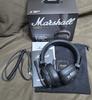
These do fold up and come with a little bag. This is good to keep with you as these are not water resistant and best to be stored away if it starts to rain on you. They aren’t a whole lot smaller when they are folded, but do make them a bit less bulky. They also come with a coiled 3.5mm to USB-C cable if you still have one of those, but it does still need to be powered on.
Now, the changes you can make are with the extra codecs of LC3 and LDAC, which on my Android device you have to go into the settings of the Bluetooth device and enable LDAC. This allows for hearing higher bit rate audio files, like FLAC for instance. I was not able to figure out the LC3 option though, but should also allow higher bit rates at lower latency.
Overall, these are nice headphones. They clearly have that signature Marshall look to them, like having two miniature amps on your ears. I do feel that you can get similar audio from other headsets without the added brand premium. But, those also don’t typically offer the ability to replace battery and ears pads like these do.
I would recommend this to a friend!
Share this review:


0points
0of 0voted this as helpful.

Clip on your music without losing touch with the world. OpenDots 2 delivers big, powerful sound while keeping you aware of your surroundings. And with a secure, comfortable fit, they let you enjoy every moment~seamlessly blending music and life.
Posted by: DavidJr
One thing I do not like about typical ear buds is the pressure it places inside the ear, often starts making my ear sweat and the next thing you know, it’s not holding tight or causing pain. These OpenDots 2 on the other hand, sit outside the ear and are surprisingly stable and loud. They clip over the ear, but yet don’t have a lot of pressure on them, so they are comfortable for long periods of use. They don’t go inside the ear, so it leaves breathing room and avoids the issues I have with regular ear buds. They are surprisingly secure for the little amount of pressure as well.
These supposedly have two 11.8mm drivers in each bud and by how loud they get, they certainly sound bigger. The sound really relies on positioning in your ear, so it might take some maneuvering to find the best spot for you. But, once you find that sweet spot, these pack a punch.
You don’t have to worry which one goes in which ear, as they auto sense when you put them on. They can also sense when you take them off, so they can pause the audio. Having them sense which ear is also nice if you just want to use one at a time and like it always to be on one side.
Play time is listed as about 10 hours on a single charge, then the case can charge them fully 3 more times with a 15 minute charge giving 2 of use. However, if you do use them 1 at a time, that becomes an endless loop of use, till the case runs out at least. The case can be charged with USB-C or wireless as well.
Call quality is pretty nice on them as well. They show there are 3 microphones on each bud, one being a bone conducting microphone so it can help with noise reduction. With that, the calls were clear.
The only thing I did notice is that there is a bit of a latency when watching videos, whether I was using my phone or my PC. For straight audio they were nice, crisp and loud, but I could easily notice the milliseconds of delay with video as they don’t appear to use any of the lower latency codecs.
Overall, these are a nice alternative for in-ear or on ear headphones. Kind of like a middle ground for both styles, giving you the small form factor, but not shoving something into your ear. They really put out the volume for something so tiny.
I would recommend this to a friend!

Share this review:


0points
0of 0voted this as helpful.
DavidJr's Review Comments
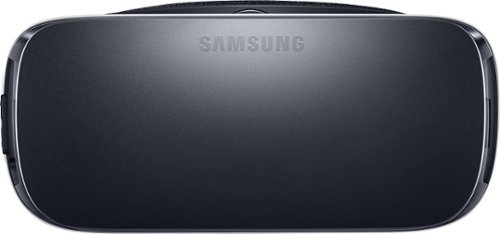
Samsung Gear VR for Select Samsung Cell Phones: Mobile virtual reality is finally here. Watch movies in your own private cinema, be at the center of your favorite games, and socialize with friends in a virtual world all your own. The lightweight design and intuitive touchpad drop you right in the action and allow for hours of immersive entertainment.
Overall 1 out of 5
1 out of 5Very unhappy about not getting the GearVR programs
By Sunshower
I tried many different ways to find out how to download the Gear VR programs by going to Samsung and Oculus online. All unsuccessful!!

DavidJr
Roanoke, VA
June 3, 2016
Once you connect the Gear VR to the phone it starts a download for the software. There appears to be no other way to initiate the install. Once the Oculus software is installed, games and applications can be purchased through the application or from inside the store while wearing the device.
0points
0of 0voted this comment as helpful.
Samsung Gear VR for Select Samsung Cell Phones: Mobile virtual reality is finally here. Watch movies in your own private cinema, be at the center of your favorite games, and socialize with friends in a virtual world all your own. The lightweight design and intuitive touchpad drop you right in the action and allow for hours of immersive entertainment.
Overall1 out of 5
1 out of 5Need certain phones to use this.
By Donna
Wasn't told at time of purchase that certain phones were required to use this device. After purchase was when this was discovered. During this time we purchased a new home and was moving. After the move, tried to return the item because I didn't want to purchase a new phone. The only way the store would accept this return was to give me a gift card. I didn't want a gift card that I would most likely not use. Not happy with this policy at all. Also have made posts to FB in regards to your policy. I will not EVER enter your store again or make another purchase from you online. This is NOT how you treat a customer and expect more business from them.
DavidJr
Roanoke, VA
It is labeled on the box and the site details
June 3, 2016
It says on the front and back of the box, "Compatible with Note5/S6 edge+/S6/S6 edge" and anywhere you look online it says it as well.
+2points
2of 2voted this comment as helpful.
Samsung Gear VR for Select Samsung Cell Phones: Mobile virtual reality is finally here. Watch movies in your own private cinema, be at the center of your favorite games, and socialize with friends in a virtual world all your own. The lightweight design and intuitive touchpad drop you right in the action and allow for hours of immersive entertainment.
Overall 2 out of 5
2 out of 5I have problems getting my phone to sync with this
By Drestyle
When I put my phone in the unit it doesn't seem it. I keep having to pull it out and try again.
DavidJr
Roanoke, VA
June 3, 2016
What phone are you using and is it up to date? The Samsung Gear VR is only compatible with Galaxy S7, Galaxy S7 edge, Galaxy Note5, Galaxy S6 edge+, Galaxy S6, Galaxy S6 edge and a software update from your carrier is required for S6 edge+ and Note 5.
0points
0of 0voted this comment as helpful.
DavidJr's Questions
DavidJr has not submitted any questions.
![H&R Block - Premium & Business Tax Software - Windows [Digital]](https://pisces.bbystatic.com/prescaled/500/500/image2/BestBuy_US/images/products/6386/6386087_sd.jpg)
This H&R Block Premium & Business Tax software offers everything small business owners need to easily complete their personal and business federal and state taxes. It includes a free online chat with a tax professional, step-by-step guidance on hundreds of credits and deductions, and in-person representation in the unlikely event of an audit. The H&R Block Premium & Business Tax software provides assistance to small business owners, including creating payroll and employer (W-2 and 1099) forms and more.
Does H&R Premium & Business Software have 1120S (S corp) and 1040 forms / programs ?
Yes, S Corporation, 1120-S is included with the Business edition. 1040 forms are included in the Premium, so this has both applications in one package.

6 years, 7 months ago
by
DavidJr
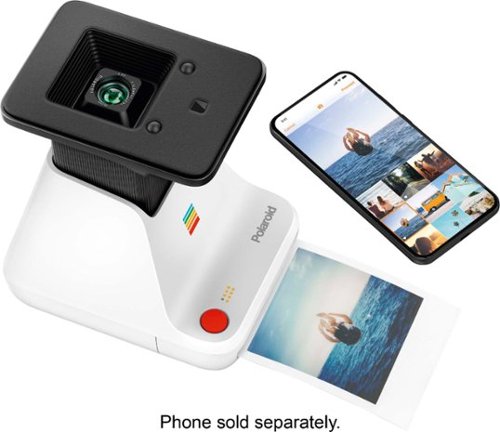
Convert your digital pictures into analog prints using this Polaroid Lab. The I-Type and 600 series film let you print photos instantly while the built-in LiIon battery is long-lasting and rechargeable via USB. This Polaroid Lab is compatible with iPhones operating with iOS 11 or newer and Android 7 and above.
What does it print on? And is that included? Also what is the cost for additional paper?
The Polaroid Originals - Lab uses Polaroid instant film that are listed for 600 or i-Type. None is included and the additional cost can be found by searching for "Polaroid Originals Film" of various styles but only for 600 or iType.

6 years, 10 months ago
by
DavidJr
Convert your digital pictures into analog prints using this Polaroid Lab. The I-Type and 600 series film let you print photos instantly while the built-in LiIon battery is long-lasting and rechargeable via USB. This Polaroid Lab is compatible with iPhones operating with iOS 11 or newer and Android 7 and above.
What is the number of prints ? what type of cartridges for ink? what is the cost for the ink refill?
The Polaroid Lab uses the the i-Type or 600 Polaroid film only. There are 8 pictures per cartridge. The chemistry to develop them is in the film so there is no ink to refill. The cost of the film can be found on the Polaroid site or searching other retailers for "Polaroid Originals Film" you can select from different styles but only those for 600 or i-Type.

6 years, 10 months ago
by
DavidJr
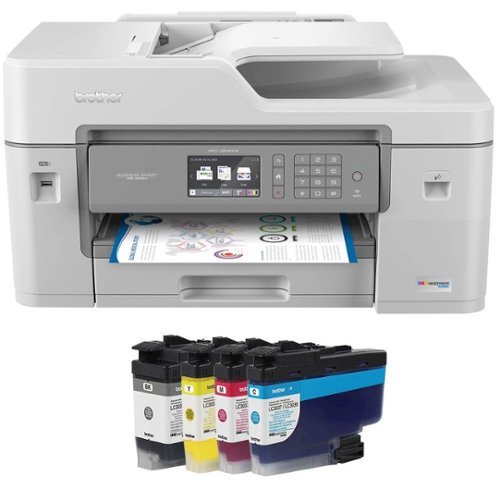
Brother MFC-J6545DW INKvestment Tank all-in-one inkjet printer offers print, copy, scan and fax up to 11" x 17" and feature cartridges that work with an internal ink storage tank to deliver up to 1 year of printing. Help take the guesswork out of when to replace ink by using the unique Brother Page Gauge, a visual, numerical way to know the amount of ink you've used and the amount of ink you have remaining. Includes mobile device printing, 11" x 17" scan glass, automatic two-sided printing and a 3.7" touch screen.
Does this printer print automatic front and back?
The Brother MFC-J6545DW does do automatic two sided printing. I have seen some reviews state that the Brother drivers had to be installed, but I had no issues printed double sided with the default Windows 10 drivers and my Android device.
6 years, 11 months ago
by
DavidJr
Brother MFC-J6545DW INKvestment Tank all-in-one inkjet printer offers print, copy, scan and fax up to 11" x 17" and feature cartridges that work with an internal ink storage tank to deliver up to 1 year of printing. Help take the guesswork out of when to replace ink by using the unique Brother Page Gauge, a visual, numerical way to know the amount of ink you've used and the amount of ink you have remaining. Includes mobile device printing, 11" x 17" scan glass, automatic two-sided printing and a 3.7" touch screen.
Can this model pull a stack of several 11" x 17" size paper through it's scanner, or does each piece of paper need to placed on the glass individually (manually one at a time)? Also, please verify that it does do color scanning.
The Brother MFC-J6545DW can handle up to 50 pages of 11x17 paper through the automatic document feeder. This is single sided scanning on the 6545.
6 years, 11 months ago
by
DavidJr
Brother MFC-J6545DW INKvestment Tank all-in-one inkjet printer offers print, copy, scan and fax up to 11" x 17" and feature cartridges that work with an internal ink storage tank to deliver up to 1 year of printing. Help take the guesswork out of when to replace ink by using the unique Brother Page Gauge, a visual, numerical way to know the amount of ink you've used and the amount of ink you have remaining. Includes mobile device printing, 11" x 17" scan glass, automatic two-sided printing and a 3.7" touch screen.
Can this Printer enlarge or reduce documents in 1% increments?
The Brother MFC-J6545DW can be set to reduce or enlarge at any custom setting between 25 - 400%. Default settings include specific page formats like letter to legal.

6 years, 11 months ago
by
DavidJr
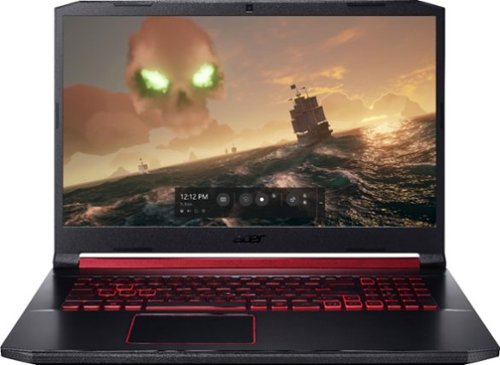
Acer Nitro 5 Laptop: Experience immersive multimedia with this Acer Nitro 5 gaming laptop. The 8GB of RAM and Intel Core i5 processor support multitasking, and the 512GB solid-state drive offers quick data access and ample storage. This Acer Nitro 5 gaming laptop features an NVIDIA GeForce GTX 1650 graphics card that renders crystal-clear images on the 17.3-inch Full HD display.
How to upgrade hdd ?? I need guidance
Though it is not the exact same model, the process of installing the hard drive is very similar to this: https://us.answers.acer.com/app/answers/detail/a_id/63012
7 years, 2 months ago
by
DavidJr
Acer Nitro 5 Laptop: Experience immersive multimedia with this Acer Nitro 5 gaming laptop. The 8GB of RAM and Intel Core i5 processor support multitasking, and the 512GB solid-state drive offers quick data access and ample storage. This Acer Nitro 5 gaming laptop features an NVIDIA GeForce GTX 1650 graphics card that renders crystal-clear images on the 17.3-inch Full HD display.
I am looking to get this laptop but before I do I would like to ask how it dose with games like eso and wow and stwor
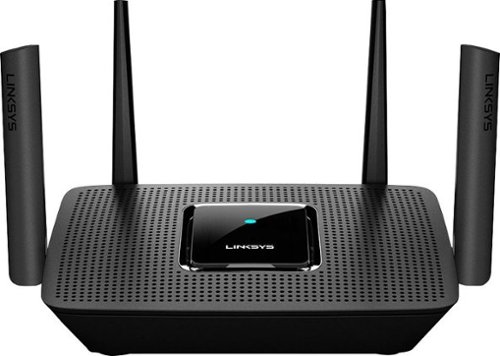
The MR8300 Max Stream~ AC2200 is a high-performance Tri-Band router. Perfect for households that thrive on entertainment, it delivers up to 2.2 Gbps of superior speed throughout your entire home. The Tri-Band and MU-MIMO technology make it ideal for simultaneous streaming of HD movies, online gaming, video calling and supporting all of your smart home devices. MR8300 also grows as your needs do. With its built-in mesh Wi-Fi, instead of investing in a new router, you can expand coverage by simply adding Linksys Velop~ Mesh Wi-Fi nodes for seamless Wi-Fi everywhere.The MR8300 serves as the master router and must connect directly to your modem to create your network. Sets up in minutes with the Linksys app.
Will this work with CenturyLink? I didn't see anything on this
It will work with any internet provider as this is a router, not a modem. Your internet provider can provide the modem, or compatible modems you can purchase, in which you can connect to this WiFi router for expanded connectivity.
7 years, 7 months ago
by
DavidJr
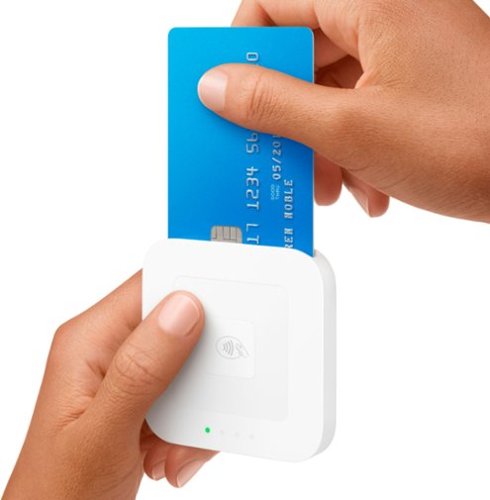
Accept every way your customers want to pay with the new Square Reader for contactless and chip~EMV chip cards, Apple Pay, Android Pay, other NFC payments, and magstripe cards. The reader connects wirelessly to iOS or Android devices with Bluetooth LE or with USB if you sell with the optional Square Stand. It works exclusively with the free Square Point of Sale app to take care of payments, tipping, inventory, reports, and more. Square Reader for contactless and chip comes with a free Square Reader for magstripe so you can swipe cards the old-fashioned way, too. Pay just 2.6% + 10~ per swipe, dip, or tap for Visa, Mastercard, Discover, and American Express, with no surprise fees. Square sends deposits directly to your bank account in one to two business days~or you can enable Instant Deposit for 1% per deposit to get your money in seconds. Get a Dock for Square Reader to anchor the reader on your countertop and keep it charged all day.
Can I use this reader with the Joist software program?
You can use the scanning software to scan the invoice or contract and then save it as an image or import through one of the other formats.
7 years, 8 months ago
by
DavidJr