


DavidJr's stats
- Review count364
- Helpfulness votes2,401
- First reviewDecember 8, 2015
- Last reviewSeptember 3, 2026
- Featured reviews0
- Average rating4.2
- Review comment count3
- Helpfulness votes2
- First review commentJune 3, 2016
- Last review commentJune 3, 2016
- Featured review comments0
Questions
- Question count0
- Helpfulness votes0
- First questionNone
- Last questionNone
- Featured questions0
- Answer count104
- Helpfulness votes221
- First answerDecember 9, 2015
- Last answerDecember 23, 2021
- Featured answers0
- Best answers34
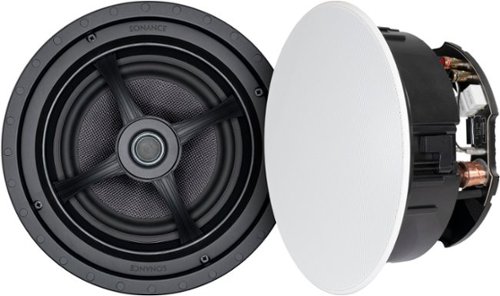
Fill your home with rich, detailed sound using these Sonance MAG8R in-ceiling speakers. Designed for whole house audio, multi room audio, and distributed audio system use, these 8" 2-way speakers combine exceptional acoustic performance with a low-profile appearance that disappears into the ceiling. A pivoting silk dome tweeter lets you direct high frequencies where you need them most, while the glass fiber woofer delivers clean, natural midrange and bass. These speakers are also compatible with Dolby Atmos and home theater setups when used as overhead channels, adding dimension and immersion to your entertainment setup. Ideal for retrofit or new construction projects, these speakers install quickly and securely with Sonance~s Roto-Lock mounting system and come with paintable magnetic grilles to match any room~s design.
Customer Rating

5
Big sound, low visible profile
on October 16, 2019
Posted by: DavidJr
from Roanoke, VA
Sonance has a wide range of in-ceiling, in-wall and invisible speakers. However, these 8 inch in-ceiling speakers from Best Buy Magnolia, on sale, are much easier on the pocket.
I recently moved and my entertainment room is a bit smaller than my old place. I still wanted to have full range speakers but even with slim bookshelf speakers would be intruding on my projection screens space. These speakers require a fair bit of ceiling space though, with a bit over 5 inches (5.26”) of depth and slightly more than 10 inches (10.125”) round. However, once installed the slim grill is the only piece visible and hardly at that. These are super easy to install, the most difficult part is getting the wiring to your selected location. I certainly recommend following the directions and using something like a coat hanger to test the space before you cut such a large hole in your ceiling. My first choice was too close to a beam and the small hole and coat hanger method made me realize this. Once the hole is made, wires ran, it is just spring loaded connector posts for attaching the wires and 4 screws with self tightening brackets to keep it in place. The grill is magnetically attached and has a slight inset to keep it as flush as possible. Of course, you could always go with professional installation in your area.
As for sound, I was surprised at the range of these speakers. I’m sure the installation location has a lot to do with it but my space seemed to act like a subwoofer enclosure. I had to verify my sub was off while just testing these out. The woofer and tweeter can both be angled so that you can get your sound more directional. In my case they are acting as front speakers, so they are angled to provide sound directionality toward the seating area. After some tuning with my receiver I now feel I need to get some more of these to replace my older speakers as my bookshelf speakers sound tiny in comparison.
Mobile Submission: False
I would recommend this to a friend!


Share this review:


+4points
4of 4voted this as helpful.
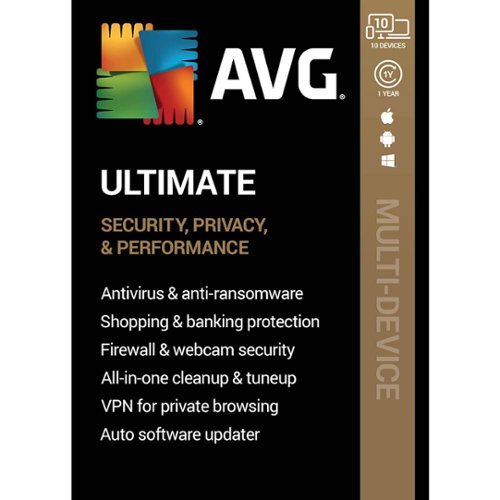
Safeguard your online identity with AVG Ultimate security software. It protects your computer from harmful viruses and spyware, and it offers automatic updates, so you'll always be protected from the newest threats. AVG Ultimate security software includes email shield technology and web protection that scans attachments and nearby Wi-Fi hotspots for safety.
Customer Rating

2
Antivirus protection, with micro-transactions
on October 15, 2019
Posted by: DavidJr
from Roanoke, VA
Short and simple, AVG will provide protection from most computer viruses, malware, ransomware and zero day attacks out there. You get the internet security, tune-up, VPN, password protection and you get the Pro versions on Android devices with the Ultimate edition. However, I had some issues and feel some things were left out as described below.
With multiple computers and android devices (no IOS support) in my household I went through installation multiple times. I figured, once I logged into my AVG account the subscription would be there, however, it was not and required me to enter the 18 character key each and every time. Even with technical support assistance, it still is not listed as “My subscriptions.”
During the setup on PC you start the install and get to activate or use free trial. You then do an initial scan which will check browser threats and for viruses. The third step is listed as “Advanced Issues” which mentions sensitive documents with no real detail as to what it needs to do to protect you, just “Resolve All” or skip. I had 14 documents which later I find it identifies them as things like payroll and travel documents, but no indication as to how it is protecting them. Fourth step scans performance issues and shows a list of all the “junk” files to include your Downloads folder which is typically files you purposely download. The option again is to resolve or skip. If you choose to skip it warns you of the dangers, if you choose to resolve it then pops up with “Get AVG TuneUp to resolve your PC Issues” for another subscription fee. Pretty sure from the description that the Ultimate edition included TuneUp. Click the continue button and it goes straight to asking for credit card information. If you paid for Ultimate, it is included, you just have to cancel and skip this step then select to install it separately.
The Internet Security portion of AVG has several protections but simplified to 5 categories on the main interface. This includes Computer, Web & Email, Hacker Attacks, Privacy, and Payments. Each of these have subsections that can be either disabled or additional settings applied, like adding a specific folder to be protected. From everything I checked, this did a decent job of protecting me from known malicious material. However, everything just felt like blind trust as there were no real descriptions, not even a “?” to get more detail on these sections. I also had issues where the Web & Email protection is a bit over protective.
On some secure websites there were issues with certificates not being validated. What the Web Shield does, and apparently the Email Shield as well, is adds a certificate between you and the secure sites. This makes the site look certified by AVG and not its original source, so some web applications could fail and this setting is the cause. In order to resolve it I had to disable both of these features, clear all of my browser cache and restart my computer. A bit frustrating as I know some people would have had to contact support to find this out.
With the Internet Security, under My AVG, there are other applications available. TuneUp as mentioned earlier, Password Protection, Secure VPN, Driver Updater and AntiTrack. With Ultimate all except Driver Updater and AntiTrack are included as they want more annual subscription fees for those.
TuneUp will help put applications that automatically start up to sleep to help speed up your computer and boot process, check and repair broken registry issues, find useless files and check for updates of other application. Be aware of what you put to sleep as some applications won't start later unless you wake them manually. When it scans files to free up space it will display the number of items and the combined size. You can click to see more details on some categories, but if there are more than 50 files it only displays 50 “For optimal performance” so you may want to double check that folder listed before you select “Clean Now” as it is all or nothing with most of them. This is particularly true for the Downloads folder as it lists it as “System Junk.” Tune-up will search some of you your applications, like Firefox and Adobe, and let you know if there are any available updates. Nice for applications you might not use often or may have disabled the auto check for update features on.
AVG Password Protection allows you to scan web browsers for stored passwords and lets your know if any of them are duplicate and considered weak. The change password option on each of these will open the site for you and the browser will auto fill the information saved. AVG then has a window that will offer a randomly generated password, which you can customize in length and style of characters used, for you to copy and paste once you are at that sites change password option. The details for this protection also states that it actively monitors that web for leaked passwords and warns you when found. I know for a fact that some of the stored passwords in my browser have been leaked, as discovered on HaveIBeenPwned, but AVG hasn’t warned me of this, so I have no idea what that part is doing. It doesn’t even ask for other account information like other antivirus programs have that offer this protection. This is also not a password vault where you could have stored passwords more securely.
The Secure VPN, once installed, works fairly decent and is easy to manage. You are constantly reminded during installation and during regular use that your IP is visible or your connection is not private. The VPN will automatically select the closest/fastest server for you, however, you can manually select from a list of other countries and server preferences. There are a bit over 50 servers to choose from and some are labeled to permit P2P and best suited for streaming. However, like most VPNs, your download speeds will be limited (See photo, results vary) and I also could not use Netflix on any of the servers I tried that were listed for Streaming. So, even though they may be optimized for streaming, they are being restricted by some providers.
As for the Android applications, AntiVirus and AVG Cleaner, they are free with advertisements for anyone. However, activating them to Pro edition removes 3rd party advertisements, not AVG advertising. In order to stop those additional notifications you need to go into Settings>Notifications & alerts > AVG Promotions. Pro edition also adds app locking and VPN for the AntiVirus and Automatic Cleaning and Battery Saver for the Cleaner. During initial use of the applications they walk you through a whole lot of permission settings, even more if you want to use the anti-theft feature. If you ever go to uninstall the application, the administrative permissions have to be removed first. As for the anti-theft features, I really found everything about it, to include the website interface, felt very outdated. Even had an old phone associated to my account that by the website interface looked like it was still connected, but the commands would time out and the last update was over a year and a half ago. Even my current phone, though I have the application open says it last communicated days ago and commands would take minutes to hours to finalize if they didn’t outright fail. I found the default Google features to be more reliable.
From previous version of AVG and some other providers, there are a lot of features that have been removed. You can’t manage or see the status of any of your devices other than Android devices through the website. You used to be able to send text commands to your device for anti-theft, not any more. Some features even still listed in the Android apps explain they no longer work. Also of note, all of the applications have their own privacy settings which by default share data with AVG and other systems that Avast owns. So, you might want to edit those.
Mobile Submission: False
No, I would not recommend this to a friend.


Share this review:


+17points
17of 17voted this as helpful.
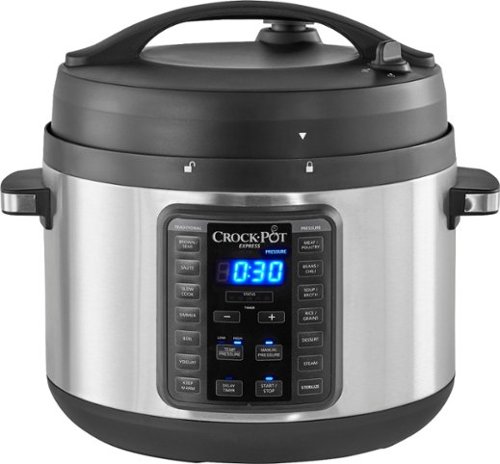
Cook tasty meals or sterilize baby bottles and utensils with this Crock-Pot 10-quart express slow cooker. The 15 cooking presets activate with the touch of a button for flawless results, while the easy release steam dial reduces pressure buildup for added safety. This Crock-Pot 10-quart express slow cooker features a progress bar, so you know when pressurization is complete.
Customer Rating
5
Not your mother’s old Crock-Pot
on October 11, 2019
Posted by: DavidJr
from Roanoke, VA
When I hear the name Crock-Pot, I automatically think of the long simmer slow cooking of a pot roast. A meal that you prep in the morning and 4-8 hours later enjoy. Although you can still do that with this 10qt Digital Multi Cooker, now you can do even more in a fraction of the time. This is essentially an all in one cooker as you can brown/sear, saute, steam, slow cook, boil, sterilize, pressure cook and using this as a warner all in one huge pot. With the small cooking book it comes with, I didn’t even know until now that you could make yogurt and desserts with something like this.
have heard of the other “Instant” branded pressure cooker and actually found more recipes and suggestions searching for that brand, but they are essentially the same, so there are tons of things out there. My first meal was spaghetti and by far has been the best spaghetti I have ever made. I browned the ground beef and sautéed the vegetables in the pot, added the sauce, a little water then the noodles on top and minutes later I had a meal for 5. This spaghetti was like twice baked spaghetti or day old leftover spaghetti, where the sauce is in the noodles. This is certainly the only way I am doing spaghetti from now on.
Other meals I have prepped have all been moist and the flavor sealed into everything in the pot. One thing of note, most recipes give you a time, like 10 minutes. This is the time you set the pot for, not how long it will actually take to cook. The timer for cooking doesn’t start till it reaches the proper temperature/pressure. This can take an additional 10-15 minutes and if your recipe says to vent naturally instead of quick release, that is another 10-15 minutes, so plan accordingly. The timer, once done counting down, beeps and starts counting up. This allows you to see how long it has been waiting. Regardless, it is still faster than slow cooking with similar results.
With this huge 10qt pot, you should easily be able to feed the family and have leftovers to spare.
Mobile Submission: False
I would recommend this to a friend!


Share this review:


+12points
12of 12voted this as helpful.
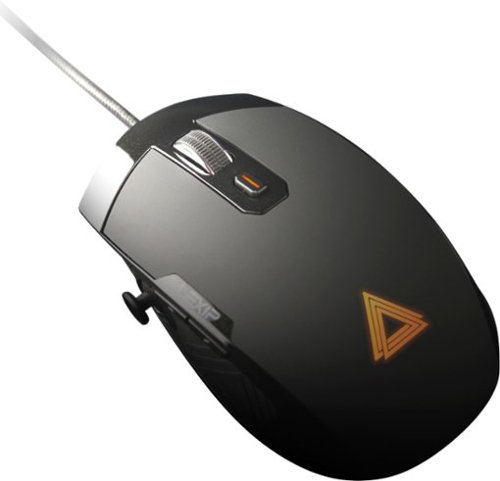
Take out your enemies with sharp accuracy by using this Lexip Pu94 wired gaming mouse. The ergonomic construction provides a comfortable grip during marathon gaming sessions, and the wired design helps ensure low latency. This Lexip Pu94 wired gaming mouse boasts a laser sensor for pin-point precision, and the programmable buttons enable customization.
Customer Rating

4
One of a kind mouse, with a learning curve
on October 11, 2019
Posted by: DavidJr
from Roanoke, VA
Upon first use of this mouse, it was a bit frustrating, even felt a bit overwhelming. However, once I fine tuned the settings and had the profile set for specific applications, it’s rather interesting. Though it is intuitive and simple to use, it does take some learning, especially in configuring it the way you want it. It also takes a little bit of adjusting as to how you use a mouse. I explained it to a friend that it is like having a flight stick under your mouse with a joystick at your thumb.
All of the buttons, (left/right click, 2 on the side, one on top and the click of the mouse wheel) to include the scroll wheel, the joystick and tilt axis are all programmable to your desire once you download and install the Lexip Control Panel. You can change any of these to be a joystick direction, normal mouse functions, specific arrow keys or to switch DPI. You can also make any of them be a shortcut such as Shift/CTRL/ALT/Win keys plus another key or up to 4 keys. This can be a single unique click, a progressive click or held. An example being Unique: One time ABCD per click. Progressive: ABCDABCDABCD as long as held. Held: ABCDDDDDDDDD as long as held. An issue I have, and I have submitted feedback for this, is the settings are instantly applied to the profile you have selected. Which really made things frustrating when I would bump the axis and it scrolls keys in the dropdown menu. I found the easiest way to avoid that is to go to the options tab and set the deadzone really high till ready to fine tune it. There really needs to be an apply, save, or undo, especially when you realize you modified the wrong profile, not available in control panel 1.1.2.
There are some available profiles on their lexip.co site, not the lexip.us, for specific games, you just have to assign them to the game executable so that they are used for that specific game when loaded. Even if you don’t get the profiles, the list of applications and games give you a good example of how you can use the joystick and axis functions. Prime example, in some games where WASD are directional movement, you can use the joystick and where you have rotate, which might be Q & E you can set for the left/right tilt of the mouse. In one game I set the forward/backwards tilt for the zoom in/out which by default was the mouse scroll and found it easier to manage than scrolling. Works nicely for anything that has a 3D environment where you can move the camera around.
Through the Lexip control panel you can change the DPI from a super slow 50 up to a slight flick across the screen at 12,000 DPI and set one of the buttons to cycle through 4 different speeds of your choice. With the ceramic feet it glides along on any smooth surface, almost like is has rollers on a hard surface.
The one drawback I have is that it is not the most comfortable mouse to use. The way it is designed, in order to use the joystick, your hand has to rest on the mouse, which feels right. However, since the whole mouse rocks there is a front edge of the mouse, where the left/right click is, as a solid bar so that you can tilt forward without clicking the mouse. The problem is that my fingers now sit too far forward to click which requires my hand to move back off the mouse, where I can’t reach the joystick, or I have to claw hook my fingers into the buttons. I could use the middle of my finger to try and click, but felt like a strain on my hand and slower than normal. Also, the dead space requires some fine tuning as I constantly found myself rotating when I go to slide the mouse. Just the slightest twist to move your hand, you never notice on a normal mouse. However, having too much dead space made me feel like I was forcing my hand in some directions just to get the movement to trigger.
It is certainly a unique mouse and does provide a function which some could find useful. However, it requires the software on the computer you want to use it on and it takes some adjusting and patience in setup.
Mobile Submission: False
I would recommend this to a friend!


Share this review:


+3points
3of 3voted this as helpful.
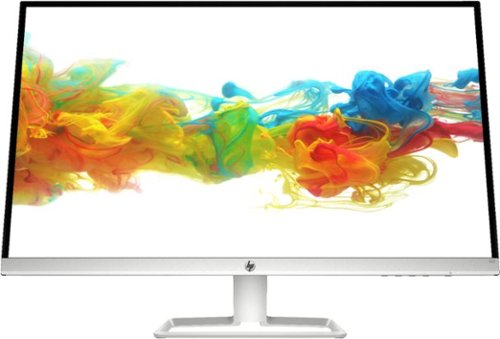
View clear, detailed pictures on this HP 31.5-inch Full HD monitor. The IPS display provides high-quality visuals from almost any direction, while the VGA and HDMI ports let you connect various devices. This HP 31.5-inch Full HD monitor has a 5ms gray-to-gray response time for reduced blurring and streaking, and the stand allows tilting for a customized setup.
Customer Rating

3
Thin, edge to edge style 1080p
on October 2, 2019
Posted by: DavidJr
from Roanoke, VA
If you are looking for a large monitor with a simplistic thin design, this monitor fits that bill. They state it is “Virtually edge-to-edge panel”, and with the glass going to the edge it looks as such, but there is a ½ inch border under the glass all the way around. The top portion of the monitor is only ¼ inch thick, but the stand is 9 inches deep. There are no other mounting options that I can tell as the stand snaps in and has a single screw. It doesn’t raise, but it does tilt.
If you are looking for anything technically advanced, there are better options. This monitor is Full HD (1920x1080) at 60hz and if you are using this as a standard desk monitor you will notice the pixels. However, if you are a couple feet away, it is not as bad. This is fairly common for any display of this size that is only 1080p. There are three inputs, with two HDMI and one VGA. I found it odd that DisplayPort or DVI aren’t an option, but this still allows you to switch between the three inputs.
As soon as I hooked it up, my computer recognized it as an HP 32F and defaulted to the native resolution. The first thing I noticed, as I have a black background, is that edge lighting is really noticeable at any angle. After messing with the settings, I was able to reduce the effect of the light bleed with the dynamic contrast enabled. Another issue is the supposed anti-glare panel that is supposed to reduce and reflections yet I can easily see myself on a dark screen and just the glare of a light is noticeable compared to my 65” TV (pictured).
For the size, if you are just looking for a display and aren’t concerned for reading text or you are going to be sitting a couple feet away, this one is nice and the refresh rate is faster than most TVs this size.
Mobile Submission: False
No, I would not recommend this to a friend.


Share this review:


+8points
21of 34voted this as helpful.
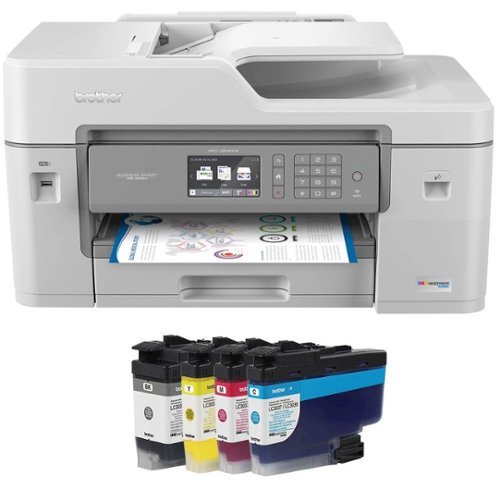
Brother MFC-J6545DW INKvestment Tank all-in-one inkjet printer offers print, copy, scan and fax up to 11" x 17" and feature cartridges that work with an internal ink storage tank to deliver up to 1 year of printing. Help take the guesswork out of when to replace ink by using the unique Brother Page Gauge, a visual, numerical way to know the amount of ink you've used and the amount of ink you have remaining. Includes mobile device printing, 11" x 17" scan glass, automatic two-sided printing and a 3.7" touch screen.
Posted by: DavidJr
from Roanoke, VA
The Brother MFC-J6545DW INKvestment Tank all-in-one inkjet printer is a beast of a printer and I mean that literally. This thing is huge, to include the ink cartridges, and requires a two person lift to move it. However, the size is important if you need to be able to scan/print/copy or fax ledger (11x17) size documents.
For a small business, this printer has pretty much everything higher end printers have and “1 years worth of ink” in the box. The included ink is listed as 3,000 black and 1,500 color pages, so the 1 year is subjective to use. But, compared to regular inkjet cartridges that tend to max out at 600 pages, this is a huge difference on cost advantage. Comparing to some other Brother Genuine cartridges you can get the ultra yield that has nearly 10 times the ink of regular inkjets (6,000 pages) for about $0.01 a page.
While comparing to other inkjet printers the quality on this one is on par with most others I have had but a bit faster on the actual output with a rating of 22ppm. On black, or pages with minimal color, it is noticeable how quick it is. Printing full color or photos does take a while and even comes out kind of damp feeling. Though capable of printing borderless photos, I wouldn’t say it is intended as such as the quality looks flat.
As for scanning, the automatic document feeder can hold up to 50 pages, but the 6545 model only supports single sided scanning through the ADF, you can do double sided if you use the bed or get the 6945 model. The copy quality is pretty good, but if comparing copies side by side, you can see the minor differences. The paper tray holds half a ream of paper and expands to hold the ledger size paper. This makes it stick out, but not any further than the paper output tray already is. There is also a multi-purpose tray in the back which makes it easy if you need to print something on card stock, photo paper or a different size than you already have loaded.
You can connect this printer using Ethernet, WiFi or USB 2.0 and it is simple to do so. However, once you connect this device to your network, I highly suggest you connect to it through a web browser and change the default password that is listed in the Online User’s Guide, not found in the included Reference Guide. Through the network settings you can enable additional security features such as firewall and external card readers as well as many other advanced configurations that can’t be changed through the touch screen.
Printing from any computer and mobile device on my network was simple and worked completely to include double sided printing without additional drivers installed. However, to use other features such as scan to device or send fax from PC/mobile device you need the CD/Downloaded software or the Brother iPrint&Scan app.
Mobile Submission: False
I would recommend this to a friend!


Share this review:


+4points
4of 4voted this as helpful.
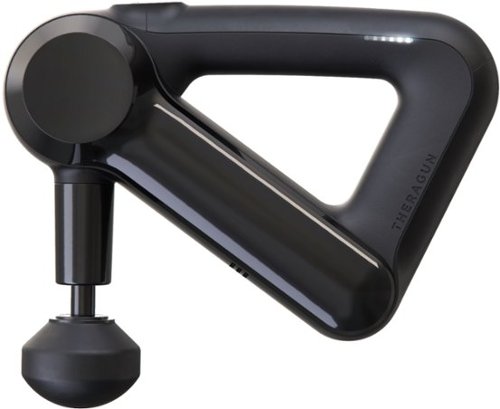
Accelerate recovery after an intense workout with this Theragun G3 percussion massager. The rechargeable battery lasts up to 60 minutes when fully charged for longer sessions. With multiple massage heads and two speed settings, this Theragun G3 percussion massager allows you to target each muscle with the appropriate intensity for faster results.
Customer Rating
5
Massage therapist in a box
on September 12, 2019
Posted by: DavidJr
from Roanoke, VA
I had surgery on my foot over a year ago and haven’t had normal sensation throughout my foot and leg since then. Within days of using the Theragun G3 my foot already feels drastically different. Upon first use, it really took some getting used to because it felt like it hurt, but it was like sensory overload. I’ve been using it for a few minutes multiple times each day on my foot and other various sore spots. It is surprising the difference it makes within a few seconds.
I thought it was kind of odd that they advertised the handle, because it doesn’t look like much to it. Then I realized as I tried to reach other parts of my body, that the triangle allows it to be held in different angles. Unlike other massage guns, which only have a 90 degree handle, the G3 makes it easy to get harder to reach areas. Like the fact that I can do the major areas of my back on my own.
The included directions are very limited, however, getting the Theragun phone app helps explain a lot more. There are pictures to show patterns for specific treatments and some tips, but for the most part it still leaves it up to the individual to find what works for them. Even the included heads have general uses, but comes down to what works best in your situation. The battery says it lasts up to 60 minutes per charge, but considering how you can get relief in seconds, it makes it seem like it lasts so much longer.
The included case helps keep everything together, but is kind of large. It does a fair job of preventing the device from accidentally being turned on if you decide to pack it in your luggage. Just make sure nothing is directly poking where the power button is.
Mobile Submission: False
I would recommend this to a friend!


Share this review:


+6points
6of 6voted this as helpful.
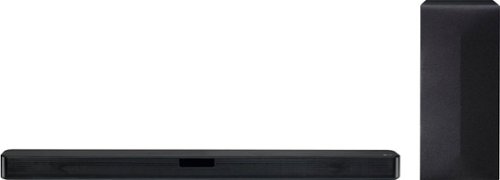
Only at Best Buy Add booming audio to your home theater with this LG Electronics 2.1-channel speaker kit. The lightweight carbon diaphragm reduces distortion for clean, crisp audio, while Adaptive Sound Control automatically adjusts settings for optimal quality. This LG Electronics 2.1-channel speaker kit comes with a wireless subwoofer for intense bass.
Customer Rating
4
Better than most 40" TV speakers
on August 27, 2019
Posted by: DavidJr
from Roanoke, VA
This sound bar is super easy to set up and sounds pretty decent. Which is a good thing since the included “Simple Manual” is super simple. Reasonable deduction led me to figuring out what the plastic things with stickers were, the elevated feet. If you want to know more about the device, like how to disable the auto power off and that there is an app for additional settings, Music Flow Bluetooth, go to the LG support page.
This soundbar is limited with inputs of optical, Bluetooth and USB so any other input methods must go through your TV. The optical cable is included and is the best option for connection. If you have a recent LG TV it can use LG TV Sync over optical or Bluetooth. It was instantly recognized on my 2016 TV and controls the volume of the TV, but every time I change the speaker function to something else, it changes the TV settings to internal and then asks to turn it back when returned. Bluetooth is the same way, completely turned off the moment the function is changed, so you have to reconnect any device that was using it. The USB port allows you to plug in a thumb drive and play music directly and I was surprised at just how quick it loads MP3 files. I don’t think my PC even loads them that fast.
The LCD display on the front only displays 5 characters, but provides enough info even if it requires it to scroll by, like the filename of an MP3. It’s bright enough to see in a well lit room and dims where it is barely noticeable in a dark room after 15 seconds.
Though not listed on the Best Buy page, the dimensions are about the width of a 40” TV at 35.1" x 2.3" x 3.4", this is without the extended feet, wall brackets or power cord. The power cord isn’t recessed in any way, so it makes it about 3.75” deep and the extended feet help raise it above a thin TV plate, giving it about 0.75” clearance making it about 3” tall. The wall brackets are just a bit longer to allow for room to run the cables but you need your own screws to install in a wall. The subwoofer is 6.8" x 15.4" x 10.3" and only needs power, so can be hidden behind a couch or table. It has an interesting black carbon fiber laminate on the box and cloth front. Sometimes when first turning on, there is a delay of about 30 seconds for the subwoofer to kick on. Kind of a thing with anything wireless though.
Sold separately, you can add the SPK8-S two channel wireless rear speakers for added surround. However, I do not have those to test out and curious as there is a setting to turn off the surround sound which allows for original sound. So by default it is filling sound to the rear speakers, but disabling it will provide the true cinema sound if available.
Overall, not a bad speaker system, as it is better than most built in TV sound systems. However, I feel there's still room for improvements.
Mobile Submission: False
I would recommend this to a friend!


Share this review:


+42points
77of 112voted this as helpful.
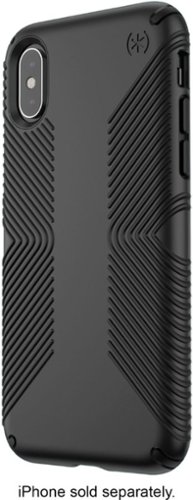
Provide protection for your iPhone XS/X with this Speck Presidio grip case. A polycarbonate outer shell and an inner IMPACTIUM lining cushion against shocks due to drops or bumps, while the raised bezel protects the screen from scratching or shattering. This Speck Presidio grip case features raised rubber ridges on the back for a comfortable grip.
Customer Rating
5
Nice snug fit and easy grip.
on August 23, 2019
Posted by: DavidJr
from Roanoke, VA
The grip on this case really helps it feel safer in your hand, but isnt a soft rubber like material that it can’t slide into your pocket like some other grip cases. The raised bezel is just enough to prevent the face of the phone from landing on a flat surface, but not so much that it makes the phone feel gawdy thick. The phone feels well protected and with the snug fit it’s not going to pop out like some cheap cases do. It says it is rated for 10ft, but I didn’t test that theory, just in case. It’s also still thin enough to still work with wireless charging.
Mobile Submission: False
I would recommend this to a friend!


Share this review:


+2points
2of 2voted this as helpful.
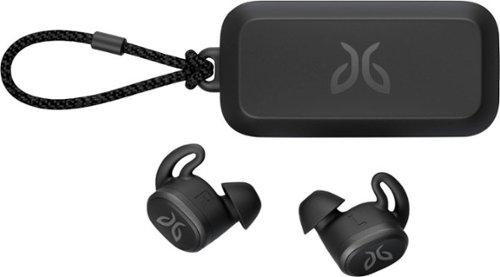
Pair your workout with these black Jaybird Vista wireless headphones. The rechargeable lithium-ion battery provides up to 6 hours of listening time, while the waterproof, sweatproof design helps prevent fluid damage. These Jaybird Vista wireless headphones have ear hooks and three pairs of soft interchangeable eartips for a secure fit and added comfort during extended periods of use.
Customer Rating
5
Long lasting, truly wireless
on August 14, 2019
Posted by: DavidJr
from Roanoke, VA
Truly wireless, small profile, decent audio quality and long battery life, uncommon to get all of that is truly wireless earbuds. Most I have tried usually last maybe a couple hours or if they did last longer had a cylinder sticking out of your ear. The Jaybird Vista is simple to connect with one button on the case and standard Bluetooth connection. Sound quality by default is pretty decent, but I found it best when I installed the Jaybird app and used the equalizer. After using the “Discover more presets” option I was able to find exactly the sound I was looking for. Surprisingly low bass and range for such small earbuds.
I used these for several hours this weekend while doing some strenuous yard work and with all the sweat and activity they stayed in place. One thing that may be of concern for some out exercising is that these provide a decent amount of passive noise isolation. Meaning with music playing, you aren’t going to hear much of your surroundings. So, for me this weekend they actually acted as noise protection from the lawn equipment.
The only interaction these earbuds have is a single button that by default you click once for play/pause or call answer, twice for skip or ignore call or long hold for power off. However, you can change the clicks to be the voice assistant of your phone or some other custom commands for Spotify. I found the pressure needed to press the buttons a little excessive as they push the earbud into your ear a bit more. The only thing that would make them better is a touch sensitive button.
You can use the earbuds individually if you want to extend your battery life even more. For instance, when you get the 20% audio warning, take one out and throw it in the case till you run the other one dead, then swap out and keep going. With about 6 hours on a single full charge you can make these last more than a day with one at a time.
Mobile Submission: False
I would recommend this to a friend!


Share this review:


+14points
17of 20voted this as helpful.
DavidJr's Review Comments
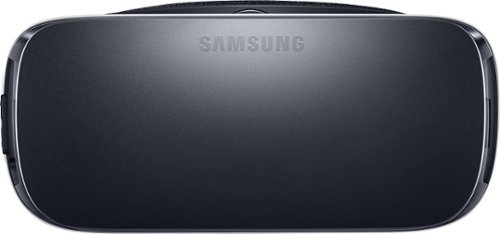
Samsung Gear VR for Select Samsung Cell Phones: Mobile virtual reality is finally here. Watch movies in your own private cinema, be at the center of your favorite games, and socialize with friends in a virtual world all your own. The lightweight design and intuitive touchpad drop you right in the action and allow for hours of immersive entertainment.
Overall 1 out of 5
1 out of 5Very unhappy about not getting the GearVR programs
By Sunshower
I tried many different ways to find out how to download the Gear VR programs by going to Samsung and Oculus online. All unsuccessful!!

DavidJr
Roanoke, VA
June 3, 2016
Once you connect the Gear VR to the phone it starts a download for the software. There appears to be no other way to initiate the install. Once the Oculus software is installed, games and applications can be purchased through the application or from inside the store while wearing the device.
0points
0of 0voted this comment as helpful.
Samsung Gear VR for Select Samsung Cell Phones: Mobile virtual reality is finally here. Watch movies in your own private cinema, be at the center of your favorite games, and socialize with friends in a virtual world all your own. The lightweight design and intuitive touchpad drop you right in the action and allow for hours of immersive entertainment.
Overall1 out of 5
1 out of 5Need certain phones to use this.
By Donna
Wasn't told at time of purchase that certain phones were required to use this device. After purchase was when this was discovered. During this time we purchased a new home and was moving. After the move, tried to return the item because I didn't want to purchase a new phone. The only way the store would accept this return was to give me a gift card. I didn't want a gift card that I would most likely not use. Not happy with this policy at all. Also have made posts to FB in regards to your policy. I will not EVER enter your store again or make another purchase from you online. This is NOT how you treat a customer and expect more business from them.
DavidJr
Roanoke, VA
It is labeled on the box and the site details
June 3, 2016
It says on the front and back of the box, "Compatible with Note5/S6 edge+/S6/S6 edge" and anywhere you look online it says it as well.
+2points
2of 2voted this comment as helpful.
Samsung Gear VR for Select Samsung Cell Phones: Mobile virtual reality is finally here. Watch movies in your own private cinema, be at the center of your favorite games, and socialize with friends in a virtual world all your own. The lightweight design and intuitive touchpad drop you right in the action and allow for hours of immersive entertainment.
Overall2 out of 5
2 out of 5I have problems getting my phone to sync with this
By Drestyle
When I put my phone in the unit it doesn't seem it. I keep having to pull it out and try again.
DavidJr
Roanoke, VA
June 3, 2016
What phone are you using and is it up to date? The Samsung Gear VR is only compatible with Galaxy S7, Galaxy S7 edge, Galaxy Note5, Galaxy S6 edge+, Galaxy S6, Galaxy S6 edge and a software update from your carrier is required for S6 edge+ and Note 5.
0points
0of 0voted this comment as helpful.
DavidJr's Questions
DavidJr has not submitted any questions.
![H&R Block - Premium & Business Tax Software - Windows [Digital]](https://pisces.bbystatic.com/prescaled/500/500/image2/BestBuy_US/images/products/6386/6386087_sd.jpg)
This H&R Block Premium & Business Tax software offers everything small business owners need to easily complete their personal and business federal and state taxes. It includes a free online chat with a tax professional, step-by-step guidance on hundreds of credits and deductions, and in-person representation in the unlikely event of an audit. The H&R Block Premium & Business Tax software provides assistance to small business owners, including creating payroll and employer (W-2 and 1099) forms and more.
Does H&R Premium & Business Software have 1120S (S corp) and 1040 forms / programs ?
Yes, S Corporation, 1120-S is included with the Business edition. 1040 forms are included in the Premium, so this has both applications in one package.

6 years, 7 months ago
by
DavidJr
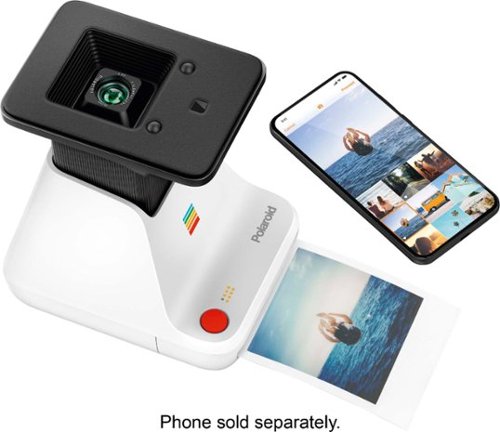
Convert your digital pictures into analog prints using this Polaroid Lab. The I-Type and 600 series film let you print photos instantly while the built-in LiIon battery is long-lasting and rechargeable via USB. This Polaroid Lab is compatible with iPhones operating with iOS 11 or newer and Android 7 and above.
What does it print on? And is that included? Also what is the cost for additional paper?
The Polaroid Originals - Lab uses Polaroid instant film that are listed for 600 or i-Type. None is included and the additional cost can be found by searching for "Polaroid Originals Film" of various styles but only for 600 or iType.

6 years, 10 months ago
by
DavidJr
Convert your digital pictures into analog prints using this Polaroid Lab. The I-Type and 600 series film let you print photos instantly while the built-in LiIon battery is long-lasting and rechargeable via USB. This Polaroid Lab is compatible with iPhones operating with iOS 11 or newer and Android 7 and above.
What is the number of prints ? what type of cartridges for ink? what is the cost for the ink refill?
The Polaroid Lab uses the the i-Type or 600 Polaroid film only. There are 8 pictures per cartridge. The chemistry to develop them is in the film so there is no ink to refill. The cost of the film can be found on the Polaroid site or searching other retailers for "Polaroid Originals Film" you can select from different styles but only those for 600 or i-Type.

6 years, 10 months ago
by
DavidJr
Brother MFC-J6545DW INKvestment Tank all-in-one inkjet printer offers print, copy, scan and fax up to 11" x 17" and feature cartridges that work with an internal ink storage tank to deliver up to 1 year of printing. Help take the guesswork out of when to replace ink by using the unique Brother Page Gauge, a visual, numerical way to know the amount of ink you've used and the amount of ink you have remaining. Includes mobile device printing, 11" x 17" scan glass, automatic two-sided printing and a 3.7" touch screen.
Does this printer print automatic front and back?
The Brother MFC-J6545DW does do automatic two sided printing. I have seen some reviews state that the Brother drivers had to be installed, but I had no issues printed double sided with the default Windows 10 drivers and my Android device.
6 years, 11 months ago
by
DavidJr
Brother MFC-J6545DW INKvestment Tank all-in-one inkjet printer offers print, copy, scan and fax up to 11" x 17" and feature cartridges that work with an internal ink storage tank to deliver up to 1 year of printing. Help take the guesswork out of when to replace ink by using the unique Brother Page Gauge, a visual, numerical way to know the amount of ink you've used and the amount of ink you have remaining. Includes mobile device printing, 11" x 17" scan glass, automatic two-sided printing and a 3.7" touch screen.
Can this model pull a stack of several 11" x 17" size paper through it's scanner, or does each piece of paper need to placed on the glass individually (manually one at a time)? Also, please verify that it does do color scanning.
The Brother MFC-J6545DW can handle up to 50 pages of 11x17 paper through the automatic document feeder. This is single sided scanning on the 6545.
6 years, 11 months ago
by
DavidJr
Brother MFC-J6545DW INKvestment Tank all-in-one inkjet printer offers print, copy, scan and fax up to 11" x 17" and feature cartridges that work with an internal ink storage tank to deliver up to 1 year of printing. Help take the guesswork out of when to replace ink by using the unique Brother Page Gauge, a visual, numerical way to know the amount of ink you've used and the amount of ink you have remaining. Includes mobile device printing, 11" x 17" scan glass, automatic two-sided printing and a 3.7" touch screen.
Can this Printer enlarge or reduce documents in 1% increments?
The Brother MFC-J6545DW can be set to reduce or enlarge at any custom setting between 25 - 400%. Default settings include specific page formats like letter to legal.

6 years, 11 months ago
by
DavidJr
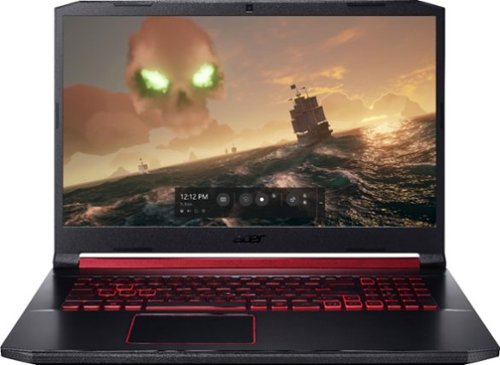
Acer Nitro 5 Laptop: Experience immersive multimedia with this Acer Nitro 5 gaming laptop. The 8GB of RAM and Intel Core i5 processor support multitasking, and the 512GB solid-state drive offers quick data access and ample storage. This Acer Nitro 5 gaming laptop features an NVIDIA GeForce GTX 1650 graphics card that renders crystal-clear images on the 17.3-inch Full HD display.
How to upgrade hdd ?? I need guidance
Though it is not the exact same model, the process of installing the hard drive is very similar to this: https://us.answers.acer.com/app/answers/detail/a_id/63012
7 years, 2 months ago
by
DavidJr
Acer Nitro 5 Laptop: Experience immersive multimedia with this Acer Nitro 5 gaming laptop. The 8GB of RAM and Intel Core i5 processor support multitasking, and the 512GB solid-state drive offers quick data access and ample storage. This Acer Nitro 5 gaming laptop features an NVIDIA GeForce GTX 1650 graphics card that renders crystal-clear images on the 17.3-inch Full HD display.
I am looking to get this laptop but before I do I would like to ask how it dose with games like eso and wow and stwor
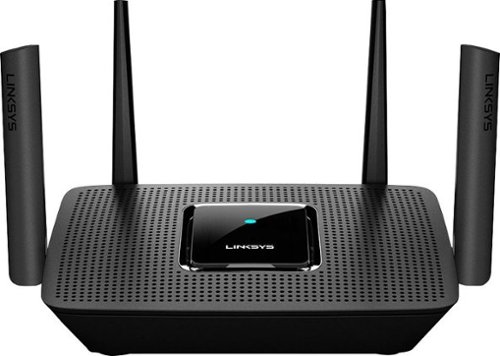
The MR8300 Max Stream~ AC2200 is a high-performance Tri-Band router. Perfect for households that thrive on entertainment, it delivers up to 2.2 Gbps of superior speed throughout your entire home. The Tri-Band and MU-MIMO technology make it ideal for simultaneous streaming of HD movies, online gaming, video calling and supporting all of your smart home devices. MR8300 also grows as your needs do. With its built-in mesh Wi-Fi, instead of investing in a new router, you can expand coverage by simply adding Linksys Velop~ Mesh Wi-Fi nodes for seamless Wi-Fi everywhere.The MR8300 serves as the master router and must connect directly to your modem to create your network. Sets up in minutes with the Linksys app.
Will this work with CenturyLink? I didn't see anything on this
It will work with any internet provider as this is a router, not a modem. Your internet provider can provide the modem, or compatible modems you can purchase, in which you can connect to this WiFi router for expanded connectivity.
7 years, 7 months ago
by
DavidJr
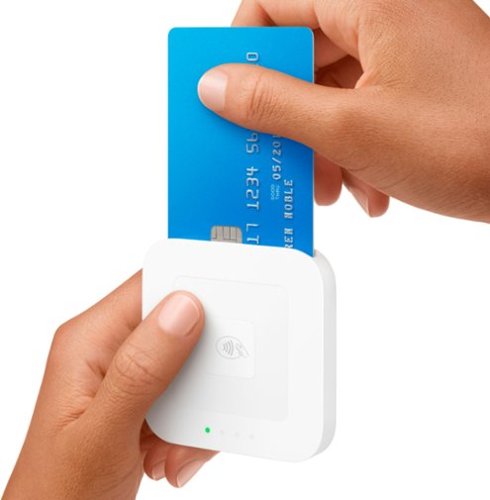
Accept every way your customers want to pay with the new Square Reader for contactless and chip~EMV chip cards, Apple Pay, Android Pay, other NFC payments, and magstripe cards. The reader connects wirelessly to iOS or Android devices with Bluetooth LE or with USB if you sell with the optional Square Stand. It works exclusively with the free Square Point of Sale app to take care of payments, tipping, inventory, reports, and more. Square Reader for contactless and chip comes with a free Square Reader for magstripe so you can swipe cards the old-fashioned way, too. Pay just 2.6% + 10~ per swipe, dip, or tap for Visa, Mastercard, Discover, and American Express, with no surprise fees. Square sends deposits directly to your bank account in one to two business days~or you can enable Instant Deposit for 1% per deposit to get your money in seconds. Get a Dock for Square Reader to anchor the reader on your countertop and keep it charged all day.
Can I use this reader with the Joist software program?
You can use the scanning software to scan the invoice or contract and then save it as an image or import through one of the other formats.
7 years, 8 months ago
by
DavidJr