


DavidJr's stats
- Review count364
- Helpfulness votes2,401
- First reviewDecember 8, 2015
- Last reviewSeptember 3, 2026
- Featured reviews0
- Average rating4.2
- Review comment count3
- Helpfulness votes2
- First review commentJune 3, 2016
- Last review commentJune 3, 2016
- Featured review comments0
Questions
- Question count0
- Helpfulness votes0
- First questionNone
- Last questionNone
- Featured questions0
- Answer count104
- Helpfulness votes221
- First answerDecember 9, 2015
- Last answerDecember 23, 2021
- Featured answers0
- Best answers34
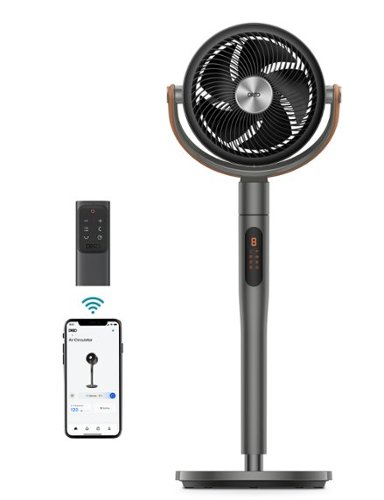
Dreo Pedestal Fan with Remote, PolyFan 613S, 43'' Quiet Standing Fan for Home Bedroom, 120~+105~ Smart Oscillating Floor Fans with Wi-Fi/Voice Control, Works with Alexa/Google, 6 Modes, 8 Speeds
Posted by: DavidJr
This thing is an air mover, or air circulator as it default gave a name in the Dreo app. I have never seen a fan move like this one. With up to 105 degrees up and down and up to 120 degrees left and right, this fan pushes air everywhere. At mid to low speeds you can barely hear it, but it is still giving a decent breeze. Put this thing into turbo mode and you might just create a vortex in the room.
You can control it with the touch sensitive buttons on top, the included infrared remote, the Dreo app or with Alexa or Google voice commands once you have it connected to Wi-Fi. The touch controls and remote cycle through settings, but with the app you can really get into it. You can adjust the vertical and horizontal rotations with different steps, you can even control the fan with a directional pad so you can position it from anywhere you open the app. You can have it work with the temperature to use certain speeds during specific temp ranges or set it to run specific speeds during time blocks of the day. One thing for sure though, this fan has really helped keep the temperature in my open main room pretty stable, getting rid of some of those warm spots.
It does have an adjustable height stand, but it doesn’t really adjust by much, just a few inches. The base is decently weighted, so there is not much worry of it tipping itself over. There are other wind modes as well, like a natural setting that makes it act more like a breeze. You can also cycle the timer to turn off from 1-8 hours, or by the minute through the app.
Overall, this fan is amazing. It helps me sleep by keeping me cool and stable and then when I don’t need a stable breeze on me, but want to keep the whole room circulated, just turn everything on and there is no stagnant air in the room.
I would recommend this to a friend!



Share this review:


0points
0of 0voted this as helpful.

Get the ultimate and most complete care with DiamondClean Smart. Eliminate guesswork with real time feedback and personalized coaching so you can improve your technique and achieve 100% confidence in your oral care. It's more than just a toothbrush - it's a complete oral care solution. Featuring Sonic technology, 5 brushing modes and smart brush head mode pairing technology, the Philips Sonicare DiamondClean Smart Rechargeable toothbrush delivers superior plaque removal, gum health and whitening performance. Philips Sonicare DiamondClean Smart goes beyond traditional cleaning to deliver up to 10x more plaque removal, removes 100% more stains in just 3 days and improve Gum Health up to 7x in just 2 weeks . It also features a visual pressure sensor to alert you when you are brushing too hard. Customize your brushing experience using the 5 different modes and 3 intensity settings and know when to replace your brush head via a customized reminder. An elegant charging glass can be used for charging or rinsing your mouth after brushing. A USB charging travel is also included to charge your toothbrush on the go.
Posted by: DavidJr
I don’t think my mouth has ever felt this clean, even after a dental appointment. From coming with different styles of heads for whatever you are looking for or particular style you like to having different speeds and timing. To get the full advantage of this toothbrush, you want to have the Sonicare app installed and open when you are ready to brush. Then you get a timer and a diagram of a mouth and it monitors your motions. Such as brushing too fast, pushing too hard or not being in a particular section long enough. It is pretty good at knowing at least the inside/outside of the section you are brushing, but it is on you to follow the area as it can’t determine it that much. I certainly had been using my older Sonicare brush too fast compared to the speed of this one with the reminders to slow down. The only downside to using the app is having a good place to keep your phone, because having it on the counter means you have to look down and that can make for some messy brushing.
The full collection is a bit overwhelming at first. It comes with 6 brush heads and a tongue brush. It has a charging base, a stand for the charging base, a glass that can also fit on the charging base and a travel case along with the main handle. The main handle feels a bit big to me personally, like it is a lot to handle while brushing your teeth. It also ends up being easy to bump the buttons when you are moving it around and suddenly you are in a different mode. But, it certainly isn’t your average electric toothbrush.
Overall this toothbrush system will ensure you are brushing at your best and help get the clean you are looking for. You end up with a few pieces you might not use but from time to time, such as the hard travel case, unless you do travel a fair bit, and the extra heads. But, you get to try out the different head types to find your preference. Personally, I like the A3 All-in-one, but they only included one of those in the set.
I would recommend this to a friend!


Share this review:


0points
0of 0voted this as helpful.
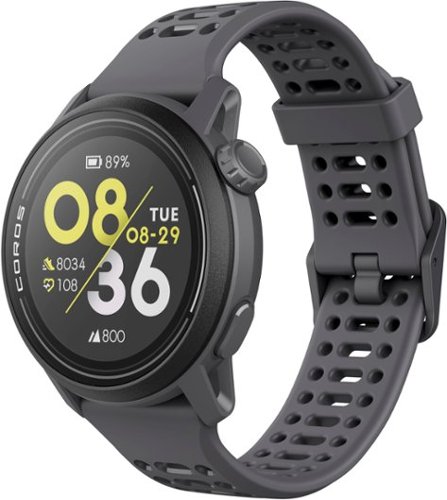
Improving on its legendary predecessor in every way, COROS Pace 3 packs an even more powerful punch. Track your training and recovery with a technologically advanced watch that's lightweight and comfortable, with outstanding data accuracy, and backed by the industry-leading COROS training software system. COROS Pace 3 paves the way to discover your potential.
Posted by: DavidJr
I’ve had a few smart watches over the years, each having their different styles and tracking differences. This Coros Pace 3 on the other hand, just seems to have practically everything all those watches had, but in one. It is really light, the default band is flexible and allows for air flow and functions are pretty simple to manage. It has touch screen and the multifunction buttons that you can use to scroll through the menu as well so you can see the whole screen. It has vibration and tone feedback, but does not have any speaker or microphone options like some. However, you can connect Bluetooth headphones directly to it and upload some MP3 files so you can have some audio on the go.
The tracking on this thing is pretty amazing. I thought maybe it was because I had my phone, as it does mention enhanced tracking when connected, but even without it the data looked pretty much the same. So, if you just want to get up and run off without any phone distractions, you can still track all your data, see the results on the watch directly and once returned to your device or Wi-Fi, see it in the app or online through the COROS training hub. See an example of one quick session in the app attached.
Another thing I find amazing about this watch is that I have had a couple GPS tracked sessions and been wearing it non-stop day and night for over a week and just went below 50% charge. It boasts a 17 day daily use charge and at this rate, it is looking that way. Of course, if you use it for GPS tracking every day, that will take it down quicker, but it says 38 hours of GPS tracking so even if you use it for 1 hour a day, you are still getting well over a week's use per charge. Sadly though, like most electronics these days, that probably won’t be the case after a couple years of use. The one thing I don’t like about it is the unique charging cable. They do sell a small keychain charging cable that you could keep with you in case you forget the original one. But, it’s not lie you can just borrow the one from your phone if you don’t have those.
With this watch and app, you also can access the training hub through the COROS website. There you can see all of your training data, there are things you can set up that I have never heard of, but they have information to read on all of it. This also allows you to share your data with your team or a coach if they have an account set up.
There is a fair bit of customization you can do with the watch as well. Upon initial setup it asks what events you want available on the menu. So, like you know you aren’t going to use it for skiing anytime soon, no need for that to be an option on the scroll through your list. However, it is still available through the menu or app later. There are many watch faces to pick from but if you don’t like any of them, customize your own through the app, pick your clock style and position, pick a background or send your own image of choice. The options are endless at that point. The screen is technically always on as well, but really really faint. When the backlight kicks in is when you can really read it, but even then, it isn’t super bright. I found it easier to make sure to have a high contrast looking watch face. I am still able to read it during bright and sunny days with my hand shadowing it a bit.
Overall this watch is great for anyone that is active or wants to get into being active and wants to help track their progress. It can just be your regular step tracking, calorie counting, time telling every day watch too, while you only need to charge every 2 weeks or so at that rate. You can read messages and notifications that are enabled from your phone, but can’t respond directly like some. But, this one is not unique to just specific branded phones like those are.
I would recommend this to a friend!




Share this review:


0points
0of 0voted this as helpful.
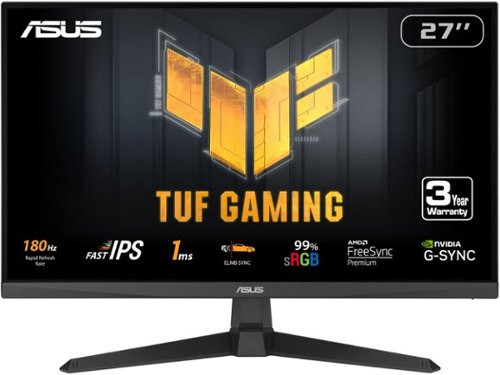
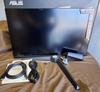
The TUF Gaming VG279Q3A 27" IPS Gaming Monitor with IPS panel and 1 ms MPRT response time combined with AMD FreeSync Premium support, NVIDIA G-SYNC compatibility, Full HD resolution monitor is designed to deliver sharp graphics during high-action sequences.
Posted by: DavidJr
I’ve always enjoyed ASUS and typically I go with their Republic of Gamer products, but their TUF gaming line is decent, just always felt like the bargain entry point to gaming products. This monitor feels like it still fits that thought. It has some great features and is a perfect entry point for building a gaming system, but it doesn’t have all the things you might want.
First off, 180hz refresh on a 1080p 27” monitor is pretty decent. It makes everything just feel like it moves faster and if you have the video card or gaming system to push it, then you will certainly notice the difference. The low response time and adaptive sync can make it feel like you upgraded your computer if you were playing on anything less. With the various display modes and the shadow boost, it makes everything feel different. The controls on the back right side of the monitor are easy to manage with the direction stick or you can download the display widget center and control all the same settings through the app. You have other features like a stopwatch or timer, a choice of center screen crosshairs and a FPS display. If you have multiple displays, it also gives a handy line up option.
However, on that note, there is over a ¼ inch black border around the whole screen despite there practically being no bezel. So, if you do decide to do multiple monitors, with two of these, you will have over half an inch of a black bar down the middle. Another thing that some higher end monitors offer, with the crosshair options, is the ability to adjust the position. Many games have them off center a bit and if you want to use the option on screen, you can’t for those games. The last thing I noticed is the viewing angle has a very fine sweet spot. It’s not so noticeable in normal multicolor conditions, but on solid color screens you can quickly notice the edges look darker. As you move around you can see just how centered you have to be to get the most out of it while still noticing some darkening on the sides. However, that also highly reduces any glare, so if you have any background light, you won’t notice it much on this screen. But, it is also kind of light on the brightness, which is good for your typical dimly lit room, just missing out on some dark gradients if there is too much light.
Overall, it is a decent monitor and for most it will certainly make a difference in your gaming experience if your devices can handle it. It is missing some things that slightly higher end monitors have, like HDR and additional options. But, for the typical user that just wants a little better performance that a standard monitor, it has it.
No, I would not recommend this to a friend.
Share this review:


0points
0of 0voted this as helpful.
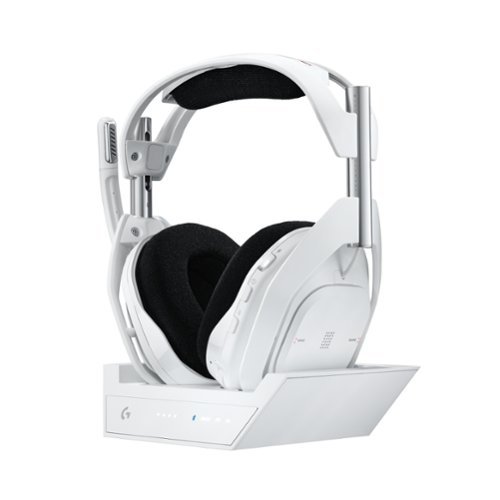
A50 X is made to play. The ultimate gaming headset is upgraded with breakthrough innovations in audio and connectivity. PLAYSYNC Multi-system switching between 3 platforms at once. PRO-G GRAPHENE audio drivers achieve unprecedented clarity and response critical for in-game performance. Pro-grade LIGHTSPEED wireless delivers the highest levels of wireless performance including broadcast-quality wireless boom mic and wireless dual-device mixing. HDMI 2.1 Passthru delivers Ultra HD resolution for the highest levels of console audio (24 bit) and visual fidelity (4K 120 Hz). Battery lasts for up to 24 hours of playtime with the ease of wireless charging. A50 X is a breakthrough in design and engineering for the ultimate gaming audio experience.
Customer Rating

5
Bringing them together. Needs extra cables!
on March 3, 2024
Posted by: DavidJr
Finally, the Astro A50 for all the gaming systems. Not just one or the other, but literally Xbox, PlayStation and PC all in one. Then, to add on to that, it also has Bluetooth support so you can connect your phone or any other device as well. I do find it kind of odd that is says “+Base Station” because this headset will not work without it, so it is kind of essential and not really a “plus” or additional thing.
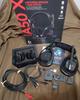
One thing to keep in mind, if you intend to use all these systems, you will need 1 additional HDMI and 1 additional USB-A to USB-C cable. It acts kind of like a receiver on its own where you hook HDMI from your Xbox/PlayStation to the base station, then HDMI from it to your Monitor/TV and then USB from the PC/Xbox/PlayStation for the rest of the audio settings. However, it has the split power/USB that works for the PC and one USB-A to C cable for 1 other device. Considering you also need to access the base station for charging, this might entail a fair bit of new wire management for you.
Once you have it all connected, to switch from device to device is simply a press of a button on the headset. Which can also be an accidental press taking you out of your game completely as it switches the video source as well for the consoles. Also, the Bluetooth option is actually to the base station. So, it’s not like you can just use these headphones around the house and keep listening to the phone in your pocket as it doesn’t have the greatest range. However, for your normal sitting at the PC/Console playing games, this headset is amazing. What could make it even better is if you could listen/speak to 2 sources at once, like Xbox/PC, but having the Bluetooth play along the whole time is a neat feature. Also, the microphone is 1 device, so if you are talking over Bluetooth on your phone, you are not able to talk over any other device at the same time. At least you can hear both though.
Sound quality on these is ear tickling. Literally the bass on these things along with the clarity is amazing. The 3D audio support with Dolby Atmos is spot on. The cloth ear cushions are comfortable, but don’t provide much for passive noise canceling though. But, if you like that open air feeling, these have that. Microphone quality is sharp and clear and the mic is flip-up to mute, however there is no feedback like a tone to let you know when it is muted unless you flip all the way up to the point it locks in place.
Overall, besides needing to find extra cables and managing the cables around the little base station, this is what I expected the Astro A50 to be capable of. The video of your PC still has to go through its normal connection, but the 4K 120hz of the other ports brings you down one connection essentially and makes swapping between them super simple. With the day long battery life too, this is for non-stop gaming.
I would recommend this to a friend!

Share this review:


+1point
1of 1voted this as helpful.
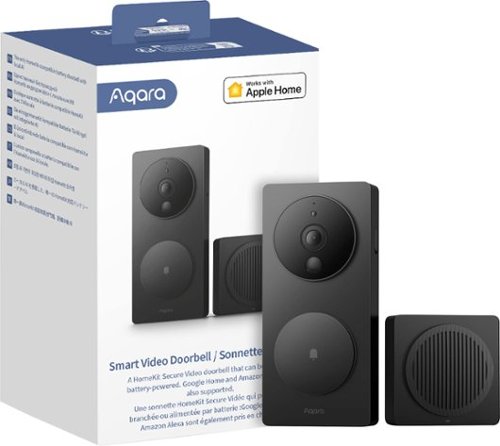
Aqara Smart Video Doorbell G4 is a unique video doorbell that can be wired or battery-powered. It is also the first battery-powered option to work with Apple~s HomeKit Secure Video and supports streaming to Google and Alexa smart displays, featuring local AI used for facial recognition alerts, automations, and much more.
Customer Rating

4
Ding Dong, or whatever sound you want!
on March 3, 2024
Posted by: DavidJr
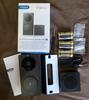
This doorbell can replace your current doorbell or become one that you don’t already have. Powered by 6 x AA batteries or use those batteries as backup in the case of power loss if you replace your standard doorbell. Fairly simple to set up, even without the directions ever mentioning how to hook the wires up for the power. Which is only 2 wires and it doesn't matter which terminal it connects to. Like their other products though, you have to have the app for installation and for some reason, they believe everyone has USB power for everything.
Installation has you set up the hub first, which becomes the actual bell, or whatever ringtone you decide to upload to it, and is what provides the connection to your Wi-Fi and the port for a micro-SD card. Again, it comes with a USB-A to USB-C cable, so you have to provide your own adapter for it and the cord is kind of short. But, once it is set up, you connect the doorbell camera and you are ready to go.
The installation of the doorbell itself is pretty simple, it has a small screw on the side that removes it from the base and the base is what you screw or stick to the wall. However, the base is plastic and bends easily. Trying to install it with the tiny screws it comes with leaves it feeling not very secure. If the base was metal and they gave the option for stronger screws it would have made the build feel stronger. However, with it all being plastic, it just feels like something you might be replacing in a few years with it being exposed to the weather. With that, it does not have a typical IP rating and expects you to have it installed under a porch or awning. So far we have only had a little rain and it has had no effect on it. But, if your installation will be direct in the weather all the time, this might not be the best option.
By default, once everything is set up, it will record the interactions with the doorbell and store it on the cloud for up to 7 days. You can increase this amount through their monthly or annual plans. You also have the option to use up to a 512GB micro-SD card in the bell device which allows you to record up until the storage capacity you have installed. Also, the free plan only records at 360p, which is still enough for most situations. With the doorbell connected to power, you can also get additional recording before doorbell presses, with facial recognition and loitering.
The facial recognition is interesting and you can let it detect faces and you put names to them or you can actually take images beforehand and set them up. It helps with the notifications and can be used for additional automations with other devices.
Overall, this is a simple to set up and interesting smart video doorbell. It has a fair bit of customization and if paired with the Aqara smart lock allows you to also unlock the door while watching the live feed. The build quality feels a bit cheap and the lack of weather proofing could be a possible issue down the road. However, it’s a decent system.
I would recommend this to a friend!




Share this review:


+1point
1of 1voted this as helpful.
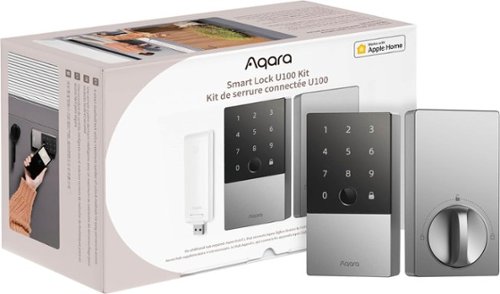
Say goodbye to the hassle of fumbling with keys and welcome the seamless experience of unlocking your door with a simple touch of your iPhone or Apple Watch. By also fully supports the Apple Home app, including guest access code, gaining entry to your abode has never been easier or cooler. Even if there's a power outage of your Apple devices, you can still tap your device and enter your home effortlessly.
Posted by: DavidJr
I have never seen a smart lock with so many unlock options. This one has your typical pin option, but also fingerprint, NFC, Bluetooth, Wi-Fi remote and physical key. You can pick and choose what you want enabled, but it has them all. On top of that, the touchpad is touch sensitive and the prompts are in the language of choice, not just tones.
Set up is for a single deadbolt style lock and is pretty simple to install. I almost thought I lost 2 screws for the final step of install, only to realize they are in a small white bag, easy to blend in with everything else. There are no instructions in the box though, you have to get the app and follow the process through it. It is step for step and offers some video clips to help follow along. Once installed though, it kind of just drops you off to go through the app and figure the rest of it out. However, it is pretty straight forward in adding users or guests and with the different types of connections.
If you want to use the lock remotely or with other 3rd party devices, you have to connect and set up the included Hub E1. Like other Aqara devices though, you need a USB-A adapter or port to power it. It is kind of an awkward device because it is like hooking up a Wi-Fi dongle, but with whatever power adapter you happen to have. Using the same app, setup is simply scanning the QR code and entering your Wi-Fi details. The door lock will still function without this, however, like I mentioned, if you want remote notifications or the ability to manage your lock remotely, you will need it.
I am shocked this works off of just 4 x AA batteries and it claims up to 8 months of charge with the average of 8 fingerprint entries a day. I haven’t had it that long to find out, but being AA batteries, that is not too bad to replace. In the ultimate worst case, if you forget to replace your batteries there is still the ability to use the physical key or you can use a USB-C cable to the bottom of the lock attached to any device that can provide a charge and you can use the normal digital functions to get in.
So far it has worked without issue except one case and I can’t get it to repeat. No idea what caused it, but for some reason it was not registering the fingerprint or pin and after 10 failed attempts, it locks you out for 30 minutes by default. However, you can still use Bluetooth, the physical key or remote option if you have that enabled. Being that my phone was in my pocket, Bluetooth was simply logging into the app and holding to unlock. I assume since it was my son trying to get in and he hasn’t used it much yet, it might have just been placement of his thumb that caused it to see a failed attempt too many times and when I attempted the pin it was already at 10.
Overall, this is a pretty solid lock with plenty of options to suit anyone on how they would like to unlock their door. With auto-lock feature that is still listed as beta, voice notifications and push notifications, you can feel safe that your door is locked. Combine this with other devices and you feel in control.
I would recommend this to a friend!


Share this review:


+1point
1of 1voted this as helpful.
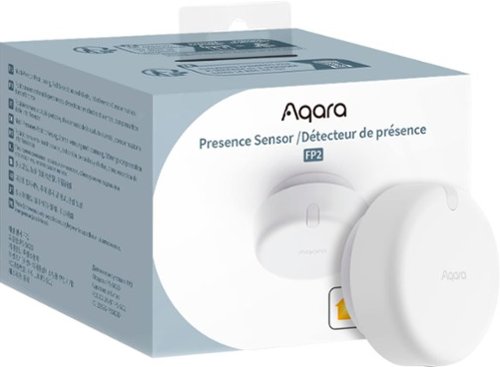
Aqara Presence Sensor FP2 uses cutting-edge millimeter-wave radar technology, which can accurately detect the presence of people even with slight movements. This technology ensures continuity and stability of the smart device. It also has the function of zone positioning, which allows for the automation of different conditions in different zones, such as beds and tables. One space can now be divided into up to 30 small zones and recognize up to five targets (Multi-person Detection). It can also control other smart home devices through ecosystems such as Apple Home to achieve wider applications. It features functions such as human fall recognition, sleep monitoring and a built-in light sensor. Likewise, it is a great helper that can truly combine the diversity of the user's home life and realize the automation of different personalities.
Customer Rating
4
If you’re really into programming automation
on March 1, 2024
Posted by: DavidJr
We’ve all seen those sci-fi movies where the guy walks into a room and lights come on in specific areas as they move around the room. Well, this is one of the many devices that you will need to do something like that. Of course, it will also need all the other internet enabled things that can work with the automated systems like Apple HomeKit, Amazon Alexa, Google Home and IFTTT. But, this is what can help send the automated signal to the system because it knows where you are.
This device is small and simple, the complicated part comes in when you want to make use of it and set up all the automation. Like, if you want it to push notification of presence in the space, then you need to set that up with the If/Then automation. The one thing I don’t get, along with other Aqara products, why is everything USB and no power adapters included? I guess along with phones this is a new thing that we have to start working around. Then, on top of that this comes with a 2 meter USB-A to C cable, but to use some of the features you need to mount it to the ceiling, so if you want to do that, you will need to find a longer USB-C cable as well.
Provided your power is available nearby, setting the device up is pretty simple. Just mount what is essentially a washer on the wall and the device magnetically attaches. It is simple enough, but personally I would like something more firm/permanent. Then, with the app, you connect to the device and set everything up. This includes walking around the zone so you can set the bounds and configuring the zone to match your environment. Then it all comes down to adding your other devices and building your list of automations. This can be a slew of things like turning on lights, audio or whatever you want through fairly simple If/Then scenarios.
Personally, I don’t have much use for something like this. But, if you really want to create that sci-fi hands free type environment for your house, then this will get you another step closer.
I would recommend this to a friend!

Share this review:


+2points
2of 2voted this as helpful.
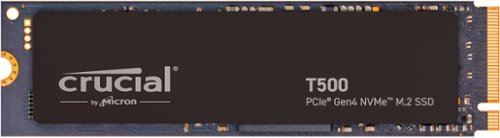
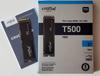
Fuel your system performance with the Crucial T500 Gen4 NVMe SSD. Experience faster gaming and amp up your creative potential with an SSD that moves as fast as you need it to. Heavy tasks are no problem with better performance to power efficiency, and the T500 works with your laptop or desktop.
Posted by: DavidJr
This drive is insanely fast. I think the only way you can get faster is if you have a PCIe 5 system and drive. With my out of the box testing, it still came up faster than other drives I have had, but like they even state in the small print “System variations will affect measured results.” I’m sure there are other settings I could probably change on my system to try and get the results higher, but this is already twice as fast as my older 512GB drive and of course the capacity. It is so hard to fathom 2TB on something so small.
As with any NVMe drive, installation is pretty straight forward. A single screw for most computer systems, some just a clip. Of course, pending what you intend to use the drive for makes the rest of the process dependent on what you are doing. If you intend for this as a main OS drive, if you have the second slot, cloning the main drive first saves so much time and effort. As a secondary drive, just mounting it and assigning a drive letter and you are up and running.
Overall, this is what I expect from Crucial, a company that has been in the memory business for 25 years. Now to fast forward time 5 years or 1200 TB written and see how well this drive stands up to time and use. It certainly will get the data usage there faster than my old drive.
I would recommend this to a friend!

Share this review:


+1point
1of 1voted this as helpful.
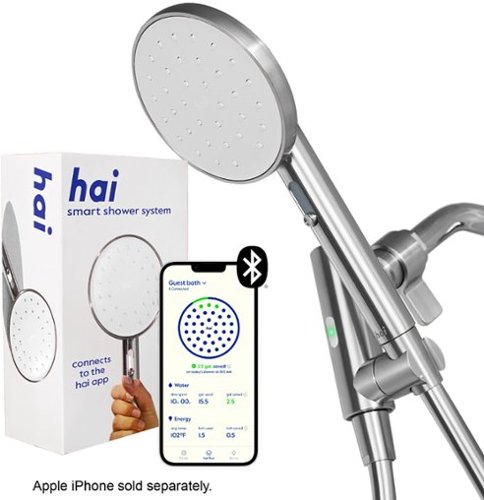
Say hai to a smart sustainable showerhead. Water-powered Bluetooth technology connects to the hai app, helping you track your water usage - no batteries required. Save water with customizable LED alerts, indicating when the water's reached your perfect temperature and when you're at your set water use target. A specially designed patented spray slider makes it easy to adjust between a high-pressure stream to a steamy fine mist. hai features more coverage than the average showerhead and is perfect for low-flow environments. Constructed with durable, high-quality, stainless-steel materials and a smooth bacterial-resistance hose, hai can be mounted on the wall or used as a handled shower device. A 2-year warranty lets you buy with confidence.
Customer Rating
4
Mindful of your water usage
on January 11, 2024
Posted by: DavidJr
As for a showerhead, this seems pretty basic. It is a single head, rubber hose, basic stainless steel finish with choice of color on the plastic parts. However, the special part is on the inside. Supposedly powered by the water, it can be connected to your smart device and used to track things like how much water you use and the temperature of the water. Making me realize how hot I usually run my shower. You also have a slider that adjusts the stream to a mist and the difference it makes really changes the style of shower.
One other thing you have a choice in is the GPM on the model. I went with the 2.5 GPM model and man does this thing push out some water. I feel that because of the amount of water, I actually take shorter showers than I usually do because I don’t have to build up enough water to fully rinse off. The app shows 20 gallons as the national average, so it shows anything under that as saved. I feel with the 2.5GPM, it is kind of hard to stay under that unless you literally hop in and out in 7 minutes or less. But, that is what this is for, to help you be more mindful of your usage. It also considers the temperature of 105 over 20 gallons as energy used, so slightly cooler and less time and you are essentially using less energy than average.
The app is the only way to get any details about your shower. It allows for some additional settings, like changing the light color based on gallons used and the temperature. This way you can see if the water is where you like it before you step in or can set it to alert you that you are going too high. There are some health tips and directions on how to clean it as calcium build up is a showerhead's worst enemy.
Overall, it is a unique shower head. Though the build of the main body feels sturdy, with the stainless steel, the rest of it feels a bit cheap. The rubber/pvc hose never really expands from the ‘out of the box’ loop and sometimes makes the head turn if you don’t push it in well. The slider for the stream is nice and really does change how the shower feels. There is a little time after you are done with the shower for the app to connect and download the data, but any other time you just have to wait till you take another shower. If you want to be more aware of your water and energy usage, then this can at least help in the shower department.
I would recommend this to a friend!



Share this review:


+1point
1of 1voted this as helpful.
DavidJr's Review Comments
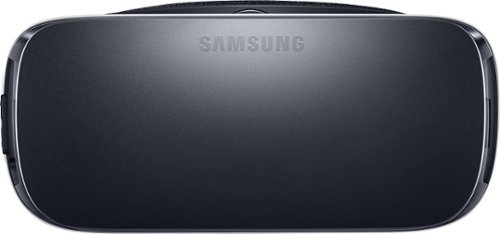
Samsung Gear VR for Select Samsung Cell Phones: Mobile virtual reality is finally here. Watch movies in your own private cinema, be at the center of your favorite games, and socialize with friends in a virtual world all your own. The lightweight design and intuitive touchpad drop you right in the action and allow for hours of immersive entertainment.
Overall 1 out of 5
1 out of 5Very unhappy about not getting the GearVR programs
By Sunshower
I tried many different ways to find out how to download the Gear VR programs by going to Samsung and Oculus online. All unsuccessful!!

DavidJr
Roanoke, VA
June 3, 2016
Once you connect the Gear VR to the phone it starts a download for the software. There appears to be no other way to initiate the install. Once the Oculus software is installed, games and applications can be purchased through the application or from inside the store while wearing the device.
0points
0of 0voted this comment as helpful.
Samsung Gear VR for Select Samsung Cell Phones: Mobile virtual reality is finally here. Watch movies in your own private cinema, be at the center of your favorite games, and socialize with friends in a virtual world all your own. The lightweight design and intuitive touchpad drop you right in the action and allow for hours of immersive entertainment.
Overall1 out of 5
1 out of 5Need certain phones to use this.
By Donna
Wasn't told at time of purchase that certain phones were required to use this device. After purchase was when this was discovered. During this time we purchased a new home and was moving. After the move, tried to return the item because I didn't want to purchase a new phone. The only way the store would accept this return was to give me a gift card. I didn't want a gift card that I would most likely not use. Not happy with this policy at all. Also have made posts to FB in regards to your policy. I will not EVER enter your store again or make another purchase from you online. This is NOT how you treat a customer and expect more business from them.
DavidJr
Roanoke, VA
It is labeled on the box and the site details
June 3, 2016
It says on the front and back of the box, "Compatible with Note5/S6 edge+/S6/S6 edge" and anywhere you look online it says it as well.
+2points
2of 2voted this comment as helpful.
Samsung Gear VR for Select Samsung Cell Phones: Mobile virtual reality is finally here. Watch movies in your own private cinema, be at the center of your favorite games, and socialize with friends in a virtual world all your own. The lightweight design and intuitive touchpad drop you right in the action and allow for hours of immersive entertainment.
Overall 2 out of 5
2 out of 5I have problems getting my phone to sync with this
By Drestyle
When I put my phone in the unit it doesn't seem it. I keep having to pull it out and try again.
DavidJr
Roanoke, VA
June 3, 2016
What phone are you using and is it up to date? The Samsung Gear VR is only compatible with Galaxy S7, Galaxy S7 edge, Galaxy Note5, Galaxy S6 edge+, Galaxy S6, Galaxy S6 edge and a software update from your carrier is required for S6 edge+ and Note 5.
0points
0of 0voted this comment as helpful.
DavidJr's Questions
DavidJr has not submitted any questions.
![H&R Block - Premium & Business Tax Software - Windows [Digital]](https://pisces.bbystatic.com/prescaled/500/500/image2/BestBuy_US/images/products/6386/6386087_sd.jpg)
This H&R Block Premium & Business Tax software offers everything small business owners need to easily complete their personal and business federal and state taxes. It includes a free online chat with a tax professional, step-by-step guidance on hundreds of credits and deductions, and in-person representation in the unlikely event of an audit. The H&R Block Premium & Business Tax software provides assistance to small business owners, including creating payroll and employer (W-2 and 1099) forms and more.
Does H&R Premium & Business Software have 1120S (S corp) and 1040 forms / programs ?
Yes, S Corporation, 1120-S is included with the Business edition. 1040 forms are included in the Premium, so this has both applications in one package.

6 years, 7 months ago
by
DavidJr
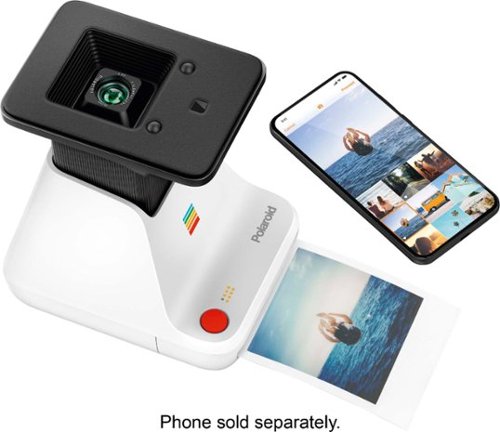
Convert your digital pictures into analog prints using this Polaroid Lab. The I-Type and 600 series film let you print photos instantly while the built-in LiIon battery is long-lasting and rechargeable via USB. This Polaroid Lab is compatible with iPhones operating with iOS 11 or newer and Android 7 and above.
What does it print on? And is that included? Also what is the cost for additional paper?
The Polaroid Originals - Lab uses Polaroid instant film that are listed for 600 or i-Type. None is included and the additional cost can be found by searching for "Polaroid Originals Film" of various styles but only for 600 or iType.

6 years, 10 months ago
by
DavidJr
Convert your digital pictures into analog prints using this Polaroid Lab. The I-Type and 600 series film let you print photos instantly while the built-in LiIon battery is long-lasting and rechargeable via USB. This Polaroid Lab is compatible with iPhones operating with iOS 11 or newer and Android 7 and above.
What is the number of prints ? what type of cartridges for ink? what is the cost for the ink refill?
The Polaroid Lab uses the the i-Type or 600 Polaroid film only. There are 8 pictures per cartridge. The chemistry to develop them is in the film so there is no ink to refill. The cost of the film can be found on the Polaroid site or searching other retailers for "Polaroid Originals Film" you can select from different styles but only those for 600 or i-Type.

6 years, 10 months ago
by
DavidJr
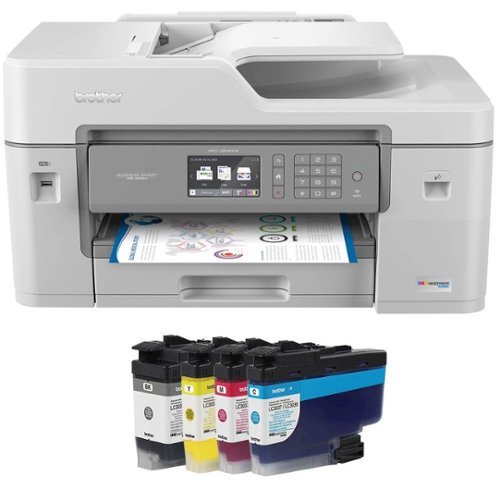
Brother MFC-J6545DW INKvestment Tank all-in-one inkjet printer offers print, copy, scan and fax up to 11" x 17" and feature cartridges that work with an internal ink storage tank to deliver up to 1 year of printing. Help take the guesswork out of when to replace ink by using the unique Brother Page Gauge, a visual, numerical way to know the amount of ink you've used and the amount of ink you have remaining. Includes mobile device printing, 11" x 17" scan glass, automatic two-sided printing and a 3.7" touch screen.
Does this printer print automatic front and back?
The Brother MFC-J6545DW does do automatic two sided printing. I have seen some reviews state that the Brother drivers had to be installed, but I had no issues printed double sided with the default Windows 10 drivers and my Android device.
6 years, 11 months ago
by
DavidJr
Brother MFC-J6545DW INKvestment Tank all-in-one inkjet printer offers print, copy, scan and fax up to 11" x 17" and feature cartridges that work with an internal ink storage tank to deliver up to 1 year of printing. Help take the guesswork out of when to replace ink by using the unique Brother Page Gauge, a visual, numerical way to know the amount of ink you've used and the amount of ink you have remaining. Includes mobile device printing, 11" x 17" scan glass, automatic two-sided printing and a 3.7" touch screen.
Can this model pull a stack of several 11" x 17" size paper through it's scanner, or does each piece of paper need to placed on the glass individually (manually one at a time)? Also, please verify that it does do color scanning.
The Brother MFC-J6545DW can handle up to 50 pages of 11x17 paper through the automatic document feeder. This is single sided scanning on the 6545.
6 years, 11 months ago
by
DavidJr
Brother MFC-J6545DW INKvestment Tank all-in-one inkjet printer offers print, copy, scan and fax up to 11" x 17" and feature cartridges that work with an internal ink storage tank to deliver up to 1 year of printing. Help take the guesswork out of when to replace ink by using the unique Brother Page Gauge, a visual, numerical way to know the amount of ink you've used and the amount of ink you have remaining. Includes mobile device printing, 11" x 17" scan glass, automatic two-sided printing and a 3.7" touch screen.
Can this Printer enlarge or reduce documents in 1% increments?
The Brother MFC-J6545DW can be set to reduce or enlarge at any custom setting between 25 - 400%. Default settings include specific page formats like letter to legal.

6 years, 11 months ago
by
DavidJr

Acer Nitro 5 Laptop: Experience immersive multimedia with this Acer Nitro 5 gaming laptop. The 8GB of RAM and Intel Core i5 processor support multitasking, and the 512GB solid-state drive offers quick data access and ample storage. This Acer Nitro 5 gaming laptop features an NVIDIA GeForce GTX 1650 graphics card that renders crystal-clear images on the 17.3-inch Full HD display.
How to upgrade hdd ?? I need guidance
Though it is not the exact same model, the process of installing the hard drive is very similar to this: https://us.answers.acer.com/app/answers/detail/a_id/63012
7 years, 2 months ago
by
DavidJr
Acer Nitro 5 Laptop: Experience immersive multimedia with this Acer Nitro 5 gaming laptop. The 8GB of RAM and Intel Core i5 processor support multitasking, and the 512GB solid-state drive offers quick data access and ample storage. This Acer Nitro 5 gaming laptop features an NVIDIA GeForce GTX 1650 graphics card that renders crystal-clear images on the 17.3-inch Full HD display.
I am looking to get this laptop but before I do I would like to ask how it dose with games like eso and wow and stwor
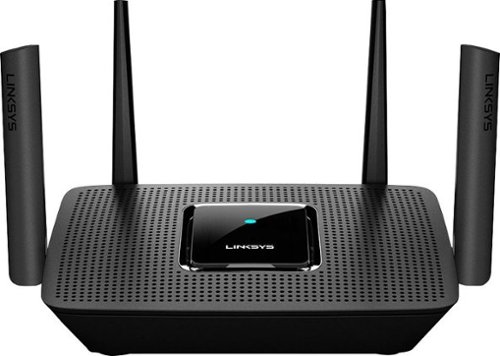
The MR8300 Max Stream~ AC2200 is a high-performance Tri-Band router. Perfect for households that thrive on entertainment, it delivers up to 2.2 Gbps of superior speed throughout your entire home. The Tri-Band and MU-MIMO technology make it ideal for simultaneous streaming of HD movies, online gaming, video calling and supporting all of your smart home devices. MR8300 also grows as your needs do. With its built-in mesh Wi-Fi, instead of investing in a new router, you can expand coverage by simply adding Linksys Velop~ Mesh Wi-Fi nodes for seamless Wi-Fi everywhere.The MR8300 serves as the master router and must connect directly to your modem to create your network. Sets up in minutes with the Linksys app.
Will this work with CenturyLink? I didn't see anything on this
It will work with any internet provider as this is a router, not a modem. Your internet provider can provide the modem, or compatible modems you can purchase, in which you can connect to this WiFi router for expanded connectivity.
7 years, 7 months ago
by
DavidJr
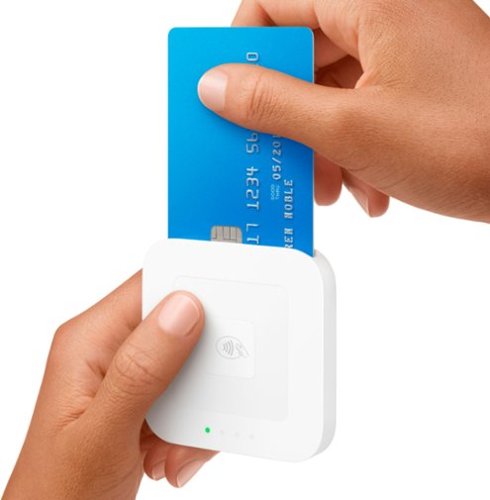
Accept every way your customers want to pay with the new Square Reader for contactless and chip~EMV chip cards, Apple Pay, Android Pay, other NFC payments, and magstripe cards. The reader connects wirelessly to iOS or Android devices with Bluetooth LE or with USB if you sell with the optional Square Stand. It works exclusively with the free Square Point of Sale app to take care of payments, tipping, inventory, reports, and more. Square Reader for contactless and chip comes with a free Square Reader for magstripe so you can swipe cards the old-fashioned way, too. Pay just 2.6% + 10~ per swipe, dip, or tap for Visa, Mastercard, Discover, and American Express, with no surprise fees. Square sends deposits directly to your bank account in one to two business days~or you can enable Instant Deposit for 1% per deposit to get your money in seconds. Get a Dock for Square Reader to anchor the reader on your countertop and keep it charged all day.
Can I use this reader with the Joist software program?
You can use the scanning software to scan the invoice or contract and then save it as an image or import through one of the other formats.
7 years, 8 months ago
by
DavidJr