


DavidJr's stats
- Review count364
- Helpfulness votes2,401
- First reviewDecember 8, 2015
- Last reviewSeptember 3, 2026
- Featured reviews0
- Average rating4.2
- Review comment count3
- Helpfulness votes2
- First review commentJune 3, 2016
- Last review commentJune 3, 2016
- Featured review comments0
Questions
- Question count0
- Helpfulness votes0
- First questionNone
- Last questionNone
- Featured questions0
- Answer count104
- Helpfulness votes221
- First answerDecember 9, 2015
- Last answerDecember 23, 2021
- Featured answers0
- Best answers34
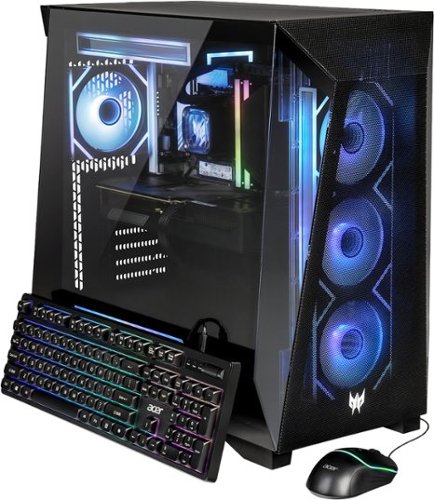
CRAFTED FOR THE ELITE. BUILT TO DEFY ALL LIMITS. - Some gamers play. Others dominate. The Predator Orion 6000 is built for those who refuse to settle ~ powered by Intel~ Core Ultra 7 265KF and NVIDIA~ GeForce RTX 5070 for lifelike visuals and AI-enhanced gameplay. Advanced liquid cooling keeps you frosty under full load, while Wi-Fi 7 ensures nothing stands between you and victory. Total domination. Zero compromise.
Customer Rating

5
A clean build that you can expand off of
on June 7, 2026
Posted by: DavidJr
This is one pre-built system that I feel is on par, maybe even better than what some people would try to build on their own. It’s not the “best of the best” out there, but for the price, you couldn’t build this on your own any cheaper. With that, it leaves all the room that you could ever need if you do decide to expand on your own for upgrades.
The motherboard is Gigabyte m-ATX B860M C with an Intel Core Ultra 7 265KF. It has 4 DIMM slots, if you choose to upgrade your RAM over the two currently installed Kingston Fury 16GB modules (32GB total). One PCI Express 5.0 x16 slot with the Gigabyte GeForce RTX 5070 Windforce OC 12 GB installed and three PCIe 4x1 slots. However, due to the size of the graphics card, you can only access one of them. The installed 1xTB M.2 NVMe drive is a Lexar SSD NQ7A1, not the fastest out there and only PCIe 4.0, in the PCIe 5.0 slot. But, should prices ever go back down, you could move that one to the available 4.0 slot and get a larger, faster drive as your main.
Built in Wi-Fi 7, 2.5GbE LAN and BLUETOOTH 5.4. One USB-A 3.2 Gen 2 and two 3.2 Gen 1 on the back, with 2 x USB 2.0 and a PS2 port if you have an older keyboard or mouse. It has one USB-C 3.2 Gen 1 5Gbps port on the front with a couple more USB-A ports there as well. There are also 4 SATA ports but no real place to install anything bigger than a couple 2.5” SSD as there are no larger brackets installed.
The case leaves a lot of room for future expansion if you choose to go with anything bigger. The glass side panel looks great with the shape and it just snaps in place, no annoying screws for either side panel if you want to get in and change something. The installed all-in-one CPU cooler and case fans match and you can cycle colors with a button on the top of the case for them all to match. It really tops it off with the added Predator logo in RGB as well.
The included keyboard and mouse are very basic. The backlit RGB on the keyboard actually makes it harder to see the keys in a dark room as you can’t see the letters. Also, don’t forget to peel the little protective film off of everything, to include the bottom of the mouse for smoother traction.
The included keyboard and mouse are very basic. The backlit RGB on the keyboard actually makes it harder to see the keys in a dark room as you can’t see the letters. Also, don’t forget to peel the little protective film off of everything, to include the bottom of the mouse for smoother traction.
Overall, this is a great mid-range gaming PC. Unlike some pre-built systems, this one leaves plenty of space for future upgrades. Out of the box, this is ready to connect to a monitor/TV and go. Fully capable of playing every game out there today at 1440p.
I would recommend this to a friend!





Share this review:


0points
0of 0voted this as helpful.
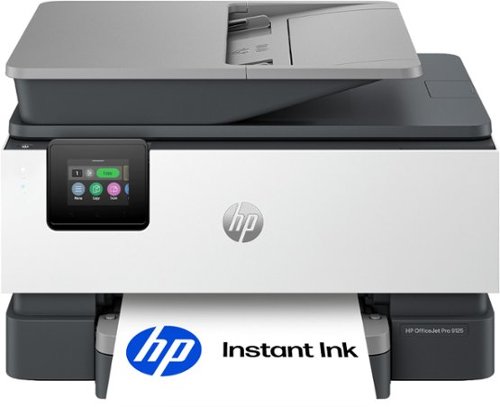
The HP OfficeJet Pro 9125 All-in-One Printer delivers fast color, fade-resistant prints, 250-sheet paper capacity, and duplex scan, copy capabilities plus fax, perfect for your office. Navigate this printer with the 2.7" color touchscreen and phone-like user interface. It includes wireless and printer security features to keep your multifunction printer up to date and secure, and is made with more than 40% recycled plastic content. Optimize print formatting with HP AI, that easily removes unwanted content from emails and web pages so your prints are just the way you want~no wasted pages or unwanted content. Subscribe to Instant Ink delivery service and get 3 months of free ink delivered directly to the door of your office. The HP OfficeJet Pro 9125 All-in-One also lets you print from anywhere with the HP app.
Customer Rating

4
Decent for small business if you monitor your use.
on May 31, 2026
Posted by: DavidJr
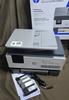
For an all in one inkjet, this is pretty decent. Colors are vibrant and sharp on prints. They are decently fast, especially if in black. Copying is not too bad, see the image below of a print test page and then the copied page in high detail. You can see most of the color holds up but some fine details are lost. It is easy to set up with QR codes to guide you to the guide and app, but you can technically do everything on the screen as well. You can set it up using WiFi or wired.
A lot of the additional features of this printer benefit from the app. You can use the app to camera scan, then print to the printer. You can use the printer to scan and use your mobile phone to fax. There are a bunch of printables if you just want to find something simple to maybe make a calendar or a holiday project. You can even set the printer to print from anywhere that you have an internet connection.
The one thing that is limiting is something I have mentioned before, is that everything is now a subscription. It’s not so bad, provided you use the printer at an average rate. The smallest plan is 10 pages a month and up to 700 pages a month. The good side to this is that provided you don’t print more than your selected plan per month, the replacement cartridges will be sent directly to you when they get low. Now, if you print more than your plan, you can up your plan, or pay extra per 10 pages at a set price. It is nice to have them sent directly to you, and technically it can be cheaper on ink in the long run if you are actively monitoring it. You at least get a free 3 month trial to see what type of usage you do have and possibly get replacements of the starter cartridges in that time.
Overall, it is a good printer and should work well for small office type situations. If you average about 100 pages a month, the color cartridges are about 800 pages, so every 8 months would be getting new cartridges. However, these are considered “subscription cartridges” and the moment your subscription ends, so too is the use of that ink. So, look at the prices compared to your usage and consider that in your budget for this printer as well.
I would recommend this to a friend!

Share this review:


0points
0of 0voted this as helpful.
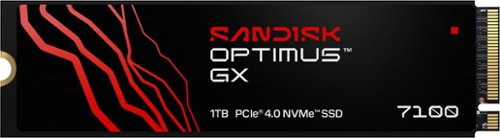
Game even faster with the SANDISK Optimus GX 7100 NVMe SSDs with PCIe Gen 4.0 boasting Sequential Read/Write speeds up to 7,250/6,900MB/s (1TB and 2TB models). Improve system responsiveness and help minimize game lag with Random Read/Write speeds up to 1M/1.4M IOPS (1TB and 2TB models) and integrated SANDISK nCache Technology. With a power-efficient architecture for laptops and handheld gaming consoles, conquer your gaming sessions or creative workflows while on-the go. Store more games and content with capacities up to 4TB on M.2 2280.
Posted by: DavidJr
So hard to believe how tiny these drives are now, let alone how fast they can be too. This one is pretty much on par with another one of my “Pro” drives with my only limiting factor being my motherboard. For my system, it is a pretty easy snap in place and then snapping of the heatsink over it. It is highly suggested to have some sort of heatsink system for these types of drives as they get hot quick. Most modern motherboards have snap in systems, laptops even have smaller thermal pad type systems. But, if yours does not, look into getting something to help distribute the heat better as that can ruin your performance and lifespan of the drive.
Once installed and powered back on I just needed to do a quick format through Disk Management on Windows and everything just works as expected. Having the extra space is pretty essential these days, but still surprising how quick you can fill up 1TB. There is a SANDISK Dashboard you can install from their site to provide more information about the drive, check firmware and enable game mode. Although, I personally did not see any real difference with that mode enabled as it was all just fast. A Crystal Disk Benchmark did give slightly higher random 4KiB Q1T1 read/write speeds than before enabling it, but slower Q32T1. But, only by about 10-25MB/s.
Overall, this drive is everything it claims to be with speeds and performance with a 5 year warranty.
I would recommend this to a friend!
Share this review:


0points
0of 0voted this as helpful.
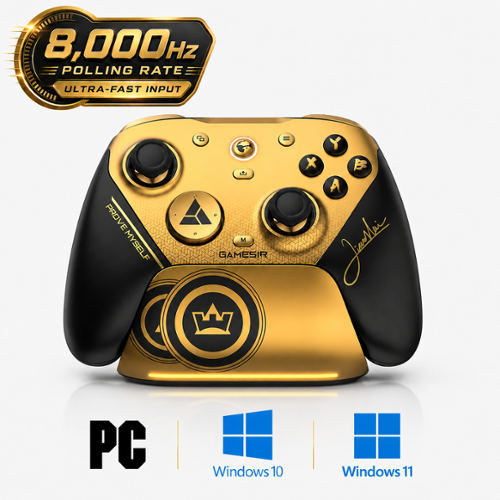
Introducing the G7 Pro 8K PC Champion Edition wireless esports controller~crafted for competitive PC gaming, co-created with world fighting game champion XiaoHai. Boasting 8K Hz wired/2.4G wireless ultra-responsive polling, it captures every move with lightning precision, empowering you with a true competitive edge.
Posted by: DavidJr
I am truly shocked at how much is in this controller compared to some others that cost nearly twice as much. The only thing is that this particular one is PC and Bluetooth devices only. Also, I had to look up who the signature even is, but it still looks unique. You can still go on their site and order different faceplates if you want to really change things up. Personally, I wish it didn’t feel uncomfortable with the magnetic pieces off of it. Because I like the see-through design underneath it.
This has the TMR Gen-2 thumbsticks, so highly unlikely to start drifting, but giving you the tools to calibrate and refine the deadspace even more. The Hall Effect triggers feel really smooth, giving refined sensitivity but you can flip the switch and make them instant micro-switches. Along with all the other buttons being micro-switched as well. They feel like clicking a mouse or some types of keyboards.
There are 4 paddle buttons, though the R5/L5 being by the bumpers is a change up compared to what I am used to. It’s not bad, just different. However, it can allow for 2 functions with 1 finger rather easily. On top of that, with the GameSir Connect app, you can remap most of the buttons to be whatever you want them to be. You can set them to be usual mouse buttons, keyboard keys, keypad keys, any of the other controller buttons or build 32 steps macros into the buttons. Tired of that one game process that requires you to open the menu, click a button then another button just to activate something. Now, you can just program it to one of the buttons and make it a single click.
How about those games where you have to spam a certain button over and over?
Well, by holding the M button, then pressing any of the standard buttons, you can have instant turbo at 3 different speeds pending the cycle of the main button. It does not work for the added paddle buttons, however, you can just set those to a macro of the same button and enable the loop through the Connect software.
The reason it doesn't work directly on the paddles is because that is how you can quickly map a new button or macro to them as well. For example, hold the M button, press R5, then press ↑ ↑ ↓ ↓ ← → ← → B A Start, then the R4 button again and you have your favorite cheat code saved to R5. Of course, that is just an example, but fun that it can be done just like that.
In comparison to other controllers of the same style, this one feels slightly smaller and lighter, but stacking them together, it must be ever so slightly. It is still comfortable for many hours that I have put it through this week.
A few other things, it has a built-in 3.5mm audio jack with a quick mute button and LED to show. However, it is just opposite of the pairing button, so it's easy to get confused. It comes with interchangeable D pads, so you can pick your preferred style. It has a plastic piece on the USB-C port that is great supporting the included USB cable, of matching color, to prevent that common wear on those ports. However, if you use any other cable, it might not fit. The good thing is, it can be removed. There are also switches on the bottom to lock out the R4/L4, in case you don’t want to accidentally keep clicking them. Oh, and as I am wrapping this up, I forgot it has gyro motion as well. So, with whatever button you set up for it, you can just tilt the controller to do fine motions that could be twitchy with your thumb.
Overall, I am truly impressed by what all this controller has to offer. This particular one is not branded for consoles, probably because of the built in turbo functions. But, for PC and many other Bluetooth devices, it works perfectly.v
I would recommend this to a friend!



Share this review:


0points
0of 0voted this as helpful.
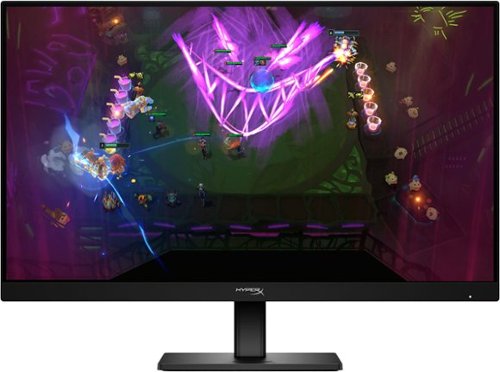
Level up with the HyperX OMEN 24 G2. This 23.8" 180 Hz FHD gaming monitor delivers smooth, factory color calibrated visuals at 1ms response times in a compact design that fits any setup. Perfect for players looking to jump into the world of gaming monitors with speed, clarity, and reliability.
Customer Rating
5
Decent colors, no reflection
on May 7, 2026
Posted by: DavidJr
For a 23.8” monitor, the details look sharp, the colors look vibrant and the black levels are pretty good. The finish of the screen is matte, preventing practically any reflection. However, bright light does diffuse making some things hard to see. The viewing angles are fairly good so long as you are not coming at it from too steep of an angle. Then you can really notice things getting washed.
For a gaming monitor, it has most of the typical things. Color presets based on common types of games, a refresh rate display, a crosshair and built in timer/stopwatch and the 180hz. The settings are all controlled with the little directional pad on the back and has 2 levels. There are the quick settings for most options, like disabling/enabling those mentioned above. Then there is the deeper level that lets you customize even more. Like the crosshair for example lets you change the style and color.
It has two HDMI and one Display port and the PC sees the audio as OMEN 24 G2, so you can plugged 3.5mm headphones straight into the monitor. The included stand works well giving height adjustment pivot and tilt. However, the one thing that I find odd is that the standard mounting is turned 45 degrees. This means if you are using your own wall/desk mount, then it has to be installed at an angle. Depending on your setup, this could limit your full 90 degree rotations as it is already at 45. For me, since I don’t rotate my monitor all that often, it is not a problem. But with the limit stop on my mount, I Can not only move it 45 degrees in either direction unless I take it off and rotate the mount 45 degrees back to level it out.
Overall, it is still a very viable monitor for Full HD gaming. It’s not meant for the bleeding edge systems where you have to have it all, but enough to notice a difference from a standard monitor.
For a gaming monitor, it has most of the typical things. Color presets based on common types of games, a refresh rate display, a crosshair and built in timer/stopwatch and the 180hz. The settings are all controlled with the little directional pad on the back and has 2 levels. There are the quick settings for most options, like disabling/enabling those mentioned above. Then there is the deeper level that lets you customize even more. Like the crosshair for example lets you change the style and color.
It has two HDMI and one Display port and the PC sees the audio as OMEN 24 G2, so you can plugged 3.5mm headphones straight into the monitor. The included stand works well giving height adjustment pivot and tilt. However, the one thing that I find odd is that the standard mounting is turned 45 degrees. This means if you are using your own wall/desk mount, then it has to be installed at an angle. Depending on your setup, this could limit your full 90 degree rotations as it is already at 45. For me, since I don’t rotate my monitor all that often, it is not a problem. But with the limit stop on my mount, I Can not only move it 45 degrees in either direction unless I take it off and rotate the mount 45 degrees back to level it out.
Overall, it is still a very viable monitor for Full HD gaming. It’s not meant for the bleeding edge systems where you have to have it all, but enough to notice a difference from a standard monitor.
I would recommend this to a friend!


Share this review:


0points
0of 0voted this as helpful.
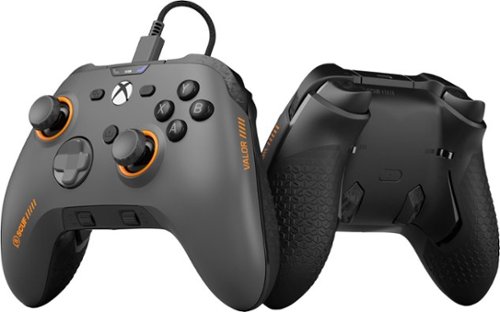
Valor Wired TMR pushes performance on Xbox with optimized ergonomics and game-changing features. Stop sacrificing your aim. Keep your thumbs on the thumbsticks while you jump, slide, reload, and more. Our new Endurance TMR thumbsticks are designed to feel familiar while still alleviating common symptoms of wear and tear. The wraparound bumpers are designed with more surface area allowing faster transitions between bumper and trigger. Elevate your audio controls by effortlessly managing all your sounds without taking your hands off the controller. A non-slip grip helps during those high intensity situations while the new shape fits naturally in your hands for comfort.
Posted by: DavidJr
I was able to use the SCUIF Valor Pro Wireless before this one and besides only being wired and about 40g lighter, it has all the same features. The TMR thumbsticks are super smooth and responsive. It comes with two different thumbstick versions to swap out. The triggers can switch from analog to digital. You can have 3 built in profiles then quickly switch between different programs on any of the buttons and have different response and dead space for each profile. It also has built in 3.5mm audio with two volumes for chat and game audio with click to mute.
The way the 4 paddle buttons are on the rear of the Valor controllers is really comfortable and quick for me. It’s like my finger easily rests between the two and makes reactions so much quicker. If you don’t want all 4, you can pop the two middle ones out and replace it with the plastic caps included. Leaving only the two grip buttons if you choose so.
The Valor Pro Companion App is where you can customize everything. I don’t like how it has to run like a fullscreen Xbox app on the PC. But, it really lets you fine tune everything. You can pretty much reassign most of the buttons/triggers to be any of the other buttons if you really want to make things your way. Nice if you have a game that doesn’t have in game way to remap them.
The feel and design of this controller sits well with me. I have played many hours of various games with it and any time I pick up my basic controller, it makes me realize how much I have grown used to using the paddles. They just feel so natural and make some games all that much easier, like not having to let go of the thumbstick to jump and still rotate your shots.
Overall, comparing this with the Pro wireless version, there is nothing physically different other than weight. Of course this one is only wired with the USB-C cable for PC and Xbox, but for me, that is how I prefer to use it anyways. Solid performance and overwhelming customization.
I would recommend this to a friend!




Share this review:


0points
0of 0voted this as helpful.
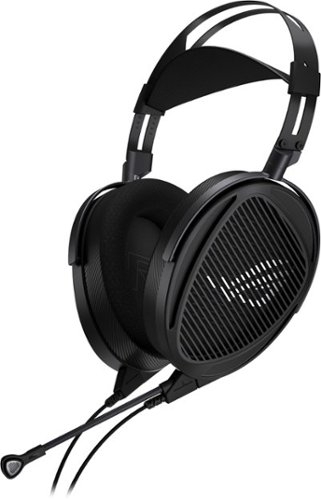
The ROG Kithara features 100mm ROG-tuned HIFIMAN planar magnetic drivers with an extended frequency response of 8Hz to 55kHz. The open-back design creates a vast and natural soundstage with precise separation. The detachable full-band MEMS boom microphone ensures lifelike voice reproduction for gamers who also demand audiophile-grade communication.
Customer Rating
5
Open back, crisp and clear
on March 19, 2026
Posted by: DavidJr
I’ve never really been a fan of open back headphones because I like to isolate myself. I don’t want to hear my typing or the A/C kick on. However, one thing that is unique to openback headphones is that they make the sound feel more natural. Like it is coming from outside and not right beside your ear. Then it really makes me question other sound effects, like was that something that actually fell in my room or was that the game?
These ASUS ROG Kithara headphones are quite the beast compared to most of the other ones I have tried recently. They are only about 4g heavier than the mostly plastic built ones I use, but in hand, they just feel hefty. Once on the head, I don’t notice much of a difference and they have a wider earcup than typical. The headband across the top is pretty comfortable as well and not just a thin strap like so many. I do wish the adjustment part of it was a little more tight as I often find myself clicking it out of position when I go to adjust or when picking them up. But, it is easy enough to move it back to fit.
In the box you get 2 different wires. One is cloth braided and has a microphone attached, the other is just open braided and has a unique end to it, but no microphone. The unique end lets you screw attach one of the three 3.5mm, 4.4mm. Or 6.3mm plugs to it. This is just for straight listening to whatever device you want. Then, you also get a USB-C to 3.5mm adapter that makes it easier to use on most modern day electronics. You can even just plug it into your cellphone and it works. My USB A to C adapter on my old hub didn’t work out so well, as it seems to need a bit more power than what it could handle, but pretty sure that is just an issue with my dated equipment there.
These headphones are certainly crisp and clear though. Doing an audio range test felt smooth all the way through. However, part of being open back is that the volume seems soft. So, depending on the environment you are in, you might feel like they are not loud enough. With the cloth braided cable with microphone, you do get a volume slider and mute switch right where the cable combines. However, sometimes I felt like I wanted to turn it up just a bit more and there was nothing that I could do from my computer to make that happen.
Another thing I felt is missing, but seems to be common with open back headphones, is not having that punchy bass feel. Despite still hearing bass down to 10hz in the test, in regular audio listening, I just didn’t feel it. But, listening to high quality soundtracks, I felt like I was hearing every single tinge of a sound instead of it feeling muddled into one. That is where the planar magnets make the difference. This is where they really shine too. As the audio really sounds accurate to everything.
As for the microphone, it works, but not the best. It doesn’t have any built-in cancellation, so it picks up everything and sounds a bit hollow to some users. But, it does make it a headset instead of just headphones. If you are really into the audio, it would be best to have a standalone mic. However, since I’m not producing any videos myself, it is great for being able to talk to others while I’m listening to every single leaf rustle by me in the game.
Overall, these headphones are amazing. Crystal clear and very defined audio. I have literally had to check over my shoulder while watching some shows to make sure the audio was not really in the room with me. Also, be sure to check the bottom of the box for the other set of ear pads. It’s not so obvious they are underneath all the packaging.
I would recommend this to a friend!
Share this review:


0points
0of 0voted this as helpful.
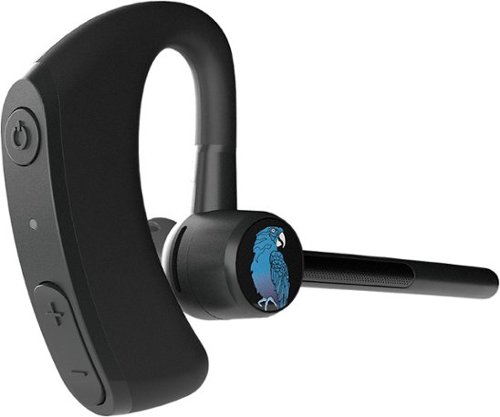
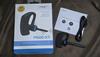
The BlueParrott M300-XT SE Bluetooth driving earpiece headset is designed for superior calls in high-noise environments. Featuring 80% noise cancellation with 2-mic tech, our earpiece for drivers provides 14 hours of talk time on a single charge for those who work long shifts. Our ultra lightweight earpiece weighs just 0.7 oz., making it an excellent option for those who work on the road delivering packages, food delivery drivers, taxi drivers, ride-share drivers, limo drivers, and anyone who drives for a living. In addition, our driving headset earpiece is reversible so that you can wear it on whichever side you prefer. With a wireless range of 300 feet (100 meters), our blue tooth headset for work ensures you can leave your phone in your vehicle as you're dropping off orders, ideal for local truckers, remote workers, or anyone on-the-go. Our hands-free call earpiece with mic provides IP54-rated protection against dust and water, making it a rugged and comfortable accessory for your work mobile phone. And while you're on the road, you can instantly mute calls, speed dial a preferred contact, or Push-to-Talk with your colleague using our customizable BlueParrott Button. Simply program it with your most-used function for instant access without taking your eyes off the road. The wireless earpiece pairs with up to 8 devices, with 2 simultaneous connections, and provides 420 hours of standby time.
Posted by: DavidJr
Like most of BlueParrott’s products, they are all about helping those keep hands free calls in what could be really noisy environments. This one, I would say is more for mild noise canceling on your side of things though. It does great keeping the noise down for the one you called, but I personally do not like the way it sits in the ear. It is lightweight enough to not bother the ear much for long use. It’s kind of like a thicker hearing aid. But, the shape of the in-ear piece, no matter which size I used, just did not create enough of a seal for best volume.
With that said though, this meant I could hear the environment around me more. Provided the area is not too loud, the headset puts out a decently high volume that I could hear audio just fine. It just did not create a seal like most in-ear headphones would. Again, for a regular work environment, this is a good thing.
Functions are simple with only 4 buttons, one being the outside “BlueParrot Button” that you can program with the BlueParrot app. It can be used for Answer/end call, Mute, Battery Status, Voice control, for a third party app like different providers PTT function, or as a button to activate the assist on a second BlueParrot device. You can also mute the call by flipping the microphone up and it can be rotated completely around to go on the other ear.
Battery life is all dependent on usage. They state up to 11 hours of talk time, this could go for audio listening as well. But, with a few calls here and there, this thing can go days without a charge. With it just being USB-C to charge, it makes it pretty easy to charge up anywhere as well.
Overall, this is lightweight, great for long days and decent noise cancellation for calls. The way it is designed it does not cancel noise for you, but is decently loud to make up for it. Makes for safer user awareness though.
I would recommend this to a friend!
Share this review:


0points
0of 0voted this as helpful.
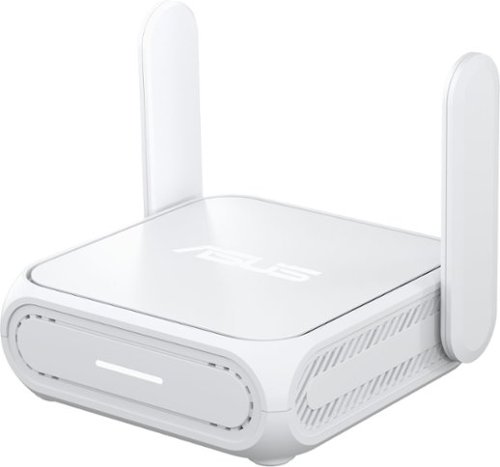
Power up your on-the-go Wi-Fi with ASUS RT-BE58 Go ~ the ultimate Wi-Fi 7 travel router! Whether you're backpacking through a city, cruising on the open sea or working remotely in the airport, its versatile connectivity options, commercial-grade security, advanced VPN support and multi-SSID settings keep you and your crew connected anytime, anywhere!
Customer Rating
5
Portable and ready to go
on January 22, 2026
Posted by: DavidJr
I wouldn’t use this as a complete home device, but more of what it is built for is a couple devices while connected to another network. As with anything technology, speeds may vary depending on how something is used. For instance, wired to a WAN connection, and wired to the device often gets more reliable speeds. But, using this router in Wireless Internet Service Provider (WISP) mode might not give you the full ISP connection as you are sharing the wireless bandwidth. Meanwhile, using the 4G/5G tether mode will limit speeds to that of your phone.
With that said though, this thing is perfect for either a distant access point that is meant for a couple devices to extend the range of your home router or as I see it more reliable as your own personal safety router. Using public WiFi is always risky, but with this, you can put it in WISP mode and now be behind your own IPS with AI protection.
There are several ways to get the WAN connection. You can use the 1Gbps ethernet port, you can use the WISP mode mentioned where you can connect to a 2.4Ghz or 5Ghz wireless connection and there is 4G/5G tether where you can connect your phone via USB. You have to enable tethering through USB on your device and it will take other methods as priority if they are available. But, if there are no other methods, then you can enable it under the WAN settings on the app and it will fall back to it.
This is a full blown router through and through though. With all the features you expect of a router plus some. You have family controls to help restrict content and protect from ads. You have time scheduling, even with a reward system to give extra time to specific devices. You have Trend Micro AI protection to stop so much more. You even have VPN options where you can connect direct to a VPN from the router or use your router as a VPN back to your network.
One unique feature is a small switch on the side of the router. It’s not so obvious how to use this switch from the directions or even in the device. By default, it has no function, till you set it via a web browser connection or the Asus router app. In the app the only place to find it is to click the router information at the top of the main page. Here it shows connected devices, router information, the toggle for the LED and the switch options. In a web browser by IP, it is under Administration > Multi-Function Button tab at the top. The switch can be configured to turn the LED on/off, enable/disable the guest network, turn on/off the WiFi network, turn the VPN connection on/off or switch between profiles like WISP or ethernet.
To make things even more portable, you can also power the router with any USB-C power source, like straight from your laptop or other device charger, so no need to carry the extra charging cable if you have other means.
To make things even more portable, you can also power the router with any USB-C power source, like straight from your laptop or other device charger, so no need to carry the extra charging cable if you have other means.
Overall, if you travel a lot and want an added layer of security and personalization, this is the way to go. You have multiple ways to get a WAN connection and then keep your own personal WiFi or wired connection wherever you go.
I would recommend this to a friend!




Share this review:


-1point
0of 1voted this as helpful.
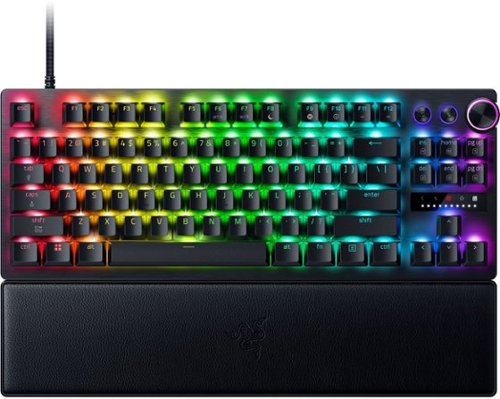
Blitz through the competition with our fastest, most responsive analog optical keyboard~designed with and made for pros. Supercharged with 8000 Hz HyperPolling, Razer~ Snap Tap, Rapid Trigger Mode, and adjustable actuation, play like the world~s best with hardware that meets their highest demands.
Customer Rating
5
Careful not to breath on it
on December 25, 2025
Posted by: DavidJr
This is the first time I have ever used a keyboard like this and at default setting, it just feels like a typical keyboard with smooth keys. But, once you try one of the other presets or install the Razer Synapse software, wow.
This keyboard can be set so sensitive that you could practically breathe on the keys and they would trigger. Talk about making a bunch of typos as it really takes a bit of getting used to because at high sensitivity setting, you can’t even rest your fingers without triggering a key.
The way this keyboard feels and reacts, it is hard to explain. It is something that you have to try for yourself. Every key is treated like an analog key and depending on your settings it can act just like the analog triggers on most gaming controllers. So, like accelerating in a racing game, there is no need to tap, tap, tap your acceleration key, just let off of it just a bit. Instead of that digital turning of snapping every time you tap the key, you can set WASD to act like a thumbstick and move smoothly.
Then the mode that some E-sports consider cheating. The rapid trigger option that makes it so that the moment you move upwards on a key, you can trigger it down again. Making it so that you can rapidly tap on your keys without ever coming off of the key.
The Razer Synapse software is needed if you want to change anything specific. Most of the settings can be saved to the local memory of the keyboard, so you can use it on another device without the software. However, there are various settings that require the Synapse software to be running, otherwise the setting is not going to function.
There are unique situations in which I would use the vast majority of the features of this keyboard, so it is a bit overpowered for the average user. But, if you want that analog optical triggering that you aren’t going to find on most common membrane or mechanical keyboards, this is certainly one to get. Even if you just like floating your typing with the hyper sensitive actuations.
I would recommend this to a friend!


Share this review:


0points
0of 0voted this as helpful.
DavidJr's Review Comments
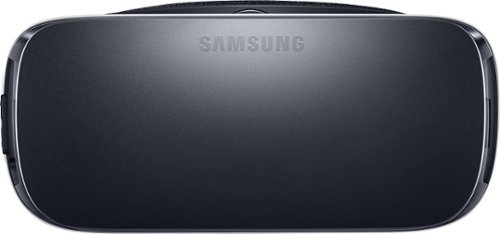
Samsung Gear VR for Select Samsung Cell Phones: Mobile virtual reality is finally here. Watch movies in your own private cinema, be at the center of your favorite games, and socialize with friends in a virtual world all your own. The lightweight design and intuitive touchpad drop you right in the action and allow for hours of immersive entertainment.
Overall 1 out of 5
1 out of 5Very unhappy about not getting the GearVR programs
By Sunshower
I tried many different ways to find out how to download the Gear VR programs by going to Samsung and Oculus online. All unsuccessful!!

DavidJr
Roanoke, VA
June 3, 2016
Once you connect the Gear VR to the phone it starts a download for the software. There appears to be no other way to initiate the install. Once the Oculus software is installed, games and applications can be purchased through the application or from inside the store while wearing the device.
0points
0of 0voted this comment as helpful.
Samsung Gear VR for Select Samsung Cell Phones: Mobile virtual reality is finally here. Watch movies in your own private cinema, be at the center of your favorite games, and socialize with friends in a virtual world all your own. The lightweight design and intuitive touchpad drop you right in the action and allow for hours of immersive entertainment.
Overall1 out of 5
1 out of 5Need certain phones to use this.
By Donna
Wasn't told at time of purchase that certain phones were required to use this device. After purchase was when this was discovered. During this time we purchased a new home and was moving. After the move, tried to return the item because I didn't want to purchase a new phone. The only way the store would accept this return was to give me a gift card. I didn't want a gift card that I would most likely not use. Not happy with this policy at all. Also have made posts to FB in regards to your policy. I will not EVER enter your store again or make another purchase from you online. This is NOT how you treat a customer and expect more business from them.
DavidJr
Roanoke, VA
It is labeled on the box and the site details
June 3, 2016
It says on the front and back of the box, "Compatible with Note5/S6 edge+/S6/S6 edge" and anywhere you look online it says it as well.
+2points
2of 2voted this comment as helpful.
Samsung Gear VR for Select Samsung Cell Phones: Mobile virtual reality is finally here. Watch movies in your own private cinema, be at the center of your favorite games, and socialize with friends in a virtual world all your own. The lightweight design and intuitive touchpad drop you right in the action and allow for hours of immersive entertainment.
Overall 2 out of 5
2 out of 5I have problems getting my phone to sync with this
By Drestyle
When I put my phone in the unit it doesn't seem it. I keep having to pull it out and try again.
DavidJr
Roanoke, VA
June 3, 2016
What phone are you using and is it up to date? The Samsung Gear VR is only compatible with Galaxy S7, Galaxy S7 edge, Galaxy Note5, Galaxy S6 edge+, Galaxy S6, Galaxy S6 edge and a software update from your carrier is required for S6 edge+ and Note 5.
0points
0of 0voted this comment as helpful.
DavidJr's Questions
DavidJr has not submitted any questions.
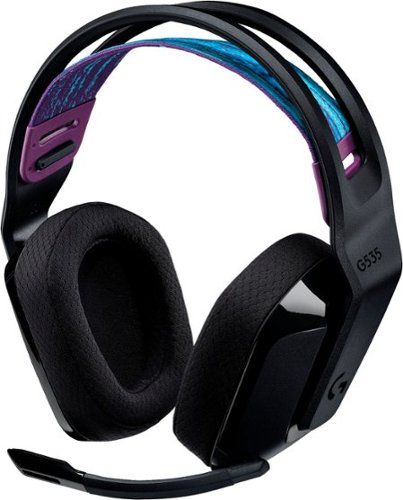
G535 gives you performance, freedom and comfort for all your gaming sessions. Enjoy advanced LIGHTSPEED wireless, up to 33-hour battery life, and 40 mm drivers for crystal-clear sound. Just 236 grams, an adjustable headband, and soft memory foam earpads ensure all-day comfort.
How do I enable Dolby Atmos for the 535 headset? I see nothing in GHub, and Windows only has Windows Sonic for Headphones. Is this a program I need to purchase and download through the Microsoft Store? Thank you.
You have to have the Dolby Access app installed to enable Dolby Atmos for Headphones. There is a free trial, but it also requires a subscription afterwards. Once installed, the option will show right under the Windows Sonic option.
4 years, 8 months ago
by
DavidJr
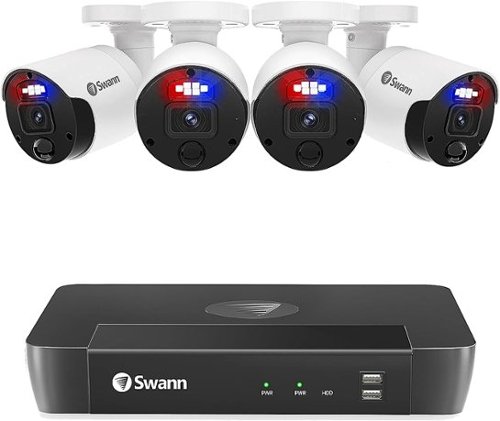
The Swann Professional 4K HD 4 Camera 8 Channel NVR CCTV camera security system is sure to give you business and home security peace of mind from every angle. Protect your loved ones & property with this multi-camera, wired surveillance system with everything you need to do-it-yourself or have it professionally installed. Be safe & confident as Swann outdoor home security cameras (camaras de seguridad para casa exterior) have you covered. A perfect home security system (camaras de seguridad inalambricas). See what's happening with digitally enhanced upscaling technology that provides 4K camera resolution & zoom - you won't miss a thing. Know what~s happening at any hour with powerful night vision up to 130ft in total darkness. Add 4 more home camera system (camaras de seguridad para casa) via PoE connections for full 8 channel monitoring. Enjoy local recording onto the massive 2TB hard drive with no fees ever, store months of recordings before it starts saving over older footage. Cut the cost of crime & know what~s happening with this 4 camera security system (4 camaras de seguridad) to suit large homes, offices, small businesses & retail stores. Actively prevent crime as heat & motion trigger sensor lights, mobile alerts & video recordings. Enjoy hands-free security using voice commands. Stream video from your camera via Hey Google & Chromecast, Google Home Hub, or via Alexa devices with a screen, such as Echo Spot, Echo Show or 4K Fire TV. The Master-Series weatherproof design is IP66 rated, meaning they are built to withstand rain, snow & heat, all year round. The Master-Series includes a NVR-8580 8 Channel IP NVR security system with 2TB Hard Drive, 4K Enforcer Bullet Cameras x 4 also can be used as indoor security camera, Ethernet Cable x 5 (60ft / 18m x 4 | 3ft / 1m x 1), HDMI Cable, Power Adapter, Mouse, Mounting Screws & Plugs, Quick Start Guide and Theft Deterrent Stickers. Note: For outdoor camera wireless, please contact Swann team for support. Wireless cameras for home security & wifi camera can be found at Swann's main website.
Documents say NVR systems require Ethernet cables such as CAT5e and CAT6... any problems or things to consider with using flat CAT7 or CAT8 cables?
CAT 7 and CAT 8 is fully backwards compatible with CAT 5e/CAT 6 cables and should work just fine. This system comes with low grade ethernet cables that don't even feel like they are proper twisted pair. If I had long enough ethernet cables to replace theirs with, I would absolutely do that and might see some improvement.
4 years, 9 months ago
by
DavidJr
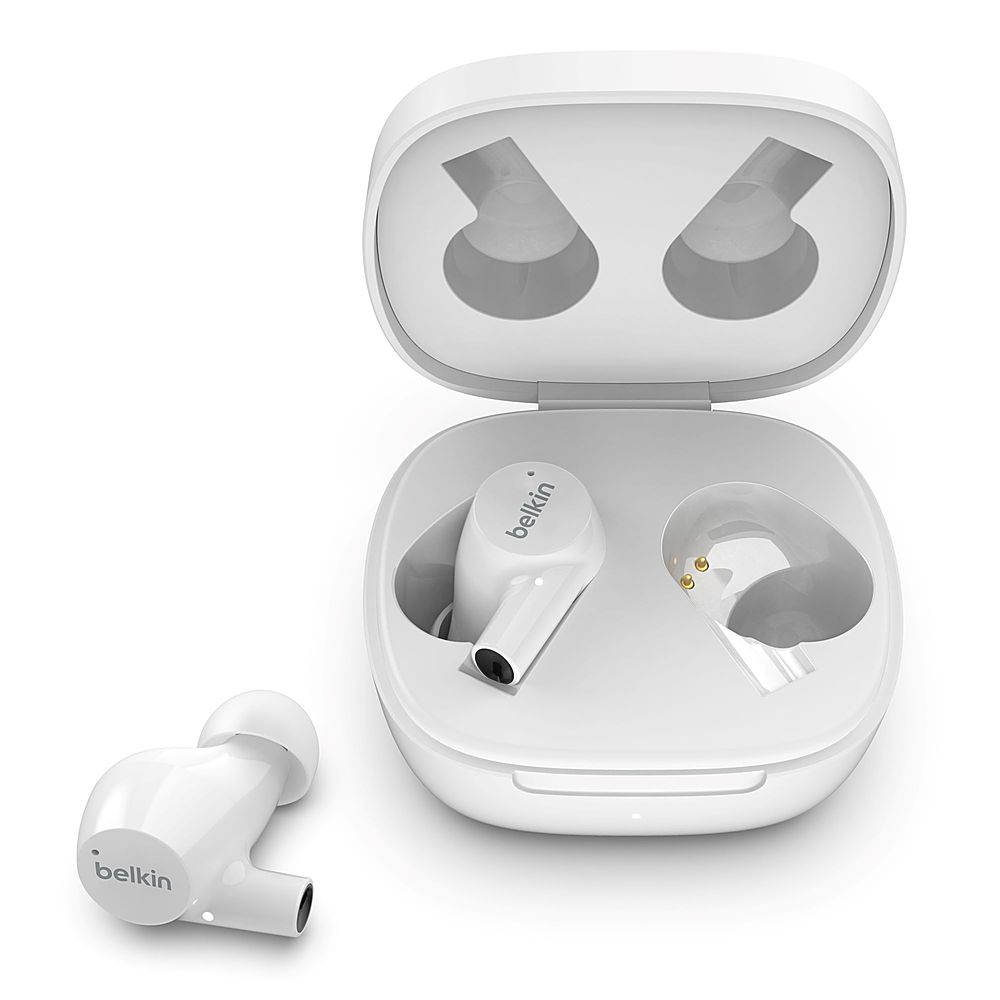
The sound quality you expect from great earbuds with convenient features that go above and beyond. Two microphones in each earbud mean you~ll always be heard on calls. The SOUNDFORM Rise True Wireless Earbuds are designed to get you through even the longest days with an impressive 7 hours of charge in each earbud and another 24 hours in the wireless charging case. The IPX5 water resistance rating protects them rain or shine while easy-to-use controls offer the power to change volume, skip tracks, and take calls, all at your fingertips.
Are the Soundform Rise compatible with Windows?
They are compatible with any device that can use Bluetooth audio. So, if your Windows device has Bluetooth capability, it will work as headphones and microphone.
4 years, 9 months ago
by
DavidJr

Skip the coffee shop! With its convenient 3-in-1 functionality~frozen, iced, and hot coffee~the Mr. Coffee Single-Serve Frappe + Iced + Hot Coffee Maker & Blender makes it easy to create your favorite coffee drinks right at home.
Does this unit come with tumblers?
Yes, it came with two plastic tumblers with straws.

4 years, 11 months ago
by
DavidJr
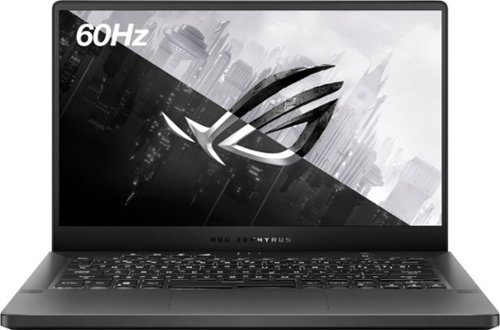
Enjoy everyday gaming with this ASUS notebook PC. The AMD Ryzen 7 5800HS processor and 16GB of memory deliver fast and smooth performance during intensive gaming, while the NVIDIA GeForce GTX 1650 graphics card renders high-quality videos for enhanced videos and games. This 14-inch IPS Level Full HD ASUS notebook PC has a 512GB SSD that provides storage for all types of files.
Does this model have the same 76wH battery as the higher end G14 laptops?
This has a 15.4V 76 Wh battery. I don't know if it is the same battery, but you can see it in the picture here.

5 years ago
by
DavidJr
Enjoy everyday gaming with this ASUS notebook PC. The AMD Ryzen 7 5800HS processor and 16GB of memory deliver fast and smooth performance during intensive gaming, while the NVIDIA GeForce GTX 1650 graphics card renders high-quality videos for enhanced videos and games. This 14-inch IPS Level Full HD ASUS notebook PC has a 512GB SSD that provides storage for all types of files.
I've looked through all the images and i can't see if it has a headphone jack, so does it?
There is a 3.5mm combined headphone/microphone port on the left side of the keyboard.
5 years ago
by
DavidJr
Enjoy everyday gaming with this ASUS notebook PC. The AMD Ryzen 7 5800HS processor and 16GB of memory deliver fast and smooth performance during intensive gaming, while the NVIDIA GeForce GTX 1650 graphics card renders high-quality videos for enhanced videos and games. This 14-inch IPS Level Full HD ASUS notebook PC has a 512GB SSD that provides storage for all types of files.
does the box come with a webcam? and does the laptop have an ethernet input?
The model does not have a webcam nor an ethernet port. However, with two USB-C and two USB-A ports there is plenty of space for adapters and personal webcams.
5 years ago
by
DavidJr
Enjoy everyday gaming with this ASUS notebook PC. The AMD Ryzen 7 5800HS processor and 16GB of memory deliver fast and smooth performance during intensive gaming, while the NVIDIA GeForce GTX 1650 graphics card renders high-quality videos for enhanced videos and games. This 14-inch IPS Level Full HD ASUS notebook PC has a 512GB SSD that provides storage for all types of files.
Does the G14 support a solid state drive AND the M.2 storage? Or does the G14 storage ONLY support M.2?
There is only space for a single M.2 drive internally. However, there are two USB 3.2 Type C ports that can support decent speeds for any external SSD.
5 years ago
by
DavidJr
Enjoy everyday gaming with this ASUS notebook PC. The AMD Ryzen 7 5800HS processor and 16GB of memory deliver fast and smooth performance during intensive gaming, while the NVIDIA GeForce GTX 1650 graphics card renders high-quality videos for enhanced videos and games. This 14-inch IPS Level Full HD ASUS notebook PC has a 512GB SSD that provides storage for all types of files.
so for those that bought the ASUS - ROG Zephyrus G14 14" Laptop - AMD Ryzen 7 - 16GB Memory - NVIDIA GeForce GTX 1650 - 512GB SSD and a quest 2. Would this laptop run PCVR while using a link cable? asking for a friend
It will run PCVR with the Link cable. Though the GTX 1650 graphics card may struggle with some experiences, VR Mark rates it Great with a score of 5355 and an average frame rate of 116FPS which meets Oculus requirements of 81 FPS.
5 years ago
by
DavidJr
Enjoy everyday gaming with this ASUS notebook PC. The AMD Ryzen 7 5800HS processor and 16GB of memory deliver fast and smooth performance during intensive gaming, while the NVIDIA GeForce GTX 1650 graphics card renders high-quality videos for enhanced videos and games. This 14-inch IPS Level Full HD ASUS notebook PC has a 512GB SSD that provides storage for all types of files.