


Nate34's stats
- Review count190
- Helpfulness votes940
- First reviewApril 13, 2013
- Last reviewJuly 22, 2026
- Featured reviews0
- Average rating4.8
- Review comment count5
- Helpfulness votes0
- First review commentJune 24, 2016
- Last review commentNovember 3, 2016
- Featured review comments0
Questions
- Question count0
- Helpfulness votes0
- First questionNone
- Last questionNone
- Featured questions0
- Answer count8
- Helpfulness votes6
- First answerMay 29, 2010
- Last answerNovember 30, 2018
- Featured answers0
- Best answers1
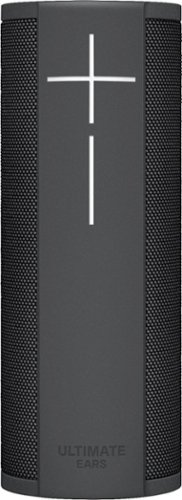
Play your favorite music with this Ultimate Ears MEGABLAST wireless speaker. It lets you make voice commands via Amazon Alexa within its 330-foot Wi-Fi range, and Bluetooth connectivity lets it pair with up to eight compatible devices. This rugged, water-resistant Ultimate Ears MEGABLAST wireless speaker withstands drops from up to 3 feet high.
Customer Rating

5
The name Ultimate is more than just its brand name
on November 18, 2017
Posted by: Nate34
from North Bay Area, Ca.
Ive heard quite a few Bluetooth speakers. Some better than others, but one thing they all lacked was good Bass output. Well that has been more than solved here. But its not just about Bass here. The overall sound quality is outstanding. And while were talking about how great it is how about full Alexa control built in as well? YUP... that too. Connectivity to Pandora, iHeart, Spotify, another others as well ensure you will get plenty of choices when it comes to music.
In the box is the of course the BT speaker, power adapter, USB cable, quick start guide, and in my case I got the charging dock as well for free. Im not sure but this might be a Best Buy thing. The speaker itself is a nice graphite color that should match most home entertainment set ups. There is also a Blue one if you want something a little more blingier (probably not a word, but you get what I mean). It weighs almost 3 pounds which I assume is because the speaker has some decent drivers to get that the incredible Bass it puts out.
Set up is fairly easy. Just download the Ultimate ears app from your devices app store, log into your Amazon account, turn speaker on and follow the instructions to get the speaker and Alexa features all set up. You can also use manual set up via long pressing the power button for pairing to your chosen device.
As stated before one of the coolest features this has over some other BT speakers is voice control. So in addition to a Bass rocking speaker you can use it for all sorts off voice commands. Weather updates, play/ pause music, etc. And to top all of this off it is IP67 Waterproof for up to 30 minutes in 3' of water. Accidentally drop it in your tub while having a relaxing bath, kicked into your pool while playing poolside. No problem.
The initial charge can take up to 3 hours and is rated for up to 16 hours. So a full day should be no problem at all. And if you have the dock as well just keep it on the dock and never have to worry about charging it. All day music with Alexa their anytime you need it.
This is by far the best sounding, and most feature rich Bluetooth speaker I have ever heard. And will be recommending it to anyone looking for a nice gift this Holiday season. The name “Ultimate” is definitely deserved here!! It is the Ultimate Bluetooth Wi-Fi speaker for sure.
My Best Buy number: 2342622957
Mobile Submission: False
I would recommend this to a friend!
Share this review:


+1point
1of 1voted this as helpful.
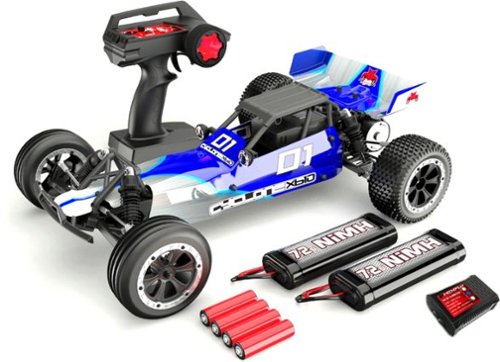
Only at Best BuyEnjoy speed and control with this Redcat Cyclone off-road electric buggy. This hobby grade RC has rear-wheel drive with a fully adjustable suspension and oil-filled shocks to handle challenging terrain. This 1/10-scale Redcat Cyclone off-road electric buggy includes two 7.2V NiMH batteries and a 2A fast charger to keep the fun going.
Customer Rating
5
Great RC car with everything you need to get going
on November 18, 2017
Posted by: Nate34
from North Bay Area, Ca.
The Redcat Racing Cyclone XB10 buggy reminds me of my first Hobby grade RC car that started it all over 30 years ago. Ive been in and out of RC cars, trucks, and have had a few quad copters as well though the years. But my overall favorites have been cars and trucks. I got into hobby grade RC when I was about 12 when an adult friend gave me an old Tamiya Wild One buggy. Well this started the itch and I ended up getting my first new car which was a Kyosho Ultima 2WD. I have fond memories of that car, the mistakes I made, all I learned, and just how much fun it was tinkering as well as driving. Well here it is 30 years later and Im kind of back where I started. A simple 2wd buggy. A lot has changed and a lot is still the same. The main change that I appreciate the most if having an electronic speed control. Back in the day there was an antiquated system of a servo, heat sink, linkage, and a resistor that would control the voltage to the motor. And if any of these werent perfect the car would either have only low speed, or always full speed, or just wouldnt go at all. I spent about 70% of all my repair times on that stupid mechanical speed control. Now with electronic speed controls its just so much easier. Not to mention being lighter without needing the second servo.
The Redcat Cyclone buggy is the PERFECT RC car to get someone into the hobby. It comes fully assembled, with 2 batteries for the car, a 2amp charger, and even the AA batteries for the remote control. When I got my first buggy I had to buy all of this separate and being new to the sport it was very intimidating. Not knowing what worked for what car, what brands were any good. And even worse not having a local hobby shop back then so everything was done by calling in for parts. With the Redcat Cyclone you have it all in one box ready to go. Just charge the batteries, pop in the 4 AA batteries into the radio and your off. Which is awesome especially on Christmas morning. Instead of spending all day assembling it and figuring it all out, you can be out on the street showing it off to your friends. And hopefully they are into RC already, or get into it so you can have your own RC club. Trust me its SO MUCH more fun with at least one other buddy.
Now being this whole set up is under $200 dont expect a bunch of alloy parts, or everything tuned to perfection. This is is basically a beginner/ backyard basher. The suspension is stiff, the turning isnt very smooth. But for what you pay its an amazing deal. There are upgrades out there that might fit if you want to go that route. But like I said this is perfect for getting someone into the sport. It is just fast enough to have fun, but not so fast that you'll end up out of control. The included ESC (Electronic Speed Control) does allow for optional lipo batteries with the flip of a switch if you want more speed. But the included NIMH battery charger IS NOT designed to charge lipos. So you would also need a lipo charger in addition to the lipo batteries. The controller is very easy to use with an on/ off switch, steering reverse trim for the steering if left is right and vice versa, or if it wont track straight there an adjustment for that as well. As simple as it gets for radio controllers goes.
The batteries are a little more difficult to get into the car than some other vehicles, but its not too bad. Just remove the blue body, a few clips, then insert the pack in the car. Plug it in (making sure the car is switched off at the time), then put all the clips back in. ALWAYS turn the radio on first, then the car, then turn the car off first, then the radio. The reason being is because it can pick up other signals if you have the car on with the radio off and you could have a runway car. I know this from experience, and the results arent cheap depending on what it hits, and how fast it was going.
Once the battery is in, and both the car and radio are on pull slightly back on the trigger and make sure the car is tracking in a straight line when you have the steering control centered at Neutral. If it is turning slightly left or right that is what the radios steering trim is for. Just slightly turn that either left or right accordingly until it tracks straight. After that you pretty much ready to go. Take it slow at first in an area where you wont be bashing into people, curbs, etc. And practice until you get used to it. Depending on how you drive you should get about 15-20 minutes of drive time, which is standard. If you want more drive time you can either buy another 2000 mah pack, or upgrade to one of the higher MAH packs available.
The manual is very nicely laid out with simple to understand instructions, and even has an exploded view of all the parts with their associated part numbers for the inevitable broken part here and there. Thats one thing you can be sure of in the RC sport... stuff WILL BREAK!. So hopefully you yourself, or a parent, friend, or local shop will be able to help you out there. I personally just self taught myself making a lot of mistakes along the way, and would now consider myself an intermediate RC mechanic. Just invest into a nice tool kit, a dremel tool if possible, some hobby blades and you should be on your way. And if you have any other questions, etc. their of a ton of forums out there to help you as you learn more about the hobby.
Ive bought, seen, reviewed, and researched a lot of different RC cars and trucks and this is the one I would recommend to anyone that just wants to get into the hobby, or wants to bash around their backyard or neighborhood without having to spends hundreds of dollars on all the parts and things needed just to get started. It comes with it all. And since it has 2 batteries in the box you can be charging one while riding the other and swap them out with only a few minutes of wait time between each. If your looking to get into RC yourself, getting your kid into RC, or just want an extra car that you can bash around with the Redcat Cyclone buggy is the way to go. Get out there and play!!
My Best Buy number: 2342622957
Mobile Submission: False
I would recommend this to a friend!
Share this review:


+58points
65of 72voted this as helpful.
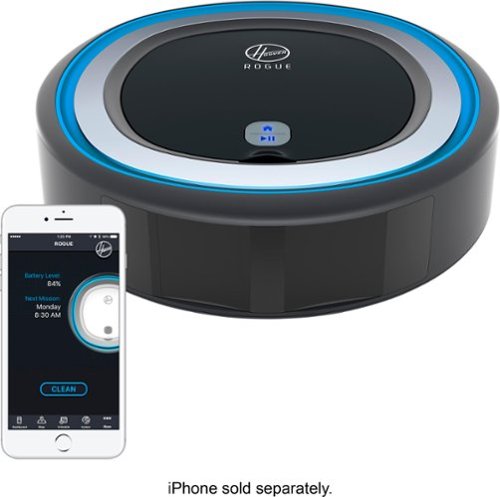
Clean your carpets more efficiently with this Rogue robot vacuum. The intelligent mapping helps the device navigate quickly through your home, and it has a tri-clean system that agitates, brushes and uses suction to ensure a thorough cleaning. This Rogue robot vacuum returns to its base for recharging when the job is done.
Customer Rating

3
Making life in the digital age even easier
on November 9, 2017
Posted by: Nate34
from North Bay Area, Ca.
If you told someone that was vacuuming their floors 20 or more years ago that someday there would be a device that vacuumed the floor completely on its own they would have laughed at you. But here we are. Can it get any easier?
To get started find an adequate place for the dock with enough room for the vacuum to be able to dock. Then do the initial charge which can take up to 3 hours. Once charged you download the Hoover Home app. I was able to find it on the Play store, but it didnt come up in the search at the time of this writing because the app is still “unreleased”. But I found it by searching “Hoover” clicking the Hoover app, then saw the “Hoover Home” app in the other apps section. After install it takes you through the initial steps. Turn on Bluetooth, set up an account, then add device. The app has some bugs that I am sure can be sorted with updates. But when it works correctly you can use it to schedule cleaning times, use the Smartwall technology to be able to do things like set up areas that are off limits, and use the app like an Radio Control car if you want to combine fun with cleaning. Joking aside its cool to be able to control just about every aspect of what you want it to do.
The vacuum itself is awesome. It cleans exceptionally well despite its size, even getting up larger stuff that you would think it wouldnt be able to handle. The initial run does a “Recon” to map out the area. It will then remember the floor plan. And I really like that it will automatically dock when it needs a charge. It has a Dirt cup full indicator, and will also alert you in the app if you are using it. The dirt cup is easily removed to dump, and the filter can be rinsed off when needed. Cleaning the side and brush rolls is easy as well. Once its fully set up and on a schedule this is the only thing you'll even have to remember to do, since it cleans and charges on its own. We have come so far with tech it never ceases to amaze me. And with an automatic vacuum its just one less thing you have to do, which frees up more “Me” time.
Overall this is an awesome time saving device. I know that some might not be happy with the app at first, but there is one good thing about software and firmware these days. It is easily updated to fix issues. In the past you got what you got. So give the app a chance. Since its in the “unreleased” state at the time of this writing Im sure they are working on getting it all perfect for the full release. Now this is on Android, Im not an IOS user so Im not sure about the status of that app. But even without the app its still great. It does what its suppose to and thats clean and charge on its own. And it does that very well.
My Best Buy number: 2342622957
Mobile Submission: False
I would recommend this to a friend!
Share this review:


+6points
6of 6voted this as helpful.
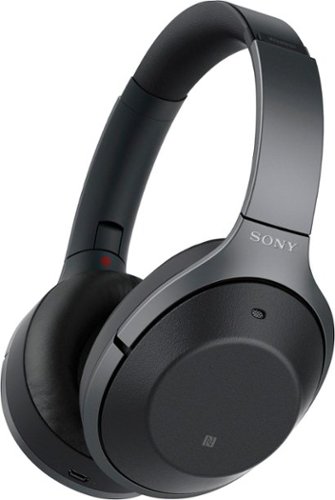
Listen to your playlist in peace with these Sony headphones. They have a 40mm dome driver to deliver the full depth of audio, and the noise cancelling feature minimizes outside disturbances for a better listening experience. These Sony headphones have a battery life of up to 30 hours for extended jam sessions.
Customer Rating
5
One word... PERFECT!
on October 21, 2017
Posted by: Nate34
from North Bay Area, Ca.
The packaging on the headphones is well done with plenty of protection. After removing the outer sleeve the internal box opens like a book revealing the headphones in their case and the other contents. In the box you get the headphones, a carrying case, a 3.5mm cable, a flight use adapter, a USB charging cable, and the reference guide, as well as a very nicely illustrated quick start guide for a simple set up. The carrying case is very nice with a soft touch interior for protecting the headphones while stored or for carrying. There's even a cardboard insert with a diagram picture of how the headphones fit in the case which I thought was a nice touch. You can tell Sony thought this out.
The headphones themselves are very sturdy and well made. They have nice soft ear pads that feel great on the ears and head. The metal headband is very sturdy and adjustable to even fit large heads like mine. There's even some room to spare which I can say is rare on my large head.
Following the quick start guide the first step is charging the headphones which can take awhile. But they are rated at 30 hours so you should easily get through a days use, and you can get up to 70 minutes of use from only a 10 minute charge. Next was powering on the headphones to enter pairing mode. There is an audible voice letting you know the pairing status, etc. They paired instantly with my Galaxy S8+. Set up and getting started couldnt have been easier.
The headphones have a very cool and intuitive touch enabled right earcup. It was second nature for me being so use to touchscreen devices. Simply swipe up or down for volume, forward for next track, and back for previous. It took me about 20 seconds to learn this. There was no learning curve or fumbling for buttons while you get use to it. SIMPLE!
The noise cancellation on these is great. The “smart listening” feature is awesome. It auto detects what you are doing and adjusts the level of noise canceling based on that. The noise cancellation is also adjustable as well with a dedicated ambient/ NC button. It also has something that I have no idea how it works which is adjusting the noise cancellation based on you, meaning your head characteristics, hair, etc. Ive never seen any others do this. The tech in these cans is amazing.
Onto sound. The sound in these is amazing. Perfect clarity, excellent bass, great sound levels. They just sound right. Everything sounds like it should. They didnt over focus on bass which I appreciate.
The Sony's also have a voice assistant feature that is activated by holding the touchpad for 3 seconds. It activates your devices voice assistant which in my case is either Google, or Bixby. No comments on which one I use.
These cans also look great. I have the black version, and really like the mix of metal and matte black with the outer ear cups that are soft touch with a leather look.
The Sony WH1000XM2's are as good as it gets as far as Im concerned. Great build, slick looks, super simple controls, a long lasting battery, and top notch sound make these headphones one word.. PERFECT.
My Best Buy number: 2342622957
Mobile Submission: False
I would recommend this to a friend!
Share this review:


+7points
7of 7voted this as helpful.
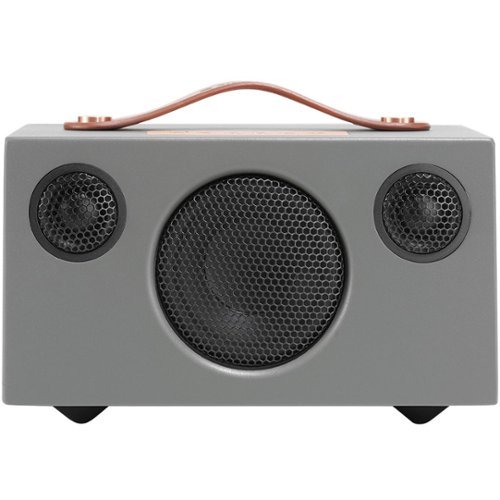
Enjoy deep, dynamic bass and clear highs with this Audio Pro T3 wireless speaker. Bluetooth technology lets you stream your favorite music from any compatible device, and the LiIon battery lasts for up to 30 hours on a full charge. This Audio Pro T3 wireless speaker has a convenient carry handle.
Customer Rating
5
Awesome sound, classic look, and built to last
on October 13, 2017
Posted by: Nate34
from North Bay Area, Ca.
The Audio Pro T3 is one solid speaker. And I mean solid in both ways. Solid build with heft to let you know the speaker has some weight to it, and solid as in a great overall device. When you pick this thing up you can just tell its well built. The initial charge time is about an hour or so. And its rated at 30 hours or 12 hours of full volume. Although if you just remember to connect it when your done I doubt you'll ever run out.
Connectivity is as simple as it gets. Just press the pair button and find the T3 the the Bluetooth settings of whatever device you are using. One click and your ready to go. And if you have a non Bluetooth device, or just want to connect via 3.5mm there is a port for that as well. Once connected you now get to hear just how powerful a small quality speaker can be. The bass is deep and the overall sound is crisp and well just sounds like it should if that makes sense. Not over done, just right.
It has a nice handle for carrying it around. Its portability is a great feature that other larger speakers just cant pull off. The look is kinda old school which is very cool. It also comes in several different colors so you can match it to your other devices or furniture.
Overall if you are looking for a Bluetooth speaker where you arent sacrificing sound quality due to a smaller device the T3 is the way to go. Amazing solid build, well balanced sound thats just right, with simple connectivity options make for a device that is easily recommendable. You cant go wrong here.
My Best Buy number: 2342622957
Mobile Submission: False
I would recommend this to a friend!
Share this review:


+5points
5of 5voted this as helpful.
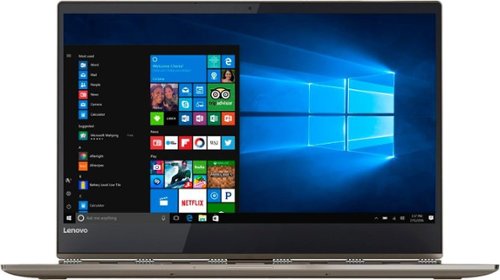
Take care of your business on this Lenovo Yoga convertible laptop, which switches from computer to tablet with just a flip. The thin design holds 8GB system memory to keep up with multitasking, and Intel Core i7 provides super-fast processing speeds. The 13.9-inch HD display on this Lenovo Yoga convertible laptop brings streaming video to life.Learn more.
Customer Rating
5
My 1st and definitely not last Lenova
on October 12, 2017
Posted by: Nate34
from North Bay Area, Ca.
To start this laptop is absolutely beautiful. I have the bronze color and it looks amazing. The polished aluminum gives it a very premium look that plastic laptops just cant compete with. The first thing I noticed was WOW this thing is very thin. At 13.95mm thin it is easily the thinnest laptop I have ever had. It makes my other laptop look and feel ancient by comparison. Set up is easy by simply using your already existing Windows account. After set up you finally get to appreciate the screen on this beauty. The almost edge to edge screen is very crisp with beautiful color.
Another feature I have never seen and love is the hinges. I know this sounds like something that should be just standard. But they look like watchbands. Switching between tablet and laptop mode is very slick. You can tell they put a lot of effort into making this so smooth and easy. Just a nice added touch of class.
The pen on the Yoga feels exactly like a pen should. It says it has 4096 levels of sensitivity and although I doubt Ill ever use all of them it responds exactly like normal pen would. Easily writing and drawing or taking notes is a breeze. Im not much of an artist, but its fun to sketch out things and have perfect control. They got the pen feel right for sure here.
And the Yoga is a performance monster (In a good way). The Intel 1.8g I7 coupled with 8 gb of ram makes the response very quick, with no delays. Just quick multi tasking with no issues at all running Windows 10 home. The one I have comes with a 256gb SSD. No need to pull out the old hard drive and install an SSD like some other laptops. It comes fully upgraded. And if you have never used a PC with an SSD you are in for a treat. I will never go back to regular hard drives now. With an SSD the boot up time is SO MUCH faster, but even more important the performance is night and day between the two.
And of course it being a laptop battery life is important. It gets amazing battery life and is rated at up to 15 hours on the FHD version I have. It has 2 Thunderbolt 3 USB C ports for connecting multiple devices. A feature I really like is that you can charge other devices from one of the ports even when the Yoga is turned off. So you can use the Yoga as a backup charger for things like a almost dead phone you need to charge.
I know most people dont think of their laptop when they want to listen to music, etc. But with the Dolby Atmos listening to music with headphones is awesome. It also has built in JBL speakers as well. The combo of the JBL speakers with Dolby via headphones gives the Yoga awesome sound.
Another cool feature that is new to me on a laptop is fingerprint log in. I normally dont use passwords since I am the only one using my laptop, but not having to type in a password to get started is really nice. And the security of your fingerprint gives you the peace of mind that you are secure.
I really like this laptop and highly recommend it to anyone looking for a top notch (already upgraded) performance beast of a 2 in 1. No need to think of what upgrades you will need later. Its already there. An amazing screen, accurate and easy to use pen, great battery life, and the looks and build to back it all up the Yoga 920 should be at the top of your laptop list.
My Best Buy number: 2342622957
Mobile Submission: False
I would recommend this to a friend!
Share this review:


0points
0of 0voted this as helpful.
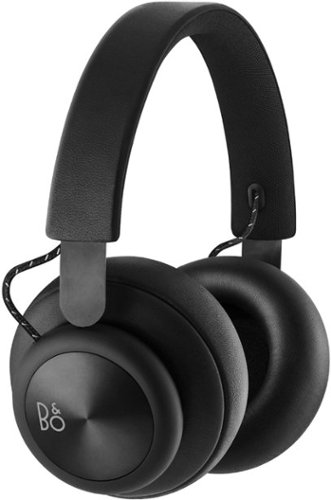
Listen to music without disturbing others by using these powerful Bang & Olufsen Beoplay over-ear headphones. The 40mm electro-dynamic driver delivers clear audio, and Bluetooth technology eliminate wires for less clutter. These Bang & Olufsen Beoplay over-ear headphones have a 19-hour battery life, so you can use them all day.
Customer Rating
5
Best Headphones I have ever had by far!
on September 26, 2017
Posted by: Nate34
from North Bay Area, Ca.
The Bang & Olufsen Beoplay H4 Headphones comes in a nice thick box with plush protection to keep them safe in shipping. The upper box comes off revealing the H4's. My first impression was “Wow, these look awesome”. I have the black version and the combination of black and metallic makes them really stand out. The first thing I noticed when I picked them up was how light are. The upper headband has great cushion and the ear pads are very plush.
In the box is the H4 headphones, a USB charging cable, a 1.25m audio cable with 3.5 mm jack, and a multi language quick start guide. The quick start guide is easy to read and understand with illustrated instructions with 6 easy steps. First you download the Beoplay app from the Play or app store. Second turn them on by holding the power button for a few seconds to enter pairing mode. Third find the headphones on your respective device, phone, etc. In my case it was my Galaxy S8+. I immediately saw the H4's in the Bluetooth settings. One click and I was paired with an audible ding sound indicating a successful paring, and was ready to go. Very simple. The fourth step is learning the H4's controls with the 3 available buttons. The buttons have a very nice click to them. They are volume up and down and the power button is multi function depending on how many times its pressed. Once is play/ pause, twice is next track, and three times is previous track. So its a very simple set up. The fifth step is learning how to use the power buttons for calls, and the sixth step is just charging them. The charge time is about 2.5 hours and they are rated for up to 19 hours of play time so you should easily get through a day without a problem.
Onto the important one and that is of course sound. One word..... WOW!! Ive had many sets of headphones in the past and these are definitely the best sounding yet. One thing Ive noticed with other ones in the past is lack of good bass. That is not the case here. It is what I call perfect tight bass. Not sloppy lows that are just trying to be low, but as close to what its suppose to sound like as possible. Of course this is based on preference and I guess to some degree age. When I was younger I liked that brain rattling trunk bass. I'm a bit older now and appreciate accurate bass. Now its not just bass that sounds great by any means. The highs, mids, and overall clarity is top notch. A great test song for me is Deadmau5's “Strobe”. When the bass finally drops at about 2:52 I literally got chills. Another bass test that might show my age a bit is the Beastie Boys “Slow & Low”. Again perfect sounding without going overboard.
The H4's are also very comfortable. As mentioned they are very light and with the plush earpads I barely notice they are on. Long sessions will be no sweat...literally. Also I have a large head and they are adjustable enough to fit my big noggin comfortably.
Overall the H4's are easily the nicest, most comfortable, well made & best sounding headphones I have ever had. HIGHLY RECOMMENDED!!!
My Best Buy number: 2342622957
Mobile Submission: False
I would recommend this to a friend!
Share this review:


+4points
4of 4voted this as helpful.
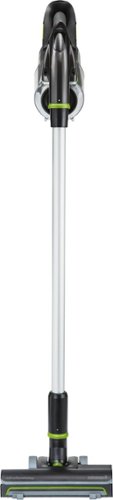
Keep your home spotlessly clean with this Bissell multi-reach cordless vacuum. Its four specialized cleaning attachments include a crevice tool for difficult nooks and crannies, a multi-surface brush roll for floors, and both a dusting brush and upholstery tool for furniture and other areas. This Bissell multi-reach cordless vacuum has built-in LED lights for illuminating hidden dirt.
Customer Rating
5
Short run time, but enough to “Get 'er done”.
on September 24, 2017
Posted by: Nate34
from North Bay Area, Ca.
The Bissell vacuum is a great tool to get some quick clean up jobs done. Since its cordless and lightweight its very handy when you need to clean up a mess, or get a quick floor cleaned. I wished it would have a longer run time, but it runs just long enough for most jobs. And its very easy to charge. A full charge takes about 4 hours, but you can quick charge it for an hour or so to get quick job done. I really appreciate the detachable battery. A lot of devices these days have enclosed batteries, so when they stop holding a charge they are pretty much done. Or require an expensive repair. With this you can just buy another battery and be good to go again. Or you could even buy an extra battery and have one charging while you use the other. Twice the run time.
The Bissell Multi Reach comes with several different attachments. In the box you get the main handheld vacuum, an extension tool, a crevice tool, a deep cleaning head, the floor head, a dust brush, and the AC charger. The main brush is multi use for different floor types. The crevice tool for those crumbs and stuff that falls into the cracks and sides of your couches and chairs. The dusting brush and deep cleaning head for the surfaces of your furniture. This vacuum has all the attachments needed for pretty much any job.
Other than floors and furniture another convenient feature is that you can just grab it and vacuum out your car without having to worry about where to plug it in, or hunting down a long extension cord. You can just grab it and clean up your cars interior, trunk, etc. And when your all done with cleaning emptying out the bin is quick and easy. Just a pull of the latch and dump...done. And the filter is easy to clean with just warm water. You can also remove and clean the main brush as well. Its very easy to keep this vacuum as good as new.
Overall I would say the best thing about this is its convenience. Since its cordless, light, and has several different attachments its very easy to just grab it and get a quick job done. Got someone coming over and dont have time to grab your main vacuum, find a place to plug it in, then drag it all around? Just grab the Bissell handheld and “get 'er done”.
My Best Buy number: 2342622957
Mobile Submission: False
I would recommend this to a friend!
Share this review:


+2points
3of 4voted this as helpful.

Take precise, intuitive control of digital projects with this wireless Logitech Craft advanced keyboard. Its creative input dial lets you make accurate object size adjustments, zoom images quickly and perform other shortcut functions with design tools in multimedia and office applications. The backlit keys of this Logitech Craft advanced keyboard automatically adjust their brightness to your environment.
Customer Rating
5
Checks all the boxes for the perfect Keyboard
on September 22, 2017
Posted by: Nate34
from North Bay Area, Ca.
The keyboard is well protected in the box. The first thing I noticed was it has some heft to it. Which is probably the internal battery. But it feels very well made. After taking off the protective film I see that this is one beautiful piece of tech. The gunmetal upper strip looks very cool. In the box is of course the keyboard, a nice USB C charging cable, the Logitech unifying receiver, and a simple quick start guide.
The set up for this is very easy. 4 steps and you're ready to go. First you download and install the Logitech options software. Turn on the keyboard, Press and hold one of the 3 easy switch keys to start the pairing. Then either plug in the receiver, or connect via Bluetooth. I chose to use the receiver. It instantly paired without any errors or connection issues. It just worked, which is how I wish all devices were. After these simple steps I was done with the set up. On to the “Options” software. The software ran through a simple tutorial giving you the basics of the Craft keyboard and usage of the Crown interactive knob. The Crown interactive knob is really cool. It has 3 ways of to interact. You can turn it for raising the volume and other app/ tool specific contextual actions. As well as being touch sensitive and clicks as a standard button. After the tutorial the software automatically checks your PC for apps it can interact with. You can then choose to have it install the profiles so it will be optimized for those apps. And just a word of warning it might reboot after it installs the profiles, it did for me. So save your work before this. After installing the profiles for the apps on my PC there are available tutorials for how to use the Crown in each app. This was very nice.
So far the coolest feature for me is the smart illumination. The keyboard automatically lights up when it senses your hand near it, and even auto adjusts the brightness depending on your lighting. You can tell others you have the “force” and can control light. Joking aside this feature is awesome.
Of course this being a keyboard its main use is typing. And it types extremely well. I am using it now to write this review. It has the perfect clickiness (actual word?) and tactile feel. Not to mention it is very quiet. Each key has a concave area where your fingers fit for easy, comfortable, and accurate typing.
The keyboard is of course wireless as well, and has a built in rechargeable battery. You can charge it with the included USB C cable. It also pairs with up to 3 devices and use them at the same time even if they are not the same OS. This is easily done by using the easy switch buttons on the keyboard. You just tap the 1, 2, or 3 button depending on which one is paired with each.
Logitech has created an amazing keyboard here that checks all the boxes. Multi-use, multi OS, wireless, rechargeable, the amazing “use the force” backlight, perfect typing feel, all packed in a beautiful shell. If these are the things you are looking for, or even if you just want an amazing wireless keyboard than this should be at the top of your list. Definitely recommended. Thanks for reading.
My Best Buy number: 2342622957
Mobile Submission: False
I would recommend this to a friend!
Share this review:


0points
0of 0voted this as helpful.
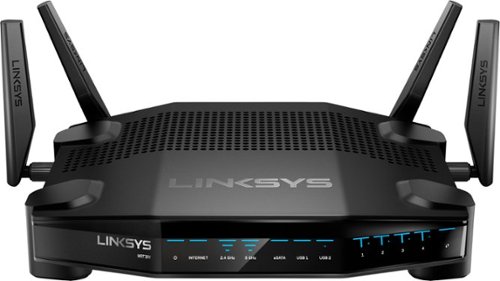
Enjoy lag-free gaming with this Linksys dual-band Wi-Fi router. Its Killer prioritization engine works with Killer-enabled computers to minimize peak ping by up to 77 percent, and the 1.8GHz CPU delivers super-fast speeds with wired and wireless connections. This Linksys dual-band Wi-Fi router has a custom-built user interface that lets you manage your gaming network performance.
Customer Rating
5
Power and Lag free Speed in a beautiful design
on September 22, 2017
Posted by: Nate34
from North Bay Area, Ca.
Usually unboxing a product is nothing special. But this is done pretty cool. The top of the box is a flip open lid with nice black protective foam on the inside. It flips up to reveal the router. In the box is the router, 4 antenna's, 1 Ethernet cable, the AC adapter, and a quick start guide.
The router itself is one of my favorite colors which is a flat/ matte looking black. It will easily fit in to any set up. Half of the top of the router has got ventilation holes to keep it cool. It has 1x Gigabit WAN port and 4x Gigabit LAN ports, a USB 3.0 port, and 1 eSATA/USB 2.0 port. Assembly is very easy and minimal. Just screw in the 4 antenna's, plug in the power and Ethernet cables and you are ready to start the set up.
The quick start guide is well laid out with written and illustrated instructions. Its just 6 easy steps and your ready to go. After plugging everything in and waiting for it to boot up you either use a mobile device or a PC to complete the set up. I used my PC and went to the Venom router set up page. A few clicks, a firmware update, and naming the Wireless and I was up and running. It couldnt have been easier. I didnt run into any issues with connectivity, or an errors at all.
The router dashboard is laid out very well, easy to read and make settings changes, etc. It has all the basics and an advance settings for more control. Before I set up the router I had tested my old router just to get an idea of the increased performance of the Venom. I use to have drop issues when connected with my phone only one room away. After setting up the Venom I had no issues at all with Wifi. I had full strength and a solid connection throughout the house. I also ran some basic speed tests and got very good speeds for the internet we have. 179 mb/s download and 11 mb/s upload though a wired connection with my PC, and 88 mb/s download and 11 mb/s upload on my phone.
This router works excellent for gaming, streaming and general WiFi usage. The solid lag free connection, and power of this router make it a definite for gamers as well as people looking for the very best in streaming, downloading, and mobile use. If you are looking for a top notch router look no further. Highly recommended.
My Best Buy number: 2342622957
Mobile Submission: False
I would recommend this to a friend!
Share this review:


+2points
2of 2voted this as helpful.
Nate34's Review Comments
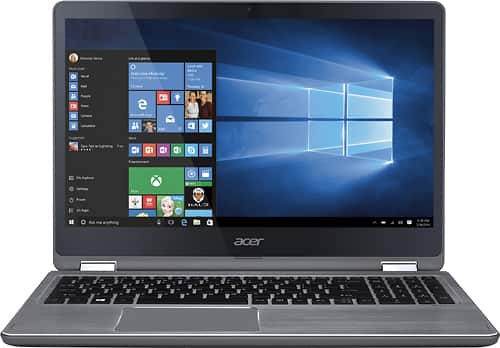
Connect favorite peripherals to this Acer Aspire laptop. Four USB ports let you connect accessories, transfer files or charge a cellphone while you work, and HDMI outputs make dual-screen functionality possible. Access nearby wireless networks with this Acer Aspire laptop and stream videos or upload your own images captured with the built-in HD webcam.
Overall5 out of 5
5 out of 5Great Laptop
By techjunkie07
I purchased this laptop a few days ago and man do I love it. This computer has everything I was looking for in a laptop (expect for an SSD) however I felt I could live without it considering the price for this machine. I have never owned an Acer always HP, had it for 7 years and it was time for an upgrade. I do really like this laptop fast, beautiful design and enough ports not to mention the PRICE again you wont be disappointed.

Nate34
Northbay, Ca.
SSD
June 24, 2016
Can you upgrade to an SSD with it?
0points
0of 0voted this comment as helpful.
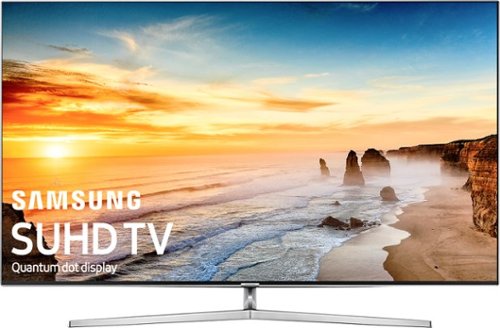
Samsung - 55" Class - (54.6" Diag.) - LED - 2160p - Smart - 4K Ultra HD TV - with High Dynamic Range
Watch TV, movies or videos in stunning quality with this Samsung 4K UHD TV. The 55-inch screen shows every detail clearly, so you won't miss anything. The SmartHub software works with the built-in Wi-Fi to let you access many popular streaming services, ensuring that you always have something to watch on this Samsung 4K UHD TV.
Overall5 out of 5
5 out of 5Should be at the top of your TV shopping list!!
By Nate34
from North Bay Area, Ca.
When I started TV shopping I did a lot of research and at first bought the 55” KS8000. I liked that but when the KS9000 went on sale I exchanged it for that. One of the main reasons I went with the 9000 was the design (mainly the stand). On the 55” version of the 8000 the legs are about 44” apart. My stand that I have been using for years for several TV's is only 42” wide. So I had to use a large piece of wood on top of my stand just to be able to set up the 8000. This didnt really look all that great, and I didnt want to have to replace my stand with a wider one. And thankfully the 9000 has a more standard V shaped stand that fits and works great on my TV stand.
And the 9000 also has some improved specs and also looks better in my opinion. I didnt really like the glossy back of the 8000. Anyway I really love this TV. Ive had several Samsungs, and my last set was the JU7100. But decided it was time to upgrade. I dont really miss the lack of 3D because I think I literally only used it once on my 7100 to test it. And I do believe 3D is on its way to being extinct. Anyway the new thing now of course is HDR. And the KS9000 really takes advantage of that. It simply looks amazing. There are several Netflix shows that show what HDR is all about. And I also recently bought the new XBOX ONE S. Ive yet to buy an HDR Bluray, but I will soon. But as I mentioned there is plenty of HDR on Netflix and Amazon Video in the meantime.
One of the really cool new features this years Samsung TV's has its the new Tizen system. It is much more simple and streamlined this year. My favorite feature so far is how well the TV detects whatever device you are connecting and names it accordingly. I have a PS3, PS4, XBOX ONE, 360, and a PC laptop all connected to my TV. And it names them all without me having to do anything. The PS3 and PS4 are both automatically labeled as “Playstation”. And the XBOX One and 360 are both labeled by their full names each. I didnt have to type out names like I have before when customizing my input names. As you can tell I have a lot of things connected to my TV. And since it has 4 HDMI ports I use 2 HDMI 3 way splitters. They automatically switch to whatever source is powered on. So my system is set up like this:
HDMI 1 = Direct TV
HDMI 2 = PS3 and PS4
HDMI 3 = XBOX ONE S
HDMI 4 = PC, Wii U, and XBOX 360
HDMI 2 = PS3 and PS4
HDMI 3 = XBOX ONE S
HDMI 4 = PC, Wii U, and XBOX 360
The reason I am listing these all out is because I want to add how smart this TV is. It switches the settings, input name, and device type on HDMI 4 on its own depending on whichever one is powered on. And I have different settings for PC and the Wii U and 360. I use to have to manually switch the input type every time I went from one to the other. But when I power off a device it automatically switches all the settings and input types on its own.
Of course a review of a TV without talking about picture quality isnt complete so here we go. Simply put its amazing. The colors and picture are awesome. It also has very good motion handling, especially if you set Auto Motion plus to Auto. But this gives you the dreaded SOE (Soap Opera Effect). Which I really dont care for. So I use a custom setting for Auto Motion (Blur 3, Judder 3, and LED Clear Off). This gives it very good motion handling with very little SOE.
As you read above I am a gamer. And one of the main things I look for when TV shopping is the input lag (or lack thereof). And this is one of the best TV's released this year for low input lag. In Game mode the lag is only 20.5 ms. This is great, I dont notice any lag at all. I was also thinking of getting the Sony X930D but decided not to for a few reasons, one of those is that it has about 54ms of lag. This isnt terrible, but would be noticeable in my opinion.
The other main reason I went with the Samsung over the Sony is that I am still not sold on the Android Smart platform. I tested it on a 2015 Sony and it was just too buggy. I have read it is better this year, but in my opinion the new Tizen is much better.
Another thing I look for in TV's is a good USB media player for videos on hard drives. And Im happy to say that the Samsung recognizes and plays every single file type I have tested. It also has SRT subtitle support.
So overall I am very happy with this TV. It is by far the nicest set I have ever owned and I look forward to years of use with it. If you are looking for a new HDR 4K TV this should be on the top of your list. If you want a cheaper alternative go with the KS8000. Just be aware on the 55” version of the 44” wide legs. On the larger versions the 8000 has optional closer leg mounts, but for some reason Samsung did not do this on the 55” version. Anyway thanks for reading. If you have any questions or comments feel free. Ill try to answer and respond.
Nate34
Northbay, Ca.
Im the review writer, needed to add info.
September 23, 2016
The one issue I am having is that the source list and its icons go blank every couple days, sometimes more. This is a known issue and apparently Samsung is looking into it. As a work around you can hold down the power button on the remote to force it to reboot. This brings the source list back, but its still an issue. Its only the upper source list, the lower one doesnt go away. If you own the set you'll know what I mean by the upper one. Thankfully this is an issue that can be fixed via firmware update, but as of 1131 (9-23-16) it still happens. If it gets fixed Ill try to update my review.
0points
0of 0voted this comment as helpful.
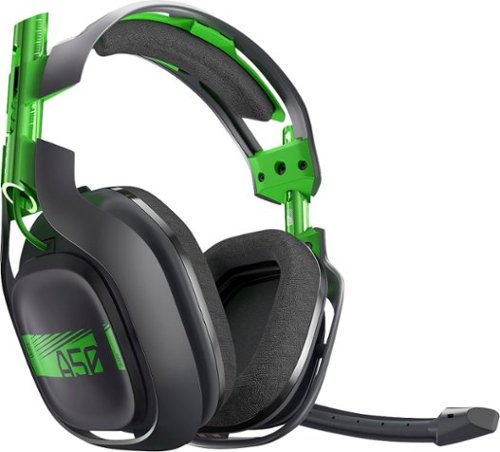
Experience Dolby 7.1 surround sound for up to 12 hours of gaming with this A50 wireless headset. Its adjustable size and soft cushions provided extended comfort. This A50 wireless headset has three EQ modes and a unidirectional microphone for crystal-clear communication with fellow gamers even during frantic game play scenarios.
Overall 4 out of 5
4 out of 5comfortable! comfortable!
By gamerdad
1. I like the packaging! very nice box!
2. very lightweight!
3. these are very comfortable on the ears
4. don't like that I have to buy a "mod" kit for $$300 headphones that's just shady the stock ear covers are great though...
5. magnetic base is good
6. no problems with setup
7. the optical cable and USB cable are way too short
8. originally bought the turtle beach 800 elite. but returned it bc it was rather inconvenience to wear when reclining and gaming... these a50 do not give me that problem
9. sound is a good for the simulated 7.1 setup.. I could pick out footsteps from different ears bass is good..
10... buy the protection plan... all I've read astro service can be not what you want it to be., I'd rather just deal with best buy return dept...
11. Happy with my purchase
2. very lightweight!
3. these are very comfortable on the ears
4. don't like that I have to buy a "mod" kit for $$300 headphones that's just shady the stock ear covers are great though...
5. magnetic base is good
6. no problems with setup
7. the optical cable and USB cable are way too short
8. originally bought the turtle beach 800 elite. but returned it bc it was rather inconvenience to wear when reclining and gaming... these a50 do not give me that problem
9. sound is a good for the simulated 7.1 setup.. I could pick out footsteps from different ears bass is good..
10... buy the protection plan... all I've read astro service can be not what you want it to be., I'd rather just deal with best buy return dept...
11. Happy with my purchase
Nate34
Northbay, Ca.
Battery question
November 3, 2016
I know these have better battery life than the previous gens but have you had them actually run out on you? I have 2 sets of Gen 2's now that I just swap out when one headset dies and then start charging it. I use my A50's for all my TV audio not just gaming so they run out after about 5 hours or so, so Im hoping that the Gen 3's will always have enough battery to get through the day as long as I set them back on the charger when not using them. Thanks
0points
0of 0voted this comment as helpful.
Experience Dolby 7.1 surround sound for up to 12 hours of gaming with this A50 wireless headset. Its adjustable size and soft cushions provided extended comfort. This A50 wireless headset has three EQ modes and a unidirectional microphone for crystal-clear communication with fellow gamers even during frantic game play scenarios.
Overall5 out of 5
5 out of 5Great headset
By Anthony
I have owned A40s and currently own a pair of last gen A50s. The new A50s make a lot of great improvements over last gen. No chat cable is great and the docking station acts as an external sound card for the PC and does not require an optical cable for full 7.1 which is awesome. Audio quality seems to be better that the old A50s. I would occasionally get some low buzzing noise in the old model but the new ones are crisp and have no such issues so far. Battery life is significantly improved and the auto shut off is a welcome addition(the headset senses that it has been put down and shuts off after 15 seconds. Once it senses it have been moved it turns right back on. Usually the audio is already coming in by the time I put it on my head). Build quality is super solid. Expensive but they sound great and are a quality product. I am not wild about the color scheme but I can deal with it.
Nate34
Northbay, Ca.
Battery question
November 3, 2016
I know these have better battery life than the previous gens but have you had them actually run out on you? I have 2 sets of Gen 2's now that I just swap out when one headset dies and then start charging it. I use my A50's for all my TV audio not just gaming so they run out after about 5 hours or so, so Im hoping that the Gen 3's will always have enough battery to get through the day as long as I set them back on the charger when not using them. Thanks
0points
0of 0voted this comment as helpful.
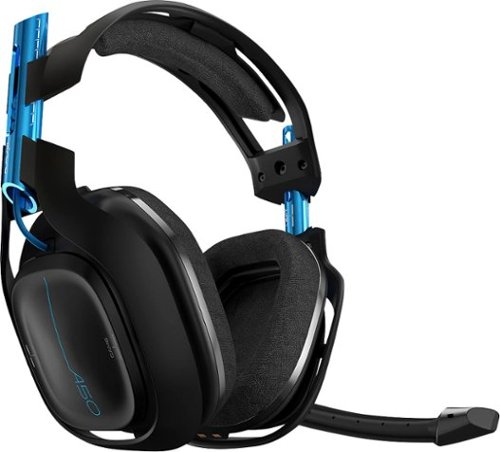
Experience Dolby 7.1 surround sound for up to 12 hours of gaming with this A50 wireless headset. Its adjustable size and soft cushions provided extended comfort. This A50 wireless headset has three EQ modes and a unidirectional microphone for crystal-clear communication with fellow gamers even during frantic game play scenarios. This A50 Wireless Gaming Headset is the best companion for your next-gen console. Broadcasting in interference-free wireless 5 GHz, you will experience low latency gameplay in Dolby Headphone Surround Sound. With the Astro Command Center software, the A50 allows you to tune every input and output parameter including mic level adjustments and creating your own EQ modes. The new precision boom microphone is voice chat optimized and features flip~up mute functionality.
Overall5 out of 5
5 out of 5The Best Wireless Headset On the Market
By Craignoicecube
I love A50s I had a pair of the 2nd gens and they were awesome! Now that these come with a charge base and an accelerometer they're even more convenient! Being able to customize these now was a bonus!! Great job Astro!
Nate34
Northbay, Ca.
Battery question
November 3, 2016
I know these have better battery life than the previous gens but have you had them actually run out on you? I have 2 sets of Gen 2's now that I just swap out when one headset dies and then start charging it. I use my A50's for all my TV audio not just gaming so they run out after about 5 hours or so, so Im hoping that the Gen 3's will always have enough battery to get through the day as long as I set them back on the charger when not using them. Thanks
0points
0of 0voted this comment as helpful.
Nate34's Questions
Nate34 has not submitted any questions.
Nate34's Answers
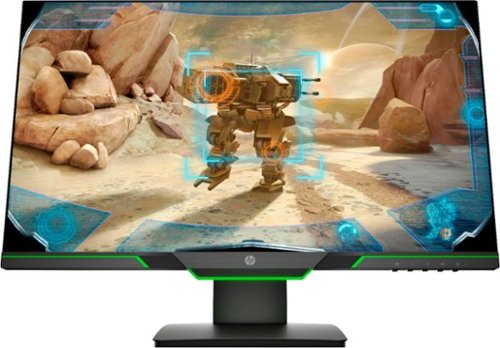
Experience the ultimate in FHD gaming graphics with this 24.5-inch HP 25X display. A smoother gaming experience with sharper, cleaner details is provided by a display that refreshes 144 times per second, while the micro-edge design provides ultra-wide, seamless viewing. The stand on this HP 25X display has a 100mm range of motion, making it easy to position for your comfort level.
Does it have built in speakers
No this does not. Youll need headphones or external speakers.
7 years, 8 months ago
by
Nate34
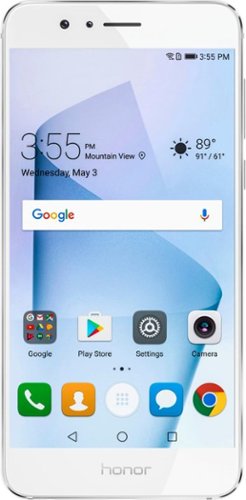
Get the full smartphone experience with this unlocked Huawei Honor 8. The quad-core processor can handle running multiple apps at once, and the touch screen responds to taps, drags, swipes and pinches for easy operation. This unlocked Huawei Honor 8 has a 12-megapixel back camera with integrated geo tagging, automatic face detection and a wide-angle landscape mode.
What does it mean NOT compatible with Verizon & Sprint? I cannot talk to someone that has Sprint or Verizon service?
This only means it is a GSM only phone so if you were on Sprint of Verizon your sim card would not work. You can call and message anyone on any carrier with it.
9 years, 7 months ago
by
Nate34
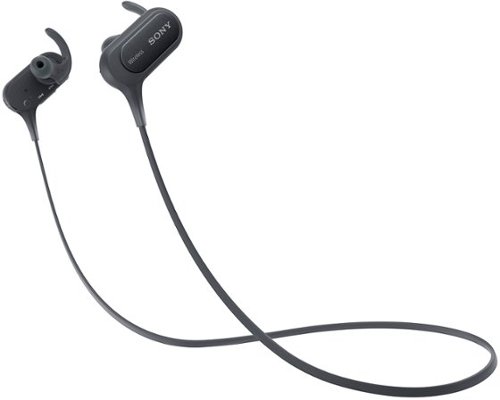
Make hands-free calls and listen to music with these Sony wireless in-ear sport headphones. The wireless design frees your range of motion, and the microphone makes conversations more convenient. Listen to music for over 8 hours on a single charge with these Sony wireless in-ear sport headphones, which are moisture-resistant for use during strenuous workouts.
Do these have a blinking light on them while in use?
Yes. There is a Blue LED that blinks while its in use. This is also used to determine battery and charge level.
9 years, 8 months ago
by
Nate34
How can i connect 2 televisions to same directv box wirelessly to show same picture?
What are my options to wirelessly connect 2 hd tvs to the same directv box to broadcast the same show?
You would need a splitter that takes one HDMI signal and splits it into 2.
9 years, 11 months ago
by
Nate34
Samsung - 55" Class - (54.6" Diag.) - LED - 2160p - Smart - 4K Ultra HD TV - with High Dynamic Range
Watch TV, movies or videos in stunning quality with this Samsung 4K UHD TV. The 55-inch screen shows every detail clearly, so you won't miss anything. The SmartHub software works with the built-in Wi-Fi to let you access many popular streaming services, ensuring that you always have something to watch on this Samsung 4K UHD TV.
Is this a flat or curved screen? There's no mention of the curved screen in the product description, but the photos show it as curved.
The KS9000 is flat. The KS9500 is the curved one.
9 years, 11 months ago
by
Nate34
Looking to replace comcast modem want to buy a compatible modem
I also had to replace my comcast modem and have tried 2 different brands since then. This first one I got was a Zoom, and then later bought a Motorola. Ive had less issues with the Motorola. But Im not sure if they carry that same model. Its been a couple years. Depends on what you want to pay. I see the Motorola SB6121 is only 69.99 right now and has excellent reviews.
10 years, 11 months ago
by
Nate34
North Bay Area, Ca.
Modem/Router
I am trying to stream Netflix to two different televisions.. Do I need to purchase a second Modem?
If so, will cox cable recognize a second modem? In other words, must I pay more and register a second Modem with them?
If so, will cox cable recognize a second modem? In other words, must I pay more and register a second Modem with them?
NO, you dont need 2 modems. All you need is 1 modem, and a wireless router. Then set up the wireless on the router, then any device that has internet can connect to the router by searching for wireless and entering your password.
13 years ago
by
Nate34
North Bay Area, Ca.
does ps3 support 3D movies
I read that the most recent firmware update added full 3D compatibility to the ps3.
16 years, 2 months ago
by
Nate34
Napa, Ca