


BobinVA's stats
- Review count163
- Helpfulness votes454
- First reviewDecember 19, 2014
- Last reviewSeptember 1, 2026
- Featured reviews0
- Average rating4.1
Reviews comments
- Review comment count0
- Helpfulness votes0
- First review commentNone
- Last review commentNone
- Featured review comments0
Questions
- Question count0
- Helpfulness votes0
- First questionNone
- Last questionNone
- Featured questions0
- Answer count28
- Helpfulness votes23
- First answerAugust 12, 2016
- Last answerJanuary 22, 2022
- Featured answers0
- Best answers2
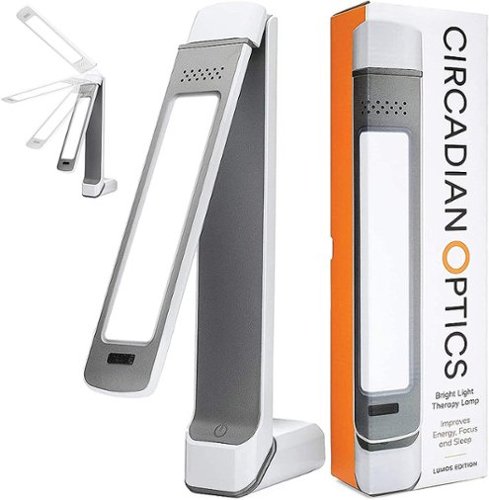
Circadian Optics is a maker of bright light therapy lamps that mimic daylight. Our designer lamps allow you to get the light you need, right at your desk. Lumos is our slimmest lamp, measuring just 2 1/4" wide. Eminently adjustable, 3 hinges and a rotating light panel give this lamp excellent flexibility, allowing you to angle the light panel in a multitude of ways.
Posted by: BobinVA
from Forest
In the wake of the Coronavirus pandemic, I began paying more attention to the impact of things such as sunlight on my health. When my son was younger, we spent a lot of money to try to determine why he had such trouble getting quality sleep on a regular basis. The verdict? His body’s rhythm was off, and the doctor said there wasn’t much that could be done about it.
Fast-forward to today, and I learned about Circadian Optic’s line of therapy lamps. I decided to pick one up and see if it could have a positive impact on me. There are several models to choose from, but I decided to go with the Lumos model, which is the most adjustable and portable model they make.
The Lumos is indeed compact. It’s thin and long, and can easily be taken with you when you travel. I like that I don’t have to dedicate a table to it, I just put it where I want it. One end of it articulates to form an L-shape that allows it to stand up on your table. It comes with an additional base piece that makes it a little more stable. Due to how tall it is, it’s easy to knock over, but it’s not unstable.
The part housing the LEDs can be moved into an almost infinite variety of positions. It can be straight up and down, or twisted fully around so that it’s shining up at you. It can also be set into more of a horizontal position, with pretty much any angle you like. It really is easy to make it fit into any setup. The only button on the device is a 3-way touch sensitive button on the front. Just tap it to cycle from off through any of the 3 available brightness settings. Whichever one you pick, don’t stare into it—it’s very bright!
The build quality of this thing is very good. It’s all plastic, but solidly built, and I expect to be using it for years to come. Prior models offered a battery option, but the current model is AC-only. That’s okay, since batteries produce less light output as they die, and lumens are the key here. I looked at reviews of previous models and found a number of people complaining about the unit getting too hot, even to the point of failure, so I was a little nervous about that. I’ve been using mine for about two weeks now, and I’m happy to report that this seems to be a glitch that has been fixed. I typically use mine for about 30 minutes at a time, and it only gets warm, not hot.
Now to the question that everyone wants to have answered: does it work? I find that a hard question to answer. While I did feel that using the lamp in the morning helped me to wake up more quickly, I’m not sure about its impact on my circadian rhythms. I don’t really suffer from sleep disorders, but I was hoping the lamp might help me to stay awake better in the middle of the day when I typically hit a slump. I do wonder if it’s big enough to provide a benefit, but I don’t have anything to compare it against.
So, while I may not be able to say it has helped to regulate my wake/sleep cycles, I am pleased with the lamp. One unintended benefit is that I use it on video calls to illuminate me against the windows that are behind me. The lamp does a great job of that without getting in my way. I plan to continue using it regularly, and who knows? Maybe I’ll be able to get out of my mid-afternoon doldrums.
Mobile Submission: False
I would recommend this to a friend!
Share this review:


0points
0of 0voted this as helpful.
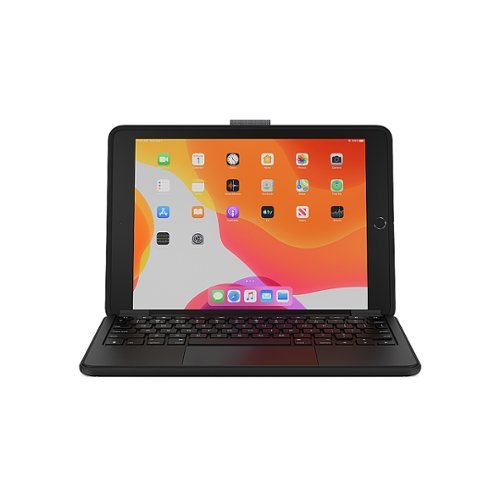
The Brydge 10.2 MAX+ for iPad (9th, 8th & 7th Gen) combines the functionality of a traditional Brydge keyboard with the protection of OtterBox. Featuring the largest precision trackpad for iPad, the 10.2 MAX+ native multi-touch gestures allow you to get the most of iPadOS, transforming your iPad into the perfect laptop replacement.
Customer Rating

4
Finally a keyboard case with a trackpad!
on May 4, 2021
Posted by: BobinVA
from Forest
I’ve had a number of iPads over the years, and have experimented with a number of different solutions for keyboards. In my opinion, a keyboard is required to truly get the maximum productivity out of an iPad, but all keyboards are not equal.
I haven’t been a big fan of keyboard cases because I value the slimness of the iPad. My previous keyboard cases were big, bulky, and too difficult to remove if I wanted to use the iPad as a tablet again. While the Brydge 10.2 Max+ does add a fair amount of bulk, it is not excessive, and brings with it the advantage of additional protection for the iPad. What I really like about the approach Brydge takes is that they support the ability to remove the iPad when you need it to be a tablet. That’s nothing new for Brydge, but what is different this time is that they’ve partnered with Otterbox. The part of the case that goes on the iPad itself is an Otterbox case that claims to provide drop protection of up to 4 feet. It’s a nice case that feels solid and doesn’t add too much bulk. It does not, however, provide any protection for the screen when separated from the keyboard. It’s too bad they couldn’t have designed some way to attach an Apple Smart Cover in that scenario.
The Otterbox cover also includes a loop for keeping your Apple Pencil with the iPad. This is a nice touch, but it’s not as secure as I’d like, and there is the risk that the Pencil could fall out. It’s actually quite good, however, and I’m glad they added it. The case includes magnets hidden within that allow it to connect to the newly redesigned hinges. I really like this new design because there are no clips gripping the iPad on the screen that ruin the overall look. The magnets are very strong and allow the case and keyboard to function essentially like a clamshell laptop. To remove the iPad, hold down the keyboard with one hand and lift the iPad away with the other. This does take some force, but that’s a good thing, because it shows that the iPad is being held securely.
Using the keyboard is as simple as pairing via Bluetooth. This was a simple process that is facilitated with a dedicated Bluetooth button next to the power button. Once connected, you have a keyboard with very nice tactile feedback which allows touch typing. As you would expect, the smaller size takes a bit to get used to, but once you do, you’ll be typing normally in no time. Typing feels great and isn’t that far off from a full-sized laptop keyboard. Brydge really did a good job with this one.
What’s really great is having a real trackpad for the first time. The trackpad is a good size and is very responsive. I usually prefer tapping to click, and that is supported here as well. Unfortunately, the trackpad is so responsive I usually end up inadvertently clicking where I didn’t intend while I’m typing, so I quickly had to turn that off, at least while doing a lot of typing. I’m hoping that this is something that will get better as I use it more. Perhaps it’s something that I have to train myself to use, but it’s not something I’ve had to do with laptop trackpads.
A really nice surprise, especially at this price point, is that the keyboard is backlit. It has three lighting levels, and is a really nice feature to have when you need it. I also appreciated being able to turn it off, as I find backlighting to be an annoyance when there’s plenty of light in the room and I can see the keys.
The 10.2 Max+ is made of plastic, but it still feels very solid. I was a little disappointed that it wasn’t aluminum like so many of their previous versions, but perhaps aluminum with a trackpad would have been too expensive or too heavy. In any case, the Otterbox case provides a level of protection that their earlier models did not offer, so I think that’s a worthy trade-off.
While there are lots of pros to like about the 10.2 Max+, there are a couple of things in the con category that I need to mention. First, Brydge’s user manual is a joke. It does not include a diagram of the dedicated iOS keys, as they did with other keyboards, nor does it give any instruction on setting up the trackpad in the settings. The manual says you can learn about customizing the trackpad by going to the URL they printed in the manual, but that URL takes you to the same manual you’re looking at, with no additional information! For those like me who have never had a trackpad for my iPad, I was not sure where to find options for customization. I downloaded the Brydge Connect app, but that was only for firmware updates, not configuration settings. Eventually, it dawned on me to check in the general settings, and I was very happy to find trackpad settings there for things like tap to click, and scrolling behavior, but at first this seemed like a miss. A sentence or two in the manual could have made that a better experience.
I previously mentioned the over-sensitivity of the trackpad while typing, but that may or may not be something that should be changed. As I mentioned, that may be a result of the way I hold my thumbs while typing, so I’ll see what I need to do about that. The other issue I experienced seems to have been corrected by a firmware update. The first few times I used the keyboard, it would just stop communicating with the iPad, but still showed as being connected in the settings. Turning it off and back on took care of this. After the latest firmware update, I have not experienced this again, so kudos to Brydge for getting this fixed so quickly.
Battery life is rated at 6 months, so obviously I haven’t been able to verify that yet. The unit comes with a USB-C charging cable.
I am very happy with my Brydge 10.2 Max+ keyboard case. It’s versatile, well-built, and a joy to use. It brings a new level of productivity to my iPad, meaning that I will sometimes just take it instead of my laptop. I’ve been a fan of the Logitech Keys to Go, and I still am, but a membrane keyboard will never be able to compete with real keys for a good typing experience. I think they both have their place, but the Max+ is a superior overall experience.
Mobile Submission: False
I would recommend this to a friend!
Share this review:


0points
1of 2voted this as helpful.
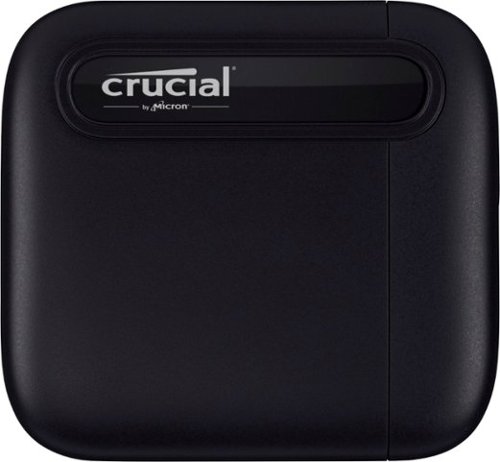
How much content can you hold with your fingertips? With the Crucial X6 Portable SSD, the answer is: A lot! Whether you~re downloading videos for off-line travel, organizing family photos, collaborating with classmates, or heading off on a great adventure, the Crucial X6 features up to 1TB of portable storage capacity and is ready to go wherever you do.
Customer Rating
4
Fast storage at a good price
on May 3, 2021
Posted by: BobinVA
from Forest
The move to SSD storage becoming more prevalent in the computer market has had a bit of a downside: it has taken us back to smaller storage capacities being the norm again. In the last few years, 1 TB hard drives were common in decent machines, but capable machines sold now are typically outfitted with 128 GB, 256 GB, or 512 GB at the upper end. The result is that getting a new machine these days may mean settling for less storage for the same money. Until recently, one solution to that problem was to add an external hard drive, but access speeds for physical hard drives aren’t really up to snuff compared to solid state drives.
I recently upgraded my laptop to one with lots more memory and the latest Intel processor, but only half as much storage space as my 5 year-old laptop. I was using an external hard drive for less important file storage, but the arrival of the Crucial X6 1 TB external SSD gave me the opportunity to add storage space that was fast enough to serve as direct online storage, not just a space for files such as photos. So, the question I wanted to answer was this: is the Crucial X6 fast enough to be a reasonable extension of my laptop’s internal storage?
To answer that, I decided to install a number of games on the X6. Games were one thing that I decided to install much fewer of on my new machine, since I don’t play them enough to make it worth giving up the storage space. As a comparison, I also installed the same games on an SD card to see how it would stack up against the X6.
Installing and running games on the X6 worked flawlessly, but the experience wasn’t noticeably different on the SD card. So, I decided to test the read/write speeds directly, again comparing to the SD card. Crucial claims a read speed of around 559 MB/s and a write speed of around 510 MB/s. This is where I was surprised to find out how much better the X6 performed over my SD card. To help me quantify this, I used the freeware tool named “Flash Bench”. At the largest file size, my average read speed was 499 MB/s and my average write speed was 378 MB/s. At the 4K file size, read/write averages were 42/37. These were not quite up to the advertised speeds, but that’s to be expected on different machines. What really surprised me was the fact that my SD card, which I thought would compare favorably because it is also flash memory, was more than 5 times slower than the Crucial X6 and even a bit slower than my external physical hard drive! Maybe I need to look into the SD, but that’s for another day.
Installing and running games on the X6 worked flawlessly, but the experience wasn’t noticeably different on the SD card. So, I decided to test the read/write speeds directly, again comparing to the SD card. Crucial claims a read speed of around 559 MB/s and a write speed of around 510 MB/s. This is where I was surprised to find out how much better the X6 performed over my SD card. To help me quantify this, I used the freeware tool named “Flash Bench”. At the largest file size, my average read speed was 499 MB/s and my average write speed was 378 MB/s. At the 4K file size, read/write averages were 42/37. These were not quite up to the advertised speeds, but that’s to be expected on different machines. What really surprised me was the fact that my SD card, which I thought would compare favorably because it is also flash memory, was more than 5 times slower than the Crucial X6 and even a bit slower than my external physical hard drive! Maybe I need to look into the SD, but that’s for another day.
Next, I copied large quantities of files back and forth from the X6, to directly get a feel for it’s reading and writing speed. What I found was that for really huge files, the X6 crushes it, transferring multi-gigabyte files in no time. What isn’t always intuitive is what those lower speed benchmarks for smaller files mean. When I transferred massive folders containing thousands and thousands of small and tiny files, the read/write speeds of all media types converged to around the same numbers. In that scenario, there was no real performance difference between the X6, a typical SD card, or my 1 TB external hard drive. Keep that in mind if you’re copying tons of tiny files and wondering why it takes so long. It doesn’t mean there’s something wrong with your new drive, it’s just the nature of the beast.
In the end, I’ve concluded that the X6 is a great performer for a great price. It is small and light, which makes it easy to take with you everywhere. It’s rated for drops of more than 6 feet without damage, but I can’t bring myself to do that on purpose. My only complaint is that I wish the included USB-C cable were a little longer. A short cable makes sense, but it’s also a stiff cable, which makes it difficult to put it in a place that stays out of my way. This is a minor quibble, but it would have been nice to have a little more choice as to where to put the drive while it’s in use.
I think the X6 is a great value, and I’m glad we’re finally starting to get some options on large capacity drives at a reasonable price. Crucial has a lot of experience making computer memory, so it makes sense that they’re leading the way here as well. If you need some more storage space for your computer or game system, you can’t go wrong with the X6.
Mobile Submission: False
I would recommend this to a friend!
Share this review:


-5points
1of 7voted this as helpful.
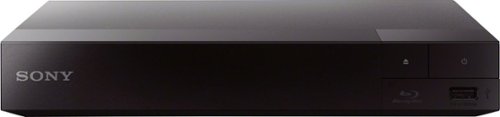
Whether you~re streaming your favorite show, watching movies, or listening to your favorite music ~ do it all from one device. Take movie night to the next level and with full HD, built-in wifi and fast, high-definition streaming. Get started in seconds with an included HDMI cable for seamless setup.
Customer Rating
4
A solid blu-ray player is now an even better value
on April 11, 2021
Posted by: BobinVA
from Forest
The Sony BDP-BX370 Blu-ray disc player offers a great mix of features and performance at a good price. As the owner of 2 other Sony blu-ray players, I already knew I could expect a solid addition to my stable of players.
Setting up the BX370 was a simple matter. The package includes a remote (with batteries), power supply and HDMI cable. After making a few choices during the setup program, it’s time to get to business. Blu-rays load quickly, and the picture and sound quality are excellent.
Sony has included a super-quick start mode in this model. Enabling it allows the player to start up in a second. I was skeptical that it would work as promised, but it actually did! Loading discs was also fast, much better than most players I’ve used. The only thing that I thought was a bit slow was the speed with which the apps load. While not terrible, there is a noticeable lag while waiting for apps to load. This is certainly not a deal-breaker for me.
Speaking of apps, the player comes with a fairly representative set of apps already pre-loaded. Services such as Netflix, prime video, tubi, vudu, Spotify and more are available. Having apps available on the same screen where you play blu-rays is convenient, but you probably won’t get by using the BX370 as a replacement for a dedicated device such as a Roku or Fire TV or Apple TV. That’s because the selection of additional apps isn’t very good (it doesn’t even include previously Sony-owned Crackle), and is mostly populated with streaming services you’ve never heard of. For me, I am mainly interested in a blu-ray player, so this doesn’t bother me. Having access to the apps and being able to update the firmware over my wifi are nice additions that really round out the package. Other features include DLNA, screen mirroring, and playing media from a USB device. I did not try these features, but it’s nice to know they’re there when I need them.
Sony has gotten much more competitive with the price of the BX370, while still delivering a quality build that feels just as good as my other, much more expensive Sony blu-ray players. For me, the choice was easy, because of Sony’s reliability. They don’t necessarily offer the most complete package of features, but what they do offer is solid, and it works. I’ve tried other brands, and saved some money up front, but those others inevitably stopped working, while all of my Sony players are still going strong. I’m glad to have chosen Sony once again, and with an even better price, the choice is clear.
Mobile Submission: False
I would recommend this to a friend!
Share this review:


+3points
3of 3voted this as helpful.
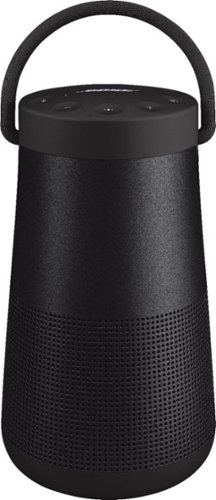
SoundLink Revolve+ II, the best-performing portable Bluetooth speaker from Bose, is engineered to spread deep, jaw-dropping sound in every direction. Place it in the center of the room to give everyone the same experience. Or set it near a wall and sound will radiate and reflect around the room, immersing you in that same feeling you felt at your favorite show. The tapered cylindrical shape with a flexible handle makes this wireless speaker easy to grab and go, while a durable aluminum body provides worry-free protection. And it~s water and dust resistant so you can keep the party going, even if it starts to rain. The rechargeable, lithium-ion battery plays up to 17 hours ~ for full-day listening. Voice prompts talk you through Bluetooth pairing, and there~s a built-in speakerphone for calls. Use the Bose Connect app to pair two SoundLink speakers for Stereo or Party Mode. The app also helps you manage your devices, unlock features, and access future updates. Available in Triple Black or Luxe Silver.
Posted by: BobinVA
from Forest
I’m a big fan of Bluetooth speakers. They allow us to bring room-filling sound with us wherever we go, unencumbered by wires or the need for an electrical outlet. I’m also a big fan of Bose products, and they’ve been filling my life with music for over 30 years now. I’ve been using one of the small portable Bluetooth speakers for a while now (unfortunately, not a Bose), but I wanted something with bigger sound, which is why I got the Revolve+.
This is the second iteration of the Revolve+, but I do not have the first, so I can’t compare. My understanding is that the water resistance is improved, and they’ve added an option to purchase a charging dock (this is not included in the box). I like the idea of being able to have this speaker by the pool and not have to worry about it getting splashed, so improving water and dust resistance is a good thing.
Pros:
• Does a good job of reproducing tones across the spectrum, with clean, clear highs, solid mid-range, and full, rich bass. While not a lot bigger than my other Bluetooth speaker, the Revolve+ II puts out much fuller sound, with bass that isn’t muddy or unclear. That’s maybe the best feature of the Revolve+: it hits the sweet spot between too much and too little bass. The sound remains good throughout the full range of loudness, and doesn’t distort even at maximum volume.
• Nice rubber on the top and bottom, providing drop protection and making it easy to hold, even when wet.
• Easy to pair with Bluetooth devices, but still includes a 3.5 mm input jack. Nice touch!
• Bose thoughtfully included a screw-mount for attaching the Revolve+ II to a tripod. This could be handy at a party.
• Built-in handle is sturdy and comfortable. This is meant to be taken with you!
• Sounds great in all directions, not just the spot directly in front of the speaker. Putting it close to a wall enhances the sound even more.
• Great battery life.
• Call quality using the built-in microphone is better than expected.
• Does a good job of reproducing tones across the spectrum, with clean, clear highs, solid mid-range, and full, rich bass. While not a lot bigger than my other Bluetooth speaker, the Revolve+ II puts out much fuller sound, with bass that isn’t muddy or unclear. That’s maybe the best feature of the Revolve+: it hits the sweet spot between too much and too little bass. The sound remains good throughout the full range of loudness, and doesn’t distort even at maximum volume.
• Nice rubber on the top and bottom, providing drop protection and making it easy to hold, even when wet.
• Easy to pair with Bluetooth devices, but still includes a 3.5 mm input jack. Nice touch!
• Bose thoughtfully included a screw-mount for attaching the Revolve+ II to a tripod. This could be handy at a party.
• Built-in handle is sturdy and comfortable. This is meant to be taken with you!
• Sounds great in all directions, not just the spot directly in front of the speaker. Putting it close to a wall enhances the sound even more.
• Great battery life.
• Call quality using the built-in microphone is better than expected.
Cons:
• The Bose Connect app. I’m not sure this is really a con, but it’s not a plus, so I’ll list it here. The app is used for delivering firmware updates (VERY slowly) and managing connections and setting up party mode, but not much beyond that. In addition, Bose is following the path of many other manufacturers by requiring separate apps depending upon whether you have a Bluetooth speaker, headphones, or other equipment. I currently have Bose headphones, Bose Frames, and now the portable speaker. Why can’t I control all aspects of these devices in a single app? It's a minor point, but one I thought I’d mention.
• No ability to change and save EQ settings.
• Could be a little louder.
• A little expensive. It’s a wonderful speaker, but it would be even better at a good sale price.
• Still using micro USB to charge. Why are they still doing this? The Bose NC700 headphones use USB-C, as should this speaker. Not a deal-breaker, but disappointing nonetheless.
• The Bose Connect app. I’m not sure this is really a con, but it’s not a plus, so I’ll list it here. The app is used for delivering firmware updates (VERY slowly) and managing connections and setting up party mode, but not much beyond that. In addition, Bose is following the path of many other manufacturers by requiring separate apps depending upon whether you have a Bluetooth speaker, headphones, or other equipment. I currently have Bose headphones, Bose Frames, and now the portable speaker. Why can’t I control all aspects of these devices in a single app? It's a minor point, but one I thought I’d mention.
• No ability to change and save EQ settings.
• Could be a little louder.
• A little expensive. It’s a wonderful speaker, but it would be even better at a good sale price.
• Still using micro USB to charge. Why are they still doing this? The Bose NC700 headphones use USB-C, as should this speaker. Not a deal-breaker, but disappointing nonetheless.
The Bose Revolve+ II portable Bluetooth speaker sounds better than any other that I’ve owned. The quality is top-notch, without any visible seams in the aluminum casing. It looks and sounds great! Well built, rugged and water/dust resistant, this speaker is designed to go where you go. I’m very happy to have this one.
Mobile Submission: False
I would recommend this to a friend!
Share this review:


+1point
1of 1voted this as helpful.
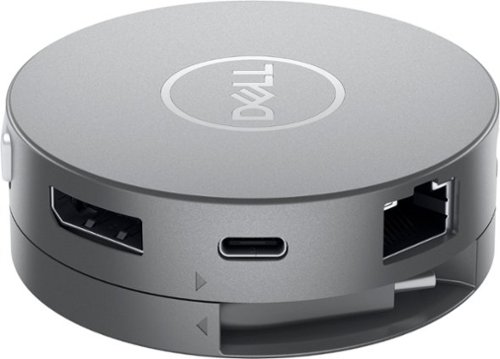
Maximum connectivity. Compact Design. The Dell DA310 7-in-1 USB C adapter. Featuring the widest variety of port options including HDMI, DP, VGA, Ethernet, USB-C and two USB-A, this Dell USB-C Mobile Adapter - DA310 offers seamless video, network and data connectivity, in a neat, compact design. Offers up to 4K resolution at 60Hz via DP or HDMI port and enjoy a crisp and clear view without compromising on performance. Its two USB-A and USB-C downstream ports also offer fast data transfer rates, at up to SuperSpeed USB 10Gbps3 when connecting to other supported peripherals. The only USB-C adapter with in-built cable management and a round, coaxial cable that offers a reliable connection with enhanced signal integrity. Conveniently sized to fit into a briefcase, purse or backpack for on-the-go adaptability and function.
Customer Rating

5
Well-built adapter with all the options
on March 15, 2021
Posted by: BobinVA
from Forest
The Dell DA310 mobile adapter is an update to the Dell DA300. I did not previously own the DA300, but I compared the new one to the previous one to understand the differences. The DA310 a compact port replicator shaped like a hockey puck. It includes ports for USB-A, USB-C, HDMI, VGA, Display Port(DP), and Ethernet. It improves on the DA300 by adding an additional USB-A port and now features power pass-through. You may not need power pass-through, but if your machine only has a single USB-C port that is used for both peripherals and charging, you won’t be able to use any dongle that doesn’t also allow you to charge your machine when it’s low on power. The DA310 adds that capability, so now you don’t need to choose between charging and having extra ports.
The main reason for an adapter like this is to allow you to carry one small package instead of a bunch of dongles and adapters. As laptops become thinner and get rid of ports, an adapter like the DA310 is very handy. At first I thought it was a bit pricey, but then I considered the dongles I’ve purchased over the years: USB-C to USB-A, USB-C to VGA, USB-C to HDMI, USB-C to Ethernet. Each of these can cost from $15 to $30, and I can’t use them at the same time on the same machine. In that light, the DA310 is a good value and allows me to have all of these adapters available without having to remember to carry them all with me separately.
I tested the DA310 on a Windows machine, as well as a Google Pixelbook, using 2 different high definition external monitors. External monitors were no problem, but I should mention that the DA310 isn’t meant to allow you to run multiple external monitors. You may only use one of the video ports at a time, so keep that in mind. The DA310 handled every peripheral with ease, and allowed me to charge my Pixelbook while using it. It features an innovative wind-up mechanism to keep the USB-C connector neatly out of the way when not in use. The connector is hard-wired, which means you won’t be able to leave it behind, but it’s shorter than I would have preferred. With my laptop on a stand, I had to rest the DA310 on a box so that it would be within reach of the laptop. This is not a big deal, but I would have appreciated a little more length. I also think it might have been a good thing for the connecting cable to be replaceable. I’m not sure if they could have achieved the winding action that way, but it would be nice to know that if the connector itself went bad, it could be easily replaced.
The DA310 could potentially be used as a hub if you typically leave your peripherals in place and would like to be able to plug them all in with a single connection. This would certainly provide a compact way to do that. I decide to try that, so I also plugged in my Logitech Unifying Receiver, which is used by my Bluetooth mouse and keyboard, into one of the USB-A ports on the DA310. This worked like a charm, until I restarted the machine. I doubt this will be a problem for most people, but my Windows laptop for work uses McAfee security, which requires a DOS-based login before handing off to Windows. The USB-C port is not active during the DOS bootup, while USB-A stays active, so my peripherals didn’t work until Windows came up. I’m sure this is a quirk of the computer, and not the DA310, but I just wanted to mention it, in case it matters to you.
The last thing to consider is the shape of the DA310. As previously mentioned, and as I’m sure you’ve seen in the pictures, the DA310 is circular. If all of the ports are in use, you’ll have cables sticking out in all directions. If that’s an issue for you, you may want to consider something in a different shape. Competing products are priced similarly, but you’ll want to compare their features to the DA310 first. I found the DA310 to be very well-built, and does a great job doing what it’s supposed to do. If you’re in the market for something like this, I think you’ll be happy with it—I recommend it!
Mobile Submission: False
I would recommend this to a friend!
Share this review:


+1point
1of 1voted this as helpful.

This H&R Block Deluxe + State Tax software offers everything homeowners and investors need to easily complete federal taxes. It includes a free online chat with a tax professional, step-by-step guidance on hundreds of credits and deductions, in-person representation in the unlikely event of an audit, and reporting assistance on income from investments, home sales and more.
Customer Rating
5
Great tax software at a great price
on February 1, 2021
Posted by: BobinVA
from Forest
Before I get started, I should say that I’ve been using H & R Block’s tax software for several years now. A few years back, I did try out Turbo Tax, and while there were some things I liked about the Turbo Tax experience, I didn’t think the differences were worth the extra cost of the software, so I’ve stuck with H & R Block. So, while this isn’t my first time using the software, it is my first time reviewing it.
H & R Block takes a kind of “interview” approach to guiding the process. It asks you questions and then, based on your answers, guides you to the appropriate follow-up questions. Since I’m a return user, I was able to import all of my personal information (name, address, SSN, etc.) from a prior year. My employer does not use one of the approved W-2 providers, so I’m not able to use the automated import process. After inputting my W-2 information, I found out that the software now offers the option to take a picture of your W-2 and bring in the information that way, but I was already past that, so I didn’t try it.
Using the software is straightforward, and the program guides you through the sections that apply to you. At one point, it started asking me questions that I was sure were headed in the wrong direction, but then it told me that section didn’t apply to me. What it was doing was determining whether I was eligible for an additional deduction, but until it concluded I wasn’t, it didn’t tell me what it was doing. It’s a minor point, but I would have preferred to be given a little more “this is what we’re doing…” kind of guidance. Nonetheless, this is vastly preferable to trying to figure out the tax forms directly to determine what applies to you and what doesn’t.
There were a few times when I felt like a little more direction and guidance would have been helpful, but some spots did not contain any help or explanatory material. I was looking for an explanation of what a certain term meant, but it was not included in the program. Ultimately, I found what I needed using internet searches, so it wasn’t a big deal, but I think it should have been included.
Even though the program is structured like an interview, you are free at any time to go directly to a section or even to the form itself. This makes it very easy to jump around and check your previous answers again, without having to go through the entire interview again. You can also use this feature to explore the impact of different options, such as married vs. single. As you proceed through your return, your current refund or amount owed is clearly visible, and changes dynamically while you go from section to section. This is especially useful if you have extra income that was not previously taxed, as you can see the impact on your tax bill of an additional amount of income. It’s a real-time running tally of your bottom line.
Completing your state return once you’ve done the federal couldn’t be easier. All required information is brought over, and you answer a few additional state-specific questions, and that’s it! E-filing your federal return is included in the price, but not for the state return. I’m sure that has to do with different costs in each state, but it’s still a bummer to either pay the additional amount, or file it some other way. For the federal return, you get 5 free e-filings. This is great, because I use a couple of those to help my kids with their taxes.
I think that H & R Block represents the best overall value in tax preparation software. They cover all the bases, although sometimes with a little less depth than I’d like, but the combination of good price, federal e-filing and state returns makes for a great value. Sales are common, so keep an eye out for those to save even more. H & R Block has taken care of my taxes for many years, and I see no reason why I won’t keep coming back.
H & R Block takes a kind of “interview” approach to guiding the process. It asks you questions and then, based on your answers, guides you to the appropriate follow-up questions. Since I’m a return user, I was able to import all of my personal information (name, address, SSN, etc.) from a prior year. My employer does not use one of the approved W-2 providers, so I’m not able to use the automated import process. After inputting my W-2 information, I found out that the software now offers the option to take a picture of your W-2 and bring in the information that way, but I was already past that, so I didn’t try it.
Using the software is straightforward, and the program guides you through the sections that apply to you. At one point, it started asking me questions that I was sure were headed in the wrong direction, but then it told me that section didn’t apply to me. What it was doing was determining whether I was eligible for an additional deduction, but until it concluded I wasn’t, it didn’t tell me what it was doing. It’s a minor point, but I would have preferred to be given a little more “this is what we’re doing…” kind of guidance. Nonetheless, this is vastly preferable to trying to figure out the tax forms directly to determine what applies to you and what doesn’t.
There were a few times when I felt like a little more direction and guidance would have been helpful, but some spots did not contain any help or explanatory material. I was looking for an explanation of what a certain term meant, but it was not included in the program. Ultimately, I found what I needed using internet searches, so it wasn’t a big deal, but I think it should have been included.
Even though the program is structured like an interview, you are free at any time to go directly to a section or even to the form itself. This makes it very easy to jump around and check your previous answers again, without having to go through the entire interview again. You can also use this feature to explore the impact of different options, such as married vs. single. As you proceed through your return, your current refund or amount owed is clearly visible, and changes dynamically while you go from section to section. This is especially useful if you have extra income that was not previously taxed, as you can see the impact on your tax bill of an additional amount of income. It’s a real-time running tally of your bottom line.
Completing your state return once you’ve done the federal couldn’t be easier. All required information is brought over, and you answer a few additional state-specific questions, and that’s it! E-filing your federal return is included in the price, but not for the state return. I’m sure that has to do with different costs in each state, but it’s still a bummer to either pay the additional amount, or file it some other way. For the federal return, you get 5 free e-filings. This is great, because I use a couple of those to help my kids with their taxes.
I think that H & R Block represents the best overall value in tax preparation software. They cover all the bases, although sometimes with a little less depth than I’d like, but the combination of good price, federal e-filing and state returns makes for a great value. Sales are common, so keep an eye out for those to save even more. H & R Block has taken care of my taxes for many years, and I see no reason why I won’t keep coming back.
Mobile Submission: False
I would recommend this to a friend!
Share this review:


0points
0of 0voted this as helpful.
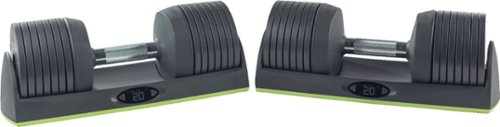
The JAXJOX Dumbbell is a digital dumbbell set offering two adjustable dumbbells ranging from 8-50 pounds each. Select your weight with a touch of a button.
Customer Rating
4
Well built, but app is terrible
on January 21, 2021
Posted by: BobinVA
from Forest
Years ago I bought a set of iron weights along with a pair of star-lock dumbbell handles. I thought it would be great to do dumbbell exercises with a variety of weights. Changing out the weights turned out to be annoying, and the star-locks would loosen while I used the dumbbells, making the plates clang together. Eventually my usage of them diminished to zero.
Fast-forward to today, and the JaxJox Dumbbell Connect. This is a set of dumbbells with plastic-coated plates that can be adjusted at the push of a button. Each dumbbell sits in its own plastic tray, keeping the weights nice and neat. The tray contains a rechargeable battery and a small LCD display showing how much weight is on each dumbbell. There are also 2 buttons, which you use to increase or decrease the amount of weight on each dumbbell.
The set is well-constructed, with a knurled steel handle that connects to the weight plates. With no extra plates attached, the handles weigh 8 pounds, and you can increase the weight in 6 pound increments. Changing weights couldn’t be easier: just place the handle back in the base and select the amount you want with the buttons. Within a few seconds, each dumbbell will beep to tell you that the change is complete. The increments roll over, so that if you press too many times, just keep pressing and you’ll go back around from the beginning. This is actually a nice touch.
Using the weights feels very natural. They attach to the handle securely, and don’t clang while in use. Some reviews have stated that it’s too difficult to place the handles back in the base properly so that the weights are straight up and down. It’s true that this does happen on occasion, meaning that the weights won’t adjust properly, but it’s easy enough just to be careful to ensure that this doesn’t happen. One thing I really like about this set is the clean look it has. I’ve seen other dumbbells similar to this that only look good at their highest weight setting. Anything less and it looks like you’re picking up some sort of black fishbone. The JaxJox Dumbbell Connect looks symmetrical and balanced at any weight setting. You can see this in my pictures. You can also see how neat and compact these are in their bases. Anyone who has tried to keep a set of iron plates stacked neatly knows how difficult this can be. The Dumbbell Connect packs 15 dumbbells into the space of 2, and that is a major advantage.
The mechanism for changing the weights is motorized, so the connection between the handle and the base is critical for its operation. While it’s too early to tell, this has the potential to be the Achilles Heel for the set. Should the connection fail, or if the battery won’t take a charge, I won’t be able to change the amount of weight on the handle, and it’ll be a giant paper weight. Hopefully these will last a very long time, but it is something to consider as you compare to other alternatives. Speaking of batteries, the batteries in the base can be charged using the included USB-C charging cable. Unfortunately, JaxJox did not include a charger for the cable to plug into, so you’ll have to supply your own.
While the handles and weights themselves are very well-built, I can’t say the same for the app. The app promises exercise tracking, goal-setting and on-demand classes, but it delivers very little. You are required to set up an account to get started, which some may find off-putting. I was excited to try out the on-demand classes, but I was disappointed to find that none of them were available without first signing up for a premium membership at $12.99 per month. I expected to at least find a few classes that I could try before paying even more money. There’s also a “programs” section in the app, but there are no programs available for the dumbbells. I checked out what’s available for the kettlebell, and did find what looked to be a pretty good set of workouts put together into a program, but when I tried to preview it, the app locked up. When this app locks up, it REALLY locks up, so much so that my phone is inoperable. In fact, no other app that I’ve ever used has been able to lock up my phone so tightly. Once this happens, you can do nothing but wait for it to clear up enough so that you can kill the app. The app will also lock up if a request to load a class fails. On the positive side, the app does include access to some “skills” videos that show some ways to use the dumbbells for various exercises. Other sections, such as “For You” and “Fitness IQ” are nothing but more ads for going premium.
Beyond the video training aspect of the app, I was excited at the prospect of having it keep track of my workouts and progress toward my goals. Unfortunately, the app failed completely at doing that. It registered wildly inaccurate counts for sets and reps, and couldn’t figure out which day of the week on which to place them. I did a set of 8 reps and the app told me I had done 3 sets of 2, 2 and 3 reps each. Trying to use this for tracking toward a goal is just an exercise in frustration. Given that the app features a lot video content (if you pay for it), I thought it would be better to use on the bigger screen of an iPad. Alas, it’s not really a universal app that scales properly for an iPad. Instead, it stays in the phone aspect ratio and cannot be rotated. Overall, the app is a complete waste of time and ruins an otherwise stellar package that is more reasonably priced than its competition. Thankfully, the app is not required to use and enjoy the JaxJox Dumbbell Connect. I’m hoping they’ll be able to work out the kinks in this app in the future. If I thought the app was absolutely critical, I'd give this review 3.5 stars.
I really like the Dumbbell Connect, and hope that it will provide many years of service. I’ve seen other reviewers report inoperable sets, so I’m going to keep an eye on this issue. I haven’t experienced anything like that so far. I’m enjoying this set very much, as long as I don’t try to use the app. I recommend it!
Mobile Submission: False
I would recommend this to a friend!


Share this review:


+1point
1of 1voted this as helpful.
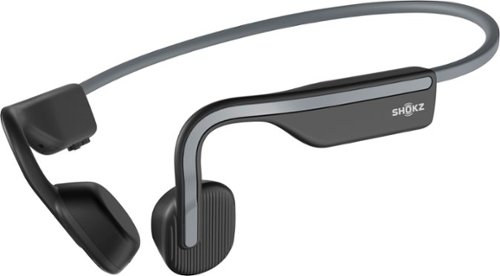
Inspired by athletes, designed for everyone. Shokz OpenMove Bone Conduction Lifestyle/Sport Headphones were made to move you. For the past 10 years, Shokz has been dedicated to providing safety and situational awareness through bone conduction technology. Unlike traditional in-ear headphones, OpenMove features the signature Shokz open-ear design to keep you tuned in to your music and your moments. The lightweight, titanium fit makes it easy to move through your day with versatility.
Customer Rating
4
Best headphones for running!
on January 15, 2021
Posted by: BobinVA
from Forest
In my continuing quest to find the perfect wireless headphones, I’ve come to understand the pros and cons of many different styles. They each have their pros and cons, and to date I haven’t found one style that checks absolutely every box. So, where do these Aftershokz Openmove headphones fit in?
The Openmove is the latest offering by Aftershokz, and for me they’re my third set of bone conduction headphones, following the Aftershokz Titanium and Air. If you haven’t tried bone conduction headphones, it’s important to understand how they differ from other styles. Unlike earbuds, on-ear headphones or over-ear headphones, bone conduction headphones do not work by projecting sound into the ear canal. Instead, the vibrations produced by the sound are transmitted into the cheekbones and ultimately the bones inside your ear. This creates some possibilities that aren’t possible with other styles.
The primary use case for bone conduction headphones is in sports such as running or biking. The reason for that is that they do not cover or block the ear canals, letting you be aware of your surroundings while still being able to hear your music or podcast. Earbuds fill the ear canal, blocking a significant amount of sound, even if you’re using a type of “hear through” technology. This is what makes them less than ideal for times when you need to be able to hear the sound of an approaching car. I wouldn’t ride a bike while wearing earbuds, but bone conduction headphones are a good option for safety-conscious riders.
The other reason the Openmove headphones work so well while running or cycling is that they are very comfortable. I’ve had the Aftershokz Air for more than a year, and I can wear them for hours without really even noticing them. The Openmove is just a bit lighter than the Air, and the profile of the headband is almost identical to that of the Air. What’s interesting is the curvature of the part that goes around your ear. I’m not sure why they did it, but it is a “flatter” curve than the one used on the Air. Does that matter? I think the answer depends upon the shape of your ears. For me, I didn’t notice much of a difference, but there were times when I had to shift the headphones a bit to relieve pressure created by them rubbing up against my ear. I don’t think I’ve ever had that happen with the Air. Even so, the Openmove was very comfortable to wear for extended periods of time. We’ll see what happens as time goes on.
Although the Openmove is priced at the entry level, it offers the newer transducer technology first seen in the high-end Aeropex model. This means that the shape of the part that rests on your cheekbones is different than what it is on the Air or the Titanium before that. Along with updated technology inside, this reduces the amount of “buzz” that you’ll feel on your cheek when the volume is turned up. This is a classic downside of bone conduction, but it is largely reduced on the Openmove. While I didn’t really notice much difference in sound quality between the Air and Openmove, I would give the edge to the Openmove. The Openmove introduces a new EQ setting that emphasizes the spoken word, and I do think that provides a slight sound quality improvement when listening to podcasts. Voices sound brighter and clearer using this setting.
Aftershokz always includes a set of ear plugs if you want to use the bone conduction headphones but want to block out any ambient noise. I suppose this would be a good thing for listening to music at home, but I’m not sure anyone buys bone conduction headphones because of the sound quality. Sound quality is impressive, but it still doesn’t rival what you’ll get from a high-end set of earbuds, and definitely not from a good pair of over the ear headphones. Nevertheless, the reasons for buying bone conduction headphones are not the same reasons for buying other styles, and think those reasons are actually more important than sound quality. The Openmove is also great for listening to music at low volume in an office environment (remember that?) when you want to be able to hear someone who approaches your desk. These also work well as hands-free headsets for your phone, and even in the car. Since they don’t cover your ears, they may not violate the regulations in your state (you should check for yourself).
The Openmove offers a great new option at a significant savings over the flagship Aeropex. There are relatively few compromises in exchange for a great price, but if you’re concerned about the change of shape impacting the comfort for you, the Air can be had for only $20 more, or even for the same price as the Openmove in some places. I don’t think you’ll be disappointed with either model.
Some random thoughts:
• The earpieces are equipped with magnets, which will cause them to snap together around your neck if you have a small neck. Whether this is a positive thing will be left up to you. My neck is not small enough for that, so I did not encounter this. You may find a use case for the magnets, but I’m not sure what it is.
• The Openmove feature a more streamlined design than earlier models, and this means that the single button featured on all the Aftershokz models is smaller and hides within the design scheme of the earpieces. I didn’t find this to be a problem, and the button worked as well as the older design.
• The Openmove charges via USB-C, which is a welcome upgrade.
• The package includes the headphones (fully charged), the charging cable, instructions, and a drawstring bag to keep them in.
• IP55 water resistance means they’ll do just fine on a sweaty run, but don’t submerge them.
• Battery life is rated at 8 hours, and although I didn’t actually track that, my experience indicates that to be pretty accurate.
• Multipoint pairing is supported.
• The earpieces are equipped with magnets, which will cause them to snap together around your neck if you have a small neck. Whether this is a positive thing will be left up to you. My neck is not small enough for that, so I did not encounter this. You may find a use case for the magnets, but I’m not sure what it is.
• The Openmove feature a more streamlined design than earlier models, and this means that the single button featured on all the Aftershokz models is smaller and hides within the design scheme of the earpieces. I didn’t find this to be a problem, and the button worked as well as the older design.
• The Openmove charges via USB-C, which is a welcome upgrade.
• The package includes the headphones (fully charged), the charging cable, instructions, and a drawstring bag to keep them in.
• IP55 water resistance means they’ll do just fine on a sweaty run, but don’t submerge them.
• Battery life is rated at 8 hours, and although I didn’t actually track that, my experience indicates that to be pretty accurate.
• Multipoint pairing is supported.
If you fit into any of the categories I’ve mentioned, you’ll love the Openmove headphones. If you don’t but you just can’t stand having something in your ears, then these may be the answer for you. Although I can’t test this myself, I am intrigued by the idea that people with hearing issues may be able to benefit from bone conduction technology. Obviously, that would depend on what sort of hearing problem you have, but it would be worth looking into.
I’m sold on bone conduction headphones because of the special needs they meet, and how well they meet them. I don’t think there’s a better option for running available today. The Openmove makes getting a quality set of bone conduction headphones more affordable than ever.
Mobile Submission: False
I would recommend this to a friend!
Share this review:


+1point
1of 1voted this as helpful.
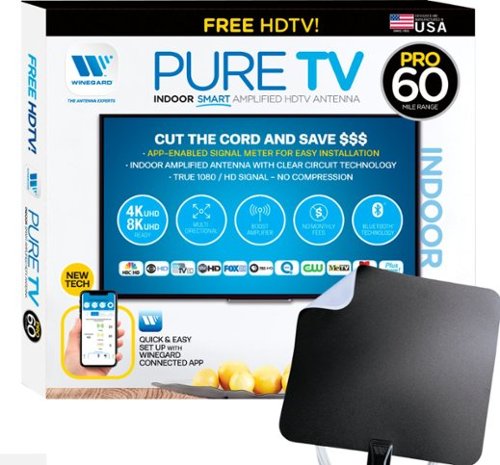
The PureTV Pro 60 is the only antenna with an actual signal meter integrated into the antenna to provide the best possible customer experience when installing. The PureTV Pro 60 has a dual-band, optimized antenna element that captures signals up to 60 miles away, while the antenna~s Clear Circuit Technology boosts the available signal, cuts dropout, and clears pixelation. The integrated, Bluetooth technology signal meter makes you the pro at installation. The PureTV Pro 60 uses a built-in tuner to get real-time signal data. Pair with the Winegard Connected app for no-fuss antenna positioning. Available for iOS and Android phones, the free, user-friendly Winegard Connected app quickly pairs with the PureTV Pro 60. Using both visual and audio indicators, you~ll get real-time feedback on the optimal antenna position for the best signal possible. The app shows a summary of available channels, and you can even fine-tune individual channels for maximum reception. Once you~re done, run a channel scan on TV, and start watching FREE TV.
Customer Rating
4
Strong antenna, weak app
on December 16, 2020
Posted by: BobinVA
from Forest
I’ve been using indoor HDTV antennae for years now, but I’m always on the lookout for an antenna that raises the performance bar. The Winegard PureTV Pro 60 antenna adds a new spin by including an integrated tuner that aids in finding the optimal placement for the best reception.
Finding the best placement involves the use of a Bluetooth app that pairs with the antenna. As you move the antenna from place to place, the app shows how many channels it’s picking up, and whether they’re str ong, medium strength or weak. This does provide a little more certainty, and it’s much faster than moving and checking channels repeatedly.
With respect to performance, I do think the Winegard PureTV Pro 60 outperforms the antennae that I’ve used over the years. I currently own and use 3 antennae of the same type, and the Winegard consistently provided a better signal across the whole spectrum of channels available in my area. I was able to pick up 32 channels over the air, and I was happy that they were strong and clear, even as weather changes that would affect my other antennae didn’t affect the Winegard. Best of all, I had no need to move the antenna just to view a different channel.
The Winegard PureTV Pro 60 includes a generous length of cable, and the second tuner/signal booster can be powered by a USB port on the TV or with the included wall power adapter. Thoughtfully, the manufacturer also included a couple 3M Command Strips for attaching the antenna to its perch. For its main purpose of pulling in TV signals, the Winegard does a fine job, and isn’t so large as to be obnoxious wherever you place it, such as in a nearby window.
While I loved the idea of using an app to streamline the placement of the antenna, the whole app experience left a lot to be desired. First, using the app requires you to set up an account with Winegard. These days, I have way too many accounts with passwords, and setting up another just so I can position my antenna seems like overkill. In addition, the app does not dependably work, and repeatedly locked up while I was trying to use it. When it did work, I liked the ability to see a list of available channels. Supposedly, I could have fine tuned the channels, but I gave up trying to get the app to work. This was a great idea in theory, but in practice it wasn’t all that great and the information I had to hand over wasn’t worth it.
As an antenna, the Winegard is a worthy competitor to the leading company, Mohu. In fact, I plan to replace my current Mohu model and continue using the Winegard. The sub-par app experience results in the loss of a star. Technically, you wouldn’t have to even use the app, if you’re willing to go back to the old-fashioned, time-consuming way of finding the right position. I was fortunate that the app worked during initial setup, so at least I got the benefit of that functionality. The Winegard is a little more expensive than its competitors. The app alone is not worth the extra cost, but it does perform better than others, and in the end, that’s what really counts. Hopefully it’ll continue performing this well when the leaves are back on the trees.
Mobile Submission: False
I would recommend this to a friend!
Share this review:


0points
0of 0voted this as helpful.
BobinVA's Review Comments
BobinVA has not submitted comments on any reviews.
BobinVA's Questions
BobinVA has not submitted any questions.
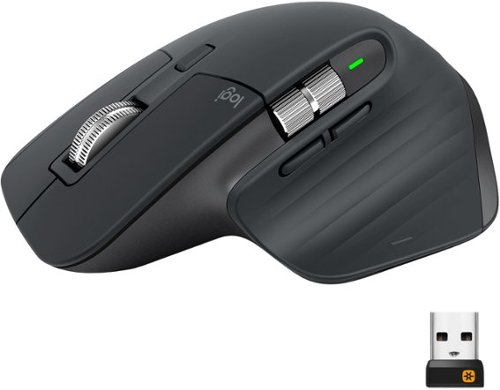
MX Master 3 is instant precision and infinite potential. Designed for designers and engineered for coders, it~s our most advanced Master Series mouse yet. App-specific button customizations speed up your workflow in the apps you use most and the electromagnetic MagSpeed wheel enables fast noiseless scrolling. Your hand rests perfectly on the sculpted form and allows you to work comfortably for hours across multiple computers and operating systems in one fluid workflow. Ready for video calls - predefined settings for Microsoft Teams and Zoom let you instantly mute and Start/Stop your video call. With MX Master 3, you can truly master what you make.
Bluetooth is turned off on our work computers. Will this operate as a wired mouse with the USB cable attached or is it strictly for charging
Yes, it will operate as a wired mouse that way, but that is really defeating its purpose. Can you use the unified receiver instead? I'm doing that instead of bluetooth, and it works very well.
6 years, 11 months ago
by
BobinVA
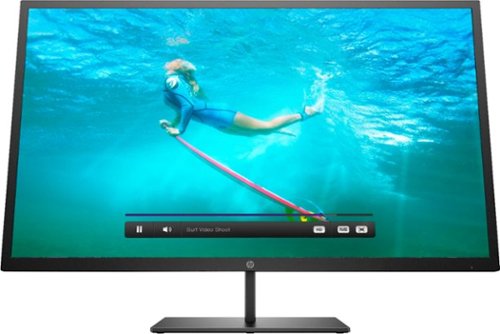
Multitask comfortably using this HP Pavilion 32-inch monitor. The QHD resolution provides immersive visuals for gaming and a spacious work space. Enjoy consistent clarity and color from multiple positions thanks to the 178-degree viewing angle. This HP Pavilion 32-inch monitor features an anti-glare panel for better visibility in bright conditions, while the Low Blue Light mode reduces eyestrain.
Wall mountable - yes How can this be wall mounted? Please suggest a wall mount for this monitor.
The monitor comes with a bracket that you can attach to the back of the monitor. This will allow you to attach it to a mount. I'd suggest a full-motion wall mount that has the square center bracket, as this will match up with the bracket on the monitor itself. I don't think the monitor conforms to the VESA standard for mounting brackets, but I'm not sure. I'm not mounting my monitor, so these are just some thoughts after having just setting mine up. Good luck!
7 years, 3 months ago
by
BobinVA
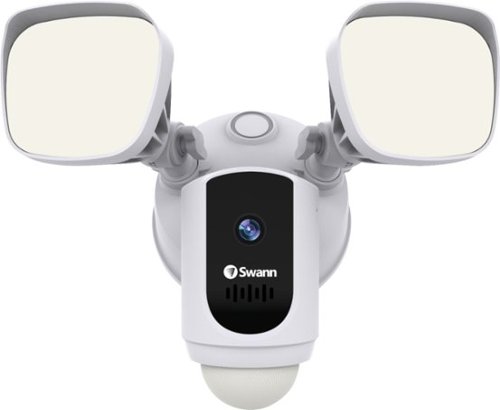
Protect your home or business with this Swann 1080p Wi-Fi floodlight security camera. The Full HD resolution lets you review captured footage in stunning detail, while the floodlight ensures that subjects are illuminated. This Swann 1080p Wi-Fi floodlight security camera includes a siren and two-way audio for scaring off trespassers and potential intruders.
How good is the motion detection really? I have purchased several cams and the motion detection is awful. Thanks
I've found it to be quite good. Sometimes it seems to pick up the motion of swaying tree branches. I'm still trying to figure out the optimal sensitivity setting.
7 years, 4 months ago
by
BobinVA
Protect your home or business with this Swann 1080p Wi-Fi floodlight security camera. The Full HD resolution lets you review captured footage in stunning detail, while the floodlight ensures that subjects are illuminated. This Swann 1080p Wi-Fi floodlight security camera includes a siren and two-way audio for scaring off trespassers and potential intruders.
How long are the recorded clips? Do the clips start before motion is detected?
I think the clips are about 30 seconds. They do seem to start before motion is detected, which results in complete clips of the action.
7 years, 4 months ago
by
BobinVA
Protect your home or business with this Swann 1080p Wi-Fi floodlight security camera. The Full HD resolution lets you review captured footage in stunning detail, while the floodlight ensures that subjects are illuminated. This Swann 1080p Wi-Fi floodlight security camera includes a siren and two-way audio for scaring off trespassers and potential intruders.
Can the floodlight be wired and howlong do the battery last
I'm not sure if there are other models, but mine is wired only. There is no option for it to be battery powered. Given how bright the lights are, and how often they're likely to be tripped, I would think that batteries would go dead pretty often. If you have the choice, hard wire it.
7 years, 4 months ago
by
BobinVA
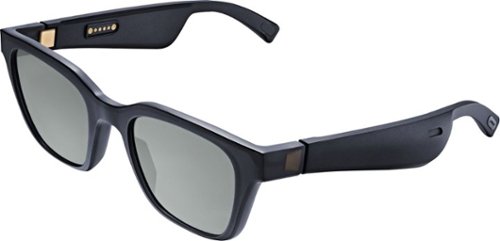
Meet Bose Frames. Bluetooth sunglasses with a soundtrack. The first audio sunglasses with built-in Bose speakers for an immersive audio experience unlike any other. A revolutionary personal audio experience hidden inside two classic designs, each enriched with premium accents and materials. Play music, take calls, and enjoy the sun with UVA/UVB protection. Bose Frames Alto feature a classic angular lenses, available in small and large size.
How long does the battery last?

Unlock new potential for your wireless headphones with this Airfly headphone accessory. It plugs into any conventional headphone jack to enhance your listening experience and can pair with in-flight entertainment systems for added convenience. This Airfly headphone accessory has an eight-hour battery life and recharges through USB, so it's easy to take anywhere.
Can you plug wired headphones into this to make them wireless?
No, this is a wireless transmitter, not a wireless receiver. The headphone jack in the AirFly is for the source of the sound, and it then sends it out to headphones that are able to receive the signal.
7 years, 5 months ago
by
BobinVA
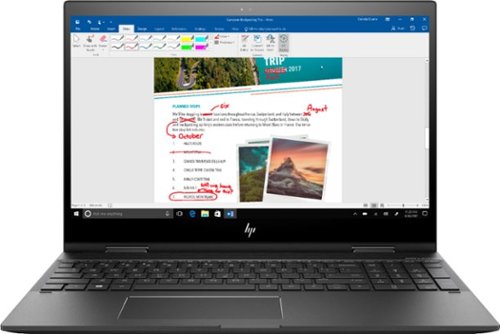
Study or work hard on this HP Envy convertible laptop, which features a large 15-inch screen. The laptop opens up easily to create a tablet for note-taking, while an AMD Ryzen processor supports Windows 10 Home and other applications effortlessly. The reliable128GB solid-state hard drive on this HP Envy convertible laptop stores lots of files and programs.Learn more.
Can this device connect to both 2.4 GHz and 5 GHz WiFi?
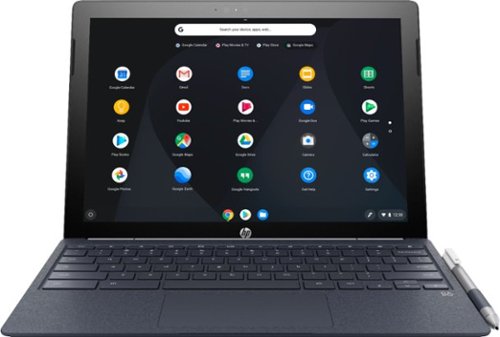
Run programs on this 12.3-inch HP Chromebook convertible laptop. Its detachable touch-screen display lets you enjoy brilliant 2K content, and you can write and draw on it with the included Active Pen. This HP Chromebook convertible laptop has 32GB of storage, and its Intel Core m3 processor and 4GB of RAM provide smooth performance.
Does this computer have a camera in which I can use Skype?
It has both front and rear-facing cameras. However, I don't think there's a version of Skype that will work with Chrome OS. If this is a deal breaker for you, you should research that to find out.
8 years, 3 months ago
by
BobinVA
Run programs on this 12.3-inch HP Chromebook convertible laptop. Its detachable touch-screen display lets you enjoy brilliant 2K content, and you can write and draw on it with the included Active Pen. This HP Chromebook convertible laptop has 32GB of storage, and its Intel Core m3 processor and 4GB of RAM provide smooth performance.