


PracticalSandy's stats
- Review count211
- Helpfulness votes261
- First reviewOctober 21, 2013
- Last reviewJune 8, 2026
- Featured reviews0
- Average rating4.6
Reviews comments
- Review comment count0
- Helpfulness votes0
- First review commentNone
- Last review commentNone
- Featured review comments0
Questions
- Question count0
- Helpfulness votes0
- First questionNone
- Last questionNone
- Featured questions0
- Answer count3
- Helpfulness votes0
- First answerMarch 27, 2017
- Last answerMarch 26, 2018
- Featured answers0
- Best answers0

Meet the Ninja ProChef Wireless Thermometer, a durable, app-connected thermometer that can withstand up to 700~F. Whether cooking indoors or outdoors, in direct flame or low and slow, the Ninja ProConnect App provides a guided cook system and uses an advanced algorithm to give you updates and even more accurate finish times, so you always end up with an expert-level meal~no guesswork required.
Customer Rating

3
Not convenient but functions very well
on October 14, 2024
Posted by: PracticalSandy
The Ninja Pro Thermometer came well packaged with easy instructions and setup. You have to insert the battery and let it charge before first use. I did not like how you had to open the battery slot - using a coin or butter knife - would be better to have something easier without grabbing a tool. The software was easy to download and register and synced with the thermometer without any issues.
I found it very inconvenient to insert the thermometer horizontally into the meat beyond the insert line on the thermometer. It works fine on a roast or large cuts of meat (over 1.5") which is basically a big steak or fat chicken breast, but not practical for burgers, chops, meatloaf, or smaller beef cuts.
That being said, when cooking a steak, the app was easy to use and helpful. You select the cut of meat and desired wellness or you can manually monitor the temperature. It said could not estimate the cooking time on the steak, despite trying to insert the thermometer four different times. It does tell you when to flip the meat and it did a good job (accurate) of cooking the meat to the desired temp/wellness. I cooked the steak to medium rare at 140 degrees, and after resting, the result was perfect (it also tells you when to take off the heat source to rest).
The thermometer is obviously very hot to the touch after using, so you have to remove with an oven mitt and let cool down for at least 20 minutes before washing.
Overall, the thermometer worked extremely well for it's intended purpose, however, I found it inconvenient to insert and wash, so will probably use my regular digital thermometer (that does not stay in the food) for most cooking.
No, I would not recommend this to a friend.

Share this review:


0points
0of 0voted this as helpful.

Introducing the Flex Open Clip Wireless Earbuds, the epitome of convenience and innovation in earbud technology. With its unique, clip-style design, these earbuds offer a distinct open-ear experience unlike any other. Simply clip them around your ear and immerse yourself in your surroundings while still enjoying your favorite tunes. Featuring touch controls directly on the earbud, managing your music and calls has never been easier or more intuitive. With USB-C charging, you can quickly and conveniently power up your earbuds for extended listening sessions. Compatible with the JLab App, you can further personalize your listening experience to suit your preferences. Enjoy a remarkable 21+ hours of playtime, ensuring you never miss a beat throughout your day. Thanks to multipoint technology, you can seamlessly connect to any two devices simultaneously, making it effortless to switch between your smartphone, tablet, or laptop without missing a moment of your audio experience. Experience the freedom and versatility of the Flex Open Clip Wireless Earbuds - where innovative design meets exceptional functionality for the ultimate listening experience.
Customer Rating

5
Finally - an earbud that stays in my ear!
on September 19, 2024
Posted by: PracticalSandy
These JLab Flex earbuds are fantastic. They came fully charged in the case which was convenient. They paired quickly with both my phone and my laptop without any problems. At first they were a little cumbersome or confusing to put on my ear because all my other earbuds just go inside the ear (hence they fall out easily). Once I figured out how to "clip" them on with the speaker on the inside and the controls on the outside - it became very easy to to just grab them and clip them on anytime.
The controls work well once you figure out which side does what (it comes with an easy to read card that shows the functions of each). The touch controls are very responsive.
The sound quality is as good as any other ear bud I have. I did find I had to turn up the volume a little more than usual, simply because the speaker is not pressed inside the ear compared to most. I like this however - it makes the earbuds extremely comfortable for long term use.
The best feature by far is the clip on style. This is the first set of earbuds that stays in both ears, no matter how much I most, until I take them out. My left ear is misshapen and more other buds fall out too easily - but these stay in and are comfortable!
I would recommend this to a friend!
Share this review:


0points
0of 0voted this as helpful.

The Best Buy essentials 20W Wall Charging Kit is compatible with USB-C iPhones, Samsung smartphones, tablets and more. Keep all of your USB-C devices charged with up to 20 watts of power and an included USB-C cable means everything is ready to go right out of the box. This 2-pack gives you an extra wall charger and cable.
Customer Rating
5
Very Impressed - Simple yet Functional
on August 12, 2024
Posted by: PracticalSandy
These wall chargers are great. The kit comes with two charging units and two cords. They are very versatile with having both a USB-C and a regular USB port on each of the charging units. It's very useful to have the charging unit separate from the cord. The design is simple and the quality is good - very durable. I use them with my phone and security cameras. You can charge two devices at once also.
The cords are the perfect length (5'), not too long but not too short. This kit comes with two USB-C to USB-C cords. They are a smooth plastic and are flexible so they don't get tangled up. The end in particular seems solidly built - the wires won't pull out from use.
I was surprised at how fast charging this is. It seemed to charge my cell phone rapidly - just as good as my "fast" chargers.
The chargers are small enough in size to be very portable, and the cords wrap nicely into a circle for easy travelling.
Overall, this wall charging kit functions perfectly and is adaptable to use with most devices. I would definitely recommend them.
I would recommend this to a friend!
Share this review:


0points
0of 0voted this as helpful.

Jabra Elite 8 Active Gen 2 Bluetooth true wireless earbuds come with a Smart Case that is equipped with an advanced chip that provides seamless audio streaming from a treadmill, television, or the in-flight entertainment system on a plane. Plug case into 3.5mm or USB-C jack to stream content wirelessly to your earbuds to enjoy spatial sound powered by Dolby Audio. Elite 8 Active Gen 2~s are designed to withstand your toughest workouts. Tested against US military-grade standards with rigorous cycles of thermal, shock, dust and water treatment, they give you excellent performance in any environment. Completely watertight even when fully submerged in water, the wireless earbuds can withstand huge clouds of dust and survive drops from 3 feet totally intact. With ultimate grip through Jabra ShakeGrip, they stay secure in your ear all day without the need for ear wings. Powerful 6mm speakers ensure the audio is clear and rich no matter what you~re listening to. Powerful Adaptive Hybrid Active Noise Cancellation (ANC) automatically adapts to the environment you~re in, filtering out unwanted interference from wind and other extremes. The wind neutralizing HearThrough technology muffles any wind interference, delivering cleaner, sharper sound wherever you are. Natural HearThrough also provides an open ear experience so you can stay in tune with your surroundings without compromising on sound quality. Leave your phone at home but take your music with you. Download your music to your smartwatch, connect your earbuds, and head out for a phone-free run. Your connection will stay solid and stable no matter what, so you can push yourself to the limit without bringing your device along for the ride. And with Bluetooth Multipoint, you can seamlessly switch between your phone or smartwatch without needing to reconnect. 56 hours (ANC off) of battery in earbuds + case & Fast Charge to get 1 hour of battery in 5 minutes. Need to know the weather forecast or take a call on the go? Simply tap the earbud and ask your preferred Voice Assistant, without having to reach for your phone.
Customer Rating
5
Comfortable earbuds with exceptional sound
on July 20, 2024
Posted by: PracticalSandy
The Jabra Elite 8 earbuds came well packaged with fairly easy instructions and diagrams to show the controls and power buttons.
The Sound Plus software is simple to install and setup. The pairing of the earbuds is extremely fast. Navigation and information within the app are well written, clear and concise.
The earbuds themselves are very comfortable. I have sensitive skin and one of my ears is shaped different so that most ear buds fall out. The Jabra Elite buds are a soft rubber that helps grip the ear yet remains comfortable after hours of use. I was hoping the left one would stay in better, but it still falls out (no fault of the ear bud design). The right one is perfect. The silicone piece that goes into the ear is very easy to clean.
The sound quality is exceptional! Very clear and immersive. Perfect for music, movies or streaming videos. Controls can be customized in the app.
I hooked up with Google Assistant and really enjoy the ease of getting weather, playing music and checking my notifications without having the phone in my hand.
I can say that the noise cancellation feature works very well - I was listening to music in my studio and my husband came in and said he was talking to me for a couple of minutes before he realized I couldn't hear him.
Overall, great earbuds with exceptional sound.
I would recommend this to a friend!
Share this review:


0points
0of 0voted this as helpful.
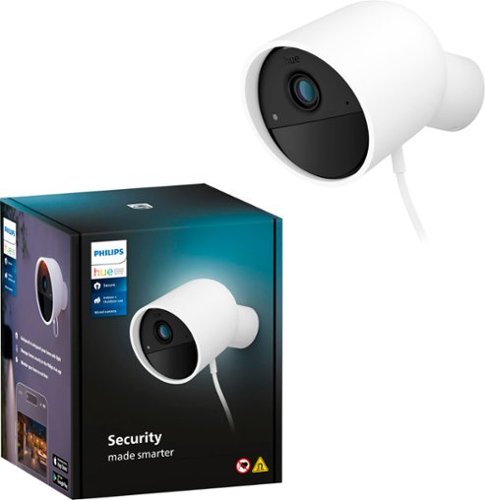
Let Philips Hue keep an eye on your home for you! Get a crisp, clear 1080p HD live stream, turn on the lights or send an alert to your mobile device when motion is detected, or even trigger a sound alarm with a tap in the Hue app. This wired home security camera is easy to mount and install in any home.
Customer Rating

2
Camera okay but software and setup not so much
on July 13, 2024
Posted by: PracticalSandy
The Philips Hue wired security camera came well boxed and seemed very simple to install. It comes with a camera, a power cord, a simple mounting plate and a QR Code card.
The camera itself is well built and has great resolution when live viewing. The power cord that comes with it is not well designed in my opinion - you push it into the receptacle on the camera that has two leads, but I found a couple of times it either was not pushed in far enough, or pulled out too easily when I was mounting it.
The Hue software for setting up the camera seemed simple enough, but I ran into a few issues. The first being setting up the account. It took about 3 times to set up a new account, and it would switch from the app to a browser. Once I had that set up, it asked me during the actual setup if I was connecting a bridge. I did not know what a bridge was, the camera did not come with a bridge, and nowhere in the app did it explain what it was or the benefits of having one. I said no to installing a bridge and continued to install a security device (the camera). It kept telling me that it could not find a camera. After many attempts, I called customer service and was told I needed a "bridge" to run the camera. Again, the camera did not come with a bridge. After more contact with customer service, I was then told that a bridge was not required, but that there were features that would not work without one.
Another frustrating part of the setup and installation process was a card that has a QR code. This card is needed for setup or to change Wi-Fi settings. It seemed like a very unnecessary step and I can only imagine how many people will misplace this card and run into issues in the future.
After finally getting the camera to connect, I found the ONLY thing I could do on the app is view the camera live. I could not access video history, activity zones or event alerts, even though I have a free trial to the subscription. I then learned that recording and alerts only work if you have it set to Armed. I had to search the internet for that piece of knowledge. Once armed it brings up a Security Alert which tells you a person (or something else) was detected. You then have an option of telling it "all is safe" OR "take action" which calls an emergency contact. It does put the recordings into a timeline to view later (only if armed).
Overall, the camera is good and the software has potential, but the setup is not clear enough, does not explain the bridge and does not explain the features and when they are available (armed).
No, I would not recommend this to a friend.
Share this review:


+6points
6of 6voted this as helpful.
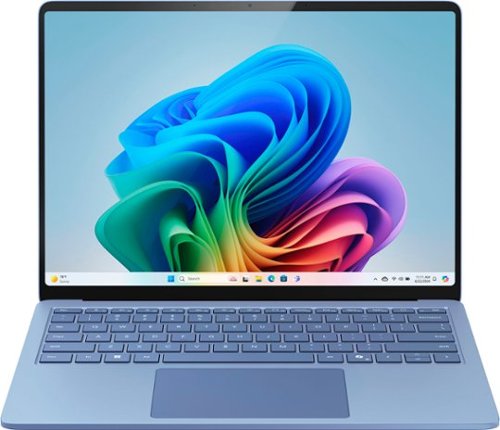
Exceptionally powerful, ultrathin laptop ~ This Surface Laptop is not just faster~it~s more intuitive. Unlock your creativity and stay productive throughout the day with accelerated performance that powers a new AI era, enabling Copilot experiences deeply integrated with the Windows ecosystem. Enjoy all~day battery life to keep your ideas flowing, and immerse yourself in stunning visuals on its modern, razor~thin touchscreen display.
Customer Rating
5
A lot to like about this Surface Laptop!
on July 1, 2024
Posted by: PracticalSandy
The Microsoft Surface Laptop has some outstanding features. It is very sturdy and sleek, and comes in some beautiful colors. It is very thin overall which is amazing considering the processing power and capabilities. It is lightweight and portable.
The first thing I noticed was the outstanding display, with a thin bezel, that makes it seem much bigger than 13.8". The touchscreen is extremely responsive. The colors are vibrant and images crystal clear.
The keyboard is lighted and smooth - very comfortable to use. The touchpad is also very responsive, but I did have an issue of it freezing up a couple of times during some applications. I had to close out the app and restart - then the touchpad came back.
The charging cord has a very unique connection design (so it's not universal). I don't care for it because it is magnetic and can stick to the side of the port, rather than being inserted properly. It also pops out very easily if on my lap. If it's on my charging stand, this wasn't an issue as long as I made sure it was plugged in correctly. However, it does charge fairly quickly and has an amazing battery life. I have used the laptop for well over a day and a half with it still registering 40-50%.
The Snapdragon processor is impressive, fast and provides great performance. The laptop itself is wonderfully designed.
Some of the new software, driven by AI, is helpful and will improve productivity, and some fell short of my expectations.
There are Studio Effects features for live chats/videos that are nice, including a blur background, which is easy to turn on with one click under that battery icon on the taskbar.
There is a Microsoft Office icon on the taskbar, which is an efficient way to access the office software.
The new Cocreator in Paint is supposed to assist is the creation of drawings/graphics. I found it very cumbersome to use, and the AI images were not always reflective of what I drew. It was also slow and not responsive enough.
The laptop has a Copilot key on the keyboard, which opens the Copilot software. This features is good for research and finding resources on specific topics, but sometimes fell short on the content.
For example, I asked it to list all the nonprofits in my county (I was specific with the county name).
It listed four organizations, but one was in another county, in fact another state. It also listed five un Google maps results, two of which were not in my county.
For example, I asked it to list all the nonprofits in my county (I was specific with the county name).
It listed four organizations, but one was in another county, in fact another state. It also listed five un Google maps results, two of which were not in my county.
The Designer image creator is spectacular however and can be accessed through Copilot as well.
Copilot is also time saving, fun and creative for things like helping with recipes, planning trips and provides hints for things to look up.
Overall, this Surface Laptop is terrific and will become my everyday, go to device. I look forward to some of the software updates in the future.
I would recommend this to a friend!
Share this review:


+1point
1of 1voted this as helpful.
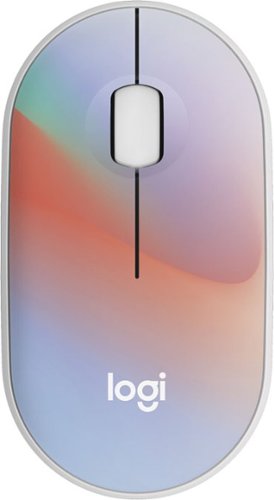
Put your style on display with the M340 wireless mouse collection, offering a choice of colorful statement designs made with recycled plastic. M340~s minimalist round shape and compact mouse design make it super portable. Enjoy silent clicks with Silent Touch Technology to work, browse, and chat in peace, and experience a strong wireless connection with the included USB receiver.
Customer Rating
5
Quiet and portable mouse
on June 26, 2024
Posted by: PracticalSandy
This Logitech M340 mouse is perfectly functional, quiet, small and lightweight.
The mouse came in brilliant packaging - tear open plastic so you don't have to fight it or get cut trying to open it and get the mouse out.
Installation was very easy - you simply pull the battery tab which opens the cover to reveal the battery and the USB receiver. Once you plug the receiver into your computer and turn the mouse on - it's ready to use.
The mouse initially felt uncomfortably small in my hand, but the more I used it, the more I liked the feel of it. It is extremely lightweight and slim, which makes it easy to carry anywhere. A very simplistic design.
The mouse is responsive and when clicking the right or left buttons, is quite smooth and amazingly quiet. The scroll wheel is also smooth and noiseless.
You can get the mouse in a variety of different colors/patterns. The price is so affordable for such a good little mouse that you can order a few of them to carry in briefcases or have on hand.
Overall, I definitely recommend the Logitech M340 mouse!
I would recommend this to a friend!
Share this review:


0points
0of 0voted this as helpful.
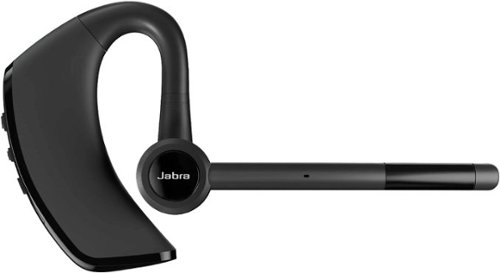
Jabra Talk 65 premium bluetooth mono headset is engineered for calls on the go. When making calls in a variety of different environments, you don~t want to worry about background noise. Jabra Talk 65 has two built-in microphones delivering up to 80% noise cancellation from your end of the call. With up to 14 hours of talk time on a single charge with a wireless range of up to 300 feet/100 meters so you can keep communicating on even the longest shifts. Your headset can take a bit of a beating when you~re constantly on the go. Why settle for a product that isn~t tough enough to handle it? The Talk 65 features IP54-rated protection against dust and water, so it~s durable enough to go wherever you do. Stream GPS directions, or instantly access Siri or Google Assistant, while on the go and stay hands-free and keep your eyes on the road.
Customer Rating

4
Good Overall Mono Headset
on June 11, 2024
Posted by: PracticalSandy
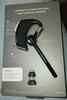
The Jabra Talk 65 headset came nicely packaged, with component descriptions printed on the display card (see picture) which is brilliant.
The headset paired very quickly with my phone and also my laptop.
At first, when I put the headset on my ear, it didn't feel secure enough and was a little awkward. The ear part moves (so you can wear it in either the right or left ear) and I was struggling with where to hold it while putting it on. It seemed to be too big for my ears. However, I wore it for two hours, while walking around, and it never fell off or even moved much. And it was surprisingly comfortable.
It comes with 3 different ear pad sizes. Each is rubbery - which makes them comfortable and easy to clean.
The best features of the Jabra, besides comfort, is the sound quality and the long charging life. I do wish it would tell you the percentage of life left when you power it on, but it does indicate the percentage on the device (phone or laptop). I have used the headset for 3 days without needing to charge it, and depending on usage, it could go longer. The sound is great and I love having just one headset, rather than two earbuds. Outside noise does not interfere with listening, but you can hear necessary external items (people talking, doorbell ringing, etc.).
Overall the Jabra headset is great - I deducted one star for the loose fit and for my inner ear getting slightly sore after a couple of hours, but I would still recommend the Talk 65, especially for those looking for a mono headset. Part of my issues are due to having smaller, sensitive ears.
I would recommend this to a friend!
Share this review:


0points
0of 0voted this as helpful.
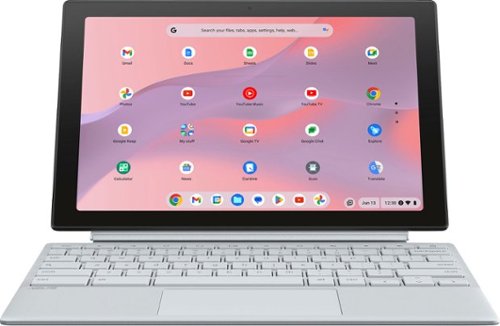
ASUS Chromebook Detachable CM30 is the perfect portable companion for study, work and play, with a versatile 2-in-1 design that allows it to transform seamlessly between laptop. With a two-way, push-pop stylus to quickly capture ideas and notes, both front and world-facing cameras, an impressive up to 12-hour battery life*, fast WiFi connectivity and military-strength design, ASUS Chromebook Detachable is your effective, fun and freeing everyday partner ~ ready to delight at every turn.
Customer Rating
5
Portable Laptop & Tablet - A Great Combination
on May 27, 2024
Posted by: PracticalSandy
Packaging and Setup:
The ASUS Chromebook comes well packaged with minimal paperwork, including a brief, easy to read quick setup guide. The power cord has a Velcro strap for tidy convenient storage which is wonderful for minimizing dangling cords.
It comes with a detachable keyboard and also a detachable kickstand. The kickstand can be easily positioned for optimal viewing - in fact, it has the best positioning feature I've used!
The Chromebook starts automatically when opened ( but also has power button).
Initially, it downloaded a Google update but only took a few minutes. You sign in with your Google account Gmail and of course can sync your Google info with multiple devices. Can set up pin for easy login access as well.
During setup, you can connect your phone to unlock, share WiFi and do instant tethering between your phone and the Chromebook.
Navigation with Gestures: Go Home, switch to another open app and Go Back uses "swipe" gestures for convenient navigation.
Use & Features:
I really like the compact size and versatility of this Chromebook. Although the screen is only 10.5 " everything is clear, crisp and readable. The touch screen is super responsive (but not overly responsive) and reacts perfectly to exact touch areas. The screen also doesn't seem to show fingerprints like some of my other devices.
The processing speed is extremely fast, with apps coming up instantly. Chromebooks are great for just running apps without clogging up the CPU with data and processes.
The keyboard is easy to type on and the hard plastic seems to not absorb finger oils, which will help it stay clean. The only negative I've found is the clicking of the touch pad - I wish it could be turned off or would be quieter.
The greatest features for me are the adjustable kickstand and the detachable keyboard. It is so easy to switch between using it as a tablet vs as a little laptop. And the covers act as a protective case. This Chromebooks is perfect for a portable device (taking to a coffee shop) OR as a tablet to sit on the kitchen counter for easy reference items.
Overall - this ASUS is a great laptop/tablet combination.
I would recommend this to a friend!
Share this review:


+1point
1of 1voted this as helpful.
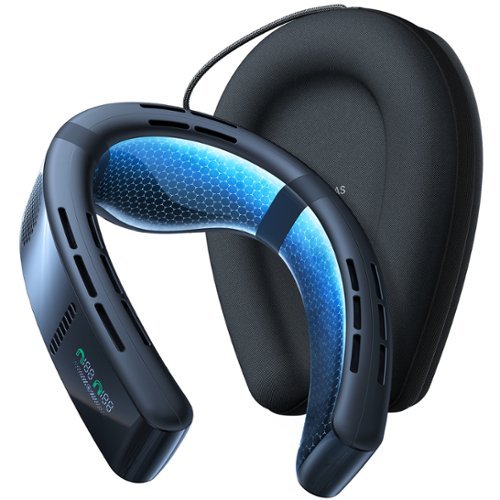
Introducing COOLiFY Cyber, the ultimate personal air conditioner that is different from conventional neck fans and engineered to deliver a customized and comfortable climate experience beyond compare. With powerful cooling performance and pioneering features, COOLiFY Cyber sets the benchmark for the next era of personal neck air conditioners. Powered by the algorithm-driven KU 3.0 chip, state-of-the-art Coology system, and graphene heat dissipation technology, COOLiFY Cyber swiftly envelops you in refreshing coolness, accompanied by customizable airflow and modes (Cool/Fan/Heat) ensuring tailored comfort regardless of the temperature. The compact, lightweight, and adjustable design allows you to move your head without restriction, making it ideal for various outdoor activities like golfing.
Customer Rating
4
A must have for cooling off!
on April 23, 2024
Posted by: PracticalSandy
The Coolify came nicely packaged and includes a great carrying case to protect the neck cooler and store the charging cord.
The controls are fairly straight forward and easy to operate - with modes for fan, cooling and heating. There are also 3 fan speeds which are more than adequate to do the job. The front fan noise is a little loud (but not deafening) on the highest setting, but still fairly quiet to any outsiders and it would be difficult to make a "noiseless" cooling fan.
The most impressive thing about this neck cooler is how comfortable it is, and how well it works at cooling and heating. It cools and heats very quickly. I have not yet tested it in the hottest part of the summer, but so far, it feels like it will be perfect for cooling down especially during craft shows (which can get very hot even under a tent). I'm thinking the best way to use this device is to cool down when very hot, rather than wear it consistently, but it probably depends on the activity.
The only reason I deducted one star was because I could not connect it to my Moto 5G phone via Bluetooth. I tried resetting, reinstalling the app, using the phone pairing method and the app pairing. I finally gave up. It's not really necessary to operate but would have been convenient.
It definitely won't stop me from cooling off this summer! A great device!
I would recommend this to a friend!

Share this review:


0points
1of 2voted this as helpful.
PracticalSandy's Review Comments
PracticalSandy has not submitted comments on any reviews.
PracticalSandy's Questions
PracticalSandy has not submitted any questions.
PracticalSandy's Answers
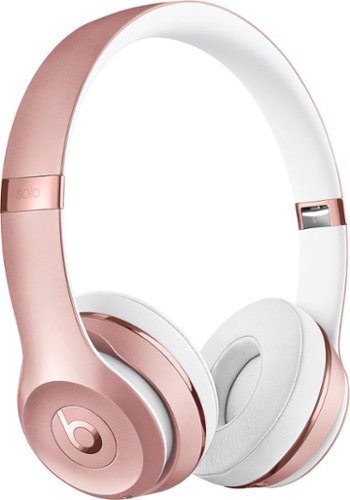
With up to 40 hours of battery life, Beats Solo3 Wireless is your perfect everyday headphone. With Fast Fuel, a 5-minute charge gives you 3 hours of playback. Enjoy award-winning Beats sound with Class 1 Bluetooth~ wireless listening freedom. The on-ear, cushioned ear cups are adjustable so you can customize your fit for all-day comfort.
Are you able to wirelessly talk on your cell phone with these or you need a cord?
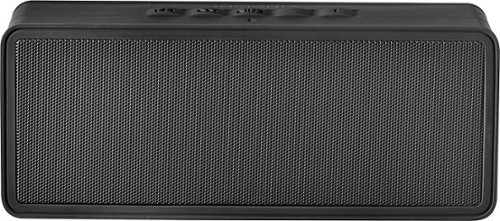
Only at Best BuyInsignia~ Portable Bluetooth Stereo Speaker: Take the music with you with this speaker, which features Bluetooth connectivity for easy music streaming from your compatible device. The built-in power bank charges compatible devices.
What color light is on when the brick is charging and should it be on or off when charging?
The light is flashing white when charging. It can be either on or off for charging. When it's unplugged, it is a solid white light.
9 years, 1 month ago
by
PracticalSandy
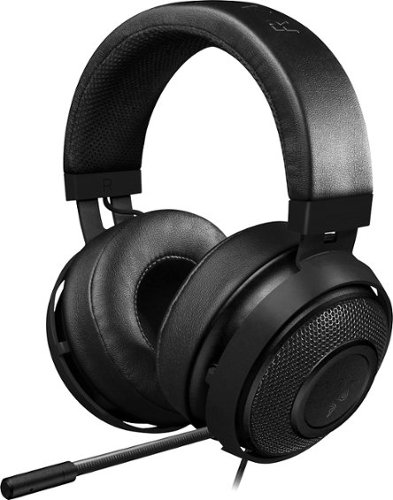
Bring bold color to your gaming hobby with this Razer Kraken analog headset. Thick padding and a lightweight construction make it ideal for extended wear, and the fully retractable microphone lets you adjust the device to meet your needs. This Razer Kraken analog headset has a long cable that provides flexibility of movement as you play.
Does your voice playback through the headset? I always have one earphone off so I can hear myself so I'm not too loud and that's how my last headset broke
That would be a setting on you computer - under the Sound setting. When you plug in the the earphone jack, it should play back in your headset. If you want to hear it through your speakers, unplug the earphone jack (leave the microphone jack plugged in to record).
9 years, 2 months ago
by
PracticalSandy