
Share DRTechNerd's profile


DRTechNerd
DRTechNerd's stats
- Review count77
- Helpfulness votes66
- First reviewMarch 6, 2015
- Last reviewJune 23, 2026
- Featured reviews0
- Average rating4.6
Reviews comments
- Review comment count0
- Helpfulness votes0
- First review commentNone
- Last review commentNone
- Featured review comments0
Questions
- Question count0
- Helpfulness votes0
- First questionNone
- Last questionNone
- Featured questions0
Answers
- Answer count0
- Helpfulness votes0
- First answerNone
- Last answerNone
- Featured answers0
- Best answers0
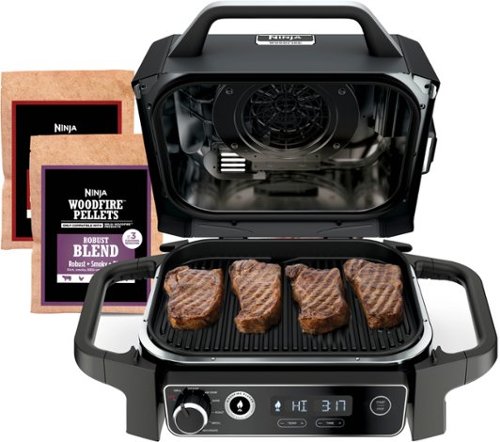
Meet the Ninja Woodfire Outdoor Grill & Smoker. Now you can enjoy the ultimate outdoor cooking experience with a powerful grill that does it all. Master Grill, BBQ Smoke, Air Fry, & so much more with 100% authentic woodfire flavor. Powered by electricity and flavored by real burning wood pellets, Ninja Woodfire Technology allows you to easily create rich, smoky flavor you can see and taste with just 1/2 cup of pellets. From backyards and balconies to RVs and beyond, the Ninja Woodfire Outdoor Grill makes it fast and easy to create flavorful meals no matter where you are.

Posted by: DRTechNerd
I am a big fan of Ninja products. We have their Foodi Smart XL Indoor Grill that sits on our kitchen countertop that we use almost daily. This product is very similar to the indoor Foodi Grill, but it is a little bit larger and bulkier, and adds the ability to add smoke flavor to your foods. The Ninja Woodfire comes with everything that you need to start grilling and smoking immediately with very little assembly required. The left and right-side carrying handles are screws into the grill using the included allen wrench. There is a grill grate, air fryer basket, two sample size bags of wood pellets, a wood pellet measuring cup, a recipe book, and quick start guide included with the Ninja Woodfire. To add the wood pellets, you just fill the pellet scoop, open the Woodfire smoke box access hatch, and pour the pellets in. When you want to use the smoker setting or press the Woodfire button to add smoke flavor to your food, the pellets will ignite and add woodfire flavor to what you are cooking. Ninja recommends only using their pellets, but I would think that you can use other wood pellets if you choose to. The control panel is easy to use and is similar to other Ninja appliances. There is a knob that allows you to select the type of cook you want to do (grill, smoke, air crisp, bake, roast, broil, or dehydrate), a Woodfire Flavor button, and a start/stop button. There is a LED display with time and temperature controls under the display.
We have used it as an electric grill to cook steaks. There is a heating element under the non-stick grill top that heats up the grill enough that it sears and leaves grill marks on the steaks. I had to keep a little closer eye on the steaks than I would using the Foodi indoor grill because of the absence of a smart meat thermometer on this model. There is a Pro version of the Woodfire grill that has a built-in thermometer that I feel would be worth the extra money to upgrade to. With the thermometer, you can program the grill to cook meat to the exact doneness that you prefer without the worry of over-cooking it. There is a removeable drip pan on the bottom side of the grill that collects grease and drippings from the grill. The grill grate is also removeable and easy to clean.
In conclusion, it is a good product. It is simple to use, easy to clean up, and produces great results. I just wish I had gotten the Pro model with the built-in thermometer.
I would recommend this to a friend!
Share this review:


+1point
1of 1voted this as helpful.
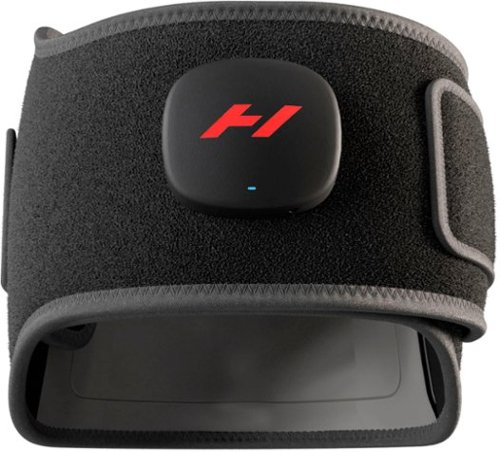
The Venom 2 Back by Hyperice is an advanced heat and massage wrap, designed for effective and targeted relief. Designed with HyperHeat technology for consistent, even heating, the Venom 2 heats 6x faster than a standard heating pad providing instant, soothing relief to sore muscles. This product amplifies the soothing power of heat with compression and vibration to melt away stress and tension on your core.

Posted by: DRTechNerd
The Hyperice Venom 2 is a top of line device for the alleviation of back pain. As it says in the product description, it is a combination heat pad and vibration massager. It comes with a quick start guide and a 18V charger. The back pad has three levels of heat and three different vibration patterns. You can set any combination of heat levels and vibration patterns with a controller on the front of the pad, or through the Hyperice app, using the Bluetooth connection on your phone. You can also set a timer and see the remaining battery level through the app. The battery life seems to be good. I have used it for about a week now and I have not had to recharge it after the initial charge. The pad is easy to put on and is comfortable to wear. It is quick to heat up. It gets pretty warm on the highest setting. I will generally start out on the highest heat level and then back it down to the middle level after a few minutes. I workout a few times a week and it has definitely helped with the lower back soreness after the workouts.
I would recommend this to a friend!
Share this review:


0points
0of 0voted this as helpful.

You can air fry that! The CRUX x Marshmello 3-qt. Digital Air Fryer Kit with TurboCrisp technology features patented TurboCrisp technology crisping tray that cooks up to 50% faster than traditional ovens and 4 silicone cupcake molds. CRUX is turning up the beat~and the heat with world renowned Artist & Producer, Marshmello. Cooked, puffed, crispy, gooey perfection is yours every time with this 3-qt. Digital Air Fryer Kit with TurboCrisp from CRUX x Marshmello.
Posted by: DRTechNerd
I have been an air fryer user for several years. Air fryers are extremely versatile and convenient to use when you want to cook something quickly. I have had several different brands and sizes, and this air fryer ranks near the top of the list. It is a good size for 2 to 4 people. Its small size means that it does not take up much counterspace (it looks great on the counter), or you can easily store it if you choose to. It is easy to use. The touchscreen controls are nice and there are dedicated buttons for the most common air frying tasks. My kids have used it to cook chicken nuggets, chicken strips, and French fries and had no trouble understanding how to use it. The foods that we have cooked were nice and crispy on the outside and cooked all the way through on the inside. You can also bake with it. It comes with 4 small muffin cups. I have not made muffins yet, but there are recipes and instructions included. It is a basket style air fryer and the removeable basket makes it extremely easy to clean. Overall, it is a great air fryer and we use it nearly every day. If you are looking for a good compact air fryer for a couple of people, I highly recommend it.
I would recommend this to a friend!
Share this review:


0points
0of 0voted this as helpful.
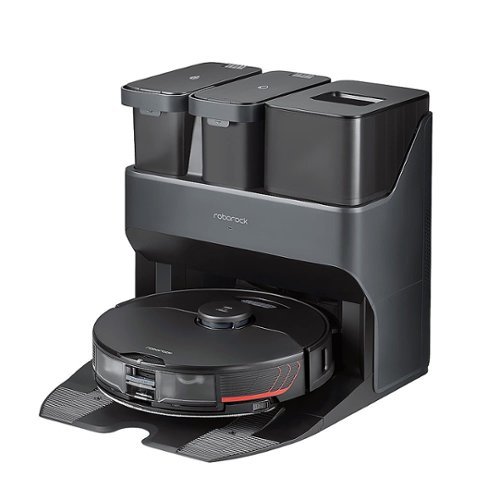
Roborock - S7MaxV Ultra Wi-Fi Connected Robot Vacuum and Sonic Mop with Empty Wash Fill Dock - Black
The Roborock S7 MaxV is a robot vacuum that has been created to make cleaning your floor completely automatic. It is a robot vacuum and mop combo that you can genuinely set and forget for weeks at a time. Its ReactiveAI 2.0 obstacle avoidance system with enhanced hazard recognition keeps it away from hazards, so you don~t have to clear the floor before it runs. 5100 Pa of suction power deeply cleans dust on wood floors and carpets. The unique VibraRise mopping system scrubs your floor at up to 3000 scrubs per minute to eliminate dried-on stains. It can also lift up when carpet is detected, so you can mop floors and vacuum carpets in one run. To top it off, the Empty Wash Fill Dock is self-emptying and holds up to 7-weeks of debris, refills the water tank, and washes the mop, ready for another run so you don't have to lift a finger!
Posted by: DRTechNerd
I have had the Roborock S7 MaxV Ultra for a couple of weeks now and I am thoroughly impressed. It is amazing how robot vacuum technology has advanced in the few years since I got my first Roomba robot vacuum. I have the Roborock on a schedule to vacuum my single level home every weekday with a mop every other day while we are at work, and my floors have never been cleaner. The floors in my home are a mixture of carpet, hardwood, and ceramic tile. The Roborock recognizing the floor type and adjusts its cleaning accordingly. It will also recognize carpet floor mats and adjust cleaning in those areas. It will recognize and avoid furniture, toys, and other obstacles. It was able to map my home on the first cleaning. It will attempt to identify rooms, and the map is customizable within the app. You can do target cleaning in certain rooms of your home without performing a full cleaning. The mop and vacuum cleaning intensity is also adjustable independently. The Roborock has a light on the front that comes on during low lighting so that the obstacle recognition will work in any lighting condition. It also has a camera on the front that can be viewed through app which is helpful when you have pets at home. You can see the robot’s movement in real time on the map in the app. The app will notify you when the robot is cleaning, runs into trouble, or if the dock needs fresh water or if the dirty tank emptied.
The Roborock S7 MaxV Ultra comes with an Empty Wash Fill Dock that automates the whole process with minimal effort. Depending on mopping frequency and the size of the area, you just fill the clean water tank and empty the dirty water tank, as needed. I have filled the empty water tank once in two weeks with us mopping about a 750 sq. ft. area three times per week. The robot itself is self-refilling and self-cleaning. It also empties its dust pan into a dust bag on the docking station. The dust bag on the docking station lasts a couple of months before needing to be replaced. The mop cloth on the robot automatically washes itself after each mopping. The mop cloth can also be removed and thrown into the washing machine when needed.
The Roborock S7 MaxV Ultra is a near perfect robot vacuum. It is well designed and it seems that the engineers at Roborock have thought of everything. I don’t know that I would change anything about it. The robot has every feature that you would want, including a powerful vacuum, a mop that cleans your hard floors without soaking your carpet, self-cleaning, and smart AI that maps, is efficient, and effectively avoids obstacles. It is a pretty awesome device and I highly recommend it.
I would recommend this to a friend!
Share this review:


+1point
1of 1voted this as helpful.
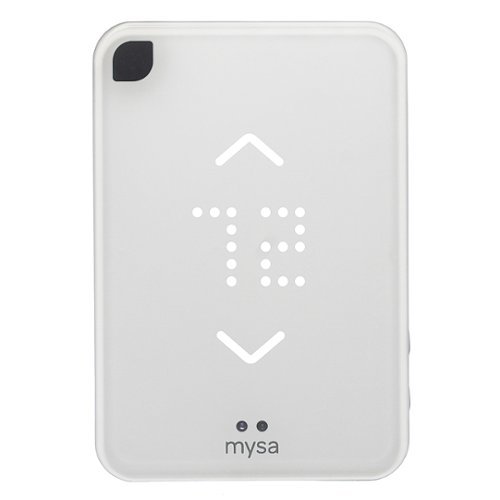
The Mysa Smart Thermostat for Air Conditioners is the premium smart thermostat that's designed to control your home's electric cooling and heating by interfacing with your non-central air conditioning unit. Say goodbye to that unit's inefficient LCD remote and take full control of your window, portable, and ductless mini-split heat pump AC units from anywhere using the Mysa app on your smartphone or tablet. Each smart thermostat pairs with a single unit. To control multiple units, purchase additional thermostats then use the Mysa app to control them all. Start saving money by using energy more efficiently with Mysa.

Posted by: DRTechNerd
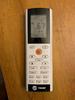
I have a Trane ductless mini-split installed in my upstairs bonus room. The mini-split is controlled by a wireless remote. The Mysa Smart Thermostat looked like it would be a great option to monitor and control the mini-split remotely without having to go upstairs and use the remote whenever I wanted to make a change. I installed the Mysa app on my iPhone, and went through the installation and pairing process. The Mysa thermostat was also added to Apple Homekit during this process. The Mysa thermostat went through an update and downloaded all of the codes for my remote. The installation/setup process was not very difficult and it only took about 10 minutes to complete the process. The commands that can be issued from the Mysa thermostat is limited to Mode Selection (i.e., Cool, Heat, Auto, Dry, Fan Only), Temperature Setpoint, Fan Speed, and Vent Swing Control. I tested each command and they seem to work, as expected. One thing that I noticed is the displayed temperature setpoint on front of the mini-split is not consistent with the setpoint on Mysa thermostat. Also, when making a change with the Mysa thermostat, it changes the displayed temperature setpoint on the front of my mini-split to Celsius. It does not do this with the regular mini-split remote. I also have the ability to turn off the display on the front of the mini-split with the regular remote, because it can be pretty bright when the room is dark. When any command is issued from the Mysa thermostat, it turns the display on the front on the mini-split back on and I have to turn it back off with the regular mini-split remote. The mismatch of temperature setpoints on the front of the mini-split to what is displayed on the Mysa, changing the displayed temperature on the front of the mini-split to Celsius, and brightening of the display on the front of the mini-split when issuing a command from the Mysa were all pretty significant issues for me. It may work for you, but in my case, the Mysa needs a significant update to meet my needs. I plan to box it up and go back to using my regular remote.
No, I would not recommend this to a friend.



Share this review:


+1point
1of 1voted this as helpful.
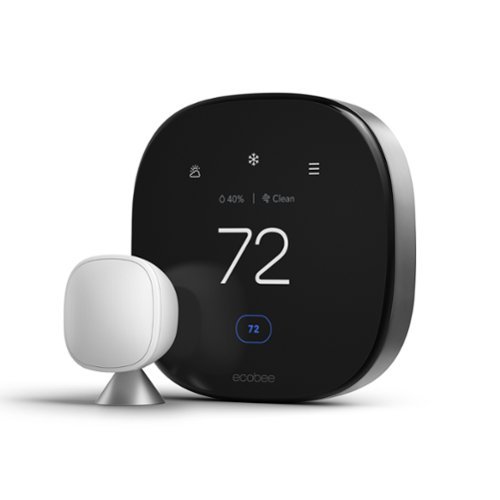
ecobee Smart Thermostat Premium optimizes comfort while saving energy through superior intelligence and technology. It has a built-in air quality monitor, doorbell Live View, smoke alarm detection, and geofencing technology to understand occupancy. Included SmartSensor eliminates hot and cold spots and adjusts the temperature in the rooms that matter most. Works with Siri*, Alexa, Google Assistant, HomeKit, and SmartThings. *Apple home hub required to enable Siri.
Posted by: DRTechNerd
I received this thermostat a few days ago. It is nicely packaged and includes everything that you need to install it. It was fairly easy to install, following the installation instructions on the Ecobee app. I did make the the mistake of not fully powering off my unit and blew a 3 amp fuse on the heat pump control board. After replacing the fuse, the Ecobee Smart Premium thermostat powered up without issue. I upgraded from an Ecobee 3 that served me without issue for several years. I did have to replace the mounting/wiring plate with the one included with the Ecobee Smart Premium. This new model is much better looking than my previous model. The new display is much larger, more vibrant, and clearer. I like the new air quality monitor feature. It is much easier to change the temperature with the new user interface. This thermostat also works with Alexa or Siri. The speaker quality is fine for a thermostat, and the microphone did not have a problem picking up my voice. I did have to re-pair all of my sensors. Helpful hint for those who have to re-pair sensors…I had to flip over the battery in the sensor prior to pairing them. Also, there is no option to migrate your comfort settings and schedule from the old thermostat to the new thermostat. You will have to set it all back up from scratch. It would have been nice to be able to copy these to the new thermostat. Other than that, I have no complaints and I am very pleased with the Ecobee Smart Premium thermostat. It is probably the best smart thermostat on the market.
I would recommend this to a friend!
Share this review:


0points
0of 0voted this as helpful.
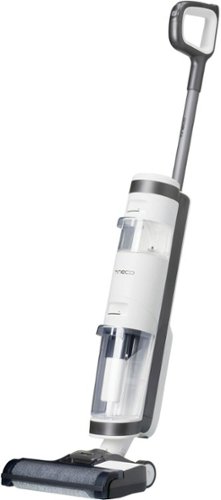
Make cleaning your hard floors simple with Tineco~s iFloor 3 Plus. This floor washer packs an incredible amount of power into a compact size. When space is a concern, the iFloor 3 Plus is the perfect tool to have on hand. Not only will it fit into a small space, but it will replace your bulky mops and brooms. Lightweight and cordless, you can clean up any mess with little effort and scrub away sticky messes and built-up grime simply using tap water. The carefully designed brushes safely scrub hard floors, including linoleum, vinyl, marble, laminate, tile, and hardwood. Paired with a powerful suction force, the only thing left behind is a sparkling, dry floor. With 25 minutes of uninterrupted runtime, simply grab this handy wet/dry vac and get to work in any room in your home. If grimy mop water leaves you unnerved, the iFloor 3 Plus is your solution. With a dual-tank system, you~ll never push dirty water across your floors again. Instead, the cleaning tool delivers fresh water for every sweep of the floor. Powerful suction quickly removes dirty water and leaves behind a streak-free dry floor. The perfect cleaning partner for small spaces, you can tackle kitchen spills, bathroom grime, and dirty walkways in a matter of minutes. Store in a small space and grab and go anytime.
Posted by: DRTechNerd
The Tineco iFloor 3 Plus arrived a few days ago. Assembly was simple and took just a few minutes. After a couple hours of charging the vacuum, I filled the clean water tank, put in a capful of the included cleaning solution, and went to work on my floors with the iFloor 3 Plus. I was pleasantly surprised with its performance. It is lightweight, cordless, and easily maneuverable. The self-propelled motor makes it easy to push across the floor. It did an excellent job of cleaning my hardwood and ceramic tile floors. It mops and vacuums at the same time to save cleaning time. It did not leave any streaks as it cleaned, and the floor was quick to dry with no stickiness left behind. It is easy to see how well the vacuum is cleaning the floors by the look of the water in the dirty water tank. There is a LED display that shows remaining battery life, if it needs water, if it needs to be cleaned, and if it has sensed a blockage. Battery life is about 25 minutes on low cleaning power and about 18 minutes on max cleaning power. It was enough time to clean about 1,000 square feet of flooring. After I finished cleaning my floors, the iFloor 3 Plus was very easy to disassemble to clean. I emptied and cleaned the dirty water tank, cleaned the filter, and put it on the charging station for a self-cleaning cycle. The self-cleaning function automatically flushes the brush roller and inner tubing of the vacuum. After self-cleaning, I cleaned the dirty water tank and swapped out the brush roller and filter with the included spares to allow them to dry in the charging station. A seamless process from start to finish.
The iFloor 3 Plus has changed the way that we clean our floors. For years, we have used a standard cordless vacuum and a spray mop to clean our hardwood and ceramic tile floors. No more mops or wet jets…it is the iFloor 3 Plus from here on out. The iFloor 3 Plus is easy to use, saves time, and leaves our floors shiny and clean. Highly recommended!!!
I would recommend this to a friend!
Share this review:


0points
0of 0voted this as helpful.
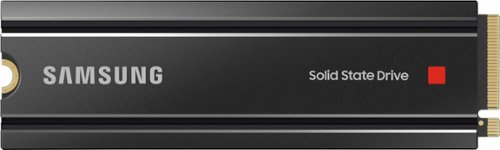
Unleash the power of the Samsung 980 PRO with Heatsink for next-level computing. With a PCIe 4.0 NVMe interface, get up to 2x the data transfer rate of PCIe 3.0~ while remaining compatible with PCIe 3.0. ~Results are based on a comparison with Samsung PCIe 3.0 NVMe SSDs and SATA SSDs.
Posted by: DRTechNerd
from Nashville, TN
The Samsung 980 Pro with Heatsink is a great NVMe M.2 solid state drive (SSD) that meets all of Sony’s requirements to upgrade the internal storage of the PS5. Sony states that the drive that you use in your PS5 should have a heat sink attached to it for effective heat dissipation. There are only a handful of NVMe M.2 SSD’s that have the integrated heat sink. The Samsung 980 Pro w/heatsink is one of them. Following the PS5 installation guide, I was able to install the drive in about 10 minutes. It fit perfectly in the PS5 SSD expansion slot, and the PS5 recognized and formatted the drive right away after startup. The PS5 indicated read speed of the drive was around 6500 MB/s. I transferred a few hundred GB of games to the new drive and transfer times were fast. I played a few games from the Samsung drive and load times were fast (equivalent or better than the integrated internal drive). I played several hours of Ratchet & Clank from the Samsung 980 Pro with no issues.
One thing to keep in mind is that the drive may not come with the latest firmware. In order to get advertised speeds from the Samsung 980 Pro, the firmware must be updated to the latest version prior to installation in the PS5. In order to update the firmware, you will need to install the Samsung 980 Pro in a secondary M.2 NVMe slot of your desktop PC and use the Samsung Magician software to update the firmware. I did not have a secondary M.2 NVMe slot in my PC, so I used an alternate method to update the firmware to the latest version….1.) I purchased an external USB NVMe M.2 enclosure; 2.) I formatted the Samsung 980 Pro with my PC after installation into the external USB enclosure; 3.) I then cloned my NVMe M.2 SSD that was in the only slot of my PC to the Samsung 980 Pro using Macrium Reflect; 4.) I then swapped my existing M.2 SSD with the Samsung 980 Pro, booted up my PC, and updated the firmware with Samsung Magician; 5.) I then swapped the drives back out and installed the Samsung 980 Pro into the PS5. Note: You cannot update the firmware directly from an external USB NVMe M.2 enclosure because it will not be recognized by Samsung Magician, but if you use the method detailed above, it will work.
It would have been nice if the drive had shipped with the latest firmware. I would imagine that some folks do not have the means or knowledge to update it. Other than this, the Samsung 980 Pro with Heatsink is great, and I would highly recommend it if you are looking to expand the internal storage capabilities of your PS5.
Mobile Submission: False
I would recommend this to a friend!
Share this review:


+2points
2of 2voted this as helpful.
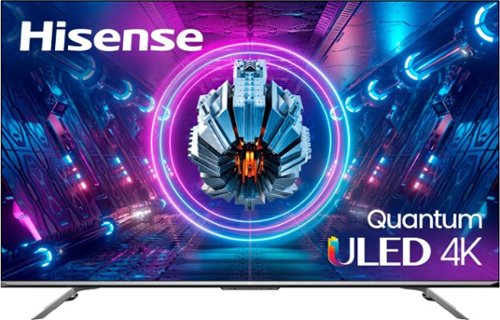
Sure, it~s great for Netflix, the big game and the real housewives of wherever. But the U7G is made for the gamers. It~s got our exclusive ULED technologies, 4K resolution, Quantum Dot Color, Dolby Vision HDR, Full Array Local Dimming zones and Android TV operating system. On top of all that, we added a 120Hz Native panel for smoother, more fluid motion and HDMI 2.1, Variable Refresh Rate and Auto Low Latency Mode for gaming. The U7G also has up to 1,000 nits peak brightness, which makes HDR ~pop~ and means the picture is lit no matter how bright the room. All this looks great on paper. Now think how much better it would look on this TV.
Posted by: DRTechNerd
from Nashville, TN
The 55-inch Hisense U7G 4K ULED TV is an excellent TV. It was easy to setup. The picture is good and the colors are bright and vivid. I did not adjust the picture, because I thought it looked very good with the default “out of the box” settings. Although it is budget friendly, it has many included features that are normally only seen in much higher priced TV’s…Dolby Vision, Dolby Atmos, HDR10, IMAX Enhanced, eARC HDMI, and 120Hz native refresh rate for low lag gaming. I hooked up my PS5 to one of the 2.1 HDMI ports and my 120Hz gaming with Call of Duty was smooth and responsive. There was no lag, hesitation, or screen tearing. The PS5 looks amazing on this TV.
I connected a sound bar to the eARC HDMI port and it worked perfectly. The TV was able to transmit Dolby Atmos to the sound bar when I was watching a movie with the installed apps that support Dolby Atmos. It is easy to navigate the menus and install apps. I installed Netflix, Disney+, YouTube, Vudu, Movies Anywhere, Apple TV+, Peacock, Paramount+, Hulu, and Amazon Prime. All apps worked well without issue. The U7G also has Google Voice Assistant and hands-free voice control that work well.
No issues with the TV thus far. I am enjoying it. The picture is crisp and vivid. Gaming is fluid and responsive. The Hisense U7G is an excellent, budget-priced TV and I highly recommend it.
Mobile Submission: False
I would recommend this to a friend!
Share this review:


0points
0of 0voted this as helpful.
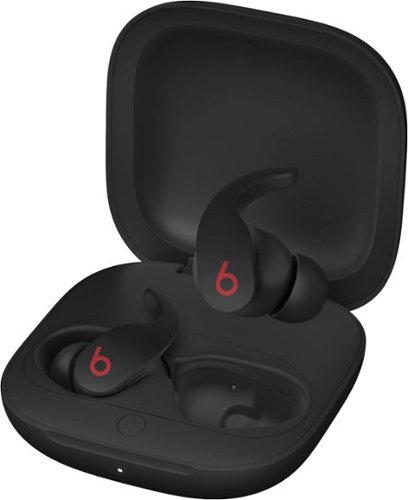
True wireless noise cancelling Beats Fit Pro with comfortable, secure-fit wingtips are engineered for all-day activity. The flexible wingtip design conforms to your ear to comfortably lock in place so you can experience powerful, balanced sound during your work day or your workouts. With two distinct listening modes, you are in control of what you hear. Fully adaptive Active Noise Cancelling (ANC) uses real-time audio calibration to continuously pinpoint external sounds and optimize sound output, and when you need to be aware of your surroundings, easily switch to Transparency mode. Beats Fit Pro supports Spatial Audio with dynamic head tracking for immersive music, movies, and games.~ These earbuds are powered by the Apple H1 chip. The result ~ instant one-touch pairing~, Automatic Switching~, Audio Sharing~, and hands-free ~Hey Siri~~ for Apple devices. For Android users, easily connect via Class 1 Bluetooth right out of the box. With the Beats app for Android~~, you~ll get enhanced features like one-touch pairing, customized controls, battery levels, firmware updates, and a Fit Test to help you get the best sound and fit out of your earbuds. Each earbud has up to 6 hours of listening time~ with 18 additional hours~ provided by its matching, pocket-sized charging case to give you up to 24 hours of combined playback.
Posted by: DRTechNerd
from Nashville, TN
The Beats Fit Pro are pretty awesome. They look good, and sound even better. The sound is powerful and immersive. Noise cancelling is good. The spatial audio is a neat feature that uses dynamic head tracking to adjust the sound as you move around, adding to the immersion. The earbuds are easy to put into your ears. They are way more comfortable than my Bose QuietComfort earbuds. They sit snuggly in my ears and they have flexible wingtips that keep them from falling out of your ears, even with lots of activity. I was able to wear them for several hours without making my ears sore.
The Beats Fit Pro paired quickly with my Apple iPhone XR when the case was opened. There is an animation that pops up at the bottom of the phone through the pairing process. They integrate well with the iPhone iOS that make it easy to make adjustments and check the remaining battery levels. The earbuds come in a pocket-sized case that is used to store and charge the earbuds. There is a short USB-C cable for charging. I believe that it is the same charging cable that it is used on the newer iPhones and iPads. I did not have a USB-C charger, so I purchased one that I will use for charging. Once depleted, the earbuds charge quickly through the case. The earbuds lasted about six hours after fully charged.
I have used them a few times for phone calls. The calls were clear, and people had no problem hearing or understanding me on the other end.
I had been looking at the Apple AirPods Pro for a while before getting the Beats Fit Pro. Not any more, the Beats Fit Pro fit my needs in every way…sound great, excellent noise cancelling, and comfortable. Highly recommended!! Get them. You will not be disappointed.
Mobile Submission: False
I would recommend this to a friend!
Share this review:


0points
1of 2voted this as helpful.
DRTechNerd's Review Comments
DRTechNerd has not submitted comments on any reviews.
DRTechNerd's Questions
DRTechNerd has not submitted any questions.
DRTechNerd's Answers
DRTechNerd has not submitted any answers.