


JimC's stats
- Review count115
- Helpfulness votes8,372
- First reviewOctober 30, 2016
- Last reviewApril 28, 2026
- Featured reviews0
- Average rating4.8
Reviews comments
- Review comment count0
- Helpfulness votes0
- First review commentNone
- Last review commentNone
- Featured review comments0
Questions
- Question count0
- Helpfulness votes0
- First questionNone
- Last questionNone
- Featured questions0
- Answer count34
- Helpfulness votes324
- First answerDecember 4, 2016
- Last answerNovember 16, 2021
- Featured answers0
- Best answers11
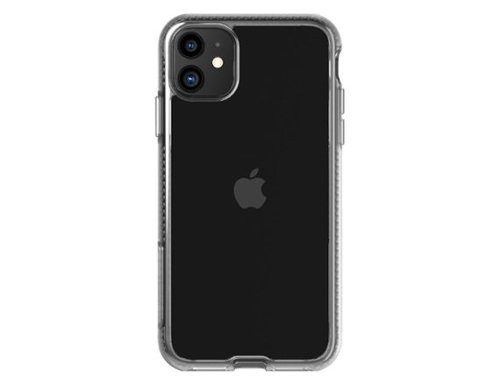
DROP PROTECTION: scientifically proven to protect your phone drop after drop from up to 10 feet (3 meters), so you won't run the risk of getting scratches or glass breakage with this phone case EFFECTIVE PROTECTION: Our self-cleaning cases are made with materials developed in collaboration with BioCote, this formula is built into the case and gets to work within just 15 minutes, making sure your case is clean every time it's picked up.
Customer Rating

5
Protects Your iPhone and Your Health!
on October 29, 2019
Posted by: JimC
from Chicago, IL
The Tech21 PureClear iPhone 11 Case provides great security and protection for your treasured, but somewhat fragile, iPhone. With iPhones now costing $1,000+ it is very prudent to add a protective barrier around your phone to minimize the chance of damage when you inevitably drop it. But beyond drop protection for the phone, this case helps to protect your health by fighting the buildup of harmful microbes on your phone.
The Tech21 line of iPhone cases are noted for thinness, protective qualities and outstanding durability. Tech21 was founded in London, England in 2005.
Here are the key features of this great case:
• Tech21 PureClear iPhone 11 case (T21-7250)
• 10 foot drop protection proven in scientific tests
• Polycarbonate and 37% plant-based outer shell provides unbreakable protective perimeter
• Inner ridged BioShield lining gives additional shock protection
• Slightly raised bezel around screen helps to protect front glass
• BioCote anti-microbial protection to reduce microbe buildup by 99.99%
• Self-healing finish to resist scratches
• Designed to support Qi wireless charging
• Material will not interfere with phone reception
• Form fitting: 6.2 x 3.2 x 0.4 inches
• Lightweight: 1.0 ounces
• One year warranty (extended to two years upon registration)
Here are the key features of this great case:
• Tech21 PureClear iPhone 11 case (T21-7250)
• 10 foot drop protection proven in scientific tests
• Polycarbonate and 37% plant-based outer shell provides unbreakable protective perimeter
• Inner ridged BioShield lining gives additional shock protection
• Slightly raised bezel around screen helps to protect front glass
• BioCote anti-microbial protection to reduce microbe buildup by 99.99%
• Self-healing finish to resist scratches
• Designed to support Qi wireless charging
• Material will not interfere with phone reception
• Form fitting: 6.2 x 3.2 x 0.4 inches
• Lightweight: 1.0 ounces
• One year warranty (extended to two years upon registration)
Installation is very easy. The case snaps around the iPhone 11 with very little effort. Once on, it is very secure and will not easily come off. The case is surprisingly thin and does not add significantly to the bulk of the iPhone 11. The actual dimensions of the iPhone 11 are just 0.2 inches smaller than the case in length and width. The full front surface of the screen is still accessible after the case has been installed. The appearance is very clean and the Tech21 brand name is very subtly etched on the right side edge of the case.
The case is composed of 37% plant-based materials and is designed to “self-heal” minor scratches. It is also UV-resistant to combat yellowing and should retain its clarity for many years.
I had no issues with charging my phone wirelessly after installing the case. The quality of cellular, WiFi and Bluetooth receptions are unaffected by the case.
While the large screens of the bigger iPhones (like the 11 and the 11 Pro Max) are a pleasure to use, they are also much more likely to pop out of your hand if not carefully held. This Tech21 PureClear case has been scientifically tested to protect your iPhone 11 from damage even after repeated ten foot drops. The case has a special ridged BioShield side shell which will compress upon impact to absorb and disperse shock to safeguard the phone.
To me, the biggest selling feature of the Tech21 PureClear case is its BioCote anti-microbial protection. BioCote is a special material which permanently protects against microbes such as bacteria, mold, fungi and even viruses. This protection reduces microbial buildup by 99.99%. Why is this important? Numerous studies have shown that most phones harbor ten times the amount of microbes found on the typical toilet seat! (By the way, those same studies also state that TV remote controls also have similar amounts of nasty microbes!)
Since you hold your phone near your mouth and handle it constantly it can be a serious source of potential infections. This PureClear case can reduce that risk substantially, thereby protecting your health as it protects the phone it encases.
I am delighted to give this great iPhone case a strong recommendation! Buy it and slip your precious iPhone 11 into it, then rest easy knowing that you are not only protecting it, but also safeguarding your own health!
Mobile Submission: False
I would recommend this to a friend!


Share this review:


+69points
72of 75voted this as helpful.
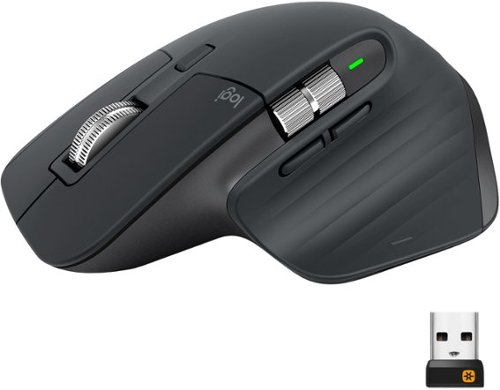
MX Master 3 is instant precision and infinite potential. Designed for designers and engineered for coders, it~s our most advanced Master Series mouse yet. App-specific button customizations speed up your workflow in the apps you use most and the electromagnetic MagSpeed wheel enables fast noiseless scrolling. Your hand rests perfectly on the sculpted form and allows you to work comfortably for hours across multiple computers and operating systems in one fluid workflow. Ready for video calls - predefined settings for Microsoft Teams and Zoom let you instantly mute and Start/Stop your video call. With MX Master 3, you can truly master what you make.
Customer Rating
5
Comfort, Speed, Precision, Flexibility!
on October 28, 2019
Posted by: JimC
from Chicago, IL
The Logitech MX Master 3 cordless mouse is the ideal companion to the Logitech MX Keys keyboard. It is a very fine product on its own merits, but when paired with the MX Keys keyboard the duo provide the finest interface/control devices you will ever find.
I just posted a review of the companion Logitech MX Keys keyboard and the next three paragraphs are copied from that review because I think it is important to learn about the manufacturer, Logitech, when you are investing in these high quality peripherals.
I have to confess that I just love Logitech products – they are always superbly engineered, are packed with great features and have always given me reliable service.
Logitech was founded in Apples, Switzerland in 1981. Its first product was a computer mouse in 1982 that was adopted by several computer manufacturers (including Apple.) Later it was the first company to offer a replacement mouse to the consumer market. Logitech introduced wireless mice, optical mice and trackballs. By 2008 Logitech had produced over one billion mice.
Logitech was founded in Apples, Switzerland in 1981. Its first product was a computer mouse in 1982 that was adopted by several computer manufacturers (including Apple.) Later it was the first company to offer a replacement mouse to the consumer market. Logitech introduced wireless mice, optical mice and trackballs. By 2008 Logitech had produced over one billion mice.
The Logitech mouse was followed by a wide variety of high quality products including a handheld scanner, keyboards, a digital camera, webcams, speakers and microphones. It acquired Harmony, the industry standard for programmable multi-equipment remote control devices, in 2004, then purchased Ultimate Ears, a creator of outstanding Bluetooth speakers, in 2008, bought Jaybird, a premier manufacturer of very fine Bluetooth earphones, in 2016 and most recently, acquired Astro Gaming in 2017.
Here are the key features of this great mouse:
• Logitech MX Master 3 wireless mouse M-R0077 (receiver C-U0008)
• Dual connectivity (Logitech Unifying USB receiver or Bluetooth)
• Wireless range approximately 33 feet
• Rechargeable 500 mAh lithium ion battery power
• Typical usage on a full charge (which takes two hours): up to 70 days
• Includes 54 inch long USB-A to USB-C charging cable
• Mouse compatible with Windows, MacOS, iOS, Android, Linux operating systems
• Includes left/right, back/forward, app switch, wheel mode shift, middle click
• Magspeed Scroll wheel with smart shift
• Thumbwheel
• Gesture button
• Resolution: 200 – 4,000 DPI
• Darkfield high precision sensor
• Low battery LED alert
• Easy-Switch button to connect up to three devices and to switch between them, allowing seamless workflow across multiple devices
• Logitech Options software to customize mouse features
• Designed to provide advanced functionality when paired with MX Keys wireless keyboard
• Dimensions: 3.32 W x 4.92 D x 2.01 inches H
• Weight: 4.97 ounces
• One year warranty
• Logitech MX Master 3 wireless mouse M-R0077 (receiver C-U0008)
• Dual connectivity (Logitech Unifying USB receiver or Bluetooth)
• Wireless range approximately 33 feet
• Rechargeable 500 mAh lithium ion battery power
• Typical usage on a full charge (which takes two hours): up to 70 days
• Includes 54 inch long USB-A to USB-C charging cable
• Mouse compatible with Windows, MacOS, iOS, Android, Linux operating systems
• Includes left/right, back/forward, app switch, wheel mode shift, middle click
• Magspeed Scroll wheel with smart shift
• Thumbwheel
• Gesture button
• Resolution: 200 – 4,000 DPI
• Darkfield high precision sensor
• Low battery LED alert
• Easy-Switch button to connect up to three devices and to switch between them, allowing seamless workflow across multiple devices
• Logitech Options software to customize mouse features
• Designed to provide advanced functionality when paired with MX Keys wireless keyboard
• Dimensions: 3.32 W x 4.92 D x 2.01 inches H
• Weight: 4.97 ounces
• One year warranty
This mouse has a beautiful shape which allows you to comfortably rest your hand on it while it cradles your thumb. There is a subtle grooved texture on the thumb rest and the right side (where your little finger would grip) as well as a non-reflective, anti-slip black matte texture coating on the main body of the mouse. This is perhaps the nicest exterior I have ever seen on a computer mouse.
Just above your thumb are two programmable buttons (typically assigned to back/forward), as well as the thumb wheel which can be used for various functions (such as magnifying/reducing the size of text or spreadsheets). Pressing down with your thumb on its rest activates another feature, the gesture button.
Just above your thumb are two programmable buttons (typically assigned to back/forward), as well as the thumb wheel which can be used for various functions (such as magnifying/reducing the size of text or spreadsheets). Pressing down with your thumb on its rest activates another feature, the gesture button.
The bottom of the mouse has four low-friction glide pads, the recharging port, an on/off switch, the Easy-Switch button to change to other linked devices and the Darkfield optical sensor.
For me, the two most important aspects of the Logitech MX Master 3 mouse are the electromagnetic scroll wheel and the Darkfield high precision sensor. The scroll wheel can switch from a ratchet mode to a free spinning mode by pressing a button behind it. In free spinning mode the scroll can whip up and down documents, spreadsheets or Cad-Cam plans very rapidly and effortlessly. The Darkfield sensor is a Logitech innovation which will operate on any surface, even glass! This is particularly useful to those of us who like to work on glass-topped tables – no more need for mouse pads!! The resolution of the sensor is set at 1,000 DPI but can be easily changed to any value (in 50 DPI increments) from 200 to 4,000 DPI. While there are some mice with even higher maximum resolutions (up to 16,000 DPI) 4,000 DPI will meet the needs of almost any application. This mouse is more than adequate even for the most stringent demands of Cad-Cam and Photoshop duties.
The MX Master 3 mouse automatically changes the button assignments to defaults appropriate for the application you are working on. For example, the thumb wheel will scroll side-to-side on spreadsheets, magnify/reduce text on documents or change brush size in Photoshop. I was amazed by this feature when I had both a spreadsheet and a Word document open on my desktop. The feature changed without any action on my part when I put the mouse pointer on each document!
The ability to pair with three devices at once is another nice feature. I linked it to my desktop PC, my Fire tablet and a laptop I use frequently. This gives me the freedom to use multiple devices without changing my interface (keyboard and mouse) and from the same position at my desk.
Another useful element is the rechargeable battery power used by the mouse. There are few things as frustrating as working with a wireless mouse and discovering that the battery has become depleted and that you have no replacements handy. More than once I have had to scavenge a needed battery from a remote control so that I could continue working on my PC. That will not happen with the Logitech MX Master 3 since it recharges from any USB port and you can continue to use it while the recharging takes place. You can expect up to 70 days usage from a full charge.
One last point – this is a very tough and durable device! Three times (yeah, I know, I am really clumsy) I accidently knocked it off my kitchen counter (where I was using it with one of my computers) and it survived a 42 inch fall onto a hard surface with no damage or scratches!
There are many other slick features (copy and paste from one device to another, quickly applying an alternate set of mouse controls, etc.) but you will find the core features described above to be more than sufficient justification to buy this superb mouse. I urge you to pair it with the similarly outstanding Logitech Keys keyboard to experience the full functionality of that duo.
I am delighted to give the amazing Logitech MX Master 3 mouse my full and enthusiastic recommendation!
Mobile Submission: False
I would recommend this to a friend!

Share this review:


+69points
75of 81voted this as helpful.
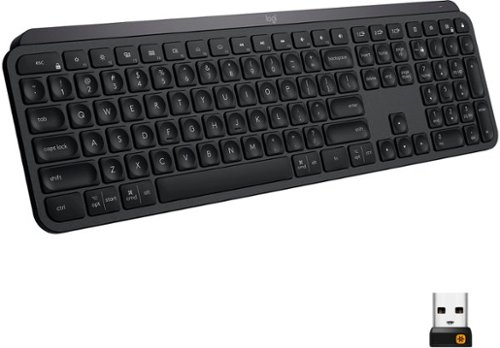
Introducing MX Keys, an advanced wireless illuminated keyboard crafted for efficiency, stability, and precision. Perfect Stroke keys are shaped for your fingertips and increased key stability reduces noise while optimizing responsiveness. Tactile reference for hand positioning makes it easy to stay oriented and in your flow. The backlit keys light up the moment your hands approach, and automatically adjust to suit changing lighting conditions. With MX Keys you can truly master what you make.
Customer Rating
5
Finally – a Solid, High Quality Wireless Keyboard!
on October 27, 2019
Posted by: JimC
from Chicago, IL
The Logitech MX Keys cordless keyboard is simply the finest computer keyboard I have ever had the pleasure of typing on! It is loaded with great features and will make every keyboarding task so much easier to accomplish that you will soon wonder why you waited to replace your old, inferior keyboard with this marvel.
I have to confess that I just love Logitech products – they are always superbly engineered, are packed with great features and have always given me reliable service.
Logitech was founded in Apples, Switzerland in 1981. Its first product was a computer mouse in 1982 that was adopted by several computer manufacturers (including Apple.) Later it was the first company to offer a replacement mouse to the consumer market. Logitech introduced wireless mice, optical mice and trackballs. By 2008 Logitech had produced over one billion mice.
Logitech was founded in Apples, Switzerland in 1981. Its first product was a computer mouse in 1982 that was adopted by several computer manufacturers (including Apple.) Later it was the first company to offer a replacement mouse to the consumer market. Logitech introduced wireless mice, optical mice and trackballs. By 2008 Logitech had produced over one billion mice.
The Logitech mouse was followed by a wide variety of high quality products including a handheld scanner, keyboards, a digital camera, webcams, speakers and microphones. It acquired Harmony, the industry standard for programmable multi-equipment remote control devices, in 2004, then purchased Ultimate Ears, a creator of outstanding Bluetooth speakers, in 2008, bought Jaybird, a premier manufacturer of very fine Bluetooth earphones, in 2016 and most recently, acquired Astro Gaming in 2017.
Here are the key features of this wonderful keyboard:
• Logitech MX Keys wireless keyboard Y-R0073 (receiver C-U0008)
• Dual connectivity (Logitech Unifying USB receiver or Bluetooth)
• Wireless range approximately 33 feet
• Rechargeable 1500 mAh lithium ion battery power
• Typical usage on a full charge: 10 days (with backlighting), up to 5 months (backlighting off)
• Includes 54 inch long USB-A to USB-C charging cable
• Perfect Stoke scissor keys, spherically dished to match finger tip shape, 1.8 mm travel
• Expected durability: 10 million keypresses per key
• Keyboard compatible with Windows, MacOS, iOS, Android, Linux operating systems
• Easy-Switch keys to connect up to three devices and to switch between them, allowing seamless workflow across multiple devices
• Logitech Options software to customize key mapping
• Backlighted keys with proximity sensor to activate as hands approach keyboard
• Backlight level adjusts automatically to changing ambient light or manually
• On/off switch, caps lock light, battery indicator light
• Designed to provide advanced functionality when paired with MX Master 3 wireless mouse
• Dimensions: 16.93 W x 5.20 D x 0.83 inches H
• Weight: 28.6 ounces
• One year warranty
• Logitech MX Keys wireless keyboard Y-R0073 (receiver C-U0008)
• Dual connectivity (Logitech Unifying USB receiver or Bluetooth)
• Wireless range approximately 33 feet
• Rechargeable 1500 mAh lithium ion battery power
• Typical usage on a full charge: 10 days (with backlighting), up to 5 months (backlighting off)
• Includes 54 inch long USB-A to USB-C charging cable
• Perfect Stoke scissor keys, spherically dished to match finger tip shape, 1.8 mm travel
• Expected durability: 10 million keypresses per key
• Keyboard compatible with Windows, MacOS, iOS, Android, Linux operating systems
• Easy-Switch keys to connect up to three devices and to switch between them, allowing seamless workflow across multiple devices
• Logitech Options software to customize key mapping
• Backlighted keys with proximity sensor to activate as hands approach keyboard
• Backlight level adjusts automatically to changing ambient light or manually
• On/off switch, caps lock light, battery indicator light
• Designed to provide advanced functionality when paired with MX Master 3 wireless mouse
• Dimensions: 16.93 W x 5.20 D x 0.83 inches H
• Weight: 28.6 ounces
• One year warranty
The first thing you will notice is that this keyboard is solid! It weighs nearly two pounds and stays put where you place it on your work surface. This is really important for fast, efficient typing. Too many wireless keyboards are flimsy and slide around every time you put your hands on them. This keyboard feels like a finely crafted piece of machinery. If you like typing with a keyboard on your lap, this is your soulmate. It has the heft to provide you that all-important stable typing surface.
This is also a very attractive device with beautifully sculpted lines. When you first place your fingers onto the keys you will note how perfectly the surface matches your fingertips. It has a slight elevation in the rear but is not adjustable. Some might prefer a bit more upward angle but I found it very comfortable. The feel of the keys and the travel distance for each key stoke is the best I have encountered on any keyboard since the long-gone days of the IBM typewriters.
The black matt finish of the keyboard is non-reflective and is designed to resist discoloration from heat and chemicals. The white lettering on the keys is very easy to read against this background. The keyboard includes all of the special keys found on both PC and on Mac keyboards so users of either system will feel right at home.
But to me, the star feature is the automatic backlighting which magically turns on when my fingers near the keyboard. I often go to my computer at night and having a keyboard which lights up is just a real treat. No more fumbling around trying to type an odd symbol in the dark. And the lighting on the keys is just ideal. Each letter or symbol is perfectly legible thanks to the superb backlighting!
The ability to pair with three devices at once is another nice feature. I linked it to my desktop PC, my Fire tablet and a laptop I use frequently. This gives me the freedom to use multiple devices without changing my interface (keyboard and mouse) and from the same position at my desk.
Another very useful feature is the rechargeable battery power used by the keyboard. There are few things as frustrating as working with a wireless keyboard and discovering that the battery has become depleted and that you have no replacements handy. More than once I have had to scavenge a needed battery from a remote control so that I could continue working on my PC. That will not happen with the Logitech MX Keys since it recharges from any USB port and you can use it while the recharging takes place. You can expect ten days to two weeks from a full charge if you use the backlighting feature and several months if you shut off the backlight completely. But why would you ever consider depriving yourself of such a cool feature?
There are many other slick features (programmable function keys, copy and paste from one device to another, applying an alternate set of mouse controls, etc.) but you will find the core features described above to be more than sufficient justification to buy this superb keyboard. I am delighted to give the amazing Logitech MX Keys keyboard my full and enthusiastic recommendation!
Mobile Submission: False
I would recommend this to a friend!

Share this review:


+80points
108of 136voted this as helpful.
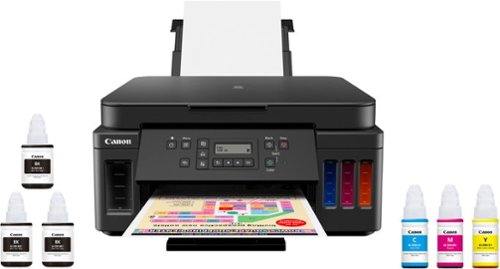
Canon PIXMA MegaTank G6020 Wireless All-In-One Printer: Save big on ink with this Canon PIXMA MegaTank inkjet printer. The MegaTank ink storage container can be easily refilled to offer over 30 times as much ink compared to standard cartridges. Tackle big print jobs with a page yield of up to 6,000 black or 7,700 color sheets from this Canon PIXMA MegaTank inkjet printer.Prints up to 13 ISO ipm* in black, up to 6.8 ISO ipm* in color
Customer Rating
5
Tired of Buying Ink Cartridges? Buy this MegaTank!
on September 9, 2019
Posted by: JimC
from Chicago, IL
This printer is a superb choice if cost per page is important to you. The Canon Pixma G6020 Wireless MegaTank All-in-One Printer is a very reliable, inexpensive, easy to use and relatively compact device which will economically print large quantities of documents at a very nice quality level.
Canon is a very large ($37 billion sales) Japanese optical and electronics company, founded in 1937. It produced the first Japanese 35mm camera and pioneered many other products in Japan, including the electronic calculator, the first zoom lens movie camera, electronic flash units, inkjet printers, digital cameras, copiers, scanners, laser printers and high-technology medical products. It developed and is the primary supplier of the print engines used in most laser printers. In 1985 it created the first bubble jet inkjet printer. PIXMA printers are Canon’s high quality photo reproduction and general purpose printing devices for home and small office use.
Here are the key features of this great multifunction printer:
• Canon PIXMA G6020 MegaTank All-in-One Inkjet Printer/Copier/Scanner
• Connectivity: Wireless (802.11b/g/n), USB, Ethernet connectivity, PictBridge
• Ink capacity/page yield: Black 170 ml = approx. 6,000 pages, Cyan/Yellow/Magenta 70 ml each = approx. 7,700 pages
• Print resolution: up to 4800 x 1200 dpi
• Print speed: 15-20 seconds for first page, 7 – 13 pages per minute
• Automatic duplex (two-sided) printing
• Paper capacity: 250 sheets in lower tray, 100 sheets in upper/rear slot
• Paper sizes: 3.5x3.5, 4x4, 4x6, 5x5, 5x7, 7x10, 8x10, Letter, Legal, #10 envelopes
• Duty cycle: Up to 5,000 pages/month
• Scan function: 1200 x 2400 resolution, 8.5 x 11.7 inch flatbed
• Copy function: up to 99 copies, 2 on 1, 4 on 1, borderless, duplex
• Alexa and Google Assistant compatible
• Canon Print app for Apple and Android phones
• Dimensions: 15.9 W x 14.6 D x 7.7 H (inches)
• Weight: 17.8 pounds
• Includes Easy-PhotoPrint Editor, PosterArtist, Scan utility, setup and driver software
• One year limited warranty
• Canon PIXMA G6020 MegaTank All-in-One Inkjet Printer/Copier/Scanner
• Connectivity: Wireless (802.11b/g/n), USB, Ethernet connectivity, PictBridge
• Ink capacity/page yield: Black 170 ml = approx. 6,000 pages, Cyan/Yellow/Magenta 70 ml each = approx. 7,700 pages
• Print resolution: up to 4800 x 1200 dpi
• Print speed: 15-20 seconds for first page, 7 – 13 pages per minute
• Automatic duplex (two-sided) printing
• Paper capacity: 250 sheets in lower tray, 100 sheets in upper/rear slot
• Paper sizes: 3.5x3.5, 4x4, 4x6, 5x5, 5x7, 7x10, 8x10, Letter, Legal, #10 envelopes
• Duty cycle: Up to 5,000 pages/month
• Scan function: 1200 x 2400 resolution, 8.5 x 11.7 inch flatbed
• Copy function: up to 99 copies, 2 on 1, 4 on 1, borderless, duplex
• Alexa and Google Assistant compatible
• Canon Print app for Apple and Android phones
• Dimensions: 15.9 W x 14.6 D x 7.7 H (inches)
• Weight: 17.8 pounds
• Includes Easy-PhotoPrint Editor, PosterArtist, Scan utility, setup and driver software
• One year limited warranty
Setting up this printer is actually very easy, but I strongly urge you to watch the installation videos which Canon provides on its website. Canon is a wonderful, innovative technology company with superb products but its installation documentation not as well-written and illustrated as it should be. You could probably follow the drawings and diagrams but it is much safer to just pull up the available videos to guide you. There is a link to those videos in the printer setup guide.
The steps required to set up the printer are really just removing tape and packing material, inserting the two print heads (black and color) and then filling the ink tanks. Filling the tanks is nearly fool-proof, but just for safety’s sake I suggest doing so while wearing casual clothing and not over carpeting. You probably won’t spill any of the ink, but why take chances? Just take the ink bottles out of their sealed packaging, remove the screw top and insert each into the appropriate ink tank inlet. You need to press down slightly to start the ink filling process. Tap the ink bottle a couple of times to be sure that all ink has been transferred and then remove the bottle, recap it and throw it away. Refilling the tanks won’t happen very often but it is no harder than changing ink cartridges.
Once the tanks are filled, setup of the printer just requires inserting paper and letting it run through an alignment routine. Next, I had the very pleasant surprise of discovering that the printer could connect itself to my network without any intervention on my part (other than verifying my network’s name and password.) I did not even need to attach a USB cable (which most wireless printers frequently require in the setup phase.) I have several computers on my network and the new Canon G6020 appeared as an available printer on all of them. I noticed that some other reviewer reported some issues with network connection but I had no such problems. The setup worked automatically and perfectly. If for some reason you want to connect with a cable you also have the choice of USB or Ethernet ports on the printer.
The Canon G6020 has a large (250 sheet) paper capacity in the lower paper drawer. It loads easily and is adjustable for multiple paper sizes. The printer also has a rear/upper paper feed slot which is hidden by a cover until needed. It would probably be most useful for envelope printing, handling odd paper sizes or feeding photo paper.
Print quality is really excellent, even in the economy (standard) mode. In the higher quality (business document) mode the print quality matches most laser printers I have used. The printer driver provides nice printing options like 2 on 1 and 4 on 1 (two or four page images on a single sheet of paper), borderless, scaled, fit-to-page, booklet and others. The most useful option is the automatic duplexing (two-sided printing) which id manages without drama.
Photo printing quality is good and acceptable for most purposes. If you want really outstanding photo printing quality you should invest in a dedicated photo printer. This printer’s color capability will be best used in printing business documents (graphs, multi-colored text, PowerPoint slide copies, etc.) and it does a very nice job on such tasks. The printing speed is not rapid but certainly acceptable at about 12 pages/minute (black) and about 6 pages/minute for color documents (speeds estimated by my own testing.) For home use and most small offices this is perfectly fine.
Scanning, at resolutions up to 1200 x 2400 dpi, can be managed from the printer’s control panel or by using the included Canon IJ Scan Utility (or by just using Windows Fax and Scan utility.) I recommend Canon’s utility which will scan to a PDF, stich large documents together and facilitate OCR, among other features.
The copy function is excellent, producing up to 99 copies in black print or color from each original with options for shrinking or enlarging originals. The only drawback is that you need to use the terrible control panel display to make your copy settings. This is the only really weak point on this otherwise fine device. The legibility and contrast of this two line LCD display is poor. It is not backlit, so you may find yourself bringing a flashlight and magnifying glass to your printer to read the panel. This is an element where Canon economized very unwisely.
Other bonus features include Alexa/Google Assistant support and easy printing from phones and tablets using the free Canon Print app.
But the most important feature of the Canon PIXMA G6020 MegaTank All-in-One Inkjet Printer/Copier/Scanner is that MegaTank. It holds 170 ml of black ink and a total of 210 ml of color ink (70 ml each of cyan, yellow and magenta). Those massive tanks will print about 6,000 sheets of black ink documents and about 7,700 sheets of color documents. The best part is the incredibly low cost of the ink. The black ink refill bottle costs just $18 and the color ink refills are just $12 each. And you get two extra black ink refills with the printer! If you print ten pages a day that black ink will last you for five years! The cost comparison to standard ink cartridges is amazing. A typical replacement inkjet cartridge costs about $40 and will print 400-500 pages at a cost per page of about $0.08. The cost per page of the MegaTank system is about $0.003 – less than 4% of the cost of a standard inkjet printer! If you are upgrading from a traditional inkjet printer you may be used to minimizing your printing to avoid the expense of ink cartridge replacement. This Canon G6020 may free you to print much more readily since you have a cost per page lower than almost any other printing device on the market.
Those savings are due to the fact that you are not replacing the print head, as you must with each new ink cartridge, and the elimination of the plastic cartridge body cost. The Canon G6020 has print heads that you install when you first set up the printer and I suppose that you could replace those at some point, but they are designed to last for the life of the printer.
The only caution that I would advise is that you print at least one page in black ink and one color copy every month to keep the ink lines from potentially drying out from lack of use.
The Canon G6020 is attractive in a very business-like fashion. It is matte black with nicely rounded corners and it is fairly compact, given the huge ink tanks it contains. It will fit easily in all computer stations. And, since it connects wirelessly, it can be located in any convenient space – it does not need to be next to the PC it is serving. This is ideal for small offices since you can also use this great device as a supplemental copier.
The more I use the Canon PIXMA G6020 MegaTank All-in-One Inkjet Printer/Copier/Scanner, the more I like it. When I first set it up I was going to give it just four stars because of the terrible control panel display. But as I got to know and appreciate its outstanding economics and its many other fine features, my aggravation with the control panel became such a minor issue that I can honestly give this great printer a full five stars and my unqualified endorsement. Buy it without qualms!
Mobile Submission: False
I would recommend this to a friend!


Share this review:


+123points
156of 189voted this as helpful.
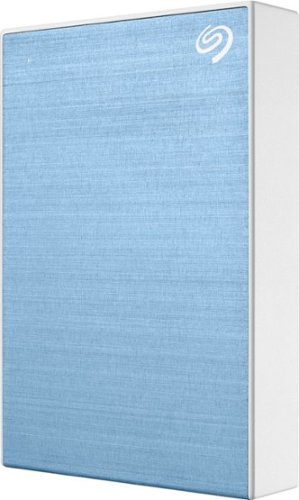
Store and transport files with this 5TB Seagate Backup Plus portable high-capacity drive. The included Seagate Toolkit software makes scheduling backups easy, while the USB 3.0 interface ensures rapid data transfers for faster backups. A 5TB capacity lets this Seagate Backup Plus portable high-capacity drive accommodate the largest files and programs.
Customer Rating
5
Great Capacity, Fast Transfers, Solid Protection!
on August 24, 2019
Posted by: JimC
from Chicago, IL
The Seagate 5 TB Backup Plus Portable hard drive is a very reliable, inexpensive, easy to use and compact means of backing up your precious files, photos, videos and music from all of your primary devices. It is an essential accessory which can be used in an automatic or manual (batch) mode.
Seagate Technology began as Shugart Technology in 1978. It developed the first 5.25 inch hard drive (5 MB) in 1980 and was the primary hard drive supplier to the original IBM XT PC. Since then it has created smaller form factors (3.5 inch for desktops and 2.5 inch for laptops) with capacities up to 16 TB. It also supplied the 1 inch hard drives used in iPods. Over the years Seagate acquired the hard drive units of Control Data, Conner Peripherals, Maxtor and Samsung. Seagate and Western Digital are the largest manufacturers of PC hard drives, with roughly equal shares, followed by Toshiba. Seagate is based in Cupertino, California.
Here are the key features of this great backup tool:
• Seagate STHP5000402 5.0 Terabyte external hard drive
• USB 3.0/3.1 interface and power source, USB 2.0 compatible
• Seagate hard drive used (assumed): BarraCuda ST5000LM000 (2.5 inch form factor)
• SATA 6 GB/sec interface
• Up to 140 MB/sec data transfer rate
• 128 MB cache
• 5400 RPM spindle speed
• Reliability/data integrity: 600,000 load/unload cycles
• Music capacity: Approximately 28,000 albums (600,000 songs) at high quality compression
• Video capacity: Approximately 600 hours of HD video
• Light blue brushed aluminum and white ABS plastic case
• 18 inch USB connection cable
• Compact: 3.1 x 4.5 x 0.8 inches
• Lightweight: 9.3 ounces
• Includes Seagate Toolkit software for automatic backup
• Also includes one year trial of Create Mylio for photo organizing and two month trial to Adobe Creative Cloud photography software
• Two year limited warranty
• Seagate STHP5000402 5.0 Terabyte external hard drive
• USB 3.0/3.1 interface and power source, USB 2.0 compatible
• Seagate hard drive used (assumed): BarraCuda ST5000LM000 (2.5 inch form factor)
• SATA 6 GB/sec interface
• Up to 140 MB/sec data transfer rate
• 128 MB cache
• 5400 RPM spindle speed
• Reliability/data integrity: 600,000 load/unload cycles
• Music capacity: Approximately 28,000 albums (600,000 songs) at high quality compression
• Video capacity: Approximately 600 hours of HD video
• Light blue brushed aluminum and white ABS plastic case
• 18 inch USB connection cable
• Compact: 3.1 x 4.5 x 0.8 inches
• Lightweight: 9.3 ounces
• Includes Seagate Toolkit software for automatic backup
• Also includes one year trial of Create Mylio for photo organizing and two month trial to Adobe Creative Cloud photography software
• Two year limited warranty
Use of this Seagate external drive could not be easier. Just attach the included USB connection cord, plug it into a USB 3.0/3.1 port on your computer and look for a drive labeled “Backup Plus.” The connection cable provides the power for the drive. The Seagate Backup Plus includes software to optimally format it for use by Windows or by Macs. It also includes links to register the drive’s warranty and to download the Seagate Toolkit backup software, as well as the trial software for Mylio and Adobe photo storage and management.
The light blue brushed aluminum and white plastic case is very attractive but more importantly, it seems solid and should give good protection for the drive. Most users really don’t understand how fragile a hard drive can be. They consist of a set of magnetic platters rotating at high RPM (5400 in this case) with a set of pickup arms moving across their surface to read the data and transfer it. While hard drives are somewhat shock resistant, a hard jolt can actually cause the arm to contact the platter surface and permanently damage the drive. That is why laptops frequently have hard drive failures – users casually bump them, drop them or otherwise abuse them.
Seagate doesn’t provide the technical specs on the hard drive used in this STHP5000402 model, but they only make one 5 TB drive in a 2.5 inch form factor, the BarraCuda model ST5000LM000, so I used its specs in my summary of features. By the way, that drive costs more as a stand-alone unit than the nicely packaged Seagate 5 TB Backup Plus Portable drive, so this device is a real bargain!
While the Seagate Toolkit backup software will do a nice job of automatically backing up your data, I suggest that you follow a simple manual procedure which is reliable and fool-proof.
First, download the free Belarc Advisor software. It will create a detailed inventory of your programs and hardware, but most significantly, it will record the software license keys needed to reinstall some software (such as the Windows operating system and Microsoft Office.) Save this as a PDF with the date in the file name.
Next, create a new folder on the Seagate Backup Plus, labeled with the name of your computer and the date. Find the “Users” folder in the C drive and drag it over to that new folder. That will copy all of your personal files and key hidden files (like the PST file used by Outlook to store emails, calendar and contacts.). Don’t bother copying your programs or the Windows files since if your PC fails, you will need to reinstall all of them. But the list of programs in the Belarc PDF will tell you what you need to reinstall. The more important files are your personal documents, photos, music, videos, etc. You might also make a practice of creating a copy of any of your downloaded software into a separate subfolder in your Users folder. That will make it easier to recover.
Do the above procedure as often as you feel necessary. I suggest once every three months for each of your computers for all of your User files. Keep the last two backups and (if you wish) delete the oldest.
Do the above procedure as often as you feel necessary. I suggest once every three months for each of your computers for all of your User files. Keep the last two backups and (if you wish) delete the oldest.
But here is the most important piece of advice I can give: Don’t assume that your backup folder is safe on just one backup hard drive! Buy a second Seagate Backup Plus and make a second backup of your precious files on it. If you are really paranoid (just very safety conscious) store that second external hard drive in your safe deposit box or at a storage facility. That will protect it in the event of theft or fire destroying your PC and your on-site backup hard drive.
How long does it take to back up all of your files? The Users folder on my primary computer is 96.8 GB and it took 38 minutes to transfer it to the Seagate Backup Plus. That was an average data transfer rate of about 42.5 MB/second. Keep in mind that data transfer rates will vary based upon your own computer’s processor, RAM and hard drive, but you can assume that it will take about 30 minutes in most cases and you can keep using your PC while the backup is proceeding. By the way, if you have an older PV with only USB 2.0 ports the backup process will still work, but it will take about ten times as long for the data transfer to take place.
Bottom line: Don’t hesitate; buy this Seagate Backup Plus 5.0 TB drive! It is a bargain at a price of about $20 per TB, is made by a premier hard drive manufacturer, could not be easier to use and will insure that you will always have a reliable copy of your irreplaceable photos, videos, documents and all of the other essential elements of your personal history. But after you buy it, make sure that you use it every few months to create a full backup of your files.
Mobile Submission: False
I would recommend this to a friend!


Share this review:


+100points
101of 102voted this as helpful.
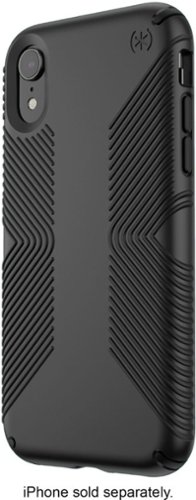
Protect your iPhone XR from drops of up to 10 feet with this Speck Presidio Grip case. The inner IMPACTIUM lining absorbs shock, and the polycarbonate exterior deflects shock. This Speck Presidio Grip case has angled rubber ridges that offer a nonslip grip to help prevent the device from sliding off surfaces, and the raised edges help protect the screen when it's facing down.
Customer Rating
5
Stylish Protection for Your iPhone!
on August 19, 2019
Posted by: JimC
from Chicago, IL
The Speck Presidio Grip iPhone Xr Case provides great security and protection for your treasured, but somewhat fragile, iPhone. With iPhones now costing $1,000+ it is very prudent to add a protective barrier around your phone to minimize the chance of damage when you inevitably drop it. The bigger iPhones (like the Xr and the Xs Max) are much more likely to pop out of your hand while using it. This Speck Presidio Grip case is certified to protect your iPhone Xr from damage in the very sad event of a ten foot fall!
The Speck Presidio line of cases is noted for its thinness, protective qualities and outstanding durability. Speck is a premier manufacturer of protective electronic equipment cases which was founded in San Mateo, California in 2001. It was acquired by Samsonite in 2014 and has won numerous product design awards.
Here are the key features of this great case:
• Speck Presidio Grip iPhone Xr case
• Two (integrated) layers of protection molded together
• Polycarbonate outer shell provides unbreakable protective perimeter
• Inner Impactium lining gives additional shock protection by compressing on impact to absorb and disperse shock
• No-slip angled raised rubber ridges on back insure secure grip
• Raised bezel around screen protects glass from shattering or scratching
• Certified to withstand repeated 10 foot drops
• Designed to support Qi wireless charging
• Material will not interfere with phone reception
• Form fitting: 7.9 x 4.2 x 0.8 inches
• Lightweight: 2.9 ounces
• Lifetime warranty
• Speck Presidio Grip iPhone Xr case
• Two (integrated) layers of protection molded together
• Polycarbonate outer shell provides unbreakable protective perimeter
• Inner Impactium lining gives additional shock protection by compressing on impact to absorb and disperse shock
• No-slip angled raised rubber ridges on back insure secure grip
• Raised bezel around screen protects glass from shattering or scratching
• Certified to withstand repeated 10 foot drops
• Designed to support Qi wireless charging
• Material will not interfere with phone reception
• Form fitting: 7.9 x 4.2 x 0.8 inches
• Lightweight: 2.9 ounces
• Lifetime warranty
Installation is very easy. The case snaps around the iPhone Xr with very little effort. Once on, it is very secure and will not easily come off. The case is surprisingly thin and does not add significantly to the bulk of the iPhone Xr. The full front surface of the screen is still accessible after the case has been installed. The appearance is very clean and there is no obnoxious brand name on it, just a stylish little asterisk (the Speck logo.)
The matt finish of the black case is non-reflective and is designed to resist discoloration from heat, sunlight and chemicals. Speck backs up the case with a lifetime warranty, so you can be assured that it will last longer than your phone!
Once the case was installed I noticed that my grip on the phone was much more secure, thanks to the raised rubber ridges on the back. The iPhone still easily slides into the front pocket of my jeans. But the raised ridges are an added security feature which may prevent the phone from accidently slipping out if you carry your phone in your shirt or jacket pocket.
The design cleverly protects the screen with a raised bezel which should keep your screen from impacting on hard surfaces if you drop it. It is still possible to crack your screen but you would have to hit an angled surface (like a rock) for the screen to make contact. I suggest installing a protective glass screen over your iPhone’s screen for added security.
I had no issues with charging my phone wirelessly and I did like the fact that the ridges made it less likely that I would accidently knock my phone off the charging pad and onto the floor.
The only drawback (and it is a minor one) is that the nice yellow color of my phone is now visible only as a tiny sliver of color around the camera lens. Speck does make a clear case but it is not as highly rated for drop protection as this one, nor does it have the raised anti-slip ridges.
I am delighted to give this great iPhone case my full and enthusiastic recommendation! Buy it and slip your precious iPhone Xr into it before you say oops!
Mobile Submission: False
I would recommend this to a friend!


Share this review:


+48points
49of 50voted this as helpful.
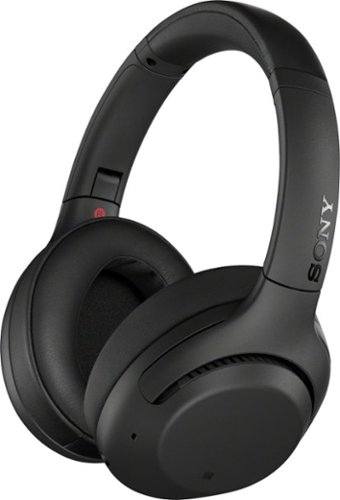
Experience an immersive acoustic performance with these Sony XB Extra Bass wireless headphones. The noise-isolating fit mutes ambient noises, while the lithium-ion battery offers up to 30 hours of playtime, keeping you entertained during long-distance travels. These Sony XB Extra Bass wireless headphones have a touch sensor for convenient control.
Customer Rating
5
Great Sound, Ultra Comfort, Noise-Cancelling Star!
on July 21, 2019
Posted by: JimC
from Chicago, IL
The new Sony WH-XB900N wireless headphones are an outstanding option for a comfortable listening experience at home, traveling or in a noisy office. They incorporate very effective noise suppression and echo canceling systems, have easy-to-operate controls and a very long battery life. Their quality is evident in every feature and they a part of the well-regarded Sony Extra Bass family.
Here are the key features:
• Sony WH-XB900N noise-canceling over-the-ear Bluetooth headphones
• Ergonomic, fully adjustable over-ear, closed dynamic headphone
• 40 mm dome driver for maximum bass and very accurate wide frequency response
• Noise-canceling/suppression technology helps block external noises, may be switched on or off
• Monitor function allows ambient sound to be easily heard while wearing headphones, may be switched on or off
• Bluetooth 4.2 reception range up to 50 feet, NFC pairing connection option, support aptX codec
• Built-in microphone for making and receiving phone calls
• Touch control on side of right earphone to raise/lower volume, next/previous track selection
• Power, Bluetooth pairing, Monitor and Noise Cancel buttons on left earphone
• Rechargeable internal lithium ion power source: 6 hours to fully charge with included USB-C connection cable
• Headphones will operate 30+ hours continuously from a full charge, 16 day standby time, customizable auto-off timer
• Can also operate without using any power by connecting an included 4.1 foot 3.5 mm stereo cable to left earphone
• 3.5 mm (headphone) male-to-male 50” connection cable included
• 20 – 20,000 Hz audio frequency range, less than 1% THD distortion
• Sony Headphone Connect app provides graphic equalizer and presets
• Easy to follow illustrated quick set-up guide
• Foldable design for compact storage
• Size: 5.5 inches by 6.6 inches by 3.5 inches
• Weight: 9 ounces
• Soft pouch with drawstring closure included
• One year warranty on parts and labor
• Sony WH-XB900N noise-canceling over-the-ear Bluetooth headphones
• Ergonomic, fully adjustable over-ear, closed dynamic headphone
• 40 mm dome driver for maximum bass and very accurate wide frequency response
• Noise-canceling/suppression technology helps block external noises, may be switched on or off
• Monitor function allows ambient sound to be easily heard while wearing headphones, may be switched on or off
• Bluetooth 4.2 reception range up to 50 feet, NFC pairing connection option, support aptX codec
• Built-in microphone for making and receiving phone calls
• Touch control on side of right earphone to raise/lower volume, next/previous track selection
• Power, Bluetooth pairing, Monitor and Noise Cancel buttons on left earphone
• Rechargeable internal lithium ion power source: 6 hours to fully charge with included USB-C connection cable
• Headphones will operate 30+ hours continuously from a full charge, 16 day standby time, customizable auto-off timer
• Can also operate without using any power by connecting an included 4.1 foot 3.5 mm stereo cable to left earphone
• 3.5 mm (headphone) male-to-male 50” connection cable included
• 20 – 20,000 Hz audio frequency range, less than 1% THD distortion
• Sony Headphone Connect app provides graphic equalizer and presets
• Easy to follow illustrated quick set-up guide
• Foldable design for compact storage
• Size: 5.5 inches by 6.6 inches by 3.5 inches
• Weight: 9 ounces
• Soft pouch with drawstring closure included
• One year warranty on parts and labor
Included in the box are the headphones, instructions, a short USB-C charging cable, a 50 inch long 3.5 mm direct-connect wire cable and a nice soft pouch. The quick set-up guide is comprehensive with step-by-step instructions for using the headphones, a trouble-shooting checklist, technical specifications and detailed explanations for using each feature.
The headphones have a non-reflective black finish, substantial bass-producing drivers and super-soft memory-foam cushions on each headphone for superb comfort and noise isolation. They fold flat to enable compact storage and to easily fit into a purse, drawers, etc. The Sony WH-XB900N has a look of quiet quality and business elegance without flashy excess.
First step is to charge the headphones. Just attach the USB-C charging cable, plug it into your computer or a USB outlet and LED lights will go out when they are fully charged (which may take 4- 6 hours when fully discharged.) A red LED light next to the charging port goes out when the unit is fully charged. The stated music playing time of thirty hours seems conservative since I found the headphones would operate for nearly forty hours before fading out. The customizable auto-off feature aids this very long battery life.
Next, press the power button to turn them on – an audio prompt indicates when the power is on or off. Pair the earphones with your phone or other source via Bluetooth or NFC. An audio prompt guides you, but my phone paired them very quickly and without drama. A blue LED indicates the connection has been made. The connection remained very solid throughout my home, up to nearly 50 feet.
The headphones are fully adjustable and the very soft pads completely and comfortably enclose even the largest ears. The Sony WH-XB900N are the most comfortable headphones I have ever worn. They are light (9 ounces) and have plenty of adjustment range to enable a perfect fit. The earphone pads are fairly large (about 4 inches tall and 3 inches wide) so they qualify as “over ear” and they provide excellent sound isolation. You can wear them for many hours in perfect comfort and your ears will never complain.
Even without the noise-canceling function most external sounds are blocked. Pressing the Custom (automatic noise canceling) button turns on that feature and there is an audio announcement that it is active (or that it has been turned off.) The ANC technology is very effective for mid-frequency noise. I turned on both my shower and bathroom sink faucet and the noise (which would normally be very loud) was just a faint hiss which I could easily ignore while listening to the music. Even without music playing the noise canceling feature was pretty effective. Further, you can adjust the degree of noise cancellation using the Headphone Connect app. These would be great on a noisy airplane ride!
The Sony WH-XB900N headphones have a very accurate reproduction of music from bass through mid-range notes and on to the highest frequencies. You can modify the sound contour/response by utilizing the Sony Headphone Connect app which features a full equalizer, a number of surround sound presets and sound positioning controls. For those who like heavy bass these are an ideal choice. If you want to cut back the bass the equalizer on the app will do that very effectively. I played every range of music, from classical, blues, hard rock, jazz and a full range of vocals (opera through folk ballads) and these fine headphones never disappointed me. The sound quality is just beautiful.
Sony has positioned these headphones to deliver premium sound and features at a mid-range price. Yes, you might find slightly better headphones but only if you are willing to spend at least 50% more, and even then most users would not really appreciate any difference in sound or features.
Like all good earphones these will respond to various voice commands, allow you to interact with Siri, take calls, etc. Each earphone has some controls. The right side has a nice touch pad which will raise/lower volume, skip tracks (forward and backward), pause and repeat tracks and has a microphone for use during calls. The left side turns the earphones on/off, handles Bluetooth pairing, activates the noise cancelation feature and also takes calls. One very clever feature is Quick Attention which shuts off noise cancellation and lowers music volume when you touch the right headphone, enabling you to easily hear outside sounds (such as someone speaking to you), and then resumes noise cancellation and music volume when you remove your hand.
Bottom line - the Sony WH-XB900N noise-canceling Bluetooth headphones are an excellent value for discerning music fans who want a very comfortable headset, superb noise isolation and beautiful sound reproduction. They are a perfect choice for traveling and would pass boring hours in airports and on planes with gold stars for quality, sound level and range. I am happy to award this fine product a full five stars and my full, unqualified endorsement. Buy these if you love music and want sweet isolation from the nasty noises of the world!
Mobile Submission: False
I would recommend this to a friend!


Share this review:


+36points
172of 308voted this as helpful.
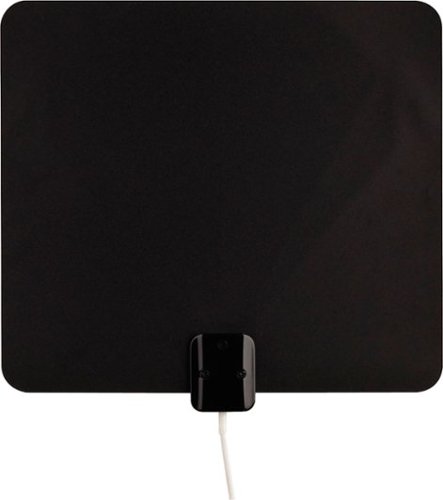
Enjoy quality network programming with this Terk ultra-thin HDTV antenna. Two-sided mounting tape makes wall and window installation possible, while a slim profile takes up very little space once installed. Multidirectional reception design makes adjustments unnecessary, while white and black sides allow this Terk ultra-thin HDTV antenna to fit into various decors.
Customer Rating
5
Excellent Signal-Boosting Power for Free HD TV!
on June 22, 2019
Posted by: JimC
from Chicago, IL
The Voxx Terk amplified ultra-thin signal-finder HDTV antenna is an inexpensive and effective way to deliver free, over-the-air high quality HD signals to your television.
While most homes have access to cable or satellite television providers (for a monthly fee) it is still possible to watch all of the major networks for free using digital antennas. All over-the-air television broadcasting in the United States has been digital since 2009. This has greatly improved signal reception (compared to the old analog transmissions) and all televisions built in the past ten years include the ability to receive these digital signals. Access to a wide variety of free programming just requires the use of an appropriate HDTV antenna. The Voxx Terk model ThinTV3M is the best such antenna I have ever used.
Besides access to free over-the-air television stations, this antenna can serve as a game-saver if your cable ever goes out during a major network event (such as the SuperBowl) which you planned to watch.
Here are its key features:
• Voxx Terk Amplified Ultra-Thin Signal Finder HDTV Antenna: Model ThinTV3M
• Integrated two stage amplifier boosts weak signals
• Built-in LED signal strength meter
• Includes Terk directional signal finding app
• Ultrathin flat antenna, white on one side, black on other
• Substantial surface area: 13” Wide x 12” Tall
• 12 foot integrated coax connection cable
• Two-sided mounting tape pads included
• Full easy to follow illustrated instructions
• Lifetime limited warranty
• Voxx Terk Amplified Ultra-Thin Signal Finder HDTV Antenna: Model ThinTV3M
• Integrated two stage amplifier boosts weak signals
• Built-in LED signal strength meter
• Includes Terk directional signal finding app
• Ultrathin flat antenna, white on one side, black on other
• Substantial surface area: 13” Wide x 12” Tall
• 12 foot integrated coax connection cable
• Two-sided mounting tape pads included
• Full easy to follow illustrated instructions
• Lifetime limited warranty
Setup is easy. First, download the Terk Signal Finder app and enter your address and check the stations you are most interested in viewing. Then use your phone to determine the optimal direction to align the flat HDTV antenna. Next, plug in the integrated amplifier and observe the LED signal meter as you position the antenna . Attach the coax connector to the television and scan for stations. In just a couple of minutes, you should have access to a wide variety of HD stations!
But a word of caution – follow the instructions and you will get much better results!
I live in a high rise on the lakefront in Downtown Chicago, near the buildings which house the broadcast antennas for all local channels. I have to confess that the first time I tried the antenna I did not bother to use the Signal Finder app. I thought I could just attach the antenna to a window (see photo) with some painter’s tape and that would be sufficient. I ran a channel scan and it showed 60 channels being received. I was impressed, but when I tried to watch the channels some were pixelated and some important local stations were not even on the list. I was frustrated, so I did what I should have done in the first place – I read the instructions and downloaded the Signal Finder app to my phone.
The Terk Signal Finder app is just a great piece of software – you simply enter your address or let the app use the phone’s location finder and then check off the stations you want to receive. I selected two local stations which had not appeared after my first scan. The app then shows you which direction to point the antenna. A red vector appears on a map and you rotate your phone until that red vector overlaps a green vector which shows the station you want. (See photo) Then just point your antenna in the same direction as your phone.
I did that simple process and repositioned the Terk flat HDTV antenna in the indicated direction, then ran the channel scan again. Boom! 80 channels showed up this time, including every station that had been missing! I was mucho impressed.
The Voxx Terk antenna is very well built. It is light in weight and very easy to position. I used some blue painter’s tape (which won’t harm surfaces) to hold the antenna in various locations until I was satisfied with the reception. To permanently mount it you can use thumbtacks in the two holes in the upper corners, the two-sided mounting pads included or just continue to use tape. The connecting cable is very generous – about 12 feet long – so you have a lot of maneuvering room for locating the antenna. There is an inline LED signal strength meter which can aid in positioning (see photo), but I would defer to the Signal Finder app’s direction-finding ability. The power cable to the inline amplifier (which is located in the same housing as the signal strength meter) is long enough to reach the outlet to which the TV is plugged.
I am delighted to give this great device my full and enthusiastic recommendation! Buy it and you will be very happy with its ease of installation and outstanding performance.
Mobile Submission: False
I would recommend this to a friend!


Share this review:


+73points
80of 87voted this as helpful.
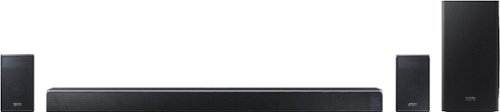
Elevate your home entertainment experience with this Samsung 7.1.4-channel soundbar system. Wi-Fi functionality enables remote control via a virtual assistant, and the wireless subwoofer and rear speakers combine to deliver an immersive audio experience. This 510W Samsung 7.1.4-channel soundbar system features Bluetooth connectivity for wireless media streaming from compatible devices.
Customer Rating
5
The Soundbar for Those Who Demand the Very Best
on June 18, 2019
Posted by: JimC
from Chicago, IL
The Samsung Harman/Kardon HW-Q90R is an outstanding, speaker-packed sound bar which delivers an amazing 7.1.4 sound experience worth every penny of its premium price point. Its combination of features, sound quality, aesthetics and power is simply unmatched by any other sound bar system.
All great TVs, no matter the brand, are really just a beautiful visual delivery system. The speakers in even very expensive TVs are just not comparable to the display. The solution is to add a supplemental sound bar to your TV to replace those pitiful little speakers built in to it, extending the audio range of the speakers and delivering deep bass.
The many sound bars available tend to fall into three categories – budget units (a couple of hundred dollars), mid-range systems (four to eight hundred dollars) and ultra-deluxe equipment (well over a thousand dollars.) A good rule of thumb is to spend at least half of what you spent on the TV and ideally, two-thirds or more of the cost of the TV.
The next issue is what kind of system to buy (2.0, 2.1, 3.1, 5.1 or 7.1). Those numbers indicate how many channels of stereo are created. 2.0 is traditional (left/right) stereo, 2.1 adds a separate sub-woofer, 3.1 adds a center channel, 5.1 includes side left/right speakers for better surround sound effects. Finally, 7.1 adds two speakers on the left and right but positioned behind where the listener sits. All of these systems are designed to utilize speakers at the same height as the listeners’ ears.
But in 2012 Dolby Laboratories introduced a new surround sound technology which added a third dimension to the sound experience through the use of “object-based audio.” Sound is projected with “height” speakers to a point above the listener which greatly adds to the impact and realism of big budget blockbuster movies. Rain falling or aircraft soaring through the sky feel as though they are really overhead, rather than simply coming from the screen. Dolby Atmos implements this technology through a 7.1.4 speaker arrangement. The “4” refers to the number of speakers which create sound from the top of the room (two front (left/right) height speakers plus two rear (left/right) height speakers.) Another version of this type of fully-immersive sound creation is DTS-X which uses a somewhat different approach but the same speaker arrangement. Dolby Atmos and DTS-X have become the new standards for premium movie sound.
Sorry for the long lecture, but to really appreciate the Samsung/Harman Kardon system you need to understand all of the above.
Consider this fine combination of features:
• Samsung Harman/Kardon HW-Q90R Soundbar
• 7.1.4 speaker system with four individual speaker enclosure components
• Main Sound Bar
o 13 speaker drivers: Front Left (3), Center (3), Front Right (3), Side Right, Side Left, Front Height Left, Front Height Right
o 10 18 watt amplifiers, 3 10 watt amplifiers: 210 watts of total amplification power
o 48.3” wide x 3.3” tall x 5.4” deep
o Weight: 19.4 pounds
• Sub-Woofer Speaker
o 8” driver with rear bass port
o Wireless connection
o 160 watt amplifier
o 8.1” wide x 15.9” tall x 15.9” deep
o Weight: 21.6 pounds
• Rear Surround Speakers (Left and Right)
o Rear Left and Rear Height Left, Rear Right and Rear Height Right
o Wireless connection
o 4 35 watt amplifiers: 140 watts of total amplification power
o 4.7” wide x 8.3” tall x 5.7” deep (each)
o Weight: 4.6 pounds (each)
• 510 watts of total combined amplification power
• Frequency response range: 34 Hz to 17k Hz
• Supports Dolby Atmos, Dolby Digital, Dolby Digital Plus, Dolby TrueHD, DTS-X, DTS Digital Sound, DTS-HD Master Audio
• Inputs: Optical Digital, ARC HDMI, HDMI (2), WiFi, BlueTooth
• Output effects: Standard, Surround, Game Pro, Adaptive Sound
• Digital display on main sound bar
• Optimized for integrated use with Samsung QLED televisions
• Compatible with Amazon Alexa
• Wireless LAN 802.11AC
• Samsung Harman/Kardon HW-Q90R Soundbar
• 7.1.4 speaker system with four individual speaker enclosure components
• Main Sound Bar
o 13 speaker drivers: Front Left (3), Center (3), Front Right (3), Side Right, Side Left, Front Height Left, Front Height Right
o 10 18 watt amplifiers, 3 10 watt amplifiers: 210 watts of total amplification power
o 48.3” wide x 3.3” tall x 5.4” deep
o Weight: 19.4 pounds
• Sub-Woofer Speaker
o 8” driver with rear bass port
o Wireless connection
o 160 watt amplifier
o 8.1” wide x 15.9” tall x 15.9” deep
o Weight: 21.6 pounds
• Rear Surround Speakers (Left and Right)
o Rear Left and Rear Height Left, Rear Right and Rear Height Right
o Wireless connection
o 4 35 watt amplifiers: 140 watts of total amplification power
o 4.7” wide x 8.3” tall x 5.7” deep (each)
o Weight: 4.6 pounds (each)
• 510 watts of total combined amplification power
• Frequency response range: 34 Hz to 17k Hz
• Supports Dolby Atmos, Dolby Digital, Dolby Digital Plus, Dolby TrueHD, DTS-X, DTS Digital Sound, DTS-HD Master Audio
• Inputs: Optical Digital, ARC HDMI, HDMI (2), WiFi, BlueTooth
• Output effects: Standard, Surround, Game Pro, Adaptive Sound
• Digital display on main sound bar
• Optimized for integrated use with Samsung QLED televisions
• Compatible with Amazon Alexa
• Wireless LAN 802.11AC
Included in the box are the massive 8” wireless sub-woofer, the primary sound bar itself, two wireless rear surround sound speakers, two sets of four power cords (both U.S. and European versions), a sophisticated remote control, an HDMI cable, a pair of wall brackets for the main sound bar and a set-up book.
The four speaker units are all beautifully finished in an iridescent black called “carbon silver.” They have metallic mesh covering all speaker surfaces with elegant beveled corners and a polished upper edge. The mass and detailing of these units subtly underline both the quality of the engineering and the substantial investment you have made in the system.
Set-up is remarkably easy. Just plug in the power supply to the main sound bar, the sub-woofer and the two surround speakers. Next, attach an HDMI cable from the ARC output of the sound bar to the ARC HDMI input on the television. If you have other devices attached to the TV (such as a Blu-Ray player, game system, cable box, etc.) you can leave those HDMI cables as is. Or, you can route those HDMI cables through the sound bar. However, in either case the sound bar will take over the audio function from the TV as long as it is attached to the ARC port.
The main sound bar is quite wide, nearly matching the width of my 65” TV, and packed with 13 individual speaker drivers. There are nine speakers facing you, two mid-range woofers and one tweeter each for the left, center and right channels. On each end are a side left and side right full-range speaker. On the top at each side are the two front height speakers which project upward at a slight angle toward the listener. There are 13 amplifiers, totaling 210 watts, to drive all of these speakers. (See the illustration of these speakers which I posted.) The compact height of the sound bar (3.3”) is a real plus for those who have their TVs standing on a video table rather than wall-mounted. It should not block the screen of any such TV.
The sub-woofer has a side-firing 8 inch driver supplemented by a rear bass port. It is powered by a 160 watt amplifier. The two surround speakers each have a rear speaker on the side and an angled rear height speaker on the top. Each surround speaker has a pair of 35 watt amplifiers. Both the sub-woofer and the surround speakers have a blue LED on the back to indicate that they are connected to the sound bar.
The four sound modes map the input to the speakers in different ways. “Standard” is a simple reproduction of the original format, “Surround” creates 7.1.4 sound output from any input, “Gaming” emphasizes the sound effects present in most video games. “Adaptive” keeps spoken dialog intelligible by adjusting the center channel level independently. No more wondering what that character just said as the explosions were going off! After trying all of the sound modes I decided I liked the Surround mode best and left it on that setting.
OK, so enough about the impressive technical details, how does it sound? One word: INCREDIBLE!!! Press the “on” button on the slim remote, select a sound mode (standard, surround, gaming or adaptive) and you will be immersed in sound. The first thing you will notice is that deep rich bass which had been absent from your TV speakers. You can turn of the volume on the sub-woofer to floor-shaking levels if you wish! Next, the overall sound quality is superb, very clear, distortion-free with excellent midrange and highs. The remote can adjust the treble and bass level as well as the volume of each speaker individually.
To truly appreciate it, access YouTube videos which showcase Dolby Atmos and DTS-X. Sit in a chair, directly in front of the sound bar and with the surround speakers behind you. Feel the sound move from the front, over you, around you, behind you – a completely immersive experience! I have never been more impressed with an audio product. The system does an amazing job of reproducing the full range of both Dolby Atmos and DTS-X sound files. You will be so happy when you play your 4K UHD Blu-ray movies through this system. Your home will finally reproduce that movie theater sound which you really want. And since both Netflix and Amazon Prime have incorporated Dolby Atmos into their best series, those subscriptions will seem an even better bargain.
Several added features expand the role of the sound bar beyond its use with your TV. You can connect your phone or tablet via Bluetooth. It has Alexa compatibility (but you need to supply your own Alexa controller.) It has WiFi connectivity which requires the Samsung SmartThings app to achieve networking. Why not just a simple WPS button?
What don’t I like? The main sound bar’s scrolling digital display when you change a setting is just so-so. A full digital display on the remote would be far better, showing the settings of all speakers. There are no equalizer preset sound modes (e.g., movie, sports, music, etc.) just a simple bass/treble adjustment. There is no microphone for properly balancing the speakers. No support brackets or speaker stands are included for the two surround speakers. To function properly these should be held at a certain height. I did purchase stands (see photo) to hold the two speakers, but for a system which costs more than all but the biggest big-screen TVs it seems that Samsung could have thrown in a pair of custom stands (which would have cost no more than $40.) Samsung should realize that customers who are willing to invest in a truly premium system deserve and expect all of the bells and whistles.
But, the bottom line is that the incredible sound and amazing setup simplicity of the Samsung HW-Q90R makes it the absolute best choice for 7.1.4 audio systems. It is an excellent value for serious video fans who want to enrich their audio experience to theater quality. You will find that this investment truly produces excellent returns of auditory enjoyment!
Mobile Submission: False
I would recommend this to a friend!


Share this review:


+172points
187of 202voted this as helpful.
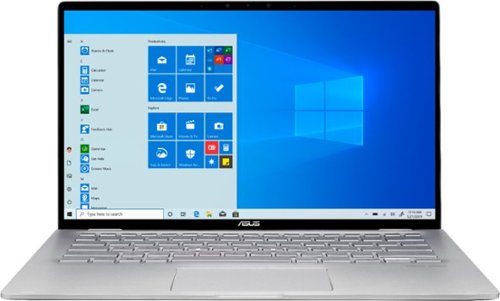
ASUS Q406DA Laptop: View an unrestricted picture with this ASUS laptop. A 256GB SSD lets you open programs quickly, and the 14-inch FHD touchscreen offers detailed visuals and an intuitive interface. The two 1.6W stereo speakers deliver high-quality audio for enjoying streaming video. This ASUS laptop has an AMD Ryzen processor and 8GB of RAM for prompt multitasking.
Customer Rating
5
Compact Powerhouse, Doubles as Tablet–Great Value!
on June 9, 2019
Posted by: JimC
from Chicago, IL
This brand-new Asus Q406DA is a superb combination of technology and functionality which will outperform almost all existing laptops thanks to its incorporation of a new AMD Ryzen 5 processor and Radeon Vega 8 graphic processing units in an elegant, compact form which can double as a tablet.
Visually, the Asus Q406DA is a stunning design with a beautiful silver grey body highlighted by polished chrome hinges and logo. The keyboard has white backlighting and silver type faces. The 14 inch screen seems larger because it is jet black when off and incorporates a frameless NanoEdge. When you open the notepad, the screen uses a 360 degree ErgoLift hinge to raise the keyboard to a comfortable typing angle. Overall, the impression is very sophisticated and high tech. This design would be just as much at home in a corporate boardroom as in a college dorm.
Consider this fine combination of features:
• Asus ZenBook Model QA406DA
• AMD Ryzen 5 3500U CPU 4 core/8 thread, 15w max power load
• Processor runs at speeds from 2.1 to 3.7 GHz
• 64 bit Windows 10 Home operating system
• AMD Radeon Vega 8 GPU uses shared system memory
• 8 GB DDR4 high efficiency RAM primary memory
• 256 GB SanDisk SSD fast hard drive
• 14” IPS LED-backlit touch-screen display with 1920 x 1080 (full HD) resolution @ 60Hz
• Tablet mode with auto-rotation of screen orientation
• Windows ink workspace
• Harman/Kardon full-range stereo speakers and audio processing
• HD Webcam with dual microphones
• 3D IR Camera for facial and gesture recognition
• Bluetooth connectivity
• MicroSD card reader
• HDMI 2.0 video output
• 1 USB 3.1 Type C (up to 5 GBps)
• 2 USB 2.0 ports
• Wireless LAN 802.11AC (Intel 9560 NIC)
• Headphone out/Microphone in 3.5 mm port
• Ultra-quiet cooling fan
• 3 cell 42 Watt-Hour Lithium Ion battery
• Very slim and compact: 12.7” wide x 8.5” deep x 0.7” thick
• Weight: 3.5 pounds
• Asus ZenBook Model QA406DA
• AMD Ryzen 5 3500U CPU 4 core/8 thread, 15w max power load
• Processor runs at speeds from 2.1 to 3.7 GHz
• 64 bit Windows 10 Home operating system
• AMD Radeon Vega 8 GPU uses shared system memory
• 8 GB DDR4 high efficiency RAM primary memory
• 256 GB SanDisk SSD fast hard drive
• 14” IPS LED-backlit touch-screen display with 1920 x 1080 (full HD) resolution @ 60Hz
• Tablet mode with auto-rotation of screen orientation
• Windows ink workspace
• Harman/Kardon full-range stereo speakers and audio processing
• HD Webcam with dual microphones
• 3D IR Camera for facial and gesture recognition
• Bluetooth connectivity
• MicroSD card reader
• HDMI 2.0 video output
• 1 USB 3.1 Type C (up to 5 GBps)
• 2 USB 2.0 ports
• Wireless LAN 802.11AC (Intel 9560 NIC)
• Headphone out/Microphone in 3.5 mm port
• Ultra-quiet cooling fan
• 3 cell 42 Watt-Hour Lithium Ion battery
• Very slim and compact: 12.7” wide x 8.5” deep x 0.7” thick
• Weight: 3.5 pounds
So how does this laptop perform? Superbly.
It is almost as fast as dedicated gaming laptops but has the portability and features which will make it the go-to choice for business travelers. It is beautifully engineered. For example, when you open it, the screen hinge rotates and lifts the keyboard slightly, providing a nice angle for typing and increasing the airflow to the underside for cooling. The solid-state hard drive and low power needs of the CPU and GPU make fan noise almost non-existent. This is a very quiet device!
It seemed very fast when I was using it, so I ran two well-regarded benchmark programs (Novabench and PC Mark 10) on it and three of my other computers to determine their relative performance. These tests measure both the CPU (general processing) and the GPU (graphics processing) so they give a good overall result on the speed of a computer. The first was a base model desktop with an AMD A6 (A6-7310) CPU (comparable in speed to an Intel i3 CPU), no separate GPU and 8 GB RAM. The next was a nicely-equipped all-in-one computer with a 6th generation Intel i5 (6400T), Intel 530 GPU and 12 GB RAM. The third was a new gaming laptop with an 8th generation Intel i5 (8300H), Nvidia 1050Ti GPU and 8 GB RAM. Finally, I ran the same tests on the Asus Q406DA. All computers were well-maintained, running identical versions of Windows 10 with no other programs active. Here are the results (higher is faster):
Novabench Results:
Desktop A6: 636 (Base case)
All-in-One i5: 858 (35% faster than base)
Gaming laptop: 2028 (219% faster than base)
Asus Q406DA: 1425 (125% faster than base)
Desktop A6: 636 (Base case)
All-in-One i5: 858 (35% faster than base)
Gaming laptop: 2028 (219% faster than base)
Asus Q406DA: 1425 (125% faster than base)
PC Mark 10 Results:
Desktop A6: 1451
All-in-One i5: 2300 (59% faster than base)
Gaming laptop: 4603 (217% faster than base)
Asus Q406DA: 3698 (155% faster than base)
Desktop A6: 1451
All-in-One i5: 2300 (59% faster than base)
Gaming laptop: 4603 (217% faster than base)
Asus Q406DA: 3698 (155% faster than base)
In you go to the websites run by these two benchmarking services you will see that the results achieved by the new Asus Q406DA are faster than almost all 7th and prior generation Intel computers, including the i7 devices. It is nearly as fast as a dedicated gaming laptop! How was this achieved? Primarily because this new Asus ZenBook incorporates the just-released very fast AMD Ryzen 5 3500U, fast DDR4 RAM and the excellent AMD Radeon Vega 8 GPU.
OK, that’s a lot of numbers and technical jargon but the bottom line is that you will find this ZenBook capable of out-performing anything you currently own (unless you have a really geeked-out special system) and very smooth in running any games or software you may ever buy. Put this elegant notebook to work on most business software and it will never even break a sweat. Use it for photo or video editing and it will calmly do whatever you want, no drama. And you need not hesitate to fire up a graphics-intensive game because it has the power to handle even that core easily.
The Harman/Kardon sound system on this notebook is surprisingly good. I listened to some of my favorite albums from Spotify and the speakers were much better than typical for laptops. They are mounted at the bottom, have decent volume and good stereo separation – certainly good enough for watching Netflix or YouTube videos.
A major plus for this ZenBook is the outstanding battery life. I always test laptops by streaming Netflix series on battery power with a bright screen and high speaker volume. The combination of modem usage, video rendering, screen lighting and speaker volume usually drains most laptop batteries in less than two hours. But this Asus Q406DA lasted almost six hours before exhausting the charge! That is long enough for three full movies and certainly would suffice a traveler for all but the longest international flights. You can thank the ultra-efficient and power-miser AMD CPU and GPU for that amazing performance.
Another advantage for travelers is the compact size (less than 13” wide and 0.7” thick) and very light weight – about 3.5 pounds. The power cube is tiny (about 2” x 2” x 1”) so it won’t take up any precious space or weight in your briefcase/backpack. The notebook is nicely balanced with a great lighted keyboard and big touchpad, so those who like to literally use their laptop on their lap will be pleased.
And since you can turn this ZenBook into a tablet by rotating the touchscreen all the way around, it is ideal for reading online magazines and newspapers. In the tablet mode the Windows Ink Workspace feature really shines. I can see the tablet feature being a big part of the daily use of this ZenBook.
What are the weak points of this ZenBook? Really, I had to dig deep to find any complaints. I thought that the keyboard could use more contrast. In marginal light it is very hard to distinguish the type on the keys. Asus could have done a better job on the owner’s manual. It is generic to all of their notebooks, rather than specific to this model. It would have been nice to have a form-fitting cloth carrying case included (as many other notebook brands provide.)
But these are really just minor quibbles. When you consider all of its power and functionality you will agree that the price is a bargain. I can enthusiastically recommend the new Asus Q406DA for both serious stay-at-home power users and for those who need a perfect travel companion.
Mobile Submission: False
I would recommend this to a friend!


Share this review:


+159points
184of 209voted this as helpful.
JimC's Review Comments
JimC has not submitted comments on any reviews.
JimC's Questions
JimC has not submitted any questions.
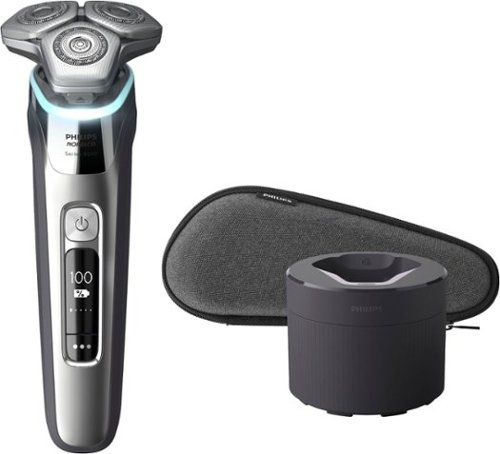
Philips Norelco Shaver 9500 delivers superior closeness and personalized skin comfort with SenseIQ technology. Designed to prevent skin irritation, the 9500 features Pressure Guard Sensor which guides you to the the right pressure as you shave.
Does this include a charging stand? It seems not. If not, can I buy a charging stand for this, separately?
The QuickClean pod doubles as a charging stand. You just attach the charging cord to the shaver while it is resting in the QuickClean pod.

4 years, 6 months ago
by
JimC
Philips Norelco Shaver 9500 delivers superior closeness and personalized skin comfort with SenseIQ technology. Designed to prevent skin irritation, the 9500 features Pressure Guard Sensor which guides you to the the right pressure as you shave.
Is this electric razor (the S9500) made in the Netherlands? I know that the higher end Phillips/Norelco models are usually manufactured in the Netherlands.
Yes, the shaver is both designed in the Netherlands and manufactured there.
4 years, 6 months ago
by
JimC
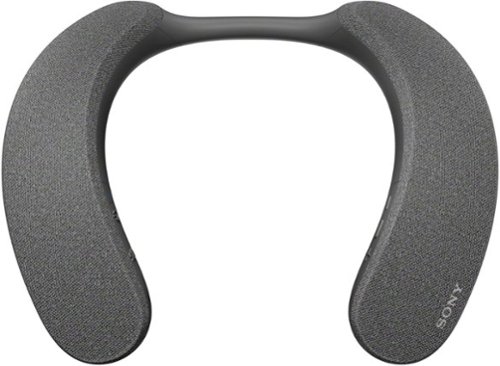
Explore a new world of personalized home theater audio. The SRS-NS7 Wireless Neckband Speaker uses Sony~s 360 Spatial Sound Personalizer technology to envelop you in the rich audio of your favorite shows and movies, while being unobtrusive to others in your home.
Can you hook the transmitter up to an AVR? If you can, will you lose any of the features? I have a surround sound system, but late at night I would want to use the NS7 so as not to disturb the family.
I have a 7.1.4 sound bar system that is connected to my TV through the HDMI Arc port. I added the SRS-NS7 transmitter to my TV by connecting it to the optical digital audio output and powered the transmitter at the USB port of the TV. This provides a signal to the neckband speaker which is independent of the sound bar. I can use the sound bar, the neckbad speaker or both together. If I want to minimize sound for others I just mute the sound bar and listen to just the neckband speaker. It works fine that way but even better when I listen to it and the sound bar as the same time.

4 years, 7 months ago
by
JimC

From America's most trusted printer brand~, the HP Smart Tank 7301 is a smart, connected and refillable tank printer that makes printing seamless for your home and small business with its high capacity, wireless connectivity and Ethernet networking. Create everyday color documents at a low cost with 3 years of Original HP Ink included in the box~. It's AI-enabled~ to intuitively adapt to your workflow, with wireless and security features that keep your multifunction printer up to date and secure.
Can this printer print legal sized paper 8.5 x 14
Yes, the paper tray can be easily extended to accommodate 8.5 x 14 legal paper.
The auto document feeder can also handle legal paper and there is a little support that flips up to facilitate feeding long paper.
The auto document feeder can also handle legal paper and there is a little support that flips up to facilitate feeding long paper.
4 years, 7 months ago
by
JimC
Your busy office needs a printer that~s fast, affordable, easy to use, and has great features. That~s why we developed the EcoTank ET-3850 ~ an innovative cartridge-free solution that uses high-capacity, easily refillable ink tanks. So you~ll worry less about running out of ink, and save a lot on replacement ink (1). The ET-3850 features an auto document feeder, fast printing with outstanding print quality, productive paper handling, a high-resolution flatbed scanner, and a large color display ~ making it the perfect printer for your home office.
What is the quality of the photos being printed with this machine? Will any Epson photo paper work or is there unique photo paper for this ink type?
The photo printing quality is excellent - not quite as good as a dedicated photo printer, but very close.
Attached is a sample that I printed.
Attached is a sample that I printed.

4 years, 8 months ago
by
JimC
Sit back, relax and let the Samsung Jet Mop automatically clean your floors. Samsung~s Jet Mop automatically cleans all type of floors, like tile, vinyl, laminate or hardwood. This robotic mop features dual spinning fiber pads that easily and quickly remove dust and dirt. Now, you can simply take it easy as the intelligent Jet Mop does the hard work for you.
Does this unit require water(specific) or cleaner(special brand)? Example: deionized, distilled, tap, boiled, spring. Example: fabuloso, pledge, mop and glow, bleach/water, brand compatible.
No, just tap water is fine for the water tanks. I understand that you could also use a non-streaking floor cleaner but I haven't tried that yet.
5 years, 6 months ago
by
JimC
Experience versatile cooking with the bella PRO 12.6-qt. Digital Air Fryer Oven. Air Fry, Dehydrate, Rotisserie, Grill, Roast, Bake, Broil, and Reheat your favorite meals with consistent results every time. The extra-large capacity fits a 10~ pizza, 2.2 lbs. of french fries, 4 slices of bread, and a 4 lb. chicken. The powerful 1500 watt heating system uses High Performance Circular Heat Technology to circulate heat for fast, crispy, and evenly cooked results every time. 10 convenient preset menu options, adjustable temperature range from 90~F to 400~F and 24 hour auto shutoff timer with audible tone. Easy cleanup with the dishwasher safe removable accessories.
Can you buy an air fryer basket since the included racks to not have sides? What are the dimensions of the racks?
The interior dimension of the oven is about 10.5 inches wide, 10 inches deep (including rear wall curve), 6.8 inches tall
A basket could probably be placed inside but no such basket is included.
Here are the trays provided:
• Two 10.5 inch x 9.2 inch coated metal slotted cooking trays (8.3 inch x 7.3 inch flat surface)
• 10 inch diameter coated metal pan (9.2 inch interior diameter)
• 10.5 inch x 9.2 inch coated metal drip tray (8.3 inch x 7.3 inch flat surface)
A basket could probably be placed inside but no such basket is included.
Here are the trays provided:
• Two 10.5 inch x 9.2 inch coated metal slotted cooking trays (8.3 inch x 7.3 inch flat surface)
• 10 inch diameter coated metal pan (9.2 inch interior diameter)
• 10.5 inch x 9.2 inch coated metal drip tray (8.3 inch x 7.3 inch flat surface)
5 years, 7 months ago
by
JimC
Experience versatile cooking with the bella PRO 12.6-qt. Digital Air Fryer Oven. Air Fry, Dehydrate, Rotisserie, Grill, Roast, Bake, Broil, and Reheat your favorite meals with consistent results every time. The extra-large capacity fits a 10~ pizza, 2.2 lbs. of french fries, 4 slices of bread, and a 4 lb. chicken. The powerful 1500 watt heating system uses High Performance Circular Heat Technology to circulate heat for fast, crispy, and evenly cooked results every time. 10 convenient preset menu options, adjustable temperature range from 90~F to 400~F and 24 hour auto shutoff timer with audible tone. Easy cleanup with the dishwasher safe removable accessories.
What are the product dimensions, please? The specification doesn't include them (and should).
• Exterior dimensions: 13 inches wide, 14 inches deep (including cord wrap), 14.5 inches tall
• Interior dimensions: 10.5 inches wide, 10 inches deep (including rear wall curve), 6.8 inches tall
• Interior dimensions: 10.5 inches wide, 10 inches deep (including rear wall curve), 6.8 inches tall
5 years, 7 months ago
by
JimC
Experience versatile cooking with the bella PRO 12.6-qt. Digital Air Fryer Oven. Air Fry, Dehydrate, Rotisserie, Grill, Roast, Bake, Broil, and Reheat your favorite meals with consistent results every time. The extra-large capacity fits a 10~ pizza, 2.2 lbs. of french fries, 4 slices of bread, and a 4 lb. chicken. The powerful 1500 watt heating system uses High Performance Circular Heat Technology to circulate heat for fast, crispy, and evenly cooked results every time. 10 convenient preset menu options, adjustable temperature range from 90~F to 400~F and 24 hour auto shutoff timer with audible tone. Easy cleanup with the dishwasher safe removable accessories.
What size pizza can it fit?
This is definitely not a pizza oven! Most frozen pizzas are 11 inches in diameter and "rising crust" pizzas are about 12 inches in diameter. The included "pizza pan" is only 9.2 inches interior diameter. You cannot use this air fryer to bake standard frozen pizzas.

5 years, 7 months ago
by
JimC
Clean hard floors and rugs with this BISSEL CrossWave Cordless Max multisurface wet/dry vacuum. The multisurface design vacuums and washes floors simultaneously, and the powerful battery offers up to 30 minutes of use per charge. This BISSEL CrossWave Cordless Max multisurface wet/dry vacuum includes a docking station that charges the battery and automatically cleans out dirt and debris.
How is this wet/dry vacumm with long dog hair? Does it get caught in that tiny filter or does it filter through to the dirty water ?. I have to vacumm balls of hair everyday.
I have a Yorkie who has very long hair. The Crosswave Cordless does a great job of picking up any hair on the ground and it is trapped by the strainer or loosely wrapped around the roller brush. I have had no problem cleaning with this great unit.
6 years, 6 months ago
by
JimC