


TheOffice1234's stats
- Review count180
- Helpfulness votes1,035
- First reviewDecember 11, 2009
- Last reviewJune 7, 2026
- Featured reviews0
- Average rating4.6
Reviews comments
- Review comment count0
- Helpfulness votes0
- First review commentNone
- Last review commentNone
- Featured review comments0
Questions
- Question count0
- Helpfulness votes0
- First questionNone
- Last questionNone
- Featured questions0
- Answer count27
- Helpfulness votes22
- First answerApril 24, 2020
- Last answerDecember 18, 2021
- Featured answers0
- Best answers6
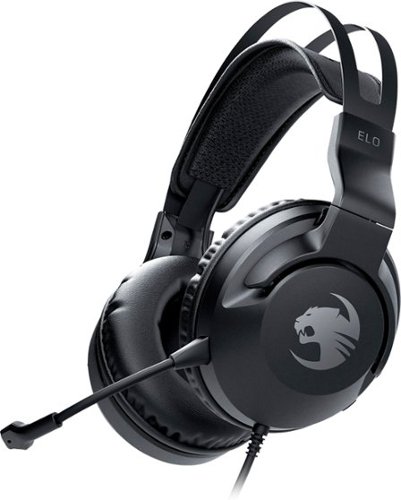
Supreme stereo sound, impressive comfort and extended cross-platform compatibility ~ that's the ROCCAT~ Elo X Stereo Wired Cross-Platform Gaming Headset for PC, Xbox, PlayStation~, Nintendo Switch & Mobile. Experience a weightless, dynamic fit thanks to a self-adjusting metal headband, superior memory foam ear cushions and ProSpecs~ Glasses Relief System for glasses wearers. Precision-tuned 50mm drivers produce crisp highs to thundering lows to help you seek out opponents with pitch-perfect stereo sound while a detachable noise-cancelling microphone featuring TruSpeak~ technology ensures your commands are heard perfectly with crystal-clear voice communication. Finally, the 3.5mm jack lets players go from PC to game console to mobile devices with ease.
Customer Rating

5
BUDGET FRIENDLY ZOMBIE BLASTING HEADSET
on October 23, 2020
Posted by: TheOffice1234
from Lake Orion, MI
REVIEW: ROCCAT ELO X WIRED PC GAMING HEADSET CROSS-PLATFORM STEREO GAMING HEADSET WITH 50MM DRIVER
Best Buy Tech Insider Network
BUDGET FRIENDLY ZOMBIE BLASTING HEADSET
Please know starting out I am a total snob with audio gear and I only want the best sounding headset.
This is a very good set of headphones / headset with lots going for it, especially the price. These are made by Turtle Beach (either you love them or hate them). This headset looks good, sounds good, and most importantly feels good. I have slightly larger head, not a giant, but I also wear glasses. My best sounding headset squeezes my head so hard I can hardly wear it for more than an hour even without glasses. For gaming, especially, you can wear these for a long time. They are very lightweight. The mic is good (not perfect). I really like that you can detach the mic when not in use. The one feature I miss is MIC pass through, so I can hear myself talk. On the other hand, the headphones really lock in sound, so well you can’t hear yourself talk. On my gaming console systems (xbox and ps4) I can mix the sound through the console so it is not a showstopper. I just like it better when the headset does it on its own (as do others by Turtle Beach that I own). Some personal preferences. I prefer the mute / volume on the cord instead the headset (this is on the headset). I like a little cleaner sound through the overall tonal range. If you are just blowing up zombies, don’t worry about it. My point is you probably won’t be using these for listening to classical music.
FAVORITE FEATURES
- Very lightweight about half the weight of more expensive models
- Very comfortable to wear for long periods of time
- Glasses Friendly
- Removable Mic
- Included “mixer” cord to combine PC Audio Out and MIC in. THOUGH, I wish it had a USB Dongle for PC’s.
- Good overall quality build
- Very lightweight about half the weight of more expensive models
- Very comfortable to wear for long periods of time
- Glasses Friendly
- Removable Mic
- Included “mixer” cord to combine PC Audio Out and MIC in. THOUGH, I wish it had a USB Dongle for PC’s.
- Good overall quality build
OVERALL RECOMMENDATION
If you are into Budget friendly Zombie Blasting, this if for you. For mixed use high quality Audio, you need to step up to something higher end. Again, for the price you won’t find anything better or more comfortable. This is a good balance of price and performance. My main use will be for my stand alone arcade box for when I’m zapping aliens without disturbing the rest of the house.
I do recommend these.
If you are into Budget friendly Zombie Blasting, this if for you. For mixed use high quality Audio, you need to step up to something higher end. Again, for the price you won’t find anything better or more comfortable. This is a good balance of price and performance. My main use will be for my stand alone arcade box for when I’m zapping aliens without disturbing the rest of the house.
I do recommend these.
Mobile Submission: False
I would recommend this to a friend!


Share this review:


+2points
2of 2voted this as helpful.
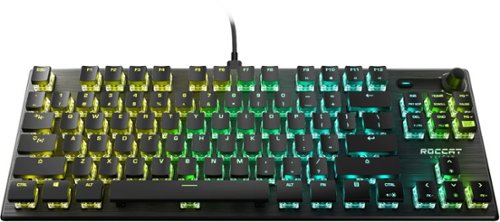
ROCCAT~s award-winning Vulcan keyboard series has made a giant leap forward with the introduction of a~tenkeyless~variants.~More and more gamers are recognizing that the number pad represents a relic from office days and is almost never used while gaming. This new generation is growing up without the sentimentality for traditional form factors. Instead, they~re uniquely aware of the benefits of~tenkeyless: less desk real estate taken up by their keyboards means they can have a~larger~pad and use a bigger range of a mouse movements, ultimately giving them greater accuracy. The ROCCAT Vulcan TKL Pro gives~gamers the~award-winning~feature set~of the original Vulcan in a smaller form factor. The low-profile design is engineered for comfort and to reduce typing fatigue. Enjoy impressive durability and build quality thanks to its reinforcing black anodized aluminum top plate, with switch housings designed to resist the dust build-up that typically affects mechanical keyboards. The addition of a detachable USB-C cable provides users with easier portability, especially with the on-board storage of a tournament profile~for the same top performance at home and away. Dedicated mixer-style audio controls, and per-key AIMO RGB lighting round out a gaming powerhouse. The ROCCAT~ Vulcan TKL Pro also boasts the prized linear Titan Switch Optical. ROCCAT is the first in the industry to engineer an optical switch that has a familiar mechanical key stroke feeling. This technology equips you with lightspeed actuation and incredible precision ~ a pivotal competitive advantage.
Customer Rating
5
LOVE HOW IT LOOKS – GREAT FOR GAMING
on October 23, 2020
Posted by: TheOffice1234
from Lake Orion, MI
REVIEW: ROCCAT® VULCAN TKL PRO COMPACT OPTICAL RGB GAMING KEYBOARD
Best Buy Tech Insider Network
LOVE HOW IT LOOKS – GREAT FOR GAMING
Perfect ascetic design. All in all, it is a very good keyboard and worthy of a test run for your gaming rig. Even my wife (who generally cares less about my computing gadgets) thought it looked cool and wanted it for her computer. I love the compact design and footprint (see pic to see how much smaller than my full size office keyboard). I love the analog control knob for volume. You can customize the colors to be / do just about whatever you want. The software is a lot more user friendly than another leading LED gaming keyboard. The inclusion of Arrow and Page keys is brilliant vs a full numeric keypad.
FAVORITE FEATURES
- Attractive Small Footprint
- Full Stroke Keys with strong resistance
- Arrow and Page Keys
- Full Control of all keys for unique colors
- Analog Volume Control
- Dedicated Function Keys (sometimes not found on small keyboards)
- Detachable USB-C cable. Such a good but simple idea
- Attractive Small Footprint
- Full Stroke Keys with strong resistance
- Arrow and Page Keys
- Full Control of all keys for unique colors
- Analog Volume Control
- Dedicated Function Keys (sometimes not found on small keyboards)
- Detachable USB-C cable. Such a good but simple idea
SETUP:
We temporarily went off the rails here. Before any testing, I always update to the latest drives and firmware. On the first installation of the SWARM software, the installer crashed. I rebooted and tried again, this time the installation completed, but it would start SWARM. Even after uninstalling and reinstalling it still would not work (SWARM would not load). I found a forum that said you needed to manually delete the directory where it installs and then try again. This time it worked. Once I fired up SWARM it found the keyboard and updated the firmware. So we are off and running.
As mentioned, customizing the lighting was super easy with “predefined groups” of keys like “function”, “arrow” and so on. Once I had the keys and effects to my liking, I saved them to my default profile and selected “auto configure”. Now when I boot up, it loads my profile and assigns the right colors to the keys.
Here is my pet peeve with LED keyboards. I HATE RAINBOW PATTERNS. I don’t want to see them ever. When the computer is booting, I have to wait until windows is loaded before the RAINBOW stops. Also, when the computer goes into screen saver mode the keyboard goes back into RAINBOW mode. I will allow that I might not be doing something correctly, but WHY WHY WHY won’t it save the default profile in the keyboard and leave it alone. Almost all but the most expensive LED keyboards have this behavior, so this is not taking away from the ROCCAT, I just wish it had this feature. (no points removed from review)
We temporarily went off the rails here. Before any testing, I always update to the latest drives and firmware. On the first installation of the SWARM software, the installer crashed. I rebooted and tried again, this time the installation completed, but it would start SWARM. Even after uninstalling and reinstalling it still would not work (SWARM would not load). I found a forum that said you needed to manually delete the directory where it installs and then try again. This time it worked. Once I fired up SWARM it found the keyboard and updated the firmware. So we are off and running.
As mentioned, customizing the lighting was super easy with “predefined groups” of keys like “function”, “arrow” and so on. Once I had the keys and effects to my liking, I saved them to my default profile and selected “auto configure”. Now when I boot up, it loads my profile and assigns the right colors to the keys.
Here is my pet peeve with LED keyboards. I HATE RAINBOW PATTERNS. I don’t want to see them ever. When the computer is booting, I have to wait until windows is loaded before the RAINBOW stops. Also, when the computer goes into screen saver mode the keyboard goes back into RAINBOW mode. I will allow that I might not be doing something correctly, but WHY WHY WHY won’t it save the default profile in the keyboard and leave it alone. Almost all but the most expensive LED keyboards have this behavior, so this is not taking away from the ROCCAT, I just wish it had this feature. (no points removed from review)
USING THE KEYBOARD and FEATURES
As for gaming, I tested this on Doom and Battlefront II. It worked great, I had no errors or misfires or ghosting.
Again it a gaming keyboard, first and foremost and it does a great job in the respect. I think it keeps up with mechanical keyboards costing nearly 2X. I can highly recommend this for Gaming.
I had strong hopes to use this as my everyday keyboard, but I can’t. Keeping in mind keyboards are a personal preference as well as muscle memory. The keys are (or seem) smaller than normal full size keys. There is room for larger keys, but instead they chose wider separation between keys (more air gaps). As a touch typist, I could not get use the smaller keys. I also found that for a “fast” keyboard, I was constantly missing letters as I typed. This could be because the keypress is pretty firm, or the small keys I’m not sure. It seemed that about every 4th letter it missed what I typed. My other “gaming” keyboard is full on mechanical (not simulated) and I’ve never had the issue of missing letters. I could probably get used to it, but I did not take to it right away.
As for gaming, I tested this on Doom and Battlefront II. It worked great, I had no errors or misfires or ghosting.
Again it a gaming keyboard, first and foremost and it does a great job in the respect. I think it keeps up with mechanical keyboards costing nearly 2X. I can highly recommend this for Gaming.
I had strong hopes to use this as my everyday keyboard, but I can’t. Keeping in mind keyboards are a personal preference as well as muscle memory. The keys are (or seem) smaller than normal full size keys. There is room for larger keys, but instead they chose wider separation between keys (more air gaps). As a touch typist, I could not get use the smaller keys. I also found that for a “fast” keyboard, I was constantly missing letters as I typed. This could be because the keypress is pretty firm, or the small keys I’m not sure. It seemed that about every 4th letter it missed what I typed. My other “gaming” keyboard is full on mechanical (not simulated) and I’ve never had the issue of missing letters. I could probably get used to it, but I did not take to it right away.
The other feature I tried but quickly disabled was the digital sound effect for key clicks. It is a great idea, but the effects could not keep up with my typing and it was throwing me off. The effect would occur a fraction after I pressed the key. In the end, it was just noise for the sake of noise. A tiny speaking in the keyboard would have been better assuming it was faster at making the noise closer to the keypress.
OVERALL RECOMMENDATION
I think it is a great keyboard, well made, with good software and granular control over lights. For gaming, you would have a hard time finding a better keyboard at this price. If you want mixed use keyboard, and are a strong typist, you might have to look at different units.
I think it is a great keyboard, well made, with good software and granular control over lights. For gaming, you would have a hard time finding a better keyboard at this price. If you want mixed use keyboard, and are a strong typist, you might have to look at different units.
For keyboards, speakers, and monitors, you really need to test these hands on.
Mobile Submission: False
I would recommend this to a friend!


Share this review:


0points
0of 0voted this as helpful.
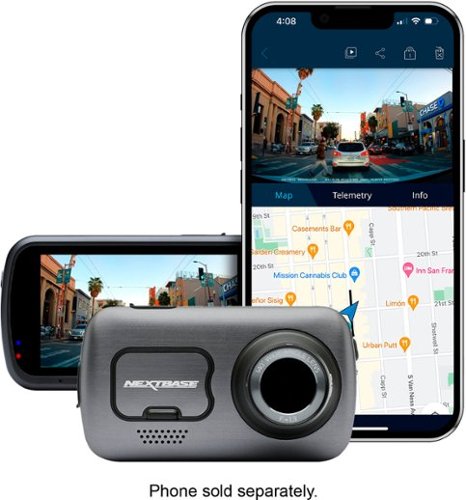
The best just got better with the new Nextbase 622GW 4K Dash Cam. With an abundance of new features and world~s firsts, the 622GW is the most accurate, powerful and highest image quality Dash Cam in the market today. Ultra-clear 4K recording at 30fps captures those all-important finer details, with recording at 1440p HD at 60fps or 1080p HD at 120fps for super slow motion available. An improved sensor ensures enhanced night vision on even the darkest roads. Image quality is at the forefront of the Dash cam revolution, with Image stabilization reducing vibrations from your vehicle and improving footage clarity. Another first for Nextbase is Extreme Weather Mode, to provide a clearer image in misty conditions using special defogging algorithms, crucial for winter and night-time driving. The 622GW is the world~s first Dash Cam to include what3words. This provides your exact location to a 3m square location without the need for a data connection, crucial for emergency services to precisely locate you. Coupled with Emergency SOS and Alexa Built-In, the 622GW shows its further ahead the field with technology advancements. Increased connectivity for transferring footage to your mobile phone is key with new built-in Bluetooth 5.0 and Hyper-Sync Wi-Fi 5GHz speeds are up to 10x faster. This ensures syncing times with the MyNextbase Connect app (IoS 12.1 or later and Android 5.1 and up). The 622GW is compatible with any Nextbase Rear View Module, to offer-all around protection, whilst crucially maintaining front 4K image quality, with 1080p full HD rear recordings. The 622GW features all the much loved Nextbase features including Intelligent Parking Mode, high accuracy 10x GPS readings, a 3~ HD IPS touch screen and the fully patented Click&Go PRO mount design, for the ultimate Dash Cam user experience. Note- For this product a U3 class Nextbase microSD card is required (Not included). The ability to maintain a high WRITE speed consistently is what Nextbase SD cards are designed to do better than any other SD card. Any drop/fluctuation in WRITE speed within the SD card causes the Dash Cam footage to buffer, and in some cases will stop the recording entirely. Our Nextbase SD card controller and Firmware on the SD card achieves the requirements from our Dash Cam, where other SD cards cannot. Due to the continuous recording and overwriting of the card, the SD card needs to be a high-endurance card, otherwise the card may develop faults after a period of time; if a lower-capability card is used, certain features on the camera will not fully function due to being unable to re-write and record. Nextbase has over 3 million dash cams sold, 115 unique patents, custom designed processors and improved sensors which record fast moving objects in perfect picture clarity for day and night time driving. Auto adjusts contrast and brightness to further improve the footage details in the event of an accident. Save time, money, and ease with Nextbase Dash Cams.
Customer Rating
5
GREAT QUALITY HARDWARE – Skip the Windows Software
on October 21, 2020
Posted by: TheOffice1234
from Lake Orion, MI
REVIEW: NEXTBASE 622GW 4K DASH CAM
Best Buy Tech Insider Network
GREAT QUALITY HARDWARE – Skip the Windows Software
My first dashcam, so I was not sure what to expect. Overall, I am very happy with the unit. The hardware is top notch and very well made and constructed. The images are very sharp and clear (4K). I’ll likely get a second unit for my wife’s car. Do yourself a favor and skip the windows software as it adds no value. Just use your favorite video player or editor and you will be much happier. The images are stored on an SD card in normal “camera” format and folders. The included permanent mount and suction cup mount are a nice touch for flexibility. I also appreciate the wide array of compatible accessories from prior models. It is good to see that you don’t have to toss out all your accessories each time you upgrade. At first, I was surprised by the very old style USB connector (USB Mini-B) but then I came to appreciate that is part of their strategy to keep backwards and forward compatibility.
I plan to use it to capture fall color driving tours, as well as some of the crazy people on the road. Last year I was driving my son to work and the person ahead of me was putting on their makeup and frequently driving into oncoming traffic lanes. If I had the Nextbase, I could have done something about it. If I tried to fumble around for my cell phone I would have made it worse.
Overall, I recommend the Nextbase 622GW 4K Dash Cam for just about anyone who wants a little piece of mind while driving. The device itself is very small, a little larger than a business card. I don’t find it obstructing the view or distracting in anyway, especially with the screensaver on.
FAVORITE FEATURES
- Sticker that says format SD Card “FORTNIGHTLY”
- 4K Video (Clear Images)
- Suction Cup Mount included
- Super Powerful Magnets to connect to Mounts
- All included Cables
- Flexibility to configure what to record (size, volume, speed, location, etc)
- Compact Size
- Polarizing Filter to adjust contrast and reflections
- Little tool to “tuck wires” into headers and dash
- Sticker that says format SD Card “FORTNIGHTLY”
- 4K Video (Clear Images)
- Suction Cup Mount included
- Super Powerful Magnets to connect to Mounts
- All included Cables
- Flexibility to configure what to record (size, volume, speed, location, etc)
- Compact Size
- Polarizing Filter to adjust contrast and reflections
- Little tool to “tuck wires” into headers and dash
SETUP:
The so called “quick start guide” is 18 pages long, and frankly is a little out of sequence. With all devices I suggest updating the firmware before doing anything else. The windows software kept telling me that there were no firmware updates available but I knew that was wrong. Perhaps if I used the Android app it would have worked. Instead, I followed the instructions for manually updating the firmware (from the website).
The so called “quick start guide” is 18 pages long, and frankly is a little out of sequence. With all devices I suggest updating the firmware before doing anything else. The windows software kept telling me that there were no firmware updates available but I knew that was wrong. Perhaps if I used the Android app it would have worked. Instead, I followed the instructions for manually updating the firmware (from the website).
The steps are roughly as follows.
1. Install SD Card (make sure it is u3 speed designed for video or webcams)
2. Put on Charger for 2 hours
3. Format SD Card
4. Download Firmware on PC from the website
5. Connect Camera to PC
6. Select “Update Firmware” on Camera when it boots up
7. Browse to Camera Root Folder from Windows
8. Copy Firmware Files (not the zip files but the files inside) to Root Folder
9. Disconnect from Computer
10. Wait for a few reboots while firmware is uploaded (red lights eventually turn white)
11. Pair Camera W/ Phone
12. Download App (QR Code does not work) search for software manually
13. Watch for a flash “press to pair, tiny print” and press it
14. Pair the phone
15. Look for BT Icon on dashcam to know you are paired (app seemed to be stuck in a loop)
16. Reboot Phone
17. Reboot Camera
18. Re Launch App
19. Optional Alexa Setup
1. Install SD Card (make sure it is u3 speed designed for video or webcams)
2. Put on Charger for 2 hours
3. Format SD Card
4. Download Firmware on PC from the website
5. Connect Camera to PC
6. Select “Update Firmware” on Camera when it boots up
7. Browse to Camera Root Folder from Windows
8. Copy Firmware Files (not the zip files but the files inside) to Root Folder
9. Disconnect from Computer
10. Wait for a few reboots while firmware is uploaded (red lights eventually turn white)
11. Pair Camera W/ Phone
12. Download App (QR Code does not work) search for software manually
13. Watch for a flash “press to pair, tiny print” and press it
14. Pair the phone
15. Look for BT Icon on dashcam to know you are paired (app seemed to be stuck in a loop)
16. Reboot Phone
17. Reboot Camera
18. Re Launch App
19. Optional Alexa Setup
NOW you can continue with step 2 of the quick start and pay close attention to Step 8 to get the contrast correct.
By doing this all in your house, you are not sitting in your car for hours trying to figure it all out.
FEATURES AND SETTINGS
There are a lot of features and I’m sure I’ve not used them all but here I my thoughts on a few.
There are a lot of features and I’m sure I’ve not used them all but here I my thoughts on a few.
IMAGE STABILIZATION – Not worthwhile unless you want to make a movie. It is only digital which means it reduces the resolution from 4K to something less then uses software to try to stabilize. I would rather have the “raw” 4K image, so I turned it off.
WIFI – This is on the box, but nowhere else in the manuals. It took me forever to figure out what this was or how it was used. All it means it the once the phone app connects to the device over bluetooth, it sets up a virtual “hotspot” between the phone and the dashcam so your video are moved to your phone over WiFi (at a higher speed than Bluetooth supports). This is all automatic you don’t have to do anything or think about it. Many cameras also use this same trick.
WHAT3WORDS – Allows your location to be communicated by 3 random words like Butter-Box-Flag instead of GPS coordinates. Interesting, you can take it or leave it.
ALEXA INTEGRATION – In effect all it is doing is allowing the MIC in the dashcam to talk to the Alexa App on your phone. It is not really a standalone Alexa Device. But it works well enough. It is one less distracting thing in that you don’t have to fumble with your phone while driving. We use Alexa to bypass the need for multiple music subscription services for each car.
SOS – I have not activated this yet as it is only a 1 year subscription. Once I decide whether or not to get a second unit I’ll think about the SOS feature. It is a nice feature, but I’m not sure I want “one more subscription” to worry about.
OVERALL RECOMMENDATION
I think it is a great unit, I could go on and on about how horrible the windows software is, but if you just don’t use it, then problem solved or at least avoided.
I think it is a great unit, I could go on and on about how horrible the windows software is, but if you just don’t use it, then problem solved or at least avoided.
[OK I can’t help myself just a little. SLOW, Choppy playback, overrides the correct timestamp on the video files and dashcam – thinks I’m in London, pause does not work, does not import still photo files from dashcam – only video, firmware update does not work, and more] Phew, got that out my system.
Get this for the top class hardware and image quality, use your own software you will be perfectly happy.
Mobile Submission: False
I would recommend this to a friend!


Share this review:


+36points
37of 38voted this as helpful.
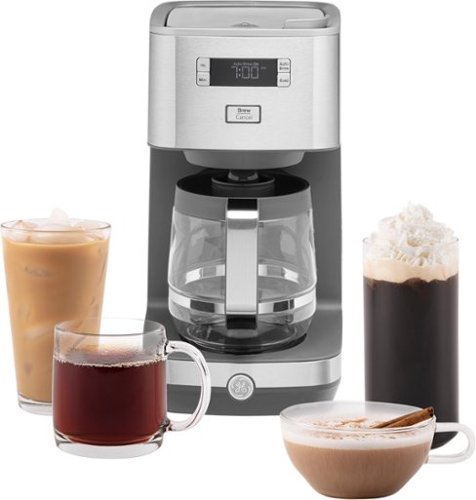
At GE Appliances, we're bringing craftsmanship to your countertops, with reliable and durable drip coffee makers. Equipped with either a sleek glass or insulated thermal carafe, our coffee makers have convenient functions such as Delayed Start and Timer, to make the brewing process simple and user-friendly. And all GE Appliances drip coffee makers are finished with tasteful and durable stainless steel, making them the perfect accent for any kitchen or office ~ all from a brand you trust.
Customer Rating

4
EASY, ATTRACTIVE, DRIP COFFEE MAKER
on October 18, 2020
Posted by: TheOffice1234
from Lake Orion, MI
EASY, ATTRACTIVE, DRIP COFFEE MAKER
REVIEW: GE - CLASSIC DRIP 12-CUP COFFEE MAKER - STAINLESS STEEL
Best Buy Tech Insider Network
REVIEW:
Previously we’ve used POD based single cup coffee makers, but we always felt horrible with all the waste they generate, so we wanted to try a drip coffee maker, since we are both at home a lot more now, we could use a “pot” of coffee in the morning vs 5-6 induvial pods.
Previously we’ve used POD based single cup coffee makers, but we always felt horrible with all the waste they generate, so we wanted to try a drip coffee maker, since we are both at home a lot more now, we could use a “pot” of coffee in the morning vs 5-6 induvial pods.
The GE CLASSIC DRIP with Stainless Steel finish is attractive enough to fit in with our other counter top appliances without drawing attention. It is well built and modern looking, but very simple to use.
We are still fine tuning the amount of grounds and how fine or course to grind them to best fit our taste, but after ½ dozen pots, we are pretty close (and very shaky ha-ha). If you are already experienced with drip coffee, I’m sure you will love this on the first use. So far, we find 1 standard scoop of fine grounds (about 2 tbsp) per coffee cup (as indicated on the side of the maker) to be about right for us when using the wire mesh filter. We are at about a “B” for our taste. Again, we are complete beginners with drip coffee.
I suspect the temp is a little low for the perfect cup of coffee, but what I’ve read is that this is usually the case with drip makers and not a show stopper. When I took a reading directly from the “stream” it was about 180 degrees instead of recommended 195 degrees. This is not a big deal, and can be compensated for with different amounts and grinds of beans until you get the desired taste. Also, since I am not testing in the brewing chamber itself, I could be off in my measurements. By the time it finished brewing (4 cups) and poured it in a cup it was down to 166 degrees.
BEST FEATURES
- Chrome Appearance
- Easy to Operate
- Easy to Clean
- Chrome Appearance
- Easy to Operate
- Easy to Clean
TIPS
- Overfill with water by 10-20% to allow for water left in the grounds
- Use the cup indicator on the side of the unit, it seems more accurate than the pot
- Be careful with placement of the coffee maker as a lot of steam and heat escapes the top of the unit. If it were under and close to a cupboard bottom, I could see the steam causing damage over time.
- Overfill with water by 10-20% to allow for water left in the grounds
- Use the cup indicator on the side of the unit, it seems more accurate than the pot
- Be careful with placement of the coffee maker as a lot of steam and heat escapes the top of the unit. If it were under and close to a cupboard bottom, I could see the steam causing damage over time.
We have tried less expensive models (from other mfg) and really regretted them. We have also tried much more expensive units at a friend’s house, but did not want to spend that much on a drip maker.
Overall, this seems like a solid drip coffee maker. We look forward to more experiments to get a perfect drink. There are no bells and whistles here, other than a timer. This makes it simple to operate, but also limits the ability to fine tune temp or brew time. For the price / quality, I think this is a good buy.
Mobile Submission: False
I would recommend this to a friend!


Share this review:


+10points
10of 10voted this as helpful.
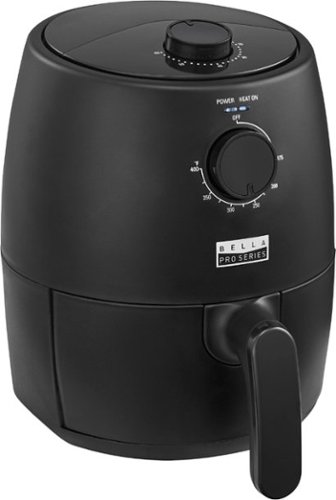
Revolutionize cooking with the Bella Pro Series 2-qt. Analog Air Fryer. The High Performance Circular Heat Technology and the powerful 1200-watt heating system delivers fast, crispy, and evenly cooked food every time. Time saving appliance with up to 50% faster preheat than a conventional oven. 1.7-lb. food capacity for your favorite foods, including; fried chicken, roasted salmon, French fries, kale chips, and pastries. Adjustable temperature from 175~F to 400~F and 60-minute auto shutoff timer with audible tone. The matte black finish adds style to any kitchen. Easy clean up with a dishwasher-safe, PFOA-free non-stick pan and crisping tray.
Customer Rating
5
GOOD SOLID NO FRILLS AIR FRYER
on October 14, 2020
Posted by: TheOffice1234
from Lake Orion, MI
GOOD SOLID NO FRILLS AIR FRYER
REVIEW: BELLA PRO SERIES - 2-QT. ANALOG AIR FRYER - BLACK MATTE
Best Buy Tech Insider Network
REVIEW:
Easy to use, there are only 2 settings, Time and Temp. What else do you need? The Bella 2QT Fryer is small enough to hang out on the counter with other appliances without taking up too much room or getting in the way of anything. We tested the unit with Fries (see pic) and Pizza Rolls, both worked great, the first time. The unit is very easy to clean (pull out the basket and rinse). Now that everyone is working from home it is a great way to “set and forget” that mid-day meal. You are probably not going to be roasting whole chickens with this, which is OK. Think along the lines of “Wings”, “Pizza Rolls”, “Fries”, “Onion Rings”. That sums up perfectly the type of meals this is designed for. When making a quick family dinner, this is a great way to add crispy fries (enough for 4 people) without firing up the big oven.
Easy to use, there are only 2 settings, Time and Temp. What else do you need? The Bella 2QT Fryer is small enough to hang out on the counter with other appliances without taking up too much room or getting in the way of anything. We tested the unit with Fries (see pic) and Pizza Rolls, both worked great, the first time. The unit is very easy to clean (pull out the basket and rinse). Now that everyone is working from home it is a great way to “set and forget” that mid-day meal. You are probably not going to be roasting whole chickens with this, which is OK. Think along the lines of “Wings”, “Pizza Rolls”, “Fries”, “Onion Rings”. That sums up perfectly the type of meals this is designed for. When making a quick family dinner, this is a great way to add crispy fries (enough for 4 people) without firing up the big oven.
BEST FEATURES
- Compact
- Easy to Operate
- Easy to Clean
- Included Cooking Guide and Recipes
- Compact
- Easy to Operate
- Easy to Clean
- Included Cooking Guide and Recipes
We recently tried a large digital multipurpose air fryer that was much more expensive from another maker that we did not keep. Keep it simple. Get something like this that works. If I could wish for one tiny improvement it would be that the timer knob should have ridges to make it easier to grip / spin. We put too much time on our first test and it was hard back off the time (counter clockwise) because it was so still and such a smooth surface on the knob. Again, this is a very minor thing and does not take away from the overall quality.
I recommend the Bella Pro Series - 2-qt. Analog Air Fryer for anyone who wants a great result without all the bells and whistles of more expensive units.
Mobile Submission: False
I would recommend this to a friend!


Share this review:


+15points
15of 15voted this as helpful.
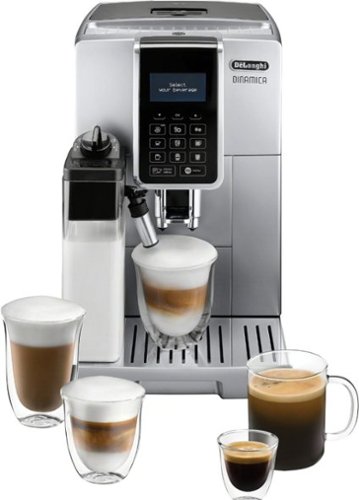
Indulge in the world of espresso from the freshly ground beans to the perfectly frothed milk with just a touch of a button, in the comfort of your home. Explore, and customize to your preference, 18 of your favorite coffee shop specialties like latte, cappuccino, espresso, iced coffee and flat white. A patented, professional brewing unit delivers the perfect espresso with precision and ease, while the Latte Crema system automatically froths milk to the ideal density and texture. Beautiful, compact and meticulous design, along with De~Longi~s technical expertise will transforms your kitchen into a smart, specialty caf~. Elevate your espresso experience at home with Dinamica by De~Longhi.
Customer Rating
5
BEST (fill in the blank) COFFEE DRINK I’VE HAD
on October 12, 2020
Posted by: TheOffice1234
from Lake Orion, MI
REVIEW: DE'LONGHI DINAMICA WITH LATTECREMA™
Best Buy Tech Insider Network
Best Buy Tech Insider Network
We had been using single serve coffee pods machines for about 10 years. Once we got the hang of Dinamica and used our own beans, we found it to be better than the best we have had previously. The De'Longhi - Dinamica Coffee Maker and Espresso Machine is fully automatic. The Dinamica could not be any easier to operate. For most drinks, even complex ones, you just press a button and walk away. I can’t speak as to how it might compare to a craftsperson with 50 years of experience making espresso’s by hand, but for us, it is pretty much the best coffee or espresso we’ve had and certainly the best we’ve made at home.
There are several errors and important omissions in the quick start guide.
There are several errors and important omissions in the quick start guide.
I highly recommend the De'Longhi - Dinamica for its taste, convenience, and quality.
BEST FEATURES
- Fully Automatic Everything
- Built-in Burr Grinder and a Decent Sized Hopper
- High Quality Overall Build
- Step-by-Step Automatic Recipes
- Self-Cleaning, With Auto Shut Off and Eco Mode
- The Bypass Hopper Is Nice for Pre-Ground Decaf Or Flavored Coffee.
- Removable Storage for The Milk
- Fully Automatic Everything
- Built-in Burr Grinder and a Decent Sized Hopper
- High Quality Overall Build
- Step-by-Step Automatic Recipes
- Self-Cleaning, With Auto Shut Off and Eco Mode
- The Bypass Hopper Is Nice for Pre-Ground Decaf Or Flavored Coffee.
- Removable Storage for The Milk
Overall, the Dinamica consistently produces great coffee drinks with rich flavor and a smooth finish.
SETUP:
There are several easy steps in setting up the unit, from testing water hardness, to several pre-rinse cycles. Also, be prepared to toss out many cups of coffee (per the instructions) during the set-up process.
There are several easy steps in setting up the unit, from testing water hardness, to several pre-rinse cycles. Also, be prepared to toss out many cups of coffee (per the instructions) during the set-up process.
My frustration was not that the setup was particularly difficult, but instead, that the directions were sometimes confusing and incomplete. In some cases, these inconsistencies might damage the machine.
THE BREW:
Once we went with our own beans, the coffee went from merely OK to FANTASTIC.
I’ve settled on the Ristretto as my go to espresso drink, while my wife loves the Cappuccino with an extra shot of espresso. The iced coffee was “the best” she ever had. Even something as simple as a basic cup of coffee has an elevated flavor profile when using this machine.
The drinks do not have an especially tall crema, but that does not matter to me. I’m more interested in the overall taste, which is incredible.
The built-in steamer is well-designed and easy to use. The convenience of being able to remove the milk reservoir to store in the fridge is very user friendly. The adjustable foam setting on the steamer is very cool.
Once we went with our own beans, the coffee went from merely OK to FANTASTIC.
I’ve settled on the Ristretto as my go to espresso drink, while my wife loves the Cappuccino with an extra shot of espresso. The iced coffee was “the best” she ever had. Even something as simple as a basic cup of coffee has an elevated flavor profile when using this machine.
The drinks do not have an especially tall crema, but that does not matter to me. I’m more interested in the overall taste, which is incredible.
The built-in steamer is well-designed and easy to use. The convenience of being able to remove the milk reservoir to store in the fridge is very user friendly. The adjustable foam setting on the steamer is very cool.
WRAP UP
The De'Longhi - Dinamica Coffee Maker and Espresso Machine is nearly perfect, but could use some improvement in the manual and how the user interfaces with the machine.
The De'Longhi - Dinamica Coffee Maker and Espresso Machine is nearly perfect, but could use some improvement in the manual and how the user interfaces with the machine.
It should be cheaper to operate the Dinamica long term over most single cup pod brewers. The pods for many high-end single cup brewers are in the $1-$2 each range. Now that you can make fresh ground single cup coffees without any fuss, why would you ever go back to a “pod based” solution? A pound of premium locally roasted espresso beans is well under $20 / pound for gourmet beans or under $10 for brand name espresso beans. In a household with a few coffee drinkers and a few cups per day each, the Dinamica should pay for itself in only a few months over pod machines. Additionally, there is no more guilt over the environmental waste of pod systems.
I would recommend the De'Longhi - Dinamica Coffee Maker and Espresso Machine to anyone who wants some of the best coffee available in an automatic home unit.
READ ON FOR INSTRUCTION RELATED MINUTIA AND FOR TIPS
SOME OPERATING TIPS
- The Bean Hopper does not know when it is getting low on beans (only when totally out), so you must keep it topped off. Otherwise, if you wait until you get a weak drink, you then must toss the next few drinks as they will also be weak until the grounds chambers are filled up again.
- According to the full manual it takes 2 drinks for the change in grounds to be noticed. This implies to me that there are probably 2 cups of “yesterday’s grounds” waiting to be used each morning in the various chambers. Sure, 1 day old grounds are still better than 8 month old grocery store grounds, but unless you are drinking 3 cups of coffee one right after the other, then you are probably not having fresh (that second) ground coffee. This is just a guess on my part as I did not take apart the machine. But it might also explain why it still pours weak coffee even when it is out of beans in the hopper with nothing left to grind. This is easily solved by keeping the hopper topped off.
- You must select the strength of brew before pressing a recipe button, which seems counter intuitive to both my wife and I.
- Keep an empty cup under the spigots all the time, so it can self-clean, rinse, or whatever without making a mess or filling up the drip tray.
- For Double Volume (or 2 singles) wait for 2X to appear then press OK. You only get a fraction of a second for this and it only does this on some recipes but not others.
- When selecting a recipe from the Menu Button, it is the MIDDLE drink on the menu you are selecting. This was not clear to us, there should be an arrow indicator for example.
WARNING: Only use plain beans, nothing caramelized, or flavored, etc. It will clog the grinder.
WARNING: Don’t add pre-ground coffee with the machine “off”
- The Bean Hopper does not know when it is getting low on beans (only when totally out), so you must keep it topped off. Otherwise, if you wait until you get a weak drink, you then must toss the next few drinks as they will also be weak until the grounds chambers are filled up again.
- According to the full manual it takes 2 drinks for the change in grounds to be noticed. This implies to me that there are probably 2 cups of “yesterday’s grounds” waiting to be used each morning in the various chambers. Sure, 1 day old grounds are still better than 8 month old grocery store grounds, but unless you are drinking 3 cups of coffee one right after the other, then you are probably not having fresh (that second) ground coffee. This is just a guess on my part as I did not take apart the machine. But it might also explain why it still pours weak coffee even when it is out of beans in the hopper with nothing left to grind. This is easily solved by keeping the hopper topped off.
- You must select the strength of brew before pressing a recipe button, which seems counter intuitive to both my wife and I.
- Keep an empty cup under the spigots all the time, so it can self-clean, rinse, or whatever without making a mess or filling up the drip tray.
- For Double Volume (or 2 singles) wait for 2X to appear then press OK. You only get a fraction of a second for this and it only does this on some recipes but not others.
- When selecting a recipe from the Menu Button, it is the MIDDLE drink on the menu you are selecting. This was not clear to us, there should be an arrow indicator for example.
WARNING: Only use plain beans, nothing caramelized, or flavored, etc. It will clog the grinder.
WARNING: Don’t add pre-ground coffee with the machine “off”
ERRATA / CONCERNS - QUICK START GUIDE
Page 4: Shows that once you press the main power button in the back of the unit, you can select a language. This is not true, as you also must press the front power button.
Page 5: Seems to indicate you can change the grinder setting anytime you want. However, the full manual says in several places to ONLY change the grind settings while it is grinding (OR YOU MAY BREAK THE MACHINE). I hope we did not break anything following the quick start in this respect.
Page 6 (and others): Show a heaping scoop of grounds in the pictures, but the main manual in words says multiple times to never use more than 1 LEVEL SCOOP.
Page 8: Implies you can spin the grinder between settings whenever you want as often as you want to “zero in” on the perfect espresso. However, the main manual states you can only adjust the settings, 1 click at time, only while it is grinding, and then it will take 2-3 drinks before you would notice a change. In other word click once, brew a 2-3 cups, test, click again, brew a few cups, etc. This is reinforced by the manufacture’s own online videos.
Page 10: Talks about the water filter. Why is this so far back in the quick start guide? By this time, we would have cleaned the machine, and made 20 or so cups of coffee to get the perfect brew (way back on page 8). The filter does not look the same as the picture, it was unclear what the settings were for (later from the full manual it is just a date code reminder, nothing to do with hardness as I first assumed).
Page 11: Water Hardness Testing. Our test strips did not look the same as the picture when the results came in. Some of the squares changed colors earlier than the others, and some of the squares seemed to have a mix of colors. In the end we bought a new test kit so we could better determine the results.
In reality, there are no shortcuts, you must follow the proper steps in setting up the unit. All the steps are important.
Page 4: Shows that once you press the main power button in the back of the unit, you can select a language. This is not true, as you also must press the front power button.
Page 5: Seems to indicate you can change the grinder setting anytime you want. However, the full manual says in several places to ONLY change the grind settings while it is grinding (OR YOU MAY BREAK THE MACHINE). I hope we did not break anything following the quick start in this respect.
Page 6 (and others): Show a heaping scoop of grounds in the pictures, but the main manual in words says multiple times to never use more than 1 LEVEL SCOOP.
Page 8: Implies you can spin the grinder between settings whenever you want as often as you want to “zero in” on the perfect espresso. However, the main manual states you can only adjust the settings, 1 click at time, only while it is grinding, and then it will take 2-3 drinks before you would notice a change. In other word click once, brew a 2-3 cups, test, click again, brew a few cups, etc. This is reinforced by the manufacture’s own online videos.
Page 10: Talks about the water filter. Why is this so far back in the quick start guide? By this time, we would have cleaned the machine, and made 20 or so cups of coffee to get the perfect brew (way back on page 8). The filter does not look the same as the picture, it was unclear what the settings were for (later from the full manual it is just a date code reminder, nothing to do with hardness as I first assumed).
Page 11: Water Hardness Testing. Our test strips did not look the same as the picture when the results came in. Some of the squares changed colors earlier than the others, and some of the squares seemed to have a mix of colors. In the end we bought a new test kit so we could better determine the results.
In reality, there are no shortcuts, you must follow the proper steps in setting up the unit. All the steps are important.
ERRATA / CONCERNS - THE FULL MANUAL
Page 3, labels all the buttons (pictures and numbers) but never tells you what they mean. Instead, you must work your way through the manual and hope the button is referenced. For example ,the 3rd row of buttons at the end is shows only as “B10”. To me, this looks like a “coffee mug”. Thus, this should be the button I press to get a “cup of coffee”. On Page 7, we find that B10 is a “Long”. Though, we still don’t exactly know that means, yet. On page 11, we find that B10 is about 160ml and a “3” in strength. A google search says that a Long Espresso is “twice as much water pulled through the same beans resulting in a milder [weaker] espresso”. Why in the world would I want a primary button for weak espresso? Additionally, a standard measure of espresso is about 40ml, so this “long” is 4X the water.
Page 12, shows a menu option of “Doppio”, but I could not find it in the machine menu. Instead on the machine it is labeled something like “Double Espresso +”. What is the definition of “Double Espresso+”. We don’t know because it never explains what that is. A Doppio is a “double shot” so what is the “+”? How is this different than an Espresso with 2x being pressed? I don’t care that they renamed Doppio to something else, but maybe they should explain what is in each recipe. Again. the “+” is not defined.
Page 12, and several other places has a picture of a heaping scoop of ground. But the words make it clear you must use a level scoop.
Again, these are all minor nits about how the instructions were written, and how buttons are laid out. It makes a great cup of any Coffee drink as long as you get used to which buttons to push and in what order.
Page 3, labels all the buttons (pictures and numbers) but never tells you what they mean. Instead, you must work your way through the manual and hope the button is referenced. For example ,the 3rd row of buttons at the end is shows only as “B10”. To me, this looks like a “coffee mug”. Thus, this should be the button I press to get a “cup of coffee”. On Page 7, we find that B10 is a “Long”. Though, we still don’t exactly know that means, yet. On page 11, we find that B10 is about 160ml and a “3” in strength. A google search says that a Long Espresso is “twice as much water pulled through the same beans resulting in a milder [weaker] espresso”. Why in the world would I want a primary button for weak espresso? Additionally, a standard measure of espresso is about 40ml, so this “long” is 4X the water.
Page 12, shows a menu option of “Doppio”, but I could not find it in the machine menu. Instead on the machine it is labeled something like “Double Espresso +”. What is the definition of “Double Espresso+”. We don’t know because it never explains what that is. A Doppio is a “double shot” so what is the “+”? How is this different than an Espresso with 2x being pressed? I don’t care that they renamed Doppio to something else, but maybe they should explain what is in each recipe. Again. the “+” is not defined.
Page 12, and several other places has a picture of a heaping scoop of ground. But the words make it clear you must use a level scoop.
Again, these are all minor nits about how the instructions were written, and how buttons are laid out. It makes a great cup of any Coffee drink as long as you get used to which buttons to push and in what order.
We would have liked the option to reassign buttons, rename, or create our own “brand new” recipes, such as Red Eye or Black Eye, or even a simple “Add a Shot” button some of the existing recipes. There is a “my menu” button, but it seems you only have limited control over strength and volume over the standard recipes.
Additionally, with multiple users in the house, it would be nice to have more than one custom menu. We look forward to fine tuning the brews for the perfect cup of coffee. We have zeroed in on the perfect grind (it seems 5 is the best for us) and changed temp to HOTEST we will start to fine tune other settings as we get more brave. Honestly, though, the default settings were already far better than our POD machines. Now we are just making minor adjustments to go from “A to A+”.
Additionally, with multiple users in the house, it would be nice to have more than one custom menu. We look forward to fine tuning the brews for the perfect cup of coffee. We have zeroed in on the perfect grind (it seems 5 is the best for us) and changed temp to HOTEST we will start to fine tune other settings as we get more brave. Honestly, though, the default settings were already far better than our POD machines. Now we are just making minor adjustments to go from “A to A+”.
Overall, this is a great unit, don’t wait, just get it and enjoy some of the best coffee you have had at home.
Mobile Submission: False
I would recommend this to a friend!


Share this review:


+8points
8of 8voted this as helpful.
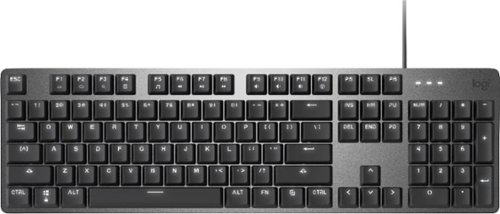
Operate your computer seamlessly with the Logitech K845 Full-size Wired Mechanical Linear Keyboard. The curved construction and angled keys enable comfortable data entry, while the illuminated design lets you easily find keys in the dark. This corded Logitech mechanical keyboard has red switches for responsive performance during gaming and typing, and the aluminum top case offers durability.
Customer Rating
5
HIGH QUALITY MECHANICAL LIGHTED KEYBOARD
on October 5, 2020
Posted by: TheOffice1234
from Lake Orion, MI
HIGH QUALITY FULL STROKE MECHANICAL LIGHTED KEYBOARD
REVIEW: LOGITECH - K845 WIRED MECHANICAL LINEAR KEYBOARD
Best Buy Tech Insider Network
REVIEW
I normally use an Ergonomic Keyboard for heavy typing and a large gaming keyboard for most games. The K845 fits in the middle between 100% work or 100% play. If you only had one computer or the budget for only one keyboard, I could see this working well. It is satisfying to type on, and uses mechanical keys often found in higher end gaming keyboard for a fraction of the price. The backlighting on the keys is pleasant and not overpowering. A good value for the performance.
FEATURES
LIGHTING
• Keys are bright (White Only), even in a well-lit room. (but not overly bright)
• The 5 Light patterns are interesting, but not very useful beyond the initial novelty
• Keys are bright (White Only), even in a well-lit room. (but not overly bright)
• The 5 Light patterns are interesting, but not very useful beyond the initial novelty
TYPING / STROKE
• The keys have a great feeling, are very fast, and pleasant feeling to type.
• My device has the “RED Linear Keys”.
• I could see the full click keys being potentially bothering to someone in an open office environment. Home office or closed office is great.
• Keys are where you expect them to be, so no big surprises there (this is good as sometimes keyboards change the size, shape locations of keys)
• The keys have a great feeling, are very fast, and pleasant feeling to type.
• My device has the “RED Linear Keys”.
• I could see the full click keys being potentially bothering to someone in an open office environment. Home office or closed office is great.
• Keys are where you expect them to be, so no big surprises there (this is good as sometimes keyboards change the size, shape locations of keys)
SIZE
• Slim design is about 20% smaller than my full sized Ergo Keyboard or my “Gaming” keyboard.
• This size is a good thing for not taking up too much desk space, while giving you the full feeling of a standard keyboard.
• Slim design is about 20% smaller than my full sized Ergo Keyboard or my “Gaming” keyboard.
• This size is a good thing for not taking up too much desk space, while giving you the full feeling of a standard keyboard.
APPEARANCE
• It is a little steampunk cool with its metal base and minimalistic design.
• Overall, I like the looks a lot.
I certainly can recommend this keyboard as a good solid feeling and great performing keyboard. I don’t know if it would replace your dedicated gaming keyboard (with more function keys). But it is a huge step up from a cheapo keyboard. I can see this finding a home just about anywhere.
The minimal design is nice that does not take up any more space than absolutely needed. As a touch typist I appreciate the tactile feelings of the keys. I like the dedicated number keypad. I wish it also had a dedicated calculator button (even if only a tiny one somewhere).
• It is a little steampunk cool with its metal base and minimalistic design.
• Overall, I like the looks a lot.
I certainly can recommend this keyboard as a good solid feeling and great performing keyboard. I don’t know if it would replace your dedicated gaming keyboard (with more function keys). But it is a huge step up from a cheapo keyboard. I can see this finding a home just about anywhere.
The minimal design is nice that does not take up any more space than absolutely needed. As a touch typist I appreciate the tactile feelings of the keys. I like the dedicated number keypad. I wish it also had a dedicated calculator button (even if only a tiny one somewhere).
It is a well built and an affordable way to get a gaming capable and business ready keyboard.
Mobile Submission: False
I would recommend this to a friend!


Share this review:


+3points
3of 3voted this as helpful.
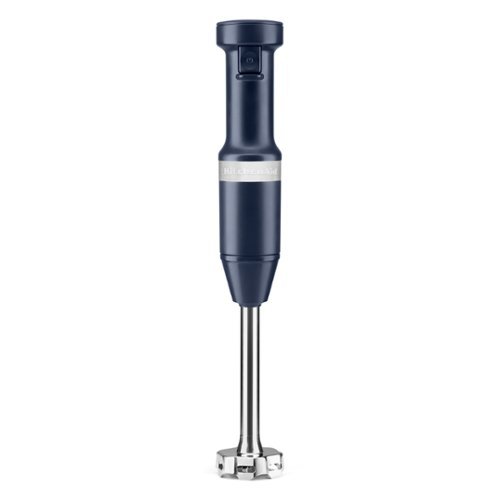
Designed for the perfect puree. This KitchenAid~ Variable Speed Corded Hand Blender features an 8" removable blending arm with 4-point stainless steel blade to blend everything from smoothies, to milk shakes, soups, sauces and so much more. It is easy to use with the variable speed trigger switch and includes a US patented removal pan guard to help protect your cookware. The 3-Cup BPA-Free Blending Jar with lid is great for individual blending jobs, and can be used to serve direct from or to store your blended creation for a later use.
Customer Rating
5
A GOOD UPGRADE TO A GREAT PRODUCT
on September 13, 2020
Posted by: TheOffice1234
from Lake Orion, MI
A GOOD UPGRADE TO A GREAT PRODUCT
REVIEW: KitchenAid - Hand Blender - Ink Blue
Best Buy Tech Insider Network
SUMMARY:
We had an older model KitchenAid Hand Blender that we have enjoyed for years. The latest model is a nice upgrade with a variable speed trigger to allow for fine control over speed without fussing with other controls. The optionally attached pan protector makes a lot of sense as well. The older version seemed to have a more powerful top speed, although we rarely used it. Once you get used to the variable speed it was a pleasure to use and it helps prevent splashing.
We had an older model KitchenAid Hand Blender that we have enjoyed for years. The latest model is a nice upgrade with a variable speed trigger to allow for fine control over speed without fussing with other controls. The optionally attached pan protector makes a lot of sense as well. The older version seemed to have a more powerful top speed, although we rarely used it. Once you get used to the variable speed it was a pleasure to use and it helps prevent splashing.
I would recommend this for anyone in the market for a hand powered immersion blender.
UNBOXING: (see picture)
INITIAL IMPRESSIONS:
Very well packaged. Seems like a quality product that is well made, very sturdy, well balanced.
Very well packaged. Seems like a quality product that is well made, very sturdy, well balanced.
USING THE UNIT:
Worked well on Soup, Smoothies, Shakes, Steamed Vegetables, Salad Dressing, and more.
Worked well on Soup, Smoothies, Shakes, Steamed Vegetables, Salad Dressing, and more.
BEST FEATURES:
Variable Speed Trigger
Pan Guard Protector
Variable Speed Trigger
Pan Guard Protector
SUMMARY:
As a retired professional chef, no kitchen is complete without an immersion blender, and this KitchenAid is well made solid unit. It will make you a better all around cook.
As a retired professional chef, no kitchen is complete without an immersion blender, and this KitchenAid is well made solid unit. It will make you a better all around cook.
Mobile Submission: False
I would recommend this to a friend!

Share this review:


+4points
4of 4voted this as helpful.

Say hello to~the Chefman Multi-Functional Air Fryer with Rotisserie and Dehydrator Function handles any cooking, baking, or air frying task, creating the crispy fried texture you love with little to no oil.~~With the highly efficient rapid air technology and high-speed convection system, you can get even, crispy fried texture using little to no oil.~Perfect for feeding a crowd, this Multi-Function~AirFryer~features a~10-liter~capacity and~17~preset options - you can use it to air fry, roast, dehydrate, bake, reheat, and more!~That means crispy French fries every time, from fresh, frozen, and even leftover.~Interior lighting allows you to easily watch your food as it cooks.~For best results while air frying, racks should be switched in middle of cooking.~Accessories include 2 air flow racks, rotisserie spit and forks, rotating basket, rotisserie retrieval tool and drip tray. With this unit's 3-in-1 functionality, you'll save valuable cabinet space all the while reaping the benefits of its versatility.~Removable drip tray and dishwasher safe parts make cleaning a breeze.~With the dehydrating preset, you can make your own dried fruit slices, long-lasting dried herbs, delicious beef jerky,~and more!
Customer Rating

3
Not a good fit for us
on September 13, 2020
Posted by: TheOffice1234
from Lake Orion, MI
Not a good fit for us
REVIEW: Chefman Chef IQ 10 Quart Multifunction Air Fryer Oven
Best Buy Tech Insider Network
SUMMARY:
We have a very high bar for gadgets that make it into our kitchen and very low tolerance for one trick appliances cluttering up our kitchen. That being said, there was nothing especially wrong with the unit, it just did not do anything special or unique that was not already being solved by other appliances that did “it” better. The Chefman IQ 10 is sort of a mix between a toaster oven and an air fryer. If you only had room in your kitchen or apartment for one small appliance it might be OK. Our “real” convection toaster oven is faster at cooking and cooks more evenly. Our “real” oven is convection and does a great job at overall browning food. The all plastic exterior makes this look and feel cheap. In fact, the plastic on the door warped a little on the first use. You are pretty much limited to 1 serving size or your food won’t cook evenly or especially quickly.
We have a very high bar for gadgets that make it into our kitchen and very low tolerance for one trick appliances cluttering up our kitchen. That being said, there was nothing especially wrong with the unit, it just did not do anything special or unique that was not already being solved by other appliances that did “it” better. The Chefman IQ 10 is sort of a mix between a toaster oven and an air fryer. If you only had room in your kitchen or apartment for one small appliance it might be OK. Our “real” convection toaster oven is faster at cooking and cooks more evenly. Our “real” oven is convection and does a great job at overall browning food. The all plastic exterior makes this look and feel cheap. In fact, the plastic on the door warped a little on the first use. You are pretty much limited to 1 serving size or your food won’t cook evenly or especially quickly.
I would recommend this for a single person, on a budget, that has no other cooking appliances or maybe for a camper.
UNBOXING: (see picture)
INITIAL IMPRESSIONS:
Very well packaged, and lots of extras (trays, rotisserie, fry basket etc). I found a few translation errors in the instructions. Nothing critical, but if you want me to take your products seriously at least have someone proofread. “Try instead of Tray”. The all plastic case felt cheap. The trays felt like they would not last long. A simple cookbook would have been nice.
Very well packaged, and lots of extras (trays, rotisserie, fry basket etc). I found a few translation errors in the instructions. Nothing critical, but if you want me to take your products seriously at least have someone proofread. “Try instead of Tray”. The all plastic case felt cheap. The trays felt like they would not last long. A simple cookbook would have been nice.
USING THE UNIT:
We started with something simple, breaded chicken fillets and fries (for 3 people). This first thing we discovered is that if we use the fry basket then we can’t cook anything else at the same time as there is not enough room. So we put fries on 2 trays and chicken on another tray. We closely followed the prompts for rotating trays. Although the chicken browned up nicely, the internal temperature was inconsistent with some pieces being “well done” while others were in the “danger zone” for food safety. The Fries eventually got brown, but many were under-cooked in the middle.
We started with something simple, breaded chicken fillets and fries (for 3 people). This first thing we discovered is that if we use the fry basket then we can’t cook anything else at the same time as there is not enough room. So we put fries on 2 trays and chicken on another tray. We closely followed the prompts for rotating trays. Although the chicken browned up nicely, the internal temperature was inconsistent with some pieces being “well done” while others were in the “danger zone” for food safety. The Fries eventually got brown, but many were under-cooked in the middle.
Next we tried to make potato chips. As before, some were dark brown, but most were flabby.
Next we tried some doughnut holes. We could only do a few at a time if we wanted them to brown.
Everything we tried was less than successful. Everything we tried took 2-3x longer than our toaster oven or regular oven.
Before you the blame the chef, know that the chef used to work at a 5 star restaurant.
BEST FEATURES:
BEST FEATURES:
Lots of Accessories
Small Size
Easy to Clean
Small Size
Easy to Clean
SUMMARY:
Good for limited space, but it was not a good fit for our kitchen as it was mostly redundant to other appliances that did a better job.
Good for limited space, but it was not a good fit for our kitchen as it was mostly redundant to other appliances that did a better job.
Mobile Submission: False
No, I would not recommend this to a friend.


Share this review:


-21points
41of 103voted this as helpful.
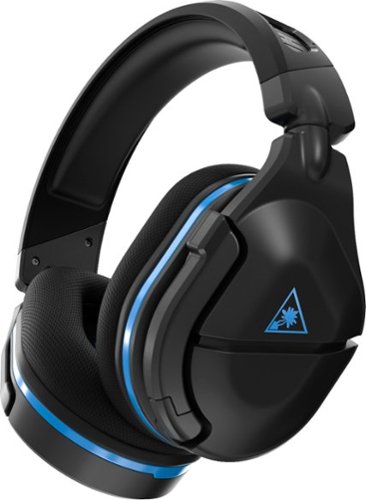
Refreshed and ready to take its rightful spot atop a new generation of consoles, the Turtle Beach~ Stealth~ 600 Gen 2 is the successor to the best-selling wireless gaming headset for PS5~, PS4~ & PS4~ Pro. The Stealth~ 600 Gen 2 wireless gaming headset is enhanced with a host of upgrades, including a larger high-sensitivity flip-to-mute mic that delivers improved chat clarity and now seamlessly integrates into the headset when muted. The headband and hinge design have been reinforced for added long-term durability, and soft, glasses-friendly ear cushions provide plush comfort while refined 50mm speakers produce high-quality, immersive sound and are optimized to unleash the power of Sony 3D Audio on PS5~. A user-friendly audio preset button on the headset allows for easy access to customize audio, and gamers can still count on Turtle Beach~s Superhuman Hearing~ for an audio advantage on the battlefield. Finally, connectivity is made easy with the included, mini-USB Transmitter that wirelessly connects from your PlayStation~ console to headset.
Customer Rating
5
SOLID ALL-AROUND WIRELESS PERFORMANCE PS4/SWITCH/P
on September 8, 2020
Posted by: TheOffice1234
from Lake Orion, MI
SOLID ALL-AROUND WIRELESS PERFORMANCE PS4/SWITCH/PC
REVIEW: TURTLE BEACH STEALTH 600 GEN 2 FOR PLAYSTATION
Best Buy Tech Insider Network
SUMMARY:
My Primary use for these headphones is gaming on PS/4. Wireless connectivity is nice. Sound quality is perfectly good. (These are not $1000 audiophile headphones). Bass is good, speech is clear. The other person can hear me just fine even in loud environment. If you want a good all-around performer without breaking the bank this is a good option. I tested the TURTLE BEACH STEALTH 600 GEN 2 FOR PLAYSTATION on the Switch, PS4, and PC. I also like that they are “glasses friendly”. Controls are easy to use for both the Headphone Volume and Mic Volume (feedback). I really like the flip up mic that acts as mute.
My Primary use for these headphones is gaming on PS/4. Wireless connectivity is nice. Sound quality is perfectly good. (These are not $1000 audiophile headphones). Bass is good, speech is clear. The other person can hear me just fine even in loud environment. If you want a good all-around performer without breaking the bank this is a good option. I tested the TURTLE BEACH STEALTH 600 GEN 2 FOR PLAYSTATION on the Switch, PS4, and PC. I also like that they are “glasses friendly”. Controls are easy to use for both the Headphone Volume and Mic Volume (feedback). I really like the flip up mic that acts as mute.
UNBOXING: (see picture)
INITIAL IMPRESSIONS:
They are well packaged and while they don’t scream luxury they also don’t scream cheap. I don’t expect them to fall apart anytime soon like less expensive headsets might.
They are well packaged and while they don’t scream luxury they also don’t scream cheap. I don’t expect them to fall apart anytime soon like less expensive headsets might.
SETUP:
It took some fussing on the PS4 to get them to work. I forgot to take screen shots, but although the instructions say just go to audio settings and make this these are default. You also have to scroll down to the bottom of the screen to select “send all sounds to headset”. The switch worked no fussing. The PC worked no fussing (plug and play).
It took some fussing on the PS4 to get them to work. I forgot to take screen shots, but although the instructions say just go to audio settings and make this these are default. You also have to scroll down to the bottom of the screen to select “send all sounds to headset”. The switch worked no fussing. The PC worked no fussing (plug and play).
SOUND QUALITY:
This is not going to replace your best audio headphones that you use while listing to music. But they do a good job. I’m listening to “The Wall” while I write this. Everything is clear. They are a little bass forward, but for gaming that is perfectly fine. If my favorite audio only headphones are “9/10”, then these are “7.5/10”. Considering they are also wireless that is pretty darn good in my opinion. (My other headphones are wired).
This is not going to replace your best audio headphones that you use while listing to music. But they do a good job. I’m listening to “The Wall” while I write this. Everything is clear. They are a little bass forward, but for gaming that is perfectly fine. If my favorite audio only headphones are “9/10”, then these are “7.5/10”. Considering they are also wireless that is pretty darn good in my opinion. (My other headphones are wired).
For gaming, I can only compare them to my other XBOX headphones which happen to be from another vendor and cost about 50% more. These are lighter, these have better (easier) controls, and the other pair is wired instead of wireless, which makes these easier to use while gaming. The audio is a touch better on my XBOX headphones (maybe 8/10).
BEST FEATURES:
Flip up Mic = Mute
Analog dials for volume and mic feedback adjustment
Friendly to Eyeglass Wearers
Wireless
Flip up Mic = Mute
Analog dials for volume and mic feedback adjustment
Friendly to Eyeglass Wearers
Wireless
SUMMARY:
I would recommend these to anyone looking for a good to very good wireless headphone experience for PS4/SWITCH/PC. If you are really picky about the best audio experience over wireless convenience, you might want to look for a higher end headset, but it will set up back 2x-3x more.
I would recommend these to anyone looking for a good to very good wireless headphone experience for PS4/SWITCH/PC. If you are really picky about the best audio experience over wireless convenience, you might want to look for a higher end headset, but it will set up back 2x-3x more.
The TURTLE BEACH STEALTH 600 GEN 2 FOR PLAYSTATION strikes a good balance between performance, features, and value.
Mobile Submission: False
I would recommend this to a friend!

Share this review:


+4points
7of 10voted this as helpful.
TheOffice1234's Review Comments
TheOffice1234 has not submitted comments on any reviews.
TheOffice1234's Questions
TheOffice1234 has not submitted any questions.
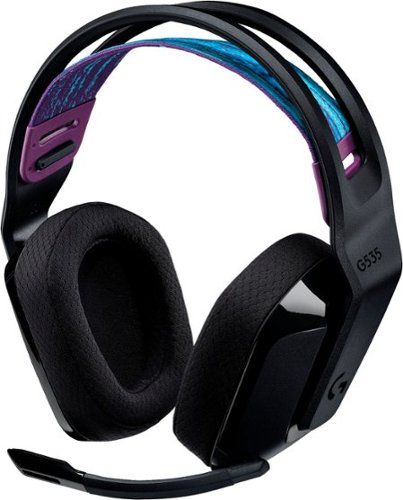
G535 gives you performance, freedom and comfort for all your gaming sessions. Enjoy advanced LIGHTSPEED wireless, up to 33-hour battery life, and 40 mm drivers for crystal-clear sound. Just 236 grams, an adjustable headband, and soft memory foam earpads ensure all-day comfort.
looking at the packaging, it mentions nothing about supporting Dolby atmos. I went to the store and put it back on the shelf. This product isn't on the logitech site, where is best buy getting this information?
My understanding is that the ATMOS APP (DOLBY ACCESS) from the MS APP Store will support any type/brand of headphone / speaker, since it is all simulated anyway. I don't know why the box and literature don't mention it. I suspect a licensing agreement issue. Meanwhile with or without the logo, it is my understanding you can use the app with any combination so speakers or head phones as long as you "Subscribe" to the app.
4 years, 5 months ago
by
TheOffice1234
G535 gives you performance, freedom and comfort for all your gaming sessions. Enjoy advanced LIGHTSPEED wireless, up to 33-hour battery life, and 40 mm drivers for crystal-clear sound. Just 236 grams, an adjustable headband, and soft memory foam earpads ensure all-day comfort.
How do I enable Dolby Atmos for the 535 headset? I see nothing in GHub, and Windows only has Windows Sonic for Headphones. Is this a program I need to purchase and download through the Microsoft Store? Thank you.
I am by no means an expert on all things Dolby so I can only tell you my experience.
Yes you have to install the "free" Adobe Access App from the windows app store. Then you have to "Subscribe" for the right to unlocking ATMOS capability on the APP. (This is a Dolby thing so don't blame Logitech). When I did this a few months ago, the first year was free, then each year was something like $10-$15. Some of the headset makers are including a free coupon for an extra year. One nice thing is that the app works across multiple platforms with the same subscriptions (at least PC and XBOX is what I have).
Yes you have to install the "free" Adobe Access App from the windows app store. Then you have to "Subscribe" for the right to unlocking ATMOS capability on the APP. (This is a Dolby thing so don't blame Logitech). When I did this a few months ago, the first year was free, then each year was something like $10-$15. Some of the headset makers are including a free coupon for an extra year. One nice thing is that the app works across multiple platforms with the same subscriptions (at least PC and XBOX is what I have).
4 years, 5 months ago
by
TheOffice1234
G535 gives you performance, freedom and comfort for all your gaming sessions. Enjoy advanced LIGHTSPEED wireless, up to 33-hour battery life, and 40 mm drivers for crystal-clear sound. Just 236 grams, an adjustable headband, and soft memory foam earpads ensure all-day comfort.
I purchased these headphones but GHub does not find them. I've tried reinstalling, rebooting, updating, restarting, no luck. This product is not listed on the Logitech website which gives me concern as to support. Anyone have any suggestions?
I don't have an exact answer as of today 12/18 I download Ghub (for the first time) and it found them right away. In my case the Dongle is plugged in, Windows 10, and the default speaker is the G535 headset.
4 years, 5 months ago
by
TheOffice1234
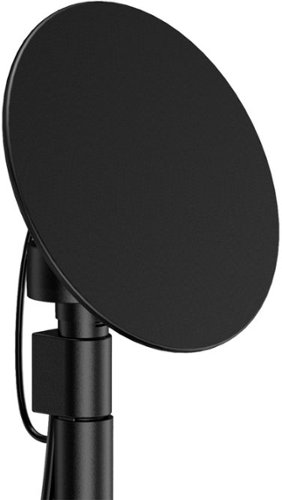
Enjoy live TV broadcasts from your favorite local networks without the cable bill! The Core Innovations ANT100TCR Outdoor/Attic Amplified TV Antenna allows you to access HDTV channels up to 100 miles away, free of charge. The 360-degree motorized rotation delivers better range and reception in imperfect locations, and the wireless remote control gives you the flexibility to make adjustments from the comfort of your living room. Enjoy content in up to 4K full HD where supported, and mount the antenna to the included mounting pole to further boost signal strength.
We have been unable to get any of the local network channels. We have scanned this every way possible and have rotated the antenna in all directions. What are we doing wrong?We are missing all the big ones, NBC, CBS, FOX and PBS.
if you did not do so already then look at a site like antenna web to get the general direction on where to aim the main antenna. then you can fine tune from there. many phone have compass apps to you help you find where 125 degrees is located (as an example)
disconnect everything and carefully re-attach. little cable goes between motor and dish. long cable goes between motor and controller box. make sure it is plugged into back of controller on the outermost port that says antenna
make sure controller box is plugged in and turned on you should see a red light on the back of the dish if it is all connected properly.
connect the antenna out (either the build in cable or the spare port) to your receiver / tv and scan for channels.
if that does now work, the contact mfg.
good luck
disconnect everything and carefully re-attach. little cable goes between motor and dish. long cable goes between motor and controller box. make sure it is plugged into back of controller on the outermost port that says antenna
make sure controller box is plugged in and turned on you should see a red light on the back of the dish if it is all connected properly.
connect the antenna out (either the build in cable or the spare port) to your receiver / tv and scan for channels.
if that does now work, the contact mfg.
good luck
4 years, 7 months ago
by
TheOffice1234
Enjoy live TV broadcasts from your favorite local networks without the cable bill! The Core Innovations ANT100TCR Outdoor/Attic Amplified TV Antenna allows you to access HDTV channels up to 100 miles away, free of charge. The 360-degree motorized rotation delivers better range and reception in imperfect locations, and the wireless remote control gives you the flexibility to make adjustments from the comfort of your living room. Enjoy content in up to 4K full HD where supported, and mount the antenna to the included mounting pole to further boost signal strength.
How many TVs will this antenna support?
Buy default you can connect 2 sets (there are 2 ports) , but with a good quality splitter / amplifier you can hook up as many as you want.
4 years, 7 months ago
by
TheOffice1234
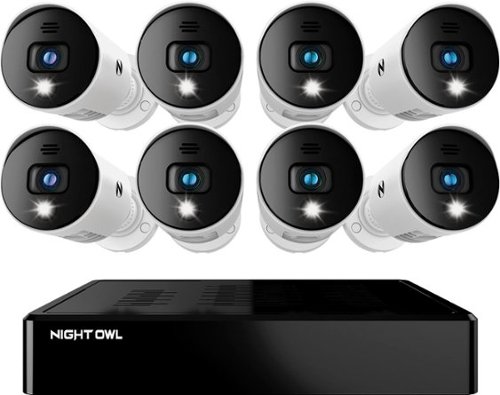
Night Owl is excited to offer our U.S. designed and engineered 1080p HD Bluetooth digital video recorder with wired 1080p HD spotlight cameras and pre-installed hard drive. With secure spp-based Bluetooth setup, there is no need to connect a TV or monitor for setup or viewing (optional). You can easily configure your system right from the app on your smartphone or tablet with the Bluetooth connection. While a TV or monitor is not required, with Google Assistant you can use simple voice commands to stream camera footage directly to your TV or monitor, all while remaining hands free. Each camera has 1-way audio (speaker) which works with our built-in siren and preset voice alerts. From within the app, you can easily activate the built-in siren, startling intruders and sending them packing. Smart detectiont Technology including human detection,facial capture and vehicle alerts reduce the risk of false alarms, keeping you safe and well protected. Facial capture lets you see who is on your property by snapping a photo and sending the image to your smart device. Motion-activated spotlights flood your yard with bright lights when human motion is detected, instantly warding off trespassers. Our app gives you control of your system and easy access to your recordings, regardless of where you are. Night Owl never charges fees for storage or access to your videos. All recordings are securely stored on a pre-installed hard drive for convenience. You can view and download the recordings as you need them. This system provides the latest technology to give you the ultimate security experience. NOTE: The DVR is compatible with our DP2 Series wired BNC cameras and our WNIP2 Series Wi-Fi IP devices, but is not backward compatible with other Night Owl products.
Does this product have night vision?
Yes, 1 small IR LED but it is OK for short distances
4 years, 8 months ago
by
TheOffice1234
Soundcore Partycast is a portable Bluetooth Party Speaker with 80 watts of power, an 18-hour playtime, and a party-starting light show. Using our exclusive partycast technology, you can link over 100 partycast speakers together for synchronized music and lights to create the ultimate experience. IPX7 Waterproofing means you won~t need to worry about liquid getting on it, and with its USB charge-out capabilities your phone will stay charged no matter how long the party lasts.
Can you turn the lights off
6A/30WT Duplex Tamper-Resistant Outlets with USB C Dual Wall Chargers- White
Does it include the Screwless Wall Plate shown in the pic? Thank you.

The new Dell 24" Curved Gaming Monitor is equipped with a 4ms Response Time - 165Hz - AMD FreeSync Premium Technology featuring Vertical Alignment, Anti-glare with 3H hardness, and 1500R Curvature. Adjustable height and LED screen, this 24" monitor is equipped for ultimate game play.
Is this a 6 bit panel? Any HDR?
Box does not say HDR and Windows would not let me select HDR, so I assume it is not HDR, still pretty bright though.

5 years, 2 months ago
by
TheOffice1234

The Wahl Edge Pro corded hair clipper, trimmer and detailer is an all-in-one full power clipper. This trimmer kit includes a detail trimmer for intricate designs or personal trimming of the ear, nose, and brow. Our T-Blade attachment allows for easy trimming, grooming, and touch-ups. The precision trimmer head provides close and precise trims and detailing.