


TheOffice1234's stats
- Review count180
- Helpfulness votes1,035
- First reviewDecember 11, 2009
- Last reviewJune 7, 2026
- Featured reviews0
- Average rating4.6
Reviews comments
- Review comment count0
- Helpfulness votes0
- First review commentNone
- Last review commentNone
- Featured review comments0
Questions
- Question count0
- Helpfulness votes0
- First questionNone
- Last questionNone
- Featured questions0
- Answer count27
- Helpfulness votes22
- First answerApril 24, 2020
- Last answerDecember 18, 2021
- Featured answers0
- Best answers6
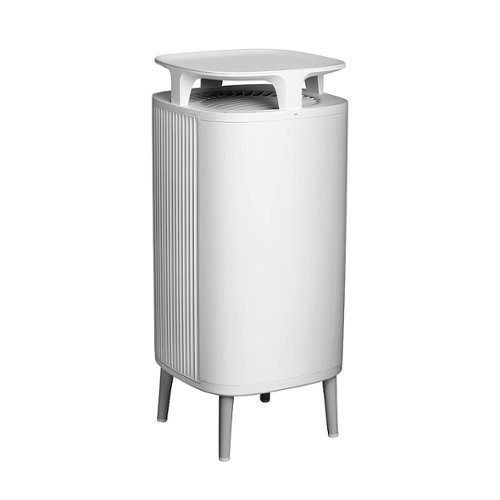
Designed for a life with less cleaning, the DustMagnet 5210i air purifier catches 99% of airborne dust before it settles on floors and surfaces. Independently tested for performance as part of the AHAM Verifide Program for room air cleaners, for a Clean Air Delivery Rate (CADR) of 154 cfm for smoke, 173 cfm for pollen, and 153 cfm for dust. Recommended for small to medium rooms like a guest bedroom, home office, or dining room, the 5210i completely filters room air about every 12 minutes (approx. 5x an hour at 238 ft) on the highest speed. Patent-pending DustMagnet technology powerfully attracts airborne dust particles like a magnet. Two air intake points and a unique airflow pattern create a vortex effect in the room to capture dust before it settles. A stream of negatively charged particles clusters airborne dust particles, making them easier to capture. Once inside, the particles stick to the positively charged pre-filters like a magnet. Equipped with HEPASilent~ filtration technology to kill germs and effectively trap 99.97% of airborne particles like allergens, dust, pollen, pet dander, viruses, and more down to 0.1 microns. Plus, activated carbon is integrated throughout the filters to absorb light household odors from cooking, smoke, and pets. Air purifier not tested against SARS-CoV-2 (COVID-19). DustMagnet delivers more clean air using less energy and less noise. The 5210i quietly cleans the air with noise levels less than a whisper (29 dB) on low and less noise than a normal conversation (45 dB) on high ~ while using less energy than a light bulb (5-22 watts) on all speeds. Designed to blend into your home like a great looking piece of Scandinavian-style furniture, the dual-use design features a convenient top surface to double as a side table and air purifier. With a design worth showing off, there~s no need to hide your air purifier, place it prominently in the room where it will be most effective. DustMagnet is equipped with proactive features such as Auto mode, Welcome home, and a five-color air quality indicator light. Set to Auto mode and the air purifier will auto-increase fan speed when pollution levels creep up (when cooking, vacuuming, etc.) and returns to a lower speed when cleared. The Wi-Fi-enabled model can be controlled from almost anywhere with the Blueair app and voice-control via Amazon Alexa and Google Assistant-enabled devices. Includes one set of ComboFilters with a maximum of 1-year filter life and two permanent stainless-steel pre-filters. DustMagnet proactively monitors filter use and pollution levels in real-time to accurately determine when you need a filter change. At Blueair, our Swedish heritage inspires sustainability and quality at the heart of everything we do. All Blueair purifiers are AHAM Verifide for Clean Air Delivery Rate and room size, ENERGY STAR certified and tested by the California EPA Air Resources Board (CARB) for safe ozone emissions.
Customer Rating

4
GREAT JOB CLEANING AIR – METER NOT SENSITIVE
on March 4, 2021
Posted by: TheOffice1234
from Lake Orion, MI
REVIEW: BLUE AIR DUSTMAGNET 5210I
Best Buy Tech Insider Network
GREAT JOB CLEANING AIR – METER NOT SENSITIVE ENOUGH
With the BLUE AIR DUSTMAGNET 5210I set on maximum it was able to show an immediate and drastic reduction in Particulate Matter (PM) in the air. Within a few hours PM2.5 and PM10 measurements dropped about 50%. By the end of the day (12 hours total) PM levels were down by 75% in the room where I was running the test.
I’ve used a few air cleaners over the years and my main concern was that I had no way to really measure their effectiveness other than eventually I would have to replace the filter. I now use 2 different air quality meters to make sure the air cleaners are doing their job. Both meters showed improvement in PM 2.5 PM 10 and even some TVOC (Total Volatile Organic Compounds) reduction. See PICS for the readings.
My only concern (and the reason for 1 point reduction) is that the PM meter built into the BLUE AIR DUSTMAGNET 5210I always showed “0” PM 2.5 in the app. Granted my PM levels were not bad to start with but considering that 2 other meters were able to record PM levels I would have thought that something (anything) would have also shown up on the BLUE AIR DUSTMAGNET 5210I. This would mean that being set to automatic might not work as well as expected if the built in meter is not working or properly calibrated. Or, maybe it is just not as sensitive as the other meters I use.
Overall, the BLUE AIR DUSTMAGNET 5210I does a fantastic job cleaning the air, which is what you want it for anyway. It is not too loud (about 50db on max fan) and I really like that it can serve the purpose of an end table. Although, the manual for the BLUE AIR DUSTMAGNET 5210I says very clearly not to put any liquids on the unit. (but you know you will anyway – just be careful).
Filter prices were not available at the time of this review, so that is the big unknown for me. On some other cleaners you can easily spend the cost of the main unit each year in filters.
It is voice enabled, if that is important to you. I tested it with Alexa and it worked well but it is a mouthful “ALEXA TELL AIR PURIFIER TO RUN ON MAX SPEED”. Nah, I’ll just use the phone or walk up to the unit and press a button.
PRO’s
- Great End Table Like Design
- Does a Fantastic Job Cleaning the Air (in appropriately sized room)
- Big, but not ugly
- Long Power Cord
- Quiet
- Great End Table Like Design
- Does a Fantastic Job Cleaning the Air (in appropriately sized room)
- Big, but not ugly
- Long Power Cord
- Quiet
UNBOXING AND SETUP
Super easy to setup. Just attach the 4 legs, remove the plastic covering the filters, and turn it on. Connecting the BLUE AIR DUSTMAGNET 5210I to an Adroid App was also very easy. It worked perfectly the first time. Buttons are clearly labeled, there is no guessing involved. Everything seems high quality.
At first, I could not figure out how to connect to Alexa. I mistakenly tried to do this from Alexa and searching for a skill called “BLUE AIR”. Instead, all I needed to do was to launch the Blue Air Android App and then, in the Menu (the 3 lines upper left), select the option for “Integrations”, a few clicks and I was good to go with voice command.
SUMMARY / CONCLUSION / RECOMMENDATION
Once we are allowed to go back to the office I plan to take the BLUE AIR DUSTMAGNET 5210I with me. I think it will help put myself and my employee’s minds at ease as we figure out what the new normal is.
After testing with my air quality meters, I have confidence that the BLUE AIR DUSTMAGNET 5210I is really doing its job and doing it very well. I just hope that replacement filters are not too expensive.
Mobile Submission: False
I would recommend this to a friend!


Share this review:


0points
0of 0voted this as helpful.

The Wahl Edge Pro corded hair clipper, trimmer and detailer is an all-in-one full power clipper. This trimmer kit includes a detail trimmer for intricate designs or personal trimming of the ear, nose, and brow. Our T-Blade attachment allows for easy trimming, grooming, and touch-ups. The precision trimmer head provides close and precise trims and detailing.
Customer Rating

5
GREAT TRIMMER BUT SEE BOX PICS FOR IDEAL STYLE
on February 26, 2021
Posted by: TheOffice1234
from Lake Orion, MI
REVIEW: WAHL EDGE PRO CORDED TRIMMER/SHAVER – BLACK MODEL:09686-300
Best Buy Tech Insider Network
GREAT TRIMMER BUT SEE BOX PICS FOR IDEAL STYLE
What can you say about a company that has been doing their thing for something like one hundred years. I think they know what they are doing. When the pandemic got “REAL” WAHL was the first name I turned to in order to purchase a quality built long lasting large heavy duty clipper for do it myself haircuts and for my family (I overpaid by 3X in spring of 2020, but at least I got one). My only complaint about the bigger heavy duty unit is that it is hard to do precise trimming by yourself, so that had me looking at other WAHL products like the WAHL EDGE PRO.
My goal with the WAHL EDGE PRO was to give me something that weighed less, was easier to handle / maneuver, and make it easier to trim key areas of my sideburns, moustache and sometimes beard.
What I like about the WAHL EDGE PRO is that it is a powerful (AC) WAHL product with real heavy duty blades. It is also about half the weight of its big brother clippers. I was surprised that the width of the blade is nearly as wide as the full size clippers, so keep in mind that it might not be perfectly suited for fine detail work without perfect dexterity. It is less of a “detail trimmer” and more of “straight line trimmer”. I had assumed it would be about half as wide for more detailed trim work. However, the lower overall weight makes for a good compromise from a full size clipper.
PRO’s
- Compact Size
- About a Dozen Length Attachments/Guards
- Included Soft Carrying Case
- Plug in Use for higher power (Vs Rechargeable)
- Affordable Blade Sharpening and Replacement Program
- Includes brushes combs and scissors
- Long Power Cord
- Compact Size
- About a Dozen Length Attachments/Guards
- Included Soft Carrying Case
- Plug in Use for higher power (Vs Rechargeable)
- Affordable Blade Sharpening and Replacement Program
- Includes brushes combs and scissors
- Long Power Cord
USE RESULTS & TESTING
My needs are pretty basic. I wanted better control over trimming than a full sized clipper. I did try a “rough” stubble shave and had no problems. I used this primarily for clean ups around the ears, sideburns, and moustache, as well as detailed trimming after a full haircut.
My needs are pretty basic. I wanted better control over trimming than a full sized clipper. I did try a “rough” stubble shave and had no problems. I used this primarily for clean ups around the ears, sideburns, and moustache, as well as detailed trimming after a full haircut.
It performs well, it seems study, I expect it to last forever with proper care like other WAHL trimmers/clippers that I have owned and used. It could be used for a full haircut, but I don’t feel that is what it is really designed or recommended for. For my use with a focus on trimming, I would like the blade a little narrower. I had problems using the WAHL EDGE PRO to trim my moustache. The wide blade is best for straight lines. It is harder to follow a natural mouth curve (think of a straight line or maybe inverted ‘V’ instead of inverted ‘U’).
With the attachments (for example ¼ inch #3) the blade is too deep (front to back) so if you are shaving “up” toward the nose, you end up jabbing your nose with sharp ends of the attachments. If you try to shave “down” towards your mouth, then you can’t get close enough under your nose. In short there is no way to “trim” to an even length the top 1/3 of your full height moustache.
With the attachments (for example ¼ inch #3) the blade is too deep (front to back) so if you are shaving “up” toward the nose, you end up jabbing your nose with sharp ends of the attachments. If you try to shave “down” towards your mouth, then you can’t get close enough under your nose. In short there is no way to “trim” to an even length the top 1/3 of your full height moustache.
Similarly, if you are trying to follow the curves around your ears, the blades are just too wide. I was able to blend in my haircut (already completed with the big clippers) a little easier with the WAHL EDGE PRO, but you still can’t make clean curved cuts. It did work well for straightening and blending my sideburns.
The only other concern I have is that the attachments are a little flimsy (as compared to the full size clippers attachments). There is a lot of play back and forth on the “teeth” of the attachments. I don’t have a full size beard, but if you had a heavy beard, I would worry that it would be hard to push the attachments through the beard because there is so much “give” in the teeth of the attachments. The manual does say to comb you beard out ahead of time, so maybe that would make it easier.
SUMMARY / CONCLUSION / RECOMMENDATION
The WAHL EDGE PRO is a good high quality and long lasting Trimmer / Shaver.
Look at the pictures on the box, and that gives you a representation of the ideal cut for which the WAHL EDGE PRO is best suited. If the box pictures are not your style, then you may need something different. The WAHL EDGE PRO trimmer is exactly perfectly suited for the cut shown on the box. (eg short wire thin mustache, long straight lines, nothing curved) and wide margins from ears, nose, mouth, etc.
Overall, it is well built and affordable. It deserves a good rating for what it is. It just depends upon how you want to use it, as to whether it will be right for you. For an “all in one” device it does a good job overall. For my needs, I think I need a narrower trimmer. I do see they sell a $10 attachment on the WAHL website for narrow trimming, so I may give that a shot as well.
Mobile Submission: False
I would recommend this to a friend!


Share this review:


+1point
1of 1voted this as helpful.

Get organized fast with the WorkForce ES-500W II wireless duplex desktop document scanner. This reliable, easy-to-use performer speeds through scans up to 35 ppm/70 ipm1, capturing both sides of each sheet in one pass. Its 50-sheet Auto Document Feeder allows you to breeze through stacks of documents of varying sizes. Intuitive Epson ScanSmart Software2 means you can easily preview, email and upload your scans. The included TWAIN driver ensures compatibility with most document management software. Wirelessly scan to cloud storage accounts2 and create searchable PDFs. You can also scan directly from your mobile device using the Epson Smart Panel app3. Color and image adjustment features such as auto crop, staple protection, dirt detection and paper-skew correction help ensure remarkable image quality.
Customer Rating
5
FASTEST SCANNER I HAVE EVER USED – HIGH QUALITY
on January 26, 2021
Posted by: TheOffice1234
from Lake Orion, MI
REVIEW: EPSON - WORKFORCE ES-500W II WIRELESS DUPLEX DESKTOP DOCUMENT SCANNER
MODEL:B11B263201
MODEL:B11B263201
Best Buy Tech Insider Network
FASTEST SCANNER I HAVE EVER USED – HIGH QUALITY OPTICS
FASTEST SCANNER I HAVE EVER USED – HIGH QUALITY OPTICS
I can’t express, just how fast this is. For example, when a printer says it is 35ppm you know that is usually total fiction and you can never achieve that speed in everyday use. Thus, I was totally blown away by how fast the EPSON WORKFORCE ES-500W II Scanner operates. (Yes, I know this is a scanner not a printer, but my point is that it is rare to get what is advertised) I have no problem believing the ES-500W II rated speed.
When I ran the first test (during setup) the test page flew through the machine so quickly that I thought something was wrong. Then, up pops a perfect image on my screen, both sides as well! Next I played with settings, and tried 300DPI, 600DPI, 1200DPI (DPI = dots per inch) I did not notice any significant decrease in speed.
The pages were clear and sharp, when I printed what I scanned, and compared the original to the copy, nobody could tell the difference, even the colors were spot on. My older flatbed scanners and MFP (Multi-Function Printers) never achieved anything close to this speed or quality – EVER. I even have a 2020 higher end office laser MFP at work (the market leader of office laser printers), and the EPSON - WORKFORCE ES-500W II leaves it in the dust.
PRO’s
- Compact Size when not in use (unfolds like a transformer)
- FAST FAST FAST
- Good quality 600 DPI Optical Scans
- Easy to install and get working
- PDF/A Support (the newer PDF ISO standard focused on archiving)
- Intelligent Document Naming (based on content of scanned document) Example Invoice, Contract, Order
- Compact Size when not in use (unfolds like a transformer)
- FAST FAST FAST
- Good quality 600 DPI Optical Scans
- Easy to install and get working
- PDF/A Support (the newer PDF ISO standard focused on archiving)
- Intelligent Document Naming (based on content of scanned document) Example Invoice, Contract, Order
SETUP
The setup was easy (next, next, next), but it does take a while, maybe a good 10-15 minutes by the time everything is downloaded, installed, updated, etc. In my case I went with 100% WiFi, but I was pleasantly surprised to see a USB 3 cable included (the fact it was not USB 2 tells me it is built for speed).
The setup was easy (next, next, next), but it does take a while, maybe a good 10-15 minutes by the time everything is downloaded, installed, updated, etc. In my case I went with 100% WiFi, but I was pleasantly surprised to see a USB 3 cable included (the fact it was not USB 2 tells me it is built for speed).
There was a slight delay while it tried to locate my WIFI, but after about 30 seconds it found it and even pulled the password automatically from Windows (I need to check my security settings on Windows if it was that easy).
The EPSON - WORKFORCE ES-500W II only supports the 2.4Ghz network.
The EPSON - WORKFORCE ES-500W II only supports the 2.4Ghz network.
SIDE NOTE ON MULTI COMPUTER (WORKGROUPS)
By default, the EPSON - WORKFORCE ES-500W II only wants to work with one computer for all of its functions. This is called the “PAIRED” computer. The “PAIRED” computer has to be turned on and is the only computer that can automatically receive and process a “PUSHED” scanned document (such as automatically uploading to MS OneDrive). However, any computer on your network that has the EPSON - WORKFORCE ES-500W II software installed can “PULL” a scan and that user can then do whatever they want with the document.
PUSH means I walk up to the scanner, drop in a document press START on the scanner which the PAIRED computer then automatically processes. PULL means I put the document in the scanner, walk back to any computer on the network and press SCAN on the computer. Again, you can only PUSH if your PAIRED computer is turned on, but you can PULL from any computer.
SCANNING RESULTS & TESTING
I was initially concerned that optically the scanner is only 600x600 DPI. However, after testing, even 200 DPI is still very good in quality. For Text Documents I would rate this 10/10. For Speed, I would rate this 10/10. For Color Documents (like brochures), I would rate this 9.5/10 and for Color Photos I would rate this 8.5/10. It does a pretty good job at photos, but lacks some depth and color correction. There is not a “photo” mode in the scanner settings. In fact, the manual says not to use this for photos. But for a quick school report or photo ID copy, it is perfectly fine. (see scan samples)
I was initially concerned that optically the scanner is only 600x600 DPI. However, after testing, even 200 DPI is still very good in quality. For Text Documents I would rate this 10/10. For Speed, I would rate this 10/10. For Color Documents (like brochures), I would rate this 9.5/10 and for Color Photos I would rate this 8.5/10. It does a pretty good job at photos, but lacks some depth and color correction. There is not a “photo” mode in the scanner settings. In fact, the manual says not to use this for photos. But for a quick school report or photo ID copy, it is perfectly fine. (see scan samples)
There are advanced features to let you change all sorts of settings. I used the option to remove backgrounds and it worked perfectly (for example removes a colored paper background). I used the watermark option to mark scanned documents with a “Confidential Copy” watermark. You also have all the expected settings for contract, brightness, etc.
Once you scan the document and it is on your computer the EPSON - WORKFORCE ES-500W II software makes it really easy for you to integrate the scanned results with a huge variety of apps and data targets (like MS OneDrive, Dropbox, etc). The description says you can do this all “wirelessly” which left me with the impression you could do this without a computer (or device like a phone) in the middle, but if that is the case, then I could not find how to make it work without first bouncing the Scanned File to the PAIRED computer or phone. This is a minor issue, but important if you are looking for an independent device that does not need a computer to operate. I think Epson makes other models that have this feature if it is important to you.
One cool feature is that when you scan a text document it somehow makes a guess as to what type of document it just scanned (for example and Invoice) and names the file “INVOICE-001.PDF”.
SUMMARY / CONCLUSION / RECOMMENDATION
The EPSON - WORKFORCE ES-500W II is a welcome addition to my home office and would work well in a workgroup environment. We have 5 computers at home and all of then can now scan when/as needed wirelessly. The speed of the EPSON - WORKFORCE ES-500W II is amazing, and the quality output of the scans is hard beat. At this high rate of speed, I don’t know how the quality it so high. I am happy to replace my old slow fuzzy scanners with the EPSON - WORKFORCE ES-500W II.
The EPSON - WORKFORCE ES-500W II is a welcome addition to my home office and would work well in a workgroup environment. We have 5 computers at home and all of then can now scan when/as needed wirelessly. The speed of the EPSON - WORKFORCE ES-500W II is amazing, and the quality output of the scans is hard beat. At this high rate of speed, I don’t know how the quality it so high. I am happy to replace my old slow fuzzy scanners with the EPSON - WORKFORCE ES-500W II.
Mobile Submission: False
I would recommend this to a friend!


Share this review:


+3points
3of 3voted this as helpful.
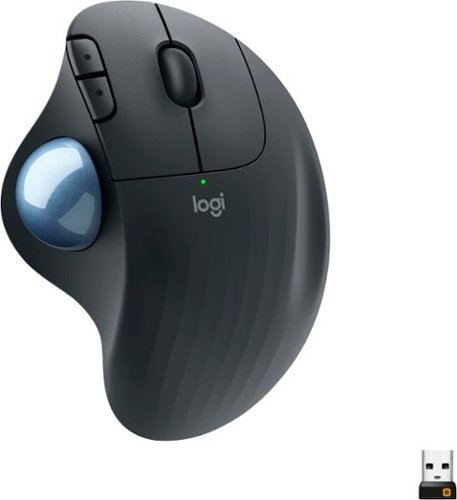
Minimize movement and maximize comfort with ERGO M575~a wireless trackball with sculpted ergonomic shape. With no need to move your arm around to move the cursor, your hand and arm stay relaxed. Remarkably smooth and responsive cursor control works perfectly on any surface. Connect simply via Bluetooth Low Energy or the included USB receiver with a 33 ft (10 m) range.
Posted by: TheOffice1234
from Lake Orion, MI
REVIEW: LOGITECH - ERGO M575 WIRELESS TRACKBALL MOUSE – BLACK
Best Buy Tech Insider Network
GOOD, BUT NOT FOR ME
There is lots to like about the LOGITECH - ERGO M575, but in the end I could not get used to it. If we assume you like and are used to this type of mouse (side mounted thumb controlled roller ball) there is a lot to like about it. It was easy to connect to my computer over Bluetooth and use right away. I like the recycled materials, long battery life (2 years), scroll wheel and comfortable fit in my hand. I could not get the speed adjusted to my taste. I have multiple monitors of various resolution and the LOGITECH - ERGO M575 seems to work best on a 1080P monitor. On my 4K monitor I had to crank the speed up very high (using the optionally installed Logitech Options software) but then I had a really hard time clicking on cells in a spreadsheet or highlighting text in a word processor with any accuracy. If I slowed down the mouse to allow for more granular selection, then it took forever to move it across a 4K screen. I found the rotation of the ball relatively stiff, but I assume it will loosen up over time.
Again, I’ll chalk most of this up to user preference and not take away points due to my preferences. Most of my devices (keyboard, mice, etc) are all ergonomic, and I know from experience you have to force yourself to use it for a good 30 days to get used to operating that device. This was just too big of hit to my productivity to invest the additional time to try to enhance my aim / accuracy.
BUILD QUALITY
Focusing on construction, it is solid enough, but seems lightweight. Possibly because of recycled materials or desire to reduce the amount of plastic consumed it just does not feel solid. The ball especially feels “cheap” more like a ping pong ball, compared to other roller ball mice I own. It is perfectly functional, just does not feel heavy duty. Most of my other mice with track balls have a heavy glass feeling to them. This has a definite plastic feeling to it. The mouse movement is not very smooth or precise.
Focusing on construction, it is solid enough, but seems lightweight. Possibly because of recycled materials or desire to reduce the amount of plastic consumed it just does not feel solid. The ball especially feels “cheap” more like a ping pong ball, compared to other roller ball mice I own. It is perfectly functional, just does not feel heavy duty. Most of my other mice with track balls have a heavy glass feeling to them. This has a definite plastic feeling to it. The mouse movement is not very smooth or precise.
It was environmentally packaged with minimal packaging the instructions are even printed on the packaging instead a separate paper.
PRO’s
- Compact Size (not a giant device that takes over your desk like other balls)
- Recycled Materials
- Long Battery Life
- Easy to get working and install
- Compact Size (not a giant device that takes over your desk like other balls)
- Recycled Materials
- Long Battery Life
- Easy to get working and install
CON’s
- Does not feel heavy duty
- Optional Software (Logitech Options) needed to control functions like speed, did not operate correctly on some of my systems. (locked up) so I could not adjust the speed for example. Web searches reveal this is not a new problem to Logitech.
- In general, it does not feel very smooth rolling or precise that I would expect at this price point.
- Does not feel heavy duty
- Optional Software (Logitech Options) needed to control functions like speed, did not operate correctly on some of my systems. (locked up) so I could not adjust the speed for example. Web searches reveal this is not a new problem to Logitech.
- In general, it does not feel very smooth rolling or precise that I would expect at this price point.
SUMMARY / CONCLUSION / RECOMMENDATION
I’m dropping a point from the LOGITECH - ERGO M575 for build quality and inconsistent software functionality. It seems like more of an attempt as cost reduction vs improvement. I feel this is an OK option if you are a Logitech die hard fan on a budget. Let’s face it there are not many choices out there and the competitive brand is much more expensive. If you need a precision device then you probably need to open your wallet a little wider.
Mobile Submission: False
No, I would not recommend this to a friend.


Share this review:


+2points
4of 6voted this as helpful.

Give your movies, TV shows and games the great sound they deserve. This ultra-slim SR-B20 sound bar fits discreetly in front of your TV or on a shelf or can be rotated for a low-profile wall mount. Setup is a breeze with a simple connection to your TV while Bluetooth lets you wirelessly stream from your mobile devices.
Customer Rating
5
GREAT SOUND BAR – ALMOST PERFECT
on January 4, 2021
Posted by: TheOffice1234
from Lake Orion, MI
REVIEW: YAMAHA - SR-B20A SOUND BAR WITH BUILT-IN SUBWOOFERS AND BLUETOOTH - BLACK
Best Buy Tech Insider Network
Best Buy Tech Insider Network
GREAT SOUND BAR – ALMOST PERFECT
Full disclosure I am a Yamaha Hi-Fi enthusiast. I think that Yamaha makes great sounding equipment from musical instruments to receivers to soundbars (Jet Skis too!). This is the 3rd Yamaha soundbar that I own, and it is the best of them all so far. Especially when paired with a Subwoofer (optional), it can more than hold its own on family Movie night.
Overall, especially for the price, you likely won’t be disappointed. This is a very good bar at this price point and probably even worth 2X-3X more. I would much rather have a high quality (sounding) bar like the SR-B20A than a bad sounding system with a bunch of cheap speakers. I just returned another 5.1.4 soundbar that cost 5X the amount in favor of the SR-B20A. Give this bar a try before you move onto really expensive units that don’t add that much to the sound experience.
BEST FEATURES
- Easy to use and decent sized Remote
- Easy to use simple App for a Remote (I prefer it over the remote)
- Sub Woofer Out for added bass if desired
- Multiple Sound Formats Supported
- Strong overall sound stage
- Built in Power Supply (no brick just a cord)
- Easy to use and decent sized Remote
- Easy to use simple App for a Remote (I prefer it over the remote)
- Sub Woofer Out for added bass if desired
- Multiple Sound Formats Supported
- Strong overall sound stage
- Built in Power Supply (no brick just a cord)
SETUP
Everything works as expected and was easy to setup and use. For modern use, for the most part, you just connect your existing TV ARC HDMI port to the same on the Yamaha SR-B20A. My 6 year old TV instantly recognized the soundbar which allowed me to control the volume with the TV remote, without any additional setup. I find the android app helpful for fine tuning the sound field (movie, standard, clear voice, bass, etc). I use it more than the remote, even though the remote is also perfectly good.
Everything works as expected and was easy to setup and use. For modern use, for the most part, you just connect your existing TV ARC HDMI port to the same on the Yamaha SR-B20A. My 6 year old TV instantly recognized the soundbar which allowed me to control the volume with the TV remote, without any additional setup. I find the android app helpful for fine tuning the sound field (movie, standard, clear voice, bass, etc). I use it more than the remote, even though the remote is also perfectly good.
MINOR NOTE 1: There is no 3.5 mm analog port on the soundbar. Generally, you don’t need it unless you are connecting very old devices. You could, if needed, for about $20 get a converter that converts analog to optical or bluetooth.
MINOR NOTE 2: The bar is really designed to be wall mounted and would look best that way. It works fine on a shelf (as I use it), but then you can’t see the volume lights and controls that are on the top. If you use the APP as your primary remote then this is not an issue. Additionally, typically your TV remote would be used to control the volume. I did not find any real difference when leaning the bar against the wall instead up flat on a shelf. A hard surface below the bar really highlights the bass from the built in subwoofer.
THE APP: is really easy to use, and I like it more than the remote. The remote is good, but the app lets you see the current state of your settings instead of only toggle on/off. It is cool in that the same app auto senses “which” Yamaha bar you are close to and changes available buttons to match the capability of that specific bar. I do wish it had a custom “favorite mode”. For example, to watch a movie, 1 Press for Movie Mode, then 1 Press for Surround, then 1 Press for Voice enhancement, then 4 Presses to max out subwoofer, etc. Then to switch back to every day TV I need to turn all those setting off again. Not a big deal, but it would just a nice to have feature on the app.
TESTING
I ran three tests for music (vinyl and mp3), every day TV Watching, and action movies.
I ran three tests for music (vinyl and mp3), every day TV Watching, and action movies.
MUSIC / VINYL (BLUETOOTH) – Right off the bat is my first little let down. No analog input. I had to use an analog to Bluetooth adapter. Overall, it was better (crisper) than my older similar class, Yamaha ATS-1030 soundbar (about 7 years old). I cranked the SR-B20A up to over 100db and it still sounded great.
MUSIC / MP3 (BLUETOOTH STREAM FROM ALEXA) – Very Good / Competent sound throughout the full volume range. Using the remote setting for stereo music makes a good difference in Left/Right separation. I will say the SR-B20A very slightly underperformed my old Yamaha ATS-1030 in the bass department. Listening to Eric Clapton / BB-King – “Riding with the King” the low end was not as pronounced. It was still very good, don’t get me wrong, just not thumping like the older Yamaha bar. Once I activated a separately purchased subwoofer, it was very impressive. Almost as good as a stand-alone receiver with high end speakers.
TV VIEWING IN 10 X 20 ROOM (HDMI-ARC) – The SR-B20A excels at everyday TV viewing (HDMI-ARC From the TV). I had to turn down the bass to -4 for everyday use, but especially with Clear-Voice enabled, the sound was great and not too much bass.
MOVIE VIEWING (HDMI-ARC) – My go to movie for testing audio is The Avengers. There was good bass and clear vocals, and explosions were good overall. Eventually, I hooked up my old SubWoofer (Yamaha YST-SW012 8-Inch). This really made all the difference for the movie. This is almost as good as my 10 year old 7.1 Yamaha receiver and full size speakers. (minus the rear surround sound of course). If my full receiver (Yamaha RX-V1400) and large speakers rates a 9/10 for movies, then this bar with an optional sub-woofer is at least 8.5/10. Without optional subwoofer I would still rate it 8/10 compared to my full stereo. That is a really good rating for a fraction of the price. After testing the SR-B20A I decided to declutter my family room, and to move my AV receiver and big speakers to the basement and then just use the bar for everyday sound. (it is that good). One last note on Movies. While the bar does decode DTS:Virtual X, it does not decode ATMOS. Since it is not an ATMOS system, that is not huge deal breaker, but it would have been nice to have it as a supported format. I have looked very hard and tried (and returned) several ATMOS bars. They all have various problems and are very expensive. On top of that, their poor rear and height speaker performance makes the soundstage worse than a simple 2.1 bar like this SR-B20A. For my needs the SR-B20A outperforms other expensive ATMOS systems for everyday use.
OVERALL IMPRESSION
I also have the little brother to the SR-B20A, which I use for a small room and small TV. While that other unit (SR-C20A) does a good job at everything, it does not excel in many areas other than medium to low volume music and everyday TV listening. For a few $ more (range +$20-$40 more), the SR-B20A is easily double the performance of its little brother. It gets louder with less distortion and has deeper bass, even without an additional subwoofer. The SR-B20A supports more decoding formats natively (DTS Virtual X for example). It is just a better all-around bar. The only drawback I have with this bar is the lack of an analog input. (but I will get over it).
I also have the little brother to the SR-B20A, which I use for a small room and small TV. While that other unit (SR-C20A) does a good job at everything, it does not excel in many areas other than medium to low volume music and everyday TV listening. For a few $ more (range +$20-$40 more), the SR-B20A is easily double the performance of its little brother. It gets louder with less distortion and has deeper bass, even without an additional subwoofer. The SR-B20A supports more decoding formats natively (DTS Virtual X for example). It is just a better all-around bar. The only drawback I have with this bar is the lack of an analog input. (but I will get over it).
SUMMARY / CONCLUSION / RECOMMENDATION
I would definitely recommend the SR-B20A for a fantastic everyday listening experience. If you are into strong bass this bar is very good as is. If you pair the SR-B20A with a powered subwoofer (I suggest Yamaha of course) then you are not that far away from a mid-level receiver in terms of movie listening experience. For pure music only listening, I still prefer a full receiver and full-sized speakers over a bar. However, you can’t beat the bar for the convenience of everyday use, including movies and Music.
I would definitely recommend the SR-B20A for a fantastic everyday listening experience. If you are into strong bass this bar is very good as is. If you pair the SR-B20A with a powered subwoofer (I suggest Yamaha of course) then you are not that far away from a mid-level receiver in terms of movie listening experience. For pure music only listening, I still prefer a full receiver and full-sized speakers over a bar. However, you can’t beat the bar for the convenience of everyday use, including movies and Music.
Mobile Submission: False
I would recommend this to a friend!


Share this review:


+5points
5of 5voted this as helpful.
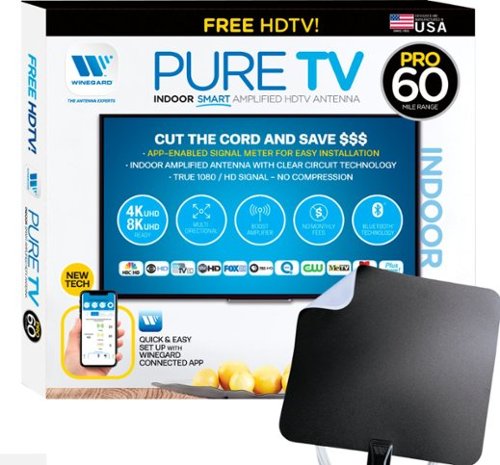
The PureTV Pro 60 is the only antenna with an actual signal meter integrated into the antenna to provide the best possible customer experience when installing. The PureTV Pro 60 has a dual-band, optimized antenna element that captures signals up to 60 miles away, while the antenna~s Clear Circuit Technology boosts the available signal, cuts dropout, and clears pixelation. The integrated, Bluetooth technology signal meter makes you the pro at installation. The PureTV Pro 60 uses a built-in tuner to get real-time signal data. Pair with the Winegard Connected app for no-fuss antenna positioning. Available for iOS and Android phones, the free, user-friendly Winegard Connected app quickly pairs with the PureTV Pro 60. Using both visual and audio indicators, you~ll get real-time feedback on the optimal antenna position for the best signal possible. The app shows a summary of available channels, and you can even fine-tune individual channels for maximum reception. Once you~re done, run a channel scan on TV, and start watching FREE TV.
Customer Rating
4
GOOD ANTENNA / NOT MAGIC – APP HELPFUL / IMPERFECT
on December 14, 2020
Posted by: TheOffice1234
from Lake Orion, MI
REVIEW: WINEGARD - PURETV PRO 60 - INDOOR SMART AMPLIFIED HDTV ANTENNA – WITH BLUETOOTH TECHNOLOGY SIGNAL METER - BLACK AND WHITE
Best Buy Tech Insider Network
Best Buy Tech Insider Network
GOOD ANTENNA / NOT MAGIC – APP HELPFUL / IMPERFECT
I am an Antenna fan. I have used and deployed antennas of all sorts and usually we always use an antenna for TV unless there was a “free” bundle from the cable company. As soon as they increase the rates we cancel and go back to antenna for a few years.
I have used this style of amplified flat antenna before from other makers with mixed results. The problem is that HD Broadcast frequencies are directional. This is what was interesting about this antenna is that it has a built in signal meter monitored via Bluetooth app on your phone to help you find the perfect location.
Generally, what you need is an unobstructed view (window) facing the direction of your stations. If you have this, then this antenna (WINEGARD PURETV PRO 60) should work well for you. However, if as in my case the stations are “due south” and all your windows are East / West, then you are probably out of luck (in my case South is a brick wall followed by a neighbor’s house and mature trees).
For me the WINEGARD - PURETV PRO 60 antenna itself could not change the laws of physics and bring in stations it could not “see”.
The main advantage was I could use the meter to help get some clues where to at least bring in a few stations, just not enough stations. In my case, the only thing that will work is an outdoor antenna. I was hoping to avoid running more cable to get a signal in my home office room.
For me the WINEGARD - PURETV PRO 60 antenna itself could not change the laws of physics and bring in stations it could not “see”.
The main advantage was I could use the meter to help get some clues where to at least bring in a few stations, just not enough stations. In my case, the only thing that will work is an outdoor antenna. I was hoping to avoid running more cable to get a signal in my home office room.
No points off for not being magic. It worked well for the few stations I could bring in. It is not the antenna's fault I have no south facing windows. I tried the antenna outdoors, pointing the correct direction and it instantly brought in a ton of stations. I’m not suggesting to use it outdoors, just because of my lack of south windows that was the only way to test it.
BEST FEATURES
- App for Optimizing placement
- Long Cable
- Included Charger
- Sturdy Construction much more durable than others I’ve used
- App for Optimizing placement
- Long Cable
- Included Charger
- Sturdy Construction much more durable than others I’ve used
SETUP / UNBOXING / ETC
Everything you need is included, and there is a nice long cable (about 15-20ft) to let you try all sorts of locations for optimal signal.
Unfortunately, the included manual (1 page) does nothing to help you learn the fundamentals of where / how to place an antenna or explain the app. Or even simple questions.
Everything you need is included, and there is a nice long cable (about 15-20ft) to let you try all sorts of locations for optimal signal.
Unfortunately, the included manual (1 page) does nothing to help you learn the fundamentals of where / how to place an antenna or explain the app. Or even simple questions.
The APP is OK, but it could use some improvement. It took a few tries to get the phone paired to the antenna. Also, make sure you SCAN THE ANTENNA CODE ON THE AMPLIFIER, NOT THE MANUAL CODE. I’ve seen reviews where users were trying to scan the code on the instruction page, but you need to use the sticker on the amp unit.
At one point the app stopped communicating with the antenna, I kept getting a message about device failure and to reboot. In the end I had to delete the antenna from the app, reboot everything and start over. I had this happen a few times over the course of my testing.
Again, the App was helpful, but there are some little things that you should be aware of. First it seems to be detecting the more powerful ATSC 3.0 antennas that are not fully operational. When I look at a list of stations most of the ones that are green are in the format wxyz-NG. I assume NG stands for Next Generation (the generic name for 4K broadcast slowly rolling out in the USA), but there no help for what this means, whereas wxyz-DT1 (I assume Digital 1), is RED.
For example, on the summary screen it might show 14 Green Stations, all but a few are nnnn-NG. Thus, my first attempt to place the antenna was flawed due to this and only using the summary page. It would be nice if you could “filter out” ATSC 3.0 signals from the summary page and related counts.
For example, on the summary screen it might show 14 Green Stations, all but a few are nnnn-NG. Thus, my first attempt to place the antenna was flawed due to this and only using the summary page. It would be nice if you could “filter out” ATSC 3.0 signals from the summary page and related counts.
Next, the summary screen is overstating the signal strength by about 20%. It will show 20 green stations and 30 yellow stations. Every green station is still pixelated and Yellows don’t come in at all. If you go to the detailed list and click on that one station for detailed fine tuning. You will find all the “green stations” are now yellow and all the yellow stations are now orange or red. I assume the intent here it to make it look better on the summary page to claim it pulls in more stations than it really does. This is still helpful, but just keep in mind just because you show 20 green stations you still not might have any that are usable.
SUMMARY / RECOMMENDATION
The app is a nice gimmick. It is somewhat functional, and somewhat helpful. This is all much better than yelling to (or at) your spouse to hold it higher or move to the left or whatever. Even so, it is hard to stand on a couch, hold the antenna with one hand, look at the phone on the other hand, then try to glance at the TV once in a while. I ended up taping the antenna to the wall, stepping back taking readings then repeating until I got as much green as I could on the summary page.
The app is a nice gimmick. It is somewhat functional, and somewhat helpful. This is all much better than yelling to (or at) your spouse to hold it higher or move to the left or whatever. Even so, it is hard to stand on a couch, hold the antenna with one hand, look at the phone on the other hand, then try to glance at the TV once in a while. I ended up taping the antenna to the wall, stepping back taking readings then repeating until I got as much green as I could on the summary page.
I would only recommend this if you already know that you have a clear view to the stations you want to pull in. The WINEGARD - PURETV PRO 60 seems to be a little above others that I have tried and it does bring in a few more stations than I could get with other indoor antennas. Maybe when ATSC 3.0 rolls out, I’ll have better luck with it.
Mobile Submission: False
I would recommend this to a friend!


Share this review:


+13points
15of 17voted this as helpful.
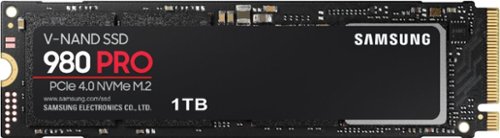
Unleash the power of the Samsung 980 PRO PCIe 4.0 NVMe Gen4 SSD for next-level computing. 980 PRO delivers 2x the data transfer rate of PCIe 3.0, while maintaining compatibility with PCIe 3.0.~ ~The NVM Express~ design mark is a registered trademark of NVM Express, Inc.* Results are based on a comparison with Samsung PCIe 3.0 NVMe SSDs and SATA SSDs.PS5 compatible with heatsink as recommended by Sony; heatsink sold separately.
Customer Rating
5
MAX PERFORMANCE FOR PCI 4.0 and PCI 3.0
on December 3, 2020
Posted by: TheOffice1234
from Lake Orion, MI
REVIEW: SAMSUNG 980 PRO 1TB INTERNAL NVME SSD FOR LAPTOPS AND DESKTOPS
Best Buy Tech Insider Network
MAX PERFORMANCE FOR PCI 4.0 and PCI 3.0
If your computer can support M.2 NVME drives, and you don’t already have one, then you really need to get one. I’m going to geek out a little for the rest of this review. The short version is this is a great performing drive. It has a premium price which it enjoys as being widely regarded as the best brand out there. You can’t go wrong with this drive, especially if your system supports PCI 4.0.
The Samsung 980 PRO is faster than other drives, in most cases, even in a PCI 3.0 motherboard. If you don’t plan to upgrade to a PCI 4.0 system in the near future, it might not be the best value depending how you utilize your system. It is far less expensive than the 970 PRO, which it replaces, but is about 30% more expensive than the 970 PLUS which it is closer to in performance on a PCI 3.0 bus.
TESTING – (PCI 3.0 RESULTS) (PCI 4.0 Bus should be close to 2x Faster w/ Samsung 980 PRO)
My Test Configuration is a Lenovo P500 Thinkstation, Xeon 2690 v3 CPU (12 Core 24 Threads 2.6/3.6 GHz Clock), 64GB RAM, Win 10 Pro, Nvidia 1070TI, PCI 3. Basically, it is an older CAD workstation turned into an inexpensive casual gaming rig. You don’t need a super machine to take advantage of NVME speed. My Thinkstation P500 came out around 2014 (6+ years ago) and still has very respectable performance.
I used Samsung Magician Benchmark Tools, Crystal Benchmark Tools and AS-SSD Benchmark. They all gave different results, but comparable overall in terms of relative performance. (see pics).
NVME drives excel most at sequential reads and sequential writes, but in real world situations, I/O demands are rarely clean and tidy like that (Sequential). The difference between Sequential and Random Read / Write operations are staggering (see pics). What a NVME drive will get you is amazingly fast boot times and program load times. Just don’t expect that same level of improvement in Database and other Heavy Random Write operations. I will use my Samsung 980 for Video Processing where both sequential read and sequential write speed are important. Some of the details in the test (see pics) are really interesting in terms of what one drive does better than the other.
My testing consists of the following
- Samsung 970 PLUS (PCI 3)
- Samsung 980 PRO (PCI 4)
- Another popular NVME drive from another maker (PCI 3)
- A few other drive types for fun and appreciation how much faster NVME is
- Samsung 970 PLUS (PCI 3)
- Samsung 980 PRO (PCI 4)
- Another popular NVME drive from another maker (PCI 3)
- A few other drive types for fun and appreciation how much faster NVME is
I have a large amount of RAM (64GB), thus initially the write numbers look great on all drives due to Windows Caching algorithms. Ordinarily this is OK, because this is how I’ll run the system every day (with Cache on). However, without Cache, there is an order of magnitude decrease in write performance. It really drives home the difference between native read and write speeds of the NVME drives. Cache also helps push the drives to their max limits as far as how quickly they can accept data, parallel threads, queues, etc. So, keep your Windows Cache on for everyday use, unless you have power issues and don’t want to risk corruption due to power loss.
TESTING RESULTS WITH WINDOWS CACHE TURNED ON
SAMSUNG MAGICIAN 6.2.1 (Sequential Tests)
SAMSUNG 980 PRO NVME 3211 MB/s Read – 3159 MB/s Write
SAMSUNG 970 Plus NVME 3222 MB/s Read – 1831 MB/s Write
OTHER BRAND NVME 3137 MB/s Read – 3003 MB/s Write
SAMSUNG 980 PRO NVME 3211 MB/s Read – 3159 MB/s Write
SAMSUNG 970 Plus NVME 3222 MB/s Read – 1831 MB/s Write
OTHER BRAND NVME 3137 MB/s Read – 3003 MB/s Write
CRYSTAL Benchmark 8.0 (Sequential Tests)
SAMSUNG 980 PRO NVME 3444 MB/s Read – 3426 MB/s Write
SAMSUNG 970 Plus NVME 3544 MB/s Read – 3161 MB/s Write
OTHER BRAND NVME 3427 MB/s Read – 3098 MB/s Write
SAMSUNG 960 SSD (via USB 3.0) 0452 MB/s Read – 0456MB/s Write
OTHER BRAND 7200 RPM DRIVE (SATA3) 0177 MB/S Read – 0175MB/s Write
OTHER BRAND 5900 RPM DRIVE (SATA3) 0175 MB/S Read – 0179MB/s Write
SAMSUNG 980 PRO NVME 3444 MB/s Read – 3426 MB/s Write
SAMSUNG 970 Plus NVME 3544 MB/s Read – 3161 MB/s Write
OTHER BRAND NVME 3427 MB/s Read – 3098 MB/s Write
SAMSUNG 960 SSD (via USB 3.0) 0452 MB/s Read – 0456MB/s Write
OTHER BRAND 7200 RPM DRIVE (SATA3) 0177 MB/S Read – 0175MB/s Write
OTHER BRAND 5900 RPM DRIVE (SATA3) 0175 MB/S Read – 0179MB/s Write
AS-SSD BENCHMARK 2.0.73 (Overall Score – see pics) *
SAMSUNG 980 PRO NVME 2446 Read – 1986 Write - 5669 Total
SAMSUNG 970 Plus NVME 2210 Read – 1963 Write - 5281 Total
OTHER BRAND NVME 1896 Read – 1684 Write - 4486 Total
* AS-SSD Benchmark tries to negate the native NVME Cache in testing
SAMSUNG 980 PRO NVME 2446 Read – 1986 Write - 5669 Total
SAMSUNG 970 Plus NVME 2210 Read – 1963 Write - 5281 Total
OTHER BRAND NVME 1896 Read – 1684 Write - 4486 Total
* AS-SSD Benchmark tries to negate the native NVME Cache in testing
TESTING RESULTS WITHOUT WINDOWS CACHE
SAMSUNG MAGICIAN 6.2.1 (Sequential Tests)
SAMSUNG 980 PRO NVME 3223 MB/s Read – 0567 MB/s Write
SAMSUNG 970 Plus NVME 3207 MB/s Read – 0324 MB/s Write
SAMSUNG 980 PRO NVME 3223 MB/s Read – 0567 MB/s Write
SAMSUNG 970 Plus NVME 3207 MB/s Read – 0324 MB/s Write
CRYSTAL 8.0 (Sequential Tests)
SAMSUNG 980 PRO NVME 3363 MB/s Read – 0567 MB/s Write
SAMSUNG 970 Plus NVME 3521 MB/s Read – 0781 MB/s Write
OTHER BRAND NVME 3433 MB/s Read – 2952 MB/s Write [Larger Drive Cache]
SAMSUNG 980 PRO NVME 3363 MB/s Read – 0567 MB/s Write
SAMSUNG 970 Plus NVME 3521 MB/s Read – 0781 MB/s Write
OTHER BRAND NVME 3433 MB/s Read – 2952 MB/s Write [Larger Drive Cache]
AS-SSD BENCHMARK 2.0.73 (Overall Score – see pics) *
SAMSUNG 980 PRO NVME 2364 Read – 0121 Write - 3578 Total
SAMSUNG 970 Plus NVME 1689 Read – 0121 Write - 2561 Total
OTHER BRAND NVME 1881 Read – 0440 Write - 3216 Total
* AS-SSD Benchmark tries to negate the native NVME Cache in testing
SAMSUNG 980 PRO NVME 2364 Read – 0121 Write - 3578 Total
SAMSUNG 970 Plus NVME 1689 Read – 0121 Write - 2561 Total
OTHER BRAND NVME 1881 Read – 0440 Write - 3216 Total
* AS-SSD Benchmark tries to negate the native NVME Cache in testing
SUMMARY / CONCLUSION / RECCOMENDATION
In most cases the Samsung 980 PRO outperforms the other NVME drives in these tests.
In most cases the Samsung 980 PRO outperforms the other NVME drives in these tests.
I would suggest that if you don’t have a PCI 4.0 based motherboard, and are not about to get one (in the next few months). It might be a better value to wait until you can take full advantage of this drive. As drive prices almost always drop over time, the longer you wait the cheaper a new drive will probably be.
However, if you have, or are about to get a PCI 4.0 system, I would highly recommend the Samsung 980 PRO drive. I would expect to get numbers about 2X what I show on a PCI 3.0 system. This is a big deal. For a little more money you can double your performance over a comparable PCI 3.0 drive and future proof your investment while enjoying a higher native write speed.
I’ve deployed between 30-50 Samsung SSD drives (NVME and SATA) in the past 10 years. I have never had one fail on me in the field. I don’t think you can go wrong with the Samsung 980 PRO.
Mobile Submission: False
I would recommend this to a friend!


Share this review:


+2points
7of 12voted this as helpful.

The sound bar for those with small spaces or minimalistic tendencies. The compact Yamaha SR-C20ABL sound bar fits easily in whatever space is available and can be wall-mounted for even more possibilities. Setup is easy with a simple connection to your TV while Bluetooth lets you stream wirelessly from your mobile devices.
Customer Rating
5
BIG SOUND (not giant) FROM A SMALLER SOUND BAR
on November 25, 2020
Posted by: TheOffice1234
from Lake Orion, MI
REVIEW: YAMAHA - SR-C20A SOUND BAR WITH BUILT-IN SUBWOOFER AND BLUETOOTH - BLACK
Best Buy Tech Insider Network
Best Buy Tech Insider Network
BIG SOUND (not giant) FROM A SMALLER SOUND BAR
What you want from a soundbar is a vast improvement from what you get out of your video system (TV). Clear Crisp Voices, and overall good sound for a variety of content. The SR-C20A checks all those boxes. You should also look for legacy and modern audio connections for all of your old and new devices. The SR-C20A supports all typical audio connections including Bluetooth. (while some other brands might only have Bluetooth for example in this compact size).
Setup was very straight forward no surprises. It does not support all digital audio formats as inputs (Like ATMOS), but in general I am OK with that. It really makes no sense to pump ATMOS audio into a single device like a sound bar (you want a room full of speakers for ATMOS).
In short, I recommend the SR-C20A for anyone looking for a compact, high quality, and moderately priced sound bar for your TV or PC. However, if you are after BIG SOUND (bass) which is also clear sounding at high volume then you probably need to look at much larger sound bars.
BEST FEATURES
- Large Remote
- Good Functional Apps
- Variety of Inputs
- Included Optical Cable
- Large Remote
- Good Functional Apps
- Variety of Inputs
- Included Optical Cable
I conducted 3 tests
(1) Movies in a 10x20 room with a Home Theater Projector
(2) Streaming Music & News / Desktop 10x10 room (home office)
(3) Vinyl Record Playback in 20x20 room (recreation room)
(1) Movies in a 10x20 room with a Home Theater Projector
(2) Streaming Music & News / Desktop 10x10 room (home office)
(3) Vinyl Record Playback in 20x20 room (recreation room)
Overall, the SR-C20A is a competent performer. It definitely sounds better than other similarly small sized and priced sound bars I have tried (for example from another company that makes game consoles TVs, and Cameras rhymes with pony).
As expected, it is way behind my 6 year old Yamaha full sized ATS-1030 (YAS-103) soundbar, and slightly above my 5 year old - Mini Desktop Speaker Bar (rhymes with rose) for rich bass. Keeping in mind these other bars easily cost 3x the price of the SR-C20A (at today’s prices).
At a low to medium volume (background music for example) the SR-C20A sounds fantastic. The louder I made the volume, the more “muddy” the SR sounded (MP3 256bit) anything below 50% (about 80db) volume was great.
When watching movies, at first it felt a little underpowered, but as the movie progressed, I found it performed well overall especially with voice enhancement. With the bass maxed out, I found the table shook, so it was clear there was a subwoofer, but there just was not that much bass sound. For example, the explosions were unimpressive (Avengers Age of Ultron). I enjoyed the overall balance of the SR-C20A, but “explosions” are definitely better on my other sound bars mentioned.
I was able to test each connection, everything worked as expected. I was able to easily pair the SR-C20A with my phone and other systems for playback. I used it Via HDMI, Bluetooth, Analog, and Digital Optical and everything worked perfectly.
The App is useful and makes it easy to fine tune the sound effects and as an extra remote. The included remote is good size so it wont get misplaced as easily.
The SR-C20A performed surprisingly well in my Vinyl Test (Eric Clapton / BB KING), it actually outperformed my other 2.1 system from another maker (also rhymes with rose) as far as clarity and richness overall. (Usually, I route my Vinyl though my main Yamaha Receiver but sometimes this 2.1 setup is more convenient due to its proximity)
In my opinion the SR-C20A’s sweet spot is to supplement TV sound in every day use and to bring a little more umph to the occasional movie. Music is Good, clear and bright, but not much bass. Movie dialog is crisp, but missing deep sound.
If you want booming sound, then you should be looking for a system with a dedicated subwoofer, anyway (or at least a very large soundbar). If you want perfect ATMOS sound, then you really need to get a full ATMOS system.
Speakers are probably the most important part of any audio experience and there are no shortcuts in price and quality. They are also very subjective. Before I landed on my first set of speakers, I tested (and returned) about 4 other sets. My first real speakers are still in use 25 years later. That being said, you don’t need an expensive audio system for every TV in your home.
SUMMARY / CONCLUSION / RECOMMENDATION
The SR-C20A is perfectly at home for most uses, and definitely better than any TV Speakers. The bass is perfectly fine for everyday use, but not room filling.
I would definitely recommend the SR-C20A for a good all-around sound bar. You really can’t go wrong with Yamaha for overall quality, in my experience. I have 2 Receivers, 2 Sound Bars, 1 Sub Woofer, (all from Yamaha) and most are pushing 10-15 years of flawless performance.
Mobile Submission: False
I would recommend this to a friend!


Share this review:


+21points
24of 27voted this as helpful.
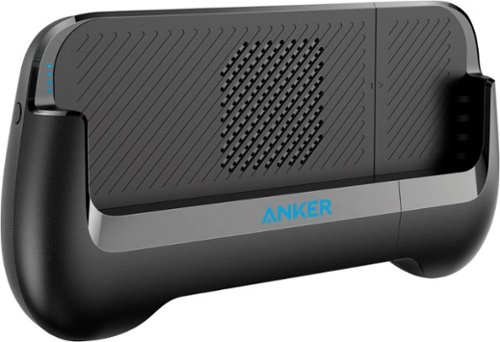
PowerCore Play 6700 is a gamepad-form portable phone charger. It attaches and cradles the back of your phone for an incredibly comfortable gaming experience~encouraging a healthy "handshake". 6,700mAh is the total of the nominal rated capacity of internal battery cells
Customer Rating

3
MISSES THE MARK FOR ME (Large Phone, Large Hands)
on November 19, 2020
Posted by: TheOffice1234
from Lake Orion, MI
REVIEW: ANKER POWERCORE PLAY 6700 - BLACK
Best Buy Tech Insider Network
Best Buy Tech Insider Network
MISSES THE MARK FOR ME (Large Phone, Large Hands)
It seems to be a solution in search of a problem, but not executing well enough for me. I was excited to receive this and test it out. I do play games on my phone and watch movies and so on. I do start to run low on battery power after too long of sessions. Conceptually, this seems like a great solution.
It is a well built unit, and I think it might be OK for smaller phones and children with large hands. It does hold a phone securely, and it does a good job of keeping your phone powered. It just never felt right or natural to me.
THE FIT
My phone is large, but not giant, it is only 6 x 3 inches. But I have buttons on both sides of my phone, so I have to carefully position the phone so that the buttons at the bottom don’t get pressed. I also have volume buttons on the side, so I have to make sure that side of the phone is always up. The springs to hold your phone in are strong, which is good. But, I fear if your phone is any bigger than mine you might risk damaging your phone by squishing it in the grip.
My phone is large, but not giant, it is only 6 x 3 inches. But I have buttons on both sides of my phone, so I have to carefully position the phone so that the buttons at the bottom don’t get pressed. I also have volume buttons on the side, so I have to make sure that side of the phone is always up. The springs to hold your phone in are strong, which is good. But, I fear if your phone is any bigger than mine you might risk damaging your phone by squishing it in the grip.
TWO HANDED GAMING USE (Thumbs)
When I have my phone in the grip, it pushes my hands too far apart so that my thumbs barely touch. Therefore, I can’t really navigate with my thumbs while playing a game in the grip. 3 Members of our house felt the same way.
When I have my phone in the grip, it pushes my hands too far apart so that my thumbs barely touch. Therefore, I can’t really navigate with my thumbs while playing a game in the grip. 3 Members of our house felt the same way.
ONE HANDED GAMING USE (Hold with left hand, play with right)
The grip is too heavy, the handles below the phone are too short. The grip overall is too slippery and can’t be held by one hand using only one handle. You generally can’t hold the phone by only one grip.
The grip is too heavy, the handles below the phone are too short. The grip overall is too slippery and can’t be held by one hand using only one handle. You generally can’t hold the phone by only one grip.
USING THE STAND TO WATCH MOVIES
Here the performance is OK, but due to an always on fan, the noise is a little distracting.
Here the performance is OK, but due to an always on fan, the noise is a little distracting.
USING THE STAND TO SCROLL SITES (new etc)
This was a big disappointment, if you breath wrong on the screen when it is in the stand it will fall over. There is no way to scroll one handed when in the stand mode without knocking it over. Which makes me think that even trying to watch movies on a train or plane while in the stand it will just keep falling over.
This was a big disappointment, if you breath wrong on the screen when it is in the stand it will fall over. There is no way to scroll one handed when in the stand mode without knocking it over. Which makes me think that even trying to watch movies on a train or plane while in the stand it will just keep falling over.
ACCESSORIES
There is one cable included USB C on one end and USB A on the other end. They really should have included 2 cables, one small one for the phone to grip connection and a longer one for charging the grip. Unfortunately, the included cable is too short for comfortable charging and too long for comfortable use on the grip. Additionally, you have to keep reversing the cable. Port 1 for Charging the grip and Port 2 for connecting to the phone.
There is one cable included USB C on one end and USB A on the other end. They really should have included 2 cables, one small one for the phone to grip connection and a longer one for charging the grip. Unfortunately, the included cable is too short for comfortable charging and too long for comfortable use on the grip. Additionally, you have to keep reversing the cable. Port 1 for Charging the grip and Port 2 for connecting to the phone.
BEST FEATURES
- Long Battery Life
- Durable Build Quality
- Long Battery Life
- Durable Build Quality
SUMMARY / CONCLUSION / RECOMMENDATION
I think we have here is the age old expression, “Jack of all trades – Master of none”. It is slippery, and too short / heavy for a great grip. The kick stand is small and off center so it does not make a great stand. The grip + phone, becomes too big to reach the screen. The cables are either too long or too short depending what you are trying to do. Nothing about this feels “just right”. Your mileage may vary, and I appreciate all they were trying to accomplish.
For me this is a No-Go.
I think we have here is the age old expression, “Jack of all trades – Master of none”. It is slippery, and too short / heavy for a great grip. The kick stand is small and off center so it does not make a great stand. The grip + phone, becomes too big to reach the screen. The cables are either too long or too short depending what you are trying to do. Nothing about this feels “just right”. Your mileage may vary, and I appreciate all they were trying to accomplish.
For me this is a No-Go.
Mobile Submission: False
No, I would not recommend this to a friend.


Share this review:


+1point
3of 5voted this as helpful.
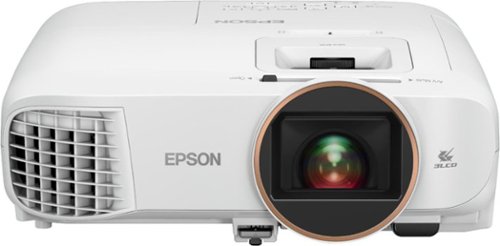
Android TV built-in projector for seamless access to content Powered by Google, watch all your favorite streaming channels including Netflix, Hulu, HBO NOW, YouTube and more. Sit back, relax and watch movies with this Epson video projector. It offers 2.700 lumens of color & white brightness to ensure vibrant, accurate colors, and its HD resolution delivers crisp image quality at 1080p. This Epson video projector lets you also connect a Blu-ray player or gaming console via an HDMI input for smooth streaming of your favorite media.
Customer Rating
5
FALL IN LOVE WITH 3D MOVIES AGAIN W/ EPSON 2250
on November 18, 2020
Posted by: TheOffice1234
from Lake Orion, MI
REVIEW: EPSON - HOME CINEMA 2250 1080P 3LCD PROJECTOR WITH ANDROID TV - WHITE
Best Buy Tech Insider Network
FALL IN LOVE WITH 3D MOVIES AGAIN W/ EPSON - HOME CINEMA 2250
At first, I had my doubts about where the Epson Home Cinema 2250 would fit into my life. I have several old projectors of 800x600 / 1024x768 resolution that I drag out, once in a while, for a movie marathon at home. Especially when the kids were younger, these older projectors were fine. My best performing projector from the past was another EPSON (PowerLite S9 – 2500 lumens). I also have a small “pocket” 1080p projector but at only 400 lumens I have a hard time making a room dark enough to produce a nice picture. I’m too cheap to go full on 4K Laser projector, especially since I don’t have a lot of dedicated, uncluttered wall space to project something for daily use.
For me, the Epson Home Cinema was a good upgrade, with enough brightness for indoor daytime use (see pics), and it comes with modern streaming features via Google TV.
On a whim, I dug my old 3D BluRay player out of retirement. What I was not expecting was how much I would love the 3D experience on the Epson 2250. I have two older 3D capable TV’s one 47 inch uses passive 3D glasses (like at the movie theater) and the other 55 inch uses active (powered) version of 3D glasses. I never found the 3D that engaging on these smallish (by today’s standards) screens. But, now that I can project a 10 foot image with active 3D glasses, I can only say “WOW” better than the movie theater. I was pleasantly surprised that the Epson 2250 also worked fine with my Sony TV Active 3D glasses. This compelled me to dig through my attic for all of my “old” 3D movies and to order a bunch more used 3D movies. Finally, I ordered a budget 100 inch screen, and now family movie night has a new twist.
The built in speaker is good. However, if you want to really enjoy a movie, you are going to want to hook up an external speaker system. Fortunately, this is easily accomplished via Bluetooth or optional audio out. I had no problem pairing the projector with my trusty old BOSE Soundlink Mini for room filling sound. Unfortunately, it won’t pair with any modern gaming headphones that I tried. I also observed that while watching some content (example Blu-Ray 3D), the Bluetooth Audio had a very noticeable lag. I ended up physically wiring speakers to it, instead of Bluetooth. I know there is a feature in one of the menus to adjust lag, but with my family in the middle of a movie it was easier just to grab a cable for the speaker.
BEST FEATURES
- 3D Capable
- Good Brightness 2700 Lumens
- Optical Zoom and Focus
- 2 Sets of Remote Controls
- Manual buttons on the device, for when you lose the remotes.
- 3D Capable
- Good Brightness 2700 Lumens
- Optical Zoom and Focus
- 2 Sets of Remote Controls
- Manual buttons on the device, for when you lose the remotes.
The EPSON 2250 is larger than my older Epson S9 (about double the size see pics), and like most projectors the fan is a little loud in an otherwise quiet room (about 50 db). This is not horrible, but it is noticeable (like a PC Fan on high). It also runs hot, as you might imagine for a bulb based projector. If you are in a small 10x10 room, you will feel the heat. Again, these things (heat and noise) are normal for all projectors. If anything, the Epson is a little quieter than others I’ve used.
The colors were sharp and bright (see pics) even in the daytime with some light leaking into the room. Total darkness is best, of course. I did find the manual focus a little hard to fine tune perfectly, but it was OK. Do yourself a favor and for less than $100 you can get a decent 100 inch or even 120 inch screen without breaking the bank. It is better than a painted wall and better than hanging a wrinkled sheet on the wall.
TESTING and SETUP –
Embarrassingly enough, the hardest part about the setup was trying to figure out where they hid the HDMI port. The quick start guide shows the ports in a generic way, but not where they are actually located on the 2250. I was about to pull out a screwdriver figuring they were “locked” behind a panel. Then an idea struck me to “pull” out the fabric grill in the back of the unit. The grill is held on by strong magnets and I did not realize that it could be removed. I just needed to use a little more force. I thought it was just a speaker grill or something decorative. It would have been nice if it were indicated ANYWHERE in the docs, or online, or the unit itself that this is where the HDMI port is located. I’m all for minimal documentation, but really this took me 30 minutes to figure out on my own (maybe I’m slow in this regard).
Embarrassingly enough, the hardest part about the setup was trying to figure out where they hid the HDMI port. The quick start guide shows the ports in a generic way, but not where they are actually located on the 2250. I was about to pull out a screwdriver figuring they were “locked” behind a panel. Then an idea struck me to “pull” out the fabric grill in the back of the unit. The grill is held on by strong magnets and I did not realize that it could be removed. I just needed to use a little more force. I thought it was just a speaker grill or something decorative. It would have been nice if it were indicated ANYWHERE in the docs, or online, or the unit itself that this is where the HDMI port is located. I’m all for minimal documentation, but really this took me 30 minutes to figure out on my own (maybe I’m slow in this regard).
Otherwise, plug it in, and follow the prompts to connect it to your google account and start streaming. It could not be easier. About 15 minutes into my first movie it abruptly, and without warning, rebooted to reload the latest version of Google TV on the unit.
There are also advanced settings to let you control image enhancements, in case, for example you prefer the soap opera effect for your images.
There are also advanced settings to let you control image enhancements, in case, for example you prefer the soap opera effect for your images.
The throw is average, and on par with most projectors. This is not a Short Throw Projector. In a 10x10 room (where I tested), going from one wall to the next (about 9 feet), my picture was about 7 feet x 4 feet (give or take based on content, letter boxing and so on)
I noticed when streaming from Google Play Movies, a little bit of shudder / pixilation in the movie. I did not notice this at all from the BluRay (Best PQ), Amazon (Very Good PQ). The more I used Google TV the more I’m convinced the embedded streaming stick it is just not powerful enough to perform well. It is slow to respond to the remote, it really struggles to play back full HD (1080p) movies from a network device or streaming. I had much better response plugging in an older ROKU stick into the HDMI port. You can also easily replace the Google Stick with your ROKU stick or maybe another streaming stick by opening the compartment below the HDMI port. It just means you have 2 remotes instead of one, but I’m much happier with the overall experience. Streaming sports and movies via the Roku worked well.
SUMMARY / CONCLUSION / RECOMMENDATION
The EPSON - HOME CINEMA 2250, successfully threads the needle and finds a nice niche between underpowered portable projectors and high-end laser projectors. To help make it more attractive they have thrown in every feature you can imagine from Google TV to 3D. If you don’t need these bells and whistles, you might consider another EPSON such as the Home Cinema 880, which is still 1080p and even a little brighter (3300 lumens vs 2700), but without optical zoom, streaming, or 3D.
The EPSON - HOME CINEMA 2250, successfully threads the needle and finds a nice niche between underpowered portable projectors and high-end laser projectors. To help make it more attractive they have thrown in every feature you can imagine from Google TV to 3D. If you don’t need these bells and whistles, you might consider another EPSON such as the Home Cinema 880, which is still 1080p and even a little brighter (3300 lumens vs 2700), but without optical zoom, streaming, or 3D.
For me, the 3D is what really puts the 2250 over the top. I envision lots of family movie marathons this winter.
Between work and home, I have 5 Epson projectors (going back 10-15 years), and they are all still working, most have their original bulbs.
Between work and home, I have 5 Epson projectors (going back 10-15 years), and they are all still working, most have their original bulbs.
In short, if you are in the market for a quality home theater projector, the EPSON - HOME CINEMA 2250 is worth a close look. Especially is you are not quite ready to take the leap to Laser Projectors.
Mobile Submission: False
I would recommend this to a friend!


Share this review:


+14points
14of 14voted this as helpful.
TheOffice1234's Review Comments
TheOffice1234 has not submitted comments on any reviews.
TheOffice1234's Questions
TheOffice1234 has not submitted any questions.
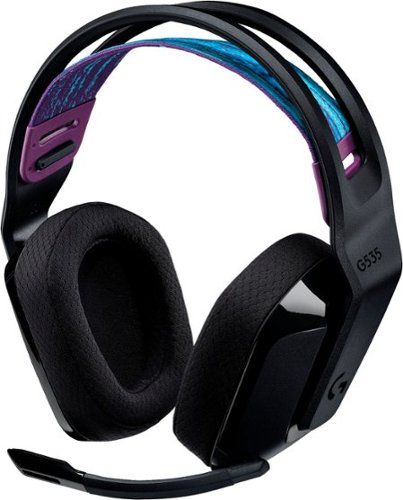
G535 gives you performance, freedom and comfort for all your gaming sessions. Enjoy advanced LIGHTSPEED wireless, up to 33-hour battery life, and 40 mm drivers for crystal-clear sound. Just 236 grams, an adjustable headband, and soft memory foam earpads ensure all-day comfort.
looking at the packaging, it mentions nothing about supporting Dolby atmos. I went to the store and put it back on the shelf. This product isn't on the logitech site, where is best buy getting this information?
My understanding is that the ATMOS APP (DOLBY ACCESS) from the MS APP Store will support any type/brand of headphone / speaker, since it is all simulated anyway. I don't know why the box and literature don't mention it. I suspect a licensing agreement issue. Meanwhile with or without the logo, it is my understanding you can use the app with any combination so speakers or head phones as long as you "Subscribe" to the app.
4 years, 5 months ago
by
TheOffice1234
G535 gives you performance, freedom and comfort for all your gaming sessions. Enjoy advanced LIGHTSPEED wireless, up to 33-hour battery life, and 40 mm drivers for crystal-clear sound. Just 236 grams, an adjustable headband, and soft memory foam earpads ensure all-day comfort.
How do I enable Dolby Atmos for the 535 headset? I see nothing in GHub, and Windows only has Windows Sonic for Headphones. Is this a program I need to purchase and download through the Microsoft Store? Thank you.
I am by no means an expert on all things Dolby so I can only tell you my experience.
Yes you have to install the "free" Adobe Access App from the windows app store. Then you have to "Subscribe" for the right to unlocking ATMOS capability on the APP. (This is a Dolby thing so don't blame Logitech). When I did this a few months ago, the first year was free, then each year was something like $10-$15. Some of the headset makers are including a free coupon for an extra year. One nice thing is that the app works across multiple platforms with the same subscriptions (at least PC and XBOX is what I have).
Yes you have to install the "free" Adobe Access App from the windows app store. Then you have to "Subscribe" for the right to unlocking ATMOS capability on the APP. (This is a Dolby thing so don't blame Logitech). When I did this a few months ago, the first year was free, then each year was something like $10-$15. Some of the headset makers are including a free coupon for an extra year. One nice thing is that the app works across multiple platforms with the same subscriptions (at least PC and XBOX is what I have).
4 years, 5 months ago
by
TheOffice1234
G535 gives you performance, freedom and comfort for all your gaming sessions. Enjoy advanced LIGHTSPEED wireless, up to 33-hour battery life, and 40 mm drivers for crystal-clear sound. Just 236 grams, an adjustable headband, and soft memory foam earpads ensure all-day comfort.
I purchased these headphones but GHub does not find them. I've tried reinstalling, rebooting, updating, restarting, no luck. This product is not listed on the Logitech website which gives me concern as to support. Anyone have any suggestions?
I don't have an exact answer as of today 12/18 I download Ghub (for the first time) and it found them right away. In my case the Dongle is plugged in, Windows 10, and the default speaker is the G535 headset.
4 years, 5 months ago
by
TheOffice1234
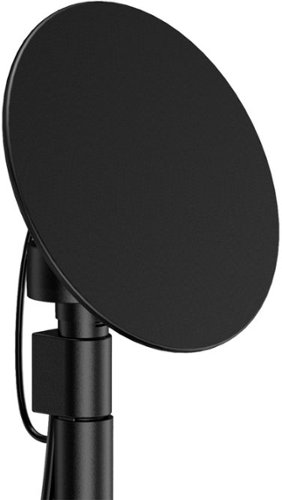
Enjoy live TV broadcasts from your favorite local networks without the cable bill! The Core Innovations ANT100TCR Outdoor/Attic Amplified TV Antenna allows you to access HDTV channels up to 100 miles away, free of charge. The 360-degree motorized rotation delivers better range and reception in imperfect locations, and the wireless remote control gives you the flexibility to make adjustments from the comfort of your living room. Enjoy content in up to 4K full HD where supported, and mount the antenna to the included mounting pole to further boost signal strength.
We have been unable to get any of the local network channels. We have scanned this every way possible and have rotated the antenna in all directions. What are we doing wrong?We are missing all the big ones, NBC, CBS, FOX and PBS.
if you did not do so already then look at a site like antenna web to get the general direction on where to aim the main antenna. then you can fine tune from there. many phone have compass apps to you help you find where 125 degrees is located (as an example)
disconnect everything and carefully re-attach. little cable goes between motor and dish. long cable goes between motor and controller box. make sure it is plugged into back of controller on the outermost port that says antenna
make sure controller box is plugged in and turned on you should see a red light on the back of the dish if it is all connected properly.
connect the antenna out (either the build in cable or the spare port) to your receiver / tv and scan for channels.
if that does now work, the contact mfg.
good luck
disconnect everything and carefully re-attach. little cable goes between motor and dish. long cable goes between motor and controller box. make sure it is plugged into back of controller on the outermost port that says antenna
make sure controller box is plugged in and turned on you should see a red light on the back of the dish if it is all connected properly.
connect the antenna out (either the build in cable or the spare port) to your receiver / tv and scan for channels.
if that does now work, the contact mfg.
good luck
4 years, 7 months ago
by
TheOffice1234
Enjoy live TV broadcasts from your favorite local networks without the cable bill! The Core Innovations ANT100TCR Outdoor/Attic Amplified TV Antenna allows you to access HDTV channels up to 100 miles away, free of charge. The 360-degree motorized rotation delivers better range and reception in imperfect locations, and the wireless remote control gives you the flexibility to make adjustments from the comfort of your living room. Enjoy content in up to 4K full HD where supported, and mount the antenna to the included mounting pole to further boost signal strength.
How many TVs will this antenna support?
Buy default you can connect 2 sets (there are 2 ports) , but with a good quality splitter / amplifier you can hook up as many as you want.
4 years, 7 months ago
by
TheOffice1234
Night Owl is excited to offer our U.S. designed and engineered 1080p HD Bluetooth digital video recorder with wired 1080p HD spotlight cameras and pre-installed hard drive. With secure spp-based Bluetooth setup, there is no need to connect a TV or monitor for setup or viewing (optional). You can easily configure your system right from the app on your smartphone or tablet with the Bluetooth connection. While a TV or monitor is not required, with Google Assistant you can use simple voice commands to stream camera footage directly to your TV or monitor, all while remaining hands free. Each camera has 1-way audio (speaker) which works with our built-in siren and preset voice alerts. From within the app, you can easily activate the built-in siren, startling intruders and sending them packing. Smart detectiont Technology including human detection,facial capture and vehicle alerts reduce the risk of false alarms, keeping you safe and well protected. Facial capture lets you see who is on your property by snapping a photo and sending the image to your smart device. Motion-activated spotlights flood your yard with bright lights when human motion is detected, instantly warding off trespassers. Our app gives you control of your system and easy access to your recordings, regardless of where you are. Night Owl never charges fees for storage or access to your videos. All recordings are securely stored on a pre-installed hard drive for convenience. You can view and download the recordings as you need them. This system provides the latest technology to give you the ultimate security experience. NOTE: The DVR is compatible with our DP2 Series wired BNC cameras and our WNIP2 Series Wi-Fi IP devices, but is not backward compatible with other Night Owl products.
Does this product have night vision?
Yes, 1 small IR LED but it is OK for short distances
4 years, 8 months ago
by
TheOffice1234
Soundcore Partycast is a portable Bluetooth Party Speaker with 80 watts of power, an 18-hour playtime, and a party-starting light show. Using our exclusive partycast technology, you can link over 100 partycast speakers together for synchronized music and lights to create the ultimate experience. IPX7 Waterproofing means you won~t need to worry about liquid getting on it, and with its USB charge-out capabilities your phone will stay charged no matter how long the party lasts.
Can you turn the lights off
6A/30WT Duplex Tamper-Resistant Outlets with USB C Dual Wall Chargers- White
Does it include the Screwless Wall Plate shown in the pic? Thank you.

The new Dell 24" Curved Gaming Monitor is equipped with a 4ms Response Time - 165Hz - AMD FreeSync Premium Technology featuring Vertical Alignment, Anti-glare with 3H hardness, and 1500R Curvature. Adjustable height and LED screen, this 24" monitor is equipped for ultimate game play.
Is this a 6 bit panel? Any HDR?
Box does not say HDR and Windows would not let me select HDR, so I assume it is not HDR, still pretty bright though.

5 years, 2 months ago
by
TheOffice1234
The Wahl Edge Pro corded hair clipper, trimmer and detailer is an all-in-one full power clipper. This trimmer kit includes a detail trimmer for intricate designs or personal trimming of the ear, nose, and brow. Our T-Blade attachment allows for easy trimming, grooming, and touch-ups. The precision trimmer head provides close and precise trims and detailing.