


TheOffice1234's stats
- Review count180
- Helpfulness votes1,035
- First reviewDecember 11, 2009
- Last reviewJune 7, 2026
- Featured reviews0
- Average rating4.6
Reviews comments
- Review comment count0
- Helpfulness votes0
- First review commentNone
- Last review commentNone
- Featured review comments0
Questions
- Question count0
- Helpfulness votes0
- First questionNone
- Last questionNone
- Featured questions0
- Answer count27
- Helpfulness votes22
- First answerApril 24, 2020
- Last answerDecember 18, 2021
- Featured answers0
- Best answers6
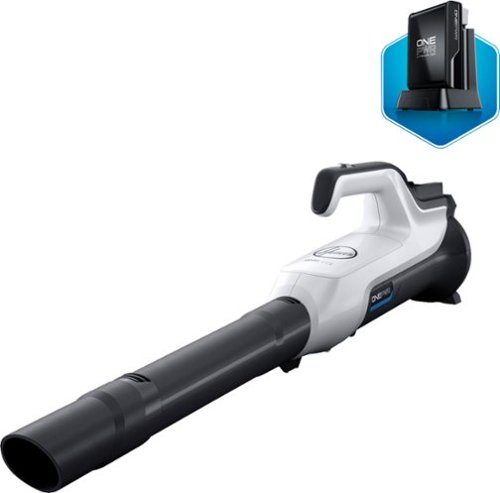
Keep your patios and entryways looking great with this Hoover ONEPWR cordless hard-surface sweeper kit. The lightweight construction makes cleaning tasks easier, while the long-lasting battery lets you get through extensive jobs before having to recharge. This Hoover ONEPWR cordless hard-surface sweeper kit blows up to 85 mph to get solid results fast.
Customer Rating

5
WELL MADE – LOW VELOCITY OF AIR FLOW
on December 27, 2019
Posted by: TheOffice1234
from Lake Orion, MI
WELL MADE – LOW VELOCITY OF AIR FLOW
REVIEW: Hoover - ONEPWR Cordless Hard Surface Sweeper
BEST BUY Tech Insider Network
BEST BUY Tech Insider Network
SUMMARY:
THIS IS NOT A HIGH POWER LEAF BLOWER. That is not what it is supposed to be. It is primarily for “sweeping” a hard surface using a lower velocity of air. To that extent, it works well for what it is intended. In the past I “Swept” the garage with my leaf blower, it worked, but filled the air with dust and debris, let alone exhaust that filled the garage and the attic. Due to its lower velocity this gently blows the dust without creating a hurricane of dust in the air. I will use this for light cleaning in the garage, front porch, back porch.
THIS IS NOT A HIGH POWER LEAF BLOWER. That is not what it is supposed to be. It is primarily for “sweeping” a hard surface using a lower velocity of air. To that extent, it works well for what it is intended. In the past I “Swept” the garage with my leaf blower, it worked, but filled the air with dust and debris, let alone exhaust that filled the garage and the attic. Due to its lower velocity this gently blows the dust without creating a hurricane of dust in the air. I will use this for light cleaning in the garage, front porch, back porch.
UNBOXING:
INITIAL IMPRESSIONS:
Well packaged and each to unbox and put to immediate use. I charged the battery and was good to go. I did not read the direction, but it was not needed and self evident how the few parts go together. It was a confusing on the box that said something about extra power, which made me think it had 2 batteries, but it only has one, which is fine. I like that it can stand up resting on the battery so that it takes less space when not in use.
INITIAL IMPRESSIONS:
Well packaged and each to unbox and put to immediate use. I charged the battery and was good to go. I did not read the direction, but it was not needed and self evident how the few parts go together. It was a confusing on the box that said something about extra power, which made me think it had 2 batteries, but it only has one, which is fine. I like that it can stand up resting on the battery so that it takes less space when not in use.
PERFORMANCE / EASE OF USE:
It is easy to use, a total non-brainer. Turn on and point. It did a good job cleaning the garage and porch, but it does struggle with heavier objects. See pictures for what was left behind that were too heavy for this. Powder Dry Leaves – OK. Fresh / Wet Leaves – NO. Dust OK, Spider Webs – NO. Saw Dust OK. Bits of plastic – NO. Again, these are not necessarily negatives, it is the trade off vs making a hurricane blower.
It is easy to use, a total non-brainer. Turn on and point. It did a good job cleaning the garage and porch, but it does struggle with heavier objects. See pictures for what was left behind that were too heavy for this. Powder Dry Leaves – OK. Fresh / Wet Leaves – NO. Dust OK, Spider Webs – NO. Saw Dust OK. Bits of plastic – NO. Again, these are not necessarily negatives, it is the trade off vs making a hurricane blower.
SUMMARY:
Overall, I found it simple and easy to use. It will be my go to blower for light duty jobs. I would recommend it for its intended use.
Overall, I found it simple and easy to use. It will be my go to blower for light duty jobs. I would recommend it for its intended use.
Mobile Submission: False
I would recommend this to a friend!


Share this review:


+3points
3of 3voted this as helpful.

Brew and serve delicious drip coffee, every time, with the KitchenAid 12-cup drip coffee maker featuring a spiral showerhead and a programmable warming plate. The distinctive 29-hole spiral showerhead evenly saturates coffee grounds for optimal extraction, producing an exceptionally flavorful cup of coffee. To keep your coffee at the perfect temperature for as long as you want, choose from High and Low temperatures for up to 4 hours. The dosage ladder on the gold-tone filter and the dosage chart on the water tank will guide you to consistent results every time. The transparent removable water tank has a large easy-to-fill opening to minimize spills. The unique spout design on the glass carafe helps prevent drips for hassle-free pouring. Plus, the ingenious design of this coffeemaker gives you two brew buttons for flexible placement on your countertop - one on the side and one on the front!
Customer Rating
5
YOU GET WHAT YOU PAY 4 – WORTH IT
on November 26, 2019
Posted by: TheOffice1234
from Lake Orion, MI
YOU GET WHAT YOU PAY 4 – WORTH IT
REVIEW: KitchenAid - 12-Cup Coffee Maker - Onyx Black
BEST BUY Tech Insider Network
REVIEW: KitchenAid - 12-Cup Coffee Maker - Onyx Black
BEST BUY Tech Insider Network
SUMMARY:
Quality really makes a difference, you can tell from the second you open the box this is going to be a good investment. We are trying to wean ourselves from single cup brewers to help with the environment. Our first brew with this was perfect. Previously, we tried a cheaper brewer from another mfg and after 4 attempts of the worst coffee ever we tossed it in the garbage. I strongly recommend this over some other common brand makes you might find at a cheap grocery store or hardware store. This is the real deal.
Quality really makes a difference, you can tell from the second you open the box this is going to be a good investment. We are trying to wean ourselves from single cup brewers to help with the environment. Our first brew with this was perfect. Previously, we tried a cheaper brewer from another mfg and after 4 attempts of the worst coffee ever we tossed it in the garbage. I strongly recommend this over some other common brand makes you might find at a cheap grocery store or hardware store. This is the real deal.
UNBOXING:
INITIAL IMPRESSIONS:
Everything was securely packaged and individually wrapped. No corners were cut in the mfg or packaging of the product. There are lots of thoughtful touches and hints along the way as you unwrap things. Each of the baskets have handles built in for example. Very nice touch.
INITIAL IMPRESSIONS:
Everything was securely packaged and individually wrapped. No corners were cut in the mfg or packaging of the product. There are lots of thoughtful touches and hints along the way as you unwrap things. Each of the baskets have handles built in for example. Very nice touch.
PERFORMANCE / EASE OF USE:
I took my time and read the quick start guide as well as the instructions. I rinsed everything, and ran 3 water only brews to help eliminate the plastic taste that is coming with the first few brews. Once I no longer got a strong plastic odor, I took it for a spin. I course ground enough beans for 4-5 cups, I added 4-5 cups of water and here I am happily drinking my first brew. The included metal filter has a graduated guide on the inside, so that you know just how much ground to put in. I like that you can pour in water the traditional way or remove the water reservoir to fill it separately. I had assumed that you could fill the reservoir and select the number of cups but alas that was not the case. It will run all the water you put into it. Not a deal breaker. Just a bad assumption on my part. I’m not a big user of timers etc. But rest assured that it has these features as well as a “Bold” brew mode and a “Cleaning” mode.
I took my time and read the quick start guide as well as the instructions. I rinsed everything, and ran 3 water only brews to help eliminate the plastic taste that is coming with the first few brews. Once I no longer got a strong plastic odor, I took it for a spin. I course ground enough beans for 4-5 cups, I added 4-5 cups of water and here I am happily drinking my first brew. The included metal filter has a graduated guide on the inside, so that you know just how much ground to put in. I like that you can pour in water the traditional way or remove the water reservoir to fill it separately. I had assumed that you could fill the reservoir and select the number of cups but alas that was not the case. It will run all the water you put into it. Not a deal breaker. Just a bad assumption on my part. I’m not a big user of timers etc. But rest assured that it has these features as well as a “Bold” brew mode and a “Cleaning” mode.
SUMMARY:
I would recommend this to anyone looking for a good solid worthwhile not a dime store coffee maker. The black and chrome finishes look great with my other appliances. Though we intended it mostly for parties and large family gatherings it might just find a home on the counter.
I would recommend this to anyone looking for a good solid worthwhile not a dime store coffee maker. The black and chrome finishes look great with my other appliances. Though we intended it mostly for parties and large family gatherings it might just find a home on the counter.
Mobile Submission: False
I would recommend this to a friend!


Share this review:


+3points
3of 3voted this as helpful.

Pixelbook Go is the Chromebook that goes anywhere, then keeps going. It's barely 2 pounds* and just 13mm thin. So whether you're collaborating on a Google Doc in a cafe, catching up on emails during a flight, or watching movies while on vacation, you can do more on the go.*Weight varies by configuration and manufacturing process.
Posted by: TheOffice1234
from Lake Orion, MI
LOVE AT FIRST CLICK
REVIEW: Google - Pixelbook Go – M3 - Just Black
BEST BUY Tech Insider Network
REVIEW: Google - Pixelbook Go – M3 - Just Black
BEST BUY Tech Insider Network
SUMMARY:
Perfect for casual browsing, watching videos etc. Battery lasts forever, only charged 2 times in about 2 weeks of use. I tend to browse and shop while watching TV shows or just sitting drinking coffee in the morning. I love that it is so lightweight, but good overall performance.
Perfect for casual browsing, watching videos etc. Battery lasts forever, only charged 2 times in about 2 weeks of use. I tend to browse and shop while watching TV shows or just sitting drinking coffee in the morning. I love that it is so lightweight, but good overall performance.
UNBOXING:
INITIAL IMPRESSIONS:
Very attractively packaged, it is nice when buying a premium product that it is treated as such throughout the whole user experience. I was nervous at first since this is the entry level “GO” model, but it seems faster overall than my windows laptop that is only a few years old. The backlit keys are a welcome addition to my “couch-surfing”.
INITIAL IMPRESSIONS:
Very attractively packaged, it is nice when buying a premium product that it is treated as such throughout the whole user experience. I was nervous at first since this is the entry level “GO” model, but it seems faster overall than my windows laptop that is only a few years old. The backlit keys are a welcome addition to my “couch-surfing”.
PERFORMANCE / EASE OF USE:
It was easy to setup, attach to my network and Gmail account. The “Bonus Apps” were mostly discounted tools, but that’s OK. My main apps are Netflix, Facebook, and Facebook Games. Movies were smooth and bright and the sound was perfectly fine. The construction is very sturdy and I would have no worries about tossing it in a bag for travel. Having purchased budget Android Tablets in the past that I was immediately disappointed in, I can tell this wont be the case with this Pixelbook GO. With plenty of speed and storage, this will be my new Go To device for every day use. I do wish that it was also a convertible so I could use it as a tablet or e-reader, but that is minor.
It was easy to setup, attach to my network and Gmail account. The “Bonus Apps” were mostly discounted tools, but that’s OK. My main apps are Netflix, Facebook, and Facebook Games. Movies were smooth and bright and the sound was perfectly fine. The construction is very sturdy and I would have no worries about tossing it in a bag for travel. Having purchased budget Android Tablets in the past that I was immediately disappointed in, I can tell this wont be the case with this Pixelbook GO. With plenty of speed and storage, this will be my new Go To device for every day use. I do wish that it was also a convertible so I could use it as a tablet or e-reader, but that is minor.
SUMMARY:
I would recommend this Chromebook, even the M3 version for people who spend 90% of their computer time on the web. You can even use basic productivity and office apps. Just know that this is not a “Windows” based computer, so don’t expect to run MS Office or Programs designed for windows. For example there is not a direct way to use this to drive a “CRICUT” crafting machine. But it gives me the flexibility to let each of my devices do what they do best.
I would recommend this Chromebook, even the M3 version for people who spend 90% of their computer time on the web. You can even use basic productivity and office apps. Just know that this is not a “Windows” based computer, so don’t expect to run MS Office or Programs designed for windows. For example there is not a direct way to use this to drive a “CRICUT” crafting machine. But it gives me the flexibility to let each of my devices do what they do best.
Mobile Submission: False
I would recommend this to a friend!


Share this review:


+8points
8of 8voted this as helpful.

The TRX STRONG Suspension Trainer is the all-in-one fitness solution powered by bodyweight that fits everyone from the beginner to the elite athlete. Get the full gym experience for your level and goals with exclusive access to the TRX Training Club~ fitness app.
Posted by: TheOffice1234
from Lake Orion, MI
HELP THE RESISTANCE!
REVIEW: TRX - Strong System Suspension Trainer - Black/Yellow
BEST BUY Tech Insider Network
BEST BUY Tech Insider Network
SUMMARY:
Anything that helps get my lazy _ _ _ off the couch is a welcome addition to my fitness routine (or lack thereof) I have lower back pain and I need to do low impact aerobics to strengthen my core. This will help with the resistance part of the exercises I am prescribed. It is very basic but well built. Not that anything is missing, nor are any more bells or whistles needed. It seems expensive but it is versatile and can be used in many configurations depending upon your need. For the price it would have been nice to have ceiling joist mounting hardware included instead of purchased separately.
Anything that helps get my lazy _ _ _ off the couch is a welcome addition to my fitness routine (or lack thereof) I have lower back pain and I need to do low impact aerobics to strengthen my core. This will help with the resistance part of the exercises I am prescribed. It is very basic but well built. Not that anything is missing, nor are any more bells or whistles needed. It seems expensive but it is versatile and can be used in many configurations depending upon your need. For the price it would have been nice to have ceiling joist mounting hardware included instead of purchased separately.
UNBOXING:
INITIAL IMPRESSIONS:
It was easy to unbox and the included instructions for setup and sample exercises were easy to follow. There is a carrying case for travel and a “Door” connector for using a closed door to attach the unit to for travel.
PERFORMANCE / EASE OF USE:
It was easy to setup and adjust for my height and planned usage. In my case I ordered a separate ceiling mount (3rd party) and installed it in about 5 minutes. Most of my exercises are laying on a mat, so I taped their sample exercise chart to the wall at ground level, so I could check that I was doing them correctly. It provides a missing level of support / resistance that I need. In the past my physical therapist might have held down my feet for example. Now I can use this for the same function.
SUMMARY:
I would recommend this for either casual exercise or hard core work outs.
Mobile Submission: False
I would recommend this to a friend!


Share this review:


+2points
2of 2voted this as helpful.

Make your photos look amazing with Adobe Photoshop Elements 2020. The Adobe Sensei AI technology powers automated options to get a starting point for creative exploration, and the Guided Edits feature allows removing unwanted objects to achieve the result you want. Adobe Photoshop Elements 2020 lets you easily edit photos, make clips, and create memes to share on your favorite social websites.
Customer Rating
5
VERY CAPABLE EASY TO USE
on November 2, 2019
Posted by: TheOffice1234
from Lake Orion, MI
VERY CAPABLE EASY TO USE
REVIEW: Adobe Photoshop Elements 2020
BEST BUY Tech Insider Network
REVIEW: Adobe Photoshop Elements 2020
BEST BUY Tech Insider Network
SUMMARY:
If you are confused by the zillions of photo editing tools out there, then you owe to yourself to give this a try. I found everything I needed without a lot of hunting around. I was quickly able to remove unwanted subjects and do some quick tweaks to color and effects. Compared to the high-end photo tools, I found this the right mix of features and ease of use.
If you are confused by the zillions of photo editing tools out there, then you owe to yourself to give this a try. I found everything I needed without a lot of hunting around. I was quickly able to remove unwanted subjects and do some quick tweaks to color and effects. Compared to the high-end photo tools, I found this the right mix of features and ease of use.
BACKGROUND
After my preferred (and paid) 10 year old editing tool stopped working (around Win 8 timeframe), I tried older versions of Premier and found them lacking in the features I wanted (such as removing subjects), and I found the advanced photo editing tools too hard for me to use. I take a ton of pictures, but rarely make time to edit them due to the complexity of both free and paid expensive tools. I’ve been using a very popular shareware product but it really is hard to use.
After my preferred (and paid) 10 year old editing tool stopped working (around Win 8 timeframe), I tried older versions of Premier and found them lacking in the features I wanted (such as removing subjects), and I found the advanced photo editing tools too hard for me to use. I take a ton of pictures, but rarely make time to edit them due to the complexity of both free and paid expensive tools. I’ve been using a very popular shareware product but it really is hard to use.
INITIAL IMPRESSIONS:
After 15 minutes with Photoshop Elements, I think I am a convert. I could already do everything I wanted to do, quickly and easily. Crop, Color, Remove Objects, etc. I can’t wait to dig into the tool’s more advanced features. I’m not a huge fan of the opening screen, which seems intent on selling other products and services, but that is a minor nit. Once I found the “Edit Photos” ICON I was off and running.
After 15 minutes with Photoshop Elements, I think I am a convert. I could already do everything I wanted to do, quickly and easily. Crop, Color, Remove Objects, etc. I can’t wait to dig into the tool’s more advanced features. I’m not a huge fan of the opening screen, which seems intent on selling other products and services, but that is a minor nit. Once I found the “Edit Photos” ICON I was off and running.
PERFORMANCE / EASE OF USE:
For now, I still have the training wheels on and am using “GUIDED” mode. But I was able to edit RAW Sony files (without any special software) and JPG files. Again, it is working perfectly, and I can easily outperform the more advanced software out there.
For now, I still have the training wheels on and am using “GUIDED” mode. But I was able to edit RAW Sony files (without any special software) and JPG files. Again, it is working perfectly, and I can easily outperform the more advanced software out there.
SUMMARY:
I would recommend this for anyone who needs a good solid photo editing tool that is not overly complex. I’m sure there are features only the more advanced software can accomplish, but it more than meets my current needs.
I would recommend this for anyone who needs a good solid photo editing tool that is not overly complex. I’m sure there are features only the more advanced software can accomplish, but it more than meets my current needs.
I would recommend it.
Mobile Submission: False
I would recommend this to a friend!
Share this review:


+1point
1of 1voted this as helpful.
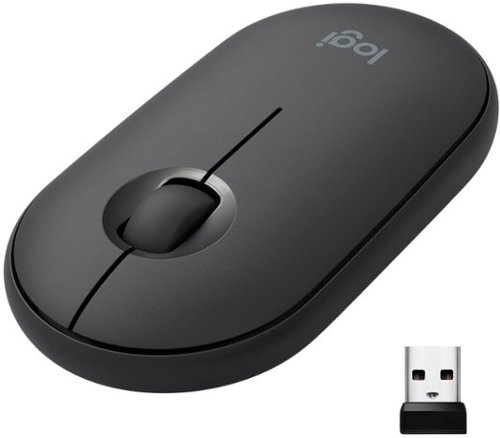
Own your space with Logitech Pebble M350 ~ a modern, slim, and silent portable mouse designed for your curated lifestyle. Make a statement with a slim mouse that can easily be scooped up and brought to the cafe or library. Silent clicking and scrolling means you can stay focused without disturbing those around you. And the Logitech Pebble stays powered for up to 18-months on a single AA battery so you don~t have to worry about losing power.
Posted by: TheOffice1234
from Lake Orion, MI
MIGHTY MINI MOUSE
REVIEW: Logitech M355 Portable Wireless Mouse
BEST BUY Tech Insider Network
REVIEW: Logitech M355 Portable Wireless Mouse
BEST BUY Tech Insider Network
SUMMARY:
Dual Connectivity (Bluetooth and USB Dongle) has you covered no matter what. It is small and pocketable. Not as ergonomic as some other larger mice, but for the size it can’t be beat. If need something to grab and go this is the one, great for traveling road trips.
Dual Connectivity (Bluetooth and USB Dongle) has you covered no matter what. It is small and pocketable. Not as ergonomic as some other larger mice, but for the size it can’t be beat. If need something to grab and go this is the one, great for traveling road trips.
BACKGROUND
I’m very picky about my mice, especially the ergonomics and usability. My everyday desk mouse is a much bigger ergonomic model. Meanwhile I think this M355 will be strong contender for travel. I am a nut about packing as little as possible for travel and I try to carry as few as items as possible. Since my travel 2 in 1 notebook has very few USB ports, I definitely want Bluetooth connectivity where possible. As a bonus, the USB Dongle (if ever needed) is built in under the battery cover.
I’m very picky about my mice, especially the ergonomics and usability. My everyday desk mouse is a much bigger ergonomic model. Meanwhile I think this M355 will be strong contender for travel. I am a nut about packing as little as possible for travel and I try to carry as few as items as possible. Since my travel 2 in 1 notebook has very few USB ports, I definitely want Bluetooth connectivity where possible. As a bonus, the USB Dongle (if ever needed) is built in under the battery cover.
UNBOXING / INITIAL IMPRESSIONS:
It was easy to remove from the packaging without needing a sharp knife or scissors. I would have preferred a more of a cardboard box for recycling purposes, but even so it was not overly packaged so that was good. I was quickly able to pair it to my desktop and laptop computers (Win 10) and start using it immediately. It feels well built and I have hopes it will last a long time. It does have some weight to it (due to the batteries), which is good as far as I’m concerned. Batteries were already built in.
It was easy to remove from the packaging without needing a sharp knife or scissors. I would have preferred a more of a cardboard box for recycling purposes, but even so it was not overly packaged so that was good. I was quickly able to pair it to my desktop and laptop computers (Win 10) and start using it immediately. It feels well built and I have hopes it will last a long time. It does have some weight to it (due to the batteries), which is good as far as I’m concerned. Batteries were already built in.
PERFORMANCE / EASE OF USE:
It took 1-2 minutes of use to get used to the movement, but that is normal with any mouse. Soon I was clicking away with silent precision. (it is very quiet). It did a good job at everything I tossed at it (mostly office apps, browsing, and few games).
It took 1-2 minutes of use to get used to the movement, but that is normal with any mouse. Soon I was clicking away with silent precision. (it is very quiet). It did a good job at everything I tossed at it (mostly office apps, browsing, and few games).
SUMMARY:
I would recommend this to anyone looking for a good all-around / travel mouse. Since I work at a computer all day, I need a more ergonomic model for all day everyday use. I could this as ideal for travel or note taking at school, etc.
I would recommend this to anyone looking for a good all-around / travel mouse. Since I work at a computer all day, I need a more ergonomic model for all day everyday use. I could this as ideal for travel or note taking at school, etc.
I would recommend it overall.
Mobile Submission: False
I would recommend this to a friend!

Share this review:


+3points
3of 3voted this as helpful.

Target opponents perfectly during gameplay with this ROCCAT Kain 120 AIMO mouse. The Titan Click reacts fast, providing precise clicks even during frantic gaming sessions, while the hybrid anti-wear coating offers a firm grip and dirt resistance for durability. This ROCCAT Kain 120 AIMO mouse features a fluid illumination-producing state-of-the-art aesthetic for your setup.
Customer Rating
5
LIGHT LITE and PRECISE
on October 29, 2019
Posted by: TheOffice1234
from Lake Orion, MI
LIGHT LITE and PRECISE
REVIEW: ROCCAT - Kain 120 AIMO Wired Optical Gaming Mouse - Black
BEST BUY Tech Insider Network
BEST BUY Tech Insider Network
SUMMARY:
This mouse works great for graphics as well as gaming. I was worried at first because it is so lightweight compared to many other premium gaming mice. It handles really well and very precise for graphics.
This mouse works great for graphics as well as gaming. I was worried at first because it is so lightweight compared to many other premium gaming mice. It handles really well and very precise for graphics.
UNBOXING:
INITIAL IMPRESSIONS:
Very well packaged, maybe a little less packaging would be nice given today’s minimalistic trends.
INITIAL IMPRESSIONS:
Very well packaged, maybe a little less packaging would be nice given today’s minimalistic trends.
EASE OF USE:
Windows 10 recognized the mouse immediately and no extra installation was needed. Worked great in my graphics applications and games.
Windows 10 recognized the mouse immediately and no extra installation was needed. Worked great in my graphics applications and games.
SUMMARY:
Fast precise mouse, highly recommend.
Fast precise mouse, highly recommend.
Mobile Submission: False
I would recommend this to a friend!


Share this review:


+5points
5of 5voted this as helpful.
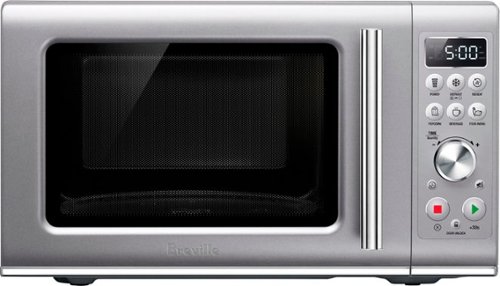
Cook meals or reheat food while conserving counter space with this compact 25-liter Breville Compact Wave soft-close microwave. The soft-close door offers quiet, gentle closure to avoid disturbing others, and the preset options provide consistent quality with the press of a button. This Breville Compact Wave soft-close microwave features a mute button for silent operation, and the child lock helps prevent accidental use.
Customer Rating
5
SMALL BUT ROOMY – LIKE MAGIC
on October 29, 2019
Posted by: TheOffice1234
from Lake Orion, MI
SMALL BUT ROOMY – LIKE MAGIC
REVIEW: Breville - the Compact Wave™ Soft Close 0.9 Cu. Ft. Microwave – Silver
BEST BUY Tech Insider Network
BEST BUY Tech Insider Network
SUMMARY:
Plenty of room for everyday use. Nice compact size and easy controls. Does a good job warming and everything that a microwave should do.
I would recommend this to anyone who wants a premium microwave in a small package.
Plenty of room for everyday use. Nice compact size and easy controls. Does a good job warming and everything that a microwave should do.
I would recommend this to anyone who wants a premium microwave in a small package.
BACKGROUND
First, I love Breville appliances, I have 6 between work and home. When we remodeled my son’s kitchenette our large Breville Microwave would not fit in the assigned spot so we used an old college dorm microwave as a placeholder. Then this little guy came along and we could not be happier. It is about the same exterior dimensions as our cheap dorm microwave, but somehow there seems to be much more room on the inside. It is a perfect match for our mini Breville toaster oven.
First, I love Breville appliances, I have 6 between work and home. When we remodeled my son’s kitchenette our large Breville Microwave would not fit in the assigned spot so we used an old college dorm microwave as a placeholder. Then this little guy came along and we could not be happier. It is about the same exterior dimensions as our cheap dorm microwave, but somehow there seems to be much more room on the inside. It is a perfect match for our mini Breville toaster oven.
MY UTILIZATION
I have to confess, we are not big microwave cookers. We use it daily for softening butter, ice cream, etc. My son that lives with us has minor impairment, and he was able to figure it out on the first try to heat up microwave mac and cheese.
I have to confess, we are not big microwave cookers. We use it daily for softening butter, ice cream, etc. My son that lives with us has minor impairment, and he was able to figure it out on the first try to heat up microwave mac and cheese.
UNBOXING:
INITIAL IMPRESSIONS:
Very well packaged, a little hard to get out of the box, but that is normal so no dings there. There was a giant “SPARK” when we plugged it in that was a little concerning, but all seems fine.
INITIAL IMPRESSIONS:
Very well packaged, a little hard to get out of the box, but that is normal so no dings there. There was a giant “SPARK” when we plugged it in that was a little concerning, but all seems fine.
PERFORMANCE:
Plenty of power for all attempted tasks. I would even go as far as saying it is faster and more powerful than our built in microwave (from another mfg) that came with our kitchen package.
Plenty of power for all attempted tasks. I would even go as far as saying it is faster and more powerful than our built in microwave (from another mfg) that came with our kitchen package.
EASE OF USE:
Here is how I use a microwave. I put something in, press start. If I need more time I press Start again. If this is how you use a microwave then you are all set.
It does allow you to select different food types, and this is my only minor complaint. I’m so used to Breville being more intuitive. To select a Food Type, I only have options like F1,F2,F3, and they “key” to these codes is on the inside of the door, instead of the LCD display. Personally I would have liked to see more sophisticated settings on the LCD like on its big brother.
Here is how I use a microwave. I put something in, press start. If I need more time I press Start again. If this is how you use a microwave then you are all set.
It does allow you to select different food types, and this is my only minor complaint. I’m so used to Breville being more intuitive. To select a Food Type, I only have options like F1,F2,F3, and they “key” to these codes is on the inside of the door, instead of the LCD display. Personally I would have liked to see more sophisticated settings on the LCD like on its big brother.
SUMMARY:
Big inside space, small outside space, plenty of power, and minor complexity for advanced cooking.
Big inside space, small outside space, plenty of power, and minor complexity for advanced cooking.
Mobile Submission: False
I would recommend this to a friend!


Share this review:


+7points
7of 7voted this as helpful.
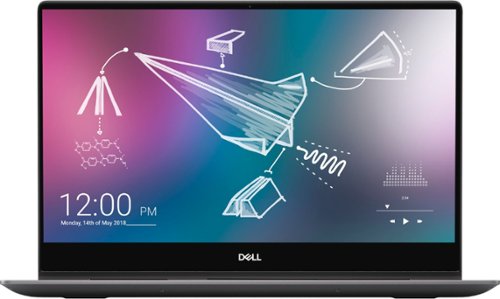
Dell Inspiron Convertible 2-in-1 Laptop: Smart meets sleek in this compact 2-in-1. 15" laptop with a heat dissipating hinge design, full-size Dell Premium Active Pen, adaptive thermals, 4k UHD screen and full number pad. Work efficiently while on the go with this Dell Inspiron two-in-one notebook. The 15.6-inch Ultra HD touch screen with Active Pen support lets you create sketches with precise detail, and 16GB of RAM handle seamless multitasking. This Dell Inspiron two-in-one notebook features a 512GB SSD for prompt data access, and the Intel Core i7 processor and NVIDIA GeForce MX250 graphics card enable intensive photo and video editing.
Customer Rating
5
A WORTHY REPLACEMENT / UPGRADE TO MY 3 YEAR OLD 2:
on October 21, 2019
Posted by: TheOffice1234
from Lake Orion, MI
REVIEW: Dell - Inspiron 2-in-1 15.6" 4K Ultra HD Touch-Screen Laptop - Intel Core i7 - 16GB Memory - 512GB SSD - Black
BEST BUY Tech Insider Network
BEST BUY Tech Insider Network
A WORTHY REPLACEMENT / UPGRADE TO MY 3 YEAR OLD 2:1
SUMMARY:
A solid overall performer with the benefit of 4K, SSD, and Touch Screen. This would be an ideal College Student computer for taking notes (especially with the included pen), causal but good enough gaming, graphics editing, etc. It is very solid and well built, (but also heavy). I have run it nearly 3 days with casual couch surfing without recharge and still have 30% battery life.
A solid overall performer with the benefit of 4K, SSD, and Touch Screen. This would be an ideal College Student computer for taking notes (especially with the included pen), causal but good enough gaming, graphics editing, etc. It is very solid and well built, (but also heavy). I have run it nearly 3 days with casual couch surfing without recharge and still have 30% battery life.
When choosing a laptop you really have to be in tune with your needs and usage. This is not a full on gaming system (though it can handle most games at a lower frame rate). This is not a tiny light weight couch surfing system (it is pretty heavy at nearly 5 lbs). It is very rugged and should perform well for a long time.
It is an excellent all around computer that would satisfy most anyone’s everyday needs.
BACKGROUND
To start with, I’m coming from an almost identical (but 3 year older) 2 in 1 laptop from another mfg. This means I can really do a 1:1 comparison as all the specs are the same (I7, 4K Touch Screen, SSD, 16GB RAM, discrete Nvidia Graphics). The raw benchmarks should make this system about 2X faster all around based on CPU and Video Benchmarks vs a comparable 3 year old system.
To start with, I’m coming from an almost identical (but 3 year older) 2 in 1 laptop from another mfg. This means I can really do a 1:1 comparison as all the specs are the same (I7, 4K Touch Screen, SSD, 16GB RAM, discrete Nvidia Graphics). The raw benchmarks should make this system about 2X faster all around based on CPU and Video Benchmarks vs a comparable 3 year old system.
MY UTILIZATION
60% Surfing / shopping on the web while watching TV (on a separate TV)
10% Games on the road when traveling for business (vs dedicated desktop rig)
10% Paying Bills, Emails, other similar tasks
10% Watching Movies on the Plane / Hotel / On the Road
10% Organizing and editing family photos / videos
60% Surfing / shopping on the web while watching TV (on a separate TV)
10% Games on the road when traveling for business (vs dedicated desktop rig)
10% Paying Bills, Emails, other similar tasks
10% Watching Movies on the Plane / Hotel / On the Road
10% Organizing and editing family photos / videos
It is probably a little overkill for daily use, but it is nice to have the power boost when needed for occasional games or graphic intensive tasks (photo / video processing). Though I use the touch screen extensively, I don’t often use it in pure tablet mode. The pen is a nice touch when needed.
UNBOXING:
INITIAL IMPRESSIONS:
Simple, streamlined packaging
Minimal bloatware that is easily removed – Anti Virus, Drop Box and Few from Microsoft.
INITIAL IMPRESSIONS:
Simple, streamlined packaging
Minimal bloatware that is easily removed – Anti Virus, Drop Box and Few from Microsoft.
PERFORMANCE:
As expected, the performance was nearly double my nearly identical 3 year old system. The disk speed was significantly faster (see pics).
As expected, the performance was nearly double my nearly identical 3 year old system. The disk speed was significantly faster (see pics).
The screen colors are better (see pics) and there is less bleeding from the edge backlights, but still noticeable on a completely black screen.
WORTH THE UPGRADE?
I guess it depends what system you are coming from and what you are trying to accomplish. This Dell packs a lot of power into a thin profile, and certainly feels faster than my identical 3 year old system. This only makes sense since it is comparing 10th gen I7 to 7th gen I7.
I would say it makes sense to upgrade to this from anything 3 or more years old. Especially if you did not previously have SSD / 4K or, if you needed / wanted USB-C. What puts this over the top for me, besides overall performance, is the better 4K screen and having (3) total USB ports.
I absolutely recommend this to anyone in the market for a 2:1 laptop.
For example, this is a fantastic higher end college student laptop that should last for years (consider accident protection for rough student use). I find pens great for taking notes during lectures. It does everything very well, and even plays most games at a “good enough to get by” frame rate. It won’t replace a full on gaming rig, but it is not supposed to either. It has 4K discrete graphics, the latest official USB-C standard, and a super fast SSD drive + 16GB RAM.
It would have been nice if it included a full version of MS Office instead of a trial version.
For example, this is a fantastic higher end college student laptop that should last for years (consider accident protection for rough student use). I find pens great for taking notes during lectures. It does everything very well, and even plays most games at a “good enough to get by” frame rate. It won’t replace a full on gaming rig, but it is not supposed to either. It has 4K discrete graphics, the latest official USB-C standard, and a super fast SSD drive + 16GB RAM.
It would have been nice if it included a full version of MS Office instead of a trial version.
CAUTION: MS WINDOWS UPDATE ISSUE NOT DELL (AS FAR AS I KNOW)
As of the date of this review Oct 21, 2019, Once I updated everything by running the Dell and MS updates over and over, My WiFi performance dropped from nearly 300Mbps to 6Mbps. I tried everything I could think of (uninstalled network drivers, getting new drivers from MS or Dell or Intel, some MS blogs and things to try DNS cache etc), in the end I had to do a FACTORY RESET to get my performance back up where it should be. Hopefully I can delay updates until a fix is found. On other laptops I was able to get around this by using an external WiFi dongle, but in this case it was also throttled down to 6Mbps. I’ve seen reports for the past year or so about Windows Update and WiFi issues, but until now it has not impacted me.
As of the date of this review Oct 21, 2019, Once I updated everything by running the Dell and MS updates over and over, My WiFi performance dropped from nearly 300Mbps to 6Mbps. I tried everything I could think of (uninstalled network drivers, getting new drivers from MS or Dell or Intel, some MS blogs and things to try DNS cache etc), in the end I had to do a FACTORY RESET to get my performance back up where it should be. Hopefully I can delay updates until a fix is found. On other laptops I was able to get around this by using an external WiFi dongle, but in this case it was also throttled down to 6Mbps. I’ve seen reports for the past year or so about Windows Update and WiFi issues, but until now it has not impacted me.
Mobile Submission: False
I would recommend this to a friend!


Share this review:


+12points
13of 14voted this as helpful.

Prepare great-tasting coffee with this Mr. Coffee 12-cup programmable coffee maker. The dishwashable design lets you disassemble the base and clean out coffee residue, while the advanced water filtration system helps minimize impurities like calcium or chlorine. With the Grab-a-Cup auto-pause feature, this Mr. Coffee 12-cup programmable coffee maker lets you pour a cup while the coffee is brewing.
Customer Rating

2
Large Capacity (see notes), and bitter brews
on October 12, 2019
Posted by: TheOffice1234
from Lake Orion, MI
REVIEW Mr. Coffee - 12-Cup Coffee Maker - Black/Chrome
Best Buy Tech Insider Network Review Program
Best Buy Tech Insider Network Review Program
SUMMARY: Large Capacity (see notes), and bitter brews. Like the included water filter
UNBOXING IMPRESSION:
Easy to unbox, simple packaging. Cheap feeling build quality, no included scoops.
Easy to unbox, simple packaging. Cheap feeling build quality, no included scoops.
EASE OF USE:
It is a basic coffee maker, works like any other drip coffee maker, so easy to use.
It is a basic coffee maker, works like any other drip coffee maker, so easy to use.
OVERALL PERFORMANCE:
Color me unimpressed. It is rated as a 12 cup coffee maker, but it does not produce 12 cups of coffee. 2 cups of coffee disappear in the brewing process. We pour in 12 or more cups of water and once it “dings” to signal it is done, it is only at the 10 cup level. It seems to take forever to brew, I estimate at least 5 minutes or more.
The first cup poured is sort of OK, but the rest are very bitter.
I think the missing 2 cups are still in the basket over brewing and slowly drip into the pot spoiling the rest of pot. We tried several flavors of coffee, we tried with included reusable filter and paper filters, in the end it could not beat our single cup coffee maker.
We were hoping for something more eco friendly and more economical to operate over out single cup brewer. The first few pots also had a strong plastic chemical taste, even after running several (like 10) cleansing cycles.
CONCLUSION:
I can’t recommend this coffee maker. We won't even use it as overflow for larger parties.
Color me unimpressed. It is rated as a 12 cup coffee maker, but it does not produce 12 cups of coffee. 2 cups of coffee disappear in the brewing process. We pour in 12 or more cups of water and once it “dings” to signal it is done, it is only at the 10 cup level. It seems to take forever to brew, I estimate at least 5 minutes or more.
The first cup poured is sort of OK, but the rest are very bitter.
I think the missing 2 cups are still in the basket over brewing and slowly drip into the pot spoiling the rest of pot. We tried several flavors of coffee, we tried with included reusable filter and paper filters, in the end it could not beat our single cup coffee maker.
We were hoping for something more eco friendly and more economical to operate over out single cup brewer. The first few pots also had a strong plastic chemical taste, even after running several (like 10) cleansing cycles.
CONCLUSION:
I can’t recommend this coffee maker. We won't even use it as overflow for larger parties.
Mobile Submission: False
No, I would not recommend this to a friend.


Share this review:


-4points
4of 12voted this as helpful.
TheOffice1234's Review Comments
TheOffice1234 has not submitted comments on any reviews.
TheOffice1234's Questions
TheOffice1234 has not submitted any questions.

G535 gives you performance, freedom and comfort for all your gaming sessions. Enjoy advanced LIGHTSPEED wireless, up to 33-hour battery life, and 40 mm drivers for crystal-clear sound. Just 236 grams, an adjustable headband, and soft memory foam earpads ensure all-day comfort.
looking at the packaging, it mentions nothing about supporting Dolby atmos. I went to the store and put it back on the shelf. This product isn't on the logitech site, where is best buy getting this information?
My understanding is that the ATMOS APP (DOLBY ACCESS) from the MS APP Store will support any type/brand of headphone / speaker, since it is all simulated anyway. I don't know why the box and literature don't mention it. I suspect a licensing agreement issue. Meanwhile with or without the logo, it is my understanding you can use the app with any combination so speakers or head phones as long as you "Subscribe" to the app.
4 years, 5 months ago
by
TheOffice1234
G535 gives you performance, freedom and comfort for all your gaming sessions. Enjoy advanced LIGHTSPEED wireless, up to 33-hour battery life, and 40 mm drivers for crystal-clear sound. Just 236 grams, an adjustable headband, and soft memory foam earpads ensure all-day comfort.
How do I enable Dolby Atmos for the 535 headset? I see nothing in GHub, and Windows only has Windows Sonic for Headphones. Is this a program I need to purchase and download through the Microsoft Store? Thank you.
I am by no means an expert on all things Dolby so I can only tell you my experience.
Yes you have to install the "free" Adobe Access App from the windows app store. Then you have to "Subscribe" for the right to unlocking ATMOS capability on the APP. (This is a Dolby thing so don't blame Logitech). When I did this a few months ago, the first year was free, then each year was something like $10-$15. Some of the headset makers are including a free coupon for an extra year. One nice thing is that the app works across multiple platforms with the same subscriptions (at least PC and XBOX is what I have).
Yes you have to install the "free" Adobe Access App from the windows app store. Then you have to "Subscribe" for the right to unlocking ATMOS capability on the APP. (This is a Dolby thing so don't blame Logitech). When I did this a few months ago, the first year was free, then each year was something like $10-$15. Some of the headset makers are including a free coupon for an extra year. One nice thing is that the app works across multiple platforms with the same subscriptions (at least PC and XBOX is what I have).
4 years, 5 months ago
by
TheOffice1234
G535 gives you performance, freedom and comfort for all your gaming sessions. Enjoy advanced LIGHTSPEED wireless, up to 33-hour battery life, and 40 mm drivers for crystal-clear sound. Just 236 grams, an adjustable headband, and soft memory foam earpads ensure all-day comfort.
I purchased these headphones but GHub does not find them. I've tried reinstalling, rebooting, updating, restarting, no luck. This product is not listed on the Logitech website which gives me concern as to support. Anyone have any suggestions?
I don't have an exact answer as of today 12/18 I download Ghub (for the first time) and it found them right away. In my case the Dongle is plugged in, Windows 10, and the default speaker is the G535 headset.
4 years, 5 months ago
by
TheOffice1234
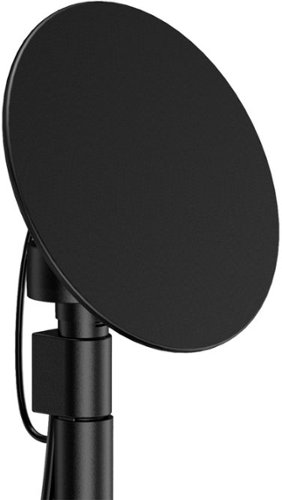
Enjoy live TV broadcasts from your favorite local networks without the cable bill! The Core Innovations ANT100TCR Outdoor/Attic Amplified TV Antenna allows you to access HDTV channels up to 100 miles away, free of charge. The 360-degree motorized rotation delivers better range and reception in imperfect locations, and the wireless remote control gives you the flexibility to make adjustments from the comfort of your living room. Enjoy content in up to 4K full HD where supported, and mount the antenna to the included mounting pole to further boost signal strength.
We have been unable to get any of the local network channels. We have scanned this every way possible and have rotated the antenna in all directions. What are we doing wrong?We are missing all the big ones, NBC, CBS, FOX and PBS.
if you did not do so already then look at a site like antenna web to get the general direction on where to aim the main antenna. then you can fine tune from there. many phone have compass apps to you help you find where 125 degrees is located (as an example)
disconnect everything and carefully re-attach. little cable goes between motor and dish. long cable goes between motor and controller box. make sure it is plugged into back of controller on the outermost port that says antenna
make sure controller box is plugged in and turned on you should see a red light on the back of the dish if it is all connected properly.
connect the antenna out (either the build in cable or the spare port) to your receiver / tv and scan for channels.
if that does now work, the contact mfg.
good luck
disconnect everything and carefully re-attach. little cable goes between motor and dish. long cable goes between motor and controller box. make sure it is plugged into back of controller on the outermost port that says antenna
make sure controller box is plugged in and turned on you should see a red light on the back of the dish if it is all connected properly.
connect the antenna out (either the build in cable or the spare port) to your receiver / tv and scan for channels.
if that does now work, the contact mfg.
good luck
4 years, 7 months ago
by
TheOffice1234
Enjoy live TV broadcasts from your favorite local networks without the cable bill! The Core Innovations ANT100TCR Outdoor/Attic Amplified TV Antenna allows you to access HDTV channels up to 100 miles away, free of charge. The 360-degree motorized rotation delivers better range and reception in imperfect locations, and the wireless remote control gives you the flexibility to make adjustments from the comfort of your living room. Enjoy content in up to 4K full HD where supported, and mount the antenna to the included mounting pole to further boost signal strength.
How many TVs will this antenna support?
Buy default you can connect 2 sets (there are 2 ports) , but with a good quality splitter / amplifier you can hook up as many as you want.
4 years, 7 months ago
by
TheOffice1234
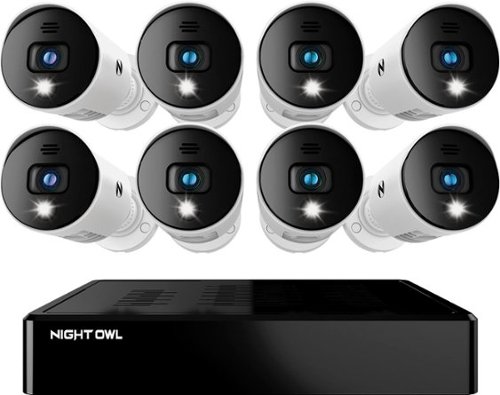
Night Owl is excited to offer our U.S. designed and engineered 1080p HD Bluetooth digital video recorder with wired 1080p HD spotlight cameras and pre-installed hard drive. With secure spp-based Bluetooth setup, there is no need to connect a TV or monitor for setup or viewing (optional). You can easily configure your system right from the app on your smartphone or tablet with the Bluetooth connection. While a TV or monitor is not required, with Google Assistant you can use simple voice commands to stream camera footage directly to your TV or monitor, all while remaining hands free. Each camera has 1-way audio (speaker) which works with our built-in siren and preset voice alerts. From within the app, you can easily activate the built-in siren, startling intruders and sending them packing. Smart detectiont Technology including human detection,facial capture and vehicle alerts reduce the risk of false alarms, keeping you safe and well protected. Facial capture lets you see who is on your property by snapping a photo and sending the image to your smart device. Motion-activated spotlights flood your yard with bright lights when human motion is detected, instantly warding off trespassers. Our app gives you control of your system and easy access to your recordings, regardless of where you are. Night Owl never charges fees for storage or access to your videos. All recordings are securely stored on a pre-installed hard drive for convenience. You can view and download the recordings as you need them. This system provides the latest technology to give you the ultimate security experience. NOTE: The DVR is compatible with our DP2 Series wired BNC cameras and our WNIP2 Series Wi-Fi IP devices, but is not backward compatible with other Night Owl products.
Does this product have night vision?
Yes, 1 small IR LED but it is OK for short distances
4 years, 8 months ago
by
TheOffice1234
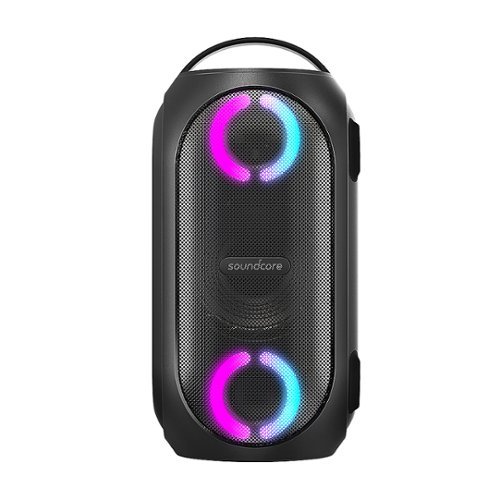
Soundcore Partycast is a portable Bluetooth Party Speaker with 80 watts of power, an 18-hour playtime, and a party-starting light show. Using our exclusive partycast technology, you can link over 100 partycast speakers together for synchronized music and lights to create the ultimate experience. IPX7 Waterproofing means you won~t need to worry about liquid getting on it, and with its USB charge-out capabilities your phone will stay charged no matter how long the party lasts.
Can you turn the lights off
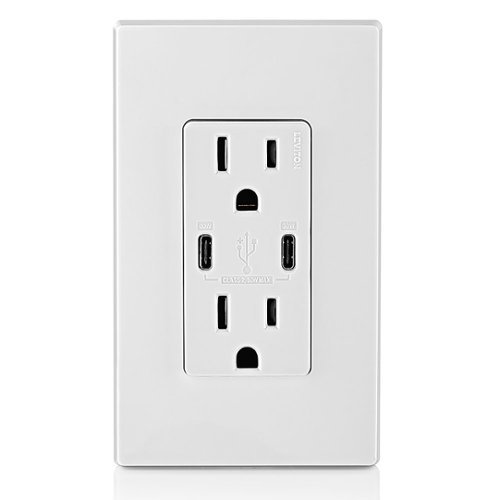
6A/30WT Duplex Tamper-Resistant Outlets with USB C Dual Wall Chargers- White
Does it include the Screwless Wall Plate shown in the pic? Thank you.

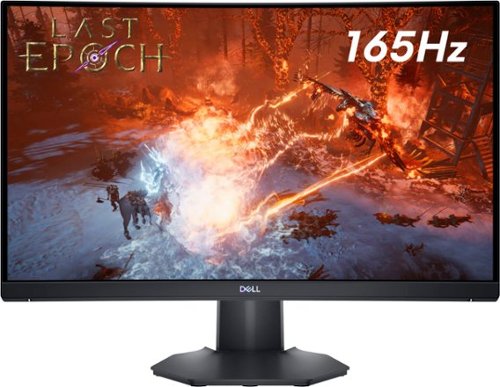
The new Dell 24" Curved Gaming Monitor is equipped with a 4ms Response Time - 165Hz - AMD FreeSync Premium Technology featuring Vertical Alignment, Anti-glare with 3H hardness, and 1500R Curvature. Adjustable height and LED screen, this 24" monitor is equipped for ultimate game play.
Is this a 6 bit panel? Any HDR?
Box does not say HDR and Windows would not let me select HDR, so I assume it is not HDR, still pretty bright though.

5 years, 2 months ago
by
TheOffice1234

The Wahl Edge Pro corded hair clipper, trimmer and detailer is an all-in-one full power clipper. This trimmer kit includes a detail trimmer for intricate designs or personal trimming of the ear, nose, and brow. Our T-Blade attachment allows for easy trimming, grooming, and touch-ups. The precision trimmer head provides close and precise trims and detailing.