


TheOffice1234's stats
- Review count180
- Helpfulness votes1,035
- First reviewDecember 11, 2009
- Last reviewJune 7, 2026
- Featured reviews0
- Average rating4.6
Reviews comments
- Review comment count0
- Helpfulness votes0
- First review commentNone
- Last review commentNone
- Featured review comments0
Questions
- Question count0
- Helpfulness votes0
- First questionNone
- Last questionNone
- Featured questions0
- Answer count27
- Helpfulness votes22
- First answerApril 24, 2020
- Last answerDecember 18, 2021
- Featured answers0
- Best answers6
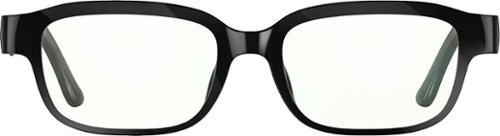
Echo Frames are smart audio glasses that give you hands-free access to Alexa. They are designed to help you save time so you can focus on what matters most. Use them to listen to audio entertainment, control your smart home, stay productive and organized, and communicate hands-free.
Customer Rating

5
GREAT CONFERENCE CALLS - ECHO BLUETOOTH GLASSES
on November 29, 2021
Posted by: TheOffice1234
from Lake Orion, MI
AMAZON - ECHO FRAMES (2ND GEN) | SMART AUDIO GLASSES WITH ALEXA | CLASSIC BLACK - BLACK
MODEL:B083C58VDP
Best Buy Tech Insider Network
GREAT FOR CONFERENCE CALLS - BLUETOOTH GLASSES WITH ALEXA FRAMES
OVERALL
The ECHO FRAMES are fantastically packaged (truly a premium experience) and work very well for delivering good sound and microphone capabilities through a “Glasses” form factor. I can’t compare them to other Mfg’s “Glasses” as these are the first of the kind I have used.
The ECHO FRAMES are fantastically packaged (truly a premium experience) and work very well for delivering good sound and microphone capabilities through a “Glasses” form factor. I can’t compare them to other Mfg’s “Glasses” as these are the first of the kind I have used.
The Sound Quality for spoken words is very good. The microphone pickup and quality are fantastic. Nobody could believe that the mic was built into the glasses.
For Music Playback, they were OK, but not great, you are not going to get “earbud” or “Full Ear” sound quality from ECHO FRAMES.
They are not waterproof, thus you need to think about your needs and how you might use them is everyday life.
They are not waterproof, thus you need to think about your needs and how you might use them is everyday life.
MY SITUATION
We are still working remotely from home full time. I have ECHO devices in every room in my home. We generally and mostly use the ECHO devices to play music in whatever room we are in. We also use them to control lights and other connected devices around the house. The DashCAM in my car also has what I would call “Alexa Pass Through” like the glasses where they can pass through commands to your phone. I use the DashCAM to call up music from my home PLEX Music library when I’m on the road.
We are still working remotely from home full time. I have ECHO devices in every room in my home. We generally and mostly use the ECHO devices to play music in whatever room we are in. We also use them to control lights and other connected devices around the house. The DashCAM in my car also has what I would call “Alexa Pass Through” like the glasses where they can pass through commands to your phone. I use the DashCAM to call up music from my home PLEX Music library when I’m on the road.
SOUND QUALITY
OVERALL SOUND CLARITY = 7/10
MUSIC PLAYBACK = 5/10 (a little tin can sounding, but OK)
OVERALL SOUND CLARITY = 7/10
MUSIC PLAYBACK = 5/10 (a little tin can sounding, but OK)
MICROPHONE QUALITY
As I said nobody would believe the microphone was built into the glasses. I don’t have a lot of background noise usually, but everyone on the other end of the conference call could hear me clearly.
As I said nobody would believe the microphone was built into the glasses. I don’t have a lot of background noise usually, but everyone on the other end of the conference call could hear me clearly.
LOOKS / APPEARANCE
The ECHO FRAMES definitely have a Superman / Clark Kent Vibe to them, everyone instantly noticed I had new glasses. I found the “clear” lenses easily smudged compared to my real glasses along with some glare. I am near sighted which means I don’t need glasses for close work. With the ECHO FRAMES, I found the focus decreased by 1-2% vs no glasses, and the brightness decreased by maybe 5% over no glasses. In the box they give you a coupon of sorts to take to a glasses store in case you want to put in prescription glasses. This coupon tells the store what types of lenses to use (not free).
The ECHO FRAMES definitely have a Superman / Clark Kent Vibe to them, everyone instantly noticed I had new glasses. I found the “clear” lenses easily smudged compared to my real glasses along with some glare. I am near sighted which means I don’t need glasses for close work. With the ECHO FRAMES, I found the focus decreased by 1-2% vs no glasses, and the brightness decreased by maybe 5% over no glasses. In the box they give you a coupon of sorts to take to a glasses store in case you want to put in prescription glasses. This coupon tells the store what types of lenses to use (not free).
FUNCTIONALITY
The magnetic charger is great, and easy to use. The buttons are well placed and took only a little time to learn and understand. I was easily able to accept calls, pause and restart music or trigger a command. The glasses pair easily in the Alexa App or as a Bluetooth only headset.
The magnetic charger is great, and easy to use. The buttons are well placed and took only a little time to learn and understand. I was easily able to accept calls, pause and restart music or trigger a command. The glasses pair easily in the Alexa App or as a Bluetooth only headset.
SOME SORT OF GEEKY STUFF (if you want to skip)
The glasses basically pass through ALEXA commands to your phone. The phone is doing all the heavy lifting. This means you must have your phone on your person, a good data connection, and the Alexa App running all the time. This was not the “Liberating” experience I was hoping for. I often walk out of the room without my phone (drops signal). I don’t have great cell phone coverage where I live and drive (drops signal). When “On the Road” I often go in and out of signal range (drops signal). I understand the trade off in battery life, but I would have loved to have at least WiFi direct to the glasses, so that I could at least wander around the house.
The glasses basically pass through ALEXA commands to your phone. The phone is doing all the heavy lifting. This means you must have your phone on your person, a good data connection, and the Alexa App running all the time. This was not the “Liberating” experience I was hoping for. I often walk out of the room without my phone (drops signal). I don’t have great cell phone coverage where I live and drive (drops signal). When “On the Road” I often go in and out of signal range (drops signal). I understand the trade off in battery life, but I would have loved to have at least WiFi direct to the glasses, so that I could at least wander around the house.
The ECHO FRAMES only allows for one of two names (wake words) “Alexa or Echo”. I already have my other Alexa devices named these names. Basically, every other room in my house has one name or the other since I found early on that the devices were not doing a great job differentiating which “Alexa” I was speaking to. I would have loved something different such as “Glasses – Tell me the weather”. This way I would not inadvertently be triggering the other devices around me, when I speak to the ECHO FRAMES. In my testing, the ECHO FRAMES always won in terms of responding to a command, even when sitting right next to another Echo device.
It is not easy to switch between “Alexa Connected to your phone” and “Glasses (as headphones) Connected to your PC for Conference Calls”. Once you force a paring with your PC, you must use the Alexa app on the phone to Forget the Glasses, and then start the pairing process in the Alexa app from scratch.
I did not want to give Alexa access to my contact list as I’ve problems before with Alexa inadvertently calling people all hours of the day or night because it misunderstood something I said. Even without this you can still take and make calls. To make a call you just need to tell Alex the phone number to call instead of the name.
One other note, the manual has several warnings not to get it wet with water or sweat. I’m not sure how you are supposed to clean them. Traditional glasses you run under cold water, but the guide says to use the included cleaning cloth. But if you wear glasses, then you know that if you don’t rinse glasses first, using only a cloth runs the risk of scratching your lenses with dust or just smearing around whatever is on your glasses. To me, this limits the glasses to indoor, relatively non active use. I don’t think they would hold up well to an intense workout for example.
RECOMMENDATION
I love the ECHO FRAMES (2ND GEN) | SMART AUDIO GLASSES WITH ALEXA for PC based conference (video) calls, they are less obtrusive than ear buds. Ear buds make my ears itch after about 30 minutes.
For conference calls the audio quality (both listening and talking) were as good if not better than premium ear buds. After each call I easily connect the magnetic charger, so they are topped off for the next call. For me, this will be my primary use case for the ECHO FRAMES.
As to the “full” Alexa experience, that is really up to the user. The ECHO FRAMES work exactly as they are supposed to with the Alexa App (no points off). For me, the necessity of having my phone on my person all the time (not just in the same house), and the Alex app running all the time diminishes the freedom I was hoping for with the ECHO FRAMES. I will still use the ECHO FRAMES as my new daily home office headset for conference calls but for now, I’ll leave them paired only to my PC.
Mobile Submission: False
I would recommend this to a friend!


Share this review:


+2points
2of 2voted this as helpful.
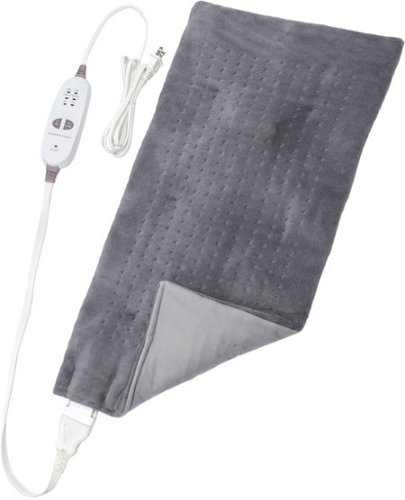
Introducing the world~s first weighted heating pad, Sharper Image Calming Heat by Calming Comfort. Calming Heat provides the soothing heat therapy of a heating pad with the added benefit of weight- 4 pounds. The secret is the heat absorbing clay beads that retain and evenly distribute the soothing heat. Take relaxation to the next level with Calming Heat by using it to help relax your muscle aches, soothe your stiff joints, even helping to relieve menstrual cramps. Calming Heat with vibration has an optional massage setting that delivers a gentle massage to your affected areas, enhancing your heat therapy experience and helping to soothe your aches and pains. Calming Heat~s large size allows it to be used on virtually any part of your body, from your neck and shoulders, to your back and legs.
Customer Rating
5
NICE WEIGHTED HEATING PAD / MASSAGER
on November 21, 2021
Posted by: TheOffice1234
from Lake Orion, MI
REVIEW CALMING HEAT - MASSAGING WEIGHTED HEATING PAD - GREY
MODEL:CWT02106
Best Buy Tech Insider Network
NICE WEIGHTED HEATING PAD / MASSAGER
SUMMARY:
A heating pad with a bonus massager. I like the CALMING HEAT - MASSAGING WEIGHTED HEATING PAD on several fronts. 1st I enjoy a weighted pad/blanket. 2nd I like that in addition to heat it can provide a light soothing massage. It seems sturdy and well built. I like that it is compact enough, that you can apply heat and massage right where you need it. It is not a full blanket that will cause you to overheat. It is not a giant bulky full length massage pad that is cumbersome to use / store. In other words, it is just right.
A heating pad with a bonus massager. I like the CALMING HEAT - MASSAGING WEIGHTED HEATING PAD on several fronts. 1st I enjoy a weighted pad/blanket. 2nd I like that in addition to heat it can provide a light soothing massage. It seems sturdy and well built. I like that it is compact enough, that you can apply heat and massage right where you need it. It is not a full blanket that will cause you to overheat. It is not a giant bulky full length massage pad that is cumbersome to use / store. In other words, it is just right.
PRO’s
- Well Built
- Easy Controls
- Gets Nice and Hot
- Auto Shut Off
- Well Built
- Easy Controls
- Gets Nice and Hot
- Auto Shut Off
SUMMARY
The CALMING HEAT - MASSAGING WEIGHTED HEATING PAD was easy and intuitive to use. Because of the bulk (height) of the massaging motors, you have to give some thought as to how best to position the pad to achieve maximum effect, without having the motors press in a painful way. For example, if you want to do your back you have to lay on your stomach, you can’t lay on your back otherwise the motors are too hard. The CALMING HEAT - MASSAGING WEIGHTED HEATING PAD heats up quickly and the motors are just strong enough without being too strong. They can get a little loud at full strength, but that is to be expected and they work well.
The CALMING HEAT - MASSAGING WEIGHTED HEATING PAD was easy and intuitive to use. Because of the bulk (height) of the massaging motors, you have to give some thought as to how best to position the pad to achieve maximum effect, without having the motors press in a painful way. For example, if you want to do your back you have to lay on your stomach, you can’t lay on your back otherwise the motors are too hard. The CALMING HEAT - MASSAGING WEIGHTED HEATING PAD heats up quickly and the motors are just strong enough without being too strong. They can get a little loud at full strength, but that is to be expected and they work well.
I do recommend the CALMING HEAT - MASSAGING WEIGHTED HEATING PAD for localize heat and massage.
Mobile Submission: False
I would recommend this to a friend!
Share this review:


0points
0of 0voted this as helpful.
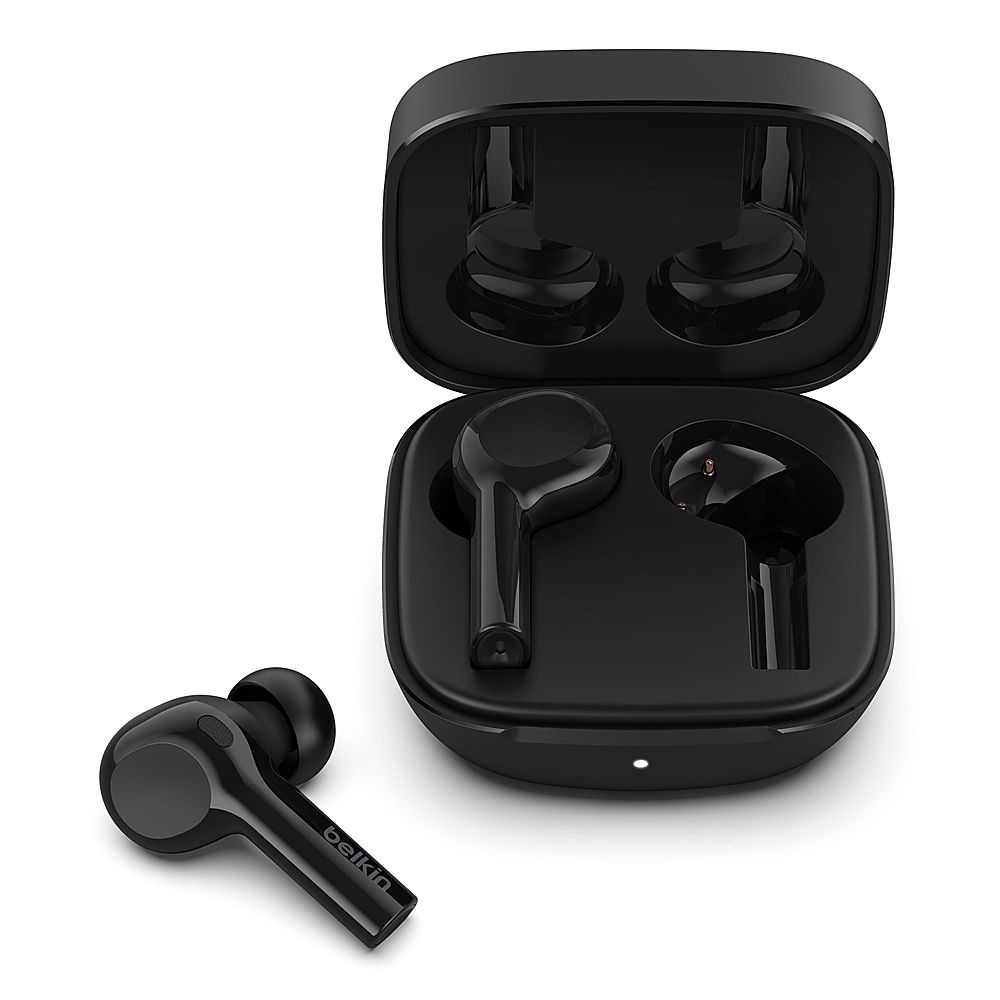
Rich, radiant sound meets exceptional battery life in the SOUNDFORM Freedom True Wireless Earbuds. Custom drivers activate deep bass while maintaining clear mids and highs. Our advanced clear-call technology and dual microphones ensure remarkable call quality. There~s up to 8 hours of non-stop playtime, plus another 28 in the charging case. As one of the first third-party accessories to work with the Apple Find My network you can track and locate the charging case using the Apple Find My app.
Customer Rating

3
EXPECTED BETTER FROM BELKIN SOUNDFORM EAR BUDS
on November 21, 2021
Posted by: TheOffice1234
from Lake Orion, MI
BELKIN - SOUNDFORM FREEDOM TRUE WIRELESS EARBUDS ENVIRONMENTAL NOISE CANCELLING (ENC) WORKS WITH APPLE FIND MY - BLACK
Model:AUC002glBK
Best Buy Tech Insider Network
EXPECTED BETTER FROM BELKIN SOUNDFORM EAR BUDS
OVERALL
When reviewing headsets / earbuds / speakers / soundbars, I always start with a disclaimer that everyone’s hearing is very subjective (just ask my wife – as she often claims I’m not hearing her!). What sounds great for one person might not for the next person. Unless you have very sophisticated equipment to monitor the results, you can only go with your subjective experience. My main advice is to try several sound devices in the class and price point you are after, and keep the ones that sound best.
When reviewing headsets / earbuds / speakers / soundbars, I always start with a disclaimer that everyone’s hearing is very subjective (just ask my wife – as she often claims I’m not hearing her!). What sounds great for one person might not for the next person. Unless you have very sophisticated equipment to monitor the results, you can only go with your subjective experience. My main advice is to try several sound devices in the class and price point you are after, and keep the ones that sound best.
The BELKIN - SOUNDFORM FREEDOM TRUE WIRELESS EARBUDS are below average in every test I conducted. I tried music from my PC, Android Phone, Stereo System. I tried video conference calls from my PC. I tried phone calls from my Android Phone.
SETUP
You have to be careful to let the earbuds pair with each other first (open the box and pull them out wait a few seconds) before you try to pair them with a device. Otherwise, what happened to me is that only one earbud paired with my device and the other one was silent. Next, I had to tell my device to “forget the pairing” and then do a factory reset on the earbuds. You can only be paired to one device at a time, so if like me you want to use the buds for conference calls on your PC, you have to turn off Bluetooth on your phone and then manually connect via the PC, and then reverse the process to connect back to your phone.
You have to be careful to let the earbuds pair with each other first (open the box and pull them out wait a few seconds) before you try to pair them with a device. Otherwise, what happened to me is that only one earbud paired with my device and the other one was silent. Next, I had to tell my device to “forget the pairing” and then do a factory reset on the earbuds. You can only be paired to one device at a time, so if like me you want to use the buds for conference calls on your PC, you have to turn off Bluetooth on your phone and then manually connect via the PC, and then reverse the process to connect back to your phone.
There is no APP that controls that BELKIN - SOUNDFORM FREEDOM TRUE WIRELESS EARBUDS at the time of this review, so I could not shape the sound, control features or see if there was a firmware update to fix the poor audio. I’m not usually a big fan of apps, but in this case maybe it would have helped.
MY RANKING (1 – 10 Best)
- Music Playback = 3
- Conference Calls Listening = 4
- Conference Calls Microphone = 5
- Music Playback = 3
- Conference Calls Listening = 4
- Conference Calls Microphone = 5
Everything sounded “clipped” with highs and lows chopped off. By way of an analogy this is like if you have your source device with too much amplification (input volume), then on the output device everything is choppy due to over amplification. I’m not saying it is overly loud, just that it is overly compressed and choppy. I don’t know if this is due to the “Environmental Noise Cancelation” or something else. I tried different ends (S,M,L are included) which is very important on earbuds, but there was not much difference.
Just to make sure I was not being too hard on the BELKIN - SOUNDFORM FREEDOM TRUE WIRELESS EARBUDS, I switched over to another comparably priced pair form another mfg and the difference was night and day.
As for the soft buttons, it was hit or miss if they worked to increase or decrease volume, then if I hit them too many times in a row, I would inadvertently trigger a different function.
SUMMARY / CONCLUSION / RECOMMENDATION
Maybe I got a bad pair, but I can’t recommend the BELKIN - SOUNDFORM FREEDOM TRUE WIRELESS EARBUDS.
Maybe I got a bad pair, but I can’t recommend the BELKIN - SOUNDFORM FREEDOM TRUE WIRELESS EARBUDS.
Mobile Submission: False
No, I would not recommend this to a friend.


Share this review:


0points
0of 0voted this as helpful.
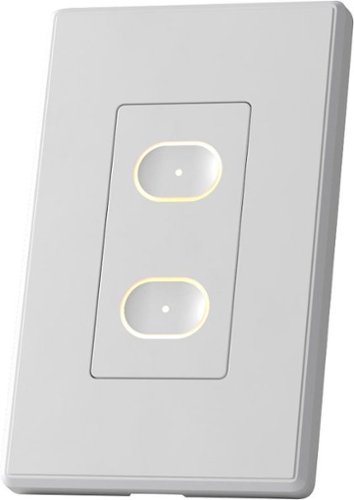
Where the simplicity of a standard wall switch meets the brilliance of advanced smart tech. This LIFX Smart Switch is installed in-wall and features 2 buttons, 1 physical relay, haptic touch, and backlit design. With convenience at its core, you can use this Smart Switch to control both your smart lights and average lightbulbs at the source. That means you can upgrade to a smarter home at your own pace, in your own way.
Customer Rating

4
GOOD SWITCH – BEST FOR LIFX BULBS
on November 9, 2021
Posted by: TheOffice1234
from Lake Orion, MI
REVIEW LIFX - SMART SWITCH – WHITE
Model:LFSPWHT1FUS
Model:LFSPWHT1FUS
Best Buy Tech Insider Network
GOOD SWITCH – BEST FOR LIFX BULBS
SUMMARY:
I had no major problems installing the LIFX – SMART SWITCH. It seems well built, etc. At its heart it is really more about the Two (2) WiFi connected smart buttons that can trigger other LIFX devices (bulbs). As a bonus, it also has a built in ON/OFF RELAY SWITCH (non-dimming) to support non-LIFX bulbs and other 120 volt devices that might be attached to and outlet / switch.
I had no major problems installing the LIFX – SMART SWITCH. It seems well built, etc. At its heart it is really more about the Two (2) WiFi connected smart buttons that can trigger other LIFX devices (bulbs). As a bonus, it also has a built in ON/OFF RELAY SWITCH (non-dimming) to support non-LIFX bulbs and other 120 volt devices that might be attached to and outlet / switch.
Because the LIFX – SMART SWITCH (bottom button) uses an instant on relay, technically you can also use this to control a switched electrical outlet (within wattage limits specified). This would be perfect, for example, if you have a room with no built in lights, but one of the outlets is on a switch for a floor lamp.
However, if you already have built in lights, and want to be able to dim them, this device will not do that (confirmed with support).
SETUP:
I have a house full of dimmable LED lights, and I have been working my way through house replacing my old on/off switches with “Smart Switches” from a different mfg. Most of my legacy light switches just have 2 black wires + ground, so I was at first confused that the LIFX – SMART SWITCH had Black, White, Red + ground. Once I realized it was not a traditional light switch or dimmer switch but was instead a software controlled “smart relay”, I was easily able to wire it appropriately. It did take some experimentation as the LIFX – SMART SWITCH pays attention to which “black” wire carries the load. Just wire one black house wire to the black switch wire and the other black house wire to the red switch wire (white to white and green to ground). If you don’t get any lights on the switch when you turn the breaker back on, then reverse which black house wire goes to the red wire on the switch (disclaimer, consult an electrician, etc).
Once I had it wired correctly, I pressed both buttons for 10 seconds to put the switch into discovery mode, and the app was easily able to find the switch and allowed me to configure it. However, right away I realized, I could not use the app/buttons to dim my lights. On/Off only. For me this is not what I want. I will need to move the the LIFX – SMART SWITCH to a different location, where I only care about on/off or I want to only use “smart buttons”. I was not able to test with LIFX lights.
I have a house full of dimmable LED lights, and I have been working my way through house replacing my old on/off switches with “Smart Switches” from a different mfg. Most of my legacy light switches just have 2 black wires + ground, so I was at first confused that the LIFX – SMART SWITCH had Black, White, Red + ground. Once I realized it was not a traditional light switch or dimmer switch but was instead a software controlled “smart relay”, I was easily able to wire it appropriately. It did take some experimentation as the LIFX – SMART SWITCH pays attention to which “black” wire carries the load. Just wire one black house wire to the black switch wire and the other black house wire to the red switch wire (white to white and green to ground). If you don’t get any lights on the switch when you turn the breaker back on, then reverse which black house wire goes to the red wire on the switch (disclaimer, consult an electrician, etc).
Once I had it wired correctly, I pressed both buttons for 10 seconds to put the switch into discovery mode, and the app was easily able to find the switch and allowed me to configure it. However, right away I realized, I could not use the app/buttons to dim my lights. On/Off only. For me this is not what I want. I will need to move the the LIFX – SMART SWITCH to a different location, where I only care about on/off or I want to only use “smart buttons”. I was not able to test with LIFX lights.
I have the switch 5 feet from my router and it shows 4/5 bars signal strength. The website says their switches are only on the 2.4Ghz network and I can confirm it is connecting to the 2.4Ghz network.
TIPS FOR GEEKS
At times, the phone App would just not respond to any button presses. I would eventually get an error message along the lines of “app has stopped responding”. I could only get the app working again by rebooting the phone. Then it would work for a few hours, then die again. Eventually, I could only get it to work by uninstalling the app, and reinstalling the app. Soon the switch itself stopped connecting to the internet and would not control anything from the “top” button which requires the internet. Only the bottom button will work when offline (from the web) to manually trigger the relay of hardwired lights. The error message in the manual says an orange light means it can’t connect to the “cloud”. This means it is connected to my WiFi, but can’t get “out” to the web. My default DNS was comcast/xfinity 75.75.75.75 and that domain was having problems resolving whatever name was being requested. I switched my DNS settings on my router (and DHCP settings) to Google DNS 8.8.8.8 and went through setup again, and now it all seems to be working, even the phone app has stopped crashing. My best guess is this was a DNS issue.
At times, the phone App would just not respond to any button presses. I would eventually get an error message along the lines of “app has stopped responding”. I could only get the app working again by rebooting the phone. Then it would work for a few hours, then die again. Eventually, I could only get it to work by uninstalling the app, and reinstalling the app. Soon the switch itself stopped connecting to the internet and would not control anything from the “top” button which requires the internet. Only the bottom button will work when offline (from the web) to manually trigger the relay of hardwired lights. The error message in the manual says an orange light means it can’t connect to the “cloud”. This means it is connected to my WiFi, but can’t get “out” to the web. My default DNS was comcast/xfinity 75.75.75.75 and that domain was having problems resolving whatever name was being requested. I switched my DNS settings on my router (and DHCP settings) to Google DNS 8.8.8.8 and went through setup again, and now it all seems to be working, even the phone app has stopped crashing. My best guess is this was a DNS issue.
PROS:
- Well Built / Good Quality
- Compact Size overall easily fits into existing boxes
- Attractive and nicely backlit
- Does not require a Hub to control the device
- On/Off of hardwired lights/outlets works even if not connected to the internet
- Included wall plate (1 gang)
- Well Built / Good Quality
- Compact Size overall easily fits into existing boxes
- Attractive and nicely backlit
- Does not require a Hub to control the device
- On/Off of hardwired lights/outlets works even if not connected to the internet
- Included wall plate (1 gang)
SUMMARY
If you need 2 buttons to control your other LIFX devices this works perfectly, they also make switches with more buttons if you just need more buttons. It also connects to the various platforms (IFTTT / SmarThings) so you can use these buttons on those platforms. If you have a switched outlet that you want to keep as a switched outlet, the LIFX – SMART SWITCH will work for that as well. However, if you want to dim non-LIFX bulbs, this will not work for that use case. I assume they did that for safety reasons, but it would be nice to at least be able to turn on dimming as an option, even if it came up with 10 warnings before it let you enable a voltage controlled dimming mode. I’m knocking off one star, because they really do not make it overly clear that dimming is not supported, which I assume will lead to many unhappy customers and returned devices. If you don’t need dimming it is great otherwise.
If you need 2 buttons to control your other LIFX devices this works perfectly, they also make switches with more buttons if you just need more buttons. It also connects to the various platforms (IFTTT / SmarThings) so you can use these buttons on those platforms. If you have a switched outlet that you want to keep as a switched outlet, the LIFX – SMART SWITCH will work for that as well. However, if you want to dim non-LIFX bulbs, this will not work for that use case. I assume they did that for safety reasons, but it would be nice to at least be able to turn on dimming as an option, even if it came up with 10 warnings before it let you enable a voltage controlled dimming mode. I’m knocking off one star, because they really do not make it overly clear that dimming is not supported, which I assume will lead to many unhappy customers and returned devices. If you don’t need dimming it is great otherwise.
Mobile Submission: False
I would recommend this to a friend!


Share this review:


+1point
1of 1voted this as helpful.
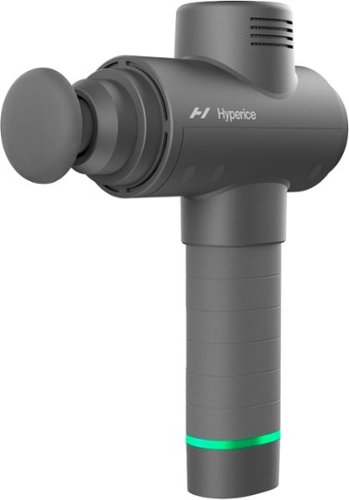
The original Hypervolt with some serious upgrades. The Hypervolt 2 helps you move the way you want to, when you want to with an updated design so you~re ready to tackle whatever comes next.
Customer Rating
5
PRO PERCUSSION MASSAGER for SERIOUS PEOPLE
on November 3, 2021
Posted by: TheOffice1234
from Lake Orion, MI
REVIEW HYPERICE - HYPERVOLT 2 PERCUSSION MASSAGE DEVICE - GREY
Model:53200 038-00
Best Buy Tech Insider Network
PRO MASSAGER for SERIOUS PEOPLE
SUMMARY:
This is not a toy massager it is a serious device for serious people. When connected to your phone via the HYPERICE APP and Bluetooth it is also a massage coach that guides you through step by step which attachment to use, where to apply the massager, for how long, etc. The app is really cool, I usually resist installing a million apps and making everything “connected” but this time it was worthwhile. It starts and stops the HYPERICE - HYPERVOLT 2 along with the video. If you need to switch attachments, just press pause on the app, and it stops the massager.
This is not a toy massager it is a serious device for serious people. When connected to your phone via the HYPERICE APP and Bluetooth it is also a massage coach that guides you through step by step which attachment to use, where to apply the massager, for how long, etc. The app is really cool, I usually resist installing a million apps and making everything “connected” but this time it was worthwhile. It starts and stops the HYPERICE - HYPERVOLT 2 along with the video. If you need to switch attachments, just press pause on the app, and it stops the massager.
I recommend you take the time to learn how to use the device through the apps, and don’t make the mistake that I did. As the name implies this is a “PERCUSSION” device. If you just turn it on to max and press the massage head against you, you are pummeling your muscles and it will hurt and bruise. (Think Impact Driver).
Once I slowed down and followed the apps step by step it really made all the difference for me.
PRO’s
- Seems very sturdy
- Includes Cord Adapters for use around the globe (travel)
- Includes Travel Case to store attachments
- 3 Speed Settings, plus Resistance monitor
- Long Battery life
- Helpful Battery Life Light
- Seems very sturdy
- Includes Cord Adapters for use around the globe (travel)
- Includes Travel Case to store attachments
- 3 Speed Settings, plus Resistance monitor
- Long Battery life
- Helpful Battery Life Light
SETUP
At first, I had some issues setting it up. Although there are plenty of “cute” cards included, they really don’t give you step by step help in setting it up, other than “charge it for 4 hours”. No QR code to take to you the app store. No printed guide about how to use it overall. So, I charged it overnight, and tried to use it (without the app or instructions). Besides me using it wrong and it hurting like heck, the batteries only lasted about 3 minutes. (The Battery Light Ring was at Green about 2 min, then went from yellow to Red in a minute). I think I found the problem, that if you have the charger plugged into the massager, but not the wall (for example if it came lose / unplugged) the charging light stays on and green until the battery is depleted. Finally, after another night of charging, I tried it again. This time I downloaded the app (manual search for HYPERICE in app store). I registered my device, but I could not find anywhere to “connect to Bluetooth” in any of the app menus. After some searching, I decided to start a video “routine” and then, at the start of the video routine, it automatically scans for the device before it starts the routine. From there everything worked as expected. You have to press and hold the power button for 3 seconds to make sure it turns off. (no light on the ring).
My main tip, if you are not familiar with this type of PERCUSSION massager is to hold it loosely (not like a drill), and let the attachments rub sideways, not head-on until you are more experienced.
SUMMARY
I think the HYPERICE - HYPERVOLT 2 is a must have for hard core athletes and serious users that are intent on working certain muscle groups, pre and post workout. This is not a “gentle chair massager” at the mall. I look forward to adding it to my routine and gain a little more relief from muscle pain.
I think the HYPERICE - HYPERVOLT 2 is a must have for hard core athletes and serious users that are intent on working certain muscle groups, pre and post workout. This is not a “gentle chair massager” at the mall. I look forward to adding it to my routine and gain a little more relief from muscle pain.
Mobile Submission: False
I would recommend this to a friend!


Share this review:


0points
0of 0voted this as helpful.

The coolest coffee shop is right at home! The Mr. Coffee Single-Serve Iced and Hot Coffee Maker makes it easy to brew flavorful and refreshing iced coffee, or bold, pod-free hot coffee. When it comes to brewing coffee just the way you like it, the magic is in the measurements! This coffee machine~s easy-to-use measuring system and dual-sided scoop make brewing simple, and give you the perfect ratio of water and coffee and ice, for coffee that is always bold and flavorful~never watered down. To create iced coffee, the perfect concentration of hot coffee is brewed directly over ice. Want coffee in a hurry? No problem. The machine brews in under 4 minutes. Make up to 16 oz. of bold, pod-free hot coffee, or 22 oz. of iced coffee, with the single-serve reusable filter. Brew directly into the reusable tumbler, or your favorite mug, and enjoy!
Customer Rating
5
GREAT SINGLE CUP DRIP HOT / COLD MR COFFEE MAKER
on October 19, 2021
Posted by: TheOffice1234
from Lake Orion, MI
MR. COFFEE SINGLE-SERVE ICED AND HOT COFFEE MAKER WITH REUSABLE TUMBLER AND GOLD TONE COFFEE FILTER, BLUE AND MARBLE
Best Buy Tech Insider Network
GREAT SINGLE CUP DRIP HOT / COLD MR COFFEE MAKER
OVERALL
OVERALL
I have to say I was really surprised at how well the coffee maker performed. I’ve had horrible luck with other drip coffee makers, and the MR. COFFEE SINGLE-SERVE ICED AND HOT COFFEE MAKER makes a really good cup of coffee both hot and cold. Until recently we only used single disposable cup brewers, but we hated all the waste they produced. Mostly we have switched to espresso drinks, but sometimes you just want some coffee without the hassle of espresso and all that involves. Follow the simple instructions and you will get perfect results. There is a convenient 2-sided scope that snaps into the side of the maker. Use the large scoop for iced coffee and the small scoop for an 8 oz hot coffee. I like that is it pretty attractive, with faux marble base (plastic) and a nice soft blue color with chrome accents. it is not something you have to hide away. Overall, it is pretty foolproof, which (being a fool) I appreciate. With regular full sized drip coffee makers, I can never get the ratio of grounds to water correct. Since the MR. COFFEE SINGLE-SERVE ICED AND HOT COFFEE MAKER is optimized for a single use, there is no guess work.
The brewer is about 13 inches tall, so make sure you have space under your cabinets to be able to add water and grounds.
The taste was great, we used our medium roast espresso beans, and a very fine grind on the beans. The ice does melt pretty quickly as you might expect. Don’t be tempted to add extra ice, it makes it overly watery. The coffee is hot around 160 degrees and is well brewed.
PROs
- Attractive
- Easy to use
- Compact
- Included Measuring Cup
- Included Ice Drink Cup, and Straw
- Good Instructions and recipes
- Attractive
- Easy to use
- Compact
- Included Measuring Cup
- Included Ice Drink Cup, and Straw
- Good Instructions and recipes
RECOMMENDATION
I can’t compare to other single cup drip brewers, but honestly it just makes a good cup of coffee and that is all that matters. So yes, I do recommend the MR. COFFEE SINGLE-SERVE ICED AND HOT COFFEE MAKER.
Mobile Submission: False
I would recommend this to a friend!


Share this review:


+4points
4of 4voted this as helpful.
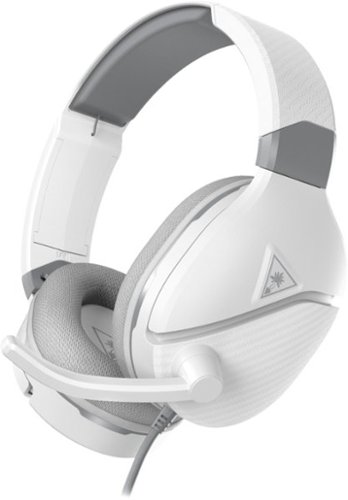
Powered by a rechargeable 12-hour battery, the Turtle Beach Recon 200 Gen 2 multiplatform gaming headset delivers powerful, amplified audio with bass boost and variable mic monitoring so you can hear the volume of your voice in the headset. But we get it, 12-hours can go by quickly, so the Recon 200 Gen 2 can keep going without power in passive mode for game audio. Whether you~re chatting with teammates or trash-talking the enemy, the high-sensitivity flip-to-mute mic picks up your comms loud and clear. New ultra-soft memory foam ear cushions with ProSpecs and a strengthened, metal-reinforced headband provides plush comfort and durability over hours of gaming.
Customer Rating
5
GOOD GLASSES FRIENDLY GAMING HEADSET TURTLE BEACH
on October 18, 2021
Posted by: TheOffice1234
from Lake Orion, MI
TURTLE BEACH - RECON 200 GEN 2 POWERED GAMING HEADSET FOR XBOX ONE & XBOX SERIES X|S, PLAYSTATION 4, PLAYSTATION 5 AND NINTENDO SWITCH - WHITE
Model:TBS-6305-01
Best Buy Tech Insider Network
GOOD GLASSES FRIENDLY GAMING HEADSET BY TURTLE BEACH
OVERALL
The TURTLE BEACH - RECON 200 has many great features, and is a good value at this price point. It is a gaming headset first, but does a good job at just audio as well. Since I play on PC, PS, and XBOX, I think it is great that it works well for all 3, with a physical switch to select between them (use PS for PC). I wear glasses, so it is sometimes hard to find a headset that is comfortable with glasses.
The TURTLE BEACH - RECON 200 has just enough pressure to keep the headset on, without smashing your glasses into your ears.
I especially appreciate that there is a separate microphone monitor volume, so I can hear myself when I talk and I don’t have to remix it through the console. I also like the flip up MIC to turn off the mic.
The controls are easy to find without being too close together as is the case with some headsets. It is a wired headset, but if you want to use some of the features like mic feedback and bass boost, then you will want to charge it before your next gaming session. I did find that if I had it charging and playing at the same time, I had a slight buzzing sound (probably a ground issue on my PC). This is easily solved, by not charging it while playing.
The TURTLE BEACH - RECON 200 has many great features, and is a good value at this price point. It is a gaming headset first, but does a good job at just audio as well. Since I play on PC, PS, and XBOX, I think it is great that it works well for all 3, with a physical switch to select between them (use PS for PC). I wear glasses, so it is sometimes hard to find a headset that is comfortable with glasses.
The TURTLE BEACH - RECON 200 has just enough pressure to keep the headset on, without smashing your glasses into your ears.
I especially appreciate that there is a separate microphone monitor volume, so I can hear myself when I talk and I don’t have to remix it through the console. I also like the flip up MIC to turn off the mic.
The controls are easy to find without being too close together as is the case with some headsets. It is a wired headset, but if you want to use some of the features like mic feedback and bass boost, then you will want to charge it before your next gaming session. I did find that if I had it charging and playing at the same time, I had a slight buzzing sound (probably a ground issue on my PC). This is easily solved, by not charging it while playing.
The fit is comfortable for my large head, though it does not use the newer “floating” style headband found on heavier sets. Overall, that is OK, as the TURTLE BEACH - RECON 200 is not very heavy at only about 275 grams. It was still very comfortable. The padding on the ear cups is perfect, not too hard or too soft.
Note that if you use it on a PC that has separated MIC and HEADSET jacks you will need a splitter/combiner that is not included with the headset.
SOUND QUALITY
Audio is really subjective and hard to review, you have to test things out for yourself to find your own sweet spot Here are my subjective ratings. (10 = Best)
OVERALL SOUND CLARITY = 7/10
BASS NOTES / RUMBLING / EXPLOSIONS = 6/10
CRISP HIGH NOTES = 6/10
BASS NOTES / RUMBLING / EXPLOSIONS = 6/10
CRISP HIGH NOTES = 6/10
For my taste the sound was good, but average, nothing wrong, but nothing special. It was surprising to me that the bass was not stronger given the “always on” bass boost.
MICROPHONE QUALITY
The microphone is very clear (better than most in this range), but because there is no active noise canceling, you could also hear every keypress on my mechanical keyboard, while I was gaming on my PC. The mic almost seems omnidirectional due to all the background noises it was picking up.
The microphone is very clear (better than most in this range), but because there is no active noise canceling, you could also hear every keypress on my mechanical keyboard, while I was gaming on my PC. The mic almost seems omnidirectional due to all the background noises it was picking up.
PRO’s
- Lightweight
- Glasses Friendly
- Hardwired, so you know it works with everything
- Powered for bass boost
- Selectable between PC/PS/Xbox
- Quality Build Overall (but I don’t like the cheap cord vs braided cords)
- Great sounding Microphone
- Microphone Monitor W/ Separate Volume
- USB-C Charging Cable (instead of Micro USB)
- Lightweight
- Glasses Friendly
- Hardwired, so you know it works with everything
- Powered for bass boost
- Selectable between PC/PS/Xbox
- Quality Build Overall (but I don’t like the cheap cord vs braided cords)
- Great sounding Microphone
- Microphone Monitor W/ Separate Volume
- USB-C Charging Cable (instead of Micro USB)
RECOMMENDATION
The TURTLE BEACH - RECON 200 is a great value headset. It is not an ultra high-end headset that costs 10X either. It is a very attractive and overall good all-around performer that works on all platforms without breaking the bank. I have other gaming headsets in this range, that might sound a touch better, but without as many features like flip up mic or microphone monitor. As I said, the sound part is really subjective and changes even from headsets of the same make and model due to slight variations in the mfg process.
Even though the sound is not perfect, I still give the TURTLE BEACH - RECON 200 full marks due to its overall build quality, comfort, and features. In other words, I don’t expect studio quality sound in this range.
Even though the sound is not perfect, I still give the TURTLE BEACH - RECON 200 full marks due to its overall build quality, comfort, and features. In other words, I don’t expect studio quality sound in this range.
Mobile Submission: False
I would recommend this to a friend!


Share this review:


+1point
4of 7voted this as helpful.
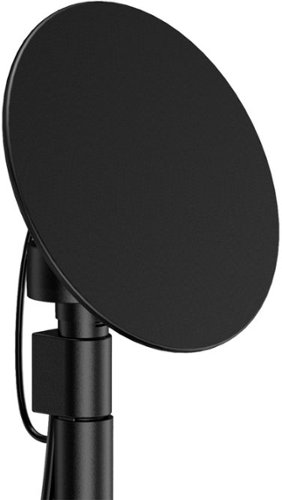
Enjoy live TV broadcasts from your favorite local networks without the cable bill! The Core Innovations ANT100TCR Outdoor/Attic Amplified TV Antenna allows you to access HDTV channels up to 100 miles away, free of charge. The 360-degree motorized rotation delivers better range and reception in imperfect locations, and the wireless remote control gives you the flexibility to make adjustments from the comfort of your living room. Enjoy content in up to 4K full HD where supported, and mount the antenna to the included mounting pole to further boost signal strength.
Customer Rating
4
OUTDOOR ANTENNA MORE CHANNELS STRONGER SIGNAL
on October 18, 2021
Posted by: TheOffice1234
from Lake Orion, MI
CORE INNOVATIONS - OUTDOOR/ATTIC ANTENNA - BLACK
MODEL:ANT100TCR
MODEL:ANT100TCR
Best Buy Tech Insider Network
OUTDOOR ANTENNA FOUND MORE CHANNELS STRONGER SIGNALS
OVERALL
Antennas are tricky, especially with High Definition signals which are highly directional, you can’t really just stick and antenna anywhere and expect perfect reception. CORE INNOVATIONS - OUTDOOR/ATTIC ANTENNA ANT100TCR gives you all the tools you need to be successfully capturing free TV from over the air (OTA). One advantage is the ability to rotate the antenna via remote control to better zero in on the optimal position. There are plenty of sites to help you know where to generally aim the antenna. The remote allows you to move the dish a little left or right to find that sweet spot. Often this is a compromise between number of channels and preferred channel signal strength. Most receivers has a signal strength indicator to let you know when you hit the max signal.
In my testing, the CORE INNOVATIONS - OUTDOOR/ATTIC ANTENNA ANT100TCR brought in 10% more channels than I was already receiving with my previously installed antenna in roughly the same location. Additionally, the signals were almost all 100% instead of closer to 80% on my old antenna. This means it should also be a little more resilient to bad weather and other issues.
Antennas are tricky, especially with High Definition signals which are highly directional, you can’t really just stick and antenna anywhere and expect perfect reception. CORE INNOVATIONS - OUTDOOR/ATTIC ANTENNA ANT100TCR gives you all the tools you need to be successfully capturing free TV from over the air (OTA). One advantage is the ability to rotate the antenna via remote control to better zero in on the optimal position. There are plenty of sites to help you know where to generally aim the antenna. The remote allows you to move the dish a little left or right to find that sweet spot. Often this is a compromise between number of channels and preferred channel signal strength. Most receivers has a signal strength indicator to let you know when you hit the max signal.
In my testing, the CORE INNOVATIONS - OUTDOOR/ATTIC ANTENNA ANT100TCR brought in 10% more channels than I was already receiving with my previously installed antenna in roughly the same location. Additionally, the signals were almost all 100% instead of closer to 80% on my old antenna. This means it should also be a little more resilient to bad weather and other issues.
PROs
- Included Mounting Pole and Brackets
- Included COAX cables
- Included Mounting Pole and Brackets
- Included COAX cables
GENERAL USAGE
Even though this has a remote control and you can aim the antenna, you will not really be able to effectively control where you point it after it is set up. It is not designed to sometimes be pointed north, and then sometimes pointed south depending upon what stations you want to bring in. For example, sometimes when you press the right button, the dish moves left and sometimes when you press the left button it moves right. There is no rhyme or reason (pushing 2 short times seems to get it moving in the right direction). Thus, you have to be able to put your eyes on the antenna to make sure it going where you want. Think of the remote as aiding in simplifying initial set up (aiming), and nothing more. This is much better than running up and down a ladder to move the antenna manually.
The parts were all loose in the box (bolts rattling around) with no “packaging” to keep things secure. However, for the most part, with antennas, you point them, get them working and then leave them alone. In that context, the CORE INNOVATIONS - OUTDOOR/ATTIC ANTENNA ANT100TCR is perfectly fine and does what it needs to do very well. My previous antenna (about 4 years old) has the identical controller, and identical remote, the only real difference is the physical antenna shape. So for me, this shape (round vs elongated) seems to bring in signals better. I have no reason to think it won’t last for many years to come.
Even though this has a remote control and you can aim the antenna, you will not really be able to effectively control where you point it after it is set up. It is not designed to sometimes be pointed north, and then sometimes pointed south depending upon what stations you want to bring in. For example, sometimes when you press the right button, the dish moves left and sometimes when you press the left button it moves right. There is no rhyme or reason (pushing 2 short times seems to get it moving in the right direction). Thus, you have to be able to put your eyes on the antenna to make sure it going where you want. Think of the remote as aiding in simplifying initial set up (aiming), and nothing more. This is much better than running up and down a ladder to move the antenna manually.
The parts were all loose in the box (bolts rattling around) with no “packaging” to keep things secure. However, for the most part, with antennas, you point them, get them working and then leave them alone. In that context, the CORE INNOVATIONS - OUTDOOR/ATTIC ANTENNA ANT100TCR is perfectly fine and does what it needs to do very well. My previous antenna (about 4 years old) has the identical controller, and identical remote, the only real difference is the physical antenna shape. So for me, this shape (round vs elongated) seems to bring in signals better. I have no reason to think it won’t last for many years to come.
RECOMMENDATION
The CORE INNOVATIONS - OUTDOOR/ATTIC ANTENNA ANT100TCR has an advantage that everything you need is already included in the kit. Overall, it worked very well and brought in more stations than I was receiving previously.
Mobile Submission: False
I would recommend this to a friend!


Share this review:


+5points
6of 7voted this as helpful.
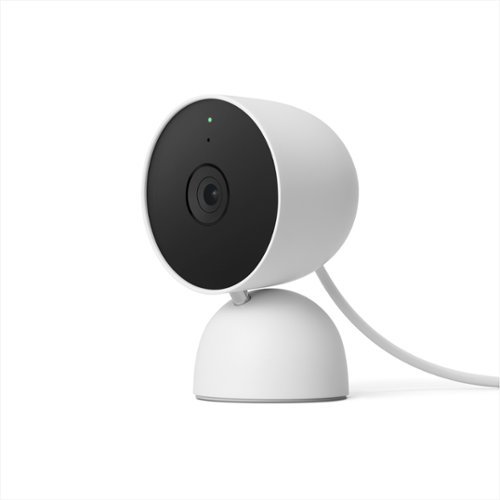
The indoor Nest Cam knows the difference between a person, pet, and vehicle, and alerts you about the things that matter to you, instead of the things that don't. 24/7 live view shows you what~s happening from anywhere.* With 3 hours of free event video history, you can go back and see what you missed. And it comes in different colors to fit your style. The indoor Nest Camera requires the Google Home app and a Google Account ~ it~s not compatible with the Nest app or the home.nest.com site.
Customer Rating
5
SUPER EASY WIRED GOOGLE NEST CAM FOR GOOGLE HOME
on October 15, 2021
Posted by: TheOffice1234
from Lake Orion, MI
REVIEW GOOGLE - NEST CAM (WIRED) – SNOW GEN2
MODEL:GA01998-US
Best Buy Tech Insider Network
SUPER EASY GOOGLE NEST CAM
Like all Google products, the GOOGLE - NEST CAM (WIRED) – SNOW GEN2 was perfectly packaged and simple to set up (if you don’t toss out the QR code covering the camera by mistake like I did, necessitating rummaging through the trash). Just add the camera to the Google Home App on your phone (+, then scan the QR Code) and you are off and running. You don’t need to sign up for any extended services for every day use, unless you want to keep more history.
You are easily able to set up visual zones for alerts that can be sorted by People, Pets, Motion and Sound. 2 way audio is also possible.
The camera is very compact, yet very sturdy with a nice weighted base for sitting on a table or shelf. Because it is powered by USB, you also don’t have to worry about batteries. It connects to your network over WIFI.
The motion sensing is fantastic and so far, no false or missed events. Night Vision is also good with built in IR lights.
The camera has a nice wide field of view, so that one camera can easily cover a full room.
The optical quality is OK, especially at this price point. Once I recalled how much I paid for my other wired cameras (easily 3x), I came to realize that the video quality was just fine. Keep in mind as well, that this is only 1080p (Standard High Definition ~ 2MP) not 4K (~ 8MP). Also, since it is communicating over WIFI you really don’t want 4K 30fps video signal taking up bandwidth on you WIFI.
There is some confusion out there with the name NEST as google is trying modernize the hardware and apps they acquired some years back. I won’t get into that as I was not a prior NEST customer, I can’t really compare OLD NEST vs NEW NEST. However, I will note that just about any help articles on the webs are 99% about OLD NEST.
SUMMARY
In general, the GOOGLE - NEST CAM (WIRED) – SNOW GEN2 is a perfectly fine camera with plenty of advanced features backed by Google. It is integrated well into the Google Home platform. There are optional monthly or annual subscription fees if you want more that 3 hours of “event history”. Since most events are only a few seconds, for security type operation that should be plenty of storage. (how many times are people coming to your door for example). Its primary use is to alert your phone that an event has occurred and let you go back in a history a few hours to watch or download that event. In live view you can also “talk” to the person on the other end of the camera (door monitoring type events).
Mobile Submission: False
I would recommend this to a friend!


Share this review:


0points
1of 2voted this as helpful.
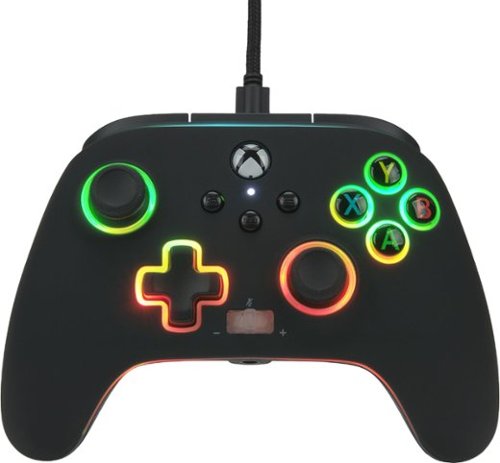
Spectra Infinity is a mind-bending light-up controller, with three distinct color-zones that you control. Dial in the exact hue and brightness for each zone. You can also activate "breathing Mode" for a mesmerizing pulsating effect. Plus, this all-new enhanced controller for Xbox Series X|S also offers great gaming features like 3-way Trigger Locks and two mappable Advanced Gaming Buttons. This officially licensed Xbox controller includes a Share Button, immersive Dual Rumble Motors, and a Headset Dial with one-touch Mic Mute to enhance your gaming experience. Also onboard, precision-tuned analog sticks, plus-shaped D-Pad, and an intuitive button/bumper/trigger configuration. And, of course, the Spectra Infinity is backed by the PowerA two year warranty, so you can trust this beauty to perform brilliantly.
Customer Rating
4
POWER-A SPECTRA IS A GOOD XBOX WIRED CONTROLLER
on October 15, 2021
Posted by: TheOffice1234
from Lake Orion, MI
REVIEW POWERA - SPECTRA ENHANCED WIRED CONTROLLER FOR XBOX SERIES X|S - SPECTRA INFINITY
Model:1522360-01
Best Buy Tech Insider Network
POWER-A SPECTRA IS A GOOD XBOX CONTROLLER
SUMMARY:
As far as affordable controllers with lots of bling, the SPECTRA ENHANCED WIRED CONTROLLER is a perfectly fine controller. For a lot less than an XBOX wireless controller there is a lot the like. Simply plug and play and you are off and running. You can activate the LED’s by pressing the LED button on the back and if you press and hold it for a few seconds then you can also play with colors and effects.
I also want to note that it also works perfectly fine on my XBOX One and PC as well and it is the exact same size as my Xbox Controller.
As far as affordable controllers with lots of bling, the SPECTRA ENHANCED WIRED CONTROLLER is a perfectly fine controller. For a lot less than an XBOX wireless controller there is a lot the like. Simply plug and play and you are off and running. You can activate the LED’s by pressing the LED button on the back and if you press and hold it for a few seconds then you can also play with colors and effects.
I also want to note that it also works perfectly fine on my XBOX One and PC as well and it is the exact same size as my Xbox Controller.
It is nice that you can control the effects directly from the controller without extra software to load. There is a super long cord that allows you to sit back about 8 feet from you console. If that is not enough, then you can use a standard USB extender cord.
The mute and volume controls on the controller are very convenient. I like that you can control the sensitivity of the triggers and even remap buttons if you want to.
Overall, it is a decent controller.
Some very picky issues on my side, and I have to say up front I’m picky about my gaming gear.
The controller (black) shows prints and smudges easily.
I found the buttons not as satisfying as the official Xbox controllers. Less resistance on all the buttons. The left stick for example was very “clicky” and my thumb kept slipping off the stick, which is not an issue I’ve ever had with Xbox Controllers. I have a game for example that just uses the left and right sticks for controls and I had a hard time with precise control.
Because I change around a lot between PC/Xbox/PS/SWITCH, I sometimes need reminders about the button labels (YXAB). Even when lighted, the buttons are muted (the letters themselves are not backlit, just the rings around them. So the YXAB don’t really pop in the dark.
The lights (as you can see even in the official pictures) have lots of bleed through to the next zone, which to me, ruin the LED lighting effect. There are 3 light zones you can control and if you choose different colors for each zone, they all sort of bleed into each other. Instead a crisp modern “Tron-Like” color trim, it is just sort of sloppy looking. (unless, you have all the colors the same). If you are going to have 3 light zones, then they should be isolated from each other. Otherwise, just keep one color for everything.
I found the buttons not as satisfying as the official Xbox controllers. Less resistance on all the buttons. The left stick for example was very “clicky” and my thumb kept slipping off the stick, which is not an issue I’ve ever had with Xbox Controllers. I have a game for example that just uses the left and right sticks for controls and I had a hard time with precise control.
Because I change around a lot between PC/Xbox/PS/SWITCH, I sometimes need reminders about the button labels (YXAB). Even when lighted, the buttons are muted (the letters themselves are not backlit, just the rings around them. So the YXAB don’t really pop in the dark.
The lights (as you can see even in the official pictures) have lots of bleed through to the next zone, which to me, ruin the LED lighting effect. There are 3 light zones you can control and if you choose different colors for each zone, they all sort of bleed into each other. Instead a crisp modern “Tron-Like” color trim, it is just sort of sloppy looking. (unless, you have all the colors the same). If you are going to have 3 light zones, then they should be isolated from each other. Otherwise, just keep one color for everything.
I’m also a very tiny bit bugged by the lack of USB-C where the cable plugs into the controller. I get that most XBOX controllers that are wired use Micro USB, but this is 2021 after all. Chances are you will only plug it in one time then never unplug it.
SUMMARY
I think the SPECTRA ENHANCED WIRED CONTROLLER is perfectly fine, and worthy of a test for you and your gaming rig or console. The lights can be fun but the bleed through of lighting zones ruins the effect for me.
I think the SPECTRA ENHANCED WIRED CONTROLLER is perfectly fine, and worthy of a test for you and your gaming rig or console. The lights can be fun but the bleed through of lighting zones ruins the effect for me.
Mobile Submission: False
I would recommend this to a friend!


Share this review:


+1point
1of 1voted this as helpful.
TheOffice1234's Review Comments
TheOffice1234 has not submitted comments on any reviews.
TheOffice1234's Questions
TheOffice1234 has not submitted any questions.
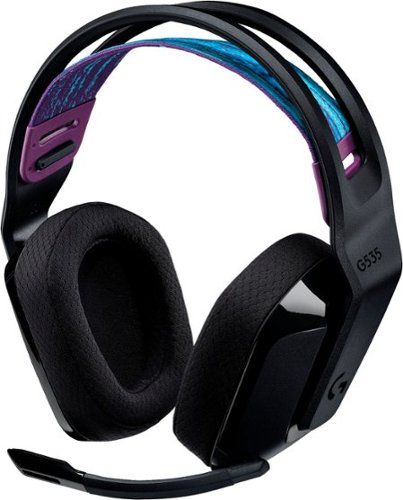
G535 gives you performance, freedom and comfort for all your gaming sessions. Enjoy advanced LIGHTSPEED wireless, up to 33-hour battery life, and 40 mm drivers for crystal-clear sound. Just 236 grams, an adjustable headband, and soft memory foam earpads ensure all-day comfort.
looking at the packaging, it mentions nothing about supporting Dolby atmos. I went to the store and put it back on the shelf. This product isn't on the logitech site, where is best buy getting this information?
My understanding is that the ATMOS APP (DOLBY ACCESS) from the MS APP Store will support any type/brand of headphone / speaker, since it is all simulated anyway. I don't know why the box and literature don't mention it. I suspect a licensing agreement issue. Meanwhile with or without the logo, it is my understanding you can use the app with any combination so speakers or head phones as long as you "Subscribe" to the app.
4 years, 5 months ago
by
TheOffice1234
G535 gives you performance, freedom and comfort for all your gaming sessions. Enjoy advanced LIGHTSPEED wireless, up to 33-hour battery life, and 40 mm drivers for crystal-clear sound. Just 236 grams, an adjustable headband, and soft memory foam earpads ensure all-day comfort.
How do I enable Dolby Atmos for the 535 headset? I see nothing in GHub, and Windows only has Windows Sonic for Headphones. Is this a program I need to purchase and download through the Microsoft Store? Thank you.
I am by no means an expert on all things Dolby so I can only tell you my experience.
Yes you have to install the "free" Adobe Access App from the windows app store. Then you have to "Subscribe" for the right to unlocking ATMOS capability on the APP. (This is a Dolby thing so don't blame Logitech). When I did this a few months ago, the first year was free, then each year was something like $10-$15. Some of the headset makers are including a free coupon for an extra year. One nice thing is that the app works across multiple platforms with the same subscriptions (at least PC and XBOX is what I have).
Yes you have to install the "free" Adobe Access App from the windows app store. Then you have to "Subscribe" for the right to unlocking ATMOS capability on the APP. (This is a Dolby thing so don't blame Logitech). When I did this a few months ago, the first year was free, then each year was something like $10-$15. Some of the headset makers are including a free coupon for an extra year. One nice thing is that the app works across multiple platforms with the same subscriptions (at least PC and XBOX is what I have).
4 years, 5 months ago
by
TheOffice1234
G535 gives you performance, freedom and comfort for all your gaming sessions. Enjoy advanced LIGHTSPEED wireless, up to 33-hour battery life, and 40 mm drivers for crystal-clear sound. Just 236 grams, an adjustable headband, and soft memory foam earpads ensure all-day comfort.
I purchased these headphones but GHub does not find them. I've tried reinstalling, rebooting, updating, restarting, no luck. This product is not listed on the Logitech website which gives me concern as to support. Anyone have any suggestions?
I don't have an exact answer as of today 12/18 I download Ghub (for the first time) and it found them right away. In my case the Dongle is plugged in, Windows 10, and the default speaker is the G535 headset.
4 years, 5 months ago
by
TheOffice1234
Enjoy live TV broadcasts from your favorite local networks without the cable bill! The Core Innovations ANT100TCR Outdoor/Attic Amplified TV Antenna allows you to access HDTV channels up to 100 miles away, free of charge. The 360-degree motorized rotation delivers better range and reception in imperfect locations, and the wireless remote control gives you the flexibility to make adjustments from the comfort of your living room. Enjoy content in up to 4K full HD where supported, and mount the antenna to the included mounting pole to further boost signal strength.
We have been unable to get any of the local network channels. We have scanned this every way possible and have rotated the antenna in all directions. What are we doing wrong?We are missing all the big ones, NBC, CBS, FOX and PBS.
if you did not do so already then look at a site like antenna web to get the general direction on where to aim the main antenna. then you can fine tune from there. many phone have compass apps to you help you find where 125 degrees is located (as an example)
disconnect everything and carefully re-attach. little cable goes between motor and dish. long cable goes between motor and controller box. make sure it is plugged into back of controller on the outermost port that says antenna
make sure controller box is plugged in and turned on you should see a red light on the back of the dish if it is all connected properly.
connect the antenna out (either the build in cable or the spare port) to your receiver / tv and scan for channels.
if that does now work, the contact mfg.
good luck
disconnect everything and carefully re-attach. little cable goes between motor and dish. long cable goes between motor and controller box. make sure it is plugged into back of controller on the outermost port that says antenna
make sure controller box is plugged in and turned on you should see a red light on the back of the dish if it is all connected properly.
connect the antenna out (either the build in cable or the spare port) to your receiver / tv and scan for channels.
if that does now work, the contact mfg.
good luck
4 years, 7 months ago
by
TheOffice1234
Enjoy live TV broadcasts from your favorite local networks without the cable bill! The Core Innovations ANT100TCR Outdoor/Attic Amplified TV Antenna allows you to access HDTV channels up to 100 miles away, free of charge. The 360-degree motorized rotation delivers better range and reception in imperfect locations, and the wireless remote control gives you the flexibility to make adjustments from the comfort of your living room. Enjoy content in up to 4K full HD where supported, and mount the antenna to the included mounting pole to further boost signal strength.
How many TVs will this antenna support?
Buy default you can connect 2 sets (there are 2 ports) , but with a good quality splitter / amplifier you can hook up as many as you want.
4 years, 7 months ago
by
TheOffice1234
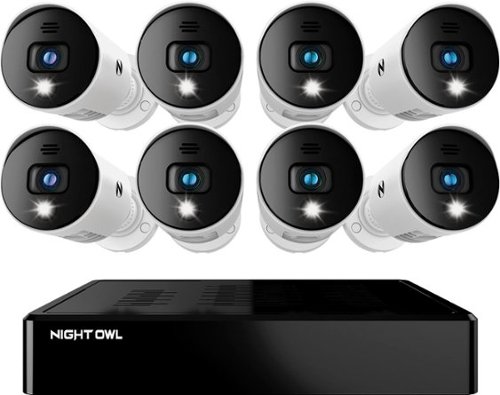
Night Owl is excited to offer our U.S. designed and engineered 1080p HD Bluetooth digital video recorder with wired 1080p HD spotlight cameras and pre-installed hard drive. With secure spp-based Bluetooth setup, there is no need to connect a TV or monitor for setup or viewing (optional). You can easily configure your system right from the app on your smartphone or tablet with the Bluetooth connection. While a TV or monitor is not required, with Google Assistant you can use simple voice commands to stream camera footage directly to your TV or monitor, all while remaining hands free. Each camera has 1-way audio (speaker) which works with our built-in siren and preset voice alerts. From within the app, you can easily activate the built-in siren, startling intruders and sending them packing. Smart detectiont Technology including human detection,facial capture and vehicle alerts reduce the risk of false alarms, keeping you safe and well protected. Facial capture lets you see who is on your property by snapping a photo and sending the image to your smart device. Motion-activated spotlights flood your yard with bright lights when human motion is detected, instantly warding off trespassers. Our app gives you control of your system and easy access to your recordings, regardless of where you are. Night Owl never charges fees for storage or access to your videos. All recordings are securely stored on a pre-installed hard drive for convenience. You can view and download the recordings as you need them. This system provides the latest technology to give you the ultimate security experience. NOTE: The DVR is compatible with our DP2 Series wired BNC cameras and our WNIP2 Series Wi-Fi IP devices, but is not backward compatible with other Night Owl products.
Does this product have night vision?
Yes, 1 small IR LED but it is OK for short distances
4 years, 8 months ago
by
TheOffice1234
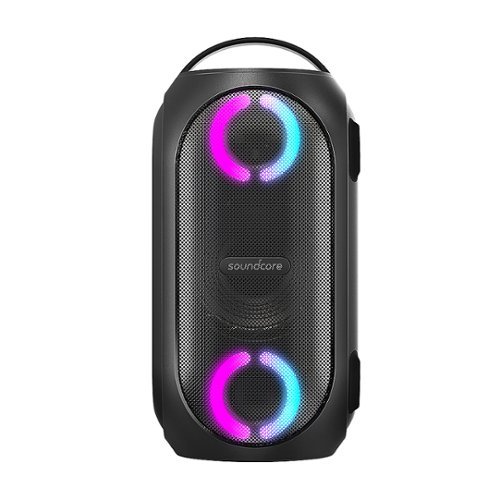
Soundcore Partycast is a portable Bluetooth Party Speaker with 80 watts of power, an 18-hour playtime, and a party-starting light show. Using our exclusive partycast technology, you can link over 100 partycast speakers together for synchronized music and lights to create the ultimate experience. IPX7 Waterproofing means you won~t need to worry about liquid getting on it, and with its USB charge-out capabilities your phone will stay charged no matter how long the party lasts.
Can you turn the lights off
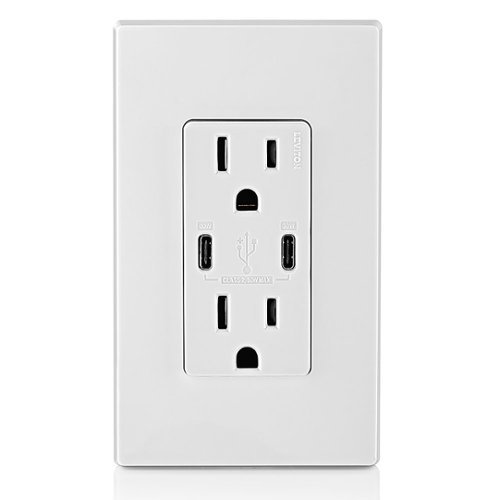
6A/30WT Duplex Tamper-Resistant Outlets with USB C Dual Wall Chargers- White
Does it include the Screwless Wall Plate shown in the pic? Thank you.

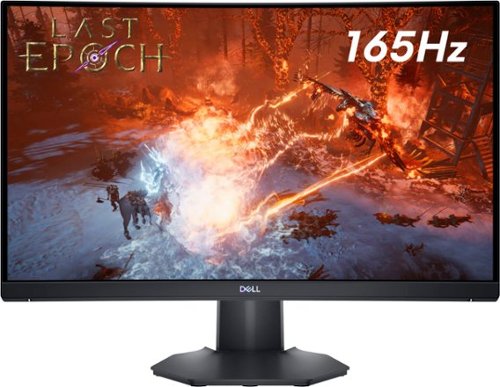
The new Dell 24" Curved Gaming Monitor is equipped with a 4ms Response Time - 165Hz - AMD FreeSync Premium Technology featuring Vertical Alignment, Anti-glare with 3H hardness, and 1500R Curvature. Adjustable height and LED screen, this 24" monitor is equipped for ultimate game play.
Is this a 6 bit panel? Any HDR?
Box does not say HDR and Windows would not let me select HDR, so I assume it is not HDR, still pretty bright though.

5 years, 2 months ago
by
TheOffice1234

The Wahl Edge Pro corded hair clipper, trimmer and detailer is an all-in-one full power clipper. This trimmer kit includes a detail trimmer for intricate designs or personal trimming of the ear, nose, and brow. Our T-Blade attachment allows for easy trimming, grooming, and touch-ups. The precision trimmer head provides close and precise trims and detailing.