
Share 91preludesi's profile


91preludesi
91preludesi's stats
- Review count102
- Helpfulness votes161
- First reviewApril 13, 2008
- Last reviewJune 1, 2026
- Featured reviews0
- Average rating4.4
Reviews comments
- Review comment count0
- Helpfulness votes0
- First review commentNone
- Last review commentNone
- Featured review comments0
Questions
- Question count0
- Helpfulness votes0
- First questionNone
- Last questionNone
- Featured questions0
- Answer count10
- Helpfulness votes26
- First answerAugust 18, 2019
- Last answerMay 17, 2021
- Featured answers0
- Best answers2
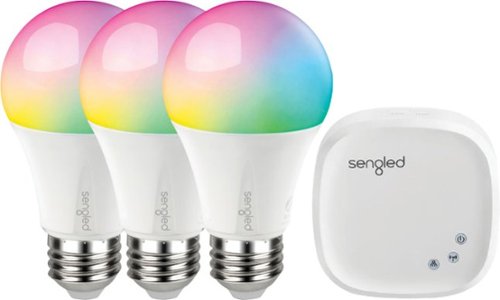
Create custom lighting schemes with this Sengled Smart LED Starter kit. More than 16 million hues provide endless choices for every occasion, and a range of whites lets you mimic daylight or brighten your space. Compatible with most personal assistant programs, including Amazon Alexa and Google Assistant, this Sengled light bulb integrates seamlessly with your smart lighting setup.

Posted by: 91preludesi
from Newnan, GA
First, I had the Sengled Element Classic bulbs (white only). They were great, but didn't have any colors and the ones that I had were too far to the warm or "Edison" spectrum for my taste. I decided to get these bulbs to add some color to the house for different occasions. For example, when watching movies I set the bulbs to a soft blue and when gaming or watching a football game I set the bulbs to red.
Installation - Installation was a breeze. Download the Sengled Home app, then you connect the hub to your router with the included cable. The bulbs have QR codes on them and you just scan them with the app. You can then rename them and place them in a room in the app. I have "couch", "fireplace" and "bedroom". The app allows you to take pictures of your own rooms for easy identification instead of just having a generic bedroom or living room picture.
Everyday usage - Connecting and controlling the bulbs using Alexa is simple. Using Alexa I can have complete control of the bulbs. You can tell Alexa to turn on the "couch" light to 50% and the bulb will come on at half brightness. You can also control the colors using Alexa. I have grouped bulbs for easier control. I made the "living room" control both the "couch" and "fireplace" bulbs at once. I have also set up Alexa to respond to the "goodnight" command to turn off all bulbs.
Customization - There are virtually infinite colors that you can set the bulbs to. The Sengled Home app has presets for different white levels. Edison, Warm, Neutral, Cool and Daylight, as well as a slider to control the color temperature. Below the white presets in the app is the color selector. You simply press where on the scale you want the color to be. The app allows you to set schedules, however, it only allows three schedules per bulb. Another thing that I have done with the bulbs is download the IFTTT (If This Then That) app. This allows you to have more customization options. I first set an applet command to turn on the lights when I arrived home, which is nice when you get home after dark. I have also set up an applet command for when my Alexa timer goes off to turn the "fireplace" bulb red. That way, if I am in the kitchen and don't hear the timer, I can still see the light turn red.
There are some improvements needed. First, it would be nice for the lights to come on as what they were set as last (red at 50% brightness for example), or to have more options for custom presets. Have something like "movie night" and it turns the bulbs blue, or "game day" and the lights turn red. This seems like it would be an easy addition to the app, and perhaps one day they will update the app to include this feature. I have also found that the light that I have labelled "couch" flickers slightly when around 50% brightness in the "cool" color range. It seems to only happen at these parameters. However, it is not noticeable in the room. You can only pick up on it if you are looking directly at the bottom of the lampshade, so it's not a huge issue. It only seems to be this one bulb, and I have not seen anyone else mention an issue like this. It seems that I just have one bulb that isn't quite perfect. I have had a couple instances of the bulbs losing connection. When this has happened, I just went to the light fixture and manually turned the bulbs off and back on and they have reconnected immediately. Everything seems to have stabilized now and it hasn't happened since about a week after installing them.
Overall, these are great bulbs and offer savings over the big name brands. You can have up to 64 bulbs on one hub, so you could easily cover an entire house worth of bulbs on one hub. I would recommend these bulbs.
Mobile Submission: False
I would recommend this to a friend!
Share this review:


0points
0of 0voted this as helpful.

Dive right in and do something amazing with your photos. Auto-generated photo and video slideshows and collages are created just for you and delivered upon launch. Get up and running quickly with the new home screen - see what's new since your last version, discover fun things to try, and get inspiring ideas, help, and tutorials. Effortlessly organize, edit, and create thanks to photo and video automation powered by Adobe Sensei AI technology. Try artistic techniques and effects with 53 step-by-step guided edits. And share your favorite memories in everything from fun memes and collages to dynamic slideshows to printed artwork and gifts.
Posted by: 91preludesi
from Newnan, GA
This is only my second time using a Photoshop product. My first venture in to it was many years ago and it slowed my desktop down so much that it was virtually unusable. This version is much better in that regard.
After downloading it I clicked on a few of the links to see what all of the options were for photo editing projects. The software gives you options (Quick, Guided and Expert) based on your familiarity with Photoshop. Quick is for basic edits such as brightness adjustments and red eye corrections. Guided was nice for people like myself who have either never used Photoshop before or only done very basic photo editing. It does as it says and guides you through the edit(s) you are trying to accomplish. To be honest, I have not tried "expert" as the features are just too numerous and I haven't had much experience with Photoshop.
My first project I used the mutli-photo text feature. This allows you to use multiple photos inside letters. My daughter's name has 6 letters, so I chose 6 photos of her. One for each letter. Moving and resizing the photos to fit each letter and find the best placement within each letter was quick and easy. I then tried changing the background on a few photos. Under the "Guided" option it was done in just a few clicks. My daughter when from a drab school picture background to sitting on the beach. Photoshop was able to perfectly outline her in the picture from me selecting the area that she was in from a rectangle. I then just selected the picture that I wanted to use as the background and it was done. It could not be easier.
While my laptop that I have it installed on is aging and therefore slowing down, once the program is up and running it is fairly fast. To be fair, it was a lower end laptop to begin with. With a computer with ideal specs, it would be much faster.
Photoshop Elements 2019 is great for new users, beginners and slightly more advanced users. The fact that it can easily guide you through what you are trying to do is immensely helpful for new users. It's also at a great price point. After getting my oldest daughter a Canon T6 last year we will certainly be using it all of the time for her photos as well as mine. I highly recommend giving it a try.
Mobile Submission: True
I would recommend this to a friend!
Share this review:


+6points
6of 6voted this as helpful.
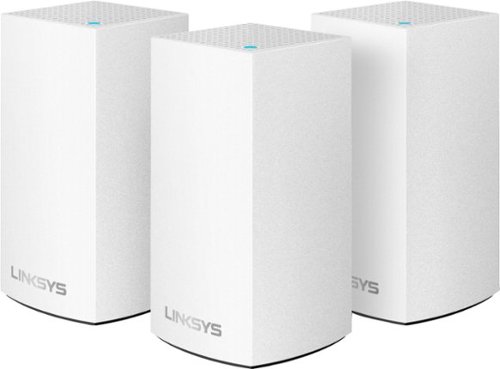
Velop with Intelligent Mesh~ Technology is an award-winning family mesh Wi-Fi system created to work seamlessly together. Mix and match nodes with different speeds to modify performance or interchange colors to coordinate with your home style. Regardless of shape, size, or wherever your Internet comes in, Velop can be customized to your home. Which makes it easy to add more nodes as your home and family expand. Unlike traditional routers with range extenders, each node provides a powerful Wi-Fi signal throughout your entire home. It continuously self-organizes and optimizes to find the fastest path to the Internet for seamless Wi-Fi everywhere. Individual nodes may be connected wirelessly or by Ethernet for fast, reliable connection. This is an ultrasimple and powerful system that uses only one Wi-Fi network name and password to give you seamless and secure Wi-Fi. And leading-edge security lets you block content and easily pause the Internet for dinner or homework. It works with all Internet service provider supplied equipment and speeds, and its simple app-based setup will get you up and running in minutes.

Posted by: 91preludesi
from Newnan, GA
First, setting up each node was quick and easy. It is done through the Linksys app. Simply follow the instructions and you'll be up and running in no time.
The nodes are a good size and can easily be hidden behind a picture frame. I set up the first node in our master bedroom since this is where our modem is located. The second and third nodes are in the living room. One covers my PS4 and the Fire Stick for streaming. The second living room node covers our kids bedrooms.
For most of the time we have 10 devices on the network. 3 cell phones, 3 laptops, the PS4, a printer, (3) smart bulbs and the Fire Stick. I have had these set up for a little over a month now with no issues. There has been no buffering while streaming and I don't lag when gaming. We were overdue for an upgrade coming from an old Netgear router that just wasn't built to handle too many devices at once.
As far as the app, it is straightforward and easy to understand and use. You can see exactly which devices are connected to each node and even prioritize certain devices. For me, I have prioritized the PS4 and Fire Stick. You can rename each node and change the icons for each device for easy identification. The parental controls are nice for the kids. I have time limits set for my youngest daughter's laptop. This way, half an hour before her bedtime, she loses connection to the network and doesn't have access again until the next morning.
One con that I've found is that it automatically puts the PS4 on the 5gHz band, which isn't always ideal. I haven't found a way as of yet to change it to 2.4gHz.
Overall, this is a great setup. Mesh is the way to go. It is far better than range extenders as each node only has to handle a few devices versus one router trying to cover everything at once. I definitely recommend the Velop mesh wi-fi.
Mobile Submission: True
I would recommend this to a friend!
Share this review:


0points
0of 0voted this as helpful.
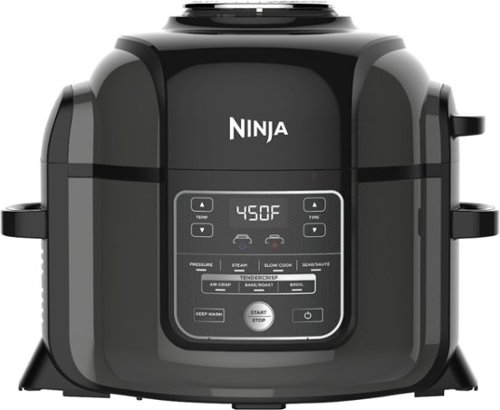
Ninja Foodi's TenderCrisp pressure cooker allows you to achieve all the quick cooking and tenderizing wonders that you love about pressure cookers. The Foodi's Crisping Lid allows you to air fry, bake/roast, and broil. That means you can give your tender, juicy pressure-cooked meals a golden, crispy finish. The secret is TenderCrisp Technology, which produces the perfect combination of heat, fan velocity, and air circulation to give your food even crisping from top to bottom.
Posted by: 91preludesi
from Newnan, GA
The Ninja Foodi has been amazing. We had been looking for an air fryer for a while but never settled on one we really wanted. Along came the Ninja Foodi. It is an extremely versatile kitchen accessory. It's an air fryer and pressure cooker in one. On top of this it can also steam, slow cook, sear/sautee, bake/roast and broil. You can cook anything in it that you want. From chicken nuggets for the kids to steak.
It comes with two lids. The air crisp lid is attached which has a heating element and a fan for air frying. The second lid locks on (with the air crisp lid up) to become a pressure cooker. Out of the box I decided to do a trial run on the pressure cooker as the instructions suggest. Never using a pressure cooker before, I didn't know what to expect. You simply add a couple of cups of water and allow it to build pressure. Then you release the pressure. I will warn you that the release of steam is powerful. We have 9' ceilings in the kitchen and the steam was easily able to reach it. I feel like over time, if we always used it in the same place that this could damage the ceiling. I resorted to wearing an oven mitt and holding a magazine over the steam to redirect it outward. The pressure cooker allows you to get meals done a lot faster. For example, you can pressure cook chicken breasts and then convert to the air crisp and finish them off.
The first thing that I made in the Ninja Foodi was tater tots for my kids. I preheated the Foodi and put the tots in the crisper basket. They were perfectly crisp on the outside and moist in the center. French fries always turn out perfect (it can hold about two pounds). You can buy optional accessories to expand what it can do even further. For example, you can get a baking pan to make a large cookie.
The Ninja Foodi is quite large. It takes up a lot of real estate on the counter. With the crisper lid up in measures approximately 21" tall and you will have to leave this lid in the upright position to use the pressure cooker function. However, with that being said, it is worth every inch of space that it takes up. You will be using it constantly. I don't like to cook, and have never been very good at it. The Foodi has changed that. I'm always trying new things with it.
The instructions are great and it has a lot of recipes to try. Everything from appetizers to desserts. There are many more recipes online. I highly recommend the Ninja Foodi. I wish that I had one years ago.
Mobile Submission: True
I would recommend this to a friend!
Share this review:


0points
0of 0voted this as helpful.
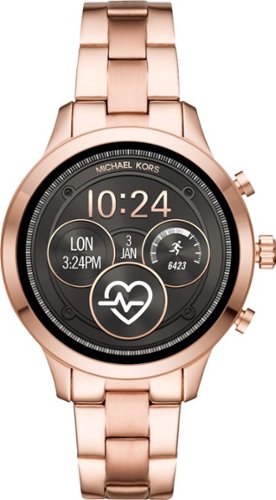
Track time and activities with this women's Michael Kors smart watch. The rose gold finish on the sturdy stainless steel bracelet adds a dressy touch to outfits, and the programmable options like tracking goals and taking selfies work with Android and iPhone devices. This Michael Kors smart watch records the number of calories burned exercising.

Posted by: 91preludesi
from Newnan, GA
This watch has a nice classic look. It's rose gold and has the two buttons and rotary knob on the side. In order for it to fit my wife I had to remove about four links, which without the proper tools took some work, but that would be the same for all watches. Setup is quick and easy, you just follow the instructions on the watch to pair your phone and find your wifi network. The included book is quite large, but doesn't really contain much information. It's just a few sentences in a lot of different languages. The faces are easily customized and there are many different color options to choose from for each different area of the dial. Of course there are additional watch faces that you can download to fit your style.
Now, on to some negatives that I've found. First, and this will be huge for a lot of people, if you have an iPhone, then this watch will basically just be a watch and fitness tracker. While it can connect to your phone via bluetooth, that's it. You will not be able to check your email or send or receive messages on this watch. This seems backwards to me as most manufacturers build to iOS before any other OS since they are all the same versus the many different OS of other phone manufacturers. Not having the ability to read emails or send and receive messages is a dealbreaker for me. This is basic stuff that any smartwatch should be able to do. I'm sure support for these functions will be available in the future, but it is not currently supported.
Next, you will want to be careful with this watch. I'm sure the glass is strong, however, the screen is fully exposed with no bezel to protect it. This isn't terrible as this isn't meant to be a rugged watch, but it is something to be mindful of.
For as limited as this watch is, (lack of emails/messages/notifications, etc.), the battery life seems short. After four hours of wearing it and only checking the time twice, the battery went from 100% to 89%. You will most likely need to charge it every night. For reference, I use my Samsung Gear S3 Frontier every day. From 100% charge, checking the time many times a day, along with receiving roughly 20 emails per day and several text messages (which I use the watch to respond to), my battery will last two full days. By 6:00 pm the second day my battery will still be at 30-35%. As for the charger, it is a simple disc about the size of a quarter and is magnetic. You simply slide it on the back of the watch. It does charge quickly.
The back of the watch has a bulge which is used for the heartrate monitor. This makes the watch a little uncomfortable as it presses into your wrist. I believe it should be flat like any other watch.
Overall, if you're looking for a statement piece, then this is a great watch. If you're looking for a feature packed watch, I would look elsewhere. If you're on Android, you will have a better experience with this watch.
Mobile Submission: True
No, I would not recommend this to a friend.
Share this review:


-2points
4of 10voted this as helpful.
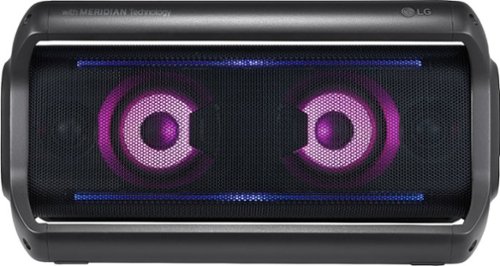
Party all night with this LG PK7 portable Bluetooth speaker. It uses Meridian Audio technology and dual tweeters for excellent sound quality, while the 22 hours of playback time keep you dancing. Get the perfect celebratory atmosphere with the LED multicolor mood lighting on this LG PK7 portable Bluetooth speaker.
Posted by: 91preludesi
from Newnan, GA
This speaker is compact and easy to carry. Setup was quick and took less than two minutes. As fast as your device can find it is as soon as you can be listening to music. If you download the Music Flow Bluetooth app you can control the volume, "Clear Vocal" and "Enhanced Bass" as well as the lights. You can also customize playlists with the app, or do them independently with your standard music apps on your device. Due to its compact size, full volume is a bit limited and the bass can become a bit distorted on bass heavy songs. This probably won't be your best bet for loud parties. However, for sitting outside on the porch or working in the garage it's perfect. It does have the ability to link a second speaker, which could be nice for larger area coverage. As far as the lights, you can control color scheme and different presets ("Party", "Water", "Forest", or "My style" as well as completely off). Lights off will of course use less battery power. Although I haven't yet full drained the battery, last night my wife was playing music through it with her phone while I was controlling the lights with my phone. This resulted in draining the battery from 100% to 90% in about 15 minutes. However, it was performing a lot of functions at once. Playing music, adjusting lights, etc. If you just set a playlist and your lighting to where you want it the battery life would be improved.
My one gripe is that if you switch between the EQ settings ("Clear Vocal" and/or "Enhanced Bass"), the music cuts out completely to change the settings. This is a minor annoyance that doesn't detract from it. It's a setting that once you find what works for you, you will probably never touch it again. Overall, a good speaker for what it is. However, if you're looking for a loud speaker for the pool, this probably won't be a good fit for you. Then again, that's not really what this speaker is designed for.
Mobile Submission: True
I would recommend this to a friend!
Share this review:


0points
0of 0voted this as helpful.
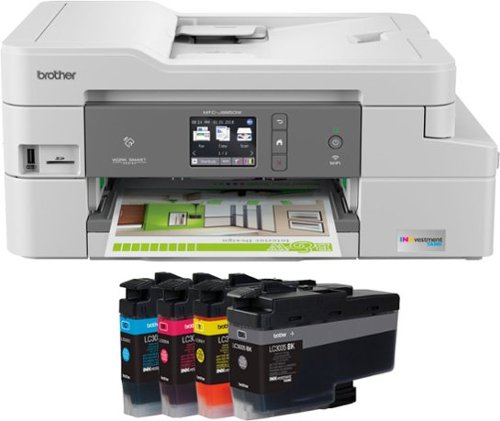
The Brother MFC-J995DW XL INKvestment Tank all-in-one inkjet printer with tank technology is the optimal choice for your home or small office needs. The MFC-J995DW XL features reengineered INKvestment Tank cartridges along with an internal ink storage tank to deliver uninterrupted printing for up to 2 years without the need to purchase ink. Business-capable features include mobile device printing, Near Field Communication (NFC) print and scan capabilities, flexible paper handling options, automatic two-sided printing and easy on-screen navigation using a 2.7" color touch screen. With the ink included in-box, the Brother INKvestment Tank all-inclusive solution delivers truly uninterrupted printing, exceptional features, super convenience, large page yields and low-cost printing. Includes a two-year limited warranty with free online, call, or live chat support for the life of your printer. Prints up to 12 ISO ppm*, up to 10 ppm* in color.
Posted by: 91preludesi
from Newnan, GA
This is a great all around printer. The setup was very easy. I had it up and running on the network in a couple minutes. Printing pictures from your phone is easy with the app or NFC. It has a quiet mode which didn't reduce the sound much to me, it just slowed down the print speed. Two sided printing is easy, you just set it up through the menu. The ink tank is large and after printing numerous pages and pictures it still shows full. I would much rather pay an honest price for a printer that has ink that can last so long than pay a fraction for a printer and spend $50 every couple of months on ink. I definitely recommend this all-in-one printer.
Mobile Submission: True
I would recommend this to a friend!
Share this review:


0points
0of 0voted this as helpful.
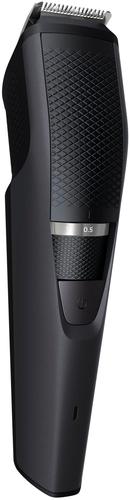
Style your beard easily with this Philips Norelco beard trimmer. It has 10 adjustable lock-in length settings in 1mm increments for precise trimming, and its Lift & Trim comb effectively targets low-lying hairs. Enjoy up to 90 minutes of wireless use thanks to this Philips Norelco beard trimmer's rechargeable lithium-ion battery.
Posted by: 91preludesi
from Newnan, GA
This is a nice, well made beard trimmer. I had recently cut my beard closer to my face (from about 6" long) and it was time to trim again. My beard was roughly 1/2" long when I used this trimmer for the first time. Not knowing it's different length settings, I started out on the longest setting which is 10. This setting was too long and didn't trim my beard at all. Due to this I reduced the setting to 5 (it goes down to 0.5) thinking it would cut half of the length off. This was a lot shorter than I was expecting and wanting. It cut it to about 1/8" long. It makes me wonder what the 0.5 - 4 settings are for. You might as well shave with a razor if you go shorter than 5.
The guard just slides down into the trimmer and the knob adjusts it up and down based on your setting. You can also completely remove the guard if you want a close shave. I will warn you however, that removing the guard and expecting to turn the trimmer 90° to get a straight line is dangerous. I actually cut myself with it trying to do this. You can count the teeth marks in my skin where it scabbed up (there are 15 if you're curious). My old Gillette styler that I've used for years has the teeth a lot closer together which avoids this issue. Another issue that I found is that the teeth on the guard are so long that you cannot trim the top mustache hairs because the guard hits your nose long before you've reached the top of your mustache.
The trimmer is very lightweight and comfortable in the hand. It is also very quiet. I will continue to use it, I just have to find the right length setting for me. Overall, a good trimmer, it could just use some design tweaks.
Mobile Submission: True
I would recommend this to a friend!
Share this review:


0points
0of 0voted this as helpful.

Master the art of the perfect latte or cappuccino with this DeLonghi Nespresso Lattisma espresso maker. This multifunctional unit brews your coffee and prepares the milk for a great cup of coffee every time. The built-in milk jug holds just the right amount of milk, eliminating waste, while an automatic shut off feature that will turn the machine off for safety. This DeLonghi Nespresso Lattisma espresso maker is compact, leaving counter spaces clear.
Posted by: 91preludesi
from Newnan, GA
Overall, this is a good coffee/espresso maker. However, it does have its drawbacks. I like the style of it. It is simple and compact. It doesn't take up as much counter space as my Keurig. It is very fast from the time you turn it on until the time the brew is finished. However, it can be quite the hassle as well. First, it is extremely loud. That has to do with the pump and the pressure that it runs at. This is definitely a drawback for me. I am always the first one up on the weekends and I can't use it first thing in the morning for fear of waking my wife and kids. I have also noticed that once the brew is finished it will stop dripping and you expect there to be no more drips. However, once you release the pod, more coffee drops out into your cup. Keep this in mind to avoid any unnecessary cleanup of the drip tray. The milk container needs to be cleaned after every use. It is recommended to disassemble it completely and clean it in the tip rack of your dishwasher. It can also be hand washed. Once you have brewed your coffee you simply raise the handle for the pod again and it deposits it into the tray below. Below that tray is a drip tray for the pod. You simply slide them out, separate them and throw the pod away and rinse out the drip tray. It has an auto shutoff feature which has a default of 9 minutes. You can extend this time in the settings. You can also adjust the brew size in settings. Note that you have to hit select buttons to start a brew and then release the button when it gets to your preferred amount. There is no screen to have a menu. As this is mainly an espresso maker, the brew size is very small as a default. There is a maze under it for cord routing so that you don't have excess cord hanging out on your counter. This is simple and effective. It comes with a lot of capsules. There are 9 sleeves of 14 varieties. I wish that there was a guide in the manual listing the different varieties. I had to look them up on the website to get the flavor profiles. According to the manual, you can only purchase the capsules in the manufacturer's website and at their boutique stores, of which I have never seen one. Overall, if you are a die-hard espresso fan, this may be great for you. If you just occasionally like an espresso, you might just want to go to your local coffee shop.
Mobile Submission: True
I would recommend this to a friend!
Share this review:


-2points
0of 2voted this as helpful.
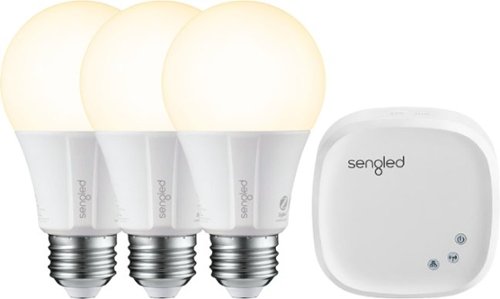
Add lighting control to your smart home platform with this Sengled bulb three-pack plus hub. The hub controls up to 64 smart bulbs, turning them on or off and dimming them in response to app or voice assistant commands and programs. This Sengled bulb three-pack plus hub includes classic A19-style bulbs for compatibility with most home fixtures.
Posted by: 91preludesi
from Newnan, GA
First, setting up these bulbs with the hub was simple. Out of the box you simply plug the hub into your router with the included cable and then connect it to power. Power can be connected to a wall outlet or USB. The hub is already synced with the included bulbs. I decided to place two of the bulbs in our living room and one in the master bedroom lamp. The installation instructions are brief, but simple to follow. You then will need to download the Element Home app. While this app is extremely light in features, it has everything needed to set up your smart bulbs and control them from anywhere.
I named each bulb "couch", "fireplace" and "bedroom" for easy identification. I noticed that when I first tested each bulb, I turned on "fireplace" and the bedroom light turned on. As the bulbs are not numbered it was simply trial and error to determine which bulb was which. After swapping the "fireplace" and "bedroom" bulbs, they all worked perfectly.
We have an Echo Dot so I used the Alexa app to enable the smart home skill for the Sengled hub. Along with each bulb's individual name I also made a name for "all lights" and included each bulb in the group. This allows me to enter the house and ask Alexa to turn on all lights at once.
As far as the Element Home app, you can track energy usage/savings over time per bulb, individually turn on/off each bulb or all of them at once. You can set schedules for each bulb so that they can be turned on/off when you set them to. For example, if you go on vacation, you could set the living room bulbs to turn on at sunset and off at midnight. The app also has a "wake up" feature. You simply set the start time, for example, 5:00a. At 5:00a the bulb will turn on at 1% and gradually increase to 50% brightness to mimic natural sunrise. This feature isn't useful to me as I have a set work schedule but my wife does not. Some mornings she has to get up at 4:00a and others 7:00a. You can also (through the app and Alexa/other voice assistant set each bulbs brightness level. For example, "Alexa, turn bedroom bulb on at 5%".
An issue that I found is after a power outage. We recently had a storm that knocked out power. After power returned, both the app and Alexa could no longer operate the bulbs. There is a reset button on the hub, however, holding it for 8 seconds as the instructions state didn't reset everything. I had to go into the Element Home app and delete everything and start from the beginning as though it was new out of the box again. This is frustrating as I feel it should be able to pick back up from its last state.
Something to note is that this is the "Classic" kit. This is the warm color range of bulbs. They a very warm. Their color range is to the Edison end of the spectrum. They are very yellow. Other Sengled kits allow you to pick the color temperature and change it from warm to daytime. Keep that in mind when selecting smart bulbs. Overall I would recommend them, just know that a power outage means starting over completely from scratch and these are very warm in color.
Mobile Submission: True
I would recommend this to a friend!
Share this review:


+3points
3of 3voted this as helpful.
91preludesi's Review Comments
91preludesi has not submitted comments on any reviews.
91preludesi's Questions
91preludesi has not submitted any questions.
91preludesi's Answers
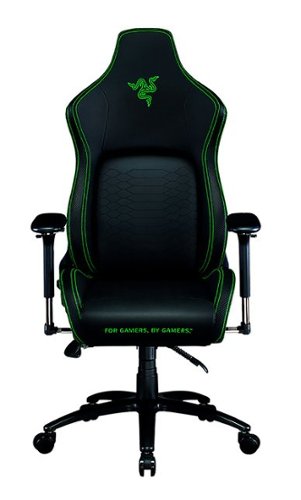
Keep the competition in your kill zone, as you enter your comfort zone with the Razer Iskur~an ergonomic gaming chair designed for posture-perfect hardcore gaming. Fitted with an adjustable, ergonomic lumbar support system, we~ve got your back when it comes to keeping you in prime gaming form.
Is this the all-black edition Iskur chair? I asked support and they said it was, but right before ordering, I decided to double-check the model number. When comparing to another site, it seems this is the Black/Green Edition. Which is it?
It is black with lime green accents.

5 years ago
by
91preludesi
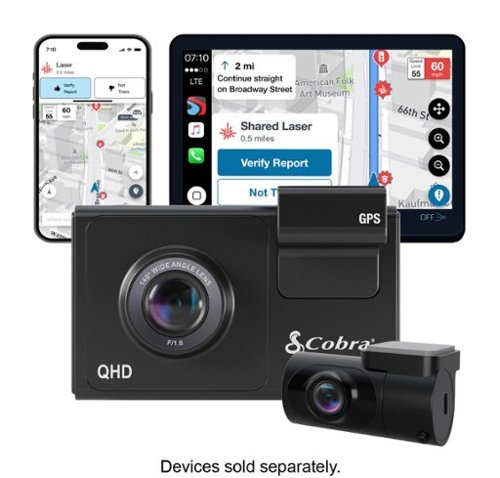
SC 200D - The dash cam that can see the future. We designed the Cobra SC 200D smart dash cam to offer state-of-the-art protection against anything the road throws at you. With QHD 1600P front-view resolution and rear FHD 1080P, built-in Wi-Fi and GPS, heads-up navigation, and voice commands, you can capture everything that happens in or around your vehicle on the road or in the lot. Learn how a SC 200D dash cam can be your extra pair of eyes on the road, protecting the ones you love against life's blindspots.
#1) do you have to purchase mounts separately or is the mounting system included? #2) what do you mean by park mode? #3) does this camera system record a rear-end accident or is it just cabin recording?
1) The mounts are included. 2) Parking mode is when the camera will come on and start recording automatically, even when the vehicle is off. This way, if you're in a store and someone bumps into your vehicle it will record the incident. 3) You could choose to mount the rear camera in the front for cabin recording, but there is so much cable length that it is meant to go in the rear windshield to record a rear-end accident. The camera screen overlays the rear camera onto the front camera, however, in the recordings, they will be two separate files.
5 years, 5 months ago
by
91preludesi
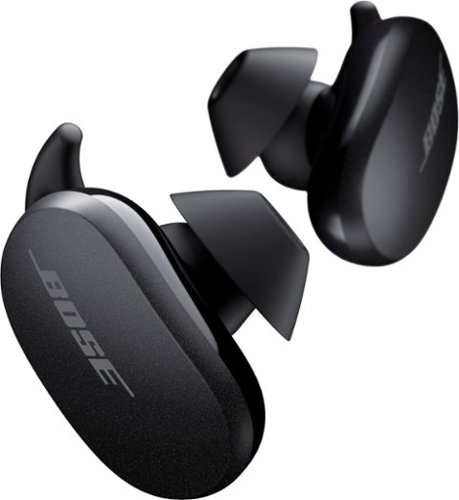
Better sound begins with better silence. That~s why Bose QuietComfort Earbuds are engineered with the world-class noise cancelling and high-fidelity audio. Microphones inside and outside the earphones sense noise and react instantaneously to cancel the signal. Get rid of disruptions so you can turn up the music on your wireless earbuds and amplify whatever you~re most passionate about ~ from hiking or circuit training to coding or baking. And when you need to be more aware of your surroundings, minimize noise cancelling with a quick double tap, so you can walk down a busy street or listen for your boarding announcement. StayHear Max tips provide extra comfort and stability for an even better experience. Rule the Quiet with Bose QuietComfort Earbuds and get an exhilarating experience that~s tough to find in any other Bluetooth earbuds. The Bose QuietComfort Noise Cancelling Earbuds are available in Triple Black, Soapstone and limited-edition Sandstone or Stone Blue.
does the charge case support qi wireless charging?
Yes, it does.
5 years, 8 months ago
by
91preludesi
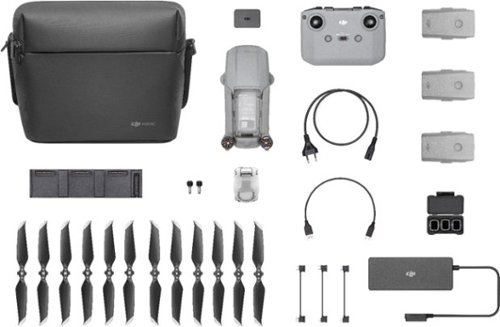
Shoot pro-quality aerial footage with this DJI Mavic Air 2 drone. The three-axis gimbal stabilizes the 48.0MP camera for stunning photos and clear videos, while the 3500 mAh battery delivers dependable power for every flight. This DJI Mavic Air 2 drone features FocusTrack technology for advanced obstacle avoidance and target tracking.
When using the new DJI Mavic 2 Air Do you need an adapter to use a galaxy s9plus with a case on it
I have the Galaxy S8+ with the Otterbox defender case and I have to remove it to fly. The phone/case fit in the controller fine, but the connector is too short to reach through the case and get to the charging port.
6 years, 1 month ago
by
91preludesi
Shoot pro-quality aerial footage with this DJI Mavic Air 2 drone. The three-axis gimbal stabilizes the 48.0MP camera for stunning photos and clear videos, while the 3500 mAh battery delivers dependable power for every flight. This DJI Mavic Air 2 drone features FocusTrack technology for advanced obstacle avoidance and target tracking.
How many batteries come with the bundle
Three batteries come in the fly more combo.
6 years, 1 month ago
by
91preludesi
Shoot pro-quality aerial footage with this DJI Mavic Air 2 drone. The three-axis gimbal stabilizes the 48.0MP camera for stunning photos and clear videos, while the 3500 mAh battery delivers dependable power for every flight. This DJI Mavic Air 2 drone features FocusTrack technology for advanced obstacle avoidance and target tracking.
Does this come with ads-b I heard the Europe version has it stripped out. But I see no mention of it here either
I am in the US and it has ADS-B.
6 years, 1 month ago
by
91preludesi
Shoot pro-quality aerial footage with this DJI Mavic Air 2 drone. The three-axis gimbal stabilizes the 48.0MP camera for stunning photos and clear videos, while the 3500 mAh battery delivers dependable power for every flight. This DJI Mavic Air 2 drone features FocusTrack technology for advanced obstacle avoidance and target tracking.
DJI offers a crash and damage replacement warranty for 79.00 - the only warranty I see here is GS for 2yr 350.00 Is the DJI warranty not available if bought through BB?
I received an offer through the DJI Fly app after connecting my drone to purchase their warranty.
6 years, 1 month ago
by
91preludesi
Shoot pro-quality aerial footage with this DJI Mavic Air 2 drone. The three-axis gimbal stabilizes the 48.0MP camera for stunning photos and clear videos, while the 3500 mAh battery delivers dependable power for every flight. This DJI Mavic Air 2 drone features FocusTrack technology for advanced obstacle avoidance and target tracking.
I have the Samsung s9+, and have heard and read about compatibility issues with Android phones. Has this been resolved so the app works with Android phones now. They seem to have a 5 star drone and a 2 star +- app. Thx
I have the Samsung Galaxy S8+ and have no issues at all. The app works perfectly for me. I have had zero issues.
6 years, 1 month ago
by
91preludesi
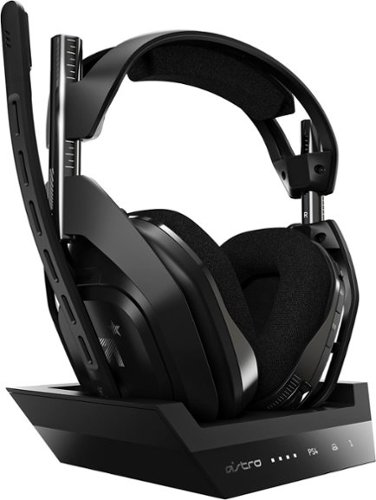
Experience legendary performance and sound of ASTRO Audio V2, with the convenience and freedom that comes without wires. The A50 Wireless + Base Station for PS5 /PS4 / PC delivers top-of-the-line acoustics, ergonomics, comfort and durability that gamers demand. The all-new Base Station provides clear, low-latency voice communication, while making headset pairing and charging simple. The ASTRO Command Center software allows gamers and streamers to tune every input and output parameter of the A50 precisely for their specific setup. Experience absolute audio immersion with the A50 Wireless + Base Station.
How does this headset connect to a ps4 slim? Does it still require the optical cords? Is there anything extra needed to be purchased to make this compatable for a ps4 slim?
I was told that you can connect the optical cable to the TV since the slim doesn't have an optical cable port. However, I've been using mine without the optical cable at all and they work perfectly.
6 years, 9 months ago
by
91preludesi
Experience legendary performance and sound of ASTRO Audio V2, with the convenience and freedom that comes without wires. The A50 Wireless + Base Station for PS5 /PS4 / PC delivers top-of-the-line acoustics, ergonomics, comfort and durability that gamers demand. The all-new Base Station provides clear, low-latency voice communication, while making headset pairing and charging simple. The ASTRO Command Center software allows gamers and streamers to tune every input and output parameter of the A50 precisely for their specific setup. Experience absolute audio immersion with the A50 Wireless + Base Station.
Is this a light headset? If not, will it cause any head pain or anything? Im using this for long term use.
These are fairly light. I just used them for 4 hours with no fatigue. They're not hot on the ears either. My Turtle Beach Elite Pro 2s would get very hot on my ears.
6 years, 9 months ago
by
91preludesi