
Share 91preludesi's profile


91preludesi
91preludesi's stats
- Review count102
- Helpfulness votes161
- First reviewApril 13, 2008
- Last reviewJune 1, 2026
- Featured reviews0
- Average rating4.4
Reviews comments
- Review comment count0
- Helpfulness votes0
- First review commentNone
- Last review commentNone
- Featured review comments0
Questions
- Question count0
- Helpfulness votes0
- First questionNone
- Last questionNone
- Featured questions0
- Answer count10
- Helpfulness votes26
- First answerAugust 18, 2019
- Last answerMay 17, 2021
- Featured answers0
- Best answers2
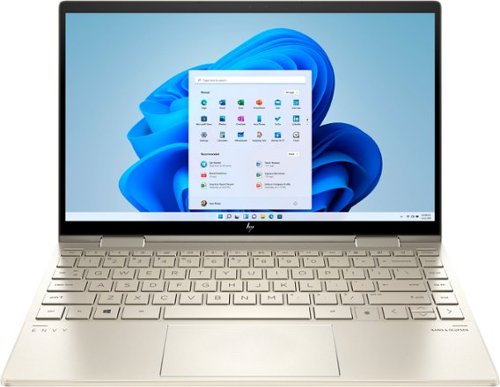
Bring vibrant visuals to your screen anywhere, anytime with the versatility of a 360 degree hinge, long battery life and simultaneous pen and touch support.
Posted by: 91preludesi
from Newnan, GA
The first thing you notice with this laptop is its size and weight. It is compact and light. When closed, it is very thin. It is almost exactly the same size as my Samsung phone in an Otterbox case to give you an idea of the thickness.
Setup was quick and easy. Now that I've been using it for a while, I prefer the fingerprint scanner to unlock the computer. It is extremely fast at recognition. Much faster than typing a password would be.
Some of the features that I like are the backlit keyboard. It has three different brightness levels. Off, low and high with a dedicated button to change the mode. There is also a button to turn the camera off. It's nice to not have to dig through a lot of settings menus to do it. I also like the keyboard layout. I previously had a laptop that had the home, pg up, pg dn and end keys clustered around the arrow keys. This laptop has them down the far right edge of the keyboard and it is just more natural location. There is also a dedicated system control button. This allows you to quickly adjust the laptop to your current needs. It has options for performance, quiet, cool and balanced modes. The 512GB SSD is blazing fast. The touchpad is large and intuitive. Right clicks are easy, you're not constantly trying to find the "sweet spot". Battery life has been great for me so far. I've been averaging 1-2 charges per week with my usage.
The hinge is very sturdy. The screen stays right where you put it. It switches quickly between laptop and tablet mode. In tablet mode, the screen can be used either horizontally or vertically. The rubber strips on the bottom prevent any movement if you place it on a desk. It runs very quiet, I barely ever hear the fan. The screen quality is excellent.
As far as cons, for me there really aren't any, other than I would have liked to have seen a pen included. My previous laptop had one that fit in a tray at the top of the keyboard just below the screen. Although, with as thin and light as this laptop is, there's really not much room for one to be included.
Overall, the speed, image quality, compact size and lightweight design makes this a great laptop. At a little under three pounds, you'll barely even notice that you're carrying it. I have large hands and I don't feel cramped when typing. I highly recommend this laptop.
Mobile Submission: False
I would recommend this to a friend!
Share this review:


0points
0of 0voted this as helpful.
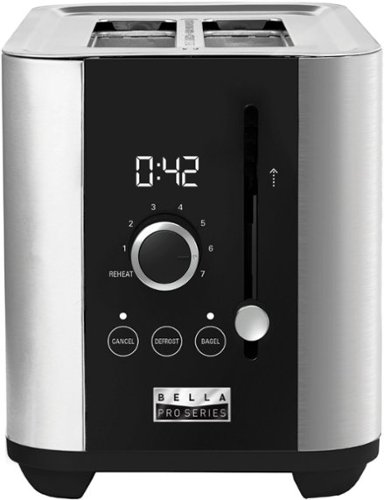
The Bella Pro Series 2-Slice Digital Touchscreen Toaster has a powerful 1000-watt toasting system and 7 setting shade control designed for consistent toasting, every time. The extra wide slots can accommodate standard sliced bread, bagels and Texas style toast. High lift lever to easily access smaller breads with anti jam and auto shut off features for extra safety. Durable Stainless Steel exterior with digital touchscreen interface and LED display countdown timer adds style to any kitchen. Removable crumb tray and convenient cord wrap for easy storage.

Posted by: 91preludesi
from Newnan, GA
I've only ever owned one other toaster, so I don't have a lot to compare to. However, this toaster is far better than our old one.
The Bella Pro Series is a nice improvement. The digital countdown time is nice. Once you know your personal setting that you like best, you can dial it in and verify that it's the same each time.
This toaster also has three buttons. Cancel, defrost and bagel. Cancel stops the toasting immediately, defrost adds a little extra time as does the bagel button. I don't freeze bread, so I can't speak to how well the defrost button works. I have used the bagel button for english muffins as recommended by the user manual and it toasted them perfectly.
This toaster does a great job of centering the bread for even heating. Our old one always pulled the bread to one side. It also heats evenly across the entire slice of bread, there are no uneven spots.
The lift feature is nice as some pieces of bread will sit low enough that you would burn your fingers trying to grab them. However, this toaster is light and when you pull up on the lever is usually ends up lifting the entire toaster. A little more weight would help this. The removable crumb tray is nice and pretty much standard on all toasters.
My one complaint is that they call it a touch screen. That's a bit of a stretch. It's really push button as you are not interacting with a screen. Other than that, it works great.
Mobile Submission: True
I would recommend this to a friend!
Share this review:


+5points
5of 5voted this as helpful.
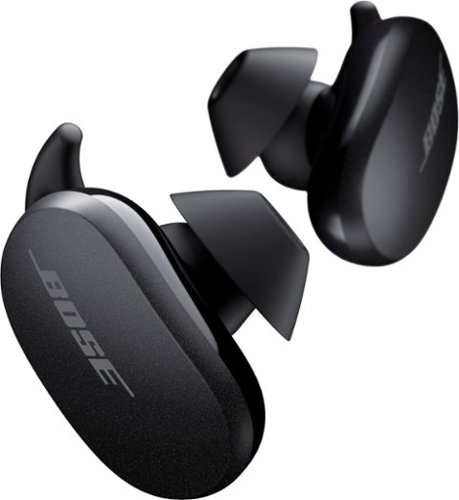
Better sound begins with better silence. That~s why Bose QuietComfort Earbuds are engineered with the world-class noise cancelling and high-fidelity audio. Microphones inside and outside the earphones sense noise and react instantaneously to cancel the signal. Get rid of disruptions so you can turn up the music on your wireless earbuds and amplify whatever you~re most passionate about ~ from hiking or circuit training to coding or baking. And when you need to be more aware of your surroundings, minimize noise cancelling with a quick double tap, so you can walk down a busy street or listen for your boarding announcement. StayHear Max tips provide extra comfort and stability for an even better experience. Rule the Quiet with Bose QuietComfort Earbuds and get an exhilarating experience that~s tough to find in any other Bluetooth earbuds. The Bose QuietComfort Noise Cancelling Earbuds are available in Triple Black, Soapstone and limited-edition Sandstone or Stone Blue.
Customer Rating

5
Great earbuds with even better noise cancelling!
on September 30, 2020
Posted by: 91preludesi
from Newnan, GA
This is my first set of wireless earbuds. The previous ones that I had been using were the Beats that came with my HTC Rezound years ago. The Bose QuietComfort earbuds are lightyears ahead of those.
These earbuds come with three different ear tips. I used the #2 and they fit perfectly. They are extremely comfortable. My ears don't fatigue with these in for extended periods of time. I have used them while working out, jogging, and just listening to music around the house. They won't fall out no matter what I do. They are also IPX4-rated so they can get damp with rain or sweat.
The noise-canceling is amazing! When I first put them in, I was in the kitchen. My wife was in the living room watching TV. You can hear our soundbar from outside the house. I thought that my wife had muted the TV. When I walked into the living room it was still playing. I took the earbuds out and could hear it like normal. Putting them back in, the sound disappeared. I could barely hear anything. I put the noise-canceling to the test this past weekend. I had a new roof put on the house, and I was here the entire time. The noise was deafening. Then, I thought about the Bose earbuds. I put them in and it turned into barely audible noise. The pounding sounded like very light footsteps. The noise-canceling is fully adjustable. You can even set presets for it if you would like. I have mine set a 0, 5, and 10. You can double-tap the left earbud to cycle through the noise canceling levels. Double tapping the right earbud is the play/pause button. You can also take either earbud out of your ear to pause. When you reinsert it the music resumes automatically. Touching and holding on the left earbud allows you to skip a track or check the battery level. You can set it to whichever you prefer in the settings on the Bose Music app.
It's Bose, so the sound quality is excellent. It automatically adjusts the EQ settings as you are listening based on volume level. Because of this, there are no user-controlled EQ settings. However, there are plenty of EQ apps that you can run and there is an EQ in Amazon Music that you can use.
The chargning case is a good size. It fits easily in your pocket. The stated battery life of the earbuds is 6 hours and you can get 12 additional hours of battery life on a full charge with the charging case. I honestly don't listen to music for 6 hours straight, so I can only take their word for it. Suffice it to say, you should have plenty of battery life for whatever you are doing. A nice perk is that the charging case can be charged wirelessly as well as plugged in.
One feature that I would like is volume control on the earbuds themselves. Maybe swipe the right earbud up for volume increase and swipe down on it to decrease volume.
Overall, this is an outstanding set of earbuds with the Bose quality, both physically and sound quality. I highly recommend them.
Mobile Submission: False
I would recommend this to a friend!
Share this review:


+1point
2of 3voted this as helpful.
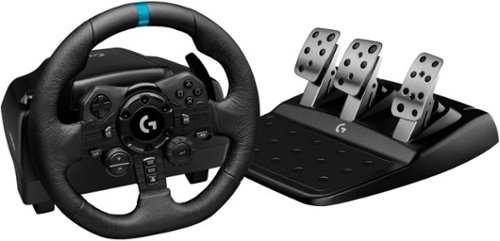
Logitech G923 for PlayStation 5, PlayStation 4 and PC is a high-performance racing wheel that revolutionizes the racing experience. Re-engineered to support a next-generation feedback system, G923 features TRUEFORCE high-definition force feedback that dials into game engines to deliver higher-fidelity realism. Feel the pistons pumping, the gravel crunching, and every shift, drift, and hairpin turn like never before. True racing comes from within.
Posted by: 91preludesi
from Newnan, GA
I have been playing racing games since the first Nintendo came out. Racing games used to be all that I played. Gran Turismo is the reason I wanted a PS1. However, it has always been a pain trying to steer a car with a thumbstick. It's just not fluid and smooth enough to be precise. You're constantly making minute adjustments with your thumb to get the perfect steering angle.
The Logitech G923 racing wheel and pedals change everything. The last wheel and pedals that I had were for PC around 1996, so that is all I have for reference. They were cheap, plastic and lightweight. There was no feedback in the wheel and the pedals didn't have much resistance. The G923 is as close to the real thing as you can get. I have used it for both Dirt 2.0 as well as Gran Turismo Sport. I used to play the Gran Turismo games constantly years ago. I got Sport when it came out and it quickly lost its luster for me. I just didn't enjoy driving with the PS4 controller. This wheel changed that! I can't wait to play it again.
In both games (Dirt 2.0 and GT Sport) I have seen significant increases in how well I play. I'm shaving a lot of time off my laps since I have started using this wheel. It all comes down to the precision with which you can steer. Now I can put the car exactly where I want it in a corner. In Dirt 2.0, you can feel every bump through the wheel. It helps with the emersion. In both Dirt 2.0 and GT Sport, the feedback in the wheel is adjustable. Too much resistance? Turn it down. If you want to "fight" the wheel more, turn it up.
The wheel and pedals are hefty. They have a good weight and balance to them and the feedback is incredible! With a controller, you can't feel when the back end of the car is about to let go. With the G923 you can. You feel the pressure in the wheel gets a little lighter and you can instantly correct for it. The paddle shifters are great. They have just enough movement in them for the shift, they are "clicky" which I like and they turn with the wheel so they are always within reach. I do wish that the buttons on the wheel were backlit. I know not everyone may want that, but have it be a feature that could be turned off and dimmed. As far as the shift lights at the top of the center of the wheel, I honestly can't see them. At 6' tall, I just sit too high above the wheel. If I'm looking at the TV, the wheel is just too low in my vision to see them. It's a nice touch and good to have, but they don't serve much purpose for me.
As for the pedals, it's a mixed bag for me. (I don't use the clutch since I don't have a shifter). The brake pedal is great! It feels like the brake pedal in a car. The harder you push it, the more resistance it has. I think they nailed it with the pressure for the brake pedal. However, with that said, I believe the throttle pedal is far too light to push. It doesn't take much effort at all to push the throttle pedal which makes it difficult to be precise with your throttle control. The pressure/resistance in the clutch pedal would be the perfect amount for the throttle pedal. They do have a good weight to them and don't slide across the carpet when I really press hard on the pedals.
I do not currently have a wheel stand for the wheel and pedals, but I have a coffee table that the center section raises up and extends out which works perfectly. Luckily it sits at just the right height and far enough out so my legroom to the pedals is perfect. Depending on where you are set up, you may have to get a wheel stand. You won't' be able to just sit in a chair with the wheel on your lap. It just moves around too much.
Overall, this is a great wheel and pedals and I highly recommend it. If you are into racing games, then this setup can significantly improve your experience.
Mobile Submission: False
I would recommend this to a friend!

Share this review:


-3points
1of 5voted this as helpful.
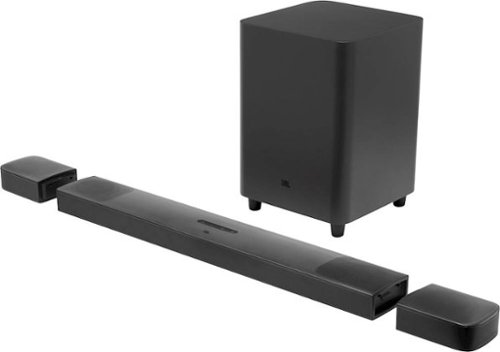
Upgrade your home theater with this JBL BAR 9.1-channel soundbar system. The powerful 820W output offers an immersive movie and music experience, while Bluetooth, Airplay 2 and Chromecast connectivity lets you stream audio smoothly. This JBL BAR 9.1-channel soundbar system has detachable speakers with rechargeable batteries for flexible placement, and Dolby Atmos technology delivers quality surround sound.
Posted by: 91preludesi
from Newnan, GA
I upgraded to the JBL BAR 9.1 from an LG 3.1 soundbar. It was a huge upgrade!
To start, the setup was quick and easy. You simply plug in the HDMI cable, power cable to the soundbar, and power cable to the sub. Initially, you need to charge the two detachable rear speakers for three hours. This can be done while you're using the soundbar. After they have charged, you remove the rear speakers and complete the calibration process. This is easy and is in the quick start guide. I have the soundbar under the TV, the two rear speakers next to the couch and I decided to place the sub behind the couch. Although they chose to call it a 9.1 system, it's really a 5.1.4 setup. This is 5 forward-firing speakers, 1 subwoofer, and 4 upward-firing speakers. Be warned, the subwoofer is huge. At 10", the ported box measures roughly 12" x 17" x 12" and it's fairly heavy. Make sure you have enough room for it.
After the calibration process, I watched regular TV shows with it. With the ATMOS set on high, rear speakers on high and the sub at level 5 (max), it sounded great. Although, I will say that at these levels dialog can get lost in the sound a little bit. You will need to tweak these settings to find what works for you. Next, I put on Top Gun, and while it is an old movie that came out long before ATMOS was a thing, it sounded great. You truly get the feeling that sound is coming from everywhere. Next, I watched John Wick, which has Dolby ATMOS. Being a movie that I've seen several times, I can say that watching it with the JBL BAR 9.1 completely changed it. My living room was filled with sound. With the rear speakers in place, I was able to hear distant sounds and be able to pinpoint exactly where they were. It is a completely different movie-watching experience when the sound has "height". You're able to pick up on far more tiny details that just wouldn't be heard with TV speakers or a traditional soundbar. As far as the sub (bass), it fills the room and you feel it. It's not just the basic flat "boom" that you get with most soundbar subs. This thing rumbles and has depth to it.
The soundbar is Bluetooth and Wi-Fi capable, so you can stream music through it as well. The Wi-Fi also lets the soundbar receive updates. As soon as I connected it, it performed an update. This is great since it can be continuously improved. For music, it sounds great and it can get very loud. With the sub all the way at level 5, it was punchy bass and I'm sure that for the brief moment that I had the volume turned up, my neighbors knew exactly what I was listening to. I haven't seen another soundbar that has a sub anywhere near this good. With my old soundbar, you could barely tell that it was on.
I did run into an issue with the soundbar. Occasionally, the sound would drop out briefly (about half a second), and then "DOLBY SURROUND" would scroll across the soundbar's screen twice. I have no idea why. I unplugged it, plugged it back in, and recalibrated it several times. I eventually had to email JBL support and they were able to give me some steps to correct the problem. So far, it hasn't done it again. I'm sure that it being setup for ATMOS that major tweaks would completely change the experience, however, I do wish that JBL had included even a basic EQ for this soundbar. I would even take having options for "TV mode" and "movie mode" or something like that. Where "TV mode" would boost the dialog a little and "movie mode" would give you the complete theater ATMOS experience. I can't say that I would spend this kind of money just to watch TV, but if you're a movie buff, then it is absolutely worth it, especially as more movies will become available with ATMOS. You will not regret it.
Mobile Submission: False
I would recommend this to a friend!
Share this review:


0points
0of 0voted this as helpful.
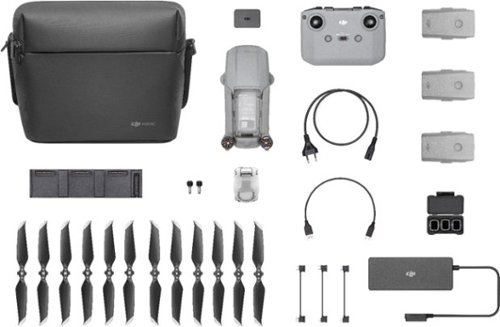
Shoot pro-quality aerial footage with this DJI Mavic Air 2 drone. The three-axis gimbal stabilizes the 48.0MP camera for stunning photos and clear videos, while the 3500 mAh battery delivers dependable power for every flight. This DJI Mavic Air 2 drone features FocusTrack technology for advanced obstacle avoidance and target tracking.
Customer Rating
5
Incredible drone with all of the features you need
on May 9, 2020
Posted by: 91preludesi
from Newnan, GA
First, I am coming from a cheap drone (less than $100) that my wife got me as a gift a few years ago. It had a 720p camera and the pictures were about as good as a Polaroid. As an avid photographer, this drone has taken my shots to the next level.
This drone comes in a nice carrying case that has plenty of room to carry everything you need for a day of flying. In the bag are the drone, the remote controller, several cables to link to whatever type of phone you have (iPhone, Android, etc.), three batteries, a 3-bay charging dock 6 extra rotor blades, three ND (Neutral Density) filters and a battery to power bank adapter. You can use one of the batteries to recharge your phone or the controller. The controller charges my phone while it is connected. I know on previous controllers this was not possible. You will need to download the DJI Fly app to fly the drone. This is what allows you to fly and take photos and videos. You can even edit your videos in the app.
The controller is a good size and comfortable to hold. The best part for me is that your phone sits on top of it. Other controllers where the phone was below the controller were a little awkward as you had to look between your wrists to see the image. One sore spot for me is that I have to remove my phone case to use it. The case fits fine in the controller, however, the connector on the cable is not long enough to reach my charging port with the case on. Not a huge issue, just something worth mentioning. I use the Otterbox Defender case on a Samsung Galaxy S8+. Other cases may not have this issue. The control sticks store securely in the bottom of the controller when not in use. All of the buttons are intuitive. The gimbal control is on a scroll wheel at the top left, allowing the vertical camera angle to be changed and the button to take a photo is at the top right. The "Home" button is handy. You can hold it for a couple of seconds and the drone will automatically return to the point of take-off and land there. I've noticed that on any given flight I have between 16-18 satellites tracking it, so I don't have to worry about losing the drone. If your signal is interrupted, the drone should return back home on its own.
The Mavic Air 2 itself is a good size, but not too large. The camera on this drone is better than most DSLRs. The image quality with both photos and videos is astounding. You can shoot 4K video at 60fps with the 1/2" sensor. Photos can be taken at 48MP. This is four times the resolution of my Canon Rebel T6! The smart photo feature makes it easy to compose the perfect shot. It does everything for you, you simply press the button to take the picture. The hyperlapse feature is perfect for sunrises and sunsets. Hyperlapse shots are taken in 8K. I took a short hyperlapse video of a sunset in high wind conditions (blowing 10-15mph and gusting to 25mph). The drone stayed perfectly still and the video was crystal clear. Other features are the FocusTrack and Quickshots. FocusTrack will keep the subject focused and in the frame while you fly around. For example, if you are capturing someone riding a bike, you can lock on them and fly around them in circles while they are riding. They will stay in the center of the frame as you fly around them. Quickshots lets you shoot video clips of a subject while flying a route. For example, if you select your subject and choose "Helix", the drone will keep the subject in focus while spiraling upwards away from it. All of the photo and video features are easily accessible while flying. The camera operations are on the right side of the screen on your phone. You simply tap the button (camera or video) and choose which option(s) you want to use.
Flight time in ideal conditions (which they state as 0 wind and flying at a consistent 11.4mph) is rated at 34 minutes. Although you will never see perfect conditions and fly like this, battery life is great. I usually get around 28-30 minutes of flight time and that is with me constantly flying the drone in normal mode. I'm rarely keeping it stationary. It does have a "Sport" mode, which allows the drone to fly faster. I was able to consistently maintain 45mph of straight and level flight. Note that obstacle avoidance is not active in the sport mode. They state a 10km (6.2 miles) transmission distance. I cannot verify this as you must maintain line of sight when flying a drone. I will take their word for it.
I thoroughly tested the obstacle avoidance in normal mode and it works perfectly. The Mavic Air 2 has obstacle avoidance sensors in the front, rear, and downward-facing positions. It does not have side to side sensors. If you are flying to the left or right, it cannot see obstacles to avoid them. I tested this by flying the drone towards my fence. My phone started beeping, alerting me to the obstacle and the drone automatically increased altitude and flew over it. I also tested it with trees. As it was tall and I was only about 6' above the ground, instead of trying to go over it, the drone just stopped about 8' shy of it. I released the controls and tried to get it to fly into it again. It didn't move.
I have a couple of photos that I took. One was in the middle of the day, and the other is at sunset. Both were taken at 48MP. Keep in mind that I had to significantly reduce the image size to post them here. Both shots were taken at an altitude of 400' and I did not make any adjustments. I simply put the camera in 48MP mode and clicked the shutter.
The Mavic Air 2 has an ADS-B receiver. For those unfamiliar with aviation, this allows the drone to detect other ADS-B equipped manned aircraft (most are these days). Your phone will alert you if it detects other aircraft in your vicinity.
Overall, I highly recommend this drone. You're getting a cinema-quality camera on a platform that flies! The Mavic Air 2 is great. The Fly More Combo makes it that much better. The extra batteries and 3-bay charging port will keep you in the air long after your friends have had to land and recharge. You simply put in another battery and keep flying.
Mobile Submission: False
I would recommend this to a friend!


Share this review:


0points
0of 0voted this as helpful.
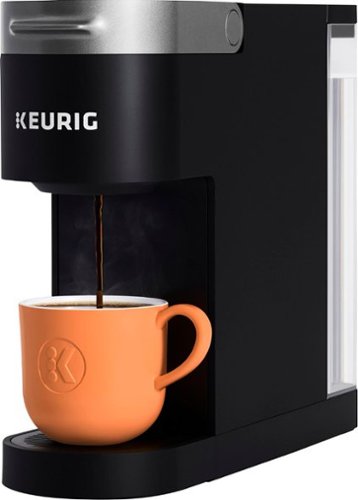
Enjoy ease and great taste in little space with the Keurig~ K-Slim~ single serve coffee maker in Black. The K-Slim~ coffee maker features MultiStream Technology~, an innovative way to more evenly saturate the coffee grounds* in every K-Cup~ pod. This technique extracts full flavor and aroma from your K-Cup~ pod, so you can enjoy an exceptionally flavorful experience every time you brew. At just 5~ wide, the K-Slim~ single serve coffee maker fits neatly on your countertop, making it the perfect choice for when space-saving and simplicity are important. The K-Slim~ brewer brings together the performance and simplicity that Keurig is known for, in a slim and sleek design. You also get the convenience you desire with the capacity to brew up to four 8 oz. cups before refilling the 46 oz. removable water reservoir, and the ability to enjoy a fast and fresh-brewed 8, 10, or 12 oz. cup at the push of a button. Choose from hundreds of flavorful K-Cup~ pod varieties of coffee, tea, cocoa, and more. With the K-Slim~ brewer, your delicious morning cup or midday pick-me-up is always ready in minutes, and you never have to sacrifice countertop space for taste again. *vs. leading national Keurig~ K-Classic~ brewer
Posted by: 91preludesi
from Newnan, GA
I have an older K50 Keurig brewer and it has always worked great. I got the K-Slim for it's smaller size to free up more counter space. It is very compact width wise, although it is fairly long. It is roughly 4-3/4" wide and 14-1/2" long. It takes up about 3/4 of the depth of our counter.
Being more compact, the water reservoir is much smaller than my K50. It can make about four 12oz cups before needing to refill. Even with it pushed all the way back against the wall, you can still remove the reservoir to refill it without having to move it.
The controls are on the front at the top where you put the pod. There are options for 8oz, 10oz and 12oz pours as well as add water and descale lights to let you know when each is needed. There is a power button, but it will automatically turn on when you open the pod door as well. The K-Slim shuts off automatically after five minutes. It does not have an option to automatically start brewing at a set time like the bigger models, however, it brews so quickly that I don't believe it matters.
The K-Slim is extremely quiet compared to the full size brewers. My K50 you could hear the pump from across the house, with the K-Slim all you hear is the coffee hitting the cup. The K-Slim has quickly taken over as my go-to coffee maker. Overall, with it's compact design, quiet and quick brewing, and 12oz max pour, I highly recommend the K-Slim.
Mobile Submission: True
I would recommend this to a friend!
Share this review:


+2points
2of 2voted this as helpful.
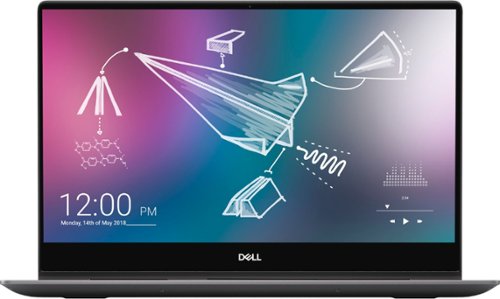
Dell Inspiron Convertible 2-in-1 Laptop: Smart meets sleek in this compact 2-in-1. 15" laptop with a heat dissipating hinge design, full-size Dell Premium Active Pen, adaptive thermals, 4k UHD screen and full number pad. Work efficiently while on the go with this Dell Inspiron two-in-one notebook. The 15.6-inch Ultra HD touch screen with Active Pen support lets you create sketches with precise detail, and 16GB of RAM handle seamless multitasking. This Dell Inspiron two-in-one notebook features a 512GB SSD for prompt data access, and the Intel Core i7 processor and NVIDIA GeForce MX250 graphics card enable intensive photo and video editing.
Posted by: 91preludesi
from Newnan, GA
First, out of the box this 2-in-1 was easy to set up and get customized to fit my needs. It has a nice aluminum exterior and for its size it's not heavy. It has a good weight. The 4K UHD screen is great. Everything from photos to YouTube videos just pop. The colors are great and you can adjust the settings to optimize the screen to fit what you are doing (basic internet surfing to watching movies). It also flips between landscape and portrait modes when in tablet mode to fit which way you are viewing it. I've never had any desire to have a touch screen, however, now that I have it I enjoy it a lot. It's so much easier to just touch the screen and slide my finger to scroll.
Being 15.6" allows for a full keyboard which I like. I've always been the type that needs the number pad. What makes this better than usual is that there is a calculator button just above the numbers. Simply press it and the calculator comes up. For me, this is an extremely handy feature to have. Right next to the calculator button is the CE (clear) button. It's nice to not have to reach to the other side of the keyboard to hit escape to clear the last calculation. One thing that I have struggled to get used to is the fact that the page up and page down buttons are just above the arrows, not at the top right of the keyboard as they always have been.
My one complaint is that they color of the keys (gray) don't show the contrast very well, so during the day it is harder to see the keys. However, the backlit keyboard eliminates this issue at night. There are three options for the backlit keyboard. Off, low and high.
Startup and shutdown take just a couple of seconds. It is blazing fast. My old laptop took a couple of minutes to start up. The power button is also a fingerprint reader. Just open the laptop and it starts up, place your finger on the scanner and you're logged in. The pen is very intuitive. It allows you to draw with precision and write as though it were paper. The computer can learn your handwriting through training. I often find myself switching back and forth between using the touchscreen with my finger and the pen. The pen stores in a groove below the middle of the screen and is held in place with a magnet.
Battery life has been exceptional so far. I've been using it a few hours per night and I usually only have to charge it about every 3-4 days. With Dell Mobile Connect, you can connect your phone and receive and respond to text messages, make phone calls, transfer pictures and more.
Overall, I highly recommend this 2-in-1. It would be great for people on the go, people who want something they can draw with, edit photos and videos and people who want great screen quality in a compact package.
Mobile Submission: False
I would recommend this to a friend!
Share this review:


+6points
7of 8voted this as helpful.
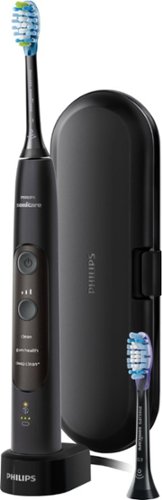
Get fresh breath and healthy gums with this Philips Sonicare ExpertClean electric toothbrush. The built-in sensor controls applied pressure to help avoid gum inflammation and soreness, while the soft, flexible bristles reach deep between teeth for up to 10 times better plaque removal. This Philips Sonicare ExpertClean electric toothbrush has three intensity modes to fit your personal preference.
Customer Rating
5
It's like getting a dental cleaning at home.
on October 12, 2019
Posted by: 91preludesi
from Newnan, GA
I've only ever used a manual toothbrush. I've been using the Philips Sonicare ExpertClean toothbrush for about a week and a half. It's a tremendous improvement over manual brushing. It has three different power levels and you can set it to build up to the maximum power over 14 days if you're used to using a manual toothbrush like I was. It has three different modes as well. Clean, gum health and deep clean +. The clean and deep clean + modes helps remove plaque while the gum health mode helps remove plaque and massages the gums. This version comes with two different brush heads. One is for plaque control and the other is for gum care. You simply slide the brush head onto the handle and it automatically detects which one is attached and adjusts accordingly. It comes with a hard travel cases that holds the handle as well as two brush heads.
There is an app that you can download. It allows you to track your progress. It shows how many times per day you brush, how long you brush for and if you are applying the right amount pressure when you brush. It also keeps track of when you should replace the brush head.
If you are applying too much pressure, the brush will pause until you reduce pressure. It also changes the vibration when you should move from one section of your teeth to the next. It automatically shuts off after two minutes of brushing.
Overall I have seen a major improvement in my dental health after using this toothbrush. My teeth feel much cleaner after brushing with the Sonicare ExpertClean. I wish that I would have ditched the manual toothbrush years ago.
Mobile Submission: True
I would recommend this to a friend!
Share this review:


0points
0of 0voted this as helpful.
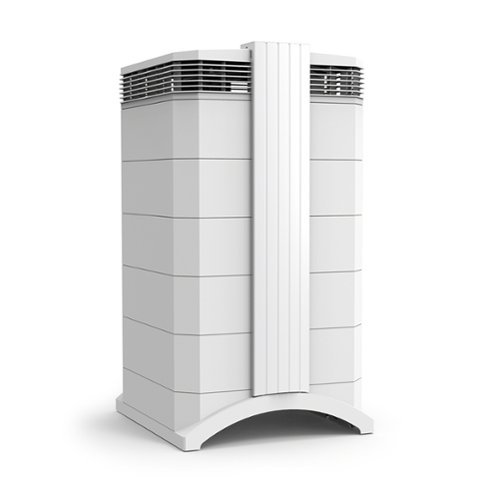
The IQAir new edition HealthPro Plus is the best choice for asthma and allergy sufferers. IQAir HyperHEPA filtration is proven to trap the smallest, most harmful particles in the air, down to 0.003 microns ~ 100 times smaller than 0.3 microns. That includes viruses, pet dander, dust mites, air pollution, even cigarette smoke. IQAir nanofiber technology and innovative design stop particles 100x smaller than 0.3 microns. IQAir uses only safe, proven technology to clean the air. IQAir systems produce no unhealthy ozone, ions, UV or chemicals. IQAir tests every HealthPro Plus system at the factory to ensure its performance meets our strict specifications. We test total system efficiency ~ the actual air coming from the outlet. Results are detailed in a hand-signed Certificate of Performance that is shipped in the box with every HealthPro Plus system. V5-Cell filtration provides the best solution for gas & odor control. The V5-Cell combines 2 types of media: one adsorbs odors & gases, the other changes pollutants to oxidized form. The new edition HealthPro Plus delivers up to 25% more clean air, up to 38% longer filter life, and 32% less sound.
Posted by: 91preludesi
from Newnan, GA
Out of the box this air purifier was easy to set up. Just a couple of simple steps and it's running. It comes with a certificate verifying its efficiency. It's nice to know that every air purifier is individually tested. For example, they advertise 99.97% efficiency. However, mine tested at 99.99% efficiency.
It is best to have it in the room that is most often occupied (living room or bedroom) to get the most benefits from it. I decided to place it in our dining room. This covers our dining room, kitchen and living room quite well. I have mine set on fan speed 4. At the lower speeds it is very quiet. At speeds 4 and above I can hear it running, but it is still quiet and not a nuisance.
On the display, the fan speeds also show you the airflow rate in cubic feet per minute (cfm). With your room dimensions, you can calculate the amount of air changes per hour. (The formula is in the manual) Ideally, you are looking for at least two. The screen also shows remaining life on the filters and the timer functions. You can set it to only run on certain days for certain amounts of time if you wish. However, after reading more about it, it is perfectly fine to run it continuously. It also comes with a remote, which is alright, but I don't really see much point to it. With the remote you can turn it on and off, set the fan speed between 1-6 and turn the timer on and off. This isn't something that you're going to be constantly adjusting. It's more of a set it and forget it thing, so it's not really necessary.
Although I just got it, I did take it apart to inspect it and see how easy filter replacement will be. When the time comes, filter replacement will be very easy. It simply snaps apart and each different level is a different filter. You just take it out and place the new one in.
As far as the actual function, after two days of it running continuously, I came home from work and noticed a dramatic improvement in the air quality. As soon as I opened the door I could smell the clean air. Having four people, a dog and a cat, this air purifier definitely helps to improve what we are breathing. A lot of studies have shown that indoor air quality is often far worse than outdoor air quality. You spend a great deal of time at home, you shouldn't have to worry about the air that you breathe. While it is pricey, anything that can help improve the air quality that you breathe is worth it.
I definitely recommend it, especially if you have allergies, breathing issues or pets.
Mobile Submission: True
I would recommend this to a friend!
Share this review:


+2points
2of 2voted this as helpful.
91preludesi's Review Comments
91preludesi has not submitted comments on any reviews.
91preludesi's Questions
91preludesi has not submitted any questions.
91preludesi's Answers
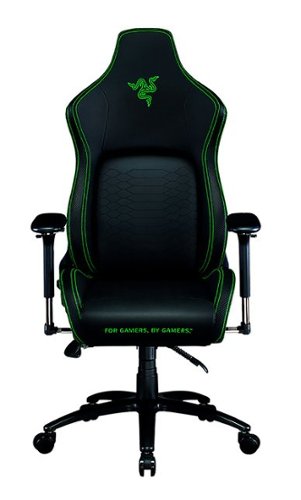
Keep the competition in your kill zone, as you enter your comfort zone with the Razer Iskur~an ergonomic gaming chair designed for posture-perfect hardcore gaming. Fitted with an adjustable, ergonomic lumbar support system, we~ve got your back when it comes to keeping you in prime gaming form.
Is this the all-black edition Iskur chair? I asked support and they said it was, but right before ordering, I decided to double-check the model number. When comparing to another site, it seems this is the Black/Green Edition. Which is it?
It is black with lime green accents.

5 years ago
by
91preludesi
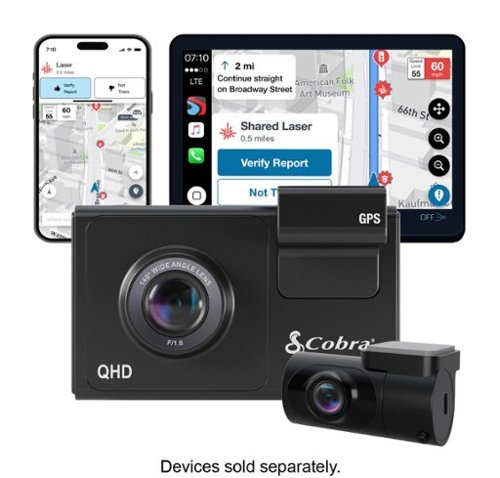
SC 200D - The dash cam that can see the future. We designed the Cobra SC 200D smart dash cam to offer state-of-the-art protection against anything the road throws at you. With QHD 1600P front-view resolution and rear FHD 1080P, built-in Wi-Fi and GPS, heads-up navigation, and voice commands, you can capture everything that happens in or around your vehicle on the road or in the lot. Learn how a SC 200D dash cam can be your extra pair of eyes on the road, protecting the ones you love against life's blindspots.
#1) do you have to purchase mounts separately or is the mounting system included? #2) what do you mean by park mode? #3) does this camera system record a rear-end accident or is it just cabin recording?
1) The mounts are included. 2) Parking mode is when the camera will come on and start recording automatically, even when the vehicle is off. This way, if you're in a store and someone bumps into your vehicle it will record the incident. 3) You could choose to mount the rear camera in the front for cabin recording, but there is so much cable length that it is meant to go in the rear windshield to record a rear-end accident. The camera screen overlays the rear camera onto the front camera, however, in the recordings, they will be two separate files.
5 years, 5 months ago
by
91preludesi
Better sound begins with better silence. That~s why Bose QuietComfort Earbuds are engineered with the world-class noise cancelling and high-fidelity audio. Microphones inside and outside the earphones sense noise and react instantaneously to cancel the signal. Get rid of disruptions so you can turn up the music on your wireless earbuds and amplify whatever you~re most passionate about ~ from hiking or circuit training to coding or baking. And when you need to be more aware of your surroundings, minimize noise cancelling with a quick double tap, so you can walk down a busy street or listen for your boarding announcement. StayHear Max tips provide extra comfort and stability for an even better experience. Rule the Quiet with Bose QuietComfort Earbuds and get an exhilarating experience that~s tough to find in any other Bluetooth earbuds. The Bose QuietComfort Noise Cancelling Earbuds are available in Triple Black, Soapstone and limited-edition Sandstone or Stone Blue.
does the charge case support qi wireless charging?
Yes, it does.
5 years, 8 months ago
by
91preludesi
Shoot pro-quality aerial footage with this DJI Mavic Air 2 drone. The three-axis gimbal stabilizes the 48.0MP camera for stunning photos and clear videos, while the 3500 mAh battery delivers dependable power for every flight. This DJI Mavic Air 2 drone features FocusTrack technology for advanced obstacle avoidance and target tracking.
When using the new DJI Mavic 2 Air Do you need an adapter to use a galaxy s9plus with a case on it
I have the Galaxy S8+ with the Otterbox defender case and I have to remove it to fly. The phone/case fit in the controller fine, but the connector is too short to reach through the case and get to the charging port.
6 years, 1 month ago
by
91preludesi
Shoot pro-quality aerial footage with this DJI Mavic Air 2 drone. The three-axis gimbal stabilizes the 48.0MP camera for stunning photos and clear videos, while the 3500 mAh battery delivers dependable power for every flight. This DJI Mavic Air 2 drone features FocusTrack technology for advanced obstacle avoidance and target tracking.
How many batteries come with the bundle
Three batteries come in the fly more combo.
6 years, 1 month ago
by
91preludesi
Shoot pro-quality aerial footage with this DJI Mavic Air 2 drone. The three-axis gimbal stabilizes the 48.0MP camera for stunning photos and clear videos, while the 3500 mAh battery delivers dependable power for every flight. This DJI Mavic Air 2 drone features FocusTrack technology for advanced obstacle avoidance and target tracking.
Does this come with ads-b I heard the Europe version has it stripped out. But I see no mention of it here either
I am in the US and it has ADS-B.
6 years, 1 month ago
by
91preludesi
Shoot pro-quality aerial footage with this DJI Mavic Air 2 drone. The three-axis gimbal stabilizes the 48.0MP camera for stunning photos and clear videos, while the 3500 mAh battery delivers dependable power for every flight. This DJI Mavic Air 2 drone features FocusTrack technology for advanced obstacle avoidance and target tracking.
DJI offers a crash and damage replacement warranty for 79.00 - the only warranty I see here is GS for 2yr 350.00 Is the DJI warranty not available if bought through BB?
I received an offer through the DJI Fly app after connecting my drone to purchase their warranty.
6 years, 1 month ago
by
91preludesi
Shoot pro-quality aerial footage with this DJI Mavic Air 2 drone. The three-axis gimbal stabilizes the 48.0MP camera for stunning photos and clear videos, while the 3500 mAh battery delivers dependable power for every flight. This DJI Mavic Air 2 drone features FocusTrack technology for advanced obstacle avoidance and target tracking.
I have the Samsung s9+, and have heard and read about compatibility issues with Android phones. Has this been resolved so the app works with Android phones now. They seem to have a 5 star drone and a 2 star +- app. Thx
I have the Samsung Galaxy S8+ and have no issues at all. The app works perfectly for me. I have had zero issues.
6 years, 1 month ago
by
91preludesi
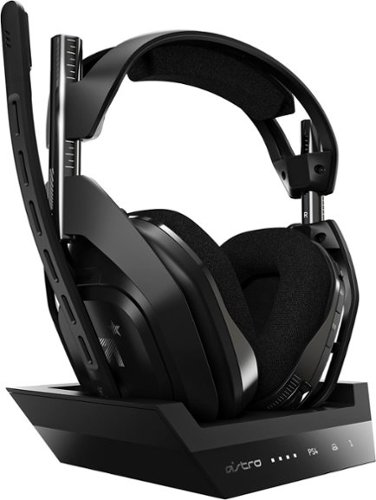
Experience legendary performance and sound of ASTRO Audio V2, with the convenience and freedom that comes without wires. The A50 Wireless + Base Station for PS5 /PS4 / PC delivers top-of-the-line acoustics, ergonomics, comfort and durability that gamers demand. The all-new Base Station provides clear, low-latency voice communication, while making headset pairing and charging simple. The ASTRO Command Center software allows gamers and streamers to tune every input and output parameter of the A50 precisely for their specific setup. Experience absolute audio immersion with the A50 Wireless + Base Station.
How does this headset connect to a ps4 slim? Does it still require the optical cords? Is there anything extra needed to be purchased to make this compatable for a ps4 slim?
I was told that you can connect the optical cable to the TV since the slim doesn't have an optical cable port. However, I've been using mine without the optical cable at all and they work perfectly.
6 years, 9 months ago
by
91preludesi
Experience legendary performance and sound of ASTRO Audio V2, with the convenience and freedom that comes without wires. The A50 Wireless + Base Station for PS5 /PS4 / PC delivers top-of-the-line acoustics, ergonomics, comfort and durability that gamers demand. The all-new Base Station provides clear, low-latency voice communication, while making headset pairing and charging simple. The ASTRO Command Center software allows gamers and streamers to tune every input and output parameter of the A50 precisely for their specific setup. Experience absolute audio immersion with the A50 Wireless + Base Station.
Is this a light headset? If not, will it cause any head pain or anything? Im using this for long term use.
These are fairly light. I just used them for 4 hours with no fatigue. They're not hot on the ears either. My Turtle Beach Elite Pro 2s would get very hot on my ears.
6 years, 9 months ago
by
91preludesi