
Share 91preludesi's profile


91preludesi
91preludesi's stats
- Review count102
- Helpfulness votes161
- First reviewApril 13, 2008
- Last reviewJune 1, 2026
- Featured reviews0
- Average rating4.4
Reviews comments
- Review comment count0
- Helpfulness votes0
- First review commentNone
- Last review commentNone
- Featured review comments0
Questions
- Question count0
- Helpfulness votes0
- First questionNone
- Last questionNone
- Featured questions0
- Answer count10
- Helpfulness votes26
- First answerAugust 18, 2019
- Last answerMay 17, 2021
- Featured answers0
- Best answers2
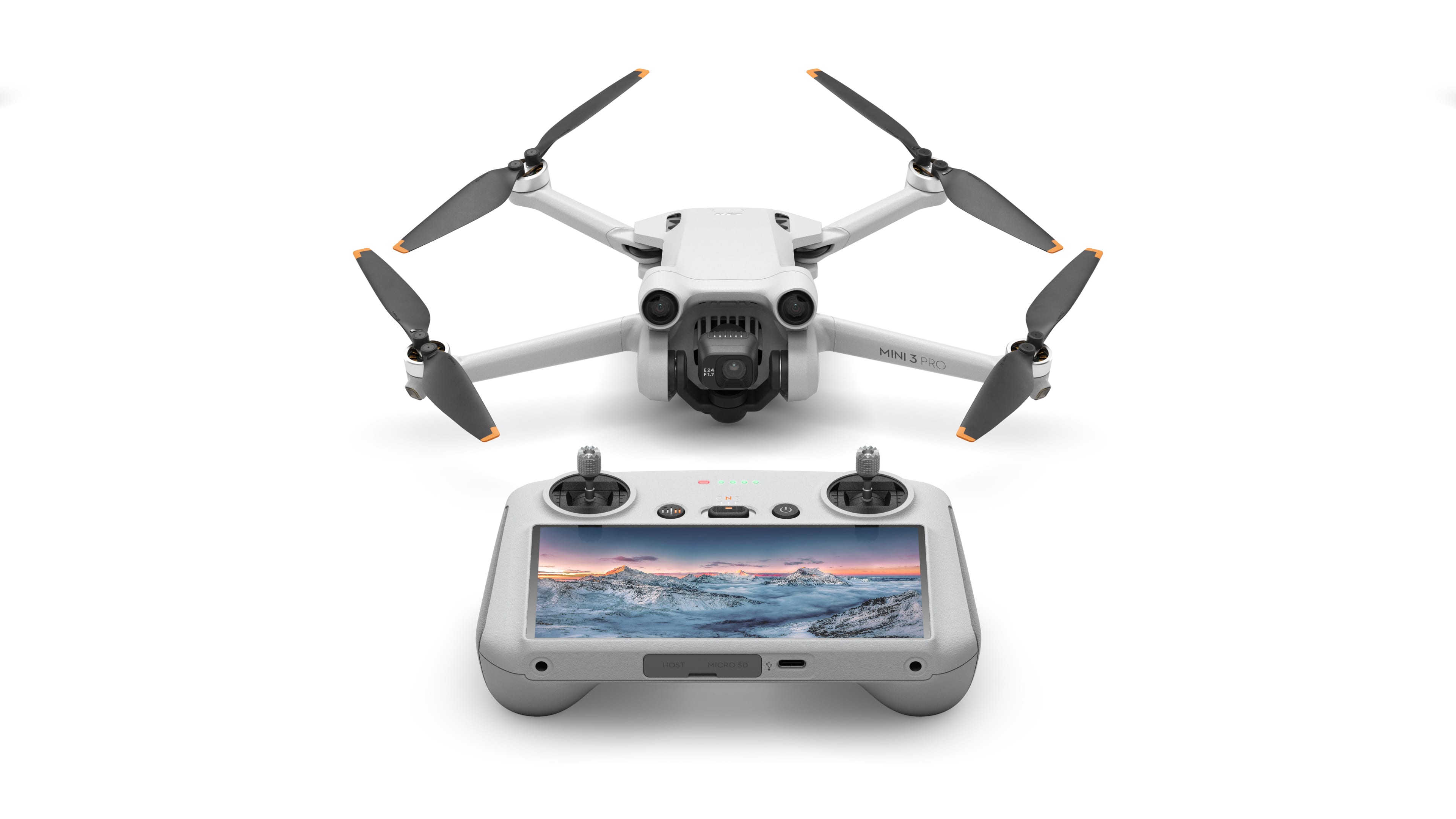
The mini-sized, mega-capable DJI Mini 3 Pro is just as powerful as it is portable. Weighing less than 249 g and with upgraded safety features, it's not only regulation-friendly, it's also the safest in its series. With a 1/1.3-inch sensor and top-tier features, it redefines what it means to fly Mini.
Posted by: 91preludesi
I have the Mavic Air 2, so this was a nice addition that is much more compact and easy to take around. Although I have the fly more combo with the Mavic Air 2 which comes with a carrying case, making it slightly better for a "grab and go" trip. However, the Mini 3 Pro is small, but feature packed.
Out of the box, you of course will need to charge the drone and the controller. Both have a USB-C port for charging. The drone comes with one charging cord, but not the "box" that you will need to plug into the outlet. These days, most people have one around the house for something else, but be prepared if you don't. I didn't time it, but charging both didn't take too long. I would estimate around 1:00-1:30. Keep in mind that a portion of your battery life from the initial charge will be used for updates. I haven't had a full flight (going from full battery to low battery) yet, so I can't really speak to the duration of flight. DJI says up to 34 minutes, but that is of course in ideal conditions (no wind and perfect temperature) and not using "Sport Mode", etc. I would say you could comfortably get 25 minutes of flight time with enough battery reserve.
Another huge plus for me is the remote. I always thought that I would hate having the screen where it is on the remote. I felt like I wouldn't want to look between my wrists to see the screen. However, I actually really like it. The screen is large and crystal clear. With my other drone, you have to use your phone. It was great when I had the Galaxy S8+ as it fit into the holder on the controller. After I changed to the S21 Ultra, my phone no longer fit into the holder and I just had to lay it on top of it. Having the controller also be the screen is great. It's easy to bring up menus (change from photo to video/change the photo/video settings, etc). They have also added the "Pause" button to the return to home button. If you just press the pause/return to home button the drone will immediately stop and hover. That way, if you see that it is headed for trouble you can immediately stop it. I tried this in sport mode at full speed and it stopped quickly and went into a hover and stayed there until I commanded it to move. The ability to zoom is also nice. I like taking shots of things far away, and the zoom helps bring them a little closer. I have a couple of example photos. They have also added two more buttons on the back of the controller (C1 and C2). They have their own functions (which are customizable) giving you more options. As an example, I have one the centers the gimbal. A quick press of that button and I'm back at straight and level on the camera. The camera also has the ability to rotate up which is great for sky/cloud shots. They've also added the ability to take portrait photos as well as landscape. I personally don't have a use for that, but it's a nice option if you need it. With a simple press of a button (on the screen) the camera quickly rotates 90 degrees to vertical.
Flight controls are easy to use and the drone has 3-way obstacle avoidance (forward, backward and downward) sensors. It does not have side to side sensors. I tried the obstacle avoidance to see how well it worked. I set the option to fly over/around an obstacle. I first flew it forward toward my privacy fence. It got about 10 feet away and went up and over it. It worked the same backwards. I then flew it forward towards some tall privacy trees that we have. As the drone couldn't see an opening to get around/over them, it just stopped and hovered. As the sun was setting and light was fading I flew it towards another tree with more open branches. It couldn't see it and wasn't stopping, but at that point, there's not much reason to be flying that low and close to things anyway. Flight controls are somewhat customizable with presets that allow you to change which stick does what. I've always left mine with the default settings as they are natural to me.
I haven't had a lot of time to fly it as it has been raining a lot since I've gotten it, but I haven't really found any downsides to it. It is very light and also very quiet. Sport mode and quick direction changes/stops are a little louder, but not by a lot. This would be a great drone for a hobbyist or a content creator. If you're traveling with your drone, this would be a great way to go with its compact size and light weight.
I would recommend this to a friend!




Share this review:


0points
0of 0voted this as helpful.
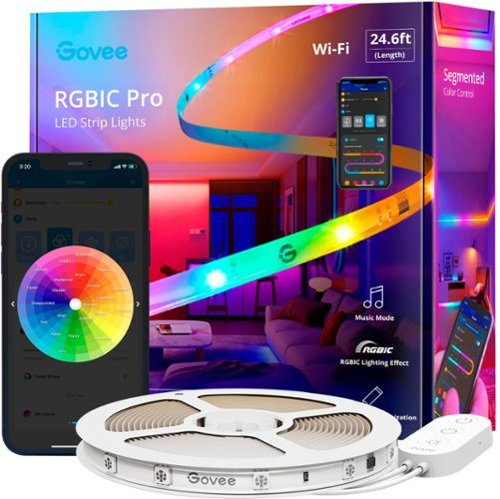
Add extra brightness to any room in your home. These LED strip lights use Wi-Fi and Bluetooth to easily control the colors and effects to personalize your lighting.
Posted by: 91preludesi
I have light strips for my living room TV and on my TV that is in the garage. I like what it adds to the TV back lighting and to the room. I got these with the idea to put them under my bed.
Right away out of the box, I plugged them in. They turned on and reacted to me talking. They were set to react to music. In silence, they were off, but as soon as there was sound, they lit up. The first thing that I noticed was that there was a clear protective coating over the lights. This is a huge upgrade over the lights that I have on my TVs where the LEDs are exposed. If you try to slide your fingers down those to stick them to something, your fingers are constantly bumping over the LEDs and it can get painful. With the Govee lights, you don't have that problem. Before installing them, I downloaded the Govee Home app. I started browsing through the color options in the "Effects Lab". There is an insane amount of options. I was going to count them, but I gave up because there are so many. Just in "basic colors" in the color gallery, there are 52 color options. The next tab is the Effects Lab which has presets for different options. These are all dynamic. There are nine category options. Everything from "Natural" to "Games", "Relaxation", "Life", etc. A lot of these options have several sub options. For example, under "Lightning" there are A, B, and C options which all have different effects. One thing to note is that some are strobe effects. However, the app will give you a warning the first time you try to use that effect for those that are sensitive to strobes. It will not start that effect until you accept the warning.
The 25' length was perfect for our queen size bed. It wrapped around all four sides perfectly. It does have an attached control box which lets you turn the lights on and off and cycle through different presets. It easily integrates with Alexa. Now I can simply say, "Alexa, turn on the bed lights", or "Alexa, turn the bed lights green". One of my favorite features is the "Sunset" option. This starts at whatever brightness level you set in a light yellow and fades to orange and then red over about 10 minutes, and then turns off. Perfect for going to bed. These lights are very bright. I don't need a light on in the bedroom when the Govee lights are on. With them placed on the bottom of my bed facing the floor, I could easily sit in bed and read a book with no other lights on.
Another great feature is the customization. You can turn on the segmented light and change it any way you want. There are 15 segments. If you wanted each section to alternate white and blue, you can do that. The options are limitless. You can click the world icon at the bottom of the app and use effects that other users have uploaded, or create and upload your own for others to use.
My other two light strips only give you basic color options using a remote. The Govee lights are light years ahead of anyone else. They have the most feature-rich, intuitive, easy to use app I've seen. Can't find that exact shade of green you want? Open up the color wheel and slide your finger over it to get exactly what you want. A great option to try is the "Stacking" effect. It's in the Effects Lab under the "Emotion" tab. It scrolls light from one end to the other, stacking them from end to end, then runs them back. It's changing the colors the entire time also. I've been playing with these for about a week, and it seems like every time I open the app I find something new that I haven't seen before.
If you're looking for the best, easy to install and use strip lights, The Govee RGBIC LED strip lights are hands-down the best! I cannot recommend these lights enough! I will be getting a lot more for different areas around the house. The possibilities are endless! Under the couch, under cabinets, around the edges of a room.
I would recommend this to a friend!


Share this review:


+3points
3of 3voted this as helpful.
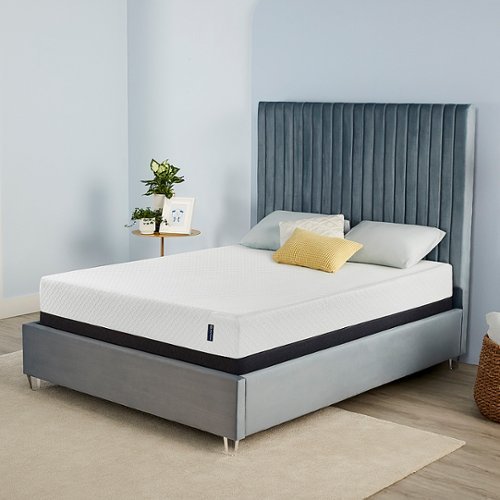
The new Serta Sheer Slumber mattress delivers quality, convenient comfort to your front door in our smallest carton ever. We~ve combined cooling Serta Gel Memory Foam with our durable Serta Foam Core for a cool, supportive mattress that keeps you in dream-land all night long.

Posted by: 91preludesi
from Newnan, GA
Our previous mattress was a pillow top and was quite comfortable, but it was getting older. It was time for a new one. This mattress showed up in a fairly small box. The mattress was folded and rolled up. I took the old mattress off the bed and opened this one in its spot. The packaging was tight, but the supplied cutter opened it well.
It states that the mattress can take up to 48 hours to reach its maximum size, but you can sleep on it right away if you want. As soon as it was unrolled I measured it and it was the full 8". It was about 8 hours before we slept on it. Immediately as soon as we first sat on the mattress it was like sitting on a rock. After laying on it for about 10 minutes we knew we weren't going to sleep that night. It was the worst night's sleep I've ever had. The mattress has zero give. We gave it three more nights before giving up. It never got softer and we couldn't sleep. As a test, I put a blanket on my floor for padding (concrete slab) and slept that way for a night. I had a better night's sleep on the floor. This being labeled as medium firm makes me wonder what a firm mattress would be. I couldn't imagine how hard that mattress would be.
In the end, my wife said to put our old mattress on top of it. Our bed is now 8" taller than it was before (box spring, the Serta Sheer Slumber, and then our old mattress on top), but we sleep like babies now. We may keep it this way, but I'm also looking for a women's shelter or somewhere else to donate it to.
No, I would not recommend this to a friend.
Share this review:


-1point
0of 1voted this as helpful.
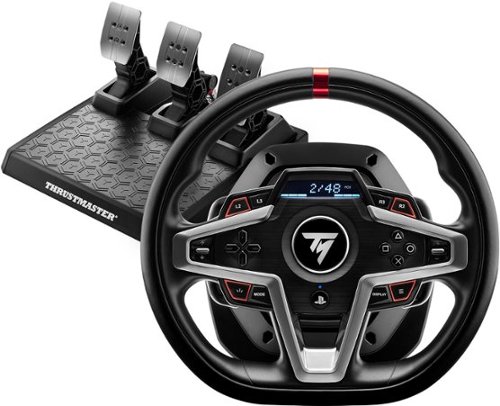
The T248 has been designed for all gamers looking for performance and immersion-including those keen to free themselves from their keyboard, mouse or gamepad, and users who want to take their racing to the next level after having started out with a wheel aimed at beginners. This brand-new racing wheel is officially licensed for PlayStation 5, PlayStation 4, and is compatible with PC.

Posted by: 91preludesi
from Newnan, GA
I wanted to try the Thrustmaster T248 after using the Logitech G923 wheel for a while. I was prepared for this to be a huge upgrade. In some ways, it is. In others, it's not. Right out of the box, setup is quick and easy. It's just plug and play (I use it on the PS5). I used it with several games, some being older and not having as many options as newer games.
The outer half of the wheel on the Thrustmaster T248 is a leathery feel, while the inner half is plastic. There is a huge seam between the two. Over time the plastic just isn't comfortable to hold and the seam will dig into your hands. There are a ton of buttons. Thankfully, you can use button mapping in games to change which button does what. Whereas square was the emergency brake, I changed it to be the circle button so it was quicker and easier to get to. Luckily, I was home alone when I first used it. I always prefer to shift in games. I like controlling when I shift. However, not with this wheel. The shifter paddles use magnets and are clunky and extremely loud. I can hear them clanking through my headset. Normally I only hear the game sounds through my headset. This was a huge step backwards. There's no reason for them to be so loud. They could have used rubber bumpers or something. I'll only use this wheel driving with the transmission set to automatic. The screen is nice, with several options for what it displays (depending on the game). It can be shift lights, speed, your position in the race, etc. However, with the wheel that far below me, it's too far to move my eyes to see it. I just use it as shift lights. Out of my peripheral I can see when most of it is lit up. The pedals have a great feel. The brake pedal comes with a second spring so you can "tighten" it if you want to. I honestly haven't tried it as the stock setup suits me perfectly. The pedals themselves are adjustable. The drilled holes allow you to slide them over or up and down to suit your setup style. The throttle pedal can be flipped if you want it to have more lean to it. I set up the wheel on the coffee table with a center that comes out and up from the table. The height is perfect. However, the pedals push up against the base of the table. They do have pads under them to keep them from sliding, but they don't hold on my carpet. I'm probably going to end up getting a wheel stand to avoid damaging the table.
The force feedback is good, but the rumbles (hitting bumps in the game, gravel, etc.) are more of a lighter vibration. This wheel fights you a lot to turn it. A lot more so than my real car that weighs about 3,500 pounds, but then when you lose traction it gets really light as it should. Overall, I like it, but there is still room for improvement.
Pros:
Quick and easy setup
Good feedback
A lot of buttons (great for games that have everything down to buttons for the windshield wipers)
Great peddle feel
Quick and easy setup
Good feedback
A lot of buttons (great for games that have everything down to buttons for the windshield wipers)
Great peddle feel
Cons:
Super loud shifter paddles
Pedals slide easily on carpet
Half plastic inner portion of the wheel
Slower return to center than most (not great for drifting)
Super loud shifter paddles
Pedals slide easily on carpet
Half plastic inner portion of the wheel
Slower return to center than most (not great for drifting)
If you've never had a wheel, this would be a great start. It has a lot of features. I would recommend getting a wheel stand for it.
I would recommend this to a friend!
Design

4
Ease of Use

5
Durability
4
Quality
4
Value
4
Share this review:


0points
0of 0voted this as helpful.
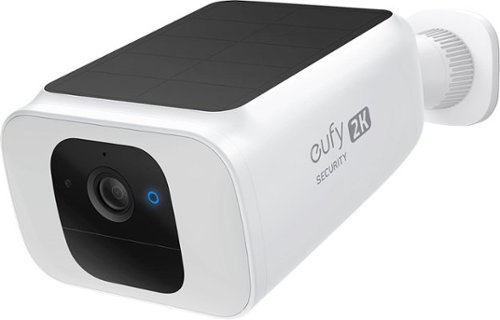
The SoloCam Solar Spotlight Cam is the latest in cutting-edge eufy Security battery cameras with an integrated solar panel. With the built-in 13,400mAh battery and integrated solar panel, just a few hours of direct sunlight each day is enough to extend the battery life to near-infinite power. When motion is detected at night, the ultra-bright spotlight will automatically turn on, which will not only help the color night vision, but will also scare off intruders. When it comes to security, the key is in the details. Consumers can see exactly what is happening around their home in crisp 2K clarity, detect humans that come into frame, and filter out false alerts with the built-in local AI technology. There is 8GB eMMC of 60 days free local storage and there~s no monthly fee after your purchase.
Posted by: 91preludesi
from Newnan, GA
I got the eufy spotlight camera to mount next to the garage to watch over the driveway. I previously had another camera mounted there but wanted something with a spotlight also. My previous camera wasn't solar-powered and in its first location (watching the front porch), the battery lasted about 6 months before needing a charge. However, moving it to such a high traffic spot caused it to constantly record and need to be charged monthly.
A huge plus for the eufy spotlight camera is that it is solar-powered. I fully charged it inside using the USB-C cable before installation. After installation, it rained for two days. As soon as the sun came out it started charging. I will note that the sun wasn't even directly hitting and it was already charging. I checked it again tonight and the battery is still at 100%. You can see in the app that it is charging. Another pro is that you can set it to only alert you for humans, instead of animals. I can back my car out of the garage and leave and it doesn't record it. For me, that's exactly what I want. There's no point in having tons of stored videos of cars coming and going. However, as soon as you walk through its path it will record. As far as the spotlight, it is very bright. Something that I didn't realize when I got it was that the light is customizable. You can go from brightness 1-100. You can also change the color temperature from warm (more yellow) to cool (white light). For brightness, I use the cool setting at 100% (600 lumens).
There are two options for night vision. You can have black and white using the IR LEDs, which looks good, but a little grainy. The second option is for color night vision. This option turns on the spotlight when motion is detected. I used the IR lights for a couple of nights and then the spotlight. I prefer the spotlight option as you get better image quality and a light if you need to go out at night. You can also use the built-in microphone to talk through it. I tested this and the quality was clear and loud. So far I have 100 events recorded and it has used 376MB out of 7.3GB of the internal storage. You can download recordings from the app and erase the ones you don't need. You can prioritize between optimal battery life, optimal surveillance, or customize between the two. You can also set activity zones to monitor. The eufy spotlight cam gives you two. Every other camera that I have had only gives you one. This is perfect for me since the camera is facing a road. I simply set the activity zone below the line of the road so that people walking down the road won't trigger it. When it captures a video, it also takes a screenshot of the best picture of the person's face. Just below the recording, you will see the face of the person that it recorded. Click that and you have the best still shot of that person. That's a nice feature. If you're watching it live, there is also a siren button. It works well and is quite loud. Overall, there has been very little lag between an event triggering and me getting the notification. For example, my eufy doorbell cam notifies me after the UPS guy is halfway back to his truck after hitting the doorbell. The spotlight cam is nearly instant.
There are a couple of drawbacks to the eufy spotlight cam for me. First, it is designed to be on the 2.4GHz frequency of your WiFi. Since I have both the 2.4GHz and 5GHz bands coming from the router, the eufy spotlight cam wouldn't connect to my WiFi. I had to create a separate guest network that was only running the 2.4GHz band to connect the spotlight cam to. I didn't have to do this with my eufy doorbell camera. It connected automatically with no issue. Another huge issue (and they tell you this in the setup guide) is that people walking directly towards the camera may not be seen. They need to cross the path of the camera for it to realize they are there and record. It has a big blind spot directly ahead of it. I tested this by walking straight at the camera from outside the activity zone. It didn't realize that I was a person that it should be recording until I was just a few feet from it. Basically, once someone figures out this flaw, they can easily defeat it and it becomes useless. They could just slowly walk directly towards it, duck down below it and it wouldn't capture anything. That's a big oversight for something that is supposed to be a security camera. Overall, however, it is a great spotlight camera that you (in theory) never have to charge.
Mobile Submission: False
I would recommend this to a friend!
Share this review:


+2points
2of 2voted this as helpful.
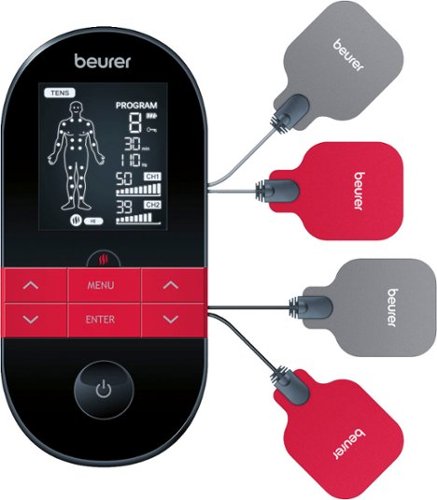
EM59 is a digital TENS/EMS unit with an innovative heat and massage function. The ultimate device for drug-free pain relief and muscle recovery. The heat function can be used alone or combined with the TENS or EMS program. Choose from one of the 44 treatment programs or customize 6 additional programs to your comfort level. TENS provides targeted pain relief by blocking pain signals sent to the brain. The EMS function can be used to tone muscles or provide a gentle massage. Heat can help relax muscles during the EMS massage or help relieve pain during TENS treatment. Features a rechargeable battery and includes 4 electrodes.
Posted by: 91preludesi
from Newnan, GA
My first experience with TENS therapy was after a work injury in 2009. I got injured at work and had bursitis in my left shoulder. A large part of my physical therapy was TENS. It was the best part of treatment. Their device had one repetitive stimulation and went to 10. I was always left wishing that it could go higher, but I always left there feeling great. The pain was gone. However, all of these years later I still occasionally have flare ups where my shoulder will start hurting again.
The Beurer 3-in-1 TENS/Heat device has 50 programs to choose from! There are 15 TENS and 35 EMS (Electrical Muscle Stimulation) programs. TENS is used for pain and EMS is used more for muscle strengthening and relaxing. Both the TENS and EMS have three programs each that are customizable. The customization allows you to change both the impulse frequency and impulse width. I haven't used custom programs as the numerous standard programs work fine for me. The manual that comes with it goes into detail about each program and has a page with pictures to guide you in positioning the electrodes.
It comes with four gel pads for placing on the electrodes. You can order more from customer service as they will wear out eventually. However, the book says item number: 646.11. When I search that on the website I get 161 results. I finally found them and their item number is actually 64655. Just search for that and it will take you right to them. I don't see an option to buy them, so you may have to call customer service since this is a newer item.
The Beurer TENS device has a lot of intensity levels. Each channel (two electrodes) are independently controllable. This is for perfect because a lot of times I prefer one set of electrodes to be at a higher level than the other. The ability to add heat is great. It helps to relax the muscles further. The programs run for 30 minutes. You just place the electrodes where you need them, pick your program, and set your intensity levels. I will say that the Beurer has way more levels that what I used in physical therapy and it can go much higher than I am able to stand. At level 10 it is intense enough that it tightens the muscles in my shoulder and pulls my head down to the side. Based on the scale, it looks like 10 is about 1/4 of the way to max.
The size of the device is very compact and it has a belt clip so that you can use it while moving around and not have to carry it. Overall, it has been great. The only thing that I would change about it is to be able to turn off the beep when pressing buttons. After a few minutes at one intensity level I like to increase it a little. 2 presses of the up button for each channel is 4 beeps. It's annoying when you're watching TV and I hate doing it because I know it aggravates my wife. Also, it needs a case. They give you a belt clip so that you can take it on the go, but what do you do when you're not using it? You need to keep the cables from being pinched, so you shouldn't just throw it in a drawer. For now I'm just keeping it on my end table in the box that it came in. Those are my only complaints. As far as using it, it's perfect!
Mobile Submission: False
I would recommend this to a friend!
Share this review:


+3points
3of 3voted this as helpful.
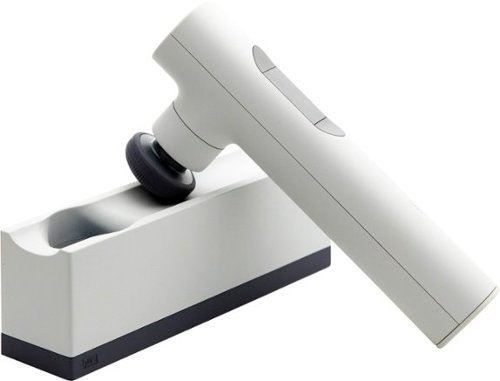
The Lyric therapeutic massager is a revolutionary intelligent self-care companion that takes the guesswork out of wellness. Fitting seamlessly and stylishly into any home or lifestyle, the Lyric offers breakthrough Rhythm Therapy~ to relax and relieve pain for everybody and every body.
Posted by: 91preludesi
from Newnan, GA
I never really got into the idea of therapeutic massagers. Then my mom got one and I tried it. It felt amazing. Hers is a different brand and comes in a very large case. When I saw the Lyric massager and its compact design and features I had to get it.
Out of the box, it should have enough charge for the setup process. You will need to connect it to your WiFi network using your phone. This will allow it to update. Once that's done, give it a full charge. Unlike every other massager I've seen, the Lyric has (4) different settings based on what you're after. Pain relief, calm, energy, and rest. There is also a 5th function which is just different intensity levels (1-4). With the presets you can only use intensity levels 1-3. Each setting has two options. Guided or manual. The guided option takes you through different areas. For example, guided pain relief starts on the inside of your thumb, then the inside of your pinkie, and works its way around your body at key points. With the manual option, you just use it in areas where you need it. Clicking the button on the underside will change the intensity level. Hold the button to stop it.
There are four different attachments: the cone for sensitive areas, the dome for larger areas, the thumb for trigger points and deep tissue massage, and the double which is two-pronged for both muscle and tissue. Most of the time I use the dome for my back and the thumb for my feet. The attachments sit under the docking/charging station out of the way which is nice. You don't have to store them separately. It also comes with an extension handle which is great for your back. Instead of having to reach around the side of your back, you can add the extension handle and reach mid-way down your back without having to twist your body to do it.
One of the best parts for me is the rhythm. I haven't seen another massager that does anything other than increase the speed. The Lyric is constantly changing the speed and depth of the stroke which makes a huge difference over other massagers. The rhythms are different based on which program you are in (pain relief, energy, etc.). I tend to get a lot of knots in my back and neck and the Lyric massager has helped eliminate them. My wife wanted to try it and absolutely loves it.
Overall, from what I've seen, this is the best therapeutic massager on the market with a lot of options. I highly recommend it. It's great for pain relief and just relaxing before bed.
Mobile Submission: False
I would recommend this to a friend!
Share this review:


0points
0of 0voted this as helpful.
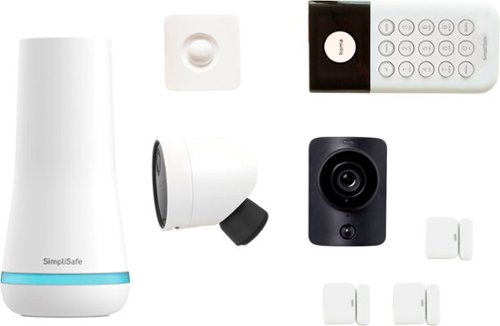
It~s easy to transform your home into a safe haven with SimpliSafe~s award-winning security system. Everything is simple to set up, effortless to use, and designed to do one thing only: keep your home and family safe. Indoor and outdoor security cameras let you see everything happening in full HD. So you can spot trouble before it comes knocking and capture the evidence if it does. And if someone tries to break in, the burglary sensors will sound the alarm right away. But that~s not all. Whenever your alarm goes off, we~ll call you and send police, firefighters, or ambulances to your door in a snap ~ and stay on the line with you until they arrive. So no matter where you are or what you~re doing, your home is protected 24/7.
Customer Rating

5
Incredibly easy setup and a lot of features
on October 17, 2021
Posted by: 91preludesi
from Newnan, GA
This was my first experience with a home security system. Our current house has one that was put in when the house was built, but we've never used it. It doesn't work anyway. The problem with it is that it is fully built-in. The main box is in the coat closet, the window sensor wiring is in the walls as well as the keypad panel.
With the SimpliSafe system, you unbox everything and download the app. The app guides you through the setup process. (You can also complete the setup with the keypad). After plugging in the base station I started with entry sensors. I placed them at the front door, back door, and the door to the garage. There is no drilling required. They attach to the frame and the door with the 3M Command Strips, which is great because they won't damage the paint and can be moved indefinitely. I then placed the motion sensor on the fireplace mantle to cover the living room. I then added the indoor camera to the mantle. For me, the downside of the indoor camera is that it has a power cord and it's black. My mantle is white, so it really stands out. I will probably end up moving it somewhere else because of that. With a lot of people doing the modern interiors now (stark white), black seems an odd color choice, especially when everything else in the kit is white. I also haven't seen a white option for the indoor camera that you can purchase separately. I then mounted the outdoor camera on the back porch looking towards the back door. Mounting was just 2 screws into the wood frame of our porch. The magnetic cap just does a 1/4 turn to lock onto the base that screws into the wood. The camera is held up by the magnet. My worry is that even a slight touch can move the camera in the mount and it can fall off. The perk is that with the rounded base, you can position the camera however you need. I screwed mine into the ceiling and rotated the image 180 degrees in the app so that it is right-side up. It has a large, rechargeable battery pack, so it should last months between charges. My final install was the keypad. It is held in place by four of the Command Strips. To get to the batteries you just slide the keypad up in the mount. I then did a test and SimpliSafe notified me that they received the test signal. The outdoor camera has great image quality. For me, the indoor camera suffers a little on image quality mainly due to the lighting in our living room, which is usually just a lamp on the end table. It has a shutter on it that you can keep closed when you're home for privacy and open when you've armed the system in away mode.
Simplisafe has a few monitoring options and you can select the plan that works for you. Anywhere from about $10/month - about $25/month. They offer a free trial period so that you can try it out and see which plan works for you. SimpliSafe doesn't have contracts and you can change your plan or cancel at any time. Other alarm companies charge a low price for the equipment, but high monitoring fees. With SimpliSafe, you pay a reasonable price for the system and still have low monitoring fees. For me, I am just going to self-monitor the system. I don't need 24/7 monitoring. We live in the country and our neighbor is a sheriff's deputy and the guy across the street is a city cop. With 2 cop cars in the neighborhood, nothing ever happens out here.
Pros:
Super easy setup that anyone can do in about 30-45 minutes.
Not many people have a landline anymore, but if yours was cut/out, SimpliSafe uses its own cell signal to call for help.
All of the components are easily transferrable. If you ever move, just pull the sensors off the walls/doors and use new Command Strips to attach them in your new house (it comes with several extras).
The base has an option to turn off the blue ring that lets you know that the system is functioning. When placed behind something, or on the bottom of an end table, no one would ever notice it.
The base has a battery backup. If the power goes out, you're still protected. It will also give you an alert that you have a power outage and will notify you when power is restored.
Very reasonable monitoring fees.
All-in-one kit. Everything you need in one box.
They sell individual parts separately so if you want more entry sensors or a second keypad, you can get them.
Super easy setup that anyone can do in about 30-45 minutes.
Not many people have a landline anymore, but if yours was cut/out, SimpliSafe uses its own cell signal to call for help.
All of the components are easily transferrable. If you ever move, just pull the sensors off the walls/doors and use new Command Strips to attach them in your new house (it comes with several extras).
The base has an option to turn off the blue ring that lets you know that the system is functioning. When placed behind something, or on the bottom of an end table, no one would ever notice it.
The base has a battery backup. If the power goes out, you're still protected. It will also give you an alert that you have a power outage and will notify you when power is restored.
Very reasonable monitoring fees.
All-in-one kit. Everything you need in one box.
They sell individual parts separately so if you want more entry sensors or a second keypad, you can get them.
Cons:
Nothing major, I would just like a white indoor camera.
Nothing major, I would just like a white indoor camera.
Overall, this is a great system with everything you need to protect your home at a very reasonable price. I would definitely recommend it. I'm going to get a second one for my mom's house.
Mobile Submission: False
I would recommend this to a friend!
Share this review:


0points
0of 0voted this as helpful.
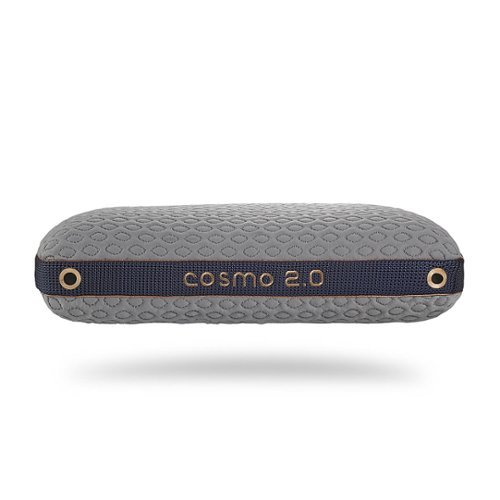
High-Low Performance Pillows. Available in 2 PillowID sizes for a personal fit and affordable comfort

Posted by: 91preludesi
from Newnan, GA
First, I went to the Bedgear website to find "Find Your Fit". Based on my specifications (Male, large, side-sleeper, hot sleeper, and medium-firm mattress) they recommended the Cosmo 2.0 pillow. Out of the box, the first thing that you notice is that the cover is very cool to the touch. I was excited when I felt it as I sleep very hot. The next thing is how heavy it is. Memory foam is a lot heavier than traditional pillows because of how dense it is.
My first night with it was absolutely horrible. I went to bed around 10:00 pm. I woke up around 1:30 sweating profusely. I flipped the pillow to get to the "cool side". After falling back asleep I woke up again around 3:15 sweating. I repeated the flip and tried again. I woke up again at 4:45 sweating. With my alarm set to go off at 5:45, I just decided to go ahead and get up. I couldn't take it anymore. I checked the thermostat to make sure the A/C didn't quit in the middle of the night and found that it was 68 degrees in the house. I wouldn't be sweating with my normal pillow. I instantly regretted getting this pillow. However, I figured I would give it a few days for my body to get used to the new pillow. Night two I only woke up once sweating. On the third night, I was finally able to sleep through the night. Since then it has been fine and I haven't woken up in the middle of the night since (about a week and a half).
The pillow has two sides, one firm and one softer. I haven't seen that in a pillow before. Although most people tend to prefer one over the other, I guess it's good to have the option if you want it. In the week and a half of sleeping on this pillow, I have noticed that it is definitely not as full as it was when it arrived. I find for me most "normal" pillows go flat in about six months. At the rate this one is getting smaller, it won't be nearly that long. I'm normally a two pillow sleeper and I feel like I'm already at the point of needing another pillow under this one.
It seems that no one has found a way to actually make memory foam cool. I used to work for a company making memory foam pillows (a different company). They tried putting pulverized brown diamonds (the same ones they use in the industrial world for saw blades) into the foam mix to cool the pillows and it basically did nothing but sound fancy. Since they're all very similar, each brand tries its own thing to make itself different. This pillow uses shredded memory foam on one side. Based on pictures on their website, it looks like the shredded foam is put together and one piece. Another company uses shredded memory foam for the entire pillow, although it is left loose in the cover. This causes it to clump up and become uncomfortable. The Cosmo pillow shouldn't have that issue.
Based on my experience, I can't recommend this pillow, especially at this price point. Although everyone is different and it may be perfect for you.
Mobile Submission: False
No, I would not recommend this to a friend.
Share this review:


0points
0of 0voted this as helpful.
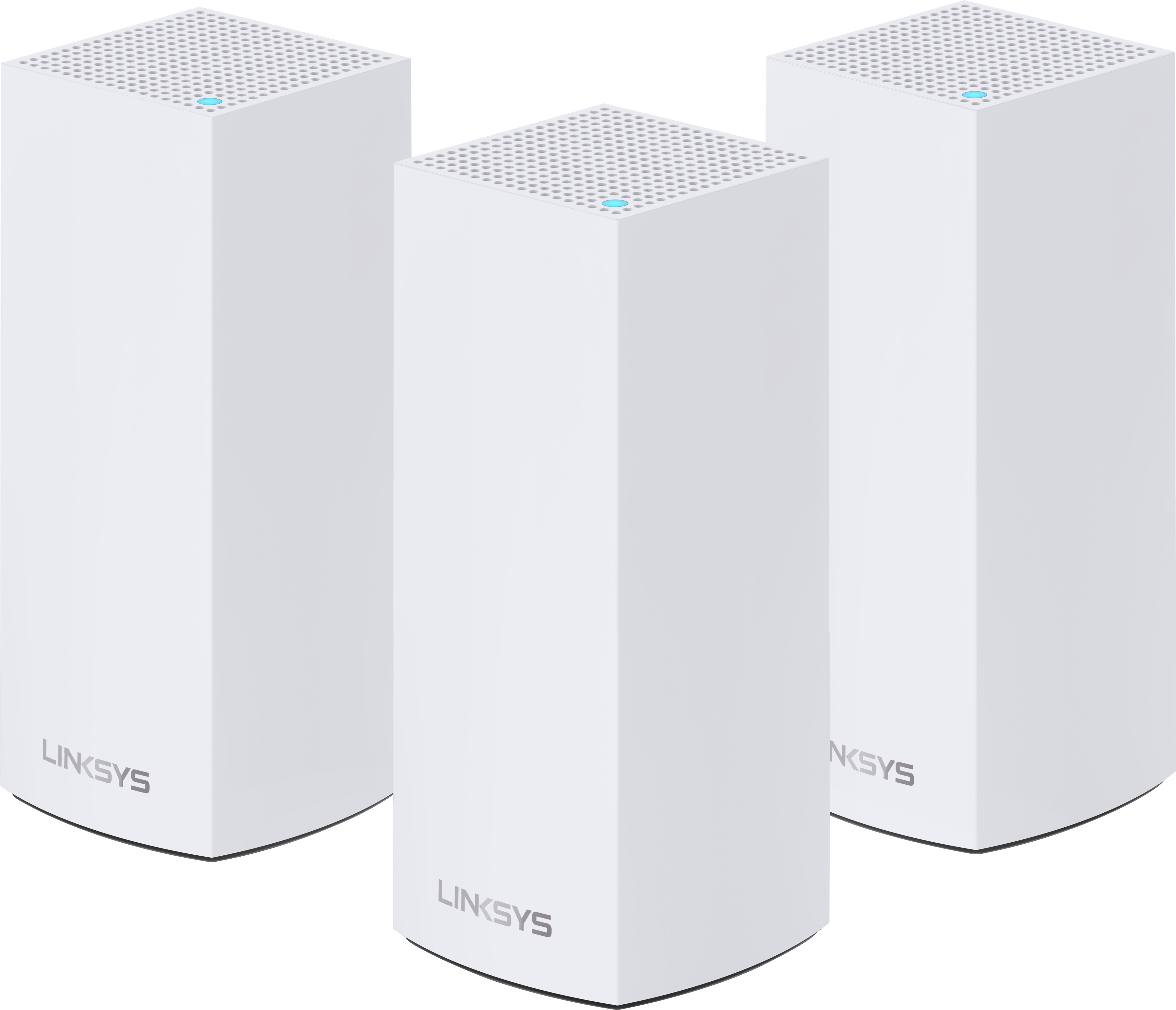
Linksys Atlas Pro 6 with Velop Intelligent Mesh is a dual-band Wi-Fi 6 router that delivers next-level streaming and gaming to more than 30 devices per node. Access to 160 MHz unleashes the true power of Wi-Fi 6 technology~these are the least congested channels available on the 5GHz band and offer incredibly fast connectivity. Dynamic Frequency Selection (DFS) provides access to more channels, reducing interference from neighboring networks. Velop Intelligent Mesh technology offers whole home mesh Wi-Fi coverage that~s easily expandable by adding additional nodes. With easy setup, advanced security and parental controls, Linksys Atlas Pro 6 is an essential upgrade to any home.
Customer Rating
5
Great speeds, coverage and connection reliability
on September 19, 2021
Posted by: 91preludesi
from Newnan, GA
I upgraded to the Linksys Atlas Pro 6 AX5300 from my old Linksys AC2200 router, which we had for over two and a half years. It was starting to show its age and wasn't able to keep up with all of our devices anymore. It was getting to the point where TV streaming was starting to buffer and gaming was becoming laggy and disconnecting. Speed tests showed that our internet speeds were more than capable of handling everything, the router just couldn't anymore.
First, setup is about as easy as it gets with the Atlas Pro 6. You download the Linksys app, connect the first (parent) node to the modem and set it up in the app. It just takes a couple of minutes for the app to find it and add it. You then add your second (child) node the same way and then the third. Doing this just requires plugging them into an outlet and clicking "Add new device" on the app. Overall, the setup for me was about 20 minutes. Almost all of that time was spent waiting on the app to locate and configure the nodes. I will say that the plug (that you plug into the wall outlet) is huge for these nodes. Take that into account if you're going to be plugging these into a power strip. They will need to be plugged into the end otherwise you will cover 2-3 other positions.
We have a 1,400 square foot single-story house, but it is not an open concept, so there are a lot of walls that can block wi-fi signals. Having the second and third nodes eliminate any dead spots. I have the parent node in the master bedroom with the router. I have a second in the living room for the TV and to run an ethernet cable to my PS5. I recently installed a TV in my garage for watching sports while outside grilling, so I put the third node in the garage.
I have noticed a considerable increase in speed as well as coverage using the Atlas Pro 6. When streaming Hulu it doesn't buffer anymore and whereas I was getting disconnected from online servers nearly every time I played on my PS5 with my old router, I haven't been disconnected at all with the Atlas Pro 6. When checking the wifi connection on my phone (Samsung Galaxy S21 Ultra), it is consistently showing between 1.0-1.2 Gbps network speed.
This is the perfect setup for larger homes, homes with many walls, people who work from home, and people that have a lot of devices connected to their network. They say that you can get around 100 devices connected to the Atlas Pro 6. I have about 30 at any given time and they all do fine. Most people have a lot more connected to their network than they realize. We have 4 cell phones, 3 Alexa Shows, 3 TVs, 3 Firesticks, 3 laptops, 2 smartwatches, 7 smart bulbs, 1 Arlo camera, 1 Eufy doorbell, 1 Masterbuilt smoker, 1 PS4, 1 PS5 (ethernet), and a printer. Nothing slows it down.
I was to the point with the previous router that I was going to have to add a second network and split what was connected just to be able to keep up with everything. Now, I don't have to. Even if you don't have this many devices connected to your network, the chances are that you will one day. This router will help future-proof your home. Everything is connected to the internet these days, from refrigerators and coffee pots to toothbrushes. One thing that I wish companies would do is add an option to be able to turn off the status light. Having a node in our bedroom casts a bright blue light on the walls and ceiling. It seems like it would be a simple option to add to the app. I know when the wifi is connected and working, I don't need a light to tell me. If I ever need to see the status I can always check the app. For now, I just put a small piece of electrical tape over the light. Overall, I would highly recommend this mesh router. It has exceeded my expectations.
Mobile Submission: False
I would recommend this to a friend!

Share this review:


0points
0of 0voted this as helpful.
91preludesi's Review Comments
91preludesi has not submitted comments on any reviews.
91preludesi's Questions
91preludesi has not submitted any questions.
91preludesi's Answers
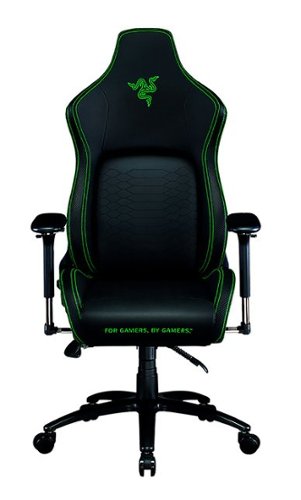
Keep the competition in your kill zone, as you enter your comfort zone with the Razer Iskur~an ergonomic gaming chair designed for posture-perfect hardcore gaming. Fitted with an adjustable, ergonomic lumbar support system, we~ve got your back when it comes to keeping you in prime gaming form.
Is this the all-black edition Iskur chair? I asked support and they said it was, but right before ordering, I decided to double-check the model number. When comparing to another site, it seems this is the Black/Green Edition. Which is it?
It is black with lime green accents.

5 years ago
by
91preludesi
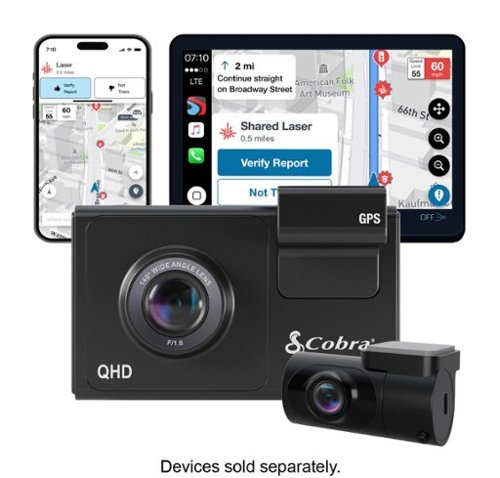
SC 200D - The dash cam that can see the future. We designed the Cobra SC 200D smart dash cam to offer state-of-the-art protection against anything the road throws at you. With QHD 1600P front-view resolution and rear FHD 1080P, built-in Wi-Fi and GPS, heads-up navigation, and voice commands, you can capture everything that happens in or around your vehicle on the road or in the lot. Learn how a SC 200D dash cam can be your extra pair of eyes on the road, protecting the ones you love against life's blindspots.
#1) do you have to purchase mounts separately or is the mounting system included? #2) what do you mean by park mode? #3) does this camera system record a rear-end accident or is it just cabin recording?
1) The mounts are included. 2) Parking mode is when the camera will come on and start recording automatically, even when the vehicle is off. This way, if you're in a store and someone bumps into your vehicle it will record the incident. 3) You could choose to mount the rear camera in the front for cabin recording, but there is so much cable length that it is meant to go in the rear windshield to record a rear-end accident. The camera screen overlays the rear camera onto the front camera, however, in the recordings, they will be two separate files.
5 years, 5 months ago
by
91preludesi
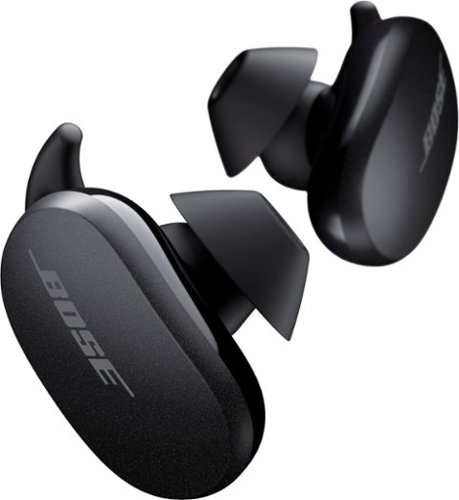
Better sound begins with better silence. That~s why Bose QuietComfort Earbuds are engineered with the world-class noise cancelling and high-fidelity audio. Microphones inside and outside the earphones sense noise and react instantaneously to cancel the signal. Get rid of disruptions so you can turn up the music on your wireless earbuds and amplify whatever you~re most passionate about ~ from hiking or circuit training to coding or baking. And when you need to be more aware of your surroundings, minimize noise cancelling with a quick double tap, so you can walk down a busy street or listen for your boarding announcement. StayHear Max tips provide extra comfort and stability for an even better experience. Rule the Quiet with Bose QuietComfort Earbuds and get an exhilarating experience that~s tough to find in any other Bluetooth earbuds. The Bose QuietComfort Noise Cancelling Earbuds are available in Triple Black, Soapstone and limited-edition Sandstone or Stone Blue.
does the charge case support qi wireless charging?
Yes, it does.
5 years, 8 months ago
by
91preludesi
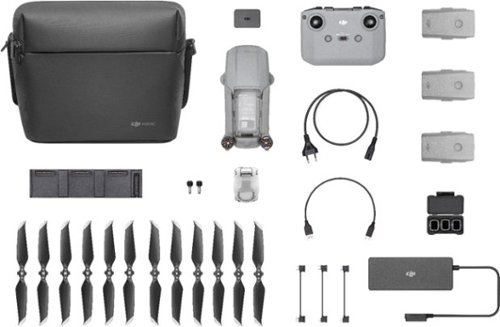
Shoot pro-quality aerial footage with this DJI Mavic Air 2 drone. The three-axis gimbal stabilizes the 48.0MP camera for stunning photos and clear videos, while the 3500 mAh battery delivers dependable power for every flight. This DJI Mavic Air 2 drone features FocusTrack technology for advanced obstacle avoidance and target tracking.
When using the new DJI Mavic 2 Air Do you need an adapter to use a galaxy s9plus with a case on it
I have the Galaxy S8+ with the Otterbox defender case and I have to remove it to fly. The phone/case fit in the controller fine, but the connector is too short to reach through the case and get to the charging port.
6 years, 1 month ago
by
91preludesi
Shoot pro-quality aerial footage with this DJI Mavic Air 2 drone. The three-axis gimbal stabilizes the 48.0MP camera for stunning photos and clear videos, while the 3500 mAh battery delivers dependable power for every flight. This DJI Mavic Air 2 drone features FocusTrack technology for advanced obstacle avoidance and target tracking.
How many batteries come with the bundle
Three batteries come in the fly more combo.
6 years, 1 month ago
by
91preludesi
Shoot pro-quality aerial footage with this DJI Mavic Air 2 drone. The three-axis gimbal stabilizes the 48.0MP camera for stunning photos and clear videos, while the 3500 mAh battery delivers dependable power for every flight. This DJI Mavic Air 2 drone features FocusTrack technology for advanced obstacle avoidance and target tracking.
Does this come with ads-b I heard the Europe version has it stripped out. But I see no mention of it here either
I am in the US and it has ADS-B.
6 years, 1 month ago
by
91preludesi
Shoot pro-quality aerial footage with this DJI Mavic Air 2 drone. The three-axis gimbal stabilizes the 48.0MP camera for stunning photos and clear videos, while the 3500 mAh battery delivers dependable power for every flight. This DJI Mavic Air 2 drone features FocusTrack technology for advanced obstacle avoidance and target tracking.
DJI offers a crash and damage replacement warranty for 79.00 - the only warranty I see here is GS for 2yr 350.00 Is the DJI warranty not available if bought through BB?
I received an offer through the DJI Fly app after connecting my drone to purchase their warranty.
6 years, 1 month ago
by
91preludesi
Shoot pro-quality aerial footage with this DJI Mavic Air 2 drone. The three-axis gimbal stabilizes the 48.0MP camera for stunning photos and clear videos, while the 3500 mAh battery delivers dependable power for every flight. This DJI Mavic Air 2 drone features FocusTrack technology for advanced obstacle avoidance and target tracking.
I have the Samsung s9+, and have heard and read about compatibility issues with Android phones. Has this been resolved so the app works with Android phones now. They seem to have a 5 star drone and a 2 star +- app. Thx
I have the Samsung Galaxy S8+ and have no issues at all. The app works perfectly for me. I have had zero issues.
6 years, 1 month ago
by
91preludesi
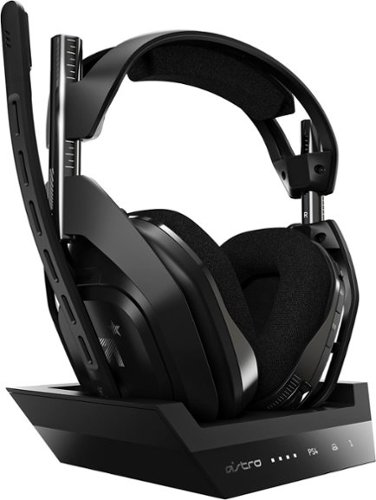
Experience legendary performance and sound of ASTRO Audio V2, with the convenience and freedom that comes without wires. The A50 Wireless + Base Station for PS5 /PS4 / PC delivers top-of-the-line acoustics, ergonomics, comfort and durability that gamers demand. The all-new Base Station provides clear, low-latency voice communication, while making headset pairing and charging simple. The ASTRO Command Center software allows gamers and streamers to tune every input and output parameter of the A50 precisely for their specific setup. Experience absolute audio immersion with the A50 Wireless + Base Station.
How does this headset connect to a ps4 slim? Does it still require the optical cords? Is there anything extra needed to be purchased to make this compatable for a ps4 slim?
I was told that you can connect the optical cable to the TV since the slim doesn't have an optical cable port. However, I've been using mine without the optical cable at all and they work perfectly.
6 years, 9 months ago
by
91preludesi
Experience legendary performance and sound of ASTRO Audio V2, with the convenience and freedom that comes without wires. The A50 Wireless + Base Station for PS5 /PS4 / PC delivers top-of-the-line acoustics, ergonomics, comfort and durability that gamers demand. The all-new Base Station provides clear, low-latency voice communication, while making headset pairing and charging simple. The ASTRO Command Center software allows gamers and streamers to tune every input and output parameter of the A50 precisely for their specific setup. Experience absolute audio immersion with the A50 Wireless + Base Station.
Is this a light headset? If not, will it cause any head pain or anything? Im using this for long term use.
These are fairly light. I just used them for 4 hours with no fatigue. They're not hot on the ears either. My Turtle Beach Elite Pro 2s would get very hot on my ears.
6 years, 9 months ago
by
91preludesi