
Share 91preludesi's profile


91preludesi
91preludesi's stats
- Review count102
- Helpfulness votes161
- First reviewApril 13, 2008
- Last reviewJune 1, 2026
- Featured reviews0
- Average rating4.4
Reviews comments
- Review comment count0
- Helpfulness votes0
- First review commentNone
- Last review commentNone
- Featured review comments0
Questions
- Question count0
- Helpfulness votes0
- First questionNone
- Last questionNone
- Featured questions0
- Answer count10
- Helpfulness votes26
- First answerAugust 18, 2019
- Last answerMay 17, 2021
- Featured answers0
- Best answers2
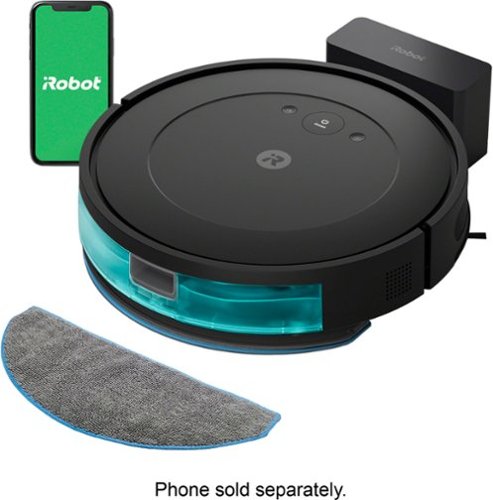
The Roomba Combo Essential robot is a 2-in-1 vacuum and mop, loaded with cleaning essentials and powered by iRobot OS. It has 3 levels of powerful suction plus mopping for a custom cleaning in a single pass. With a sleek, low-profile design and our Edge-Sweeping Brush, dirt and dust can't hide in corners or under your couch. The easy-to-use iRobot Home App provides control over your clean with favorite cleaning routines, personalized suggestions, and intuitive smart home integrations. While you kick back or go out, it can go to work on your floors.

Posted by: 91preludesi
First, setup was as easy as it gets. Get it out of the box, find a suitable place for the base station and install the app. You have a few options to get it started. The button on the vacuum, start it with the app, or a voice assistant. As far as options in the app, you have vacuum and mop everywhere, or vacuum everywhere. That's it. I put the home base in our dining room. I figured that was a nice out of the way spot. I pressed the button to start vacuuming (bare floor). The first thing it did was move forward a few feet and run into a dining room chair. It then proceeded to drag the solid oak dining room chair around the dining room. It didn't hit it and back off and turn to find a new path as I thought it would. I paused it and placed it on the other side of the room facing away from the chairs and table. It then turned and started dragging another chair around the dining room. I paused it again and moved it to the kitchen which is completely open. I started it on an edge. I watched it the entire time. It started moving fairly straight and went across the room and bumped into the stove. That made it back up slightly and turn. From there, it went to the other side of the room and bumped the cabinet at an angle which turned it a little. It then backed up and turned a little more and continued. Every time it hit the cabinets, it turned it slightly. This made for an erratic path. It just barely fit under the front edge of the refrigerator and it scrubbed slightly. This again caused one side to have more friction, turning it again. After 31 minutes of vacuuming I stopped it. The app showed that it covered 258 sq. ft. However, in that time, it didn't even complete the kitchen. The app also says, "Cleaning error". That's it. No explanation of why or what happened or how to correct it.
I tried the mop feature for the kitchen the next day. It was the same story. It mopped fine, however, every time it hit a cabinet at an angle and slightly turned, it got off on the path. It went over the same spots several times and completely missed others. I stopped it and sent it back home, which it found fairly easily. The features section states, "The smart navigation methodically cleans in neat rows, while sensors help it navigate around furniture and avoid falling down stairs." I can't speak to it avoiding falling down stairs as I don't have any, but it didn't navigate around furniture well for me at all. We have dogs and their toys often make their way to the living room floor. It can't sense them and navigate around them. It will just try to run them over. You have to keep a close eye on it, which to me, completely defeats the purpose of having a robot vacuum. There's no way that I've found in the app to map your home, or specify certain areas that you want vacuumed or mopped. The only option for a "new job" is to vacuum or mop a timer. You have 15, 30, and 45 minute times. They tell you that if you don't want an area vacuumed, you should block it off by putting large items in doorways of rooms you don't want it to go in. That's ridiculous! I understand that at this price point you're not getting the best technology, but it shouldn't be so bad that it's dragging dining room chairs around the house.
My third vacuuming was the living room. With a couch, loveseat, coffee table, two end tables, TV stand and brick hearth it was running into everything and not covering the area well, so I just gave up. My best advice would be to spend more and get one with better obstacle avoidance and mapping features. You should be able to run it and have it map the house, then label each room and be able to select which rooms you want to vacuum/mop.
I will say that the battery life is great. Other than that, I have no use for it. It's just a pricey paperweight.
No, I would not recommend this to a friend.

Share this review:


+1point
1of 1voted this as helpful.
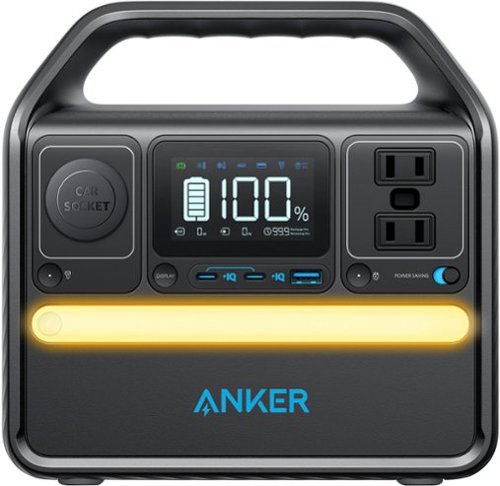
Designed with 299Wh capacity and charging up to 6 devices at once, the Anker SOLIX 522 is a best portable battery powered generator to power your 99% consumer electronics like cell phone, laptop, drones, fan, TV and etc when you are in on-the-go off grid adventures(camping, tailgating, RV road trip , gateway) or as an emergency home backup if the electricity goes out unexpectedly. As a portable power station, it weighs only 8.6 pounds, making it a breeze to carry around.

Posted by: 91preludesi
This is a great portable power station. Anker has thought of everything with the Solix 522. The variety of charging options, both for it and whatever devices you are powering are great. Out of the box it is around 80% charged. Charging it to full took less than an hour. I first used it on a 4-day vacation to the beach. Instead of plugging into the wall outlet, I used the Anker to charge my phone, watch and a drone. I did this for a couple of days. The day after we returned home, we had a storm and the power went out. My phone battery was low, so I plugged it in to charge it. I also plugged in a table lamp so that we could have normal light during the outage. The power was out for about an hour. After all these uses, the power level shows 78% left.
It has 6 outlets to charge everything you need. 2 AC (standard wall outlet), 1 USB-A port, 2 USB-C ports, and 1 DC car port. To charge the Solix 522, you have a few options. You can use AC power from your house, the car outlet, or they have an optional solar panel. I like that it has a power saving mode. When on, it will shut down the port when your device has been fully charged to conserve its battery. The light on the front is bright without being too bright. It's a great feature to have if your power goes out, or for camping. The display not only shows you the battery percentage left, but also power usage and estimated time left on the battery at the current usage level. The 10 year battery life and 5 year warranty are impressive. Overall, this is a great addition and I highly recommend it.
I would recommend this to a friend!
Share this review:


+1point
1of 1voted this as helpful.

Unlock your car~s smart potential with the latest Nextbase iQ 4K Smart Dash Cam that~s always on duty. Predict threats and protect your car from anywhere using Live View, powered by 4G connectivity. See what your car sees and get custom alerts wherever you are. Park with confidence using Smart Sense Parking, as your iQ constantly scans the surrounding area of your vehicle, detecting potential intruders or vehicles backing up too close, allowing you to intervene using voice or an alarm.

Posted by: 91preludesi
I have the Nextbase 622GW in my truck. I wanted this dash cam for my wife's car. She has a long commute to work and this dash cam has a lot of features that I like.
For installation, you have two options. One is running the power cable to the fuse box, the other option (which I chose) is to use the OBDII port. This is the diagnostic port that mechanics use to scan the check engine light on your vehicle. I followed the instructions which indicate to complete the setup before mounting it to the windshield. This is where I ran into issues. You download the Nextbase IQ app and follow the prompts. It states that it will put a QR code on the screen, you then scan that with the app to connect it. After five attempts and 30 minutes of trying, I gave up. I then tried it in my truck and it worked instantly. I was able to get the QR code to come up and scan it with my phone. Once paired, I then was able to install it in her car. I'm not sure what was causing it to not connect in her car, but I was able to get around it. I then mounted it and tucked the cable.
I like that I can watch live video anytime through the app. I was able to watch as my wife was driving to work. It's clear video and I didn't experience any lag or buffering. Of course, this will depend on cell service where the vehicle is. There are several safety features with this dash cam. First, if there is ever something that needs to be recorded, you can ask it to start witness mode. This will start a recording and notify whomever you choose and they will get a live feed from the camera. It has SmartSense Parking which watches over things while you are parked. In the app you can adjust the range that it is sensing all around the vehicle. For example, I have it set to closer to the sides of the vehicle and further out in the front and rear. I figure this will help avoid false alarms when someone parks next to you, but will still alert me if someone gets close to the doors. It will also automatically alert 911 in the event you are in an accident and unresponsive. Even though it is "always on", it will detect your vehicle's battery level and turn off if the battery level begins to get too low. There are two features that are not available yet. Guardian Mode and Roadwatch AI. When available, Roadwatch AI will show the approximate speed and distance of vehicles near you.
As far as things that I don't like, it's hard at this price point to justify buying a product with some of its features "coming soon". I feel like it should be a completely finished product before it's launched. Also, this camera/mount are quite large. I also don't like that it is subscription based (you don't have to have a subscription, but to use all of the features you will need a subscription). I understand that you are getting a lot of features, but to spend this much on a dash cam and then have to continue to pay for it in perpetuity is a lot to ask. However, with that said, it does give me peace of mind knowing that it is watching over my wife. I know if anything ever happens I will know instantly. That is worth it to me. I do recommend this dash cam and know that with updates all of the features will be available soon with the ability for them to add more in the future.
I would recommend this to a friend!
Share this review:


0points
0of 0voted this as helpful.
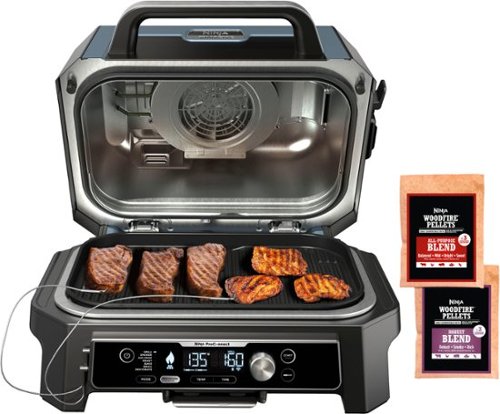
Enjoy your cookout with the fully connected Ninja Woodfire Pro Connect Premium XL Outdoor Grill & Smoker. With Ninja ProConnect, monitor and control the cooking of 2 different proteins, get real-time notifications to your phone, and even access recipes and cooking charts, all from the palm of your hand. Master Grill, BBQ Smoke, and Air Fry with 100% authentic smoky flavor you can taste.
Posted by: 91preludesi
I've used a vertical electric smoker for years. It was an earlier model from when Bluetooth first became an option. It constantly dropped connection, requiring complete shutdown and pairing again. Not great when you're trying to maintain temperature. I've been wanting to get a replacement, but I didn't want another piece of massive outdoor cooking equipment. The Ninja Woodfire ProConnect XL was exactly what I was looking for.
The packaging was great. Everything arrived in perfect condition. Out of the box, the first thing that you notice is that it is well built and sturdy. I immediately downloaded the app, set it up and plugged it in to pair it to my phone. Setup was simple and worked the first time. For the first run, I smoked a 10 lb pork shoulder. I applied the rub the night before to give it 12 hours before putting it on. I placed the Woodfire on a fold-out table to give myself enough room to wrap the shoulder when it was time. I filled the pellet hopper with the robust blend pellets, placed the shoulder in it and used the app to set my parameters. (You can also use the controls on the front as well). I set the temperature to 225 degrees, and set it to alert me at 175 degrees, at which point I would wrap the shoulder. The smoker setting automatically sets the Woodfire setting for the pellets and ignites them. You do not have to preheat it on the smoker setting. Initially, it goes through the ignition setting. This takes a few minutes and starts the pellets. You'll notice it start to smoke rather quickly. Once the shoulder reached my initial target temperature of 175 degrees, the front screen read, "GET FOOD" and the app alerted me as well. I then removed the shoulder, wrapped it and placed it back in the Woodfire. I then set the target temperature to 203 degrees. The last hour I raised the smoker temperature to 250 degrees to speed it up a little. Overall, it was on for 11 hours. I did attempt to add more pellets after about three hours. I added them, pressed the Woodfire Flavor button and it never started smoking again. I pulled out the instructions and it said to add more pellets you need to hold the button for three seconds. I did this and again, nothing happened. I tried several more times and never got it to relight. Each time "IGN" (ignition) showed on the screen with the dashes to indicate that it was igniting. The app also showed ignition progress each time. I'm not sure if this is a fault with mine, or if I'm missing something. The smoking didn't last very long and I wish that I was able to get a second session of smoking in. I will say, after smoking roughly 15 shoulders over the years, this one was by far the best. The bone pulled out easily and clean. I couldn't pick it up off the butcher paper because it was falling apart. It came out perfectly.
It comes with an air fry/crisper basket, two types of pellets (robust and all-purpose blends), a pellet scoop that holds the perfect amount for the hopper, a grease tray with one disposable liner and two temperature probes. The grease tray goes in the rear and works great. The two temperature probes have a storage case that slides in under the front. The cord is very short, you will need an extension cord unless you are within a couple of feet of an outlet. Cleanup was very easy. The grill grate is nonstick and cleans easily. Once cooled, you can just dump out the pellet hopper and rinse it off.
The pictures show the shoulder before going on, ignition cycle, 3 hours into the cook, temperature screen, "GET FOOD" screen, final results and a screenshot of the app.
I would absolutely recommend the Ninja Woodfire Proconnect Premium XL. It's well-built, compact, feature rich and versatile. The ability to grill, smoke, air crisp, roast, bake, broil and dehydrate can't be beat.
I would recommend this to a friend!






Share this review:


0points
0of 0voted this as helpful.
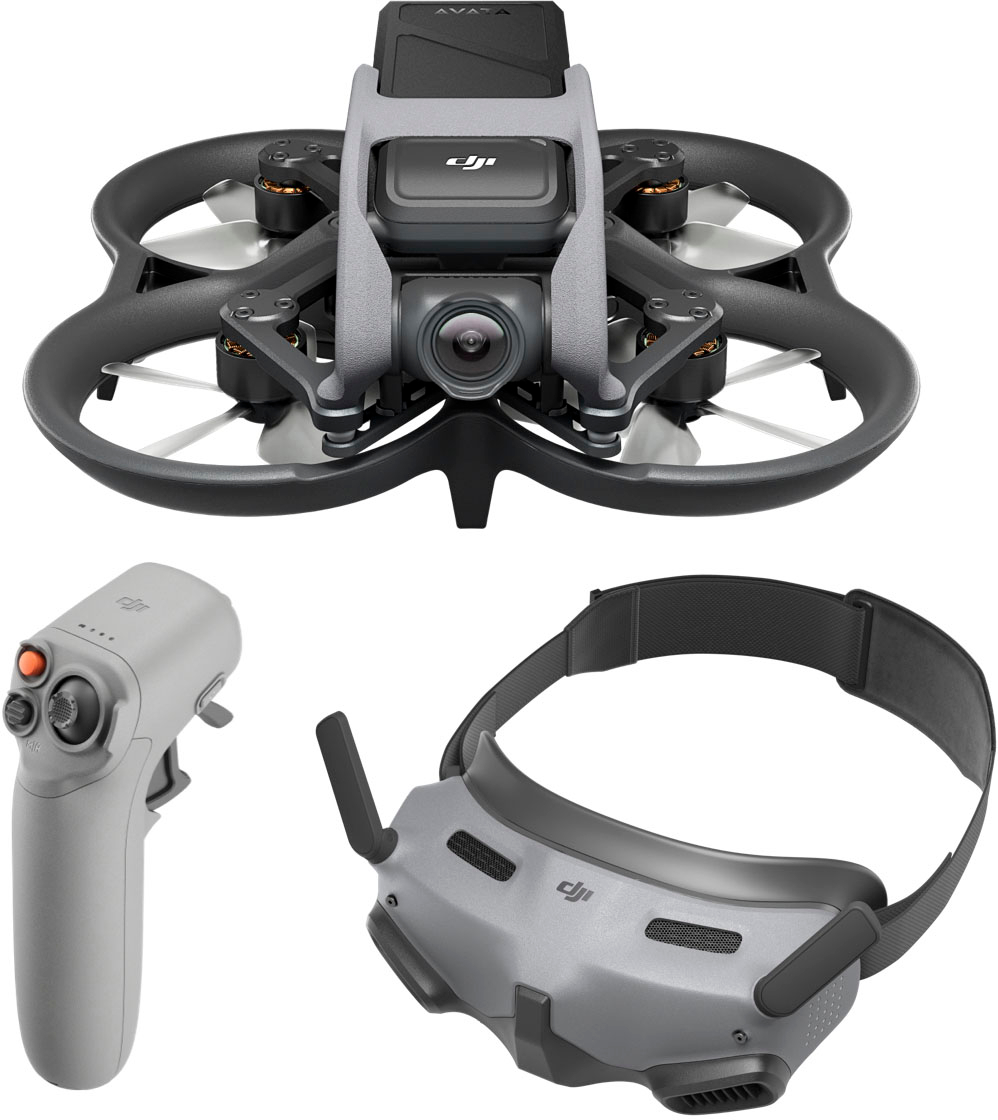
When you combine Avata with the goggles and motion controller, flight becomes accessible to all. Experience the thrill of total immersion with unrivaled safety and control. Embrace your spontaneity and capture the world around you. Some of us were Born to Fly.
Posted by: 91preludesi
I started years ago with a cheap drone and moved to the Mavic Air 2, then the Mini 3 Pro. Since becoming proficient with those, I've wanted to try a FPV drone. The Avata is great for what I'm looking for.
Setup is easy, just download the DJI Fly app and follow the instructions. You will have three things to charge before the first use. The drone battery, the controller and the goggles (which have a separate battery pack with a cable). After flying drones with a standard controller (both using my phone and a controller with its own screen), getting setup to fly the Avata can be a little daunting. There is a lot that you have to have to fly. Between the drone, goggles and their dongle battery pack, your phone which is connected to the goggles with another cable, and the controller, it's a lot. If you're not at home and have a table or something to place everything on, you almost need a fishing vest to have enough pockets to hold everything.
With that said, it's awesome to fly. With the goggles, you're fully immersed in the flight. All you see is what the drone sees. It's incredible. This is the perfect drone if you want to get action videos of someone biking on a trail, chasing a boat, or something like that. The controller is very intuitive to use. You simply squeeze the trigger to move forward and twist your wrist to turn. It couldn't be easier. To move upwards, you simply twist your wrist back toward you and you'll see an up arrow in the sky. Squeeze the trigger and you're moving vertically. The same works for descending.
My first flight was great. I was just taking it slow, getting used to the controller and the goggles. I just flew around the yard and got comfortable enough to fly around the base of a tree and around my shed. I started slowly picking up speed. All of your information is on the screen in the goggles, from altitude to speed. I realized that I wasn't going all that fast, but with the goggles it seemed much faster. On my second flight I was more comfortable and started flying slowly through trees avoiding branches. I continued to do this for the duration of the battery (about 15 minutes). The Avata is quite small and can maneuver through tight spaces. Being an FPV drone, the only sensors for obstacle avoidance are downward. It's not like a standard DJI drone that has forward, rearward sensors. There is an emergency stop button on the controller and once pressed, the Avata will stop extremely quickly and hover. This is great if you're heading towards something quickly and don't have any options to avoid it. You can also let off of the "throttle" and it will stop quickly.
My third flight is when things got strange. The Avata has the ability to recover itself. If you hit an obstacle it will attempt to right itself and then hover. What I still haven't figured out is what happened on my third flight. My goal was to fly upwards to 200' AGL and then practice flying fast and maneuvering. This way I would be well above the trees (roughly 75' tall for the tallest one). With absolutely zero wind, I took off, made a circle around my yard about 5' off the ground, went to the center of the yard where there are no trees and initiated a climb. Since my goal was to get to 200', I was watching the altitude. As soon as I reached 153', the Avata flipped over, recovered itself, then flipped over and over. While trying to recover itself, it was moving laterally. It made it over the trees and then crashed to the ground through them. Thankfully, the branches helped lessen the fall. I was able to find it and noticed that a propeller had broken off. It was never found. It does come with two spare propellers. There was a lot of debris (chewed up leaves, pine needles, etc.) caked on the drone. I cleaned it, replaced the propeller and it flies fine. I have no idea what happened or why, but it does make me question flying it the way I want to. I want to be able to fly quickly in and out of obstacles (trees, etc.). However, after this incident I'm not sure I want to fly it above 10' since this seems like it could happen at any time. I understand on the standard controllers the shutdown/propeller stop motion (both joysticks down and inward), but this controller doesn't do that. I haven't had a chance to reach out to DJI on this incident yet, however, everyone that I've talked to have said that their customer service is great. Hopefully they can check the log of the flight and find out what happened.
Overall, it's a great drone and opens up a lot of possibilities of what you can do for videos. However, I'm hesitant to recommend it because of what happened on that flight. It would be a lot to deal with (all of the cables, phone, goggles, etc.) for a beginner. It would be nice if it came with a case. I will be picking up a foam lined case to make it easier to transport. At this price point, I think it should come with one.
I would recommend this to a friend!
Share this review:


0points
0of 0voted this as helpful.
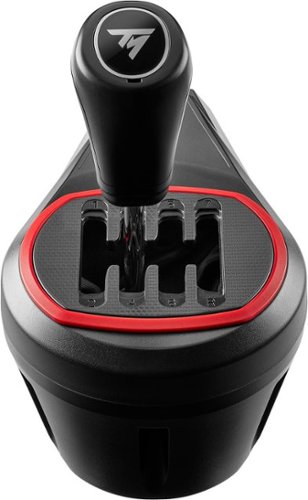
Push your gears to the red line with TH8S Shifter Add-On: the sim racing shifter for next-level racing immersion sensations. TH8S Shifter Add-On features an "H"-pattern shift plate with 7 gears plus reverse gear, with direct gear shifting, allowing it to adapt to all types of games and vehicles with manual shifting (rally, trucks, GT, NASCAR). The 1.6"/4 cm metal shift lever and its ergonomic "sport-style" shift knob ensure responsiveness and precision for clean gear shifting. The frictionless H.E.A.R.T technology derived from Thrustmaster's high-end shifter, TH8A Shifter Add-On, ensures the same extreme level of precision throughout the product's lifespan. TH8S Shifter Add-On is compatible on PC with all racing wheels, and compatible on PS5, PS4, Xbox One and Xbox Series X|S with Thrustmaster Force Feedback racing wheel bases.
Posted by: 91preludesi
I got the TH8S shifter as an add-on to my Thrustmaster T248 wheel. Setup was as easy as plugging it into the wheel. However, since I play on PS5, I had to use the DIN connector. The location of the port on the T248 wheel is fairly tight and I bent a pin when I first tried to insert it. I took a precision screwdriver and straightened it back out and it worked fine. The screw clamp worked well enough, just don't try to really bang through the gears or it will move around on you a little. The shifter feels good in your hand.
As far as game play, I did initially struggle with it. I was shifting and the game kept putting the car in neutral. I realized that my clutch engagement point was set to 100%, meaning it wasn't truly engaged until the pedal was depressed to 100% and I was shifting before the clutch was there. I tweaked the clutch settings in the game to have it engage at around 80%, much like a real vehicle would. I didn't have any more issues after that. Having the shifter makes racing games more immersive. I've mostly driven manual vehicles in my life, so it just feels more natural to me. I also like the fact that it is quiet. The shifter paddles on the T248 wheel are insanely loud and the TH8S shifter takes away that noise which I appreciate. Overall, it's a great entry-level shifter that I think most will enjoy.
I would recommend this to a friend!
Share this review:


0points
0of 0voted this as helpful.
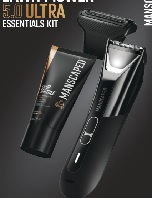
With an advanced dual head system, and SkinSafe™ blades to keep your boys
safe and smooth, The Lawn Mower® 5.0 is a next-gen groin groomer that’ll give
you the power to trim, shave, and shape.
features & Benefits
• Features & Benefits
• SkinSafe™ Technology
• QuietStroke Technology
• Constant RPM
• Waterproof
• Dual Charging Options
• Dual LED Spotlight
• Tri-Level LED Low Battery Indicator
• Travel Lock
• Adjustable Guard Sizes 1.4mm-12mm
• Up to 60-Minute Runtime Li-ion
Battery
• Interchangeable Dual-Blade System
Posted by: 91preludesi
I had the Lawn Mower 3.0 and always liked it. Some improvements for me upgrading to the 5.0 is the shape is much better. The 3.0 was more rounded and had more of a chance of slipping in your hand. Not a good feeling in the most sensitive area. The 5.0 has more angular shapes and gives you a better grip. Another upgrade is the light. There are two options for the light. Warm white and cool white. They say it gives you options based on what works best for your skin tone.
As with the 3.0, I started with the included guard. On the 3.0, it worked great. The 5.0 was snagging hair. Granted, I waited a while between trimmings knowing I was getting the 5.0. However, I tried the 3.0 with the guard again and it didn't snag hair at all. I'm not sure what the difference is between the two and why the newer one was snagging but the older one wasn't. Just something to look out for. I then took the guard off and trimmed without it. It was a great, close shave. The great thing about the Lawn Mower is that it will not cut you at all. The teeth are close enough together that skin can't get between them. It also comes with a foil trimmer head for an even closer shave. It works great, however, it was a little too close and I ended up with bumps where it trimmed too close on the upper groin. The Crop Soother aftershave is nice and soothing. It doesn't have a scent, which I like. Overall, it's a great kit.
I would recommend this to a friend!
Share this review:


0points
0of 0voted this as helpful.

Citizen - CZ Smart 44Mmm Unisex Stainless Steel Hybrid Sport Smartwatch with Silicone Strap - Silver
Introducing the second-generation CZ Smart Hybrid, the smarter smartwatch with 18-day battery life. The Citizen CZ Smart Hybrid smartwatch with 44mm stainless-steel case with blue topring, red accents, and blue silicone strap marries the iconic design you expect from Citizen with innovative science and technology brought to you in the proprietary new wellness app, YouQ. CZ Smart YouQ leverages AI Models built with IBM Watson Studio and research from NASA to provide a 24-hour forecast ahead, helping you anticipate patterns of fatigue and alertness. YouQ then offers highly personalized insights and suggested actions to help you improve alertness and promote the building of better habits, readying you to meet whatever the day may bring. The CZ Smart PQ2 Hybrid watch is compatible with both iPhone and Android and runs on the Citizen Connected app. Utilize the Citizen Connected app to manage your notifications and customize your dials to stay on track with the convenience of information at a glance on your hybrid smartwatch display. Battery life varies based on usage.
Posted by: 91preludesi
I've always loved Citizen watches. I got this watch to have something that looks better than my regular smart watch. I figured I would wear it while going out and use my other smart watch for work since there is a chance that it may get scratched/damaged. Initial setup was done through the Citizen Connected app while the watch was charging. You can configure they layout of the screen, customize the dials (heart rate, steps, weather, etc.) and manage notifications.
I like the idea of a hybrid. A traditional watch with actual hands, but also smart so that you can get notifications, track steps, check the weather, heart rate, etc. However, after using it, I find that I don't care for it much. I've gotten so used to the entire face of my smart watch being the screen that it's extremely hard to get used to the way emails or texts are on the screen. They are split between the top above the center where the hands are and the bottom section. It's also not touch screen so clearing messages, emails, etc. becomes tedious. For example, on my regular smart watch, to clear a notification I simply swipe up on it and it's gone. On the Citizen CZ Smart watch, you have to push the bottom button several times. If you get an email notification and it's three pages long (on the screen) you have to push the bottom button three times to get to the end of it. The fourth push is the "Clear Notification?" screen. The fifth push selects yes and clears the notification. That's a lot just to clear one notification. To be fair, you can hit the middle "Home" button, then the top button to go to notifications and clear them that way, but it's still a lot.
I'm not terribly fond of the blue band, I believe they should have gone with black. From what I've read, it is not interchangeable. You can turn on the back light by double tapping the face. One thing I noticed when I first set up the face was that depending on the time, the hands cover the complications (weather, date, etc.). I discovered that you can turn your wrist back and forth twice quickly and the hands will do a full rotation of the screen so that you can momentarily see behind them. That is a nice feature. All of the limited backgrounds are black, gray or white. I have mine set to a black background with white complications. When a notification comes through and the complications disappear to show it, the text is a light gray color which isn't the easiest to read. From a full charge, after three days of use and getting many notifications, the battery was only down to 80%. That's incredible.
The CZ Smart YouQ app gives you a deeper dive into things. The watch will track things like heart rate, sleep and you can take "alert checks" in the app. Eventually, it will learn when you are at your most and least alert during the day.
I believe that I will stick to my regular smart watch for daily use at work throughout the week, and the Citizen CZ Smart watch will become my weekend watch with all notifications removed. Would I recommend this watch? That's a hard one. Yes and no. Yes for the person that wants a great looking watch from a great watch company and needs/wants light smart watch capabilities. No for those looking for a full featured, easy to use smart watch.
I would recommend this to a friend!
Share this review:


0points
0of 0voted this as helpful.
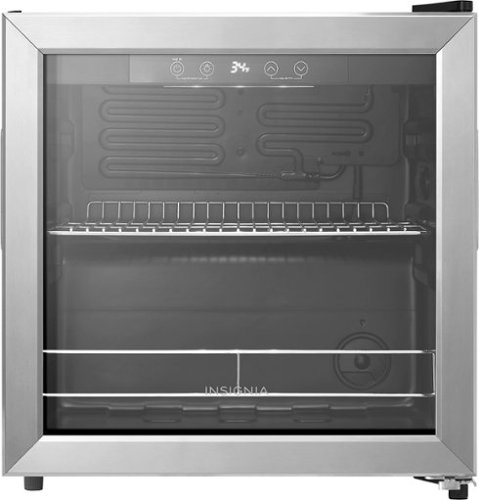
Chill up to 48 12-ounce cans in this 1.5 cu.ft. Insignia beverage cooler. Its touch controls make it easy to keep drinks cool within a range of 34~ F to 50~ F. It has one removable shelf, letting you organize this cooler to your exact preference. If there~s a power outage, an automatic memory function restores the same settings and automatic defrosting helps the cooler stay free of ice.
Posted by: 91preludesi
First, I'll say that I have a large refrigerator in the kitchen and an apartment sized one in the garage, which was meant to be the "drink fridge". However, since I've been doing more outdoor cooking between the flattop, grill and smoker, a lot of the "drink fridge" space has converted to outdoor cooking food. This fridge allows me to keep the drinks cold and close by.
Out of the box, it was well packaged and arrived without damage. I will note that the power cord was tucked into the rear with the compressor. With a lot of thin copper tubes back there, be very careful when removing it. It was wrapped around a lot of things and could easily damage them if not removed carefully. It seems like they should have folded it up and taped it to the rear instead.
It has a fast cool option which worked great. When I first plugged it in, I selected the fast cool option and didn't put anything into the fridge. It took about an hour to get to its coolest setting (34 degrees). It's great if you set it up and want cold drinks by the afternoon. The capacity is great at 48 cans. Although, I generally don't fill it that much. I usually have 24-36 cans in it. The top shelf is removable if you want taller cans/bottles in it. There is also a light inside that can be turned on for display, or if it's in a darker location. The power cord plug is slim and angles down. It doesn't stick straight out like most cords. The door is reversible. It also runs quiet. It is quite large, so you would need deep countertops if you want to have it on the counter in the kitchen.
I would recommend this to a friend!
Share this review:


0points
0of 0voted this as helpful.

Smart thermostats have never been so easy! Give your family~s comfort a smart upgrade. With the Sensi Lite smart thermostat, it~s never been easier. It all starts with a quick and simple installation~no common wire required with most systems. Our top-rated mobile app lets you manage your home~s HVAC from anywhere, anytime. Plus, your usage activity and personal data stays private. That~s the power of putting Sensi~s over 100 years of HVAC experience on your wall.
Posted by: 91preludesi
I got this to replace my roughly 10 year old thermostat. While it could switch modes (heat/cool) automatically, it was larger and you couldn't read the screen at night unless you pressed a button to activate the light.
I will say that I attempted to install the Sensi Lite as soon as I got it. However, I immediately noticed that even though it was on "cool" mode, my vents were blowing heat. I first attempted to look for a reason and a fix. My old thermostat has a jumper wire which the Sensi says that you don't need. Also, while the instructions recommended taking a picture of your previous thermostat for easier installation, the letters were different on the Sensi. However, with that said, I still wired it correctly. As it was late, I just removed it and reinstalled my old thermostat.
I tried again a couple of days later when I knew I would have a chance to call customer support if I needed to. They asked me to send a picture of my wiring, which was confirmed to be correct. He instructed me to go into the menu by holding the three dots (nothing in the directions about this). I did and made sure that it was set to heat pump and I changed the "o" setting to the "b" setting. He told me to try that and call them back in a half hour if it didn't work. I was still getting heat while set to cool. I called them back and they walked me through some more steps of switching back to the "o" setting and then back to the "b" setting. This time it worked and it has been performing flawlessly since then.
I will say that it is much smaller than my old thermostat (which is great), and being black, it doesn't stand out as much on the wall which is a tan color. One great thing is that the screen is always on and that it is not bright enough to be distracting. The app is great. It shows the current temperature setting, as well as the humidity level. The app allows you to set schedules so you can have it at a different temperature while you're away, and have the temperature back to where you want it before you arrive home. You can have a programmed schedule (based on times), or a geofencing schedule, which sets your thermostat back 3 degrees when you get 3 miles from home. The app also allows you to set maintenance reminders. I set it to every 30 days to remind me to change the filter. You can also set an HVAC maintenance reminder if you call someone out to service your HVAC system yearly.
While I was initially frustrated at first with the installation, their customer service is fantastic and had the problem solved quickly. Overall, I definitely recommend the Sensi Lite.
I would recommend this to a friend!
Share this review:


0points
0of 0voted this as helpful.
91preludesi's Review Comments
91preludesi has not submitted comments on any reviews.
91preludesi's Questions
91preludesi has not submitted any questions.
91preludesi's Answers
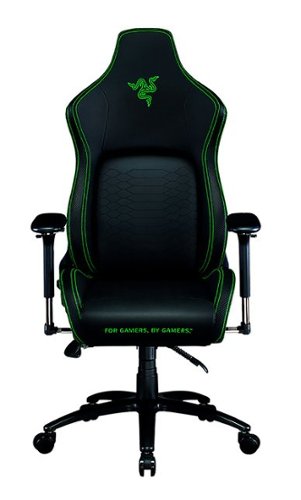
Keep the competition in your kill zone, as you enter your comfort zone with the Razer Iskur~an ergonomic gaming chair designed for posture-perfect hardcore gaming. Fitted with an adjustable, ergonomic lumbar support system, we~ve got your back when it comes to keeping you in prime gaming form.
Is this the all-black edition Iskur chair? I asked support and they said it was, but right before ordering, I decided to double-check the model number. When comparing to another site, it seems this is the Black/Green Edition. Which is it?
It is black with lime green accents.

5 years ago
by
91preludesi
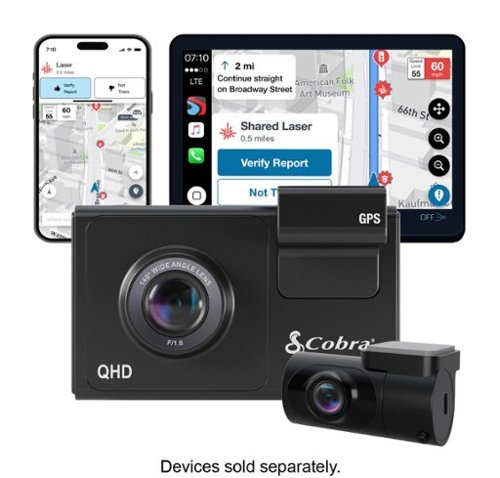
SC 200D - The dash cam that can see the future. We designed the Cobra SC 200D smart dash cam to offer state-of-the-art protection against anything the road throws at you. With QHD 1600P front-view resolution and rear FHD 1080P, built-in Wi-Fi and GPS, heads-up navigation, and voice commands, you can capture everything that happens in or around your vehicle on the road or in the lot. Learn how a SC 200D dash cam can be your extra pair of eyes on the road, protecting the ones you love against life's blindspots.
#1) do you have to purchase mounts separately or is the mounting system included? #2) what do you mean by park mode? #3) does this camera system record a rear-end accident or is it just cabin recording?
1) The mounts are included. 2) Parking mode is when the camera will come on and start recording automatically, even when the vehicle is off. This way, if you're in a store and someone bumps into your vehicle it will record the incident. 3) You could choose to mount the rear camera in the front for cabin recording, but there is so much cable length that it is meant to go in the rear windshield to record a rear-end accident. The camera screen overlays the rear camera onto the front camera, however, in the recordings, they will be two separate files.
5 years, 5 months ago
by
91preludesi
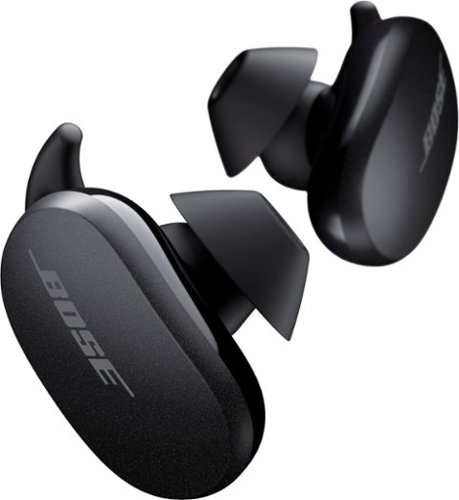
Better sound begins with better silence. That~s why Bose QuietComfort Earbuds are engineered with the world-class noise cancelling and high-fidelity audio. Microphones inside and outside the earphones sense noise and react instantaneously to cancel the signal. Get rid of disruptions so you can turn up the music on your wireless earbuds and amplify whatever you~re most passionate about ~ from hiking or circuit training to coding or baking. And when you need to be more aware of your surroundings, minimize noise cancelling with a quick double tap, so you can walk down a busy street or listen for your boarding announcement. StayHear Max tips provide extra comfort and stability for an even better experience. Rule the Quiet with Bose QuietComfort Earbuds and get an exhilarating experience that~s tough to find in any other Bluetooth earbuds. The Bose QuietComfort Noise Cancelling Earbuds are available in Triple Black, Soapstone and limited-edition Sandstone or Stone Blue.
does the charge case support qi wireless charging?
Yes, it does.
5 years, 8 months ago
by
91preludesi
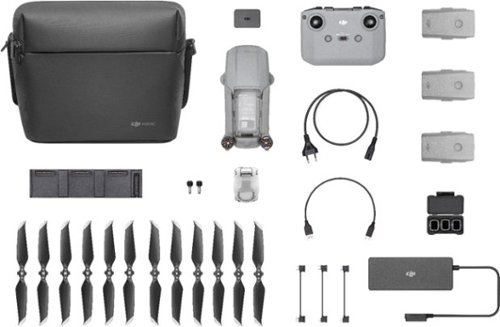
Shoot pro-quality aerial footage with this DJI Mavic Air 2 drone. The three-axis gimbal stabilizes the 48.0MP camera for stunning photos and clear videos, while the 3500 mAh battery delivers dependable power for every flight. This DJI Mavic Air 2 drone features FocusTrack technology for advanced obstacle avoidance and target tracking.
When using the new DJI Mavic 2 Air Do you need an adapter to use a galaxy s9plus with a case on it
I have the Galaxy S8+ with the Otterbox defender case and I have to remove it to fly. The phone/case fit in the controller fine, but the connector is too short to reach through the case and get to the charging port.
6 years, 1 month ago
by
91preludesi
Shoot pro-quality aerial footage with this DJI Mavic Air 2 drone. The three-axis gimbal stabilizes the 48.0MP camera for stunning photos and clear videos, while the 3500 mAh battery delivers dependable power for every flight. This DJI Mavic Air 2 drone features FocusTrack technology for advanced obstacle avoidance and target tracking.
How many batteries come with the bundle
Three batteries come in the fly more combo.
6 years, 1 month ago
by
91preludesi
Shoot pro-quality aerial footage with this DJI Mavic Air 2 drone. The three-axis gimbal stabilizes the 48.0MP camera for stunning photos and clear videos, while the 3500 mAh battery delivers dependable power for every flight. This DJI Mavic Air 2 drone features FocusTrack technology for advanced obstacle avoidance and target tracking.
Does this come with ads-b I heard the Europe version has it stripped out. But I see no mention of it here either
I am in the US and it has ADS-B.
6 years, 1 month ago
by
91preludesi
Shoot pro-quality aerial footage with this DJI Mavic Air 2 drone. The three-axis gimbal stabilizes the 48.0MP camera for stunning photos and clear videos, while the 3500 mAh battery delivers dependable power for every flight. This DJI Mavic Air 2 drone features FocusTrack technology for advanced obstacle avoidance and target tracking.
DJI offers a crash and damage replacement warranty for 79.00 - the only warranty I see here is GS for 2yr 350.00 Is the DJI warranty not available if bought through BB?
I received an offer through the DJI Fly app after connecting my drone to purchase their warranty.
6 years, 1 month ago
by
91preludesi
Shoot pro-quality aerial footage with this DJI Mavic Air 2 drone. The three-axis gimbal stabilizes the 48.0MP camera for stunning photos and clear videos, while the 3500 mAh battery delivers dependable power for every flight. This DJI Mavic Air 2 drone features FocusTrack technology for advanced obstacle avoidance and target tracking.
I have the Samsung s9+, and have heard and read about compatibility issues with Android phones. Has this been resolved so the app works with Android phones now. They seem to have a 5 star drone and a 2 star +- app. Thx
I have the Samsung Galaxy S8+ and have no issues at all. The app works perfectly for me. I have had zero issues.
6 years, 1 month ago
by
91preludesi
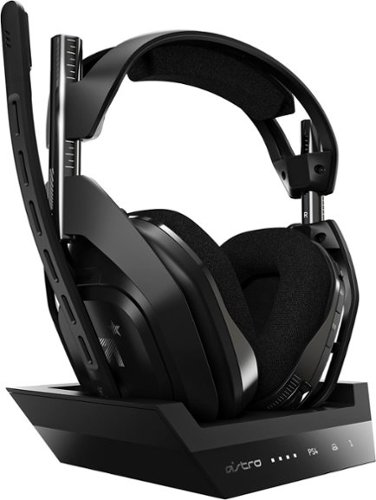
Experience legendary performance and sound of ASTRO Audio V2, with the convenience and freedom that comes without wires. The A50 Wireless + Base Station for PS5 /PS4 / PC delivers top-of-the-line acoustics, ergonomics, comfort and durability that gamers demand. The all-new Base Station provides clear, low-latency voice communication, while making headset pairing and charging simple. The ASTRO Command Center software allows gamers and streamers to tune every input and output parameter of the A50 precisely for their specific setup. Experience absolute audio immersion with the A50 Wireless + Base Station.
How does this headset connect to a ps4 slim? Does it still require the optical cords? Is there anything extra needed to be purchased to make this compatable for a ps4 slim?
I was told that you can connect the optical cable to the TV since the slim doesn't have an optical cable port. However, I've been using mine without the optical cable at all and they work perfectly.
6 years, 9 months ago
by
91preludesi
Experience legendary performance and sound of ASTRO Audio V2, with the convenience and freedom that comes without wires. The A50 Wireless + Base Station for PS5 /PS4 / PC delivers top-of-the-line acoustics, ergonomics, comfort and durability that gamers demand. The all-new Base Station provides clear, low-latency voice communication, while making headset pairing and charging simple. The ASTRO Command Center software allows gamers and streamers to tune every input and output parameter of the A50 precisely for their specific setup. Experience absolute audio immersion with the A50 Wireless + Base Station.
Is this a light headset? If not, will it cause any head pain or anything? Im using this for long term use.
These are fairly light. I just used them for 4 hours with no fatigue. They're not hot on the ears either. My Turtle Beach Elite Pro 2s would get very hot on my ears.
6 years, 9 months ago
by
91preludesi