
Share 91preludesi's profile


91preludesi
91preludesi's stats
- Review count102
- Helpfulness votes161
- First reviewApril 13, 2008
- Last reviewJune 1, 2026
- Featured reviews0
- Average rating4.4
Reviews comments
- Review comment count0
- Helpfulness votes0
- First review commentNone
- Last review commentNone
- Featured review comments0
Questions
- Question count0
- Helpfulness votes0
- First questionNone
- Last questionNone
- Featured questions0
- Answer count10
- Helpfulness votes26
- First answerAugust 18, 2019
- Last answerMay 17, 2021
- Featured answers0
- Best answers2
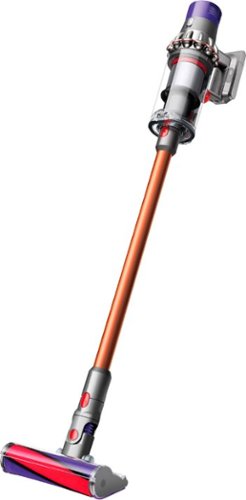
Big machine suction power* but with cord-free versatility. The Cyclone V10 Animal Pro bagless cordless pet stick vacuum has a 40% bigger bin than the previous V8 Absolute model and up to 40 minutes of fade-free power with the soft roller cleaner head (in Suction mode 1). The new torque drive cleaner head removes more dust from carpets. The soft roller cleaner head removes fine dust and large debris from hard floors. The Cyclone V10 Animal Pro cord-free vacuum quickly transforms to a handheld vacuum for quick cleanups, spot cleaning, and cleaning difficult places.* Suction tested to ASTM F558 at the flexible inlet.

Posted by: 91preludesi
from Newnan, GA
I got this vacuum because our old one kept getting clogged with hair and cutting belts and locking up the roller. I have a wife, two daughters, a cat and a dog so our carpets always have hair on them. I went through three belts and two rollers in two years.
It comes well packaged and is easy to assemble. All of the parts just snap together. Initially you should charge it for three and a half hours before using it. While it was charging I installed the wall mount in the laundry room. The wall mount attaches with two screws and allows the vacuum to charge while it is stored. You will need a decent amount of space as it will stick out from the wall due to the canister.
It comes with two main rollers, one for carpets and one for hard floors. It also has a crevice tool, upholstery tool and two smaller tools for keyboards, etc. The two main brush heads have a small ball that Dyson is known for. This makes it very easy to maneuver. This vacuum can also lay completely flat to get under things like dining room chairs.
The vacuum has three different suction settings. Low, medium and max. They state that the battery will last about 15 minutes when using the max suction and about 30 minutes on the low setting. To turn it on, you simply squeeze the trigger. I was able to vacuum four large rooms using a combination of the three suction settings and the battery still had life left. There is an adjustment on the bottom of the carpet head for thicker carpets.
With this being a smaller canister vacuum, I had to empty it between each room. This is very simple to do. You just push the button to detach the wand and push down on the red handle. This opens the door and pushes the canister down removing everything it collected into the trash. I used the hard floor brush head on our linoleum floors in the kitchen and tile floors in the bathrooms. I did notice that on our linoleum floors that it turned almost too easy. Any slight movement of your wrist and it shoots off in that direction. I did not have this issue on our tile floors. It easily picked up everything in the grout lines and along the edges of the baseboards.
Cleaning the brush heads is easy. You can take a quarter or large flat head screwdriver and rotate the end cap on the brush head. Then it slides out and you can easily remove the hair or whatever may be caught in the roller. There is a filter on the top of the canister that you can rinse and let dry. This vacuum will also shut itself off if it becomes clogged to prevent damage.
One thing I would improve is having a place to store all of the tools. When the vacuum is hung on the charger, you can have one brush head attached to the vacuum and two stored on the wall mount. This means that I have to store the extra tools on our shelf in the laundry room. It's not a huge issue, but they could have added additional storage on the side of the wall mount.
Overall, this is a great vacuum and far outperforms our old one. It is very easy to use and maintain. While the brush heads are smaller than a traditional vacuum, it moves so easily and does so well that I don't mind that.
Mobile Submission: True
I would recommend this to a friend!
Share this review:


0points
0of 0voted this as helpful.
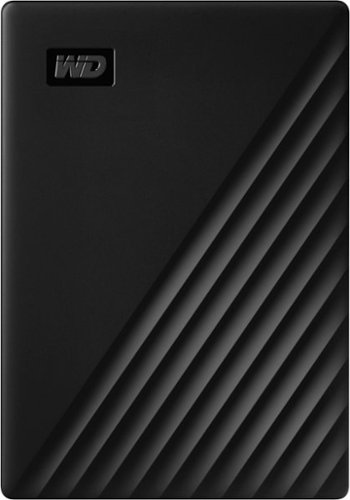
Store, share and transport files with the lightweight Western Digital My Passport Portable Hard Drive. The SuperSpeed USB port lets you transfer large files in seconds and 256-bit AES hardware encryption helps keep your files secure. The My Passport provides enough space to store thousands of files and documents. Auto backup capability allows you to select the time and frequency of file transfers.
Posted by: 91preludesi
from Newnan, GA
The WD My Passport external hard drive is compact and easy to use. I first connected it to my computer. It popped up a sidebar with different options. For security, you can set a password. One great option is that it can pull pictures from various places to store them. One of the options was Facebook. You just click the link, sign in with your Facebook credentials and it will automatically download all of your pictures and videos for safe keeping. I then backed up my pictures that were already on my computer. It was as simple as sliding the picture folders in to the My Passport drive. I have a lot of pictures and many of them were shot on a Canon at 16mp. At 4TB, the My Passport has plenty of room for all of your pictures. The transfer process was fast with the USB 3.0. For example, almost 900 hi-res pictures transferred in a little over three minutes.
I then wanted to see how well it would work for my PS4. It was as simple as plugging it into the USB port and going to the device settings. You're then able to format the MY Passport as external storage. I moved all of my downloaded games to the My Passport. Transferring four large games took about half an hour. This freed up a lot of space on my PS4. Now that the games load from the My Passport, they load a little faster.
Overall, with whatever you choose to use the My Passport for, it does it well. From storing and protecting memories with pictures and videos, or extending the storage on your PS4, you can't go wrong. It's small size and light weight make it great for traveling and being able to grab and go and it won't take up much desk space. I highly recommend the My Passport.
Mobile Submission: True
I would recommend this to a friend!
Share this review:


+2points
2of 2voted this as helpful.
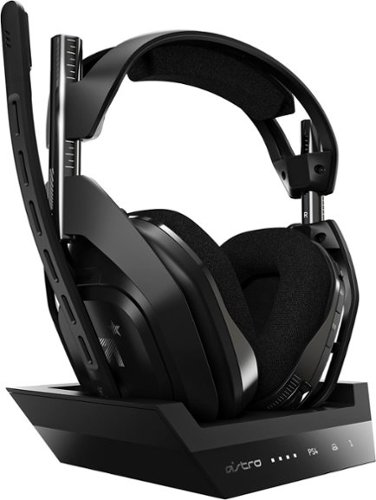
Experience legendary performance and sound of ASTRO Audio V2, with the convenience and freedom that comes without wires. The A50 Wireless + Base Station for PS5 /PS4 / PC delivers top-of-the-line acoustics, ergonomics, comfort and durability that gamers demand. The all-new Base Station provides clear, low-latency voice communication, while making headset pairing and charging simple. The ASTRO Command Center software allows gamers and streamers to tune every input and output parameter of the A50 precisely for their specific setup. Experience absolute audio immersion with the A50 Wireless + Base Station.
Customer Rating

5
Excellent Gaming Headset & Customer Service
on August 18, 2019
Posted by: 91preludesi
from Newnan, GA
To start, I received Astro A50 + base station and I attempted to connect it to my PS4. Initially, the base station lit up. However, that didn't last long. I tried everything that I could think of, but nothing worked. I contacted Astro support and they had me try various things (different USB cable, different ports, etc.) but nothing worked. They determined that my base station was defective and sent me a new one. The replacement base station was different from the one that was packaged with the headset. This one was slimmer and longer. When I connected it to my computer, the charging light came one. However, once I went to place the headset in the base station to charge it, I discovered that the pins that connect to the headset were not aligning properly. I tried many times to get the headset to seat properly to where it would make a connection. After looking at it with a flashlight I could see that the outer ring of the headset (around the ear cups) stuck out too far to allow the headset to make a connection with the charging pins. Again, I contacted Astro support. I sent them pictures of what I had found and they apologized and said that they would send me a whole new setup. They sent a return label to return the defective one. Their customer service was top notch. There was never any hassle or struggle to get the headset swapped out. I can't say enough about how well my issue was handled.
The replacement headset arrived and I immediately charged it, set it up and adjusted my settings using the Astro Command Center. The entire setup process was easy. You will need to connect the base station/headset to a computer to download the updates. Then, you're ready for gaming.
There are three presets that you can have assigned to the headset at one time. Everything is customizable, from a full EQ to how you want your game/mic balance. There are even settings for things like night mode, which allows you to speak quieter and still be heard when others are sleeping and you don't want to disturb them. You can cycle through the different presets using a button on the headset. There is also a Dolby button as well as the power button and volume wheel. The mic uses a flip-up to mute function which is great. My previous headset was the Turtle Beach Elite Pro 2 which had a switch on the cable running from the headset to the amp to mute. If you had to cough or sneeze, it could be a pain to find in a hurry.
As far as sound quality, the Astro A50 is superb. I thought that the Elite Pro 2s were great, but these are a step above. I used them back to back and would pick the Astro over the Turtle Beach by far. The sound is far superior. It's a very deep, rich sound. You can hear absolutely every detail and tell exactly where the sound is coming from. I first tested them out on the Battlefield 5 test range. You could hear every detail. There was wind noise and you could hear bugs flying around. You could hear the bullet casings hitting the ground and tell if they were falling on stone or wood. After the test range, I went into a multiplayer match. I could hear players walking in the room next to me and above me and could easily determine their exact location. I knew immediately were every gunshot came from, where every explosion was. The Astro A50s helped me improve my gameplay by giving me the advantage of being able to pinpoint every noise.
Overall, if you're looking for the best gaming headset available, the Astro A50 is the way to go. I would pick them over the Turtle Beach. Best of all, these are wireless. The Elite Pro 2 are wired, and for me, that doesn't work as well sitting 15 feet from my TV. I highly recommend these.
Mobile Submission: False
I would recommend this to a friend!
Share this review:


+2points
2of 2voted this as helpful.
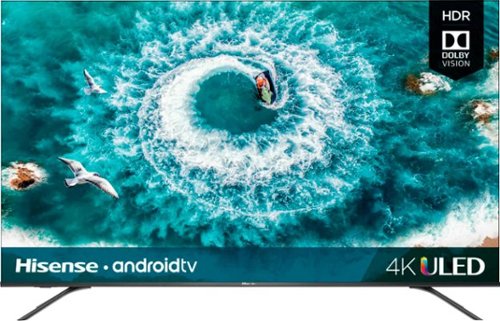
Delight in immersive entertainment with this Hisense 4K ULED Android smart TV. A Hi-View chip drives PQ enhancing algorithms to boost color, contrast, brightness and motion, while built-in Wi-Fi technology gives access to online content and lets you pair compatible devices. This Hisense 4K ULED Android smart TV complies with VESA mounting standards for easy placement.
Posted by: 91preludesi
from Newnan, GA
I got this TV to replace our old Mitsubishi 65" 1080i CRT TV. It was 13 years old, 480 pounds, and showing its age.
The Hisense 50" TV was well packaged. It was very secure in the box. We decided to use a TV stand instead of wall mounting the TV. Installing the legs was simple. This TV is very thin and light, weighing in at around 26 pounds. A big improvement over our old TV. I had it set up and turned on in about 30 minutes. When you first turn it on, you go through the initial setup process. This is very easy and it walks you through everything. This TV has 4 HDMI connections. The first of which is the HDMI ARC connection. I also have a soundbar, Fire Stick and PS4 connected to the TV. You can rename the connections on the TV input menu to anything you would like for easy identification. The HDMI connections allow you to control connected devices with the TV. For example, if I switch the input from the Fire Stick to the PS4, the PS4 will automatically turn on. The soundbar also turns on automatically with the TV and can be controlled with the TV remote. The speakers on the TV are good, however, I just wanted better sound and more range (especially as far as bass) for watching movies so I have a soundbar.
As far as the picture, there are many options for how you would like for the picture to look. There are eight options for picture mode. (Vivid, Standard, Energy Saving, Theater Day, Game, Sport, Theater Night and Auto Mode). Vivid has bright, vibrant colors and really pops, whereas Theater Night dims the TV for lower light viewing. The motion rate 240 keeps even the fastest-moving images perfectly clear and in focus with zero pixelation. 4K UHD with HDR just looks incredible. The blacks are amazing as well. Our old TV couldn't display black very well being a CRT TV. They were mostly dark gray. When there are black areas on the screen with the Hisense TV, they are pitch black. I also use this TV a lot for gaming. I can actually play much better with the Hisense TV versus our old Mitsubishi. The picture is so bright and clear that I can see every detail. I play FPS games and being able to spot the enemy quickly is crucial. My stats have improved dramatically.
This TV integrates easily with Amazon Alexa and has Google Cast built-in. Your assistant (Alexa/Google Home) can control your TV. You can say, "Alexa, pause" and the TV will pause. The remote is easy to use and has voice control as well. It also includes dedicated buttons for Netflix, YouTube, Google Play and VUDU. Simply press one of these and you're taken directly to that application.
As someone who has been wanting a high-end Samsung TV for years, I'm thoroughly impressed with this TV. I would buy another one in a heartbeat. I would highly recommend this TV.
Mobile Submission: False
I would recommend this to a friend!
Share this review:


+1point
2of 3voted this as helpful.
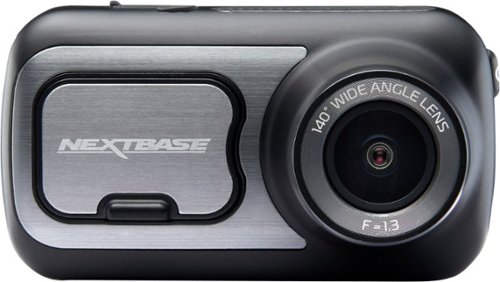
Capture video while driving with this Nextbase 422GW dash camera. Wi-Fi and Bluetooth connectivity automatically sync footage to your phone for easier editing and sharing, and the 2.5-inch IPS touch screen offers intuitive control with upgraded resolution. This Nextbase 422GW dash camera with Alexa built-in uses a G-sensor and SOS response service, safeguarding your footage upon impact while alerting emergency services for safety and a prompt response.
Posted by: 91preludesi
from Newnan, GA
I first purchased a cheap no-name $25 dashcam that I found online. It did the job, but even at 1080p, the video quality looked like it was shot on a 1980s camcorder. After being involved in an accident where I was sideswiped, the video footage instantly proved I wasn't at fault. After the accident, I decided that I needed a camera that had better video quality.
The instructions state to charge the camera for two hours before installing it. I did so and then chose my spot on the windshield for it. Installation was a breeze and it took me about three minutes, including hiding the power cord. The power cord is plenty long enough for however you need to route it. I had two options to plug into. One at the bottom of the dash and another in the center console. I chose to route my wire to the center console. I tucked it behind the A-pillar, behind the glovebox and back to the center console. The only part of the wire that is visible is about one inch where it plugs into the camera.
I downloaded the app, which has a lot of nice features. Initially, there was a firmware update for the camera. I simply downloaded it on my phone and it applied it to the camera. You are able to see a live view on your phone of what the camera sees any time it is powered on. You can also view the library of saved videos on your phone. This is extremely convenient as you don't have to remove the SD card and load it on a computer every time you want to review footage.
As far as image quality, it couldn't be better. It is crystal clear and like watching a 4K TV. The camera also has a touchscreen which works very well. It doesn't take a hard press to push a button, so you don't have to worry about the camera moving and readjusting it every time you want to press a button. There is a large button on the bottom under the screen so that you can manually save a recording. This is nice so that you can capture something like being cut off in traffic, or if your camera captured an accident in front of you. The screen also has a great resolution. The only drawback of it is that it is very reflective. As I'm driving, I can see out of the corner of my eye the trees passing by on the screen. After a couple days of having it, I started to not notice this as much.
The camera has GPS and an SOS feature. You can set it up to have the camera email someone you choose in the event of an accident. They will get a video and a location on a map of where the accident occurred. You can choose to have the GPS coordinates and speed displayed on the video that is captured if you wish. It is always recording the telemetry even if you don't have it displayed. When you review a video, you can watch it along with a map of where the video was recorded.
Now, for some things to consider. I fully charged the camera before installing it. I have "parking mode" enabled. This allows the camera to capture things even when the vehicle is off. So, if your car is hit while parked at the grocery store, it can capture what happened. I believe because I have this enabled, it drains the battery very quickly. So much so that the battery is constantly dead. Unless I take it out and charge it, it will not have any battery power left by the time I park. This makes the parking mode feature useless for me.
The shock sensor (G sensor) is very sensitive. It is set off by me simply opening the door and getting in the car. This then locks the video since it believes there was an accident. There is a feature to adjust the sensitivity of it, however, I believe that it is only for parking mode. I drive a 2014 Genesis Coupe Rspec. The Rspec suspension is a little lower and a lot stiffer than most cars. Because of this, even a small bump in the road sets the camera off and locks a video. I had one video locked simply because I made a right turn at about 20 mph. This can be frustrating, because you will have to constantly be deleting locked videos of normal driving. When a video is locked, you will hear a sound from the camera, letting you know that it captured a video.
The camera has Alexa built in. I was looking forward to this, because I would be able to just say, "Alexa, turn on the living room lights" before I get home. However, from what I have seen, it just routes to my phone, it doesn't come through the camera. If that's the case, then what's the point? When I'm driving, I can't hear responses from my phone. I'm sure that this is not how it's supposed to work, but I haven't been able to find another way to do it.
With all of that said, this is a great camera. They even have a few options to add a rearview camera to it as well. The ability to review, share and delete videos right from your phone is a great feature to have.
Mobile Submission: True
I would recommend this to a friend!
Share this review:


0points
0of 0voted this as helpful.
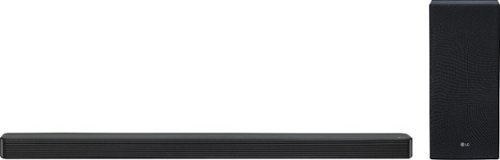
Realize immersive room-filling sound from your TV with this LG 3.1-channel high-resolution audio soundbar. DTS technology creates a thrilling surround sound experience, while high-resolution audio support ensures a stunning reproduction of sound and music. This LG 3.1-channel high-resolution audio soundbar features optical, USB, HDMI and Bluetooth for convenient connections to all compatible equipment and TVs.
Posted by: 91preludesi
from Newnan, GA
I have a 13-year-old Mitsubishi CRT TV that has two 6" speakers. While they have always worked well, they don't have much range. I decided to get the LG SL6Y soundbar to upgrade my listening experience.
It is packaged very well and the setup instructions are very easy. You simply plug in the soundbar and subwoofer. The subwoofer will automatically pair with the soundbar. If for some reason it doesn't, there is a pairing button on the rear of the subwoofer that you can use to pair them. After initially powering up the soundbar, I decided to pair my phone to it. It was quick and simple. I then listened to a song that I am very familiar with. It sounded better than it ever had through the soundbar. If you turned the volume all of the way up, the neighbors would definitely know what song you were listening to or what movie you were watching. I then watched regular TV with the soundbar. Everything sounded great. There is so much more range than just TV speakers. This soundbar has several different sound settings (Bass Blast, Standard and DTS Virtual: X). The remote is compact and easy to understand. It even has the option to adjust the EQ. You can add or reduce the subwoofer as well as bass and treble specifically. You can also adjust the balance from left to right.
To truly test the soundbar, I decided to watch the first Transformers movie. I know that this movie has a lot of different dynamic sounds and would really push the soundbar. I watched it in "Bass Blast" mode. I had the soundbar on top of the TV and the subwoofer behind the couch. It was amazing. I had the volume level at 20 and it was loud! Max volume on the SL6Y is 40. It would be painful to listen to it that loud. The soundbar performed great. I was amazed at what I had been missing just using the TV speakers. You hear every detail. I have to admit, I suffer from the "more is better" syndrome, as in more watts is better. I had been looking at soundbars with much higher power than this one and I'm glad that I didn't go that route. This is a fantastic soundbar and at a much better price point than those that I had been looking at. Although there isn't much need for true surround sound with the SL6Y, I may one day add the rear speakers. I highly recommend the LG SL6Y. You will not be disappointed!
Mobile Submission: False
I would recommend this to a friend!
Share this review:


+1point
1of 1voted this as helpful.
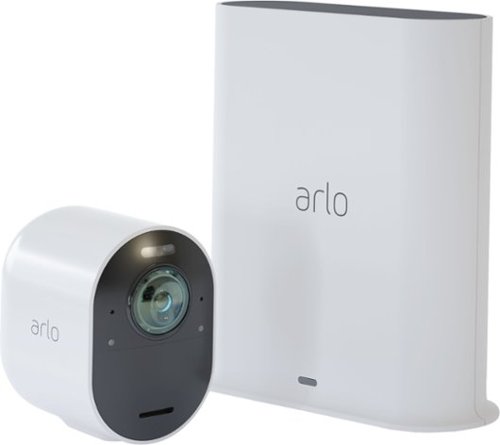
Safeguard your home with this Arlo security camera system. Its 4K resolution provides maximum clarity so you don't miss a single detail, and a siren is integrated so you can fend off intruders either remotely or while at home. This Arlo security camera system is weather-resistant, so it's functional rain or shine.
Posted by: 91preludesi
from Newnan, GA
I got this camera for security at my front door. We don't really have any crime where I live. I have a sheriff's deputy next door and a detective across the street. However, we have had a few instances of some kids ringing our doorbell and running off at 2:00-3:00 am. This prompted me to want to get a camera to find out exactly who is doing it. They haven't been back since I installed the camera.
I unpacked everything and decided where I wanted to install the camera. I chose the front corner column of my front porch facing the front door. This keeps the camera from being easily seen from the front yard. With the camera being white and my column/house being white, it is hard to notice unless you are looking for it. Installation was simple. The mount and the camera have a very strong magnet. The mount is concave and the back of the camera is a rounded shape. This allows you to install the mount and then adjust the camera without changing the mount position. It is a simple one screw installation. Just install the screw and slide the mount onto it. Installation and getting the camera adjusted to point exactly where I wanted it to took less than three minutes.
The Arlo app is simple to use and set up. Just download it and follow the instructions. I have the hub close to the router and the camera is directly in line with my router, with only the outside wall between the camera and router. I haven't had any issues with connection as others have stated. I have a new tri-band gaming router that has a large range. Perhaps others have a lower end router and/or more walls between the two.
In setting up the camera, there are many options. You can set dead zones that will not trigger the camera. This is great if your camera's view sees a road, or trees that could set it off in the wind. I have a small section in frame that catches the road, so I have set that corner as a dead zone to eliminate false alerts. You have different options as far as when it is armed. You can set it to capture video and audio and to set off the alarm. I prefer to leave the alarm off because I don't want it to go off every time someone delivers a package. I have it set to alert me any time there is movement in the "alert" area.
The options for motion alert include people, vehicles, animals and other motion. I have mine set to record people and all other motion. This should, in theory not alert if a dog walks up to the door for example. I haven't had this happen, so I can't speak to how well it works.I have had several incidences of a carpenter bee and wasp setting off the camera. However, they were within inches and even crawling on the lens, so I would expect that.
This being a 4K camera with HDR, the resolution is perfect. You can see everything in detail. You can even zoom in on the live image up to 12X. At night, the images are perfectly clear as well. If you want to see it in color, you can turn on the spotlight (which is quite bright) and the image will be in color. The wide angle lens captures everything in a 180-degree field of view. You can have the camera automatically zoom and track movement. I personally leave this feature off as you lose some video quality with this option and my area that I'm covering is small enough that I don't need it.
The battery life is great. They state a 3-6 month battery life with the standard battery and normal usage. Of course, the more you view the camera, the more battery usage will occur. I installed this camera a couple of weeks ago and the battery level is at 88% and I have been viewing the camera a lot and turning the lights on and off a lot since it is new. I fully believe that they are accurate in their battery life estimate. They do have an optional solar charger that you can get so that you never have to charge the battery. Charging is magnetic as well. Simply remove the camera from the mount, attach the charger and hang the camera back up when it's done.
You have the ability to speak to people through the camera, or set off an alarm. I tried the alarm this morning through the app. The app warned me that the alarm was extremely loud. However, I was standing in my bedroom about 20 feet away when I set the alarm off and I could barely hear it. I even opened the front door where the camera is at, and although it was loud enough to scare someone off, I don't believe that my neighbors could hear it, so it's not very loud at all. There is also an option for e911. You set your address and if necessary, you can press the e911 button to alert police. You can do this from anywhere in the world and it will use the address of the camera, not where you are, to alert the police.
There are a couple of drawbacks with this camera. First, the alert is about a three second delay for me and my setup. While this is kind of expected due to the transmission from the camera, to the router, and finally to my phone, the theory of catching a package theif in the act is a little unreasonable. Anyone could walk up, grab your package and be gone before you are even alerted. Therefore, being able to get the alert, bring the app up and tell them to leave your package alone will never happen. Although you will have a crystal clear video of them doing it to turn over to the police.
Also, while the mount is secured with a screw, the camera is only held in place with a magnet. This means that anyone could just grab it and run off with it. They do have an optional mount that screws into the camera, and this would make it a little more secure and harder to remove. I believe this mount should be included with the camera also at this price point.
Overall, this is a great camera with many features. I am probably going to get a second camera to mount by the garage to oversee it and the driveway. I highly recommend this camera. I would even suggest getting this setup with multiple cameras. Believe me, once you see it, you will want more cameras. I have included two pictures. Both at night. One is with the spotlight off, and the other with the spotlight on, which gives you full color.
Mobile Submission: False
I would recommend this to a friend!


Share this review:


+35points
48of 61voted this as helpful.
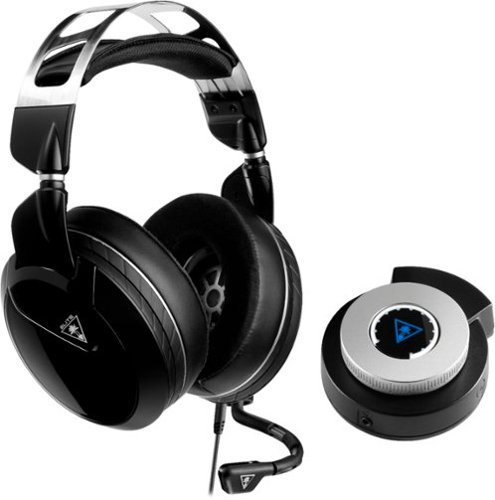
Keep your head in the game with this Turtle Beach Elite Pro 2 audio system. The SuperAmp audio controller is compatible with the PlayStation 4 Pro and standard, and the headset can be used alone with any 3.5mm jack. This Turtle Beach Elite Pro 2 audio system brings comfort and audio quality together for long nights of action.
Posted by: 91preludesi
from Newnan, GA
My previous headset was the Turtle Beach Stealth 520. Those were a great budget headset (and wireless). I got the Elite Pro 2 as an upgrade. I play online a lot and often stream my gaming on YouTube.
First, the positives. From opening the box, these are packaged well and you can tell they are a step above your average headset. They have a nice weight to them. The top headband is metal with a cushion floating below it and they have enough adjustment to fit any head size. The ear pads are extremely soft and comfortable, which is great for extended gaming sessions. They are magnetic, so you just pull on them and they pop off. There is an adjustment strap on the back of the ear pads for those of us that wear glasses. You pull the strap and it creates a channel in the ear pads to allow extra room for the legs of your glasses. Although I wear glasses, I haven't used this feature as the pads are soft enough to not push my glasses legs into my head.
As far as sound quality, these are great and you can tell they are a big upgrade compared to my Stealth 520s. I predominantly play FPS games and the ability to detect exactly where sounds are coming from is crucial. I can easily pick up footsteps and immediately determine exactly where they are coming from. This alone has helped me increase my overall stats as I have a distinct advantage over competitors that either don't have a headset or have a lesser quality headset.
Now, for a couple of negatives. There are two major drawbacks with the Elite Pro 2 headset for me. The biggest being that this headset is wired. I know that you get better sound quality with a wired headset. They do give you long wires with it. My problem is that I have a 65" TV that I sit 17' away from. With my PS4 at my TV I have to stretch the wires down from the TV across the room to the couch. It basically creates a clothesline across the living room, ready to catch anyone who doesn't see it. I know that I'm in the minority with this as most people sit closer to their TVs and/or have gaming monitors that they use. You have to plug the SuperAmp into the PS4 and then another cord goes from the SuperAmp to the headset.
The second major drawback is the SuperAmp itself. As far as controls, it is just a volume knob, nothing else. You have to download the Turtle Beach app to change the settings for the headset. To me, this is a step backwards from previous headsets that had the sliders to change settings. Having to turn the knob on the SuperAmp to adjust volume and then pull out your phone to change any other setting is just too much. Some of the settings in the app are the ability to change how much game sound versus chat sound that you are hearing. There are presets based on what type of game you are playing. For example, FPS or racing. Having the volume on the SuperAmp, actual settings adjustments in the app, and having my laptop running for streaming is a lot to handle at once. However, I have found my ideal settings for bass, mid and treble as well as game to chat ratio and i just never change it. Also, when you mute the mic, you are completely muted, even to yourself, that means that if you have the game volume up and say something to someone in the room, you may inadvertently scream at them as you can't hear yourself.
One small negative for me is that the mute is a switch on the cord just down from the ear cup. Having to fumble for it quickly if I need to cough or sneeze is frustrating. The Turtle Beach logo in the center of the SuperAmp would have been a perfect spot for a mute button.
Overall, I believe the pros outweigh the cons in this case. This is a headset for the hardcore gamer and it is built that way. You will experience better sound and the mic is much better quality compared to previous ones.
Mobile Submission: True
I would recommend this to a friend!
Share this review:


0points
0of 0voted this as helpful.
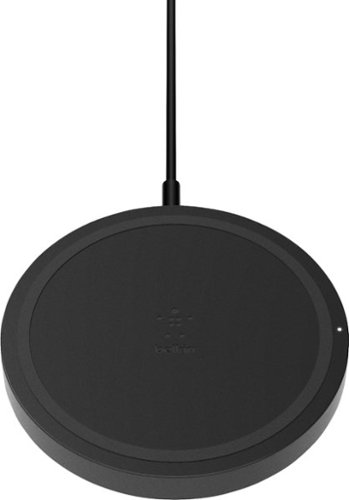
Load up your phone's battery quickly with this Belkin BOOST UP 5W wireless charging pad. The compact design allows for easy portability, making it simple to bring this charger on trips, to work or other various places. This Belkin BOOST UP 5W wireless charging pad is convenient to use and comes in black for a sleek appearance.
Posted by: 91preludesi
from Newnan, GA
I have been wanting a wireless charger for my Samsung Galaxy S8+ so that I could just put my phone down on my nightstand at night and charge it. I was tired of scrambling for the charging cord in the dark. This wireless charger works great, however, there are a couple of drawbacks that I have found. It has a thin profile and measures approximately 3 - 3/4" in diameter. With its size, you would think you could just place your phone on it and it would start charging. For me, that's not the case. It feels like there is a 1/4" "sweet spot" in the center that you have to find with the center of your phone to get it to charge. Once the phone is charging I've noticed that it gets very hot. I understand that wireless charging can lead to a hotter phone, but this is a dramatic increase over the phone's standard cord charging. Also, I've found that it takes about three times as long to charge versus the fast charging cable that came with the phone. I don't mind this as I mainly use it to charge my phone overnight. However, if you need a fast charge I would recommend using the fast charging cable that came with the phone. Overall, it is nice to not have to worry about a charging cable anymore. If you're looking for a reasonably priced wireless charger that works well, then this one is worth checking out.
Mobile Submission: True
I would recommend this to a friend!
Share this review:


0points
0of 0voted this as helpful.
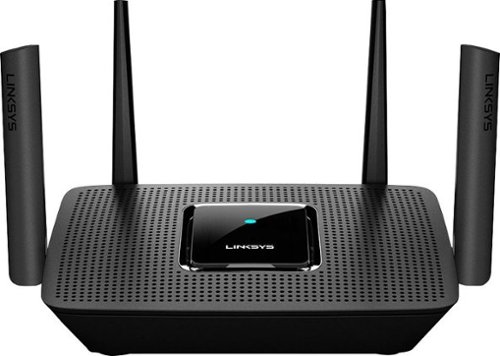
The MR8300 Max Stream~ AC2200 is a high-performance Tri-Band router. Perfect for households that thrive on entertainment, it delivers up to 2.2 Gbps of superior speed throughout your entire home. The Tri-Band and MU-MIMO technology make it ideal for simultaneous streaming of HD movies, online gaming, video calling and supporting all of your smart home devices. MR8300 also grows as your needs do. With its built-in mesh Wi-Fi, instead of investing in a new router, you can expand coverage by simply adding Linksys Velop~ Mesh Wi-Fi nodes for seamless Wi-Fi everywhere.The MR8300 serves as the master router and must connect directly to your modem to create your network. Sets up in minutes with the Linksys app.
Posted by: 91preludesi
from NEWNAN
This router was an upgrade from my previous Velop dual band that had three nodes. First, I like the style of it. Although, with only four antennas, it's not as aggressive looking as some multi antenna routers on the market. Each antenna is adjustable to "aim" the signal to directly where you need it.
Setup was a breeze. You simply install the Linksys app and follow the instructions. It took just a few minutes. This router comes with a node to be able to get perfect coverage throughout your house. We live in a single story, 1500 sq. ft. house, but there are a lot of walls, and this setup has no problems reaching every corner of the house. I currently have the master router in our master bedroom and the node in the hallway between our kids bedrooms. Our living room, where most of our connected devices are is right between the two. We currently have over 15 devices connected, and most of the time, around 12 are connected and online. Everything from our Fire Stick, PS4, three laptops, three cellphones, two smart watches, smart bulbs, an Echo Dot and printer. We have DirecTV Now, Netflix and Amazon Prime Video and none of these ever buffer. I also play a lot of games online and stream while I'm gaming and I do not suffer from lag. My ping is usually between 24-32.
The app has a lot of features. You can rename devices and change their icon for quick, easy identification. It also has parental controls to be able to limit devices, both by hours or by website. However, I have set limited hours and blocked YouTube on my youngest daughter's school Chromebook and she can access everything, including YouTube even after the set cutoff time. This feature doesn't seem to work for me. It didn't on the previous Velop system either. To be fair, I haven't contacted tech support about the issue. I just monitor and restrict her usage myself.
Overall, this is a great router. It's ideal for streaming, multiple users/many devices and gaming. I would definitely recommend it.
Mobile Submission: True
I would recommend this to a friend!
Share this review:


0points
0of 0voted this as helpful.
91preludesi's Review Comments
91preludesi has not submitted comments on any reviews.
91preludesi's Questions
91preludesi has not submitted any questions.
91preludesi's Answers
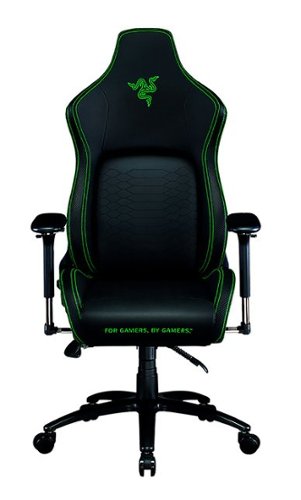
Keep the competition in your kill zone, as you enter your comfort zone with the Razer Iskur~an ergonomic gaming chair designed for posture-perfect hardcore gaming. Fitted with an adjustable, ergonomic lumbar support system, we~ve got your back when it comes to keeping you in prime gaming form.
Is this the all-black edition Iskur chair? I asked support and they said it was, but right before ordering, I decided to double-check the model number. When comparing to another site, it seems this is the Black/Green Edition. Which is it?
It is black with lime green accents.

5 years ago
by
91preludesi
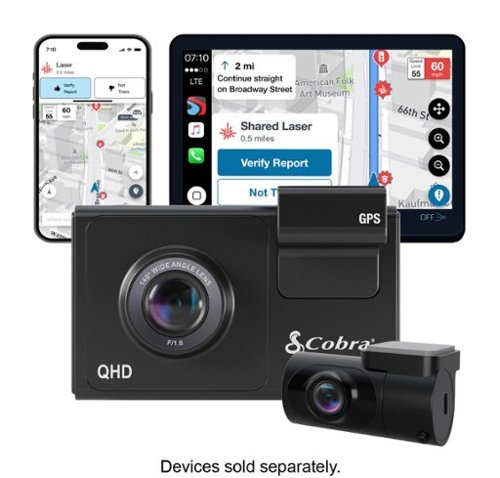
SC 200D - The dash cam that can see the future. We designed the Cobra SC 200D smart dash cam to offer state-of-the-art protection against anything the road throws at you. With QHD 1600P front-view resolution and rear FHD 1080P, built-in Wi-Fi and GPS, heads-up navigation, and voice commands, you can capture everything that happens in or around your vehicle on the road or in the lot. Learn how a SC 200D dash cam can be your extra pair of eyes on the road, protecting the ones you love against life's blindspots.
#1) do you have to purchase mounts separately or is the mounting system included? #2) what do you mean by park mode? #3) does this camera system record a rear-end accident or is it just cabin recording?
1) The mounts are included. 2) Parking mode is when the camera will come on and start recording automatically, even when the vehicle is off. This way, if you're in a store and someone bumps into your vehicle it will record the incident. 3) You could choose to mount the rear camera in the front for cabin recording, but there is so much cable length that it is meant to go in the rear windshield to record a rear-end accident. The camera screen overlays the rear camera onto the front camera, however, in the recordings, they will be two separate files.
5 years, 5 months ago
by
91preludesi
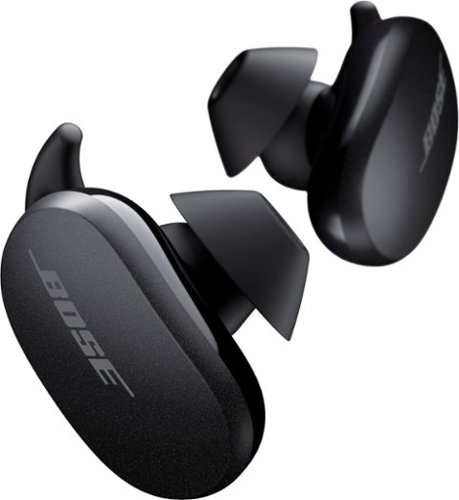
Better sound begins with better silence. That~s why Bose QuietComfort Earbuds are engineered with the world-class noise cancelling and high-fidelity audio. Microphones inside and outside the earphones sense noise and react instantaneously to cancel the signal. Get rid of disruptions so you can turn up the music on your wireless earbuds and amplify whatever you~re most passionate about ~ from hiking or circuit training to coding or baking. And when you need to be more aware of your surroundings, minimize noise cancelling with a quick double tap, so you can walk down a busy street or listen for your boarding announcement. StayHear Max tips provide extra comfort and stability for an even better experience. Rule the Quiet with Bose QuietComfort Earbuds and get an exhilarating experience that~s tough to find in any other Bluetooth earbuds. The Bose QuietComfort Noise Cancelling Earbuds are available in Triple Black, Soapstone and limited-edition Sandstone or Stone Blue.
does the charge case support qi wireless charging?
Yes, it does.
5 years, 8 months ago
by
91preludesi
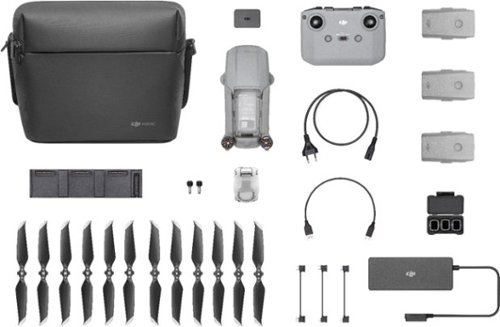
Shoot pro-quality aerial footage with this DJI Mavic Air 2 drone. The three-axis gimbal stabilizes the 48.0MP camera for stunning photos and clear videos, while the 3500 mAh battery delivers dependable power for every flight. This DJI Mavic Air 2 drone features FocusTrack technology for advanced obstacle avoidance and target tracking.
When using the new DJI Mavic 2 Air Do you need an adapter to use a galaxy s9plus with a case on it
I have the Galaxy S8+ with the Otterbox defender case and I have to remove it to fly. The phone/case fit in the controller fine, but the connector is too short to reach through the case and get to the charging port.
6 years, 1 month ago
by
91preludesi
Shoot pro-quality aerial footage with this DJI Mavic Air 2 drone. The three-axis gimbal stabilizes the 48.0MP camera for stunning photos and clear videos, while the 3500 mAh battery delivers dependable power for every flight. This DJI Mavic Air 2 drone features FocusTrack technology for advanced obstacle avoidance and target tracking.
How many batteries come with the bundle
Three batteries come in the fly more combo.
6 years, 1 month ago
by
91preludesi
Shoot pro-quality aerial footage with this DJI Mavic Air 2 drone. The three-axis gimbal stabilizes the 48.0MP camera for stunning photos and clear videos, while the 3500 mAh battery delivers dependable power for every flight. This DJI Mavic Air 2 drone features FocusTrack technology for advanced obstacle avoidance and target tracking.
Does this come with ads-b I heard the Europe version has it stripped out. But I see no mention of it here either
I am in the US and it has ADS-B.
6 years, 1 month ago
by
91preludesi
Shoot pro-quality aerial footage with this DJI Mavic Air 2 drone. The three-axis gimbal stabilizes the 48.0MP camera for stunning photos and clear videos, while the 3500 mAh battery delivers dependable power for every flight. This DJI Mavic Air 2 drone features FocusTrack technology for advanced obstacle avoidance and target tracking.
DJI offers a crash and damage replacement warranty for 79.00 - the only warranty I see here is GS for 2yr 350.00 Is the DJI warranty not available if bought through BB?
I received an offer through the DJI Fly app after connecting my drone to purchase their warranty.
6 years, 1 month ago
by
91preludesi
Shoot pro-quality aerial footage with this DJI Mavic Air 2 drone. The three-axis gimbal stabilizes the 48.0MP camera for stunning photos and clear videos, while the 3500 mAh battery delivers dependable power for every flight. This DJI Mavic Air 2 drone features FocusTrack technology for advanced obstacle avoidance and target tracking.
I have the Samsung s9+, and have heard and read about compatibility issues with Android phones. Has this been resolved so the app works with Android phones now. They seem to have a 5 star drone and a 2 star +- app. Thx
I have the Samsung Galaxy S8+ and have no issues at all. The app works perfectly for me. I have had zero issues.
6 years, 1 month ago
by
91preludesi
Experience legendary performance and sound of ASTRO Audio V2, with the convenience and freedom that comes without wires. The A50 Wireless + Base Station for PS5 /PS4 / PC delivers top-of-the-line acoustics, ergonomics, comfort and durability that gamers demand. The all-new Base Station provides clear, low-latency voice communication, while making headset pairing and charging simple. The ASTRO Command Center software allows gamers and streamers to tune every input and output parameter of the A50 precisely for their specific setup. Experience absolute audio immersion with the A50 Wireless + Base Station.
How does this headset connect to a ps4 slim? Does it still require the optical cords? Is there anything extra needed to be purchased to make this compatable for a ps4 slim?
I was told that you can connect the optical cable to the TV since the slim doesn't have an optical cable port. However, I've been using mine without the optical cable at all and they work perfectly.
6 years, 9 months ago
by
91preludesi
Experience legendary performance and sound of ASTRO Audio V2, with the convenience and freedom that comes without wires. The A50 Wireless + Base Station for PS5 /PS4 / PC delivers top-of-the-line acoustics, ergonomics, comfort and durability that gamers demand. The all-new Base Station provides clear, low-latency voice communication, while making headset pairing and charging simple. The ASTRO Command Center software allows gamers and streamers to tune every input and output parameter of the A50 precisely for their specific setup. Experience absolute audio immersion with the A50 Wireless + Base Station.
Is this a light headset? If not, will it cause any head pain or anything? Im using this for long term use.
These are fairly light. I just used them for 4 hours with no fatigue. They're not hot on the ears either. My Turtle Beach Elite Pro 2s would get very hot on my ears.
6 years, 9 months ago
by
91preludesi