


enem156's stats
- Review count177
- Helpfulness votes342
- First reviewJune 7, 2013
- Last reviewJune 10, 2026
- Featured reviews0
- Average rating4.5
- Review comment count1
- Helpfulness votes1
- First review commentFebruary 25, 2016
- Last review commentFebruary 25, 2016
- Featured review comments0
Questions
- Question count0
- Helpfulness votes0
- First questionNone
- Last questionNone
- Featured questions0
- Answer count2
- Helpfulness votes3
- First answerMarch 24, 2018
- Last answerJuly 15, 2020
- Featured answers0
- Best answers0

Customer Rating

4
Well engineered with great features
on June 10, 2026
Posted by: enem156
I also have the Soundcore Liberty 4 version of these earbuds, and I like them for the ease of use and sound quality. The Soundcore Liberty 5 Pro series takes that up a notch. Lot's to appreciate here not the least of which is the comfort and sound quality.
I'll get to the sound and comfort in a minute, but one of the things I really love about these ear buds is the case itself. The cases that most other ear buds come with these days are very disappointing. They tend to have to be used in the vertical position, but they usually have rounded bottoms that don't stand up by themselves (which is a big fail). The Soundcore Liberty series understands that issue and corrects for by using a more horizontal approach. Combine that with the slide open lid and angled front panel display and you get a very well thought out and usable charging case. At a glance, the front panel will show you the charge level of not only the case itself, but the left and right bud charge level. It's really nice to be able to see how much charge I have when I want to use them. Other brands leave you hanging in this respect and make you use their app to find this information, which is probably something most people don't even bother with using.
I like that there are lots of different size tips and fins to help fit them to a wide variety of ears. Fit is usually overlooked by a lot of brands but without a good seal, there's no chance of hearing good bass response and the Adaptive Noise Canceling features go right out the window. I always end up using the largest tips to get a tight seal. I didn't use either of the two fin sizes and chose instead to use the non-fin blank insert. For me, the fins didn't add anything in the way of stabilizing the fit. That's nothing against the Liberty 5 Pros, it's just about the shape of a persons' ears. The take away here is that pretty much anyone can get a comfortable fit with the options they include. If you're new to wearing earbuds, take the time to experiment with the different tips and fins. Good fit is everything when it comes to enjoying earbuds.
The sound quality is quite good. Out of the box, I had too much bass for my liking and once I found the EQ in the included app I was able to boost the higher end and bring the bass sound down to clean and punchy. I was able to get good sound pressure levels out of them, and I enjoyed all the different genres I listened to. The fit was also good and I was able to wear them through my hour long workouts with no trouble. They stay in place nicely and are easy and straight forward to put in. I've used other brands that I ended up constantly needing to monkey around with in order to get the best fit, but the Soundcores are very easy to put in correctly the first time. The noise canceling feature works really well and you have your choice of selecting the Adaptive Noise Canceling, or manually selecting the level of noise cancellation that works best in your situation. There are also selections for “Normal” and “Transparancy” (which lowers the music volume when the buds sense you speaking to someone). These settings can be chosen in either the app or on the built in display on the case (which is actually a touchscreen).
I don't normally get a lot of calls during my workouts but I did try out the call features. The most beneficial one being the call clarity. This is mostly due to the AI Thus chips in each earbud. The AI helps to separate your speaking from your local environments background noises. The AI is also responsible for the ANC and works well to allow you to clearly hear what your caller is saying. Also, through the app you can have the AI set up the way music will sound to you. The AI will play you two snippets of music from a genre you like, and have you select which sounds best to you. Then it modifies the sound and plays you two new choices, etc.. It does this seven times. At the end of this exercise, the sound you hear “should” be the best sound for you. Basically, this works “ok”. But at the end of each test (and I did it three different times), I always went back to the EQ sittings I had set up earlier. Which by the way, you can save lot's of different sound profiles if you like to customize the sound for different types of music or artists. The only caveat is that you need to log into the app to do this.
At the end of the day, there are very few earbuds I've given a great review. I've reviewed quite a few from a wide variety of brands. The Soundcore Liberty 5 Pros are not the absolute best ear buds I've ever listened to, but they can sound really great if you take the time to set them up properly. You can achieve clear vocals and cymbals while also getting rich bass and punchy sound without any muddiness. Soundcore has obviously put a huge amount of effort into creating a set of earbuds that emphasize great sound, comfort and ease of use. And they do this for a price that's way below the price of all of their major competitors. I've always liked the Soundcore brand for this reason. The Liberty 5 Pros are also super easy to use and even though there's a lot going on behind the scenes (mostly thanks to the ANC and AI features), they make the user experience very simple and easy. And that to me is the sign of great technology.
I would recommend this to a friend!






Share this review:


0points
0of 0voted this as helpful.
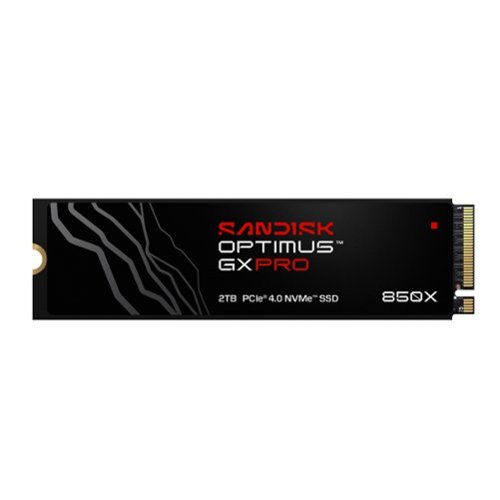
Champion your gaming sessions and creative workflows with the SANDISK Optimus GX PRO 850X NVMe SSD. Load levels fast and push through your creative workflow with PCIe 4.0 Sequential Read/Write speeds up to 7,300/6,600 MB/s (2TB and 4TB models). With Random Read/Write speeds up to 1.2M/1.2M IOPS (8TB model) and integrated SANDISK nCache 4.0 technology, experience seamless game sessions and smooth multitasking. Store your large games and digital assets with capacities up to 8TB on M.2 2280 built with trusted SANDISK BiCS TLC 3D NAND. Engineered for video editing with an endurance rating of up to 4,800 TBW (8TB model). Help protect your projects and data with TCG Opal v2.01 data-at-rest encryption. With Microsoft DirectStorage support, you~re ready for future games. Ideal for gaming PCs, creator PCs, and laptops.
Customer Rating

5
Solid and fast with a 5 year warranty
on May 24, 2026
Posted by: enem156
This drive is a great addition to my HP Omen 35L gaming desktop. The Omen came with a 1TB M.2 drive and with the addition of the Optimus GX PRO, I now have 3TB worth of space. I use the Sandisk to store my games. This keeps them all together in the same place, and keeps the SSD with the operating system and normal additional programs separate. The 850X NVMe SSD is available in different capacities (1TB, 2TB, 4TB and 8TB). You can also get it with a heatsink or without. Mine does not have the heatsink but it's located above the GPU on the motherboard and has plenty of ventilation. If you're wondering how much capacity 2TB buys you, I currently have 13 games installed on this SSD. These are all large installs with titles like the last three DOOM games, the last three Tomb Raider games, several Star Wars games and four Resident Evil games. So, with 13 games like this installed, I've only used 816GB of space. For me, this size works well and gives me plenty of room to grow my collection.
It was very easy to install, nothing tricky or unique about it. It's a standard M.2 2280 size, so it should fit in a wide variety of machines. Worked flawlessly from installation. Smooth and fast when loading games and levels. I never saw any loading issues. Sandisk includes a 5-year warranty with this drive. Another nice thing is that Sandisk also offers a free desktop app for download. Sandisk Dashboard shows info about the SSD like Drive Health, Capacity, Interface Speed and Temperature. It also shows a performance section that gives you some useful tools and optimizations, and has links to Windows drive settings along with a link to register a new Sandisk product.
The specs on this drive are really good. PCIe Gen 4.0 is (at the time of this review) the standard for fast gaming machines. The Gen 4.0 version ensures things like 7000-7500 Mbps sequential read speeds over 4 lanes. This is important if you're installing this drive into a newer machine with a fast processor that can fully utilize all the fast features of this drive. If you're planning to use it in an older machine, make sure you look up the machines PCIe specs. While the SSD will fit and work in a standard 2280 slot on the motherboard, if your machine only has the PCIe 3.0 spec, you'll be leaving half the features on the table (so to speak). It will run, but only at PCIe 3.0 speeds. I suspect that most reasonably modern gaming machines will include the 4.0 standard, so this is just something to keep in mind.
Anyway, my experience with this SSD has been 100% positive. The price of any NVMe SSD these days is ridiculously expensive, so for Sandisk to include a 5 year warranty is at least something for your peace of mind. Combined with being able to get it with or without a heatsink and at a bunch of different capacities is something that makes this drive series appeal to a wide audience. The Sandisk Dashboard is also a cool way to monitor the health of your drive.
I would recommend this to a friend!


Share this review:


0points
0of 0voted this as helpful.
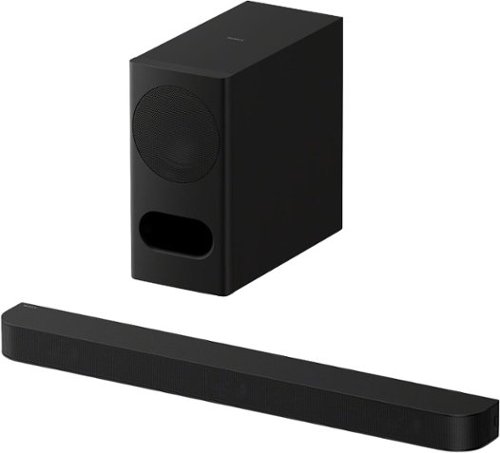
Wide surround, powerful bass, clear dialogue. A 3.1ch soundbar with wireless subwoofer combines Dolby Atmos and DTS:X processing, a dedicated center channel for accurate dialogue, and controlled low-frequency performance to create an immersive, well-balanced home cinema experience.
Customer Rating
5
Great option for a smaller room
on May 24, 2026
Posted by: enem156
This is the second Sony Bravia Theater Bar I own. My other one is a Theater Bar 6. The major difference between the two is that the Bar 5 is a 3.1 system and the Bar 6 is a 3.1.2 system (which includes two upfiring speakers that act as reflective Atmos speakers). While the Theater Bar 5 does claim Dolby Atmos/DTS:X, it doesn't include any upfiring dedicated speakers for this purpose, so what you hear with the Sound Field turned on is a more spacial effect, and maybe Sony does use these signals in some way to mimic overhead sounds.
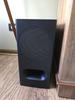
Both of these systems are solid performers. When comparing the sound between the two, the Bar 6 has noticeably larger sound, meaning fuller and more spacious. It's geared for a larger room and can fill it with sound easily. The Bar 5 on the other hand still does a remarkable job at filling a smaller room with sound. This is the perfect size for a smaller living room or bedroom. The Theater Bar 5 is a nice looking system. It's a matte black finish on both the bar and wireless subwoofer. It's meant to blend in and not be noticed. The subwoofer is narrow but deeper and provides adequate low end to the system. A great feature of the subwoofer is that it's wireless, meaning you can put it anywhere in the room you like. It is a powered sub so it does need to plug into the wall.
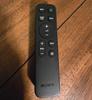
The Bar 5 itself is a great sounding speaker system. You get plenty of volume, so you can really turn it up on movie nights. It has enough power for a smaller sized room. It would be perfect in an apartment or a bedroom. I really liked the the eARC/ARC connection. This allowed me to use my TV remote and control the sound bar volume. It also has a TOSLINK fiber connection if you need to connect it that way. If you want you can use the included remote control instead (both the included remote and the TV remote worked well for volume). The soundbar has three speakers inside. A left, right and center setup. The speakers are clear and clean sounding with lots of separation. The subwoofer really rounds out the low end and gives the sound a punchy feel. The included remote gives you extra control over the sound. For example, you can control the subwoofer volume separately, and it has a Sound Field button that widens the... well, soundfield an incredible amount. I actually set the Sound Field to “on”, and never looked back. It just sounds great for movies and shows and gives the illusion of a much larger system. It's pretty cool the way the sound does fill the room and seems to come from more speakers than what's included. Dialog is very clear from the center speaker. I don't have a Sony Bravia TV so I wasn't able to try out the Voice Zoom feature.
This system also includes Bluetooth (selected by using the Input button on the remote). This allows you to play music from your phone or other Bluetooth devices (tablets, computers, streaming devices) right to your Theater Bar 5 system. Music sounds good, and takes advantage of all speakers. The system does have a free app that can be used to control the system, but it also includes a fine tuning adjustment for the distance you sit away from your TV. It uses this information to fine tune the sound and tailor it to your primary viewing/seating location. It took several tries for the app to find the Theater Bar 5, but eventually it did find it and I was able to set up the distance correctly. The sub volume and the Sound Field I pretty much just set once and forget it. Which I'm sure is the way most people do it. I have the Sound Field on and the subwoofer all the way up.
All in all I'm quite happy with the system. I have it in a bedroom and it does very well in a room that size. The Bluetooth is a nice feature to include, so that you can play music from the same speakers. Great for a bedroom or an apartment. The footprint is relatively compact and will fit in most rooms without any trouble. I feel the price is very fair for the sound quality you get and the addition of a stand alone remote. The app is also a nice feature, and once you get it to connect, it works very well. The sound quality should make most people very happy, especially if you don't currently have a soundbar and you're just using the TV speakers. I like the ease of use with both the Bar 5 and Bar 6 systems. Both sound great and are very easy to use.
I would recommend this to a friend!

Share this review:


0points
0of 0voted this as helpful.
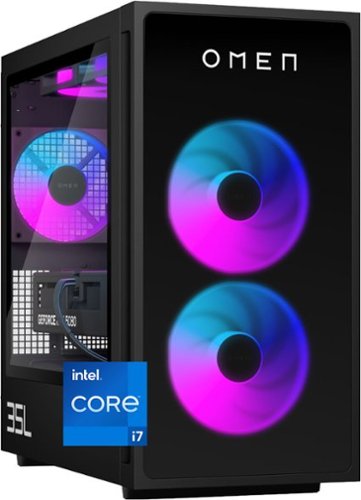
Rev up with OMEN Components. Get game-changing performance with an Intel Core i7-14700F processor and NVIDIA GeForce RTX 5070 graphics. Experience faster gameplay with AI-enhanced features, including AI-powered DLSS, real-time ray tracing, and ultra-responsive gameplay. Stand out with full aRGB control and more inside OMEN Gaming Hub, and choose from various aesthetic options to add your personal flair. Plus, with DTS: X Ultra technology, experience authentic, spatially accurate 3D sound to enjoy the best entertainment experience. Make your choice with OMEN Components inside, and when it comes time to upgrade, it's easy with an industry-standard form factor and toolless access.
Customer Rating
5
Solid hardware and speed with a great look
on May 9, 2026
Posted by: enem156
This is a really nice space saving gaming desktop that looks fantastic and comes with LED accents that are fully customizeable, and great hardware specs right out of the box. Those who choose to, can easily upgrade or add components as they see fit thanks to the removable glass side panel
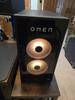
Starting with the case, the model I have is all black. This case and hardware can be fully customized on the hp website, or you can pick a solid starter system like this one and add any components you like at a later time. I really like that the black finish is matte, it helps to make the name badge on the front panel pop. It also highlights the internal lighting. All the LEDs can be individually customized by choosing color and intensity. This is all set up through the hp Omen Gaming Hub app (conveniently located as an icon in the taskbar, so you don't have to hunt around for it). The Gaming Hub is also where you can control the fan and cooling profile.
You won't be short on I/O with this machine. It comes with a wide variety of USB ports (both on the rear and on top). There's the standard green, blue, pink audio jacks on the back and a headset jack on top. I set my green/blue/pink audio jacks up for 5.1 which you can do by loading the Realtek Audio Console. There's an RJ-45 standard Ethernet jack and the Nvidia RTX 5070 comes with three DisplayPort jacks and an HDMI jack. This case is the 35L size (liters?), and is a pretty good Goldilocks size. It can fit either under or on top of your desk or even out in the common areas of your home and still look good. As I've mentioned, hp has a lot of different Omen styles to choose from on their website, and they make both a 45L size and a 25L size so you can pretty much get any size that fits your environment, and customize until your hearts' content.
Out of the box, this machine functions very well with intense games. You get an Intel Core i7 CPU with 16GB of DDR5 RAM, a 1TB M.2 SSD, and an Nvidia RTX 5070 graphics card. While these components are all on the higher mid level, they will certainly perform well for the vast majority of gamers. This machine is quite fast as it is, and will do very well in most cases. Those that play a lot of high speed first person shooters won't be disappointed, and playing Doom: The Dark Ages was smooth and beautiful. In trying to set up the graphics card in the Doom settings, I was getting very mixed results with trying different settings. I eventually looked up the best settings for this game with the hardware it came with and was pleasantly surprised with how fast and detailed the video quality was. I do think the machine would benefit from an additional 16GB of memory and maybe an additional M.2 SSD (which I do plan to upgrade), but if you're a “casual” gamer, I still say you won't be disappointed. The max memory you can install is 64GB (4x16GB sticks). There are two M.2 slots for SSDs. One is already populated with the 1TB drive. The additional slot is unfortunately under the graphics card, so it looks like that will need to come out in order to install an additional drive. But the option to do so is there. Also, even though there is no “hard drive” included, it does have a bay to put one in. I would encourage anyone interested in upgrading parts to download the hp Omen User Guide. Lots of good information in there.
As for the Power Mode and thermal control settings, I found that if I left the Power Mode setting on “balanced”, playing Doom really heated the machine up. The Thermal Control I left on the “Auto” setting. I'm still playing around with the different settings but you can choose a “performance” mode for Power and also set the Thermal control to manual, thereby forcing a higher level of cooling. Leaving the Thermal Control on Auto, I never really heard the fan speed kick up and the machine remained quite warn (hot even). Switching to Manual kept the machine a lot cooler, so just something to be aware of. I've had similar experiences with other machines as well. There's also an Extreme power mode setting that you'll need to go into the bios to enable. For power gamers, there are overclocking features in the bios if you care to play around with them. I personally don't alter these settings at all. My machine just has air cooling (via a CPU fan). No CPU water cooling unfortunately. I think the fans that are included are adequate however, especially if you play with the speed settings in the Omen Gaming Hub.
All in all this is a beautiful machine out of the box that lets you add and customize as you need. The only thing I thought was a little on the skimpy side was the amount of memory. 32GB would have been very welcome. Games seem to be real hogs lately and having the extra memory would mean you wouldn't have to worry about how well the machine would run no matter what game you threw at it. But I'm certainly not complaining, even with 16GB the machine performed very well. The RTX 5070 card is nothing short of a monster, and looks fantastic on the games I played. The Core i7 processor has become pretty standard on gaming machines and it ran very smoothly. The Omen 35L is a really strong foundation for building a fast gaming system. I'm really enjoying it.
I would recommend this to a friend!





Share this review:


0points
0of 0voted this as helpful.

Flip your day, your way. More than just a laptop~it~s your all-day, anywhere companion with 4 flexible modes. Power and performance for AI acceleration, it keeps pace with your most creative ideas and demanding workloads. With fast charging and a design that~s both sleek and durable, the OmniBook X Flip moves as effortlessly~and stylishly~as you do.
Customer Rating
5
Great portable laptop for just about everything
on April 21, 2026
Posted by: enem156
This is a great portable laptop. The smaller size allows it to be easily taken to a meeting or slipped into a bag or backpack. And it's also easy to carry by hand as it weighs in at just a hair over 3lbs.. It has a beautiful display that makes colors appear rich and deep. Plenty of processing power and all the features pretty much anyone could want.
In a work environment I prefer a smaller, easier to carry laptop over one that has a giant display. They're just better for setting down on a smaller space or taking to a meeting so that I have the ability to take notes. I work in a technical facility with a large number of equipment racks that I routinely need to go to and interface a laptop. A smaller machine is just the way to go in this type of environment. The 2-in-1 feature means that I can use it as a standard laptop, flip the display completely back and use it as a tablet, or tent it. Because of that, the display is also a touchscreen. It has 2K resolution with a high gloss finish on the screen. While this makes the screen somewhat reflective, it's also the reason the colors are rich and watery. Being an OLED, the color depth is just amazing. Colors look insanely vibrant and deep.
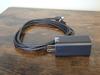
As for connectivity, we have WiFi 7 and Bluetooth for over air connections. And a nice selection of fast physical ports including two Thunderbolt (USB-C) ports, one on each side, two USB-A (3.1) ports, also one on each side. An HDMI port and a headphone/mic jack. You can charge the machine with either of the two USB-C ports, and it's really nice that there's one on each side to make charging adaptable to your environment so that the cord can always be on whichever side is easier. The included power supply to charge it is one of the best I've ever used. To start with, it's small but powerful. Most included laptop power supplies are very large and heavy, which makes the portability of a machine somewhat questionable if you're running low on juice. This one is only 1.25” x 1.25” x 2.5” and has foldable AC plugs. It also has just a single USB-C port on it so you can change the cable if you need to (it's not wired directly into the power supply).
The specs on this machine will leave you with a smile on your face. It has some solid components and none of them seem to be under sized or skimped on in any way. You can (and should) look up the specs for yourself but here's a quick rundown:
Intel Core Ultra 7
16GB memory
1TB SSD
2K OLED display
Built in 5 megapixel camera
Backlit keyboard
16GB memory
1TB SSD
2K OLED display
Built in 5 megapixel camera
Backlit keyboard
The body is aluminum and feels very sturdy. There's a huge touchpad that is nicely defined in the deck, and the keys are quite low and rise just a bit above the deck surface. They have a very shallow throw. Some people may have to get used to this but it shouldn't be a big deal to anyone who's used a smaller laptop (I actually prefer this). The keys are laid out well and each one has beveled edges which helps to define the edges of each one. HP clearly means for this to be an everything machine. I didn't attempt any games with it, but I can say that streaming movies is really a pleasure. The sound quality is pretty good and very spacious. However, given it's size it's just a little bit anemic on the volume. The display looks fantastic with movies and had absolutely no trouble rendering video accurately and beautifully and at no time did I feel the case heat up at all. Everything ran nice and cool. It accels at portability and fast response for running normal apps and surfing, but has enough muscle to use for gaming and photo/video editing as well. This is a beautiful machine with plenty of power and higher end components. I doubt that anyone looking for a laptop this size will find anything to be disappointed about with this machine.
I would recommend this to a friend!





Share this review:


0points
0of 0voted this as helpful.
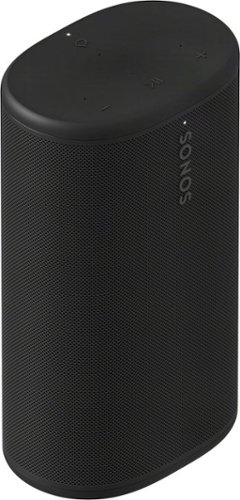
Powerful, portable, and ready for anything, Sonos Play delivers big stereo sound and bass in a go-anywhere design. Stream over WiFi or Bluetooth, and connect seamlessly to your Sonos system. With up to 24 hours of battery life, easy wireless charging, and IP67 waterproof durability, this smart speaker amplifies every moment, everywhere.
Customer Rating

3
Good with streaming services, but that's about it
on April 14, 2026
Posted by: enem156
I'm going to begin by saying that I have and currently do use, lots of different brands of network based music players/streamers. Working with all of these brands is very familiar to me because it is the way I listen to music in different areas of my home as well as outside. I was anxious to try out a Sonos system since I've never worked with one before.
The Play is the newest model in the Sonos lineup and there are quite a few things to like about it. The build is very solid and offers an IP67 rating, this gives it really good dust and water protection. This is important if you plan to enjoy your music outside. The top, bottom and rear panels are rubberized and have a nice feel, the curved front is a solid, perforated piece that wraps around most of the device. The whole thing weighs almost 3lbs., so it's got some heft to it, especially considering it's small size. There's an LED at the top front to show the various modes, etc., and also one at the bottom front to indicate the charging status. It has a nice charging base that is included, so you can either leave it in the base where it will stay charged, or just grab it and take it with you. It's a good design that only requires you to set it on the base to start charging. No hunting for, or plugging in cords.
As I've mentioned, the top is rubberized, so it has a good tactile feel. The transport buttons are on top to make them easily accessible, however I got the black color and trying to see which button to press (or even exactly where they are located) is almost impossible. It gets a little better in bright light, but not a lot. In fact you're going to want to remember the button layout once you find it, they're that hard to see. There's also a set of controls on the rear panel and they are just as difficult to see as the ones on top. I love the black color, but it makes using the controls pretty much impossible. You really are at the mercy of the app at this point. This is ok until you just want to quickly turn the music down or stop it.
The sound is fair for a speaker this size and it's perfect for areas that could really benefit from having music, but also don't have a lot of extra space to spare, like kitchens, bathrooms, bedrooms, offices, garages, you get the idea. There's no “extra bass” button or any kind of spacial sound enhancement. Instead Sonos relies on it's Automatic Trueplay technology. Which is, well good if you have an ios device, not great if you don't. I personally use Android, so I can't comment on the benefit of Trueplay, it has limited benefits for me. Overall the sound quality was a bit lacking for me. Very average with nothing that really struck me as quality sound. Bass was especially thin sounding. But the thing I miss the most that Sonos didn't bother to include, is DLNA certification.
On a device that's built to be portable and taken to different houses, offices, work environments, I can't believe they didn't think it beneficial to include it. So what does this mean? Well if you've used a lot of different streamers you might be used to seeing a list of network devices where your music resides. At that point you can just pick the one you're interested in streaming from. I store all of my music in .flac file format on my Synology NAS drive. Every other streaming device I have will show my NAS in some list of devices making it super easy to select and stream from.
Now, does this mean you can't connect to a NAS from the Sonos Play? No, it's possible, but it's not intuitive and it's a somewhat time consuming process. You need to manually add the specific network path as a “shared music folder”. By entering in the IP address of your NAS followed by the path to the music folder, then adding your username and password, you can start an indexing process that takes a ridiculous amount of time (depending on how large your library is), and then stores this index on each Sonos device. After around three hours, mine never really finished and I got tired of waiting. If you want to play music from your phone you can connect via Bluetooth instead of Wifi and use a different app to play your misic. I could find no way to access local music on my phone, from the Sonos app. I was also able to connect to the Play via Bluetooth and use a different streaming app to stream my NAS library to the Sonos, but at that point it's a little messy and you don't seem to be able to connect to your Sonos speaker “group”, only to a specific speaker. And really, it seems to defeat the purpose of being able to use the Sonos app for the benefits it does offer, like setting two connected Sonos devices to stereo mode or assign them to a group.
If you're just interested in streaming from a music service, then Sonos has you covered with a huge number of streaming sites all conveniently listed. I found this to be confusing initially and unclear how this actually works, but after you log into your service you can add it to the “Your Services” section and you only need to choose the service you want to use at that point. This is where the Sonos ecosystem seems to shine brightest. It works well in this mode. The app itself is not the most intuitive and it would have been extremely valuable to include some kind of quick start guide to spell out the steps that will get you up and listening quickly. As it was, it took me monkeying around with things and figuring them out by trial and error. This tends to lead to a fair amount of frustration more than anything else, and you have to figure out the streaming limitations yourself. My best experience with this speaker was setting it up for Bluetooth connection and using a third party app to play music from my phone or stream from my NAS drive and bypass the Sonos app altogether. Although what Sonos is really trying to sell here is their infrastructure, and if you don't use the app, you're not going to be able to connect multiple Sonos speakers together, so you're left with a very portable, but mediocre sounding Bluetooth speaker, and they are obviously banking that you get all your music from streaming services, and not from your own library.
LIKES:
Portability
Included charging base
Great selection of streaming services
Build quality is solid
Ability to add multiple Sonos speakers in other areas
Portability
Included charging base
Great selection of streaming services
Build quality is solid
Ability to add multiple Sonos speakers in other areas
DISLIKES:
Difficult to use onboard buttons (can't see what they are)
No DLNA certification
Very difficult (impossible?) for the app to play locally stored music
Sound is average
Stereo mode only works with specific Sonos speakers (and not the one I additionally had)
Anemic amount of documentation
The base charging cord is molded into the base. So you can't change the cord if anything happens to it.
Difficult to use onboard buttons (can't see what they are)
No DLNA certification
Very difficult (impossible?) for the app to play locally stored music
Sound is average
Stereo mode only works with specific Sonos speakers (and not the one I additionally had)
Anemic amount of documentation
The base charging cord is molded into the base. So you can't change the cord if anything happens to it.
No, I would not recommend this to a friend.






Share this review:


0points
0of 0voted this as helpful.

Fly smarter and lighter with the Contixo F29, a professional-grade drone in a compact 249g frame~no FAA registration required. Ideal for creators and travelers, it features a 4K UHD camera, 105~ wide-angle lens, and 70~ adjustable tilt for capturing stunning aerial footage. A precision 3-axis gimbal ensures smooth, stable shots even in high-speed or windy conditions, while the included 5" HD touchscreen remote offers full control without needing a phone. With GPS-powered features like one-key return to home, auto-return on low battery or signal loss, and intelligent flight modes such as follow-me and orbit, flying is both safe and intuitive. Tap a few points on-screen to guide your drone~s flight path and capture everything from spiraling ascents to sweeping landscapes. Enjoy up to 23 minutes of flight per battery, a 3KM control range, and top speeds of 25km/h. Built with brushless motors and app control, the F29 delivers pro-level performance in a lightweight, travel-ready design.
Customer Rating
4
Good video smoothness, but iffy control response
on February 15, 2026
Posted by: enem156
I consider myself relatively new to flying drones, so take this review from that perspective. I have another drone by a different company that I really like, but it didn't have it's camera on a gimbal so it's not very good for video. That's why I couldn't wait to try the Contixo F29. It's still nice and small but it has a 4K camera on a gimbal.
I really like the touchscreen remote control. The screen is a good size and has good clarity. The sticks have a good feel to them with a firm spring to return them to center. The buttons are laid out well and are backlit. The remote also includes a micro SD card slot so you can keep the card in here or use the one onboard the F29. If you opt to use the drone card slot, you can take the card out after a flight and install it into the remote to view any videos or photos that were taken. I'm not sure if there's a visible difference in quality between using either the drone's SD slot or the remotes SD slot, but I tend to think the quality has a better chance of being good if you record with the SD card in the drone itself.
I had no trouble at all going through the setup process to ready the drone for flight. It powered on and synced with the remote quickly. The calibration is similar to my other drone, and it did just what it said it would do in the process. It had no problem with the horizontal and vertical calibration sequence and the GPS search was quite quick. Calibrating the gyroscope was equally quick and easy and in no time, I was ready for flight. I like that through each step of the calibration process, there's an audible beep when the step is successful.
The first flight with this drone I wasn't very happy with but I don't think I had the antenna orientation quite right. The flight was pretty erratic and it didn't respond very well to the controls. At one point I actually had to crash it into the ground to retrieve it. That's all I'll say about this flight because my subsequent flights were really good. There was really no wind to speak of when I took it out, so it flew pretty well. I know with a drone this size, wind can really be an issue. I was able to test out both the manual take off and the auto take off and both worked really well. For the most part, the drone hovers in place well. It's not 100% solid as it does have a slight tenancy to drift around a little bit, but nothing extreme. Right joystick horizontal movement worked well in all direction and the left joystick accurately rotated it and allowed good elevation movement.
This drone sits very low to the ground, the legs are really short. So much so that the camera is almost resting on the ground when waiting for take off. It's not a big issue, but it does mean that you need a very flat landing zone to take off from and land in. I took off from the asphalt parking lot (which was not in the best shape), and while it worked ok when I found a good section, I can see why they give you the landing pad with this drone. The arm lights are not very big and as a result, they're difficult to see when in flight. I like the headlights on the front end, they help you to orient the drone toward you for the return trip. The beep indications are a plus. It gives you audible confirmation of successful compass and GPS calibration and also alerts you when your drones battery is getting low, which really helps.
Camera quality is quite good. Photos are clear and the colors seem good. The video quality is also pretty good and having the camera mounted on a gimbal makes a huge difference. My video turned out very smooth without any bouncing around. This will be nice to use when the weather is warmer by me. I can't wait to use it in some wooded areas with streams, should be very cool.
For the price, Contixo does give you quite a bit. Aside from the F29 itself and the touchscreen remote controller, they give you two batteries and two battery charger bases (but you'll need to supply the wall mounted chargers yourself). They also give you a landing pad, spare propellers, a 32GB micro SD card and a case to store everything in. A word about the case. While I do appreciate that the case is big enough to easily carry everything you need, it's vertical orientation doesn't allow you to slide it into a backpack. This is more of a cube style case which makes you carry it as is, separately. My other drone has a nice flat case that lets me put it in my backpack, which is a great feature.
Final thoughts. This is nice drone at a reasonable price for anyone who is interested in getting into flying drones. The small size means you can pretty much take it out and start flying without worrying about registering it. The whole kit contains literally everything you need (with the exception of a USB charger). I did experience several glitches while flying, at a few times, I felt that the drone was not responding to the remote and even though I did manage to get it back it made me a bit nervous that at some point it would just stop responding at all (I did crash it several times because of this). I would suggest flying it in wide open spaces and not around people. I had very good luck with the camera operation and the gimbal really smooths out the videos.
I would recommend this to a friend!






Share this review:


0points
0of 0voted this as helpful.

TheraFace Mask Glo is a dermatologist-approved, FDA-Cleared LED mask that combines Red, Red + Infrared and Blue light with a relaxing scalp massage for glowing, healthier-looking skin. Featuring 504 scientifically calibrated medical-grade LEDs and a cordless, lightweight, breathable design, it provides an effective, full-face treatment in just 12 minutes. Clinically proven to improve radiance, firmness, tone and texture and visibly reduce sagging in 12 weeks~, with undereye wrinkles and fine lines improving in as little as 8 weeks~ ~ all at our best price yet. With the touch of a button, the preset treatment cycles through 4 minutes each of Red, Red + Infrared and Blue LED light therapies to boost collagen production while targeting wrinkles, discoloration and mild to moderate acne. Protective eye shields and a cordless, breathable design allow for hands-free comfort and multitasking, with 99% of participants confirming effortless daily use~, while Therabody~s proprietary VibraWave~ technology offers a gentle scalp massage for a relaxing, spa-like experience at home.
Customer Rating
4
Comfortable mask with great features
on February 6, 2026
Posted by: enem156
LED light therapy is something that my wife has been interested in trying for some time. Unfortunately, this is a treatment that is very subjective because of different skin types or what the wearer hopes to achieve by using this type of therapy and each person will have different results. Therabody spells out that it will take a minimum of eight weeks of use, but more realistically twelve weeks of use to see any noticeable results. With that said, there's really no way I can comment on the effectiveness of the treatments or how well LED light treatment actually works, so my review will be limited to the actual device and it's operation instead of how well it does what it claims to do.
It would be fair to say that when it comes to this type of product, I'm somewhat of a skeptic. Not because I don't necessarily believe that this type of light therapy works, it's more that I don't think there is any way to truly measure the results in a way that shows it's working as advertised. Face masks like these can be found for less than $100 but up to over $700. The TheraFace comes in somewhere in the middle. Even so, it's price tag is not an easy pill to swallow, so you might want to ask yourself if you will be committed enough to using this product for up to twelve weeks before you spend this kind of money.
The design and build quality are exceptional. This is a substantial plastic shell with a well thought out inner section that goes around your eyes and helps to keep the mask off your face. It has an additional clear plastic insert bonded to the inside that covers all the LEDs so that they are protected and also allows a more comfortable fit. The controls are simple and intuitive. There are easy to feel push buttons, one on the right temple and one on the left. Holding the right one in for a couple seconds turns it on. After that repeatedly pressing the button cycles through the different therapies, or you can leave it in the power up mode and it will cycle through them for you for a twelve minute session. The left button controls the message feature. It's on by default and you can cycle through three different vibration modes. Or you can turn it off altogether. My wife likes it, but when I tried it, I preferred having it off. I didn't find it to be a relaxing experience.
Therabody does have a free app that can help you control their devices through your phone or tablet. I would have liked to work with it to see if it's worthwhile to use it, but while there's a list of their products on the setup page, the TheraFace is not yet supported. It does seem that it will be in the near future because they actually have it listed. One thing my wife mentioned was that she would have liked it if there were breathing holes in the mask, around where your nose is. She found it a bit claustrophobic without them. I didn't find it to be a big problem, but if you wear it for the full amount of time, I can see where it would be nice to have them. I do like that it's easily chargeable with a USB-C cable and they include the cable in case you don't have it. Aside from the mask itself, it's the only other thing included besides the instructions. It might be nice if it included some type of cloth bag to keep it in between uses or when traveling to keep it clean.
I found the treatment to be comfortable and relaxing. Because of the way the eyes are shielded, you could actually wear it and keep your eyes open and read or surf the web. The optional modes for both LED therapy and massage offer you different ways to enjoy a treatment and if you are only interested in using one of the different LED modes, you have that option. You have your choice of Red mode, to reduce lines, wrinkles and dark spots. Red mode with Infrared to firm skin and stimulate collagen production. Or Blue light to fight acne.
I would recommend this to a friend!



Share this review:


0points
0of 0voted this as helpful.
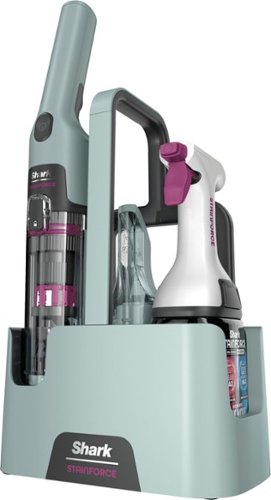
Easily tackle the spills, stains and messes that happen every day throughout your home~ Powerful suction + 30x more stain-fighting power* combine to break down and lift away stains and spills. Cordless and always ready when you need it so you can tackle stains & spills wherever and whenever they happen. +vs portable stain cleaner market using included cleaning solution tested on mustard, ketchup, coffee, chocolate syrup, grape juice, permanent marker, oil and dirt. *vs Shark Deep Clean Pro Formula.
Customer Rating
5
Great portable spot cleaner
on December 26, 2025
Posted by: enem156
We've used a very wide variety of upright and spot carpet cleaners. Several of them are actually the Shark brand. I like Shark for the quality of their products as well as the straight forward way they work. My wife and I have a cat that occasionally (like all cats) has hairball issues. Hence our need for spot carpet cleaners. It's actually not the hairball that's the problem, it's the dye in any cat food that ultimately stains the carpet.
I've ended up having to wait a little longer to review the StainForce because I was sure our cat would give us a reason to try it out pretty quickly, but being a cat, she has her own agenda. I was a little skeptical about a carpet cleaner of this small and battery powered size. But in the end Shark put my mind at ease with how well this cleaner works. The majority of the actual cleaning is done with the two part cleaning solution and not the machine itself. This is a similar setup that their upright carpet cleaner uses. For the StainForce system you get a unique trigger sprayer top piece that accepts replacement, two part solution bottles. The trigger dispenses both parts simultaneously with each squeeze of the trigger. One part of the solution is a deep cleaner, and the other one is an “Oxy multiplier”. The solution works really well at dissolving stains (either fresh or already dry).
What the machine buys you is a way to scrub the solution into the stain and then vacuum it up. The whole process involves just spraying the stain thoroughly, waiting a few minutes for the cleaner to work, then scrubbing it with the brush end and vacuuming up any moisture along with the stain. It's quick and easy. If you're not satisfied with the result, you can repeat the procedure for deeper cleaning. I had really good luck removing stains around my air ducts (since my cat wouldn't cooperate). Forced air HVAC systems always end up with dark areas around the floor vents. Mine came pretty clean after just one application. I have every confidence that using it on any cat stains will work just as well because we also have the upright Shark carpet cleaner that uses the same solution. The vacuum portion works surprisingly well given it's small size. No carpet cleaner vacuums up 100% of the moisture and this one is no exception, but it leaves the carpet only damp and not wet. I was amazed at how black the reclaimed water was. There are two scrubber attachments. One is pretty narrow for small or hard to reach stains, the other is broader and better for normal use. There's also an included rubber scrubber that can be swapped out for the brush.
Emptying the machine is clean and easy. There's actually a plug on the bottom side of the reservoir tank that you can just flip open and empty into a sink. For more thorough cleaning, everything comes apart very easily and can be rinsed clean. There's also an auto self wash feature that works pretty well and is super easy. I never had any problem with battery life and the battery comes with a charger. I love how portable the whole system is. It's all self contained in the caddy, just grab it and take it to the stain.
I would recommend this to a friend!




Share this review:


0points
0of 0voted this as helpful.
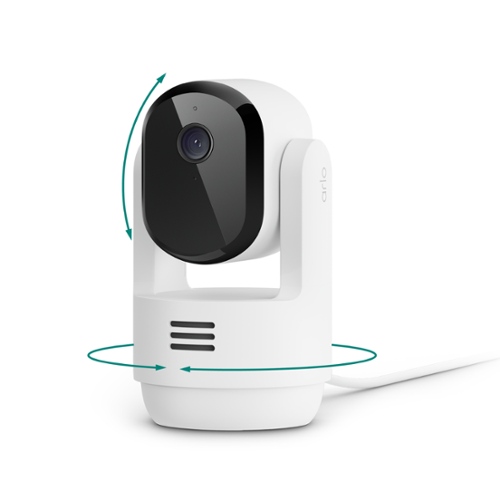
Protect your home and family with a wired indoor security camera in crystal-clear 2K resolution. Get alerts when motion is detected, whether it~s your child playing or unexpected movement, and watch live video on your phone. Stay connected to the strongest band with Dual-Band WiFi for a seamless experience. See a comprehensive view of every corner of your living space with 360~ pan and 180~ tilt viewing capabilities. Plus, with Automatic Motion Tracking, you won~t miss a thing as your camera follows the action. A 1-Month Arlo Secure plan trial is included. Your trial provides 60-day video history and Smart Detections so you~ll know right away if motion is from a person. Enjoy Interactive Notifications on your phone~s lockscreen with options like Emergency Response and Call a Friend for added peace of mind. See clearly day or night with Night Vision for 24/7 surveillance. Hear and speak with family members using Noise-Canceling 2-Way Audio. Quickly deter unwanted activity with the Integrated Siren. Setting up is a breeze. Mount the camera, plug it in, and enjoy worry-free performance without the need to charge batteries. Comes with a 6.5 ft power cable for flexible placement. Works with your favorite smart home assistants including Amazon Alexa, Samsung SmartThings, IFTTT, and Google Home. With Arlo, you get peace of mind knowing your loved ones are always within view.
Customer Rating
5
Great cameras and app, but expensive service
on November 7, 2025
Posted by: enem156
I currently have five Arlo outdoor cameras around the outside of my house. I’ve used them for years, and appreciate their solid performance. Until now, I haven’t added any of their inside cameras, but I’ve been anxious to incorporate them into my Arlo ecosystem and see how they perform. Let’s face it, there are a huge number of home monitoring cameras out there these days and a lot of them will do the job for very little buy in. Are the Arlo cameras worth the extra money, that’s really the question.
For the camera itself, $40 to $50 is not a really big deal (although there are much cheaper cameras available), but anyone looking to build their home monitoring system from scratch will want a number of cameras to start with. This camera is very competent for the price and offers people a lot of great features for the money. It is a “plug in” camera, so there is no on board battery that needs to be charged, and having to plug it in, is a lot easier inside the house than it normally is outside. It has 360 degree rotation and it can be tilted up and down 180 degrees as well. You can let the camera follow any motion it senses, or you can log into it and manually pan, tilt and zoom yourself. The 2K resolution is very good, and I don’t see any advantage to looking for a 4K camera. 2K is just fine for looking at babies, pets and adults. When it comes down to it, the difference between 2K and 4K is pretty minimal.
The Arlo app has been around for a long time and it’s very well laid out. You need to use the app to set up all the camera features (like most other cameras). Detailed video settings, night vision, audio settings, zones, camera home positions, etc.. It has 2.4 or 5GHz Wi-Fi connectivity, so no should have a problem getting the camera connected on their home network. I’ve found the network connection on all my Arlo cameras to be very solid. I also have an Arlo base station (hub), but that’s not needed for this camera to function. The hub buys you a USB port that you can connect external storage to. This allows you store all the clips yourself and not rely on the Arlo cloud. And in case anyone is wondering, there is no microSD slot on this camera. So this brings up the question of, what are the options for storing video clips with the Arlo ecosystem?
This where I have a bit of a love/hate relationship with Arlo. When I first bought in to the Arlo system, a subscription was not needed, and they still offered you a month of cloud storage for your video clips. Over time, that has changed to what it is today. If you want to self monitor your cameras and not pay the subscription fee, your feature set drops pretty drastically, but it can be done. Without an Arlo base station, you won’t have any way to store video clips, so you would need to buy the right base station and your own external storage device (HDD or SSD). About the only functionality you will still get is live view. Which for something like a baby monitor or pet cam is probably ok, but you’d be missing out on a huge amount of features, not the least of which are the notifications that identify what caused the video to start recording, an animal, a person, a vehicle, or a package left on your porch. Currently, you have your choice of three different subscription tiers. $7.99/month for a single camera, $17.99/month for unlimited cameras, or $24.99/month for the premium tier which includes professional monitoring. I have the middle tier. Am I happy with the service? It functions pretty flawlessly, so overall I’d have to say yes. Am I happy with the subscription fee? Absolutely not. So you have to decide how you want to use these cameras. If the subscription is something you can tolerate, and you want to keep an eye on your entire house both inside and out by adding as many cameras as you want, then you won’t find a better system in my opinion. Arlo does have a very feature rich app that’s simple to use and cloud based with a 60 day video history. This is plenty of time to look at an occurrence and download the video if you want to keep it. It does a great job of recognizing packages, animals, vehicles or a person and can alert your phone of every single one.
The Arlo app and ecosystem is really where you’ll see the benefits shine. It does a great job monitoring your whole house and they have a lot of different cameras to choose from. A lot of them also include built in spotlights. I’ve purchased after market solar panels to charge all my exterior cameras and they work great. But another downside is that Arlo does not play well with other ecosystems. I have Home Assistant, but I have no way to integrate the Arlo cameras into that ecosystem directly or my home security ecosystem. The cameras work great with the Arlo app, and for most of us, that’s about it. They do have Amazon Alexa, IFTTT, Smart Things and Google Home “support”. What that means for you will depend on what kind of smarthome devices you have already, and how adept you are at interfacing with them.
For the camera itself, $40 to $50 is not a really big deal (although there are much cheaper cameras available), but anyone looking to build their home monitoring system from scratch will want a number of cameras to start with. This camera is very competent for the price and offers people a lot of great features for the money. It is a “plug in” camera, so there is no on board battery that needs to be charged, and having to plug it in, is a lot easier inside the house than it normally is outside. It has 360 degree rotation and it can be tilted up and down 180 degrees as well. You can let the camera follow any motion it senses, or you can log into it and manually pan, tilt and zoom yourself. The 2K resolution is very good, and I don’t see any advantage to looking for a 4K camera. 2K is just fine for looking at babies, pets and adults. When it comes down to it, the difference between 2K and 4K is pretty minimal.
The Arlo app has been around for a long time and it’s very well laid out. You need to use the app to set up all the camera features (like most other cameras). Detailed video settings, night vision, audio settings, zones, camera home positions, etc.. It has 2.4 or 5GHz Wi-Fi connectivity, so no should have a problem getting the camera connected on their home network. I’ve found the network connection on all my Arlo cameras to be very solid. I also have an Arlo base station (hub), but that’s not needed for this camera to function. The hub buys you a USB port that you can connect external storage to. This allows you store all the clips yourself and not rely on the Arlo cloud. And in case anyone is wondering, there is no microSD slot on this camera. So this brings up the question of, what are the options for storing video clips with the Arlo ecosystem?
This where I have a bit of a love/hate relationship with Arlo. When I first bought in to the Arlo system, a subscription was not needed, and they still offered you a month of cloud storage for your video clips. Over time, that has changed to what it is today. If you want to self monitor your cameras and not pay the subscription fee, your feature set drops pretty drastically, but it can be done. Without an Arlo base station, you won’t have any way to store video clips, so you would need to buy the right base station and your own external storage device (HDD or SSD). About the only functionality you will still get is live view. Which for something like a baby monitor or pet cam is probably ok, but you’d be missing out on a huge amount of features, not the least of which are the notifications that identify what caused the video to start recording, an animal, a person, a vehicle, or a package left on your porch. Currently, you have your choice of three different subscription tiers. $7.99/month for a single camera, $17.99/month for unlimited cameras, or $24.99/month for the premium tier which includes professional monitoring. I have the middle tier. Am I happy with the service? It functions pretty flawlessly, so overall I’d have to say yes. Am I happy with the subscription fee? Absolutely not. So you have to decide how you want to use these cameras. If the subscription is something you can tolerate, and you want to keep an eye on your entire house both inside and out by adding as many cameras as you want, then you won’t find a better system in my opinion. Arlo does have a very feature rich app that’s simple to use and cloud based with a 60 day video history. This is plenty of time to look at an occurrence and download the video if you want to keep it. It does a great job of recognizing packages, animals, vehicles or a person and can alert your phone of every single one.
The Arlo app and ecosystem is really where you’ll see the benefits shine. It does a great job monitoring your whole house and they have a lot of different cameras to choose from. A lot of them also include built in spotlights. I’ve purchased after market solar panels to charge all my exterior cameras and they work great. But another downside is that Arlo does not play well with other ecosystems. I have Home Assistant, but I have no way to integrate the Arlo cameras into that ecosystem directly or my home security ecosystem. The cameras work great with the Arlo app, and for most of us, that’s about it. They do have Amazon Alexa, IFTTT, Smart Things and Google Home “support”. What that means for you will depend on what kind of smarthome devices you have already, and how adept you are at interfacing with them.
As far as the Essential 1 camera, I'm completely happy with it. Like all my other Arlo products, it works easily and solidly. You can add the camera to your Arlo dashboard (provided you continue to use the app), so for anyone who already has the Arlo ecosystem, or plans to use it in the future, this camera integrates seamlessly. What you pay for with the Arlo subscription is basically all the features that any of their cameras offer. And the features are extensive and very easy to get used to using. I love the way you can log into the Essential 1 and pan, tilt and zoom it anyway you want to. You can set a home position for it, so it monitors a specific angle. You can set up zones for it to specifically get tripped to record. You can get notifications when it does get tripped. You can also have it set off an internal siren if it senses specific things. These are some of the best cameras out there, and they work well as a stand alone system.
I would recommend this to a friend!



Share this review:


0points
0of 0voted this as helpful.
enem156's Review Comments
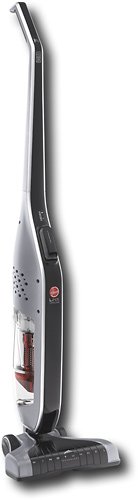
Retire your dustpan and broom and transform your everyday floor cleaning! This sleek, versatile stick vacuum is always ready to deliver upright performance with Fade Free Lithium-Ion battery power. The only stick vacuum with Hoover WindTunnel~ technology and cyclonic filtration even when moving from hard floors to low pile carpet.
Overall 1 out of 5
1 out of 5Not enough suction
By BHIHIFI
I bought this after reading a positive review in a leading consumer magazine. It comes with an impressive number of accessories but the suction is weak. It would not even vacuum up bits of grass on my doormat. I returned it and bought the portable Dyson instead. Night and day difference.

enem156
Chicago, Il
Wrong vacuum review?
February 25, 2016
I'm not sure that you're reviewing the vacuum you think you are. This vacuum really doesn't have any accessories...
+1point
1of 1voted this comment as helpful.
enem156's Questions
enem156 has not submitted any questions.
enem156's Answers
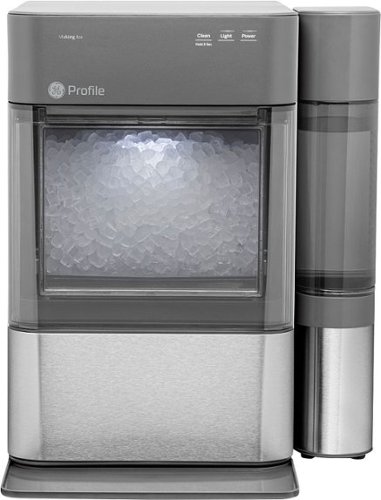
Nugget Ice. Pellet ice. Drive-in ice. Whatever you call it, you know it's "the good ice." Now that chewable ice is available from the convenience of your countertop with the Opal 2.0 Ice Maker. It is capable of producing up to 38 lbs. of ice in 24 hours and stores up to 3 lbs. of ice at one time. The Opal 2.0 Ice Maker has WiFi connection capability and comes with the side tank attachment for 3x more ice production.
Does it need to be connect to waterline
No, it's a completely stand alone unit. It uses a water container on the side that you can remove and refill, much like a coffee maker.
5 years, 10 months ago
by
enem156

With up to 40 hours of battery life, Beats Solo3 Wireless is your perfect everyday headphone. With Fast Fuel, a 5-minute charge gives you 3 hours of playback. Enjoy award-winning Beats sound with Class 1 Bluetooth~ wireless listening freedom. The on-ear, cushioned ear cups are adjustable so you can customize your fit for all-day comfort.
Can you answer phone calls with them
Yes, you can. Provided you're connected with your phone via Bluetooth.
8 years, 2 months ago
by
enem156