


enem156's stats
- Review count177
- Helpfulness votes342
- First reviewJune 7, 2013
- Last reviewJune 10, 2026
- Featured reviews0
- Average rating4.5
- Review comment count1
- Helpfulness votes1
- First review commentFebruary 25, 2016
- Last review commentFebruary 25, 2016
- Featured review comments0
Questions
- Question count0
- Helpfulness votes0
- First questionNone
- Last questionNone
- Featured questions0
- Answer count2
- Helpfulness votes3
- First answerMarch 24, 2018
- Last answerJuly 15, 2020
- Featured answers0
- Best answers0

Upgrade your microwave with the Insignia 1.6 Cu. Ft. Countertop Microwave with Sensor Cooking and Inverter Technology. Featuring modern inverter technology, the microwave uses a constant stream of power to ensure even cooking and avoids overheating the edges of your plate. The microwave includes a control panel with 19 preset functions to defrost meat, melt butter, heat baked potatoes, or microwave popcorn at the simple touch of a button.
Customer Rating

5
Great features with inverter cooking technology
on October 15, 2025
Posted by: enem156
This is a very nice looking microwave. The front is stainless steel with black accents. The top and sides are painted black, which helps to make it a little less inconspicuous as it sits on the counter. It has a fair amount of features that make it a good buy for people that use microwaves to cook a wide variety of foods and not only to heat stuff up. At 1200 watts, it's a pretty powerful microwave.
Cook settings include a lot of the standards that people expect and are used to using. Both time, and weight defrost, cook time and power for more manual cooking, and some specialty modes that include melt/soften, potato, frozen vegetables, beverage, dinner plate, pizza and popcorn. There's also a sensor reheat. The keypad is laid out well, where everything is easy to find and nicely labeled. The numeric keypad also has the first six digits as express cook buttons.
Microwaves are notoriously tricky to use correctly. Everyone has their own tricks for how they like to use them, but understanding a few basics will go a long way to getting good results. While many people feel that the "extra" cooking modes are a waste of space and only want the standard time and power cook buttons, a lot of thought has gone into these extra buttons to help people get good cooking results, no matter what kind of food they're using it to cook.
You may not of heard of Inverter Technology on a microwave, and it may sound like a brand buzz phrase, but it's actually a cooking method that's used by a lot of brands and actually has to do with how the heat is applied to food.
Standard technology microwaves cook the food by always using the 100% power setting. Even if you choose 50% power to cook with, that only means the microwave will use the 100% power setting for half of the time, and then no power for the other 50% of the time. So the power level is actually based on how long the microwave uses the 100% power, it doesn't actually decrease the power level.
Inverter technology however, does cut the power down. So when you choose 50% power for 4 minutes, your microwave will actually cook your food using half the power for the full 4 minutes. This is a more even way of cooking and heating food. This method seems to work best for low power cooking (like softening butter), but to me it just seems like a better way to cook food at any level.
Inverter technology however, does cut the power down. So when you choose 50% power for 4 minutes, your microwave will actually cook your food using half the power for the full 4 minutes. This is a more even way of cooking and heating food. This method seems to work best for low power cooking (like softening butter), but to me it just seems like a better way to cook food at any level.
Sensor technology is another mode that's included. And like the name implies, it uses sensors to monitor the food you're cooking, and adjusts the power and time automatically to heat the food to a perfect temperature, which helps to eliminate hot spots and cold spots in the final result.
The Insignia offers both sensor and inverter cooking methods, so you get the best of both worlds. It's still up to the user to understand the different modes and select the one that will work best for your food, but at least the options are there for those who choose to use them.
The Insignia offers both sensor and inverter cooking methods, so you get the best of both worlds. It's still up to the user to understand the different modes and select the one that will work best for your food, but at least the options are there for those who choose to use them.
The 1.6 Cubic foot size is a medium to large size, and even acknowledging that, the Insignia is a bit larger than most in its size class. It's by no means a small microwave, but with that said, it has ample space inside to cook a lot of different foods in a variety of dishes, bowls and plates. It also includes a good sized turntable. The door has a safety feature on it, making it a safer choice for those with small children. This involves pressing up on a button in the handle before it will allow you to pull open the door. It's a bit of an awkward motion, but I've seen this on other brands as well, so I guess this is a safety feature that the industry is adopting. My cooking experience with this microwave has been primarily using it for re-heating, and small frozen items like veggies. This is just how we use our microwaves. I can say that for the items we have used it for, it cooks very evenly and thoroughly. The food comes out at a more uniform temperature and I didn't notice any hot spots, or cold areas. So for me, I'll attribute this to the inverter cooking method. The microwave performs very well overall, and is easy to operate and get a feel for where your favorite buttons ended up. The cooking results have been very positive and I'm anxious to explore heating other foods in it. This microwave promises to be a staple in the kitchen and has made me rethink the way I want to use a microwave in general. Really nice product.
I would recommend this to a friend!





Share this review:


+4points
4of 4voted this as helpful.
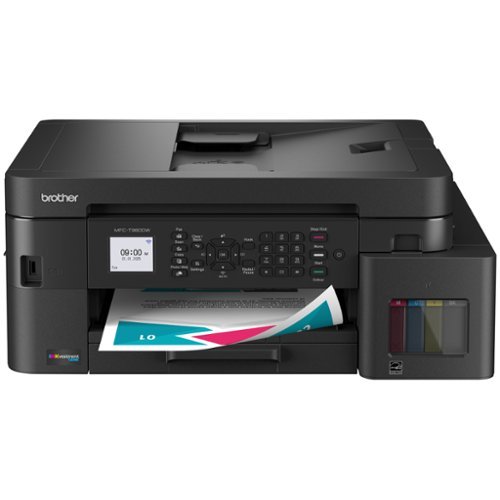
The Brother INKvestment Tank 980 Wireless Color Inkjet All-in-One Printer includes enough ink to print for up to 3 years(1), backed by a 3-year warranty(9). Innovative ink tank technology provides an easy-to-replenish solution with spill-free bottles that refill the ink quickly, and a keyed design that prevents adding the incorrect color to each slot. For all your business and personal printing needs, from business presentations to airline tickets, this ink tank printer includes convenience-driven features like a single-sided automatic document feeder (ADF), 150-sheet paper tray(2), and 80-sheet multipurpose tray(2) for flexible paper handling. Plus ethernet or wireless connectivity(3) and the ability to print from virtually anywhere with the Brother Mobile Connect app(4). Produce beautiful prints in vibrant color and bold blacks at fast print speeds with Brother Genuine BTD180 Ink bottles ~ the only brand we recommend for your Brother printer.
Customer Rating
5
Fast, high quality printer for home / small office
on September 19, 2025
Posted by: enem156
I've used ink jet tank printers in the past and I love them so much I never looked back to the expensive and cumbersome ink cartridge ones. I've had all the major brands and they work ok for awhile and then, they just don't. I'm hoping the Brother MFC-T980DW will be different. So far, I'm blown away.
Background.
I've never used a Brother ink jet printer before so I wasn't sure what to expect. I do however use their label printers and they are solid performers. So, as it happens, I'm in need of a printer since my last one just stopped allowing all connections to it either over Wi-Fi or directly connected with a Cat6e cable right to my router, regardless of using several different PCs. I will say that since I've been using the Brother, the connection has been very quick. The setup did take what seemed to me a long time. It may have gone faster if I had just searched for it through the Windows print manager, but I decided to use the Brother software to avoid any potential problems. When I was done, I used the same method to connect to my wife's machine. Both machines are able to print very quickly. I have it connected to both machines over Wi-Fi and I hear it printing about a second or two after I push the “print” button.
I've never used a Brother ink jet printer before so I wasn't sure what to expect. I do however use their label printers and they are solid performers. So, as it happens, I'm in need of a printer since my last one just stopped allowing all connections to it either over Wi-Fi or directly connected with a Cat6e cable right to my router, regardless of using several different PCs. I will say that since I've been using the Brother, the connection has been very quick. The setup did take what seemed to me a long time. It may have gone faster if I had just searched for it through the Windows print manager, but I decided to use the Brother software to avoid any potential problems. When I was done, I used the same method to connect to my wife's machine. Both machines are able to print very quickly. I have it connected to both machines over Wi-Fi and I hear it printing about a second or two after I push the “print” button.
The basics.
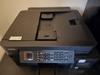
For starters, I really like that the printer is black. It fits my room style better than a white one would. It's got a 17” x 16.5” footprint, so it's a bit on the larger side, but it's only about 7” tall. It looks nice and you can see the ink tanks right on the front through a window (which is helpful). You can use either a wired or wireless connection, and it has both USB-B and Ethernet ports. In case you're wondering, you won't find either port on the back or sides of the printer. Both of them are available on the inside. You pull up on the flatbed scanner to reveal a cable channel leading to both of these ports. Who would have guessed!? It is an all-in-one printer so you get a flatbed scanner on top with a feeder tray. The scanner will do up to 1200 x 2400 resolution. It will print all the standard paper and photo sizes up to 8 ½ x 11 inch size, and will go one better to do legal size. The standard paper tray will hold 150 pages and there's also a rear feeder slot for different types of paper. So, enough about specs, you can read these for yourself on the product web page.
For starters, I really like that the printer is black. It fits my room style better than a white one would. It's got a 17” x 16.5” footprint, so it's a bit on the larger side, but it's only about 7” tall. It looks nice and you can see the ink tanks right on the front through a window (which is helpful). You can use either a wired or wireless connection, and it has both USB-B and Ethernet ports. In case you're wondering, you won't find either port on the back or sides of the printer. Both of them are available on the inside. You pull up on the flatbed scanner to reveal a cable channel leading to both of these ports. Who would have guessed!? It is an all-in-one printer so you get a flatbed scanner on top with a feeder tray. The scanner will do up to 1200 x 2400 resolution. It will print all the standard paper and photo sizes up to 8 ½ x 11 inch size, and will go one better to do legal size. The standard paper tray will hold 150 pages and there's also a rear feeder slot for different types of paper. So, enough about specs, you can read these for yourself on the product web page.
How good does it actually work?
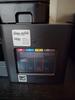
My experience with this printer has been absolutely phenomenal. As I mentioned, it takes a bit of time to set up, but I think it's worth it to go through Brother's set up steps. It guides you through the steps from the 1.8” non-touchscreen display. Yeah, it's tiny, and it's not a touchscreen, but then again, neither was my last brand. You get used that pretty quick. Filling the ink was easy and clean. The bottles fill the tanks pretty quickly. Brother says that the bottle design won't allow you to put the wrong ink in any of the tanks. Personally, I didn't try that feature out, I will just take their word on it. Just be careful when filling the tanks that you put the correct color in the correct tank and you won't have any problems. Once the tanks are filled, it primes the printer delivery system and requests for you to print an alignment test page. You can scan for firmware updates at about the same time.
My experience with this printer has been absolutely phenomenal. As I mentioned, it takes a bit of time to set up, but I think it's worth it to go through Brother's set up steps. It guides you through the steps from the 1.8” non-touchscreen display. Yeah, it's tiny, and it's not a touchscreen, but then again, neither was my last brand. You get used that pretty quick. Filling the ink was easy and clean. The bottles fill the tanks pretty quickly. Brother says that the bottle design won't allow you to put the wrong ink in any of the tanks. Personally, I didn't try that feature out, I will just take their word on it. Just be careful when filling the tanks that you put the correct color in the correct tank and you won't have any problems. Once the tanks are filled, it primes the printer delivery system and requests for you to print an alignment test page. You can scan for firmware updates at about the same time.
Print quality.
Other ink tank printers I've owned have always delivered questionable results, so I didn't expect a different experience with the Brother. But I was really impressed with the print quality and clarity with the Brother T980DW. All the text was crisp and the color depth was amazing, which I especially noticed on black text. It was nice and dark, not a washed out gray color like I was expecting. Overall, the printer is very quiet (except for when it draws in the paper). But the actual printing is pretty quiet. This printer does include an automatic double sided print feature, so you can print two sided. It works really well and is lightning fast.
Other ink tank printers I've owned have always delivered questionable results, so I didn't expect a different experience with the Brother. But I was really impressed with the print quality and clarity with the Brother T980DW. All the text was crisp and the color depth was amazing, which I especially noticed on black text. It was nice and dark, not a washed out gray color like I was expecting. Overall, the printer is very quiet (except for when it draws in the paper). But the actual printing is pretty quiet. This printer does include an automatic double sided print feature, so you can print two sided. It works really well and is lightning fast.
The T980DW does also include a fax, but I was not able to try it out. It can connect to a land line directly, but it also uses what they call PC-FAX, so basically, you can send any document file to a fax number from your PC (helpful if you're like me and don't have a land line). Selecting the PC-FAX as your printer will bring up a dialog box with a virtual keypad. Pretty cool. I should also mention that there's a hard keypad on the front panel of the printer, so anything you can do from your computer settings, you can also do right from the front panel. You can tilt the panel so it's at an angle that's comfortable to read. As far as included software, there's the Brother iPrint&Scan utility and the Brother Utilities … utility. You can use these to print, scan copy and fax. There's also a mobile app which will allow you to print to the printer from your phone, even if you're not at home.
The Brother T980DW is not exactly an inexpensive printer, but they do pack a huge amount of features into it. Combine those features with how amazing the prints actually look and I think it's worth every penny. Especially when you consider they give you a (subjective) three year supply of ink in the box. On top of that, there's the three year warranty. Not a bad deal at all. My last printer had a one year warranty and lasted just over that time. I have very high hopes the Brother will last three years and beyond. It's a great home or small office printer that can do it all. So far, I'm cautiously sold on this printer. Out of the box, it works at least as well as they say it does.
I would recommend this to a friend!



Share this review:


0points
0of 0voted this as helpful.

Samsung~s 40" Odyssey G7 Curved Gaming Monitor provides breathtaking realism for epic game play. The 40" 1000R curved display with its 21:9 screen and brilliant WUHD (5120 x 2160) resolution wraps around the field of vision for next-level gaming. VESA DisplayHDR 600 delivers more contrast, with deeper blacks and brighter whites for greater clarity even in dark scenes. 180Hz refresh rate and near-instant 1ms response time (GtG) minimizes lag for ultra-smooth gameplay. AMD FreeSync Premium Pro syncs the GPU and panel to reduce choppiness, screen lag, and image tears. Picture-by-Picture maximizes screen potential with a split screen to team up with friends, while Picture-in-Picture allows content management on a single screen. Auto Source Switch+ detects when connected devices are turned on and instantly switches to the new source signal. CoreSync technology with 16.7 million colors and CoreLighting+ project vibrant on-screen colors into the real world for a fully immersive experience. The ergonomic stand enables monitor tilt and height adjustment for optimal gaming comfort.
Customer Rating

4
Nice curved design with good features
on September 9, 2025
Posted by: enem156
I'm replacing a Samsung 34” curved OLED monitor with this 40” Odyssey. Between the two, the 40” has a much more dramatic curve to it. Given it's size (width), it actually works well. It does take a little getting used to, and I'm no stranger to curved displays. I use a 48” curved monitor at work all day so this isn't new to me and this curve actually works well for my home office workspace.
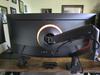
I've always used an after market desk mounted monitor arm. I find I can push the monitor back further this way rather than using the included stand, which would put the monitor in several inches from the back of my desk, which doesn't work well for my setup and brings the monitor way to close. The G75F does allow you to use a desk or wall mount arm and offers VESA 75 or VESA 100 mounting options. While you can certainly use an arm like this, the included trim ring will only work with the included Samsung stand. Not a deal breaker but very disappointing as I have the back of my desk facing into the room. I loosely fit the trim ring in place which works ok, but they clearly don't provide any alternative trim ring options to finish off your look.
Given that my previous monitor was an OLED, I was used to very rich, clear colors. The G75F does produce some pretty good colors and after monkeying around with all the settings, I was able to achieve some really decent results. Very close to what I experienced with my 34”. The display is quite clear, but take the time to go through all the different mode settings in the monitor menu to get the one that looks best for you. I have an NVIDIA RTX 3080 graphics card, and I chose the “Graphic” mode. That seemed to work the best for me. After getting everything tweaked to my liking, I found that my games looked really good. My go to game lately is Doom The Dark Ages. It has tons of great light and dark chapters that really let a monitor shine in terms of shadows and contrast, not to mention color depth. The G75F performed really well with FreeSync Premium Pro enabled and HDR. The monitor was able to keep up with the Gameplay and I didn't notice any tearing or unreasonable blurring. The graphics looked quite good and the screen curve offered a realistic view of the action without turning my head more than slightly. It offered a really good gaming experience.
The adjustment buttons on most monitors I've used are at best, quasi-intuitive. Most of them leave you guessing how to change options and save what you've selected. The G75F really shines here. The center bottom placement of the menu input select control doesn't leave you hanging, and when you use the up, down left or right keys, it actually shows you what each one does, removing the guesswork. It goes one step further by showing a brief explanation of the menu options as you cycle through them. This is great. So many times name brand companies just assume you're familiar with all their quirky little buzz words but leave you wondering what changing a setting will actually do. This is truly something that I've seen Samsung struggle with in the past and it's nice to see this emphasis on the user interface for a change.
The input ports are just what's needed, offering you 2-HDMI 2.1 ports, a Display Port 1.4, 2-USB-A ports and a headphone jack. Audio speakers are thankfully omitted, which didn't however, prevent Windows from wanting to set the monitor up as the sound source (presumably the headphone jack). This became annoying so I just removed the monitor as a sound source altogether from the sound options setup screen. Overall, this is a nice monitor. The size is perfect for my home setup, and the curved design makes games feel very immersive. I will say that the farther off center you view it from, the colors do start to wash out quite a bit. This may be inherent with a curved monitor, but I don't really notice it with my monitor at work or my 34” curved, at least not as much. I do like the fact that the G75F doesn't try to do anything but be a good monitor. By that I mean there's no “smart” features like streaming channels or wanting to be your music streamer. It's happy just being your trusty monitor and that's all. If you're looking for a monitor this size, it's a display that won't break the bank while still offering the important options a lot of people look for.
I would recommend this to a friend!




Share this review:


-2points
0of 2voted this as helpful.
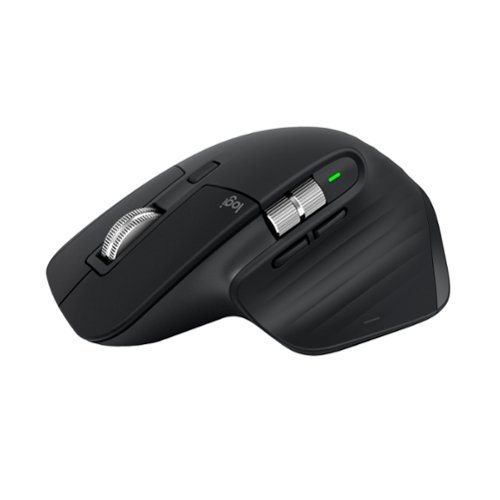
Logitech MX Master 3S Bluetooth Edition ~ productivity and precision mouse. With Quiet Clicks and 8K DPI any-surface tracking for more feel and performance.
Customer Rating
5
One of the best mice you'll ever use
on July 31, 2025
Posted by: enem156
I've used Logitech products for years, both at work and at home. I find their products to be the best, hands down. I've tried all kinds of other brands, mostly "gaming" input devices, and they always fall way short on performance and feel.
The Bluetooth edition of the MX Master 3S is no exception. I currently use several different versions of the MX Master series on all my PCs. This mouse is fantastic. It has a really great feel to it. For starters, it's quite weighty. You don't get the impression that it's flimsy by any means. The coating on it is very grippy and feels a bit rubbery. This helps you keep a good solid grip on it, even if you've been gaming for a long time and your hand gets sweaty. I really like the black color of this one, the others I own are dark gray. The fact that it's a Bluetooth mouse means you'll be able to use it with pretty much any device you want (not only computers). I was able to pair this one with my machine in about 10 seconds. Actually, after I turned it on, Windows found it and put out a pop-up asking if I wanted to connect to it. It can't possibly be any easier. This mouse can be paired with up to three different devices, and the way you do that is to press the button on the bottom and choose either device 1, 2 or 3, and then put it in pairing mode. After you've paired your devices, all you need to do is press the button to select any of the three devices to use it with.
Beside being one of the most comfortable mice you'll ever use, it has a lot of buttons you can assign to do pretty much whatever you want them to. Aside from the Left, Roller Wheel and Right buttons, there are two buttons right below the thumb wheel, and another more subtle button on the lower part of the thumb rest. One of my favorite features is the thumb wheel. This is so nice to have, and once you use for the first time you'll wonder how you ever got along without it. You can set it up for horizontal scrolling, zooming, volume, tab navigation or keyboard shortcuts. For large spreadsheets, the scrolling assignment is invaluable. The position and layout of each button are well placed and convenient to reach with your thumb. The buttons are very quiet as well, almost silent in fact. Anyone on a computer all day long will appreciate not having to listen to the click, click, click, click all day.
The weighted mouse wheel is the nicest I've ever used. It's made out of metal which allows you to spin it easily, and it will keep spinning seemingly indefinitely. Scrolling through long web pages or digital user manuals takes far less time and effort. There's a button on top to select either freewheel or indent rolling. The spin feature works best in freewheel, but is more controlled in indent mode. As icing on the cake, this mouse is rechargeable with a USB-C connector. No more running out of batteries at the worst possible moment. There's also a status LED that will show you when you need to charge (before it's too late). It will also let you know when it's fully charged. Combining the MX Master 3S with the Logi Options + app lets you do things like see the battery charge percentage and assign buttons along with other settings. In short, combining the mouse and the app will allow you to customize your mouse setup the way you would like to use it, whatever way that is. Logitech products have never let me down, and I also have several of their wireless (and lighted) keyboards that I absolutely love as well. I can't say enough about the setup and performance of their products!
The Bluetooth edition of the MX Master 3S is no exception. I currently use several different versions of the MX Master series on all my PCs. This mouse is fantastic. It has a really great feel to it. For starters, it's quite weighty. You don't get the impression that it's flimsy by any means. The coating on it is very grippy and feels a bit rubbery. This helps you keep a good solid grip on it, even if you've been gaming for a long time and your hand gets sweaty. I really like the black color of this one, the others I own are dark gray. The fact that it's a Bluetooth mouse means you'll be able to use it with pretty much any device you want (not only computers). I was able to pair this one with my machine in about 10 seconds. Actually, after I turned it on, Windows found it and put out a pop-up asking if I wanted to connect to it. It can't possibly be any easier. This mouse can be paired with up to three different devices, and the way you do that is to press the button on the bottom and choose either device 1, 2 or 3, and then put it in pairing mode. After you've paired your devices, all you need to do is press the button to select any of the three devices to use it with.
Beside being one of the most comfortable mice you'll ever use, it has a lot of buttons you can assign to do pretty much whatever you want them to. Aside from the Left, Roller Wheel and Right buttons, there are two buttons right below the thumb wheel, and another more subtle button on the lower part of the thumb rest. One of my favorite features is the thumb wheel. This is so nice to have, and once you use for the first time you'll wonder how you ever got along without it. You can set it up for horizontal scrolling, zooming, volume, tab navigation or keyboard shortcuts. For large spreadsheets, the scrolling assignment is invaluable. The position and layout of each button are well placed and convenient to reach with your thumb. The buttons are very quiet as well, almost silent in fact. Anyone on a computer all day long will appreciate not having to listen to the click, click, click, click all day.
The weighted mouse wheel is the nicest I've ever used. It's made out of metal which allows you to spin it easily, and it will keep spinning seemingly indefinitely. Scrolling through long web pages or digital user manuals takes far less time and effort. There's a button on top to select either freewheel or indent rolling. The spin feature works best in freewheel, but is more controlled in indent mode. As icing on the cake, this mouse is rechargeable with a USB-C connector. No more running out of batteries at the worst possible moment. There's also a status LED that will show you when you need to charge (before it's too late). It will also let you know when it's fully charged. Combining the MX Master 3S with the Logi Options + app lets you do things like see the battery charge percentage and assign buttons along with other settings. In short, combining the mouse and the app will allow you to customize your mouse setup the way you would like to use it, whatever way that is. Logitech products have never let me down, and I also have several of their wireless (and lighted) keyboards that I absolutely love as well. I can't say enough about the setup and performance of their products!
I would recommend this to a friend!



Share this review:


0points
0of 0voted this as helpful.
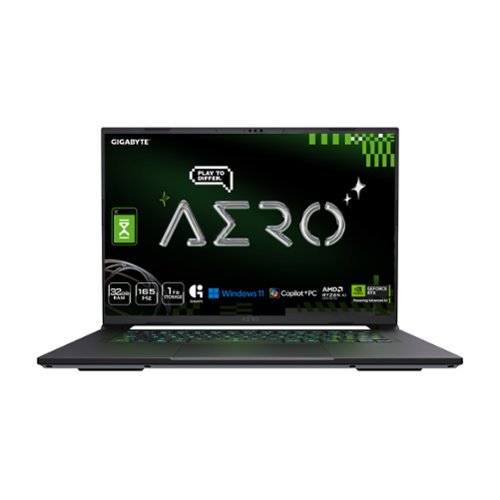
The GIGABYTE AERO X16 Copilot+ PC redefines mobile computing, seamlessly blending cutting-edge performance with a sleek and thin design. Weighing just 1.9 kgs, its precision crafted chassis houses the powerful AMD Ryzen 7 AI 350 processor, delivering best-in-class CPU and NPU performance for demanding productivity tasks. The NVIDIA GeForce RTX 5060 Laptop GPU unleashes next-generation graphics capabilities for both gaming and creative pursuits. Equipped with GIGABYTE GiMATE~an intelligent AI agent that personalizes performance to your workflow~ adapting system operations to your unique needs. With a creator-class display, portable build, and versatile performance, the AERO X16 is the ultimate laptop for gamers and creators alike.
Customer Rating
5
Portable size with solid components
on July 16, 2025
Posted by: enem156
My experience with the Gigabyte Aero X16 has been very satisfying. The 16” size gives it great portability while still staying large enough to actually play games on. This is a machine that's at home playing intense games or in an office environment handling productivity software.
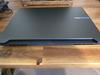
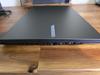
The case is one of the features that really shines on this model. I'm used to gaming laptops that are relatively thick and very heavy. This machine is nice and slim and while it does have some weight to it, it doesn't feel excessive. The overall look is really nice. The corners are sharp and clean giving it a professional look. The gray color makes the angles along the back edge stand out a bit instead of blurring them. I like the way exhaust ports are arranged. There are two sections at the back, one on each side, and each side has them as well, but they are kept to the back end. This is good because then the hot exhaust doesn't blow out right on your mouse hand.
The deck and keyboard are also laid out well. There are no dedicated number keys. On a machine this size, it just wouldn't make sense trying to cram a larger keyboard in. What you do get is a mammoth touch pad that's responsive and incorporates the two buttons well. I was always able to hit the buttons on the first try. Some touch pads seem to play hide and seek with them, but these are good. The key backlighting looks very good. The colors are very rich and deep and don't look washed out at all. The overall feel of the keys is firm and responsive and the keyboard has an overall tight feel to it.
The combination of the WQXGA display and the NVIDIA RTX5060 is fantastic. I really enjoyed playing games on this machine. DOOM: The Dark Ages looks amazing. The shadows and dark areas were definitely dark, but it was still easy to see details and not feel like you were stumbling around blind in the game. Colors are pretty amazing and this game looked great. I never saw any video anomalies while playing and it kept up with me without any problem. This is in part because of the Ryzen AI 7 processor. The whole machine just worked well, all the components worked together and it all felt very smooth. Nothing felt or looked forced or difficult tor the AERO to handle. The fan will ramp up while playing games and I totally expect (want) that, but the sound level was acceptable. It didn't seem distracting, and the machine stayed pretty cool while playing. I never felt the deck getting heated either.
Laptop “sound” is something that I've just accepted as, well, pretty lousy. After all people have high expectations from the tiny little speakers that laptops generally include. Though I have to say, this is one of the best sounding laptops I've ever played on. The sound was very spacious and even cranking it up never distorted it or made it seem like it was straining to produce decent quality. Gigabyte calls this Personal Cinema with Dolby Atmos and that seems to be aptly named. The sound seems to envelop you rather than blare at you from the deck.
To round out the specs, Gigabyte has included 32GB of RAM, which should be plenty for either office or gaming environments. The 1TB SSD certainly keeps the overall size and weight down, and the access speed up. While 1TB is ok, it does seems a bit skimpy, and I think it would have been better if it were at least 2TB. This is true no mater how you plan to use this machine. I'm not a fan of the included power supply with it's proprietary circular connector. It seems strange to include this port when the machine does charge via USB-C as well. I just don't understand why bother with this connector at all. Most other brands have ditched these circular connectors in favor of using the USB-Cs. I realize that the circular connector power supply “may” be slightly faster (although the USB-C seemed just as fast...), to me, it just seemed unnecessary. But, at least you have the option I guess.
Aside from these two things, my overall experience was very enjoyable. In my opinion, pretty much all respectable gaming laptops will also perform well running office or technical software, this one is certainly no exception. But I think what allows it to be used in both environments so easily comes down to it's slim design, relative light weight and it's sleek, good looks. Also, the fact that only the keyboard lights up means that this machine won't look like a circus wagon sitting on a conference table in a meeting. And also, it has Windows CoPilot capabilities. This is a solid performer no matter how you decide to use it. To me, the price point is fair bordering on under priced. Really nice job Gigabyte!
I would recommend this to a friend!



Share this review:


0points
0of 0voted this as helpful.

ACCENTUM Open brings a dose of Sennheiser~s legendary sound in a lightweight, breathable open design. With German engineering that just works~no instructions or app needed. With up to 24 hours of battery life, seamless multitasking, and IPX4 splash resistance, these earbuds deliver rich, natural sound without isolating you.
Customer Rating

3
Thin sound and no bass response
on June 25, 2025
Posted by: enem156
I use a lot of different ear buds from a wide range of brands. In my experience, the best sounding ones are the ones that fit perfectly inside your ear. Anything else causes them to be either uncomfortable or have really bad sound.
These Sennheiser Accentum Open ear buds are not meant to be sitting deep in your ears and so they don't include any rubberized tips to help with the fit and the sound quality. In my opinion this just means that if you're looking for great sound quality with deep bass response, you surly won't get it with these. That's what I thought before I even tried them out, and that is exactly what I thought after using them.
I do like some things about them, but the sound is definitely not one of them. The overall sound is about as thin as I could imagine. Couple that with the complete lack of any bass response and what you have is a set of toy ear buds. I get the fact that they sit in the outer part of your ear. Not everyone wants to cram ear buds in their ears and most are by nature, uncomfortable. I get the fact that they're comfortable. Probably the main complaint of most ear bud users is that they are NOT comfortable. And lets face it, everybody's ears are different, and to make them comfy for everyone is almost impossible. I get the fact that you can still hear what's going on around you. Some people like to use them out in public, whether their on a train, walking down the sidewalk or shopping for groceries. But these let in so much outer sound that it's impossible to not be distracted by it altogether.
The case is another disappointment for me. It's really annoying to have to deal with a case that doesn't stand up on it's own. And with a rounded bottom like this one has, it requires two handed operation, no buts about it. The buds sit in the case so deep that they're difficult to get a grip on to pull them out (other ear bud brands suffer from this as well). I can't really find anything good to say about the case other than it holds and charges the buds. Which, by the way it won't do wirelessly, so you'll need to make sure you always have a charging cable and charger with you. The cable, they give you, the charger, no.
I will say that when you finally do get them out of the case and wear them, they are comfortable, which is something I've never been able to say about a pair of Sennheiser ear buds before. I like the controls on each side, they're intuitive and they respond well. The handle portion of each one is easy to grab and remove (or put in), and they look pretty cool. You can turn the volume up or down, play a previous or next track, pause and play, and answer a phone call.
But for me, I value sound quality more. So everything I've stated already is true, but is it a bad thing? That depends on how you use your ear buds. If you like outside sounds getting in because you're in a public setting, this may actually be a good thing to you. I can only offer my point of view from how I use ear buds. I use mine, for the most part, when I work out, running, lifting or just walking. I occasionally use them to help drown out external sounds and escape to my favorite music. So from my point of view, I don't like them, they don't work for me because of the thin sound. Turning them up all the way not only didn't help, but I just could not get them to go loud enough. They remind me of some smart sunglasses I have with built in speakers. They play music too, but they don't sound good.
These Sennheiser Accentum Open ear buds are not meant to be sitting deep in your ears and so they don't include any rubberized tips to help with the fit and the sound quality. In my opinion this just means that if you're looking for great sound quality with deep bass response, you surly won't get it with these. That's what I thought before I even tried them out, and that is exactly what I thought after using them.
I do like some things about them, but the sound is definitely not one of them. The overall sound is about as thin as I could imagine. Couple that with the complete lack of any bass response and what you have is a set of toy ear buds. I get the fact that they sit in the outer part of your ear. Not everyone wants to cram ear buds in their ears and most are by nature, uncomfortable. I get the fact that they're comfortable. Probably the main complaint of most ear bud users is that they are NOT comfortable. And lets face it, everybody's ears are different, and to make them comfy for everyone is almost impossible. I get the fact that you can still hear what's going on around you. Some people like to use them out in public, whether their on a train, walking down the sidewalk or shopping for groceries. But these let in so much outer sound that it's impossible to not be distracted by it altogether.
The case is another disappointment for me. It's really annoying to have to deal with a case that doesn't stand up on it's own. And with a rounded bottom like this one has, it requires two handed operation, no buts about it. The buds sit in the case so deep that they're difficult to get a grip on to pull them out (other ear bud brands suffer from this as well). I can't really find anything good to say about the case other than it holds and charges the buds. Which, by the way it won't do wirelessly, so you'll need to make sure you always have a charging cable and charger with you. The cable, they give you, the charger, no.
I will say that when you finally do get them out of the case and wear them, they are comfortable, which is something I've never been able to say about a pair of Sennheiser ear buds before. I like the controls on each side, they're intuitive and they respond well. The handle portion of each one is easy to grab and remove (or put in), and they look pretty cool. You can turn the volume up or down, play a previous or next track, pause and play, and answer a phone call.
But for me, I value sound quality more. So everything I've stated already is true, but is it a bad thing? That depends on how you use your ear buds. If you like outside sounds getting in because you're in a public setting, this may actually be a good thing to you. I can only offer my point of view from how I use ear buds. I use mine, for the most part, when I work out, running, lifting or just walking. I occasionally use them to help drown out external sounds and escape to my favorite music. So from my point of view, I don't like them, they don't work for me because of the thin sound. Turning them up all the way not only didn't help, but I just could not get them to go loud enough. They remind me of some smart sunglasses I have with built in speakers. They play music too, but they don't sound good.
No, I would not recommend this to a friend.




Share this review:


+1point
1of 1voted this as helpful.

The Shark Detect Pro bagless upright vacuum combines stronger suction with better debris cleaning. It features the new DuoClean Detect nozzle which includes two brushrolls and a network of proprietary sensors that automatically sense and react to hidden dirt by boosting suction and brushroll speed when you need it most across floor type, corners, edges, and it even detects direction for powerful suction in forward and reverse to grip and capture more dirt, debris & hair than Shark's original DuoClean nozzle. Large piles, fine dust, and & pet hair are no match for DuoClean Detect. Shark~s Odor Neutralizer Technology guards against bad odors inside your vacuum to help freshen your home. Plus, Anti-Allergen Complete Seal with HEPA filtration seals and traps 99.99%** of dust, dander, and allergens inside of the vacuum, and out of the air you breathe. For above-floor cleaning, you can Lift Away the detachable pod and take your cleaning to stairs, furniture, windowsills, and more. In addition, when you lift away the pod, you transform your vacuum into a stick, for easy motorized cleaning under furniture. *Based on ASTM F558, measured at the hose **Based on a geomean of combined tests -IEC62885-2 Sec 5.3 FWD, IEC62885-2 Sec 5.3 REV, IEC62885-2 Sec 5.5 FWD, IEC62885 Sec 5.5 REV
Customer Rating
5
Fantastic suction and great features
on June 20, 2025
Posted by: enem156
We have had several Shark vacuum cleaners over the years, ranging from stick models to full blown uprights. I find that generally, the Sharks perform very well and last a long time. The Detect Pro Lift Away has a huge number of innovative features that make it stand out in the sea of uprights available.
Setup
To start with, the overall initial assembly was very intuitive. Being a Lift Away vac means that you can leave the brush bar assembly behind and just grab the motor and go. Shark has kept it as streamlined as possible by making it bagless. So you can see when it needs to be emptied thanks to it's clear dust cup. This whole assembly is well thought out and allows you to not only remove and empty the dust cup by itself, but also take apart the inner pieces to remove anything that gets trapped. The dust cup is attached directly to the flexible hose which is connected to the handle. The handle itself is removable from the tube it sits in, and you can connect any of the included attachments to this handle piece to clean as you need. This is also true for the tube the handle sits in, as it can also be removed and used with the attachments allowing you to increase your reach. You can do this with the Lift Away portion either disconnected or still attached to the base unit.
To start with, the overall initial assembly was very intuitive. Being a Lift Away vac means that you can leave the brush bar assembly behind and just grab the motor and go. Shark has kept it as streamlined as possible by making it bagless. So you can see when it needs to be emptied thanks to it's clear dust cup. This whole assembly is well thought out and allows you to not only remove and empty the dust cup by itself, but also take apart the inner pieces to remove anything that gets trapped. The dust cup is attached directly to the flexible hose which is connected to the handle. The handle itself is removable from the tube it sits in, and you can connect any of the included attachments to this handle piece to clean as you need. This is also true for the tube the handle sits in, as it can also be removed and used with the attachments allowing you to increase your reach. You can do this with the Lift Away portion either disconnected or still attached to the base unit.
Using On Floors
The brush roll assembly has two different brush rollers installed in it. One is smoother and very soft for hard floors, and the other is more of a traditional roller brush for carpets. The brush assembly also has s series of sensors installed in it to detect things like left and right edge cleaning when the brush unit is run along a wall and also a general dirt detect sensor. All of them are designed to boost motor speed when cleaning what the vacuum sees as dirtier areas. Not only can it detect edges and analyze the amount of dirt it sees, it will also auto detect the floor type and increase the suction and also the brush speed for better performance. The two brush rolls work together to pull in more debris and hair. The vacuum also has an air freshener pod built into the brush roll assembly. You can increase or decrease the amount of scent you want, and it does smell quite nice and gives the room a fresh smell. This helps to keep the dust cup clean smelling as well. And as a bonus, the dust cup area has HEPA seals to keep any allergens locked inside.
The brush roll assembly has two different brush rollers installed in it. One is smoother and very soft for hard floors, and the other is more of a traditional roller brush for carpets. The brush assembly also has s series of sensors installed in it to detect things like left and right edge cleaning when the brush unit is run along a wall and also a general dirt detect sensor. All of them are designed to boost motor speed when cleaning what the vacuum sees as dirtier areas. Not only can it detect edges and analyze the amount of dirt it sees, it will also auto detect the floor type and increase the suction and also the brush speed for better performance. The two brush rolls work together to pull in more debris and hair. The vacuum also has an air freshener pod built into the brush roll assembly. You can increase or decrease the amount of scent you want, and it does smell quite nice and gives the room a fresh smell. This helps to keep the dust cup clean smelling as well. And as a bonus, the dust cup area has HEPA seals to keep any allergens locked inside.
Power Button
The Detect Pro has a unique On/Off button. The button itself is able to be rotated to select the mode you want to use it in. You can choose auto, hard floor, deep carpet or smooth carpet. When you power on the vacuum, there is an illuminated display around the button that lets you know which mode it's in. Personally, I've kept this in the auto position to allow it to detect the floor type itself. Shark also claims the vacuum applies the same amount of suction in both the forward direction as well as reverse. Judging from my experience with this machine, I believe that's a true statement. It does pick up debris in both directions.
The Detect Pro has a unique On/Off button. The button itself is able to be rotated to select the mode you want to use it in. You can choose auto, hard floor, deep carpet or smooth carpet. When you power on the vacuum, there is an illuminated display around the button that lets you know which mode it's in. Personally, I've kept this in the auto position to allow it to detect the floor type itself. Shark also claims the vacuum applies the same amount of suction in both the forward direction as well as reverse. Judging from my experience with this machine, I believe that's a true statement. It does pick up debris in both directions.
Actual Use
My experience with the Detect Pro has been very positive. The first thing I noticed was that the vacuum actually pulls itself forward on deep carpeting which makes it easy to push forward. The suction power is really good and leaves my carpeting thicker feeling. On hard floors like in my kitchen, vacuuming along the cabinet baseboards engages the side sensors and the motor power kicks up. The two included headlights are small, bright and well placed to show you what's in front of the machine. When I'm done, the dust cup is amazingly full. It's very easy to empty the cup by removing it from the vacuum, positioning it over a garbage can and pressing the release for the bottom door. Anything that doesn't fall out on it's own is easy to remove by reaching into the cup and pulling it out. And along those same lines, there are access doors in any place that might be needed to clean out any clog that might occur. This includes underneath the vacuum.
My experience with the Detect Pro has been very positive. The first thing I noticed was that the vacuum actually pulls itself forward on deep carpeting which makes it easy to push forward. The suction power is really good and leaves my carpeting thicker feeling. On hard floors like in my kitchen, vacuuming along the cabinet baseboards engages the side sensors and the motor power kicks up. The two included headlights are small, bright and well placed to show you what's in front of the machine. When I'm done, the dust cup is amazingly full. It's very easy to empty the cup by removing it from the vacuum, positioning it over a garbage can and pressing the release for the bottom door. Anything that doesn't fall out on it's own is easy to remove by reaching into the cup and pulling it out. And along those same lines, there are access doors in any place that might be needed to clean out any clog that might occur. This includes underneath the vacuum.
Tools
I really like the included tools this vacuum comes with. There's the standard crevice tool that's for, well vacuuming crevices and tight spaces. There are two different brush tools included as well. The first one I use all the time for cleaning the stairs in Lift Away mode. It's actually got two different ways to use this tool. The first is with the brush clipped on. This is a pretty standard vacuum tool as well but it's a larger brush than most other vacuums come with. You can remove the outer brush and use the tool without it. This is great for getting more suction on the stairs, and it also has two short strips on it to snag pet hair. This works great and cleans the stairs better than any other tool I've used. The third tool is an angled brush tool and will come in handy for a variety of situations. You can store two of these tools on board. Your choice.
I really like the included tools this vacuum comes with. There's the standard crevice tool that's for, well vacuuming crevices and tight spaces. There are two different brush tools included as well. The first one I use all the time for cleaning the stairs in Lift Away mode. It's actually got two different ways to use this tool. The first is with the brush clipped on. This is a pretty standard vacuum tool as well but it's a larger brush than most other vacuums come with. You can remove the outer brush and use the tool without it. This is great for getting more suction on the stairs, and it also has two short strips on it to snag pet hair. This works great and cleans the stairs better than any other tool I've used. The third tool is an angled brush tool and will come in handy for a variety of situations. You can store two of these tools on board. Your choice.
Cons
If there was anything to complain about on this vacuum, for me, it's the actual cord. I know, I know, I'm reaching. But when you use a corded vacuum, some cords are easy to work with and some are just not. I also found it to be on the shorter side. Not short exactly, but not as long as other vacuums I have, and use. Another thing I have a problem with is that no matter how I wound the cord on the vacuum cord holder, the plug end was never at the right place to clip it to the cord. It was always either at the top hook or the bottom hook. Which means the plug is always flopping around whenever I pull the vacuum out to use it. Likewise, the cord clip on the handle never kept the cord for very long. It just wasn't small enough to keep the cord secured while vacuuming.
If there was anything to complain about on this vacuum, for me, it's the actual cord. I know, I know, I'm reaching. But when you use a corded vacuum, some cords are easy to work with and some are just not. I also found it to be on the shorter side. Not short exactly, but not as long as other vacuums I have, and use. Another thing I have a problem with is that no matter how I wound the cord on the vacuum cord holder, the plug end was never at the right place to clip it to the cord. It was always either at the top hook or the bottom hook. Which means the plug is always flopping around whenever I pull the vacuum out to use it. Likewise, the cord clip on the handle never kept the cord for very long. It just wasn't small enough to keep the cord secured while vacuuming.
I can deal with the cord complaint because the rest of the vacuum is easy to love. It has a lot of cool features, comes with three really useful attachments, easily doubles as a portable vacuum to work on stairs or take out to the car, and at the end of the day, just works really well and leaves our carpets feeling plush.
I would recommend this to a friend!






Share this review:


+1point
1of 1voted this as helpful.
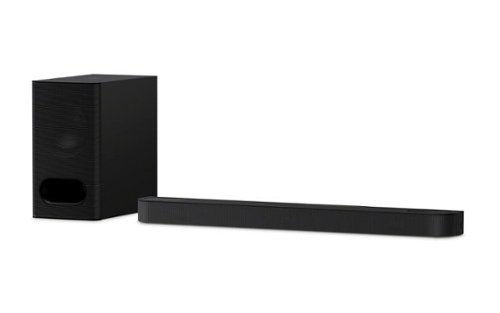
Discover 3.1.2ch spatial sound with the BRAVIA Theater Bar 6. Up-firing speakers, a dedicated center channel speaker, and support for Dolby Atmos and DTS:X will surround you with expansive sound and clear dialogue. The included subwoofer adds deep, powerful bass, letting you feel the rumble in every scene.
Customer Rating
4
Spacious sound for a smaller space
on June 10, 2025
Posted by: enem156
I've used several different soundbars on my bedroom and family room systems. All with varying results as far as sound quality. Using the Sony Bravia Theater Bar 6 has taken the the sound in my bedroom to a new level entirely.
This is an almost perfect soundbar for a bedroom or office, some place you don’t have the extra space or need true discrete 5.1 theater sound. I replaced a twelve-year-old soundbar in our bedroom with this guy and it’s been quite a noticeable improvement. We have soundbar systems and full-blown theater systems all over the house and this one not only fits perfectly but sounds great in a smaller room.
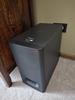
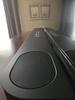
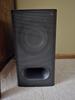
To be clear, this is a true 3.1.2 system. The soundbar itself has a dedicated center channel driver with dedicated left and right main drivers. On the top, it also has two up firing dedicated speakers. It also includes a substantial wireless sub-woofer. I was a bit skeptical before powering everything up, but after listening to the overall sound, I quickly changed my mind. The word that comes to mind when describing the sound is, spacious. The sound truly does fill the room. The sub-woofer is large enough to pack a significant punch without sounding strained or thin on the explosive parts.
While you can set the system up without any trouble just by connecting it to an HDMI with eARC port, the downloadable companion Bravia Connect app will get you up and running quickly while allowing you to fine tune things like speaker to listener distance settings, which help to get the sound dialed in for where you will be listening from. The included remote (and app) has buttons for power, input (don’t get too excited, it’s either the HDMI input or Bluetooth), bass level, mute, sound field, etc.. The sound field button turns this mode either on or off. I would have liked to have seen a couple of other sound mode options here. I kept it on as it sounds the best for my room.
It's probably difficult to make a soundbar an attractive component, they all do pretty much the same thing, but this one is not unattractive, and since it’s deeper than most because it also accommodates the up-firing speakers, it has an interesting look to it. The sub-woofer looks the part by being sizable and sporting a perforated grill assembly along with a front port. You get an HDMI cable, power cords for both the soundbar and sub, the remote and batteries. So, you get everything you need right in the box. I found the power cables to be quite short (at least which ever one you choose for the soundbar), you may even need an extension cord for it. It has the capability to be wall mounted if you choose, but this seems to be an after thought on Sony’s part, because that just means it has a couple of keyed screw holes on the rear plastic panel, which are small and a bit sketchy looking and don’t really convey confidence that it’s going to hold for long.
Overall, I like the sound and the size of this bar. It fills the room with sound that seems to come from more places than just the center. The bass is good, but I did wish it went just a bit louder at times. At no time could I turn it up loud enough for it to be overwhelming or too loud (still referring to the sub-woofer here). The rest of the speakers seem clear and full ranged, and all coordinated well with each other. I appreciated the easy setup, and the companion app adds some fine-tuning abilities that help to make the system sound it’s best. I do like Sony sound systems, and I have a variety of them, so I’m used to the price that they cost. I’m not sure everyone would agree that the cost of this system is worth it, but I believe it to be a fair price for a good sounding system like this.
To be clear, this is a true 3.1.2 system. The soundbar itself has a dedicated center channel driver with dedicated left and right main drivers. On the top, it also has two up firing dedicated speakers. It also includes a substantial wireless sub-woofer. I was a bit skeptical before powering everything up, but after listening to the overall sound, I quickly changed my mind. The word that comes to mind when describing the sound is, spacious. The sound truly does fill the room. The sub-woofer is large enough to pack a significant punch without sounding strained or thin on the explosive parts.
While you can set the system up without any trouble just by connecting it to an HDMI with eARC port, the downloadable companion Bravia Connect app will get you up and running quickly while allowing you to fine tune things like speaker to listener distance settings, which help to get the sound dialed in for where you will be listening from. The included remote (and app) has buttons for power, input (don’t get too excited, it’s either the HDMI input or Bluetooth), bass level, mute, sound field, etc.. The sound field button turns this mode either on or off. I would have liked to have seen a couple of other sound mode options here. I kept it on as it sounds the best for my room.
It's probably difficult to make a soundbar an attractive component, they all do pretty much the same thing, but this one is not unattractive, and since it’s deeper than most because it also accommodates the up-firing speakers, it has an interesting look to it. The sub-woofer looks the part by being sizable and sporting a perforated grill assembly along with a front port. You get an HDMI cable, power cords for both the soundbar and sub, the remote and batteries. So, you get everything you need right in the box. I found the power cables to be quite short (at least which ever one you choose for the soundbar), you may even need an extension cord for it. It has the capability to be wall mounted if you choose, but this seems to be an after thought on Sony’s part, because that just means it has a couple of keyed screw holes on the rear plastic panel, which are small and a bit sketchy looking and don’t really convey confidence that it’s going to hold for long.
Overall, I like the sound and the size of this bar. It fills the room with sound that seems to come from more places than just the center. The bass is good, but I did wish it went just a bit louder at times. At no time could I turn it up loud enough for it to be overwhelming or too loud (still referring to the sub-woofer here). The rest of the speakers seem clear and full ranged, and all coordinated well with each other. I appreciated the easy setup, and the companion app adds some fine-tuning abilities that help to make the system sound it’s best. I do like Sony sound systems, and I have a variety of them, so I’m used to the price that they cost. I’m not sure everyone would agree that the cost of this system is worth it, but I believe it to be a fair price for a good sounding system like this.
I would recommend this to a friend!


Share this review:


+1point
1of 1voted this as helpful.
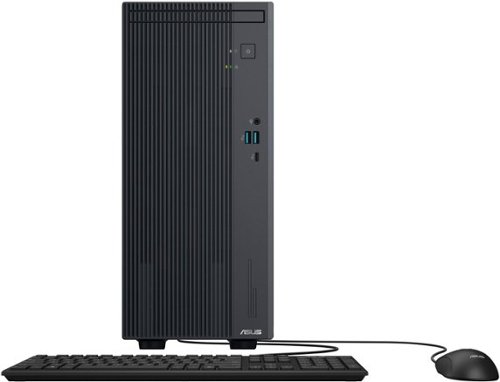
The ASUS V500 Desktop delivers powerful, reliable, and expandable performance in a compact design. Ideal for professionals and home users, it ensures seamless multitasking, productivity, and entertainment. AI-powered two-way noise cancellation enhances virtual meetings with crystal-clear audio. Advanced cooling keeps operation quiet and efficient, while versatile connectivity allows easy integration with peripherals. Built-in security features and upgradeability make it a future-proof solution for those seeking performance, convenience, and reliability. Whether for work or entertainment, the V500 offers a space-saving design with the power to handle diverse computing needs.
Customer Rating
5
Solid home machine with bumped up specs
on May 28, 2025
Posted by: enem156
Asus makes a huge number of different laptops and desktop computers. What’s nice about them is that they don’t make just one type of machine for all users. I’ve used several of their gaming laptops and desktops, and they’ve always performed quite well.
My rating on this machine is based on what (and who) this computer is targeted for, and how well I believe it performs in that role. For people that aren’t sure about what computer to choose, this particular machine is perfect for general and typical use that most people will use for things like web browsing, using Office programs, sending email or looking at photos. This is not a machine for gaming. It’s not a machine for video editing. And it’s not going to do well with intense engineering programs like several of the CAD modeling programs.
As a general machine, it does very well. This particular one comes with an intel Core i5 processor, 16GB of memory, and a 1TB solid state drive. And not only an SSD, but an M.2 SSD. So right off the bat it’s a machine that’s decently equipped to handle a lot of standard demands well. I haven’t noticed any lag or delay when using it, mostly because of the three items mentioned above. On top of that, if you really find that you would like more RAM or storage, you can upgrade the memory to 64GB. It comes with 16GB which is actually on one card. In theory you should just be able to add another 16GB compatible memory card in the available empty slot, to double the size to 32GB. There’s also an additional M.2 slot if you want to add additional storage.
The graphics are (as are typical for this class of machine) integrated into the mother board. So, no separate graphics card with mind blowing specs, however you won’t need something like that unless you’re really stressing out the video with things like games or video editing. The graphics look just fine on my 2K 24” monitor. Nothing looks spectacular, but also nothing looks bad. There is an available PCIe slot (one), but I can’t really think of a specific use for it other than a very basic video card. Anything more than that is going to really take a bite out of the somewhat small power supply. But again, this is not a gaming machine.
It comes with a variety of connections including a Display Port, an HDMI connection, a whole lot of USB ports (including a USB-C port) and standard audio jacks. It also has wireless network (Wi-Fi 6) and Bluetooth. Although not specifically mentioned in the specs, it also has an RJ45 (1Gbe) network jack. Although it doesn’t come with a monitor (do any anymore?), it does also come with a wired keyboard and mouse. My current wireless keyboard and mouse worked just fine with it.
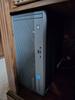
The case itself is very cool looking. I have black, but the photos of the white model look very cool as well. It’s a stylish look whichever one you get. It’s small size make it very easy to find a place for, we keep this one inside a cabinet in our desk and there is room to spare. There is a place for a CD-ROM drive, although this one did not come with one. It’s possible that’s an option that can be selected if you order it through Asus.
On the inside, I couldn’t believe how small the motherboard is. There’s only one fan that serves a dual purpose of keeping both the processor and the internal machine cool. Time will tell if this particular strategy works out in the long run. Really, there’s a lot of empty space on the inside. In my opinion, Asus machines have always held up well, and I hope that this one will be no different. This is a good choice for a basic machine. It comes equipped with bumped up memory and a solid state drive, and a decent intel CPU to boot. And on top of everything else… it’s very quiet. So, perfect for home.
I would recommend this to a friend!


Share this review:


+7points
7of 7voted this as helpful.

Unlock a next-level gaming experience with the ROG Strix G18. Featuring a 2.5K 240Hz Nebula Display with Pantone-validated color accuracy, it delivers stunning visuals. Powered by an Intel Core processor and NVIDIA GeForce RTX 5080 laptop GPU, enjoy seamless gaming and creative performance. With 32GB LPDDR5 RAM, a 2TB PCIe 4.0 SSD, and advanced ROG Intelligent Cooling, stay at the top of your game. The esports-ready keyboard, Dolby Atmos audio, and customizable RGB Aura Light Bar elevate every moment. Plus, enjoy easy upgrades and 3 months of PC Game Pass for the ultimate gaming experience.
Customer Rating
5
Monster specs and monster game play
on May 8, 2025
Posted by: enem156
Gaming machines come in a wide variety of shapes and sizes and whether you prefer a stationary desktop setup, or a more portable approach that you can bring to a friends house, they all come down to the same individual pieces that collectively, determine the strength of your game system. Unfortunately there is a huge trade off between quality and affordability that generally determines what system you'll ultimately be playing on. The ASUS ROG Strix line can be configured with a variety of options that can lower or raise the price and performance. My review is based on this machine model as it is sold by ASUS.
The ASUS ROG Strix G18 is without question a machine on the quality side of that equation. But if you're a serious gamer who loves the portability aspect of gaming machines (or you happen to not care how much money a great machine costs), this is definitely one to consider. I find that most gaming PCs do, at some point, start pulling their punches when it comes to putting together a consumer rig. Usually skimping on things like the amount of memory, the quality of the display and graphics card and even the CPU. For those who don't know, and may find the machine name confusing, ROG is what ASUS refers to as Republic of Gamers. These is a high quality gaming machine line. The Strix refers to a type of owl, and its qualities, which is why the logo is an owl's eye.
Build, look and feel
ASUS has packed a ton of great features into this machine and they have done so from the ground, up. The entire build is based on a solid frame and even though some might whine that it's not made of solid titanium, the look and feel is a beautiful dark gray color that doesn't seem to show a lot of fingerprints. The deck slopes towards you slightly and all the corners are gracefully rounded. All the exhaust venting, points out the back, which is really a big plus to me. I have several other laptops that vent out the right side (right where you hand naturally works the mouse), which is insanely annoying. Venting out the back keeps all the hot air (which is considerable thanks to the great cooling system that's been implemented) away from the user. The entire rear edge is used as exhaust and has a really cool “grill” type look to it. Overall, it's a sleek and pleasantly minimalist design. The display hinges are unique and solid offering the right amount of resistance. This is a machine that tops out at just over 7 lbs., so it has a very solid feel to it. Generally, people always seem to balk at a heavier laptop but they don't seem to realize that a lighter machine is going to have more of a flimsy feel and less internal support.
ASUS has packed a ton of great features into this machine and they have done so from the ground, up. The entire build is based on a solid frame and even though some might whine that it's not made of solid titanium, the look and feel is a beautiful dark gray color that doesn't seem to show a lot of fingerprints. The deck slopes towards you slightly and all the corners are gracefully rounded. All the exhaust venting, points out the back, which is really a big plus to me. I have several other laptops that vent out the right side (right where you hand naturally works the mouse), which is insanely annoying. Venting out the back keeps all the hot air (which is considerable thanks to the great cooling system that's been implemented) away from the user. The entire rear edge is used as exhaust and has a really cool “grill” type look to it. Overall, it's a sleek and pleasantly minimalist design. The display hinges are unique and solid offering the right amount of resistance. This is a machine that tops out at just over 7 lbs., so it has a very solid feel to it. Generally, people always seem to balk at a heavier laptop but they don't seem to realize that a lighter machine is going to have more of a flimsy feel and less internal support.
If you ever wanted to max out the RAM on your laptop or add more drive space, you will totally appreciate this machine when you flip it over. Releasing a small latch at the front and pulling forward on the bottom panel, allows the entire panel to be removed, giving you a view of the internals of the machine. Now you have direct access to the RAM, but that's not all. There are also two M.2 slots as well that are directly accessed (one is filled with the 2TB drive, but the other is empty). It appears that the battery may also be accessible. I didn't try to remove it, but it looks like that would be possible. The bottom panel is as easy to put back on as it is to remove. This is a really nice feature, and will be appreciated by anyone who has ever tried to update their laptop and been frustrated by the lack of access they usually have.
Features
Anyone looking for a high end gaming laptop is able to look up the long list of features and specs for themselves, so I don't want to waste a lot of time here (I mean the list literally goes on and on), but I need to at least highlight what I consider to be the stand out components. All these components combine to eek out as much speed and performance as possible.
Anyone looking for a high end gaming laptop is able to look up the long list of features and specs for themselves, so I don't want to waste a lot of time here (I mean the list literally goes on and on), but I need to at least highlight what I consider to be the stand out components. All these components combine to eek out as much speed and performance as possible.
Intel Core Ultra 9 processor
NVIDIA GeForce RTX 5080 graphics processor
32GB of DDR5 memory
2TB M.2 PCIe 4.0 SSD
3 individual processors (Intel Ultra 9, NVIDIA 5080 and Intel NPU for AI)
18” IPS, LED display, 240Hz, 2560 x 1600 resolution monitor with anti glare screen
Fantastic cooling and heat exhaust system
NVIDIA GeForce RTX 5080 graphics processor
32GB of DDR5 memory
2TB M.2 PCIe 4.0 SSD
3 individual processors (Intel Ultra 9, NVIDIA 5080 and Intel NPU for AI)
18” IPS, LED display, 240Hz, 2560 x 1600 resolution monitor with anti glare screen
Fantastic cooling and heat exhaust system
I could certainly go on, but you should, by now have the impression that this is a machine that will handle (with ease) any current game you care to throw at it. If I could sum it up, it's fast, smooth and insanely competent. Playing Doom Eternal is just a pleasure. This is the first machine I've played that game on where the machine speed can actually go much faster than the user can. This is not to say other machines can't handle the game properly, it just seems that this machine has horsepower to spare and will go as fast as you could possibly need it to.
Keyboard and lighting effects
The keyboard is laid out well, with the inclusion of a full set of number keys along with the standard dual use function keys. There is also a great set of five keys dedicated to volume up and down, microphone off/on, fan mode (which allows you to cycle through different fan speeds on the fly), and a key to directly open up the Armoury Crate program. While these five keys have specific icons on them, you can configure them for different options if the standard ones aren't to your liking. There's also a dedicated and easily identified power button, along with an absolutely huge touch pad. I like the feel of the low profile keys. They seem to have a higher resistant action that feels very solid and not mushy. One thing I do wish this very full size keyboard had was more definition and isolation of the arrow keys. It seems they could of done a little better here by making them more obvious. As they are, there is a generous amount of space between the Copilot key and the left arrow key, but the rest of the arrows just flow into the keys next to them without an easy way to feel any definition. Not a big deal, but something that I personally miss.
The keyboard is laid out well, with the inclusion of a full set of number keys along with the standard dual use function keys. There is also a great set of five keys dedicated to volume up and down, microphone off/on, fan mode (which allows you to cycle through different fan speeds on the fly), and a key to directly open up the Armoury Crate program. While these five keys have specific icons on them, you can configure them for different options if the standard ones aren't to your liking. There's also a dedicated and easily identified power button, along with an absolutely huge touch pad. I like the feel of the low profile keys. They seem to have a higher resistant action that feels very solid and not mushy. One thing I do wish this very full size keyboard had was more definition and isolation of the arrow keys. It seems they could of done a little better here by making them more obvious. As they are, there is a generous amount of space between the Copilot key and the left arrow key, but the rest of the arrows just flow into the keys next to them without an easy way to feel any definition. Not a big deal, but something that I personally miss.
The lighting and effects controls are all customized through the Armoury Crate and Aura Creator programs. Basic lighting controls can be handled through Armouuy Crate (along with other system settings). Aura Creator will allow you to set to different color and effect profiles. This is where you can change the way you would like the the ground effects lighting (Full-Surround AURA) and key zone lighting to look and act. There are four key zones that divide up the keyboard, but unfortunately, this particular model does not allow for per-key assignments. While the dedicated look of the standard gaming keys is nice, I feel that if you want to be able to actually read the keys, it helps to use a darker color as the print on the keys is white. With the huge color palette and effects offerings, this will certainly afford you hours of customization fun. Also, you can save different profiles 'til your heart's content. Usually, in my experience, the selection of color choices seems to be far greater than what the actual LEDs can reproduce, and that is still the case here, but anyone familiar with this type of customization will probably expect that.
Display and audio
The display is a 2.5K, 16:10 size with a 240Hz refresh rate. It includes features like Dolby Vision (on video playback), Pantone color validation (which is a way of keeping colors true to the Pantone color palette), it's able to use NVIDIA G-SYNC on games, inherently uses blue light filtering and has a matte finish that shows rich and deep colors from any angle without an annoying room reflection. In short, it's a beautiful display experience. The built in sound on this laptop is better than I've heard on most others. It includes virtual Dolby Atmos (5.1.2), from two speakers somehow. I don't know how they do it but I did hear a noticeable difference in the sound quality, over many (if not all) other laptops I've played on. I can only describe the sound as extremely spatial. Sound seems to come from more places than just the speakers.
The display is a 2.5K, 16:10 size with a 240Hz refresh rate. It includes features like Dolby Vision (on video playback), Pantone color validation (which is a way of keeping colors true to the Pantone color palette), it's able to use NVIDIA G-SYNC on games, inherently uses blue light filtering and has a matte finish that shows rich and deep colors from any angle without an annoying room reflection. In short, it's a beautiful display experience. The built in sound on this laptop is better than I've heard on most others. It includes virtual Dolby Atmos (5.1.2), from two speakers somehow. I don't know how they do it but I did hear a noticeable difference in the sound quality, over many (if not all) other laptops I've played on. I can only describe the sound as extremely spatial. Sound seems to come from more places than just the speakers.
Conclusion
Anyone that has a desire to buy a high end gaming laptop with specs out the ceiling, should at least give this machine some consideration. It's components are really outstanding and without question allow you to play any game you want. This will certainly be a good fit for content creators, and photo/video creation and editing. People looking for this quality will have no trouble spending what it takes to get that feature set, and I will say the cost is not for the faint of heart. I like everything about this machine and appreciate all the small touches it includes like the beefy, dedicated power supply (with the owl eye logo as well), but if you don't want to take the supply with you, you can also charge it with a USB-C input. The light colors and effects are great, especially the unique ground effects lighting. The overall look and feel with the curved corners and dark gray finish. The way the keyboard stays nice and cool even though the exhaust is blasting out scalding hot air from intense gaming (truly, this is a really spectacular and underrated achievement). RJ-45 network connection, which in itself is an average inclusion, but this is a 2.5GbE port, so good job there. Any true gamer will thoroughly appreciate the specs, the layout and the fun this machine brings to the table. Exceptional job ASUS!
Anyone that has a desire to buy a high end gaming laptop with specs out the ceiling, should at least give this machine some consideration. It's components are really outstanding and without question allow you to play any game you want. This will certainly be a good fit for content creators, and photo/video creation and editing. People looking for this quality will have no trouble spending what it takes to get that feature set, and I will say the cost is not for the faint of heart. I like everything about this machine and appreciate all the small touches it includes like the beefy, dedicated power supply (with the owl eye logo as well), but if you don't want to take the supply with you, you can also charge it with a USB-C input. The light colors and effects are great, especially the unique ground effects lighting. The overall look and feel with the curved corners and dark gray finish. The way the keyboard stays nice and cool even though the exhaust is blasting out scalding hot air from intense gaming (truly, this is a really spectacular and underrated achievement). RJ-45 network connection, which in itself is an average inclusion, but this is a 2.5GbE port, so good job there. Any true gamer will thoroughly appreciate the specs, the layout and the fun this machine brings to the table. Exceptional job ASUS!
I would recommend this to a friend!


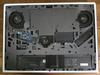


Share this review:


+1point
1of 1voted this as helpful.
enem156's Review Comments
Retire your dustpan and broom and transform your everyday floor cleaning! This sleek, versatile stick vacuum is always ready to deliver upright performance with Fade Free Lithium-Ion battery power. The only stick vacuum with Hoover WindTunnel~ technology and cyclonic filtration even when moving from hard floors to low pile carpet.
Overall 1 out of 5
1 out of 5Not enough suction
By BHIHIFI
I bought this after reading a positive review in a leading consumer magazine. It comes with an impressive number of accessories but the suction is weak. It would not even vacuum up bits of grass on my doormat. I returned it and bought the portable Dyson instead. Night and day difference.

enem156
Chicago, Il
Wrong vacuum review?
February 25, 2016
I'm not sure that you're reviewing the vacuum you think you are. This vacuum really doesn't have any accessories...
+1point
1of 1voted this comment as helpful.
enem156's Questions
enem156 has not submitted any questions.
enem156's Answers
Nugget Ice. Pellet ice. Drive-in ice. Whatever you call it, you know it's "the good ice." Now that chewable ice is available from the convenience of your countertop with the Opal 2.0 Ice Maker. It is capable of producing up to 38 lbs. of ice in 24 hours and stores up to 3 lbs. of ice at one time. The Opal 2.0 Ice Maker has WiFi connection capability and comes with the side tank attachment for 3x more ice production.
Does it need to be connect to waterline
No, it's a completely stand alone unit. It uses a water container on the side that you can remove and refill, much like a coffee maker.
5 years, 10 months ago
by
enem156

With up to 40 hours of battery life, Beats Solo3 Wireless is your perfect everyday headphone. With Fast Fuel, a 5-minute charge gives you 3 hours of playback. Enjoy award-winning Beats sound with Class 1 Bluetooth~ wireless listening freedom. The on-ear, cushioned ear cups are adjustable so you can customize your fit for all-day comfort.
Can you answer phone calls with them
Yes, you can. Provided you're connected with your phone via Bluetooth.
8 years, 2 months ago
by
enem156