


SgtRock's stats
- Review count150
- Helpfulness votes415
- First reviewApril 22, 2008
- Last reviewNovember 12, 2023
- Featured reviews0
- Average rating4.3
Reviews comments
- Review comment count0
- Helpfulness votes0
- First review commentNone
- Last review commentNone
- Featured review comments0
Questions
- Question count0
- Helpfulness votes0
- First questionNone
- Last questionNone
- Featured questions0
- Answer count13
- Helpfulness votes4
- First answerNovember 17, 2014
- Last answerMarch 2, 2021
- Featured answers0
- Best answers2
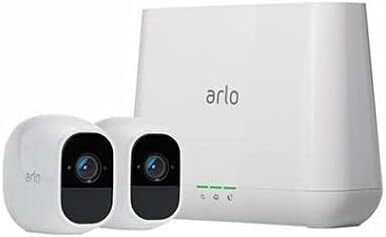
Arlo Pro 2 keeps an eye on your home while you're away, in brilliant 1080p HD quality. Put the 100% wire-free, weather-resistant camera anywhere, indoors or out. Then, power it with the included rechargeable battery or plugged it in (when indoors) to access activity zones and 24/7 Continuous Video Recording upgrades. Use 2-way audio or remotely sound a 100+ device siren while catching every moment with night vision and advanced motion detection. You'll even get motion and sound-activated alerts and 7 days of free cloud video recordings. Arlo Pro 2 works with Amazon Alexa to make your smart home security even more simple and effective.
Customer Rating

4
Neat convenient security system
on November 26, 2017
Posted by: SgtRock
from Nashville, TN
So far so good with this security system.
First off this is a cool looking system. It has a sleek, modern look to it. Set up is straight-forward and easy right out of the box. Like most devices, an app is the best way to set it up (though, fortunately, isn't actually required). If you choose not to download the app you can use your computer to set up your cameras. Once your internet connection is established and everything is connected a firmware update for the cameras will likely be required.
The cameras can be seen by logging into your account on a computer from anywhere, OR straight from the app. This is a netgear product, so if you have an existing account you can link it when you complete your set up. The cameras pick up picture and sound.
The cameras are small and easy to mount.either indoors or out. The system includes mounting hardware. They can be set up to record whenever motion is detected, and you can adjust how long they record after motion is detected as well. You can access your recordings anytime through your account, which is cool.
There doesn't appear to be localized recording. There is good and bad to this, of course. The system includes a week of storage (1 gb of cloud storage) for up to five cameras. All recordings are stored on "the cloud." There isn't a way to set up to your own cloud (where you likely have more storage) which I don't like, and there also isn't a "fail-safe" recording cloud, so if netgear's cloud is down (which happens) you have no access. You can add more cameras to this system at any time, which is very cool.
The camera's have very good picture and sound quality. The recordings I've watched so far have all looked really good. The night-vision is adequate, but only really works within 20 feet or so.
The biggest negatives I've found are the lack of offline recording, and the included mounts. The magnet mounting system is cool, but if you're mounting outdoors it also means the camera is easy to walk off with. Also the mount itself can really only be installed vertically on a wall, which limits it's uses a bit. If you try to mount from an overhang (such as under a deck) the camera can't be turned to a correct angle. In those cases additional hardware is necessary. If you want or need additional recording storage it's available...for a price, of course. The price isn't huge, but it adds up, and you're locked into it if you need it.
Overall this is a good inexpensive system for home security, with a couple of minor drawbacks.
My Best Buy number: 0040991931
Mobile Submission: False
I would recommend this to a friend!
Share this review:


-1point
0of 1voted this as helpful.
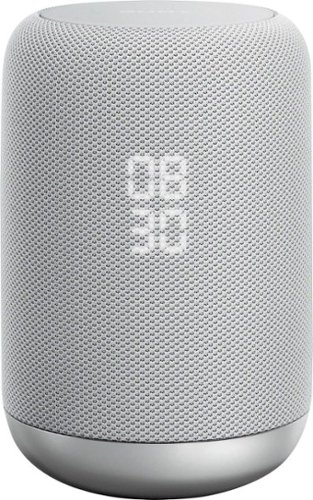
Use this splash-resistant Sony wireless speaker to skip a song with a wave of your hand. It comes with Google Assistant, so you can control it with voice commands, and its two-stage diffuser and bass port deliver rich, room-filling sound. This Sony wireless speaker has built-in Bluetooth for streaming audio from your smartphone.
Customer Rating
4
Fun and useful, though still a bit limited
on November 7, 2017
Posted by: SgtRock
from Nashville, TN
The Sony S50G smart speaker is a fun and useful home assistant, that is still a little limited by the current state of the technology. As devices grow more and more integrated this should be a very "forward" thinking device, that will see it's uses grow and grow.
First off it's an attractive speaker. It looks good on a counter or a shelf. The clock display is useful, if a little awkward looking with it's "stacked" design (the two digit hours sit on top of the two digit minutes). Overall it looks good, and personally I find it more attractive than the Google Home's "air freshener" design.
The built-in Google Assistant is fun and sort of useful for the moment, with future compatibility and usefulness looking very promising. I was able to set it up very quickly with my smart phone. I already have a google account and calendar, and everything in it seemed to import quickly and easily. Google was able to tell me right away when my next appointment was. It also already knew my work and home address and was able to give me times to each (I use the "how long to get to work" question every morning).
Little frustrations pop up from time-to-time. For instance, I haven't been able to get it to make a call yet, but I'm not sure if I need to update something in my device or if it's just not compatible with that functionality yet. Of course the device can't tell me--it just tells me it can't do that (even though the instructions say it can). There's a lot of research that goes into how to effectively use a device like this, so I'm still learning plenty. It controls my Honeywell thermostat, which is neat. It seems there's lots of other devices it will control as well, and there are many more 'smart' devices planned that make the future of this device bright.
The "hand gesture" controls are mediocre at best. I actually have my speaker in a place where this isn't convenient anyway, but I did give them a try. Like those weird "radar" sinks that never come on no matter how frantically I wave my hands in front of them I just couldn't seem to get this to do what it's supposed to. I would wave to turn up the volume and skip a song on my playlist--things like that were pretty common. This technology doesn't seem to be "there" yet.
The voice activation is far more convenient, and likely what you'll be using most of the time.
The voice activation is far more convenient, and likely what you'll be using most of the time.
The speaker itself sounds fine. I would put it on par with most of the other low-end bluetooth speakers I own. There's not a lot of bass (of course) but the sound is crisp and clear. Voices are very easy to understand when listening to news or sports. I use this device in my office and will have it playing music softly in the background while I'm doing other things, and it's perfect for that.
I love that I can get a quick answer to a question while I'm working. I will love being able to make hands-free calls whenever I can figure that out. I'm sure there are tons of uses for it coming up that I'll love as well, I just have to wait for them to get here...then figure out how to use them.
My Best Buy number: 0040991931
Mobile Submission: False
I would recommend this to a friend!
Share this review:


0points
0of 0voted this as helpful.

Completely customize your Wi-Fi Smart Color Thermostat to match your lifestyle and decor. The ENERGY STAR~ certified smart thermostat lets you choose the temperature, schedule, display color and the devices you use to control it all.
Customer Rating

5
Works well, looks great!
on November 7, 2017
Posted by: SgtRock
from Nashville, TN
I really like this new thermostat from Honeywell. It's got a nice looking display and is very easy to use.
I'm a pretty avid do-it-yourselfer, and install took me roughly 20 minutes. This was mostly disconnecting and labeling the wires off my old thermostat. Attaching the wires to the new thermostat is a breeze. Even if you're not comfortable with something like this the instructions are pretty thorough, and they also recommend a couple of videos to watch as well. Unless you're doing a brand new install it's a matter of removing wires from your old thermostat and attaching them to the new one.
Once you power your AC back on the thermostat walks you step-by-step through what to do next. Set-up can be super easy, or super involved depending on whether you want to set up a "schedule" or not. You don't have to--the honeywell operates just fine as a regular thermostat, but it can help your electric bill if you do. Besides, you didn't buy a fancy new thermostat like this not to program it (or run it from your phone, or your google assisant, or whatever).
The schedule instructions are pretty simple, and it walks you through each day of the week, asking when people are home, when they leave, and what temperature you like it when you sleep. It even asks when the first person wakes up and when the last person goes to sleep.
Connecting to wi-fi was also extremely simple. It's also not something you have to do, unless you want a "smart home"--connecting to wi-fi allows you to adjust the temperature with your smart phone, or with spoken commands through either Google assistant or Amazon Alexa. I actually have both and will say the Google Assistant seems to be a bit more responsive, though the set up was also a bit more in depth.
The display itself looks very nice--it's not quite as "space age" looking as the Nest, but that's okay as this actually fits my decor a bit better. You can change from a wide-variety of color displays which is cool for matching paint colors and decor. It displays the indoor temperature and humidity level, the outdoor temperature and humidity level, and the current thermostat settings.
Overall if you're looking for a good, wi-fi enabled smart thermostat that isn't going to break the bank then you'll appreciate this model from Honeywell.
My Best Buy number: 0040991931
Mobile Submission: False
I would recommend this to a friend!

Share this review:


0points
0of 0voted this as helpful.
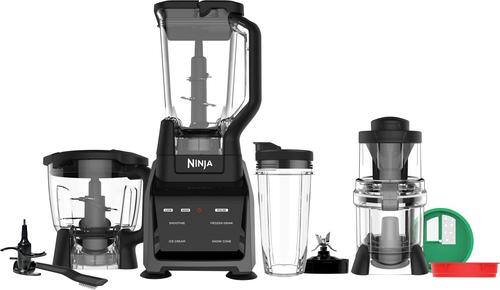
Prep meals quickly with this Ninja Intelli-Sense system. A 1200W motor pulverizes ice cubes and vegetables and makes it easier to create everything from frozen drinks and fresh salsa to soups and sauces. Use the Auto-Spiralizer function on this Ninja Intelli-Sense system to turn zucchinis and other vegetables into healthy noodles.
Customer Rating
5
Does everything and does it very well!
on October 30, 2017
Posted by: SgtRock
from Nashville, TN
The Ninja Intelli-Sense Kitchen System is incredible!
First thing's first--this is HUGE. You will need some serious storage for this, as it contains a lot of very large pieces.
The good thing about that is it will replace a lot of other devices in your home. Food processor, blender, smoothie machine, french fry maker, etc--this machine will do it all. The best part is that it does it all very well. If you are missing a few things you'd like to fill in, or need to replace an item or two and feel like upgrading your kitchen this is the device for you.
The "intellisense" system is pretty cool. The base is the same for each device, but it "senses" which one you're using and adjusts it's settings and controls accordingly. From "spiralizing" (you will try this, probably first like us just because it sounds so fun haha) to "blending" to "frozen drinks" it knows what device you're using, and will tailor it's blending to fit that device. It's really neat, and works incredibly well. The spiralizer worked well on "hard" vegetables, but tended to mush up anything softer (over ripe apples in particular we had an issue with). The smoothie setting was amazing--no ice chunks at all.
Clean up is pretty easy. The touch-screen especially is very easy to clean. Nice and smooth with no buttons or crevices to get goop into. Everything disassembles easily, though the blades are VERY sharp (obviously).
The suction mounts are also a nice feature--this thing is powerful, but it feels very secure when sitting on a counter.
The only real drawbacks are that 1) the system is big--it needs counter space to operate and (as mentioned) needs a lot of space to be stored....2) it's VERY loud. Most Ninja's are like this, and it's to be expected from a blender, but it still seems louder than most.
Neither of these things should stop you from buying it if you're in the market for a system like this. It really is amazing.
My Best Buy number: 0040991931
Mobile Submission: False
I would recommend this to a friend!
Share this review:


0points
0of 0voted this as helpful.
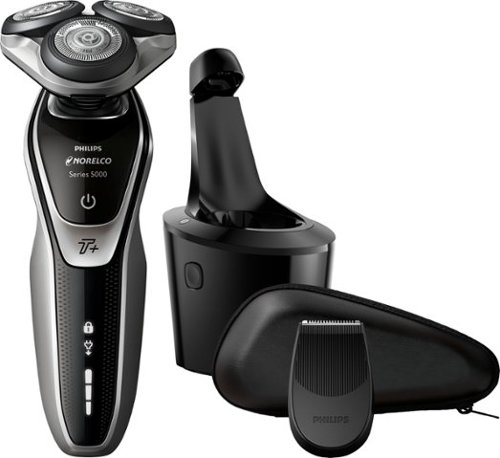
Rely on this Philips Norelco shaver to get a close shave in less time when you get ready for the day. Turbo+ mode offers an instant power boost to make it through even dense areas of your beard. Independent heads on this Philips Norelco shaver move in five different directions to catch every angle of your face.
Customer Rating
4
So far So good
on October 17, 2017
Posted by: SgtRock
from Nashville, TN
This is my first real experience with an electric shaver. So far it's been...interesting.
First, this shaver is packed EXTREMELY well. I was impressed (and slightly annoyed to be honest) at how well it's packed into it's box. There's a lot of unpacking to do. Thanks to all that packaging the razor, case, trimmer attachment and holder are all in terrific condition. Along with those items there is a charging cord and "cleaning solution" pack in the box.
Once everything is unpacked the actual set up is fairly easy. There are two ways to charge the razor--either in the stand or plugging directly into the razor itself. The stand is not unattractive, but does take up a sizable amount of counter space. It appears to only be necessary to thoroughly clean the razor, so it can be kept put away until you want to use that function.
The razor itself comes in it's carrying case and is already assembled, but is not charged. It needs an hour or so to fully charge. There are easy to read charge indicator lights on both the razor and the cleaning stand that actually tell you how charged it is at any given time. One caveat--the plug for the charger in the back of the stand is at a very awkward angle. I almost broke the ends trying to get it plugged in and could not for the life of me figure out why. I assume this was done for space, but some sort of indicator showing which direction the plug should go would have been very helpful.
There is a trimmer attachment that in theory is easy to change, but felt awkward in practice. I kept thinking I was going to damage either the razor head or trimmer attachment while trying to change them, which is weird for a part that pulls straight off and pops right on. It kept feeling like it wasn't aligning quite right and the parts had to be forced. The trimmer itself worked fine.
Shaving with the razor is an interesting experience. In reading the instructions they recommend not to use the razor on beard growth older than three days without trimming it down first. This appears to be accurate as I tried it on 5-day old growth and the razor was not having it. So, after using a blade razor for a day I went back to this razor this morning. The results were much better. I tried it without shaving cream, though it does suggest that you can do it with or without. I may try with next, as one of the difficulties I had was trying to tell which areas had been shaved already. Writing this review about five hours after shaving I do feel like my beard has grown back more than normal. According to the instructions faces take about three weeks to adjust to different shaving types, so I assume the way I feel today is normal for this early in the process.
The heads are easy to rinse out--there is a button that flips the head up and you can rinse it under water. The cleaning stand gives a thorough "deep" clean that takes about an hour.
The really excellent thing is that Philips provides a money-back guarantee, so if you do try it for the three weeks and it just doesn't take for you they will give a full refund. That's impressive.
So far the experience has been good, and it feels high-quality. I'm expecting the shave will improve and feel closer once my face is used to this type of shave. If it doesn't get better I'll update this review.
My Best Buy number: 0040991931
Mobile Submission: False
I would recommend this to a friend!
Share this review:


0points
0of 0voted this as helpful.
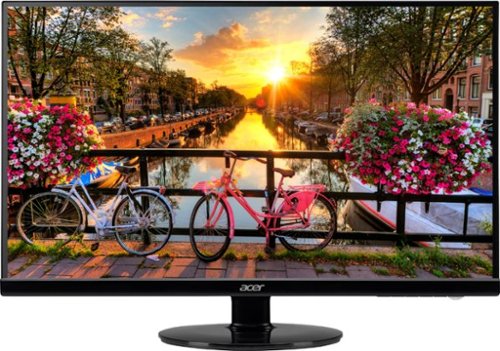
Expand your workspace or gaming experience with this 27-inch Acer widescreen monitor. An antiglare LED backlit screen provides easy viewing from any angle and even in direct light situations, and 1920 x 1080 resolution delivers on graphics. This Acer widescreen monitor features an ultra-slim design that doesn't take up a lot of space.
Customer Rating
5
Beautiful Monitor
on October 16, 2017
Posted by: SgtRock
from Nashville, TN
This is a fantastic monitor, particularly for the money. I play a lot of games so I was very excited to try this out.
Straight out of the box there are several different input options (I chose an HDMI cable from my gtx970 card). The monitor actually comes with a monitor cable for the standard hook-up. You'll need to supply anything else.
The monitor itself looks nice, though the bezel is a bit large (to be expected from a value-priced monitor). Everything is curved, shiny plastic, which is well-protected in shipping. The profile sits a little low, but is easily adjustable up-or-down to position exactly how you need it. Assembly takes a screwdriver and 30 seconds.
Adjusting the settings are a breeze, though the factory settings looked terrific to me. There are several programs out there to help you tweak your monitors settings to perfection, though you'll likely be happy with the plug 'n play settings.
As far as playing games goes, the motion is smooth and terrific. The games look gorgeous at their highest settings (YMMV according to your video card of course). I've included a screen shot of the loading screen of Shadows of War. The picture really doesn't do it justice.
There are, of course, no speakers at this price, so plan accordingly.
Overall this is a terrific value monitor that looks as good if not better than more expensive models.
My Best Buy number: 0040991931
Mobile Submission: False
I would recommend this to a friend!

Share this review:


0points
0of 0voted this as helpful.
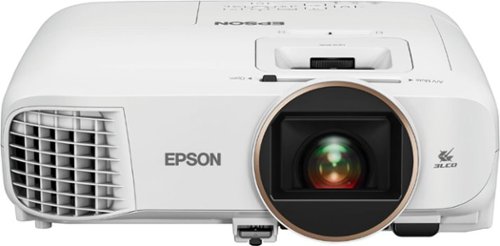
Get a theater-like viewing experience with this Epson Home Cinema wireless projector. The 2,500 lumens of color and white brightness, Full HD capability and 60,000:1 dynamic contrast ratio ensure a gorgeous picture on a screen or vertical surface measuring up to 11 feet diagonally. This Epson Home Cinema projector features Miracast for wireless screen mirroring from an Android or Windows 8.1+ device.
Customer Rating
5
Great projector for the money!
on October 10, 2017
Posted by: SgtRock
from Nashville, TN
The set up for the Epson projector is very simple. It's practically plug-and-play (which is good, since the documentation that comes with it is just a basic set up guide). The box is packaged securely with the power cord, remote and batteries and the projection unit. A minimum amount of protective tape and plastic is used around the projector itself, but nothing too difficult to remove.
You may or may not want to download the app. I did and tried it, but didn't really find it to be that helpful. The remote and set up instructions are very intuitive, so that's really all you need. I HIGHLY recommend both a projection screen (which I don't have) and an AV receiver (which I do have).
While the picture is very sharp, and very bright straight out of the box, you will enjoy them more if you have the proper set-up. A room that can get very dark, and a screen designed to help with the contrast. I tested this on a white wall, and while the contrast levels were good, they were not great. With daylight coming in contrast was not good, but that is the norm for a projection set up (which is designed like a theater--the darker the room the better, even for the best projectors). I got it as close as I could to an ideal set up, and the picture looked fantastic.
The speaker is fine for a quick presentation or maybe even an outdoor movie (provided it's fairly quiet) but it's small and not very powerful. You'll be much happier through a surround set up---again, as close as you can get to a theater set up is ideal.
The connections are fine if a little limited--there are only two HDMI's in (yet another good reason to have a good AV receiver connected).
If you intend to use this in a more business environment It does include a PC connection, which is great. I connected my laptop and the 1080 picture was terrific. I also tried the wireless connection with my laptop and was impressed with both how easy and how fast the set up was. It also looked terrific. It's not super easy to carry around, but it's not huge either, so for business presentations it would work very well and is a cheaper option than many other business type PC projectors.
Overall this is a well-priced, versatile projector that can be used in many different environments. It would make a terrific center piece to a home theater set up!
My Best Buy number: 0040991931
Mobile Submission: False
I would recommend this to a friend!
Share this review:


+3points
3of 3voted this as helpful.
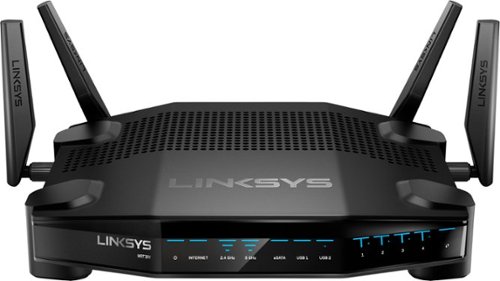
Enjoy lag-free gaming with this Linksys dual-band Wi-Fi router. Its Killer prioritization engine works with Killer-enabled computers to minimize peak ping by up to 77 percent, and the 1.8GHz CPU delivers super-fast speeds with wired and wireless connections. This Linksys dual-band Wi-Fi router has a custom-built user interface that lets you manage your gaming network performance.
Customer Rating
5
Easy to use router with cool options
on October 2, 2017
Posted by: SgtRock
from Nashville, TN
The new linksys gaming router is a super easy to use and really fast router. Like every linksys router I've used it's incredibly easy to set up. Plug it in, log into the modem and follow the quick set up instructions. You do NOT have to be tech savvy to set this up and optimize it for gaming.
The thing that sets this apart from other routers is you can prioritize what devices get the speed. It's cool for gamers as you can prioritize your gaming PC to get the fastest speeds. The set up screen is very easy to use and understand. It shows you every device connected to your modem and you can simply drag and drop them in order of priority. I tried this and didn't see any derogatory speed loss while playing even with all my devices connected.
I would be remiss not to mention how cool this looks. It would be an awesome addition to any gaming set up--you'll want to display it right next to your computer.
Linksys is always easy to recommend because they make quality products. If you have a lot of devices connected to your modem and don't want to lose any speed while gaming this is the modem you need.
My Best Buy number: 0040991931
Mobile Submission: False
I would recommend this to a friend!
Share this review:


0points
0of 0voted this as helpful.

Sanitize your home with this slim BISSELL PowerFresh steam mop. Its on-demand trigger dispenses a burst of controlled steam as the mophead and microfiber cloths remove dirt and germs from floors. This BISSELL PowerFresh steam mop has an extension wand and onboard tool kit, so you can deep clean your whole house.
Customer Rating
5
Best Steam Mop I've ever used!
on September 25, 2017
Posted by: SgtRock
from Nashville, TN
I've actually used a lot of steam mops in my day (this will be my fifth by my count) and I can say that this one is my favorite hands down. The versatility and cleaning power of this steam mop totally outweighs the few drawbacks I've found.
The mop itself is a nifty design. The water and power are all in the handle (almost like a handheld vacuum). There is an extension wand, and a "foot piece." Out of the box these easily assemble to form a fairly standard steam mop. It works well and cleaned our wood floor very well upon first use. There are two steam options--a "standard" setting and a "heavy duty" settting. Standard seems to be fine, though I've found myself using heavy duty more often than not. That option does use water faster.
The great design of the handheld piece is what allows the versatility. You can remove the wand and just use the handheld piece and the foot piece to clean granite or marble counters, or shower walls, or really anything that can stand up to steam. There's also a FANTASTIC assortment of accessories that come with it for cleaning virtually anything. I've used the grout cleaning tool and scraping tool so far, and both work great. There is also a scrubbing tool, and a few other tools I haven't needed to use yet. The most important tools clip right onto the back of the handheld piece, and there's a bag for storing anything left. The mop even comes with a wall-mounting bracket for easy storage.
There are only a couple of minor inconveniences that I've found, and really they haven't bothered me at all. The water reservoir is a little small. It comes with a cup to fill, but my sink is deep enough that I've been able to fill it directly from my kitchen faucet (the hand piece is a bit too large for a bathroom sink). There's no convenient place to store the fill cup so I see that getting lost kind of easily. The cord storage is also a bit awkward. Since the wand is removable there's no bracket like most steam mops and vacuums come with. The cord has a velcro strap to help alleviate this, but it still just sort of hangs there. Depending on your level of OCD this might really bother you.
Overall this is easily the most versatile and convenient steam mop I've ever used. I highly recommend it!
My Best Buy number: 0040991931
Mobile Submission: False
I would recommend this to a friend!
Share this review:


0points
0of 0voted this as helpful.
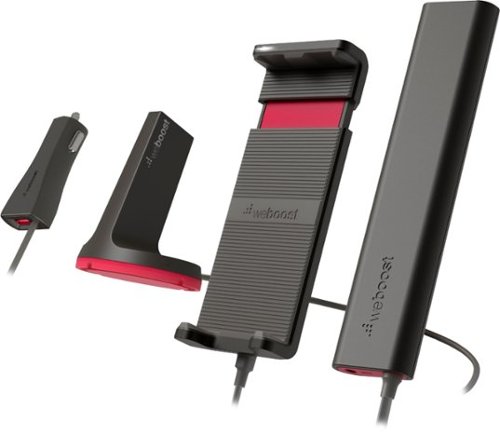
Strengthen your phone~s 4G reception while you~re on the road with the weboost Drive Sleek cradle signal booster. Its powerful outside antenna detects an accessible 4G/LTE or 3G signal and transmits it to the booster unit for enhanced data reception. This versatile weboost Drive Sleek cradle signal booster is compatible with all US and Canadian network providers.
Customer Rating
4
Seems to work well
on September 21, 2017
Posted by: SgtRock
from Nashville, TN
I was anxious to try this out, as I have family living in some "not so well covered" areas of the country, and wanted to see if this could really boost my phone signal well enough so that I could 1) hear and 2) not have the call dropped.
The answer, fortunately, is yes to both counts. I purposely used this in areas that I know are typically trouble spots and I could hear, and didn't suffer a single dropped call...until I got to an area with no coverage. Unfortunately there's nothing the weboost can do about areas with no coverage at all, which is to totally be expected.
I'm not going to lie and say I'm absolutely sure it was due to this product that the signal seemed better (It still showed as the same '1 bar' on my phone display) but my calls were clearer and weren't lost, so there's that. I've only had it a month and only attempted to use it in remote areas a couple of times now, so more testing is required, but so far so good.
It does get a little warm, I've noticed, and the plugs can be a little awkward, though this is just as much due to needing to have 50 things plugged in in my car anymore as it is an issue with this product. That's the nature of the times we live in I suppose.
If you want to try something like this before getting frustrated and switching carriers this is probably the cheapest product you'll find that does the trick.
My Best Buy number: 0040991931
Mobile Submission: False
I would recommend this to a friend!
Share this review:


0points
0of 0voted this as helpful.
SgtRock's Review Comments
SgtRock has not submitted comments on any reviews.
SgtRock's Questions
SgtRock has not submitted any questions.

Dominate in style with the Dell G7 17-inch gaming laptop with thin, sleek design, 10th Gen Intel Core processor, NVIDIA GEFORCE RTX 2070 (Max-P) discrete graphics, Game Shift technology and 4-zone RGB keyboard.
What's the approximate cost of a replacement battery?
Most sites have the G7 battery listed at about $80.
5 years, 3 months ago
by
SgtRock
Dominate in style with the Dell G7 17-inch gaming laptop with thin, sleek design, 10th Gen Intel Core processor, NVIDIA GEFORCE RTX 2070 (Max-P) discrete graphics, Game Shift technology and 4-zone RGB keyboard.
So im really trying to choose between the 17.3 inch and the 15.7 inch. I have some questions and it would be great if you can help me with choosing. 1st question: Is the 17.3 inch storage upgradable? 2nd: How much better is the max in the 15.7 inch?
With most gaming laptops upgrading the storage means replacing the drive in the system (there simply isn't room for another drive in most cases--which I believe is the case for either of these models). Your best bet is investing in a portable, external hard drive and taking it with the laptop. You can, of course, replace the drive in the system, but that can be pretty difficult since you'll need to copy a lot of the information in the current hard drive first, then transfer it all to the new drive,etc.
5 years, 3 months ago
by
SgtRock
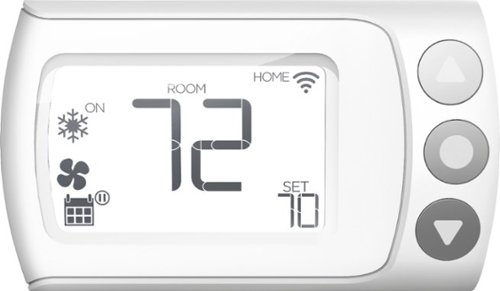
Control your home~s heating and cooling system remotely with this LUX Wi-Fi thermostat. The Android and iOS companion app supports geofencing, smart scheduling and personalization settings for efficiency, and compatibility with Google Assistant and Amazon Alexa offers convenient voice control. This LUX Wi-Fi thermostat works with electric, gas, oil and forced-air systems for versatility.
Can the thermostat be locked via the software so unauthorized people wouldn't be able to change the settings? I couldn't find this info in the users manual.
Yes--there is a very simple setting for this in the app (and ONLY in the app as far as I can tell)
5 years, 6 months ago
by
SgtRock

Get the same possibilities as a full size oven, with quality results, in a convenient countertop size with the KitchenAid~ Dual Countertop Oven with Temperature Probe. It's large capacity helps you save time and bake 2 whole chickens* at once. It also features a built-in temperature probe for more control during the cooking process, for perfect cooking results time after time. In addition, it features 12 preset cooking functions, an easy to read digital display, an interior light to check progress at any time without disrupting your dish, and a non-stick interior for quick and easy clean every time. The Dual Convect Bake setting allows you to cook up to 20% faster - compared to Bake setting; 3 lb chicken. *Based on 3.6 lbs weight.
Will a standard 1/4 sheet baking pan (9.5"X13") fit in the oven?
No. There is a smaller baking pan that comes with it, but the dimensions you describe are too large.
6 years, 3 months ago
by
SgtRock
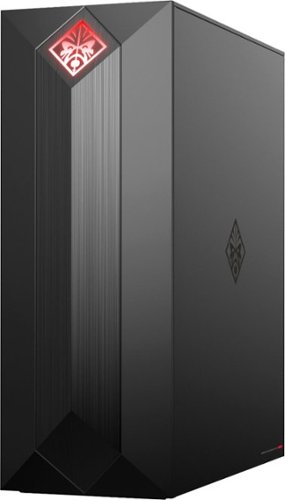
Experience great gaming with this OMEN Obelisk desktop computer. Its NVIDIA GeForce graphics and Intel Core i7 processor are suitable for virtual reality games, and the 1TB hard drive and 256GB solid-state drive provide extensive storage and fast boot times. This OMEN Obelisk desktop computer's case opens without tools for easy expansion.
I wanted to add another 16GB ram stick. What ram stick is compatible with the current hyper x fury 16 gb stick?
Kingston Technology HyperX Fury Black 16GB 2666MHz DDR4 CL16 DIMM (HX426C16FB/16)---that is the exact match for what's in the system now. If you want to try and find a cheaper match (good luck!) then you'll want to make sure the 16gb and 2666 mhz speed match, and of course that it's DDR4 and for a desktop. Amazon currently has a single stick on sale that matches for the lowest price I've seen, but it's the same exact memory stick. There may be cheaper, more generic options available as well.
7 years, 5 months ago
by
SgtRock

Dive into your favorite games with this Alienware wireless gaming headset. A noise-cancelling microphone keeps your voice clear as you call out commands to teammates, and 7.1 virtual surround sound enhances the audio quality so you never miss a whisper. Featuring two custom lighting zones and 6.8 million colors, this Alienware wireless gaming headset lets you create a custom look that accents your signature gaming style.
Will this work with my alienware 17 R4 computer??
So long as you have USB ports or adapters for standard USB plug-ins they should work fine!
7 years, 9 months ago
by
SgtRock
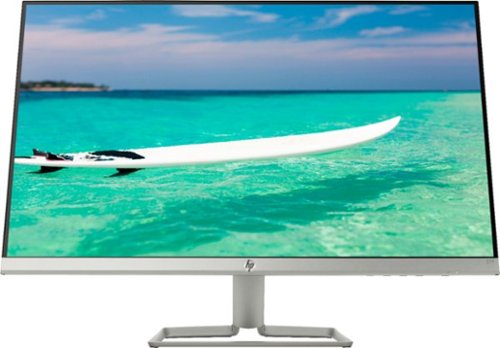
Enjoy crisp, colorful picture quality with this Full HD HP monitor. The ultrathin bezel on the 27-inch screen provides an expansive viewing area so you can stay productive, and its AMD FreeSync technology reduces input lag and screen tearing. This HP monitor has two HDMI ports for connecting gaming consoles and other devices.
Is there any way to use a speaker with this monitor?
You'd have to have the speakers connected to your computer system itself--there are no speaker outputs on the monitor.
7 years, 9 months ago
by
SgtRock
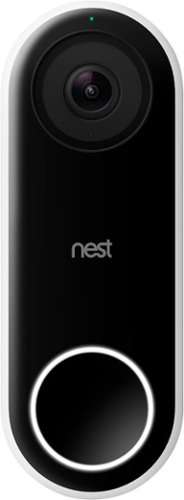
Nest Doorbell (Wired) lets you know who~s there, so you never miss a thing. It replaces your existing wired doorbell and delivers HD video and bright, crisp images, even at night. It~s designed to show you everything at your doorstep ~ people head to toe or packages on the ground. And with 24/7 streaming, you can check in anytime. Or go back and look at a 3-hour snapshot history to see what happened.*
Will Google Hello do a better job in regards to lag (delay) and motion detection? I had another video doorbell (rhimes with Ding) which could not adequately connect to the wifi, terrable lag, poor motion detection (false alarms and missed live ones).
From my testing there was very little lag. There is some, of course, but it was maybe 1-2 seconds behind. The motion detection seems to be perfect. It ignores far off motion, but records anything within 10-15 feet.
8 years, 2 months ago
by
SgtRock

Listen to your favorite tunes on the go with this rechargeable iHome IBT74BC speaker, which features a Bluetooth interface, so you can stream music from most Bluetooth-enabled devices, including select Apple~, Android and BlackBerry models.
Does this only come with a cord to charge or does it have something you can plug into the wall with?
It plugs directly into an outlet (the plug is actually pretty large, the wire itself is not).
8 years, 7 months ago
by
SgtRock

Improve your audio experience with this Samsung three-channel soundbar. This unit, which has a built-in subwoofer, channels high-resolution full-spectrum sound and eliminates the need for an extra bass speaker. Use 4K pass-through to connect your Blu-ray player or other UHD device to the Samsung three-channel soundbar for stunning multi-channel audio and a clear picture.
The soundbar comes with the wires to connect it right?
It includes a digital optical wire, but does NOT include an HDMI wire.
8 years, 11 months ago
by
SgtRock