


SgtRock's stats
- Review count150
- Helpfulness votes415
- First reviewApril 22, 2008
- Last reviewNovember 12, 2023
- Featured reviews0
- Average rating4.3
Reviews comments
- Review comment count0
- Helpfulness votes0
- First review commentNone
- Last review commentNone
- Featured review comments0
Questions
- Question count0
- Helpfulness votes0
- First questionNone
- Last questionNone
- Featured questions0
- Answer count13
- Helpfulness votes4
- First answerNovember 17, 2014
- Last answerMarch 2, 2021
- Featured answers0
- Best answers2
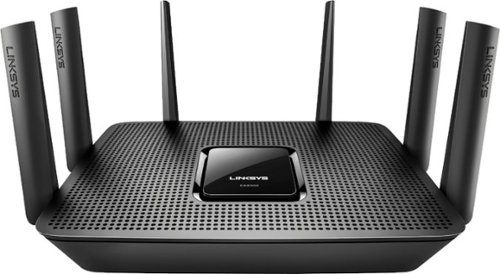
Meet your large household~s high-bandwidth requirements with this tri-band Linksys Max-Stream Wi-Fi router. It performs at up to 4 Gbps for high-speed Internet access, and its MU-MIMO technology lets everyone at home enjoy smooth, simultaneous gaming and media streaming on multiple devices. This Linksys Max-Stream Wi-Fi router has six adjustable external antennas for maximum area coverage
Customer Rating

5
Great, easy to use router
on May 19, 2017
Posted by: SgtRock
from Nashville, TN
I use this router with AT&T U-Verse hi-speed service. It works very well as a more secure router than what AT&T offers, as well as really boosting the signal strength and quality throughout my home.
The set-up is simple. It's practically plug-and-play. Unpacking the router is easy, and there are two things to plug in--the power to the wall and the communication wire to your internet source. My only real complaint here is that the communication wire provided is very short--I ended up using one I already had.
Once you're plugged in and powered up set-up is a breeze. Find the network name as provided by Linksys, connect using the info they gave you, and from there you can get as simple or in-depth as you like. There are a number of different networks provided by the router for the various connection speeds, and you can use Linksys simple online interface to rename them all, give them all the same name, give them all the same or different passwords, and see every device that is connected to your network. The online portal is one of the things that Linksys does best, and it is VERY simple to use.
The speeds are fantastic, as is the range. I've topped out my speed rated by AT&T (and surpassed it in a couple of tests). The distance is tremendous as well--enough so that you want to be sure and password protect all of your connections or else you'll have neighbors hopping on your guest connection haha.
Overall it's another great router from Linksys that can be as simple or as complicated as you need it to be.
My Best Buy number: 0040991931
I would recommend this to a friend!
Share this review:


0points
0of 0voted this as helpful.
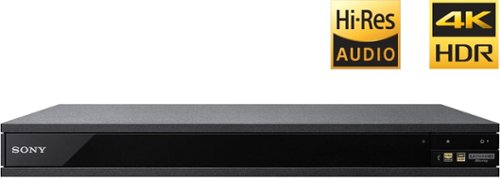
Experience immersive entertainment options with this Sony 4K Blu-ray player. Its Ultra HD resolution provides exceptionally detailed screen images with increased brightness and more realistic color, and its support of Dolby Atmos and DTS:X provides cinema-quality sound. This Sony 4K Blu-ray player supports high-resolution audio formats for more accurate music reproduction.
Customer Rating
5
Terrific Picture!!
on May 11, 2017
Posted by: SgtRock
from Nashville, TN
I've been a fan of Sony's blu-ray players for a while. My last two blu-ray players were Sony and I was very happy with them, so I jumped at the opportunity to review Sony's new 4k blu-ray player. I recently acquired a Samsung QledTV and this pairs quite nicely with it.
The set-up is easy, and typical for a device like this. Batteries in the remote, select your language, connect to the internet, etc. If you've ever set up a device like this you're likely already very familiar with the process.
One thing that is different from this Sony device compared to the last few models is the menu style--it is no longer the "ribbon" style that they've used in most devices, and that's actually an improvement here. While it makes sense in a more multi-function device, it could actually be an impediment to use in their old blu-ray players, mostly because finding an app was a chore when you had to scroll down one by one. Now most everything you need is on the home screen or a button push away---the blu-ray, menu, and apps are all on one screen. You can get farther into each should you need to but it's all much easier to navigate than past Sony devices have been.
Everything from discs to apps load faster than any other Sony device I've used, so this a big step up from the past for them.
The picture is fantastic. Watching a 4k blu-ray is the best picture you'll get, but it also up-scales from regular blu-ray quite nicely. I used the director's cut of Alien as an older movie example and it looked the best it's ever looked, only held back by the limitations of the original film and source. For a more recent upscale example I used Mad Max Fury Road and it looked stunning.
4k Streaming also looks fantastic, though Amazon and Netflix are the only real sources for that right now. Vudu is on here, but for some reason they only allow certain devices to stream 4k and the Sony player is not one of them (neither is the Samsung TV for that matter). I highly recommend "Spectre" on Amazon Prime as a 4k test, or any of the latest Netflix series which are all in 4k--"House of Cards" tends to look the best of that bunch. Up-scaling from HD sources also looks fantastic through all of these.
The unit responds quickly, though like most players these days there is no front display. There are a limited number of connections in back--very few for a device of this quality, but it does help to keep the cost down a bit. Certainly the main connections necessary are all there: 2 HDMI outs, ethernet in and a digital out for audio connections. More aren't necessary but can be nice depending on your set up. No optical audio out is a bit of a surprise, but again not really necessary with the second HDMI out.
The remote is a bit flimsy but it does the job. Sony FINALLY added an open/close button and it's very handy of course. You can also control your TV volume with this remote. Nice to have but probably not the remote you'll be using for most things.
Overall this a great 4K player--it's large (I'm sure they'll get smaller as the years go on) and kind of heavy, but it has a great picture, nice streaming functionality and is a pretty decent price for new technology--highly recommended.
My Best Buy number: 0040991931
I would recommend this to a friend!
Share this review:


+11points
11of 11voted this as helpful.
![La La Land [SteelBook] [Includes Digital Copy] [Blu-ray/DVD] [Only @ Best Buy] [2016]](https://pisces.bbystatic.com/prescaled/500/500/image2/BestBuy_US/images/products/304b2327-370a-41e7-956a-951dd4939472.png)
Customer Rating
5
Terrific movie-beautiful case
on April 28, 2017
Posted by: SgtRock
If you like a great musical (and you know who you are) then you'll love this movie. The cast is terrific, the music runs the gambit from catchy to unforgettable, and the movie itself is a fun little love-letter to Hollywood and the people that dream about making it big. The steelbook is gorgeous and a nice collectible piece if you're into that sort of thing (and you probably know who you are too).
My Best Buy number: 0040991931
I would recommend this to a friend!
Share this review:


0points
0of 0voted this as helpful.
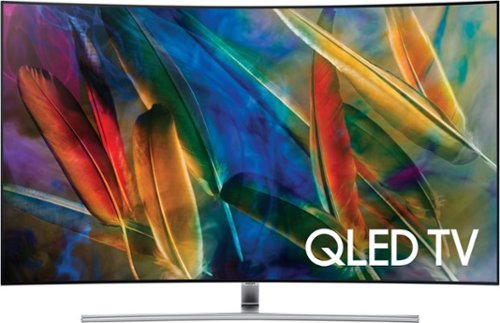
Experience powerful video and impressive sound from this Samsung curved TV. It has a 55-inch curved screen that draws you in and makes the action seem even more realistic, while the 4K resolution produces impressive detail. Quantum Dot technology in this Samsung curved TV keeps colors looking ultra-realistic and blacks even darker than before.
Customer Rating

4
Beautiful TV with a few caveats
on April 23, 2017
Posted by: SgtRock
from Nashville, TN
The Samsung QLED Q7C is a beautiful TV with one of the best pictures I’ve seen, and some interesting innovations. Just FYI if you’re buying this in a store and are trying to decide between delivery and taking it home yourself-- I was able to fit it in the back of my 2013 Honda Accord across the back seats.
First please note that I received this set at a discount for an incentivized review as part of a promotion. The opinions that follow are entirely my own. Caution: this is going to be long. I’ve used keywords words at the beginning of each section to make it easier to skip to a particular feature:
Samsung did a fantastic job packing this TV set. It’s packing into form-fitting Styrofoam that really protects the set. In a pretty smart innovation the curved piece of Styrofoam it’s packed with can also be used to place the set onto while working on the back for the initial set ups and connections.
The stand that comes with the set is beautiful and sturdy. It’s designed to hide the connection wires and does a great job with that. I utilized the stand at first until the wall-mount I ordered came.
I used a standard generic wall-mount from Amazon, but I did have to go to Home Depot and get a couple of screws as the set definitely needs “spacers” at the top in order for the mount to fit correctly, and the screws that came with the mount were not long enough. The TV is wider at the bottom than the top (I assume due to the curve) but it states in the instructions that most standard wall mounts designed for curved sets will work. Supposedly Samsung has a proprietary mount coming, but as of this writing it is unavailable.
The connection process is—interesting. Samsung has an innovation called “one-connect” that basically places all your connections in one spot away from the TV. There is a proprietary connection that goes from the TV to the “one-connect” box, then all your other devices plug into the one connect box. It’s clearly designed for cable management and wall-mounting, and gives the TV a nice, clean look when mounted on a wall. Of course, you may run into the issue I had—if your home is “pre-wired” for a wall-mount a regular HDMI cable will NOT work. I had to remove it and—thankfully—Samsung’s plug fit and the wire was long enough. The plug end is larger than an HDMI cable, but the wire is razor thin and clear, so if you do wall mount the wire is designed to be invisible. There was enough cable for me to feed it through the wall with plenty left over on the “spool” it comes with.
Connections and set-up were simple. Be aware you need two open outlets for this TV—one for the TV itself and one for the one-connect box. There are only two wires from the back of the TV—everything else plugs into the box itself.
Connections and set-up were simple. Be aware you need two open outlets for this TV—one for the TV itself and one for the one-connect box. There are only two wires from the back of the TV—everything else plugs into the box itself.
When you power it on there is a fantastic demo displaying the “Q” and lots of color, then the TV walks you through the set-up itself. It was pretty simple. I understand if you have a Samsung phone it’s even easier, but I don’t anymore. You will need to set up a Samsung account but that is very simple (besides, you’ll want to register this TV for sure). In another pretty cool innovation the TV recognizes what you have plugged in and will set-up the remote to work that device…when it works it’s pretty neat, but it’s hit-or-miss. It immediately recognized and controlled my roku 4, but it mislabeled my AT&T box as a Comcast box. It recognized the Xbox One S, but did not recognize my Denon receiver at all—although set up for unrecognized devices is a breeze. The TV walks you through step-by-step for an unrecognized device and automatically goes through the codes until it finds one that works.
Connecting to the internet was pretty much the same as any other device. Setting up all your various accounts (Hulu, Netflix, VUDU, etc) is as annoying and time-consuming as it is on any device without a keyboard.
The remote is going to take some getting used to (see picture). Frankly it looks like an older style iPod without the screen. It’s easy enough to use for basic functions, but can take some getting used to for more advanced settings. It probably took me longer than it should have to figure out that the volume and channel controls were toggle switches. Most everything is controlled by the “home” button, with the channel and source menu displaying across the bottom of the screen. The radial dial on the remote moves you back and forth. It gets a bit tedious at times—particularly if you want a function that’s on the far right or left, as you have to scroll through everything. Some shortcut buttons on the remote would have been nice here, but that would take away from that sleek looking design…There are some “free” buttons on the remote for programming favorites that would save a step or two, I just haven’t done that yet. You can “talk” to the remote with voice commands. I don’t do this as I feel like an idiot talking to any technology, but others may get some use out of this. It did seem to work when I tested it , but more often than not I hit the button by accident and had to use the “back” button to turn it off. Also it’s limited in that it takes you to “Netflix” when you say “Netflix”…but Netflix doesn’t use voice commands yet so you still had to manually search for a show to watch.
The included apps are pretty standard—Netflix, Hulu, VUDU, Amazon, HBO GO and more are all included, and there’s a lot more available from the app store. Plex is available if you’re familiar with it—and will install if it detects a Plex account on your network—which I thought was pretty cool. I did not see any iTunes support, but I don’t really use apple products so I wasn’t too concerned.
The speakers on this TV are terrific. I imagine most people will be using this as a center piece for a home theater set-up, so this won’t matter to most, but if you only want to hear the TV speakers they are top tier for a television set. I was using a Panasonic 1080p and occasionally had to turn it all the way up to hear it in my living room—this TV does not have that issue. It gets very loud and the sound quality is crisp and clear.
The picture on this TV is stunning! It’s easily one of the best pictures I’ve seen on any TV set—so long as you are sitting at the right position (ideally head-on). The colors are vivid and bright, and the blacks are rich and thick. This is my first “curved” TV so I wasn’t quite sure what to expect. As you move farther to the edges some faults start to appear. The picture washes out a bit, and edge-lighting issues that aren’t obvious from the front become very obvious from angles (see picture). You should definitely take this into account in your room set-up and placement of the TV. The backlighting can be adjusted but the picture dims accordingly. You can NOT see this from most natural viewing angles, but if you’re a stickler for this sort of thing or are going to have an unusual set-up this may not be the TV for you.
Most programming is still 1080p (or worse) and the picture looks terrific in that mode. It “upscales” as much as the device that’s connected allows and looks really good doing so. You can use the very good presets for sports, movies, natural, etc. or you can adjust each item (contrast, tint, etc) individually to your liking. Personally I prefer the “natural” mode.
The 4k sources that I used were amazing. If you’re an Amazon Prime subscriber there is quite a bit of 4k programming available there. Netflix also has a lot of 4k programming that looks terrific. Nearly every Netflix original is available in 4k. “Sense8” in particular looks amazing, particularly because so much attention was paid to the cinematography of that series. I also watched “Fantastic Beasts and Where to Find Them” from a 4k disc through my Xbox One S and it looked fantastic as well! That’s a very dark movie, and we watched it for family movie night with the room dark—it looked as good as it did in the theater.
My caveats about this set are few and far between, but I do have some:
It’s an interesting idea not having the connections on the set itself, but I’m not sure I love the idea. Again, in a pre-wired home it was a bit of a hassle to undo some of the wiring to make this work. If you like backlighting with LED lights this will also be inconvenient since those are usually powered through USB connections on the back of the set. Also since the wiring is proprietary it’s VERY expensive to replace the main connection wire—I believe on Samsung’s website it’s $150.
The backlighting from angles is not ideal and the picture simply doesn’t look as good as it should at an angle. It can be adjusted down, but that darkens the picture overall. Straight-on like my set up it looks amazing, but if you’re going to have people viewing the set from the side it washes out a bit.
The mount from Samsung not being available yet is a hassle if you are a stickler about matching brands, particularly since the Samsung mount is supposed to make the TV appear “flush” against the wall. It looks fine with the generic mount, but it's odd that Samsung did not have the mount ready to go upon release.
The remote is both simple and complicated. It takes some getting used to and looks really cool, but I miss the functionality of a larger remote.
Like most technology today there’s no real “manual” –just a quick set-up guide and instruction on how to get to the manual in the TV itself. That’s annoying, but again it’s pretty common these days. This is a very complicated piece of technology and an actual, physical manual would have been nice to have.
In summary this TV set is terrific and would make a fantastic center-piece for any home theater set-up, but does have some quirks that users may not appreciate and may keep it from being ideal in certain set-ups.
My Best Buy number: 0040991931
I would recommend this to a friend!


Share this review:


+15points
19of 23voted this as helpful.
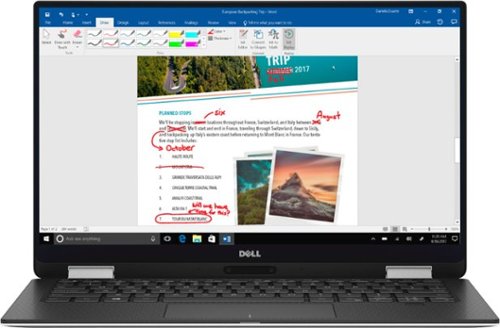
Perfect portability is assured with this Dell XPS two-in-one laptop. All the data is stored on a 256GB solid-state drive for everyday security, and the 13.3-inch screen produces high-quality images and text for easy use. An Intel Core i7 processor and 16GB of RAM keep this Dell XPS two-in-one laptop running smoothly.
Customer Rating
4
Beautiful Laptop (with a few minor annoyances)
on April 13, 2017
Posted by: SgtRock
from Nashville, TN
This is a beautiful laptop. I mean, just gorgeous. The color, style and everything about it just looks space age. It’s easily the nicest laptop I’ve ever used. The top and bottom feel like sturdy metal, while the black rubberized coating on the keys and touchpad feel extremely durable while looking nice as well.
When I first unpacked it I opened it up to make sure it powered on then plugged it in to charge. My first test was the next day…only to discover the battery was completely drained. After just a minute or two of research I found out this was a common issue and the fix was already out for it, I just hadn’t updated anything on it yet. I used it plugged in for a bit while it updated and it hasn’t had a power drain issue since then.
This device is fast! The SSD drive difference is kind of amazing to me—it’s faster than powering on an IPad! Powering on after being completely off to the log-in screen is an average of 15 seconds. In sleep mode it’s about 5 seconds. I found the speed to be consistent through just about everything I tried—from apps to video opening and running software is fast. I don’t do anything too “extreme” on laptops—typically work—Outlook, Word, Excel, etc, which all run very well and very fast. Occasionally I’ll watch short videos, but I’ve never been much for watching TV or movies on screens like this—the few videos I have watched on youtube that are HD look incredible. I also tested the HD movies on VUDU and Amazon and they also look fantastic and run very smooth (YMMV depending on your connection of course).
There is virtually no delay opening applications. I was also very impressed at the lack of “bloatware” on this device. There’s not much on the desktop frankly—Windows 10, explorer and that’s about it. In this day and age that’s kind of amazing. Once you look at the program list there’s some Dell stuff and a few of the standard windows accessories but it’s very light on programs overall—which is nice since the SSD size is a little small.
I love the micro SD slot—it actually adds some pretty hefty storage space considering the technology is fairly inexpensive these days. Just remember where you put them if you use more than one, but it’s a great way to store photos and large video files that otherwise would be taking valuable SSD space.
The “infinity edge” touch screen is gorgeous and very responsive. I didn’t care for the “recommended” (and default) setting of 150% sized icons, which I assume is due to the screen being small, but I’d rather see as much information as I can and with everything set at 100% it was still crystal clear. I played a few touchscreen games and they all responded the way you’d expect any good tablet to respond.
Tablet mode is just a cool innovation. It’s comfortable and responds well. I’m used to having a laptop on my lap but if I want to switch it up it’s very easy. The only awkward part for me is being afraid I’m going to damage the keyboard somehow, but that’s likely me being paranoid.
The keyboard itself is durable and backlit—though due to the smaller size typing can be a little awkward particularly if you have large hands like I do. I also miss the number keys on the right hand side but I get that sacrifices have to be made for size and there’s simply no room for them.
I did not like the camera placement. It’s at the bottom in order to make the screen as large as possible, but it’s awkward. The picture is fine, but you have to change the angle of your screen in order to not have it pointing at your chin or lower.
The battery life seems to be about six hours in light use, though I’ve found that can vary wildly depending on what you’re doing. The “battery life remaining” gauge is clearly a snapshot and not an average since that will also vary wildly up and down depending on what you’re doing when you mouse over it.
I’m also disappointed that the Bluetooth stylus isn’t included automatically. At this price point it seems like it should be. I will likely get one, as the “paint” program Dell includes with this tablet is amazing and very functional for budding artists. From what I understand the stylus pen is useful for other applications so, again, very annoying it’s not included.
I could NOT get the fingerprint sign on to work and it didn't really tell me why. I tried twice and got frustrated with it. Again it could be a large hand small pad problem, but I have it on my phone and it works there. I may try again when I'm feeling adventurous, but it was frustrating enough to try and fail twice...
Oh, and one final complaint—why on Earth did they make it so hard to open? You literally have to pry this sucker open every time you want to use it.
Overall this is a very nice laptop, but the minor annoyances add up enough to deduct a star.
My Best Buy number: 0040991931
I would recommend this to a friend!
Share this review:


+1point
1of 1voted this as helpful.
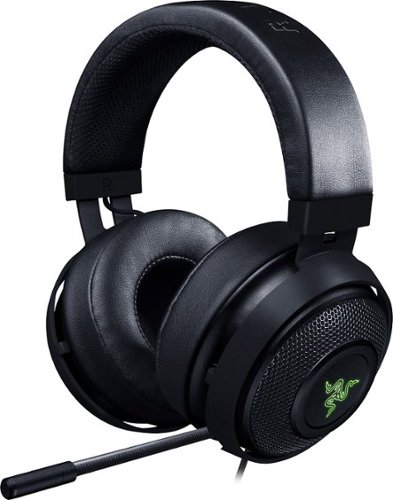
Hear every footstep, click and breath with this Razer Kraken digital gaming headset. The powerful 50mm drivers have neodymium magnets so that they produce exceptional sound directly to your ear, and the included microphone picks up speech clearly. This Razer Kraken digital gaming headset connects to a USB port for easy setup.
Customer Rating
4
Very good headphones
on March 27, 2017
Posted by: SgtRock
from Nashville, TN
I liked these headphones once I was able to get them set up. Upon first plugging them in my computer didn't recognize them. I went to the Razer website to install the support software, but unfortunately the program "hung" on install. I ended up restarting the computer, which got the headphones working but not the mic. I still couldn't install the software (kept saying an installation was pending) so I gave up on that. I ended up going into my computers settings and adjusting the mic input there. A bit of a hassle but it worked out okay.
The headphones themselves took some adjusting (I have a big head haha) so I had to pull them out to their farthest setting. The ear pads are comfortable and didn't feel like they were smashing my ears like other headphones do. I play with glasses on so this is especially important to me.
The sound quality was very rich--music and games both sounded awesome. The mic quality is very good as well. No one I talked to had any trouble understanding me, nor did they have to ask me to turn my mic down for being too loud.
The downsides:
The USB cable is a bit short compared to other gaming headsets. Not a big deal if you use them for computer gaming since that's not usually too far away, but console gaming this can be a bit of an issue as you may end up having to sit closer than is ideal.
The other drawback (which is more a matter of personal taste) is that there are no separate volume or mic controls on the cord. If it's too loud you have to adjust through your computer's settings. If you want to mute the mic you have to actually push a button on the mic. Both of those controls are rather awkward, especially if you're used to the controls being on the cord.
Overall these are terrific sounding and very comfortable headphones.
My Best Buy number: 0040991931
I would recommend this to a friend!
Share this review:


0points
0of 0voted this as helpful.
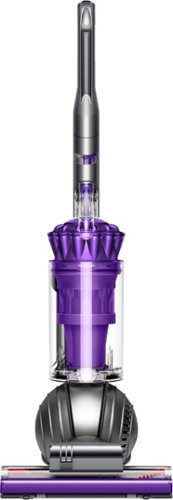
Clean carpets, couches and stairs easily with this adaptable Dyson Ball Animal vacuum. Various attachments, including a tangle-free turbine tool, a multi-angle brush and a stair tool make pet hair removal quick and simple. The Dyson Ball Animal vacuum comes with a generous 35-foot cord, making it ideal for larger homes.
Customer Rating
5
Best vacuum I've ever owned!
on March 23, 2017
Posted by: SgtRock
from Nashville, TN
This is without a doubt the best vacuum I've ever owned. I had been using another high end vacuum that I thought was okay---I truly had no idea what I was missing.
Straight out of the box this vacuum looked easy to assemble so I decided to really test it and let my wife assemble it! Not a knock on her, but it's not something she normally does. She had it assembled in less than 15 minutes! The instructions were simple and easy for her to follow.
The suction is nothing short of amazing! We have a black lab whose hair gets everywhere. On our light carpets we have to vacuum all the time. We may be able to get away with vacuuming less now... The Dyson glides over our carpets without getting hung and barely requiring any force, yet picks up things that seemingly aren't visible without looking really, really closely. It gets very close to the walls and reaches pretty far under furniture thanks to the design. It's also super easy to turn so you shouldn't be exhausted after vacuuming your house. The pet hair attachment itself is also the best I've ever used. It picks up everything!
One amazing feature that I've never seen on another vacuum is the "self-adjusting" head. We can go straight from the carpet onto the wood floors without having to worry about either scratching the floors or it not being low enough to pick up everything off the wood floor. I'm not sure how it works, but it does!
The only negatives I have are so small they didn't affect my score: the attachments are a little funky--the suction is SO strong it is sometime difficult to extend the attachment hose all the way. Also finding a spot for all of them is not the easiest (we aren't convinced we have them on right yet). Also, at this price point the cord shouldn't have to be wound.
Again, this is the best vacuum I've ever used so far, but from what I understand about Dyson and the fact that it comes with a five-year warranty I fully expect it to be a great vacuum for a long time.
My Best Buy number: 0040991931
I would recommend this to a friend!
Share this review:


0points
0of 0voted this as helpful.
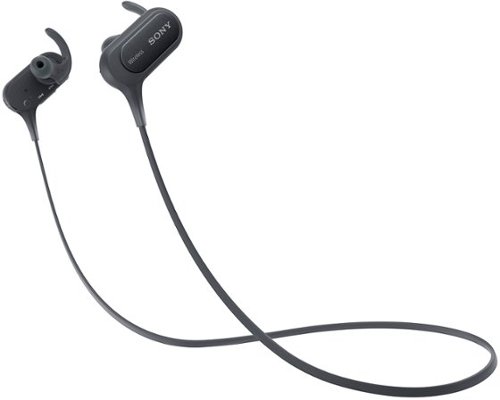
Make hands-free calls and listen to music with these Sony wireless in-ear sport headphones. The wireless design frees your range of motion, and the microphone makes conversations more convenient. Listen to music for over 8 hours on a single charge with these Sony wireless in-ear sport headphones, which are moisture-resistant for use during strenuous workouts.
Customer Rating

3
Sound is good, mic is terrible
on January 16, 2017
Posted by: SgtRock
from Nashville, TN
I tried this offering from Sony in the wireless headphone war. First off let me say that wires have never actually bothered me, but if the best quality headphones are wireless then that's what I'd want to use.
These headphones are very comfortable for me (though I believe this is a matter of preference as most in ear headphones go)--the default attachments fit me perfectly so I was able to use those without switching ear pieces.
Charging was easy and fairly quick, as was the set up. The bluetooth on my phone found them fast, and I was able to play music in no time. The multipurpose button actually worked with every music app I tried--though it's not the easiest to use when working out. I still found myself using the controls on my phone more often when necessary.
Music sounds fantastic through them--some of the best quality I've heard. The bass is low and deep, the higher sounds are crisp and clear. This is THE reason to get these headphones. They sound much more expensive than they are.
For the bad (and the reason for the lower score)--they are almost useless when trying to answer a call. The microphone is poorly placed and I had very little luck getting anyone to understand me on the calls I tried or tried to answer. I switched over to the phone everytime. I would NOT recommend these to anyone looking for a headphone/mic combo for their phone.
If you're looking for great sounding wireless bluetooth headphones for working out at a cost that won't break you then these do the trick.
My Best Buy number: 0040991931
I would recommend this to a friend!
Share this review:


+9points
9of 9voted this as helpful.
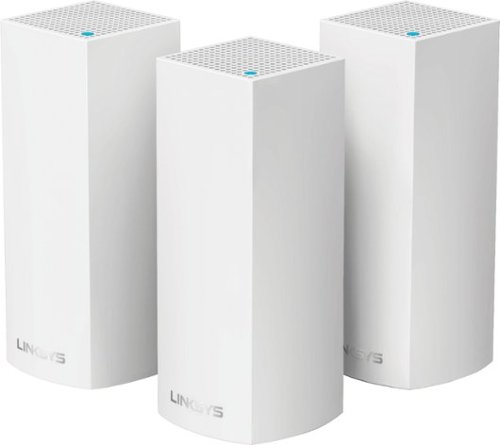
Make your home an internet haven with this versatile Linksys Velop wireless Wi-Fi system. Three identical tri-band dual-stream AC2200 routers, each equipped with a quad-core ARM Cortex-A7 processor, deliver lightning-fast internet. Equipped with Bluetooth 4.0/LE, this Linksys Velop wireless Wi-Fi system is simple to set up and pairs easily with computers, tablets and smart devices.
Customer Rating
4
Fast speeds on a reliable network
on January 16, 2017
Posted by: SgtRock
from Nashville, TN
The Linksys Velop Whole Home Wi-Fi is a fast, attractive home wi-fi system designed to improve and extend existing home wi-fi.
The system comes with three 'towers', plugs for each and a cat-6 wire to connect it to a modem--aside from a couple of papers that is it. All of the set-up is done through the linksys app to be downloaded on your phone.
It's an interesting idea--your mileage may vary in the convenience of it I suppose. Once you have the 50mb app installed it will walk you through exactly what to do to get your system set-up. It's very easy to set up and the app walks you through how to do it step-by-step. The only issue I had with this is it doesn't detect anything very quickly, and my phone got VERY hot during the install (it's a google pixel so the phone is new and fast). The set-up is much slower than other linksys set-ups I've used due to having to be done over the app (and is the only reason I didn't give it five stars).
Once one node is set-up it's easy to add the other two--linksys recommends setting them up where they overlap. Depending on the size of your house this shouldn't be an issue at all due to the range of each "tower." They look nice and are unobtrusive. Certainly nicer looking than most spider-modems anyway.
I'm not sure if there's a way to test which "node" you're on at any given time, but everywhere I went with my laptop got me very consistent speeds--the top end of my download speeds no matter where in my house I was. It even extended fairly far into the yard.
Setting up your name and password are maybe the easiest things in the app and a nice feature--it's good security and should be more than enough for any neighborhood.
Overall if you have a need for a small, attractive network booster/extender then this set-up should be perfect for you.
My Best Buy number: 0040991931
I would recommend this to a friend!
Share this review:


0points
0of 0voted this as helpful.
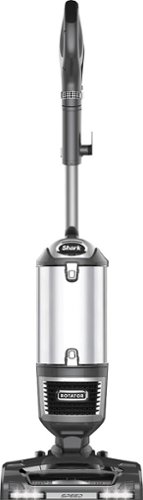
Remove dirt and debris from carpet with this Shark Navigator upright vacuum. A detachable canister lets you empty the vacuum easily, and the included tools make cleaning upholstery or inside crevices easy. This Shark Navigator upright vacuum uses a HEPA filter to remove harmful allergens and micro particles for healthier air.
Customer Rating
5
Great vacuum!
on January 7, 2017
Posted by: SgtRock
from Nashville, TN
This is the best vacuum I've owned to date. I'm replacing a Shark (lesser model--360 I think) with this one and I love it.
One great thing about Shark's is they are very easy to put together. You can have it snapped together and vacuuming within minutes of getting it out of the box. The suction is great--I have a lab that sheds black hair constantly and this vacuum has no trouble picking up all of her hair fairly quickly. The attachments are perfect--usually vacuums come with more than I need but this one has the right amount. A great pet attachment, a wood floor attachment, and a wand attachment. There is also a wood floor setting on the vacuum that works very well without the attachment.
It's convenient to be able to detach the canister and use it as a portable vacuum as well--this makes stairs and other tight areas a snap. Shark makes it simple to detach and attach every part--the hose, canister, etc, and no matter how many times you use it the attachment always feels snug.
The only drawbacks I have found are that the cord is a bit short, and the canister itself is smaller than the one on my last Shark, so it has to be emptied fairly often (especially with my dog). Other than that I've found no issues so far.
Highly recommended.
My Best Buy number: 0040991931
I would recommend this to a friend!
Share this review:


-1point
0of 1voted this as helpful.
SgtRock's Review Comments
SgtRock has not submitted comments on any reviews.
SgtRock's Questions
SgtRock has not submitted any questions.

Dominate in style with the Dell G7 17-inch gaming laptop with thin, sleek design, 10th Gen Intel Core processor, NVIDIA GEFORCE RTX 2070 (Max-P) discrete graphics, Game Shift technology and 4-zone RGB keyboard.
What's the approximate cost of a replacement battery?
Most sites have the G7 battery listed at about $80.
5 years, 3 months ago
by
SgtRock
Dominate in style with the Dell G7 17-inch gaming laptop with thin, sleek design, 10th Gen Intel Core processor, NVIDIA GEFORCE RTX 2070 (Max-P) discrete graphics, Game Shift technology and 4-zone RGB keyboard.
So im really trying to choose between the 17.3 inch and the 15.7 inch. I have some questions and it would be great if you can help me with choosing. 1st question: Is the 17.3 inch storage upgradable? 2nd: How much better is the max in the 15.7 inch?
With most gaming laptops upgrading the storage means replacing the drive in the system (there simply isn't room for another drive in most cases--which I believe is the case for either of these models). Your best bet is investing in a portable, external hard drive and taking it with the laptop. You can, of course, replace the drive in the system, but that can be pretty difficult since you'll need to copy a lot of the information in the current hard drive first, then transfer it all to the new drive,etc.
5 years, 3 months ago
by
SgtRock
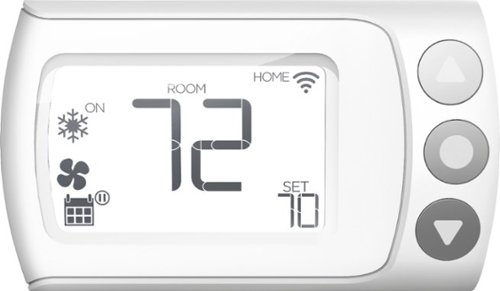
Control your home~s heating and cooling system remotely with this LUX Wi-Fi thermostat. The Android and iOS companion app supports geofencing, smart scheduling and personalization settings for efficiency, and compatibility with Google Assistant and Amazon Alexa offers convenient voice control. This LUX Wi-Fi thermostat works with electric, gas, oil and forced-air systems for versatility.
Can the thermostat be locked via the software so unauthorized people wouldn't be able to change the settings? I couldn't find this info in the users manual.
Yes--there is a very simple setting for this in the app (and ONLY in the app as far as I can tell)
5 years, 6 months ago
by
SgtRock

Get the same possibilities as a full size oven, with quality results, in a convenient countertop size with the KitchenAid~ Dual Countertop Oven with Temperature Probe. It's large capacity helps you save time and bake 2 whole chickens* at once. It also features a built-in temperature probe for more control during the cooking process, for perfect cooking results time after time. In addition, it features 12 preset cooking functions, an easy to read digital display, an interior light to check progress at any time without disrupting your dish, and a non-stick interior for quick and easy clean every time. The Dual Convect Bake setting allows you to cook up to 20% faster - compared to Bake setting; 3 lb chicken. *Based on 3.6 lbs weight.
Will a standard 1/4 sheet baking pan (9.5"X13") fit in the oven?
No. There is a smaller baking pan that comes with it, but the dimensions you describe are too large.
6 years, 3 months ago
by
SgtRock
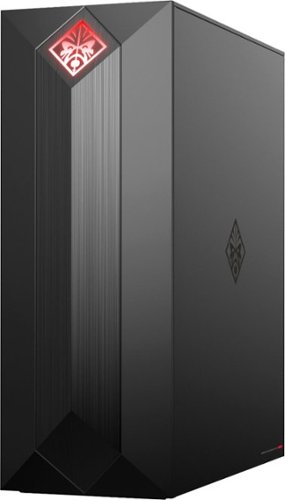
Experience great gaming with this OMEN Obelisk desktop computer. Its NVIDIA GeForce graphics and Intel Core i7 processor are suitable for virtual reality games, and the 1TB hard drive and 256GB solid-state drive provide extensive storage and fast boot times. This OMEN Obelisk desktop computer's case opens without tools for easy expansion.
I wanted to add another 16GB ram stick. What ram stick is compatible with the current hyper x fury 16 gb stick?
Kingston Technology HyperX Fury Black 16GB 2666MHz DDR4 CL16 DIMM (HX426C16FB/16)---that is the exact match for what's in the system now. If you want to try and find a cheaper match (good luck!) then you'll want to make sure the 16gb and 2666 mhz speed match, and of course that it's DDR4 and for a desktop. Amazon currently has a single stick on sale that matches for the lowest price I've seen, but it's the same exact memory stick. There may be cheaper, more generic options available as well.
7 years, 5 months ago
by
SgtRock
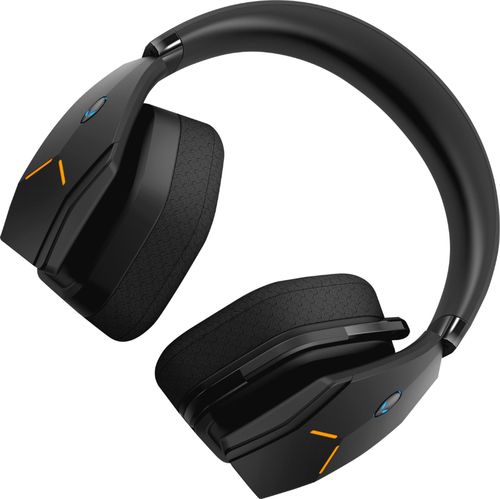
Dive into your favorite games with this Alienware wireless gaming headset. A noise-cancelling microphone keeps your voice clear as you call out commands to teammates, and 7.1 virtual surround sound enhances the audio quality so you never miss a whisper. Featuring two custom lighting zones and 6.8 million colors, this Alienware wireless gaming headset lets you create a custom look that accents your signature gaming style.
Will this work with my alienware 17 R4 computer??
So long as you have USB ports or adapters for standard USB plug-ins they should work fine!
7 years, 9 months ago
by
SgtRock
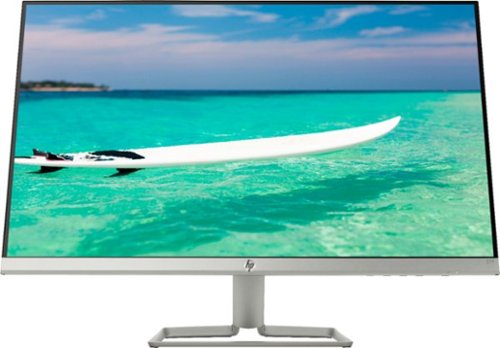
Enjoy crisp, colorful picture quality with this Full HD HP monitor. The ultrathin bezel on the 27-inch screen provides an expansive viewing area so you can stay productive, and its AMD FreeSync technology reduces input lag and screen tearing. This HP monitor has two HDMI ports for connecting gaming consoles and other devices.
Is there any way to use a speaker with this monitor?
You'd have to have the speakers connected to your computer system itself--there are no speaker outputs on the monitor.
7 years, 9 months ago
by
SgtRock
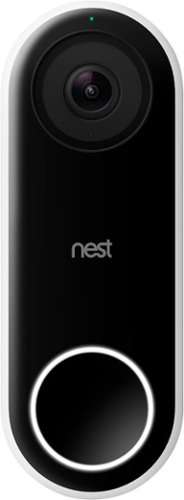
Nest Doorbell (Wired) lets you know who~s there, so you never miss a thing. It replaces your existing wired doorbell and delivers HD video and bright, crisp images, even at night. It~s designed to show you everything at your doorstep ~ people head to toe or packages on the ground. And with 24/7 streaming, you can check in anytime. Or go back and look at a 3-hour snapshot history to see what happened.*
Will Google Hello do a better job in regards to lag (delay) and motion detection? I had another video doorbell (rhimes with Ding) which could not adequately connect to the wifi, terrable lag, poor motion detection (false alarms and missed live ones).
From my testing there was very little lag. There is some, of course, but it was maybe 1-2 seconds behind. The motion detection seems to be perfect. It ignores far off motion, but records anything within 10-15 feet.
8 years, 2 months ago
by
SgtRock

Listen to your favorite tunes on the go with this rechargeable iHome IBT74BC speaker, which features a Bluetooth interface, so you can stream music from most Bluetooth-enabled devices, including select Apple~, Android and BlackBerry models.
Does this only come with a cord to charge or does it have something you can plug into the wall with?
It plugs directly into an outlet (the plug is actually pretty large, the wire itself is not).
8 years, 7 months ago
by
SgtRock

Improve your audio experience with this Samsung three-channel soundbar. This unit, which has a built-in subwoofer, channels high-resolution full-spectrum sound and eliminates the need for an extra bass speaker. Use 4K pass-through to connect your Blu-ray player or other UHD device to the Samsung three-channel soundbar for stunning multi-channel audio and a clear picture.
The soundbar comes with the wires to connect it right?
It includes a digital optical wire, but does NOT include an HDMI wire.
8 years, 11 months ago
by
SgtRock