
Share NicoR's profile


NicoR
NicoR's stats
- Review count103
- Helpfulness votes51
- First reviewMay 30, 2023
- Last reviewNovember 25, 2023
- Featured reviews0
- Average rating4.7
Reviews comments
- Review comment count0
- Helpfulness votes0
- First review commentNone
- Last review commentNone
- Featured review comments0
Questions
- Question count0
- Helpfulness votes0
- First questionNone
- Last questionNone
- Featured questions0
- Answer count48
- Helpfulness votes110
- First answerJune 2, 2023
- Last answerSeptember 22, 2023
- Featured answers0
- Best answers10
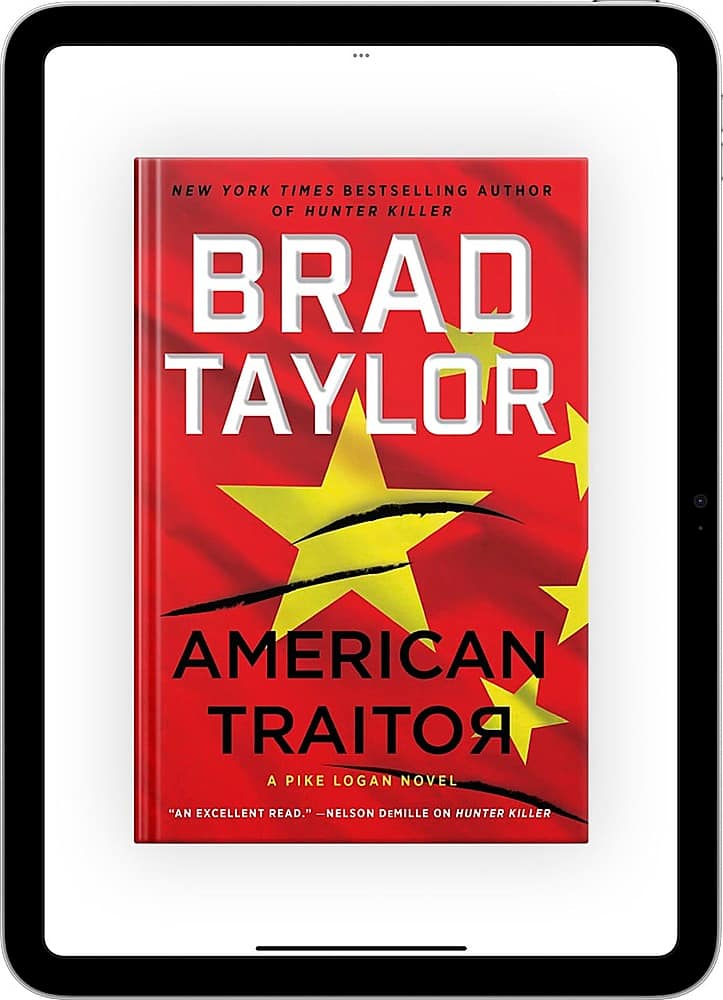
Apple Books puts a world of books and audiobooks at your fingertips. You~ll find bestsellers, classics, up-and-coming authors, and more ~ all ready to instantly download and enjoy across your Apple devices. For a limited time, you can get "American Traitor" by Brad Taylor for free. This pulse-pounding thriller from New York Times bestselling author and former special forces officer, Brad Taylor, joins Pike Logan on his desperate hunt for a man who is about to betray his country and ignite a horrific catastrophic conflict that will consume an entire region of the world.
Customer Rating

4
Great book being a bestbuy Member
on August 25, 2023
Posted by: NicoR
Verified Purchase:Yes
I recently downloaded the book "American Traitor" by Brad Taylor on Apple Books for free as a My Best Buy Plus member. I am not usually an avid reader, but I really enjoyed this book! The plot was fast-paced and exciting, and the characters were well-developed. I couldn't put it down!
The book is about a former CIA officer who is framed for treason and must go on the run to clear his name. Along the way, he uncovers a deadly conspiracy that threatens the security of the United States.
I thought the book was very well-written and suspenseful. The author did a great job of keeping me guessing until the very end. I would definitely recommend this book to anyone who enjoys a good thriller.
Here are some of the things I liked about the book:
* The plot was fast-paced and exciting.
* The characters were well-developed and believable.
* The setting was realistic and immersive.
* The suspense was well-done and kept me guessing until the very end.
* The characters were well-developed and believable.
* The setting was realistic and immersive.
* The suspense was well-done and kept me guessing until the very end.
Overall, I really enjoyed this book and would definitely recommend it to others. If you're looking for a good thriller to read, I would definitely give "American Traitor" a try.
Here are some additional thoughts on the book:
* I appreciated the author's attention to detail. He did a lot of research to make sure that the book was realistic.
* I also liked the way the author handled the sensitive topics of treason and national security. He did a good job of balancing the need for suspense with the need to be respectful of these issues.
* I also liked the way the author handled the sensitive topics of treason and national security. He did a good job of balancing the need for suspense with the need to be respectful of these issues.
Overall, I thought "American Traitor" was an excellent book. It's a must-read for fans of thrillers.
Length of ownership: 14
Mobile Submission: True
I would recommend this to a friend!
Quality

5
Value

4
Ease of Use
4
Share this review:


+1point
1of 1voted this as helpful.

Auto-renews at $73.99/mo Watch live TV when you want, where you want for less than the cost of cable. With 100+ top channels to choose from, stream all the sports, shows, movies, and news you love to watch from your TV, computer, and other devices. Plus, stream on the go or at home on as many devices as you want, and record your favorites with 1,000 hours of cloud DVR, all included.
Posted by: NicoR
I was excited to try out fuboTV for a free 30-day trial through Best Buy tech members. I've been using it with my Fire TV this week and had some experience in the past with it and so far I'm really impressed.
FuboTV is a live TV streaming service that offers a wide variety of channels, including sports, news, entertainment, and kids. I'm a big sports fan, so I was particularly interested in fuboTV's sports lineup. It has all the major sports networks, including ESPN, Fox Sports, and NBC Sports. I've been able to watch all my favorite teams without any problems.
The fuboTV app on Fire TV is really well-designed. It's easy to navigate and find the channels you want. The live guide is also very helpful for keeping track of what's on.
The picture quality on fuboTV is great. I've been watching in 1080p and the streams are smooth and clear. I haven't had any buffering issues or lag.
The only downside to fuboTV is that it doesn't support 5.1 surround sound. This is a bit of a disappointment, but it's not a deal-breaker for me.
Overall, I'm really impressed with fuboTV. It's a great option for sports fans and anyone else who wants a live TV streaming service with a wide variety of channels. I would definitely recommend trying it out for the free 30-day trial.
Here are some additional thoughts on fuboTV:
* The DVR is very generous, with 1,000 hours of storage. This is great for recording your favorite shows and movies so you can watch them later.
* The channel lineup is constantly being updated, so you're always getting new content.
* The fuboTV app is available on a variety of devices, including Fire TV, Roku, Apple TV, and Android TV.
* The customer support is excellent. I had a question about my account and I received a response within minutes.
* The channel lineup is constantly being updated, so you're always getting new content.
* The fuboTV app is available on a variety of devices, including Fire TV, Roku, Apple TV, and Android TV.
* The customer support is excellent. I had a question about my account and I received a response within minutes.
Overall, I think fuboTV is a great live TV streaming service. It has a great channel lineup, a generous DVR, and a user-friendly app. I would definitely recommend giving it a try.
Mobile Submission: True
I would recommend this to a friend!
Quality
4
Value
5
Ease of Use
5
Share this review:


0points
0of 0voted this as helpful.
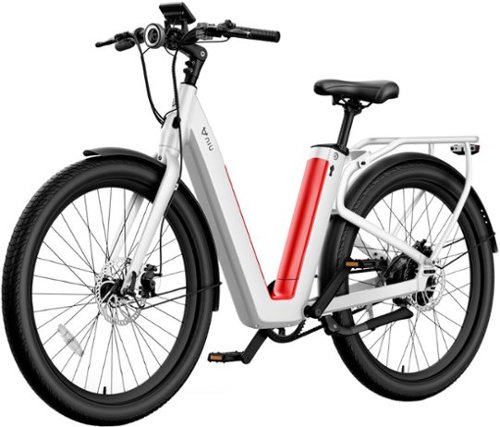
NIU (NIU Technologies) (NASDAQ: NIU), founded in 2014, is the world~s leading provider of smart urban mobility solutions. The BQi-C3 Pro: Twin Batteries, Twice the Distance. The BQi-C3 Pro's long 90 mile range from swappable twin batteries is incomparable in this price range. This unique dual battery system provides more range than ever, with lightweight, swappable batteries that are easy to recharge and replace while a pedal-assist and throttle power you to speeds of up to 28mph.
Customer Rating

5
In depth Review: Features and Performance
on August 9, 2023
Posted by: NicoR
The NIU BQi C3 Pro is a high-performance electric bike that is perfect for commuters and city riders. It has a sleek design, a powerful motor, and a long range battery. I purchased the NQi C3 Pro from a third party retailer and have been testing it for the past few weeks. I am very impressed with the bike's performance and features.
Here are some of the pros of the NIU BQi C3 Pro:
Sleek design: The NIU BQi C3 Pro has a sleek and modern design that looks great. It is available in a variety of colors, so you can choose the one that best suits your style.
Powerful motor: The NIU BQi C3 Pro has a powerful 500-watt motor that can reach speeds of up to 28 mph. This makes it perfect for commuting or getting around town.
Long range battery: The NIU BQi C3 Pro has a long range battery that can last up to 90 miles on a single charge. This means that you can ride the bike all day without having to worry about running out of power.
Comfortable ride: The NIU BQi C3 Pro has a comfortable ride thanks to its suspension system and cushioned seat. This makes it great for long rides.
Smart features: The NIU BQi C3 Pro has a variety of smart features, such as a built-in GPS tracker, a theft alarm, and a smartphone app that allows you to control the bike's settings.
Here are some of the cons of the NIU BQi C3 Pro:
Pricey: The NIU BQi C3 Pro is a bit pricey, but it is worth the investment for its performance and features.
Heavy: The NIU BQi C3 Pro is a bit heavy, so it can be difficult to carry up stairs or on public transportation.
No suspension in the front: The NIU BQi C3 Pro does not have suspension in the front, so it can be bumpy on rough roads.
Overall, I am very impressed with the NIU BQi C3 Pro. It is a high-performance electric bike that is perfect for commuters and city riders. It has a sleek design, a powerful motor, a long range battery, and a variety of smart features. I highly recommend it to anyone looking for an electric bike.
Here are some additional details about the NIU BQi C3 Pro:
It has a step-thru frame design that makes it easy to get on and off.
It has a 27.5-inch wheels that are perfect for city riding.
It has disc brakes on both the front and rear wheels.
It has a headlight and taillight that are powered by the bike's battery.
It has a built-in USB port that allows you to charge your devices while you ride.
It has a smartphone app that allows you to control the bike's settings, track its location, and lock it remotely.
Mobile Submission: True
I would recommend this to a friend!
Quality
5
Value
4
Ease of Use
5


Share this review:


+3points
3of 3voted this as helpful.

Power the devices you love with Energizer MAX Alkaline AA Batteries. These Energizer batteries fuel the technology that helps you live, work and play, whether you need remote batteries, clock batteries, or backup batteries for your child's favorite toys and games. Energizer's #1 longest-lasting MAX, these double A batteries keep your favorite devices running longer. Powerseal Technology helps protect your devices against damaging leaks for up to two years after these AA Energizer MAX Batteries are fully used. With a shelf life of up to 12 years in storage, these long lasting batteries are ready to keep your devices operating when you need them most. Depend on the power of Energizer MAX AA Batteries to power your everyday electronics.
Posted by: NicoR
I've been using Energizer MAX AA Batteries for years, and I can honestly say that they are the best batteries I've ever used. They have long-lasting power, they're reliable, and they're affordable.
I've used Energizer MAX Batteries in everything from my TV remote to my flashlight, and they've always performed flawlessly. I've never had a battery die on me unexpectedly, and I've never had to worry about my devices running out of power.
One of the things I love most about Energizer MAX Batteries is that they're so versatile. I can use them in a wide variety of devices, from small electronics to large appliances. I know that I can always count on Energizer MAX Batteries to deliver the power I need, no matter what the device.
Another thing I love about Energizer MAX Batteries is that they're affordable. I can get a pack of 4 batteries for just a few dollars, which is a great value for the quality of the batteries.
If you're looking for a long-lasting, reliable, and affordable battery, I highly recommend Energizer MAX AA Batteries. They're the best batteries I've ever used, and I know you'll be happy with them too.
**Here are some of the pros and cons of Energizer MAX AA Batteries:**
**Pros:**
* Long-lasting power
* Reliable
* Affordable
* Versatile
* Easy to find
* Made in the USA
* Reliable
* Affordable
* Versatile
* Easy to find
* Made in the USA
**Cons:**
* Can be a bit pricey if you buy them in bulk
* Not the best choice for devices that require a lot of power
* Not the best choice for devices that require a lot of power
Overall, I highly recommend Energizer MAX AA Batteries. They're the best batteries I've ever used, and I know you'll be happy with them too.
Mobile Submission: True
I would recommend this to a friend!
Quality
5
Value
4
Ease of Use
5
Share this review:


0points
0of 0voted this as helpful.

Shoot crisp images that capture vivid colors and natural skin tones. The Fujifilm INSTAX MINI Instant Film Twin Pack with 20 exposures allows for a great way to share memories with your loved ones and also features a classic white border. Designed for use with all Fujifilm INSTAX MINI Instant Cameras as well as INSTAX MINI Instant Smartphone Printers.
Posted by: NicoR
I've been using the Fujifilm - INSTAX MINI Instant Film for over 5 years now, and I still love it. The film produces sharp, clear images with vibrant colors. The photos are also a good size, making them perfect for sharing with friends and family.
I've taken the film with me on many trips and adventures, and it's always been reliable. The film is also very easy to use, even in low light conditions.
I've had a few photos fade over time, but overall, the film has held up well. I would definitely recommend the Fujifilm - INSTAX MINI Instant Film to anyone who wants to take instant photos.
Here are some of the pros and cons of the Fujifilm - INSTAX MINI Instant Film:
**Pros:**
* Sharp, clear images with vibrant colors
* Easy to use, even in low light conditions
* Affordable
* Compact and portable
* Fun and nostalgic way to take photos
* Photos can last for over 50 years if stored properly
* Easy to use, even in low light conditions
* Affordable
* Compact and portable
* Fun and nostalgic way to take photos
* Photos can last for over 50 years if stored properly
**Cons:**
* Film can be expensive to buy in bulk
* Photos can be a bit grainy in low light
* Photos can fade over time if not stored properly
* Photos can be a bit grainy in low light
* Photos can fade over time if not stored properly
Overall, I highly recommend the Fujifilm - INSTAX MINI Instant Film. It's a great choice for anyone who wants to take instant photos. The film is easy to use, affordable, and produces great results.
Mobile Submission: True
I would recommend this to a friend!
Quality
5
Value
4
Ease of Use
5
Share this review:


0points
0of 0voted this as helpful.
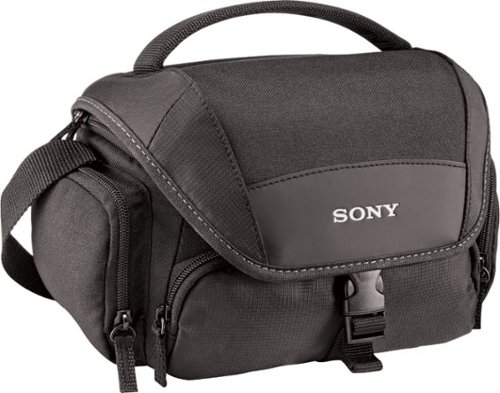
With an adjustable internal partition, mesh pouches and 3 external pouches, this Sony LCSU21 case lets you take your camera or camcorder and accessories with you on the go. The shoulder strap makes it easy to transport your gear.
Posted by: NicoR
I purchased this case five years ago, and I'm still using it today. It has fit a few different cameras over the years, and it has held up well to wear and tear.
The Sony LCSU21 is a soft carrying case made of a durable nylon material. It has a water-resistant finish that protects your camera from the elements. The case has a padded interior that protects your camera from bumps and scratches. It also has a removable divider that you can use to customize the space in the case.
The Sony LCSU21 is a great all-around camera case. It is lightweight and portable, making it easy to take with you on your travels. It is also affordable, making it a great value for your money.
Here are some of the pros and cons of the Sony LCSU21 Soft Carrying Case:
Pros:
* Lightweight and portable
* Affordable
* Durable nylon construction
* Water-resistant finish
* Padded interior
* Removable divider
* Affordable
* Durable nylon construction
* Water-resistant finish
* Padded interior
* Removable divider
Cons:
* Not as protective as a hard case
* Can be bulky when full
* Can be bulky when full
Overall, I highly recommend the Sony LCSU21 Soft Carrying Case. It is a great all-around camera case that is lightweight, affordable, and durable.
Here are some additional details about the Sony LCSU21 Soft Carrying Case:
* It measures 10.2 x 7.5 x 3.5 inches (26 x 19 x 9 cm).
* It weighs 11.2 ounces (318 grams).
* It can fit most mirrorless cameras with attached lenses.
* It also has a small pocket on the outside of the case for accessories, such as memory cards or batteries.
* It weighs 11.2 ounces (318 grams).
* It can fit most mirrorless cameras with attached lenses.
* It also has a small pocket on the outside of the case for accessories, such as memory cards or batteries.
I have been using the Sony LCSU21 Soft Carrying Case for five years, and I have been very happy with it. It has held up well to wear and tear, and it has protected my camera from bumps and scratches. I would definitely recommend this case to anyone looking for a lightweight, affordable, and durable camera case.
Mobile Submission: True
I would recommend this to a friend!
Quality
5
Value
4
Ease of Use
5
Share this review:


0points
0of 0voted this as helpful.

2-Year Geek Squad Product Replacement
Posted by: NicoR
The 2-Year Geek Squad Product Replacement plan is a comprehensive protection plan that covers your shredder against defects and accidental damage for two years. This means that if your shredder breaks or malfunctions within two years of purchase, Geek Squad will replace it for free.
I've had to use this plan once in the four years that I've had it. My shredder started to jam, and I couldn't get it to work. I called Geek Squad, and they sent a technician out to my house the next day. The technician diagnosed the problem and replaced my shredder with a new one. The whole process was quick and easy, and I was back up and running in no time.
I'm so glad that I purchased the 2-Year Geek Squad Product Replacement plan. It gave me peace of mind knowing that if my shredder broke, I wouldn't have to worry about paying for a new one. I would definitely recommend this plan to anyone who is purchasing a new shredder.
Here are some of the pros and cons of the 2-Year Geek Squad Product Replacement plan:
Pros:
* Comprehensive coverage: The plan covers your shredder against defects and accidental damage for two years.
* Easy to use: If your shredder breaks, you simply call Geek Squad and they will send a technician out to your house to diagnose the problem and replace the shredder if necessary.
* Peace of mind: Knowing that you are covered against defects and accidental damage gives you peace of mind.
* Easy to use: If your shredder breaks, you simply call Geek Squad and they will send a technician out to your house to diagnose the problem and replace the shredder if necessary.
* Peace of mind: Knowing that you are covered against defects and accidental damage gives you peace of mind.
Cons:
* Can be expensive: The plan is not free, but it is worth the peace of mind that it provides.
* Not all shredders are covered: The plan only covers certain shredders, so it is important to check the terms and conditions before you purchase it.
* Not all shredders are covered: The plan only covers certain shredders, so it is important to check the terms and conditions before you purchase it.
Overall, I highly recommend the 2-Year Geek Squad Product Replacement plan. It is a comprehensive protection plan that gives you peace of mind and protects your investment.
Mobile Submission: True
I would recommend this to a friend!
Share this review:


0points
0of 0voted this as helpful.
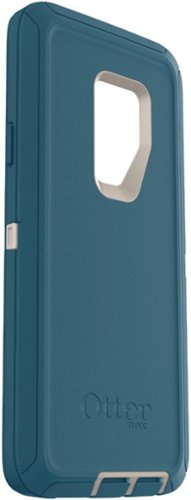
Bring your phone along on climbs and hikes with this OtterBox Defender case for Samsung S9+. Three layers of defense includes a built-in screen protector and a foam-lined inner shell for impact resistance. The hard outer shell resists scratching from accidental scrapes or tumbles. Featuring compatible button and port covers to keep dirt and dust out of your phone, the OtterBox Defender case is ready to take on any adventure.
Customer Rating
5
Great protection just bulky
on August 9, 2023
Posted by: NicoR
I upgraded to the OtterBox - Defender Series Case for Samsung Galaxy S9+ - Blue/Beige after using the Pursuit Series case for 6 months. I was looking for a case that offered even more protection, and the Defender Series definitely delivered.
The Defender Series is a very protective case that offers excellent protection against drops, bumps, and scratches. It's made of a durable polycarbonate material and features a rubber bumper that helps to absorb shock. The case also has a raised lip around the screen and camera to protect them from damage if your phone falls face down.
I also liked the fact that the Defender Series is very customizable. You can add a belt clip, a holster, or a wrist strap to the case to make it even more versatile.
However, the Defender Series is also very bulky. It adds a lot of bulk to your phone, and it can be difficult to put in and take out of your pocket.
Overall, I think the OtterBox - Defender Series Case for Samsung Galaxy S9+ - Blue/Beige is a great case for anyone who wants the absolute best protection for their phone. It's very protective, customizable, and it comes with a lifetime warranty. However, it is also very bulky, so it's not the best choice for everyone.
Here are some of the pros and cons of the OtterBox - Defender Series Case for Samsung Galaxy S9+ - Blue/Beige:
**Pros:**
* Excellent protection against drops, bumps, and scratches.
* Customizable with belt clip, holster, or wrist strap.
* Lifetime warranty.
* Easy to find at most major retailers.
* Customizable with belt clip, holster, or wrist strap.
* Lifetime warranty.
* Easy to find at most major retailers.
**Cons:**
* Very bulky.
* Difficult to put in and take out of pocket.
* May not be compatible with all wireless chargers.
* Difficult to put in and take out of pocket.
* May not be compatible with all wireless chargers.
Overall, I think the OtterBox - Defender Series Case for Samsung Galaxy S9+ - Blue/Beige is a great product. It's very protective, customizable, and it comes with a lifetime warranty. However, it is also very bulky, so it's not the best choice for everyone.
Mobile Submission: True
I would recommend this to a friend!
Quality
5
Value
4
Ease of Use
5
Share this review:


0points
0of 0voted this as helpful.
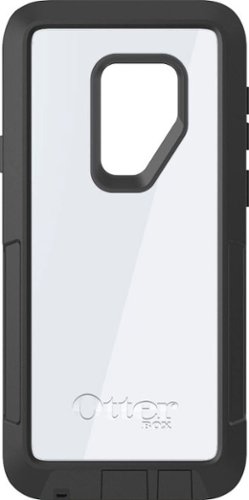
Keep the damage of adventure from getting to your Samsung Galaxy S9+ with this OtterBox Pursuit case. The slim case is easy to handle and slides easily into a pocket or bag, while dependable drop protection delivers on impact resistance. This OtterBox Pursuit case features enhanced audio with an acoustically enhanced mesh screen, while the open-front construction is compatible with Alpha Glass protectors (not included).
Posted by: NicoR
I used the OtterBox - Pursuit Series Case for Samsung Galaxy S9+ - Black/Clear for 6 months, and I was very impressed with it. It's a very protective case that offers excellent protection against drops, bumps, and scratches.
The case is made of a durable polycarbonate material that is designed to withstand even the most extreme conditions. It also has a raised lip around the screen and camera to protect them from damage if your phone falls face down.
I also liked the fact that the case is very slim and lightweight. It doesn't add a lot of bulk to your phone, and it still fits comfortably in your pocket.
Overall, I think the OtterBox - Pursuit Series Case for Samsung Galaxy S9+ - Black/Clear is a great case for anyone who wants to protect their phone from damage. It's very protective, slim, and lightweight. I would definitely recommend it to anyone looking for a case that will keep their phone safe.
Here are some of the pros and cons of the OtterBox - Pursuit Series Case for Samsung Galaxy S9+ - Black/Clear:
**Pros:**
* Excellent protection against drops, bumps, and scratches.
* Slim and lightweight design.
* Raised lip around the screen and camera to protect them from damage.
* Easy to take off and put on.
* Compatible with most screen protectors.
* Slim and lightweight design.
* Raised lip around the screen and camera to protect them from damage.
* Easy to take off and put on.
* Compatible with most screen protectors.
**Cons:**
* Can be a bit pricey.
* Not as stylish as some other cases.
* May not be compatible with all wireless chargers.
* Not as stylish as some other cases.
* May not be compatible with all wireless chargers.
Overall, I think the OtterBox - Pursuit Series Case for Samsung Galaxy S9+ - Black/Clear is a great product. It's very protective, slim, and lightweight. I would definitely recommend it to anyone looking for a case that will keep their phone safe.
Mobile Submission: True
I would recommend this to a friend!
Quality
5
Value
4
Ease of Use
5
Share this review:


0points
0of 0voted this as helpful.
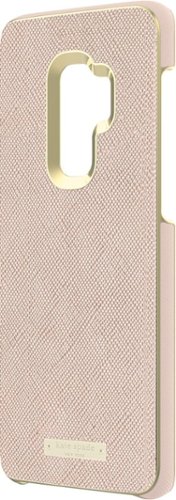
Channel designer style with this kate spade New York wrap case for Samsung smartphones. A rich rose-gold hue delivers an elegant look, while the slim profile complements your device's original sleek design. The snug fit keeps your device securely inside this case for added protection. This kate spade New York wrap case features the design house's signature gold logo detail for an exquisite finishing touch.
Posted by: NicoR
I used the kate spade new york - Wrap Case for Samsung Galaxy S9+ - Saffiano Rose Gold/Gold Logo Plate for a few years, and I absolutely loved it! It was the perfect case for my phone. It was stylish, durable, and it protected my phone from bumps and scratches.
The case is made of saffiano leather, which is a type of leather that is known for its durability and its ability to resist scratches. The case also has a gold logo plate on the back, which added a touch of luxury.
I loved the look of the case. It was very stylish and it matched my personal style perfectly. The case also made my phone feel more secure in my hand. I never had to worry about my phone slipping out of my hand or getting scratched.
I would definitely recommend this case to anyone looking for a stylish and durable case for their Samsung Galaxy S9+. It's the perfect case for anyone who wants to protect their phone and look good while doing it.
Here are some of the pros and cons of the kate spade new york - Wrap Case for Samsung Galaxy S9+ - Saffiano Rose Gold/Gold Logo Plate:
**Pros:**
* Stylish and luxurious design.
* Durable saffiano leather construction.
* Protects your phone from bumps and scratches.
* Adds a touch of personality to your phone.
* Easy to take off and put on.
* Durable saffiano leather construction.
* Protects your phone from bumps and scratches.
* Adds a touch of personality to your phone.
* Easy to take off and put on.
**Cons:**
* Can be a bit pricey.
* Not as protective as some other cases.
* May not be compatible with all screen protectors.
* Not as protective as some other cases.
* May not be compatible with all screen protectors.
Overall, I think the kate spade new york - Wrap Case for Samsung Galaxy S9+ - Saffiano Rose Gold/Gold Logo Plate is a great product. It's stylish, durable, and it protects your phone from bumps and scratches. I would definitely recommend it to anyone looking for a stylish and protective case for their Samsung Galaxy S9+.
Mobile Submission: True
I would recommend this to a friend!
Quality
4
Value
4
Ease of Use
5
Share this review:


0points
0of 0voted this as helpful.
NicoR's Review Comments
NicoR has not submitted comments on any reviews.
NicoR's Questions
NicoR has not submitted any questions.
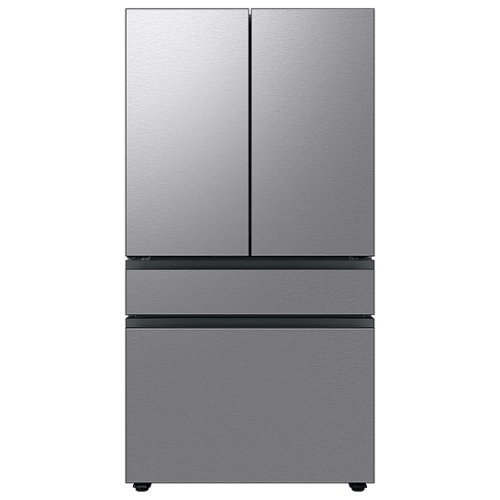
Extra-large capacity 4-Door French Door Refrigerator will reinvent water and ice the way you want it with Samsung~s AutoFill Water Pitcher and Dual Ice Maker with cubed ice and Ice Bites.
I need to replace the water filters on the pitcher and the water dispenser what do I need to buy?
To replace the water filters on the pitcher and the water dispenser of the Samsung Bespoke 29 cu. ft. French Door with AutoFill Pitcher in Stainless Steel, you will need to purchase the following filters:
Pitcher water filter: DA29-00020B
Dispenser water filter: DA29-00020A
You can purchase these filters from Samsung's website, from a Samsung authorized retailer, or from a third-party retailer.
Here are the steps to replace the pitcher water filter:
Remove the pitcher from the refrigerator.
Open the pitcher lid.
Push the tab down to release the old filter.
Insert the new filter into the pitcher.
Close the pitcher lid.
Place the pitcher back in the refrigerator.
Here are the steps to replace the dispenser water filter:
Open the refrigerator door.
Locate the dispenser water filter cover.
Remove the dispenser water filter cover.
Turn the old filter counterclockwise to remove it.
Insert the new filter clockwise until it stops.
Replace the dispenser water filter cover.
Close the refrigerator door.
Once you have replaced both filters, run the water dispenser for a few minutes to flush out any air bubbles. Then, you can start using the filtered water.
It is recommended to replace the pitcher water filter every 2 months and the dispenser water filter every 6 months. However, you may need to replace the filters more often if you have hard water or if you use the filtered water frequently.
Pitcher water filter: DA29-00020B
Dispenser water filter: DA29-00020A
You can purchase these filters from Samsung's website, from a Samsung authorized retailer, or from a third-party retailer.
Here are the steps to replace the pitcher water filter:
Remove the pitcher from the refrigerator.
Open the pitcher lid.
Push the tab down to release the old filter.
Insert the new filter into the pitcher.
Close the pitcher lid.
Place the pitcher back in the refrigerator.
Here are the steps to replace the dispenser water filter:
Open the refrigerator door.
Locate the dispenser water filter cover.
Remove the dispenser water filter cover.
Turn the old filter counterclockwise to remove it.
Insert the new filter clockwise until it stops.
Replace the dispenser water filter cover.
Close the refrigerator door.
Once you have replaced both filters, run the water dispenser for a few minutes to flush out any air bubbles. Then, you can start using the filtered water.
It is recommended to replace the pitcher water filter every 2 months and the dispenser water filter every 6 months. However, you may need to replace the filters more often if you have hard water or if you use the filtered water frequently.
2 years, 9 months ago
by
NicoR
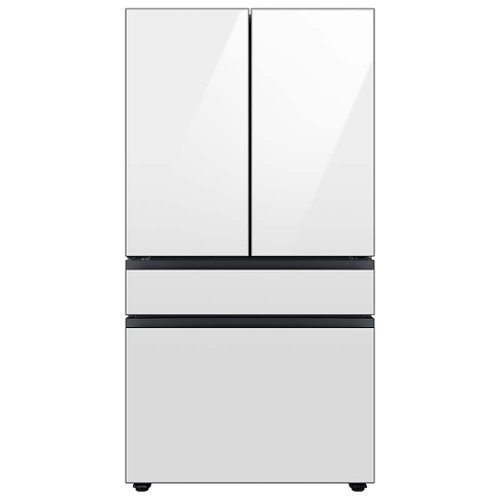
Extra-large capacity 4-Door French Door Refrigerator with customizable and changeable door panels available in a variety of colors and finishes. Reinvent water and ice the way you want it with Samsung~s AutoFill Water Pitcher and Dual Ice Maker with cubed ice and Ice Bites.
Do all Samsung Bespoke refrigerators have casters or wheels to facilitate moving the refrigerator across the floor?
No, not all Samsung Bespoke refrigerators have casters or wheels. Whether or not a Bespoke refrigerator has casters or wheels depends on the specific model. Some models, such as the RF29BB8600QL, do have casters or wheels, while others, such as the RF28T5501SR, do not.
2 years, 9 months ago
by
NicoR

Everything you need is right in your screen. Watch, work and chat - all without connecting a separate PC - with Smart Monitor. Your favorite content, productivity and video call apps are built-in for a simpler and more stylish desk setup that~s a joy to use every time.
What refresh rate is this?
The Samsung M7 Series 32 Tizen 4K has a refresh rate of 60Hz. This means that the screen can display up to 60 frames per second.
60Hz is a common refresh rate for TVs and monitors. It is sufficient for most uses, such as watching TV shows and movies, playing video games, and browsing the web. However, if you are looking for a TV or monitor with a smoother gaming experience, you may want to consider a higher refresh rate, such as 120Hz or 144Hz.
60Hz is a common refresh rate for TVs and monitors. It is sufficient for most uses, such as watching TV shows and movies, playing video games, and browsing the web. However, if you are looking for a TV or monitor with a smoother gaming experience, you may want to consider a higher refresh rate, such as 120Hz or 144Hz.
2 years, 9 months ago
by
NicoR
Everything you need is right in your screen. Watch, work and chat - all without connecting a separate PC - with Smart Monitor. Your favorite content, productivity and video call apps are built-in for a simpler and more stylish desk setup that~s a joy to use every time.
Speakers seam to be not so good my 32" smart TV is amazing what happened to sound quality how can it be fixed. As it was open box maybe displayed and speakers could be bad I'm not sure. Maybe I'm supposed to get a new soundbar for good sound ....
There are a few things you can try to improve the sound quality of your Samsung M7 Series 32 Tizen 4K with built-in speakers:
Adjust the TV's sound settings. Try adjusting the TV's sound settings to see if that helps. You can adjust the treble, bass, and other settings.
Use the TV's sound mode. The TV has a variety of sound modes, such as standard, movie, and music. Try using different sound modes to see which one sounds best to you.
Use the TV's equalizer. The TV has an equalizer that allows you to adjust the sound levels of different frequency bands. Try using the equalizer to boost the bass or treble, or to reduce the midrange.
Use a soundbar. If you are still not satisfied with the sound quality, you can use a soundbar. Soundbars are designed to provide better sound quality than the built-in speakers on TVs.
Check the TV's speakers for damage. If you think that the TV's speakers may be damaged, you can contact Samsung support for assistance.
Adjust the TV's sound settings. Try adjusting the TV's sound settings to see if that helps. You can adjust the treble, bass, and other settings.
Use the TV's sound mode. The TV has a variety of sound modes, such as standard, movie, and music. Try using different sound modes to see which one sounds best to you.
Use the TV's equalizer. The TV has an equalizer that allows you to adjust the sound levels of different frequency bands. Try using the equalizer to boost the bass or treble, or to reduce the midrange.
Use a soundbar. If you are still not satisfied with the sound quality, you can use a soundbar. Soundbars are designed to provide better sound quality than the built-in speakers on TVs.
Check the TV's speakers for damage. If you think that the TV's speakers may be damaged, you can contact Samsung support for assistance.
2 years, 9 months ago
by
NicoR
Everything you need is right in your screen. Watch, work and chat - all without connecting a separate PC - with Smart Monitor. Your favorite content, productivity and video call apps are built-in for a simpler and more stylish desk setup that~s a joy to use every time.
How many watts per speaker? I do have 3rd party premium desk speakers but don't want to use them to save space. I do have 2 headsets but using them for long periods of time hurts my head. So 4w or greater is good for me!
According to the official Samsung website, the speakers on the Samsung M7 Series 32 Tizen 4K with built-in speakers have 5 watts per speaker. This is a good amount of power for small speakers, and it should be enough to fill a small room with sound.
However, if you are looking for louder speakers, you may want to consider using your 3rd party premium desk speakers. These speakers will likely be able to produce more sound than the built-in speakers on the TV.
If you don't want to use your desk speakers, you could also consider using a soundbar. Soundbars are designed to provide better sound quality than the built-in speakers on TVs. They are also relatively slim and compact, so they won't take up too much space.
Ultimately, the best way to decide which speakers are right for you is to listen to them in person. This will allow you to compare the sound quality of the different speakers and choose the ones that you like the best.
However, if you are looking for louder speakers, you may want to consider using your 3rd party premium desk speakers. These speakers will likely be able to produce more sound than the built-in speakers on the TV.
If you don't want to use your desk speakers, you could also consider using a soundbar. Soundbars are designed to provide better sound quality than the built-in speakers on TVs. They are also relatively slim and compact, so they won't take up too much space.
Ultimately, the best way to decide which speakers are right for you is to listen to them in person. This will allow you to compare the sound quality of the different speakers and choose the ones that you like the best.
2 years, 9 months ago
by
NicoR
Everything you need is right in your screen. Watch, work and chat - all without connecting a separate PC - with Smart Monitor. Your favorite content, productivity and video call apps are built-in for a simpler and more stylish desk setup that~s a joy to use every time.
Are you able to stream content like Netflix and computer content at the same time? Basically picture in picture...
Yes, the Samsung M7 Series 32 Tizen 4K with built-in speakers supports picture-in-picture (PIP). This means that you can stream content from two different sources at the same time, with one source displayed in a smaller window over the other source.
To use PIP on the Samsung M7 Series 32 Tizen 4K with built-in speakers, follow these steps:
Open the source that you want to display in the PIP window.
Press the PIP button on the remote control.
Select the source that you want to display in the main window.
Adjust the size and position of the PIP window using the remote control.
You can also use PIP to display a computer screen on your TV. To do this, you will need to connect your computer to the TV using an HDMI cable. Once the computer is connected, follow the steps above to use PIP.
PIP is a useful feature for multitasking or for watching two different things at the same time. For example, you could use PIP to watch a TV show while working on your computer, or to watch a sports game while browsing the internet.
Here are some tips for using PIP on the Samsung M7 Series 32 Tizen 4K with built-in speakers:
Use a wireless keyboard and mouse to make it easier to interact with the PIP window.
Use the voice control feature to search for content in the PIP window.
Adjust the size and position of the PIP window so that it does not block your view of the main window.
Experiment with different sources to see what works best for you.
To use PIP on the Samsung M7 Series 32 Tizen 4K with built-in speakers, follow these steps:
Open the source that you want to display in the PIP window.
Press the PIP button on the remote control.
Select the source that you want to display in the main window.
Adjust the size and position of the PIP window using the remote control.
You can also use PIP to display a computer screen on your TV. To do this, you will need to connect your computer to the TV using an HDMI cable. Once the computer is connected, follow the steps above to use PIP.
PIP is a useful feature for multitasking or for watching two different things at the same time. For example, you could use PIP to watch a TV show while working on your computer, or to watch a sports game while browsing the internet.
Here are some tips for using PIP on the Samsung M7 Series 32 Tizen 4K with built-in speakers:
Use a wireless keyboard and mouse to make it easier to interact with the PIP window.
Use the voice control feature to search for content in the PIP window.
Adjust the size and position of the PIP window so that it does not block your view of the main window.
Experiment with different sources to see what works best for you.
2 years, 9 months ago
by
NicoR
Everything you need is right in your screen. Watch, work and chat - all without connecting a separate PC - with Smart Monitor. Your favorite content, productivity and video call apps are built-in for a simpler and more stylish desk setup that~s a joy to use every time.
do you need a computer or pc to use discord on this?
No, you do not need a computer or PC to use Discord on the Samsung M7 Series 32 Tizen 4K with built-in speakers. Discord has a dedicated app for Tizen TVs, which you can download from the Samsung App Store.
To use Discord on your TV, you will need to create an account or log in to your existing account. Once you are logged in, you can join servers, chat with friends, and make video calls.
It is important to note that the Discord app for Tizen TVs does not have all of the same features as the Discord app for computers and mobile devices. For example, you cannot use the Discord app on your TV to stream games or share your screen.
Overall, the Discord app for Tizen TVs is a good way to chat with friends and join servers while watching TV. However, it is not a replacement for the Discord app on computers and mobile devices if you need to use all of the features that Discord has to offer.
Here are some tips for using Discord on your Samsung M7 Series 32 Tizen 4K with built-in speakers:
Use a wireless keyboard to make typing easier.
Use the voice control feature to search for friends and servers.
Connect the TV to your Wi-Fi network for the best Discord experience.
Use a VPN to protect your privacy and security when using Discord.
To use Discord on your TV, you will need to create an account or log in to your existing account. Once you are logged in, you can join servers, chat with friends, and make video calls.
It is important to note that the Discord app for Tizen TVs does not have all of the same features as the Discord app for computers and mobile devices. For example, you cannot use the Discord app on your TV to stream games or share your screen.
Overall, the Discord app for Tizen TVs is a good way to chat with friends and join servers while watching TV. However, it is not a replacement for the Discord app on computers and mobile devices if you need to use all of the features that Discord has to offer.
Here are some tips for using Discord on your Samsung M7 Series 32 Tizen 4K with built-in speakers:
Use a wireless keyboard to make typing easier.
Use the voice control feature to search for friends and servers.
Connect the TV to your Wi-Fi network for the best Discord experience.
Use a VPN to protect your privacy and security when using Discord.
2 years, 9 months ago
by
NicoR
Everything you need is right in your screen. Watch, work and chat - all without connecting a separate PC - with Smart Monitor. Your favorite content, productivity and video call apps are built-in for a simpler and more stylish desk setup that~s a joy to use every time.
Can this monitor be daisy chained?
The Samsung M7 Series 32 Tizen 4K with built-in speakers does not have a daisy chain feature. This means that you cannot connect multiple monitors together using a single port on your computer.
To connect multiple monitors to your computer, you will need to use a separate port for each monitor. If your computer does not have enough ports, you can use a USB-C hub or a docking station to add more ports.
Here are some alternative ways to connect multiple monitors to your computer:
Use a display adapter. A display adapter is a device that allows you to connect multiple monitors to your computer using a single port. Display adapters are available in a variety of types, including USB-C to HDMI, DisplayPort to HDMI, and HDMI to VGA.
Use a docking station. A docking station is a device that allows you to connect multiple monitors, peripherals, and other devices to your computer using a single cable. Docking stations are typically used with laptops, but they can also be used with desktop computers.
Use a KVM switch. A KVM switch is a device that allows you to control multiple computers using a single keyboard, mouse, and monitor. KVM switches are typically used in office and data center environments, but they can also be used for personal use.
To connect multiple monitors to your computer, you will need to use a separate port for each monitor. If your computer does not have enough ports, you can use a USB-C hub or a docking station to add more ports.
Here are some alternative ways to connect multiple monitors to your computer:
Use a display adapter. A display adapter is a device that allows you to connect multiple monitors to your computer using a single port. Display adapters are available in a variety of types, including USB-C to HDMI, DisplayPort to HDMI, and HDMI to VGA.
Use a docking station. A docking station is a device that allows you to connect multiple monitors, peripherals, and other devices to your computer using a single cable. Docking stations are typically used with laptops, but they can also be used with desktop computers.
Use a KVM switch. A KVM switch is a device that allows you to control multiple computers using a single keyboard, mouse, and monitor. KVM switches are typically used in office and data center environments, but they can also be used for personal use.
2 years, 9 months ago
by
NicoR
Everything you need is right in your screen. Watch, work and chat - all without connecting a separate PC - with Smart Monitor. Your favorite content, productivity and video call apps are built-in for a simpler and more stylish desk setup that~s a joy to use every time.
What is remote model number?
The remote model number for the Samsung M7 Series 32 Tizen 4K with built-in speakers is BN59-01312A. This is the same remote control that is used for other Samsung 4K smart TVs released in 2022 and 2023.
If you have lost or damaged your remote control, you can purchase a replacement remote from Samsung or from a third-party retailer. You can also use a universal remote control to control your TV. However, universal remote controls may not have all of the same features as the original remote control.
To program a universal remote control to work with your TV, you will need the TV's remote control code. The remote control code for the Samsung M7 Series 32 Tizen 4K with built-in speakers is 00186.
To program a universal remote control, consult the remote control's manual for instructions. Once the remote control is programmed, you will be able to use it to control your TV, including turning it on and off, changing the volume, and switching channels.
If you have lost or damaged your remote control, you can purchase a replacement remote from Samsung or from a third-party retailer. You can also use a universal remote control to control your TV. However, universal remote controls may not have all of the same features as the original remote control.
To program a universal remote control to work with your TV, you will need the TV's remote control code. The remote control code for the Samsung M7 Series 32 Tizen 4K with built-in speakers is 00186.
To program a universal remote control, consult the remote control's manual for instructions. Once the remote control is programmed, you will be able to use it to control your TV, including turning it on and off, changing the volume, and switching channels.
2 years, 9 months ago
by
NicoR
Everything you need is right in your screen. Watch, work and chat - all without connecting a separate PC - with Smart Monitor. Your favorite content, productivity and video call apps are built-in for a simpler and more stylish desk setup that~s a joy to use every time.
What size screw are used on the VESA mount area?
he Samsung M7 Series 32 Tizen 4K with built-in speakers uses M4 screws for the VESA mount area.
VESA screws are used to mount a TV or monitor to a wall mount or other mounting bracket. The VESA screw size is determined by the VESA mount pattern of the TV or monitor. The VESA mount pattern is a set of four holes on the back of the TV or monitor that are used to attach the mounting bracket.
To mount the Samsung M7 Series 32 Tizen 4K with built-in speakers to a wall mount, you will need four M4 screws. The screws should be at least 20mm long. You may also need to use washers and spacers, depending on the wall mount you are using.
Here are some tips for mounting your TV or monitor to a wall:
Make sure that the wall mount is rated to support the weight of your TV or monitor.
Use a level to make sure that the wall mount is level before you attach it to the wall.
Use the correct screw size and length for the VESA mount pattern of your TV or monitor.
Be careful not to overtighten the screws, as this could damage the TV or monitor.
VESA screws are used to mount a TV or monitor to a wall mount or other mounting bracket. The VESA screw size is determined by the VESA mount pattern of the TV or monitor. The VESA mount pattern is a set of four holes on the back of the TV or monitor that are used to attach the mounting bracket.
To mount the Samsung M7 Series 32 Tizen 4K with built-in speakers to a wall mount, you will need four M4 screws. The screws should be at least 20mm long. You may also need to use washers and spacers, depending on the wall mount you are using.
Here are some tips for mounting your TV or monitor to a wall:
Make sure that the wall mount is rated to support the weight of your TV or monitor.
Use a level to make sure that the wall mount is level before you attach it to the wall.
Use the correct screw size and length for the VESA mount pattern of your TV or monitor.
Be careful not to overtighten the screws, as this could damage the TV or monitor.
2 years, 9 months ago
by
NicoR