
Share NicoR's profile


NicoR
NicoR's stats
- Review count103
- Helpfulness votes51
- First reviewMay 30, 2023
- Last reviewNovember 25, 2023
- Featured reviews0
- Average rating4.7
Reviews comments
- Review comment count0
- Helpfulness votes0
- First review commentNone
- Last review commentNone
- Featured review comments0
Questions
- Question count0
- Helpfulness votes0
- First questionNone
- Last questionNone
- Featured questions0
- Answer count48
- Helpfulness votes110
- First answerJune 2, 2023
- Last answerSeptember 22, 2023
- Featured answers0
- Best answers10
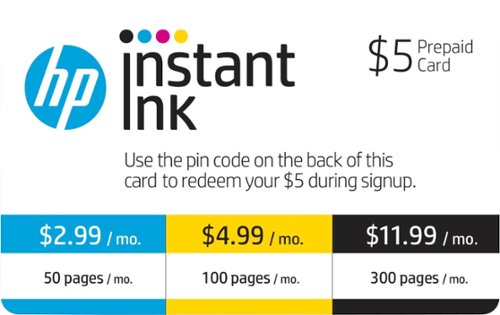
HP Instant Ink is an ink replacement service. When you need ink, your printer automatically lets HP know to send more. HP Original Ink is delivered straight to your door before you run out and only when you need it.
Posted by: NicoR
I purchased the HP Instant Ink plan when I bought my HP OfficeJet Pro 6978 printer 5 years ago. I was looking for a way to save money on ink, and I was also interested in the convenience of having ink delivered to my door automatically.
The HP Instant Ink plan has been a great way to save money on ink. I only pay for the ink that I use, and I can always adjust my plan as my printing needs change. I have also never had to worry about running out of ink, because HP automatically sends me new cartridges when I'm running low.
The HP Instant Ink plan is also very convenient. I can order new cartridges online or through the HP Smart app. The cartridges are delivered to my door within 2-3 business days. I also like that I can track my ink usage and adjust my plan as needed.
Overall, I have been very happy with the HP Instant Ink plan. It has saved me money on ink and has been very convenient. I would definitely recommend this plan to anyone who prints a lot of documents or photos.
Here are some pros and cons of the HP Instant Ink plan:
**Pros:**
* Saves money on ink
* Convenient
* Automatic ink delivery
* Easy to track ink usage
* Flexible plans to fit your needs
* Convenient
* Automatic ink delivery
* Easy to track ink usage
* Flexible plans to fit your needs
**Cons:**
* Can be expensive for heavy users
* Not available in all countries
* Requires an internet connection
* Not available in all countries
* Requires an internet connection
Overall, I think the HP Instant Ink plan is a great way to save money on ink and make printing more convenient. I would definitely recommend this plan to anyone who prints a lot of documents or photos.
Mobile Submission: True
I would recommend this to a friend!
Ease of Use

5
Quality
5
Value
5

Share this review:


0points
0of 0voted this as helpful.
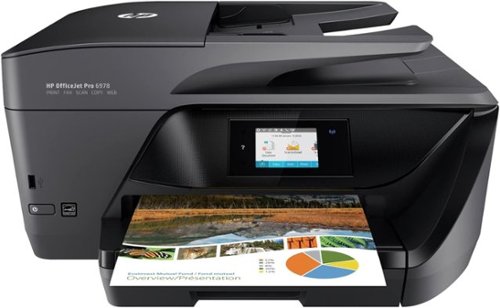
Bring fast, reliable printing, scanning and copying to your workstation with this HP OfficeJet Pro all-in-one printer. Wireless technology lets you print important documents directly from your laptop or smartphone, and the fast printing speeds deliver beautiful documents in just seconds. Boasting a 35-page two-sided document feeder, this HP OfficeJet Pro all-in-one printer makes tackling paperwork easy.
Customer Rating

5
Reliable and good quality
on August 9, 2023
Posted by: NicoR
I purchased the HP OfficeJet Pro 6978 printer 5 years ago for my home office. I was looking for a printer that was reliable, efficient, and easy to use. The HP OfficeJet Pro 6978 has met all of my expectations.
The printer is very reliable. I have never had any problems with it printing documents or photos. The print quality is also very good. I have printed documents for work, school, and personal use, and the quality has always been professional.
The printer is also very efficient. It prints quickly and uses very little ink. I have saved a lot of money on ink by using the HP Instant Ink program. With Instant Ink, I only pay for the ink that I use. This has been a great way to save money on ink, especially since I print a lot of documents and photos.
The printer is also very easy to use. The setup process was simple, and the controls are easy to understand. I can print documents and photos from my computer, my phone, or my tablet. The printer also has a built-in scanner, which I use to scan documents and photos.
Overall, I am very happy with the HP OfficeJet Pro 6978 printer. It is a reliable, efficient, and easy-to-use printer that has met all of my needs. I would definitely recommend this printer to anyone looking for a new printer.
Here are some pros and cons of the HP OfficeJet Pro 6978 printer:
**Pros:**
* Reliable
* Efficient
* Easy to use
* High print quality
* Affordable ink costs with Instant Ink
* Built-in scanner
* Efficient
* Easy to use
* High print quality
* Affordable ink costs with Instant Ink
* Built-in scanner
**Cons:**
* Can be a bit noisy when printing
* Not the most compact printer
* Requires an internet connection for Instant Ink
* Not the most compact printer
* Requires an internet connection for Instant Ink
Overall, I think the HP OfficeJet Pro 6978 is a great printer for home or small office use. It is reliable, efficient, and easy to use. The print quality is also very good, and the ink costs are affordable with Instant Ink. I would definitely recommend this printer to anyone looking for a new printer.
Mobile Submission: True
I would recommend this to a friend!
Quality

4
Value
5
Ease of Use
5

Share this review:


0points
0of 0voted this as helpful.
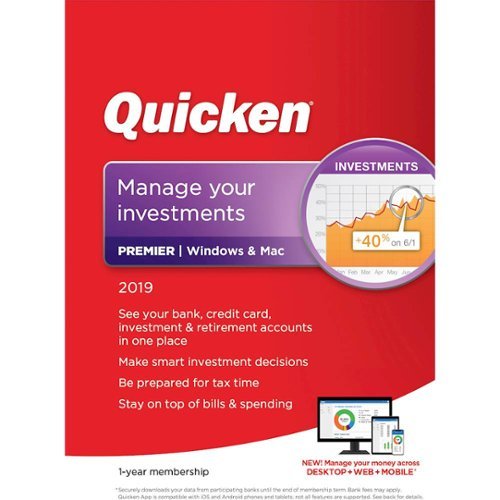
Manage your money and investments, see your bank, credit card, investment and retirement accounts in one place. Track your investment performance for informed buy and sell decisions, and make tax time easier with custom reports. Manage and pay your bills for free with Quicken Bill Pay, and experience unlimited priority access to official Quicken phone support.
Posted by: NicoR
As an accountant, I use Quicken Premier 2019 for my own personal use to manage my finances. I find it to be a powerful and flexible software that can help me track my income and expenses, create budgets, and prepare my taxes.
One of the things I like most about Quicken is the automatic bank and credit card integration. This means that I don't have to manually enter my transactions, which saves me a lot of time. Quicken also helps me to categorize my transactions, which gives me a better understanding of where my money is going.
I also use Quicken to create budgets. This helps me to stay on top of my spending and make sure that I'm not overspending in any particular area. Quicken also has a feature that allows me to set up alerts, so I'm notified if I'm approaching my budget limits.
Finally, I use Quicken to prepare my taxes. This is a great timesaver, as Quicken can import my W-2s and other tax documents. Quicken also has a feature that helps me to calculate my taxes, so I'm confident that I'm filing my taxes correctly.
Overall, I'm very happy with Quicken Premier 2019. It's a powerful and flexible software that can help me to manage my finances effectively. I would definitely recommend it to other accountants who are looking for a personal finance software to use for their own personal use.
Here are some additional thoughts on Quicken Premier 2019 from an accountant's perspective for personal use:
* The automatic bank and credit card integration is a huge timesaver.
* The budgeting tools are easy to use and can help you stay on top of your spending.
* The investing tools are comprehensive and can help you track your investments.
* The tax preparation tools are easy to use and can save you time when you're filing your taxes.
* The budgeting tools are easy to use and can help you stay on top of your spending.
* The investing tools are comprehensive and can help you track your investments.
* The tax preparation tools are easy to use and can save you time when you're filing your taxes.
If you are an accountant who is looking for a powerful personal finance software to use for your own personal use, then I highly recommend Quicken Premier 2019. It is a great tool for managing your finances and can save you time and money.
Mobile Submission: True
I would recommend this to a friend!
Share this review:


0points
0of 0voted this as helpful.

Posted by: NicoR
Amazon gift cards are a great way to give someone a gift they can actually use.
* They're versatile and can be used to buy anything on Amazon.
* They're also easy to purchase and redeem.
* I highly recommend them as a quick and easy gift for anyone who loves shopping on Amazon.
* They're versatile and can be used to buy anything on Amazon.
* They're also easy to purchase and redeem.
* I highly recommend them as a quick and easy gift for anyone who loves shopping on Amazon.
Here are some additional reasons why Amazon gift cards are great:
* They're perfect for people who are hard to shop for.
* They're a great way to let someone treat themselves to something they've been wanting.
* They're a great way to support small businesses on Amazon.
* They're a great way to give back to the community by donating to a charity through Amazon Smile.
* They're a great way to let someone treat themselves to something they've been wanting.
* They're a great way to support small businesses on Amazon.
* They're a great way to give back to the community by donating to a charity through Amazon Smile.
If you're looking for a quick and easy gift that the recipient is sure to love, an Amazon gift card is a great option.
Mobile Submission: True
I would recommend this to a friend!
Quality
5
Value
5
Ease of Use
5
Share this review:


0points
0of 0voted this as helpful.

Amazon.com Gift Cards never expire and can be redeemed towards millions of items at www.amazon.com.
Posted by: NicoR
The Amazon $50 gift card is a great way to give a quick and easy gift to someone who loves shopping on Amazon.
* It's versatile and can be used to buy anything on Amazon, from books and electronics to clothes and home goods.
* It's also easy to purchase and redeem.
* The gift card has no expiration date.
* The only downside is that it's not as personal as a physical gift.
* Overall, I highly recommend the Amazon $50 gift card as a quick and easy gift for anyone who loves shopping on Amazon.
* It's versatile and can be used to buy anything on Amazon, from books and electronics to clothes and home goods.
* It's also easy to purchase and redeem.
* The gift card has no expiration date.
* The only downside is that it's not as personal as a physical gift.
* Overall, I highly recommend the Amazon $50 gift card as a quick and easy gift for anyone who loves shopping on Amazon.
Here is a more concise review:
* The Amazon $50 gift card is a great way to give someone a gift they can actually use.
* It's versatile, easy to purchase, and has no expiration date.
* I highly recommend it.
* It's versatile, easy to purchase, and has no expiration date.
* I highly recommend it.
Here are some additional reasons why an Amazon $50 gift card is a great quick gift:
* It's perfect for people who are hard to shop for.
* It's a great way to let someone treat themselves to something they've been wanting.
* It's a great way to support small businesses on Amazon.
* It's a great way to give back to the community by donating to a charity through Amazon Smile.
* It's a great way to let someone treat themselves to something they've been wanting.
* It's a great way to support small businesses on Amazon.
* It's a great way to give back to the community by donating to a charity through Amazon Smile.
If you're looking for a quick and easy gift that the recipient is sure to love, an Amazon $50 gift card is a great option.
Mobile Submission: True
I would recommend this to a friend!
Share this review:


0points
0of 0voted this as helpful.

Posted by: NicoR
The Microsoft Xbox gift card is a great gift for anyone who loves playing video games on their Xbox.
* It's versatile and can be used to buy any game or app from the Microsoft Store.
* It's also easy to purchase and redeem.
* The gift card has no expiration date.
* The only downside is that it's not as personal as a physical gift.
* Overall, I highly recommend the Microsoft Xbox gift card as a quick and easy gift for gamers.
* It's versatile and can be used to buy any game or app from the Microsoft Store.
* It's also easy to purchase and redeem.
* The gift card has no expiration date.
* The only downside is that it's not as personal as a physical gift.
* Overall, I highly recommend the Microsoft Xbox gift card as a quick and easy gift for gamers.
Here is a more concise review:
* The Microsoft Xbox gift card is a great way to give a gamer a gift they can actually use.
* It's versatile, easy to purchase, and has no expiration date.
* I highly recommend it.
* It's versatile, easy to purchase, and has no expiration date.
* I highly recommend it.
Mobile Submission: True
I would recommend this to a friend!
Quality
5
Value
5
Ease of Use
5
Share this review:


0points
0of 0voted this as helpful.
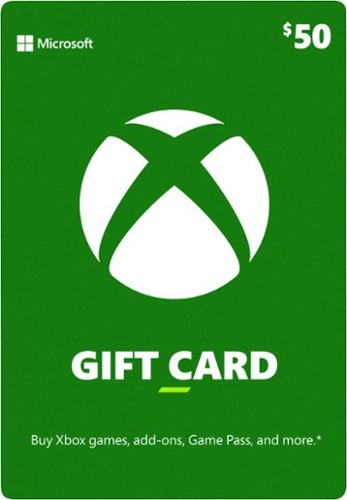
Buy an Xbox Gift Card for yourself or a friend to purchase Xbox games, add-ons, Game Pass, controllers, and more on Xbox consoles and Windows PCs. Choose from thousands of games, everything from backward compatible favorites to the latest digital releases are ready to play. Extend the experience in your favorite games with add-ons and in-game currency. Elevate your game with an Xbox Wireless Controller or play like a pro with an Xbox Elite Wireless Controller Series 2. Buy a Game Pass membership and be the first to play new games on day one. Plus, enjoy hundreds of high-quality games with friends on console, PC, and cloud.
Posted by: NicoR
I purchased this gift card as a quick gift for my nephew who loves playing video games on his Xbox. He was really excited to receive it, and he immediately used it to buy the new Call of Duty game. He's been playing it non-stop ever since, and he's having a blast.
The Microsoft Xbox $50 gift card is a great way to give a gift to someone who loves playing video games on their Xbox. It's a versatile gift that they can use to buy any game or app they want from the Microsoft Store. It's also a great way to let them pick out their own gift, so you know they'll get something they'll love.
Here are some pros and cons of the Microsoft Xbox $50 gift card:
**Pros:**
* Versatile gift that can be used to buy any game or app from the Microsoft Store
* Lets the recipient pick out their own gift, so you know they'll get something they'll love
* Easy to purchase and redeem
* No expiration date
* Lets the recipient pick out their own gift, so you know they'll get something they'll love
* Easy to purchase and redeem
* No expiration date
**Cons:**
* Not as personal as a physical gift
* Can only be used on Xbox consoles or Windows PCs
* Can only be used on Xbox consoles or Windows PCs
Overall, I think the Microsoft Xbox $50 gift card is a great gift for anyone who loves playing video games on their Xbox. It's versatile, easy to purchase and redeem, and it lets the recipient pick out their own gift. I highly recommend it.
Here's an easy-to-read review of the Microsoft Xbox $50 gift card:
* The Microsoft Xbox $50 gift card is a great gift for anyone who loves playing video games on their Xbox.
* It's versatile and can be used to buy any game or app from the Microsoft Store.
* It's also easy to purchase and redeem.
* The gift card has no expiration date.
* The only downside is that it's not as personal as a physical gift.
* Overall, I highly recommend the Microsoft Xbox $50 gift card as a quick and easy gift for gamers.
* It's versatile and can be used to buy any game or app from the Microsoft Store.
* It's also easy to purchase and redeem.
* The gift card has no expiration date.
* The only downside is that it's not as personal as a physical gift.
* Overall, I highly recommend the Microsoft Xbox $50 gift card as a quick and easy gift for gamers.
Mobile Submission: True
I would recommend this to a friend!
Share this review:


0points
0of 0voted this as helpful.

Take your Nintendo Switch on the go with this sturdy compact case designed to fit the console in handheld mode. Inside you~ll find a felt lining, screen-protector flap with storage for nine game cards, logo tag and zippered mesh storage pocket. This portable case gives you the freedom to have fun on the go with your Nintendo Switch. Wherever. Whenever.
Customer Rating

4
Good case and protection
on August 9, 2023
Posted by: NicoR
I've been using this case for four years now, and I've been really happy with it. It's a great way to protect my Switch when I'm not playing it. The case is made of durable materials and it has a snug fit, so I know my Switch is safe inside.
The case also has a few nice features that I really appreciate. The first is the built-in screen protector. This is a great way to protect my Switch's screen from scratches and scuffs. The second feature I like is the storage compartments. There's a compartment for the Switch itself, a compartment for the Joy-Cons, and a compartment for game cartridges. This makes it easy to keep everything organized and protected.
The only downside to the case is that it's a bit bulky. It's not as compact as some other cases, so it might not be the best choice if you're looking for something to take with you on the go. However, if you're looking for a durable and protective case for your Switch, then I highly recommend the PowerA Protection Case for Nintendo Switch - Poké Ball Red.
Here are some pros and cons of the PowerA Protection Case for Nintendo Switch - Poké Ball Red:
**Pros:**
* Durable materials
* Snug fit
* Built-in screen protector
* Storage compartments for Switch, Joy-Cons, and game cartridges
* Stylish Poké Ball design
* Snug fit
* Built-in screen protector
* Storage compartments for Switch, Joy-Cons, and game cartridges
* Stylish Poké Ball design
**Cons:**
* Bulky
* May not be the best choice for travel
* May not be the best choice for travel
Overall, I think the PowerA Protection Case for Nintendo Switch - Poké Ball Red is a great case for anyone who wants to protect their Switch from damage. It's durable, protective, and stylish. I highly recommend it.
Mobile Submission: True
I would recommend this to a friend!
Quality
5
Value
4
Ease of Use
5
Share this review:


0points
0of 0voted this as helpful.

A new generation of Pok~mon is coming to the Nintendo Switch system. Become a Pok~mon Trainer, embark on a new journey in the new Galar region, and unravel the mystery behind the Legendary Pok~mon Zacian and Zamazenta! Explore the Wild Area, a vast expanse of land where the player can freely control the camera. And participate in Max Raid Battles*** in which players will face off against gigantic and super-strong Pok~mon known as Dynamax Pok~mon.Begin your adventure by choosing one of three new partner Pok~mon: Grookey, Scorbunny, or Sobble and encounter new and familiar Pok~mon as you catch, battle, and trade. Players can control the camera and explore the vast areas around them in the Wild Area. Team up with other players locally or online in the new multiplayer co-op Max Raid Battles. Trainers who possess the special item Dynamax Band can Dynamax their own Pok~mon. Get ready for the next Pok~mon adventure in the Pok~mon Sword and Pok~mon Shield games.*Additional games and systems may be required; sold separately.**Nintendo Switch Online membership (sold separately) and Nintendo Account required for online play. Not available in all countries. Internet access required for online features. Terms apply. nintendo website/switch-online*** An internet connection is required to receive the special Meowth.Accolades:IGN - ~"...a complete joy to play."~ ~ 9.3/10GameSpot - ~a consistent delight~ ~ 9/10Newsweek - ~The music and atmosphere of the Galar region makes it one of my all-time favorites~" ~ 9/10Game Informer - "an outstanding new installment" ~ 8.75/10EGM - ~...among the best games the series has ever offered." ~ 4/5
Posted by: NicoR
I've been a Pokémon fan since I was a kid, so I was really excited to get Pokémon Sword and Shield when they came out in 2019. I ended up getting the Pokémon Shield edition, and I've been playing it off and on for the past four years.
Overall, I think Pokémon Shield is a great game. It's a lot of fun to explore the Galar region, catch new Pokémon, and battle other trainers. The Wild Area is a really cool new feature, and I love the way the game's graphics have improved since the previous generation.
Here's a more in-depth review of Pokémon Shield:
**Graphics**
The graphics in Pokémon Shield are a significant improvement over the previous generation. The characters and Pokémon look much more detailed, and the environments are more vibrant. The Wild Area is especially impressive, with its large open spaces and dynamic weather effects.
**Gameplay**
The gameplay in Pokémon Shield is classic Pokémon. You explore the world, catch Pokémon, battle other trainers, and level up your Pokémon. The Wild Area adds a new layer of complexity to the gameplay, with its large open spaces and random encounters with other trainers.
**Story**
The story in Pokémon Shield is pretty straightforward, but it's still enjoyable. You follow the story of a young trainer who is trying to become the Champion of the Galar region. Along the way, you'll meet new characters, battle new Pokémon, and explore new areas.
**Overall**
I think Pokémon Shield is a great game. It's a lot of fun to play, and it's a great way to experience the Pokémon world. If you're a fan of the Pokémon franchise, then I highly recommend Pokémon Shield.
Here are some pros and cons of Pokémon Shield:
**Pros:**
* Great graphics
* Fun gameplay
* Immersive Wild Area
* Diverse Pokémon roster
* Engaging story
* Fun gameplay
* Immersive Wild Area
* Diverse Pokémon roster
* Engaging story
**Cons:**
* Some frame rate issues in the Wild Area
* Lack of the National Pokédex
* Some repetitive dialogue
* Lack of the National Pokédex
* Some repetitive dialogue
Overall, I think Pokémon Shield is a great game that is sure to please fans of the Pokémon franchise. It's got great graphics, fun gameplay, and an immersive world to explore. If you're looking for a new Pokémon game to play, then I highly recommend Pokémon Shield.
Mobile Submission: True
I would recommend this to a friend!
Share this review:


0points
0of 0voted this as helpful.
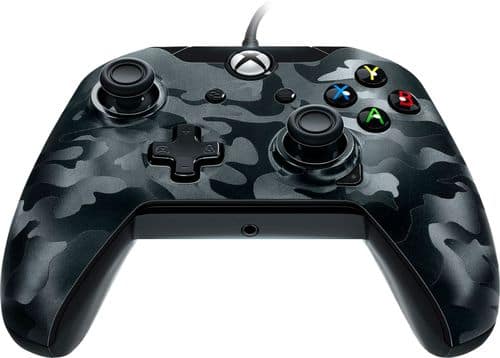
Carry out tactical moves in Xbox One and PC games with this PDP deluxe wired controller. Programmable buttons on the back let you customize your game play, and the dual rumble motors add an enhanced sensory experience. Chat with fellow gamers via the 3.5mm headset jack and built-in audio controls of this black camo PDP deluxe wired controller.
Customer Rating
4
Great cheap PC controller
on August 8, 2023
Posted by: NicoR
I purchased the PDP Deluxe Wired Controller for PC and Xbox One - Black Camo five years ago for laptop gaming. I was looking for a wired controller that was comfortable to use and would give me a good gaming experience. I was very happy with the PDP Deluxe, and I've been using it ever since.
Here are some of the pros and cons of the PDP Deluxe:
**Pros:**
* Comfortable to use
* Good build quality
* Wired connection for reliable performance
* Affordable
* Customizable button mapping
* Vibration feedback
* Stereo headset jack
* Good build quality
* Wired connection for reliable performance
* Affordable
* Customizable button mapping
* Vibration feedback
* Stereo headset jack
**Cons:**
* Not as many features as some other controllers
* Can be a bit stiff at first
* The cable is a bit short
* Can be a bit stiff at first
* The cable is a bit short
Overall, I think the PDP Deluxe is a great wired controller for laptop gaming. It's comfortable to use, has a good build quality, and is affordable. It also has a few features that make it a great choice for gamers, such as customizable button mapping and vibration feedback.
Here are some specific things I've enjoyed about using the PDP Deluxe for laptop gaming:
* The controller is very comfortable to use. The textured grips make it easy to hold, and the buttons are spaced out well.
* The controller is well-built. I've been using it for five years now, and it's still in great condition.
* The wired connection provides reliable performance. I've never had any problems with the controller disconnecting or lagging.
* The controller is affordable. I got it for a great price, and it's still going strong after five years.
* The controller is customizable. I can remap the buttons to my liking, which is great for games that require specific button combinations.
* The controller has vibration feedback. This adds to the immersion of gaming, and it can help me feel more connected to the game world.
* The controller has a stereo headset jack. This is great for gaming with friends online.
* The controller is well-built. I've been using it for five years now, and it's still in great condition.
* The wired connection provides reliable performance. I've never had any problems with the controller disconnecting or lagging.
* The controller is affordable. I got it for a great price, and it's still going strong after five years.
* The controller is customizable. I can remap the buttons to my liking, which is great for games that require specific button combinations.
* The controller has vibration feedback. This adds to the immersion of gaming, and it can help me feel more connected to the game world.
* The controller has a stereo headset jack. This is great for gaming with friends online.
Overall, I've been very happy with my purchase of the PDP Deluxe. It's a great wired controller for laptop gaming that is comfortable to use, has a good build quality, and is affordable. I would definitely recommend it to others.
Mobile Submission: True
I would recommend this to a friend!
Quality
4
Value
5
Ease of Use
5
Share this review:


0points
0of 0voted this as helpful.
NicoR's Review Comments
NicoR has not submitted comments on any reviews.
NicoR's Questions
NicoR has not submitted any questions.
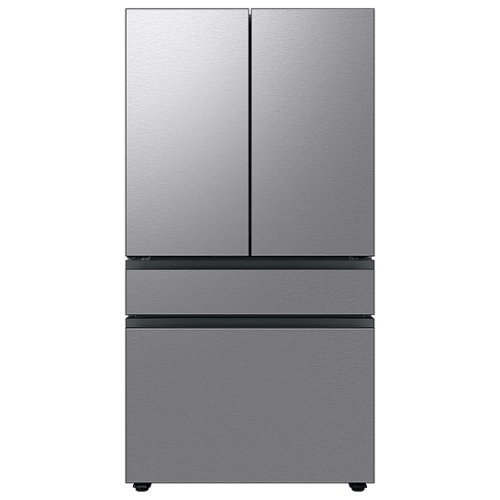
Extra-large capacity 4-Door French Door Refrigerator will reinvent water and ice the way you want it with Samsung~s AutoFill Water Pitcher and Dual Ice Maker with cubed ice and Ice Bites.
I need to replace the water filters on the pitcher and the water dispenser what do I need to buy?
To replace the water filters on the pitcher and the water dispenser of the Samsung Bespoke 29 cu. ft. French Door with AutoFill Pitcher in Stainless Steel, you will need to purchase the following filters:
Pitcher water filter: DA29-00020B
Dispenser water filter: DA29-00020A
You can purchase these filters from Samsung's website, from a Samsung authorized retailer, or from a third-party retailer.
Here are the steps to replace the pitcher water filter:
Remove the pitcher from the refrigerator.
Open the pitcher lid.
Push the tab down to release the old filter.
Insert the new filter into the pitcher.
Close the pitcher lid.
Place the pitcher back in the refrigerator.
Here are the steps to replace the dispenser water filter:
Open the refrigerator door.
Locate the dispenser water filter cover.
Remove the dispenser water filter cover.
Turn the old filter counterclockwise to remove it.
Insert the new filter clockwise until it stops.
Replace the dispenser water filter cover.
Close the refrigerator door.
Once you have replaced both filters, run the water dispenser for a few minutes to flush out any air bubbles. Then, you can start using the filtered water.
It is recommended to replace the pitcher water filter every 2 months and the dispenser water filter every 6 months. However, you may need to replace the filters more often if you have hard water or if you use the filtered water frequently.
Pitcher water filter: DA29-00020B
Dispenser water filter: DA29-00020A
You can purchase these filters from Samsung's website, from a Samsung authorized retailer, or from a third-party retailer.
Here are the steps to replace the pitcher water filter:
Remove the pitcher from the refrigerator.
Open the pitcher lid.
Push the tab down to release the old filter.
Insert the new filter into the pitcher.
Close the pitcher lid.
Place the pitcher back in the refrigerator.
Here are the steps to replace the dispenser water filter:
Open the refrigerator door.
Locate the dispenser water filter cover.
Remove the dispenser water filter cover.
Turn the old filter counterclockwise to remove it.
Insert the new filter clockwise until it stops.
Replace the dispenser water filter cover.
Close the refrigerator door.
Once you have replaced both filters, run the water dispenser for a few minutes to flush out any air bubbles. Then, you can start using the filtered water.
It is recommended to replace the pitcher water filter every 2 months and the dispenser water filter every 6 months. However, you may need to replace the filters more often if you have hard water or if you use the filtered water frequently.
2 years, 9 months ago
by
NicoR
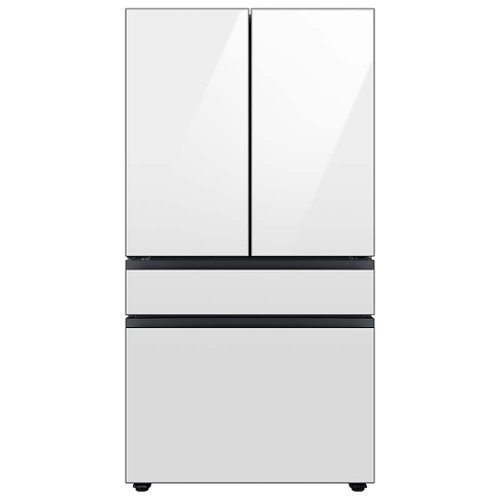
Extra-large capacity 4-Door French Door Refrigerator with customizable and changeable door panels available in a variety of colors and finishes. Reinvent water and ice the way you want it with Samsung~s AutoFill Water Pitcher and Dual Ice Maker with cubed ice and Ice Bites.
Do all Samsung Bespoke refrigerators have casters or wheels to facilitate moving the refrigerator across the floor?
No, not all Samsung Bespoke refrigerators have casters or wheels. Whether or not a Bespoke refrigerator has casters or wheels depends on the specific model. Some models, such as the RF29BB8600QL, do have casters or wheels, while others, such as the RF28T5501SR, do not.
2 years, 9 months ago
by
NicoR

Everything you need is right in your screen. Watch, work and chat - all without connecting a separate PC - with Smart Monitor. Your favorite content, productivity and video call apps are built-in for a simpler and more stylish desk setup that~s a joy to use every time.
What refresh rate is this?
The Samsung M7 Series 32 Tizen 4K has a refresh rate of 60Hz. This means that the screen can display up to 60 frames per second.
60Hz is a common refresh rate for TVs and monitors. It is sufficient for most uses, such as watching TV shows and movies, playing video games, and browsing the web. However, if you are looking for a TV or monitor with a smoother gaming experience, you may want to consider a higher refresh rate, such as 120Hz or 144Hz.
60Hz is a common refresh rate for TVs and monitors. It is sufficient for most uses, such as watching TV shows and movies, playing video games, and browsing the web. However, if you are looking for a TV or monitor with a smoother gaming experience, you may want to consider a higher refresh rate, such as 120Hz or 144Hz.
2 years, 9 months ago
by
NicoR
Everything you need is right in your screen. Watch, work and chat - all without connecting a separate PC - with Smart Monitor. Your favorite content, productivity and video call apps are built-in for a simpler and more stylish desk setup that~s a joy to use every time.
Speakers seam to be not so good my 32" smart TV is amazing what happened to sound quality how can it be fixed. As it was open box maybe displayed and speakers could be bad I'm not sure. Maybe I'm supposed to get a new soundbar for good sound ....
There are a few things you can try to improve the sound quality of your Samsung M7 Series 32 Tizen 4K with built-in speakers:
Adjust the TV's sound settings. Try adjusting the TV's sound settings to see if that helps. You can adjust the treble, bass, and other settings.
Use the TV's sound mode. The TV has a variety of sound modes, such as standard, movie, and music. Try using different sound modes to see which one sounds best to you.
Use the TV's equalizer. The TV has an equalizer that allows you to adjust the sound levels of different frequency bands. Try using the equalizer to boost the bass or treble, or to reduce the midrange.
Use a soundbar. If you are still not satisfied with the sound quality, you can use a soundbar. Soundbars are designed to provide better sound quality than the built-in speakers on TVs.
Check the TV's speakers for damage. If you think that the TV's speakers may be damaged, you can contact Samsung support for assistance.
Adjust the TV's sound settings. Try adjusting the TV's sound settings to see if that helps. You can adjust the treble, bass, and other settings.
Use the TV's sound mode. The TV has a variety of sound modes, such as standard, movie, and music. Try using different sound modes to see which one sounds best to you.
Use the TV's equalizer. The TV has an equalizer that allows you to adjust the sound levels of different frequency bands. Try using the equalizer to boost the bass or treble, or to reduce the midrange.
Use a soundbar. If you are still not satisfied with the sound quality, you can use a soundbar. Soundbars are designed to provide better sound quality than the built-in speakers on TVs.
Check the TV's speakers for damage. If you think that the TV's speakers may be damaged, you can contact Samsung support for assistance.
2 years, 9 months ago
by
NicoR
Everything you need is right in your screen. Watch, work and chat - all without connecting a separate PC - with Smart Monitor. Your favorite content, productivity and video call apps are built-in for a simpler and more stylish desk setup that~s a joy to use every time.
How many watts per speaker? I do have 3rd party premium desk speakers but don't want to use them to save space. I do have 2 headsets but using them for long periods of time hurts my head. So 4w or greater is good for me!
According to the official Samsung website, the speakers on the Samsung M7 Series 32 Tizen 4K with built-in speakers have 5 watts per speaker. This is a good amount of power for small speakers, and it should be enough to fill a small room with sound.
However, if you are looking for louder speakers, you may want to consider using your 3rd party premium desk speakers. These speakers will likely be able to produce more sound than the built-in speakers on the TV.
If you don't want to use your desk speakers, you could also consider using a soundbar. Soundbars are designed to provide better sound quality than the built-in speakers on TVs. They are also relatively slim and compact, so they won't take up too much space.
Ultimately, the best way to decide which speakers are right for you is to listen to them in person. This will allow you to compare the sound quality of the different speakers and choose the ones that you like the best.
However, if you are looking for louder speakers, you may want to consider using your 3rd party premium desk speakers. These speakers will likely be able to produce more sound than the built-in speakers on the TV.
If you don't want to use your desk speakers, you could also consider using a soundbar. Soundbars are designed to provide better sound quality than the built-in speakers on TVs. They are also relatively slim and compact, so they won't take up too much space.
Ultimately, the best way to decide which speakers are right for you is to listen to them in person. This will allow you to compare the sound quality of the different speakers and choose the ones that you like the best.
2 years, 9 months ago
by
NicoR
Everything you need is right in your screen. Watch, work and chat - all without connecting a separate PC - with Smart Monitor. Your favorite content, productivity and video call apps are built-in for a simpler and more stylish desk setup that~s a joy to use every time.
Are you able to stream content like Netflix and computer content at the same time? Basically picture in picture...
Yes, the Samsung M7 Series 32 Tizen 4K with built-in speakers supports picture-in-picture (PIP). This means that you can stream content from two different sources at the same time, with one source displayed in a smaller window over the other source.
To use PIP on the Samsung M7 Series 32 Tizen 4K with built-in speakers, follow these steps:
Open the source that you want to display in the PIP window.
Press the PIP button on the remote control.
Select the source that you want to display in the main window.
Adjust the size and position of the PIP window using the remote control.
You can also use PIP to display a computer screen on your TV. To do this, you will need to connect your computer to the TV using an HDMI cable. Once the computer is connected, follow the steps above to use PIP.
PIP is a useful feature for multitasking or for watching two different things at the same time. For example, you could use PIP to watch a TV show while working on your computer, or to watch a sports game while browsing the internet.
Here are some tips for using PIP on the Samsung M7 Series 32 Tizen 4K with built-in speakers:
Use a wireless keyboard and mouse to make it easier to interact with the PIP window.
Use the voice control feature to search for content in the PIP window.
Adjust the size and position of the PIP window so that it does not block your view of the main window.
Experiment with different sources to see what works best for you.
To use PIP on the Samsung M7 Series 32 Tizen 4K with built-in speakers, follow these steps:
Open the source that you want to display in the PIP window.
Press the PIP button on the remote control.
Select the source that you want to display in the main window.
Adjust the size and position of the PIP window using the remote control.
You can also use PIP to display a computer screen on your TV. To do this, you will need to connect your computer to the TV using an HDMI cable. Once the computer is connected, follow the steps above to use PIP.
PIP is a useful feature for multitasking or for watching two different things at the same time. For example, you could use PIP to watch a TV show while working on your computer, or to watch a sports game while browsing the internet.
Here are some tips for using PIP on the Samsung M7 Series 32 Tizen 4K with built-in speakers:
Use a wireless keyboard and mouse to make it easier to interact with the PIP window.
Use the voice control feature to search for content in the PIP window.
Adjust the size and position of the PIP window so that it does not block your view of the main window.
Experiment with different sources to see what works best for you.
2 years, 9 months ago
by
NicoR
Everything you need is right in your screen. Watch, work and chat - all without connecting a separate PC - with Smart Monitor. Your favorite content, productivity and video call apps are built-in for a simpler and more stylish desk setup that~s a joy to use every time.
do you need a computer or pc to use discord on this?
No, you do not need a computer or PC to use Discord on the Samsung M7 Series 32 Tizen 4K with built-in speakers. Discord has a dedicated app for Tizen TVs, which you can download from the Samsung App Store.
To use Discord on your TV, you will need to create an account or log in to your existing account. Once you are logged in, you can join servers, chat with friends, and make video calls.
It is important to note that the Discord app for Tizen TVs does not have all of the same features as the Discord app for computers and mobile devices. For example, you cannot use the Discord app on your TV to stream games or share your screen.
Overall, the Discord app for Tizen TVs is a good way to chat with friends and join servers while watching TV. However, it is not a replacement for the Discord app on computers and mobile devices if you need to use all of the features that Discord has to offer.
Here are some tips for using Discord on your Samsung M7 Series 32 Tizen 4K with built-in speakers:
Use a wireless keyboard to make typing easier.
Use the voice control feature to search for friends and servers.
Connect the TV to your Wi-Fi network for the best Discord experience.
Use a VPN to protect your privacy and security when using Discord.
To use Discord on your TV, you will need to create an account or log in to your existing account. Once you are logged in, you can join servers, chat with friends, and make video calls.
It is important to note that the Discord app for Tizen TVs does not have all of the same features as the Discord app for computers and mobile devices. For example, you cannot use the Discord app on your TV to stream games or share your screen.
Overall, the Discord app for Tizen TVs is a good way to chat with friends and join servers while watching TV. However, it is not a replacement for the Discord app on computers and mobile devices if you need to use all of the features that Discord has to offer.
Here are some tips for using Discord on your Samsung M7 Series 32 Tizen 4K with built-in speakers:
Use a wireless keyboard to make typing easier.
Use the voice control feature to search for friends and servers.
Connect the TV to your Wi-Fi network for the best Discord experience.
Use a VPN to protect your privacy and security when using Discord.
2 years, 9 months ago
by
NicoR
Everything you need is right in your screen. Watch, work and chat - all without connecting a separate PC - with Smart Monitor. Your favorite content, productivity and video call apps are built-in for a simpler and more stylish desk setup that~s a joy to use every time.
Can this monitor be daisy chained?
The Samsung M7 Series 32 Tizen 4K with built-in speakers does not have a daisy chain feature. This means that you cannot connect multiple monitors together using a single port on your computer.
To connect multiple monitors to your computer, you will need to use a separate port for each monitor. If your computer does not have enough ports, you can use a USB-C hub or a docking station to add more ports.
Here are some alternative ways to connect multiple monitors to your computer:
Use a display adapter. A display adapter is a device that allows you to connect multiple monitors to your computer using a single port. Display adapters are available in a variety of types, including USB-C to HDMI, DisplayPort to HDMI, and HDMI to VGA.
Use a docking station. A docking station is a device that allows you to connect multiple monitors, peripherals, and other devices to your computer using a single cable. Docking stations are typically used with laptops, but they can also be used with desktop computers.
Use a KVM switch. A KVM switch is a device that allows you to control multiple computers using a single keyboard, mouse, and monitor. KVM switches are typically used in office and data center environments, but they can also be used for personal use.
To connect multiple monitors to your computer, you will need to use a separate port for each monitor. If your computer does not have enough ports, you can use a USB-C hub or a docking station to add more ports.
Here are some alternative ways to connect multiple monitors to your computer:
Use a display adapter. A display adapter is a device that allows you to connect multiple monitors to your computer using a single port. Display adapters are available in a variety of types, including USB-C to HDMI, DisplayPort to HDMI, and HDMI to VGA.
Use a docking station. A docking station is a device that allows you to connect multiple monitors, peripherals, and other devices to your computer using a single cable. Docking stations are typically used with laptops, but they can also be used with desktop computers.
Use a KVM switch. A KVM switch is a device that allows you to control multiple computers using a single keyboard, mouse, and monitor. KVM switches are typically used in office and data center environments, but they can also be used for personal use.
2 years, 9 months ago
by
NicoR
Everything you need is right in your screen. Watch, work and chat - all without connecting a separate PC - with Smart Monitor. Your favorite content, productivity and video call apps are built-in for a simpler and more stylish desk setup that~s a joy to use every time.
What is remote model number?
The remote model number for the Samsung M7 Series 32 Tizen 4K with built-in speakers is BN59-01312A. This is the same remote control that is used for other Samsung 4K smart TVs released in 2022 and 2023.
If you have lost or damaged your remote control, you can purchase a replacement remote from Samsung or from a third-party retailer. You can also use a universal remote control to control your TV. However, universal remote controls may not have all of the same features as the original remote control.
To program a universal remote control to work with your TV, you will need the TV's remote control code. The remote control code for the Samsung M7 Series 32 Tizen 4K with built-in speakers is 00186.
To program a universal remote control, consult the remote control's manual for instructions. Once the remote control is programmed, you will be able to use it to control your TV, including turning it on and off, changing the volume, and switching channels.
If you have lost or damaged your remote control, you can purchase a replacement remote from Samsung or from a third-party retailer. You can also use a universal remote control to control your TV. However, universal remote controls may not have all of the same features as the original remote control.
To program a universal remote control to work with your TV, you will need the TV's remote control code. The remote control code for the Samsung M7 Series 32 Tizen 4K with built-in speakers is 00186.
To program a universal remote control, consult the remote control's manual for instructions. Once the remote control is programmed, you will be able to use it to control your TV, including turning it on and off, changing the volume, and switching channels.
2 years, 9 months ago
by
NicoR
Everything you need is right in your screen. Watch, work and chat - all without connecting a separate PC - with Smart Monitor. Your favorite content, productivity and video call apps are built-in for a simpler and more stylish desk setup that~s a joy to use every time.
What size screw are used on the VESA mount area?
he Samsung M7 Series 32 Tizen 4K with built-in speakers uses M4 screws for the VESA mount area.
VESA screws are used to mount a TV or monitor to a wall mount or other mounting bracket. The VESA screw size is determined by the VESA mount pattern of the TV or monitor. The VESA mount pattern is a set of four holes on the back of the TV or monitor that are used to attach the mounting bracket.
To mount the Samsung M7 Series 32 Tizen 4K with built-in speakers to a wall mount, you will need four M4 screws. The screws should be at least 20mm long. You may also need to use washers and spacers, depending on the wall mount you are using.
Here are some tips for mounting your TV or monitor to a wall:
Make sure that the wall mount is rated to support the weight of your TV or monitor.
Use a level to make sure that the wall mount is level before you attach it to the wall.
Use the correct screw size and length for the VESA mount pattern of your TV or monitor.
Be careful not to overtighten the screws, as this could damage the TV or monitor.
VESA screws are used to mount a TV or monitor to a wall mount or other mounting bracket. The VESA screw size is determined by the VESA mount pattern of the TV or monitor. The VESA mount pattern is a set of four holes on the back of the TV or monitor that are used to attach the mounting bracket.
To mount the Samsung M7 Series 32 Tizen 4K with built-in speakers to a wall mount, you will need four M4 screws. The screws should be at least 20mm long. You may also need to use washers and spacers, depending on the wall mount you are using.
Here are some tips for mounting your TV or monitor to a wall:
Make sure that the wall mount is rated to support the weight of your TV or monitor.
Use a level to make sure that the wall mount is level before you attach it to the wall.
Use the correct screw size and length for the VESA mount pattern of your TV or monitor.
Be careful not to overtighten the screws, as this could damage the TV or monitor.
2 years, 9 months ago
by
NicoR