Samsung
Samsung's Stats
Reviews
- Review Count0
- Helpfulness Votes0
- First ReviewNone
- Last ReviewNone
- Featured Reviews0
- Average Rating0
Reviews Comments
- Review Comment Count0
- Helpfulness Votes0
- First Review CommentNone
- Last Review CommentNone
- Featured Review Comments0
Questions
- Question Count0
- Helpfulness Votes0
- First QuestionNone
- Last QuestionNone
- Featured Questions0
- Answer Count73632
- Helpfulness Votes37,927
- First AnswerApril 24, 2013
- Last AnswerAugust 14, 2026
- Featured Answers0
- Best Answers3941
Samsung's Reviews
Samsung has not submitted any reviews.
Samsung's Questions
Samsung has not submitted any questions.
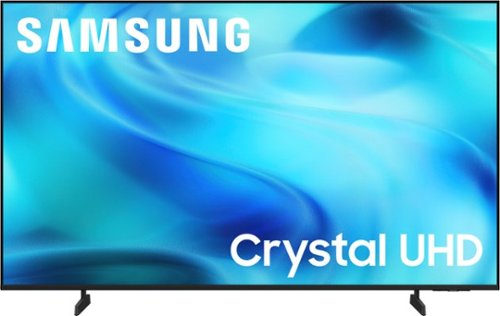
Watch all your content in crisp 4K resolution, with rich contrast, amazing color and clear picture. Discover thousands of subscription-free channels, including 700+ premium channels with Samsung TV Plus. Also, play thousands of video games without a console thanks to Samsung Gaming Hub. Enjoy peace of mind for years to come with the TV brand rated #1 in durability.
Can this TV work with 240 vlts 50 hz?

Hi Luis,
This Samsung TV model is intended for use within the U.S. and operates on 110-120V power only.
~ Samsung Advisor
This Samsung TV model is intended for use within the U.S. and operates on 110-120V power only.
~ Samsung Advisor
1 month, 3 weeks ago
by
Posted by:
Samsung
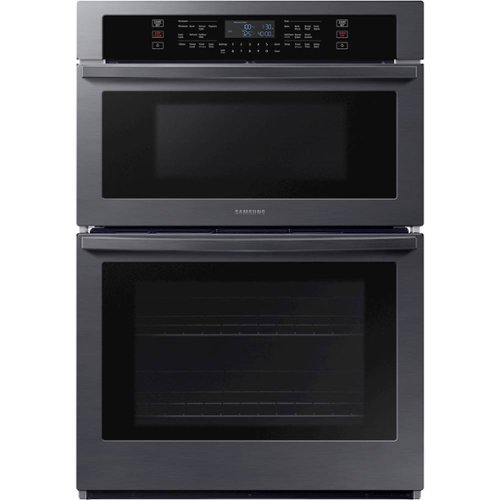
From multiple casserole dishes to two full racks of cookies, this combination microwave and wall oven easily accommodates the busy home kitchens.
Does the oven door get hot? Is it safe to touch especially for children?
Dear sal,
Great question especially when little ones are around.
The oven door can get warm or even hot while cooking, but it’s designed with layers of glass to help reduce the heat you feel outside. It’s generally safe, but it’s still best to be careful since surfaces can get hot depending on the temperature used.
For extra peace of mind, you can use the Child Lock feature and keep an eye on the oven while it’s in use. You can also learn more about safety features here: https://www.samsung.com/us/support/troubleshoot/TSG10002325/
Your interest in Samsung stands out.
Rachel
Samsung Care
Great question especially when little ones are around.
The oven door can get warm or even hot while cooking, but it’s designed with layers of glass to help reduce the heat you feel outside. It’s generally safe, but it’s still best to be careful since surfaces can get hot depending on the temperature used.
For extra peace of mind, you can use the Child Lock feature and keep an eye on the oven while it’s in use. You can also learn more about safety features here: https://www.samsung.com/us/support/troubleshoot/TSG10002325/
Your interest in Samsung stands out.
Rachel
Samsung Care
1 month, 3 weeks ago
by
Posted by:
Samsung
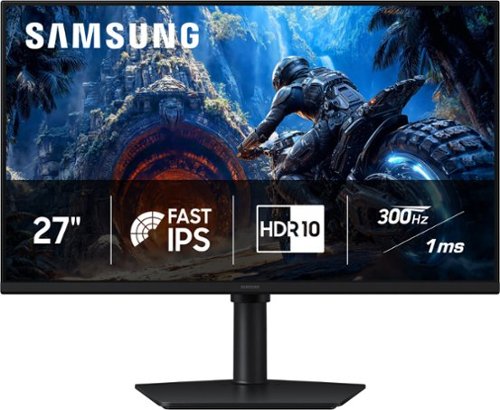
Samsung~s 27" Odyssey G4 Gaming Monitor offers brilliant lifelike visuals for exhilarating, engaging gameplay. Fast IPS panel with a 178~ wide viewing angle accurately delivers clear, crisp hues that remain consistent from multiple viewpoints. HDR10 provides brighter highlights and nuanced shadows for added depth and more realistic scenes. 300Hz Refresh Rate and 1ms response time (GtG) enables ultra-smooth gaming precision with minimized screen lag, while AMD FreeSync Premium reduces choppiness and image tearing. Black Equalizer enhances visibility in dark scenes, making it easier to view fine details, while Virtual Aim Point provides elevated precision and accuracy. Height-adjustable Ergonomic Stand pivots, tilts, and swivels for the perfect view.
Does it work with xbox
Yes, the Samsung G40H monitor works with the Xbox. Because it is an HDMI-compatible 1080p display, you will be able to plug your Xbox Series X, Series S, or Xbox One straight into the monitor using an HDMI cable.
- Samsung Monitors
- Samsung Monitors
1 month, 3 weeks ago
by
Posted by:
Samsung
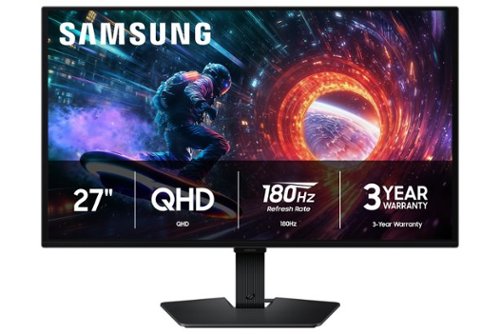
Samsung~s 27" Odyssey OLED G5 QHD Gaming Monitor delivers hyper-real visuals and lightning-fast action for exhilarating gameplay, and QD-OLED with QHD resolution provides unmatched picture quality and produces the highest levels of color accuracy and brightness. OLED Safeguard keeps the screen cool by actively helping to prevent burn-in with a Thermal Modulation System, Logo and Taskbar Detection, and Screen Saver while 3-year warranty protects the monitor for the long haul. Glare Free technology enables uninterrupted gaming as it keeps the screen clear of reflections from external light sources. The Pantone Validated screen accurately reproduces 2100+ colors for more immersive gameplay, while HDR10 provides brighter highlights and nuanced shadows for added depth. 180Hz Refresh Rate and 0.03ms (GtG) response time enables fast reactions for ultra-smooth gaming, plus G-Sync compatibility along with AMD FreeSync~ reduces choppiness, screen lag, and image tearing. Black Equalizer improves visibility in shadows, and Virtual Aim Point increases accuracy. Auto Source Switch+ allows instantaneous switching between connected devices.
Does the HDMI port support ARC HDMI?
John:
No, the HDMI port on the Samsung G50SF monitor does not support HDMI ARC.
- Samsung Monitors
No, the HDMI port on the Samsung G50SF monitor does not support HDMI ARC.
- Samsung Monitors
1 month, 3 weeks ago
by
Posted by:
Samsung
Mini LEDs are made better with Quantum Dots to deliver astonishing brightness and 100% color volume. Precise backlighting unlocks captivating contrast with dazzling highlights, while advanced AI processing dynamically adjusts how your content looks and sounds to augment what you're watching , whether it's a thrilling live soccer match or your favorite old movie.
Please send a diagram on how to connect the headset to U800HD via Bluetooth HDMI
Jack - Please give us the opportunity to better assist with this by reaching Samsung Support at: 1-800-SAMSUNG (8AM – 9PM EST Mon – Fri, 8AM – 6PM Sat – Sun) or Chat with us on Samsung.com: https://www.samsung.com/us/support/contact/
~ Samsung Specialist
~ Samsung Specialist
1 month, 3 weeks ago
by
Posted by:
Samsung
Step up to Full HD for a significantly clearer picture than regular HD. Enjoy impressive, fine-tuned colors and deep contrast, all wrapped in a sleek design and secured by triple-layer protection. Virtual 3-D sound is enhanced and tracks movement on screen for a truly immersive experience.
Can I use the CAPTION POSITION setting on this TV? This setting is grayed out and unusable on my current Samsung model UN32N5300 AF.
You can turn your F6000F TV’s Closed Captions on/off and change the settings, such as separating it from the broadcast screen, font color, background color, size, position, language, etc., by going to: Settings > All Settings > General & Privacy > Accessibility > Caption Settings.
If captions are greyed out and you are using a Streaming app, you will need to use the caption settings within the app.
~Samsung Advisor
If captions are greyed out and you are using a Streaming app, you will need to use the caption settings within the app.
~Samsung Advisor
1 month, 3 weeks ago
by
Posted by:
Samsung
Watch all your content in crisp 4K resolution, with rich contrast, amazing color and clear picture. Discover thousands of subscription-free channels, including 700+ premium channels with Samsung TV Plus. Also, play thousands of video games without a console thanks to Samsung Gaming Hub. Enjoy peace of mind for years to come with the TV brand rated #1 in durability.
How far are the feet apart. My space for feet placement is 30 inches
Hi,
The leg width of the 43" U8000H is 24.1”.
~Samsung Advisor
The leg width of the 43" U8000H is 24.1”.
~Samsung Advisor
1 month, 3 weeks ago
by
Posted by:
Samsung
Bright, detailed colors pair together with deep, cinematic contrast in your favorite smart apps and video games thanks to precise control with Mini LEDs, delivering a realistic picture no matter what you watch. Get thousands of subscription free channels, including 700+ premium channels with Samsung TV Plus. Rest assured your personal data is secured with Knox Security.
Is the TV dual voltage (120V - 220V)?
Hi Trey,
This Samsung TV model is intended for use within the U.S. and operates on 110-120V power only.
~ Samsung Advisor
This Samsung TV model is intended for use within the U.S. and operates on 110-120V power only.
~ Samsung Advisor
1 month, 3 weeks ago
by
Posted by:
Samsung
Take in dazzling brightness and inky blacks with lifelike color on this AI-enhanced OLED TV that makes both old and new content look incredible, analyzing each scene to unveil hidden details. And, your favorite video games feel intense and competitive while staying smooth at up to 120Hz thanks to the Premium Gaming Pack.
is the wall bracket to hold the tv mounted on the wall fastened to the tv in the middle of the tv frame?
KenF - On the 55" S85H, the distance from the top VESA mounting holes to the top of the TV is 12.5". The distance from the bottom holes to the bottom of the TV is 7.4".
~ Samsung Specialist
~ Samsung Specialist
1 month, 3 weeks ago
by
Posted by:
Samsung
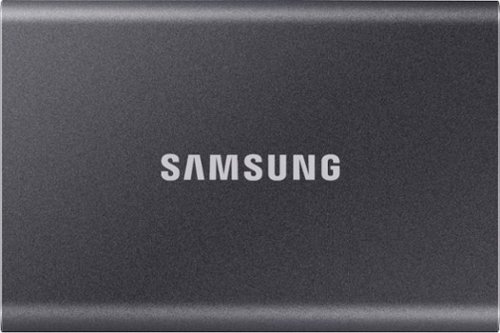
Secure and protect your data with this gray Samsung T7 2TB portable SSD. Large files transfer rapidly with USB 3.2 Gen 2 technology, and the durable thermal construction defends against impact and overheating. This Samsung T7 2TB portable SSD includes software and two cable types to simplify firmware updates and file management across multiple select platforms.
Is this NFTS to allow image backup?
Hello,
The T7 SSD can be formatted to NTFS.
~Samsung Pro
The T7 SSD can be formatted to NTFS.
~Samsung Pro
1 month, 3 weeks ago
by
Posted by:
Samsung