Samsung
Samsung's Stats
Reviews
- Review Count0
- Helpfulness Votes0
- First ReviewNone
- Last ReviewNone
- Featured Reviews0
- Average Rating0
Reviews Comments
- Review Comment Count0
- Helpfulness Votes0
- First Review CommentNone
- Last Review CommentNone
- Featured Review Comments0
Questions
- Question Count0
- Helpfulness Votes0
- First QuestionNone
- Last QuestionNone
- Featured Questions0
- Answer Count74095
- Helpfulness Votes37,971
- First AnswerApril 24, 2013
- Last AnswerSeptember 4, 2026
- Featured Answers0
- Best Answers3950
Samsung's Reviews
Samsung has not submitted any reviews.
Samsung's Questions
Samsung has not submitted any questions.
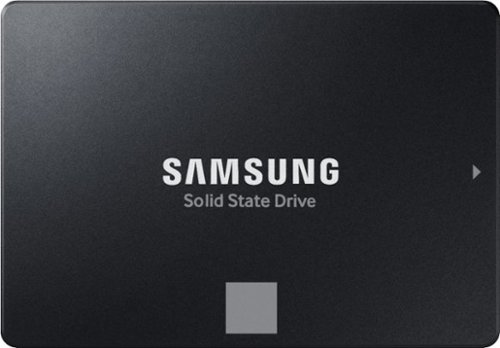
The perfect choice for creators, IT professionals or everyday users, the latest 870 EVO has indisputable performance, reliability and compatibility built upon Samsung~s pioneering technology.
Will this internal SSD work with HP laptops

Ed:
Although the Samsung 870 EVO SSD can work with many HP laptops, compatibility depends on if your laptop supports a 2.5” SATA slot. If so, you should have no issue connecting the 870 EVO SSD to your HP laptop.
- Samsung Memory
Although the Samsung 870 EVO SSD can work with many HP laptops, compatibility depends on if your laptop supports a 2.5” SATA slot. If so, you should have no issue connecting the 870 EVO SSD to your HP laptop.
- Samsung Memory
1 year, 3 months ago
by
Posted by:
Samsung
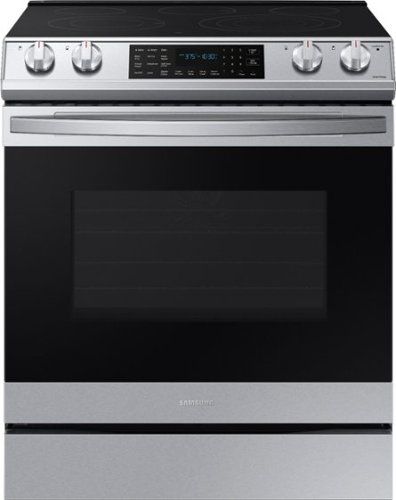
Samsung - 6.3 cu. ft. Front Control Slide-In Electric Convection Range with Air Fry & Wi-Fi, Fingerprint Resistant - Stainless Steel
The Samsung Front Control Slide-In Electric Convection Range with Air Fry is fully Wi-Fi connected and voice enabled, making it easy to create delicious and healthier* meals for your family. *As compared to deep frying.
Do I have to have WiFi for features to work, or can I not use the WiFi
Greetings!
We are glad to answer your question about this Samsung range model.
Connecting this range model to Wi-Fi enables the Smart Control/Monitor Feature via the SmartThings application; however, if you decide to not connect this range model to a wireless connection, all features apart from the Smart Control/Monitor Feature can still be utilized.
Should you have additional questions, please feel free to get back to us via the following options:
1. Facebook Messenger: http://m.me/samsungsupport
2. Twitter: https://twitter.com/messages/compose?recipient_id=18768513
3. Samsung Community: https://us.community.samsung.com/t5/Samsung-Community/ct-p/us
When you message us, please provide us with this reference number 1149412042 to help our team pull up your information.
Leo
We are glad to answer your question about this Samsung range model.
Connecting this range model to Wi-Fi enables the Smart Control/Monitor Feature via the SmartThings application; however, if you decide to not connect this range model to a wireless connection, all features apart from the Smart Control/Monitor Feature can still be utilized.
Should you have additional questions, please feel free to get back to us via the following options:
1. Facebook Messenger: http://m.me/samsungsupport
2. Twitter: https://twitter.com/messages/compose?recipient_id=18768513
3. Samsung Community: https://us.community.samsung.com/t5/Samsung-Community/ct-p/us
When you message us, please provide us with this reference number 1149412042 to help our team pull up your information.
Leo
1 year, 3 months ago
by
Posted by:
Samsung
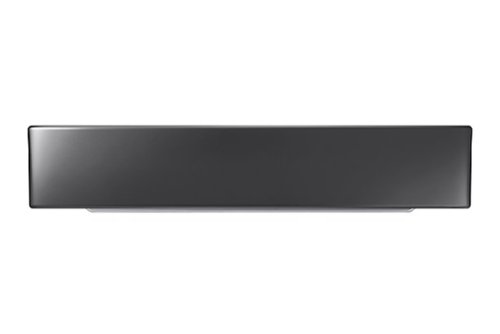
Elevate your Samsung FlexWash washer or dryer with this Samsung laundry pedestal. Its 6.1-inch height helps you raise your appliance to a more comfortable level, making loading and unloading clothes on wash day a more pleasant experience. This 27-inch Samsung laundry pedestal is made of stainless steel for years of use.
Will this riser work with the Samsung All in One?
Hi MarkGrim,
No, this riser is compatible with a list of washers or dryers, but not an all-in-one washer and dryer.
Here is the list of all compatible washer/dryers to this riser.
https://www.samsung.com/us/home-appliances/home-appliances-accessories/washers-dryers/27--riser-we272nv-a3-compatible/
^Rodel
No, this riser is compatible with a list of washers or dryers, but not an all-in-one washer and dryer.
Here is the list of all compatible washer/dryers to this riser.
https://www.samsung.com/us/home-appliances/home-appliances-accessories/washers-dryers/27--riser-we272nv-a3-compatible/
^Rodel
1 year, 3 months ago
by
Posted by:
Samsung
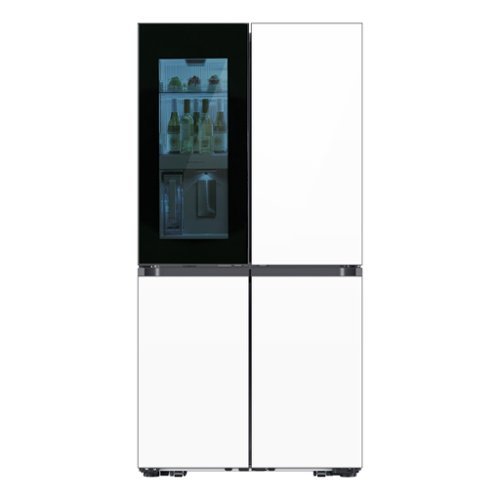
Samsung's Bespoke 4-Door Flex 29 cu. ft. Refrigerator features Beverage Zone with a fridge within your fridge. Choose from two temperature settings for the Beverage Zone, plus get quick and easy access to refreshingly cold water two ways. With Auto Open Door, you can fully open doors with a light touch even if your hands are full.
Can the doors that are currently white glass be replaced by panels of other colors?
Hi there,
Yes, the panels can be replaced with other colors.
^Rodel
Yes, the panels can be replaced with other colors.
^Rodel
1 year, 3 months ago
by
Posted by:
Samsung
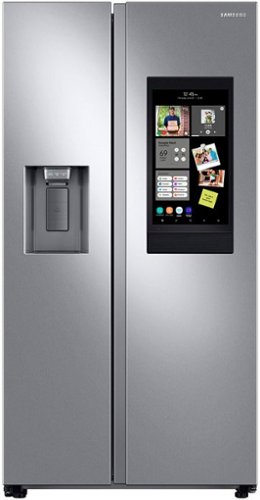
Samsung's Family Hub side-by-side large capacity refrigerator is beautifully designed with a minimal display dispenser, modern design that blends beautifully into your kitchen, and a finish that withstands everyday smudges.
Does it work with Google calendar?
Hi Cvictore,
Yes, the Family Hub model RS27T5561SR supports integration with Google Calendar. You can sync your Google or Microsoft Outlook calendars to the Family Hub's Calendar app, allowing you to view and manage your schedules directly from the refrigerator's touchscreen interface.
To learn more about how to sync your Google Calendar to the fridge, kindly visit the guide below. Kindly click on the link and watch the YouTube video.
Use the Calendar on your Samsung Smart Fridge:
https://www.samsung.com/us/support/answer/ANS00063101/
Have a great day!
Chrystel
Yes, the Family Hub model RS27T5561SR supports integration with Google Calendar. You can sync your Google or Microsoft Outlook calendars to the Family Hub's Calendar app, allowing you to view and manage your schedules directly from the refrigerator's touchscreen interface.
To learn more about how to sync your Google Calendar to the fridge, kindly visit the guide below. Kindly click on the link and watch the YouTube video.
Use the Calendar on your Samsung Smart Fridge:
https://www.samsung.com/us/support/answer/ANS00063101/
Have a great day!
Chrystel
1 year, 3 months ago
by
Posted by:
Samsung
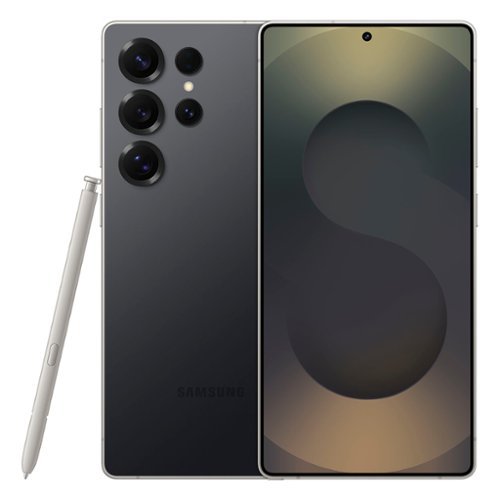
Staying in the moment is easier than ever with the all-new Galaxy S25 Ultra. Its intelligent AI transforms into your own virtual assistant that evolves with you to work better for you. Let~s say you want to enjoy a night out with friends but don~t have time to plan. Just ask Galaxy S25 Ultra to invite your friends to the nearest bowling lounge tonight. Your phone will find the info and text it to them. You don~t need to slow down your speech or speak like a robot ~just talk to your phone naturally, and it will understand. While you~re out rolling spares, Night Video brings out the details in every moment ~even in low light ~while Audio Eraser makes it easy to reduce distracting noises, like those pins crashing one lane over. Galaxy S25 Ultra also keeps up with your schedule and provides the weather forecast for your night, allowing you to stay a step ahead and adjust plans on the fly. With a phone as evolved as Galaxy S25 Ultra, you don~t have to sweat the small stuff ~it~s handled intelligently.
Does this phone have a port to download to an external storage drive?
Hello JohnsonD, thanks you for asking us your question about the Samsung Galaxy S25 Ultra. Yes, the Galaxy S25 Ultra has USB-C port to connect and download to an external storage drive, such as a USB flash drive or external SSD. If you have additional questions, feel free to contact Support. Thanks for being a loyal Samsung customer. - Debra
1 year, 3 months ago
by
Posted by:
Samsung
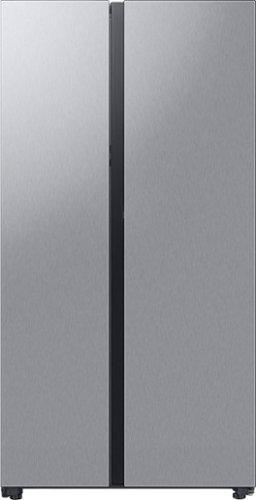
A Bespoke Counter Depth Side-by-Side refrigerator lets you create a stylish kitchen with your choice of color and finish: White Glass or Fingerprint Resistant Stainless Steel. The Beverage Center provides quick and easy access to refreshing cold and filtered water. Dual Auto Ice Maker makes two types of ices - cubed or Ice Bites. Plus, Power Touch Sensor lets you open doors effortlessly with a light touch.
I received my fridge 32 hours ago and the ice maker is extremely slow; less than 10 ice cubes are being produced. how do I fix this?
Hi there,
It usually takes at least 48 hours for the ice maker to produce the ideal quantity of ice.
^Rodel
It usually takes at least 48 hours for the ice maker to produce the ideal quantity of ice.
^Rodel
1 year, 3 months ago
by
Posted by:
Samsung

Make every day more extraordinary with Galaxy Tab S10 Ultra. Power through all your favorite experiences with groundbreaking Galaxy AI features, a long-lasting battery and a powerful chipset. Discover new ways to simplify your life with Galaxy AI on the big screen of Tab S10 Ultra. Write notes with that pen like feeling using the included S Pen, or type on an attachable keyboard then instantly summarize and organize your notes with Note Assist. Looking for another great time saver? Transcript Assist transcribes meetings and lectures for you, freeing you up to do other things. Find more information on items online quickly and easily using Circle to Search with Google. Simply circle what you~re interested in on the screen and then shop, identify or translate what you see, just like that. Indulge yourself in the ultimate viewing experience a glorious 14.6" Dynamic AMOLED 2X display. It~s the largest tablet screen available. Whether you~re streaming a blockbuster or outracing your competition in a game, experience every heart pounding moment with vibrancy and clarity. Plus, the screen is designed to minimize glare, making it easy to see even in bright sunlight. When it~s time to get back to the real world, work like a boss with plenty of space to toggle between windows or collaborate on calls. There~s so much room, you can even do both at once and more. Have the confidence to take your Tab with you as you get things done with enhanced durability that~s built to withstand even fast paced lifestyles. The enhanced Armor Aluminum frame offers strong protection against dings and scratches. And Tab S10 Ultra is water and dust resistant, so it~s made to go where you go, unlike some of those other tablets. Break free from the ordinary with the tablet that stands out Galaxy Tab S10 Ultra.
Weight?
Good day Ranjet, thank you for taking the opportunity to ask us your question about the Samsung Galaxy Tab S10 Ultra. The Galaxy Tab S10 Ultra weighs 2.35lbs. Feel free to reach back out if you have any other questions for us. Thanks for being a valued Samsung customer. - Debra
1 year, 3 months ago
by
Posted by:
Samsung
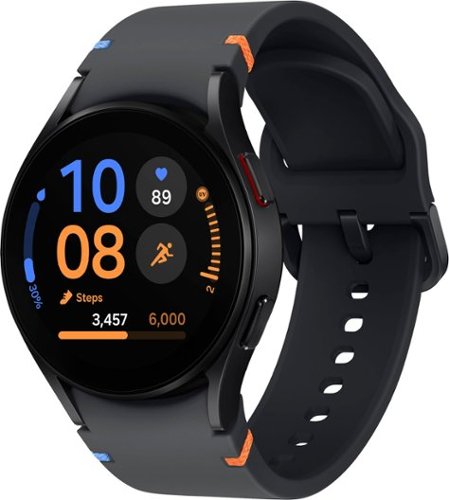
Samsung - Galaxy Watch FE Smartwatch 40mm BT - Black - (2024)
Start your journey toward a healthier, happier you with Galaxy Watch FE, the Watch that knows you best. Get more out of every movement and work toward your health goals with easy-to-understand insights like step counts, calories burned, heart health, muscle mass and more.~ Your best self isn~t just made by moving ~ Advanced Sleep Coaching with Galaxy AI~ helps you plan your bedtime, detect snoring~ and track your sleep stages so you can rest better and wake up feeling energized. When you~re up and ready to go, feel free to make calls, take pics and pull up playlists right from your wrist thanks to seamless connectivity with your other Galaxy devices. With its sleek and lightweight design, you can enjoy all-day comfort and style, wherever your day takes you. Plus, at an affordable price, Watch FE helps you stick to all your goals. Empower you and your loved ones to take control of your health and wellness with an everyday companion that will support you every step of the way ~ Galaxy Watch FE.
Will this watch work with Strava and stream Apple Music via Bluetooth without my cell phone?
Hey Strava, thanks for asking us your question about the Samsung Galaxy Watch FE. The Galaxy Watch FE can track your fitness activities using Strava and stream music directly, meaning you don't need to have your phone connected to your watch or even carry it with you. If you have any other questions, please feel free to contact Support. Thanks for choosing Samsung! - Debra
1 year, 3 months ago
by
Posted by:
Samsung
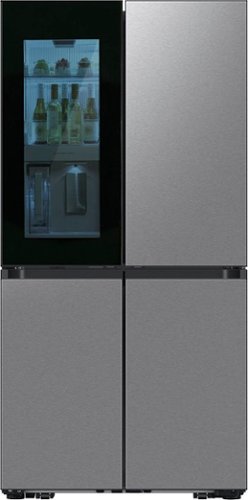
Samsung's Bespoke 4-Door Flex Counter Depth 23 cu. ft. Refrigerator features Beverage Zone with a fridge within your fridge. Choose from two temperature settings for the Beverage Zone, plus get quick and easy access to refreshingly cold water two ways. With Auto Open Door, you can fully open doors with a light touch even if your hands are full.
Hi, can you tell me the height measurement from the top of the fridge to the bottom of the door, and not include the freezer. I want to make sure that it won’t hit my counter when I open it.
Hi there,
We appreciate your question regarding the needed measurements for the fridge.
To ensure the refrigerator door doesn't hit your counter when opened, it's important to consider the depth of the refrigerator and the clearance needed for the door to swing open fully. The depth of the refrigerator without handles is 28¾ inches, and the depth with the door open at 90 degrees is 43 inches.
To further assist you with the unit's exact measurement from the top of the fridge to the bottom of the door, excluding the freezer, we highly recommend contacting us via the following options:
1. Facebook Messenger: http://m.me/samsungsupport
2. Twitter: https://twitter.com/messages/compose?recipient_id=18768513
3. Samsung Community: https://us.community.samsung.com/t5/Samsung-Community
When you message us, please provide us with this reference number 1149411305, to help our team pull up your information.
Have a great day!
Chrystel
We appreciate your question regarding the needed measurements for the fridge.
To ensure the refrigerator door doesn't hit your counter when opened, it's important to consider the depth of the refrigerator and the clearance needed for the door to swing open fully. The depth of the refrigerator without handles is 28¾ inches, and the depth with the door open at 90 degrees is 43 inches.
To further assist you with the unit's exact measurement from the top of the fridge to the bottom of the door, excluding the freezer, we highly recommend contacting us via the following options:
1. Facebook Messenger: http://m.me/samsungsupport
2. Twitter: https://twitter.com/messages/compose?recipient_id=18768513
3. Samsung Community: https://us.community.samsung.com/t5/Samsung-Community
When you message us, please provide us with this reference number 1149411305, to help our team pull up your information.
Have a great day!
Chrystel
1 year, 3 months ago
by
Posted by:
Samsung