Samsung
Samsung's Stats
Reviews
- Review Count0
- Helpfulness Votes0
- First ReviewNone
- Last ReviewNone
- Featured Reviews0
- Average Rating0
Reviews Comments
- Review Comment Count0
- Helpfulness Votes0
- First Review CommentNone
- Last Review CommentNone
- Featured Review Comments0
Questions
- Question Count0
- Helpfulness Votes0
- First QuestionNone
- Last QuestionNone
- Featured Questions0
- Answer Count74095
- Helpfulness Votes37,971
- First AnswerApril 24, 2013
- Last AnswerSeptember 4, 2026
- Featured Answers0
- Best Answers3950
Samsung's Reviews
Samsung has not submitted any reviews.
Samsung's Questions
Samsung has not submitted any questions.

Samsung - 32 Class Q60D Series QLED 4K Smart Tizen TV (2024)
This advanced TV features a bright new world of color and contrast, with 4K upscaling and seamless motion for crisp, smooth content.
does the remote have a sleep timer?

To enable the Sleep or Off Timer, go to: All Settings > General & Privacy > System Manager > Time. From there, you can choose to set either a Sleep or Off Timer.
~ Samsung Specialist
~ Samsung Specialist
1 year, 3 months ago
by
Posted by:
Samsung

Samsung - 75 Class Q80D Series QLED 4K Smart Tizen TV (2024)
This advanced TV features super precise LEDs that elevate color and contrast. Dive even deeper into your content with dimensional scenes and seamless action.
Does this tv have Picture in Picture can I watch 2 football games at once
Blvd - PiP (Picture in Picture) capability is available by using our Multi View feature. With Multi View, you can view media from different sources, such as an app, Blu-ray player, or game console, on the main screen while also mirroring your phone to the smaller screen. When using PiP, you can select the position of the smaller screen when it’s displayed on the main screen. You can also choose the top left and top right corners, or the bottom left and bottom right corners for the smaller screen. If you don’t like where you placed the smaller screen, you can always change it later. Hope this helps!
~ Samsung Specialist
~ Samsung Specialist
1 year, 3 months ago
by
Posted by:
Samsung
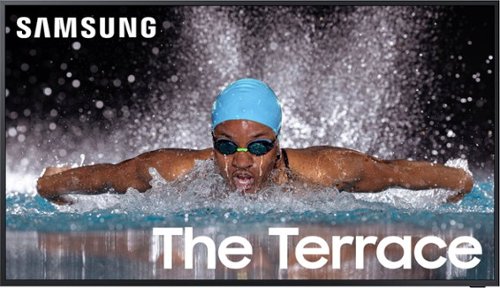
Patio season shines brighter with The Terrace 85" Partial Sun, optimized for entertaining in your favorite shaded or partiall y s haded outdoor space. With our highest IP rating for durability** and protection against water and dust, it makes it seamless to watch from the best seat outside of the house.
Is the minimum operating temperature really 88 degrees?
Berkesk - The Terrace Partial Sun is operable up to 122° F of ambient temperature; keep in mind that brightness may decrease to protect panel in certain high temperature and sunlight conditions.
~ Samsung Specialist
~ Samsung Specialist
1 year, 3 months ago
by
Posted by:
Samsung
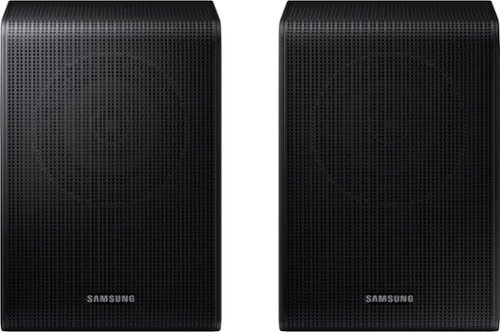
Get a truly cinematic experience from your home theater with rear speakers that connect wirelessly to your soundbar for simple setup and less clutter. With true surround sound, add audio depth and dimension with sound that comes from all sides, making you feel like you're in the scene.
Is this product compatible with SD800D soundbar?
Hello Nelson! No, the HW-S800D is compatible with the SWA-9500S Wireless Rear Speaker Kit. The SWA-9250S Wireless Rear Speakers are compatible with the HW-Q600F, HW-B750F, HW-B650F, HW-B630F, and HW-B550F 2025 Soundbars. ~ Samsung Solutions
1 year, 3 months ago
by
Posted by:
Samsung
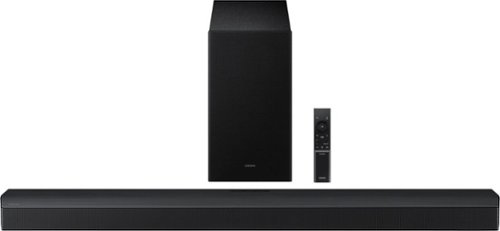
From every line of dialogue to booming sound effects - enjoy realistic, multidirectional sound with 5 channels, including side a nd center speakers and 1 wireless subwoofer for deep bass. Capture every detail virtually placed above and around you, and experience AI-optimized audio in everything you watch. Have your scenes analyzed in real time, ensuring sound is optimized so you never miss a moment of dialogue. Plus, pair the soundbar with your Samsung TV to experience powerful, robust audio with Q-Symphony.
How does this soundbar connect to the TV? Is it a wireless connection, or does it need a cable?
Hi Curiousimo! The HW-B750F features three ways to connect to an external device: HDMI (ARC), digital optical audio, and Bluetooth wireless audio technology. If your TV is compatible with one of these three audio connections, you should have no issue connecting the soundbar to your TV. ~Samsung Solutions
1 year, 3 months ago
by
Posted by:
Samsung
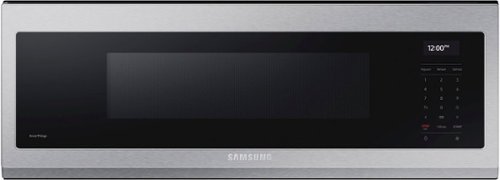
Free up space above your cooktop with the new beautifully designed Smart SLIM Microwave. This combination microwave with ventilation hood fits into the same space as an under-the-cabinet hood, but despite its slim size it has a sizeable 1.1 cu ft capacity. The SLIM Microwave packs in the powerful performance you need with all the technology that you love in a slim, space efficient size.
My current Samsung microwave just blows grease all over my upper cabinet and CEILING! Doesn't seem to filter any grease when cooking on my Samsung stove. I love all of my Samsung appliances except the microwave. Please recommend a better microwave!
Hello there,
We understand how important a reliable appliance is at home. Let us help you with your microwave.
We recommend cleaning the grease filter in your microwave. For instructions, please refer to page 33 of the manual link below.
User manual
https://downloadcenter.samsung.com/content/UM/202502/20250214155708291/ME11A7710D_EN.pdf
Should you need more assistance, please feel free to get back to us via the following options:
1. Facebook Messenger: http://m.me/samsungsupport
2. Twitter: https://twitter.com/messages/compose?recipient_id=18768513
3. Samsung Community: https://us.commuity.samsung.com/t5/Samsung-Community/ct-p/us
4. Samsung Customer Care: 1-800-7267864 (1800-SAMSUNG)
Please provide us with this reference number (1149288794) when you message us so our team can retrieve your information.
Thank you.
-Kimberly
We understand how important a reliable appliance is at home. Let us help you with your microwave.
We recommend cleaning the grease filter in your microwave. For instructions, please refer to page 33 of the manual link below.
User manual
https://downloadcenter.samsung.com/content/UM/202502/20250214155708291/ME11A7710D_EN.pdf
Should you need more assistance, please feel free to get back to us via the following options:
1. Facebook Messenger: http://m.me/samsungsupport
2. Twitter: https://twitter.com/messages/compose?recipient_id=18768513
3. Samsung Community: https://us.commuity.samsung.com/t5/Samsung-Community/ct-p/us
4. Samsung Customer Care: 1-800-7267864 (1800-SAMSUNG)
Please provide us with this reference number (1149288794) when you message us so our team can retrieve your information.
Thank you.
-Kimberly
1 year, 3 months ago
by
Posted by:
Samsung
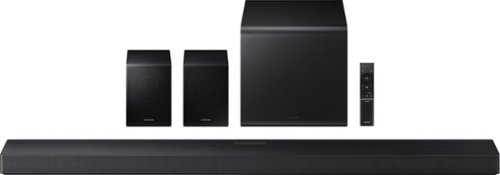
Enjoy a sleek, low profile design that fits into your space while delivering rich, multidimensional true surround sound with included rear speakers. Built in sensors detect whether the soundbar is placed flat on a table or is mounted flush against a wall and automatically recalibrates speaker direction for powerful Dolby Atmos audio, regardless of the setup. Enhance your home theater experience with crystal clear dialogue and booming bass, perfect for fast paced thrillers or action movies.
Is there a front LED display on the front of the soundbar?
Hi E! Yes the HW-QS750F does have a small LED display in the front right corner of it. ~ Samsung Solutions
1 year, 3 months ago
by
Posted by:
Samsung
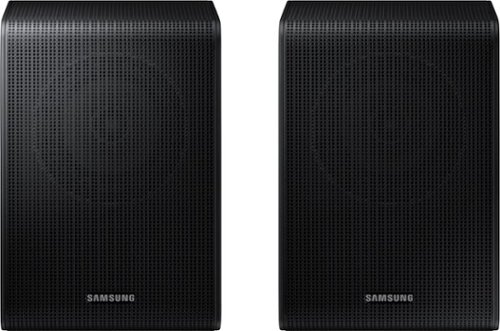
Samsung - SWA-9200S/ZA 2.0 Channel Wireless Rear Speaker Kit - Black
Connect easily and wirelessly to Samsung speakers for room-filling sound.
Will these work with a HW-R450/XY SOUNDBAR ?
Hi there! . The SWA-9200S is compatible with HW-S700D, HW-S60D, HW-S61D, HW-B750D, HW-C445, HW-Q600C, HW-Q60C, HW-Q6CC, HW-C450, HW-C47M, HW-C43C, HW-Q600B, HW-Q60B, HW-Q6CB, HW-S60B/HW-S61B, HW-S50B, HW-B650, HW-B550, HW-B450, HW-B63C, HW-B63M, HW-B53C, HW-B53M, HW-B43C, HW-B43M. ~ Samsung Solutions
1 year, 3 months ago
by
Posted by:
Samsung
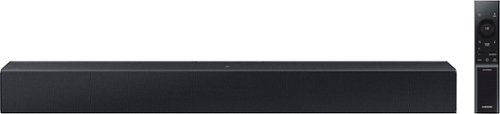
Add a soundbar. Enjoy everything more. From concerts to cooking competitions, for binging shows and streaming music, this soundbar is loaded with clever features that you~ll use every day.
can be used in the desk computer?
Hi! The HW-C400 Soundbar is not brand restricted and features an Optical port as well as Bluetooth connectivity; if your device supports Bluetooth connectivity or an Optical port, you can connect this soundbar to your device via either of these connections. ~Samsung Solutions
1 year, 3 months ago
by
Posted by:
Samsung

Enjoy room filling sound in an all in one design. Experience captivating 3D audio with Dolby Digital 5.1 capable and DTS Virtual :X. Perfectly synchronized TV and soundbar sound brings a new level of immersion. Plus, don't miss a word, thanks to a built in center speaker.
Will this work with any tv? Without a smart tv?
Hi Mary, The HW-S50B features two ways to connect to an external device: HDMI (ARC) and Bluetooth wireless audio technology. If your TV is compatible with one of these two audio connections, you should have no issue connecting the soundbar to your TV. ~Samsung Solutions
1 year, 3 months ago
by
Posted by:
Samsung