Samsung
Samsung's Stats
Reviews
- Review Count0
- Helpfulness Votes0
- First ReviewNone
- Last ReviewNone
- Featured Reviews0
- Average Rating0
Reviews Comments
- Review Comment Count0
- Helpfulness Votes0
- First Review CommentNone
- Last Review CommentNone
- Featured Review Comments0
Questions
- Question Count0
- Helpfulness Votes0
- First QuestionNone
- Last QuestionNone
- Featured Questions0
- Answer Count74095
- Helpfulness Votes37,972
- First AnswerApril 24, 2013
- Last AnswerSeptember 4, 2026
- Featured Answers0
- Best Answers3950
Samsung's Reviews
Samsung has not submitted any reviews.
Samsung's Questions
Samsung has not submitted any questions.

Samsung - HW-B650/ZA 3.1 Channel Soundbar with Wireless Subwoofer, Dolby 5.1 / DTS Virtual:X - Black
Dolby Atmos creates realistic 3D sound by projecting it from all around you, including from above, while DTS Virtual: X expands your listening experience without having to add extra speakers. Boost the bass with a touch of a button. The built-in center speaker delivers enhanced dialogue so you won't miss a word. Experience the intensity of action movies with the powerful bass coming from the included subwoofer. Enjoy optimized audio with enhanced voice clarity on all your favorite video content.
Does the sound bar replace a receiver?

Hi! The HW-B650 features three ways to connect to an external device: HDMI (ARC), digital optical audio, and Bluetooth wireless audio technology. If your TV is compatible with one of these three audio connections, you should have no issue connecting the soundbar to your TV. ~Samsung Solutions
1 year, 4 months ago
by
Posted by:
Samsung

Our most advanced Art TV blurs the lines between showpiece and entertainment for art and movie lovers alike. The modern, slim bezel frame, matte screen and wireless connection allow you to create a clutter free gallery experience at home, featuring a selection of world renowned artwork. Whether you're beholding a masterpiece or curling up to watch your favorite movie, enjoy spectacular, 4K Neo QLED picture and sound quality, along with personalized TV experiences powered by Samsung Vision AI.
Does the TV come with the frames or are they purchased separately?
Customizable Bezels are separately sold and available in Sand Gold (Metal), Modern Brown, Modern Teak, and Modern White.
~ Samsung Specialist
~ Samsung Specialist
1 year, 4 months ago
by
Posted by:
Samsung

Enjoy room filling sound in an all in one design. Experience captivating 3D audio with Dolby Digital 5.1 capable and DTS Virtual :X. Perfectly synchronized TV and soundbar sound brings a new level of immersion. Plus, don't miss a word, thanks to a built in center speaker.
Is this soundbar compatible with the Crystal UHD DU8000 55" TV?
Hello NkR, Yes, you can connect the HW-S50B Soundbar to your DU8000 TV using the Wireless Bluetooth connection or via HDMI Arc connection. ~ Samsung Solutions
1 year, 4 months ago
by
Posted by:
Samsung
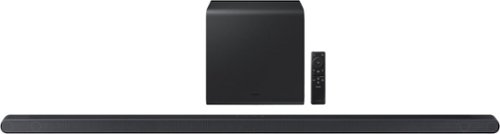
From Wireless Dolby Atmos to sound calibrated to fit your space, the ultra slim Samsung S800D delivers a rich audio experience with style and features se t to impress.
Can I simply buy another subwoofer, plug it in and will it connect to the soundbar? In other words, can I have two subs?
Hello Joeyyy, You can only have 1 SWA-W510 Subwoofer connected to the HW-S800D at the same time. ~ Samsung Solutions
1 year, 4 months ago
by
Posted by:
Samsung

From Wireless Dolby Atmos to sound calibrated to fit your space, the ultra slim Samsung S800D delivers a rich audio experience with style and features set to impress.
Bought 65" Samsung Frame TV + this soundbar. Want to display art or muted football game on TV and (w/"hands free" voice command) ask Alexa to play music. How to do this? Soundbar doesn't respond to "Alexa . . ." wakeup even though specs say it's built in.
Hello JanJan, The Samsung HW-S801D soundbar has Alexa built-in, but it sounds like it may not be fully set up to respond to voice commands as you expect.
Here’s what to check and do:
Ensure Alexa is Enabled on the Soundbar:
On your soundbar, make sure Alexa is actually enabled. This might require connecting the soundbar to your Wi-Fi network and linking it with the Alexa app on your smartphone.
If you haven't set this up yet, follow the soundbar’s user manual to enable Alexa in the soundbar settings. Usually, you'll need to go to the soundbar’s setup in the Samsung SmartThings app.
Check Alexa Voice Activation:
Since the soundbar has Alexa built-in, it should respond to "Alexa" commands directly, but if it's not, double-check that the microphone is not muted (usually indicated by a small light on the soundbar).
Ensure the soundbar is set up as a smart device in the Alexa app.
You might need to explicitly enable the soundbar as a device to control in your Alexa app by going into the app and selecting the soundbar as a controllable device.
Use the TV's Alexa (if needed): If you continue to have trouble with the soundbar's Alexa, consider using the built-in Alexa on the Samsung Frame TV. It also has Alexa functionality and might respond more reliably to voice commands. To do this, just make sure your TV is connected to Alexa through the SmartThings app or directly through Alexa.
If you need more help, Samsung is here for you. Please call us at 1-800-SAMSUNG, 8AM - 12AM EST (Ask for Soundbars), 7 days a week. Our Live Chat agents are also available by clicking on the ‘Support’ link on our website.
~ Samsung Solutions
Here’s what to check and do:
Ensure Alexa is Enabled on the Soundbar:
On your soundbar, make sure Alexa is actually enabled. This might require connecting the soundbar to your Wi-Fi network and linking it with the Alexa app on your smartphone.
If you haven't set this up yet, follow the soundbar’s user manual to enable Alexa in the soundbar settings. Usually, you'll need to go to the soundbar’s setup in the Samsung SmartThings app.
Check Alexa Voice Activation:
Since the soundbar has Alexa built-in, it should respond to "Alexa" commands directly, but if it's not, double-check that the microphone is not muted (usually indicated by a small light on the soundbar).
Ensure the soundbar is set up as a smart device in the Alexa app.
You might need to explicitly enable the soundbar as a device to control in your Alexa app by going into the app and selecting the soundbar as a controllable device.
Use the TV's Alexa (if needed): If you continue to have trouble with the soundbar's Alexa, consider using the built-in Alexa on the Samsung Frame TV. It also has Alexa functionality and might respond more reliably to voice commands. To do this, just make sure your TV is connected to Alexa through the SmartThings app or directly through Alexa.
If you need more help, Samsung is here for you. Please call us at 1-800-SAMSUNG, 8AM - 12AM EST (Ask for Soundbars), 7 days a week. Our Live Chat agents are also available by clicking on the ‘Support’ link on our website.
~ Samsung Solutions
1 year, 4 months ago
by
Posted by:
Samsung
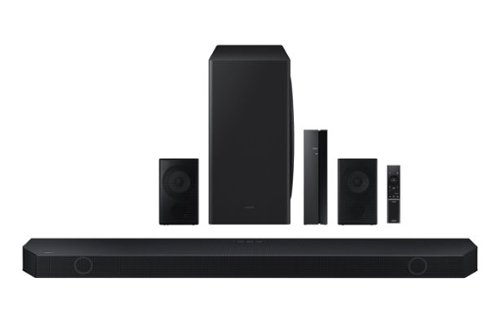
Samsung - HW-Q850D/ZA 7.1.2 Channel Wireless Dolby ATMOS Soundbar + Rear Speakers w/ Q Symphony - Black
This soundbar adapts rich, wireless audio to your space while staying in sync with your TV~s speakers* to amplify your experience.
I see mentioned that this soundbar supports 4k HDR pass-through, but does it specifically support Dolby Vision pass-through?
Hello there! Yes, the HW-Q850D pass-through does support Dolby Vision. ~ Samsung Solutions
1 year, 4 months ago
by
Posted by:
Samsung
Samsung - HW-Q850D/ZA 7.1.2 Channel Wireless Dolby ATMOS Soundbar + Rear Speakers w/ Q Symphony - Black
This soundbar adapts rich, wireless audio to your space while staying in sync with your TV~s speakers* to amplify your experience.
Will this sound bar system work with my LG Tv?
Hi FRANCES! The HW-Q850D Soundbar is not brand restricted and features an Optical port as well as Bluetooth connectivity; if your TV supports Bluetooth connectivity or includes an Optical port, you can connect this soundbar to your TV via either of these connections. ~Samsung Solutions
1 year, 4 months ago
by
Posted by:
Samsung
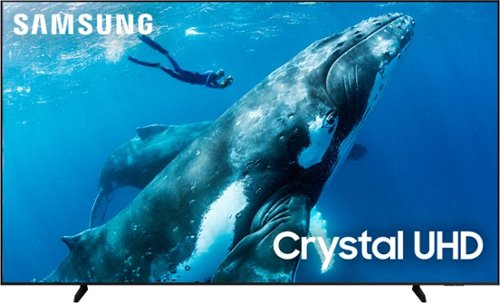
Make the most of your big screen with a wide picture ratio that displays every color in crisp 4K resolution. Add ultra smooth action and improved contrast to the mix for a hugely impressive view.
How big is the box it's shipped in?
Hi Wingnut66,
The 98" DU9000 TV box dimensions are 93.3" x 55.3" x 10.8" (WxHxD).
~Samsung Advisor
The 98" DU9000 TV box dimensions are 93.3" x 55.3" x 10.8" (WxHxD).
~Samsung Advisor
1 year, 4 months ago
by
Posted by:
Samsung
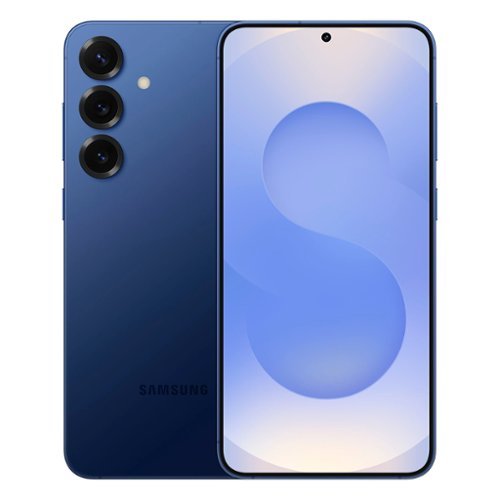
Samsung - Galaxy S25+ 512GB (Unlocked) - Navy
Make life easier with an epic phone that really gets you. The intuitive Galaxy S25+ features the latest in AI to help make every day more effortless. Save time with a phone that feels almost like a real live personal assistant. Meeting friends for a night out? Ask your phone to search for the closest vegan restaurant and then text it to them. Galaxy S25+ handles multiple tasks with a single ask, freeing up time so you can focus on your look. Did you get to the restaurant early? Scroll through your feed on a display that enhances images on your screen, making all your favorite photos pop, with ProScaler. Better yet, rack up a few likes of your own with a stunning selfie captured with an improved camera that brings out the best in every face so your true self shines through. Rain expected on your way home? Luckily, your phone let you know before you headed out, keeping you a step ahead. Galaxy S25+ isn~t just an AI-enhanced phone ~it~s a way to take some of the hassle out of your everyday.
Dies the phone support 2.4 g
Howdy Jerry, thanks for taking the time out of your hectic day to ask us your question about the Samsung Galaxy S25+. Yes, the Samsung Galaxy S25+ offers: 802.11a/b/g/n/ac/ax/be 2.4GHz+5GHz+6GHz, EHT320, MIMO, 4096-QAM Wi-Fi connectivity. If you have additional questions, please feel free to contact Support. Thank you for being a valued Samsung customer. - Debra
1 year, 4 months ago
by
Posted by:
Samsung
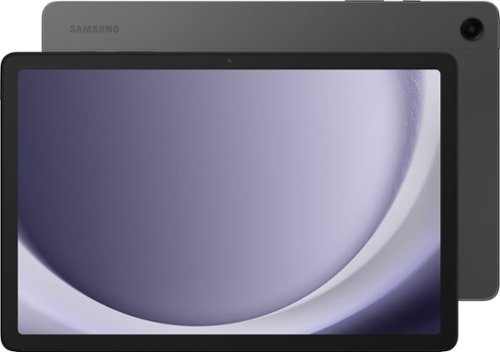
Samsung - Galaxy Tab A9+ 11" 128GB - Wi-Fi - Graphite
Meet your go to device for on-the-go family fun Galaxy Tab A9+. A bright, engaging 11" screen is perfect for every family member to do what they love. Whether they~re enjoying a show, unwinding with a game, or catching up on schoolwork or day to day tasks, an upgraded chipset makes every experience feel smooth and easy. You can even open multiple apps at the same time and get all your everyday tasks done quickly. Use it for hours without worrying about power and keep everything you love together with plenty of storage space. Plus, the preloaded Samsung Kids app provides a safe digital environment for your little ones to happily learn and play. Give your family a great all in one Tab that perfectly meets all their everyday needs without taking a bite out of your wallet Galaxy Tab A9+.
This tablet have installed One UI 3.1 to get as a monitor for your PC, You can mirror or extend your PC's display on the tablet. Can be using the "Dual Screen" or "Extendable Screen"?
Hello there Arturo, thank you for finding the available time out of your lively day to ask us your question about the Samsung Galaxy Tab A9+. You can achieve mobile continuity between your device and other connected devices. From Settings, tap Connected devices for the following features: > Samsung DeX: Connect your device to a PC or TV for an enhanced multitasking experience. > Smart View: Show your device's screen or play videos on a nearby TV. Feel free to reach back out if you have additional questions. Thank you for being a valued Samsung customer. - Debra
1 year, 4 months ago
by
Posted by:
Samsung