Samsung
Samsung's Stats
Reviews
- Review Count0
- Helpfulness Votes0
- First ReviewNone
- Last ReviewNone
- Featured Reviews0
- Average Rating0
Reviews Comments
- Review Comment Count0
- Helpfulness Votes0
- First Review CommentNone
- Last Review CommentNone
- Featured Review Comments0
Questions
- Question Count0
- Helpfulness Votes0
- First QuestionNone
- Last QuestionNone
- Featured Questions0
- Answer Count73669
- Helpfulness Votes37,929
- First AnswerApril 24, 2013
- Last AnswerAugust 17, 2026
- Featured Answers0
- Best Answers3941
Samsung's Reviews
Samsung has not submitted any reviews.
Samsung's Questions
Samsung has not submitted any questions.
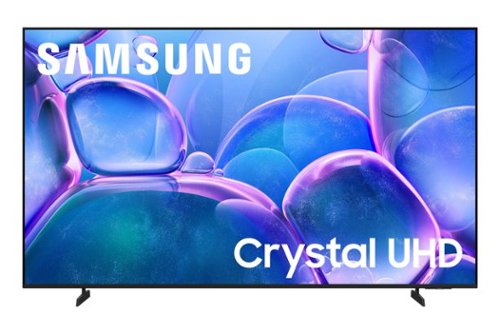
Upgrade your home theater with this stylish 4K TV featuring vibrant colors, rich contrast and an advanced 4K processor. Stay endlessly entertained with thousands of on demand shows and movies for free and enjoy peace of mind as watch thanks to our proprietary triple layer security that protects your personal data across all connected devices at once.
how far apart are the feet

Hi,
The feet on the 65" U7900F TV are 39.6" apart.
~Samsung Advisor
The feet on the 65" U7900F TV are 39.6" apart.
~Samsung Advisor
2 months ago
by
Posted by:
Samsung
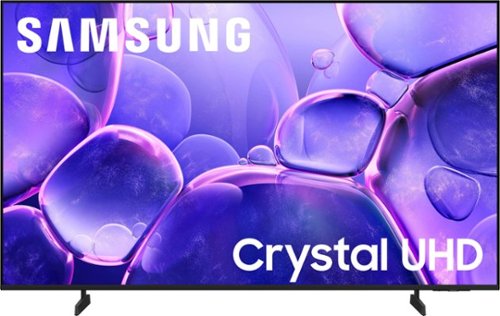
Upgrade your home theater with this stylish 4K TV featuring vibrant colors, rich contrast and an advanced 4K processor. Stay endlessly entertained with thousands of on demand shows and movies for free and enjoy peace of mind as watch thanks to our proprietary triple layer security that protects your personal data across all connected devices at once.
Can I cast from my Lenovo up onto the screen?
Hi CG,
You can screen mirror your laptop’s screen to the U8000F TV via AirPlay for iOS devices or the SmartThings app for Android devices.
~Samsung Advisor
You can screen mirror your laptop’s screen to the U8000F TV via AirPlay for iOS devices or the SmartThings app for Android devices.
~Samsung Advisor
2 months ago
by
Posted by:
Samsung
Upgrade your home theater with this stylish 4K TV featuring vibrant colors, rich contrast and an advanced 4K processor. Stay endlessly entertained with thousands of on demand shows and movies for free and enjoy peace of mind as watch thanks to our proprietary triple layer security that protects your personal data across all connected devices at once.
Does this tv have voice remote?
Hi
While built-in Voice Assistants aren't available directly on this TV, you can still control it by using external Alexa-enabled devices.
~Samsung Advisor
While built-in Voice Assistants aren't available directly on this TV, you can still control it by using external Alexa-enabled devices.
~Samsung Advisor
2 months ago
by
Posted by:
Samsung
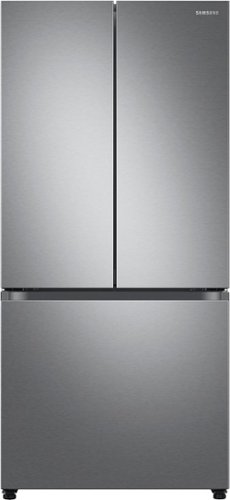
The Samsung 33" French Door refrigerator creates a stylish and modern kitchen with its compact design and recessed handles. The Beverage Center provides convenient access to refreshing cold, filtered water. With the Dual Auto Ice Maker, you can select from cubed ice or Ice Bites that chill your drink faster.
I do not intend to hook up water. Is this a problem? Should I buy a refrigerator without any interior water options if I'm not going to use them?
Hello refrig,
Samsung’s installation guidance explains that a water line is only needed for features like the ice maker and water dispenser, these functions depend on a water supply to operate, but the refrigerator itself does not require one to cool and store food normally.
This guide provides official details about water line setup and usage:
https://www.samsung.com/us/support/answer/ANS10006912/
Your business truly matters to us.
Nicole
Samsung Care
Samsung’s installation guidance explains that a water line is only needed for features like the ice maker and water dispenser, these functions depend on a water supply to operate, but the refrigerator itself does not require one to cool and store food normally.
This guide provides official details about water line setup and usage:
https://www.samsung.com/us/support/answer/ANS10006912/
Your business truly matters to us.
Nicole
Samsung Care
2 months ago
by
Posted by:
Samsung
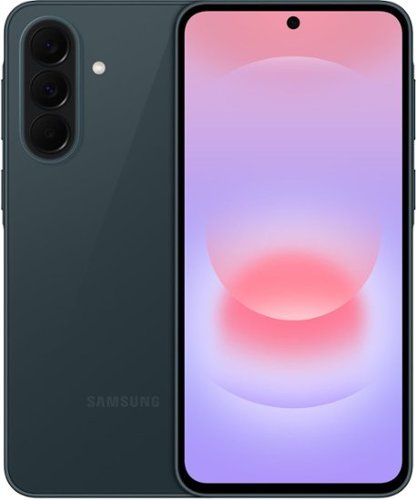
Galaxy A37 5G is a sleek and powerful entertainer that combines an elevated design, lasting performance and smart AI features. Its 6.7" Super AMOLED display with immersive viewing and up to 1900 nits peak brightness makes videos, games and browsing look stunning. Capture every moment with the 50MP HDR camera, featuring brighter, sharper videos in low light and improved shot speed, while the studio grade front camera ensures perfect selfies every time. Powered by the Exynos 1480 processor and a long lasting battery with Super Fast Charging 2.0, A37 keeps you going throughout your day. Plus, the enhanced durability of Gorilla Glass Victus+ and IP68 protection keeps your phone safe from dust and dirt no matter where the day may take you. Whether you're staying connected, capturing moments or browsing, A37 gives you premium performance at an affordable price. It's the smart choice you~ve been waiting for.
is this phone compatible with Spectrum?
Hi Mom, thanks for reaching out with your question about the Samsung Galaxy A37 5G. The advertised unlocked Galaxy A37 5G is compatible with AT&T, Boost Mobile, Cricket, Google Fi, H2O Wireless, Mint Mobile, Sprint, T-Mobile, Ultra Mobile, US Cellular, Verizon, and Visible. Please feel free to reach out to Support if you think of additional questions. Thank you for being a loyal Samsung customer. - Debra
2 months ago
by
Posted by:
Samsung

Your favorite new health and wellness companion is here ~ Galaxy Watch7. Enhanced with Galaxy AI,~ this Watch has everything you need to keep you moving toward your health goals. Wake up on the right side of the bed every morning with an Energy Score1 that helps you understand your well-being better. Hit your morning workout while staying in touch with your world ~ make calls from your Watch and quickly respond to texts on the go with Suggested Replies.~ Then hone in on your heart health during your workout with improved Heart Rate Tracking,~ and improve each day with personalized Wellness Tips~ viewable right on your Galaxy smartphone.~ Plus, stay in the zone by streaming your favorite playlist or podcast from your Watch to your Galaxy Buds.~ Your ultimate fitness partner is now on your wrist ~ Galaxy Watch7.
Does it have fall detection?
Hi there Falls, thank you for taking the opportunity to ask us your question about the Samsung Galaxy Watch7. Yes, the advertised Galaxy Watch7 features Hard Fall Detection. The Galaxy Watch7 utilizes an advanced internal accelerometer to track sudden movements, drops, and impacts. It will trigger an alert when a hard fall is detected, the watch vibrates and displays an alert on the screen for 60 seconds, along with an alarm sound. If you are okay, you can cancel the alert and dismiss it. If you do not respond or move within 60 seconds, the watch will automatically place an emergency call and send an SOS message containing your precise location to your designated emergency contacts. Hard Fall Detection is not turned on by default and must be enabled manually. * Open the Galaxy Wearable app on your paired smartphone. * Tap on Watch settings > Safety and emergency. * Select Hard fall detection and toggle it ON. * Set When to detect falls: You can choose between "Always," "During physical activity," or "Only during workouts". Keep in mind: For older adults or individuals who are a fall risk, "Always" is highly recommended. Please be sure to add at least one Emergency contact within the app so the watch knows who to alert, if a hard fall is detected. If you have any other questions, please feel free to reach out to Support. Thank you for being a faithful Samsung customer. - Debra
2 months ago
by
Posted by:
Samsung
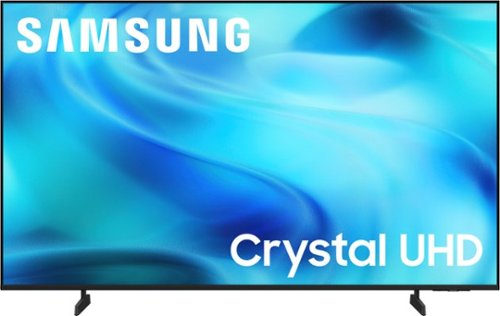
Watch all your content in crisp 4K resolution, with rich contrast, amazing color and clear picture. Discover thousands of subscription-free channels, including 700+ premium channels with Samsung TV Plus. Also, play thousands of video games without a console thanks to Samsung Gaming Hub. Enjoy peace of mind for years to come with the TV brand rated #1 in durability.
Can the brightness be adjusted?
Hi Tv4me,
If the image appears too dark, we suggest disabling certain energy-saving features, which can automatically adjust brightness and affect how the screen looks.
Go to: Settings > All Settings > General & Privacy > Power and Energy Saving, then turn off Brightness Optimization, Energy Saving Solution, Motion Lighting, and/or Contrast Enhancer.
To adjust brightness, go to: Settings > All Settings > Picture > Expert Settings.
I hope this helps!
~Samsung Advisor
If the image appears too dark, we suggest disabling certain energy-saving features, which can automatically adjust brightness and affect how the screen looks.
Go to: Settings > All Settings > General & Privacy > Power and Energy Saving, then turn off Brightness Optimization, Energy Saving Solution, Motion Lighting, and/or Contrast Enhancer.
To adjust brightness, go to: Settings > All Settings > Picture > Expert Settings.
I hope this helps!
~Samsung Advisor
2 months ago
by
Posted by:
Samsung
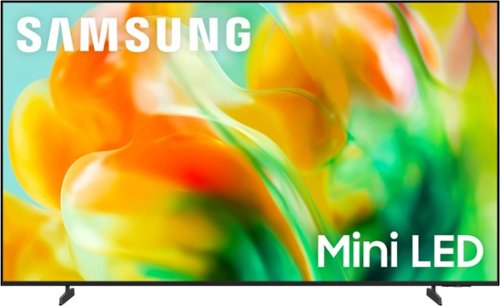
Thousands of tiny LEDs precisely work together to display brighter visuals with richer contrast. With the AI-powered processor, your favorite shows, movies and games come to life with incredible depth, realism and audio quality, while SDR content gets automatically remastered to look like HDR. Plus, discover endless content with thousands of video games and free channels.
Is this tv good for a bright room?
Hi Junior,
The M80H features Supreme Mini LED Dimming for precise light control–keeping details clear in both deep shadows and bright highlights. Stepping up to the QN70H adds Wide Viewing Angle for a more consistent picture and enhanced color from every seat. Starting with the S85H OLED, you’ll gain Ultra Viewing Angle with Anti-Reflection for enhanced color and reduced glare.
~ Samsung Advisor
The M80H features Supreme Mini LED Dimming for precise light control–keeping details clear in both deep shadows and bright highlights. Stepping up to the QN70H adds Wide Viewing Angle for a more consistent picture and enhanced color from every seat. Starting with the S85H OLED, you’ll gain Ultra Viewing Angle with Anti-Reflection for enhanced color and reduced glare.
~ Samsung Advisor
2 months ago
by
Posted by:
Samsung
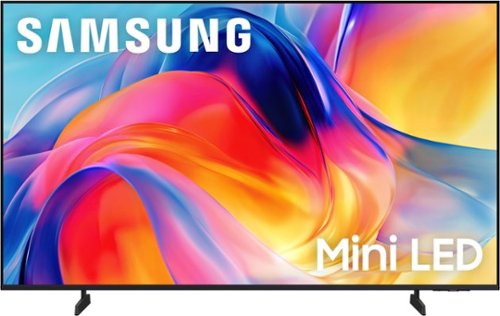
Bright, detailed colors pair together with deep, cinematic contrast in your favorite smart apps and video games thanks to precise control with Mini LEDs, delivering a realistic picture no matter what you watch. Get thousands of subscription free channels, including 700+ premium channels with Samsung TV Plus. Rest assured your personal data is secured with Knox Security.
What can I use or, probably better yet, what should I not use to clean the screen? Windex? Plastic lens cleaner? Alcohol or non-alcohol?
HI Rico73,
When cleaning your Samsung TV screen, please follow these guidelines to help keep it in optimal condition:
• Power off your TV and allow it to cool for 5-10 minutes before cleaning to reduce streaking.
• Use a soft, dry microfiber cloth to gently wipe the screen - avoid pressing too hard.
• Do not use any chemicals or cleaning agents such as wax, alcohol, thinners, air fresheners, or detergents.
• Never spray water or liquid directly onto the screen or TV surface.
~ Samsung Advisor
When cleaning your Samsung TV screen, please follow these guidelines to help keep it in optimal condition:
• Power off your TV and allow it to cool for 5-10 minutes before cleaning to reduce streaking.
• Use a soft, dry microfiber cloth to gently wipe the screen - avoid pressing too hard.
• Do not use any chemicals or cleaning agents such as wax, alcohol, thinners, air fresheners, or detergents.
• Never spray water or liquid directly onto the screen or TV surface.
~ Samsung Advisor
2 months ago
by
Posted by:
Samsung
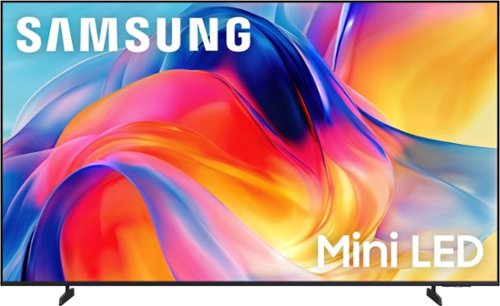
Bright, detailed colors pair together with deep, cinematic contrast in your favorite smart apps and video games thanks to precise control with Mini LEDs, delivering a realistic picture no matter what you watch. Get thousands of subscription free channels, including 700+ premium channels with Samsung TV Plus. Rest assured your personal data is secured with Knox Security.
Does this TV work with a Google Home device?
Hi DP,
While built-in Google Assistant isn't available directly on this TV, you can still control it by using external Google Assistant-enabled devices.
~Samsung Advisor
While built-in Google Assistant isn't available directly on this TV, you can still control it by using external Google Assistant-enabled devices.
~Samsung Advisor
2 months ago
by
Posted by:
Samsung