Samsung
Samsung's Stats
Reviews
- Review Count0
- Helpfulness Votes0
- First ReviewNone
- Last ReviewNone
- Featured Reviews0
- Average Rating0
Reviews Comments
- Review Comment Count0
- Helpfulness Votes0
- First Review CommentNone
- Last Review CommentNone
- Featured Review Comments0
Questions
- Question Count0
- Helpfulness Votes0
- First QuestionNone
- Last QuestionNone
- Featured Questions0
- Answer Count74143
- Helpfulness Votes37,976
- First AnswerApril 24, 2013
- Last AnswerSeptember 8, 2026
- Featured Answers0
- Best Answers3951
Samsung's Reviews
Samsung has not submitted any reviews.
Samsung's Questions
Samsung has not submitted any questions.
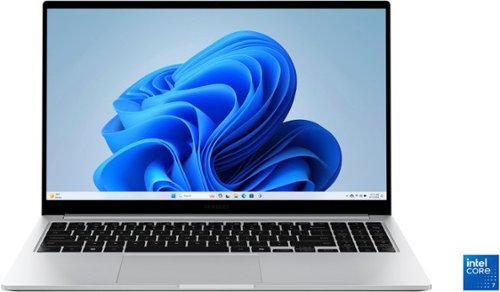
Samsung - Galaxy Book4 15.6" FHD Laptop - Intel Core 7- 16GB Memory - 512GB SSD - Silver
Get a little more out of your everyday with Galaxy Book4. This laptop delivers on all the top features you need with the premium design you want. The gorgeous display, ample processing power and seamless connectivity with your other Galaxy devices make your next laptop choice a no brainer. Powered by the latest Intel Core processor and a long lasting battery, this laptop allows you to stay on top of your inbox, listen to your favorite music and check in on what your friends are up to on social media. Need more storage? You~re in luck! You can expand your storage up to 2TB with a microSD card, so this laptop will support your needs no matter what you decide to take on next. Enjoy browsing the web or streaming video on the gorgeous full HD display that will be sure to spark screen envy wherever you go. And you~ll see every detail of that new movie you~ve been looking forward to on the large 15.6" screen. Plus, you can easily sync with your other Galaxy devices to create a seamlessly connected and aesthetically pleasing premium Galaxy ecosystem. Power and premium design to elevate your world that~s Galaxy Book4.
Does this have thunderbolt?

Aloha Thunderbolt, thanks for taking the time out of your busy day to ask us your question about the Samsung Galaxy Book4 (15.6"). The advertised Galaxy Book4 offers 1 x HDMI 1.4b, 2 x USB-C, 2 x USB-A 3.2, 1 x RJ45, 1 x MicroSD, and 1 x Security Slot. If you think of any other questions for us, do not hesitate to contact Support. Thank you for being a steadfast Samsung customer. - Debra
1 year, 8 months ago
by
Posted by:
Samsung

Wherever life takes you, power through all your adventures with Galaxy Tab S10+. This tablet helps you make big moves in style. It~s sized perfectly for your active life, making it your go to for getting things done. Unleash powerful AI features that simply make life easier. Learn more about your world quickly and easily using Circle to Search with Google. If it~s on your Tab screen, you can identify it. Simply circle it and get search results on the spot. Also, organize notes effortlessly with Note Assist. From lectures to meetings, everything is streamlined and easily readable with a simple tap. Blaze through all you do with Wi Fi connectivity and plenty of power thanks to the latest processor, plus a long-lasting battery. This Tab loves to go where you go. From the office to the classroom, it~s designed with an Armor Aluminum frame that~s not afraid to take on the occasional bumps of day-to-day life. You can even take it outside since it~s water and dust resistant, unlike most other tablets. Everything comes to life beautifully on an ultra-crisp Dynamic AMOLED 2X display that helps reduce glare. From editing photos to a video chat with your mom, every experience pops on a large 12.4" screen. Feel even closer to your world with Galaxy connectivity you can pair Tab S10+ with your smartphone and instantly sync files or photos or keep the conversation going with call and text continuity right on your tablet. Galaxy Tab S10+ built for productivity on the go. Powered by AI.
Does this have the slot for external micro SD card for memory?
Greetings Sudhi, thank you for finding the opportunity to ask us your question about the Samsung Galaxy Tab S10+. Yes, the Galaxy Tab S10+ does offer expandable storage capabilities, up to 1.5TB, in the form of a microSD card slot. If you think of any other questions for us, feel free to contact Support. Thank you for being a trustworthy Samsung customer. - Debra
1 year, 8 months ago
by
Posted by:
Samsung
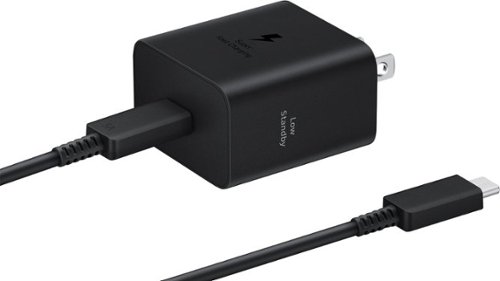
The 45W Power Adapter is your companion for fast charging and high efficiency. Designed to seamlessly integrate with your Galaxy devices, this power adapter ensures your device stays powered up wherever your day takes you.
Will this super fast charge a Samsung Galaxy S24 Ultra?
Hello there Bsktbuddy, thank you for finding the available time out of your lively day to ask us your question about the Samsung 45W Power Adapter. Yes, the advertised 45W Power Adapter is capable of super-fast charging your Galaxy S24 Ultra. To learn more, feel free to review "Wall chargers and charging your Galaxy phone or tablet." If you think of any other questions for us, do not hesitate to reach out to Support. Thank you for being a steadfast Samsung customer. - Debra
1 year, 8 months ago
by
Posted by:
Samsung
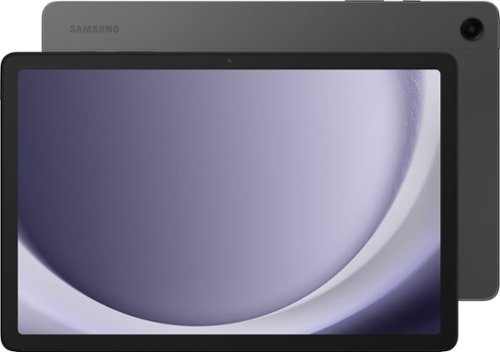
Samsung - Galaxy Tab A9+ 11" 128GB - Wi-Fi - Graphite
Meet your go to device for on-the-go family fun Galaxy Tab A9+. A bright, engaging 11" screen is perfect for every family member to do what they love. Whether they~re enjoying a show, unwinding with a game, or catching up on schoolwork or day to day tasks, an upgraded chipset makes every experience feel smooth and easy. You can even open multiple apps at the same time and get all your everyday tasks done quickly. Use it for hours without worrying about power and keep everything you love together with plenty of storage space. Plus, the preloaded Samsung Kids app provides a safe digital environment for your little ones to happily learn and play. Give your family a great all in one Tab that perfectly meets all their everyday needs without taking a bite out of your wallet Galaxy Tab A9+.
Can the 3 silver pogo type pins on the side be used to charge the tablet with a charging dock or are they only for connecting a keyboard?
Aloha James, thank you for finding the opportunity to ask us your question about the Samsung Galaxy Tab A9+. You can achieve mobile continuity between your device and other connected devices. Here's how: From Settings, tap Connected devices for the following features - * Quick Share: Allow anyone with a Samsung account to share files with your device. * Auto switch Buds: Automatically switch your Galaxy Buds from another device to this device when you make a call, answer a call, or play media. * Call & text on other devices: Make and answer calls and text messages from your Galaxy devices that are signed in to your Samsung account. * Continue apps on other devices: Pick up where you left off on your Galaxy devices that are signed in to your Samsung account. * Link to Windows: Connect your device and Windows PC to get instant access to your device's photos, messages and more. * Samsung DeX: Connect your device to a PC or TV for an enhanced multitasking experience. * Smart View: Show your device's screen or play videos on a nearby TV. * SmartThings: Use your device to connect to an ecosystem of smarter living solutions. Feel free to reach out to Support if you think of any other questions you may have. Thank you for being a staunch Samsung customer. - Debra
1 year, 8 months ago
by
Posted by:
Samsung
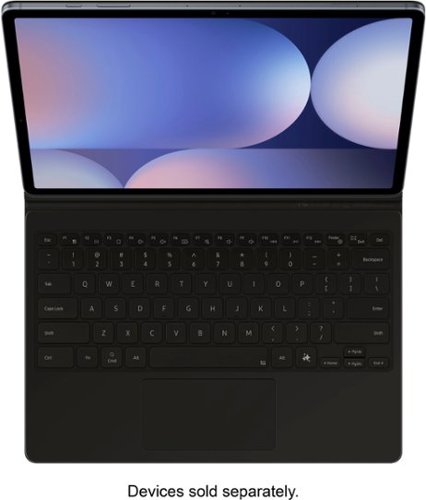
Tap into AI with the Book Cover Keyboard Slim AI Key. Protect your Galaxy Tab S10+/S9+/S9 FE+ with a slim cover that turns it into a complete workstation with a designated AI key. Tap it, write in your prompts and then sit back while AI does the rest.~
How can I connect my Samsung tablet to the keyboard?
Hi there Debcow654, thanks for taking the time to ask us your question about the Samsung Galaxy Tab S10+/S9+/S9 FE+ Book Cover Keyboard. To connect the Samsung Galaxy Tab S10+/S9+/S9 FE+ Book Cover Keyboard to your Samsung Galaxy Tab, you can attach the keyboard cover to the tablet's special connector. 1. Match up the keyboard with the metal contacts on the tablet. 2. Pop the keyboard into place. It's as easy as that. Feel free to contact us if you think of any other questions for us. Thank you for being a loyal Samsung customer. - Debra
1 year, 8 months ago
by
Posted by:
Samsung
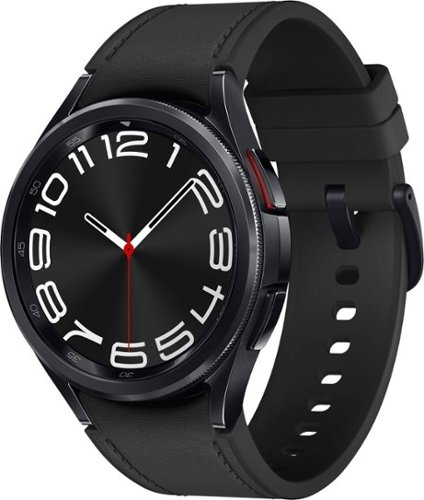
Samsung - Galaxy Watch6 Classic Stainless Steel Smartwatch 43mm LTE - Black - (2023)
Meet the stylish smartwatch that~s packed with the latest innovation ~Samsung Galaxy Watch6 Classic. With a sleek silhouette, a rotating bezel and our large display, it boasts the iconic look of a traditional watch. Take your style on the go and use Galaxy Watch6 Classic to call, text, pay and check notifications anytime, anywhere. Keep moving and motivated with wellness insights right on your wrist, and develop better sleep habits with Advanced Sleep Coaching. The style you want. The innovation you need. That~s Galaxy Watch6 Classic.
what size is the wrist band with this watch? trying to determine if it will fit me.
Good day Anthony, thank you for finding the free time out of your busy day to ask us your question about the Samsung Galaxy Watch6 Classic. The advertised Galaxy Watch6 Classic includes a Small/Medium watch band. S/M bands have been designed for wrist lengths of 130 to 190mm. If you have any other questions for us, do not hesitate to contact Support. Thank you for being an unwavering Samsung customer. - Debra
1 year, 8 months ago
by
Posted by:
Samsung
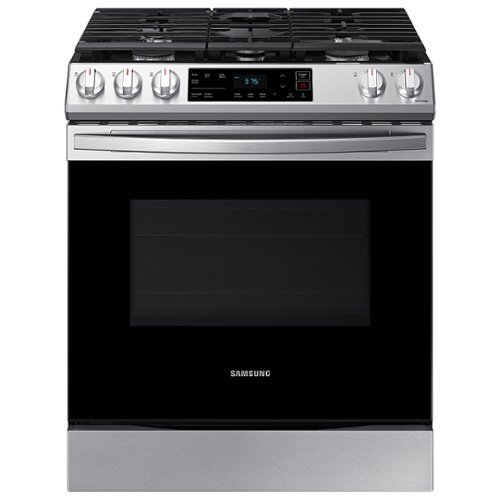
Samsung - 6.0 cu. ft. Front Control Slide-in Gas Range with Wi-Fi, Fingerprint Resistant - Stainless Steel
The Samsung Front Control Slide-in Gas Range is fully Wi-Fi connected and voice enabled, making it easy to create delicious meals for your family.
Can one use a griddle to gas range model NX60T8111SS? If yes, which model of griddle?
Hi Boogie,
We are here to provide the assistance that you need with your range.
We would like to speak to you directly to provide options and see how we can effectively assist you.
Please feel free to get back to us the soonest via the following options:
1. Facebook Messenger: http://m.me/samsungsupport
2. Twitter: https://twitter.com/messages/compose?recipient_id=18768513
3. Samsung Community: https://us.community.samsung.com/t5/Samsung-Community/ct-p/us
When you message us, please provide us with this reference number (1148060520), to help our team pull up your information.
Have a great day!
^Rodel
We are here to provide the assistance that you need with your range.
We would like to speak to you directly to provide options and see how we can effectively assist you.
Please feel free to get back to us the soonest via the following options:
1. Facebook Messenger: http://m.me/samsungsupport
2. Twitter: https://twitter.com/messages/compose?recipient_id=18768513
3. Samsung Community: https://us.community.samsung.com/t5/Samsung-Community/ct-p/us
When you message us, please provide us with this reference number (1148060520), to help our team pull up your information.
Have a great day!
^Rodel
1 year, 8 months ago
by
Posted by:
Samsung

Samsung - 85 Class DU7200 Series Crystal UHD 4K Smart Tizen TV (2024)
This essential TV features a range of contrast and color and smart capabilities. Enjoy your content with richer details, brighter images and clearer resolution with 4K Upscaling.
Does the RF tuner (ATSC 1.0) allow you to add channels manually (i.e. the ones a scan didn't pick up)? Is there a signal strength indicator?
Hi mistertv - Please give us the opportunity to better assist with this by reaching Samsung Support at: 1-800-SAMSUNG, 8AM - 12AM EST, 7 days a week, or Chat with us on Samsung.com: https://www.samsung.com/us/support/contact/
~ Samsung Specialist
~ Samsung Specialist
1 year, 8 months ago
by
Posted by:
Samsung

Samsung - 85 Class Q80D Series QLED 4K Smart Tizen TV (2024)
This advanced TV features super precise LEDs that elevate color and contrast. Dive even deeper into your content with dimensional scenes and seamless action.
I just purchased an 85 inch Q80D tv and am pairing it with a Samsung soundbar (K550) via bluetooth that I had previously. The bluetooth drops occasionally and I have to reconnect it. Is there any reason why this is happening?
Hi Don - Before using Bluetooth devices, please keep in mind:
1) You can't use Bluetooth devices and the Wi-Fi Speaker Surround Setup feature simultaneously.
2) Compatibility issues may occur, depending on the Bluetooth device (A Mobile exclusive headphone may not be available, depending on the environment).
3) Lip-sync errors may occur.
4) The TV and Bluetooth device may disconnect, depending on the distance between them.
If your issue persists, we recommend you use a wired connection. Please contact Samsung Customer Support at: 1-800-SAMSUNG, 8AM - 12AM EST, 7 days a week, or Chat with us on Samsung.com: https://www.samsung.com/us/support/contact/
~ Samsung Specialist
1) You can't use Bluetooth devices and the Wi-Fi Speaker Surround Setup feature simultaneously.
2) Compatibility issues may occur, depending on the Bluetooth device (A Mobile exclusive headphone may not be available, depending on the environment).
3) Lip-sync errors may occur.
4) The TV and Bluetooth device may disconnect, depending on the distance between them.
If your issue persists, we recommend you use a wired connection. Please contact Samsung Customer Support at: 1-800-SAMSUNG, 8AM - 12AM EST, 7 days a week, or Chat with us on Samsung.com: https://www.samsung.com/us/support/contact/
~ Samsung Specialist
1 year, 8 months ago
by
Posted by:
Samsung
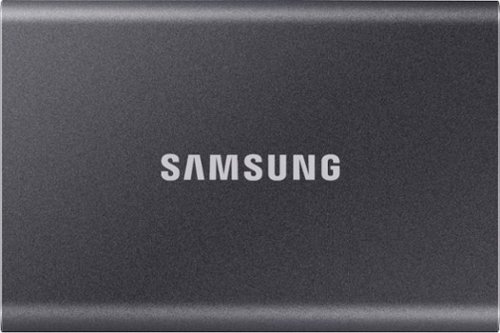
Secure and protect your data with this gray Samsung T7 2TB portable SSD. Large files transfer rapidly with USB 3.2 Gen 2 technology, and the durable thermal construction defends against impact and overheating. This Samsung T7 2TB portable SSD includes software and two cable types to simplify firmware updates and file management across multiple select platforms.
Can this be used as a startup disk for MacOS in order to replace the internal SATA drive and achieve better performance?
Publius:
Yes, the Samsung T7 SSD can be used as a startup disk for macOS.
- Samsung Memory
Yes, the Samsung T7 SSD can be used as a startup disk for macOS.
- Samsung Memory
1 year, 8 months ago
by
Posted by:
Samsung