Samsung
Samsung's Stats
Reviews
- Review Count0
- Helpfulness Votes0
- First ReviewNone
- Last ReviewNone
- Featured Reviews0
- Average Rating0
Reviews Comments
- Review Comment Count0
- Helpfulness Votes0
- First Review CommentNone
- Last Review CommentNone
- Featured Review Comments0
Questions
- Question Count0
- Helpfulness Votes0
- First QuestionNone
- Last QuestionNone
- Featured Questions0
- Answer Count74135
- Helpfulness Votes37,977
- First AnswerApril 24, 2013
- Last AnswerSeptember 8, 2026
- Featured Answers0
- Best Answers3951
Samsung's Reviews
Samsung has not submitted any reviews.
Samsung's Questions
Samsung has not submitted any questions.
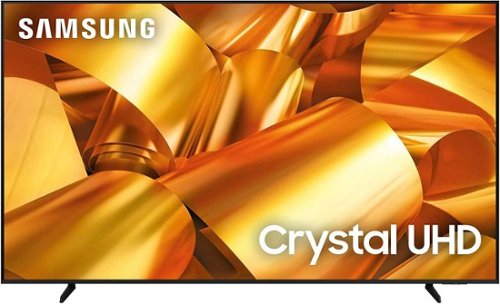
Samsung - 75 Class DU6950 Series Crystal UHD 4K Smart Tizen TV (2024)
This essential TV features a range of contrast and color and smart capabilities. Enjoy your content with richer details, brighter images and clearer resolution with 4K Upscaling.
Can I use a voice assist remote with this model?

Huey,
The DU6950 TV uses Bixby voice assistant and can be paired with Alexa or Google Assistant.
~Samsung Pro
The DU6950 TV uses Bixby voice assistant and can be paired with Alexa or Google Assistant.
~Samsung Pro
1 year, 9 months ago
by
Posted by:
Samsung

Samsung - 6.0 cu. ft. Smart Slide-in Gas Range with Air Fry & Convection - Stainless Steel
The Samsung Front Control Slide-in Gas Range with Air Fry and Convection is fully Wi-Fi connected and voice enabled, making it easy to create delicious meals for your family fast.
Is this range finger print proof
Hi Pat,
No, the range is fingerprint-resistant, which helps prevent fingerprints from forming on the range surface.
Should you need more assistance, please feel free to get back to us via the following options:
1. Facebook Messenger: http://m.me/Samsungsupport
2. Twitter: https://twitter.com/messages/compose?recipient_id=18768513
3. Samsung Community: https://us.community.Samsung.com/t5/Samsung-Community/ct-p/us
When you message us, please provide us with this reference number (1147705526) to help our team gather your information.
Have a great day.
^Charles
No, the range is fingerprint-resistant, which helps prevent fingerprints from forming on the range surface.
Should you need more assistance, please feel free to get back to us via the following options:
1. Facebook Messenger: http://m.me/Samsungsupport
2. Twitter: https://twitter.com/messages/compose?recipient_id=18768513
3. Samsung Community: https://us.community.Samsung.com/t5/Samsung-Community/ct-p/us
When you message us, please provide us with this reference number (1147705526) to help our team gather your information.
Have a great day.
^Charles
1 year, 9 months ago
by
Posted by:
Samsung
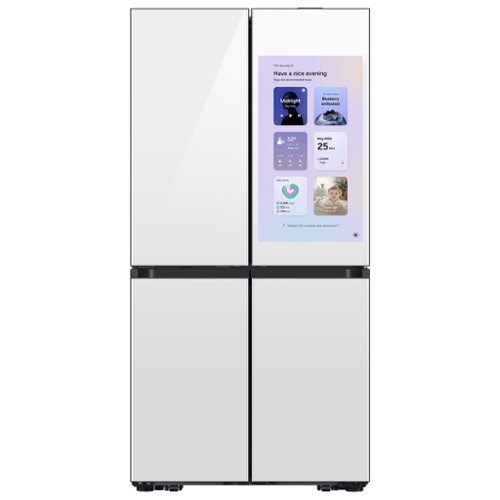
Samsung~s Bespoke 4-Door Flex 29 cu. ft. Refrigerator features Family Hub 32" with the industry~s largest screen. AI Vision Inside automatically recognizes what's in your fridge, so you always know what's inside. Beverage Center provides quick and easy access to refreshingly cold water two ways.
Can the TV and certain other functions be turned off so we can decide what functions we want available, like only the calendar?
Hi Andrea,
Yes, you can customize the Family Hub of the fridge.
Please watch the video on the link below to help you customize the family hub.
Customize your Family Hub home boards.
https://www.youtube.com/watch?v=kfL_elJkSl8
Have a great day.
^Aloe
Yes, you can customize the Family Hub of the fridge.
Please watch the video on the link below to help you customize the family hub.
Customize your Family Hub home boards.
https://www.youtube.com/watch?v=kfL_elJkSl8
Have a great day.
^Aloe
1 year, 9 months ago
by
Posted by:
Samsung
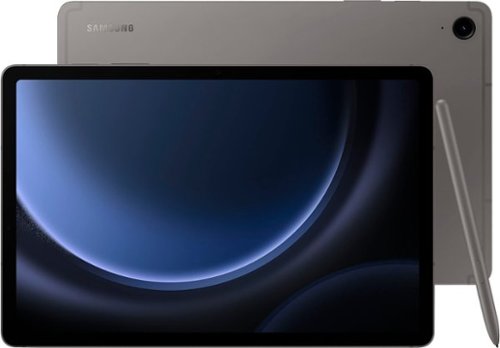
Samsung - Galaxy Tab S9 FE - 10.9" 128GB - Wi-Fi - with S-Pen - Gray
Begin your tablet journey with Galaxy Tab S9 FE Series. The perfect introductory tablets, Tab S9 FE Series gives you the just the right mix of innovative Galaxy features that you need for your lifestyle. Stay in touch with your world and on top of your day with powerful processors, high-quality video playback, great sound and reliable connectivity. Whether you~re wrapping up a work project or kicking back with your favorite entertainment, you~ll have plenty of room to do what you need on big, beautiful screens. Plus, these Tabs let you go for hours with powerful, fast-charging batteries that have your back. They~re built to last too, with water and dust resistance that make them some of the most durable tablets on the market. Discover the new standard of tablet essentials with Galaxy Tab S9 FE Series.
Can the Samsung Galaxy Tab S9 FE be charged by plugging into a usb3 that’s built into a computer or wall outlet?
Thanks for reaching out to us! We see that you reached out to inquire about the Galaxy Tab S9 FE. The Samsung Galaxy Tab S9 FE can be charged by plugging it into a USB-C port on a computer or wall outlet. If you have any further questions, please do not hesitate to reach out to us at Support. -Kelvin
1 year, 9 months ago
by
Posted by:
Samsung

What is the length an width of the actual picture display??
Hello Frankiepop, The Samsung Music Frame holds photos 10" high x 8" wide; 8"x8". ~ Samsung Solutions
1 year, 9 months ago
by
Posted by:
Samsung
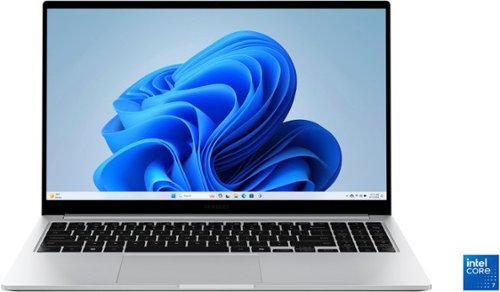
Samsung - Galaxy Book4 15.6" FHD Laptop - Intel Core 7- 16GB Memory - 512GB SSD - Silver
Get a little more out of your everyday with Galaxy Book4. This laptop delivers on all the top features you need with the premium design you want. The gorgeous display, ample processing power and seamless connectivity with your other Galaxy devices make your next laptop choice a no brainer. Powered by the latest Intel Core processor and a long lasting battery, this laptop allows you to stay on top of your inbox, listen to your favorite music and check in on what your friends are up to on social media. Need more storage? You~re in luck! You can expand your storage up to 2TB with a microSD card, so this laptop will support your needs no matter what you decide to take on next. Enjoy browsing the web or streaming video on the gorgeous full HD display that will be sure to spark screen envy wherever you go. And you~ll see every detail of that new movie you~ve been looking forward to on the large 15.6" screen. Plus, you can easily sync with your other Galaxy devices to create a seamlessly connected and aesthetically pleasing premium Galaxy ecosystem. Power and premium design to elevate your world that~s Galaxy Book4.
Does the trackpad in this laptop have wireless power sharing?
Thank you for reaching out to us. We appreciate your inquiry. Unfortunately, the Galaxy Book4 does not feature built-in wireless power sharing. However, both the Galaxy Book Flex and Galaxy Book Ion models do include this technology, allowing them to charge smartphones and other wireless charging accessories. If you have any further questions or concerns, please be sure to reach out to us at Support. -Kelvin
1 year, 9 months ago
by
Posted by:
Samsung
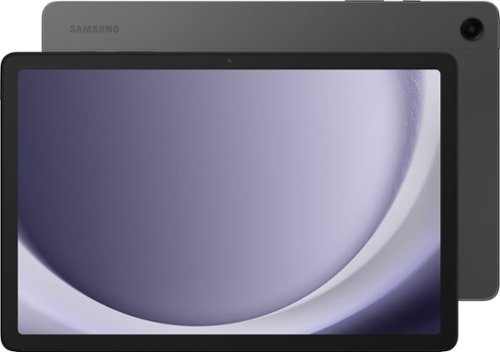
Samsung - Galaxy Tab A9+ 11" 128GB - Wi-Fi - Graphite
Meet your go to device for on-the-go family fun Galaxy Tab A9+. A bright, engaging 11" screen is perfect for every family member to do what they love. Whether they~re enjoying a show, unwinding with a game, or catching up on schoolwork or day to day tasks, an upgraded chipset makes every experience feel smooth and easy. You can even open multiple apps at the same time and get all your everyday tasks done quickly. Use it for hours without worrying about power and keep everything you love together with plenty of storage space. Plus, the preloaded Samsung Kids app provides a safe digital environment for your little ones to happily learn and play. Give your family a great all in one Tab that perfectly meets all their everyday needs without taking a bite out of your wallet Galaxy Tab A9+.
Can I connect bluetooth ear buds to this tablet? I use beats ear buds
Thanks for taking the time to reach out to us, Cyndi. Galaxy phones and tablets can connect to a variety of devices using Bluetooth, making them perfect for different needs. If you want to play DJ for the day, pair your device with Bluetooth speakers to share music with everyone or connect to Bluetooth headphones to enjoy an audiobook without tangled wires. Most Bluetooth devices pair similarly, but some may require a specific app for connection or operation, so it's important to check the instructions for your accessories. To pair a Bluetooth device, ensure it is in pairing mode and that your phone or tablet is powered on. Then, open the Quick Settings panel by swiping down from the top of the screen, touch and hold the Bluetooth icon to access the settings, and make sure Bluetooth is enabled. From there, scroll to Available Devices and select the device you want to connect to; you might need to tap OK to confirm the pairing and, in some cases, enter a PIN or complete a verification step as outlined in the device's manual. Once connected, you can easily control devices like earbuds or a smart TV using the built-in Media and Device panels on your phone or tablet. If you have any further questions, please be sure to reach out to us at Support. -Kelvin
1 year, 9 months ago
by
Posted by:
Samsung
Samsung - Galaxy Tab A9+ 11" 128GB - Wi-Fi - Graphite
Meet your go to device for on-the-go family fun Galaxy Tab A9+. A bright, engaging 11" screen is perfect for every family member to do what they love. Whether they~re enjoying a show, unwinding with a game, or catching up on schoolwork or day to day tasks, an upgraded chipset makes every experience feel smooth and easy. You can even open multiple apps at the same time and get all your everyday tasks done quickly. Use it for hours without worrying about power and keep everything you love together with plenty of storage space. Plus, the preloaded Samsung Kids app provides a safe digital environment for your little ones to happily learn and play. Give your family a great all in one Tab that perfectly meets all their everyday needs without taking a bite out of your wallet Galaxy Tab A9+.
Is this tablet cellular as well as WIFI? Does it come with any accesssories?
Thanks for the outreach, Terri. We noticed that you inquired about the Galaxy Tab A9+. The device comes with a Data Cable and an Ejection Pin. Please keep in mind that the Galaxy Tab A9+ is a Wi-Fi tablet and does not support cellular network connections, but you can easily connect to wireless Wi-Fi networks or mobile hotspots. If you have any further questions, do not hesitate to reach out to us at Support. -Kelvin
1 year, 9 months ago
by
Posted by:
Samsung
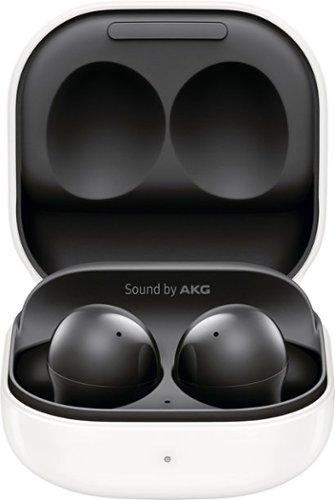
Samsung - Galaxy Buds2 True Wireless Earbud Headphones - Phantom Black
Galaxy Buds2 is here, bringing a way for everyone to enjoy epic sound. With audio quality this good, you'll feel the thump of every bassline and strum of every guitar right in your core ~it's like dropping you into your favorite band~s concert. Need to focus? Active Noise Cancellation and Ambient Sound control let you hear only what you want to hear. Enjoy some peace and quiet while you work from home or take calls without missing what~s happening around you. Featuring our slimmest and lightest design yet, Galaxy Buds2 fit so well, you may forget you're wearing them ~at least until the music starts. Now you can hear translations through your Buds while on calls or during face-to-face conversations
Do these have the capability of locations? If you drop one of them and can't find them, can you push a button on the device to locate them?
Thanks for taking the time to reach out with your inquiry on the Galaxy Buds2. To locate your Galaxy Buds2 or Buds2 Pro, follow these steps on your phone or tablet:
1. Open the Galaxy Wearable app.
2. Tap on "Find My Earbuds." This will open the SmartThings Find feature.
3. The most recent location of your earbuds will be displayed.
4. To help find them, tap on “Ring,” then tap “Start” to make the earbuds emit a beeping sound.
You can also tap “More” and select “Navigate” to open Google Maps for directions to your earbuds using GPS. Alternatively, you can use the SmartThings Find website. Please note that if the earbuds are out of Bluetooth range (approximately 32 feet) or if the battery is dead, the app will show them as disconnected and won't be able to locate them. Additionally, if there are any foreign substances or debris blocking the IR sensor, the earbuds may not beep. This feature cannot be used to locate a missing charging case. For any other questions, please be sure to reach out to us at Support. -Kelvin
1. Open the Galaxy Wearable app.
2. Tap on "Find My Earbuds." This will open the SmartThings Find feature.
3. The most recent location of your earbuds will be displayed.
4. To help find them, tap on “Ring,” then tap “Start” to make the earbuds emit a beeping sound.
You can also tap “More” and select “Navigate” to open Google Maps for directions to your earbuds using GPS. Alternatively, you can use the SmartThings Find website. Please note that if the earbuds are out of Bluetooth range (approximately 32 feet) or if the battery is dead, the app will show them as disconnected and won't be able to locate them. Additionally, if there are any foreign substances or debris blocking the IR sensor, the earbuds may not beep. This feature cannot be used to locate a missing charging case. For any other questions, please be sure to reach out to us at Support. -Kelvin
1 year, 9 months ago
by
Posted by:
Samsung
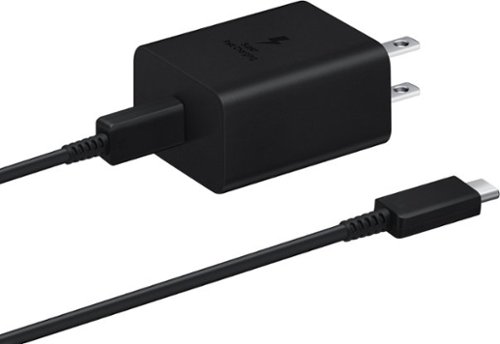
Samsung - Super Fast Charging 45W USB Type-C Wall Charger with USB-C Cable - Black
Charge your Samsung smartphone with this Samsung USB-C fast charging wall charger. The adapter delivers up to 3 amps for swift, stable charging, and the 45W super-fast-charge capability uses Power Delivery for efficient charging. This Samsung USB-C fast charging wall charger has a detachable USB-C to USB-C cable for charging and syncing your smartphone with compatible laptops while on the go.
Will this 45W PD Power Adapter charger work with a Samsung Galaxy A54 5G phone? I realise it is probably "overkill" but it's what I already have. Thanks!!
Thank you for reaching out to us! We appreciate your interest in using this charger with the Galaxy A54. We want to confirm that this is a Samsung-approved charger, and since the A54 uses a USB Type-C connection, it will work perfectly with this charger. If you have any further questions, please do not hesitate to reach out to us at Support. -Kelvin
1 year, 9 months ago
by
Posted by:
Samsung