Samsung
Samsung's Stats
Reviews
- Review Count0
- Helpfulness Votes0
- First ReviewNone
- Last ReviewNone
- Featured Reviews0
- Average Rating0
Reviews Comments
- Review Comment Count0
- Helpfulness Votes0
- First Review CommentNone
- Last Review CommentNone
- Featured Review Comments0
Questions
- Question Count0
- Helpfulness Votes0
- First QuestionNone
- Last QuestionNone
- Featured Questions0
- Answer Count74148
- Helpfulness Votes37,978
- First AnswerApril 24, 2013
- Last AnswerSeptember 9, 2026
- Featured Answers0
- Best Answers3951
Samsung's Reviews
Samsung has not submitted any reviews.
Samsung's Questions
Samsung has not submitted any questions.
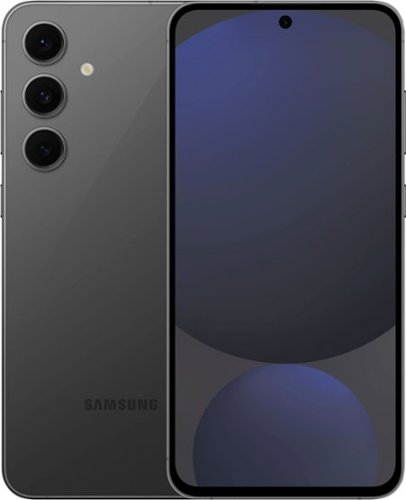
Samsung - Galaxy S24 FE 256GB (Unlocked) - Graphite
Get more out of your experiences with a phone that brings the power of Galaxy AI to your everyday. Galaxy S24 FE is built to take your daily tasks and hobbies up a notch with Galaxy AI~ and more. Whether you~re making masterpieces out of memories with Photo Assist, making moments last with Instant Slow-Mo~, enjoying your favorite entertainment on a dynamic display, bettering your wellness by connecting to Watch FE~ or seamlessly connecting in another language~, this device is equipped with all the essentials plus some exciting extras for the enhanced S Series experience.
What year model is this phone?

Salutations Chuck, thanks for taking the time out of your busy schedule to ask us your question about the Samsung Galaxy S24 FE. The S24 FE was released in October of this year. If you have additional questions, please feel free to reach out to Samsung Support. Thank you for being a faithful Samsung customer. - Debra
1 year, 9 months ago
by
Posted by:
Samsung
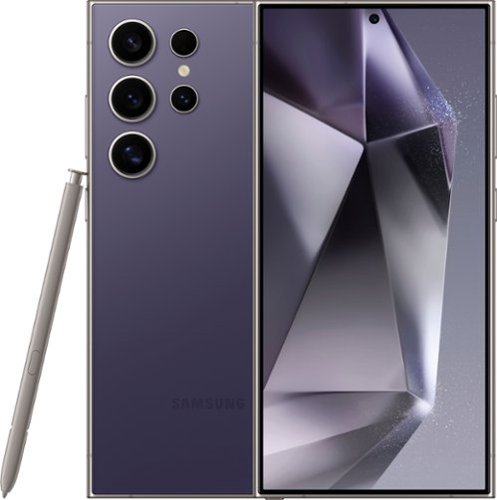
Samsung - Galaxy S24 Ultra 256GB (Unlocked) - Titanium Violet
Do more with Galaxy AI on the epic Galaxy S24 Ultra. Wondering where the cool museum that your favorite influencer visited is located? Simply Circle to Search with Google and start planning your own trip to the Louvre. Then get ready to experience local flavors by calling ahead with Live Translate to make a reservation in French, even if all you know is ~Bonjour.~ Capture every detail of your candlelight meal with impressive Nightography and zoom in to see the live violinist playing across the room. Once you~re back in your hotel, elevate your pics from good to great right on your Galaxy S24 Ultra. You can even use your built in S Pen to add fun doodles before posting. Unleash new ways to create, connect and more with Galaxy AI on Galaxy S24 Ultra. Epic, just like that.
Are the US version and global version the same
Aloha lmg1967, thank you for finding the opportunity to ask us your question about the Samsung Galaxy S24 Ultra. That's a great question! US versions of devices have been designed to meet the requirements and network standards of the United States. Global versions are designed for markets inside and outside the United States based on the model and compatible bands. Hope that helps clarify the difference between US and Global versions. If you have any other questions for us, feel free to contact Samsung Support. Thank you for being a staunch Samsung customer. - Debra
1 year, 9 months ago
by
Posted by:
Samsung
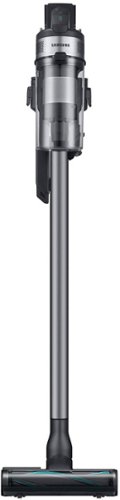
Samsung - Jet 75 Pet Cordless Stick Vacuum with 5-Layer Filtration - Teal Silver
Upgrade to effortless cleaning. The Samsung Jet 75 Pet Cordless Stick Vacuum offers powerful cleaning performance with up to 200AW of suction power and comes in a lightweight design. The easily removable, rechargeable battery allows for up to 60 minutes of run time so you can clean at your own pace.
Does it have a light on it?
Hi there,
No, the vacuum does not have a lighting feature in its design.
The Samsung VS20B75AGR5 is equipped with a Digital Display that shows important information, but it does not have a dedicated headlight or light on the cleaning head for illuminating dark areas during vacuuming.
For further clarification, please refer to the user manual:
The "Features and Components" section, which typically describes included functionalities and designs, starts from page 4 and details specific features.
Any additional functionality related to attachments or upgrades will also appear in pages 10–12, covering accessory-specific details.
You can access the full manual here on Samsung’s official support page.
Feel free to let us know if you have any additional queries or need further guidance. We're here to help!
Manual
https://downloadcenter.samsung.com/content/UM/202410/20241028203116960/O-DJ68-00899N-01_IB_VS7500B_AA_EN_241024.pdf
Should you need more assistance, please feel free to get back to us via the following options:
1. Facebook Messenger: http://m.me/Samsungsupport
2. Twitter: https://twitter.com/messages/compose?recipient_id=18768513
3. Samsung Community: https://us.community.Samsung.com/t5/Samsung-Community/ct-p/us
When you message us, please provide us with this reference number (1147680140) to help our team gather your information.
Have a great day.
^Charles
No, the vacuum does not have a lighting feature in its design.
The Samsung VS20B75AGR5 is equipped with a Digital Display that shows important information, but it does not have a dedicated headlight or light on the cleaning head for illuminating dark areas during vacuuming.
For further clarification, please refer to the user manual:
The "Features and Components" section, which typically describes included functionalities and designs, starts from page 4 and details specific features.
Any additional functionality related to attachments or upgrades will also appear in pages 10–12, covering accessory-specific details.
You can access the full manual here on Samsung’s official support page.
Feel free to let us know if you have any additional queries or need further guidance. We're here to help!
Manual
https://downloadcenter.samsung.com/content/UM/202410/20241028203116960/O-DJ68-00899N-01_IB_VS7500B_AA_EN_241024.pdf
Should you need more assistance, please feel free to get back to us via the following options:
1. Facebook Messenger: http://m.me/Samsungsupport
2. Twitter: https://twitter.com/messages/compose?recipient_id=18768513
3. Samsung Community: https://us.community.Samsung.com/t5/Samsung-Community/ct-p/us
When you message us, please provide us with this reference number (1147680140) to help our team gather your information.
Have a great day.
^Charles
1 year, 9 months ago
by
Posted by:
Samsung
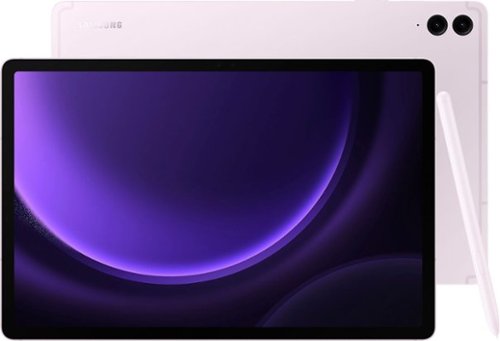
Samsung - Galaxy Tab S9 FE+ - 12.4" 256GB - Wi-Fi - with S-Pen - Lavender
Meet Galaxy Tab S9 FE+, the powerful tablet that~s made just for you. A universe of possibilities awaits with Tab S9 FE+. This versatile and durable device is built to stand the test of time and meet the evolving needs of your day. Conquer every task, from your passion project to your to-do list, with a powerful processor that delivers a reliably smooth experience. And when work~s done, kick back with hours of uninterrupted entertainment ~the expansive 12.4" screen gives you more than enough room to keep up with your hobbies, unwind with your favorite games or catch up on the latest shows. Let your imagination run loose with the included S Pen that allows you to draw and write by hand with that pen-on-paper feeling. Plus, the powerful battery charges fast and keeps you going. Discover the power to inspire with Galaxy Tab S9 FE+.
can i use this item for phone calls and zoom meetings?
Hey, thank you for finding the time to ask us your question about the Samsung Galaxy Tab S9 FE+. With the Call & text on other devices feature, you can make and receive calls on your tablet as long as it's signed into the same Samsung account as your phone. You can also send messages. However, the connected phone will need to have active service. Check out, "Make calls and send messages from your Galaxy tablet " if you would like to learn more about using this feature. Please visit the Google Play Store to download your favorite apps, like Zoom, to use on this device. If you have additional questions for us, feel free to contact Samsung Support at your earliest convenience. Thank you for being a trustworthy Samsung customer. - Debra
1 year, 9 months ago
by
Posted by:
Samsung
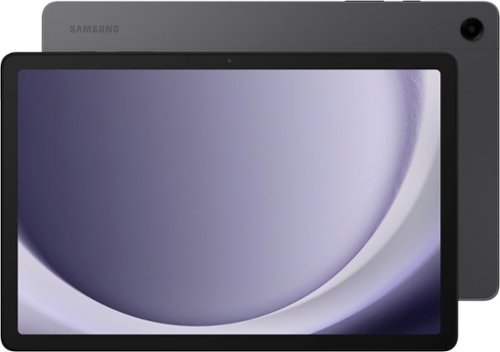
Samsung - Galaxy Tab A9+ 11" 256GB - Wi-Fi - Graphite
Meet your go to device for on the go family fun Galaxy Tab A9+. A bright, engaging 11" screen is perfect for every family member to do what they love. Whether they~re enjoying a show, unwinding with a game or catching up on schoolwork or day to day tasks, an upgraded chipset makes every experience feel smooth and easy. You can even open multiple apps at the same time and get all your everyday tasks done quickly. Use it for hours without worrying about power, and keep everything you love together with plenty of storage space. Plus, the preloaded Samsung Kids app provides a safe digital environment for your little ones to happily learn and play. Give your family a great all in one Tab that perfectly meets all their everyday needs without taking a bite out of your wallet Galaxy Tab A9+.
Does this tablet have a slot for a sim card to use with AT&T plan?
Thanks for taking the time to reach out to us, Twi. We see that you reached out to inquire about the Galaxy Tab A9+. Since this is a Wi-Fi tablet, this device does not have a SIM card slot. You will only be able to connect to the internet via wireless networks or a hotspot. For any further questions, please be sure to reach out to us at Support. -Kelvin
1 year, 9 months ago
by
Posted by:
Samsung

Don't let a low battery slow you down. Get fast-charging, time-saving convenience with the Galaxy Watch Charger.~ Spend less time plugged in and more time on the go with a fast charge that gets your Galaxy Watch7 up to 45% in just 30 minutes.~
Is this magnetic?
We appreciate you taking the time to reach out with your question regarding the Galaxy Smart Watch Wireless Charger. Yes, it is magnetic! To charge your smartwatch with a flat charging dock, simply plug in the USB end to an adapter, and then plug that into a power source. Place your watch (facing upward) on the magnetic dock and allow it to charge. For any further questions, do not hesitate to reach out to us at Support. -Kelvin
1 year, 9 months ago
by
Posted by:
Samsung

Samsung - Galaxy Tab S9 / S9 FE / S10 FE Book Cover Keyboard - Black
Protect your tablet ~and create more ~with a cover that doubles as a keyboard. The Book Cover Keyboard is made sturdy but lightweight to attach easily to your Galaxy Tab S9/S9 FE/S10 FE so you can type like you would on a PC, anywhere you go.~
What is the connectivity to the tablet? How is it powered?
Thank you for reaching out to us! We see that you are interested in our Galaxy Tab S9/S9 FE Book Cover Keyboard. Its magnetic design allows you to easily detach and reattach the back cover, enabling you to customize your device to fit your everyday needs. Plus, it is powered by your tablet. If you have any further questions, please feel free to contact us at Support. -Kelvin
1 year, 9 months ago
by
Posted by:
Samsung
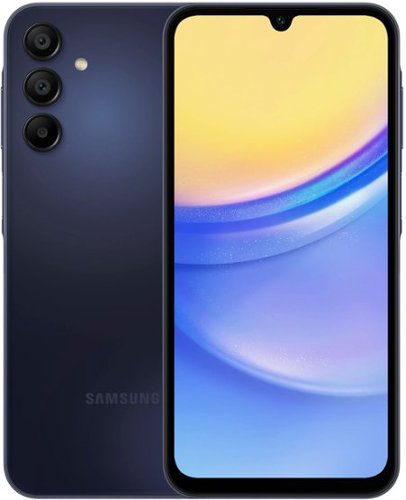
Samsung - Galaxy A15 5G 128GB (Unlocked) - Blue Black
Awesome belongs to anyone with Galaxy A15 5G. Built with all the essential features, Galaxy A15 5G makes it easier to embrace cutting edge innovation while providing unmatched value. Immerse yourself in your favorite content, with Samsung TV Plus, showcased in crisp clarity on a bright display. Capture and cherish precious moments spent with friends and family using a triple lens camera system, and never worry about running out of space with expandable storage. Power through your day with a reliable battery that charges at lightning speed with Super Fast Charging. Plus, with Samsung Wallet and four years of softwareupdates included, you can trust that your A15 5G can support your every need. Experience the awesomeness in every day with Galaxy A15 5G where innovation meets accessibility. Awesome experience. Awesome value.
Does this phone have wireless charging
Thanks for reaching out to us! We see that you reached out to inquire about the Galaxy A15. The A15 does not have wireless charging capabilities but it does have fast charging capabilities. If you have any further questions, please be sure to reach out to us at Support. -Kelvin
1 year, 9 months ago
by
Posted by:
Samsung

Meet our thinnest, lightest Chromebook Plus ever ~ now with Google AI built in to supercharge your productivity.
What is the warranty on this?
Thanks for reaching out to us, Ginger! We noticed you reached out to inquire about the Galaxy Chromebook Plus. Products sold by Samsung are warranted against manufacturing defects in material and workmanship for the limited 12-month warranty period specified for each product. We also provide the option to add additional coverage with Samsung Care+ on eligible devices, which offers extended protection and additional support. If you have any further questions, please be sure to reach out to us at Support. -Kelvin
1 year, 9 months ago
by
Posted by:
Samsung
Samsung - Galaxy A15 5G 128GB (Unlocked) - Blue Black
Awesome belongs to anyone with Galaxy A15 5G. Built with all the essential features, Galaxy A15 5G makes it easier to embrace cutting edge innovation while providing unmatched value. Immerse yourself in your favorite content, with Samsung TV Plus, showcased in crisp clarity on a bright display. Capture and cherish precious moments spent with friends and family using a triple lens camera system, and never worry about running out of space with expandable storage. Power through your day with a reliable battery that charges at lightning speed with Super Fast Charging. Plus, with Samsung Wallet and four years of softwareupdates included, you can trust that your A15 5G can support your every need. Experience the awesomeness in every day with Galaxy A15 5G where innovation meets accessibility. Awesome experience. Awesome value.
Is this phone esim compatible?
Thank you for reaching out, Carlos. We understand that you inquired about the Galaxy A15. The A15 features a SIM Slot Type of SIM 1 + Hybrid (either a SIM or MicroSD). Please note that it is not eSIM compatible. If you have any further questions, please do not hesitate to reach out to us at Support. -Kelvin
1 year, 9 months ago
by
Posted by:
Samsung